A Complete Testing Management
System for Courses Within Your
Learning Management System
Tell Us About Your Testing Options
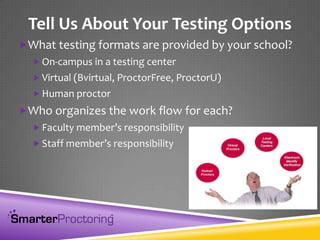
What testing formats are provided by your school?
 On-campus in a testing center
 Virtual (Bvirtual, ProctorFree, ProctorU)
 Human proctor
Who organizes the work flow for each?
 Faculty member’s responsibility
 Staff member’s responsibility
SmarterProctoring is NOT …
A virtual proctoring solution
 But it does help you organize the process of using virtual
proctoring solutions like Bvirtual, ProctorFree or ProctorU
A student authentication solution
 But it can help you work with services like
Authentify, Kryterion, or Examity
Testing integrity software
 But it can help you use services like Respondus or VoiceProctor
You can continue using what ever testing software you are currently using.
We Just Make The Process of Coordinating it Better.
Did I mention that it is FREE to schools!
Two Needs
System to organize all of the tasks associated with
planning a proctoring session
A database of vetted, trained, identity-verified
testing proctors
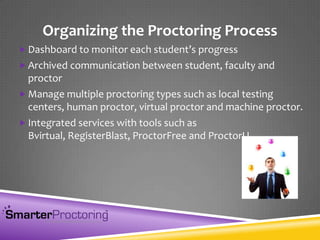
Organizing the Proctoring Process
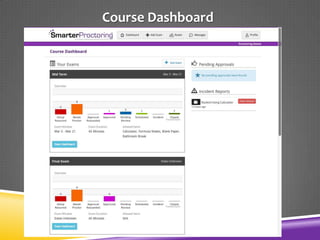
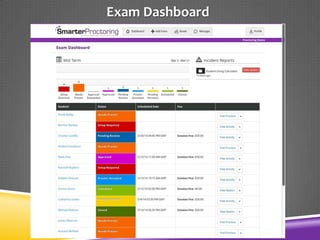
 Dashboard to monitor each student’s progress
 Archived communication between student, faculty and
proctor
 Manage multiple proctoring types such as local testing
centers, human proctor, virtual proctor and machine proctor.
 Integrated services with tools such as
Bvirtual, RegisterBlast, ProctorFree and ProctorU
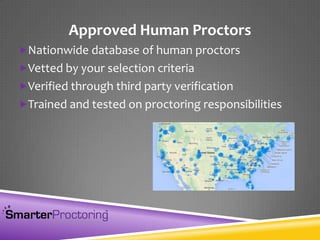
Approved Human Proctors
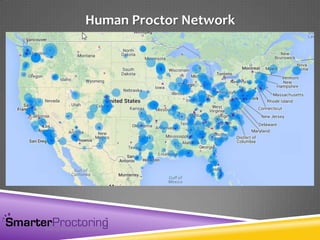
Nationwide database of human proctors
Vetted by your selection criteria
Verified through third party verification
Trained and tested on proctoring responsibilities
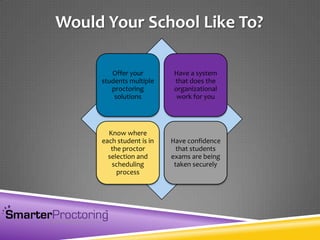
Offer your
students multiple
proctoring
solutions
Have a system
that does the
organizational
work for you
Know where
each student is in
the proctor
selection and
scheduling
process
Have confidence
that students
exams are being
taken securely
Would Your School Like To?
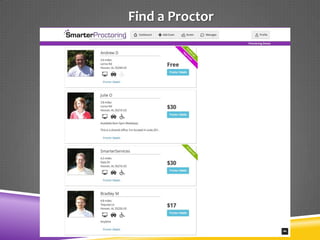
Software that works within your LMS that helps
students find different types (Virtual, Testing
Center, Human, etc.) of approved proctors, while
also allowing the faculty to see where each student is
in the test scheduling process.
What is SmarterProctoring?
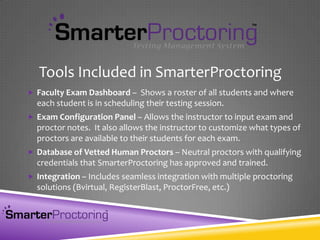
 Faculty Exam Dashboard – Shows a roster of all students and where
each student is in scheduling their testing session.
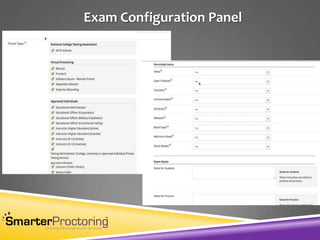
 Exam Configuration Panel – Allows the instructor to input exam and
proctor notes. It also allows the instructor to customize what types of
proctors are available to their students for each exam.
 Database of Vetted Human Proctors – Neutral proctors with qualifying
credentials that SmarterProctoring has approved and trained.
 Integration – Includes seamless integration with multiple proctoring
solutions (Bvirtual, RegisterBlast, ProctorFree, etc.)
Tools Included in SmarterProctoring
Administrator View
Faculty Dashboard
Course Dashboard
Exam Dashboard
Exam Configuration Panel
Student View
Find a Proctor
Human Proctor Network

SmarterProctoring slides 3 27-2014

  • 1.
    A Complete TestingManagement System for Courses Within Your Learning Management System
  • 2.
    Tell Us AboutYour Testing Options What testing formats are provided by your school?  On-campus in a testing center  Virtual (Bvirtual, ProctorFree, ProctorU)  Human proctor Who organizes the work flow for each?  Faculty member’s responsibility  Staff member’s responsibility
  • 3.
    SmarterProctoring is NOT… A virtual proctoring solution  But it does help you organize the process of using virtual proctoring solutions like Bvirtual, ProctorFree or ProctorU A student authentication solution  But it can help you work with services like Authentify, Kryterion, or Examity Testing integrity software  But it can help you use services like Respondus or VoiceProctor You can continue using what ever testing software you are currently using. We Just Make The Process of Coordinating it Better. Did I mention that it is FREE to schools!
  • 4.
    Two Needs System toorganize all of the tasks associated with planning a proctoring session A database of vetted, trained, identity-verified testing proctors
  • 5.
    Organizing the ProctoringProcess  Dashboard to monitor each student’s progress  Archived communication between student, faculty and proctor  Manage multiple proctoring types such as local testing centers, human proctor, virtual proctor and machine proctor.  Integrated services with tools such as Bvirtual, RegisterBlast, ProctorFree and ProctorU
  • 6.
    Approved Human Proctors Nationwidedatabase of human proctors Vetted by your selection criteria Verified through third party verification Trained and tested on proctoring responsibilities
  • 7.
    Offer your students multiple proctoring solutions Havea system that does the organizational work for you Know where each student is in the proctor selection and scheduling process Have confidence that students exams are being taken securely Would Your School Like To?
  • 8.
    Software that workswithin your LMS that helps students find different types (Virtual, Testing Center, Human, etc.) of approved proctors, while also allowing the faculty to see where each student is in the test scheduling process. What is SmarterProctoring?
  • 9.
     Faculty ExamDashboard – Shows a roster of all students and where each student is in scheduling their testing session.  Exam Configuration Panel – Allows the instructor to input exam and proctor notes. It also allows the instructor to customize what types of proctors are available to their students for each exam.  Database of Vetted Human Proctors – Neutral proctors with qualifying credentials that SmarterProctoring has approved and trained.  Integration – Includes seamless integration with multiple proctoring solutions (Bvirtual, RegisterBlast, ProctorFree, etc.) Tools Included in SmarterProctoring
  • 10.
  • 11.
  • 12.
  • 13.
  • 14.
  • 15.
  • 16.