Ashu Pandita Kaul
Agenda
Security in general
Data versus Information
What & Why of IS
Who owns Responsibility
Summary
Feb. ‘15 2
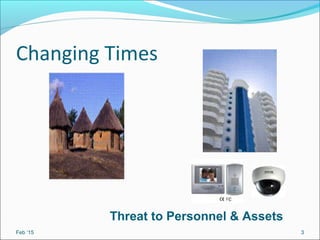
Changing Times
Feb ‘15 3
Threat to Personnel & Assets
Changing Times
Feb. ‘15 4
Design embeds SecurityDesign focuses on functionality
Safety - First Priority
Data Vs. Information
Data: a collection of facts, figures and statistics
Information: the manipulated and processed form of
data.
Feb ‘15 5
Information Security (IS):
Data/Information is the most critical asset for a
company
IS: is the preservation of
Confidentiality
Integrity
Availability
of all (electronically) stored, processed and
transmitted information and their associated
systems and networks.
Feb ‘15 6
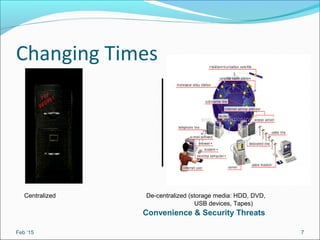
Changing Times
Feb ‘15 7
Convenience & Security Threats
Centralized De-centralized (storage media: HDD, DVD,
USB devices, Tapes)
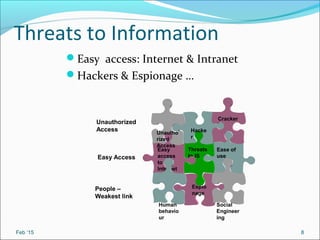
Threats to Information
Easy access: Internet & Intranet
Hackers & Espionage …
Feb ‘15 8
Ease of
use
Espio
nage
Social
Engineer
ing
Threats
to IS
Easy
access
to
Internet
Human
behavio
ur
Hacke
r
Cracker
Unautho
rized
Access
Unauthorized
Access
Easy Access
People –
Weakest link
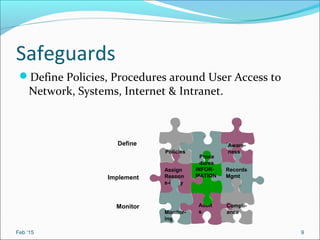
Safeguards
Define Policies, Procedures around User Access to
Network, Systems, Internet & Intranet.
Feb ‘15 9
Records
Mgmt
Audit
s
Compli-
ance
INFOR-
MATION
Assign
Respon
s-ibility
Monitor-
ing
Proce
dures
Aware-
nessPolicies
Define
Implement
Monitor
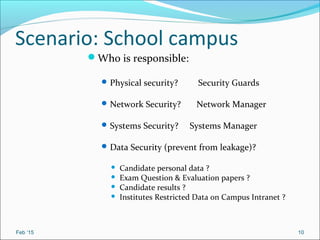
Scenario: School campus
Who is responsible:
Physical security? Security Guards
Network Security? Network Manager
Systems Security? Systems Manager
Data Security (prevent from leakage)?
 Candidate personal data ?
 Exam Question & Evaluation papers ?
 Candidate results ?
 Institutes Restricted Data on Campus Intranet ?
Feb ‘15 10
Feb ‘15 11
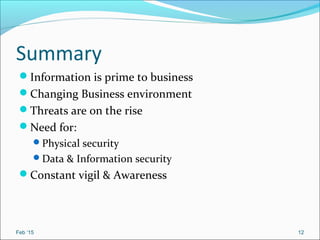
Summary
Information is prime to business
Changing Business environment
Threats are on the rise
Need for:
Physical security
Data & Information security
Constant vigil & Awareness
Feb ‘15 12
Feb ‘15 13
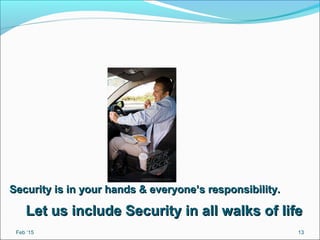
Security is in your hands & everyone’s responsibility.Security is in your hands & everyone’s responsibility.
Let us include Security in all walks of lifeLet us include Security in all walks of life
Cyber Crime
Computer crime (cybercrime): Any illegal act
involving a computer, including:
Breaking through the security of a network.
Theft of financial assets.
Manipulating data for personal advantage.
Releasing a computer virus
14
Unauthorized access.
Unauthorized use.
15
Computer virus: Malicious program embedded in a
file that is designed to cause harm to the computer
system
Computer worm: Malicious program designed to
spread rapidly by sending copies of itself to other
computers
Trojan: Malicious programs that perform actions that
have not been authorized by the user.
Hacking: The act of breaking into another computer
system
Wi-Fi hacking:The act of intrusion of wireless
network
16
Metamorphic malware is rewritten with each loop so
that each succeeding version of the code is different
from the preceding one. The code changes makes it
difficult for antivirus programs to recognize them.
Polymorhic malware
It also makes changes to code to avoid detection.
17
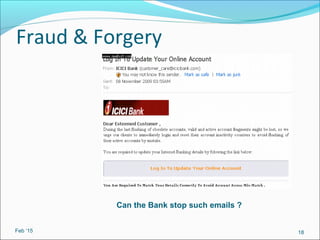
Fraud & Forgery
Feb ‘15 18
Can the Bank stop such emails ?
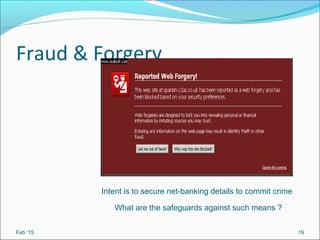
Fraud & Forgery
Feb ‘15 19
Intent is to secure net-banking details to commit crime
What are the safeguards against such means ?
APT
20
Nowadays government websites are hacked by using
APT.An advanced persistent threat (APT) is a network
attack in which an unauthorized person gains access to
a network and stays there undetected for a long period
of time.
The purpose of an APT attack is to steal data from
organisations.
AET
An advanced evasion technique (AET) is a type of
network attack that combines several different known
skirting methods to create a new procedure that's
delivered over several layers of the network
simultaneously. The danger is that it provides the
attacker with unnoticeable access to the network.
21
Firewall: Security system that provides a protective
boundary between a computer or network and the
outside world
Works by closing down all external communications
port addresses
Blocks access to the PC from outside hackers
Blocks access to the Internet from programs on the
user’s PC unless authorized by the user
22
Protecting your Pc/Network/Websites
Encryption: Method of converting e-mail or files to
make them unreadable
Private key encryption: Uses a single key
 Most often used to encrypt files on a PC
 If used to send files to others, the recipient needs to be told
the key
Public key encryption: Uses two keys
 Public key: Can be given to anyone; used to encrypt messages
to be sent to that person
 Private key: Only known by the individual; used to decrypt
messages that are encrypted with the individual’s public key
 Key pairs can be obtained through a Certificate Authority
Previously free ware and now low cost commercial software
Pretty Good Privacy
23
Protecting your Pc/Network/Websites
Antivirus software: Used to detect and eliminate
computer viruses and other types of malware
Run continuously to check incoming e-mail messages,
instant messages, and downloaded files
Scan the entire PC regularly.
Updated regularly.
Download the patches regularly.
Go for renewed license after expiry for paid anti virus.
Some programs also scan for other threats, such as
spyware, bots, possible phishing schemes, etc.
24
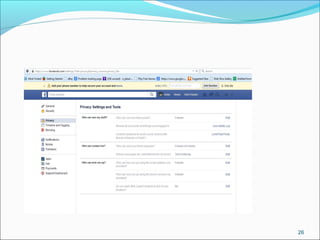
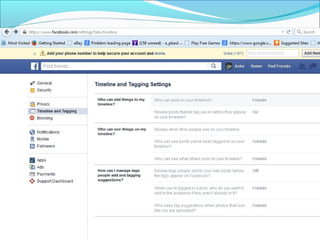
Social Networking Security
FaceBook
Check for privacy settings and other security
features
25
26
Nov. '09 27
Unknown Facets of Cyber Laws
1. Section 43(b) : Pen drives – ultra ready to get
copied.The moment you put pen drive in any other
computer that amounts to data theft.
Imprisonment of 3 years or fine of 5 lakhs.
2. Downloading .mp3 and .mpeg4 songs
Files are infested with trojans ( sites like
songspk.pk)
At disposal of vested interest across borders.
28
3. Section 43( c ): Spreading of virus or worms
imprisonment of 3 years + fine of 5 lakh .
4.Section 43(d): Damage or causes damage to
computer , crash somebody’s hard disk/ delete files
or folders or modify contents from mobile.
5. Section 43(a): If you take somebody’s mobile in your
hands it amounts to hacking. Securing access to any
other person’s computer.
6. Section 43(g) : If you steal someone’s software
programs source code or change it or delete
it( source code theft)
29
30
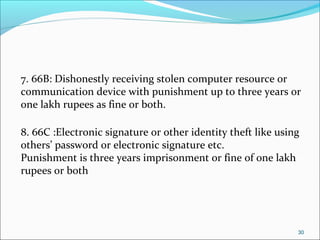
7. 66B: Dishonestly receiving stolen computer resource or
communication device with punishment up to three years or
one lakh rupees as fine or both.
8. 66C :Electronic signature or other identity theft like using
others’ password or electronic signature etc.
Punishment is three years imprisonment or fine of one lakh
rupees or both
31
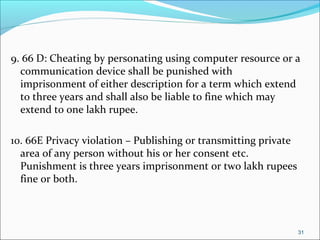
9. 66 D: Cheating by personating using computer resource or a
communication device shall be punished with
imprisonment of either description for a term which extend
to three years and shall also be liable to fine which may
extend to one lakh rupee.
10. 66E Privacy violation – Publishing or transmitting private
area of any person without his or her consent etc.
Punishment is three years imprisonment or two lakh rupees
fine or both.
32
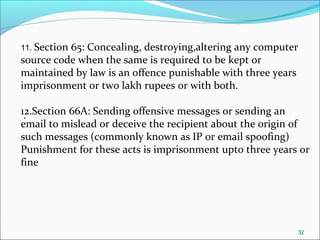
11. Section 65: Concealing, destroying,altering any computer
source code when the same is required to be kept or
maintained by law is an offence punishable with three years
imprisonment or two lakh rupees or with both.
12.Section 66A: Sending offensive messages or sending an
email to mislead or deceive the recipient about the origin of
such messages (commonly known as IP or email spoofing)
Punishment for these acts is imprisonment upto three years or
fine
.
.
Thank You.
Nov. '09 33

Slideshare is

  • 1.
  • 2.
    Agenda Security in general Dataversus Information What & Why of IS Who owns Responsibility Summary Feb. ‘15 2
  • 3.
    Changing Times Feb ‘153 Threat to Personnel & Assets
  • 4.
    Changing Times Feb. ‘154 Design embeds SecurityDesign focuses on functionality Safety - First Priority
  • 5.
    Data Vs. Information Data:a collection of facts, figures and statistics Information: the manipulated and processed form of data. Feb ‘15 5
  • 6.
    Information Security (IS): Data/Informationis the most critical asset for a company IS: is the preservation of Confidentiality Integrity Availability of all (electronically) stored, processed and transmitted information and their associated systems and networks. Feb ‘15 6
  • 7.
    Changing Times Feb ‘157 Convenience & Security Threats Centralized De-centralized (storage media: HDD, DVD, USB devices, Tapes)
  • 8.
    Threats to Information Easyaccess: Internet & Intranet Hackers & Espionage … Feb ‘15 8 Ease of use Espio nage Social Engineer ing Threats to IS Easy access to Internet Human behavio ur Hacke r Cracker Unautho rized Access Unauthorized Access Easy Access People – Weakest link
  • 9.
    Safeguards Define Policies, Proceduresaround User Access to Network, Systems, Internet & Intranet. Feb ‘15 9 Records Mgmt Audit s Compli- ance INFOR- MATION Assign Respon s-ibility Monitor- ing Proce dures Aware- nessPolicies Define Implement Monitor
  • 10.
    Scenario: School campus Whois responsible: Physical security? Security Guards Network Security? Network Manager Systems Security? Systems Manager Data Security (prevent from leakage)?  Candidate personal data ?  Exam Question & Evaluation papers ?  Candidate results ?  Institutes Restricted Data on Campus Intranet ? Feb ‘15 10
  • 11.
  • 12.
    Summary Information is primeto business Changing Business environment Threats are on the rise Need for: Physical security Data & Information security Constant vigil & Awareness Feb ‘15 12
  • 13.
    Feb ‘15 13 Securityis in your hands & everyone’s responsibility.Security is in your hands & everyone’s responsibility. Let us include Security in all walks of lifeLet us include Security in all walks of life
  • 14.
    Cyber Crime Computer crime(cybercrime): Any illegal act involving a computer, including: Breaking through the security of a network. Theft of financial assets. Manipulating data for personal advantage. Releasing a computer virus 14
  • 15.
  • 16.
    Computer virus: Maliciousprogram embedded in a file that is designed to cause harm to the computer system Computer worm: Malicious program designed to spread rapidly by sending copies of itself to other computers Trojan: Malicious programs that perform actions that have not been authorized by the user. Hacking: The act of breaking into another computer system Wi-Fi hacking:The act of intrusion of wireless network 16
  • 17.
    Metamorphic malware isrewritten with each loop so that each succeeding version of the code is different from the preceding one. The code changes makes it difficult for antivirus programs to recognize them. Polymorhic malware It also makes changes to code to avoid detection. 17
  • 18.
    Fraud & Forgery Feb‘15 18 Can the Bank stop such emails ?
  • 19.
    Fraud & Forgery Feb‘15 19 Intent is to secure net-banking details to commit crime What are the safeguards against such means ?
  • 20.
    APT 20 Nowadays government websitesare hacked by using APT.An advanced persistent threat (APT) is a network attack in which an unauthorized person gains access to a network and stays there undetected for a long period of time. The purpose of an APT attack is to steal data from organisations.
  • 21.
    AET An advanced evasiontechnique (AET) is a type of network attack that combines several different known skirting methods to create a new procedure that's delivered over several layers of the network simultaneously. The danger is that it provides the attacker with unnoticeable access to the network. 21
  • 22.
    Firewall: Security systemthat provides a protective boundary between a computer or network and the outside world Works by closing down all external communications port addresses Blocks access to the PC from outside hackers Blocks access to the Internet from programs on the user’s PC unless authorized by the user 22 Protecting your Pc/Network/Websites
  • 23.
    Protecting your Pc/Network/Websites Encryption:Method of converting e-mail or files to make them unreadable Private key encryption: Uses a single key  Most often used to encrypt files on a PC  If used to send files to others, the recipient needs to be told the key Public key encryption: Uses two keys  Public key: Can be given to anyone; used to encrypt messages to be sent to that person  Private key: Only known by the individual; used to decrypt messages that are encrypted with the individual’s public key  Key pairs can be obtained through a Certificate Authority Previously free ware and now low cost commercial software Pretty Good Privacy 23
  • 24.
    Protecting your Pc/Network/Websites Antivirussoftware: Used to detect and eliminate computer viruses and other types of malware Run continuously to check incoming e-mail messages, instant messages, and downloaded files Scan the entire PC regularly. Updated regularly. Download the patches regularly. Go for renewed license after expiry for paid anti virus. Some programs also scan for other threats, such as spyware, bots, possible phishing schemes, etc. 24
  • 25.
    Social Networking Security FaceBook Checkfor privacy settings and other security features 25
  • 26.
  • 27.
  • 28.
    Unknown Facets ofCyber Laws 1. Section 43(b) : Pen drives – ultra ready to get copied.The moment you put pen drive in any other computer that amounts to data theft. Imprisonment of 3 years or fine of 5 lakhs. 2. Downloading .mp3 and .mpeg4 songs Files are infested with trojans ( sites like songspk.pk) At disposal of vested interest across borders. 28
  • 29.
    3. Section 43(c ): Spreading of virus or worms imprisonment of 3 years + fine of 5 lakh . 4.Section 43(d): Damage or causes damage to computer , crash somebody’s hard disk/ delete files or folders or modify contents from mobile. 5. Section 43(a): If you take somebody’s mobile in your hands it amounts to hacking. Securing access to any other person’s computer. 6. Section 43(g) : If you steal someone’s software programs source code or change it or delete it( source code theft) 29
  • 30.
    30 7. 66B: Dishonestlyreceiving stolen computer resource or communication device with punishment up to three years or one lakh rupees as fine or both. 8. 66C :Electronic signature or other identity theft like using others’ password or electronic signature etc. Punishment is three years imprisonment or fine of one lakh rupees or both
  • 31.
    31 9. 66 D:Cheating by personating using computer resource or a communication device shall be punished with imprisonment of either description for a term which extend to three years and shall also be liable to fine which may extend to one lakh rupee. 10. 66E Privacy violation – Publishing or transmitting private area of any person without his or her consent etc. Punishment is three years imprisonment or two lakh rupees fine or both.
  • 32.
    32 11. Section 65:Concealing, destroying,altering any computer source code when the same is required to be kept or maintained by law is an offence punishable with three years imprisonment or two lakh rupees or with both. 12.Section 66A: Sending offensive messages or sending an email to mislead or deceive the recipient about the origin of such messages (commonly known as IP or email spoofing) Punishment for these acts is imprisonment upto three years or fine . .
  • 33.