CLIENT LOGO
<add a title for the
strategy>
<(optional) summary of strategy>
<date delivered>
<client logo>
<agency logo>
Update logos:
View >
Slide Master >
update on each
slide template
CLIENT LOGO
Contents <| Agenda>
 (Executive) Summary
 (Industry Research)
 Current State
 Competitive Ecosystem
 SWOT Analysis
 Recommendations
 Opportunity Summary
 Prioritized Actions Items
 Timeline
 Next steps
CLIENT LOGO
(Executive) Summary
 <define problem, state the objective of the meeting/deck>
 <state highest abstractions of finding in the data>
 <hint at high level recommendations>
 <consider using: flaticon.com (icons) and/or unsplash.com (free photos) for
credited use>
CLIENT LOGO
<example of an icon executive
summary>
<section>
<description>
<section>
<description>
<section>
<description>
<section>
<description>
<section>
<description>
<section>
<description>
CLIENT LOGO
<example of an executive summary>
Objective: Develop an SEO strategy for integrating new brands.
Value Adds
- Identify opportunities
- Identifying risks to mitigate
- Align new clients to
overarching strategy
CLIENT LOGO
CLIENT LOGO
<example>
Summary
<item one>
<item two>
<item three>
<item four>
<item five>
CLIENT LOGO
Industry research <relating to the
problem we’re solving>
<optional secondary line to summarize at high level>
CLIENT LOGO
<header recapping findings in slide>
 <research from third party tools relating to industry>
 <example sources include: Forrester, eMarketer, ComScore, Mintel, industry
reports, Experian, Kleiner Perkins, and especially Mary Meeker’s Internet
Trends report, case studies>
 <non-profit data sources:
 https://nonprofitssource.com/online-giving-statistics/
 https://givingusa.org/insights/
 https://www.nptrust.org/reports/daf-report/
 https://foundationcenter.org/gain-knowledge/foundation-data
 https://www.charitynavigator.org/>
CLIENT LOGO
Current State <of the problem we’re
solving>
<optional secondary line to summarize at high level>
CLIENT LOGO
<header recapping findings in slide>
 <typically screenshots with arrows to problem areas>
 <make sure to add sources>
CLIENT LOGO
Gift shop page on a separate domain,
should be consolidated into main site
 “The Beautiful Shop” (where donations are made)
is hosted on
https://pacw.z2systems.com/np/clients/pacw/gif
tstore.jsp versus http://www.keeppabeautiful.org
 Recommendation: Consolidate donation flow
onto http://www.keeppabeautiful.org.
 Navigation links on
https://pacw.z2systems.com/np/clients/pacw/gif
tstore.jsp linking to outdated URLs returning 404
errors:
 Example: About-us Mission Page
 Current URL:
http://www.keeppabeautiful.org/about-
us/mission/
 Link from the shop:
http://www.keeppabeautiful.org/about-keep-pa-
beautiful/keep-pennsylvania-beautiful-about-us-
affiliates-missionvision/
 Recommendation: Update the outdated links (in
the short term).
Source: https://pacw.z2systems.com/np/clients/pacw/giftstore.jsp;
http://www.keeppabeautiful.org/about-keep-pa-beautiful/
Many links on left navigation on “The
Beautiful Shop” site are broken links (in red)
CLIENT LOGO
<header recapping data findings>
 <include visual data, try different presentations: trended data, bar charts, pie charts, tables,
maps (including: heat maps), scatter plots, tree maps (especially for keyword frequency)
etc.>
 <data may include: search volume, rankings, KPIs (revenue, orders, add to cart, logins, bill
pays, lead generation), traffic numbers (sessions, page views, clicks), impressions in search,
visitors, user engagement metrics (bounce rate, time on site, pages per visit), user flow,
internal site search, demographics information, user information (e.g., from Experian
Simmons or Hitwise), word frequencies (word clouds, density checkers) and various ratios
(CVR, entry visit %, pages per visit, visits per visitor, revenue per visitor), log file data, etc.>
 <this data can also be segmented by various dimensions to make it more compelling, including:
channel, entry page, device type, browser, operating system, new and existing visitors,
categories, etc.>
 <don’t forget seasonality!>
 <we can also look at various types of attribution (last is most common and should be used in
general), first and participation metrics can help determine high funnel content’s
contributions>
 <funnel of user journey, typically highlighting breakage in organic search flow; generally
covers: awareness, interest, consideration, decision, loyalty/customer care>
 <make sure to add sources>
CLIENT LOGO
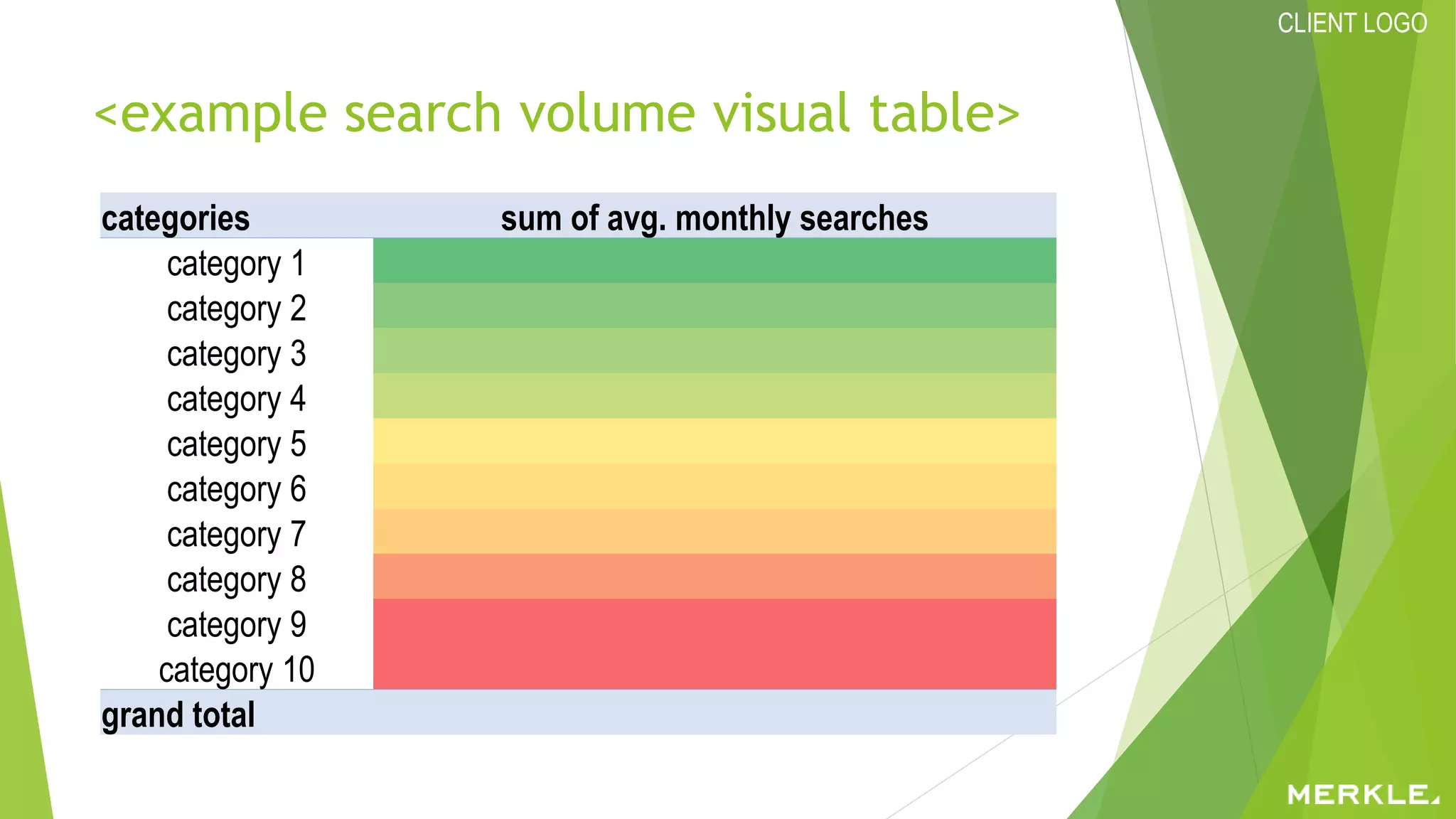
<example search volume visual table>
categories sum of avg. monthly searches
category 1
category 2
category 3
category 4
category 5
category 6
category 7
category 8
category 9
category 10
grand total
CLIENT LOGO
<example>Search volume for tests,
procedures, conditions, and treatments had
the highest searcher interest
CLIENT LOGO
<example illustrative user journey map>
CLIENT LOGO
<example of summary of customer
journey pain points>
• < bullet of
goals, pain
points,
matching
content>
• < bullet of
goals, pain
points,
matching
content>
• < bullet of
goals, pain
points,
matching
content>
• < bullet of
goals, pain
points,
matching
content>
• < bullet of
goals, pain
points,
matching
content>
CLIENT LOGO
<example of Content Marketing Funnel Map>
Goals
Common
Traits
Next
Stage
Types of
Content
Content
Location
Name
<goals of individuals in this
stage>
• <common traits, questions,
quotes, behavior, may
think>
• <what types of content to
move into next stage>
• <types of content>
• <content section on site>
<name for stage>
<goals of individuals in this
stage>
• <common traits, questions,
quotes, behavior, may
think>
• <what types of content to
move into next stage>
• <types of content>
• <content section on site>
<name for stage>
<goals of individuals in this
stage>
• <common traits, questions,
quotes, behavior, may
think>
• <what types of content to
move into next stage>
• <types of content>
• <content section on site>
<name for stage>
<goals of individuals in this
stage>
• <common traits, questions,
quotes, behavior, may
think>
• <what types of content to
move into next stage>
• <types of content>
• <content section on site>
<name for stage>
Awareness Acceptance Consideration Decision
CLIENT LOGO
<example of Content Marketing Funnel Map>
Awareness Consideration Selection Service LoyaltyBilling
Goal
Narrative
Core Messaging
Timeline
Common
Interactions
with Website
Marketing
Actions
Recommended
<awareness goals>
<awareness narrative>
<awareness core
messaging>
<awareness timeline>
<awareness common
interactions with
websites>
<awareness marketing
actions recommended>
<consideration goals>
<consideration narrative>
<consideration core
messaging>
<consideration timeline>
<considerations common
interactions with
websites>
<consideration marketing
actions recommended>
<selection goals>
<selection narrative>
<selection core
messaging>
<selection timeline>
<selection common
interactions with
websites>
<selection marketing
actions recommended>
<service goals>
<service narrative>
<service core messaging>
<service timeline>
<service common
interactions with
websites>
<service marketing
actions recommended>
<billing goals>
<billing narrative>
<billing core messaging>
<billing timeline>
<billing common
interactions with
websites>
<billing marketing actions
recommended>
<loyalty goals>
<loyalty narrative>
<loyalty core messaging>
<loyalty timeline>
<loyalty common
interactions with
websites>
<loyalty marketing
actions recommended>
Next Stage <awareness to
consideration>
<consideration to
selection>
<selection to service> <service to billing> <billing to loyalty> <how to keep and retain
happy customers>
CLIENT LOGO
<example visual recapping audiences>
AUDIENCE 1 AUDIENCE 2 AUDIENCE 3 AUDIENCE 4 AUDIENCE 5 AUDIENCE 6
AUDIENCE OVERVIEW
AUDIENCE
MINDSET
CONTENT
STRATEGY
OVERVIEW
OPPORTUNITY
CLIENT LOGO
<example (for products)>Content Map
conversion potential
generic, non-brand
branded
transactional
research
<content
type>
<content
type>
<content
type>
<content
type>
<content
type>
<content
type>
<content
type>
<content
type>
<content
type>
<content
type>
<content
type>
CLIENT LOGO
<example (for services)>Content Map
<content
type>
<content
type>
conversion potential
levelofurgency
Seeking an ExpertDIYer
<content
type>
<content
type>
<content
type>
<content
type>
<content
type>
<content
type>
<content
type>
<content
type>
<content
type>
<content
type>
<content
type>
Low Urgency
High Urgency
CLIENT LOGO
Best-in-class | Competitive
ecosystem
<optional secondary line to summarize at high level>
CLIENT LOGO
<header recapping findings in slide>
 <typically screenshots with arrows annotating what competitors are doing tat
is compelling (particularly things that are best-in-class)>
 <mobile experiences look good within high quality phone photos>
 <make sure to add sources>
CLIENT LOGO
<example of an annotated competitive
screenshot, include relevant header >
Source: https://www.prudential.com/death-claims/file-a-claim#/
Clear, action-
based header
Upfront about
needed
information
Clear about
what to expect
CLIENT LOGO
<example visuals for mobile, include
relevant header>
CLIENT LOGO
<header recapping data findings>
 <include visual data, try different presentations: bar charts, pie charts,
tables, etc.>
 <data may include: competitive rankings>
 <make sure to add sources>
CLIENT LOGO
SWOT
<optional secondary line to summarize at high level>
CLIENT LOGO
<template for> SWOT Analysis
STRENGTHS
• <strengths bullet>
WEAKNESSES
• <weakness bullet>
OPPORTUNITIES
• <opportunity bullet>
THREATS
• <threats bullet>
CLIENT LOGO
Recommendations
<optional secondary line to summarize at high level>
CLIENT LOGO
<example: Opportunity summary>
<initiative #1>
<initiative #2>
<initiative #3>
<initiative #4>
<initiative #5>
High Impact
High
Effortneveravoid
prioritizelow-hanging fruit
We estimate that these
initiatives will drive <input
estimate based on analysis>
incremental organic search
visits per month once
implemented for <insert
timeframe for estimates>.
1
2
3
4
5 1
2
3
4
5
CLIENT LOGO
<example: Opportunity summary>
Anticipatedeffortlevel
Anticipated risk level
High effort
Highrisk
<initiative>
<initiative>
<initiative>
<initiative>
CLIENT LOGO
<recommendation ## explained in one
line>
 <include visual representing what is recommended; show what you want to
have completed>
CLIENT LOGO
Prioritized opportunities
Recommendations Estimated Impact Estimated Effort
<action item> <high, med, low> <high, med, low>
CLIENT LOGO
Timeline <option one>
January February March April May June July August September October November December
<task/initiative>
<task/initiative>
<task/initiative>
<task/initiative>
<task/initiative>
<task/initiative>
<task/initiative>
CLIENT LOGO
Timeline <option two>
Week 1 2 3 4 5 6 7 8 9 10
1. <phase one> 2. <phase two>
<explanation of phase one> <explanation of phase two>
<task> <task>
<task>
<task> <task> <task>
<task> <task>
<task> <task>
<task> <task>
<task>
CLIENT LOGO
Next steps
 <outline responsibilities and owners, include dates where applicable>
 <ensure that you list what you need from client (including: approvals needed,
specific recommendation follow-ups)>
CLIENT LOGO
<example of next steps>
Strategic Area Action Owner Dates
<area affected (e.g.,
content, information
architecture, technical
SEO, local, migration,
analytics, etc.)>
<action item> <owner> <due date>
<area affected> <action item> <owner> <due date>
CLIENT LOGO
Thank you. Any questions?
<contact information>
CLIENT LOGO
<optional>Appendix
<list contents of the appendix>

skillshare organic search strategies - template

  • 1.
    CLIENT LOGO <add atitle for the strategy> <(optional) summary of strategy> <date delivered> <client logo> <agency logo> Update logos: View > Slide Master > update on each slide template
  • 2.
    CLIENT LOGO Contents <|Agenda>  (Executive) Summary  (Industry Research)  Current State  Competitive Ecosystem  SWOT Analysis  Recommendations  Opportunity Summary  Prioritized Actions Items  Timeline  Next steps
  • 3.
    CLIENT LOGO (Executive) Summary <define problem, state the objective of the meeting/deck>  <state highest abstractions of finding in the data>  <hint at high level recommendations>  <consider using: flaticon.com (icons) and/or unsplash.com (free photos) for credited use>
  • 4.
    CLIENT LOGO <example ofan icon executive summary> <section> <description> <section> <description> <section> <description> <section> <description> <section> <description> <section> <description>
  • 5.
    CLIENT LOGO <example ofan executive summary> Objective: Develop an SEO strategy for integrating new brands. Value Adds - Identify opportunities - Identifying risks to mitigate - Align new clients to overarching strategy CLIENT LOGO
  • 6.
    CLIENT LOGO <example> Summary <item one> <itemtwo> <item three> <item four> <item five>
  • 7.
    CLIENT LOGO Industry research<relating to the problem we’re solving> <optional secondary line to summarize at high level>
  • 8.
    CLIENT LOGO <header recappingfindings in slide>  <research from third party tools relating to industry>  <example sources include: Forrester, eMarketer, ComScore, Mintel, industry reports, Experian, Kleiner Perkins, and especially Mary Meeker’s Internet Trends report, case studies>  <non-profit data sources:  https://nonprofitssource.com/online-giving-statistics/  https://givingusa.org/insights/  https://www.nptrust.org/reports/daf-report/  https://foundationcenter.org/gain-knowledge/foundation-data  https://www.charitynavigator.org/>
  • 9.
    CLIENT LOGO Current State<of the problem we’re solving> <optional secondary line to summarize at high level>
  • 10.
    CLIENT LOGO <header recappingfindings in slide>  <typically screenshots with arrows to problem areas>  <make sure to add sources>
  • 11.
    CLIENT LOGO Gift shoppage on a separate domain, should be consolidated into main site  “The Beautiful Shop” (where donations are made) is hosted on https://pacw.z2systems.com/np/clients/pacw/gif tstore.jsp versus http://www.keeppabeautiful.org  Recommendation: Consolidate donation flow onto http://www.keeppabeautiful.org.  Navigation links on https://pacw.z2systems.com/np/clients/pacw/gif tstore.jsp linking to outdated URLs returning 404 errors:  Example: About-us Mission Page  Current URL: http://www.keeppabeautiful.org/about- us/mission/  Link from the shop: http://www.keeppabeautiful.org/about-keep-pa- beautiful/keep-pennsylvania-beautiful-about-us- affiliates-missionvision/  Recommendation: Update the outdated links (in the short term). Source: https://pacw.z2systems.com/np/clients/pacw/giftstore.jsp; http://www.keeppabeautiful.org/about-keep-pa-beautiful/ Many links on left navigation on “The Beautiful Shop” site are broken links (in red)
  • 12.
    CLIENT LOGO <header recappingdata findings>  <include visual data, try different presentations: trended data, bar charts, pie charts, tables, maps (including: heat maps), scatter plots, tree maps (especially for keyword frequency) etc.>  <data may include: search volume, rankings, KPIs (revenue, orders, add to cart, logins, bill pays, lead generation), traffic numbers (sessions, page views, clicks), impressions in search, visitors, user engagement metrics (bounce rate, time on site, pages per visit), user flow, internal site search, demographics information, user information (e.g., from Experian Simmons or Hitwise), word frequencies (word clouds, density checkers) and various ratios (CVR, entry visit %, pages per visit, visits per visitor, revenue per visitor), log file data, etc.>  <this data can also be segmented by various dimensions to make it more compelling, including: channel, entry page, device type, browser, operating system, new and existing visitors, categories, etc.>  <don’t forget seasonality!>  <we can also look at various types of attribution (last is most common and should be used in general), first and participation metrics can help determine high funnel content’s contributions>  <funnel of user journey, typically highlighting breakage in organic search flow; generally covers: awareness, interest, consideration, decision, loyalty/customer care>  <make sure to add sources>
  • 13.
    CLIENT LOGO <example searchvolume visual table> categories sum of avg. monthly searches category 1 category 2 category 3 category 4 category 5 category 6 category 7 category 8 category 9 category 10 grand total
  • 14.
    CLIENT LOGO <example>Search volumefor tests, procedures, conditions, and treatments had the highest searcher interest
  • 15.
  • 16.
    CLIENT LOGO <example ofsummary of customer journey pain points> • < bullet of goals, pain points, matching content> • < bullet of goals, pain points, matching content> • < bullet of goals, pain points, matching content> • < bullet of goals, pain points, matching content> • < bullet of goals, pain points, matching content>
  • 17.
    CLIENT LOGO <example ofContent Marketing Funnel Map> Goals Common Traits Next Stage Types of Content Content Location Name <goals of individuals in this stage> • <common traits, questions, quotes, behavior, may think> • <what types of content to move into next stage> • <types of content> • <content section on site> <name for stage> <goals of individuals in this stage> • <common traits, questions, quotes, behavior, may think> • <what types of content to move into next stage> • <types of content> • <content section on site> <name for stage> <goals of individuals in this stage> • <common traits, questions, quotes, behavior, may think> • <what types of content to move into next stage> • <types of content> • <content section on site> <name for stage> <goals of individuals in this stage> • <common traits, questions, quotes, behavior, may think> • <what types of content to move into next stage> • <types of content> • <content section on site> <name for stage> Awareness Acceptance Consideration Decision
  • 18.
    CLIENT LOGO <example ofContent Marketing Funnel Map> Awareness Consideration Selection Service LoyaltyBilling Goal Narrative Core Messaging Timeline Common Interactions with Website Marketing Actions Recommended <awareness goals> <awareness narrative> <awareness core messaging> <awareness timeline> <awareness common interactions with websites> <awareness marketing actions recommended> <consideration goals> <consideration narrative> <consideration core messaging> <consideration timeline> <considerations common interactions with websites> <consideration marketing actions recommended> <selection goals> <selection narrative> <selection core messaging> <selection timeline> <selection common interactions with websites> <selection marketing actions recommended> <service goals> <service narrative> <service core messaging> <service timeline> <service common interactions with websites> <service marketing actions recommended> <billing goals> <billing narrative> <billing core messaging> <billing timeline> <billing common interactions with websites> <billing marketing actions recommended> <loyalty goals> <loyalty narrative> <loyalty core messaging> <loyalty timeline> <loyalty common interactions with websites> <loyalty marketing actions recommended> Next Stage <awareness to consideration> <consideration to selection> <selection to service> <service to billing> <billing to loyalty> <how to keep and retain happy customers>
  • 19.
    CLIENT LOGO <example visualrecapping audiences> AUDIENCE 1 AUDIENCE 2 AUDIENCE 3 AUDIENCE 4 AUDIENCE 5 AUDIENCE 6 AUDIENCE OVERVIEW AUDIENCE MINDSET CONTENT STRATEGY OVERVIEW OPPORTUNITY
  • 20.
    CLIENT LOGO <example (forproducts)>Content Map conversion potential generic, non-brand branded transactional research <content type> <content type> <content type> <content type> <content type> <content type> <content type> <content type> <content type> <content type> <content type>
  • 21.
    CLIENT LOGO <example (forservices)>Content Map <content type> <content type> conversion potential levelofurgency Seeking an ExpertDIYer <content type> <content type> <content type> <content type> <content type> <content type> <content type> <content type> <content type> <content type> <content type> Low Urgency High Urgency
  • 22.
    CLIENT LOGO Best-in-class |Competitive ecosystem <optional secondary line to summarize at high level>
  • 23.
    CLIENT LOGO <header recappingfindings in slide>  <typically screenshots with arrows annotating what competitors are doing tat is compelling (particularly things that are best-in-class)>  <mobile experiences look good within high quality phone photos>  <make sure to add sources>
  • 24.
    CLIENT LOGO <example ofan annotated competitive screenshot, include relevant header > Source: https://www.prudential.com/death-claims/file-a-claim#/ Clear, action- based header Upfront about needed information Clear about what to expect
  • 25.
    CLIENT LOGO <example visualsfor mobile, include relevant header>
  • 26.
    CLIENT LOGO <header recappingdata findings>  <include visual data, try different presentations: bar charts, pie charts, tables, etc.>  <data may include: competitive rankings>  <make sure to add sources>
  • 27.
    CLIENT LOGO SWOT <optional secondaryline to summarize at high level>
  • 28.
    CLIENT LOGO <template for>SWOT Analysis STRENGTHS • <strengths bullet> WEAKNESSES • <weakness bullet> OPPORTUNITIES • <opportunity bullet> THREATS • <threats bullet>
  • 29.
    CLIENT LOGO Recommendations <optional secondaryline to summarize at high level>
  • 30.
    CLIENT LOGO <example: Opportunitysummary> <initiative #1> <initiative #2> <initiative #3> <initiative #4> <initiative #5> High Impact High Effortneveravoid prioritizelow-hanging fruit We estimate that these initiatives will drive <input estimate based on analysis> incremental organic search visits per month once implemented for <insert timeframe for estimates>. 1 2 3 4 5 1 2 3 4 5
  • 31.
    CLIENT LOGO <example: Opportunitysummary> Anticipatedeffortlevel Anticipated risk level High effort Highrisk <initiative> <initiative> <initiative> <initiative>
  • 32.
    CLIENT LOGO <recommendation ##explained in one line>  <include visual representing what is recommended; show what you want to have completed>
  • 33.
    CLIENT LOGO Prioritized opportunities RecommendationsEstimated Impact Estimated Effort <action item> <high, med, low> <high, med, low> <action item> <high, med, low> <high, med, low> <action item> <high, med, low> <high, med, low> <action item> <high, med, low> <high, med, low> <action item> <high, med, low> <high, med, low> <action item> <high, med, low> <high, med, low> <action item> <high, med, low> <high, med, low> <action item> <high, med, low> <high, med, low> <action item> <high, med, low> <high, med, low> <action item> <high, med, low> <high, med, low> <action item> <high, med, low> <high, med, low> <action item> <high, med, low> <high, med, low>
  • 34.
    CLIENT LOGO Timeline <optionone> January February March April May June July August September October November December <task/initiative> <task/initiative> <task/initiative> <task/initiative> <task/initiative> <task/initiative> <task/initiative>
  • 35.
    CLIENT LOGO Timeline <optiontwo> Week 1 2 3 4 5 6 7 8 9 10 1. <phase one> 2. <phase two> <explanation of phase one> <explanation of phase two> <task> <task> <task> <task> <task> <task> <task> <task> <task> <task> <task> <task> <task>
  • 36.
    CLIENT LOGO Next steps <outline responsibilities and owners, include dates where applicable>  <ensure that you list what you need from client (including: approvals needed, specific recommendation follow-ups)>
  • 37.
    CLIENT LOGO <example ofnext steps> Strategic Area Action Owner Dates <area affected (e.g., content, information architecture, technical SEO, local, migration, analytics, etc.)> <action item> <owner> <due date> <area affected> <action item> <owner> <due date> <area affected> <action item> <owner> <due date> <area affected> <action item> <owner> <due date> <area affected> <action item> <owner> <due date> <area affected> <action item> <owner> <due date> <area affected> <action item> <owner> <due date> <area affected> <action item> <owner> <due date>
  • 38.
    CLIENT LOGO Thank you.Any questions? <contact information>
  • 39.

Editor's Notes

  • #5 Image source of icon: https://www.flaticon.com/free-icon/plant_838658
  • #7 Icon: https://www.flaticon.com/free-icon/visibility_283446
  • #15 Image sources: https://www.flaticon.com/free-icon/syringe_1048911 https://www.flaticon.com/free-icon/beaker_310023
  • #32 Image source of icon: https://www.flaticon.com/free-icon/plant_838658
  • #35 Note: There are many free gantt chart visualization tools online. Search [gantt chart template] and many options should appear! The important element is that there are realistic timelines to complete the project. 
  • #36 Note: There are many free gantt chart visualization tools online. Search [gantt chart template] and many options should appear! The important element is that there are realistic timelines to complete the project. 