Why?
1.To organize and synthesize
new information
2. To developmetaphorical
thinking
3.To review and remember
Organizing
and Synthesizing
New Information
1. Get rid of the idea
that knowing how to
draw is necessary
Notes should make sense to you!
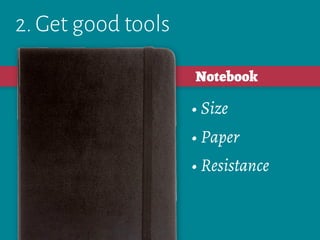
2. Get good tools
• Size
• Paper
• Resistance
Notebook
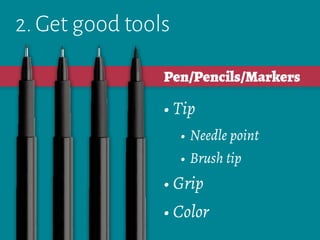
2. Get good tools
• Tip
• Needle point
• Brush tip
• Grip
• Color
Pen/Pencils/Markers
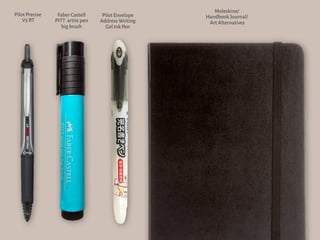
Pilot Precise
V5 RT
Faber Castell
PITT artist pen
big brush
Moleskine/
Handbook Journal/
Art Alternatives
Pilot Envelope
Address Writing
Gel Ink Pen
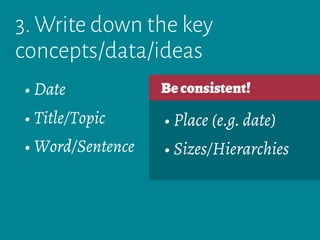
3. Write down the key
concepts/data/ideas
• Date
• Title/Topic
• Word/Sentence
3. Write down the key
concepts/data/ideas
Beconsistent!
• Place (e.g. date)
• Sizes/Hierarchies
• Date
• Title/Topic
• Word/Sentence
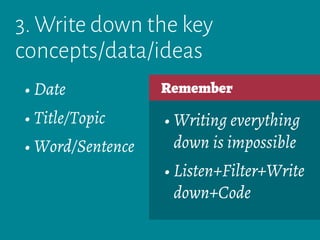
3. Write down the key
concepts/data/ideas
Remember
• Writing everything
down is impossible
• Listen+Filter+Write
down+Code
• Date
• Title/Topic
• Word/Sentence
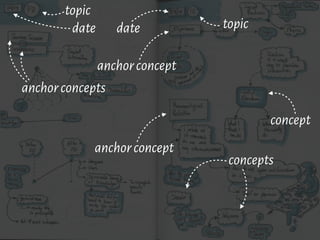
date
topic
date topic
anchorconcept
concept
anchorconcept
anchorconcepts
concepts
4. Code Visually
• Boxes/Contours
• Icons
• Shadows
4. Code Visually
• Boxes/Contours
• Icons
• Shadows
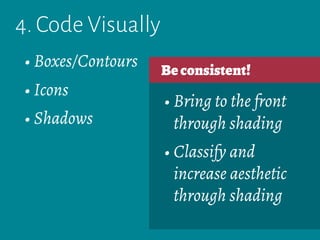
Beconsistent!
• Imagine that each
visual code is an
attribute of the
information being
written down
4. Code Visually
Beconsistent!
• Put in the same or
similar box each of
the concepts that
you relate as similar
or equivalent
• Boxes/Contours
• Icons
• Shadows
4. Code Visually
Beconsistent!
• Draw small, simple
icons to be fast
• Invent your own
icons or symbols
• Boxes/Contours
• Icons
• Shadows
4. Code Visually
Beconsistent!
• Bring to the front
through shading
• Classify and
increase aesthetic
through shading
• Boxes/Contours
• Icons
• Shadows
4. Code Visually
Remember
• Imitation
• Small sizes
• Light source
• Boxes/Contours
• Icons
• Shadows
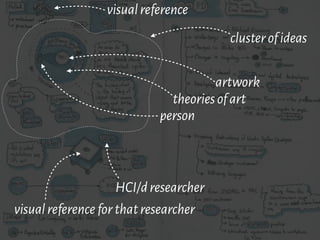
visualreference
visualreferenceforthatresearcher
HCI/dresearcher
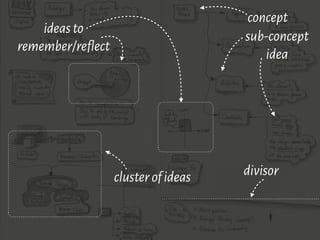
clusterofideas
person
theoriesofart
artwork
5. Connect
• Arrows
• Dividers
• Negative space
5. Connect
Beconsistent!
• Relation
• Meaning
• Arrows
• Dividers
• Negative space
5. Connect
Beconsistent!
• Style (e.g. dashed vs.
complete arrows)
• Thickness
• Arrows
• Dividers
• Negative space
5. Connect
Remember
• Gestalt Principles
• Visual hierarchies
and contrast
• Arrows
• Dividers
• Negative space
clusterofideas divisor
ideasto
remember/reflect
concept
sub-concept
idea
Complementary
Knowledge
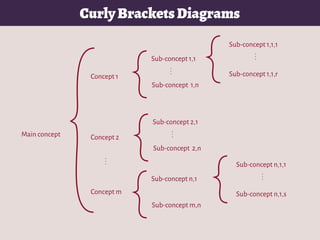
Main concept
Concept 1
Concept 2
Concept m
Sub-concept 1,1
Sub-concept 1,n
...
Sub-concept n,1
Sub-concept m,n
...
Sub-concept 2,1
Sub-concept 2,n
...
Sub-concept 1,1,1
Sub-concept 1,1,r
...
Sub-concept n,1,1
Sub-concept n,1,s
...
CurlyBracketsDiagrams
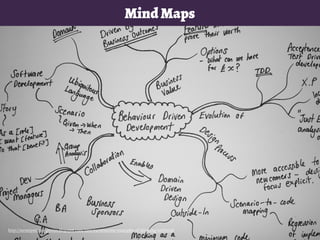
MindMaps
http://mrsmpontian-genius.blogspot.com/2011/04/awesome-examples-of-thinking-tool.html
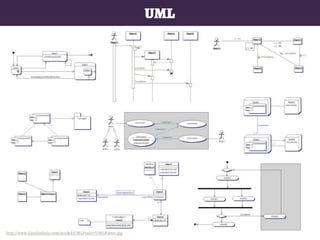
http://www.claudiodesio.com/ooa&d/UMLPoster/UMLPoster.jpg
UML
Some Resources
1.Sketchnoting by Rebekah Olsen
http://youtu.be/AyIsHyCpydU
2.Visual Thinking 101 by Sean Griffin
http://youtu.be/vcW1_l-nRes
3.Sketchnotes by Eva-Lotta Lamn
http://vimeo.com/17323993
1.Sketchnoting in Behance
http://goo.gl/Qb1zPU
2.Sketchnoting in Flickr
http://goo.gl/eMdx9f
3.Sketchnoting in Pinterest
http://goo.gl/w4i907
1.Sketch basics from ID Sketching
http://goo.gl/Q73ERo
2.The Sketchnote Handbook
http://rohdesign.com/handbook
3.How to Mind Map in Three Small Steps
from Life Hack
http://goo.gl/QgFei0
1.JetPens
http://www.jetpens.com
2.Moleskine
http://www.moleskine.com/
3.UI Stencils
http://www.uistencils.com/
1.Sketchnote Army
https://twitter.com/sketchnotearmy
2.Spencer Nugent
https://twitter.com/idsketching
3. SketchCamp
https://twitter.com/sketchcamp
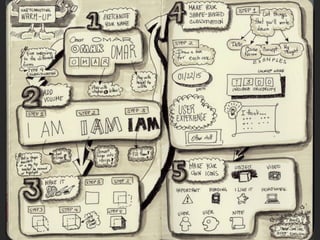
Warming-up
Practice
Sketchnoting Tutorial

Sketchnoting Tutorial