Site & Content
Structure
Live Workshop
Before We
Begin
● This workshop is being recorded for the
membership archive.
● Live captions are available, but are not recorded
with this meeting. A transcript will be available.
● Pause me anytime to slow down or speed up!
● Have a question? Ask it in the chat!
● Participation is encouraged! We will have time at
the end for one or two folks to get assistance in
mapping out a page or sitemap
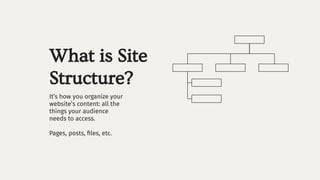
What is Site
Structure?
It’s how you organize your
website’s content: all the
things your audience
needs to access.
Pages, posts, files, etc.
Then what the
fuck is Content
Structure?
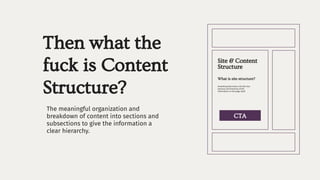
The meaningful organization and
breakdown of content into sections and
subsections to give the information a
clear hierarchy.
What is site structure?
Site & Content
Structure
Something that looks a bit like this:
sections and hierarchy of the
information on the page itself.
CTA
Why You
Should Care
● Clear Goals = Clean User Experience
● Accessibility
● Results: Search Engine & Sales
● Examine & Review
You’re My Only H.O.P.E.
● Hierarchy
● Order
● Purpose
● Ease
Hierarchy
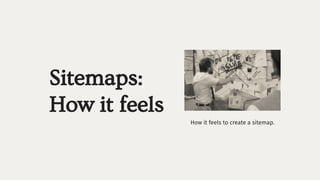
Sitemaps:
How it feels
How it feels to create a sitemap.
Sitemaps:
How it looks
How search engines and site visitors
want your site mapped out.
You have to figure out
the visual structure &
menus of your website
on your own.
Before, and during, your
site creation.
Bad News
Good News
WordPress &
Squarespace do the
search engine sitemap
for you when your site
is created and as pages
& posts are published.
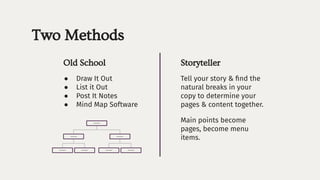
Two Methods
Tell your story & find the
natural breaks in your
copy to determine your
pages & content together.
Main points become
pages, become menu
items.
Storyteller
Old School
● Draw It Out
● List it Out
● Post It Notes
● Mind Map Software
Lorem Ipsum
Lorem Ipsum Lorem Ipsum
Lorem Ipsum
Lorem Ipsum
Lorem Ipsum
Lorem Ipsum
Menus are sitemaps but
sitemaps are not menus.
Order
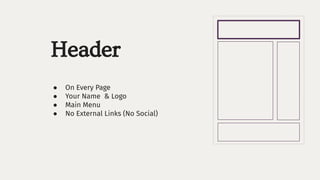
Header
● On Every Page
● Your Name & Logo
● Main Menu
● No External Links (No Social)
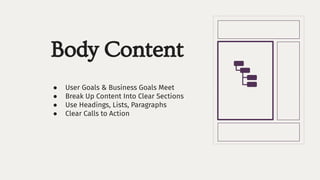
Body Content
● User Goals & Business Goals Meet
● Break Up Content Into Clear Sections
● Use Headings, Lists, Paragraphs
● Clear Calls to Action
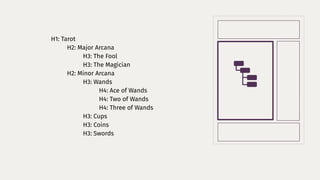
H1: Tarot
H2: Major Arcana
H3: The Fool
H3: The Magician
H2: Minor Arcana
H3: Wands
H4: Ace of Wands
H4: Two of Wands
H4: Three of Wands
H3: Cups
H3: Coins
H3: Swords
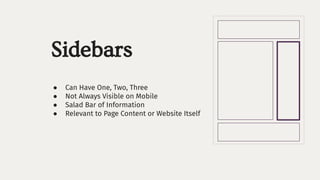
Sidebars
● Can Have One, Two, Three
● Not Always Visible on Mobile
● Salad Bar of Information
● Relevant to Page Content or Website Itself
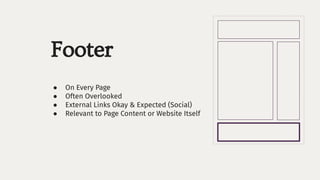
Footer
● On Every Page
● Often Overlooked
● External Links Okay & Expected (Social)
● Relevant to Page Content or Website Itself
Purpose
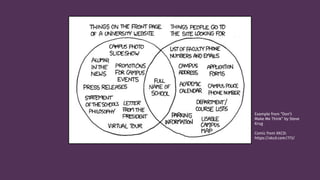
Example from “Don’t
Make Me Think” by Steve
Krug
Comic from XKCD:
https://xkcd.com/773/
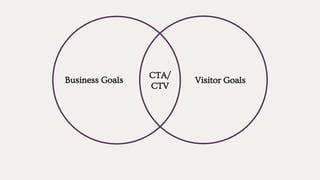
Business Goals Visitor Goals
CTA/
CTV
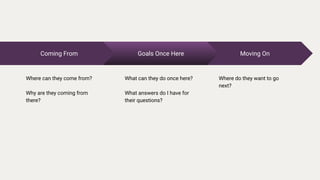
Moving On
Where do they want to go
next?
Coming From
Where can they come from?
Why are they coming from
there?
Goals Once Here
What can they do once here?
What answers do I have for
their questions?
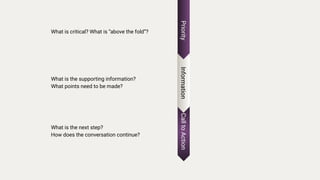
Call
to
Action
What is the next step?
How does the conversation continue?
Priority
What is critical? What is “above the fold”?
Information
What is the supporting information?
What points need to be made?
Ease
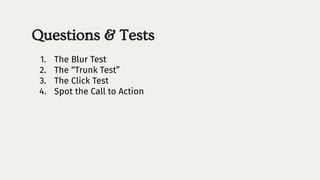
Questions & Tests
1. The Blur Test
2. The “Trunk Test”
3. The Click Test
4. Spot the Call to Action
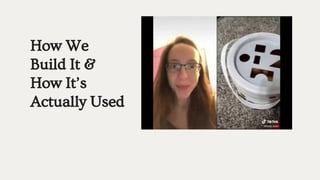
How We
Build It &
How It’s
Actually Used
So What the Fuck Do We Do
We test.
We iterate.
We have patience.
We do it all over again.
Let’s Do Some Together.

Site & Content Structure

  • 1.
  • 2.
    Before We Begin ● Thisworkshop is being recorded for the membership archive. ● Live captions are available, but are not recorded with this meeting. A transcript will be available. ● Pause me anytime to slow down or speed up! ● Have a question? Ask it in the chat! ● Participation is encouraged! We will have time at the end for one or two folks to get assistance in mapping out a page or sitemap
  • 3.
    What is Site Structure? It’show you organize your website’s content: all the things your audience needs to access. Pages, posts, files, etc.
  • 4.
    Then what the fuckis Content Structure? The meaningful organization and breakdown of content into sections and subsections to give the information a clear hierarchy. What is site structure? Site & Content Structure Something that looks a bit like this: sections and hierarchy of the information on the page itself. CTA
  • 5.
    Why You Should Care ●Clear Goals = Clean User Experience ● Accessibility ● Results: Search Engine & Sales ● Examine & Review
  • 6.
    You’re My OnlyH.O.P.E. ● Hierarchy ● Order ● Purpose ● Ease
  • 7.
  • 8.
    Sitemaps: How it feels Howit feels to create a sitemap.
  • 9.
    Sitemaps: How it looks Howsearch engines and site visitors want your site mapped out.
  • 10.
    You have tofigure out the visual structure & menus of your website on your own. Before, and during, your site creation. Bad News Good News WordPress & Squarespace do the search engine sitemap for you when your site is created and as pages & posts are published.
  • 11.
    Two Methods Tell yourstory & find the natural breaks in your copy to determine your pages & content together. Main points become pages, become menu items. Storyteller Old School ● Draw It Out ● List it Out ● Post It Notes ● Mind Map Software Lorem Ipsum Lorem Ipsum Lorem Ipsum Lorem Ipsum Lorem Ipsum Lorem Ipsum Lorem Ipsum
  • 12.
    Menus are sitemapsbut sitemaps are not menus.
  • 13.
  • 14.
    Header ● On EveryPage ● Your Name & Logo ● Main Menu ● No External Links (No Social)
  • 15.
    Body Content ● UserGoals & Business Goals Meet ● Break Up Content Into Clear Sections ● Use Headings, Lists, Paragraphs ● Clear Calls to Action
  • 16.
    H1: Tarot H2: MajorArcana H3: The Fool H3: The Magician H2: Minor Arcana H3: Wands H4: Ace of Wands H4: Two of Wands H4: Three of Wands H3: Cups H3: Coins H3: Swords
  • 17.
    Sidebars ● Can HaveOne, Two, Three ● Not Always Visible on Mobile ● Salad Bar of Information ● Relevant to Page Content or Website Itself
  • 18.
    Footer ● On EveryPage ● Often Overlooked ● External Links Okay & Expected (Social) ● Relevant to Page Content or Website Itself
  • 19.
  • 20.
    Example from “Don’t MakeMe Think” by Steve Krug Comic from XKCD: https://xkcd.com/773/
  • 21.
    Business Goals VisitorGoals CTA/ CTV
  • 22.
    Moving On Where dothey want to go next? Coming From Where can they come from? Why are they coming from there? Goals Once Here What can they do once here? What answers do I have for their questions?
  • 23.
    Call to Action What is thenext step? How does the conversation continue? Priority What is critical? What is “above the fold”? Information What is the supporting information? What points need to be made?
  • 24.
  • 25.
    Questions & Tests 1.The Blur Test 2. The “Trunk Test” 3. The Click Test 4. Spot the Call to Action
  • 26.
    How We Build It& How It’s Actually Used
  • 27.
    So What theFuck Do We Do We test. We iterate. We have patience. We do it all over again.
  • 28.
    Let’s Do SomeTogether.