Run SAP CPI easier
Figaf tools to mange
SAP CPI
© Figaf 2020
One tool to help managing full DevOps process for
SAP CPI. Figaf helps with the following functions:
● Support
● Change management
○ Documentation of changes and integrations
○ Change tracking
○ Transport
○ Configuration in the landscape
● Testing
● Development improvements for CPI
Figaf Integration Tool overview
We strive to create a tool that make it as
easy to deliver SAP Integration.
We want to automate as much as
possible to developers can get time
develop and not create paperwork.
Figaf IRT
Support and monitoring
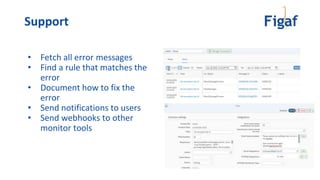
• Fetch all error messages
• Find a rule that matches the
error
• Document how to fix the
error
• Send notifications to users
• Send webhooks to other
monitor tools
Support
Monitor
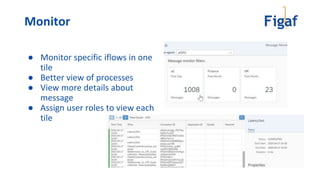
● Monitor specific iflows in one
tile
● Better view of processes
● View more details about
message
● Assign user roles to view each
tile
System Status
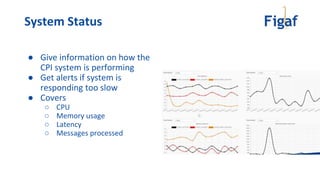
● Give information on how the
CPI system is performing
● Get alerts if system is
responding too slow
● Covers
○ CPU
○ Memory usage
○ Latency
○ Messages processed
DevOps support
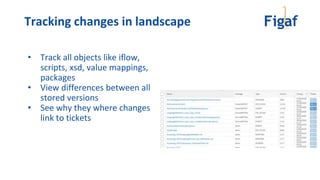
Tracking changes in landscape
• Track all objects like iflow,
scripts, xsd, value mappings,
packages
• View differences between all
stored versions
• See why they where changes
link to tickets
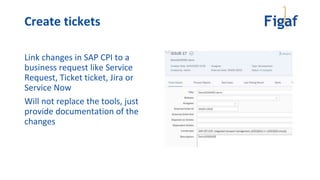
Create tickets
Link changes in SAP CPI to a
business request like Service
Request, Ticket ticket, Jira or
Service Now
Will not replace the tools, just
provide documentation of the
changes
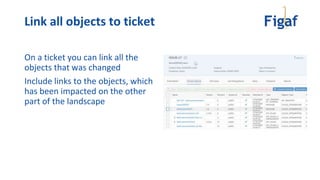
Link all objects to ticket
On a ticket you can link all the
objects that was changed
Include links to the objects, which
has been impacted on the other
part of the landscape
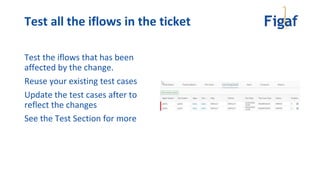
Test all the iflows in the ticket
Test the iflows that has been
affected by the change.
Reuse your existing test cases
Update the test cases after to
reflect the changes
See the Test Section for more
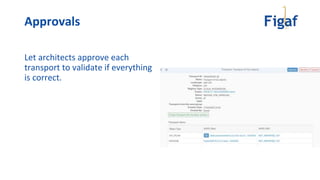
Approvals
Let architects approve each
transport to validate if everything
is correct.
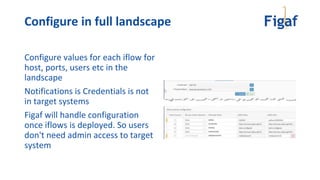
Configure in full landscape
Configure values for each iflow for
host, ports, users etc in the
landscape
Notifications is Credentials is not
in target systems
Figaf will handle configuration
once iflows is deployed. So users
don't need admin access to target
system
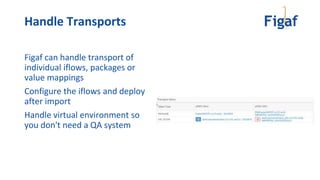
Handle Transports
Figaf can handle transport of
individual iflows, packages or
value mappings
Configure the iflows and deploy
after import
Handle virtual environment so
you don't need a QA system
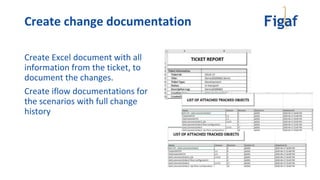
Create change documentation
Create Excel document with all
information from the ticket, to
document the changes.
Create iflow documentations for
the scenarios with full change
history
Testing
Testing
Testing is an important part of the release
Figaf makes it simple to create and use test data
No modification required by the user to test any iflow
To test with the trace mode is used, which gives details about all
processing steps
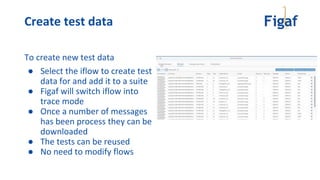
Create test data
To create new test data
● Select the iflow to create test
data for and add it to a suite
● Figaf will switch iflow into
trace mode
● Once a number of messages
has been process they can be
downloaded
● The tests can be reused
● No need to modify flows
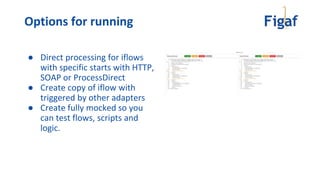
Options for running
● Direct processing for iflows
with specific starts with HTTP,
SOAP or ProcessDirect
● Create copy of iflow with
triggered by other adapters
● Create fully mocked so you
can test flows, scripts and
logic.
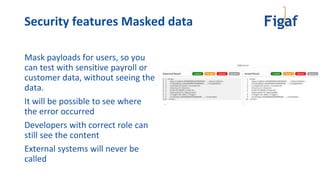
Security features Masked data
Mask payloads for users, so you
can test with sensitive payroll or
customer data, without seeing the
data.
It will be possible to see where
the error occurred
Developers with correct role can
still see the content
External systems will never be
called
Development improvements
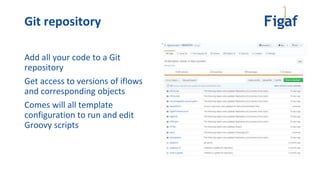
Git repository
Add all your code to a Git
repository
Get access to versions of iflows
and corresponding objects
Comes will all template
configuration to run and edit
Groovy scripts
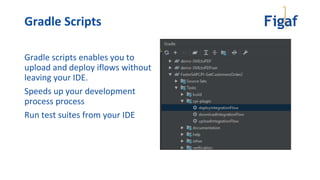
Gradle Scripts
Gradle scripts enables you to
upload and deploy iflows without
leaving your IDE.
Speeds up your development
process process
Run test suites from your IDE
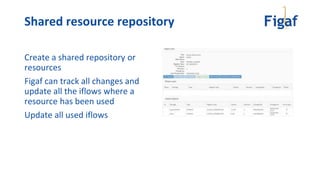
Shared resource repository
Create a shared repository or
resources
Figaf can track all changes and
update all the iflows where a
resource has been used
Update all used iflows
Other platforms
SAP PI/PO
Support SAP PI/PO management in the same processes
● Support
○ Fetch alerts from CMBA and run rules the same way
● Governance
○ Support tracking of changes
○ Ticket management
○ Automatic Testing
○ Transports and approvals
○ Documentation
● Migration
○ Migration from PI to PO and manage the process
SAP API management
Support SAP API management in the same processes
● Support
○ Fetch error messages saved in the KVM on the APIs
● Governance
○ Support tracking of changes
○ Ticket management
○ Transports and approvals
● Development
○ Support Git integration and Gradle plugins
The tool does currently not support any kind of testing on API mgt.
Try Figaf IRT
Figaf tool run on:
● A laptop for a PoC. It has a simple installation
with build in database. You can get started in 5
minutes.
● A server. Figaf is created as an enterprise grade
application and can run in multiple environments
○ Supports the databases PostgreSQL, MSSSQL, Oracle,
DB2.
● Figaf Cloud - running in Google Cloud Platform
Installation options
● Try the Figaf tool
○ Download at https://figaf.com/IRT
● See how it can work for one of your landscapes
● Understand how the Figaf Integration Tool can help in your
business
● Purchase license
Next step

Simplify your SAP CPI development with Figaf

  • 1.
    Run SAP CPIeasier Figaf tools to mange SAP CPI © Figaf 2020
  • 2.
    One tool tohelp managing full DevOps process for SAP CPI. Figaf helps with the following functions: ● Support ● Change management ○ Documentation of changes and integrations ○ Change tracking ○ Transport ○ Configuration in the landscape ● Testing ● Development improvements for CPI Figaf Integration Tool overview
  • 3.
    We strive tocreate a tool that make it as easy to deliver SAP Integration. We want to automate as much as possible to developers can get time develop and not create paperwork. Figaf IRT
  • 4.
  • 5.
    • Fetch allerror messages • Find a rule that matches the error • Document how to fix the error • Send notifications to users • Send webhooks to other monitor tools Support
  • 6.
    Monitor ● Monitor specificiflows in one tile ● Better view of processes ● View more details about message ● Assign user roles to view each tile
  • 7.
    System Status ● Giveinformation on how the CPI system is performing ● Get alerts if system is responding too slow ● Covers ○ CPU ○ Memory usage ○ Latency ○ Messages processed
  • 8.
  • 9.
    Tracking changes inlandscape • Track all objects like iflow, scripts, xsd, value mappings, packages • View differences between all stored versions • See why they where changes link to tickets
  • 10.
    Create tickets Link changesin SAP CPI to a business request like Service Request, Ticket ticket, Jira or Service Now Will not replace the tools, just provide documentation of the changes
  • 11.
    Link all objectsto ticket On a ticket you can link all the objects that was changed Include links to the objects, which has been impacted on the other part of the landscape
  • 12.
    Test all theiflows in the ticket Test the iflows that has been affected by the change. Reuse your existing test cases Update the test cases after to reflect the changes See the Test Section for more
  • 13.
    Approvals Let architects approveeach transport to validate if everything is correct.
  • 14.
    Configure in fulllandscape Configure values for each iflow for host, ports, users etc in the landscape Notifications is Credentials is not in target systems Figaf will handle configuration once iflows is deployed. So users don't need admin access to target system
  • 15.
    Handle Transports Figaf canhandle transport of individual iflows, packages or value mappings Configure the iflows and deploy after import Handle virtual environment so you don't need a QA system
  • 16.
    Create change documentation CreateExcel document with all information from the ticket, to document the changes. Create iflow documentations for the scenarios with full change history
  • 17.
  • 18.
    Testing Testing is animportant part of the release Figaf makes it simple to create and use test data No modification required by the user to test any iflow To test with the trace mode is used, which gives details about all processing steps
  • 19.
    Create test data Tocreate new test data ● Select the iflow to create test data for and add it to a suite ● Figaf will switch iflow into trace mode ● Once a number of messages has been process they can be downloaded ● The tests can be reused ● No need to modify flows
  • 20.
    Options for running ●Direct processing for iflows with specific starts with HTTP, SOAP or ProcessDirect ● Create copy of iflow with triggered by other adapters ● Create fully mocked so you can test flows, scripts and logic.
  • 21.
    Security features Maskeddata Mask payloads for users, so you can test with sensitive payroll or customer data, without seeing the data. It will be possible to see where the error occurred Developers with correct role can still see the content External systems will never be called
  • 22.
  • 23.
    Git repository Add allyour code to a Git repository Get access to versions of iflows and corresponding objects Comes will all template configuration to run and edit Groovy scripts
  • 24.
    Gradle Scripts Gradle scriptsenables you to upload and deploy iflows without leaving your IDE. Speeds up your development process process Run test suites from your IDE
  • 25.
    Shared resource repository Createa shared repository or resources Figaf can track all changes and update all the iflows where a resource has been used Update all used iflows
  • 26.
  • 27.
    SAP PI/PO Support SAPPI/PO management in the same processes ● Support ○ Fetch alerts from CMBA and run rules the same way ● Governance ○ Support tracking of changes ○ Ticket management ○ Automatic Testing ○ Transports and approvals ○ Documentation ● Migration ○ Migration from PI to PO and manage the process
  • 28.
    SAP API management SupportSAP API management in the same processes ● Support ○ Fetch error messages saved in the KVM on the APIs ● Governance ○ Support tracking of changes ○ Ticket management ○ Transports and approvals ● Development ○ Support Git integration and Gradle plugins The tool does currently not support any kind of testing on API mgt.
  • 29.
  • 30.
    Figaf tool runon: ● A laptop for a PoC. It has a simple installation with build in database. You can get started in 5 minutes. ● A server. Figaf is created as an enterprise grade application and can run in multiple environments ○ Supports the databases PostgreSQL, MSSSQL, Oracle, DB2. ● Figaf Cloud - running in Google Cloud Platform Installation options
  • 31.
    ● Try theFigaf tool ○ Download at https://figaf.com/IRT ● See how it can work for one of your landscapes ● Understand how the Figaf Integration Tool can help in your business ● Purchase license Next step