Classification: Controlled. Copyright ©2025 Version 1. All rights reserved.
Simple Error Bar
Charts
Classification: Controlled. Copyright ©2025 Version 1. All rights reserved.
What is a Simple Error Bar Chart?
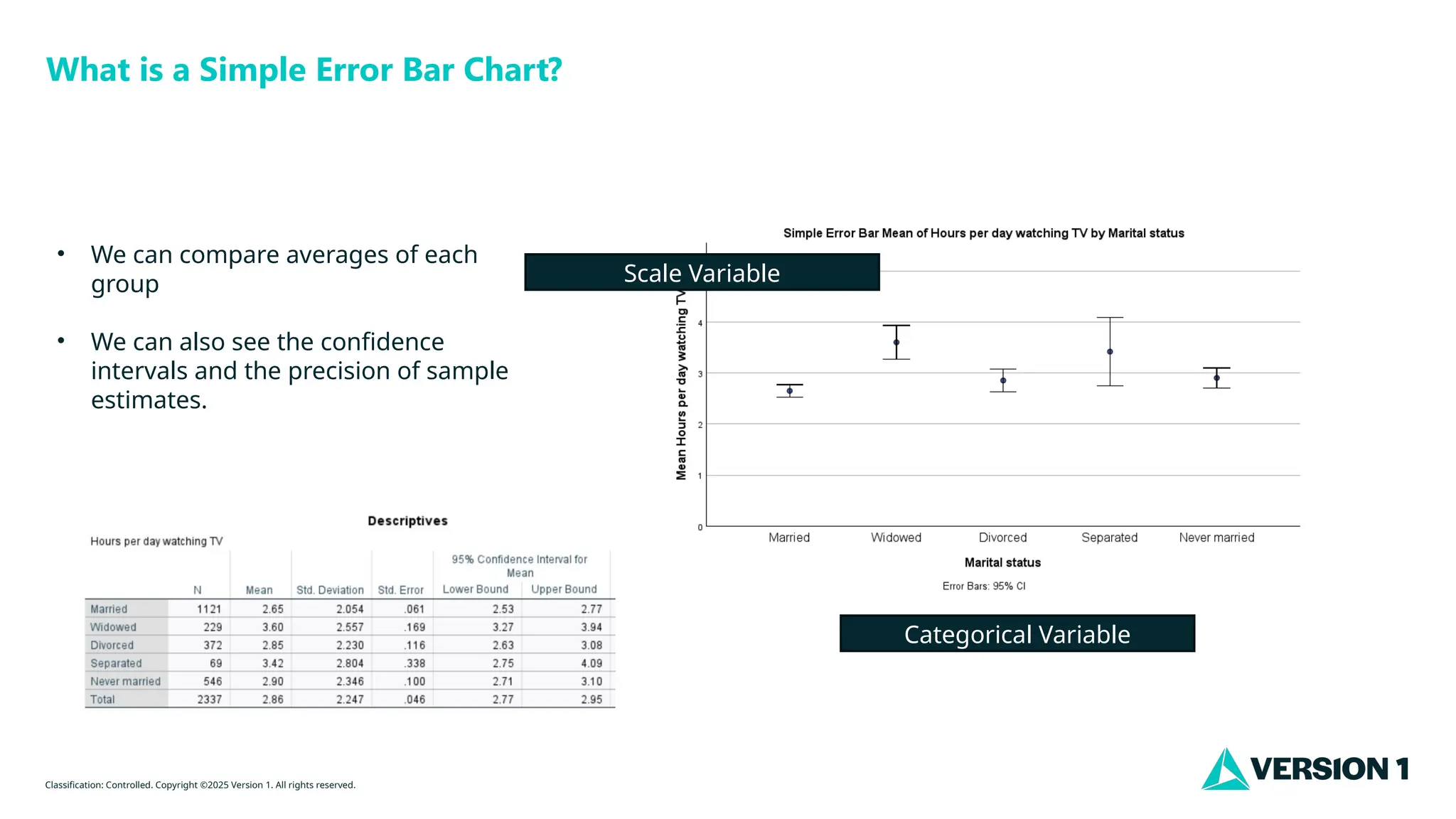
• We can compare averages of each
group
• We can also see the confidence
intervals and the precision of sample
estimates.
Categorical Variable
Scale Variable
Classification: Controlled. Copyright ©2025 Version 1. All rights reserved.
How Do I Create a Simple Error Bar Chart?
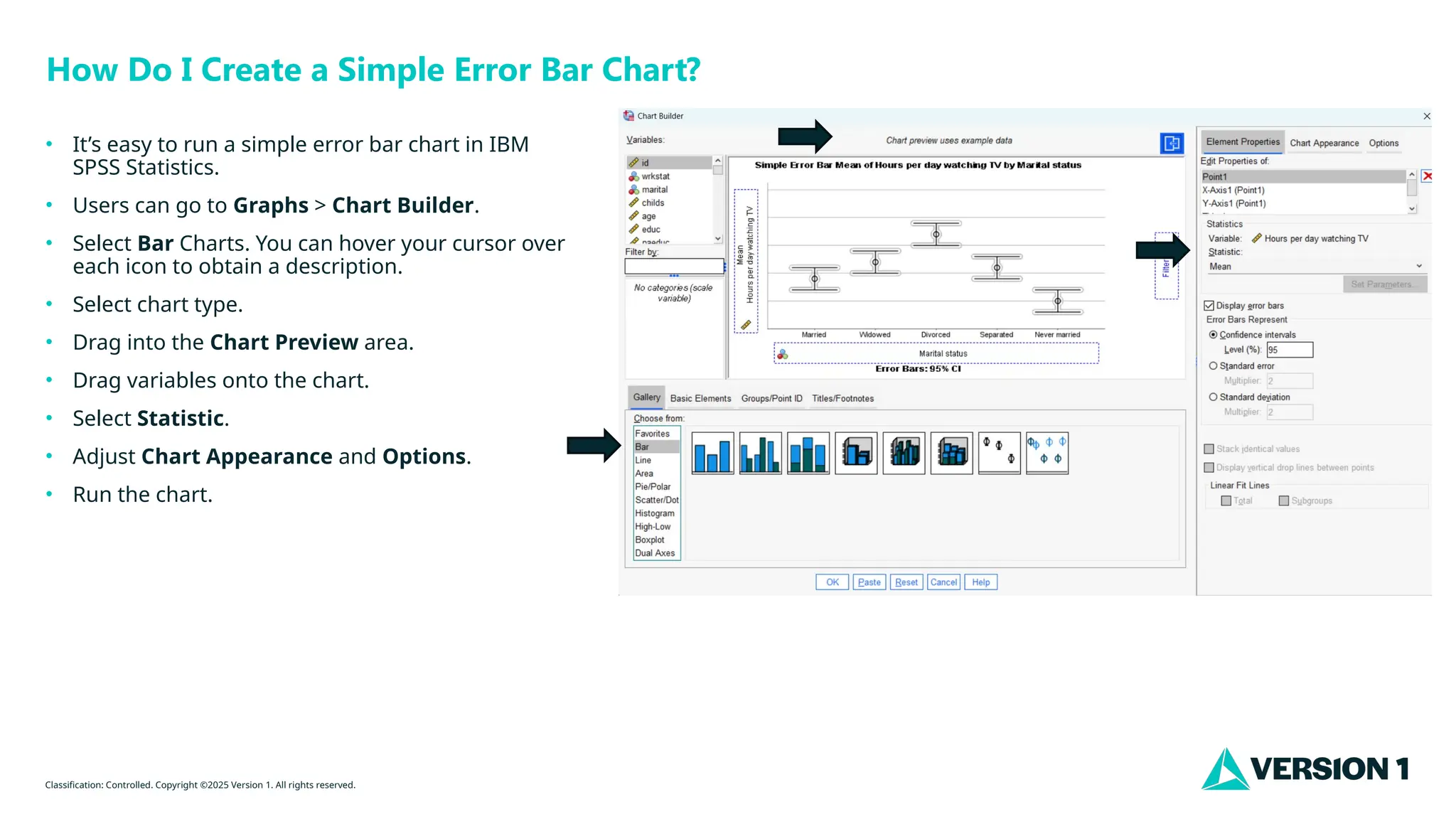
• It’s easy to run a simple error bar chart in IBM
SPSS Statistics.
• Users can go to Graphs > Chart Builder.
• Select Bar Charts. You can hover your cursor over
each icon to obtain a description.
• Select chart type.
• Drag into the Chart Preview area.
• Drag variables onto the chart.
• Select Statistic.
• Adjust Chart Appearance and Options.
• Run the chart.
Classification: Controlled. Copyright ©2025 Version 1. All rights reserved.
Thank You

Simple Error Bar Charts IBM SPSS Statistics.pptx

  • 1.
    Classification: Controlled. Copyright©2025 Version 1. All rights reserved. Simple Error Bar Charts
  • 2.
    Classification: Controlled. Copyright©2025 Version 1. All rights reserved. What is a Simple Error Bar Chart? • We can compare averages of each group • We can also see the confidence intervals and the precision of sample estimates. Categorical Variable Scale Variable
  • 3.
    Classification: Controlled. Copyright©2025 Version 1. All rights reserved. How Do I Create a Simple Error Bar Chart? • It’s easy to run a simple error bar chart in IBM SPSS Statistics. • Users can go to Graphs > Chart Builder. • Select Bar Charts. You can hover your cursor over each icon to obtain a description. • Select chart type. • Drag into the Chart Preview area. • Drag variables onto the chart. • Select Statistic. • Adjust Chart Appearance and Options. • Run the chart.
  • 4.
    Classification: Controlled. Copyright©2025 Version 1. All rights reserved. Thank You