Department of Computer Science SMI University
1
NAME: WAJIHA M. ISMAIL
STUDENT ID: CSC-18F-073
SECTION: 1A
SUBJECT: INTRODUCTION TO COMPUTING
TEACHER: MS. SAMREEN JAVED
Department of Computer Science SMI University
2
TASK # 03
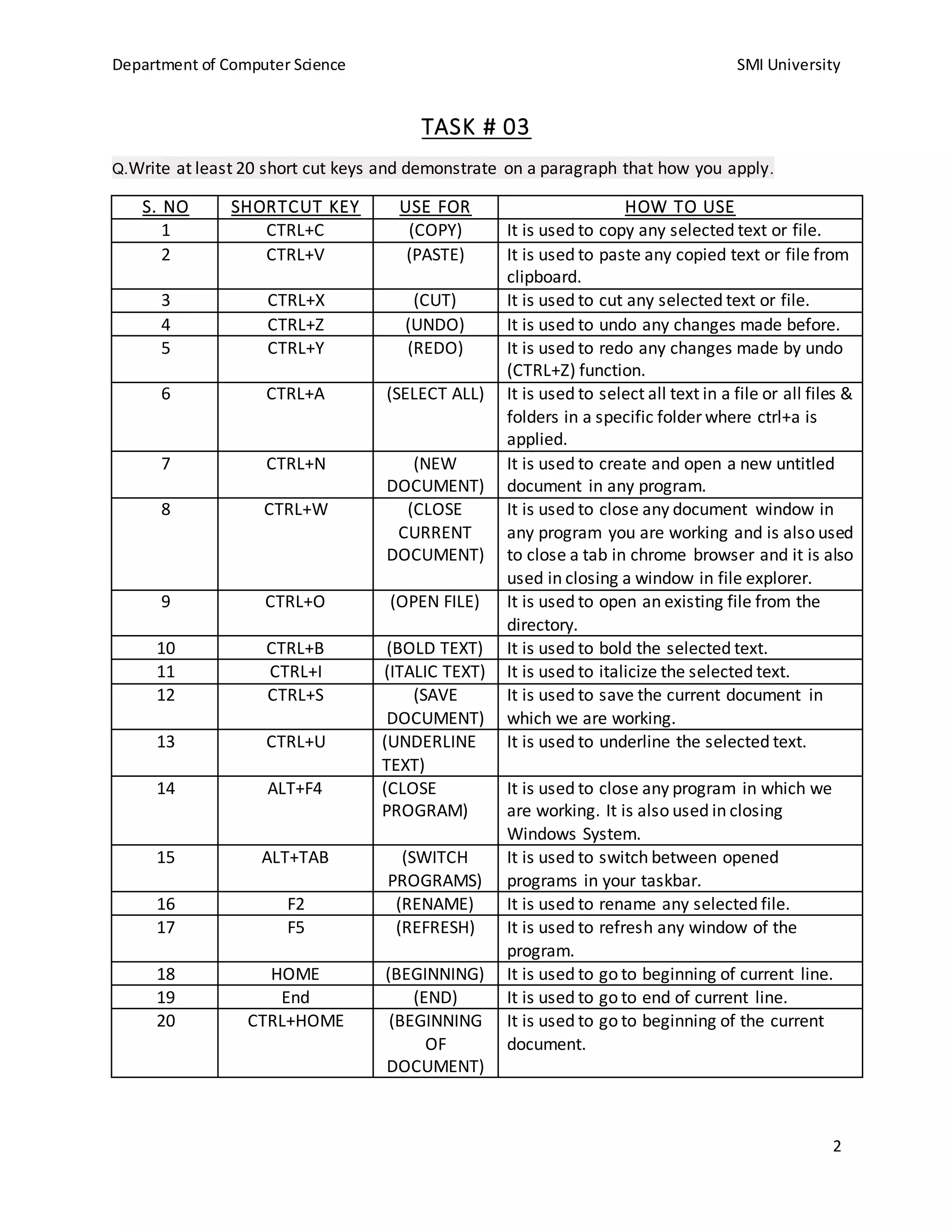
Q.Write at least 20 short cut keys and demonstrate on a paragraph that how you apply.
S. NO SHORTCUT KEY USE FOR HOW TO USE
1 CTRL+C (COPY) It is used to copy any selected text or file.
2 CTRL+V (PASTE) It is used to paste any copied text or file from
clipboard.
3 CTRL+X (CUT) It is used to cut any selected text or file.
4 CTRL+Z (UNDO) It is used to undo any changes made before.
5 CTRL+Y (REDO) It is used to redo any changes made by undo
(CTRL+Z) function.
6 CTRL+A (SELECT ALL) It is used to select all text in a file or all files &
folders in a specific folder where ctrl+a is
applied.
7 CTRL+N (NEW
DOCUMENT)
It is used to create and open a new untitled
document in any program.
8 CTRL+W (CLOSE
CURRENT
DOCUMENT)
It is used to close any document window in
any program you are working and is also used
to close a tab in chrome browser and it is also
used in closing a window in file explorer.
9 CTRL+O (OPEN FILE) It is used to open an existing file from the
directory.
10 CTRL+B (BOLD TEXT) It is used to bold the selected text.
11 CTRL+I (ITALIC TEXT) It is used to italicize the selected text.
12 CTRL+S (SAVE
DOCUMENT)
It is used to save the current document in
which we are working.
13 CTRL+U (UNDERLINE
TEXT)
It is used to underline the selected text.
14 ALT+F4 (CLOSE
PROGRAM)
It is used to close any program in which we
are working. It is also used in closing
Windows System.
15 ALT+TAB (SWITCH
PROGRAMS)
It is used to switch between opened
programs in your taskbar.
16 F2 (RENAME) It is used to rename any selected file.
17 F5 (REFRESH) It is used to refresh any window of the
program.
18 HOME (BEGINNING) It is used to go to beginning of current line.
19 End (END) It is used to go to end of current line.
20 CTRL+HOME (BEGINNING
OF
DOCUMENT)
It is used to go to beginning of the current
document.
Department of Computer Science SMI University
3
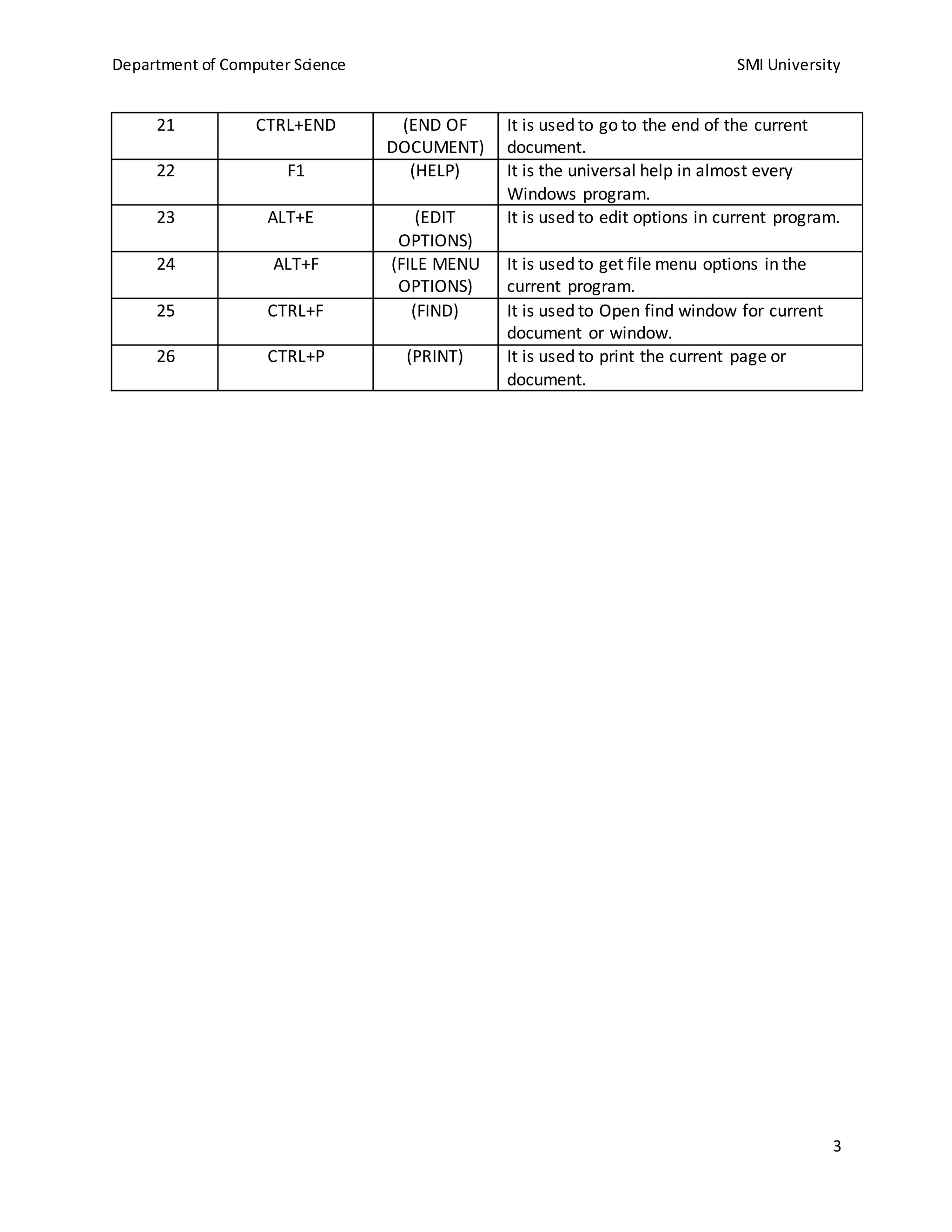
21 CTRL+END (END OF
DOCUMENT)
It is used to go to the end of the current
document.
22 F1 (HELP) It is the universal help in almost every
Windows program.
23 ALT+E (EDIT
OPTIONS)
It is used to edit options in current program.
24 ALT+F (FILE MENU
OPTIONS)
It is used to get file menu options in the
current program.
25 CTRL+F (FIND) It is used to Open find window for current
document or window.
26 CTRL+P (PRINT) It is used to print the current page or
document.
Department of Computer Science SMI University
4
TASK # 04
Q. Practice and label 10 tools each from Insert Tab and Design Tab, Also practice page setup.
INSERT TAB
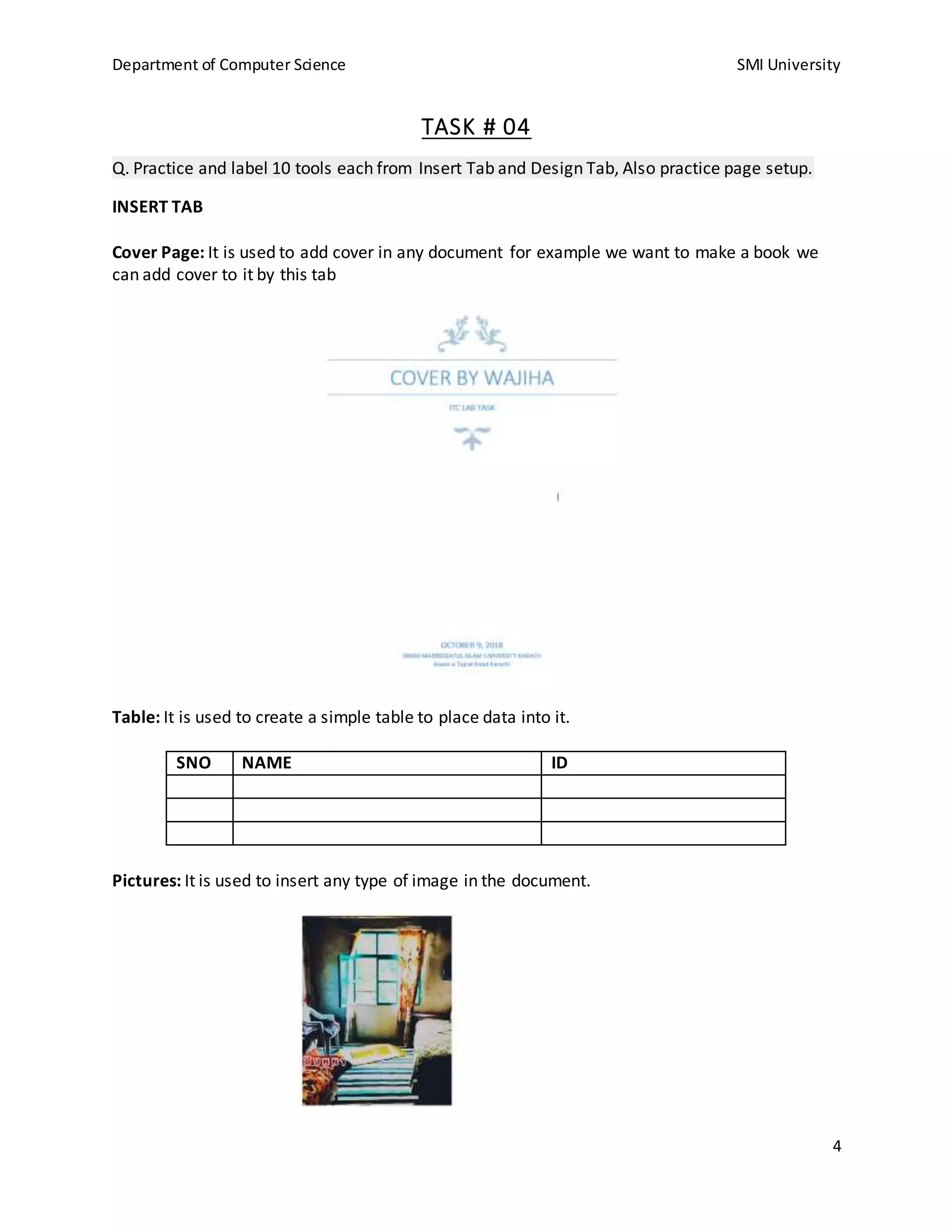
Cover Page: It is used to add cover in any document for example we want to make a book we
can add cover to it by this tab
Table: It is used to create a simple table to place data into it.
SNO NAME ID
Pictures: It is used to insert any type of image in the document.
Department of Computer Science SMI University
5
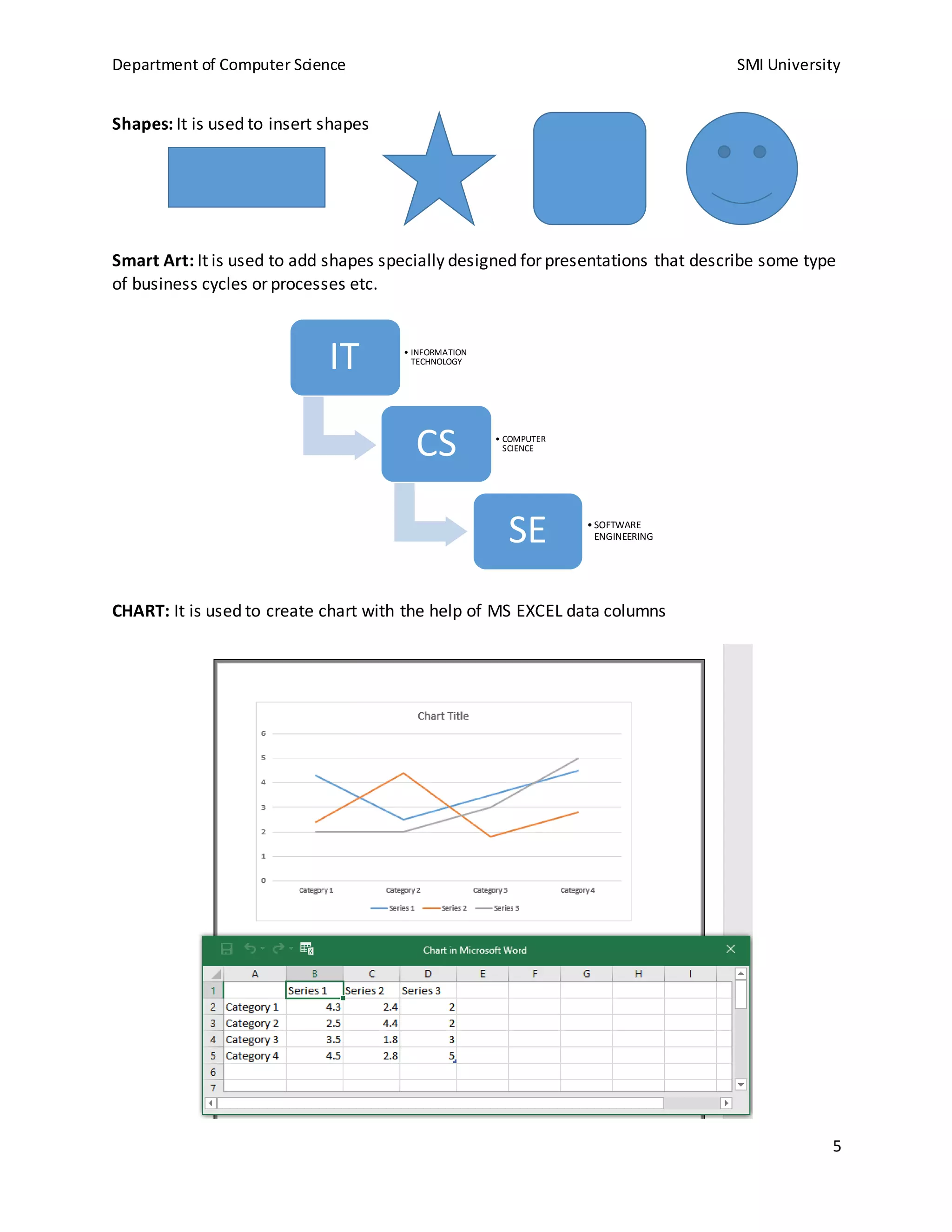
Shapes: It is used to insert shapes
Smart Art: It is used to add shapes specially designed for presentations that describe some type
of business cycles or processes etc.
CHART: It is used to create chart with the help of MS EXCEL data columns
IT • INFORMATION
TECHNOLOGY
CS • COMPUTER
SCIENCE
SE • SOFTWARE
ENGINEERING
Department of Computer Science SMI University
6
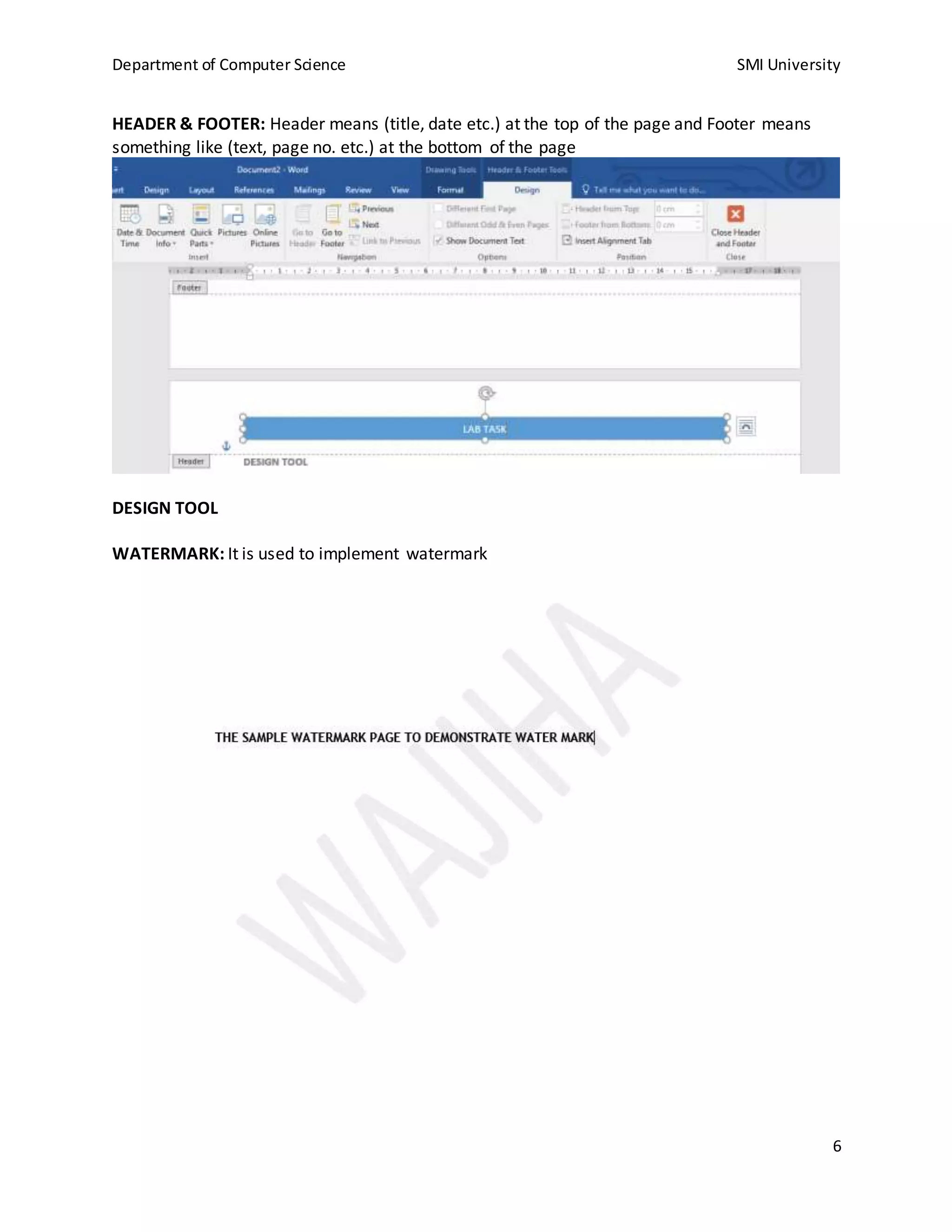
HEADER & FOOTER: Header means (title, date etc.) at the top of the page and Footer means
something like (text, page no. etc.) at the bottom of the page
DESIGN TOOL
WATERMARK: It is used to implement watermark
Department of Computer Science SMI University
7
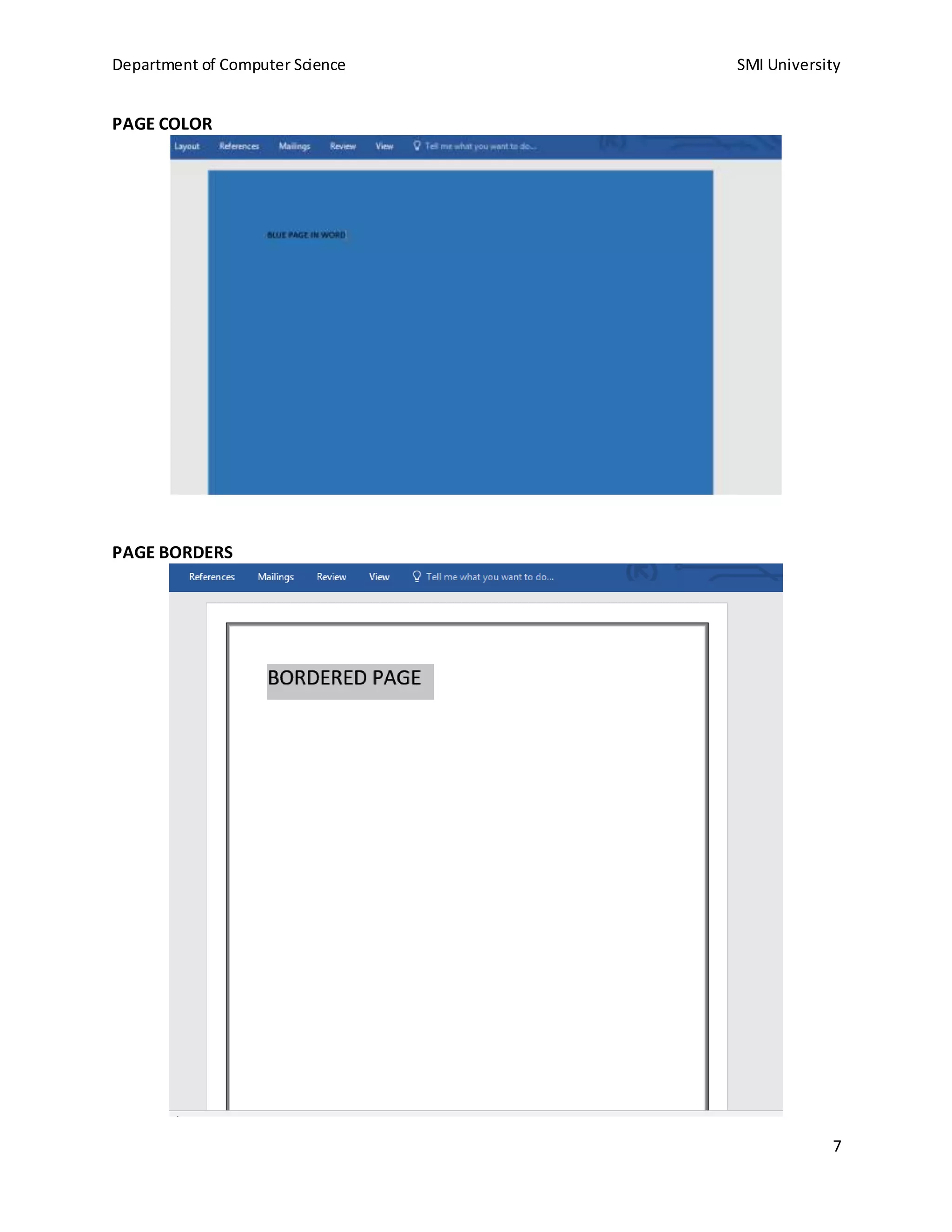
PAGE COLOR
PAGE BORDERS

Shortcut keys for ms word and 10 tools demostration

  • 1.
    Department of ComputerScience SMI University 1 NAME: WAJIHA M. ISMAIL STUDENT ID: CSC-18F-073 SECTION: 1A SUBJECT: INTRODUCTION TO COMPUTING TEACHER: MS. SAMREEN JAVED
  • 2.
    Department of ComputerScience SMI University 2 TASK # 03 Q.Write at least 20 short cut keys and demonstrate on a paragraph that how you apply. S. NO SHORTCUT KEY USE FOR HOW TO USE 1 CTRL+C (COPY) It is used to copy any selected text or file. 2 CTRL+V (PASTE) It is used to paste any copied text or file from clipboard. 3 CTRL+X (CUT) It is used to cut any selected text or file. 4 CTRL+Z (UNDO) It is used to undo any changes made before. 5 CTRL+Y (REDO) It is used to redo any changes made by undo (CTRL+Z) function. 6 CTRL+A (SELECT ALL) It is used to select all text in a file or all files & folders in a specific folder where ctrl+a is applied. 7 CTRL+N (NEW DOCUMENT) It is used to create and open a new untitled document in any program. 8 CTRL+W (CLOSE CURRENT DOCUMENT) It is used to close any document window in any program you are working and is also used to close a tab in chrome browser and it is also used in closing a window in file explorer. 9 CTRL+O (OPEN FILE) It is used to open an existing file from the directory. 10 CTRL+B (BOLD TEXT) It is used to bold the selected text. 11 CTRL+I (ITALIC TEXT) It is used to italicize the selected text. 12 CTRL+S (SAVE DOCUMENT) It is used to save the current document in which we are working. 13 CTRL+U (UNDERLINE TEXT) It is used to underline the selected text. 14 ALT+F4 (CLOSE PROGRAM) It is used to close any program in which we are working. It is also used in closing Windows System. 15 ALT+TAB (SWITCH PROGRAMS) It is used to switch between opened programs in your taskbar. 16 F2 (RENAME) It is used to rename any selected file. 17 F5 (REFRESH) It is used to refresh any window of the program. 18 HOME (BEGINNING) It is used to go to beginning of current line. 19 End (END) It is used to go to end of current line. 20 CTRL+HOME (BEGINNING OF DOCUMENT) It is used to go to beginning of the current document.
  • 3.
    Department of ComputerScience SMI University 3 21 CTRL+END (END OF DOCUMENT) It is used to go to the end of the current document. 22 F1 (HELP) It is the universal help in almost every Windows program. 23 ALT+E (EDIT OPTIONS) It is used to edit options in current program. 24 ALT+F (FILE MENU OPTIONS) It is used to get file menu options in the current program. 25 CTRL+F (FIND) It is used to Open find window for current document or window. 26 CTRL+P (PRINT) It is used to print the current page or document.
  • 4.
    Department of ComputerScience SMI University 4 TASK # 04 Q. Practice and label 10 tools each from Insert Tab and Design Tab, Also practice page setup. INSERT TAB Cover Page: It is used to add cover in any document for example we want to make a book we can add cover to it by this tab Table: It is used to create a simple table to place data into it. SNO NAME ID Pictures: It is used to insert any type of image in the document.
  • 5.
    Department of ComputerScience SMI University 5 Shapes: It is used to insert shapes Smart Art: It is used to add shapes specially designed for presentations that describe some type of business cycles or processes etc. CHART: It is used to create chart with the help of MS EXCEL data columns IT • INFORMATION TECHNOLOGY CS • COMPUTER SCIENCE SE • SOFTWARE ENGINEERING
  • 6.
    Department of ComputerScience SMI University 6 HEADER & FOOTER: Header means (title, date etc.) at the top of the page and Footer means something like (text, page no. etc.) at the bottom of the page DESIGN TOOL WATERMARK: It is used to implement watermark
  • 7.
    Department of ComputerScience SMI University 7 PAGE COLOR PAGE BORDERS