Shopping Carts
Secure Payment
Ethical Issue in E-Commerce
Case Study of E-Commerce Business
A. S. M. SHAMZIDUL ISLAM
SHAMZID@GMAIL.COM
01713239922
Shopping Carts
Shopping Carts
In online marketing, a shopping cart is a piece of e-commerce software on a web server
that allows visitors to an Internet site to select items for eventual purchase. It is generally
known as a shopping basket, almost exclusively shortened on websites to basket.
The software allows online shopping customers to accumulate a list of items for purchase
as “placing items in the shopping cart” or “add to cart.” Upon checkout, the software
typically calculates a total for the order, including shipping and handling (i.e., postage
and packing) charges and the associated taxes, as applicable.
Benefits of using a shopping cart software
 Ease of use: Shopping cart plug-in requires no tech skills, making it easy to launch an online store from the ground up and
add or edit products as you grow.
 Save time: One benefit of using e-commerce software is that there's no need to waste time worrying about the different
aspects of running a website. The solution handles everything from servers to SSL certificates and credit card processing.
 Save money: The software is very cost-effective, as it offers all the extensions and plug-ins you can imagine, and you can
easily implement them without the expense of hiring developers to build and set them up for you.
 Support: The company's shopping cart software lets users solve problems quickly — it is well-supported by the vendor's team
and comes with a community of users who are eager to help, he said.
 Boost sales: The online store has made thousands in potentially lost sales. The e-commerce software's abandoned cart
emails, which automatically remind customers to go through with the checkout process. This takes zero effort on the
company's part, but creates a big return.
 Accept multiple currencies: The shopping cart software lowers their payment processing fees while giving customers more
payment options by accepting multiple currencies.
 Additional apps: The software offers a number of free and paid apps you can install to take your business to the next level,
like visitor data, social sharing, analytics, and recover abandoned carts.
 Get paid fast: The e-commerce software is seamlessly integrated with the preferred payment gateway and credit card
processor. Not only it is easy to set up, but the money goes directly into the company's bank account and they could
quickly issue refunds to customers.
Best E-Commerce Shopping Carts
Here are the criteria we used to evaluate
each software product:
 Cost
 Ease of use
 E-commerce features offered
 Website hosting and design
 Customization options
 Payment processors
 Merchant tools
 Merchant tools
 Automation capabilities
 Back-end features
 Marketing tools
 Third-party integration
 Reporting and analytics
 Service limitations
 Customer service
Examples of E-Commerce Shopping Carts
Shopify
Shopify is one of the leaders in the e-commerce space, and perhaps the easiest-to-use tool to build your online store with.
No matter if you’re just starting out (and have no website or e-commerce experience at all), or if you’re looking for a way to
take your business to the next level, our Shopify review promises to have something to suit you!
Shopify is a full-integrated ecommerce solution, providing ready-made online shops you can tweak and customise until your
heart is content. Shopify has the capacity to be feature heavy out of the box, but that doesn’t drag load times or the slickness
of using a Shopify site. Payment plans are based on monthly billing, but for anyone running a profitable store, these should
quickly become negligible costs.
PROS:
 Great speed and load times
 Set up over a weekend
 Custom domain name
 Add-ons
 Great design
https://ecommerceguide.com/ecommerce-platforms/shopify-review/
Examples of E-Commerce Shopping Carts
Bigcommerce
Bigcommerce is a cloud-based e-commerce platform aimed at fast-growing brands.
They offer really nice e-commerce store management features (including product management, order fulfillment, online
payments, coupons, analytics, etc.), good-looking designs, and countless customization features.
PROS
 Bigcommerce gives you awesome management tools. This includes product management, order management, analytics,
reports, all that stuff.
 There's a nice marketing module with AdWords integration, coupons and more. This allows you to handle your store's
marketing partly on autopilot.
 Bigcommerce is rather cheap for the amount of stuff it offers and the fact that it puts no limits on how many products you
can have in your database or how many customers you can serve.
 There's 24/7 support. And they even help you with things like SEO and other somewhat external traits of your online store.
 There are apps. You can integrate your store with platforms such as Facebook, MailChimp, QuickBooks, eBay, and a lot
more.
https://ecommerceguide.com/ecommerce-platforms/bigcommerce-review/
Examples of E-Commerce Shopping Carts
Magento
Magento is the most heavily used free e-commerce software, used by over 30,000 merchants across the world. There is a paid tier
available for enterprise users, but at a basic level the software is free for you to use.
PROS
 User Friendly: As a starting point, Magento is a user-friendly solution for those without the expertise to code a unique solution off their
own back. The admin area is designed to be accessible to those without extensive knowledge or experience.
 Scalability: One of the biggest advantages of Magento is that it's a perfectly scalable system, so you can switch up your game from
10 products to 100,000.
 Feature-Intensive: Magento do pretty much whatever you need it to do. However, be aware that this can increase the complexity of
the system, which can make it difficult should you need to draft in the help of a Magento developer.
CONS
 Development, Support and Maintenance Costs: Magento is expensive on the tech support side for number of reasons. It's a complex
system in the background, and this means it often takes even experienced Magento developers time to learn how to do what you
need them to do. Hosting: Due to the complexity and scalable design, you pretty much need to host a Magento store on its own
dedicated server. This means additional expense to get things started, and an extra online monthly cost to boot.
 Time-Intensive: Because the learning curve is so much longer for developing in Magento than in other applications, it can be a time
consuming process trying to get modifications made, or otherwise relying on input from a Magento developer.
https://ecommerceguide.com/ecommerce-platforms/magento-review/
Examples of E-Commerce Shopping Carts
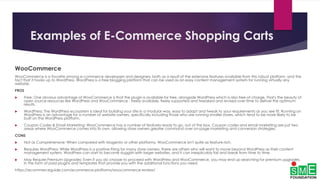
WooCommerce
WooCommerce is a favorite among e-commerce developers and designers, both as a result of the extensive features available from this robust platform, and the
fact that it hooks up to WordPress. WordPress is a free blogging platform that can be used as an easy content management system for running virtually any
website.
PROS
 Free: One obvious advantage of WooCommerce is that the plugin is available for free, alongside WordPress which is also free of charge. That's the beauty of
open source resources like WordPress and WooCommerce - freely available, freely supported and tweaked and revised over time to deliver the optimum
results.
 WordPress: The WordPress ecosystem is ideal for building your site in a modular way, easy to adapt and tweak to your requirements as you see fit. Running on
WordPress is an advantage for a number of website owners, specifically including those who are running smaller stores, which tend to be more likely to be
built on the WordPress platform.
 Coupon Codes & Email Marketing: WooCommerce has a number of features ready to go, out of the box. Coupon codes and email marketing are just two
areas where WooCommerce comes into its own, allowing store owners greater command over on-page marketing and conversion strategies.
CONS
 Not as Comprehensive: When compared with Magento or other platforms, WooCommerce isn't quite as feature-rich.
 Requires WordPress: While WordPress is a positive thing for many store owners, there are others who will want to move beyond WordPress as their content
management system. WordPress can start to become sluggish with larger websites, and it can inexplicably fail and break from time to time.
 May Require Premium Upgrades: Even if you do choose to proceed with WordPress and WooCommerce, you may end up searching for premium upgrades,
in the form of paid plugins and templates that provide you with the additional functions you need.
https://ecommerceguide.com/ecommerce-platforms/woocommerce-review/
Examples of E-Commerce Shopping Carts
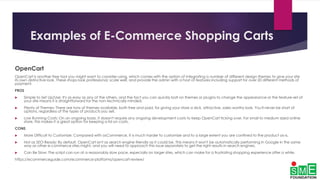
OpenCart
OpenCart is another free tool you might want to consider using, which comes with the option of integrating a number of different design themes to give your site
its own distinctive look. These shops look professional, scale well, and provide the admin with a host of features including support for over 20 different methods of
payment.
PROS
 Simple to Set Up/Use: It's as easy as any of the others, and the fact you can quickly bolt on themes or plugins to change the appearance or the feature-set of
your site means it is straightforward for the non-technically minded.
 Plenty of Themes: There are tons of themes available, both free and paid, for giving your store a slick, attractive, sales-worthy look. You'll never be short of
options, regardless of the types of products you sell.
 Low Running Costs: On an ongoing basis, it doesn't require any ongoing development costs to keep OpenCart ticking over. For small to medium sized online
store, this makes it a great option for keeping a lid on costs.
CONS
 More Difficult to Customize: Compared with osCommerce, it is much harder to customize and to a large extent you are confined to the product as-is.
 Not as SEO-Ready: By default, OpenCart isn't as search engine friendly as it could be. This means it won't be automatically performing in Google in the same
way as other e-commerce sites might, and you will need to approach this issue separately to get the right results in search engines.
 Can Be Slow: The script can run at a reasonably slow pace, especially on larger sites, which can make for a frustrating shopping experience after a while.
https://ecommerceguide.com/ecommerce-platforms/opencart-review/
Examples of E-Commerce Shopping Carts
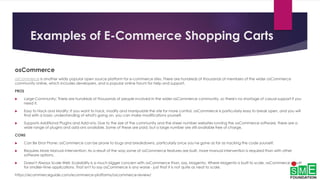
osCommerce
osCommerce is another wildly popular open source platform for e-commerce sites. There are hundreds of thousands of members of the wider osCommerce
community online, which includes developers, and a popular online forum for help and support.
PROS
 Large Community: There are hundreds of thousands of people involved in the wider osCommerce community, so there's no shortage of casual support if you
need it.
 Easy to Hack and Modify: If you want to hack, modify and manipulate the site for more control, osCommerce is particularly easy to break open, and you will
find with a basic understanding of what's going on, you can make modifications yourself.
 Supports Additional Plugins and Add-ons: Due to the size of the community and the sheer number websites running the osCommerce software, there are a
wide range of plugins and add-ons available. Some of these are paid, but a large number are still available free of charge.
CONS
 Can Be Error Prone: osCommerce can be prone to bugs and breakdowns, particularly once you've gone as far as hacking the code yourself.
 Requires More Manual Intervention: As a result of the way some of osCommerce features are built, more manual intervention is required than with other
software options.
 Doesn't Always Scale Well: Scalability is a much bigger concern with osCommerce than, say, Magento. Where Magento is built to scale, osCommerce is built
for smaller-time applications. That isn't to say osCommerce is any worse - just that it is not quite as neat to scale.
https://ecommerceguide.com/ecommerce-platforms/oscommerce-review/
Examples of E-Commerce Shopping Carts
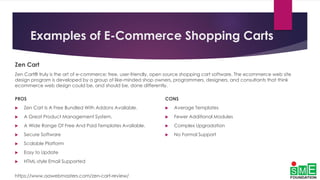
Zen Cart
Zen Cart® truly is the art of e-commerce; free, user-friendly, open source shopping cart software. The ecommerce web site
design program is developed by a group of like-minded shop owners, programmers, designers, and consultants that think
ecommerce web design could be, and should be, done differently.
PROS
 Zen Cart Is A Free Bundled With Addons Available.
 A Great Product Management System.
 A Wide Range Of Free And Paid Templates Available.
 Secure Software
 Scalable Platform
 Easy to Update
 HTML-style Email Supported
https://www.aawebmasters.com/zen-cart-review/
CONS
 Average Templates
 Fewer Additional Modules
 Complex Upgradation
 No Formal Support
Examples of E-Commerce Shopping Carts
VirtueMart
VirtueMart is an Open Source E-Commerce solution (a Component or Plug-in) for the Joomla! Content Management System. It
can be run as a Shopping Cart, or in Catalog mode. You need to install Joomla! first (as the "Framework"), and then install &
configure VirtueMart.
PROS
 Structure Your Shop With Nested Categories.
 Administrative interface is user friendly
 A Great Product Management System.
 A Wide Range Of Free And Paid Templates Available.
 VirtueMart boasts of advanced Content management
system features including SEO friendly URLs, template
support, administrative panel with multiple languages.
https://virtuemart.net/features/all-features
CONS
 Fewer Additional Modules
 Joomla customization must required basic knowledge of
website design and development
Secure Payment
E-Commerce - Payment Systems
E-Commerce or Electronics Commerce sites use electronic payment where electronic payment
refers to paperless monetary transactions. Electronic payment has revolutionized the business
processing by reducing paper work, transaction costs, labour cost. Being user friendly and less time
consuming than manual processing, helps business organization to expand its market reach /
expansion. Some of the modes of electronic payments are following.
 Paypal
 Credit Card
 Debit Card
 Smart Card
 E-Money
 Electronic Fund Transfer (EFT)
 Mobile Money Wallets
E-Commerce - Payment Systems
PayPal
PayPal is a global e-commerce business allowing payments and money transfers to be made
through the Internet. Online money transfers serve as electronic alternatives to paying with
traditional paper methods, such as cheques and money orders.
PayPal is an acquirer, a performing payment processing for online vendors, auction sites, and other
commercial users, for which it charges a fee. It may also charge a fee for receiving money,
proportional to the amount received.
The fees depend on the currency used, the payment option used, the country of the sender, the
country of the recipient, the amount sent and the recipient's account type.
E-Commerce - Payment Systems
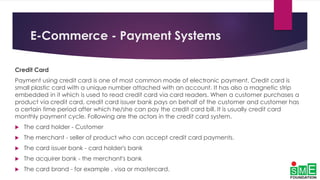
Credit Card
Payment using credit card is one of most common mode of electronic payment. Credit card is
small plastic card with a unique number attached with an account. It has also a magnetic strip
embedded in it which is used to read credit card via card readers. When a customer purchases a
product via credit card, credit card issuer bank pays on behalf of the customer and customer has
a certain time period after which he/she can pay the credit card bill. It is usually credit card
monthly payment cycle. Following are the actors in the credit card system.
 The card holder - Customer
 The merchant - seller of product who can accept credit card payments.
 The card issuer bank - card holder's bank
 The acquirer bank - the merchant's bank
 The card brand - for example , visa or mastercard.
E-Commerce - Payment Systems
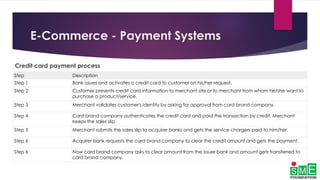
Credit card payment process
Step Description
Step 1 Bank issues and activates a credit card to customer on his/her request.
Step 2 Customer presents credit card information to merchant site or to merchant from whom he/she want to
purchase a product/service.
Step 3 Merchant validates customer's identity by asking for approval from card brand company.
Step 4 Card brand company authenticates the credit card and paid the transaction by credit. Merchant
keeps the sales slip.
Step 5 Merchant submits the sales slip to acquirer banks and gets the service chargers paid to him/her.
Step 6 Acquirer bank requests the card brand company to clear the credit amount and gets the payment.
Step 6 Now card brand company asks to clear amount from the issuer bank and amount gets transferred to
card brand company.
E-Commerce - Payment Systems
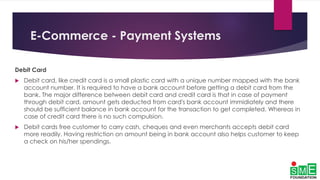
Debit Card
 Debit card, like credit card is a small plastic card with a unique number mapped with the bank
account number. It is required to have a bank account before getting a debit card from the
bank. The major difference between debit card and credit card is that in case of payment
through debit card, amount gets deducted from card's bank account immidiately and there
should be sufficient balance in bank account for the transaction to get completed. Whereas in
case of credit card there is no such compulsion.
 Debit cards free customer to carry cash, cheques and even merchants accepts debit card
more readily. Having restriction on amount being in bank account also helps customer to keep
a check on his/her spendings.
E-Commerce - Payment Systems
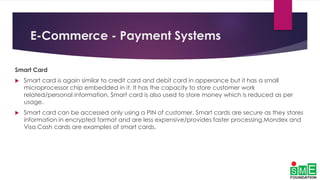
Smart Card
 Smart card is again similar to credit card and debit card in apperance but it has a small
microprocessor chip embedded in it. It has the capacity to store customer work
related/personal information. Smart card is also used to store money which is reduced as per
usage.
 Smart card can be accessed only using a PIN of customer. Smart cards are secure as they stores
information in encrypted format and are less expensive/provides faster processing.Mondex and
Visa Cash cards are examples of smart cards.
E-Commerce - Payment Systems
E-Money
 E-Money transactions refers to situation where payment is done over the network and amount
gets transferred from one financial body to another financial body without any involvement of a
middleman. E-money transactions are faster, convenient and saves a lot of time.
 Online payments done via credit card, debit card or smart card are examples of e-money
transactions. Another popular example is e-cash. In case of e-cash, both customer and
merchant both have to sign up with the bank or company issuing e-cash.
E-Commerce - Payment Systems
Electronic Fund Transfer
 It is a very popular electronic payment method to transfer money from one bank account to
another bank account. Accounts can be in same bank or different bank. Fund transfer can be
done using ATM (Automated Teller Machine) or using computer.
 Now a day, internet based EFT is getting popularity. In this case, customer uses website provided
by the bank. Customer logins to the bank's website and registers another bank account. He/she
then places a request to transfer certain amount to that account. Customer's bank transfers
amount to other account if it is in same bank otherwise transfer request is forwarded to ACH
(Automated Clearing House) to transfer amount to other account and amount is deducted
from customer's account. Once amount is transferred to other account, customer is notified of
the fund transfer by the bank.
E-Commerce - Payment Systems
Mobile Money Wallets
It is a very popular electronic payment method to transfer money from one bank account to
another bank account. Accounts can be in same bank or different bank. Fund transfer can be
done using ATM (Automated Teller Machine) or using computer.
 In undeveloped countries the banked population is very less, especially in tier II and tier III cities.
Taking the example of India or Bangladesh, there are more mobile phone users than there are
people with active bank accounts. Telecom operators, in such geographies, have started
offering mobile money wallets which allows adding funds easily through their existing mobile
subscription number, by visiting physical recharge points close to their homes and offices and
converting their cash into mobile wallet currency. This can be used for online transaction and
eCommerce purchases.
E-Commerce Security
1. Choose a secure ecommerce platform.
2. Use a secure connection for online checkout--and make sure you are PCI compliant.
3. Don't store sensitive data.
4. Employ an address and card verification system.
5. Require strong passwords.
6. Set up system alerts for suspicious activity.
7. Layer your security.
8. Provide security training to employees.
9. Use tracking numbers for all orders.
10. Monitor your site regularly--and make sure whoever is hosting it is, too.
11. Perform regular PCI scans.
12. Patch your systems.
13. Make sure you have a DDoS protection and mitigation service.
14. Consider a fraud management service.
15. Make sure you or whoever is hosting your site is backing it up
Ethical Issue in E-Commerce
Data Theft
Sellers have a responsibility to their customers. They must ensure that eCommerce transaction do
not result in data theft or security breaches. Customers give you a lot of sensitive information to
complete an eCommerce transaction:
 Credit card numbers
 Personal information, like their address
 Email addresses and a password, which they may share across many accounts
 Purchase history (particularly important if you sell sensitive products)
Ethical Issue in E-Commerce
Data Security
here are some of the most important things you should be doing:
 Use HTTPS/SSL for your eCommerce site, especially the pages that collect sensitive information
 Ensure you always adhere to PCI compliance guidelines
 Only store customer data you need to store
 Protect the customer data you need to keep with extra layers of defense
 Use trusted platforms for financial transactions, data storage, etc.
Ethical Issue in E-Commerce
Accurate Product Listing
E-commerce is different from traditional retail. Your customers cannot touch the product they will buy. They’ll
look at pictures and videos that show the product in ideal lighting, Photoshop processing, and artistic touch.
They’ll read descriptions that may say very little (or may say a ton) about the product.
e-commerce customers don’t get to see the exact item they’ll receive. In a store, you take the item off the shelf
and you carry it to the register. An e-commerce transaction is instead “send me one of those”.
Therefore it’s important that you make the effort to list your products accurately, completely, and honestly.
You have an opportunity to surprise an e-commerce customer with every transaction. You can delight them
with unexpected quality or beautiful packaging. You can include a little extra like a handwritten note or a small
freebie. But, there’s also a chance to surprise them negatively
If you product listing isn’t accurate, you disappoint a customer. You probably lose a customer.
Ethical Issue in E-Commerce
Following the Law
It’s important for any individual and any business to follow the law. You need to make sure that your business
does.
eCommerce customers don’t get to see the exact item they’ll receive. In a store, you take the item off the shelf
and you carry it to the register. An eCommerce transaction is instead “send me one of those”.
Therefore it’s important that you make the effort to list your products accurately, completely, and honestly.
You have an opportunity to surprise an eCommerce customer with every transaction. You can delight them
with unexpected quality or beautiful packaging. You can include a little extra like a handwritten note or a small
freebie. But, there’s also a chance to surprise them negatively
If you product listing isn’t accurate, you disappoint a customer. You probably lose a customer.
Ethical Issue in E-Commerce
Selling Counterfeit Products
Utilizing third-party suppliers, drop shipping, and some of the dynamic order fulfillment tactics that are available today can
bring your business a lot of value. But, they also introduce some risk. When you buy from someone who isn’t the
manufacturer, how do you know where the product is coming from?
You need to take action to ensure you sell authentic products. You’ll get the blame if the customer finds out.
 Here are a few things you can do to protect your business and your customers from counterfeit goods:
 Check what you’re selling. You may not physically handle most of the goods you sell, but at least buy a few and
check them out before you start fulfilling orders.
 Verify with the manufacturer. The manufacturer should be able to identify if a product is fake. Usually an item or serial
number will be enough, but they could also help you with aesthetic identifiers, too.
 Only work with trusted suppliers. Make sure you can trust the suppliers. Look for validation from real organizations like
the Better Business Bureau. Verify their credibility with other buyers. Prove to yourself they can be trusted.
 Be extra careful with international suppliers. There are significant reasons to work with international suppliers: price,
broader markets, etc. But, be extra careful with international deals. Suppliers are harder to check up on and
sometimes they are pretty loosely regulated. Be open to international business, but be safe.
Ethical Issue in E-Commerce
Web Accessibility
Web accessibility is not a new concept, but it’s often overlooked. It’s a set of standards that websites can
adhere to, which make those websites useable for people with certain disabilities. For example, the visually
impaired can use screen readers, which audibly dictate the contents for a web page.
Ethical Issue in E-Commerce
Accessibility and SEO
 Having an accessible site isn’t just an ethics issue. It can actually improve your SEO!
 Many of the basic web accessibility guidelines are the same best practices that search engine optimization
experts will provide.
 Clear and accurate <title> tags and headlines
 Using the “alt” and “title” attributes for images
 Using clear and logical HTML to structure your content
 And, the list goes on…
Ethical Issue in E-Commerce
Email Spamming
E-mail spamming, also known as unsolicited commercial e-mail (UCE) involves using e-mail to send or
broadcast unwanted advertisement or correspondence over the Internet. The individual who spam their e-mail
usually called spammer. Many spammers broadcast their e-mail for the purpose of trying to get people’s
financial information such as credit card or account bank numbers in order to defraud them.
The example of fraud using e-mail is spammers will lure consumers to enter their personal information on fake
website using e-mail, forged to look like it is from authorized organization such as bank. The content of e-mail
often directs the consumers to the fake website in order to lure them to fill their personal information such as
credit card or bank account’s details. This technique is called phishing. The following picture is an example of
phishing e-mail.
Ethical Issue in E-Commerce
Intellectual Property Theft and Copyright Trolls
The basic cut-and-paste allows anyone with Internet access to directly copy the original works of another. Text,
photos, music, artwork and ideas routinely move from the creators to the copiers, with no permission for use
granted or sought. The victim of this theft only has recourse if he's registered a copyright and then wants to
spend the time and trouble to write demand letters and threaten lawsuits. At the other end of the ethical
spectrum, "copyright trolls" buy the rights to movies, books and music, threaten mass lawsuits against thousands
of people found to be downloading the material and demand a quick settlement from each of them.

Shopping carts payment ethical issue_e-commerce

  • 1.
    Shopping Carts Secure Payment EthicalIssue in E-Commerce Case Study of E-Commerce Business A. S. M. SHAMZIDUL ISLAM SHAMZID@GMAIL.COM 01713239922
  • 2.
  • 3.
    Shopping Carts In onlinemarketing, a shopping cart is a piece of e-commerce software on a web server that allows visitors to an Internet site to select items for eventual purchase. It is generally known as a shopping basket, almost exclusively shortened on websites to basket. The software allows online shopping customers to accumulate a list of items for purchase as “placing items in the shopping cart” or “add to cart.” Upon checkout, the software typically calculates a total for the order, including shipping and handling (i.e., postage and packing) charges and the associated taxes, as applicable.
  • 4.
    Benefits of usinga shopping cart software  Ease of use: Shopping cart plug-in requires no tech skills, making it easy to launch an online store from the ground up and add or edit products as you grow.  Save time: One benefit of using e-commerce software is that there's no need to waste time worrying about the different aspects of running a website. The solution handles everything from servers to SSL certificates and credit card processing.  Save money: The software is very cost-effective, as it offers all the extensions and plug-ins you can imagine, and you can easily implement them without the expense of hiring developers to build and set them up for you.  Support: The company's shopping cart software lets users solve problems quickly — it is well-supported by the vendor's team and comes with a community of users who are eager to help, he said.  Boost sales: The online store has made thousands in potentially lost sales. The e-commerce software's abandoned cart emails, which automatically remind customers to go through with the checkout process. This takes zero effort on the company's part, but creates a big return.  Accept multiple currencies: The shopping cart software lowers their payment processing fees while giving customers more payment options by accepting multiple currencies.  Additional apps: The software offers a number of free and paid apps you can install to take your business to the next level, like visitor data, social sharing, analytics, and recover abandoned carts.  Get paid fast: The e-commerce software is seamlessly integrated with the preferred payment gateway and credit card processor. Not only it is easy to set up, but the money goes directly into the company's bank account and they could quickly issue refunds to customers.
  • 5.
    Best E-Commerce ShoppingCarts Here are the criteria we used to evaluate each software product:  Cost  Ease of use  E-commerce features offered  Website hosting and design  Customization options  Payment processors  Merchant tools  Merchant tools  Automation capabilities  Back-end features  Marketing tools  Third-party integration  Reporting and analytics  Service limitations  Customer service
  • 6.
    Examples of E-CommerceShopping Carts Shopify Shopify is one of the leaders in the e-commerce space, and perhaps the easiest-to-use tool to build your online store with. No matter if you’re just starting out (and have no website or e-commerce experience at all), or if you’re looking for a way to take your business to the next level, our Shopify review promises to have something to suit you! Shopify is a full-integrated ecommerce solution, providing ready-made online shops you can tweak and customise until your heart is content. Shopify has the capacity to be feature heavy out of the box, but that doesn’t drag load times or the slickness of using a Shopify site. Payment plans are based on monthly billing, but for anyone running a profitable store, these should quickly become negligible costs. PROS:  Great speed and load times  Set up over a weekend  Custom domain name  Add-ons  Great design https://ecommerceguide.com/ecommerce-platforms/shopify-review/
  • 7.
    Examples of E-CommerceShopping Carts Bigcommerce Bigcommerce is a cloud-based e-commerce platform aimed at fast-growing brands. They offer really nice e-commerce store management features (including product management, order fulfillment, online payments, coupons, analytics, etc.), good-looking designs, and countless customization features. PROS  Bigcommerce gives you awesome management tools. This includes product management, order management, analytics, reports, all that stuff.  There's a nice marketing module with AdWords integration, coupons and more. This allows you to handle your store's marketing partly on autopilot.  Bigcommerce is rather cheap for the amount of stuff it offers and the fact that it puts no limits on how many products you can have in your database or how many customers you can serve.  There's 24/7 support. And they even help you with things like SEO and other somewhat external traits of your online store.  There are apps. You can integrate your store with platforms such as Facebook, MailChimp, QuickBooks, eBay, and a lot more. https://ecommerceguide.com/ecommerce-platforms/bigcommerce-review/
  • 8.
    Examples of E-CommerceShopping Carts Magento Magento is the most heavily used free e-commerce software, used by over 30,000 merchants across the world. There is a paid tier available for enterprise users, but at a basic level the software is free for you to use. PROS  User Friendly: As a starting point, Magento is a user-friendly solution for those without the expertise to code a unique solution off their own back. The admin area is designed to be accessible to those without extensive knowledge or experience.  Scalability: One of the biggest advantages of Magento is that it's a perfectly scalable system, so you can switch up your game from 10 products to 100,000.  Feature-Intensive: Magento do pretty much whatever you need it to do. However, be aware that this can increase the complexity of the system, which can make it difficult should you need to draft in the help of a Magento developer. CONS  Development, Support and Maintenance Costs: Magento is expensive on the tech support side for number of reasons. It's a complex system in the background, and this means it often takes even experienced Magento developers time to learn how to do what you need them to do. Hosting: Due to the complexity and scalable design, you pretty much need to host a Magento store on its own dedicated server. This means additional expense to get things started, and an extra online monthly cost to boot.  Time-Intensive: Because the learning curve is so much longer for developing in Magento than in other applications, it can be a time consuming process trying to get modifications made, or otherwise relying on input from a Magento developer. https://ecommerceguide.com/ecommerce-platforms/magento-review/
  • 9.
    Examples of E-CommerceShopping Carts WooCommerce WooCommerce is a favorite among e-commerce developers and designers, both as a result of the extensive features available from this robust platform, and the fact that it hooks up to WordPress. WordPress is a free blogging platform that can be used as an easy content management system for running virtually any website. PROS  Free: One obvious advantage of WooCommerce is that the plugin is available for free, alongside WordPress which is also free of charge. That's the beauty of open source resources like WordPress and WooCommerce - freely available, freely supported and tweaked and revised over time to deliver the optimum results.  WordPress: The WordPress ecosystem is ideal for building your site in a modular way, easy to adapt and tweak to your requirements as you see fit. Running on WordPress is an advantage for a number of website owners, specifically including those who are running smaller stores, which tend to be more likely to be built on the WordPress platform.  Coupon Codes & Email Marketing: WooCommerce has a number of features ready to go, out of the box. Coupon codes and email marketing are just two areas where WooCommerce comes into its own, allowing store owners greater command over on-page marketing and conversion strategies. CONS  Not as Comprehensive: When compared with Magento or other platforms, WooCommerce isn't quite as feature-rich.  Requires WordPress: While WordPress is a positive thing for many store owners, there are others who will want to move beyond WordPress as their content management system. WordPress can start to become sluggish with larger websites, and it can inexplicably fail and break from time to time.  May Require Premium Upgrades: Even if you do choose to proceed with WordPress and WooCommerce, you may end up searching for premium upgrades, in the form of paid plugins and templates that provide you with the additional functions you need. https://ecommerceguide.com/ecommerce-platforms/woocommerce-review/
  • 10.
    Examples of E-CommerceShopping Carts OpenCart OpenCart is another free tool you might want to consider using, which comes with the option of integrating a number of different design themes to give your site its own distinctive look. These shops look professional, scale well, and provide the admin with a host of features including support for over 20 different methods of payment. PROS  Simple to Set Up/Use: It's as easy as any of the others, and the fact you can quickly bolt on themes or plugins to change the appearance or the feature-set of your site means it is straightforward for the non-technically minded.  Plenty of Themes: There are tons of themes available, both free and paid, for giving your store a slick, attractive, sales-worthy look. You'll never be short of options, regardless of the types of products you sell.  Low Running Costs: On an ongoing basis, it doesn't require any ongoing development costs to keep OpenCart ticking over. For small to medium sized online store, this makes it a great option for keeping a lid on costs. CONS  More Difficult to Customize: Compared with osCommerce, it is much harder to customize and to a large extent you are confined to the product as-is.  Not as SEO-Ready: By default, OpenCart isn't as search engine friendly as it could be. This means it won't be automatically performing in Google in the same way as other e-commerce sites might, and you will need to approach this issue separately to get the right results in search engines.  Can Be Slow: The script can run at a reasonably slow pace, especially on larger sites, which can make for a frustrating shopping experience after a while. https://ecommerceguide.com/ecommerce-platforms/opencart-review/
  • 11.
    Examples of E-CommerceShopping Carts osCommerce osCommerce is another wildly popular open source platform for e-commerce sites. There are hundreds of thousands of members of the wider osCommerce community online, which includes developers, and a popular online forum for help and support. PROS  Large Community: There are hundreds of thousands of people involved in the wider osCommerce community, so there's no shortage of casual support if you need it.  Easy to Hack and Modify: If you want to hack, modify and manipulate the site for more control, osCommerce is particularly easy to break open, and you will find with a basic understanding of what's going on, you can make modifications yourself.  Supports Additional Plugins and Add-ons: Due to the size of the community and the sheer number websites running the osCommerce software, there are a wide range of plugins and add-ons available. Some of these are paid, but a large number are still available free of charge. CONS  Can Be Error Prone: osCommerce can be prone to bugs and breakdowns, particularly once you've gone as far as hacking the code yourself.  Requires More Manual Intervention: As a result of the way some of osCommerce features are built, more manual intervention is required than with other software options.  Doesn't Always Scale Well: Scalability is a much bigger concern with osCommerce than, say, Magento. Where Magento is built to scale, osCommerce is built for smaller-time applications. That isn't to say osCommerce is any worse - just that it is not quite as neat to scale. https://ecommerceguide.com/ecommerce-platforms/oscommerce-review/
  • 12.
    Examples of E-CommerceShopping Carts Zen Cart Zen Cart® truly is the art of e-commerce; free, user-friendly, open source shopping cart software. The ecommerce web site design program is developed by a group of like-minded shop owners, programmers, designers, and consultants that think ecommerce web design could be, and should be, done differently. PROS  Zen Cart Is A Free Bundled With Addons Available.  A Great Product Management System.  A Wide Range Of Free And Paid Templates Available.  Secure Software  Scalable Platform  Easy to Update  HTML-style Email Supported https://www.aawebmasters.com/zen-cart-review/ CONS  Average Templates  Fewer Additional Modules  Complex Upgradation  No Formal Support
  • 13.
    Examples of E-CommerceShopping Carts VirtueMart VirtueMart is an Open Source E-Commerce solution (a Component or Plug-in) for the Joomla! Content Management System. It can be run as a Shopping Cart, or in Catalog mode. You need to install Joomla! first (as the "Framework"), and then install & configure VirtueMart. PROS  Structure Your Shop With Nested Categories.  Administrative interface is user friendly  A Great Product Management System.  A Wide Range Of Free And Paid Templates Available.  VirtueMart boasts of advanced Content management system features including SEO friendly URLs, template support, administrative panel with multiple languages. https://virtuemart.net/features/all-features CONS  Fewer Additional Modules  Joomla customization must required basic knowledge of website design and development
  • 14.
  • 15.
    E-Commerce - PaymentSystems E-Commerce or Electronics Commerce sites use electronic payment where electronic payment refers to paperless monetary transactions. Electronic payment has revolutionized the business processing by reducing paper work, transaction costs, labour cost. Being user friendly and less time consuming than manual processing, helps business organization to expand its market reach / expansion. Some of the modes of electronic payments are following.  Paypal  Credit Card  Debit Card  Smart Card  E-Money  Electronic Fund Transfer (EFT)  Mobile Money Wallets
  • 16.
    E-Commerce - PaymentSystems PayPal PayPal is a global e-commerce business allowing payments and money transfers to be made through the Internet. Online money transfers serve as electronic alternatives to paying with traditional paper methods, such as cheques and money orders. PayPal is an acquirer, a performing payment processing for online vendors, auction sites, and other commercial users, for which it charges a fee. It may also charge a fee for receiving money, proportional to the amount received. The fees depend on the currency used, the payment option used, the country of the sender, the country of the recipient, the amount sent and the recipient's account type.
  • 17.
    E-Commerce - PaymentSystems Credit Card Payment using credit card is one of most common mode of electronic payment. Credit card is small plastic card with a unique number attached with an account. It has also a magnetic strip embedded in it which is used to read credit card via card readers. When a customer purchases a product via credit card, credit card issuer bank pays on behalf of the customer and customer has a certain time period after which he/she can pay the credit card bill. It is usually credit card monthly payment cycle. Following are the actors in the credit card system.  The card holder - Customer  The merchant - seller of product who can accept credit card payments.  The card issuer bank - card holder's bank  The acquirer bank - the merchant's bank  The card brand - for example , visa or mastercard.
  • 18.
    E-Commerce - PaymentSystems Credit card payment process Step Description Step 1 Bank issues and activates a credit card to customer on his/her request. Step 2 Customer presents credit card information to merchant site or to merchant from whom he/she want to purchase a product/service. Step 3 Merchant validates customer's identity by asking for approval from card brand company. Step 4 Card brand company authenticates the credit card and paid the transaction by credit. Merchant keeps the sales slip. Step 5 Merchant submits the sales slip to acquirer banks and gets the service chargers paid to him/her. Step 6 Acquirer bank requests the card brand company to clear the credit amount and gets the payment. Step 6 Now card brand company asks to clear amount from the issuer bank and amount gets transferred to card brand company.
  • 19.
    E-Commerce - PaymentSystems Debit Card  Debit card, like credit card is a small plastic card with a unique number mapped with the bank account number. It is required to have a bank account before getting a debit card from the bank. The major difference between debit card and credit card is that in case of payment through debit card, amount gets deducted from card's bank account immidiately and there should be sufficient balance in bank account for the transaction to get completed. Whereas in case of credit card there is no such compulsion.  Debit cards free customer to carry cash, cheques and even merchants accepts debit card more readily. Having restriction on amount being in bank account also helps customer to keep a check on his/her spendings.
  • 20.
    E-Commerce - PaymentSystems Smart Card  Smart card is again similar to credit card and debit card in apperance but it has a small microprocessor chip embedded in it. It has the capacity to store customer work related/personal information. Smart card is also used to store money which is reduced as per usage.  Smart card can be accessed only using a PIN of customer. Smart cards are secure as they stores information in encrypted format and are less expensive/provides faster processing.Mondex and Visa Cash cards are examples of smart cards.
  • 21.
    E-Commerce - PaymentSystems E-Money  E-Money transactions refers to situation where payment is done over the network and amount gets transferred from one financial body to another financial body without any involvement of a middleman. E-money transactions are faster, convenient and saves a lot of time.  Online payments done via credit card, debit card or smart card are examples of e-money transactions. Another popular example is e-cash. In case of e-cash, both customer and merchant both have to sign up with the bank or company issuing e-cash.
  • 22.
    E-Commerce - PaymentSystems Electronic Fund Transfer  It is a very popular electronic payment method to transfer money from one bank account to another bank account. Accounts can be in same bank or different bank. Fund transfer can be done using ATM (Automated Teller Machine) or using computer.  Now a day, internet based EFT is getting popularity. In this case, customer uses website provided by the bank. Customer logins to the bank's website and registers another bank account. He/she then places a request to transfer certain amount to that account. Customer's bank transfers amount to other account if it is in same bank otherwise transfer request is forwarded to ACH (Automated Clearing House) to transfer amount to other account and amount is deducted from customer's account. Once amount is transferred to other account, customer is notified of the fund transfer by the bank.
  • 23.
    E-Commerce - PaymentSystems Mobile Money Wallets It is a very popular electronic payment method to transfer money from one bank account to another bank account. Accounts can be in same bank or different bank. Fund transfer can be done using ATM (Automated Teller Machine) or using computer.  In undeveloped countries the banked population is very less, especially in tier II and tier III cities. Taking the example of India or Bangladesh, there are more mobile phone users than there are people with active bank accounts. Telecom operators, in such geographies, have started offering mobile money wallets which allows adding funds easily through their existing mobile subscription number, by visiting physical recharge points close to their homes and offices and converting their cash into mobile wallet currency. This can be used for online transaction and eCommerce purchases.
  • 24.
    E-Commerce Security 1. Choosea secure ecommerce platform. 2. Use a secure connection for online checkout--and make sure you are PCI compliant. 3. Don't store sensitive data. 4. Employ an address and card verification system. 5. Require strong passwords. 6. Set up system alerts for suspicious activity. 7. Layer your security. 8. Provide security training to employees. 9. Use tracking numbers for all orders. 10. Monitor your site regularly--and make sure whoever is hosting it is, too. 11. Perform regular PCI scans. 12. Patch your systems. 13. Make sure you have a DDoS protection and mitigation service. 14. Consider a fraud management service. 15. Make sure you or whoever is hosting your site is backing it up
  • 25.
    Ethical Issue inE-Commerce
  • 26.
    Ethical Issue inE-Commerce Data Theft Sellers have a responsibility to their customers. They must ensure that eCommerce transaction do not result in data theft or security breaches. Customers give you a lot of sensitive information to complete an eCommerce transaction:  Credit card numbers  Personal information, like their address  Email addresses and a password, which they may share across many accounts  Purchase history (particularly important if you sell sensitive products)
  • 27.
    Ethical Issue inE-Commerce Data Security here are some of the most important things you should be doing:  Use HTTPS/SSL for your eCommerce site, especially the pages that collect sensitive information  Ensure you always adhere to PCI compliance guidelines  Only store customer data you need to store  Protect the customer data you need to keep with extra layers of defense  Use trusted platforms for financial transactions, data storage, etc.
  • 28.
    Ethical Issue inE-Commerce Accurate Product Listing E-commerce is different from traditional retail. Your customers cannot touch the product they will buy. They’ll look at pictures and videos that show the product in ideal lighting, Photoshop processing, and artistic touch. They’ll read descriptions that may say very little (or may say a ton) about the product. e-commerce customers don’t get to see the exact item they’ll receive. In a store, you take the item off the shelf and you carry it to the register. An e-commerce transaction is instead “send me one of those”. Therefore it’s important that you make the effort to list your products accurately, completely, and honestly. You have an opportunity to surprise an e-commerce customer with every transaction. You can delight them with unexpected quality or beautiful packaging. You can include a little extra like a handwritten note or a small freebie. But, there’s also a chance to surprise them negatively If you product listing isn’t accurate, you disappoint a customer. You probably lose a customer.
  • 29.
    Ethical Issue inE-Commerce Following the Law It’s important for any individual and any business to follow the law. You need to make sure that your business does. eCommerce customers don’t get to see the exact item they’ll receive. In a store, you take the item off the shelf and you carry it to the register. An eCommerce transaction is instead “send me one of those”. Therefore it’s important that you make the effort to list your products accurately, completely, and honestly. You have an opportunity to surprise an eCommerce customer with every transaction. You can delight them with unexpected quality or beautiful packaging. You can include a little extra like a handwritten note or a small freebie. But, there’s also a chance to surprise them negatively If you product listing isn’t accurate, you disappoint a customer. You probably lose a customer.
  • 30.
    Ethical Issue inE-Commerce Selling Counterfeit Products Utilizing third-party suppliers, drop shipping, and some of the dynamic order fulfillment tactics that are available today can bring your business a lot of value. But, they also introduce some risk. When you buy from someone who isn’t the manufacturer, how do you know where the product is coming from? You need to take action to ensure you sell authentic products. You’ll get the blame if the customer finds out.  Here are a few things you can do to protect your business and your customers from counterfeit goods:  Check what you’re selling. You may not physically handle most of the goods you sell, but at least buy a few and check them out before you start fulfilling orders.  Verify with the manufacturer. The manufacturer should be able to identify if a product is fake. Usually an item or serial number will be enough, but they could also help you with aesthetic identifiers, too.  Only work with trusted suppliers. Make sure you can trust the suppliers. Look for validation from real organizations like the Better Business Bureau. Verify their credibility with other buyers. Prove to yourself they can be trusted.  Be extra careful with international suppliers. There are significant reasons to work with international suppliers: price, broader markets, etc. But, be extra careful with international deals. Suppliers are harder to check up on and sometimes they are pretty loosely regulated. Be open to international business, but be safe.
  • 31.
    Ethical Issue inE-Commerce Web Accessibility Web accessibility is not a new concept, but it’s often overlooked. It’s a set of standards that websites can adhere to, which make those websites useable for people with certain disabilities. For example, the visually impaired can use screen readers, which audibly dictate the contents for a web page.
  • 32.
    Ethical Issue inE-Commerce Accessibility and SEO  Having an accessible site isn’t just an ethics issue. It can actually improve your SEO!  Many of the basic web accessibility guidelines are the same best practices that search engine optimization experts will provide.  Clear and accurate <title> tags and headlines  Using the “alt” and “title” attributes for images  Using clear and logical HTML to structure your content  And, the list goes on…
  • 33.
    Ethical Issue inE-Commerce Email Spamming E-mail spamming, also known as unsolicited commercial e-mail (UCE) involves using e-mail to send or broadcast unwanted advertisement or correspondence over the Internet. The individual who spam their e-mail usually called spammer. Many spammers broadcast their e-mail for the purpose of trying to get people’s financial information such as credit card or account bank numbers in order to defraud them. The example of fraud using e-mail is spammers will lure consumers to enter their personal information on fake website using e-mail, forged to look like it is from authorized organization such as bank. The content of e-mail often directs the consumers to the fake website in order to lure them to fill their personal information such as credit card or bank account’s details. This technique is called phishing. The following picture is an example of phishing e-mail.
  • 34.
    Ethical Issue inE-Commerce Intellectual Property Theft and Copyright Trolls The basic cut-and-paste allows anyone with Internet access to directly copy the original works of another. Text, photos, music, artwork and ideas routinely move from the creators to the copiers, with no permission for use granted or sought. The victim of this theft only has recourse if he's registered a copyright and then wants to spend the time and trouble to write demand letters and threaten lawsuits. At the other end of the ethical spectrum, "copyright trolls" buy the rights to movies, books and music, threaten mass lawsuits against thousands of people found to be downloading the material and demand a quick settlement from each of them.