Working Spaces 2
Shooting to Computing

Overview
    Photographs are critically important, not just for the
    identification of objects, but also for documenting the
    history of the object in its original context and in its
    museum context.
•   identification
•   assessment
•   documentation
•   on-going care
•   management, including collection management system
•   conservation treatments
•   promotion, including web sites
Basic Photography Methods

    Getting the Light Right
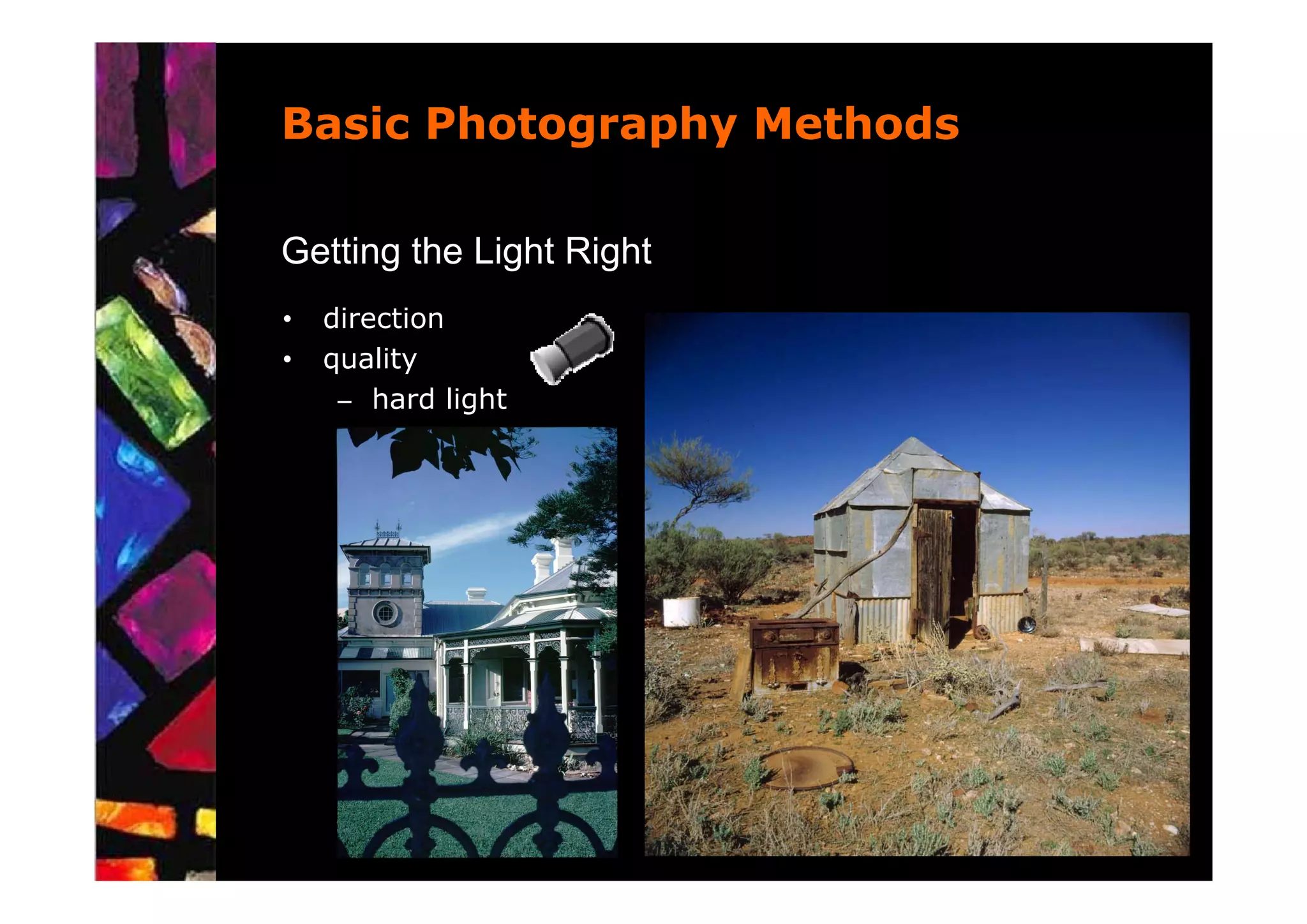
•   direction
•   quality


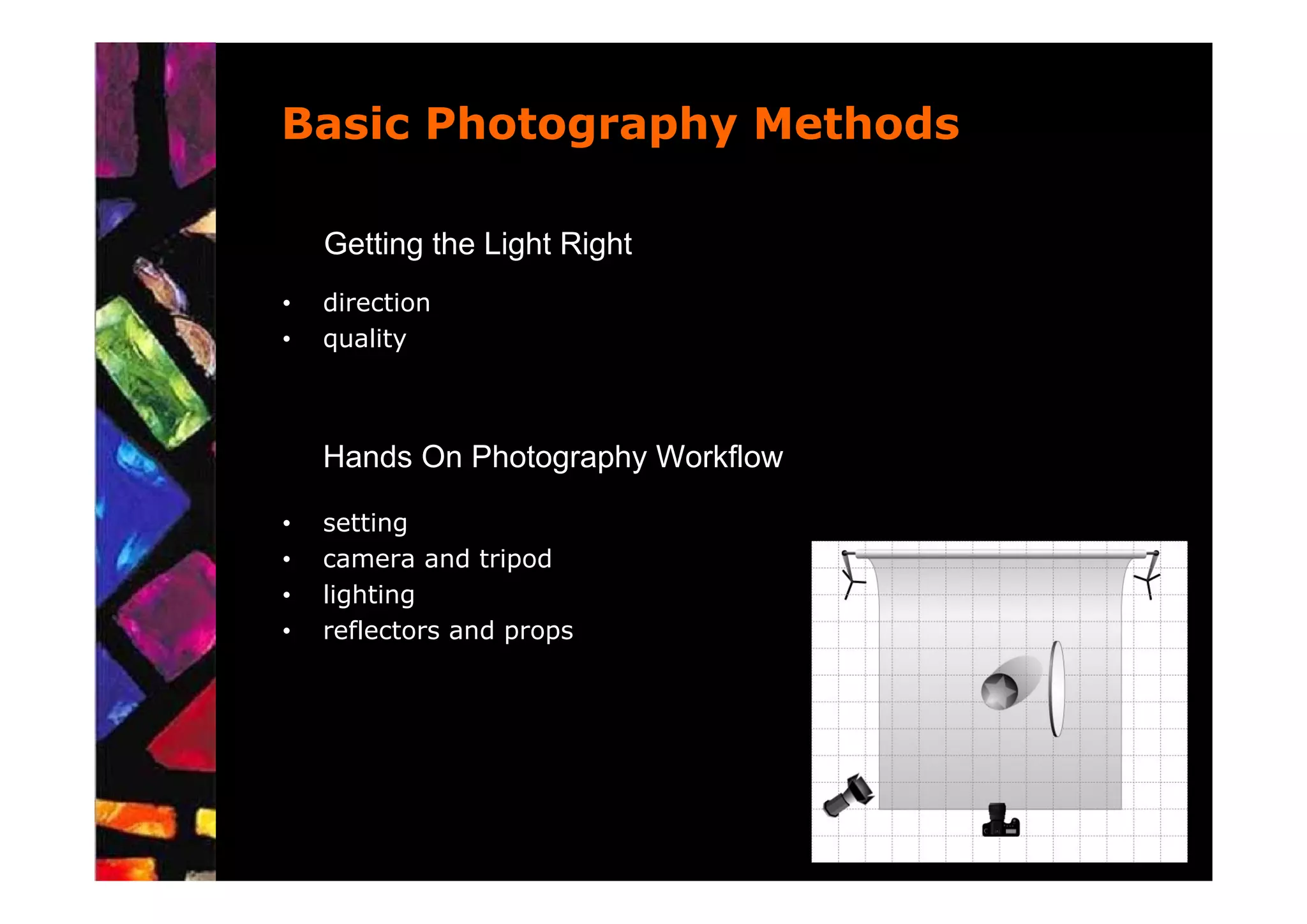
    Hands On Photography Workflow

•   setting
•   camera and tripod
•   lighting
•   reflectors and props
Basic Photography Methods

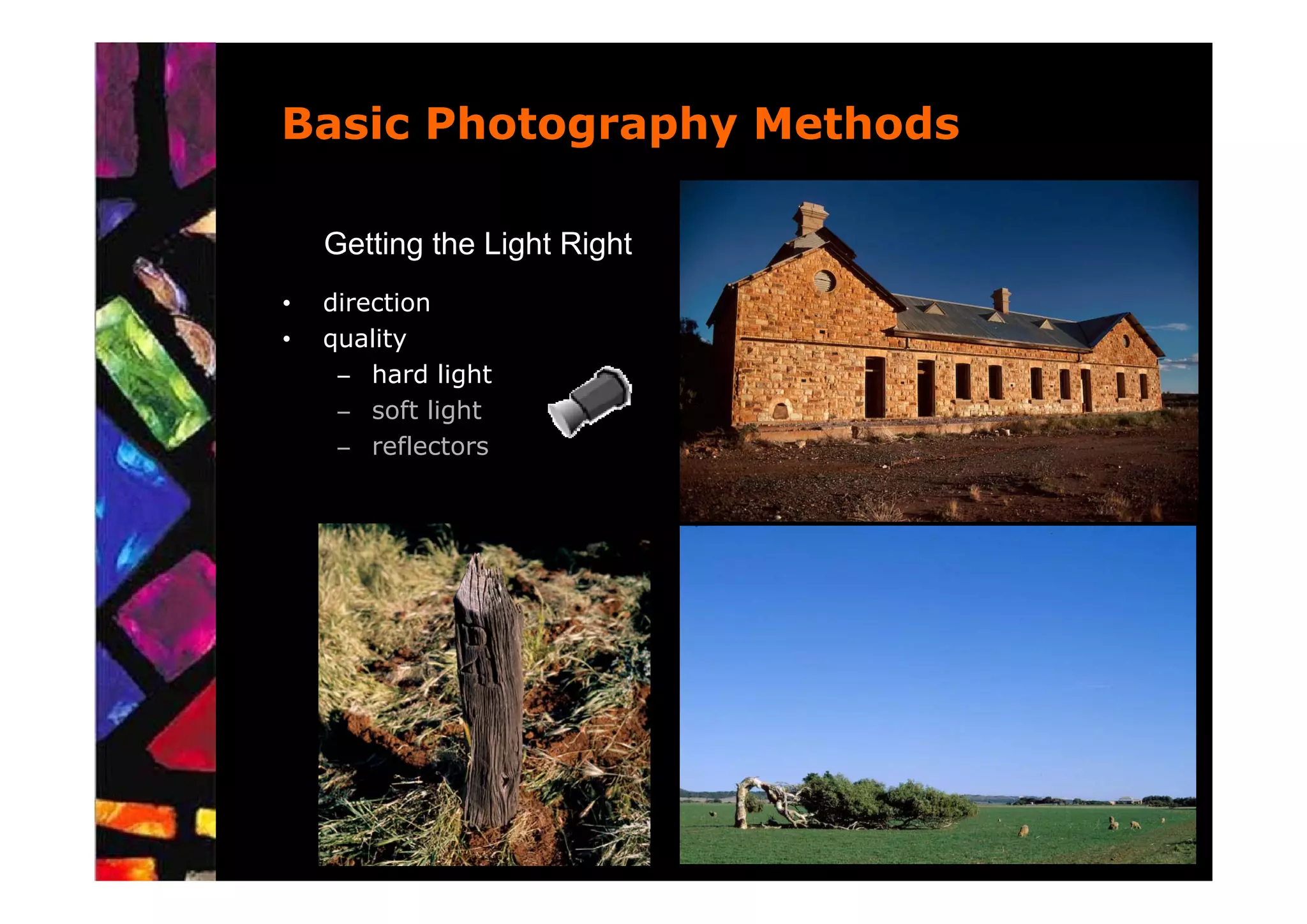
    Getting the Light Right
•   direction
•   quality
     – hard light
     – soft light
     – reflectors
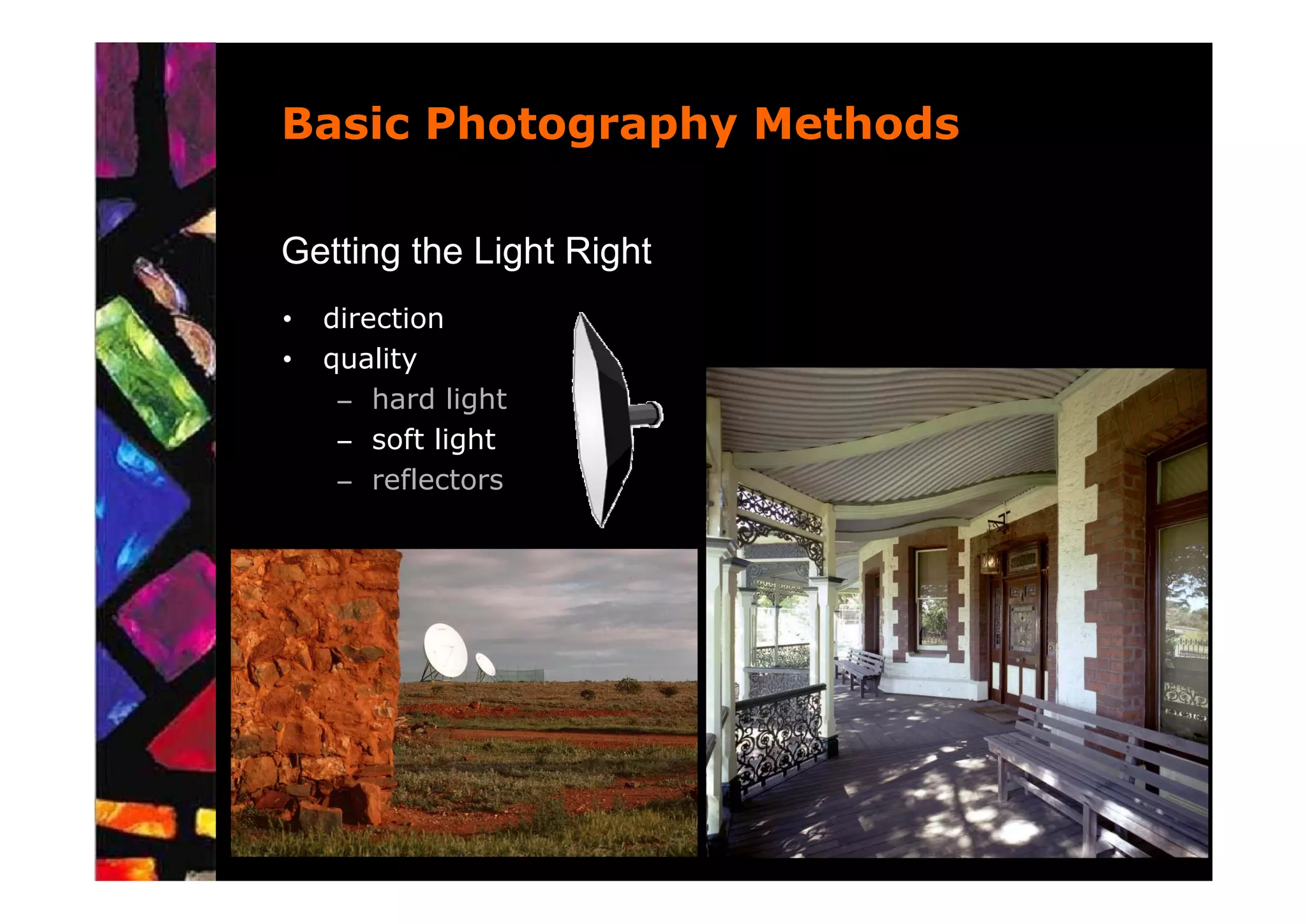
Basic Photography Methods

Getting the Light Right
•   direction
•   quality
     – hard light
     – soft light
     – reflectors
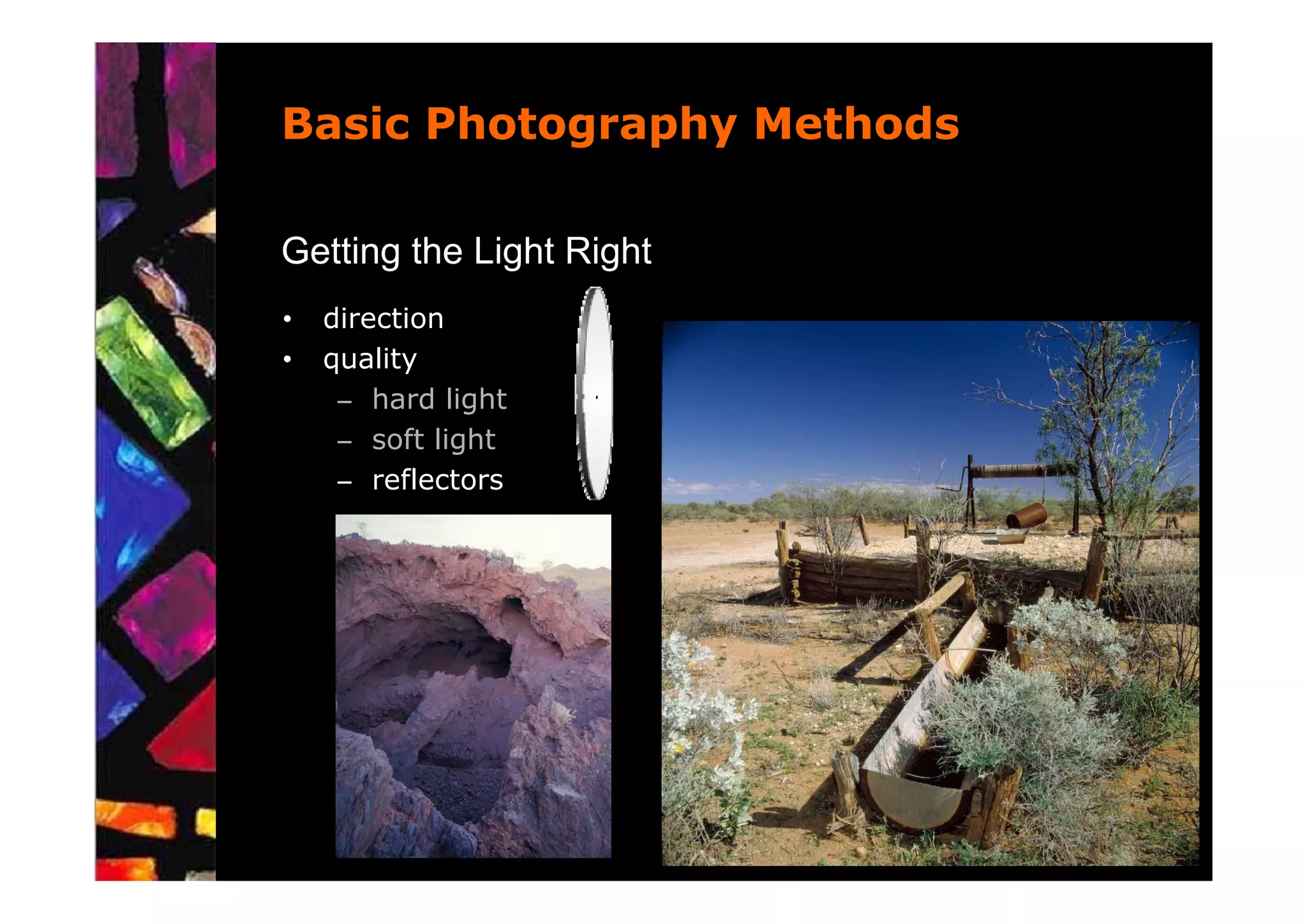
Basic Photography Methods

Getting the Light Right
•   direction
•   quality
     – hard light
     – soft light
     – reflectors
Basic Photography Methods

Getting the Light Right
•   direction
•   quality
     – hard light
     – soft light
     – reflectors
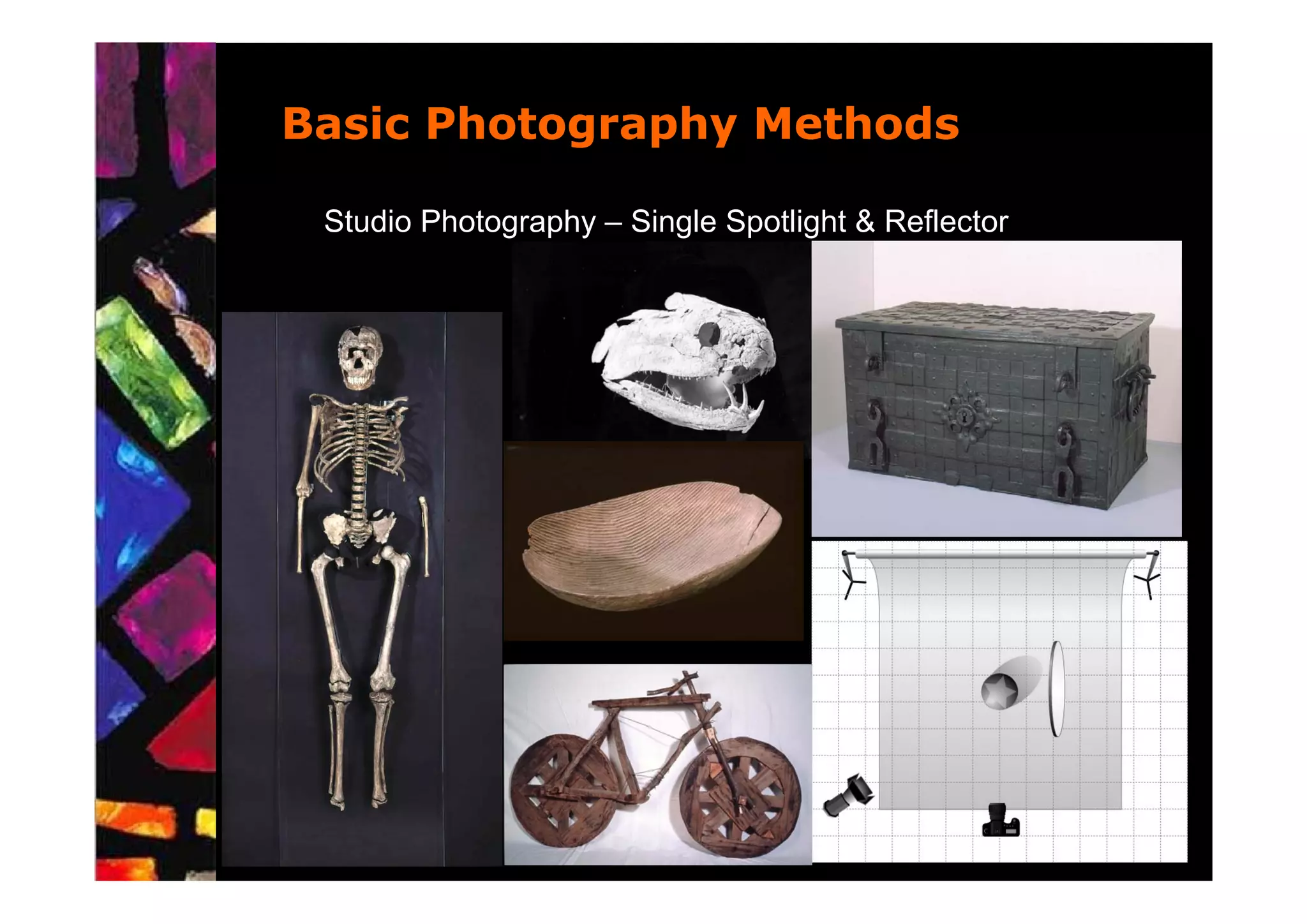
Basic Photography Methods

 Studio Photography – Single Spotlight & Reflector
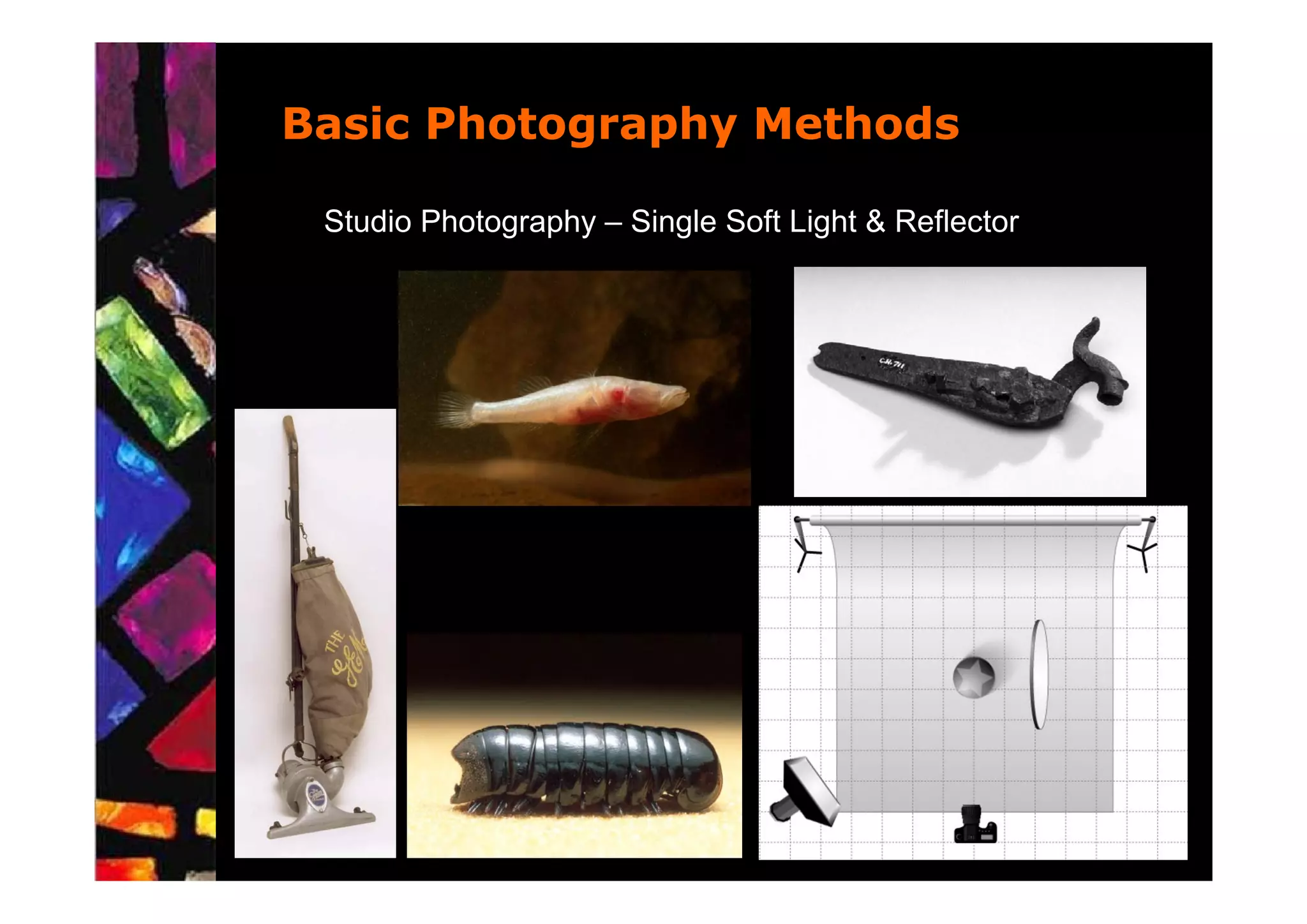
Basic Photography Methods

 Studio Photography – Single Soft Light & Reflector
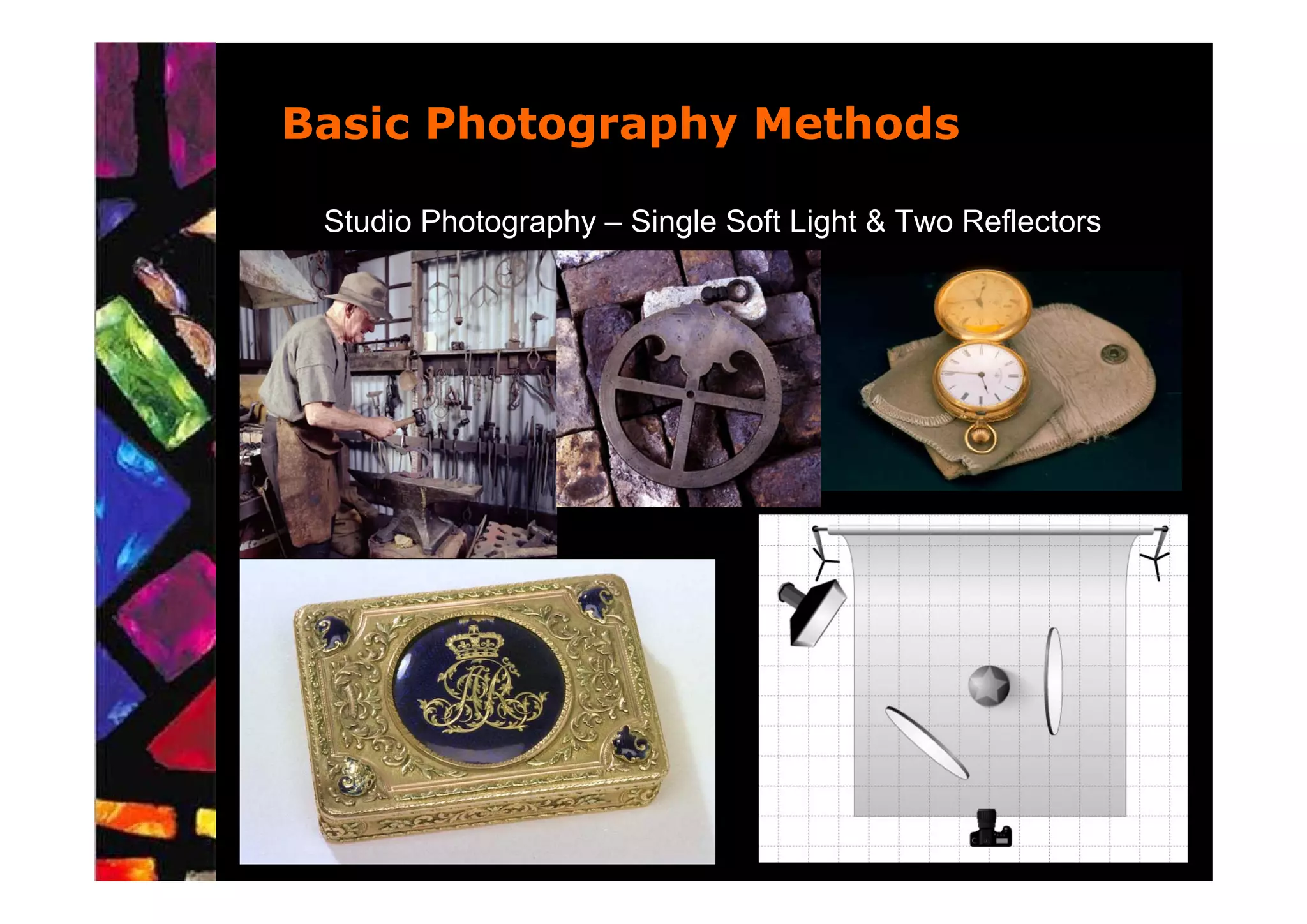
Basic Photography Methods

 Studio Photography – Single Soft Light & Two Reflectors
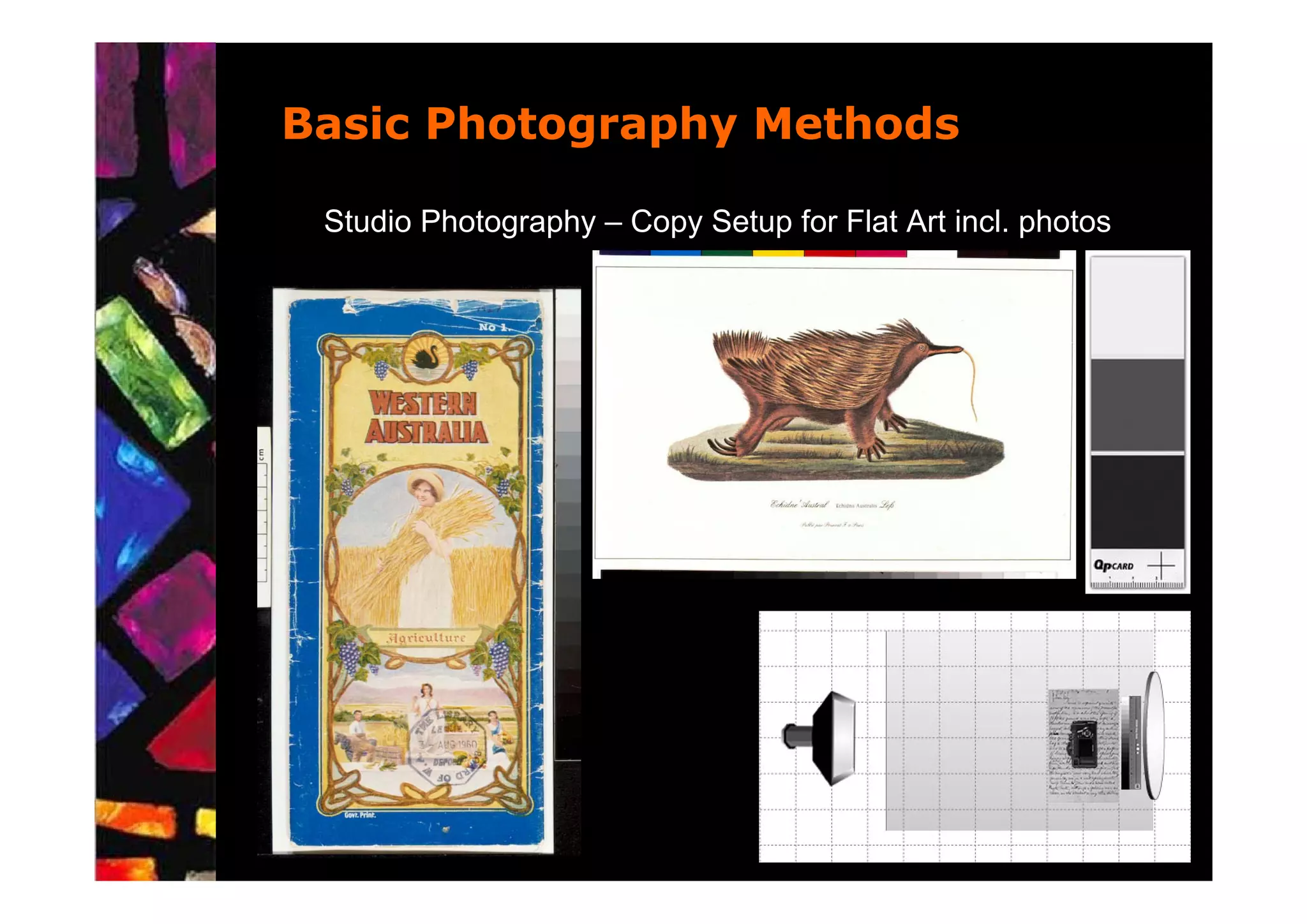
Basic Photography Methods

 Studio Photography – Copy Setup for Flat Art incl. photos
Location Photography
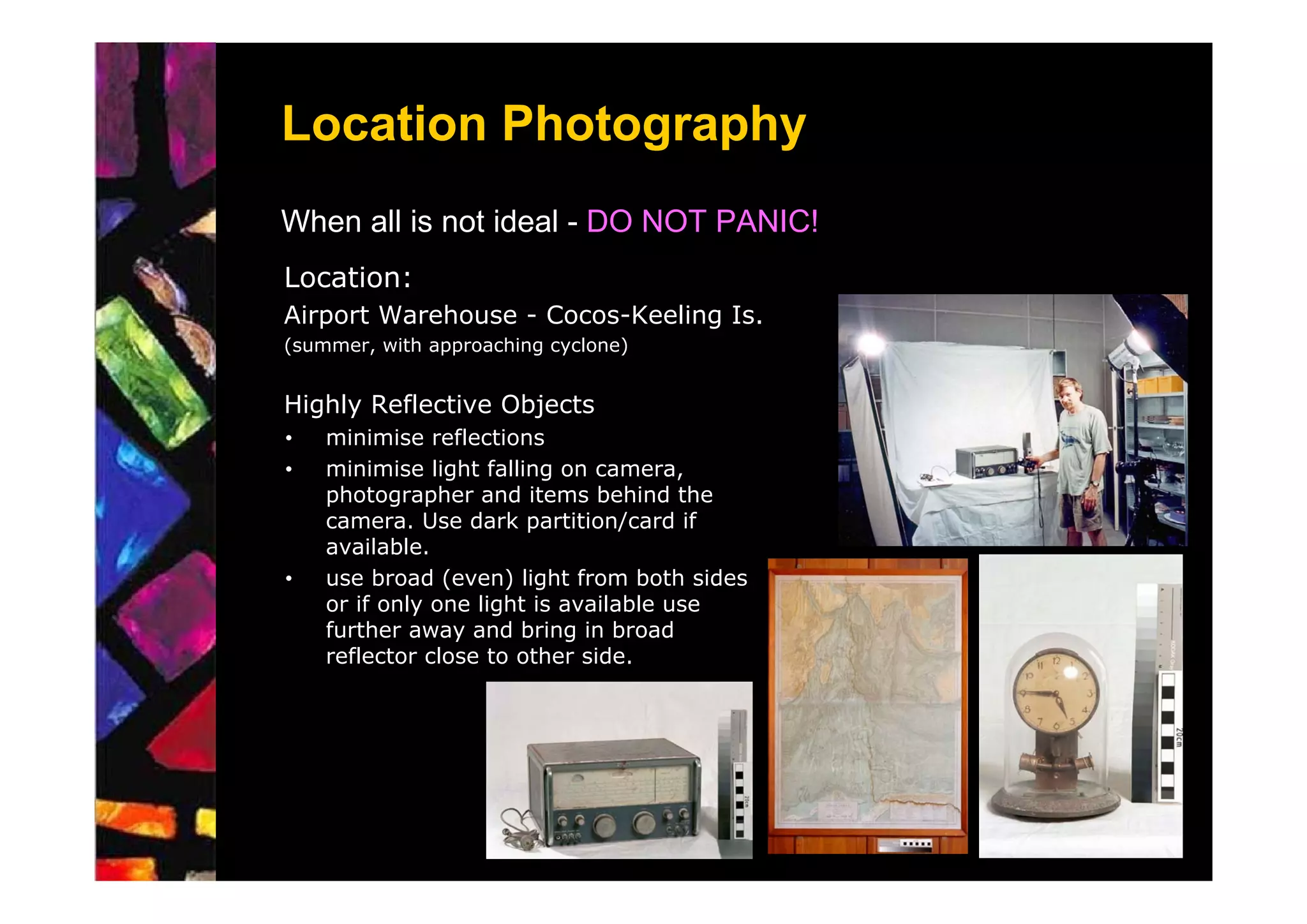
When all is not ideal - DO NOT PANIC!
Location:
Airport Warehouse - Cocos-Keeling Is.
(summer, with approaching cyclone)


Highly Reflective Objects
•   minimise reflections
•   minimise light falling on camera,
    photographer and items behind the
    camera. Use dark partition/card if
    available.
•   use broad (even) light from both sides
    or if only one light is available use
    further away and bring in broad
    reflector close to other side.
Location Photography
Visually Reflective Objects
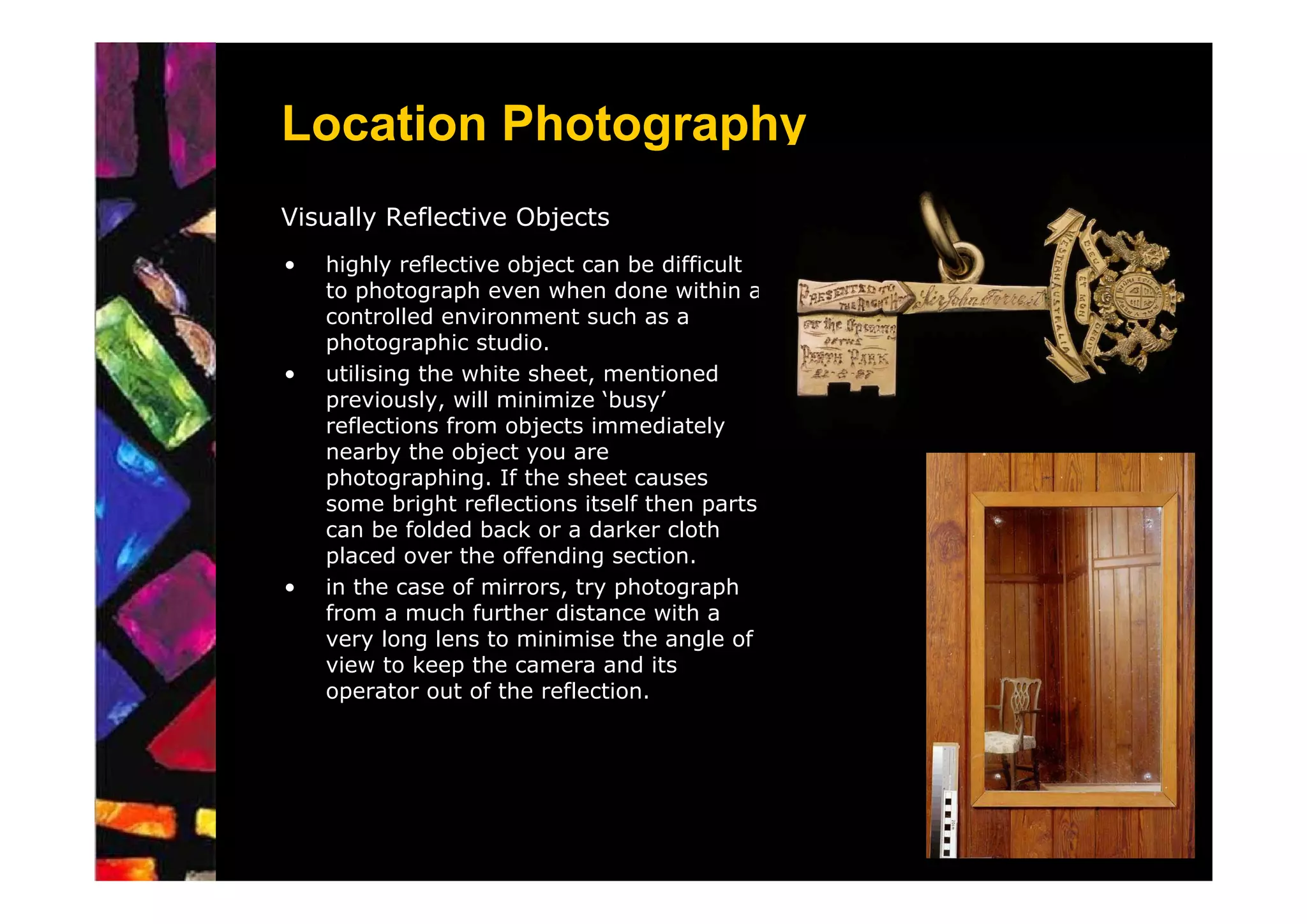
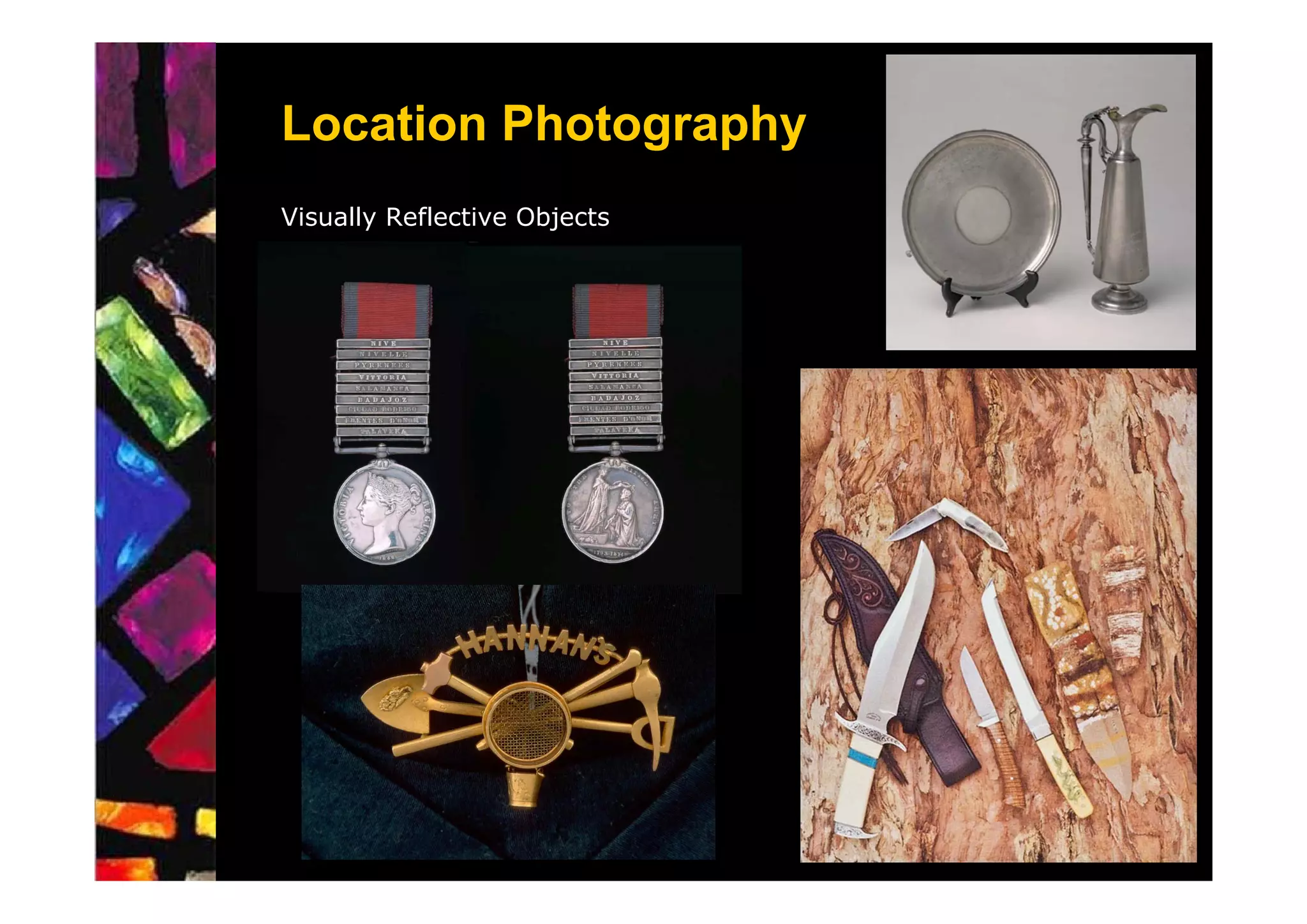
•   highly reflective object can be difficult
    to photograph even when done within a
    controlled environment such as a
    photographic studio.
•   utilising the white sheet, mentioned
    previously, will minimize ‘busy’
    reflections from objects immediately
    nearby the object you are
    photographing. If the sheet causes
    some bright reflections itself then parts
    can be folded back or a darker cloth
    placed over the offending section.
•   in the case of mirrors, try photograph
    from a much further distance with a
    very long lens to minimise the angle of
    view to keep the camera and its
    operator out of the reflection.
Location Photography
Visually Reflective Objects
Digital Camera Issues


•   image area
•   power requirements
•   costs and fragility
Digital Camera Issues

    Operational Issues

•   shooting speed
     – shutter delay or shutter lag
     – processing and saving file
•   menus
•   white balance
•   exposure
Digital Camera Issues

    Operational Issues

•   shooting speed
     – shutter delay or shutter lag
     – processing and saving file
•   menus
•   white balance
•   exposure

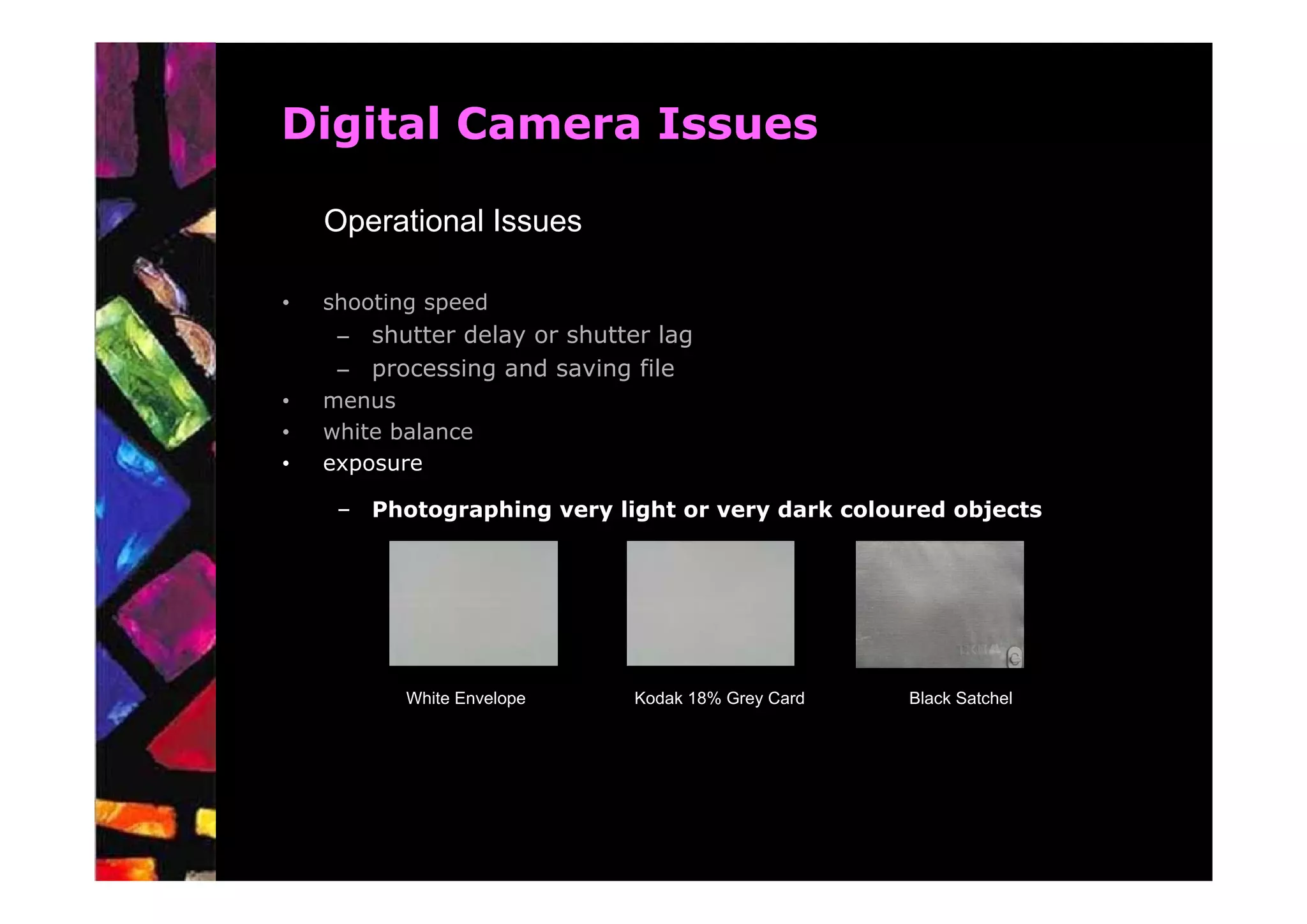
     – Photographing very light or very dark coloured objects


           White Envelope     Kodak 18% Grey Card   Black Satchel
Digital Camera Issues

    Operational Issues
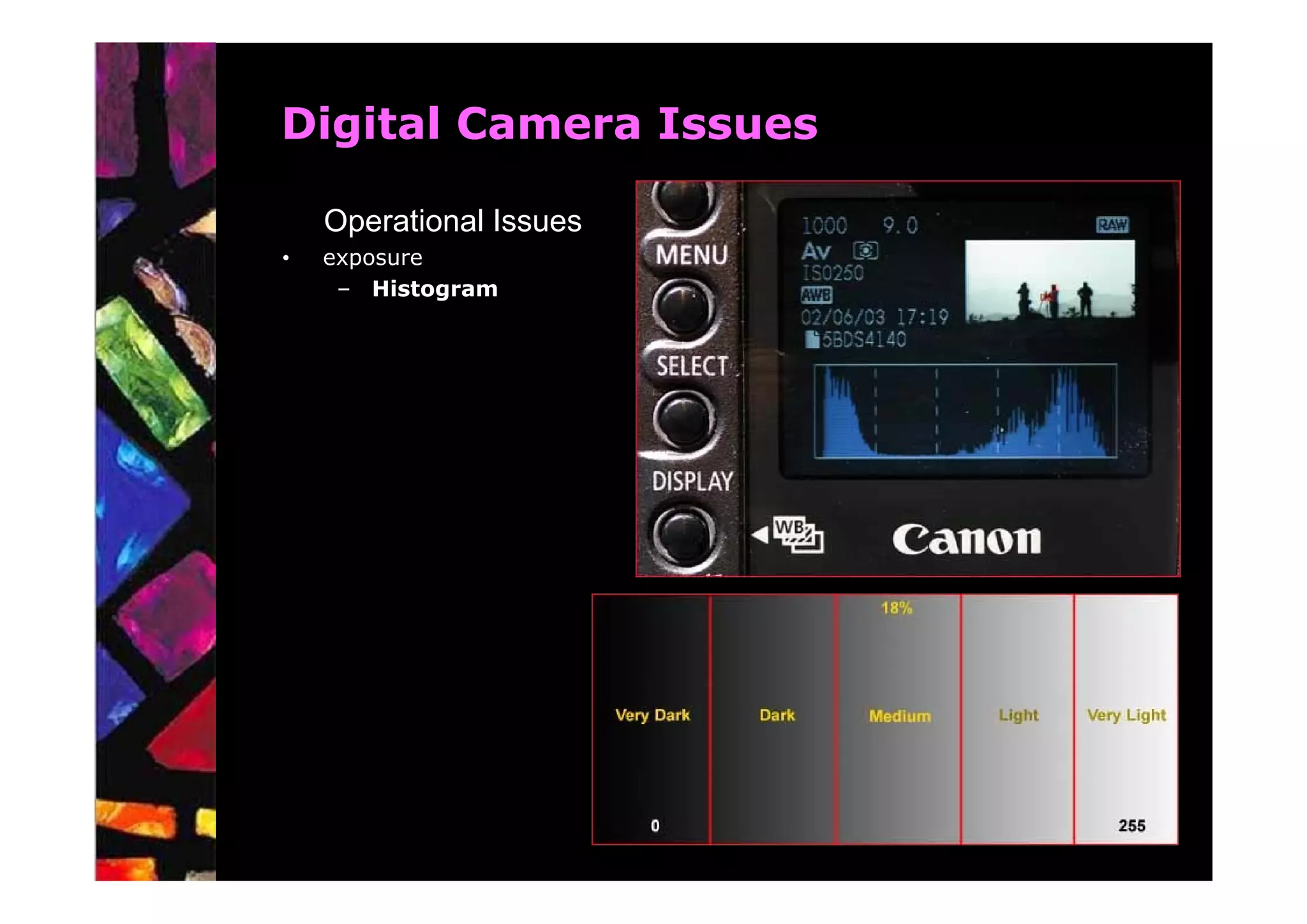
•   exposure
     – Histogram
Digital Camera Issues

    Quality

•   shooting environment including tripod use
•   focus
•   exposure
•   film or resolution settings including compression settings
•   post production of images (image manipulation)
Image Management Workflow

    Overview
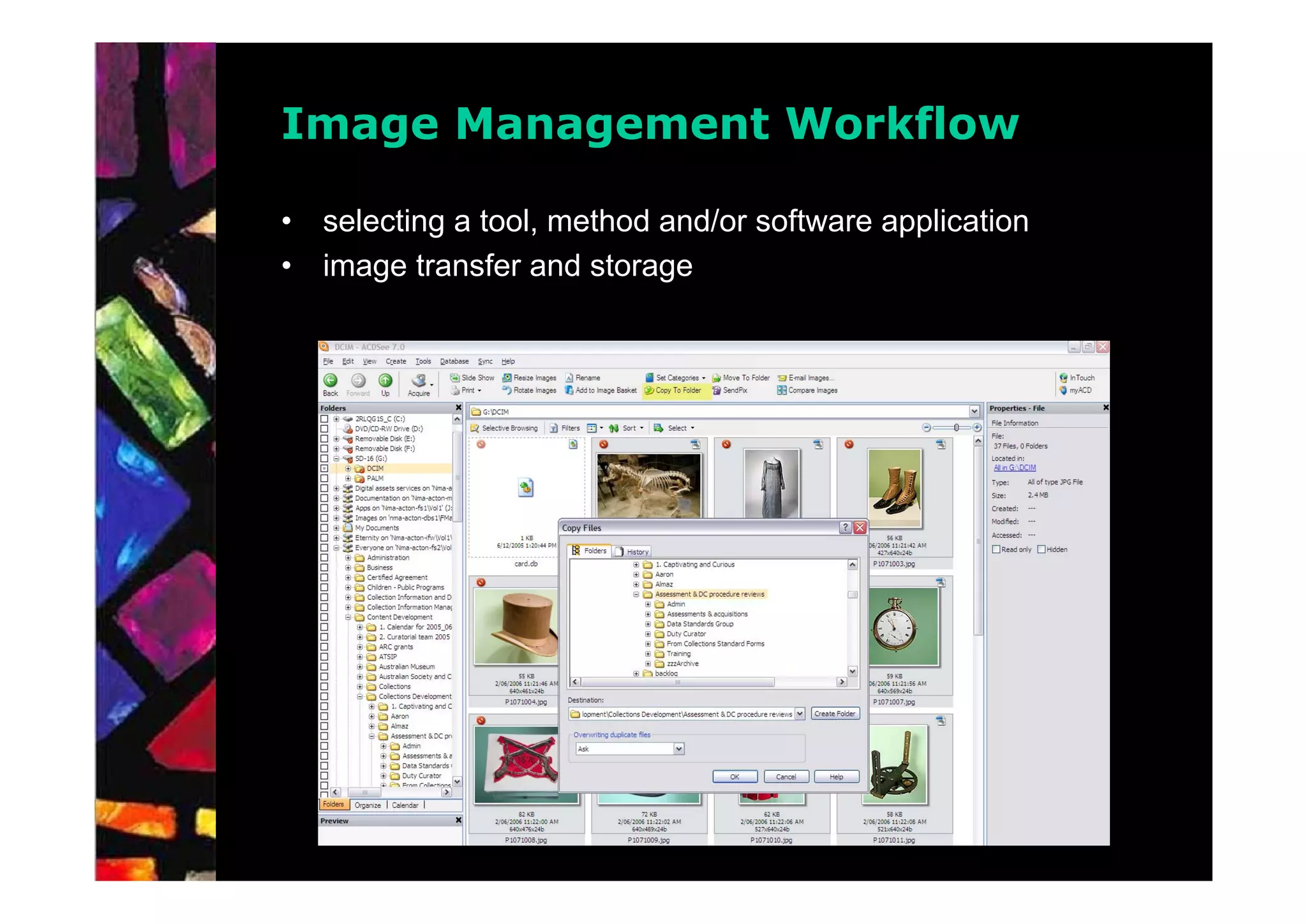
•   selecting a tool, method and/or software application
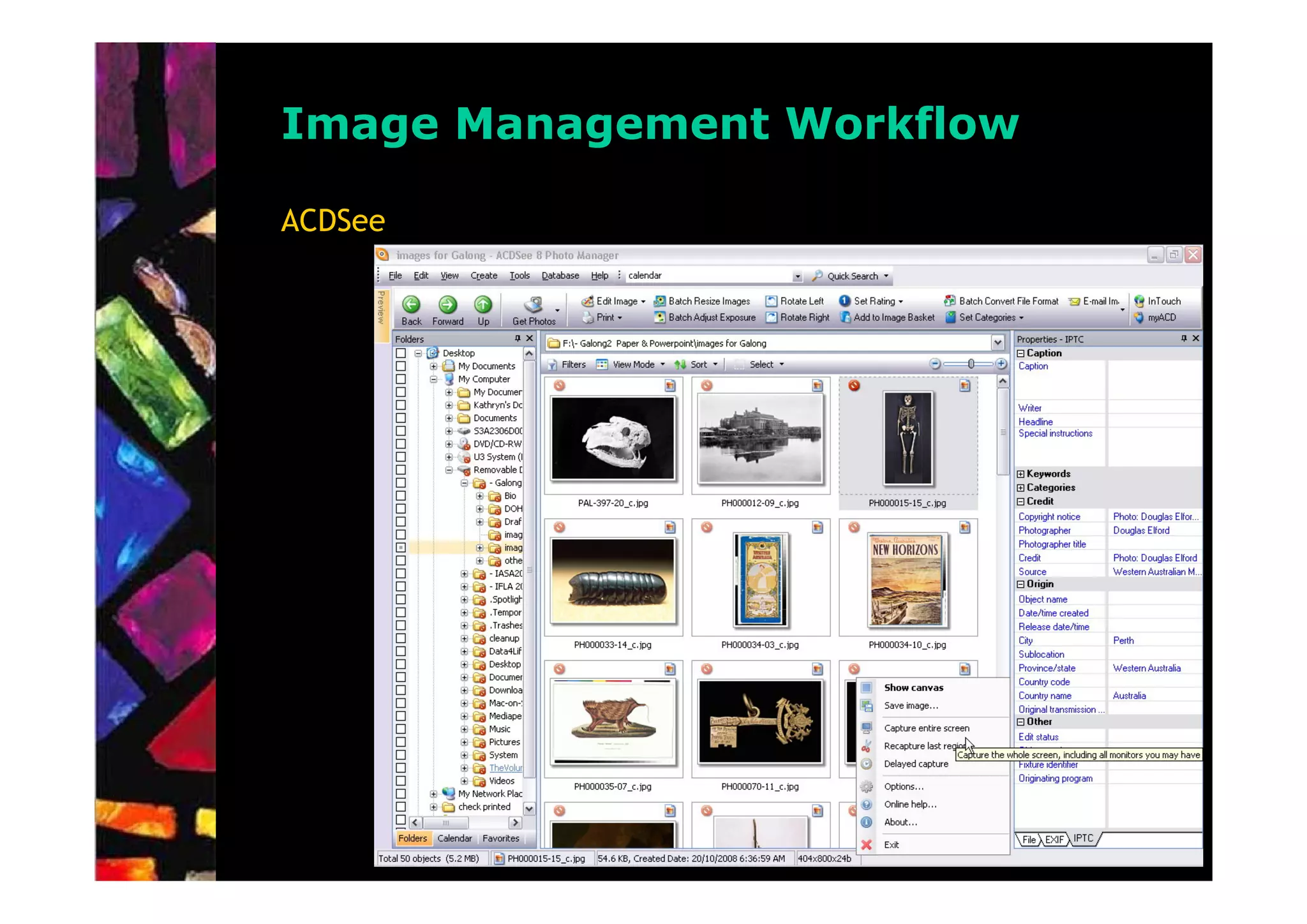
     –   ACDSee
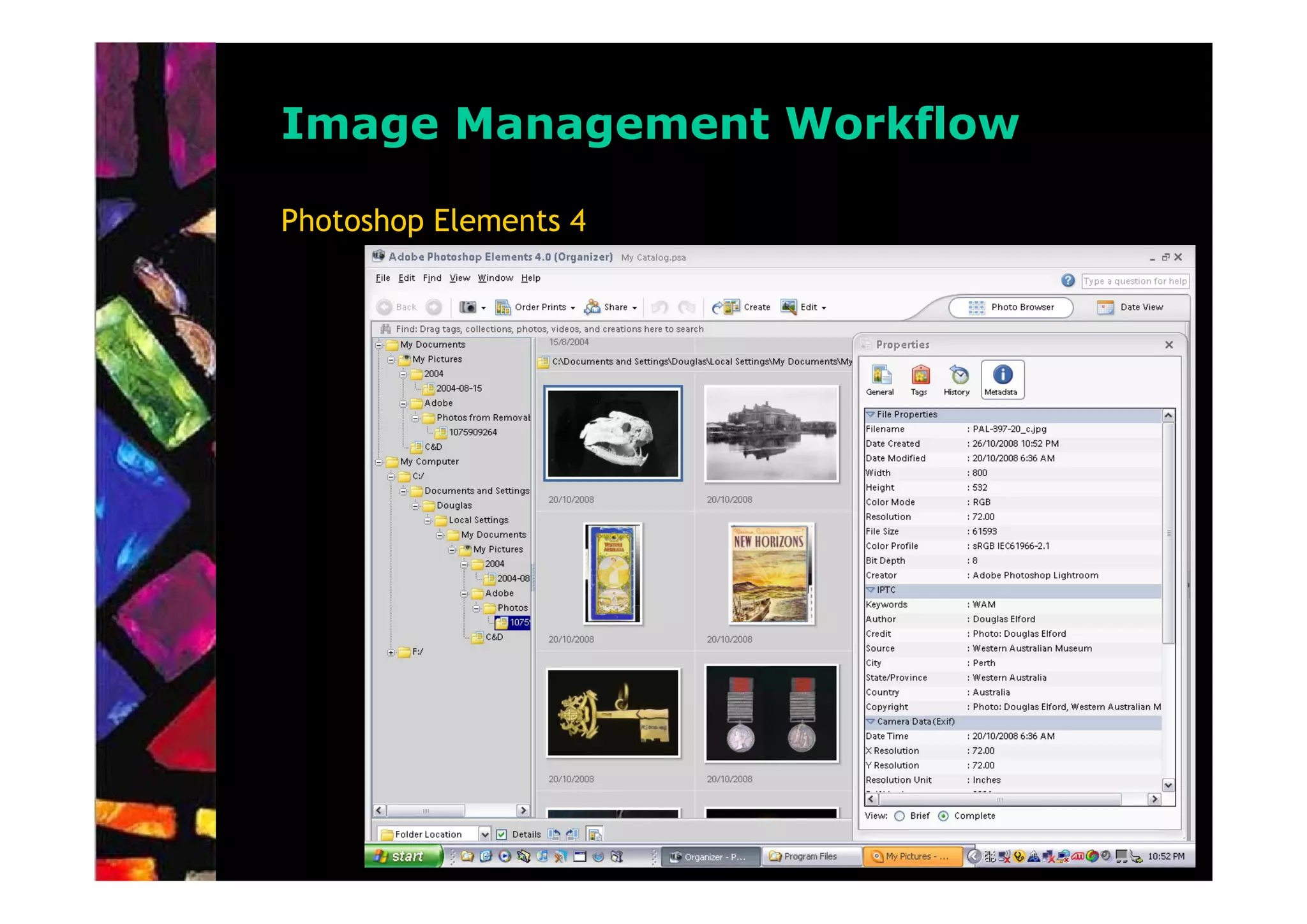
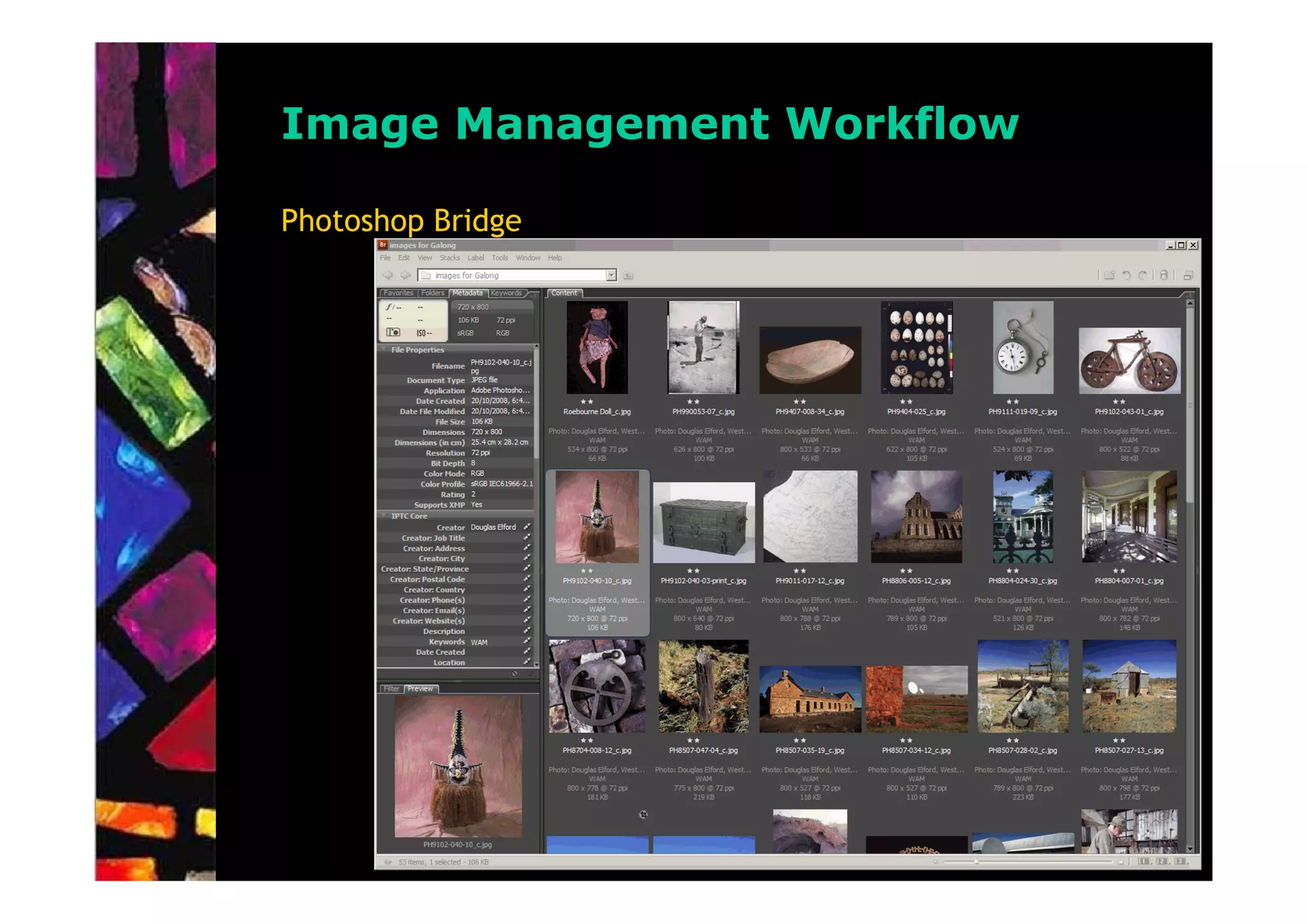
     –   Adobe Photoshop Elements/Bridge,
     –   Adobe Lightroom,
     –   Adobe Photoshop/Bridge,
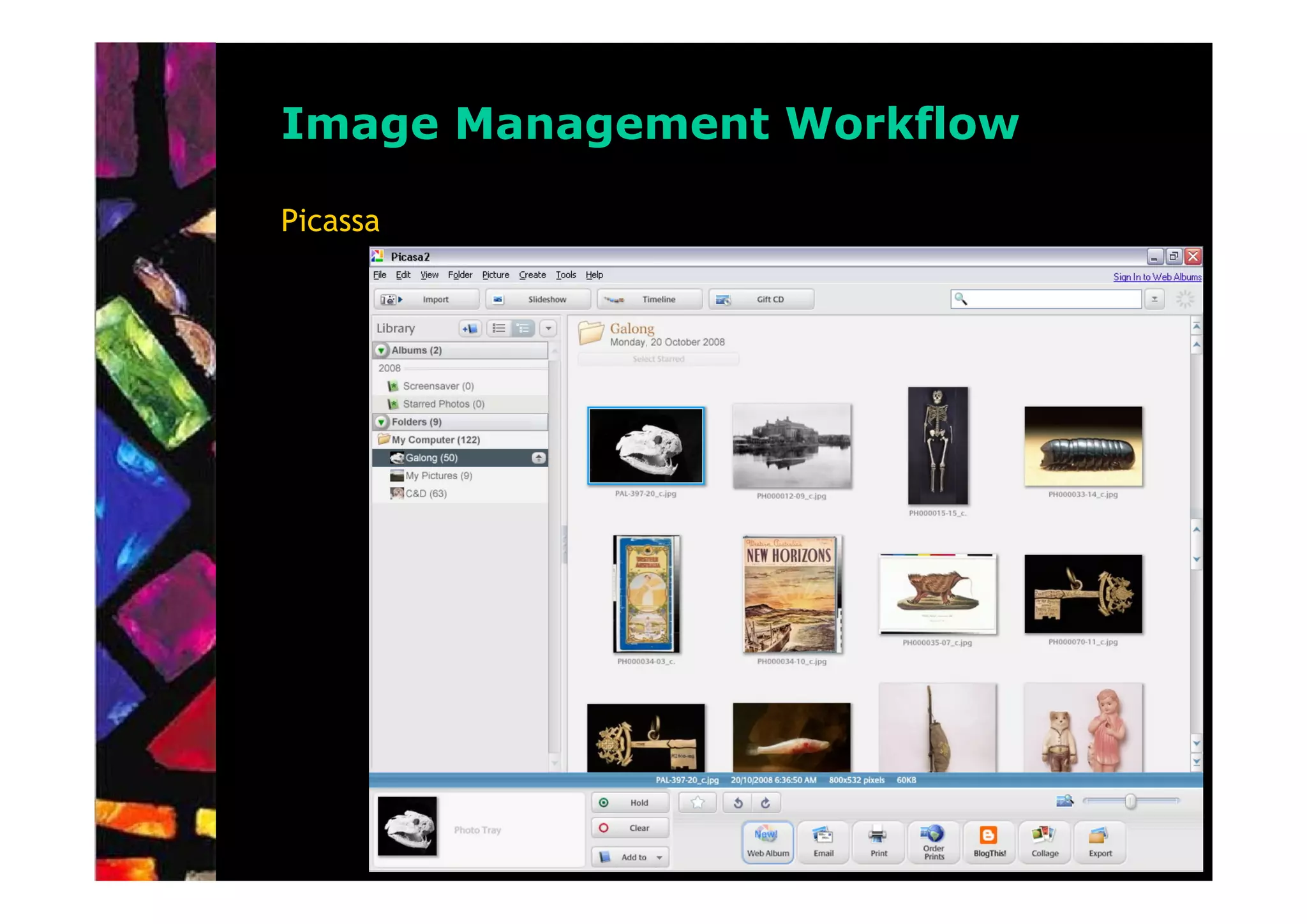
     –   Google Picasa,
     –   IDimager,
     –   IrfanView,
     –   iPhoto,
     –   Microsoft Expression Media,
     –   PaintShop Pro,
     –   PhotoImpact,
     –   PhotoSuite, etc. ………………………………………..
Image Management Workflow

Picassa
Image Management Workflow

ACDSee
Image Management Workflow

Photoshop Elements 4
Image Management Workflow

Photoshop Bridge
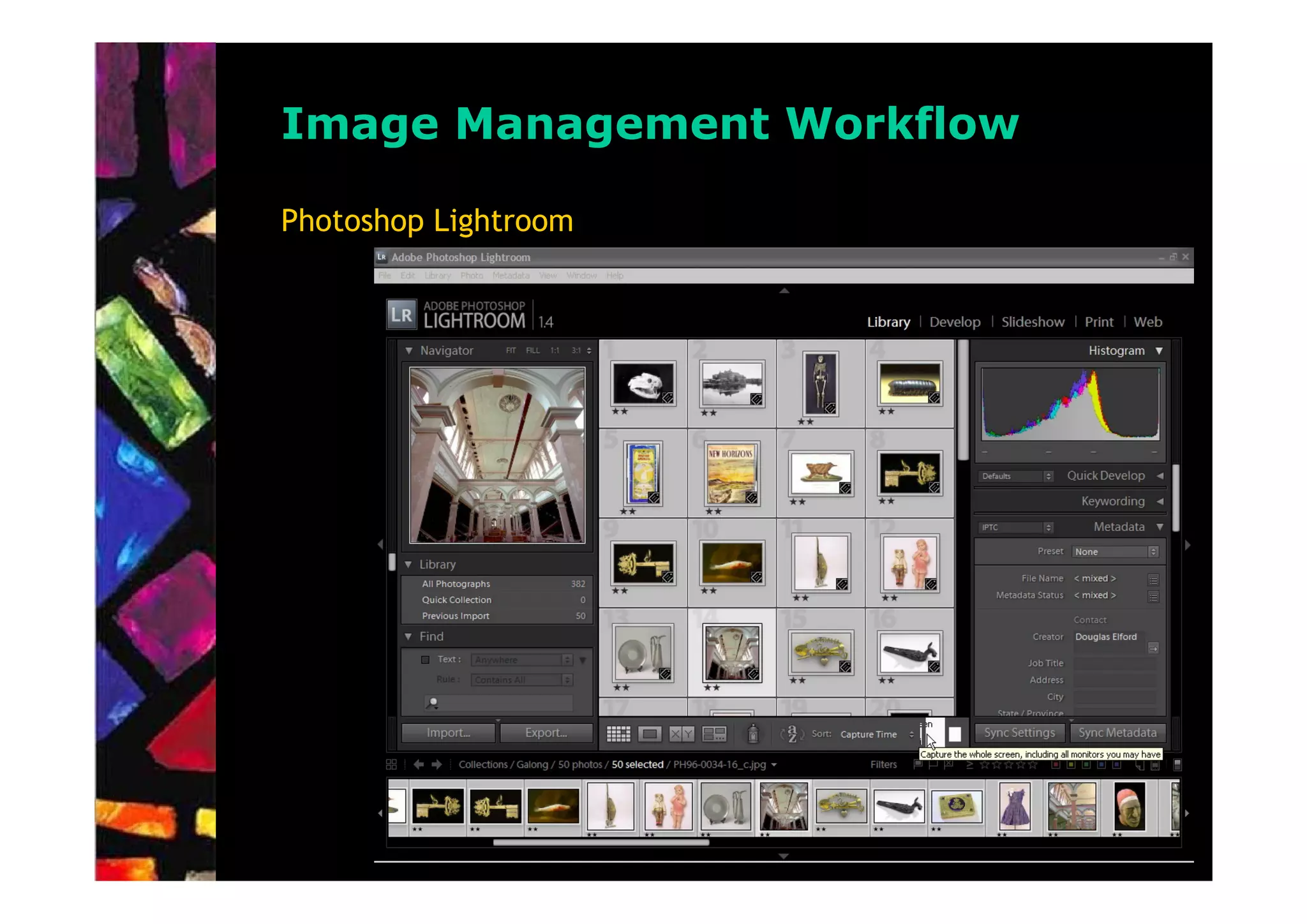
Image Management Workflow

Photoshop Lightroom
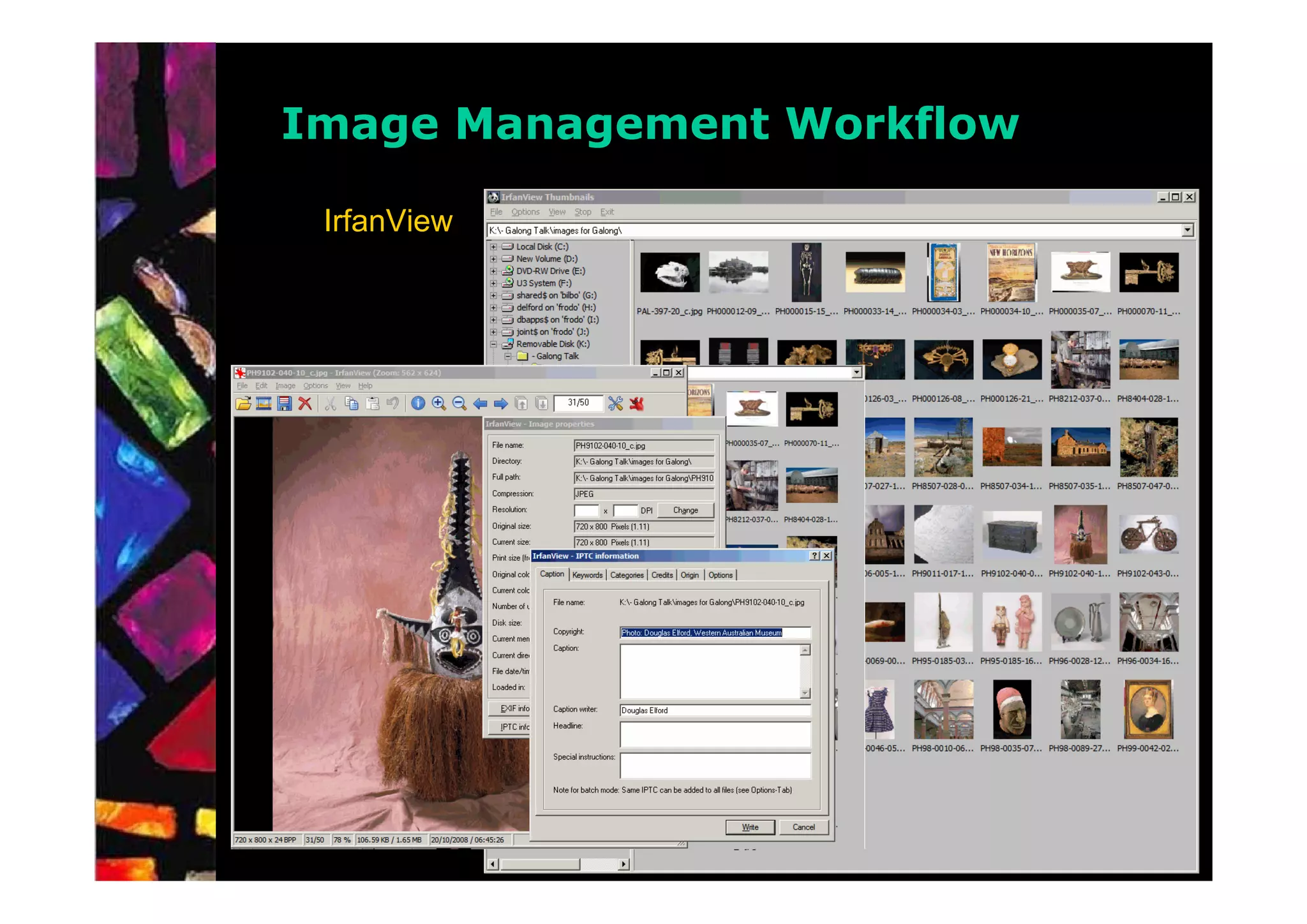
Image Management Workflow

 IrfanView
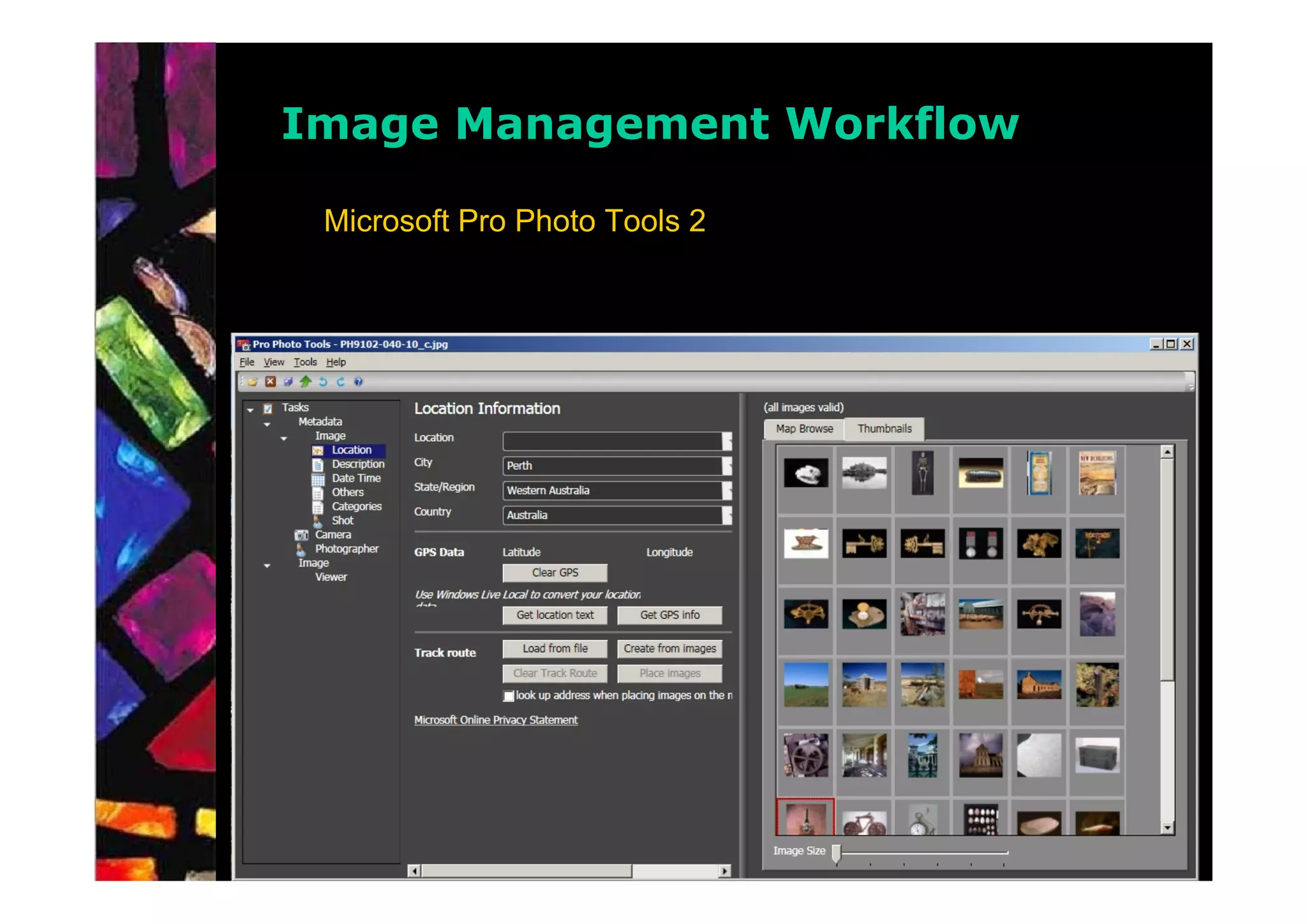
Image Management Workflow

 Microsoft Pro Photo Tools 2
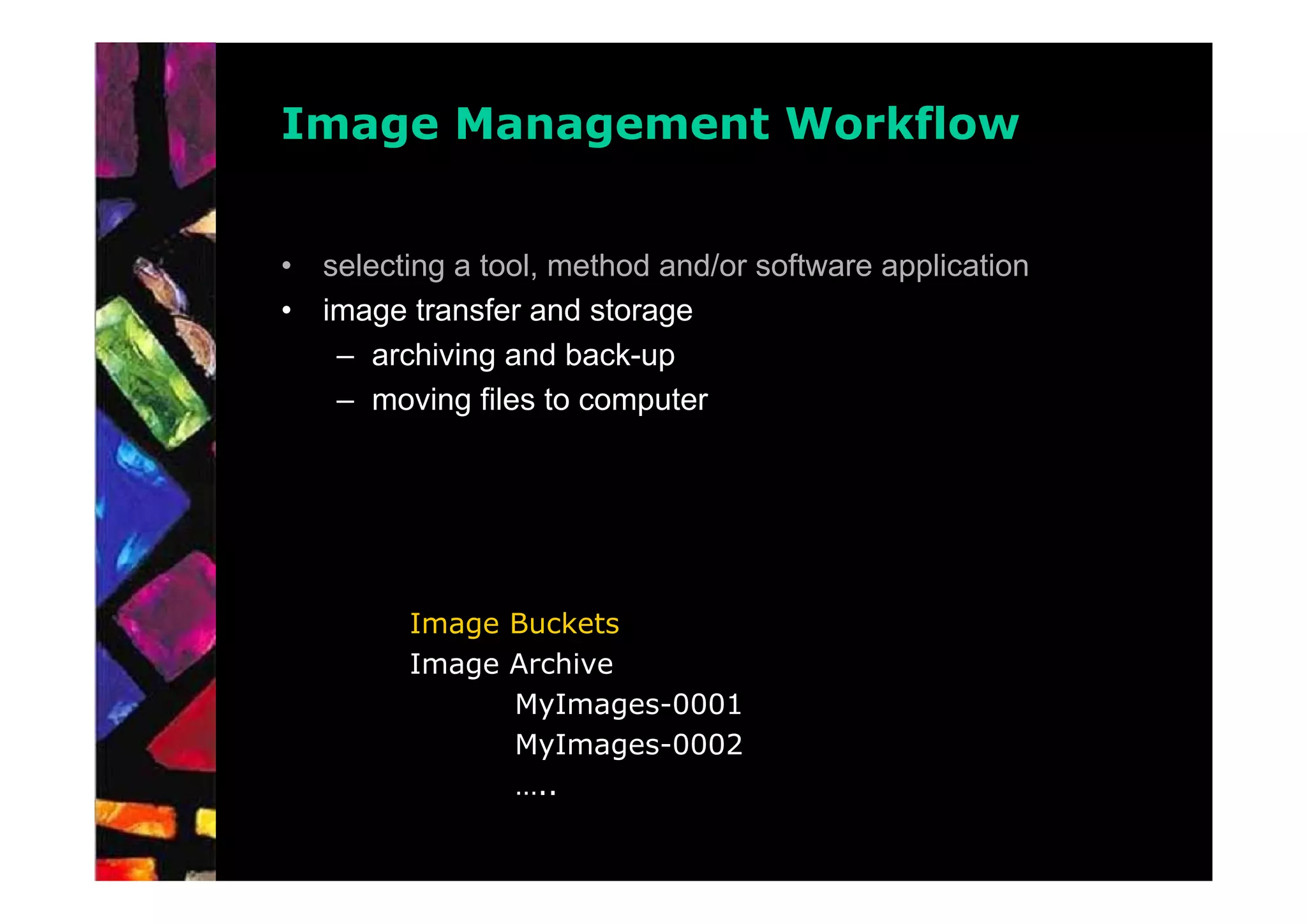
Image Management Workflow


•   selecting a tool, method and/or software application
•   image transfer and storage
     – archiving and back-up
     – moving files to computer


          Image Buckets
          Image Archive
                MyImages-0001
                MyImages-0002
                …..
Image Management Workflow

•   selecting a tool, method and/or software application
•   image transfer and storage
Image Management Workflow


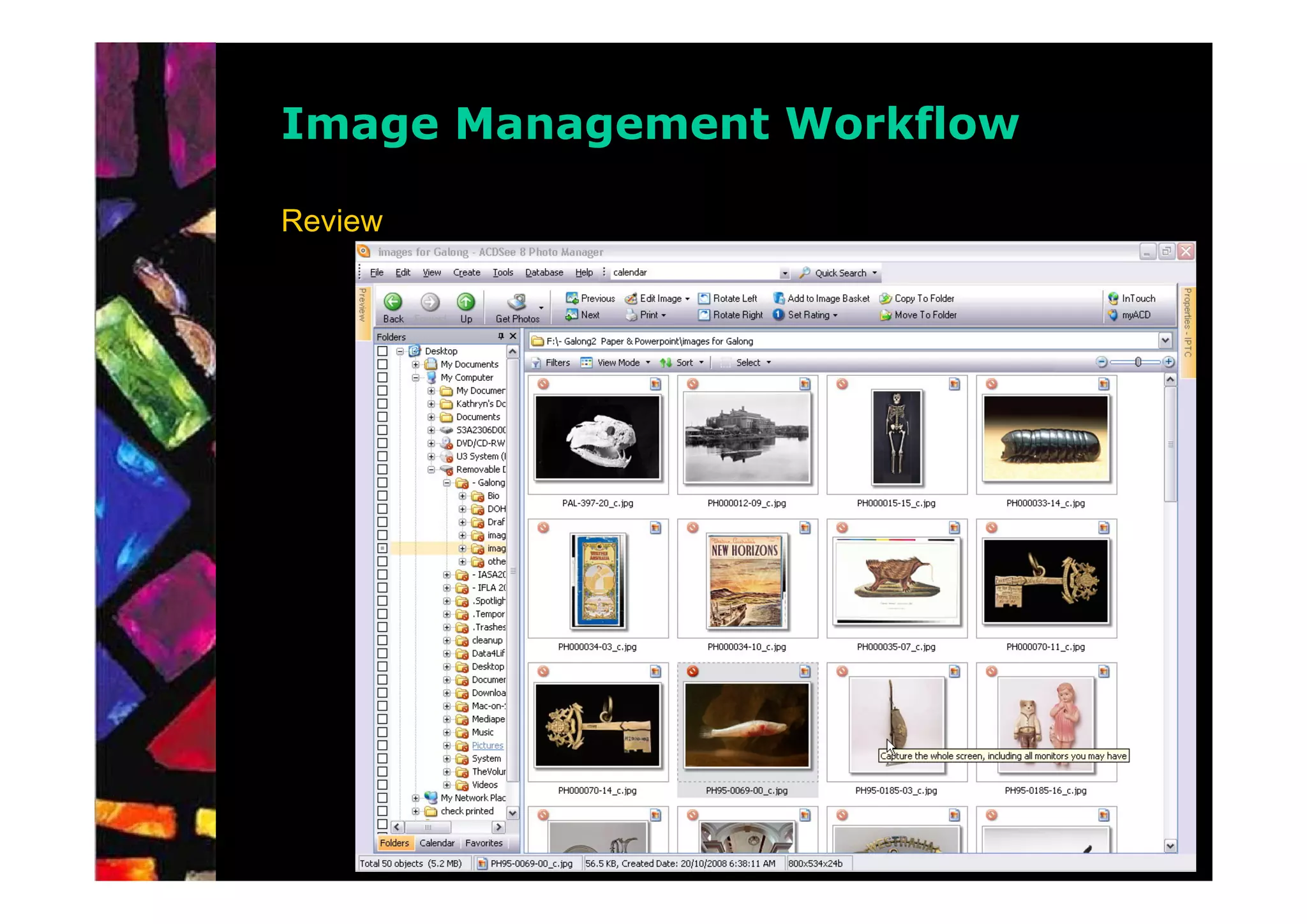
•   reviewing images
•   file naming and version control
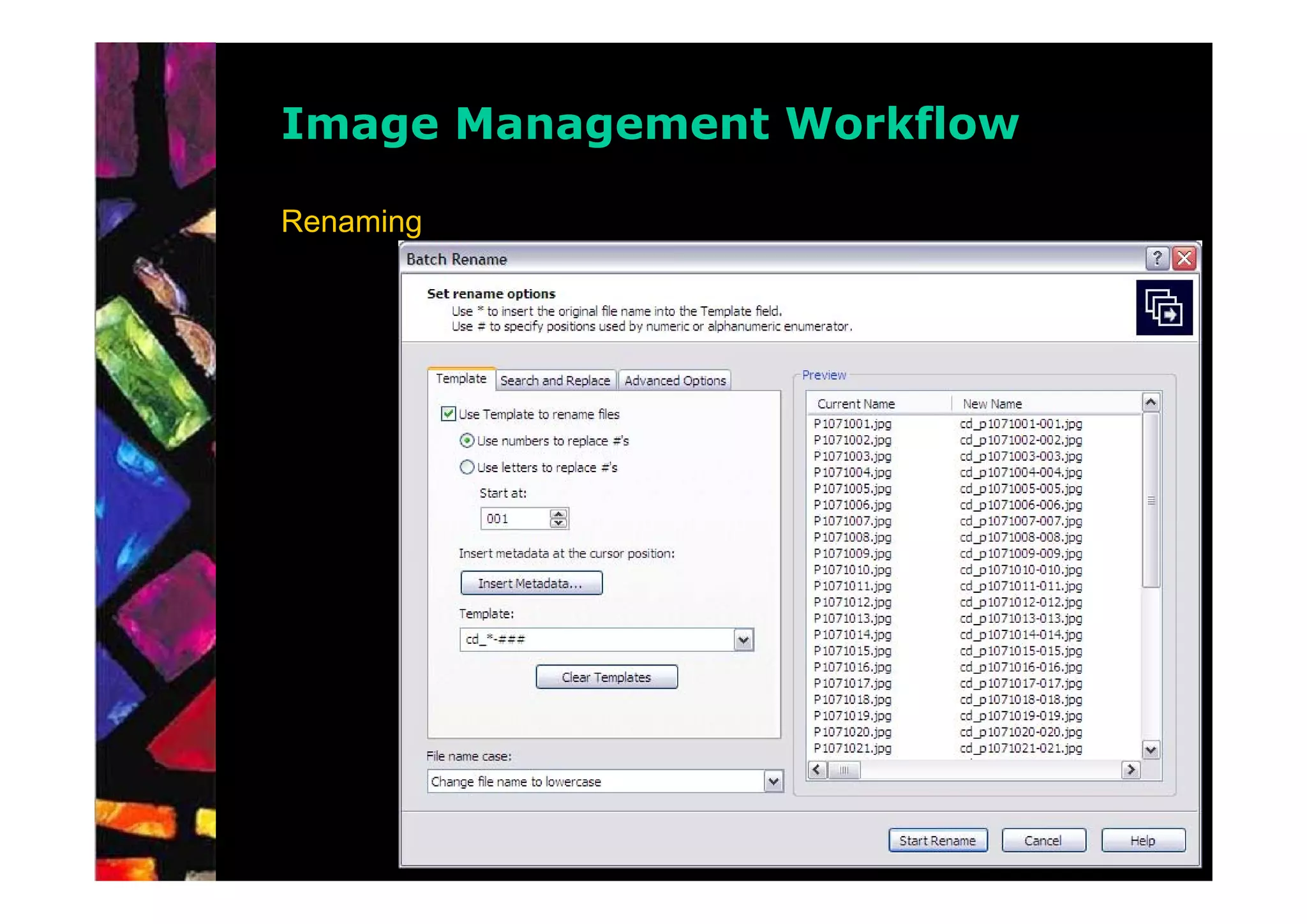
•   image renaming
•   image metadata
•   basic image editing concepts
•   output and batch processing
Image Management Workflow

Review
Image Management Workflow

Renaming
Image Management Workflow

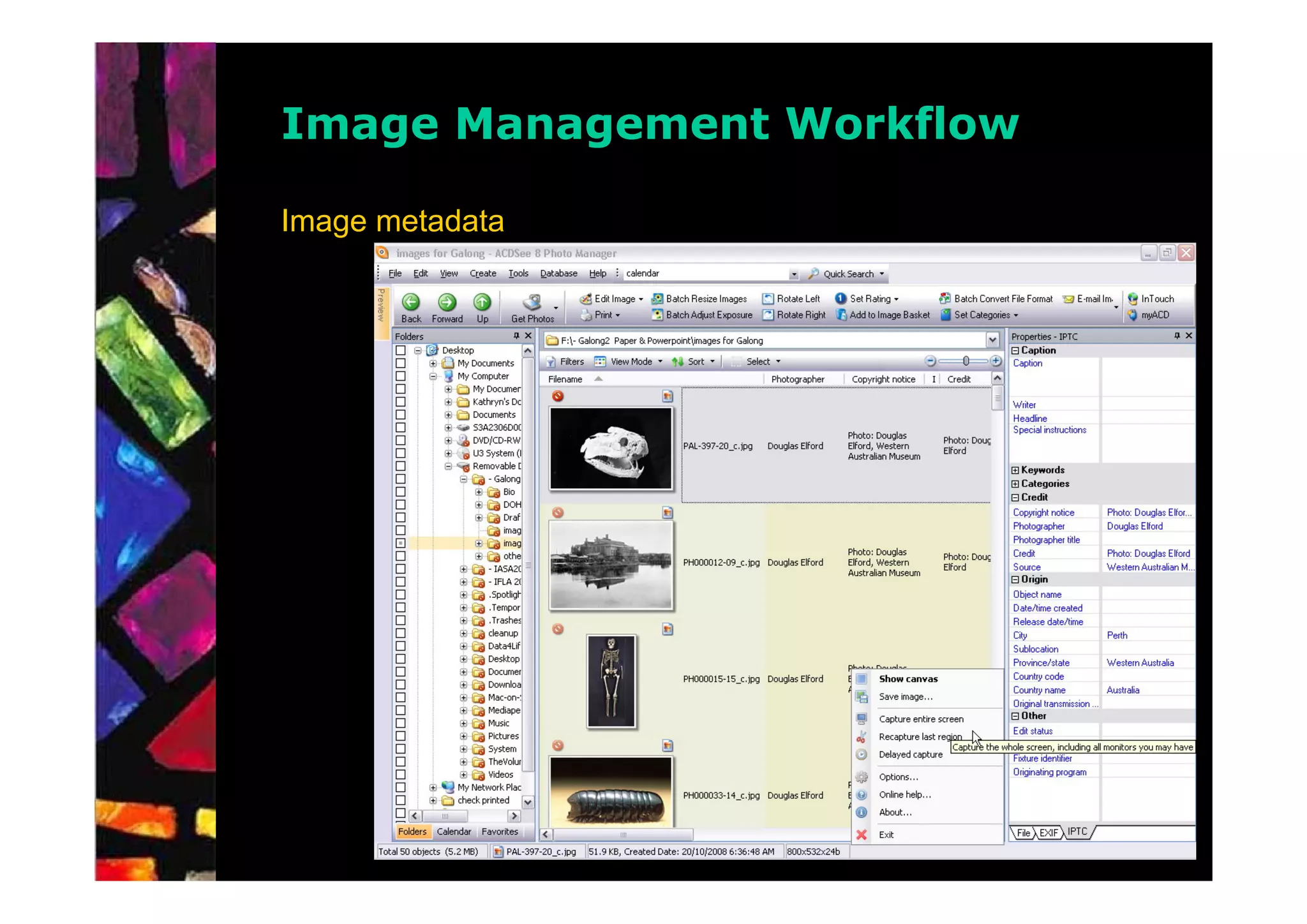
Image metadata


      • Description
      • Location
      • Keywords (use a standard authority list)
      • Date/Time (original image if copying)
      • Creator
      • Copyright
      • Rating
Image Management Workflow

Image metadata
Image Management Workflow

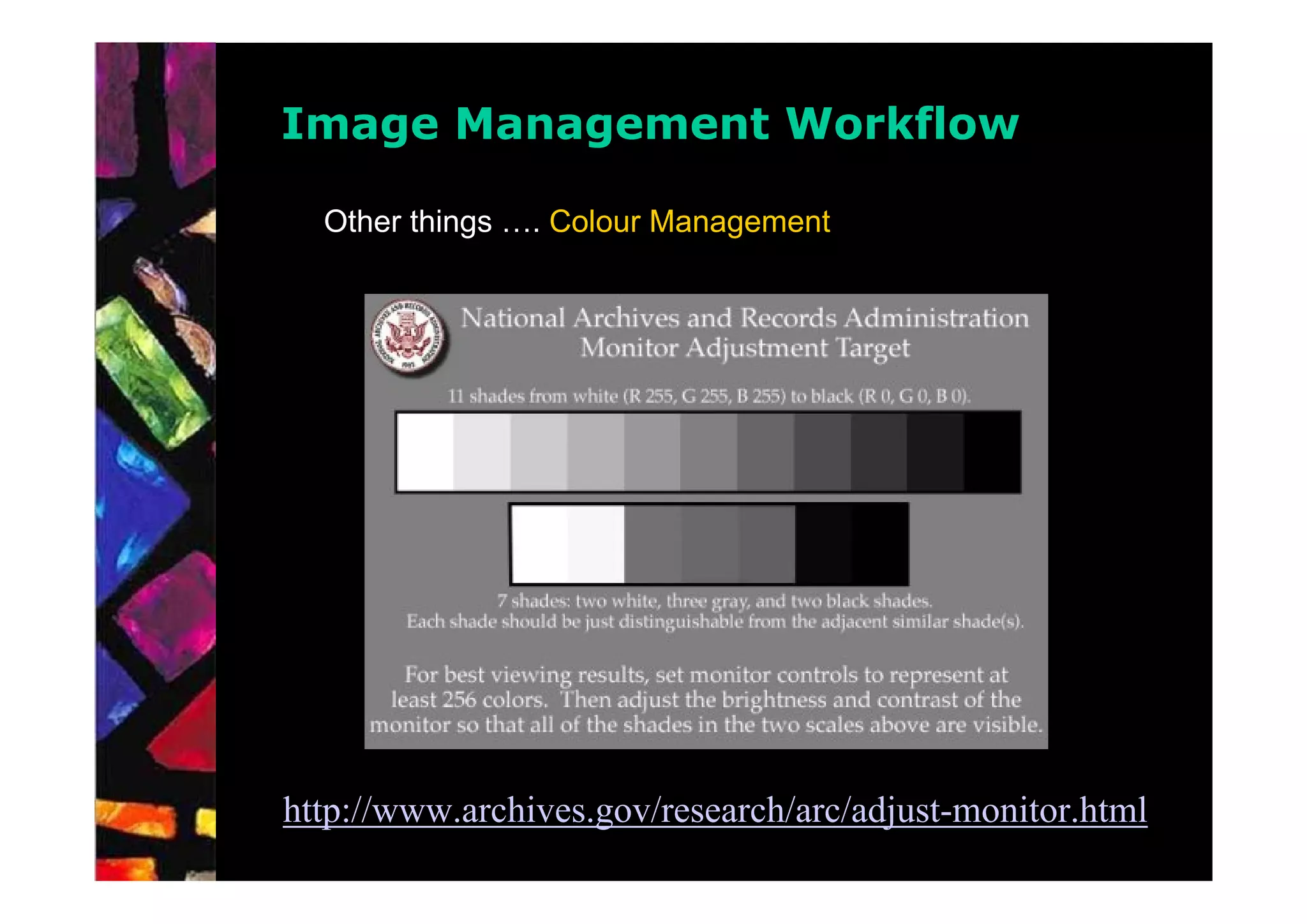
  Other things …. Colour Management


http://www.archives.gov/research/arc/adjust-monitor.html
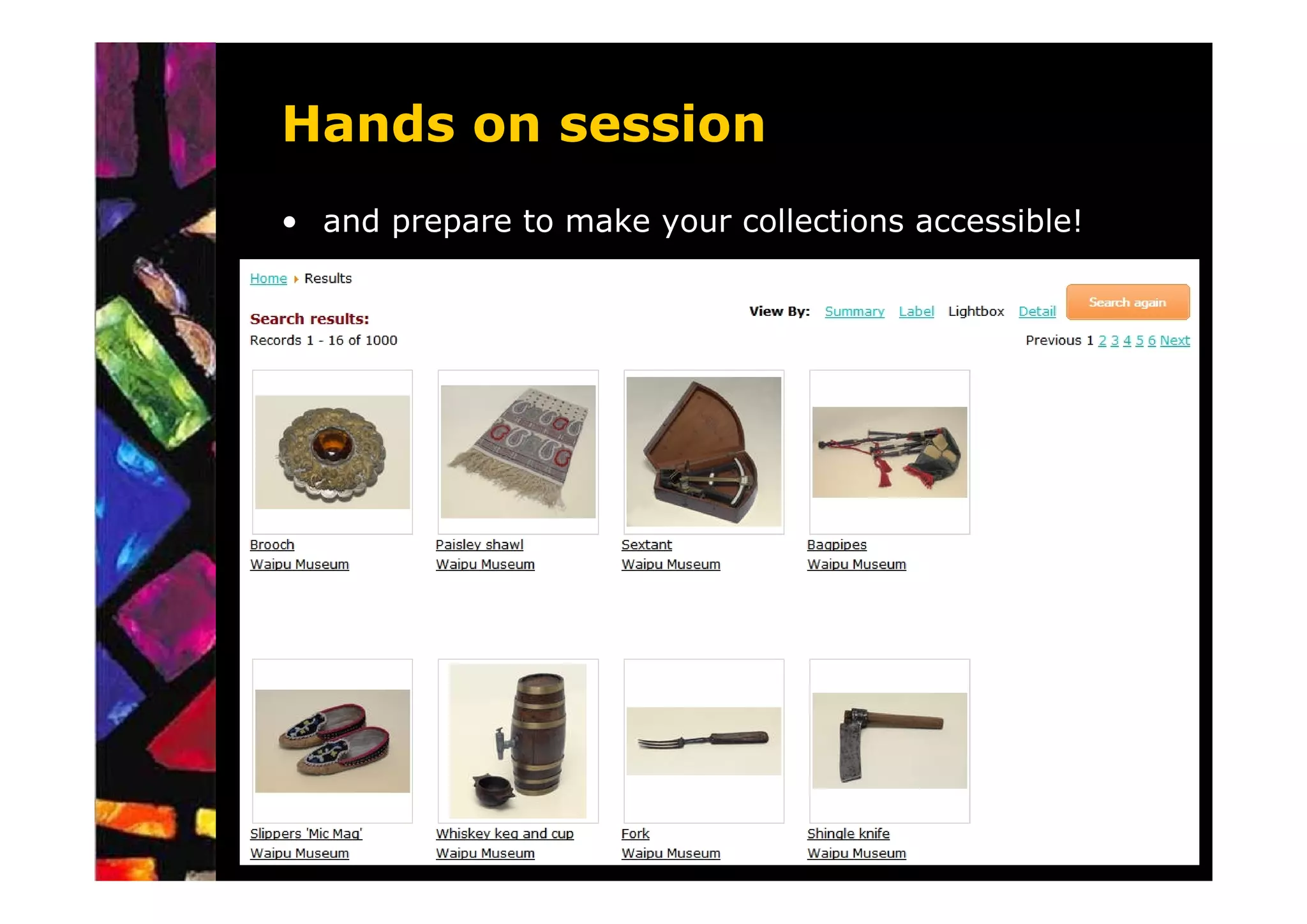
Hands on session
• Grab your treasure
Hands on session
• and prepare to make your collections accessible!


                         QuickTime™ and a
                           decompressor
                  are needed to see this picture.
Before you digitise ...

What pre-digitisation activities are there?

   Is the collection organised?
    – Describe and arrange (eg catalogue, caption, index)
    – Work out a system for file names

   Is it in reasonable condition or are there any special
   needs?
    –   Preservation assessment and treatment
    –   Re-house and correctly store material
    –   Will cradles, easels or other supports be required
    –   Consider the possible effect of photographic lights and the heat
        of scanners on material …
Digitisation will impact on ...
   Impact of digitisation on others?
    – Rights management – ownership, ©, privacy, cultural
      sensitivities
    – Provision of appropriate access
    – Other projects and opportunities for collaboration
    – Re-use of the digitised material

   How long will it take to get ready to start?

   Infrastructure – storage and delivery options for digital images
   Risk management – what if something goes horribly wrong?

 Have back-up plans!
Who will do the work?

     Are people available within the organisation?
OR
     Will you need to pay someone else to do the work or
     provide you with advice?


What skills and competencies?
     –   Care and handling of collection material
     –   Imaging/photographic vs library skills
     –   Information Technology skills and experience
     –   Value-added knowledge of collection material and/or
         subject area
What equipment?

 What’s on the market and offered locally?
 –   Constantly changing technology
 –   After-sales support, warranty and service agreements
 –   Software compatibility
 –   Use personal and professional contacts

 Try before you buy (if you can)
 – Trial equipment and ask others what they’re using
 – Leasing, “consortia” deals, joint equipment purchases

 Get the “best” you can afford to do what you need
What other equipment?

Don’t forget the add-ons …

•   Something to drive the imaging devices
•   Software and licenses
•   Peripherals and accessories
•   Storage
•   Light-boxes, bulbs and hoods
•   Furniture and furnishings

Shooting to computing

  • 1.
  • 2.
    Shooting to Computing Overview Photographs are critically important, not just for the identification of objects, but also for documenting the history of the object in its original context and in its museum context. • identification • assessment • documentation • on-going care • management, including collection management system • conservation treatments • promotion, including web sites
  • 3.
    Basic Photography Methods Getting the Light Right • direction • quality Hands On Photography Workflow • setting • camera and tripod • lighting • reflectors and props
  • 4.
    Basic Photography Methods Getting the Light Right • direction • quality – hard light – soft light – reflectors
  • 5.
    Basic Photography Methods Gettingthe Light Right • direction • quality – hard light – soft light – reflectors
  • 6.
    Basic Photography Methods Gettingthe Light Right • direction • quality – hard light – soft light – reflectors
  • 7.
    Basic Photography Methods Gettingthe Light Right • direction • quality – hard light – soft light – reflectors
  • 8.
    Basic Photography Methods Studio Photography – Single Spotlight & Reflector
  • 9.
    Basic Photography Methods Studio Photography – Single Soft Light & Reflector
  • 10.
    Basic Photography Methods Studio Photography – Single Soft Light & Two Reflectors
  • 11.
    Basic Photography Methods Studio Photography – Copy Setup for Flat Art incl. photos
  • 12.
    Location Photography When allis not ideal - DO NOT PANIC! Location: Airport Warehouse - Cocos-Keeling Is. (summer, with approaching cyclone) Highly Reflective Objects • minimise reflections • minimise light falling on camera, photographer and items behind the camera. Use dark partition/card if available. • use broad (even) light from both sides or if only one light is available use further away and bring in broad reflector close to other side.
  • 13.
    Location Photography Visually ReflectiveObjects • highly reflective object can be difficult to photograph even when done within a controlled environment such as a photographic studio. • utilising the white sheet, mentioned previously, will minimize ‘busy’ reflections from objects immediately nearby the object you are photographing. If the sheet causes some bright reflections itself then parts can be folded back or a darker cloth placed over the offending section. • in the case of mirrors, try photograph from a much further distance with a very long lens to minimise the angle of view to keep the camera and its operator out of the reflection.
  • 14.
  • 15.
    Digital Camera Issues • image area • power requirements • costs and fragility
  • 16.
    Digital Camera Issues Operational Issues • shooting speed – shutter delay or shutter lag – processing and saving file • menus • white balance • exposure
  • 17.
    Digital Camera Issues Operational Issues • shooting speed – shutter delay or shutter lag – processing and saving file • menus • white balance • exposure – Photographing very light or very dark coloured objects White Envelope Kodak 18% Grey Card Black Satchel
  • 18.
    Digital Camera Issues Operational Issues • exposure – Histogram
  • 19.
    Digital Camera Issues Quality • shooting environment including tripod use • focus • exposure • film or resolution settings including compression settings • post production of images (image manipulation)
  • 20.
    Image Management Workflow Overview • selecting a tool, method and/or software application – ACDSee – Adobe Photoshop Elements/Bridge, – Adobe Lightroom, – Adobe Photoshop/Bridge, – Google Picasa, – IDimager, – IrfanView, – iPhoto, – Microsoft Expression Media, – PaintShop Pro, – PhotoImpact, – PhotoSuite, etc. ………………………………………..
  • 21.
  • 22.
  • 23.
  • 24.
  • 25.
  • 26.
  • 27.
    Image Management Workflow Microsoft Pro Photo Tools 2
  • 28.
    Image Management Workflow • selecting a tool, method and/or software application • image transfer and storage – archiving and back-up – moving files to computer Image Buckets Image Archive MyImages-0001 MyImages-0002 …..
  • 29.
    Image Management Workflow • selecting a tool, method and/or software application • image transfer and storage
  • 30.
    Image Management Workflow • reviewing images • file naming and version control • image renaming • image metadata • basic image editing concepts • output and batch processing
  • 31.
  • 32.
  • 33.
    Image Management Workflow Imagemetadata • Description • Location • Keywords (use a standard authority list) • Date/Time (original image if copying) • Creator • Copyright • Rating
  • 34.
  • 35.
    Image Management Workflow Other things …. Colour Management http://www.archives.gov/research/arc/adjust-monitor.html
  • 36.
    Hands on session •Grab your treasure
  • 37.
    Hands on session •and prepare to make your collections accessible! QuickTime™ and a decompressor are needed to see this picture.
  • 42.
    Before you digitise... What pre-digitisation activities are there? Is the collection organised? – Describe and arrange (eg catalogue, caption, index) – Work out a system for file names Is it in reasonable condition or are there any special needs? – Preservation assessment and treatment – Re-house and correctly store material – Will cradles, easels or other supports be required – Consider the possible effect of photographic lights and the heat of scanners on material …
  • 43.
    Digitisation will impacton ... Impact of digitisation on others? – Rights management – ownership, ©, privacy, cultural sensitivities – Provision of appropriate access – Other projects and opportunities for collaboration – Re-use of the digitised material How long will it take to get ready to start? Infrastructure – storage and delivery options for digital images Risk management – what if something goes horribly wrong? Have back-up plans!
  • 44.
    Who will dothe work? Are people available within the organisation? OR Will you need to pay someone else to do the work or provide you with advice? What skills and competencies? – Care and handling of collection material – Imaging/photographic vs library skills – Information Technology skills and experience – Value-added knowledge of collection material and/or subject area
  • 45.
    What equipment? What’son the market and offered locally? – Constantly changing technology – After-sales support, warranty and service agreements – Software compatibility – Use personal and professional contacts Try before you buy (if you can) – Trial equipment and ask others what they’re using – Leasing, “consortia” deals, joint equipment purchases Get the “best” you can afford to do what you need
  • 46.
    What other equipment? Don’tforget the add-ons … • Something to drive the imaging devices • Software and licenses • Peripherals and accessories • Storage • Light-boxes, bulbs and hoods • Furniture and furnishings