SHARING (LESS) PAIN –
PROTRACTOR &
WEBDRIVER
Anand Bagmar
Software Quality Evangelist
@BagmarAnand
about.me/anand.bagmar
ABOUT ME
Case Study
DOMAIN
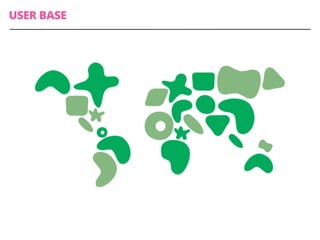
USER BASE
USAGE
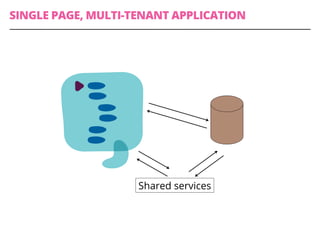
SINGLE PAGE, MULTI-TENANT APPLICATION
Shared services
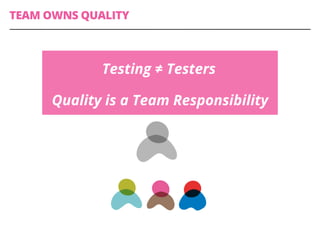
TEAM OWNS QUALITY
Testing ≠ Testers
Quality is a Team Responsibility
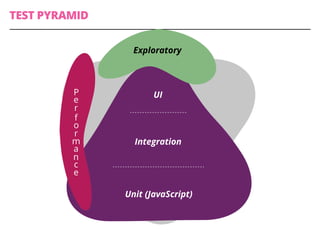
Unit (JavaScript)
Integration
UI
Exploratory
P
e
r
f
o
r
m
a
n
c
e
TEST PYRAMID
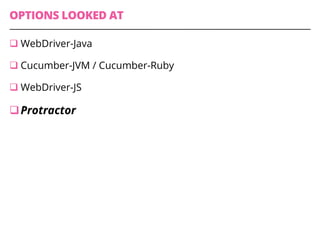
OPTIONS LOOKED AT
q WebDriver-Java
q Cucumber-JVM / Cucumber-Ruby
q WebDriver-JS
q Protractor
Disclaimer
Challenges
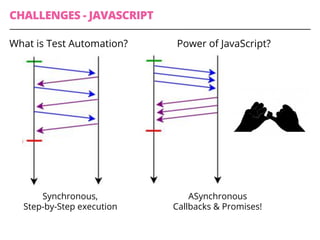
CHALLENGES - JAVASCRIPT
What is Test Automation?
Synchronous,
Step-by-Step execution
ASynchronous
Callbacks & Promises!
Power of JavaScript?
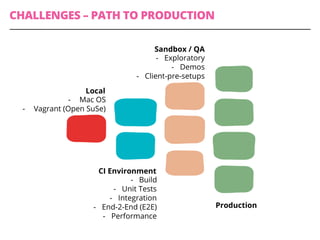
CHALLENGES – PATH TO PRODUCTION
Local
-  Mac OS
-  Vagrant (Open SuSe)
CI Environment
-  Build
-  Unit Tests
-  Integration
-  End-2-End (E2E)
-  Performance
Sandbox / QA
-  Exploratory
-  Demos
-  Client-pre-setups
Production
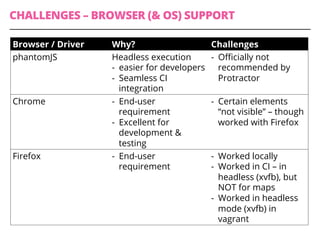
CHALLENGES – BROWSER (& OS) SUPPORT
Browser / Driver Why? Challenges
phantomJS Headless execution
-  easier for developers
-  Seamless CI
integration
-  Officially not
recommended by
Protractor
Chrome -  End-user
requirement
-  Excellent for
development &
testing
-  Certain elements
“not visible” – though
worked with Firefox
Firefox -  End-user
requirement
-  Worked locally
-  Worked in CI – in
headless (xvfb), but
NOT for maps
-  Worked in headless
mode (xvfb) in
vagrant
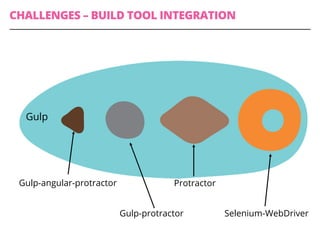
CHALLENGES – BUILD TOOL INTEGRATION
Gulp-angular-protractor
Gulp-protractor
Protractor
Selenium-WebDriver
Gulp
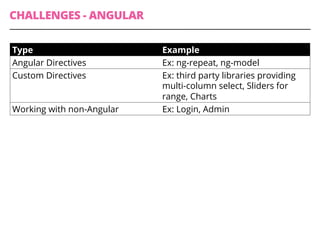
CHALLENGES - ANGULAR
Type Example
Angular Directives Ex: ng-repeat, ng-model
Custom Directives Ex: third party libraries providing
multi-column select, Sliders for
range, Charts
Working with non-Angular Ex: Login, Admin
CHALLENGES - DEBUGGING
Setting breakpoints while handling promises
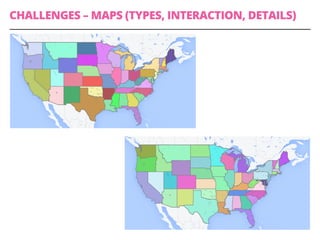
CHALLENGES – MAPS (TYPES, INTERACTION, DETAILS)
Overcoming the
Challenges
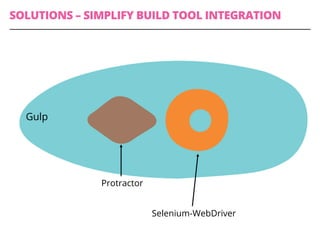
SOLUTIONS – SIMPLIFY BUILD TOOL INTEGRATION
Protractor
Selenium-WebDriver
Gulp
SOLUTIONS – DETERMINISTIC TEST DATA
q Same Test Data in all environments / tenants
q  Minimal Environment specific configuration
q Intelligent ‘before’ & ‘after’ setups
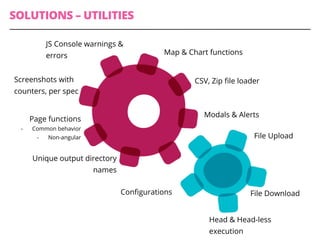
SOLUTIONS – UTILITIES
Page functions
-  Common behavior
-  Non-angular
Screenshots with
counters, per spec
Unique output directory
names
JS Console warnings &
errors Map & Chart functions
CSV, Zip file loader
Modals & Alerts
File Upload
File Download
Head & Head-less
execution
Configurations
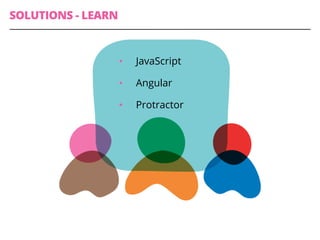
SOLUTIONS - LEARN
•  JavaScript
•  Angular
•  Protractor
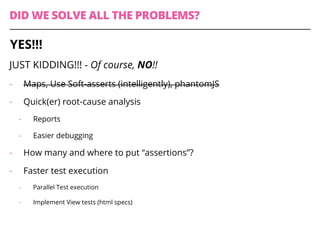
DID WE SOLVE ALL THE PROBLEMS?
JUST KIDDING!!! - Of course, NO!!
-  Maps, Use Soft-asserts (intelligently), phantomJS
-  Quick(er) root-cause analysis
-  Reports
-  Easier debugging
-  How many and where to put “assertions”?
-  Faster test execution
-  Parallel Test execution
-  Implement View tests (html specs)
YES!!!
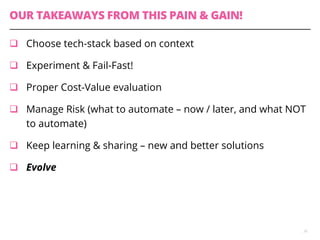
OUR TAKEAWAYS FROM THIS PAIN & GAIN!
q  Choose tech-stack based on context
q  Experiment & Fail-Fast!
q  Proper Cost-Value evaluation
q  Manage Risk (what to automate – now / later, and what NOT
to automate)
q  Keep learning & sharing – new and better solutions
q  Evolve
26
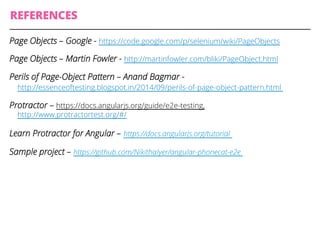
REFERENCES
Page Objects – Google - https://code.google.com/p/selenium/wiki/PageObjects
Page Objects – Martin Fowler - http://martinfowler.com/bliki/PageObject.html
Perils of Page-Object Pattern – Anand Bagmar -
http://essenceoftesting.blogspot.in/2014/09/perils-of-page-object-pattern.html
Protractor – https://docs.angularjs.org/guide/e2e-testing,
‪http://www.protractortest.org/#/
Learn Protractor for Angular – ‪https://docs.angularjs.org/tutorial
Sample project – ‪https://github.com/NikithaIyer/angular-phonecat-e2e
@BagmarAnand
about.me/anand.bagmar
THANK YOU

Sharing (less) Pain of using Protractor & WebDriver

  • 1.
    SHARING (LESS) PAIN– PROTRACTOR & WEBDRIVER Anand Bagmar Software Quality Evangelist
  • 2.
  • 3.
  • 4.
  • 5.
  • 6.
  • 7.
    SINGLE PAGE, MULTI-TENANTAPPLICATION Shared services
  • 8.
    TEAM OWNS QUALITY Testing≠ Testers Quality is a Team Responsibility
  • 9.
  • 10.
    OPTIONS LOOKED AT q WebDriver-Java q Cucumber-JVM/ Cucumber-Ruby q WebDriver-JS q Protractor
  • 11.
  • 12.
  • 13.
    CHALLENGES - JAVASCRIPT Whatis Test Automation? Synchronous, Step-by-Step execution ASynchronous Callbacks & Promises! Power of JavaScript?
  • 14.
    CHALLENGES – PATHTO PRODUCTION Local -  Mac OS -  Vagrant (Open SuSe) CI Environment -  Build -  Unit Tests -  Integration -  End-2-End (E2E) -  Performance Sandbox / QA -  Exploratory -  Demos -  Client-pre-setups Production
  • 15.
    CHALLENGES – BROWSER(& OS) SUPPORT Browser / Driver Why? Challenges phantomJS Headless execution -  easier for developers -  Seamless CI integration -  Officially not recommended by Protractor Chrome -  End-user requirement -  Excellent for development & testing -  Certain elements “not visible” – though worked with Firefox Firefox -  End-user requirement -  Worked locally -  Worked in CI – in headless (xvfb), but NOT for maps -  Worked in headless mode (xvfb) in vagrant
  • 16.
    CHALLENGES – BUILDTOOL INTEGRATION Gulp-angular-protractor Gulp-protractor Protractor Selenium-WebDriver Gulp
  • 17.
    CHALLENGES - ANGULAR TypeExample Angular Directives Ex: ng-repeat, ng-model Custom Directives Ex: third party libraries providing multi-column select, Sliders for range, Charts Working with non-Angular Ex: Login, Admin
  • 18.
    CHALLENGES - DEBUGGING Settingbreakpoints while handling promises
  • 19.
    CHALLENGES – MAPS(TYPES, INTERACTION, DETAILS)
  • 20.
  • 21.
    SOLUTIONS – SIMPLIFYBUILD TOOL INTEGRATION Protractor Selenium-WebDriver Gulp
  • 22.
    SOLUTIONS – DETERMINISTICTEST DATA q Same Test Data in all environments / tenants q  Minimal Environment specific configuration q Intelligent ‘before’ & ‘after’ setups
  • 23.
    SOLUTIONS – UTILITIES Pagefunctions -  Common behavior -  Non-angular Screenshots with counters, per spec Unique output directory names JS Console warnings & errors Map & Chart functions CSV, Zip file loader Modals & Alerts File Upload File Download Head & Head-less execution Configurations
  • 24.
    SOLUTIONS - LEARN • JavaScript •  Angular •  Protractor
  • 25.
    DID WE SOLVEALL THE PROBLEMS? JUST KIDDING!!! - Of course, NO!! -  Maps, Use Soft-asserts (intelligently), phantomJS -  Quick(er) root-cause analysis -  Reports -  Easier debugging -  How many and where to put “assertions”? -  Faster test execution -  Parallel Test execution -  Implement View tests (html specs) YES!!!
  • 26.
    OUR TAKEAWAYS FROMTHIS PAIN & GAIN! q  Choose tech-stack based on context q  Experiment & Fail-Fast! q  Proper Cost-Value evaluation q  Manage Risk (what to automate – now / later, and what NOT to automate) q  Keep learning & sharing – new and better solutions q  Evolve 26
  • 27.
    REFERENCES Page Objects –Google - https://code.google.com/p/selenium/wiki/PageObjects Page Objects – Martin Fowler - http://martinfowler.com/bliki/PageObject.html Perils of Page-Object Pattern – Anand Bagmar - http://essenceoftesting.blogspot.in/2014/09/perils-of-page-object-pattern.html Protractor – https://docs.angularjs.org/guide/e2e-testing, ‪http://www.protractortest.org/#/ Learn Protractor for Angular – ‪https://docs.angularjs.org/tutorial Sample project – ‪https://github.com/NikithaIyer/angular-phonecat-e2e
  • 28.