Pivotal Labs Toronto
PIVOTAL LABS
QUALITY ASSURANCE
PLATFORM COVERAGE
OUR TEAM AND APPROACH
DEVELOPMENT
START
PROJECT
MANAGEMENT FOR QA
PLANNING
QA INTEGRATED CYCLES
FEW WEEKS
BEFORE
PROJECT ENDS
BUILD
FIX QA
RC
DEVELOPMENT
END
BUILD
FIX QA
PIVOTAL LABS
THE QA PROCESS
THE TESTING PROCESS
Initial Setup Testing Review Final Checklist
THE TESTING PROCESS
● Check the minimum OS version
● Gather devices and then load the build
● Locate the project spreadsheet
● Fill out the device ID, the OS, and your name
● Go through all the stories. Always refer to Pivotal Tracker for details
● List any bugs at the bottom of spreadsheet
● Ask the full times for clarification on any stories
● Inform the developers after you are done testing
● Ask the developers for clarification on any stories
● Go through all the failed stories and issues with developers
● Are there any crashes?
● Have all stories been maked ‘Pass, Fail, N/A’
● Have you gone through the spreadsheet with the developers
● Have you talked to the QA anchor?
INITIAL
SETUP
TESTING
REVIEW
FINAL
CHECKLIST
Tell the QA Anchor
Fill out the QA RMS
Add the spreadsheet to XL Studio (Omnia)
Add bugs to Pivotal Tracker
Pass the build on XL Studio (Omnia)
Tell the QA Anchor
Fill out the QA RMS
Fail the build on XL Studio (Omnia)
Use the same spreadsheet to re-test with a new build
Follow the steps again from the ‘Testing’ section
BUILDPASSESBUILDFAILS
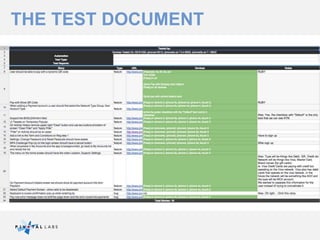
THE TEST DOCUMENT
PIVOTAL LABS
TEST COVERAGE
ESSENTIAL
FUNCTIONAL
• Verifying specific actions or
functions of the code, usually
based on the BRDs
GUI
• Verifying the user interface to
ensure that it meets specification
(functional and non-functional)
ACCEPTANCE
• Part of handoff process towards
the end of the project
STRESS
• Deliberately intense or thorough
testing used to determine the
stability of the application
USABILITY TESTING
• Evaluating the user experience of
a product by testing it on users
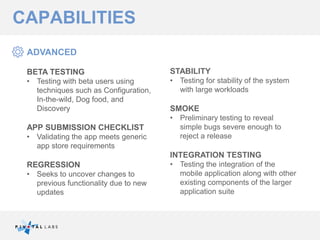
CAPABILITIES
ADVANCED
BETA TESTING
• Testing with beta users using
techniques such as Configuration,
In-the-wild, Dog food, and
Discovery
APP SUBMISSION CHECKLIST
• Validating the app meets generic
app store requirements
REGRESSION
• Seeks to uncover changes to
previous functionality due to new
updates
STABILITY
• Testing for stability of the system
with large workloads
SMOKE
• Preliminary testing to reveal
simple bugs severe enough to
reject a release
INTEGRATION TESTING
• Testing the integration of the
mobile application along with other
existing components of the larger
application suite
CAPABILITIES
PIVOTAL LABS
CI AND DEVICE AUTOMATION
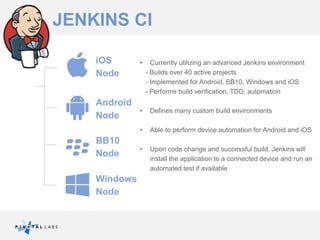
• Currently utilizing an advanced Jenkins environment
- Builds over 40 active projects
- Implemented for Android, BB10, Windows and iOS
- Performs build verification, TDD, automation
• Defines many custom build environments
• Able to perform device automation for Android and iOS
• Upon code change and successful build, Jenkins will
install the application to a connected device and run an
automated test if available
JENKINS CI
iOS
Node
Android
Node
BB10
Node
Windows
Node
PULSE MONITOR
TRAVIS CI
•For TDD projects we utilize Travis CI for
private repositories
•Travis is a cloud-based CI solution that is
optimal for TDD by performing build
verification and running tests
•Builds are performed on VMs that are
installed with the latest packages and SDK’s:
no maintenance required.
•Currently using Travis for nearly 15 active
projects
THANK YOU!
Pivotal Labs Toronto

Mobile Quality Assurance

  • 1.
    Pivotal Labs Toronto PIVOTALLABS QUALITY ASSURANCE
  • 2.
  • 3.
    OUR TEAM ANDAPPROACH DEVELOPMENT START PROJECT MANAGEMENT FOR QA PLANNING QA INTEGRATED CYCLES FEW WEEKS BEFORE PROJECT ENDS BUILD FIX QA RC DEVELOPMENT END BUILD FIX QA
  • 4.
  • 5.
    THE TESTING PROCESS InitialSetup Testing Review Final Checklist
  • 6.
    THE TESTING PROCESS ●Check the minimum OS version ● Gather devices and then load the build ● Locate the project spreadsheet ● Fill out the device ID, the OS, and your name ● Go through all the stories. Always refer to Pivotal Tracker for details ● List any bugs at the bottom of spreadsheet ● Ask the full times for clarification on any stories ● Inform the developers after you are done testing ● Ask the developers for clarification on any stories ● Go through all the failed stories and issues with developers ● Are there any crashes? ● Have all stories been maked ‘Pass, Fail, N/A’ ● Have you gone through the spreadsheet with the developers ● Have you talked to the QA anchor? INITIAL SETUP TESTING REVIEW FINAL CHECKLIST Tell the QA Anchor Fill out the QA RMS Add the spreadsheet to XL Studio (Omnia) Add bugs to Pivotal Tracker Pass the build on XL Studio (Omnia) Tell the QA Anchor Fill out the QA RMS Fail the build on XL Studio (Omnia) Use the same spreadsheet to re-test with a new build Follow the steps again from the ‘Testing’ section BUILDPASSESBUILDFAILS
  • 7.
  • 8.
  • 9.
    ESSENTIAL FUNCTIONAL • Verifying specificactions or functions of the code, usually based on the BRDs GUI • Verifying the user interface to ensure that it meets specification (functional and non-functional) ACCEPTANCE • Part of handoff process towards the end of the project STRESS • Deliberately intense or thorough testing used to determine the stability of the application USABILITY TESTING • Evaluating the user experience of a product by testing it on users CAPABILITIES
  • 10.
    ADVANCED BETA TESTING • Testingwith beta users using techniques such as Configuration, In-the-wild, Dog food, and Discovery APP SUBMISSION CHECKLIST • Validating the app meets generic app store requirements REGRESSION • Seeks to uncover changes to previous functionality due to new updates STABILITY • Testing for stability of the system with large workloads SMOKE • Preliminary testing to reveal simple bugs severe enough to reject a release INTEGRATION TESTING • Testing the integration of the mobile application along with other existing components of the larger application suite CAPABILITIES
  • 11.
    PIVOTAL LABS CI ANDDEVICE AUTOMATION
  • 12.
    • Currently utilizingan advanced Jenkins environment - Builds over 40 active projects - Implemented for Android, BB10, Windows and iOS - Performs build verification, TDD, automation • Defines many custom build environments • Able to perform device automation for Android and iOS • Upon code change and successful build, Jenkins will install the application to a connected device and run an automated test if available JENKINS CI iOS Node Android Node BB10 Node Windows Node
  • 13.
  • 14.
    TRAVIS CI •For TDDprojects we utilize Travis CI for private repositories •Travis is a cloud-based CI solution that is optimal for TDD by performing build verification and running tests •Builds are performed on VMs that are installed with the latest packages and SDK’s: no maintenance required. •Currently using Travis for nearly 15 active projects
  • 15.