

10 Steps to Successful DeploymentJoel OlesonSr. Product ArchitectQuest Softwarehttp://www.sharepointjoel.com@joeloleson
I’m Back! OtraVez Con Ustedes!
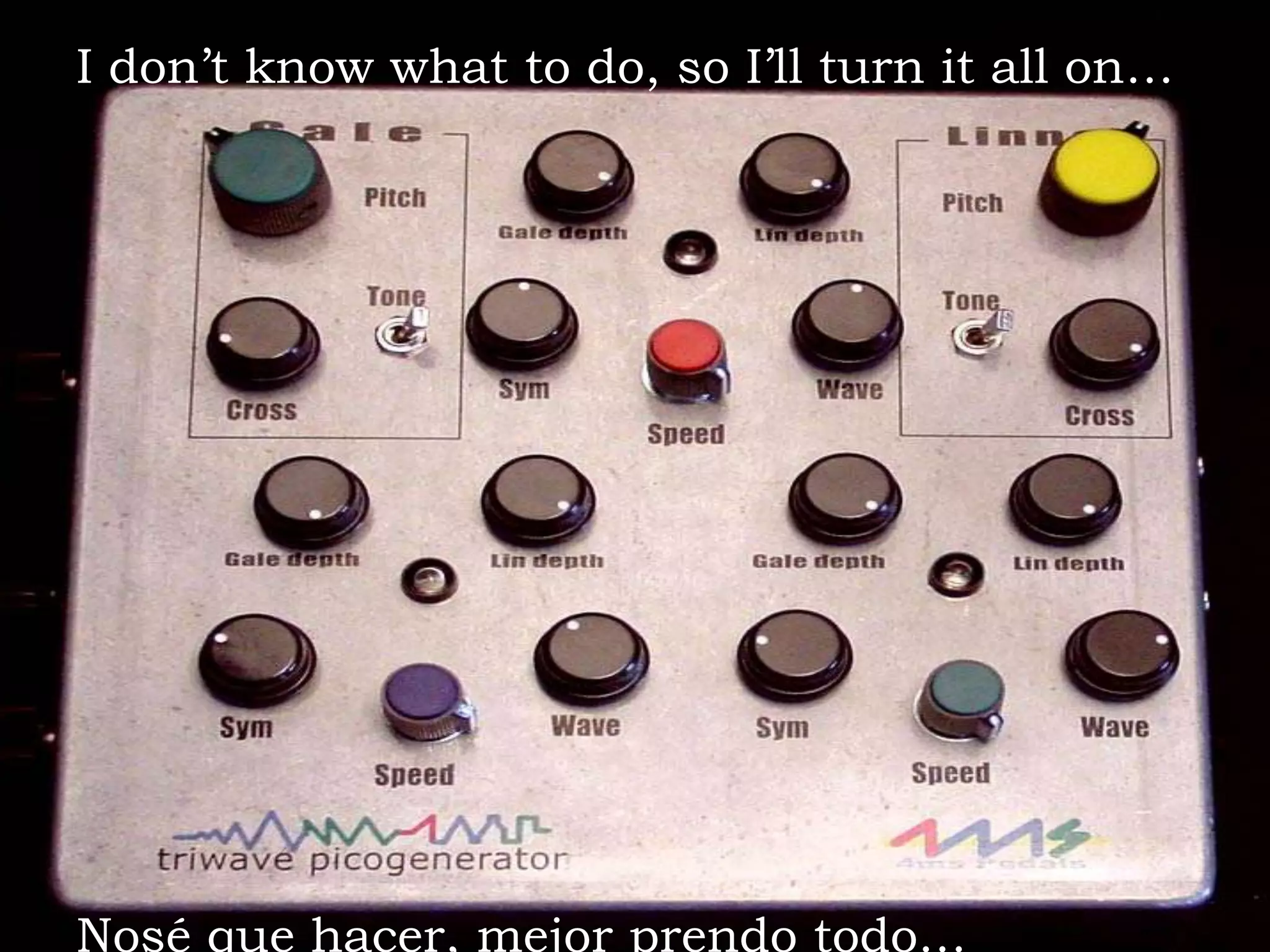
I don’t know what to do, so I’ll turn it all on…Nosé que hacer, mejor prendo todo…
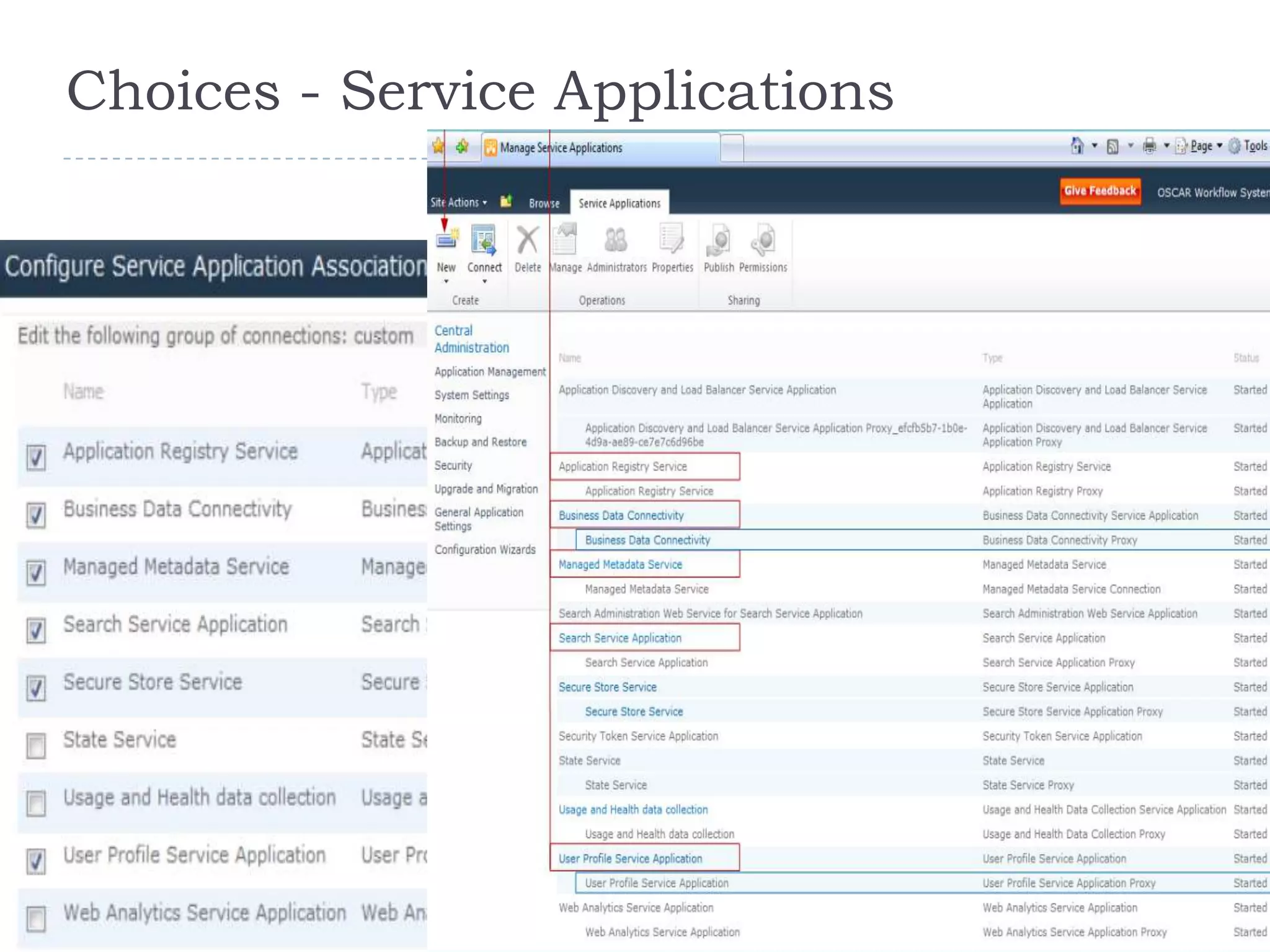
Choices - Service Applications
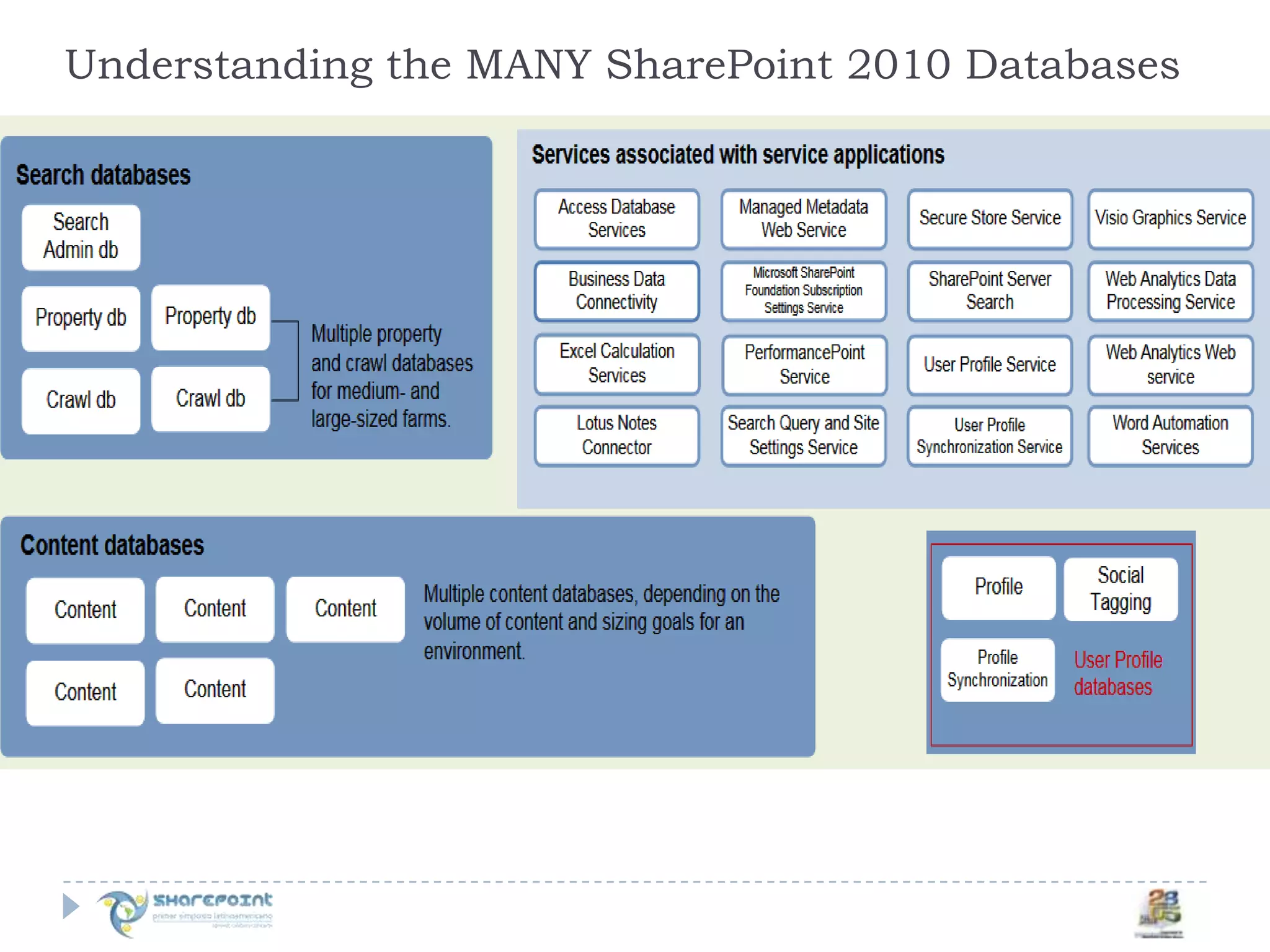
Understanding the MANY SharePoint 2010 Databases
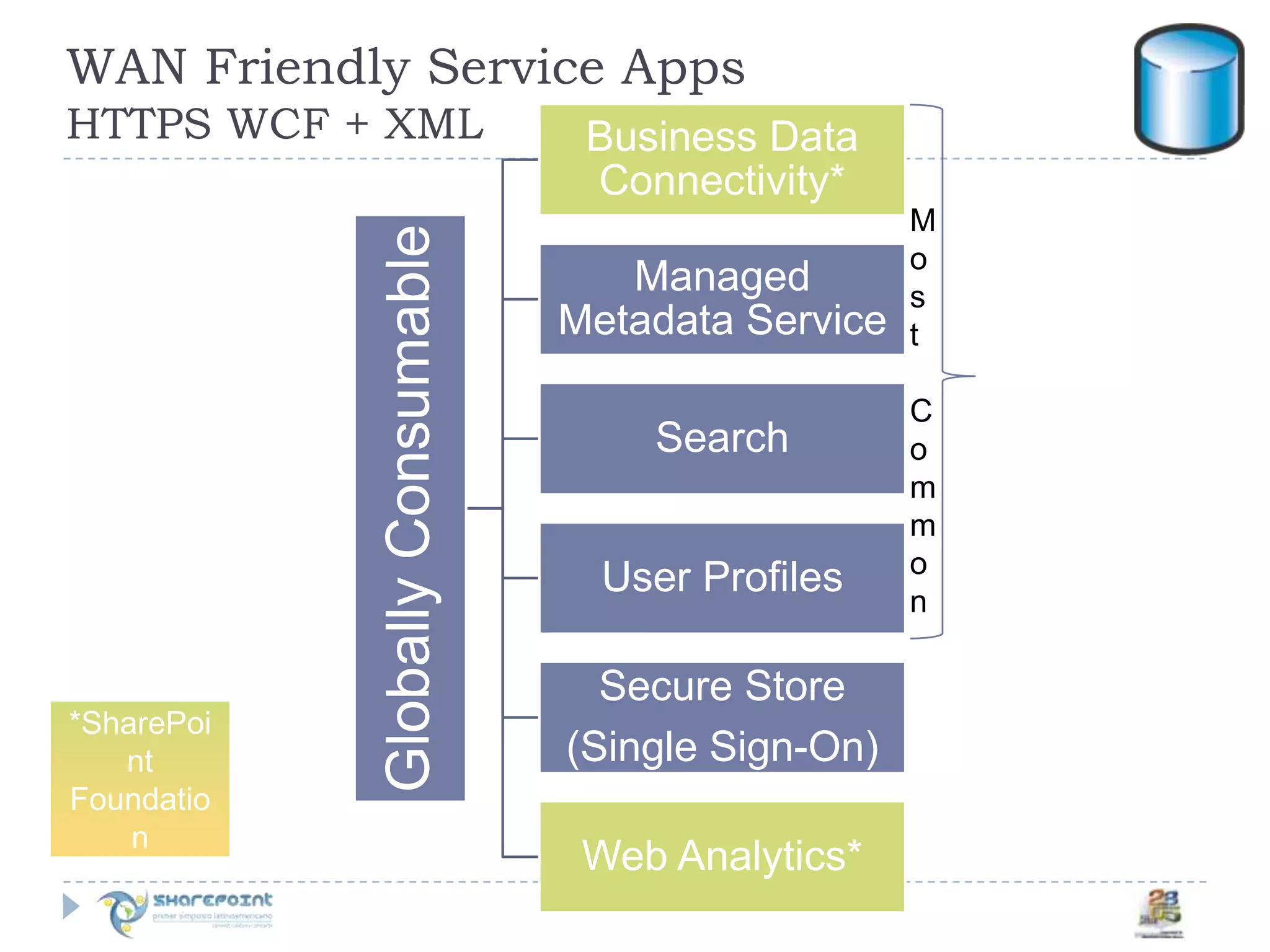
WAN Friendly Service Apps HTTPS WCF + XMLMost Common*SharePoint Foundation
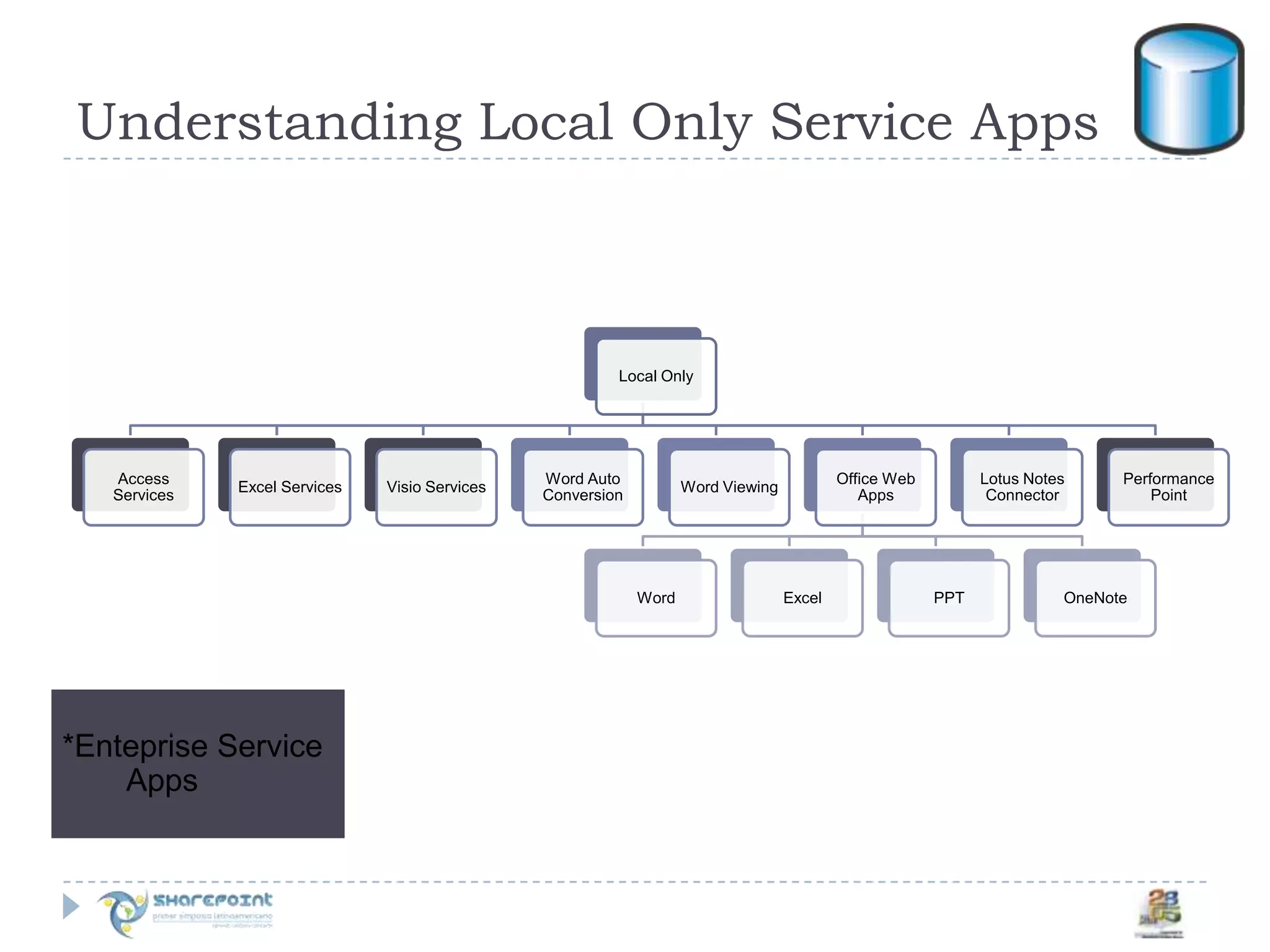
Understanding Local Only Service Apps*EntepriseService Apps
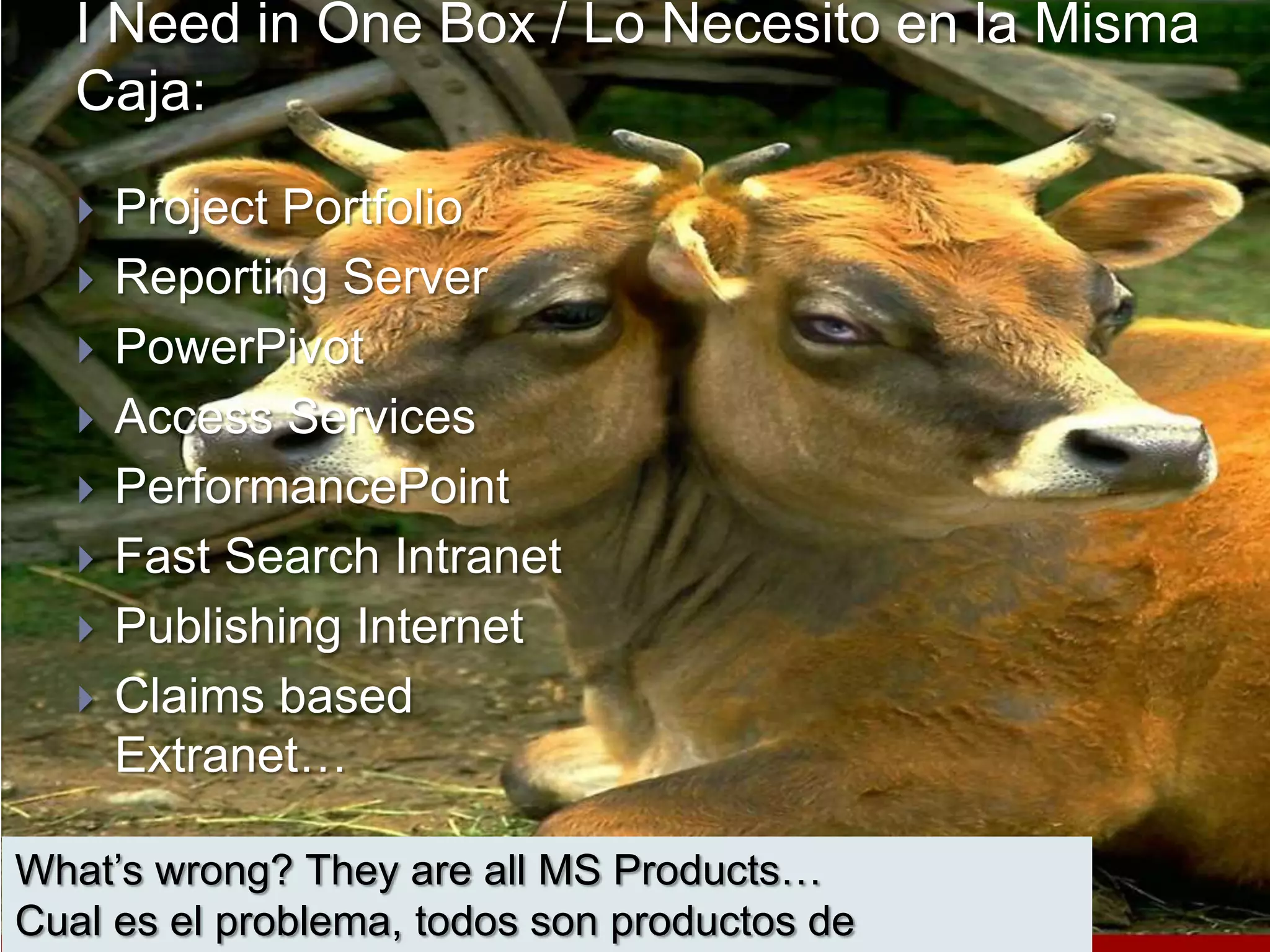
I Need in One Box / Lo Necesito en la MismaCaja:Project PortfolioReporting ServerPowerPivotAccess ServicesPerformancePointFast Search IntranetPublishing InternetClaims based Extranet…What’s wrong? They are all MS Products…Cual es el problema, todos son productos de Microsoft…
Live by the K.I.S.S. PrincipleKeep it Simple,StupidVive por el principio M.S.S. Manten SimpleY Sencillo
Our developers don’t like the way SharePoint looks and works, so we’re going to use Site Definitions to get it to look and work the way we want it to…A nuestros desarrolladores no les gusta como se ve y trabaja SharePoint, por lo que vamos a usar SiteDefinitions para que se vea y trabaje como queremos …
There aren’t enough triggers for what we need in the databases, we can always remove them later. Come on a little table can easily be removed later…No hay suficientes triggers para lo que necesitamos en la base de datos, siempre los podemos quitar después.  Una pequeña tabla la podemos quitar después…
SharePoint has workflows & approval routing, it’s so much easier when we all work together in the same environment… --- No need for a Test environment…SharePoint tiene aprobaciones, es mucho mas facil que todos trabajemos en el mismo ambiente.-----No se necesita hacer una prueba de ambiente ----
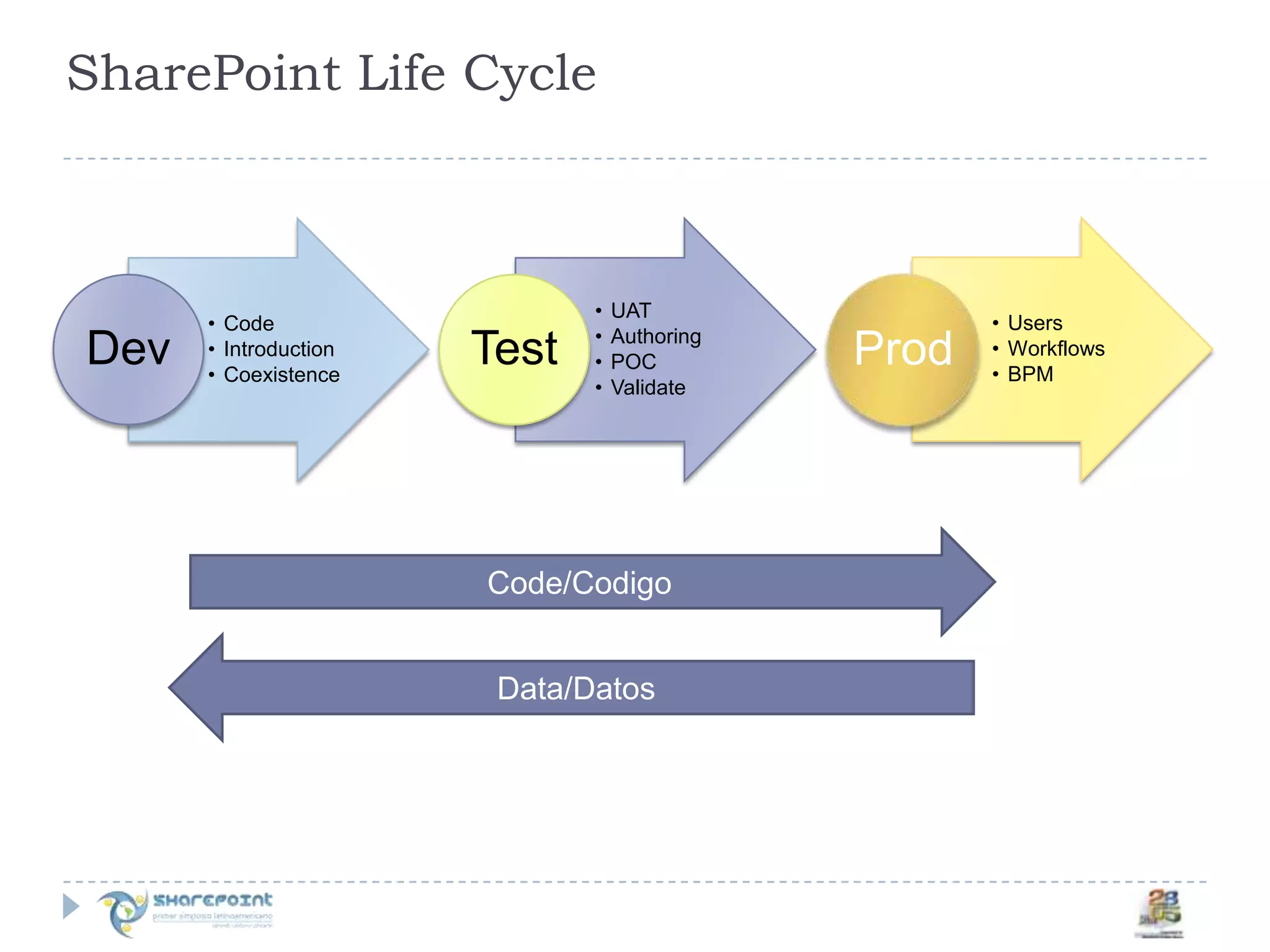
SharePoint Life CycleCode/CodigoData/Datos
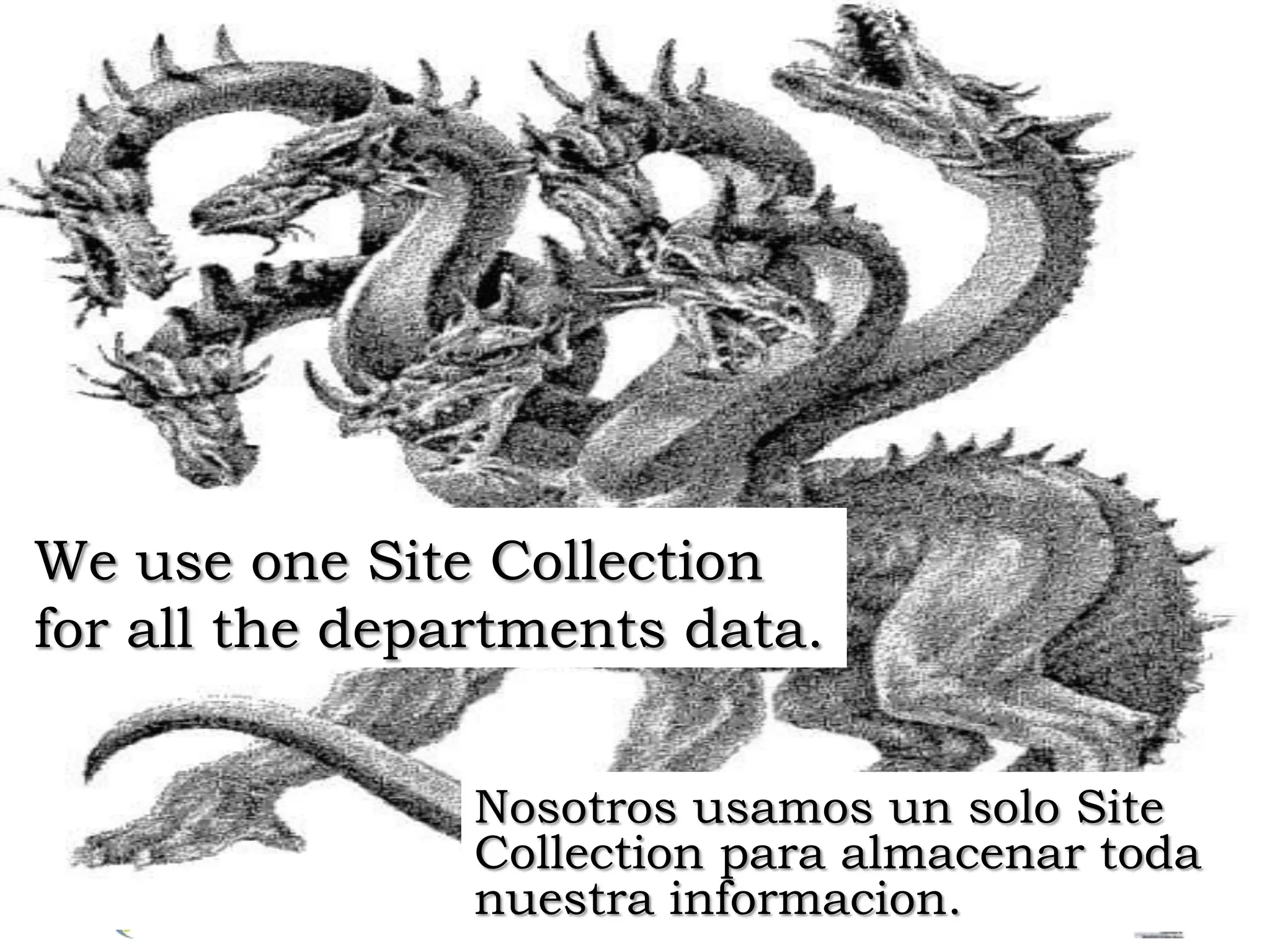
We use one Site Collectionfor all the departments data.Nosotrosusamos un solo Site Collection paraalmacenartodanuestrainformacion.
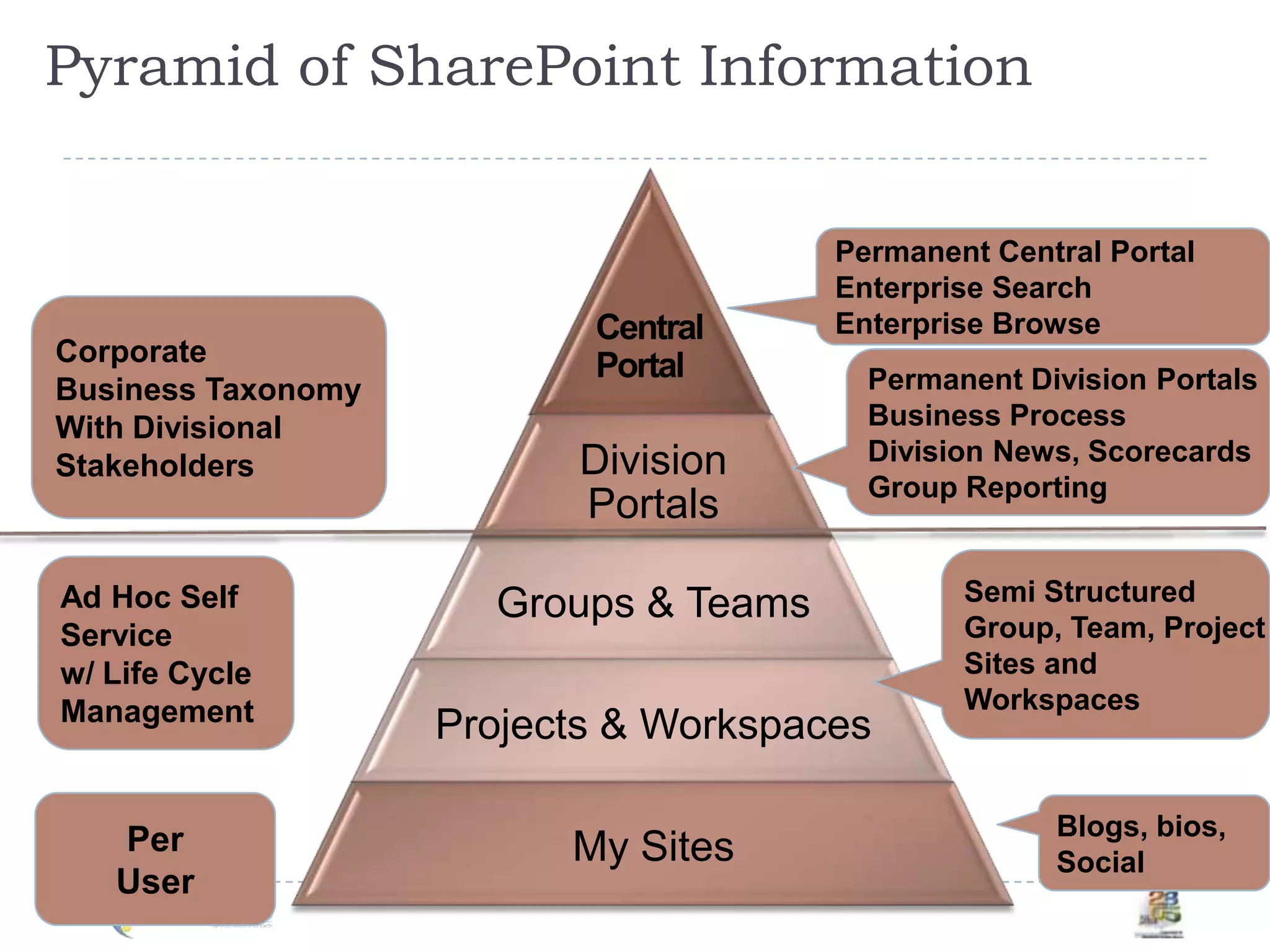
 Pyramid of SharePoint InformationPermanent Central PortalEnterprise SearchEnterprise BrowseCorporateBusiness TaxonomyWith DivisionalStakeholdersCentralPortalPermanent Division PortalsBusiness Process Division News, ScorecardsGroup ReportingSemi StructuredGroup, Team, ProjectSites and WorkspacesAd Hoc SelfServicew/ Life CycleManagementPerUserBlogs, bios, Social
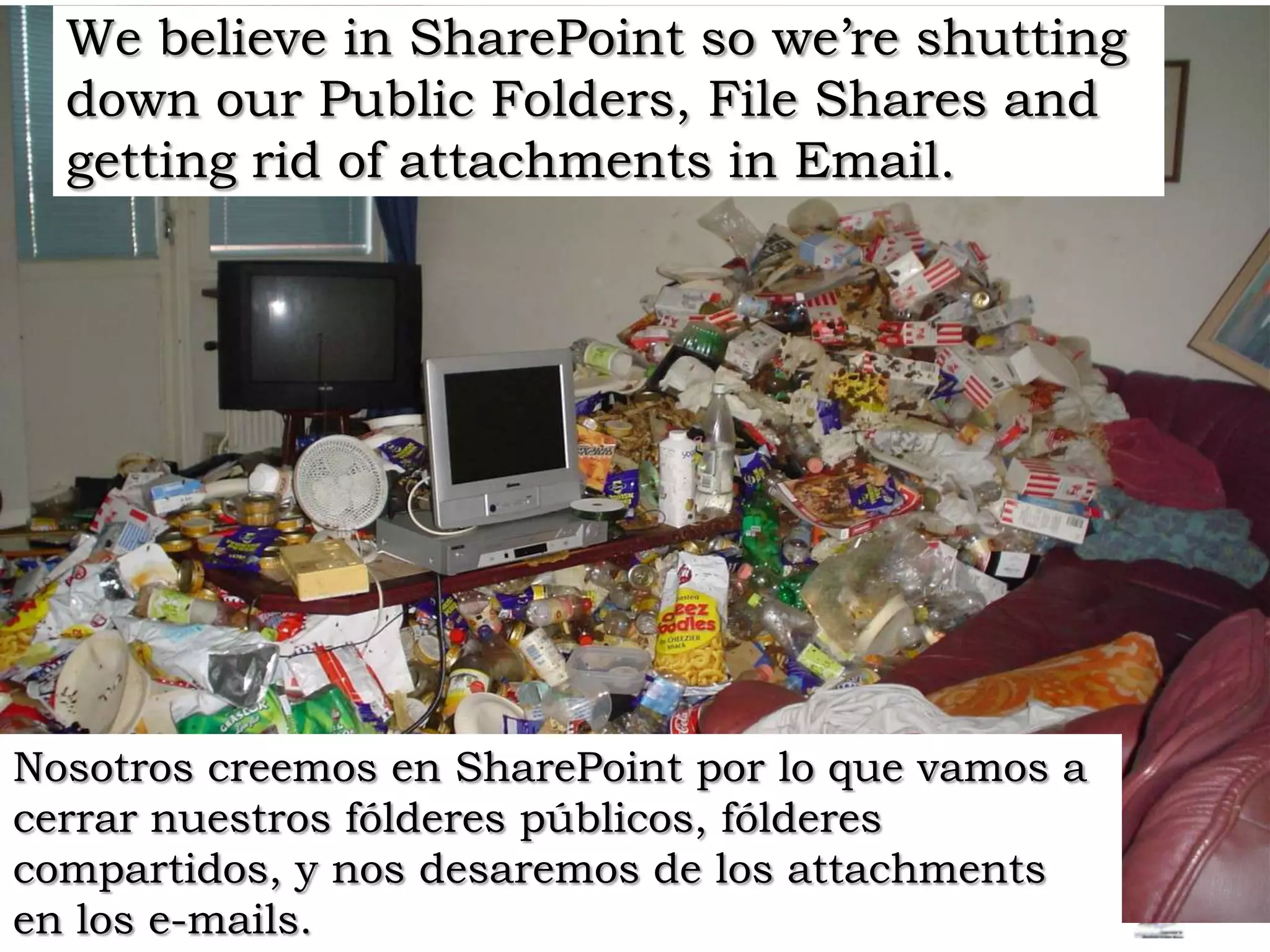
We believe in SharePoint so we’re shutting down our Public Folders, File Shares and getting rid of attachments in Email. Nosotros creemos en SharePoint por lo que vamos a cerrar nuestros fólderes públicos, fólderes compartidos, y nos desaremosde los attachments en los e-mails.
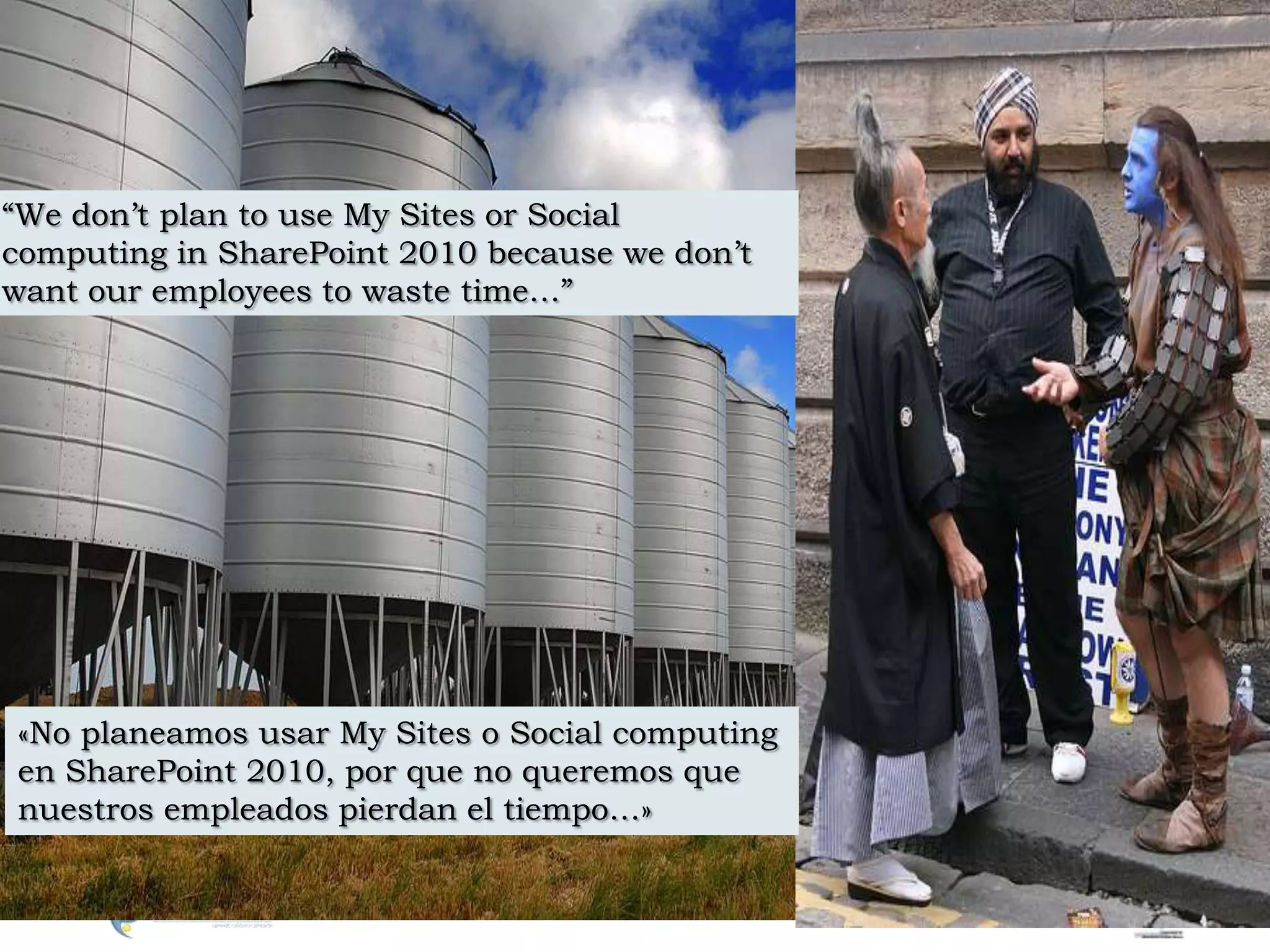
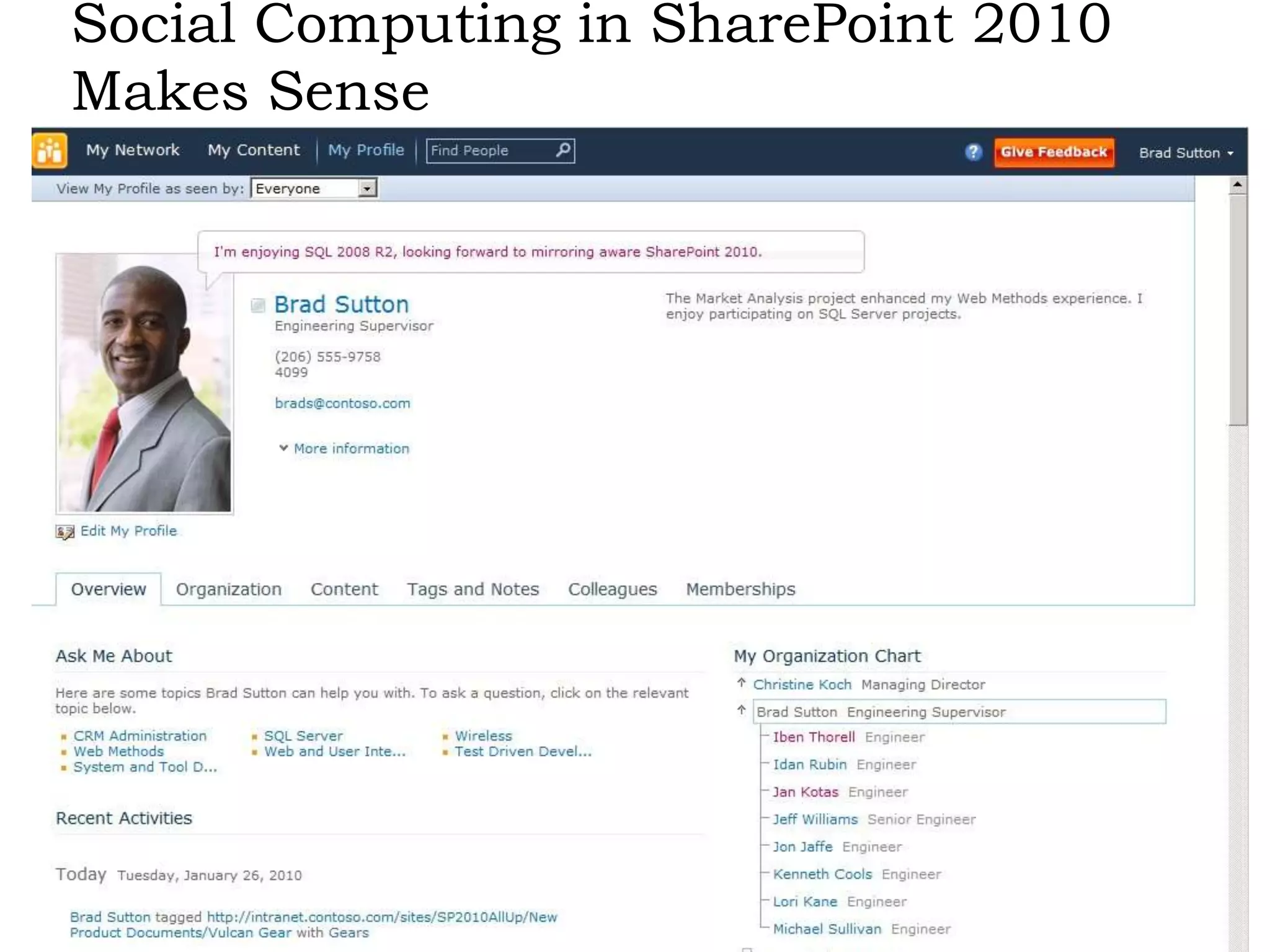
“We don’t plan to use My Sites or Social computing in SharePoint 2010 because we don’t want our employees to waste time…”«No planeamos usar My Sites o Social computing en SharePoint 2010, por que no queremos que nuestros empleados pierdan el tiempo…»
Social Computingin SharePoint 2010 Makes Sense
SharePoint 2010 Social  Computing OverviewDEMO
Sandbox solutions are too complex and JQuerydoesn’t really add value, server solutions are the only choice.Las soluciones Sandbox son muy duras y las soluciones Jquery no nos dan nada, server solutiones son la única opcion
We are using InPlace Upgrade because we don’t want to lose anything.Nosotros usamos InPlaceUpgrade por que no queremos perder nada.
10 Major MistakesI don’t know what to do, so I’ll turn it all on…Turn the lights on for the Services you need, turn on more as you need them.Project Management Office needs Project Server, Finance needs Reporting Server, PowerPivot and Access Services, CIO needs PerformancePoint, Enterprise Search for our Intranet, then there’s our Internet Site, oh and our Claims based extranet… we can easily do this in one box…Separate Dev/Test/Prod, but also separate unlike environments to Keep it Simple.Our developers don’t like the way SharePoint looks or how it works, so we’re going to use custom Site Definitions to get it to look the way we want it to…Avoid Create Site Defs if at all possible… Use Solutions Features and Master Pages!
10 Major Mistakes Continued…There aren’t enough triggers for what we need in the databases, we can always remove them later…Mucking with the database will result in NO SUPPORT from MS, and failed upgrade. Talk about CO$T!SharePoint has approvals, it’s so much easier when we all work together in the same environment…Dev environments are required for any Dev work, Test are mandatory for any SharePoint Environment for testing service packs.We want our departments to “Share” so we use the same portal for our collaboration, engineering and our intranet publishing, we just use different webs in one site collection.There are many reasons to split out your data 1) Growth 2) Quota 3) App Dev 4) Manageability 5) Not all departments have the same requirements
10 Major Mistakes Continued.We believe in SharePoint so we’re shutting down our Public Folders, File Shares and getting rid of attachments in Email. What’s wrong with that?Garbage in Garbage out. Never plan to dump your shares into SharePoint. We don’t plan to use My Sites or Social computing in SharePoint 2010 because we don’t want our employees to waste time.Social computing helps overcome silos.  Social encourages cross group collab.Sandbox solutions are too hard and Jquery doesn’t really get us anywhere.Client solutions free up IT time and provide control.We are using InPlace Upgrade because we don’t want to lose anything.Study.  Database Attach or Hybrid is a better approach.
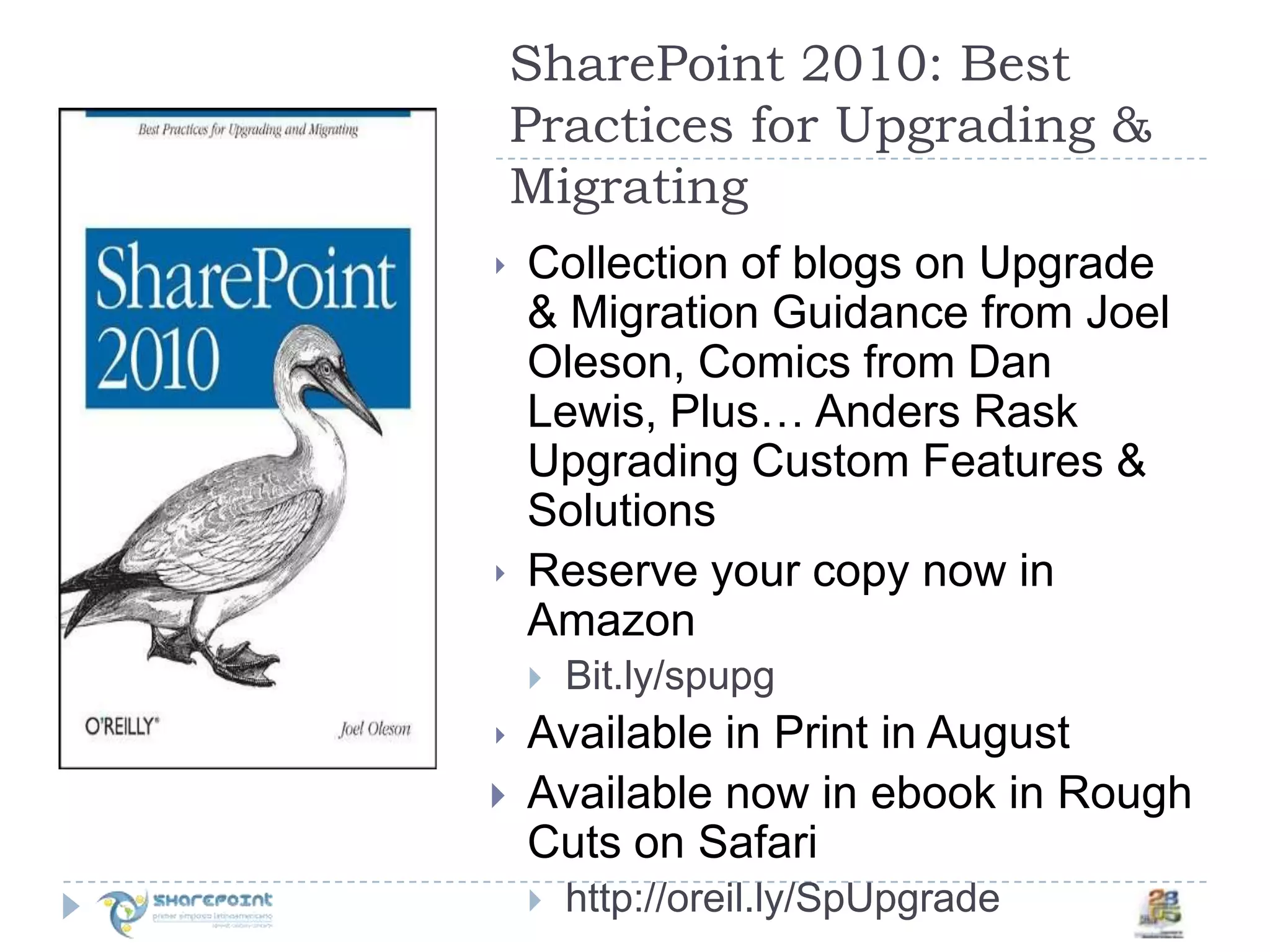
SharePoint 2010: Best Practices for Upgrading & MigratingCollection of blogs on Upgrade & Migration Guidance from Joel Oleson, Comics from Dan Lewis, Plus… Anders Rask Upgrading Custom Features & SolutionsReserve your copy now in AmazonBit.ly/spupgAvailable in Print in AugustAvailable now in ebook in Rough Cuts on Safarihttp://oreil.ly/SpUpgrade
5 minute Quest Product Update for SharePoint 2010
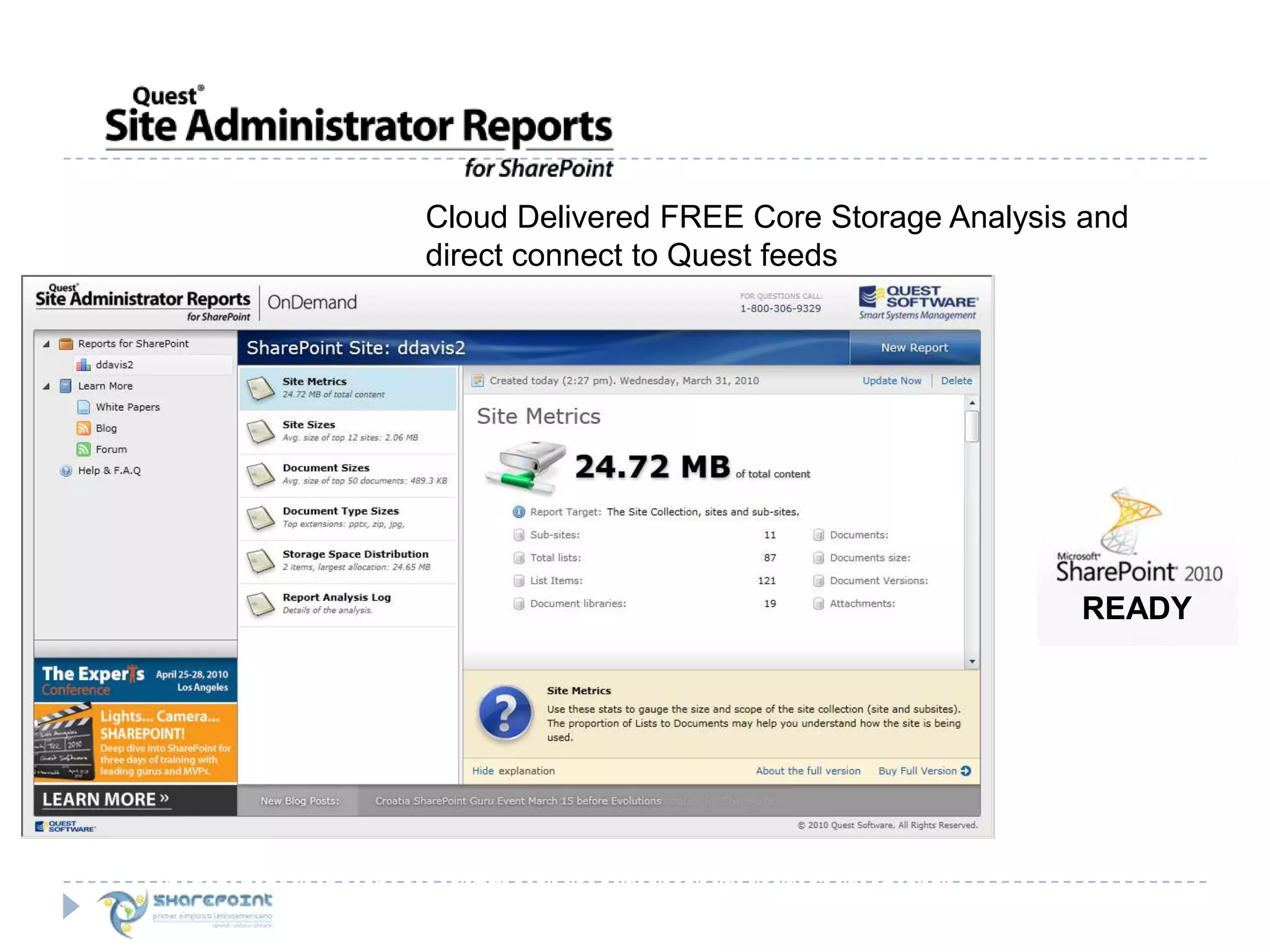
READYCloud Delivered FREE Core Storage Analysis and direct connect to Quest feedsAvailable for free at www.quest.com/reportsforsharepoint
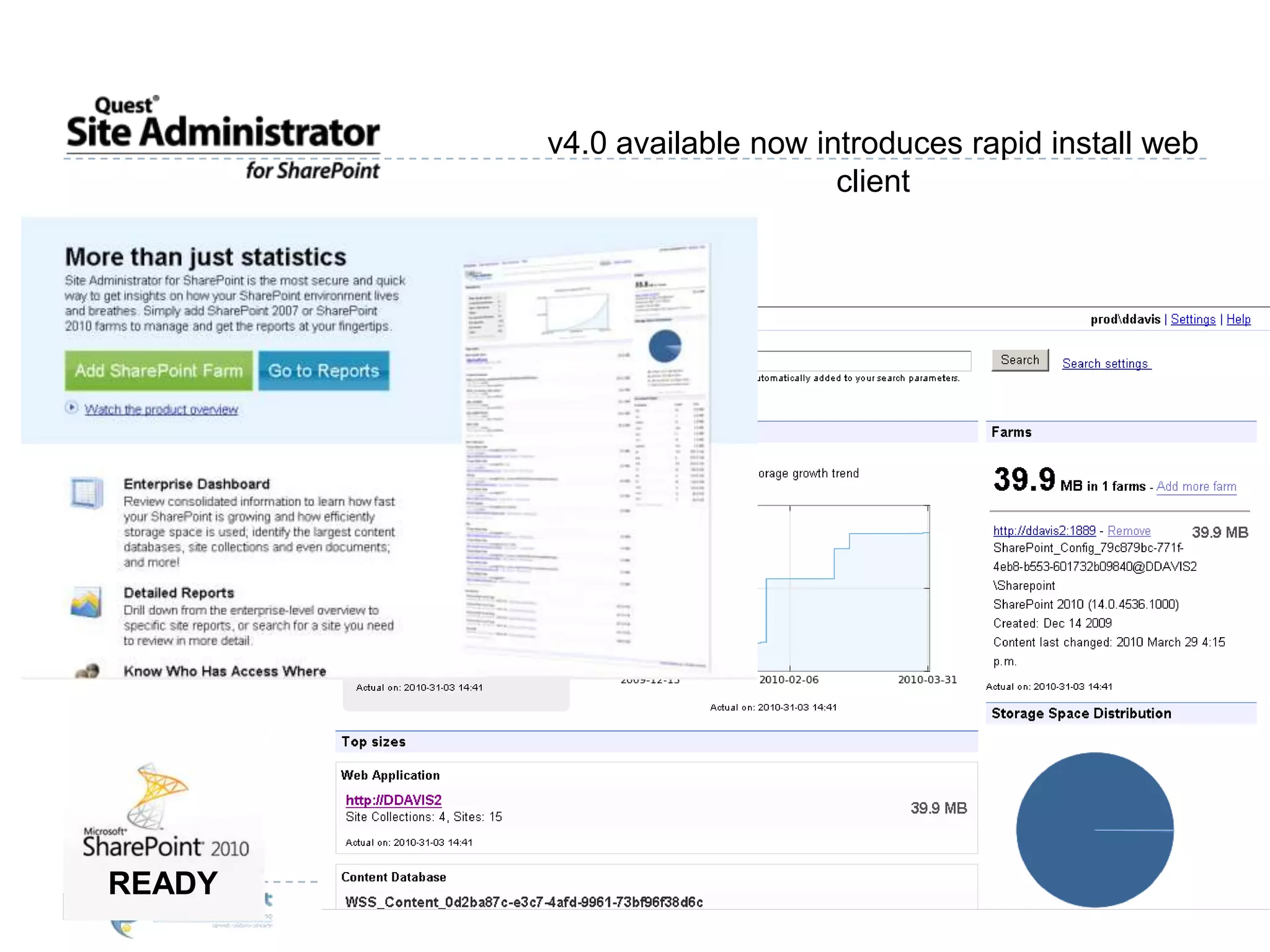
v4.0 available now introduces rapid install web clientREADY
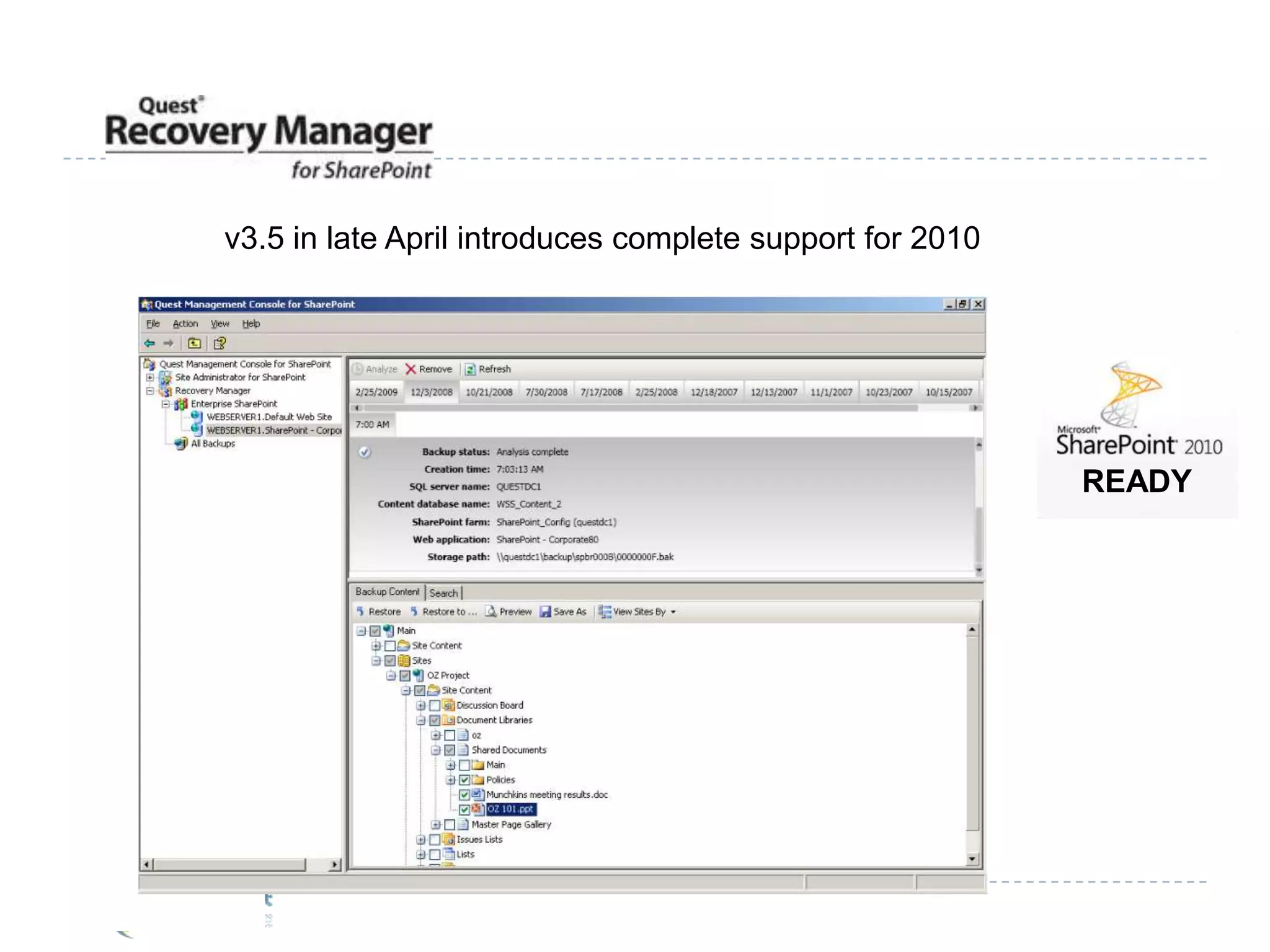
READYv3.5 in late April introduces complete support for 2010
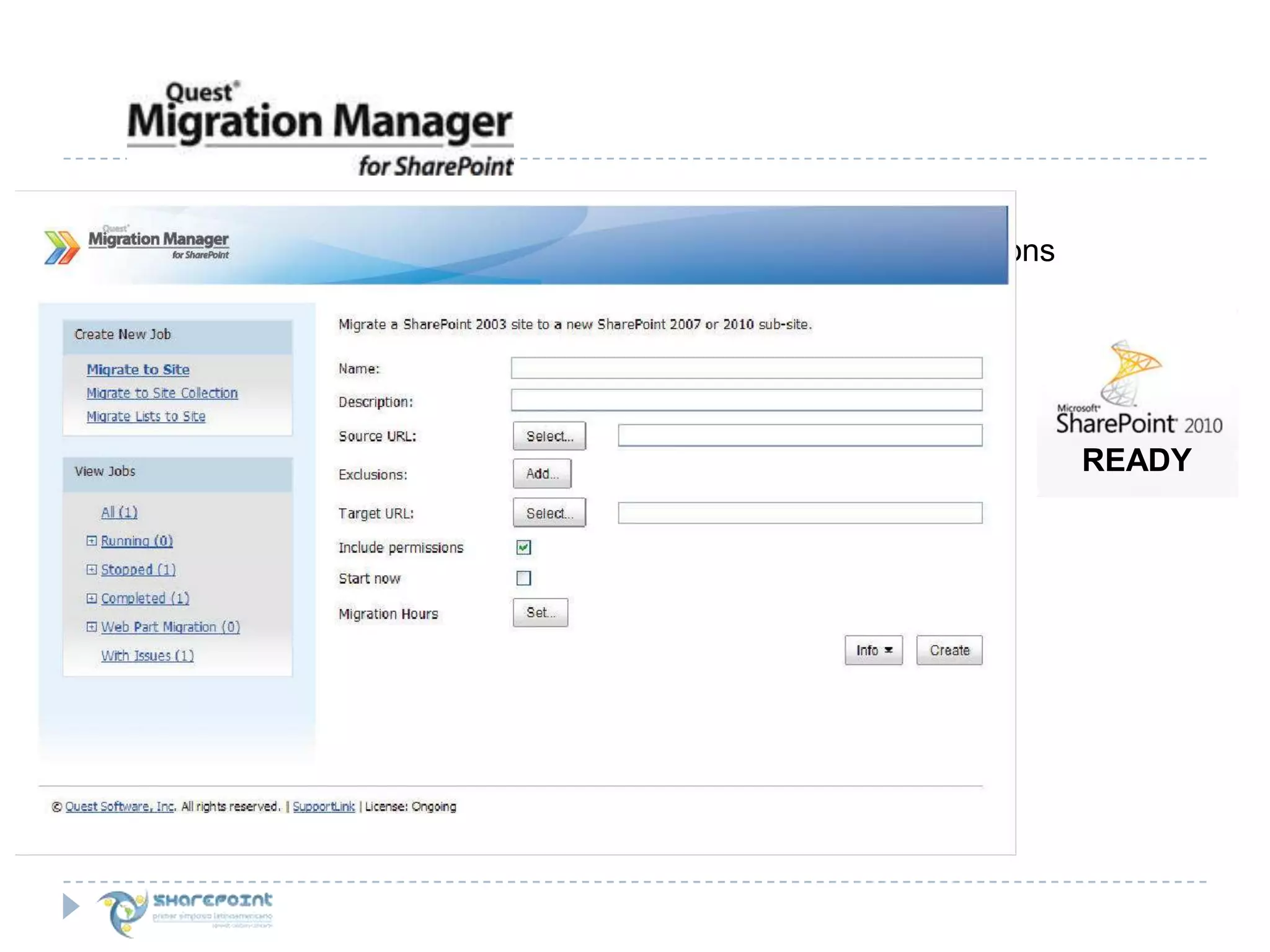
READYv2.2 in early May introduces 2003-2010 Direct Migrations
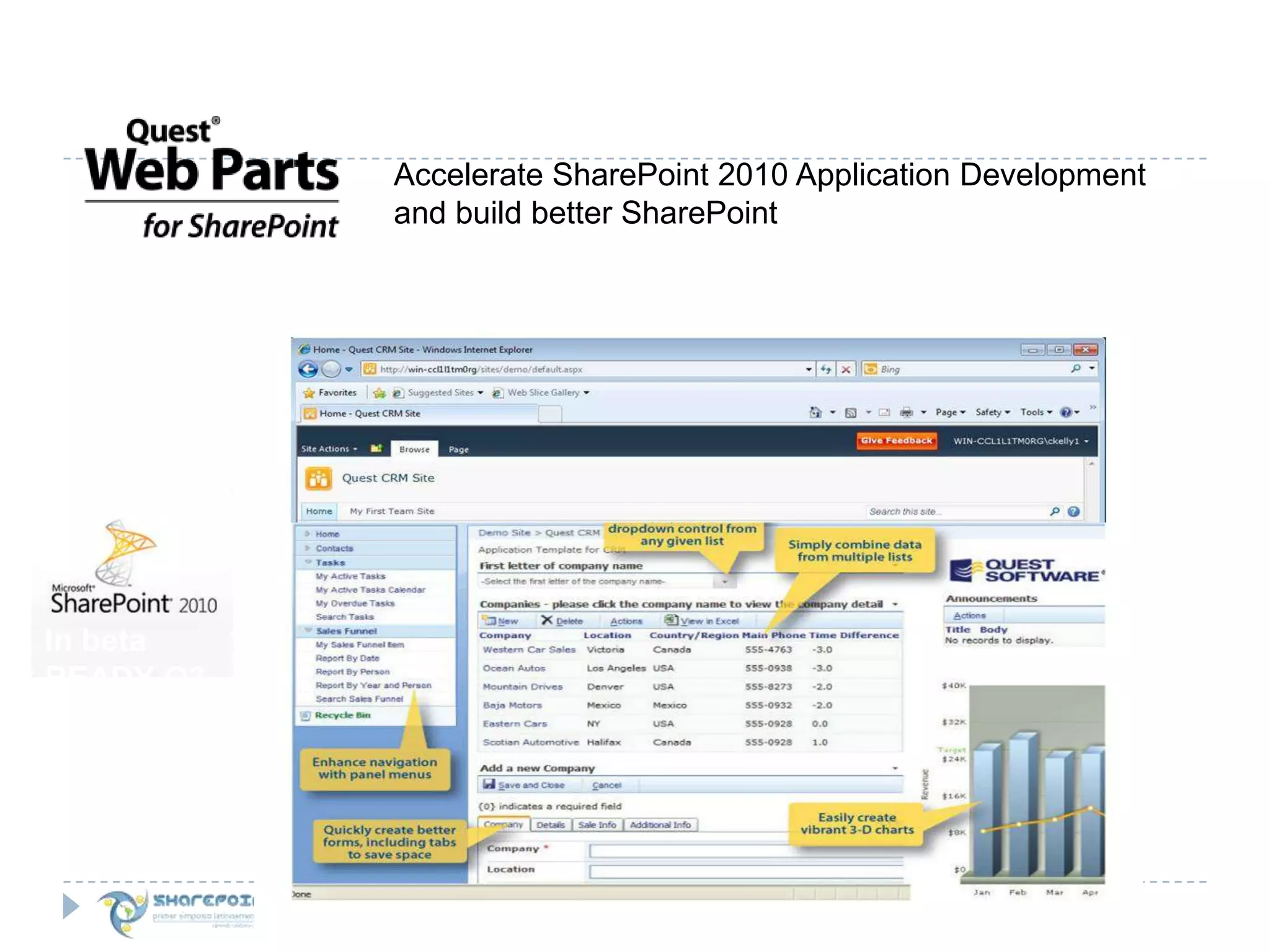
Accelerate SharePoint 2010 Application Development and build better SharePointIn beta READY Q3
Recuerdecompletar el formato de evaluaciónparaparticipar en la rifa de los premios
PatrocinanKED

SharePoint 2010 Failed Deployments en English y Español. 10 Pasos Para una Implementacion Exitosa de SharePoint 2010

  • 1.
    10 Steps toSuccessful DeploymentJoel OlesonSr. Product ArchitectQuest Softwarehttp://www.sharepointjoel.com@joeloleson
  • 2.
  • 4.
    I don’t knowwhat to do, so I’ll turn it all on…Nosé que hacer, mejor prendo todo…
  • 5.
    Choices - ServiceApplications
  • 6.
    Understanding the MANYSharePoint 2010 Databases
  • 7.
    WAN Friendly ServiceApps HTTPS WCF + XMLMost Common*SharePoint Foundation
  • 8.
    Understanding Local OnlyService Apps*EntepriseService Apps
  • 9.
    I Need inOne Box / Lo Necesito en la MismaCaja:Project PortfolioReporting ServerPowerPivotAccess ServicesPerformancePointFast Search IntranetPublishing InternetClaims based Extranet…What’s wrong? They are all MS Products…Cual es el problema, todos son productos de Microsoft…
  • 10.
    Live by theK.I.S.S. PrincipleKeep it Simple,StupidVive por el principio M.S.S. Manten SimpleY Sencillo
  • 11.
    Our developers don’tlike the way SharePoint looks and works, so we’re going to use Site Definitions to get it to look and work the way we want it to…A nuestros desarrolladores no les gusta como se ve y trabaja SharePoint, por lo que vamos a usar SiteDefinitions para que se vea y trabaje como queremos …
  • 12.
    There aren’t enoughtriggers for what we need in the databases, we can always remove them later. Come on a little table can easily be removed later…No hay suficientes triggers para lo que necesitamos en la base de datos, siempre los podemos quitar después. Una pequeña tabla la podemos quitar después…
  • 13.
    SharePoint has workflows& approval routing, it’s so much easier when we all work together in the same environment… --- No need for a Test environment…SharePoint tiene aprobaciones, es mucho mas facil que todos trabajemos en el mismo ambiente.-----No se necesita hacer una prueba de ambiente ----
  • 14.
  • 15.
    We use oneSite Collectionfor all the departments data.Nosotrosusamos un solo Site Collection paraalmacenartodanuestrainformacion.
  • 16.
     Pyramid of SharePointInformationPermanent Central PortalEnterprise SearchEnterprise BrowseCorporateBusiness TaxonomyWith DivisionalStakeholdersCentralPortalPermanent Division PortalsBusiness Process Division News, ScorecardsGroup ReportingSemi StructuredGroup, Team, ProjectSites and WorkspacesAd Hoc SelfServicew/ Life CycleManagementPerUserBlogs, bios, Social
  • 17.
    We believe inSharePoint so we’re shutting down our Public Folders, File Shares and getting rid of attachments in Email. Nosotros creemos en SharePoint por lo que vamos a cerrar nuestros fólderes públicos, fólderes compartidos, y nos desaremosde los attachments en los e-mails.
  • 18.
    “We don’t planto use My Sites or Social computing in SharePoint 2010 because we don’t want our employees to waste time…”«No planeamos usar My Sites o Social computing en SharePoint 2010, por que no queremos que nuestros empleados pierdan el tiempo…»
  • 19.
  • 20.
    SharePoint 2010 Social Computing OverviewDEMO
  • 21.
    Sandbox solutions aretoo complex and JQuerydoesn’t really add value, server solutions are the only choice.Las soluciones Sandbox son muy duras y las soluciones Jquery no nos dan nada, server solutiones son la única opcion
  • 22.
    We are usingInPlace Upgrade because we don’t want to lose anything.Nosotros usamos InPlaceUpgrade por que no queremos perder nada.
  • 23.
    10 Major MistakesIdon’t know what to do, so I’ll turn it all on…Turn the lights on for the Services you need, turn on more as you need them.Project Management Office needs Project Server, Finance needs Reporting Server, PowerPivot and Access Services, CIO needs PerformancePoint, Enterprise Search for our Intranet, then there’s our Internet Site, oh and our Claims based extranet… we can easily do this in one box…Separate Dev/Test/Prod, but also separate unlike environments to Keep it Simple.Our developers don’t like the way SharePoint looks or how it works, so we’re going to use custom Site Definitions to get it to look the way we want it to…Avoid Create Site Defs if at all possible… Use Solutions Features and Master Pages!
  • 24.
    10 Major MistakesContinued…There aren’t enough triggers for what we need in the databases, we can always remove them later…Mucking with the database will result in NO SUPPORT from MS, and failed upgrade. Talk about CO$T!SharePoint has approvals, it’s so much easier when we all work together in the same environment…Dev environments are required for any Dev work, Test are mandatory for any SharePoint Environment for testing service packs.We want our departments to “Share” so we use the same portal for our collaboration, engineering and our intranet publishing, we just use different webs in one site collection.There are many reasons to split out your data 1) Growth 2) Quota 3) App Dev 4) Manageability 5) Not all departments have the same requirements
  • 25.
    10 Major MistakesContinued.We believe in SharePoint so we’re shutting down our Public Folders, File Shares and getting rid of attachments in Email. What’s wrong with that?Garbage in Garbage out. Never plan to dump your shares into SharePoint. We don’t plan to use My Sites or Social computing in SharePoint 2010 because we don’t want our employees to waste time.Social computing helps overcome silos. Social encourages cross group collab.Sandbox solutions are too hard and Jquery doesn’t really get us anywhere.Client solutions free up IT time and provide control.We are using InPlace Upgrade because we don’t want to lose anything.Study. Database Attach or Hybrid is a better approach.
  • 26.
    SharePoint 2010: BestPractices for Upgrading & MigratingCollection of blogs on Upgrade & Migration Guidance from Joel Oleson, Comics from Dan Lewis, Plus… Anders Rask Upgrading Custom Features & SolutionsReserve your copy now in AmazonBit.ly/spupgAvailable in Print in AugustAvailable now in ebook in Rough Cuts on Safarihttp://oreil.ly/SpUpgrade
  • 27.
    5 minute QuestProduct Update for SharePoint 2010
  • 28.
    READYCloud Delivered FREECore Storage Analysis and direct connect to Quest feedsAvailable for free at www.quest.com/reportsforsharepoint
  • 29.
    v4.0 available nowintroduces rapid install web clientREADY
  • 30.
    READYv3.5 in lateApril introduces complete support for 2010
  • 31.
    READYv2.2 in earlyMay introduces 2003-2010 Direct Migrations
  • 32.
    Accelerate SharePoint 2010Application Development and build better SharePointIn beta READY Q3
  • 33.
    Recuerdecompletar el formatode evaluaciónparaparticipar en la rifa de los premios
  • 34.