



Joel Oleson Sr. Architect http://www.SharePointJoel.com Quest Software @joeloleson Contributions from Sean Livingston
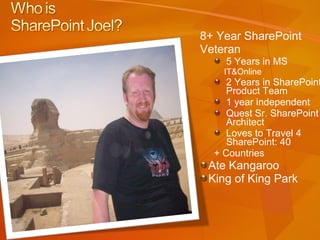
8+ Year SharePoint  Veteran 5 Years in MS  IT&Online 2 Years in SharePoint Product Team 1 year independent Quest Sr. SharePoint Architect Loves to Travel 4 SharePoint: 40 + Countries Ate Kangaroo  King of King Park
 
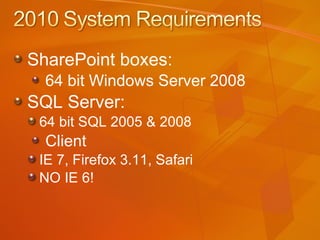
SharePoint boxes:  64 bit Windows Server 2008 SQL Server: 64 bit SQL 2005 & 2008 Client IE 7, Firefox 3.11, Safari  NO IE 6!
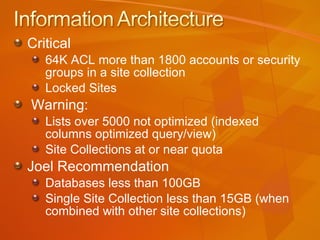
Critical 64K ACL more than 1800 accounts or security groups in a site collection Locked Sites Warning: Lists over 5000 not optimized (indexed columns optimized query/view) Site Collections at or near quota Joel Recommendation Databases less than 100GB Single Site Collection less than 15GB (when combined with other site collections)
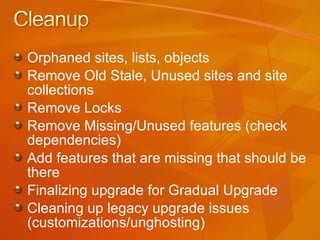
Orphaned sites, lists, objects Remove Old Stale, Unused sites and site collections Remove Locks Remove Missing/Unused features (check dependencies) Add features that are missing that should be there Finalizing upgrade for Gradual Upgrade Cleaning up legacy upgrade issues (customizations/unghosting)
You just rolled out Visual Studio 2008? Plans for 2010… Should you be be buying 64 bit mandatory desktops now?  YES! Dev Environment Remote,  VM/image Local development
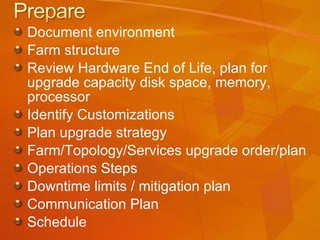
Document environment Farm structure Review Hardware End of Life, plan for upgrade capacity disk space, memory, processor Identify Customizations Plan upgrade strategy Farm/Topology/Services upgrade order/plan Operations Steps Downtime limits / mitigation plan Communication Plan Schedule
Hunting for Customizations Binaries (_layouts, features, 12hive- sitedef) Installation Dir GAC Homedir Solutions Add/Remove Programs Don’t forget  timer jobs Event receivers HTTP handlers & IIS customizations Third Party installations: work with third party for upgrade guidance)
Windiff Beyond Compare SPDiag (SP Admin Kit) Preupgradecheck Mike Watson’s – Quest Deployment Advisor 1.0
Scope and plan your upgrade  Test your upgrade and estimate your upgrade duration Review customizations  Keep or decommission customizations Cleanup Remove orphans, increase close quotas, remove locks Service offering Redesign, training, communication plan
Get all SharePoint servers to Service Pack 2 or later While prescan.exe the WSS 2.0/SPS 2003 flipped a bit the PreUpgradeCheck does NOT Write.
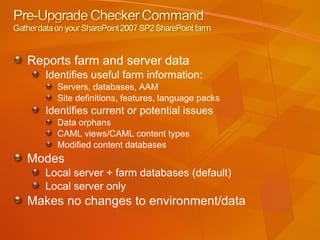
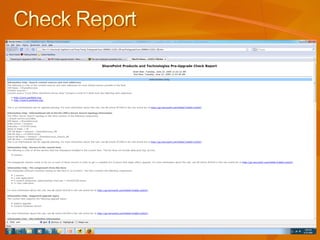
Reports farm and server data Identifies useful farm information: Servers, databases, AAM Site definitions, features, language packs Identifies current or potential issues Data orphans CAML views/CAML content types Modified content databases Modes Local server + farm databases (default) Local server only Makes no changes to environment/data
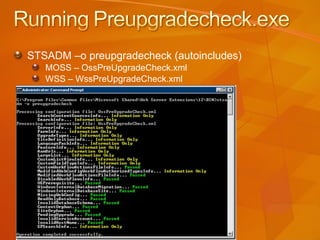
STSADM –o preupgradecheck (autoincludes) MOSS – OssPreUpgradeCheck.xml WSS – WssPreUpgradeCheck.xml
 
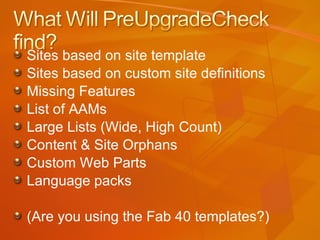
Sites based on site template Sites based on custom site definitions Missing Features List of AAMs Large Lists (Wide, High Count) Content & Site Orphans Custom Web Parts Language packs (Are you using the Fab 40 templates?)
Information & Configuration Information Content Sources & Start addresses Topology +(SSPs), WSS Search Topology Servers (Not including SQL) Upgrade Types AAMs, Lists & Libraries  Important (Customizations & Dependencies) Site Definition (Listed & Missing) Installed Language Pack Features Custom List Views & Custom Field Types, Web.Config entries
 
Read-only databases (v3 SP2) Parallel content database upgrades Parallel upgrade farms (v3)
In Place – Existing farm Database Attach – New Farm
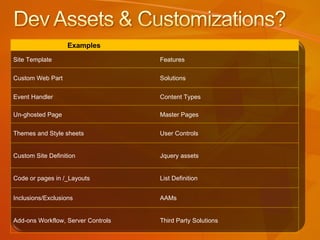
Examples Site Template Features Custom Web Part Solutions Event Handler Content Types Un-ghosted Page Master Pages Themes and Style sheets User Controls Custom Site Definition Jquery assets Code or pages in /_Layouts List Definition Inclusions/Exclusions AAMs Add-ons Workflow, Server Controls Third Party Solutions
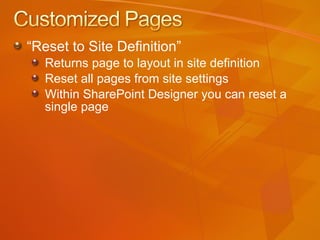
“ Reset to Site Definition”  Returns page to layout in site definition  Reset all pages from site settings Within SharePoint Designer you can reset a single page
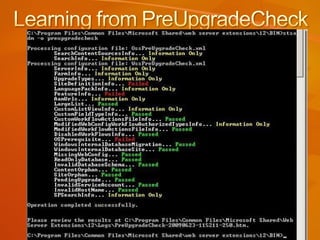
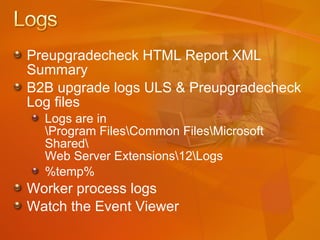
Preupgradecheck HTML Report XML Summary B2B upgrade logs ULS & Preupgradecheck Log files  Logs are in \Program Files\Common Files\Microsoft Shared\ Web Server Extensions\12\Logs %temp% Worker process logs Watch the Event Viewer
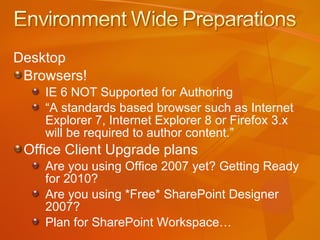
Desktop Browsers! IE 6 NOT Supported for Authoring “ A standards based browser such as Internet Explorer 7, Internet Explorer 8 or Firefox 3.x will be required to author content.” Office Client Upgrade plans Are you using Office 2007 yet? Getting Ready for 2010? Are you using *Free* SharePoint Designer 2007? Plan for SharePoint Workspace…
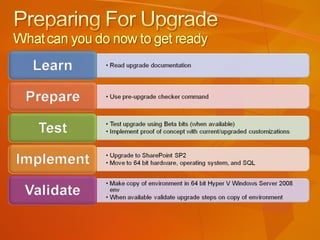
Create a Hyper V 2008 64 bit copy of your environment with all customizations with SP2 Run PreUpgradeCheck on HyperV environment Cleanup data and structures Test upgrade with Tech Preview or Public Beta (When available) Set Governance Policies around supportability today to manage (features/site definitions) WSPs &  features  over site definitions
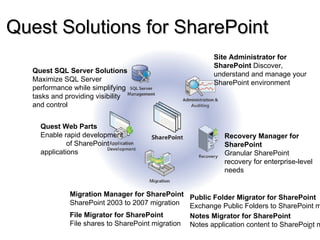
Quest Solutions for SharePoint  Site Administrator for SharePoint  Discover, understand and manage your SharePoint environment Migration Manager for SharePoint  SharePoint 2003 to 2007 migration File Migrator for SharePoint  File shares to SharePoint migration Recovery Manager for SharePoint Granular SharePoint recovery for enterprise-level needs Quest Web Parts  Enable rapid development  of SharePoint applications Public Folder Migrator for SharePoint Exchange Public Folders to SharePoint migration Notes Migrator for SharePoint Notes application content to SharePoint migration Quest SQL Server Solutions  Maximize SQL Server performance while simplifying tasks and providing visibility and control


www.quest.com/ANZsharepointtrialoffer   Code:SPJoelSA www.quest.com/ANZrecoverytrialoffer Code: SPJoelRM
Content DB orphans  KB 918743 and KB 918744 stsadm -o databaserepair -url http:/site -databasename DatabaseName stsadm -o databaserepair -url http://site -databasename DatabaseName –deletecorruption Config DB orphans KB 918742 spsadm –o repairorphans –url http://site Windows SharePoint Services Config DB orphans Remove and then reattach the content  databases on the virtual server DON’T FORGET PREPARETOMOVE STSADM
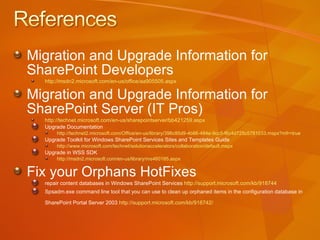
Migration and Upgrade Information for  SharePoint Developers http://msdn2.microsoft.com/en-us/office/aa905505.aspx   Migration and Upgrade Information for  SharePoint Server (IT Pros) http://technet.microsoft.com/en-us/sharepointserver/bb421259.aspx Upgrade Documentation  http://technet2.microsoft.com/Office/en-us/library/396c85d9-4b86-484e-9cc5-f6c4d725c5781033.mspx?mfr=true   Upgrade Toolkit for Windows SharePoint Services Sites and Templates Guide http://www.microsoft.com/technet/solutionaccelerators/collaboration/default.mspx   Upgrade in WSS SDK  http://msdn2.microsoft.com/en-us/library/ms460185.aspx   Fix your Orphans HotFixes repair content databases in Windows SharePoint Services  http://support.microsoft.com/kb/918744   Spsadm.exe command line tool that you can use to clean up orphaned items in the configuration database in SharePoint Portal Server 2003  http://support.microsoft.com/kb/918742 /
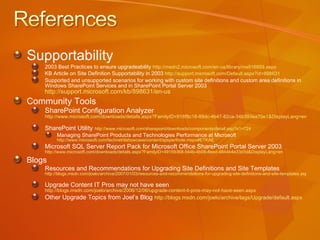
Supportability 2003 Best Practices to ensure upgradeability  http://msdn2.microsoft.com/en-us/library/ms916859.aspx   KB Article on Site Definition Supportability in 2003  http://support.microsoft.com/Default.aspx?id=898631 Supported and unsupported scenarios for working with custom site definitions and custom area definitions in Windows SharePoint Services and in SharePoint Portal Server 2003  http://support.microsoft.com/kb/898631/en-us   Community Tools SharePoint Configuration Analyzer  http://www.microsoft.com/downloads/details.aspx?FamilyID=918f8c18-89dc-4b47-82ca-34b393ea70e1&DisplayLang=en   SharePoint Utility  http://www.microsoft.com/sharepoint/downloads/components/detail.asp?a1=724   Managing SharePoint Products and Technologies Performance at Microsoft  http://www.microsoft.com/technet/itshowcase/content/spsperfnote.mspx#ETKAE   Microsoft SQL Server Report Pack for Microsoft Office SharePoint Portal Server 2003  http://www.microsoft.com/downloads/details.aspx?FamilyID=49159368-544b-4b09-8eed-4844b4e33d3d&DisplayLang=en   Blogs Resources and Recommendations for Upgrading Site Definitions and Site Templates  http://blogs.msdn.com/joelo/archive/2007/01/03/resources-and-recommendations-for-upgrading-site-definitions-and-site-templates.aspx   Upgrade Content IT Pros may not have seen  http://blogs.msdn.com/joelo/archive/2006/12/06/upgrade-content-it-pros-may-not-have-seen.aspx   Other Upgrade Topics from Joel’s Blog   http://blogs.msdn.com/joelo/archive/tags/Upgrade/default.aspx

2010preparingforupgradeoleson

  • 1.
    Joel Oleson Sr.Architect http://www.SharePointJoel.com Quest Software @joeloleson Contributions from Sean Livingston
  • 2.
    8+ Year SharePoint Veteran 5 Years in MS IT&Online 2 Years in SharePoint Product Team 1 year independent Quest Sr. SharePoint Architect Loves to Travel 4 SharePoint: 40 + Countries Ate Kangaroo King of King Park
  • 3.
  • 4.
    SharePoint boxes: 64 bit Windows Server 2008 SQL Server: 64 bit SQL 2005 & 2008 Client IE 7, Firefox 3.11, Safari NO IE 6!
  • 5.
    Critical 64K ACLmore than 1800 accounts or security groups in a site collection Locked Sites Warning: Lists over 5000 not optimized (indexed columns optimized query/view) Site Collections at or near quota Joel Recommendation Databases less than 100GB Single Site Collection less than 15GB (when combined with other site collections)
  • 6.
    Orphaned sites, lists,objects Remove Old Stale, Unused sites and site collections Remove Locks Remove Missing/Unused features (check dependencies) Add features that are missing that should be there Finalizing upgrade for Gradual Upgrade Cleaning up legacy upgrade issues (customizations/unghosting)
  • 7.
    You just rolledout Visual Studio 2008? Plans for 2010… Should you be be buying 64 bit mandatory desktops now? YES! Dev Environment Remote, VM/image Local development
  • 8.
    Document environment Farmstructure Review Hardware End of Life, plan for upgrade capacity disk space, memory, processor Identify Customizations Plan upgrade strategy Farm/Topology/Services upgrade order/plan Operations Steps Downtime limits / mitigation plan Communication Plan Schedule
  • 9.
    Hunting for CustomizationsBinaries (_layouts, features, 12hive- sitedef) Installation Dir GAC Homedir Solutions Add/Remove Programs Don’t forget timer jobs Event receivers HTTP handlers & IIS customizations Third Party installations: work with third party for upgrade guidance)
  • 10.
    Windiff Beyond CompareSPDiag (SP Admin Kit) Preupgradecheck Mike Watson’s – Quest Deployment Advisor 1.0
  • 11.
    Scope and planyour upgrade Test your upgrade and estimate your upgrade duration Review customizations Keep or decommission customizations Cleanup Remove orphans, increase close quotas, remove locks Service offering Redesign, training, communication plan
  • 12.
    Get all SharePointservers to Service Pack 2 or later While prescan.exe the WSS 2.0/SPS 2003 flipped a bit the PreUpgradeCheck does NOT Write.
  • 13.
    Reports farm andserver data Identifies useful farm information: Servers, databases, AAM Site definitions, features, language packs Identifies current or potential issues Data orphans CAML views/CAML content types Modified content databases Modes Local server + farm databases (default) Local server only Makes no changes to environment/data
  • 14.
    STSADM –o preupgradecheck(autoincludes) MOSS – OssPreUpgradeCheck.xml WSS – WssPreUpgradeCheck.xml
  • 15.
  • 16.
    Sites based onsite template Sites based on custom site definitions Missing Features List of AAMs Large Lists (Wide, High Count) Content & Site Orphans Custom Web Parts Language packs (Are you using the Fab 40 templates?)
  • 17.
    Information & ConfigurationInformation Content Sources & Start addresses Topology +(SSPs), WSS Search Topology Servers (Not including SQL) Upgrade Types AAMs, Lists & Libraries Important (Customizations & Dependencies) Site Definition (Listed & Missing) Installed Language Pack Features Custom List Views & Custom Field Types, Web.Config entries
  • 18.
  • 19.
    Read-only databases (v3SP2) Parallel content database upgrades Parallel upgrade farms (v3)
  • 20.
    In Place –Existing farm Database Attach – New Farm
  • 21.
    Examples Site TemplateFeatures Custom Web Part Solutions Event Handler Content Types Un-ghosted Page Master Pages Themes and Style sheets User Controls Custom Site Definition Jquery assets Code or pages in /_Layouts List Definition Inclusions/Exclusions AAMs Add-ons Workflow, Server Controls Third Party Solutions
  • 22.
    “ Reset toSite Definition” Returns page to layout in site definition Reset all pages from site settings Within SharePoint Designer you can reset a single page
  • 23.
    Preupgradecheck HTML ReportXML Summary B2B upgrade logs ULS & Preupgradecheck Log files Logs are in \Program Files\Common Files\Microsoft Shared\ Web Server Extensions\12\Logs %temp% Worker process logs Watch the Event Viewer
  • 24.
    Desktop Browsers! IE6 NOT Supported for Authoring “ A standards based browser such as Internet Explorer 7, Internet Explorer 8 or Firefox 3.x will be required to author content.” Office Client Upgrade plans Are you using Office 2007 yet? Getting Ready for 2010? Are you using *Free* SharePoint Designer 2007? Plan for SharePoint Workspace…
  • 25.
    Create a HyperV 2008 64 bit copy of your environment with all customizations with SP2 Run PreUpgradeCheck on HyperV environment Cleanup data and structures Test upgrade with Tech Preview or Public Beta (When available) Set Governance Policies around supportability today to manage (features/site definitions) WSPs & features over site definitions
  • 26.
    Quest Solutions forSharePoint Site Administrator for SharePoint Discover, understand and manage your SharePoint environment Migration Manager for SharePoint SharePoint 2003 to 2007 migration File Migrator for SharePoint File shares to SharePoint migration Recovery Manager for SharePoint Granular SharePoint recovery for enterprise-level needs Quest Web Parts Enable rapid development of SharePoint applications Public Folder Migrator for SharePoint Exchange Public Folders to SharePoint migration Notes Migrator for SharePoint Notes application content to SharePoint migration Quest SQL Server Solutions Maximize SQL Server performance while simplifying tasks and providing visibility and control
  • 27.
  • 28.
  • 29.
  • 30.
    www.quest.com/ANZsharepointtrialoffer Code:SPJoelSA www.quest.com/ANZrecoverytrialoffer Code: SPJoelRM
  • 31.
    Content DB orphans KB 918743 and KB 918744 stsadm -o databaserepair -url http:/site -databasename DatabaseName stsadm -o databaserepair -url http://site -databasename DatabaseName –deletecorruption Config DB orphans KB 918742 spsadm –o repairorphans –url http://site Windows SharePoint Services Config DB orphans Remove and then reattach the content databases on the virtual server DON’T FORGET PREPARETOMOVE STSADM
  • 32.
    Migration and UpgradeInformation for SharePoint Developers http://msdn2.microsoft.com/en-us/office/aa905505.aspx Migration and Upgrade Information for SharePoint Server (IT Pros) http://technet.microsoft.com/en-us/sharepointserver/bb421259.aspx Upgrade Documentation http://technet2.microsoft.com/Office/en-us/library/396c85d9-4b86-484e-9cc5-f6c4d725c5781033.mspx?mfr=true Upgrade Toolkit for Windows SharePoint Services Sites and Templates Guide http://www.microsoft.com/technet/solutionaccelerators/collaboration/default.mspx Upgrade in WSS SDK http://msdn2.microsoft.com/en-us/library/ms460185.aspx Fix your Orphans HotFixes repair content databases in Windows SharePoint Services http://support.microsoft.com/kb/918744 Spsadm.exe command line tool that you can use to clean up orphaned items in the configuration database in SharePoint Portal Server 2003 http://support.microsoft.com/kb/918742 /
  • 33.
    Supportability 2003 BestPractices to ensure upgradeability http://msdn2.microsoft.com/en-us/library/ms916859.aspx KB Article on Site Definition Supportability in 2003 http://support.microsoft.com/Default.aspx?id=898631 Supported and unsupported scenarios for working with custom site definitions and custom area definitions in Windows SharePoint Services and in SharePoint Portal Server 2003 http://support.microsoft.com/kb/898631/en-us Community Tools SharePoint Configuration Analyzer http://www.microsoft.com/downloads/details.aspx?FamilyID=918f8c18-89dc-4b47-82ca-34b393ea70e1&DisplayLang=en SharePoint Utility http://www.microsoft.com/sharepoint/downloads/components/detail.asp?a1=724 Managing SharePoint Products and Technologies Performance at Microsoft http://www.microsoft.com/technet/itshowcase/content/spsperfnote.mspx#ETKAE Microsoft SQL Server Report Pack for Microsoft Office SharePoint Portal Server 2003 http://www.microsoft.com/downloads/details.aspx?FamilyID=49159368-544b-4b09-8eed-4844b4e33d3d&DisplayLang=en Blogs Resources and Recommendations for Upgrading Site Definitions and Site Templates http://blogs.msdn.com/joelo/archive/2007/01/03/resources-and-recommendations-for-upgrading-site-definitions-and-site-templates.aspx Upgrade Content IT Pros may not have seen http://blogs.msdn.com/joelo/archive/2006/12/06/upgrade-content-it-pros-may-not-have-seen.aspx Other Upgrade Topics from Joel’s Blog http://blogs.msdn.com/joelo/archive/tags/Upgrade/default.aspx

Editor's Notes

  • #4 08/04/09 11:00 © 2007 Microsoft Corporation. All rights reserved. Microsoft, Windows, Windows Vista and other product names are or may be registered trademarks and/or trademarks in the U.S. and/or other countries. The information herein is for informational purposes only and represents the current view of Microsoft Corporation as of the date of this presentation. Because Microsoft must respond to changing market conditions, it should not be interpreted to be a commitment on the part of Microsoft, and Microsoft cannot guarantee the accuracy of any information provided after the date of this presentation. MICROSOFT MAKES NO WARRANTIES, EXPRESS, IMPLIED OR STATUTORY, AS TO THE INFORMATION IN THIS PRESENTATION.
  • #12 08/04/09 11:00 MICROSOFT CONFIDENTIAL © 2006 Microsoft Corporation. All rights reserved. Microsoft, Windows, Windows Vista and other product names are or may be registered trademarks and/or trademarks in the U.S. and/or other countries. The information herein is for informational purposes only and represents the current view of Microsoft Corporation as of the date of this presentation. Because Microsoft must respond to changing market conditions, it should not be interpreted to be a commitment on the part of Microsoft, and Microsoft cannot guarantee the accuracy of any information provided after the date of this presentation. MICROSOFT MAKES NO WARRANTIES, EXPRESS, IMPLIED OR STATUTORY, AS TO THE INFORMATION IN THIS PRESENTATION.
  • #14 08/04/09 11:00 © 2007 Microsoft Corporation. All rights reserved. Microsoft, Windows, Windows Vista and other product names are or may be registered trademarks and/or trademarks in the U.S. and/or other countries. The information herein is for informational purposes only and represents the current view of Microsoft Corporation as of the date of this presentation. Because Microsoft must respond to changing market conditions, it should not be interpreted to be a commitment on the part of Microsoft, and Microsoft cannot guarantee the accuracy of any information provided after the date of this presentation. MICROSOFT MAKES NO WARRANTIES, EXPRESS, IMPLIED OR STATUTORY, AS TO THE INFORMATION IN THIS PRESENTATION.
  • #15 08/04/09 11:00 MICROSOFT CONFIDENTIAL © 2006 Microsoft Corporation. All rights reserved. Microsoft, Windows, Windows Vista and other product names are or may be registered trademarks and/or trademarks in the U.S. and/or other countries. The information herein is for informational purposes only and represents the current view of Microsoft Corporation as of the date of this presentation. Because Microsoft must respond to changing market conditions, it should not be interpreted to be a commitment on the part of Microsoft, and Microsoft cannot guarantee the accuracy of any information provided after the date of this presentation. MICROSOFT MAKES NO WARRANTIES, EXPRESS, IMPLIED OR STATUTORY, AS TO THE INFORMATION IN THIS PRESENTATION.
  • #20 Downtime Mitigation Processes Downtime mitigation can be achieved through multiple process, which can be combined: Read-only databases were introduced in WSS v3 SP2. Effectively promotes a single read-only database setting to be functionally equivalent in the UI as setting read-only for all site collections in the content database. Temporary parallel upgrade farms can be done using either v3 or v4, and entails setting up a single or two box farm temporarily with the same AAM URL mappings as the source farm and doing upgrades of individual content databases against it. 08/04/09 11:00 © 2007 Microsoft Corporation. All rights reserved. Microsoft, Windows, Windows Vista and other product names are or may be registered trademarks and/or trademarks in the U.S. and/or other countries. The information herein is for informational purposes only and represents the current view of Microsoft Corporation as of the date of this presentation. Because Microsoft must respond to changing market conditions, it should not be interpreted to be a commitment on the part of Microsoft, and Microsoft cannot guarantee the accuracy of any information provided after the date of this presentation. MICROSOFT MAKES NO WARRANTIES, EXPRESS, IMPLIED OR STATUTORY, AS TO THE INFORMATION IN THIS PRESENTATION.
  • #23 08/04/09 11:00 MICROSOFT CONFIDENTIAL © 2006 Microsoft Corporation. All rights reserved. Microsoft, Windows, Windows Vista and other product names are or may be registered trademarks and/or trademarks in the U.S. and/or other countries. The information herein is for informational purposes only and represents the current view of Microsoft Corporation as of the date of this presentation. Because Microsoft must respond to changing market conditions, it should not be interpreted to be a commitment on the part of Microsoft, and Microsoft cannot guarantee the accuracy of any information provided after the date of this presentation. MICROSOFT MAKES NO WARRANTIES, EXPRESS, IMPLIED OR STATUTORY, AS TO THE INFORMATION IN THIS PRESENTATION.
  • #24 08/04/09 11:00 MICROSOFT CONFIDENTIAL © 2006 Microsoft Corporation. All rights reserved. Microsoft, Windows, Windows Vista and other product names are or may be registered trademarks and/or trademarks in the U.S. and/or other countries. The information herein is for informational purposes only and represents the current view of Microsoft Corporation as of the date of this presentation. Because Microsoft must respond to changing market conditions, it should not be interpreted to be a commitment on the part of Microsoft, and Microsoft cannot guarantee the accuracy of any information provided after the date of this presentation. MICROSOFT MAKES NO WARRANTIES, EXPRESS, IMPLIED OR STATUTORY, AS TO THE INFORMATION IN THIS PRESENTATION.
  • #27 Quest Site Administrator helps you Discover what SharePoint instances exist across the organization. This includes WSS and Portal (2003 and 2007). It finds it all across the enterprise. Once you discover SharePoint org-wide, Site Administrator helps you understand how SharePoint is being used . It features more than 30 reports to help you see what sites are being used most/least, what users are most active, etc And, with Site Admin, you can manage SharePoint from a central console . You can configure all sites and set permissions from one central console (rather than going to each site to set this). Recovery Manager for SharePoint allows you to recover data anytime and restore it anywhere . Recovery Manager provides emergency access to all SharePoint content all the time. With Recovery Manager, any recovered content can be restored to any SharePoint instance or saved to a file system. Get your business-critical data back online before the entire server farm comes back. Recovery Manager works with backups from SQL databases so all information stored in the databases, including alerts, permissions, metadata and custom views, can be restored. Recovery Manager also provides a convenient way to search, locate and preview  any item from across multiple database backups before restoring it. InTrust Plug In . Coming Q1. An addition to Quest’s proven Auditing and Policy Compliance tool. This plug-in will collect information from your SharePoint environment. More details will be available early 2008. Migration As SharePoint is becoming the main repository for enterprise-wide data, organizations are migrating and consolidating from Quest Public Folder Migrator for SharePoint facilitates the bulk migration of data stored in the public folders on the Exchange server to SharePoint 2003 or 2007 environments .  Public Folder Migrator preserves the folder hierarchy and ensures data consistency and availability. Quest Migration Manager for SharePoint migrate content in document libraries and lists from SharePoint 2003 to SharePoint 2007 . Quest File Migrator for SharePoint (available end of 2007) enables organizations to migrate content in files shares to SharePoint 2007 with an integrated management console. Quest Notes Migrator for SharePoint migrates Lotus application content to SharePoint. Notes Migrator scales from automated migration of standard Notes applications to advanced migration of complex custom Notes applications. Application Development Development Studio for SharePoint is set of easily configured Web parts and application templates that make the power of SharePoint available without coding. Reduce the cost and time to create customer applications in SharePoint by 50-80% and apply valuable coding resources where they are really needed SQL Server Of course, the data you interact with through SharePoint resides on a SQL Server backend, so you also need to consider how you will continue to manage SQL as SharePoint grows. Quest is a leader in SQL Server management.
  • #33 08/04/09 11:00 MICROSOFT CONFIDENTIAL © 2006 Microsoft Corporation. All rights reserved. Microsoft, Windows, Windows Vista and other product names are or may be registered trademarks and/or trademarks in the U.S. and/or other countries. The information herein is for informational purposes only and represents the current view of Microsoft Corporation as of the date of this presentation. Because Microsoft must respond to changing market conditions, it should not be interpreted to be a commitment on the part of Microsoft, and Microsoft cannot guarantee the accuracy of any information provided after the date of this presentation. MICROSOFT MAKES NO WARRANTIES, EXPRESS, IMPLIED OR STATUTORY, AS TO THE INFORMATION IN THIS PRESENTATION.
  • #34 08/04/09 11:00 MICROSOFT CONFIDENTIAL © 2006 Microsoft Corporation. All rights reserved. Microsoft, Windows, Windows Vista and other product names are or may be registered trademarks and/or trademarks in the U.S. and/or other countries. The information herein is for informational purposes only and represents the current view of Microsoft Corporation as of the date of this presentation. Because Microsoft must respond to changing market conditions, it should not be interpreted to be a commitment on the part of Microsoft, and Microsoft cannot guarantee the accuracy of any information provided after the date of this presentation. MICROSOFT MAKES NO WARRANTIES, EXPRESS, IMPLIED OR STATUTORY, AS TO THE INFORMATION IN THIS PRESENTATION.