CMT 04212: COMPUTER APPLICATIONS
Session 3:
COMPUTER SOFTWARE
By: Ramadhani Chibwana
Victor Mwambije
Learning Objectives
Meaning of computer software
Types of computer software
Differentiate between operating system and
application software
Explain function of computer software
COMPONENTS OF COMPUTER cont…..
Computer Software
Computer software are programs that tell the computer what to do
OR
Programs which consist of the step-by-step instructions that tells the
computer how to do its work.
TYPES OF COMPUTER SOFTWARE
1. Operating system(System software)
2. Application software
3. Programming software- java,HTML
4. Harmful software- VIRUS, WORMS, TROJAN HORSE
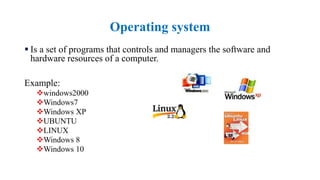
Operating system
 Is a set of programs that controls and managers the software and
hardware resources of a computer.
Example:
windows2000
Windows7
Windows XP
UBUNTU
LINUX
Windows 8
Windows 10
Controls the workings of the computer generally: the user interacts
primarily with application software.
System software enables the application software to interact with the
computer hardware.
System software is ‘background’ software that helps the computer to
manage its own internal resources.
System software is not a single programme; rather it is a collection of
programmes.
Operating system…
Operating system…
Operating system (OS) has three main functions:
I. Manage the computer's resources, such as the central processing
unit, memory, disk drives, and printers
II. Establish a user interface
III. Execute and provide services for applications software.
Three Categories of Operating Systems
 Embedded operating system – Is the one pertaining to code or a
command that is built into its carrier.
 Network operating system - operating system specifically designed
to support networking.
 Example windows server 2016
 Stand alone operating system- Is the one used in a device that does
not require support from another device or system, for example, a
computer that is not connected to a network.
3 January, 2023 7
Applications software
 Accept input from the user and then manipulates its to achieve the
output.
 Programs designed to do a specific task designed mainly for users.
These programs can be categorized into two parts
1) basic applications.
2) Specialized applications
Application software
 Includes
 Business software
 Health software
 Graphics software
 Educational
 Communication
Basic Applications
Also known as general-purpose applications, they are widely
used in nearly all career areas.
They are programs that one must know to be considered
‘competent’ in computing.
Example of basic applications
 Ms office package(2003,2007,2010,2013)
 Mozilla fire fox, VLC etc
Specialized Applications
 Also known as special-purpose applications, these include thousand of
other programs that are more narrowly focused on specific
occupations.
 Some of the best known are graphics audio, video, web authoring,
Communications software
 Enables your computer to use a modem and telephone lines to
exchange information with another computer equipped with a modem
and communications software.
Application software
 Application software is designed to help you accomplish a certain kind of
task. You might want to calculate your income taxes, write marketing
proposals, letters, or reports, pay bills, maintain a mailing list, or control
product inventory.
 There are thousands of application programs you can choose from.
Word processors, spreadsheets, database management systems, and
computer-aided design (CAD) systems are just some of the many
software applications available.
 Word processing software is used to create, edit, save, and print text.
Word processing software is commonly used for producing letters,
memos, reports, and envelopes.
 A spreadsheet is a table of cells arranged in rows and columns into
which numerical data and mathematical formulas can be entered
and manipulated. A spreadsheet can be used for most mathematical
and financial projects. Budgets, cash flow projections, stock price
tracking, and balance sheets are just some of the possible
applications.
 Database management software allows you to effectively manage a
database. It enables you to retrieve needed information, print
reports, and update your records quickly and easily.
 Desktop publishing software enables you to combine text and
graphics to produce typeset-quality documents. Newsletters,
brochures, pamphlets, books, and manuals all can be designed using
desktop publishing software.
 Computer-Aided Design (CAD) software enables the computer to
replace traditional drafting and illustrations tools. It is used to create
architectural and engineering drawings.
 Utility software helps to analyze, configure, optimize and maintain
the computer.
1/3/2023 15
Key Points
 Computer software are programs that tell the computer what to do
 Application software is designed to help you accomplish a certain kind
of task.
 Operating System is a set of programs that controls and managers the
software and hardware resources of a computer.
 System software enables the application software to interact with the
computer hardware
Evaluation
 What is computer software?
 Types of computer software
 Differentiate between operating system and application software
 Explain the advantage and disadvantages of using computer software
in documentation and record management
 Explain function of computer software
References
Herniter, M.E. (2000). Personal Computer
Fundamentals for Students, Hardware Windows
2000 Application. (2nd ed.). Prentice Hall.
Joos, I. Whitman, N., Smith, M., et al. (2006).
Introduction to Computers for Healthcare
Professionals. (4th ed.). London: Barb Mews.
Morris, M. & Charles, M. (2003). Logol
Computer Designer Fundamentals. Prentice Hall.
O’leary, T. & O’leary, L. (2006). Computing
Essentials, Introductory Edition. Boston Burr
Ridge: Arizona State University

SESSION 3 - Computer Software-1.pptx

  • 1.
    CMT 04212: COMPUTERAPPLICATIONS Session 3: COMPUTER SOFTWARE By: Ramadhani Chibwana Victor Mwambije
  • 2.
    Learning Objectives Meaning ofcomputer software Types of computer software Differentiate between operating system and application software Explain function of computer software
  • 3.
    COMPONENTS OF COMPUTERcont….. Computer Software Computer software are programs that tell the computer what to do OR Programs which consist of the step-by-step instructions that tells the computer how to do its work. TYPES OF COMPUTER SOFTWARE 1. Operating system(System software) 2. Application software 3. Programming software- java,HTML 4. Harmful software- VIRUS, WORMS, TROJAN HORSE
  • 4.
    Operating system  Isa set of programs that controls and managers the software and hardware resources of a computer. Example: windows2000 Windows7 Windows XP UBUNTU LINUX Windows 8 Windows 10
  • 5.
    Controls the workingsof the computer generally: the user interacts primarily with application software. System software enables the application software to interact with the computer hardware. System software is ‘background’ software that helps the computer to manage its own internal resources. System software is not a single programme; rather it is a collection of programmes. Operating system…
  • 6.
    Operating system… Operating system(OS) has three main functions: I. Manage the computer's resources, such as the central processing unit, memory, disk drives, and printers II. Establish a user interface III. Execute and provide services for applications software.
  • 7.
    Three Categories ofOperating Systems  Embedded operating system – Is the one pertaining to code or a command that is built into its carrier.  Network operating system - operating system specifically designed to support networking.  Example windows server 2016  Stand alone operating system- Is the one used in a device that does not require support from another device or system, for example, a computer that is not connected to a network. 3 January, 2023 7
  • 8.
    Applications software  Acceptinput from the user and then manipulates its to achieve the output.  Programs designed to do a specific task designed mainly for users. These programs can be categorized into two parts 1) basic applications. 2) Specialized applications
  • 9.
    Application software  Includes Business software  Health software  Graphics software  Educational  Communication
  • 10.
    Basic Applications Also knownas general-purpose applications, they are widely used in nearly all career areas. They are programs that one must know to be considered ‘competent’ in computing. Example of basic applications  Ms office package(2003,2007,2010,2013)  Mozilla fire fox, VLC etc
  • 11.
    Specialized Applications  Alsoknown as special-purpose applications, these include thousand of other programs that are more narrowly focused on specific occupations.  Some of the best known are graphics audio, video, web authoring,
  • 12.
    Communications software  Enablesyour computer to use a modem and telephone lines to exchange information with another computer equipped with a modem and communications software.
  • 13.
    Application software  Applicationsoftware is designed to help you accomplish a certain kind of task. You might want to calculate your income taxes, write marketing proposals, letters, or reports, pay bills, maintain a mailing list, or control product inventory.  There are thousands of application programs you can choose from. Word processors, spreadsheets, database management systems, and computer-aided design (CAD) systems are just some of the many software applications available.  Word processing software is used to create, edit, save, and print text. Word processing software is commonly used for producing letters, memos, reports, and envelopes.
  • 14.
     A spreadsheetis a table of cells arranged in rows and columns into which numerical data and mathematical formulas can be entered and manipulated. A spreadsheet can be used for most mathematical and financial projects. Budgets, cash flow projections, stock price tracking, and balance sheets are just some of the possible applications.  Database management software allows you to effectively manage a database. It enables you to retrieve needed information, print reports, and update your records quickly and easily.
  • 15.
     Desktop publishingsoftware enables you to combine text and graphics to produce typeset-quality documents. Newsletters, brochures, pamphlets, books, and manuals all can be designed using desktop publishing software.  Computer-Aided Design (CAD) software enables the computer to replace traditional drafting and illustrations tools. It is used to create architectural and engineering drawings.  Utility software helps to analyze, configure, optimize and maintain the computer. 1/3/2023 15
  • 16.
    Key Points  Computersoftware are programs that tell the computer what to do  Application software is designed to help you accomplish a certain kind of task.  Operating System is a set of programs that controls and managers the software and hardware resources of a computer.  System software enables the application software to interact with the computer hardware
  • 17.
    Evaluation  What iscomputer software?  Types of computer software  Differentiate between operating system and application software  Explain the advantage and disadvantages of using computer software in documentation and record management  Explain function of computer software
  • 18.
    References Herniter, M.E. (2000).Personal Computer Fundamentals for Students, Hardware Windows 2000 Application. (2nd ed.). Prentice Hall. Joos, I. Whitman, N., Smith, M., et al. (2006). Introduction to Computers for Healthcare Professionals. (4th ed.). London: Barb Mews. Morris, M. & Charles, M. (2003). Logol Computer Designer Fundamentals. Prentice Hall. O’leary, T. & O’leary, L. (2006). Computing Essentials, Introductory Edition. Boston Burr Ridge: Arizona State University