JNCIA-JUNOS
Eng. Ahmed Nosehy
Introduction
Juniper career paths(1/4)
* Enterprise Routing and Switching Learning
Path
* Service Provider Routing and Switching
Learning Path
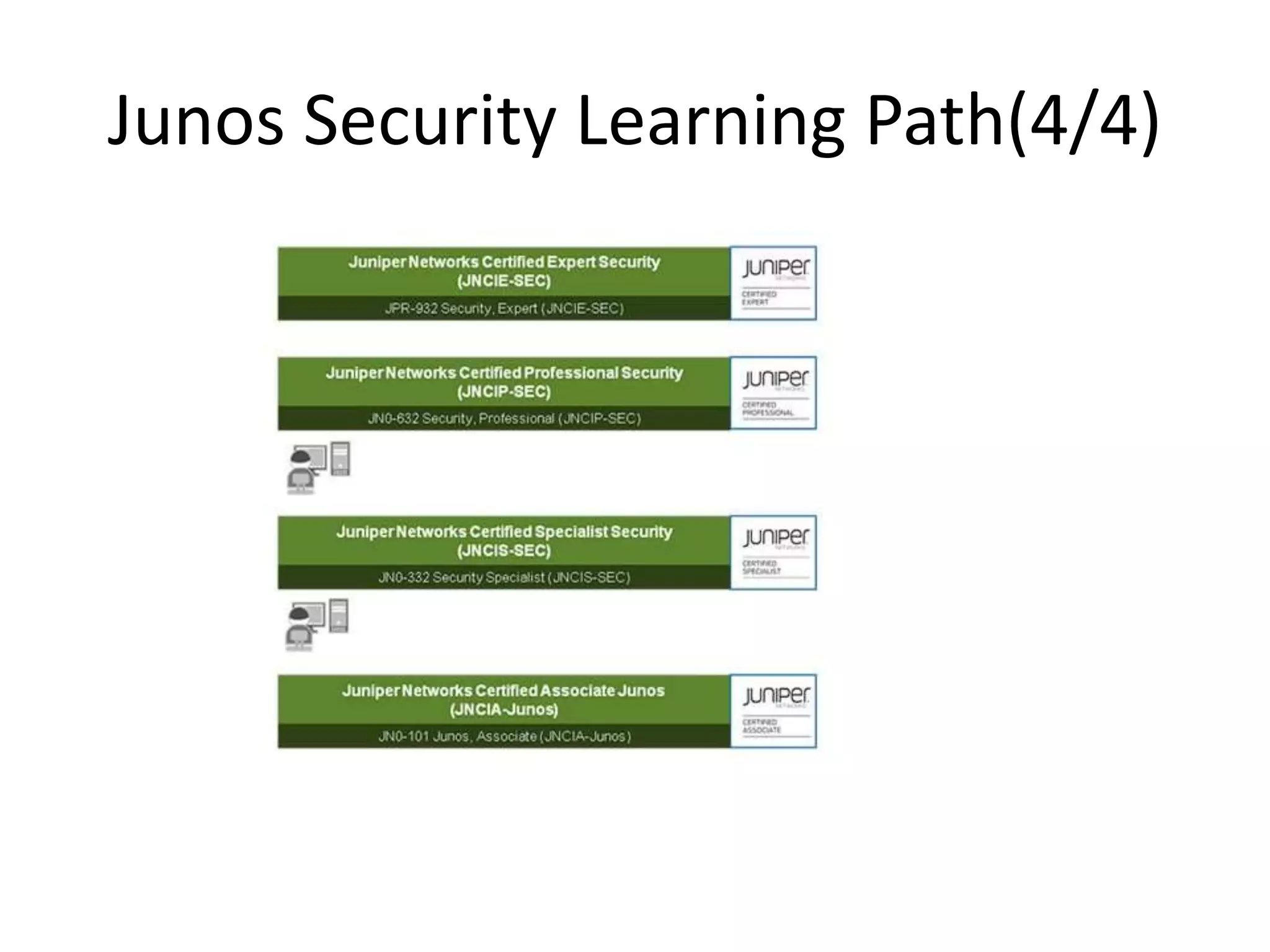
* Junos Security Learning Path
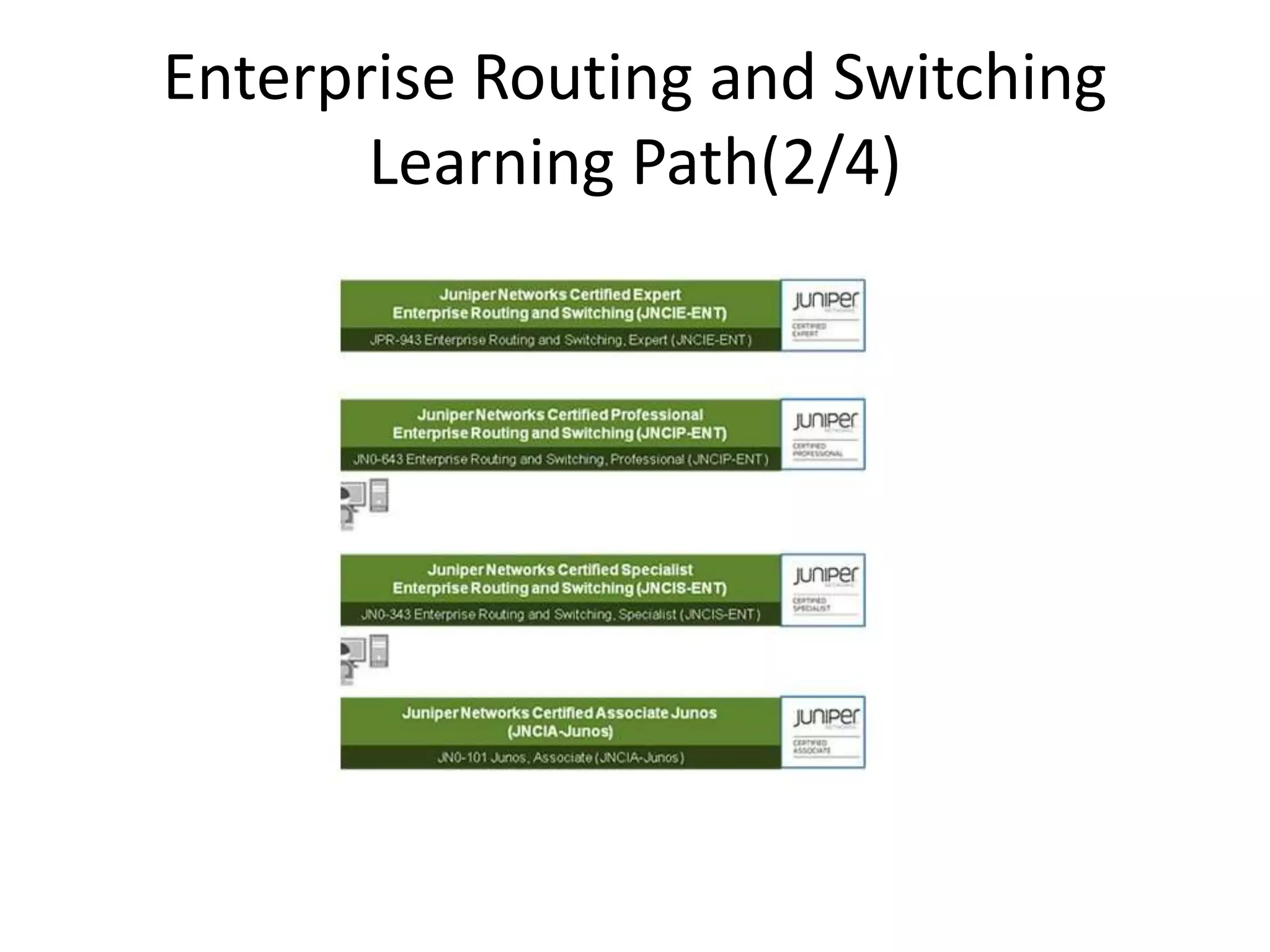
Enterprise Routing and Switching
Learning Path(2/4)
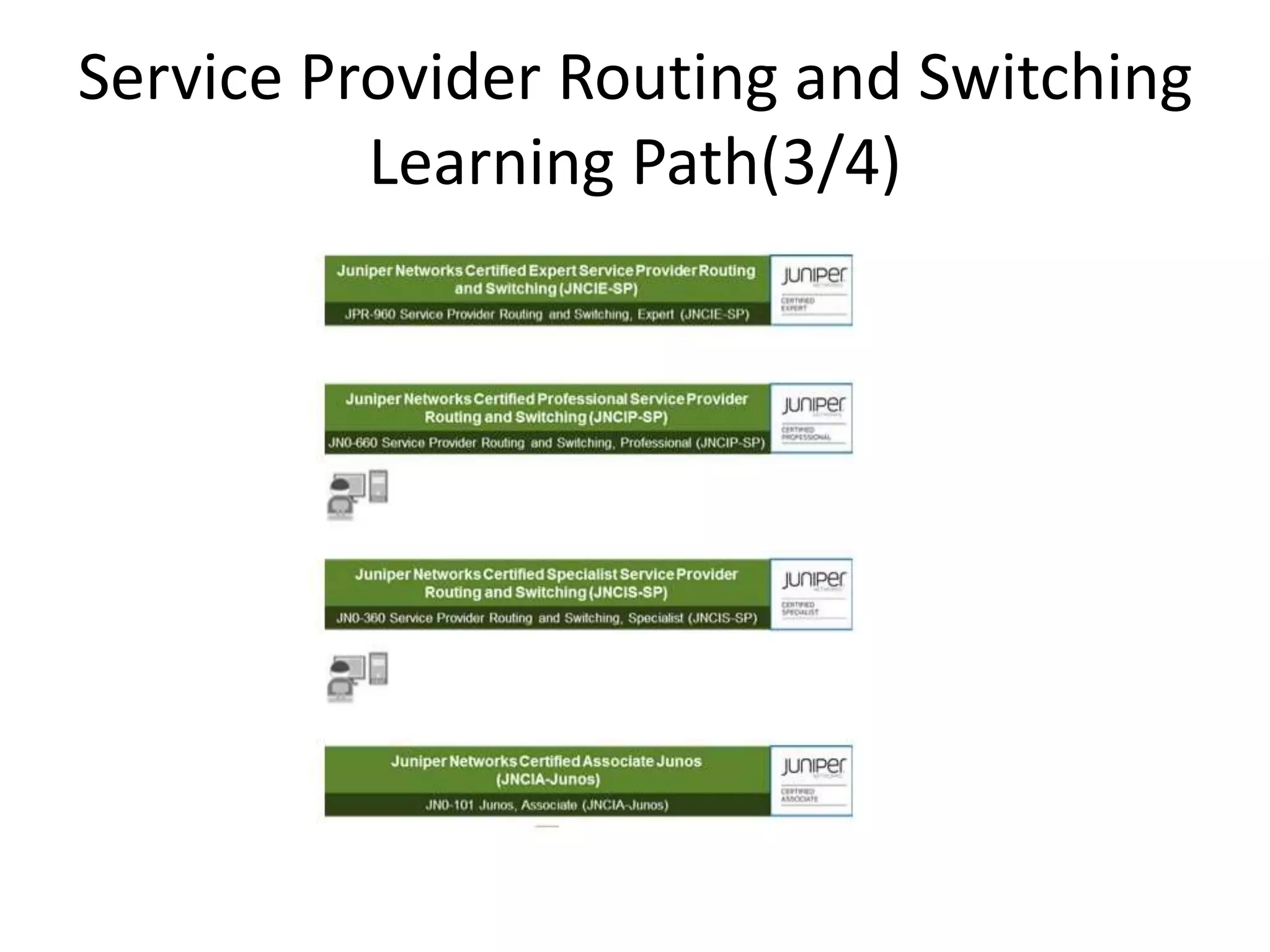
Service Provider Routing and Switching
Learning Path(3/4)
Junos Security Learning Path(4/4)
Topics
Before we start(1/3)
Before we start(2/3)
* The effort
* The time
* The cost
* Packing
* Unpacking
Before we start(3/3)
Benefit of the course
Hiring the movers to facilitate the move.
Architectural differences (1/3)
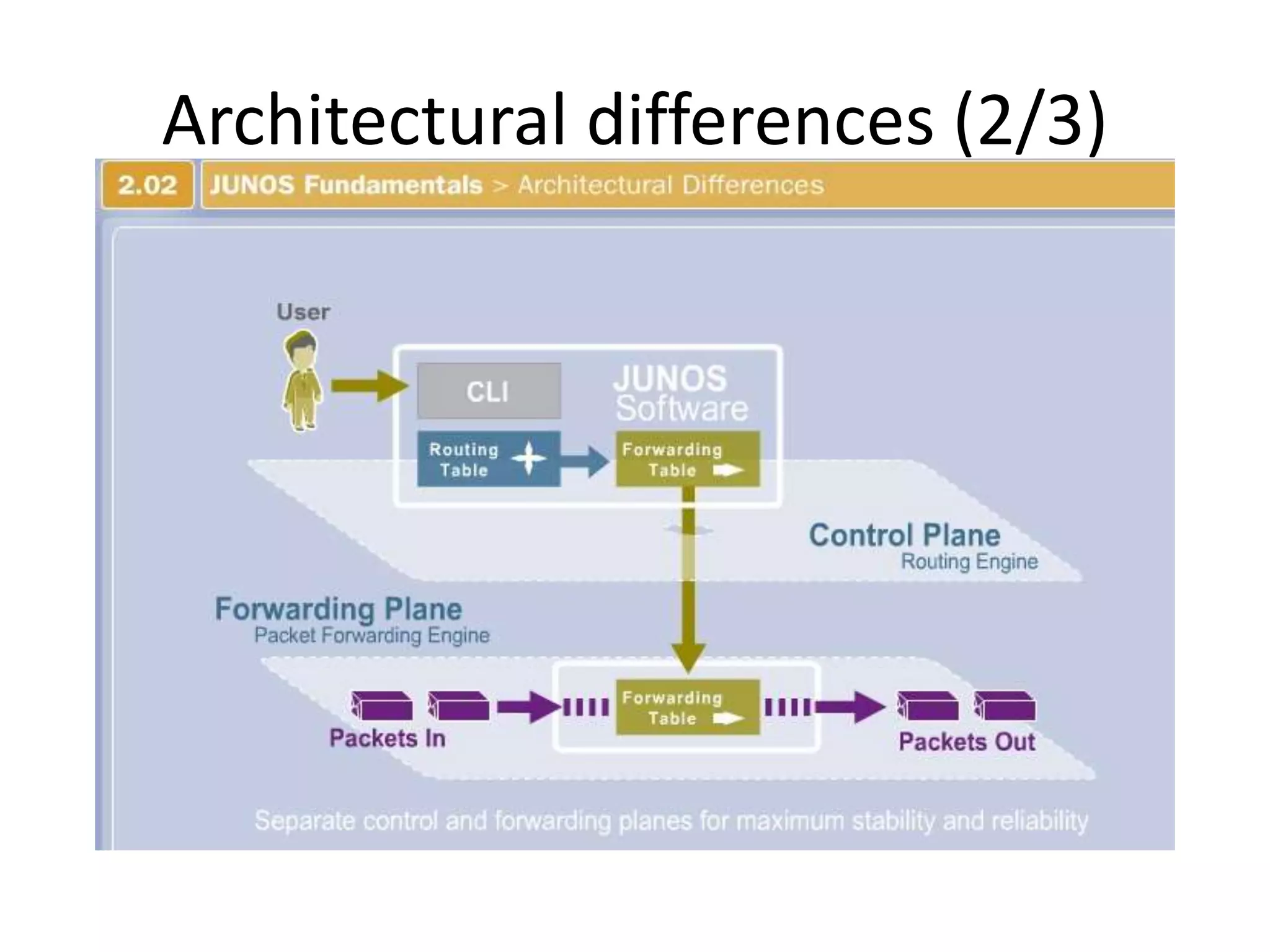
*Another aspect of Junos modularity is the
separation of the control plane and the
forwarding or data plane.
* The processes that control routing and
switching protocols (control plan)are clearly
separated from the processes that forward
frames, packets(forwarding plan).
Architectural differences (2/3)
Architectural differences (3/3)
* The RE is the brain of the platform; it is responsible for performing
protocol updates and system management(accessing the Junos
devices)
* The RE maintains the routing tables, bridging table, and primary
forwarding table and connects to the Packet Forwarding Engine
(PFE) through an internal link
* PFE runs on separate hardware and is responsible for forwarding
transit traffic through the device. In many platforms running the
Junos OS, the PFE uses application-specific integrated circuits
(ASICs) for increased performance
* glossary;
Because this architecture separates control operations—such as
protocol updates and system management—from forwarding
operations, platforms running the Junos OS can deliver superior
performance and highly reliable deterministic operation
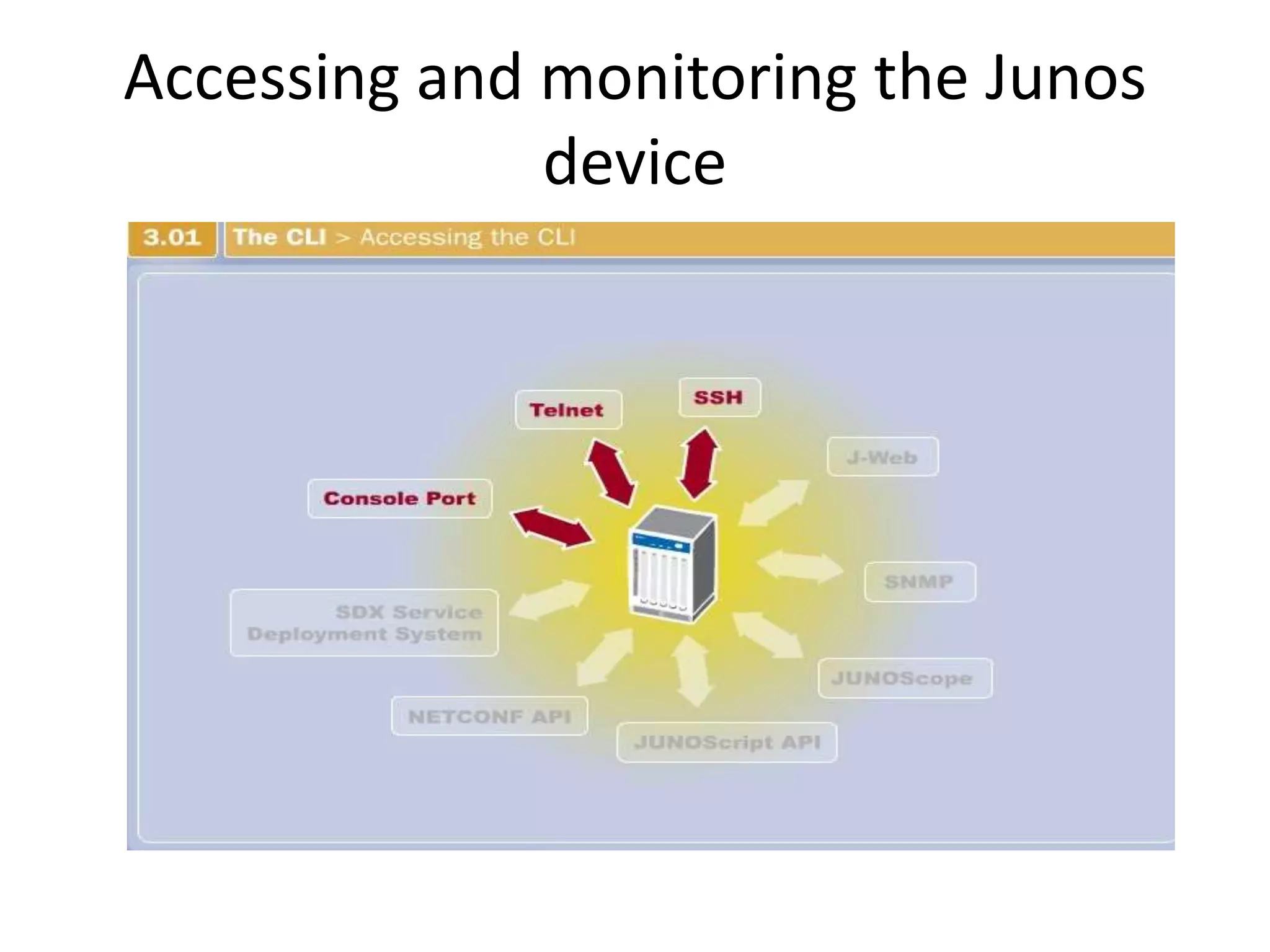
Accessing and monitoring the Junos
device
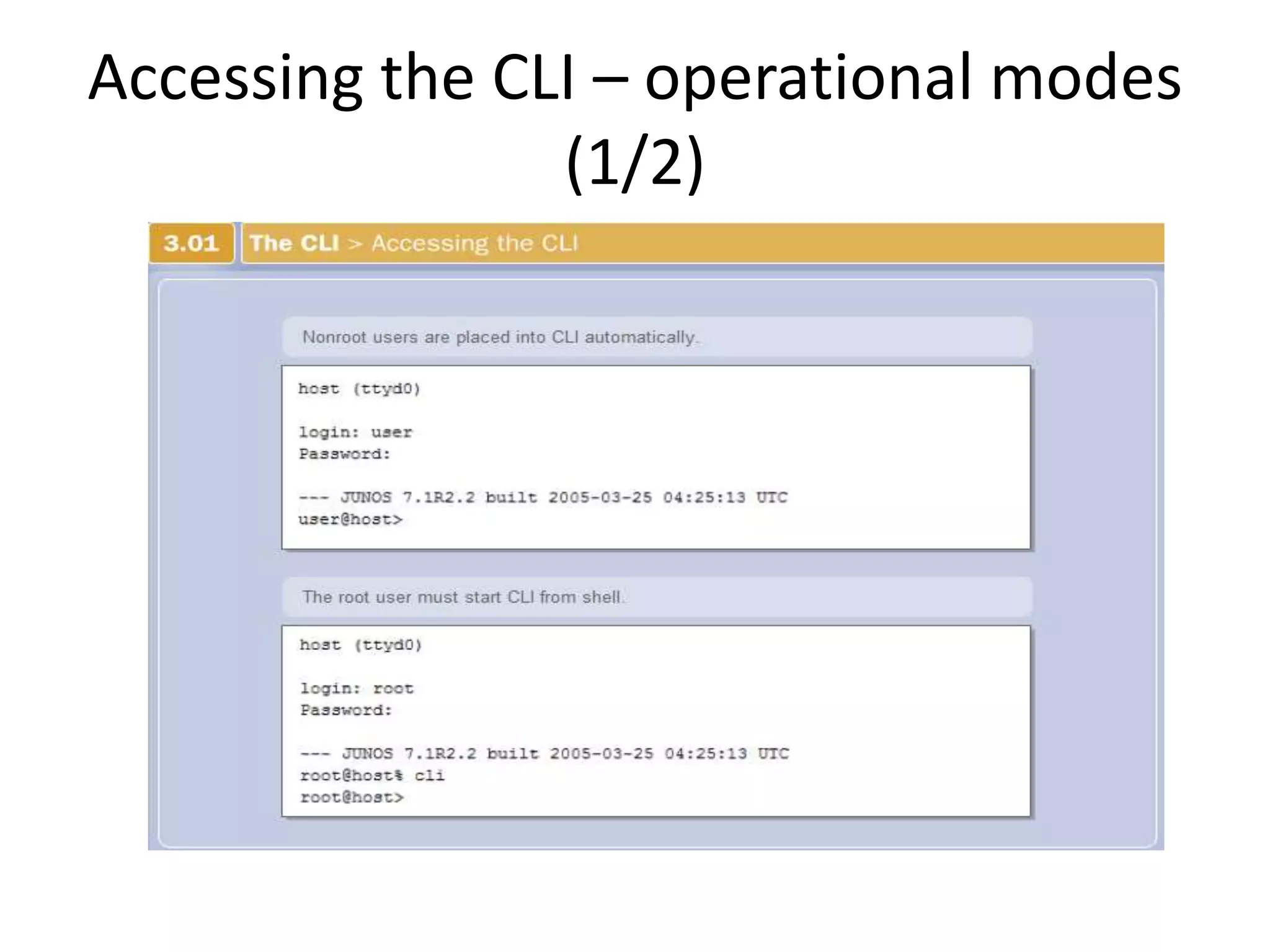
Accessing the CLI – operational modes
(1/2)
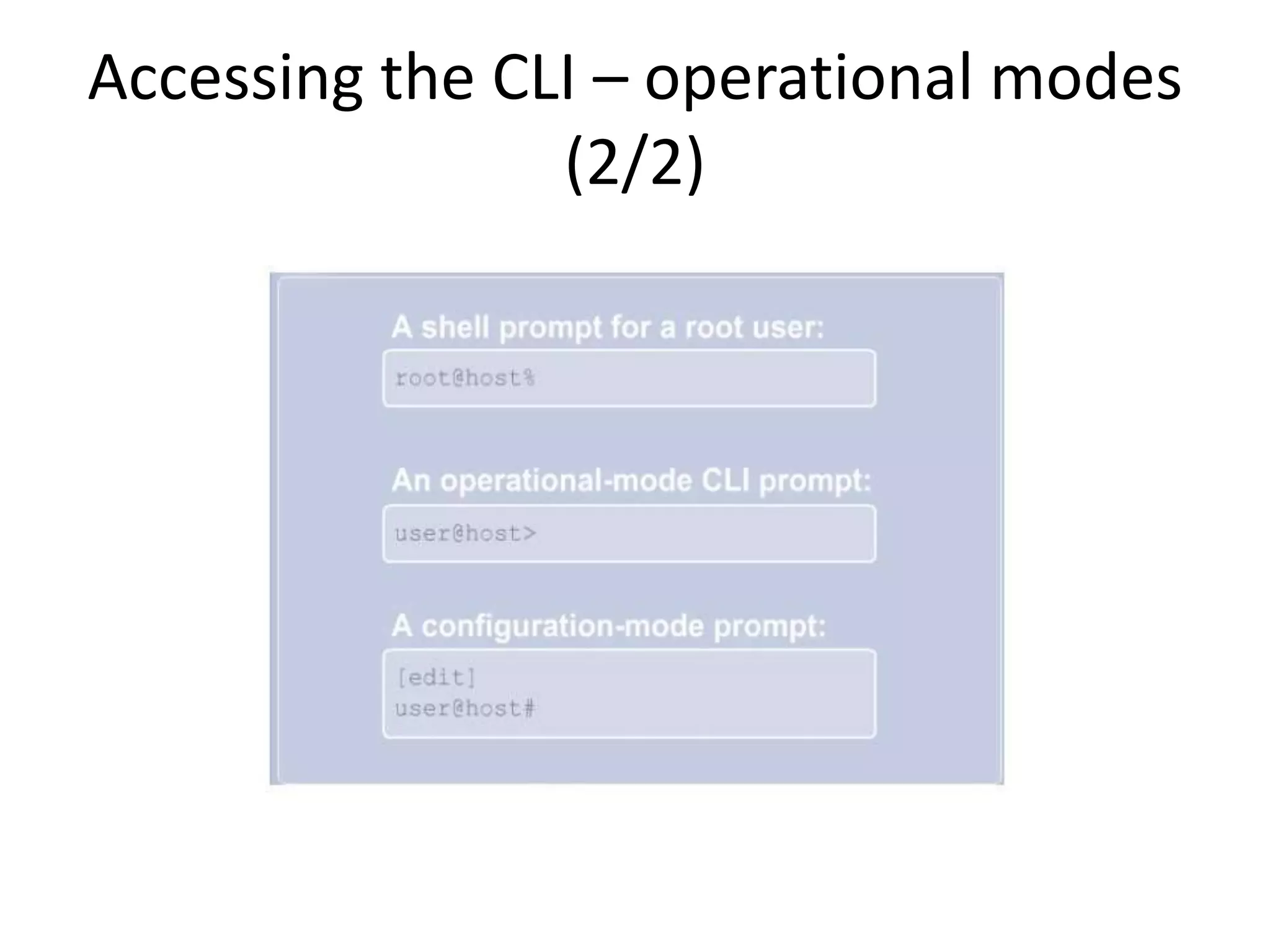
Accessing the CLI – operational modes
(2/2)
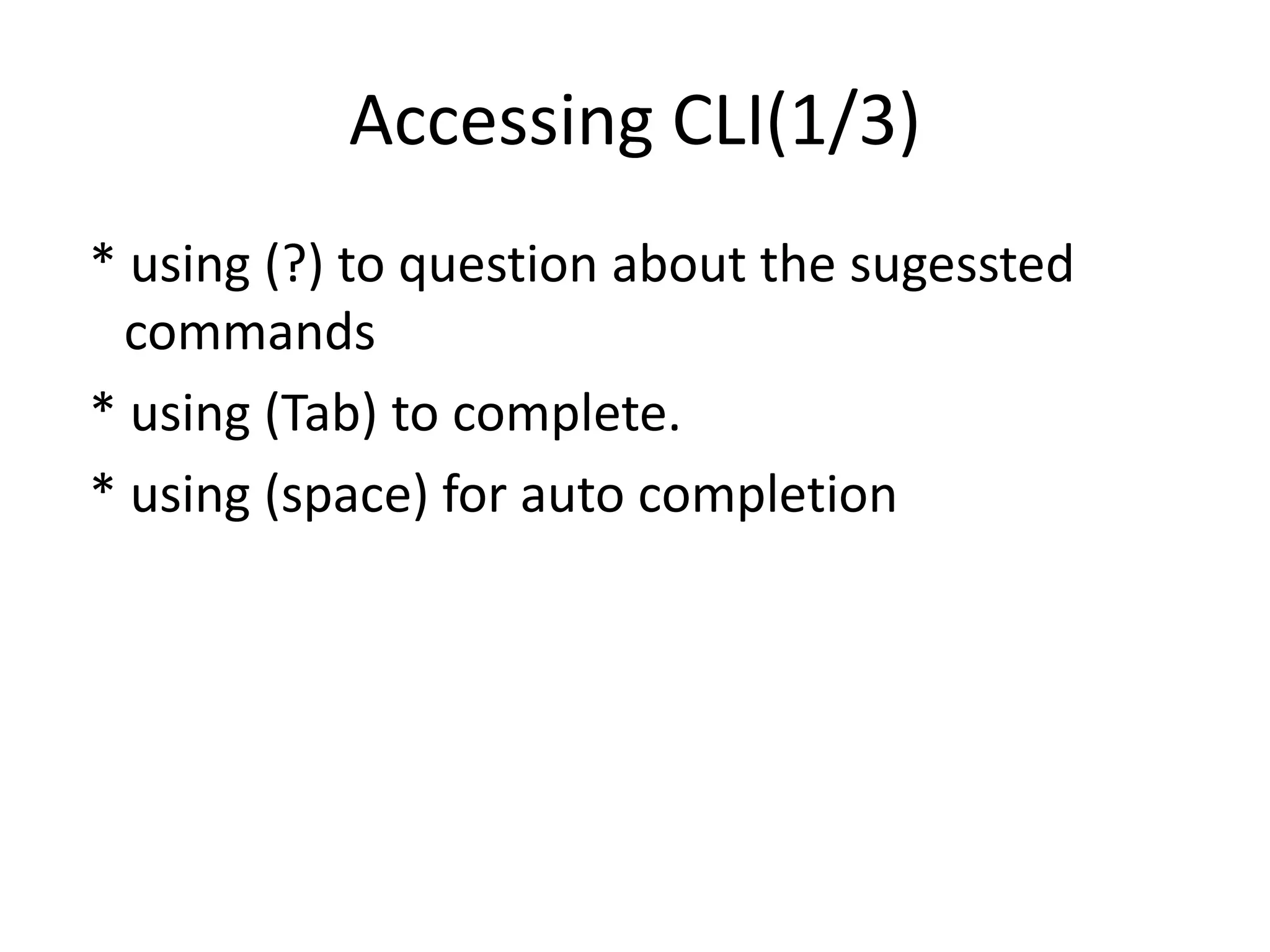
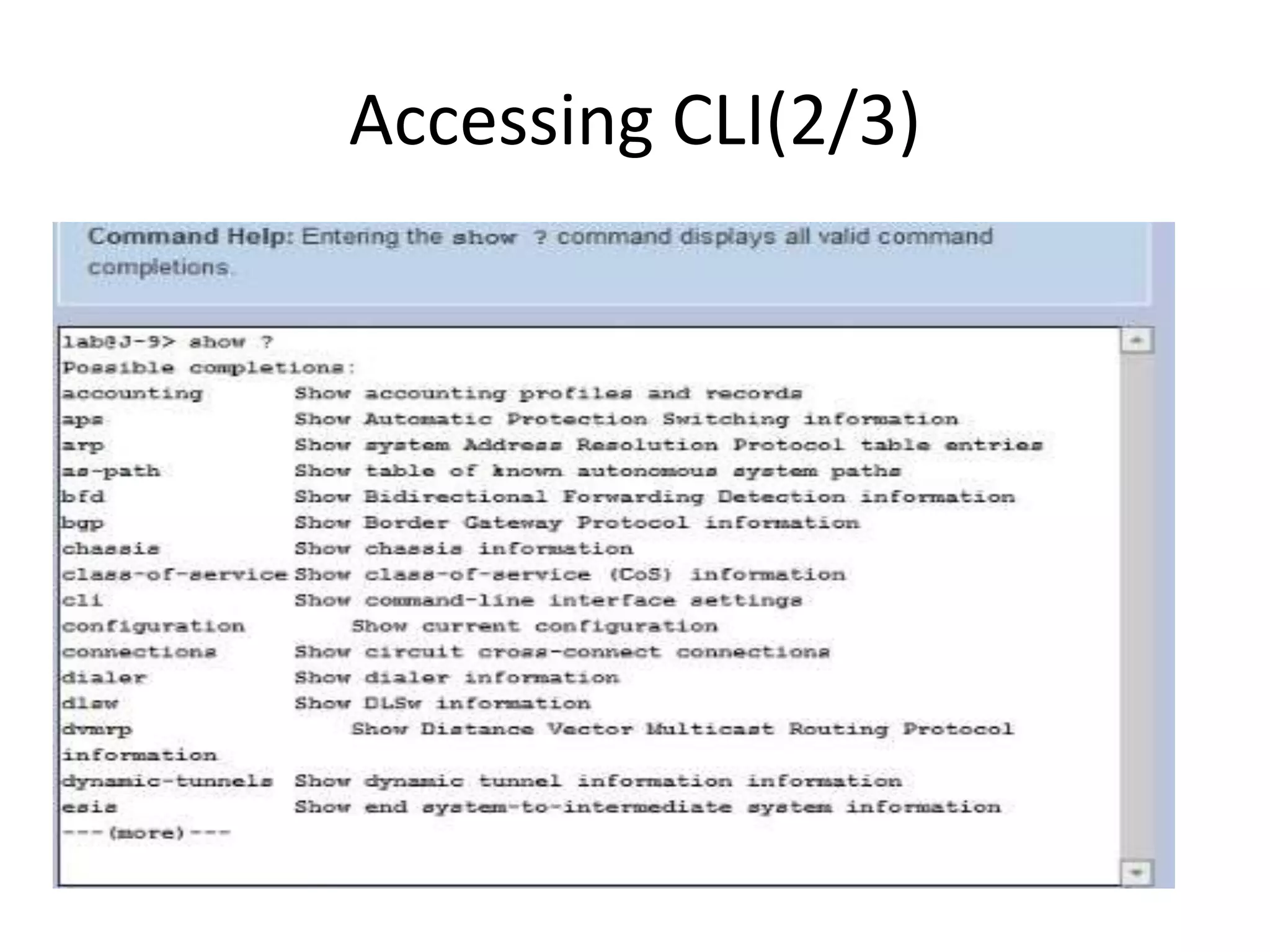
Accessing CLI(1/3)
* using (?) to question about the sugessted
commands
* using (Tab) to complete.
* using (space) for auto completion
Accessing CLI(2/3)
Accessing CLI(3/3)
user@router-EG > s?
Possible completions:
show Show system information
{master}
user@router-EG > s
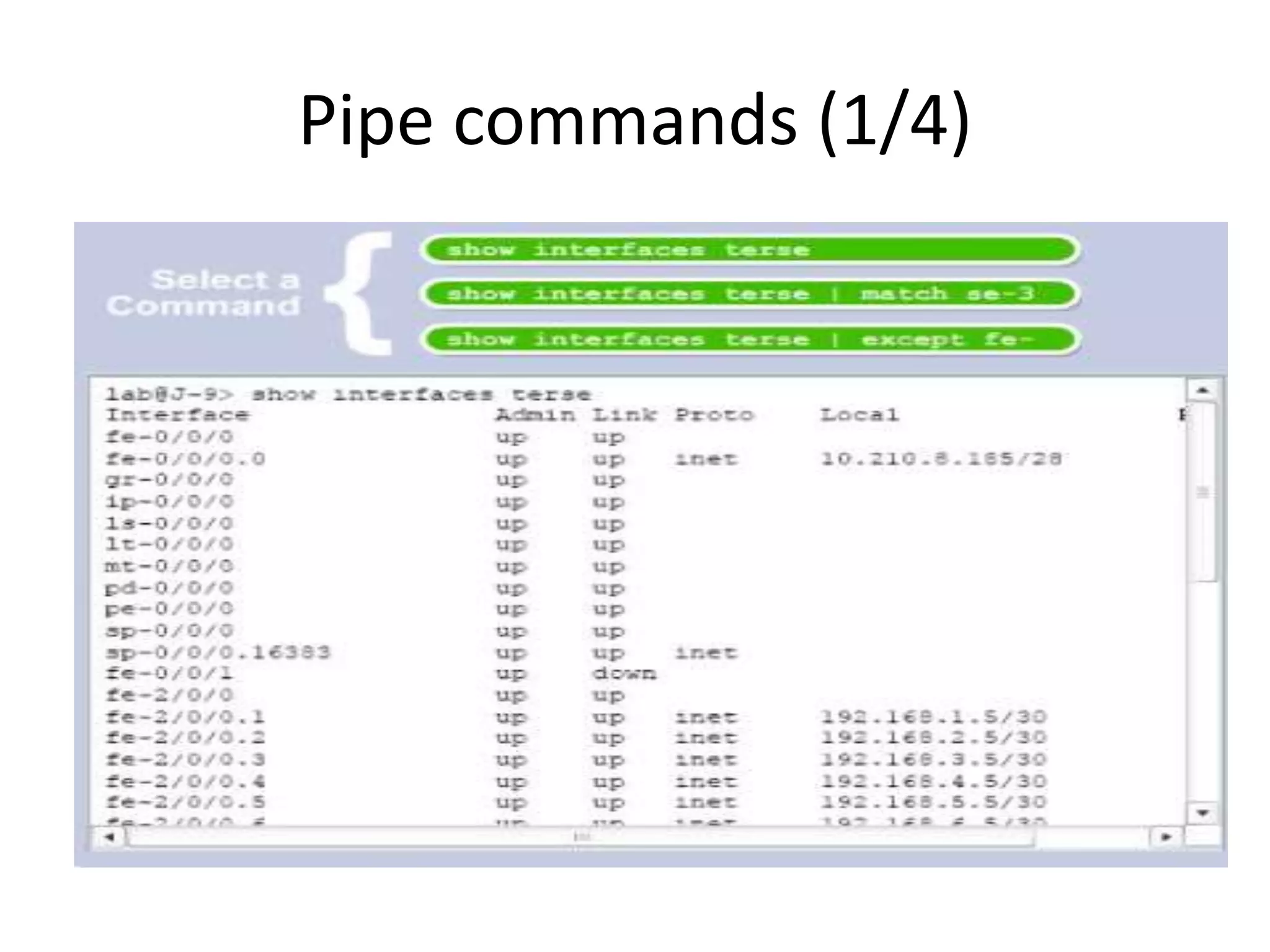
Pipe commands (1/4)
•
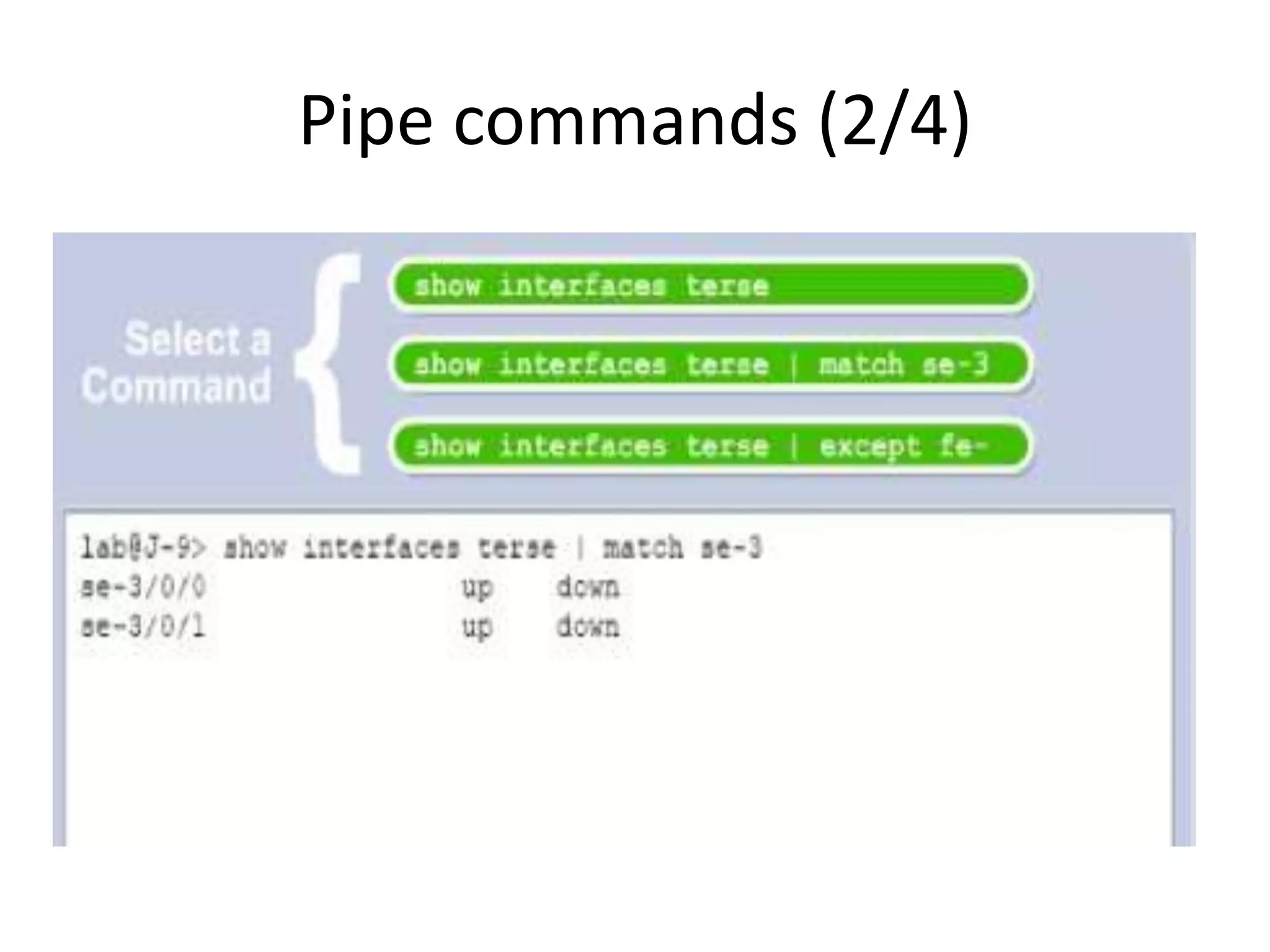
Pipe commands (2/4)
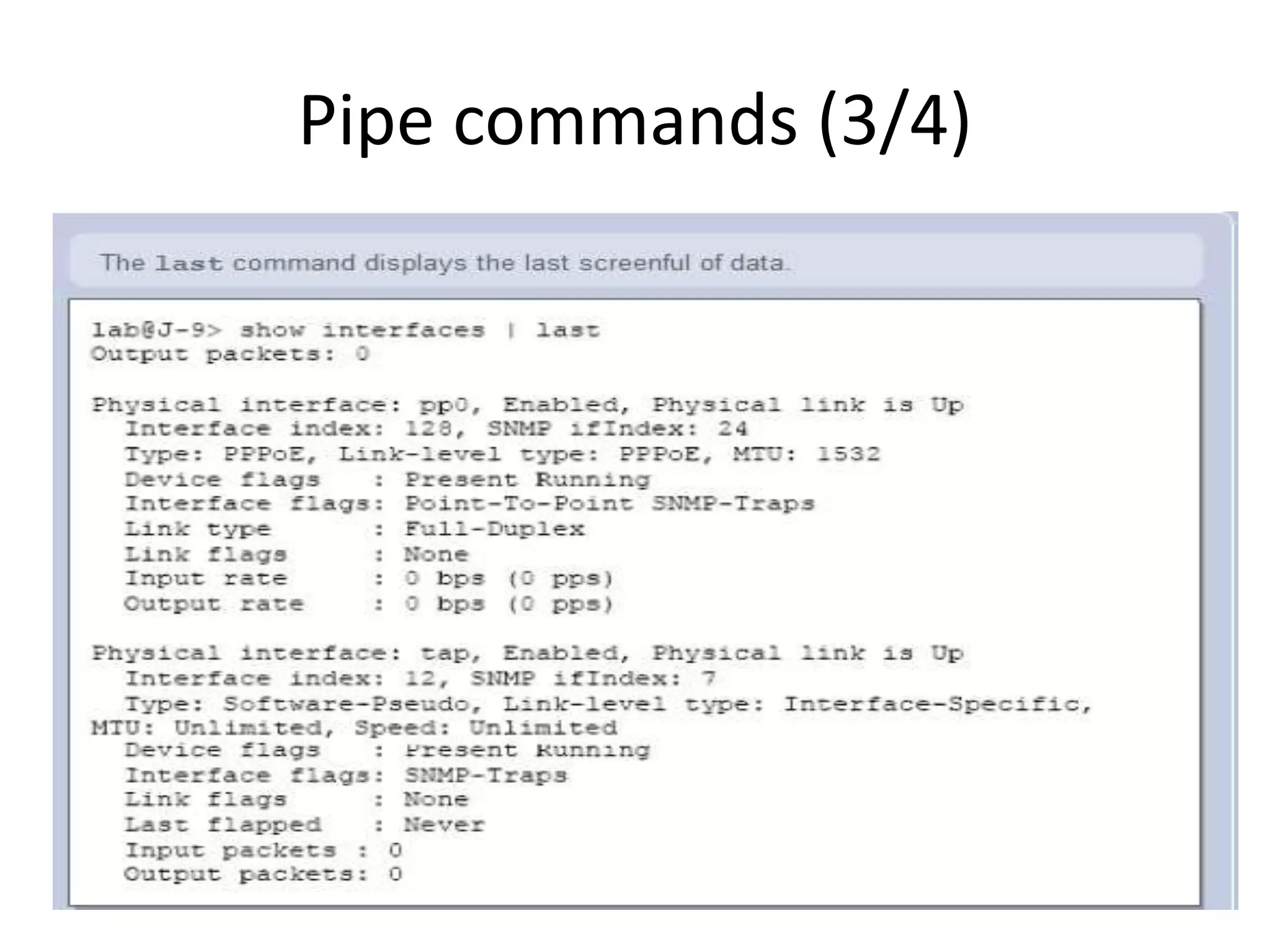
Pipe commands (3/4)
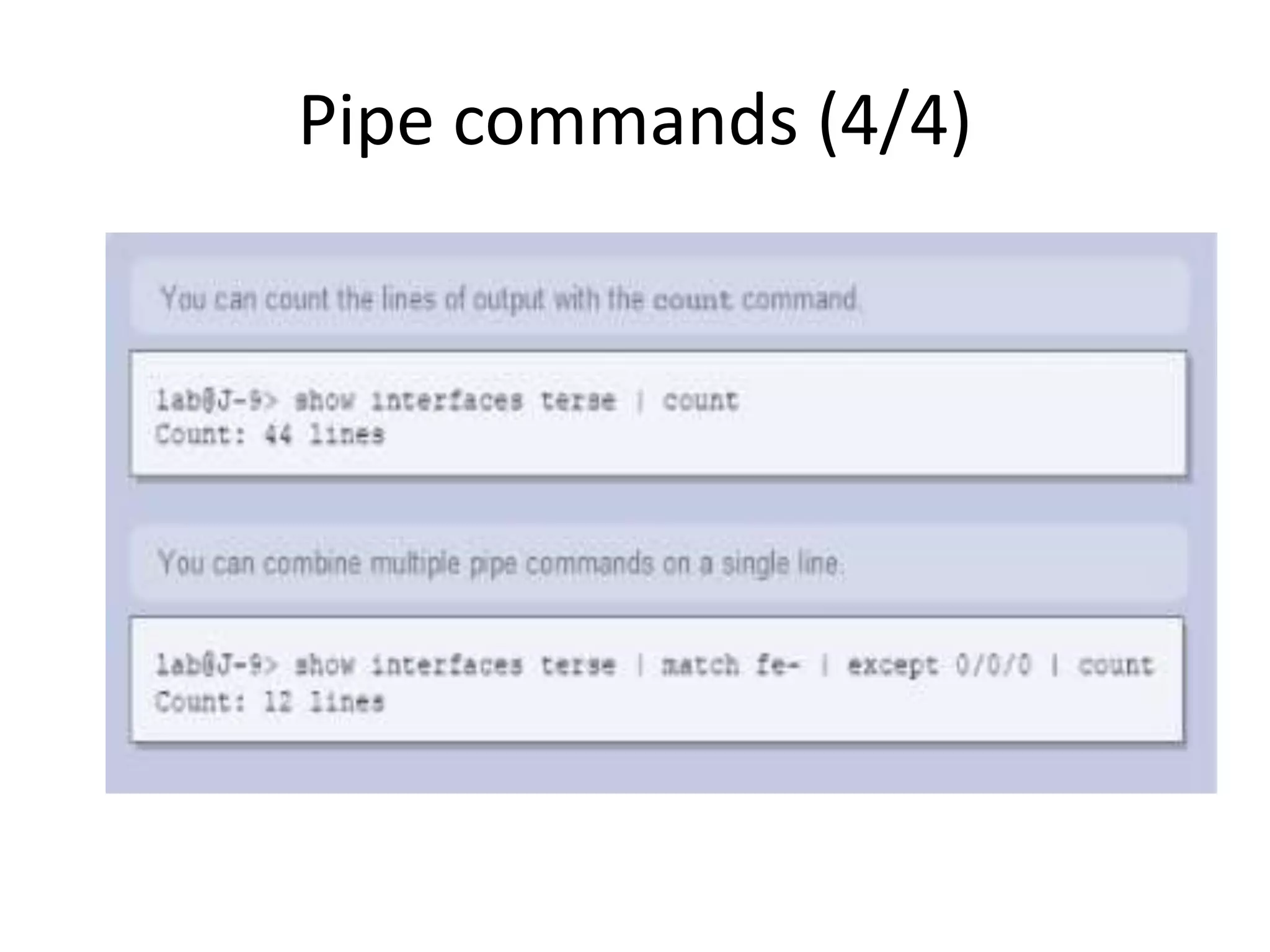
Pipe commands (4/4)
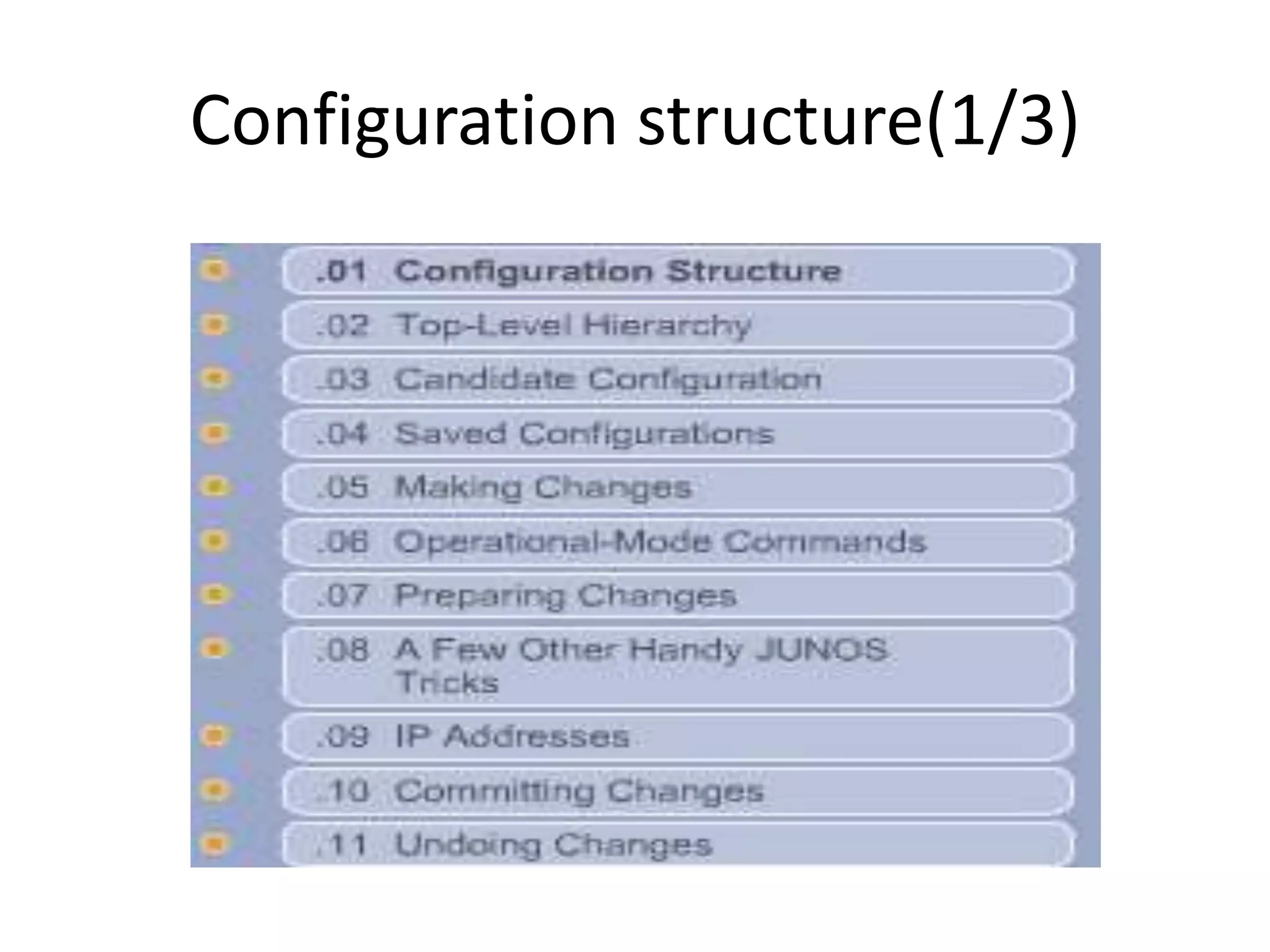
Configuration structure(1/3)
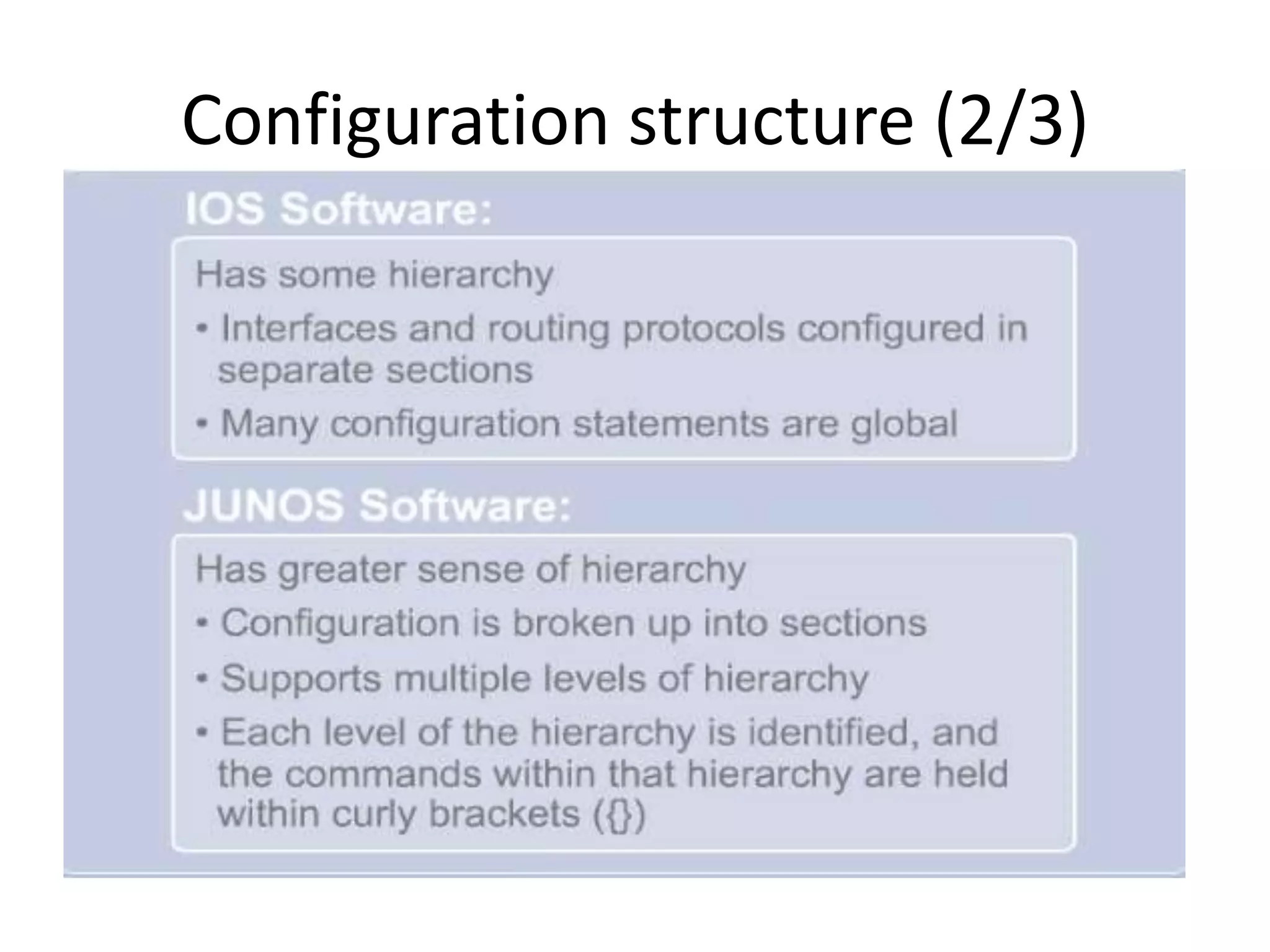
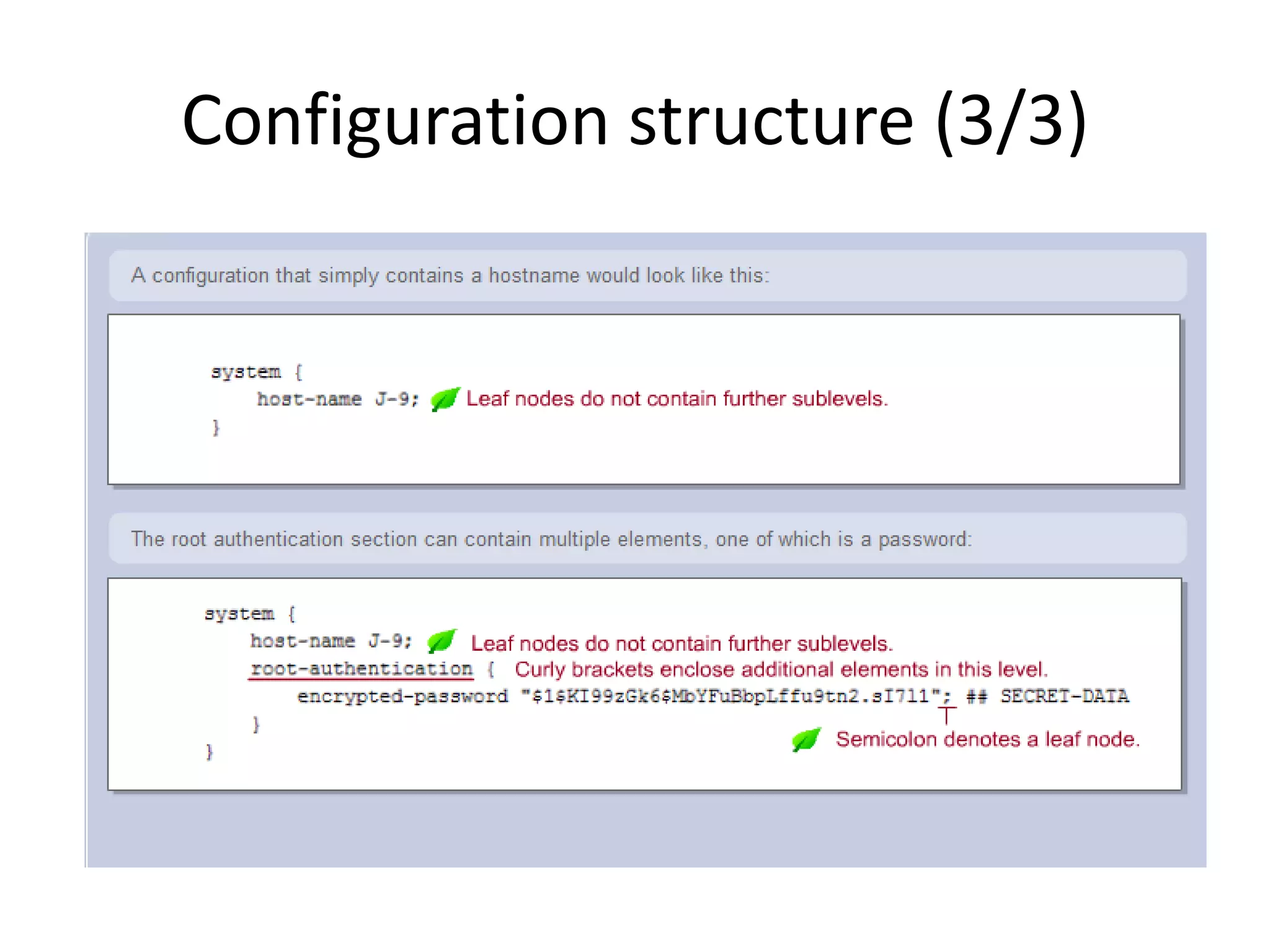
Configuration structure (2/3)
Configuration structure (3/3)
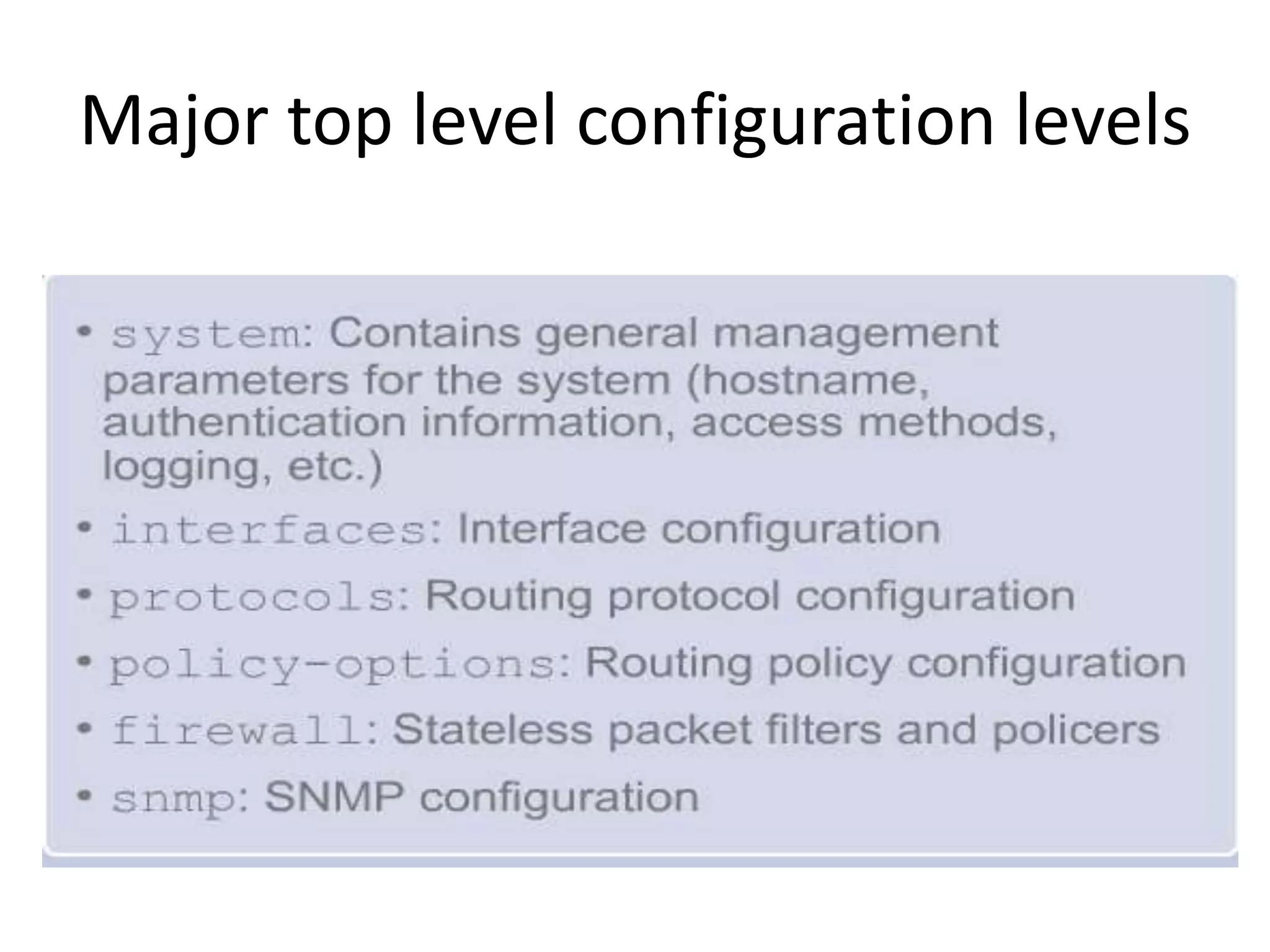
Major top level configuration levels
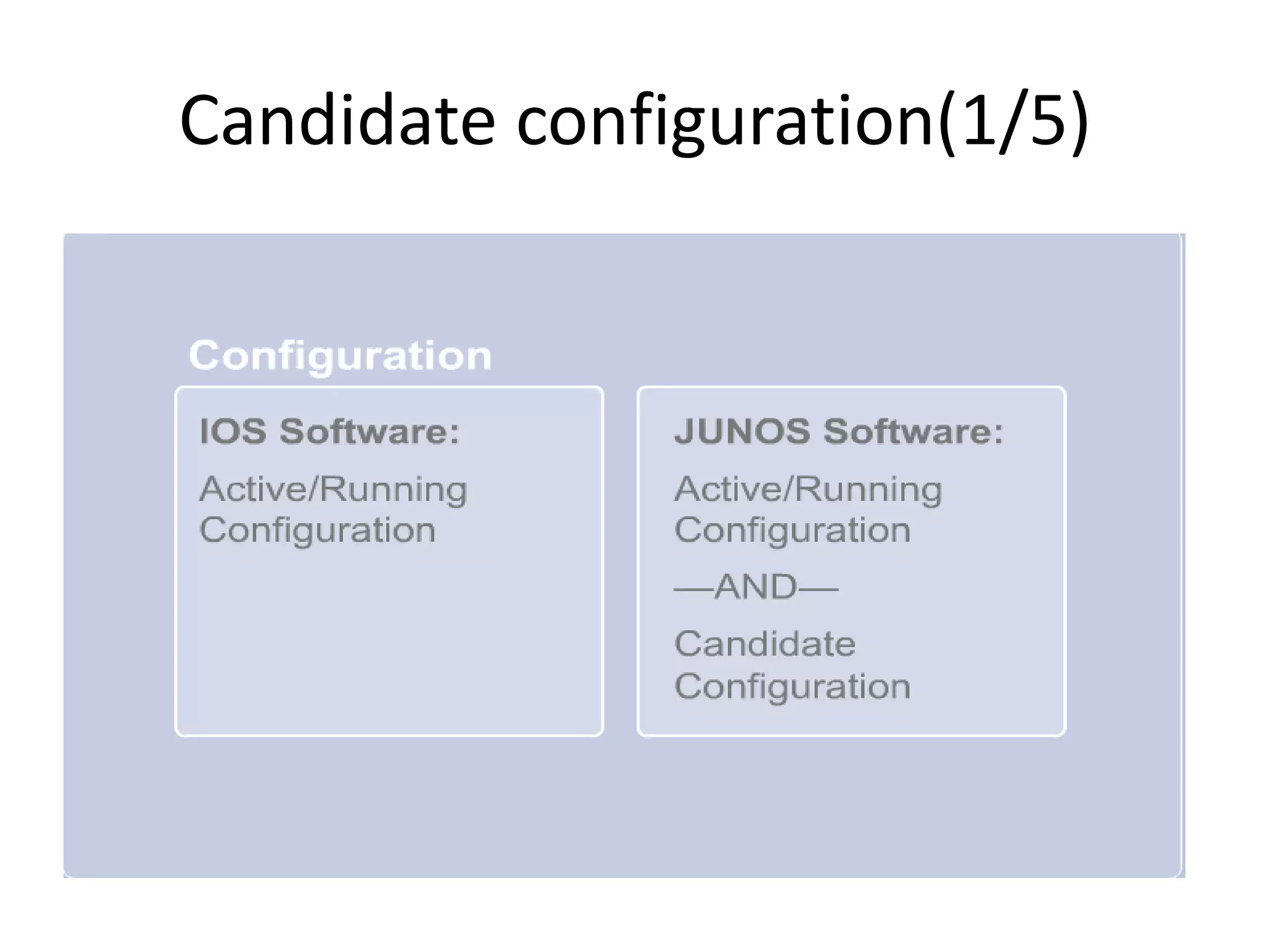
Candidate configuration(1/5)
Candidate configuration(2/5)
* when you access the configuration mode, a
candidate configuration copy are being created.
* to access the configuration mode, you need to
type;
1- configure
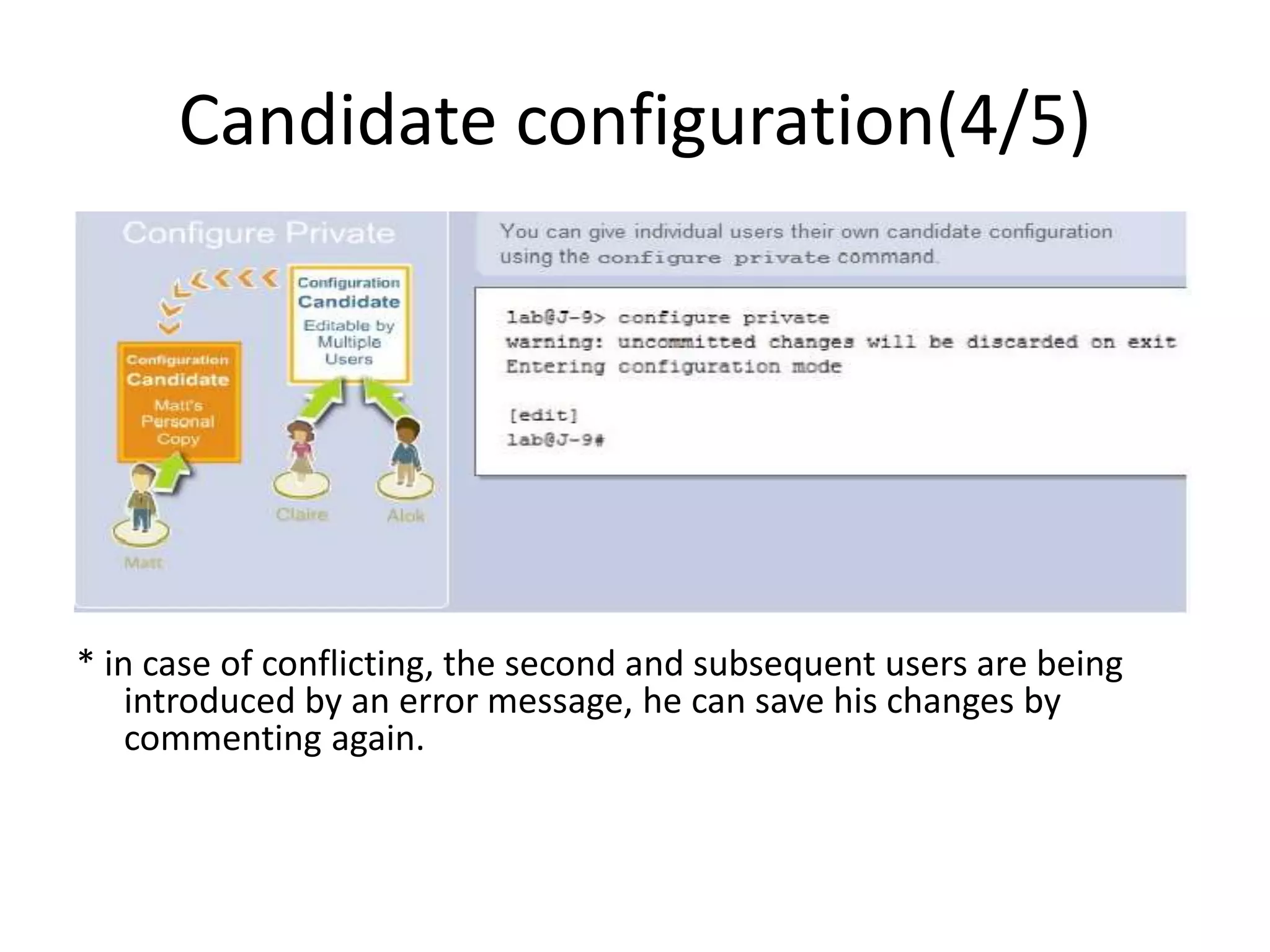
2- configure private
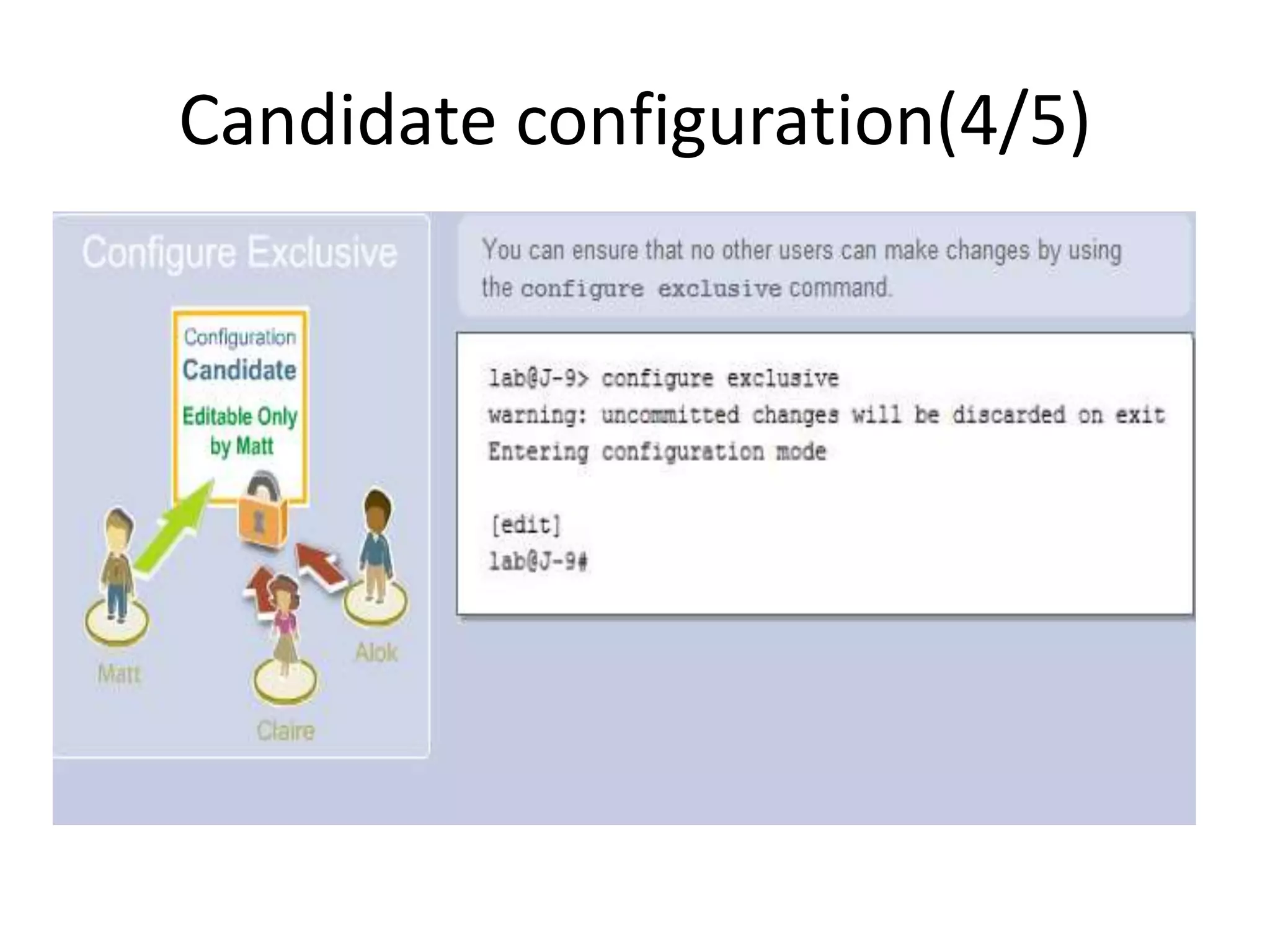
3- configure exclusive
Candidate configuration(3/5)
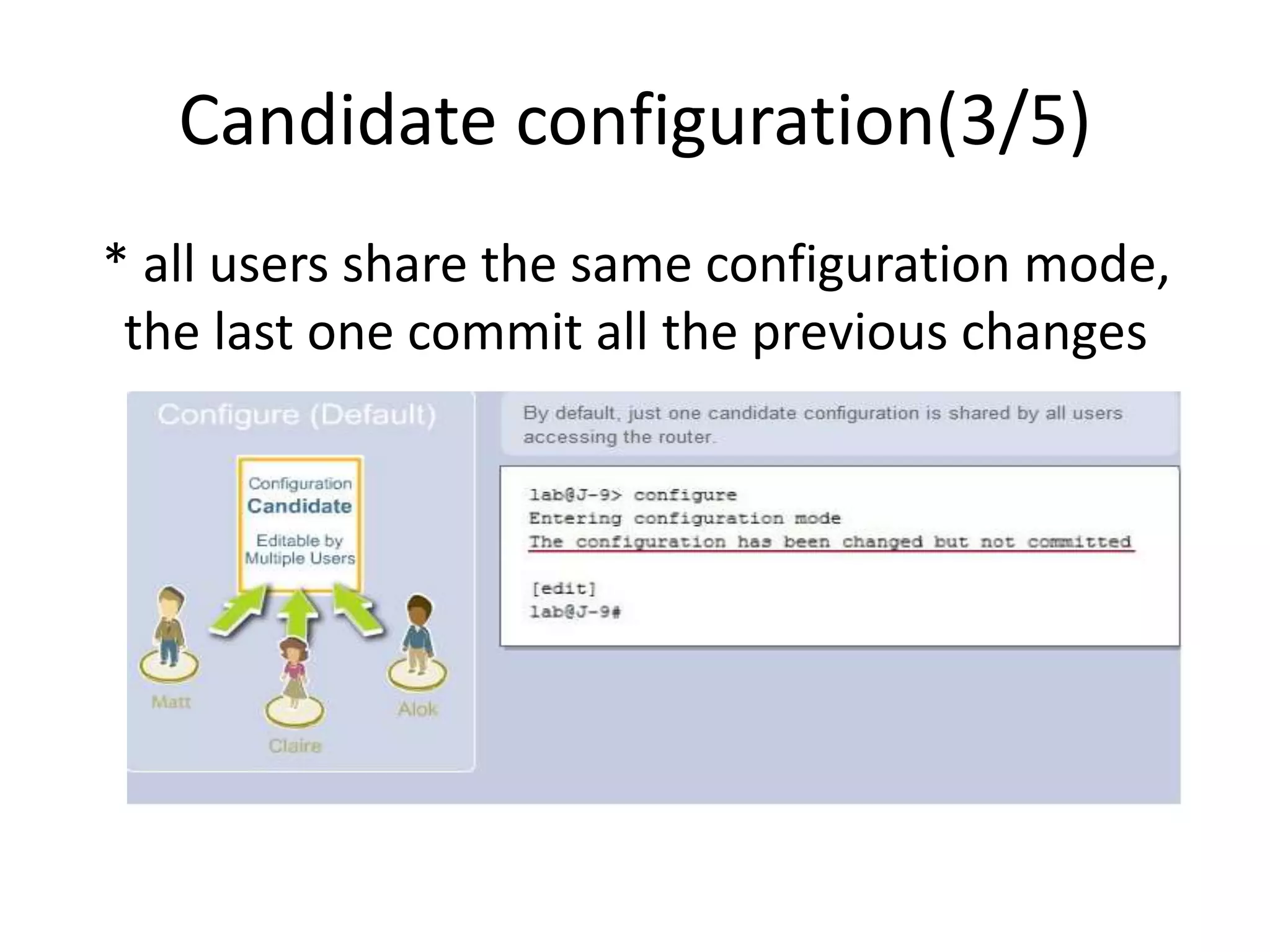
* all users share the same configuration mode,
the last one commit all the previous changes
Candidate configuration(4/5)
* in case of conflicting, the second and subsequent users are being
introduced by an error message, he can save his changes by
commenting again.
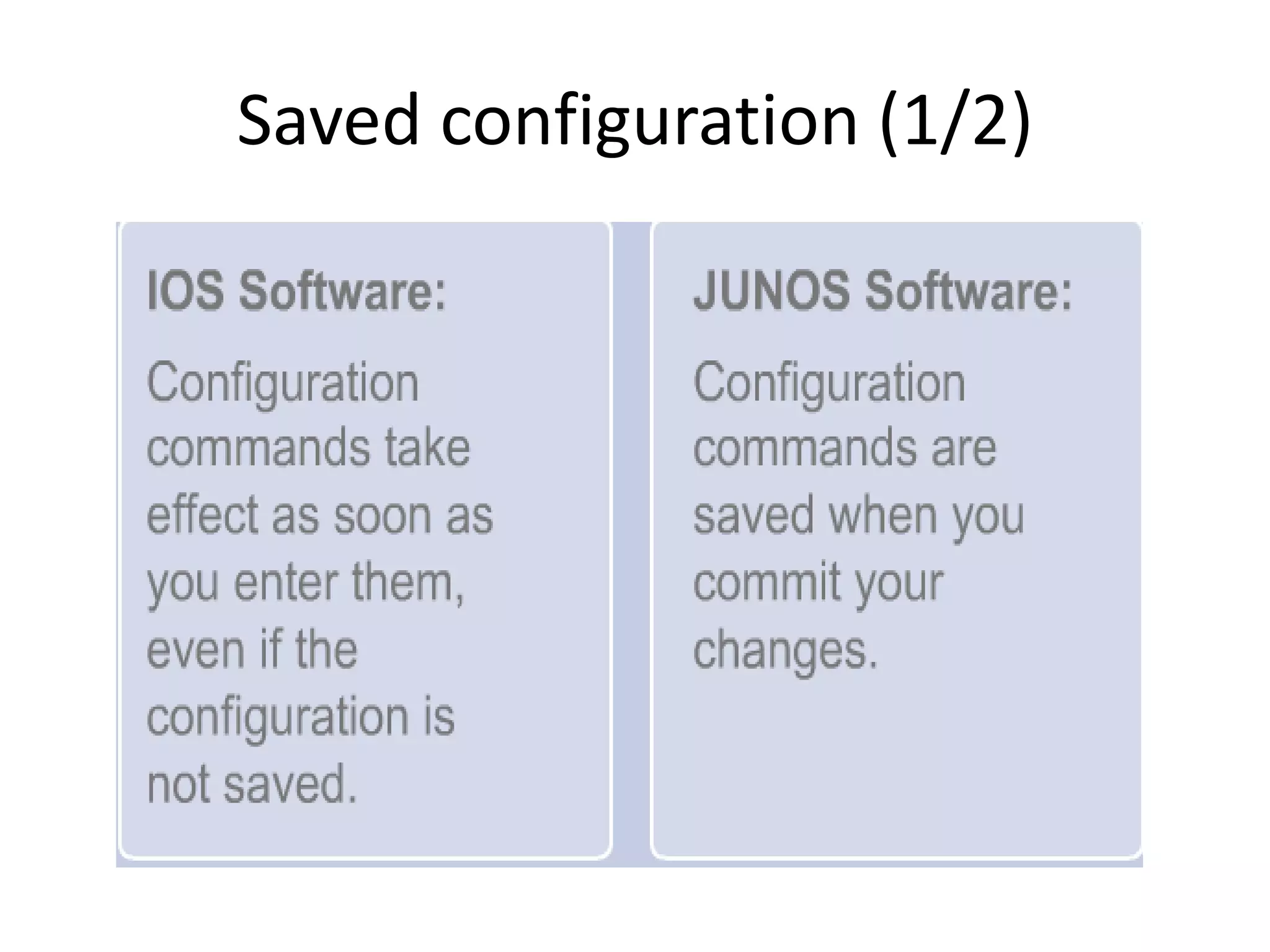
Saved configuration (1/2)
Saved configuration (2/2)
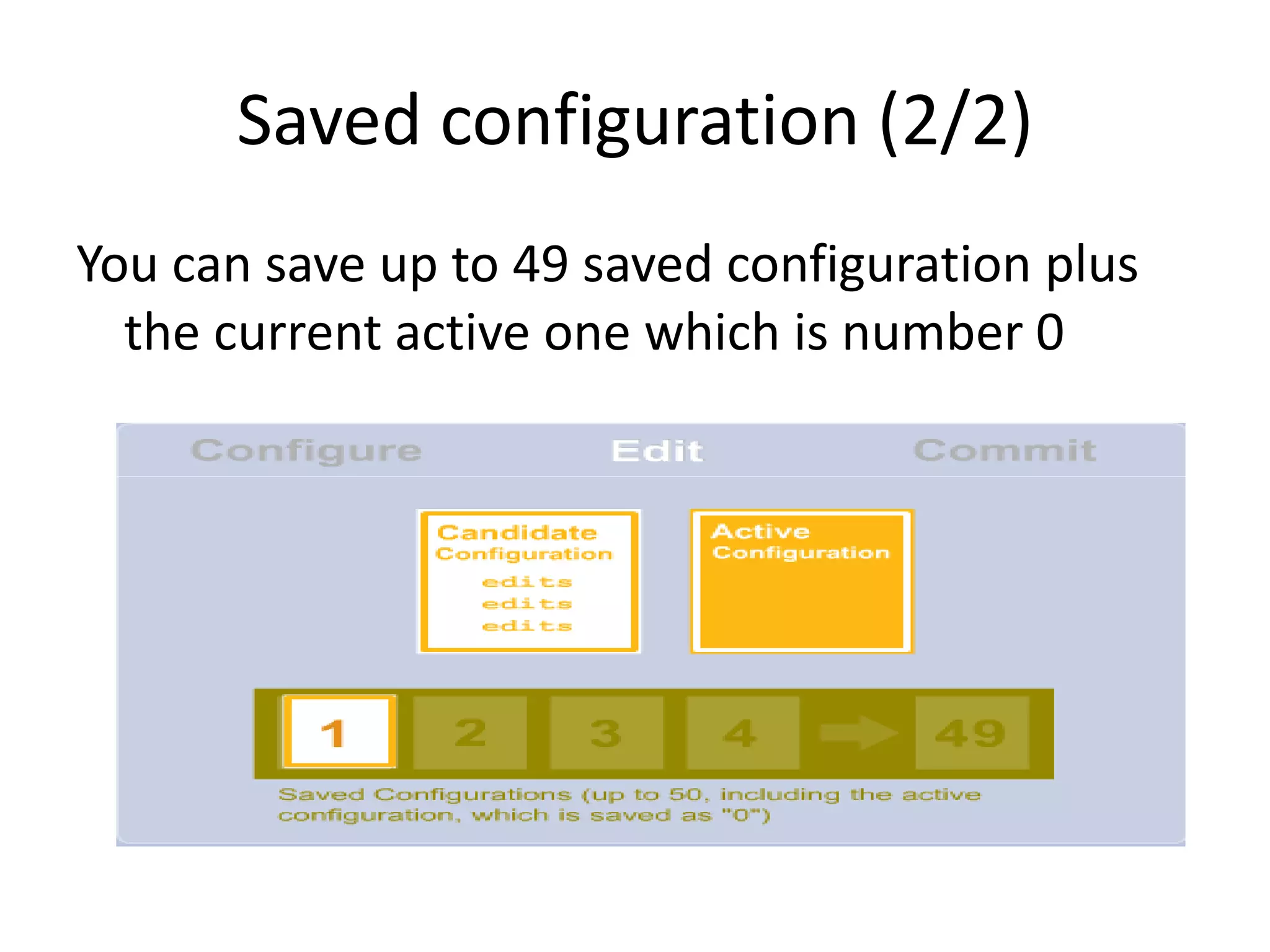
You can save up to 49 saved configuration plus
the current active one which is number 0
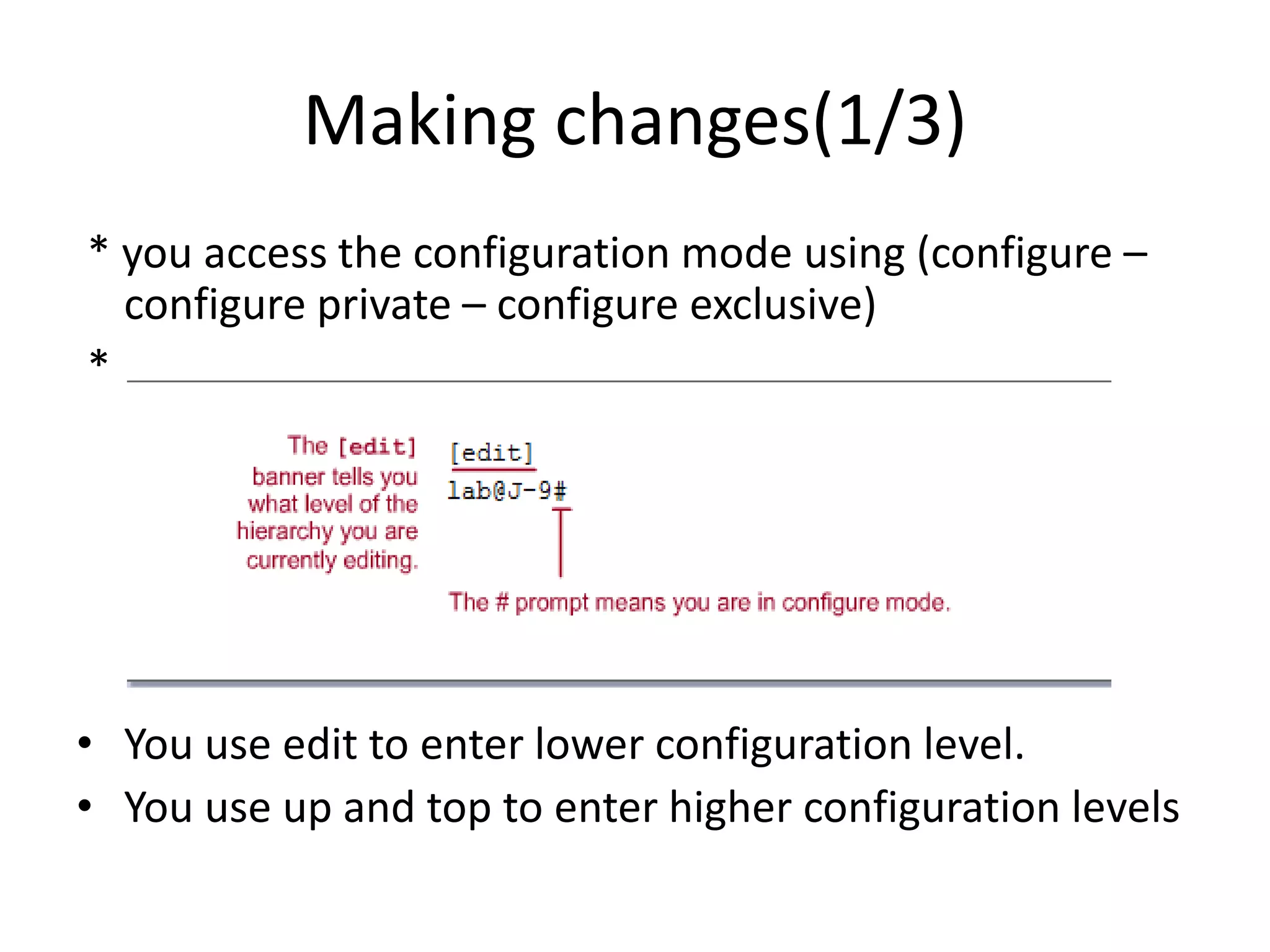
Making changes(1/3)
* you access the configuration mode using (configure –
configure private – configure exclusive)
*
• You use edit to enter lower configuration level.
• You use up and top to enter higher configuration levels
Making changes(2/3)
here is an example how we can navigate down the levels also shows that JUNOS can
summary the commands;
We could use for short;
[edit]
lab@J-9# edit interfaces se-1/0/0 unit 0
Making changes(3/3)
adding and deleting ip address;
For short;
[edit]
lab@J-9# set interfaces se-1/0/0 unit 0 family inet address 2.110.1.1/30
[edit]
lab@J-9# delete interfaces se-1/0/0 unit 0 family inet address 2.110.1.1/30
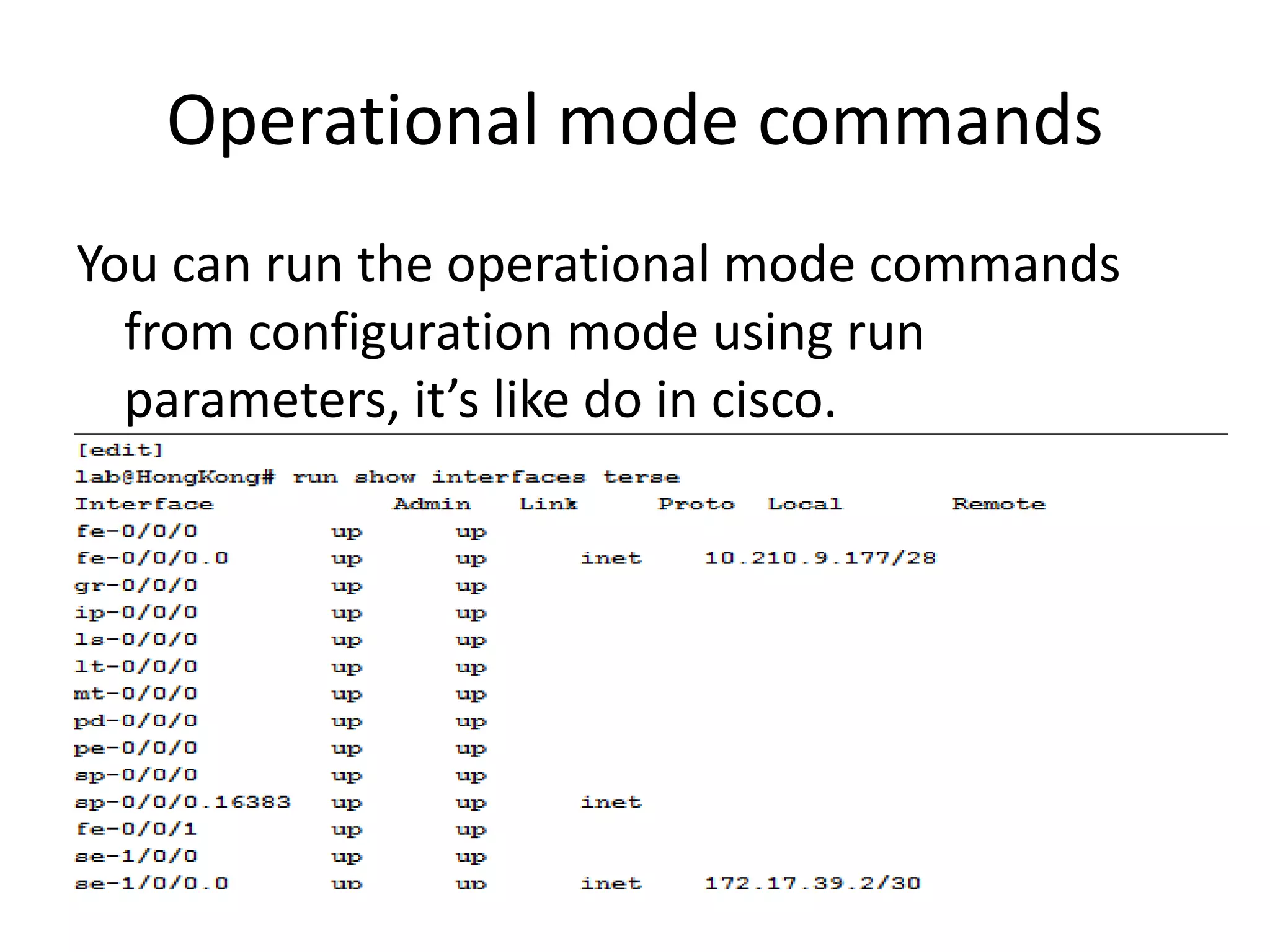
Operational mode commands
You can run the operational mode commands
from configuration mode using run
parameters, it’s like do in cisco.
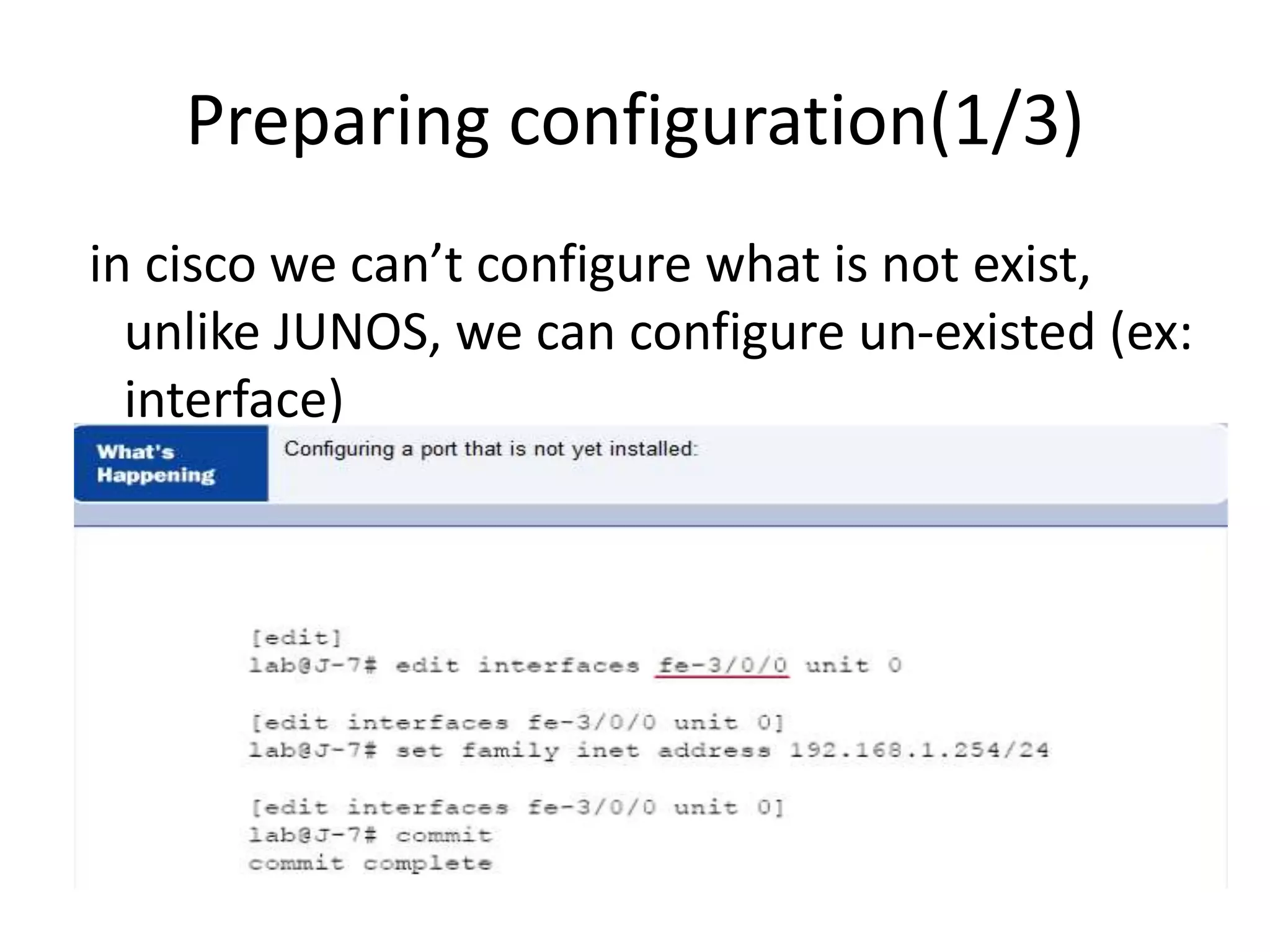
Preparing configuration(1/3)
in cisco we can’t configure what is not exist,
unlike JUNOS, we can configure un-existed (ex:
interface)
Preparing configuration(2/3)
Example of Adding a neighbor under BGP that is not actually exist
user@router-EG# edit protocols bgp group ahmed
[edit protocols bgp group ahmed]
user@router-EG# set neighbor 1.1.1.1
[edit protocols bgp group ahmed]
user@router-EG# deactivate neighbor 1.1.1.1 we can deactivate the neighbor,also we can activate it anytime
[edit protocols bgp group ahmed]
user@router-EG# show
inactive: neighbor 1.1.1.1;
[edit protocols bgp group ahmed]
user@router-EG # up
[edit protocols bgp]
user@router-EG # show
group ahmed {
inactive: neighbor 1.1.1.1;
}
Preparing configuration(3/3)
[edit protocols bgp]
user@router-EG# show
group RRs {
type internal;
local-address 163.121.170.145;
family inet {
unicast;
}
family inet-vpn {
unicast;
}
authentication-key /* SECRET-DATA */; ## SECRET-DATA
export bgp-redistributes;
peer-as 8452;
neighbor 163.121.171.2;
neighbor 163.121.171.8;
}
group ahmed {
neighbor 1.1.1.1;
}
user@router-EG# deactivate group ahmed we can deactivate the BGP group
[edit protocols bgp]
user@router-EG# show
group RRs {
type internal;
local-address 163.121.170.145;
family inet {
unicast;
}
family inet-vpn {
unicast;
}
authentication-key /* SECRET-DATA */; ## SECRET-DATA
export bgp-redistributes;
peer-as 8452;
neighbor 163.121.171.2;
neighbor 163.121.171.8;
}
inactive: group ahmed {
neighbor 1.1.1.1;
}
A few handy JUNOS tricks (1/2)
A few handy JUNOS tricks(2/2)
* to move the configurations from interface A to interface B;
[edit]
lab@J-9# rename interfaces <A> to <B>
* to copy the configurations from interface A to interface B;
[edit]
lab@J-9# copy interfaces <A> to <B>
* to change interface IP;
[edit]
lab@J-9# edit interfaces <A> unit <0> family inet
[edit interfaces <A> unit <0> family inet]
lab@J-9# rename address <1.1.1.1/30> to <2.2.2.2/30>
For short;
[edit]
user@router-EG # rename interfaces at-0/3/0 unit 150 family inet address 5.120.41.85/30 to address
9.99.9.9/30
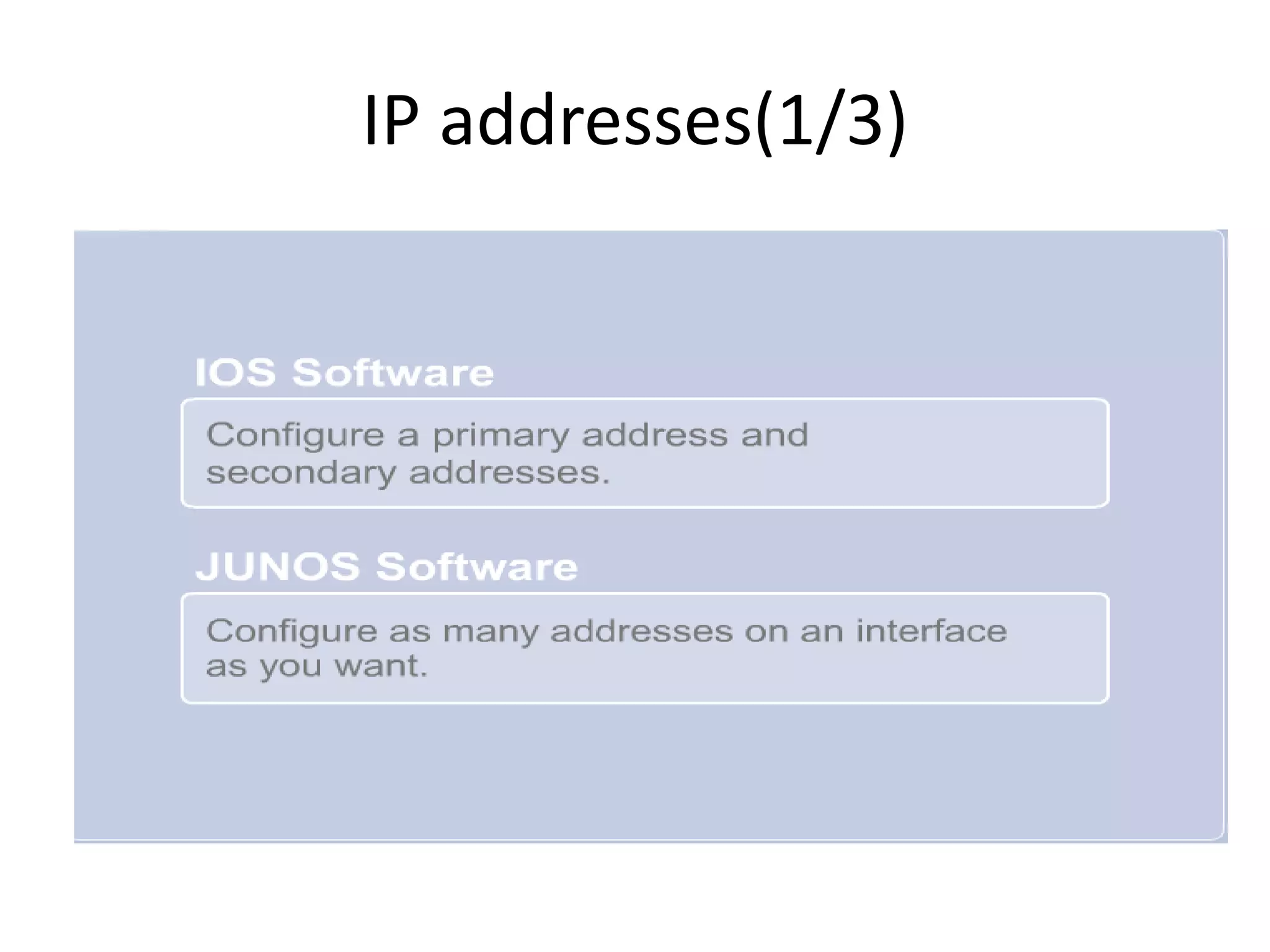
IP addresses(1/3)
IP addresses(2/3)
user@router-EG # edit interfaces at-0/3/0
[edit interfaces at-0/3/0]
user@router-EG # set unit 150 family inet address 5.120.41.85/30
[edit interfaces at-0/3/0]
user@router-EG # set unit 150 family inet address 5.120.42.85/30
[edit interfaces at-0/3/0]
user@router-EG # set unit 150 family inet address 5.120.43.85/30
user@router-EG # edit unit 150
[edit interfaces at-0/3/0 unit 150]
user@router-EG # show
description VPN:NID-PBDAC-2180:HoodElDers:25341:Main:Monitor;
encapsulation atm-snap;
vci 48.150;
family inet {
address 9.99.9.9/30;
address 5.120.41.85/30;
address 5.120.42.85/30;
address 5.120.43.85/30;
}
IP addresses(3/3)
* you can use primary and preferable parameters;
user@router-EG # set family inet address 5.120.41.85/30 primary
user@router-EG # show
description VPN:NID-PBDAC-2180:HoodElDers:25341:Main:Monitor;
encapsulation atm-snap;
vci 48.150;
family inet {
address 9.99.9.9/30;
address 5.120.41.85/30 {
primary;
}
address 5.120.42.85/30 {
preferred;
}
address 5.120.43.85/30;
}
Juniper allow you to manipulate any configuration using (delete, rename and copy) without the need to re-configure
from the scratch like Cisco
[edit interfaces at-0/3/0 unit 150]
user@router-EG #delete family inet address 9.99.9.9/30
[edit interfaces at-0/3/0 unit 150]
user@router-EG #rename family inet address 5.120.43.85/30 to address 5.120.44.85/30
user@router-EG #show
Committing changes (1/3)
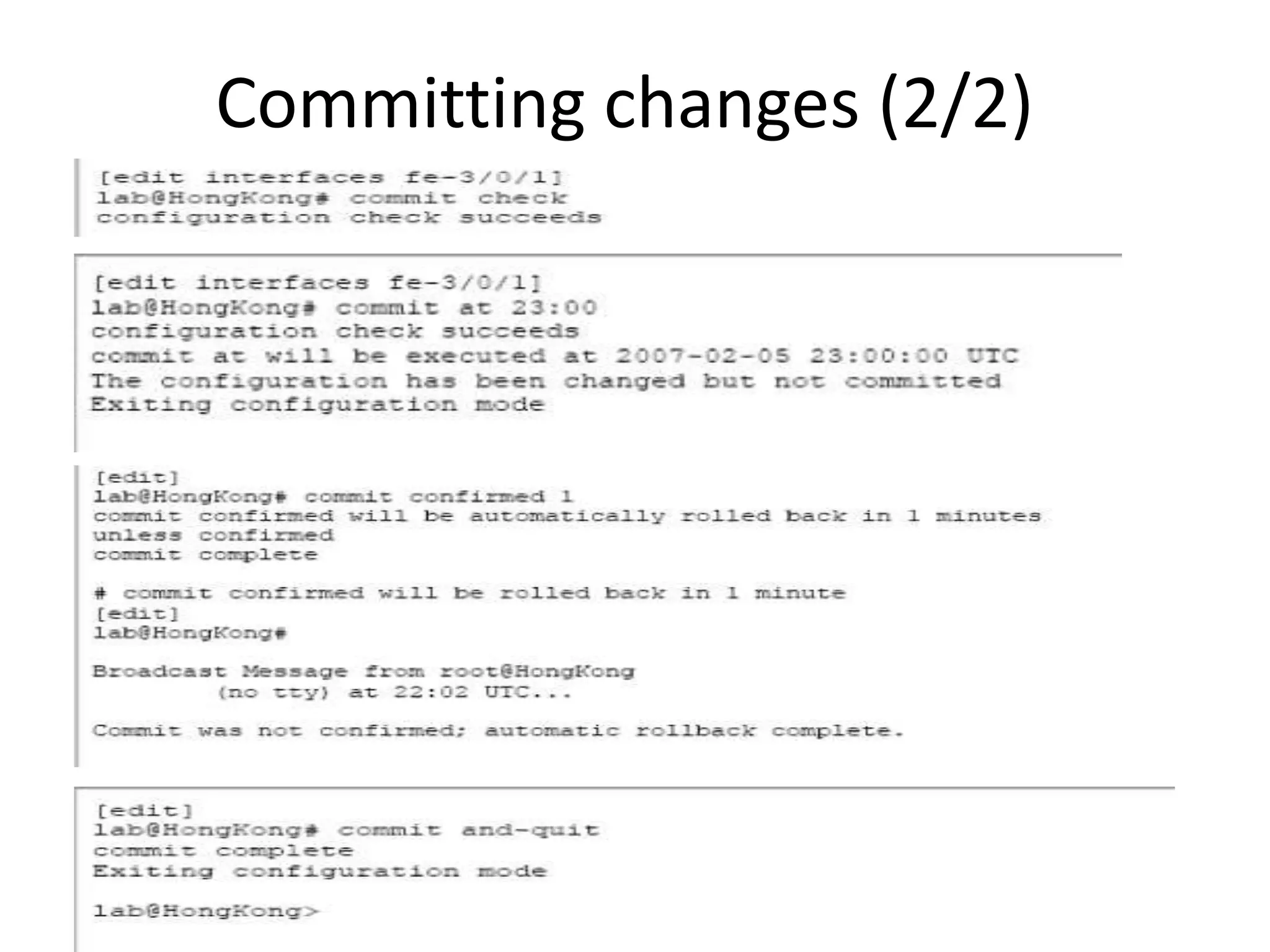
Committing changes (2/2)
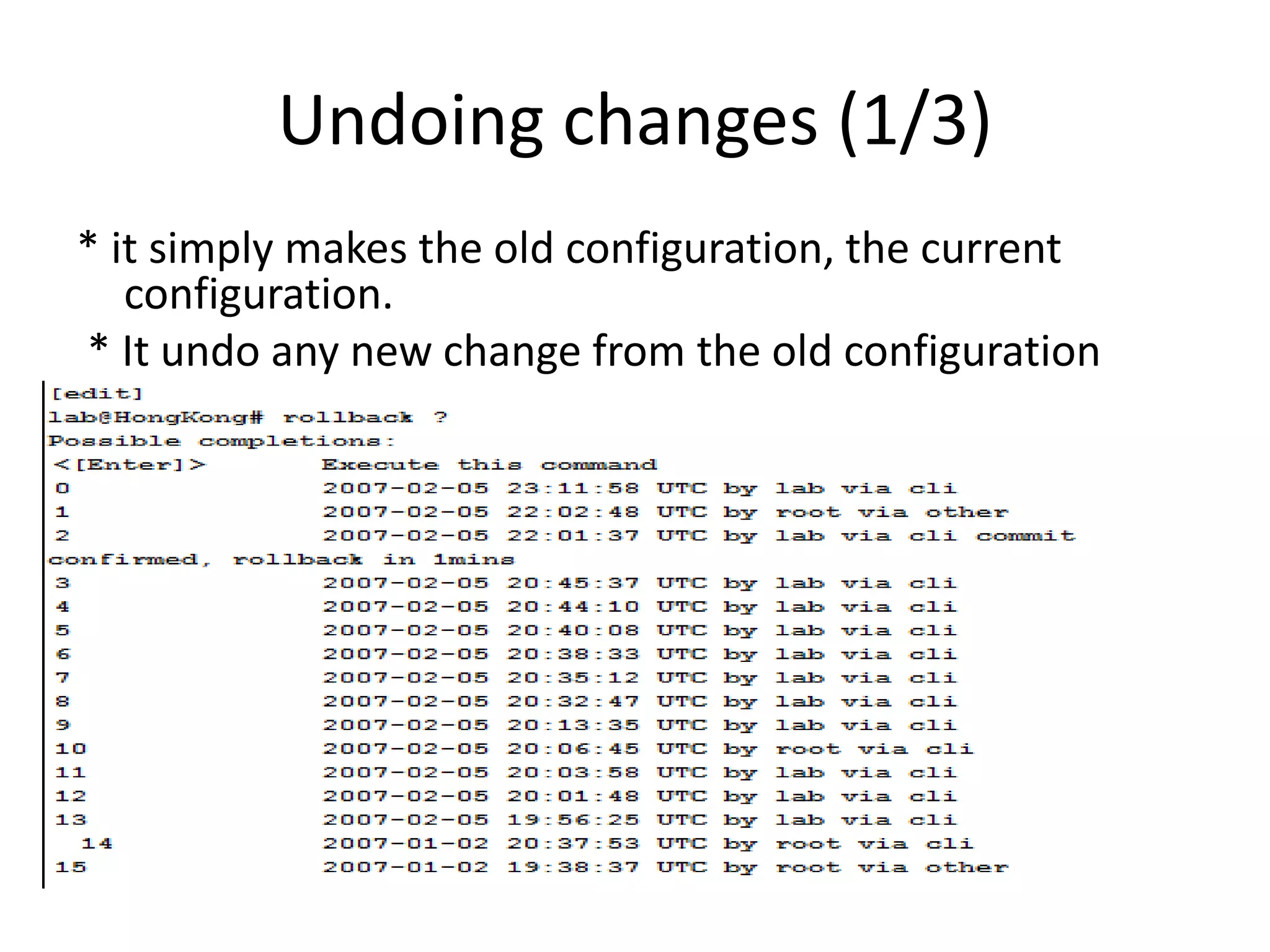
Undoing changes (1/3)
* it simply makes the old configuration, the current
configuration.
* It undo any new change from the old configuration
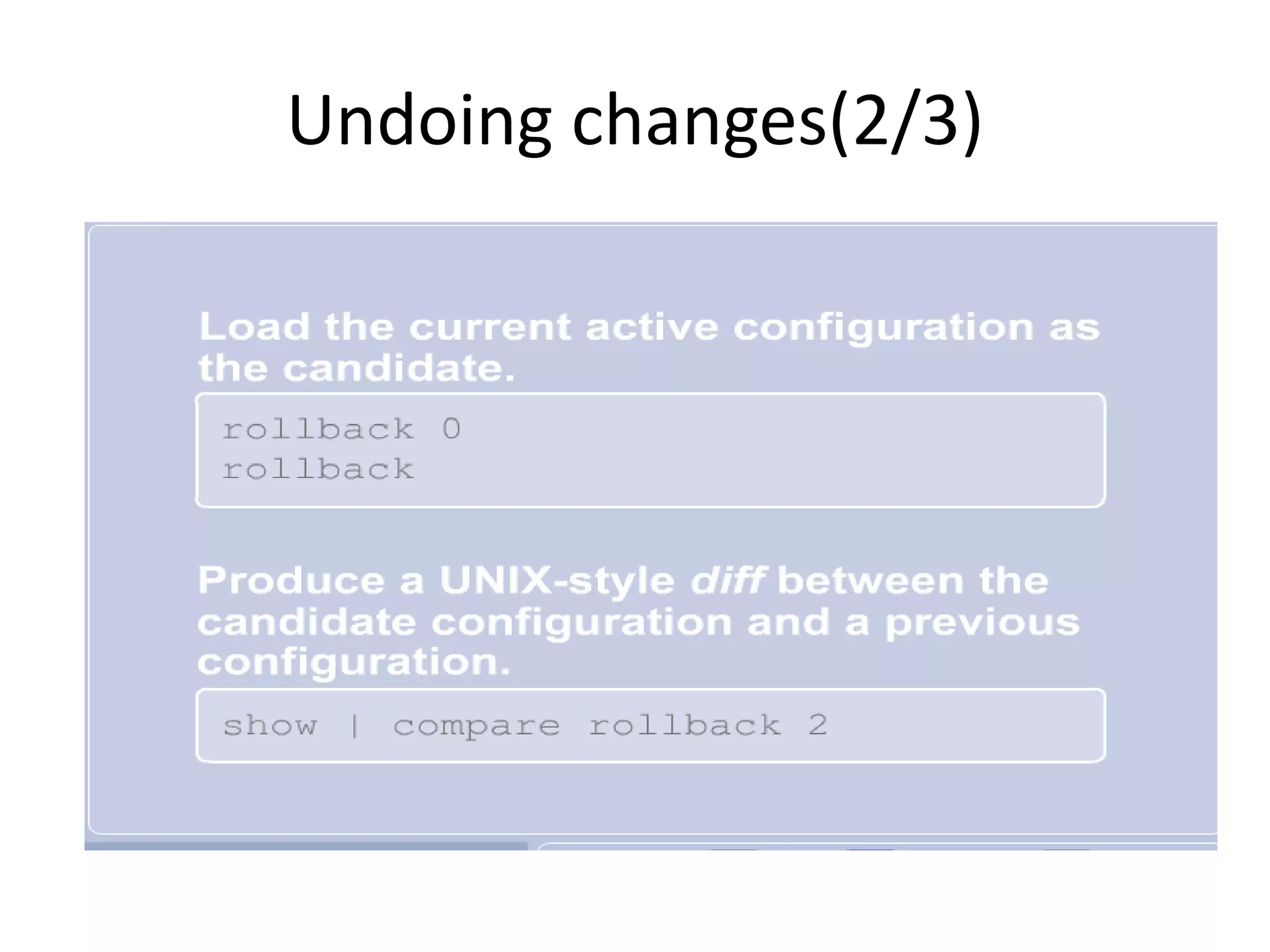
Undoing changes(2/3)
Undoing changes(3/3)
* to check the configuration changes ;
user@router-EG # show | compare rollback 2
[edit interfaces at-0/3/0 unit 150 family inet]
+ address 9.99.9.9/30;
address 5.120.41.85/30 { ... }
[edit interfaces at-0/3/0 unit 150 family inet address 5.120.41.85/30]
+ primary;
[edit interfaces at-0/3/0 unit 150 family inet]
address 5.120.41.85/30 { ... }
+ address 5.120.42.85/30 {
+ preferred;
+ }
+ address 5.120.44.85/30;
* Note that , + & - is related to the current configuration
* user@router-EG # show | compare ; compare between the candidate configuration and the current
active configuration , that command shows me what is going to be changed to the current active
configuration if I made a commit.
glossary

Session 1

  • 1.
  • 2.
  • 3.
    Juniper career paths(1/4) *Enterprise Routing and Switching Learning Path * Service Provider Routing and Switching Learning Path * Junos Security Learning Path
  • 4.
    Enterprise Routing andSwitching Learning Path(2/4)
  • 5.
    Service Provider Routingand Switching Learning Path(3/4)
  • 6.
  • 7.
  • 8.
  • 9.
    Before we start(2/3) *The effort * The time * The cost * Packing * Unpacking
  • 10.
  • 11.
    Benefit of thecourse Hiring the movers to facilitate the move.
  • 12.
    Architectural differences (1/3) *Anotheraspect of Junos modularity is the separation of the control plane and the forwarding or data plane. * The processes that control routing and switching protocols (control plan)are clearly separated from the processes that forward frames, packets(forwarding plan).
  • 13.
  • 14.
    Architectural differences (3/3) *The RE is the brain of the platform; it is responsible for performing protocol updates and system management(accessing the Junos devices) * The RE maintains the routing tables, bridging table, and primary forwarding table and connects to the Packet Forwarding Engine (PFE) through an internal link * PFE runs on separate hardware and is responsible for forwarding transit traffic through the device. In many platforms running the Junos OS, the PFE uses application-specific integrated circuits (ASICs) for increased performance * glossary; Because this architecture separates control operations—such as protocol updates and system management—from forwarding operations, platforms running the Junos OS can deliver superior performance and highly reliable deterministic operation
  • 15.
    Accessing and monitoringthe Junos device
  • 16.
    Accessing the CLI– operational modes (1/2)
  • 17.
    Accessing the CLI– operational modes (2/2)
  • 18.
    Accessing CLI(1/3) * using(?) to question about the sugessted commands * using (Tab) to complete. * using (space) for auto completion
  • 19.
  • 20.
    Accessing CLI(3/3) user@router-EG >s? Possible completions: show Show system information {master} user@router-EG > s
  • 21.
  • 22.
  • 23.
  • 24.
  • 25.
  • 26.
  • 27.
  • 28.
    Major top levelconfiguration levels
  • 29.
  • 30.
    Candidate configuration(2/5) * whenyou access the configuration mode, a candidate configuration copy are being created. * to access the configuration mode, you need to type; 1- configure 2- configure private 3- configure exclusive
  • 31.
    Candidate configuration(3/5) * allusers share the same configuration mode, the last one commit all the previous changes
  • 32.
  • 33.
    Candidate configuration(4/5) * incase of conflicting, the second and subsequent users are being introduced by an error message, he can save his changes by commenting again.
  • 34.
  • 35.
    Saved configuration (2/2) Youcan save up to 49 saved configuration plus the current active one which is number 0
  • 36.
    Making changes(1/3) * youaccess the configuration mode using (configure – configure private – configure exclusive) * • You use edit to enter lower configuration level. • You use up and top to enter higher configuration levels
  • 37.
    Making changes(2/3) here isan example how we can navigate down the levels also shows that JUNOS can summary the commands; We could use for short; [edit] lab@J-9# edit interfaces se-1/0/0 unit 0
  • 38.
    Making changes(3/3) adding anddeleting ip address; For short; [edit] lab@J-9# set interfaces se-1/0/0 unit 0 family inet address 2.110.1.1/30 [edit] lab@J-9# delete interfaces se-1/0/0 unit 0 family inet address 2.110.1.1/30
  • 39.
    Operational mode commands Youcan run the operational mode commands from configuration mode using run parameters, it’s like do in cisco.
  • 40.
    Preparing configuration(1/3) in ciscowe can’t configure what is not exist, unlike JUNOS, we can configure un-existed (ex: interface)
  • 41.
    Preparing configuration(2/3) Example ofAdding a neighbor under BGP that is not actually exist user@router-EG# edit protocols bgp group ahmed [edit protocols bgp group ahmed] user@router-EG# set neighbor 1.1.1.1 [edit protocols bgp group ahmed] user@router-EG# deactivate neighbor 1.1.1.1 we can deactivate the neighbor,also we can activate it anytime [edit protocols bgp group ahmed] user@router-EG# show inactive: neighbor 1.1.1.1; [edit protocols bgp group ahmed] user@router-EG # up [edit protocols bgp] user@router-EG # show group ahmed { inactive: neighbor 1.1.1.1; }
  • 42.
    Preparing configuration(3/3) [edit protocolsbgp] user@router-EG# show group RRs { type internal; local-address 163.121.170.145; family inet { unicast; } family inet-vpn { unicast; } authentication-key /* SECRET-DATA */; ## SECRET-DATA export bgp-redistributes; peer-as 8452; neighbor 163.121.171.2; neighbor 163.121.171.8; } group ahmed { neighbor 1.1.1.1; } user@router-EG# deactivate group ahmed we can deactivate the BGP group [edit protocols bgp] user@router-EG# show group RRs { type internal; local-address 163.121.170.145; family inet { unicast; } family inet-vpn { unicast; } authentication-key /* SECRET-DATA */; ## SECRET-DATA export bgp-redistributes; peer-as 8452; neighbor 163.121.171.2; neighbor 163.121.171.8; } inactive: group ahmed { neighbor 1.1.1.1; }
  • 43.
    A few handyJUNOS tricks (1/2)
  • 44.
    A few handyJUNOS tricks(2/2) * to move the configurations from interface A to interface B; [edit] lab@J-9# rename interfaces <A> to <B> * to copy the configurations from interface A to interface B; [edit] lab@J-9# copy interfaces <A> to <B> * to change interface IP; [edit] lab@J-9# edit interfaces <A> unit <0> family inet [edit interfaces <A> unit <0> family inet] lab@J-9# rename address <1.1.1.1/30> to <2.2.2.2/30> For short; [edit] user@router-EG # rename interfaces at-0/3/0 unit 150 family inet address 5.120.41.85/30 to address 9.99.9.9/30
  • 45.
  • 46.
    IP addresses(2/3) user@router-EG #edit interfaces at-0/3/0 [edit interfaces at-0/3/0] user@router-EG # set unit 150 family inet address 5.120.41.85/30 [edit interfaces at-0/3/0] user@router-EG # set unit 150 family inet address 5.120.42.85/30 [edit interfaces at-0/3/0] user@router-EG # set unit 150 family inet address 5.120.43.85/30 user@router-EG # edit unit 150 [edit interfaces at-0/3/0 unit 150] user@router-EG # show description VPN:NID-PBDAC-2180:HoodElDers:25341:Main:Monitor; encapsulation atm-snap; vci 48.150; family inet { address 9.99.9.9/30; address 5.120.41.85/30; address 5.120.42.85/30; address 5.120.43.85/30; }
  • 47.
    IP addresses(3/3) * youcan use primary and preferable parameters; user@router-EG # set family inet address 5.120.41.85/30 primary user@router-EG # show description VPN:NID-PBDAC-2180:HoodElDers:25341:Main:Monitor; encapsulation atm-snap; vci 48.150; family inet { address 9.99.9.9/30; address 5.120.41.85/30 { primary; } address 5.120.42.85/30 { preferred; } address 5.120.43.85/30; } Juniper allow you to manipulate any configuration using (delete, rename and copy) without the need to re-configure from the scratch like Cisco [edit interfaces at-0/3/0 unit 150] user@router-EG #delete family inet address 9.99.9.9/30 [edit interfaces at-0/3/0 unit 150] user@router-EG #rename family inet address 5.120.43.85/30 to address 5.120.44.85/30 user@router-EG #show
  • 48.
  • 49.
  • 50.
    Undoing changes (1/3) *it simply makes the old configuration, the current configuration. * It undo any new change from the old configuration
  • 51.
  • 52.
    Undoing changes(3/3) * tocheck the configuration changes ; user@router-EG # show | compare rollback 2 [edit interfaces at-0/3/0 unit 150 family inet] + address 9.99.9.9/30; address 5.120.41.85/30 { ... } [edit interfaces at-0/3/0 unit 150 family inet address 5.120.41.85/30] + primary; [edit interfaces at-0/3/0 unit 150 family inet] address 5.120.41.85/30 { ... } + address 5.120.42.85/30 { + preferred; + } + address 5.120.44.85/30; * Note that , + & - is related to the current configuration * user@router-EG # show | compare ; compare between the candidate configuration and the current active configuration , that command shows me what is going to be changed to the current active configuration if I made a commit.
  • 53.