Get started selling on Amazon and continue to grow
your business.
seller central
Amazon seller central
What is Seller Central?
Amazon Seller Central is the web interface used by
merchants to manage and view their orders. Amazon
Seller Central allows third-party sellers to list products
on Amazon’s site. Smart sellers use Fulfilled by Amazon
(FBA), which Whitebox leverages for all of our clients, to
access Amazon Prime shipping. Anyone can use Seller
Central. Sellers retain full control of their product
listings and pricing with Seller Central.
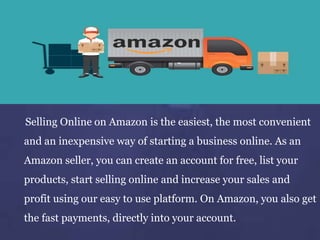
Selling Online on Amazon is the easiest, the most convenient
and an inexpensive way of starting a business online. As an
Amazon seller, you can create an account for free, list your
products, start selling online and increase your sales and
profit using our easy to use platform. On Amazon, you also get
the fast payments, directly into your account.
There is Two Seller Central Options Available-
Individual and Professional
Individual Selling Plan: You plan to sell fewer than 40 items a
month $0.99 per sale + other selling fees
Professional Selling Plan: You plan to sell more than 40 items
a month $39.99 a month + other selling fees
Amazon Seller Central enables both individuals and
businesses to sell their products and inventory on
Amazon.com.
seller central tutorial
Why Seller Central is Best?
 Anyone can set up and sell in the Seller Central
program
 Seller Central pays within 7-14 days.
 Get paid every two weeks
 You may get higher margins
 higher margins
 get full control over your listing and inventory
Why Seller Central is Best?
 Does not allow A+ content
 Sponsored product ads Available
 Analytics reports are standard - Seller Central offers
excellent tools for analytics and reporting.
 FBA is available to 3P sellers, which means you can
opt to have Amazon warehouse inventory, fulfill
orders, and handle customer service and returns.
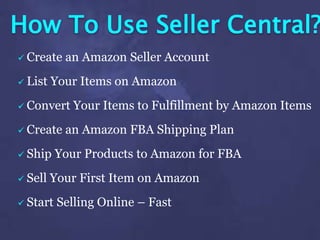
How To Use Seller Central?
 Create an Amazon Seller Account
 List Your Items on Amazon
 Convert Your Items to Fulfillment by Amazon Items
 Create an Amazon FBA Shipping Plan
 Ship Your Products to Amazon for FBA
 Sell Your First Item on Amazon
 Start Selling Online – Fast
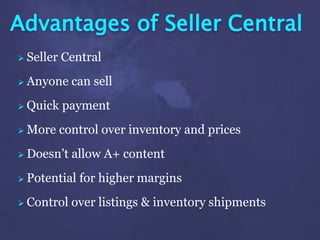
Advantages of Seller Central
 Seller Central
 Anyone can sell
 Quick payment
 More control over inventory and prices
 Doesn’t allow A+ content
 Potential for higher margins
 Control over listings & inventory shipments
We take you through exactly how to use Amazon Seller
Central, and which menu’s you’ll be using often, which
you can generally ignore, and an exact step by step
tutorial of how to set up a product listing on Amazon,
and How to sell on Amazon FBA!
This specific video is for the newly initiated seller, if
you’re more experienced make sure to check out some
of my other more advanced videos on selling on
Amazon FBA! We cover the header menus with all of
their main functionality! The dashboard widgets, which
you will be using often and which you rarely ever touch!
amazon fba seller central
If you’re just getting started
in selling on Amazon FBA,
this definitely Amazon Seller
Central Tutorial will help you
understand the platform
much better.
Amazon Seller Central Tutorial 2017 | Complete
Walkthrough Tour How to Sell a Product on Amazon FBA
Amazon Seller Central Tutorial | Learn How to Use Amazon Seller Central
and the TWO MOST COMMON Mistakes New Sellers Make!
STEP #1 ➜ Join the Amazon FBA Ninja FB Group! https://goo.gl/mUw2xy
STEP #2 ➜ Join the FREE Amazon FBA Ninja Mini Course (ONLY 100
SPOTS LEFT!) https://goo.gl/2HF8vY
STEP #3 ➜ Join the FREE Ninja Webinar on How to Quit Your Job!
https://goo.gl/xeUQ29
Amazon fba seller central
Thank You

Seller central tutorial

  • 1.
    Get started sellingon Amazon and continue to grow your business. seller central
  • 2.
  • 3.
    What is SellerCentral? Amazon Seller Central is the web interface used by merchants to manage and view their orders. Amazon Seller Central allows third-party sellers to list products on Amazon’s site. Smart sellers use Fulfilled by Amazon (FBA), which Whitebox leverages for all of our clients, to access Amazon Prime shipping. Anyone can use Seller Central. Sellers retain full control of their product listings and pricing with Seller Central.
  • 4.
    Selling Online onAmazon is the easiest, the most convenient and an inexpensive way of starting a business online. As an Amazon seller, you can create an account for free, list your products, start selling online and increase your sales and profit using our easy to use platform. On Amazon, you also get the fast payments, directly into your account.
  • 5.
    There is TwoSeller Central Options Available- Individual and Professional
  • 6.
    Individual Selling Plan:You plan to sell fewer than 40 items a month $0.99 per sale + other selling fees Professional Selling Plan: You plan to sell more than 40 items a month $39.99 a month + other selling fees Amazon Seller Central enables both individuals and businesses to sell their products and inventory on Amazon.com. seller central tutorial
  • 7.
    Why Seller Centralis Best?  Anyone can set up and sell in the Seller Central program  Seller Central pays within 7-14 days.  Get paid every two weeks  You may get higher margins  higher margins  get full control over your listing and inventory
  • 8.
    Why Seller Centralis Best?  Does not allow A+ content  Sponsored product ads Available  Analytics reports are standard - Seller Central offers excellent tools for analytics and reporting.  FBA is available to 3P sellers, which means you can opt to have Amazon warehouse inventory, fulfill orders, and handle customer service and returns.
  • 9.
    How To UseSeller Central?  Create an Amazon Seller Account  List Your Items on Amazon  Convert Your Items to Fulfillment by Amazon Items  Create an Amazon FBA Shipping Plan  Ship Your Products to Amazon for FBA  Sell Your First Item on Amazon  Start Selling Online – Fast
  • 10.
    Advantages of SellerCentral  Seller Central  Anyone can sell  Quick payment  More control over inventory and prices  Doesn’t allow A+ content  Potential for higher margins  Control over listings & inventory shipments
  • 11.
    We take youthrough exactly how to use Amazon Seller Central, and which menu’s you’ll be using often, which you can generally ignore, and an exact step by step tutorial of how to set up a product listing on Amazon, and How to sell on Amazon FBA! This specific video is for the newly initiated seller, if you’re more experienced make sure to check out some of my other more advanced videos on selling on Amazon FBA! We cover the header menus with all of their main functionality! The dashboard widgets, which you will be using often and which you rarely ever touch! amazon fba seller central
  • 12.
    If you’re justgetting started in selling on Amazon FBA, this definitely Amazon Seller Central Tutorial will help you understand the platform much better.
  • 13.
    Amazon Seller CentralTutorial 2017 | Complete Walkthrough Tour How to Sell a Product on Amazon FBA
  • 15.
    Amazon Seller CentralTutorial | Learn How to Use Amazon Seller Central and the TWO MOST COMMON Mistakes New Sellers Make! STEP #1 ➜ Join the Amazon FBA Ninja FB Group! https://goo.gl/mUw2xy STEP #2 ➜ Join the FREE Amazon FBA Ninja Mini Course (ONLY 100 SPOTS LEFT!) https://goo.gl/2HF8vY STEP #3 ➜ Join the FREE Ninja Webinar on How to Quit Your Job! https://goo.gl/xeUQ29 Amazon fba seller central
  • 16.