SECURITY TOOLS
FOR
DEVELOPERS AND
ARCHITECTS
SHAMIR CHARANIA
@SleepySecNinja
shamir@keepsecure.ca
Agenda
Why is application security hard?
The attack lifecycle
Security Principles for Development
Strategies for Securing Applications
SDLC
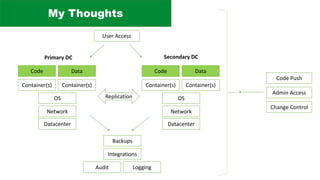
My Thoughts
Code
Container(s)
OS
Datacenter
Network
Data
Container(s)
Replication
Code
Container(s)
OS
Datacenter
Network
Data
Container(s)
Primary DC Secondary DC
Backups
Admin Access
Code Push
User Access
Integrations
LoggingAudit
Change Control
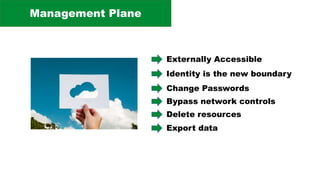
Management Plane
Externally Accessible
Identity is the new boundary
Change Passwords
Bypass network controls
Delete resources
Export data
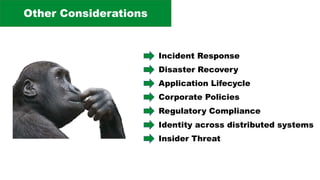
Other Considerations
Incident Response
Disaster Recovery
Application Lifecycle
Corporate Policies
Regulatory Compliance
Identity across distributed systems
Insider Threat
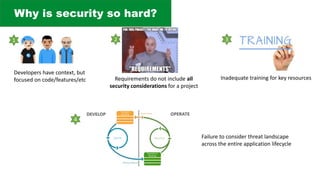
Why is security so hard?
Developers have context, but
focused on code/features/etc Requirements do not include all
security considerations for a project
1 2 3
Inadequate training for key resources
4
Failure to consider threat landscape
across the entire application lifecycle
The Attack Lifecycle
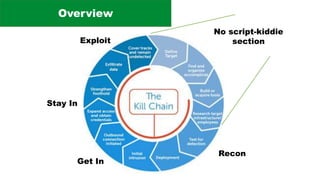
Overview
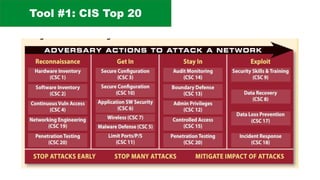
Recon
Get In
Stay In
Exploit
No script-kiddie
section
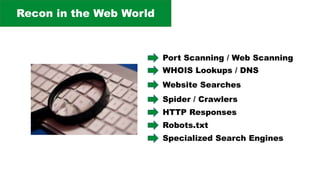
Recon in the Web World
WHOIS Lookups / DNS
Website Searches
Spider / Crawlers
Specialized Search Engines
HTTP Responses
Robots.txt
Port Scanning / Web Scanning
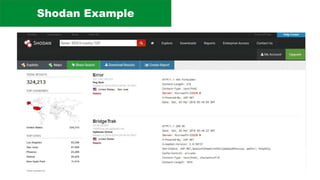
Shodan Example
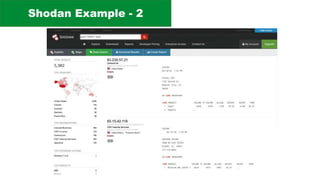
Shodan Example - 2
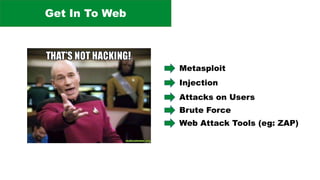
Get In To Web
Metasploit
Injection
Attacks on Users
Brute Force
Web Attack Tools (eg: ZAP)
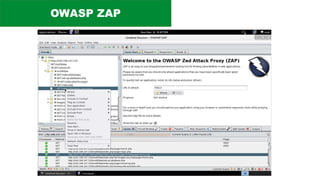
OWASP ZAP
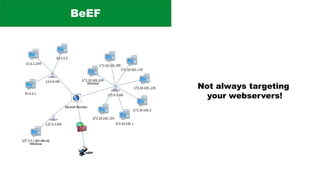
BeEF
Not always targeting
your webservers!
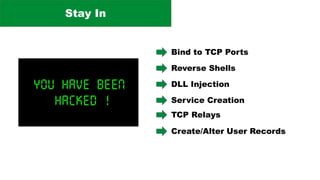
Stay In
Bind to TCP Ports
Reverse Shells
DLL Injection
Service Creation
TCP Relays
Create/Alter User Records
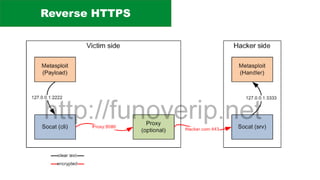
Reverse HTTPS
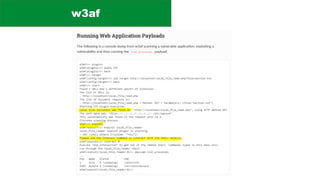
w3af
Exploit
Tool #1: CIS Top 20
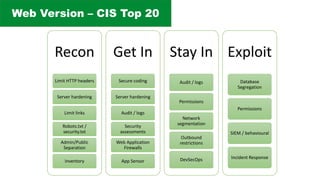
Web Version – CIS Top 20
Recon
Limit HTTP headers
Server hardening
Limit links
Robots.txt /
security.txt
Admin/Public
Separation
Inventory
Get In
Secure coding
Server hardening
Audit / logs
Security
assessments
Web Application
Firewalls
App Sensor
Stay In
Audit / logs
Permissions
Network
segmentation
Outbound
restrictions
DevSecOps
Exploit
Database
Segregation
Permissions
SIEM / behavioural
Incident Response
CIS Azure Benchmark
https://www.cisecurity.org/cis-microsoft-azure-foundations-
benchmark-v1-0-0-now-available/
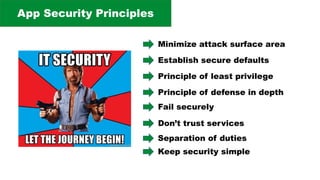
Security Principles
App Security Principles
Minimize attack surface area
Establish secure defaults
Principle of least privilege
Principle of defense in depth
Fail securely
Don’t trust services
Separation of duties
Keep security simple
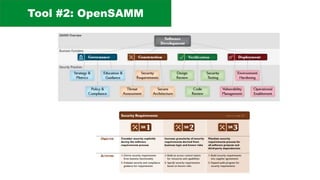
Tool #2: OpenSAMM
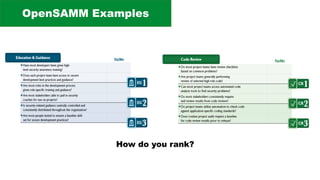
OpenSAMM Examples
How do you rank?
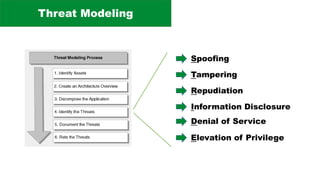
Threat Modeling
Spoofing
Tampering
Repudiation
Information Disclosure
Denial of Service
Elevation of Privilege
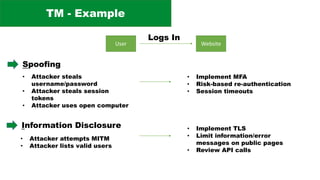
TM - Example
User Website
Logs In
Spoofing
• Attacker steals
username/password
• Attacker steals session
tokens
• Attacker uses open computer
• Implement MFA
• Risk-based re-authentication
• Session timeouts
Information Disclosure
• Attacker attempts MITM
• Attacker lists valid users
• Implement TLS
• Limit information/error
messages on public pages
• Review API calls
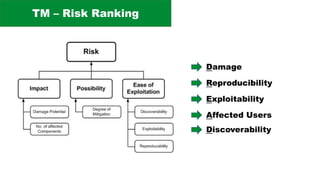
TM – Risk Ranking
Damage
Reproducibility
Exploitability
Affected Users
Discoverability
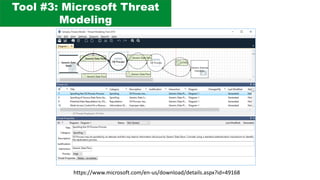
Tool #3: Microsoft Threat
Modeling
https://www.microsoft.com/en-us/download/details.aspx?id=49168
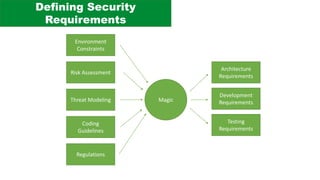
Defining Security
Requirements
Threat Modeling
Risk Assessment
Coding
Guidelines
Magic
Architecture
Requirements
Development
Requirements
Testing
Requirements
Environment
Constraints
Regulations
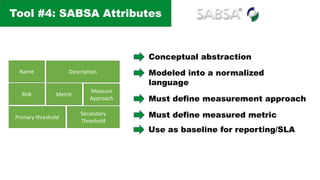
Tool #4: SABSA Attributes
Name Description
Risk Metric
Measure
Approach
Primary threshold
Secondary
Threshold
Conceptual abstraction
Modeled into a normalized
language
Must define measurement approach
Must define measured metric
Use as baseline for reporting/SLA
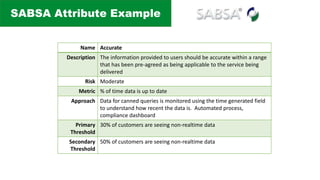
SABSA Attribute Example
Name Accurate
Description The information provided to users should be accurate within a range
that has been pre-agreed as being applicable to the service being
delivered
Risk Moderate
Metric % of time data is up to date
Approach Data for canned queries is monitored using the time generated field
to understand how recent the data is. Automated process,
compliance dashboard
Primary
Threshold
30% of customers are seeing non-realtime data
Secondary
Threshold
50% of customers are seeing non-realtime data
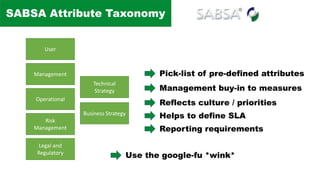
SABSA Attribute Taxonomy
User
Management
Operational
Risk
Management
Legal and
Regulatory
Technical
Strategy
Business Strategy
Pick-list of pre-defined attributes
Management buy-in to measures
Reflects culture / priorities
Helps to define SLA
Reporting requirements
Use the google-fu *wink*
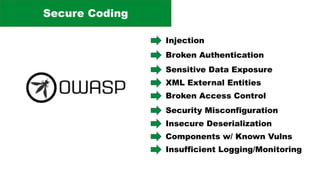
Secure Coding
Injection
Broken Authentication
Sensitive Data Exposure
XML External Entities
Broken Access Control
Security Misconfiguration
Insecure Deserialization
Components w/ Known Vulns
Insufficient Logging/Monitoring
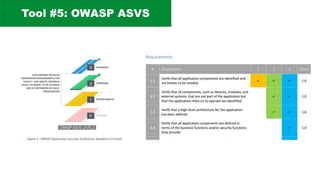
Tool #5: OWASP ASVS
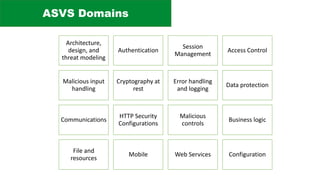
ASVS Domains
Architecture,
design, and
threat modeling
Authentication
Session
Management
Access Control
Malicious input
handling
Cryptography at
rest
Error handling
and logging
Data protection
Communications
HTTP Security
Configurations
Malicious
controls
Business logic
File and
resources
Mobile Web Services Configuration
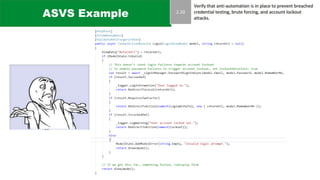
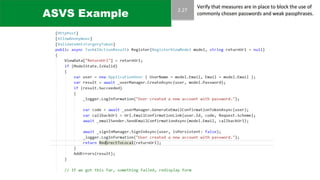
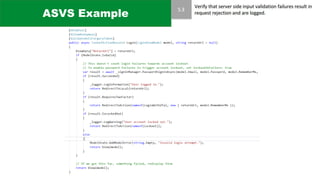
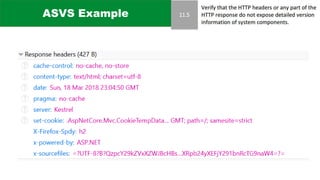
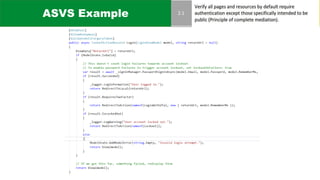
ASVS Example
ASVS Example
ASVS Example
ASVS Example
ASVS Example
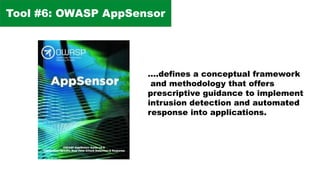
Tool #6: OWASP AppSensor
….defines a conceptual framework
and methodology that offers
prescriptive guidance to implement
intrusion detection and automated
response into applications.
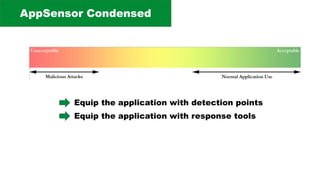
AppSensor Condensed
Equip the application with detection points
Equip the application with response tools
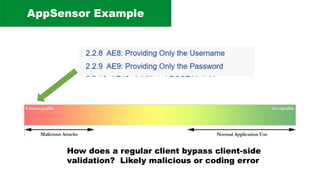
AppSensor Example
How does a regular client bypass client-side
validation? Likely malicious or coding error
Secure Dev Lifecycle
Goal to infuse security in how
we create code
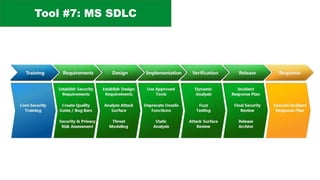
Tool #7: MS SDLC
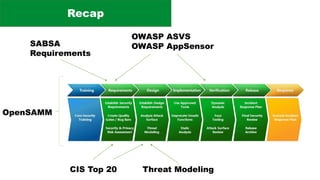
Recap
Threat Modeling
SABSA
Requirements
OWASP ASVS
OWASP AppSensor
OpenSAMM
CIS Top 20
THANK YOU!
SHAMIR CHARANIA
@SleepySecNinja
shamir@keepsecure.ca

Security for Architects and Developers