Securing
The Apache Web Server
       Matthew Cook
   http://escarpment.net/
Agenda
•   Background
•   Web Servers
•   Connections
•   Apache History
•   System Attacks
•   Securing Apache
•   Useful Tools
•   In Summary
•   Further Advice and Guidance
Background
• The Security Service is running a number
  of similar courses in conjunction with
  Professional Development.
• Details are available at:
  http://www.lboro.ac.uk/computing/security/
• By increasing the security of networked
  machines on campus, we hope to reduce
  the number of compromised machines and
  IT Support Staff workload.
Web Servers
• The first operational web servers were
  developed in 1991.
• Graphical browsers helped development.
• Scaling to around 50 around the world in
  1992.
• Netcraft reports 59,100,880 sites in
  February 2005.
Web Servers…
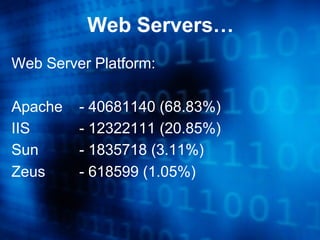
Web Server Platform:

Apache   - 40681140 (68.83%)
IIS      - 12322111 (20.85%)
Sun      - 1835718 (3.11%)
Zeus     - 618599 (1.05%)
Connections
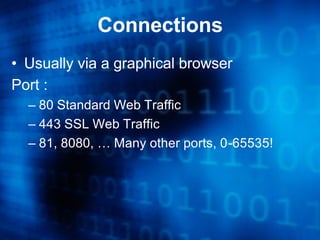
• Usually via a graphical browser
Port :
  – 80 Standard Web Traffic
  – 443 SSL Web Traffic
  – 81, 8080, … Many other ports, 0-65535!
Connections…
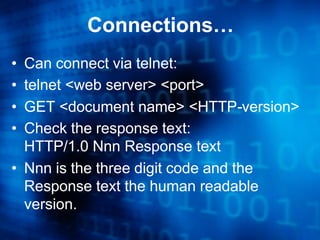
• Can connect via telnet:
• telnet <web server> <port>
• GET <document name> <HTTP-version>
• Check the response text:
  HTTP/1.0 Nnn Response text
• Nnn is the three digit code and the
  Response text the human readable
  version.
Connections…
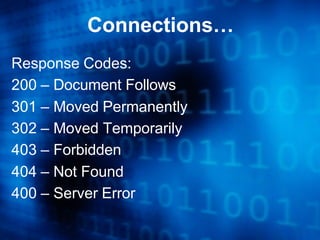
Response Codes:
200 – Document Follows
301 – Moved Permanently
302 – Moved Temporarily
403 – Forbidden
404 – Not Found
400 – Server Error
Connections…
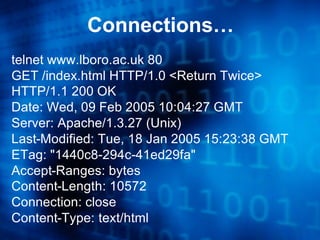
telnet www.lboro.ac.uk 80
GET /index.html HTTP/1.0 <Return Twice>
HTTP/1.1 200 OK
Date: Wed, 09 Feb 2005 10:04:27 GMT
Server: Apache/1.3.27 (Unix)
Last-Modified: Tue, 18 Jan 2005 15:23:38 GMT
ETag: "1440c8-294c-41ed29fa"
Accept-Ranges: bytes
Content-Length: 10572
Connection: close
Content-Type: text/html
Connections…
An other example:

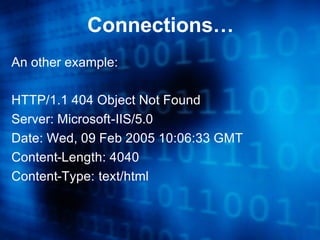
HTTP/1.1 404 Object Not Found
Server: Microsoft-IIS/5.0
Date: Wed, 09 Feb 2005 10:06:33 GMT
Content-Length: 4040
Content-Type: text/html
Apache History
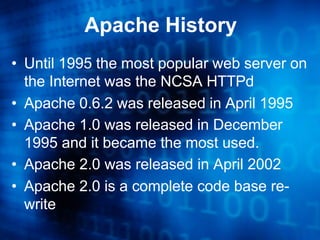
• Until 1995 the most popular web server on
  the Internet was the NCSA HTTPd
• Apache 0.6.2 was released in April 1995
• Apache 1.0 was released in December
  1995 and it became the most used.
• Apache 2.0 was released in April 2002
• Apache 2.0 is a complete code base re-
  write
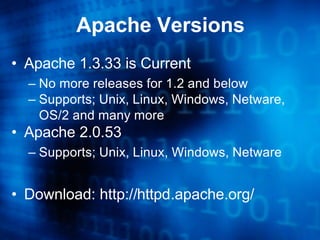
Apache Versions
• Apache 1.3.33 is Current
  – No more releases for 1.2 and below
  – Supports; Unix, Linux, Windows, Netware,
    OS/2 and many more
• Apache 2.0.53
  – Supports; Unix, Linux, Windows, Netware


• Download: http://httpd.apache.org/
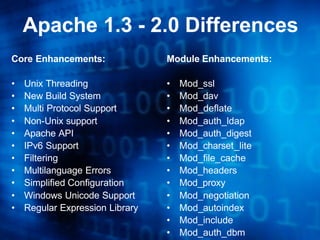
Apache 1.3 - 2.0 Differences
Core Enhancements:               Module Enhancements:

•   Unix Threading               •   Mod_ssl
•   New Build System             •   Mod_dav
•   Multi Protocol Support       •   Mod_deflate
•   Non-Unix support             •   Mod_auth_ldap
•   Apache API                   •   Mod_auth_digest
•   IPv6 Support                 •   Mod_charset_lite
•   Filtering                    •   Mod_file_cache
•   Multilanguage Errors         •   Mod_headers
•   Simplified Configuration     •   Mod_proxy
•   Windows Unicode Support      •   Mod_negotiation
•   Regular Expression Library   •   Mod_autoindex
                                 •   Mod_include
                                 •   Mod_auth_dbm
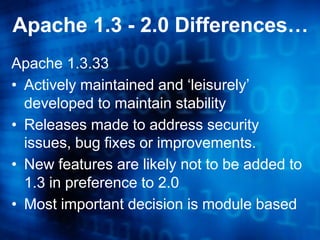
Apache 1.3 - 2.0 Differences…
Apache 1.3.33
• Actively maintained and ‘leisurely’
  developed to maintain stability
• Releases made to address security
  issues, bug fixes or improvements.
• New features are likely not to be added to
  1.3 in preference to 2.0
• Most important decision is module based
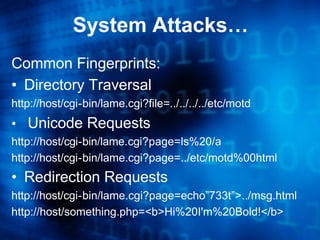
System Attacks…
Common Fingerprints:
• Directory Traversal
http://host/cgi-bin/lame.cgi?file=../../../../etc/motd
• Unicode Requests
http://host/cgi-bin/lame.cgi?page=ls%20/a
http://host/cgi-bin/lame.cgi?page=../etc/motd%00html
• Redirection Requests
http://host/cgi-bin/lame.cgi?page=echo”733t”>../msg.html
http://host/something.php=<b>Hi%20I'm%20Bold!</b>
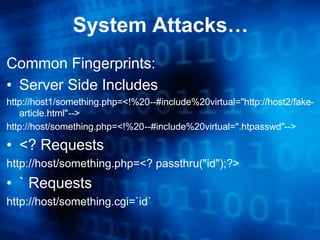
System Attacks…
Common Fingerprints:
• Server Side Includes
http://host1/something.php=<!%20--#include%20virtual="http://host2/fake-
   article.html"-->
http://host/something.php=<!%20--#include%20virtual=".htpasswd"-->

• <? Requests
http://host/something.php=<? passthru("id");?>
• ` Requests
http://host/something.cgi=`id`
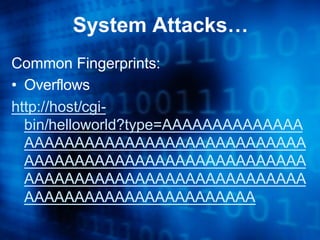
System Attacks…
Common Fingerprints:
• Overflows
http://host/cgi-
  bin/helloworld?type=AAAAAAAAAAAAAA
  AAAAAAAAAAAAAAAAAAAAAAAAAAAA
  AAAAAAAAAAAAAAAAAAAAAAAAAAAA
  AAAAAAAAAAAAAAAAAAAAAAAAAAAA
  AAAAAAAAAAAAAAAAAAAAAAA
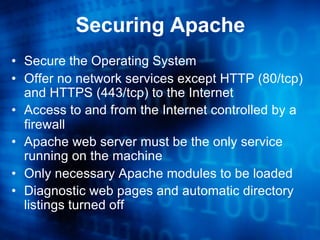
Securing Apache
• Secure the Operating System
• Offer no network services except HTTP (80/tcp)
  and HTTPS (443/tcp) to the Internet
• Access to and from the Internet controlled by a
  firewall
• Apache web server must be the only service
  running on the machine
• Only necessary Apache modules to be loaded
• Diagnostic web pages and automatic directory
  listings turned off
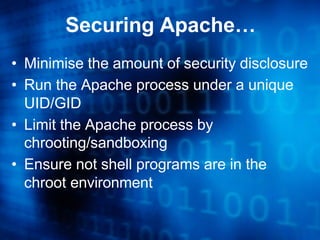
Securing Apache…
• Minimise the amount of security disclosure
• Run the Apache process under a unique
  UID/GID
• Limit the Apache process by
  chrooting/sandboxing
• Ensure not shell programs are in the
  chroot environment
Securing Apache…
  Notes based on Apache 1.3.33 under
  Fedora Core 3:
• Apache that ships with Fedora is:
  Apache/2.0.52 (Fedora)
• Apache 1.3.33 downloaded from:
  http://httpd.apache.org/download.cgi
• I have used Apache 1.3.33 due to the
  nature of the web content provided.
Securing Apache…
    Build Apache with only the modules required:
•   http_core
•   Mod_access
•   Mod_auth
•   Mod_dir
•   Mod_log_config
•   Mod_mime

Do not install: mod_autoindex and mod_info
Compiled statically, which also removes the need
for mod_so
Securing Apache…
• Create a chroot’d directory structure
  – Usually /chroot/http/<blah>
  – Create /dev/null and other devices
  – Copy binaries required into the structure
  – Copy config files into the structure
  – Start Apache and test if it works in the
    environment
  – Check the logs for problems
Securing Apache…
• Trim the httpd.conf file to leave only the basics
   – Reduce the number of modules
   – Stop producing server signature
   – Apache processes running under regular user/group
     permissions
   – Only directories/files explicitly in the config file can be
     accessed from the web server
   – Limit access using Access control
   – Limit MIME types supported
   – Apache needs to log more details about the requests
Securing Apache…
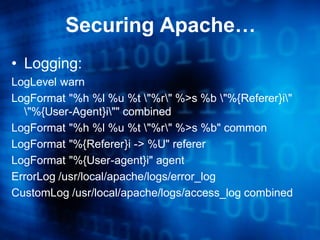
• Logging:
LogLevel warn
LogFormat "%h %l %u %t "%r" %>s %b "%{Referer}i"
  "%{User-Agent}i"" combined
LogFormat "%h %l %u %t "%r" %>s %b" common
LogFormat "%{Referer}i -> %U" referer
LogFormat "%{User-agent}i" agent
ErrorLog /usr/local/apache/logs/error_log
CustomLog /usr/local/apache/logs/access_log combined
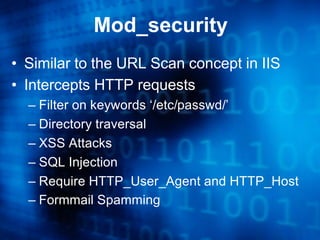
Mod_security
• Similar to the URL Scan concept in IIS
• Intercepts HTTP requests
  – Filter on keywords ‘/etc/passwd/’
  – Directory traversal
  – XSS Attacks
  – SQL Injection
  – Require HTTP_User_Agent and HTTP_Host
  – Formmail Spamming
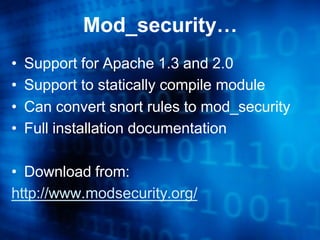
Mod_security…
•   Support for Apache 1.3 and 2.0
•   Support to statically compile module
•   Can convert snort rules to mod_security
•   Full installation documentation

• Download from:
http://www.modsecurity.org/
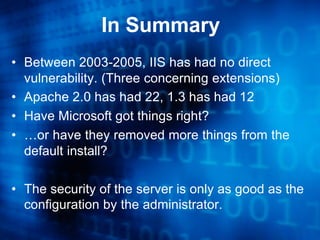
In Summary
• Between 2003-2005, IIS has had no direct
  vulnerability. (Three concerning extensions)
• Apache 2.0 has had 22, 1.3 has had 12
• Have Microsoft got things right?
• …or have they removed more things from the
  default install?

• The security of the server is only as good as the
  configuration by the administrator.
In Summary…
•   Securely configure the host OS
•   Audit your security settings
•   Remove un-necessary modules
•   Chroot Apache
•   Investigate mod_security
•   Request a Penetration Test from CC
•   Check the logs
•   Subscribe to the security lists
•   Patch and Patch and Patch some more!
Further Advice and Guidance
• http://www.lboro.ac.uk/computing/security/
• http://httpd.apache.org/
• Apache Security, Ivan Ristic, O’Reilly

• Mailing lists:
  – it-security@lists.lboro.ac.uk
  – unix-security@lists.lboro.ac.uk
  – windows-security@lists.lboro.ac.uk
Further Advice and Guidance
• Introduction to I.T. Security
• Securing Microsoft Windows 2000 Server
• Securing Microsoft Windows 2003 Server
• Securing Microsoft Internet Information
  Server (I.I.S.) 5 and 6
• Securing Fedora Linux
• Securing RedHat Enterprise Server
• Securing The Apache Web Server
Questions and Answers

   http://escarpment.net/

Securing the Apache web server

  • 1.
    Securing The Apache WebServer Matthew Cook http://escarpment.net/
  • 2.
    Agenda • Background • Web Servers • Connections • Apache History • System Attacks • Securing Apache • Useful Tools • In Summary • Further Advice and Guidance
  • 3.
    Background • The SecurityService is running a number of similar courses in conjunction with Professional Development. • Details are available at: http://www.lboro.ac.uk/computing/security/ • By increasing the security of networked machines on campus, we hope to reduce the number of compromised machines and IT Support Staff workload.
  • 4.
    Web Servers • Thefirst operational web servers were developed in 1991. • Graphical browsers helped development. • Scaling to around 50 around the world in 1992. • Netcraft reports 59,100,880 sites in February 2005.
  • 5.
    Web Servers… Web ServerPlatform: Apache - 40681140 (68.83%) IIS - 12322111 (20.85%) Sun - 1835718 (3.11%) Zeus - 618599 (1.05%)
  • 6.
    Connections • Usually viaa graphical browser Port : – 80 Standard Web Traffic – 443 SSL Web Traffic – 81, 8080, … Many other ports, 0-65535!
  • 7.
    Connections… • Can connectvia telnet: • telnet <web server> <port> • GET <document name> <HTTP-version> • Check the response text: HTTP/1.0 Nnn Response text • Nnn is the three digit code and the Response text the human readable version.
  • 8.
    Connections… Response Codes: 200 –Document Follows 301 – Moved Permanently 302 – Moved Temporarily 403 – Forbidden 404 – Not Found 400 – Server Error
  • 9.
    Connections… telnet www.lboro.ac.uk 80 GET/index.html HTTP/1.0 <Return Twice> HTTP/1.1 200 OK Date: Wed, 09 Feb 2005 10:04:27 GMT Server: Apache/1.3.27 (Unix) Last-Modified: Tue, 18 Jan 2005 15:23:38 GMT ETag: "1440c8-294c-41ed29fa" Accept-Ranges: bytes Content-Length: 10572 Connection: close Content-Type: text/html
  • 10.
    Connections… An other example: HTTP/1.1404 Object Not Found Server: Microsoft-IIS/5.0 Date: Wed, 09 Feb 2005 10:06:33 GMT Content-Length: 4040 Content-Type: text/html
  • 11.
    Apache History • Until1995 the most popular web server on the Internet was the NCSA HTTPd • Apache 0.6.2 was released in April 1995 • Apache 1.0 was released in December 1995 and it became the most used. • Apache 2.0 was released in April 2002 • Apache 2.0 is a complete code base re- write
  • 12.
    Apache Versions • Apache1.3.33 is Current – No more releases for 1.2 and below – Supports; Unix, Linux, Windows, Netware, OS/2 and many more • Apache 2.0.53 – Supports; Unix, Linux, Windows, Netware • Download: http://httpd.apache.org/
  • 13.
    Apache 1.3 -2.0 Differences Core Enhancements: Module Enhancements: • Unix Threading • Mod_ssl • New Build System • Mod_dav • Multi Protocol Support • Mod_deflate • Non-Unix support • Mod_auth_ldap • Apache API • Mod_auth_digest • IPv6 Support • Mod_charset_lite • Filtering • Mod_file_cache • Multilanguage Errors • Mod_headers • Simplified Configuration • Mod_proxy • Windows Unicode Support • Mod_negotiation • Regular Expression Library • Mod_autoindex • Mod_include • Mod_auth_dbm
  • 14.
    Apache 1.3 -2.0 Differences… Apache 1.3.33 • Actively maintained and ‘leisurely’ developed to maintain stability • Releases made to address security issues, bug fixes or improvements. • New features are likely not to be added to 1.3 in preference to 2.0 • Most important decision is module based
  • 15.
    System Attacks… Common Fingerprints: •Directory Traversal http://host/cgi-bin/lame.cgi?file=../../../../etc/motd • Unicode Requests http://host/cgi-bin/lame.cgi?page=ls%20/a http://host/cgi-bin/lame.cgi?page=../etc/motd%00html • Redirection Requests http://host/cgi-bin/lame.cgi?page=echo”733t”>../msg.html http://host/something.php=<b>Hi%20I'm%20Bold!</b>
  • 16.
    System Attacks… Common Fingerprints: •Server Side Includes http://host1/something.php=<!%20--#include%20virtual="http://host2/fake- article.html"--> http://host/something.php=<!%20--#include%20virtual=".htpasswd"--> • <? Requests http://host/something.php=<? passthru("id");?> • ` Requests http://host/something.cgi=`id`
  • 17.
    System Attacks… Common Fingerprints: •Overflows http://host/cgi- bin/helloworld?type=AAAAAAAAAAAAAA AAAAAAAAAAAAAAAAAAAAAAAAAAAA AAAAAAAAAAAAAAAAAAAAAAAAAAAA AAAAAAAAAAAAAAAAAAAAAAAAAAAA AAAAAAAAAAAAAAAAAAAAAAA
  • 18.
    Securing Apache • Securethe Operating System • Offer no network services except HTTP (80/tcp) and HTTPS (443/tcp) to the Internet • Access to and from the Internet controlled by a firewall • Apache web server must be the only service running on the machine • Only necessary Apache modules to be loaded • Diagnostic web pages and automatic directory listings turned off
  • 19.
    Securing Apache… • Minimisethe amount of security disclosure • Run the Apache process under a unique UID/GID • Limit the Apache process by chrooting/sandboxing • Ensure not shell programs are in the chroot environment
  • 20.
    Securing Apache… Notes based on Apache 1.3.33 under Fedora Core 3: • Apache that ships with Fedora is: Apache/2.0.52 (Fedora) • Apache 1.3.33 downloaded from: http://httpd.apache.org/download.cgi • I have used Apache 1.3.33 due to the nature of the web content provided.
  • 21.
    Securing Apache… Build Apache with only the modules required: • http_core • Mod_access • Mod_auth • Mod_dir • Mod_log_config • Mod_mime Do not install: mod_autoindex and mod_info Compiled statically, which also removes the need for mod_so
  • 22.
    Securing Apache… • Createa chroot’d directory structure – Usually /chroot/http/<blah> – Create /dev/null and other devices – Copy binaries required into the structure – Copy config files into the structure – Start Apache and test if it works in the environment – Check the logs for problems
  • 23.
    Securing Apache… • Trimthe httpd.conf file to leave only the basics – Reduce the number of modules – Stop producing server signature – Apache processes running under regular user/group permissions – Only directories/files explicitly in the config file can be accessed from the web server – Limit access using Access control – Limit MIME types supported – Apache needs to log more details about the requests
  • 24.
    Securing Apache… • Logging: LogLevelwarn LogFormat "%h %l %u %t "%r" %>s %b "%{Referer}i" "%{User-Agent}i"" combined LogFormat "%h %l %u %t "%r" %>s %b" common LogFormat "%{Referer}i -> %U" referer LogFormat "%{User-agent}i" agent ErrorLog /usr/local/apache/logs/error_log CustomLog /usr/local/apache/logs/access_log combined
  • 25.
    Mod_security • Similar tothe URL Scan concept in IIS • Intercepts HTTP requests – Filter on keywords ‘/etc/passwd/’ – Directory traversal – XSS Attacks – SQL Injection – Require HTTP_User_Agent and HTTP_Host – Formmail Spamming
  • 26.
    Mod_security… • Support for Apache 1.3 and 2.0 • Support to statically compile module • Can convert snort rules to mod_security • Full installation documentation • Download from: http://www.modsecurity.org/
  • 27.
    In Summary • Between2003-2005, IIS has had no direct vulnerability. (Three concerning extensions) • Apache 2.0 has had 22, 1.3 has had 12 • Have Microsoft got things right? • …or have they removed more things from the default install? • The security of the server is only as good as the configuration by the administrator.
  • 28.
    In Summary… • Securely configure the host OS • Audit your security settings • Remove un-necessary modules • Chroot Apache • Investigate mod_security • Request a Penetration Test from CC • Check the logs • Subscribe to the security lists • Patch and Patch and Patch some more!
  • 29.
    Further Advice andGuidance • http://www.lboro.ac.uk/computing/security/ • http://httpd.apache.org/ • Apache Security, Ivan Ristic, O’Reilly • Mailing lists: – it-security@lists.lboro.ac.uk – unix-security@lists.lboro.ac.uk – windows-security@lists.lboro.ac.uk
  • 30.
    Further Advice andGuidance • Introduction to I.T. Security • Securing Microsoft Windows 2000 Server • Securing Microsoft Windows 2003 Server • Securing Microsoft Internet Information Server (I.I.S.) 5 and 6 • Securing Fedora Linux • Securing RedHat Enterprise Server • Securing The Apache Web Server
  • 31.
    Questions and Answers http://escarpment.net/