The New LinkedIn Sales Navigator 
Deep Dive 
Diana Kucer 
Group Manager, Product Marketing 
LinkedIn 
Sachin Rekhi 
Director, Product Management 
LinkedIn
Cindy Hunter 
Role: Rep focused on new business 
Product: Helpdesk software 
Territory: Western United States
Cindy starts a search from her homepage
Using sales-specific search in Lead Builder
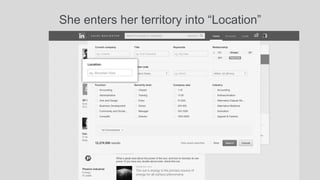
She enters her territory into “Location”
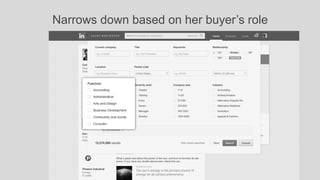
Narrows down based on her buyer’s role
Hones in on the best decision makers
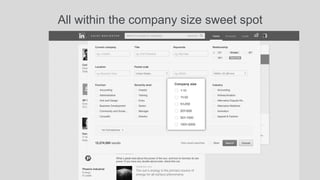
All within the company size sweet spot
And saves her search for future use
Now she has a great starting list
She can focus on the best prospects with TeamLink 
Noah Gold
She can qualify a prospect by viewing his entire profile
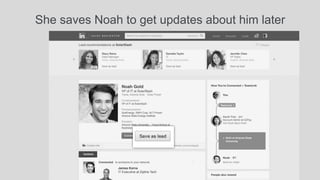
She saves Noah to get updates about him later
And identifies a colleague to can introduce her
She stays current on the lead and his company 
Desktop Email 
Mobile 
CRM
Sales Navigator recommends more leads
Cindy saves Danielle to get updates about her
Now she can identify the best time to reach out 
Ask Mike about Danielle
Jim Farmer 
Role: SMB Account Manager 
#Accounts: 100 
Challenge: Staying current on accounts
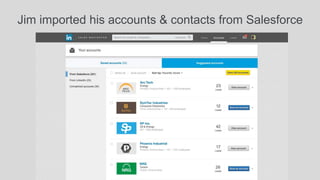
Jim imported his accounts & contacts from Salesforce
He saves all the imported accounts
He focuses on his target accounts on Account Pages
Penetrating deeper into accounts with more leads
Now he never misses a window of opportunity
Jose Michaels 
Role: Sales Manager 
Status: Recently implemented Sales Navigator 
Goal: Social selling excellence
Jose monitors his team’s usage of Sales Navigator
He pays close attention to prospecting activity
He drills into the activity of a struggling team
And identifies a high performer to help the others
Now Jane can monitor and coach her team directly
Sales Connect Sales Navigator

Sales Connect Sales Navigator