SAP ACTIVATE
MOHAMED MEGAHED
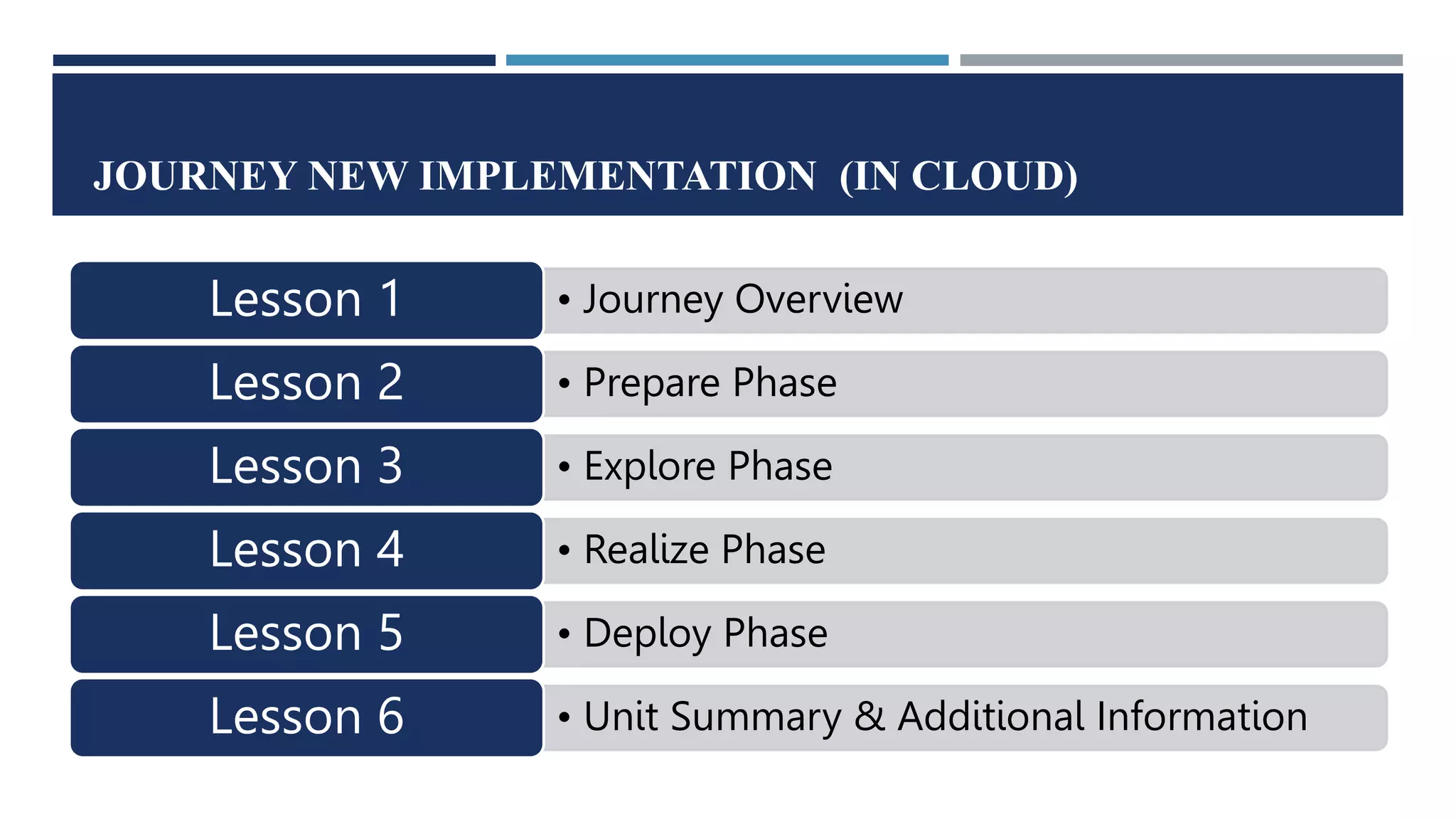
JOURNEY NEW IMPLEMENTATION (IN CLOUD)
• Journey Overview
Lesson 1
• Prepare Phase
Lesson 2
• Explore Phase
Lesson 3
• Realize Phase
Lesson 4
• Deploy Phase
Lesson 5
• Unit Summary & Additional Information
Lesson 6
UNIT OBJECTIVES
 Explain how the SAP Activate methodology guides teams implementing solutions in the public
cloud
 Outline the Key Deliverables per phase PREPARE
 Explain the pre-assembly of the solution that is required for all non-S/4HANA solution
implementations
 Outline the Key Deliverables per phase EXPLORE
 Outline the Key Deliverables per phase REALIZE
 Explain when to use Guided Configuration tools in this scenario
 Outline the Key Deliverables per phase DEPLOY
 Explain how the SAP Activate methodology guides teams implementing solutions in the public
CHOICES OF DEPLOYMENT
 There are differences and
benefits in each of these
deployment strategies.
 Speed of updates,
 flexibility in control in the on-
premise environment,
 the efficiency that we get in
the Cloud, as well as the
speed of updates in the
Cloud.
SAP CLOUD SOLUTION
KEY POINTS ABOUT CLOUD VERSION
The main difference is that with a Cloud implementation you are
working with a standardized solution.
 Prepare:
 Some initial solution enablement with the customer.
 Later they leave the customer with materials to review as self-enablement.
 We start up the initial system “ready for 'Fit to Standard Analysis”
 Explore:
 we perform 'Fit to Standard' functionality that we have in the Cloud solution.
 understand the configuration values includes adjusting the organizational structures and Chart of
Accounts.
 get the data ready for data load.
Standardized solutions have limited ability to close system gaps within the system.
 Realize
 configure the cloud solution short implementation cycles at the start using the tailoring/configuration tool
 A walkthrough with the customer team.
 A "Guided Configuration" tool For SAP S/4HANA Cloud and C4C
 SuccessFactors spreadsheets are uploaded with table content.
 Data migration and end-to-end testing completes the phase.
 Deploy: phase is relatively standard for all journeys.
 check the organizational readiness to perform the Cutover
 a period of post go-live support.
 We may do Cutover simulations in more complex cases.
 In Simple Cloud solutions, it is a straightforward Cutover activity.
Landscape used in each Phase
The Starter System is specific to SAP S/4HANA
Public Cloud Solution Workstreams
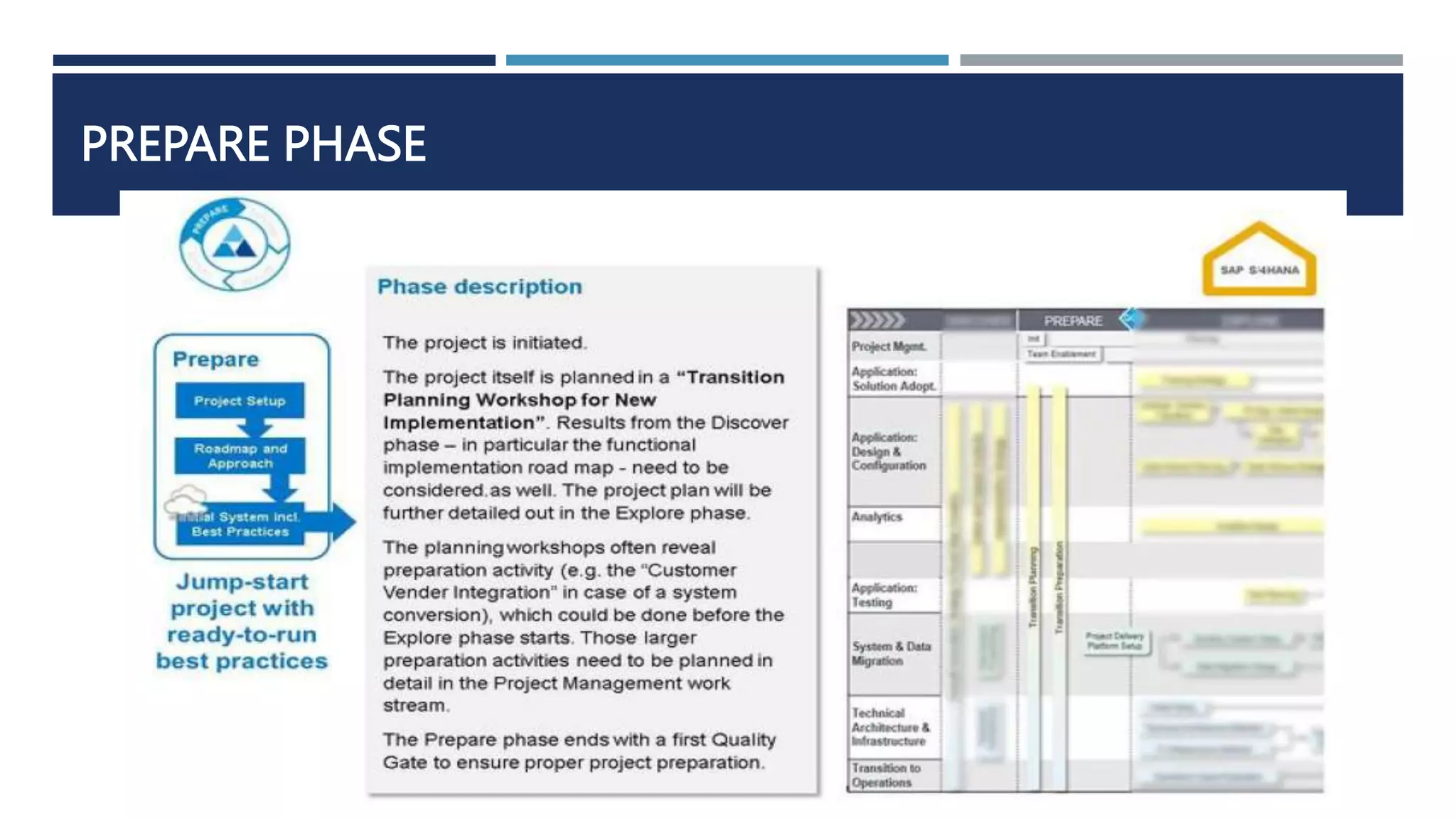
PREPARE PHASE
ROADMAP VIEWER
• Looking at the roadmap content we have a phase summary figure with the following information:
• Phase extract from the 'simple high-level summary' figure
• Summary of the phase description from the Jam site
• Phase extract from the 'deliverables per workstream' figure
• In addition, we have two symbols we repeat on figures to show
• the phase (PREPARE in this case) and
• the type of new implementation (Cloud in this case).
• The format of the figures for
each Key Deliverable
Overview has the same
layout
• summarizes content found on
the Jam site
• and information found in the
WBS.
• The Accelerators may not be in
the Jam site, but should be
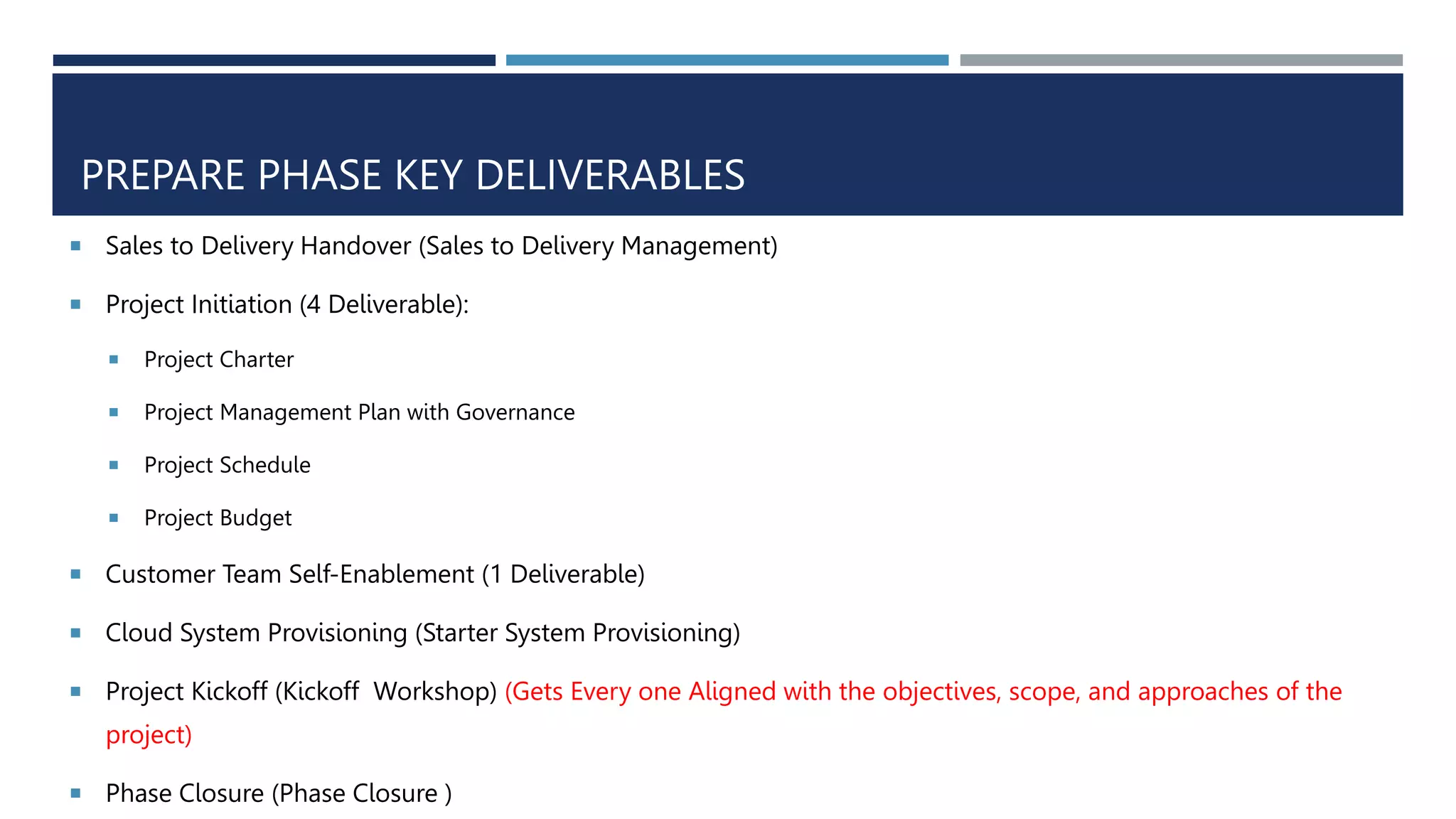
PREPARE PHASE KEY DELIVERABLES
 Sales to Delivery Handover (Sales to Delivery Management)
 Project Initiation (4 Deliverable):
 Project Charter
 Project Management Plan with Governance
 Project Schedule
 Project Budget
 Customer Team Self-Enablement (1 Deliverable)
 Cloud System Provisioning (Starter System Provisioning)
 Project Kickoff (Kickoff Workshop) (Gets Every one Aligned with the objectives, scope, and approaches of the
project)
 Phase Closure (Phase Closure )
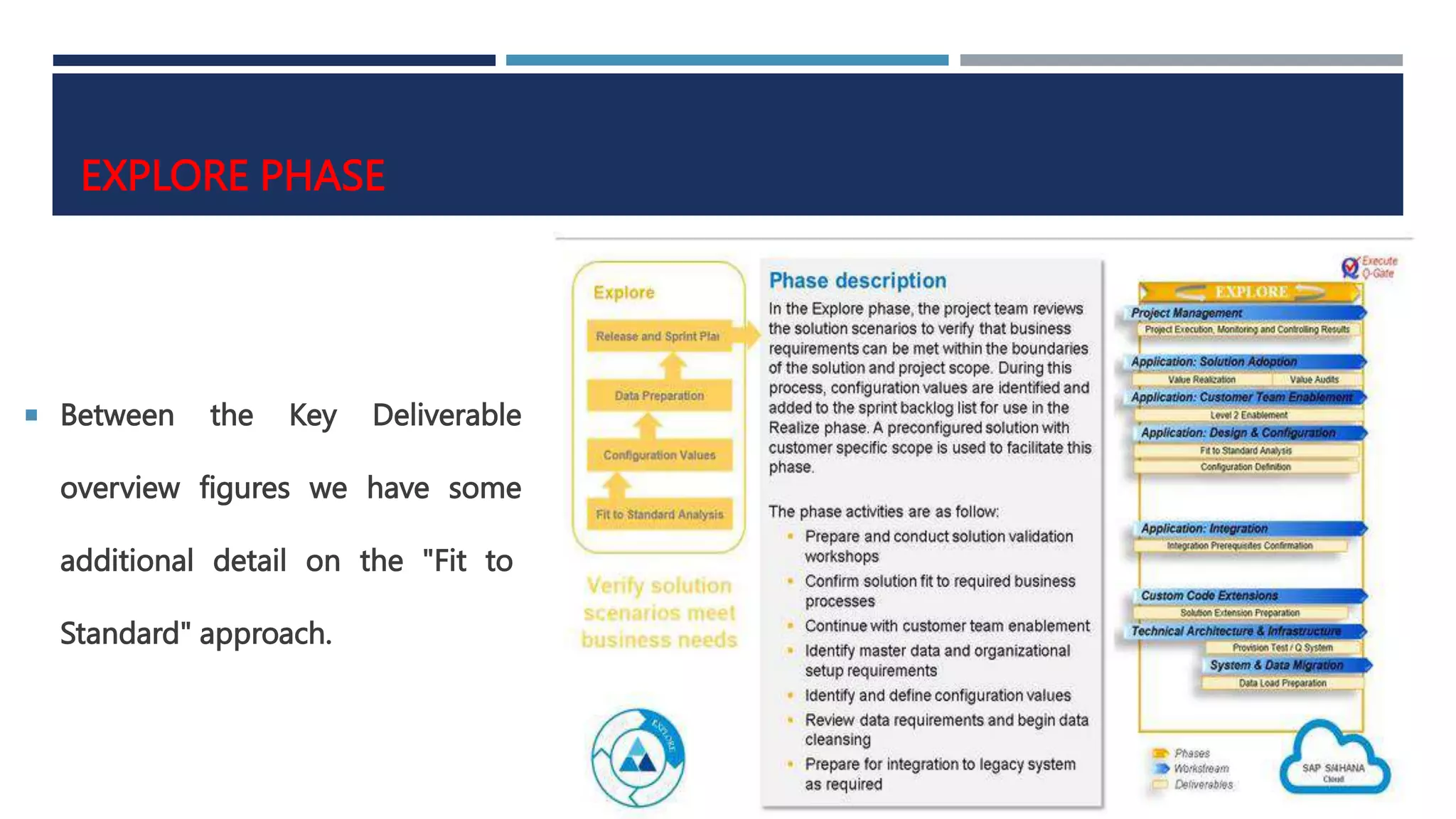
EXPLORE PHASE
 Between the Key Deliverable
overview figures we have some
additional detail on the "Fit to
Standard" approach.
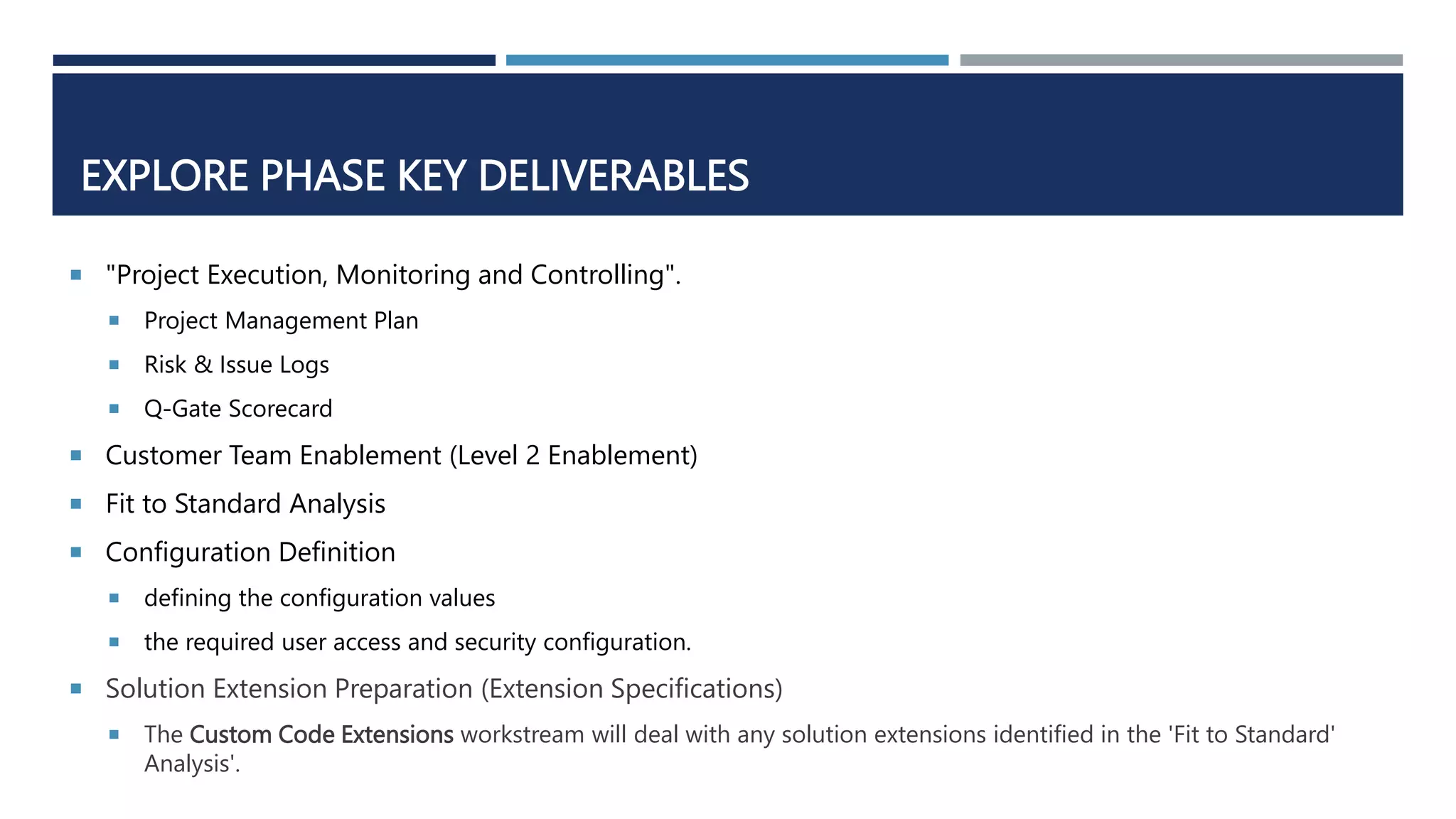
EXPLORE PHASE KEY DELIVERABLES
 "Project Execution, Monitoring and Controlling".
 Project Management Plan
 Risk & Issue Logs
 Q-Gate Scorecard
 Customer Team Enablement (Level 2 Enablement)
 Fit to Standard Analysis
 Configuration Definition
 defining the configuration values
 the required user access and security configuration.
 Solution Extension Preparation (Extension Specifications)
 The Custom Code Extensions workstream will deal with any solution extensions identified in the 'Fit to Standard'
Analysis'.
FIT TO STANDARD – WORKSHOP APPROACH
 If we identified any required configuration or a gap, this is recorded into the product backlog.
 Integration Prerequisites Confirmation “Application: Integration' workstream.”
 Network Connectivity checks
 Security Checks
 Adaptation Specifications
 Best practices for integration is better that building interfaces from scratch
 Data Load Preparation
 Data Migration Scope & Plan
 Specification for migration programs
 Data Migration Team starts Planning, scoping and creating initial loads
 Standard best practices functionality will be used for data loads
 Phase Closure
 Q-gate Scorecard
 Sign-Off Documentation
REALIZE
THE REALIZE PHASE SUMMARY
 Between the Key Deliverable overview figures, we have some additional information on the Guided
Configuration of SAP S/4HANA Cloud solution.
 We are building the solution in the ‘Application: Design and Configuration’ workstream.
 entering configuration values; adjusting and expanding the forms; extending the standard reports; delivering solution
walkthroughs; integration setup, and end-to-end testing. In some cases, there will be some custom extension
development and deployment.
 At end of the Realize phase, there will be the provisioning of the production system.
 plan and schedule data loads followed by load validation activities as part of the preparation for cutover.
 In addition, the operations for the solution are being established and the training materials prepared and
initial end user training delivered.
 "Project Execution, Monitoring and Controlling".
 Project Management Plan
 Risk & Issue Logs
 Q-Gate Scorecard
 Customer Team Enablement (Knowledge Transfer)
 System Configuration & Solution Walkthrough
 Solution configuration
 Solution Documentation
 Forms Enablement
 Reports
 Access & Authorization
 Solution Walkthrough
 Solution Extension Development and Deployment (2 Deliverables)
Explore Phase Key Deliverables
GUIDED CONFIGURATION FOR SAP S/4HANA CLOUD
 we can use the guided configuration screens.
 set of self-service configuration UIs that simplify the way that the system is configured.
 They are like a layer that is sitting above configuration transactions and tables.
 Adjustments of the standard organizational structure delivered by adjusting:
 master data, adjusting additional settings like distribution channel source, sales organization and purchasing
organizations.
Application: Design & Configuration Considerations
 Integration Setup in the Test System
 Integration Setup in the Test / Qsystem
 Integrated Setup in the Production System
 Solution Test Preparation & Execution
 Solution Test Preparation
 Test Plans
 Solution Test Execution Report
 Data Preparation and Load
 Data Load Test Results
 Defect Resolution
 Data Quality Assessment
Explore Phase Key Deliverables
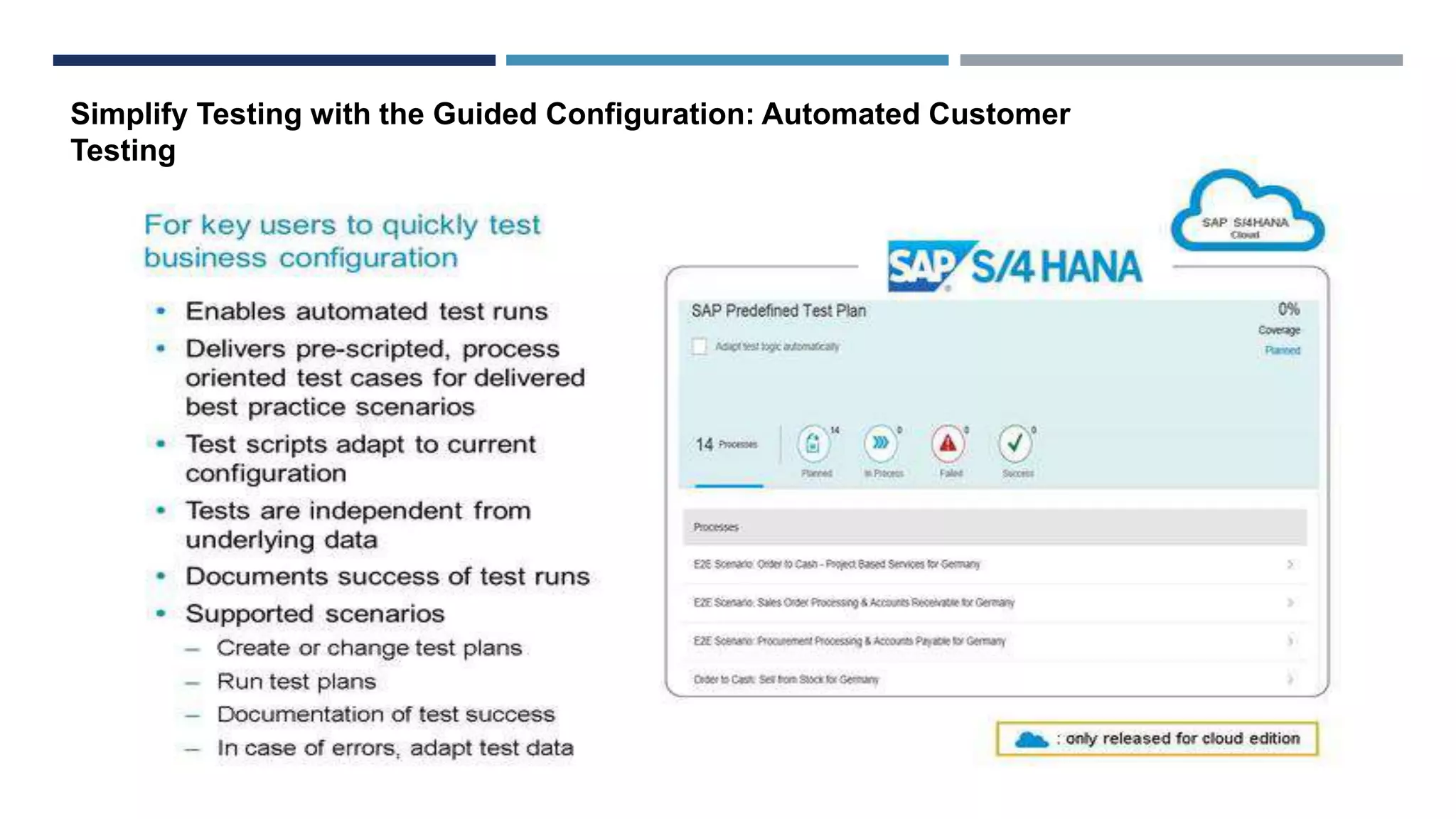
Simplify Testing with the Guided Configuration: Automated Customer
Testing
 End User Training Plan & Execution
 EU Training & Plan
 Change Management Plan
 Value Audits
 Establish Support Plan (Technical Operation and Handover Plan)
 Cut-Over Plan
 Cut-Over Plan
 Production System Setup
 Phase Closure
 Q-gate Scorecard
 Sign-Off Documentation
Explore Phase Key Deliverables
 In this phase some setting to be mad in their version of the standard SAP
S/4HANA Cloud Solution
 The “configure your solution is used to add some localization of the standard
solution
Explore Phase
DEPLOY PHASE
 "Project Execution, Monitoring and Controlling".
 Project Management Plan
 Risk & Issue Logs
 Q-Gate Scorecard
 Production Setup - Switch to Production
 Customer Solution Life in the cloud
 Data Migration load validated
 Solution accepted (Sign-Off)
Sometimes We may go through a mock Cutover to ensure that cutover timing is acceptable and fits
to plans.
 Handover to Support (Solution Handed Over to Operations
 Phase Close & Sign-Off Project Deliverables
 Q-gate Scorecard
 Sign-Off Documentation
Deploy Phase Key Deliverables
Unit Summary & Additional Information
SYSTEM LANDSCAPE IN S/4HANA CLOUD PROJECT - OVERVIEW
 Deliverables per phase listed on the jam site
help summarize the scope and discuss responsibilities for different parties in a project.
 simple high-level summary to outline the approach to a new implementation of SAP S/4HANA.
JOURNEY NEW IMPLEMENTATION (ON-PREMISE)
• Journey Overview
Lesson 1
• Prepare Phase
Lesson 2
• Explore Phase
Lesson 3
• Realize Phase
Lesson 4
• Deploy Phase
Lesson 5
• Unit Summary & Additional Information
Lesson 6
UNIT OBJECTIVES
 Explain how the SAP Activate methodology guides teams implementing ON-Premise solutions
 Outline the Key Deliverables per phase PREPARE
 Explain the pre-assembly of the solution that is required for all non-S/4HANA solution
implementations
 Outline the Key Deliverables per phase EXPLORE
 Outline the Key Deliverables per phase REALIZE
 Explain when to use Guided Configuration tools in this scenario
 Outline the Key Deliverables per phase DEPLOY
 Highlight how the approach differs and compares to ASAP 8
 Discuss Waterfall and agile approach
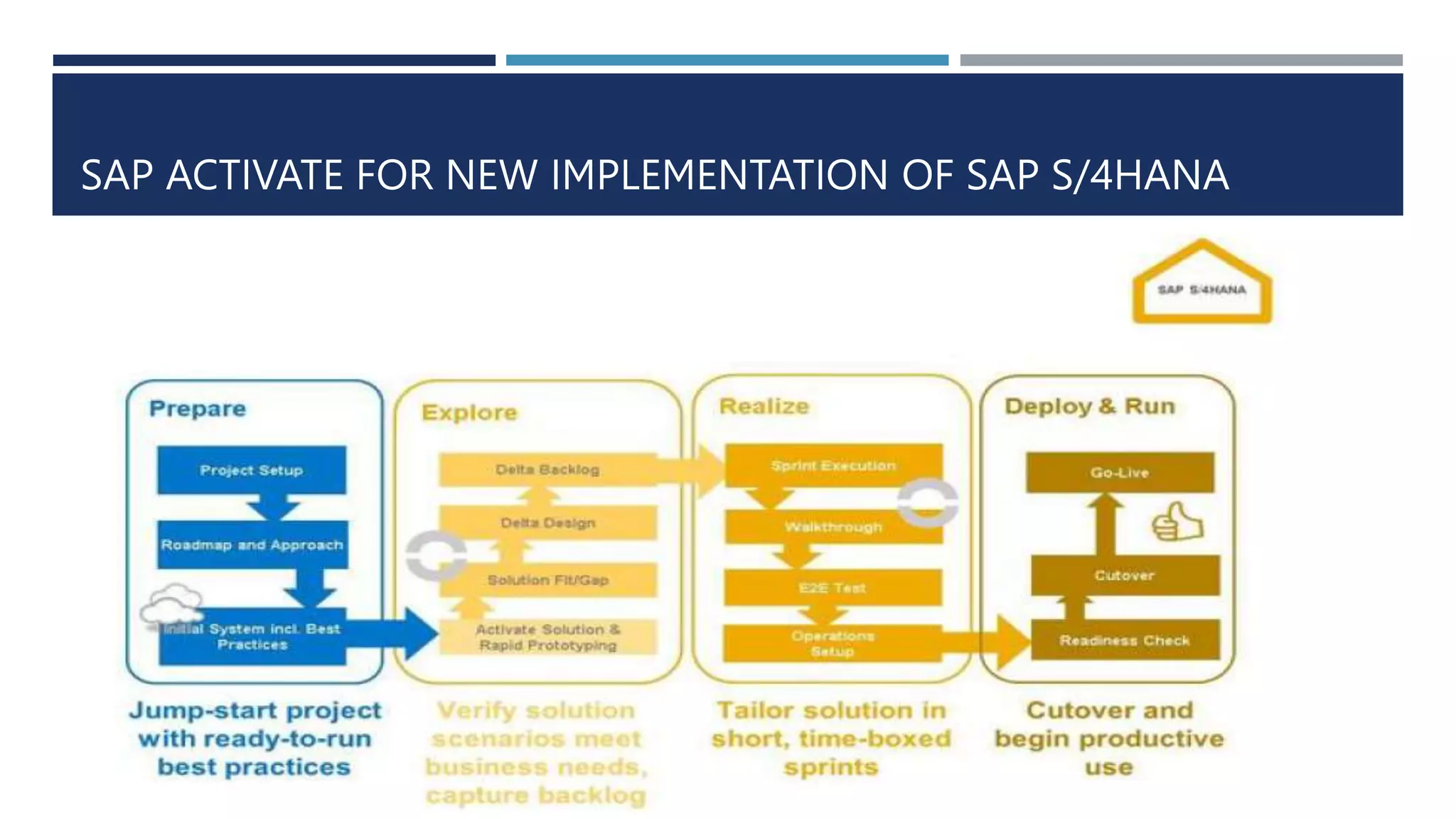
SAP ACTIVATE FOR NEW IMPLEMENTATION OF SAP S/4HANA
In the Prepare phase we will only see small differences
 when we are setting-up the initial system by installing it or setting it up based on
 the best practices,
 Model Company, or
 RDS as the initial system.
 The Jam site will provide more clarity
 how we set up these environments,
 the different options across the different solutions,
 how SAP S/4HANA implementations compare with an implementation of SAP
Business Suite.
LANDSCAPE USED IN EACH PHASE
 We have a Sandbox that is created and we use best practices as a jumpstart. And might be based on a Cloud
Appliance Library (CAL) to save time
 Fit/Gap analysis of the Explore Phase, using the sandbox system will determine which scope items, capabilities,
best practices will be activated in the Development environment.
 the standard transport management system capabilities for the transportable objects and move them into
Quality Assurance and Production environments
 Consider the following points in timing in the delivery;
 The sandbox set up during the Prepare or early Explore phase, as a baseline demo system for the Fit/Gap analysis.
 standing up the development environment at the end of the Explore phase
 In the Realize phase, we use the development environment to build the solution in the Sprint Executions and the QA
environment is used in the testing activities.
 The production environment is being set up towards the end of the Realize phase
 Use the production environment for running the system Productively in the deploy phase
New Implementation: On-Premise Solution
Workstreams
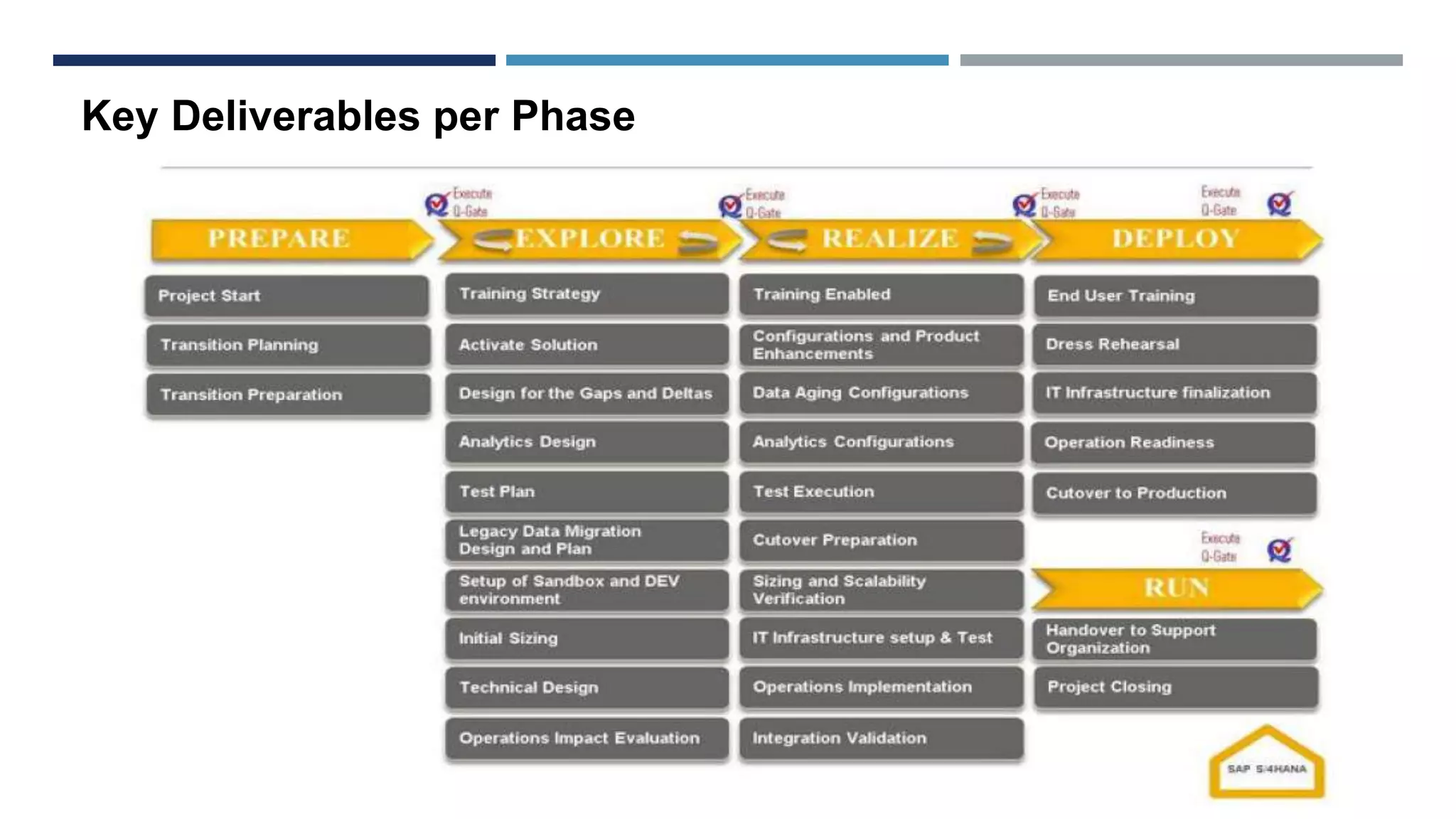
Key Deliverables per Phase
PREPARE PHASE
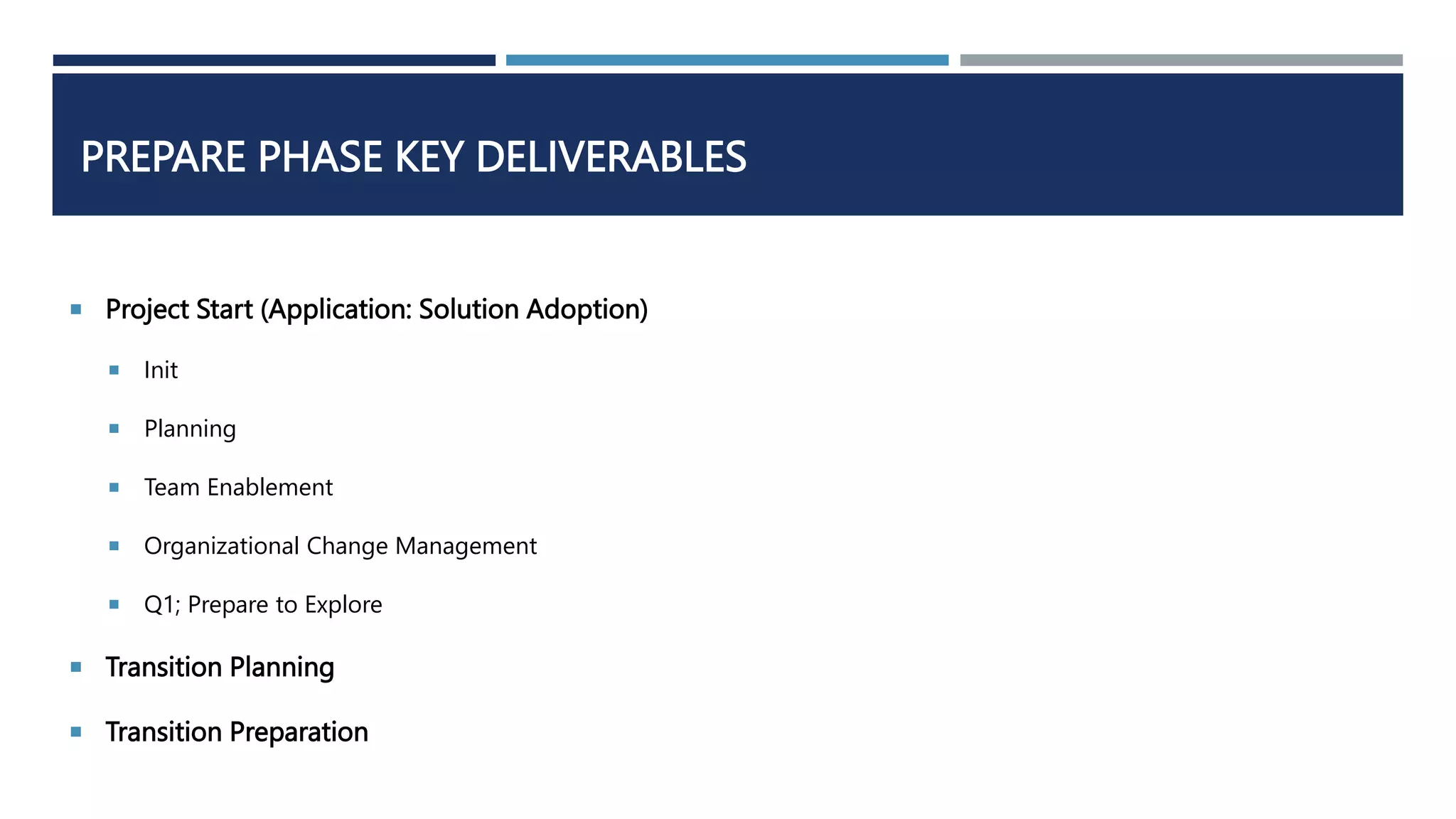
PREPARE PHASE KEY DELIVERABLES
 Project Start (Application: Solution Adoption)
 Init
 Planning
 Team Enablement
 Organizational Change Management
 Q1; Prepare to Explore
 Transition Planning
 Transition Preparation
TRANSITION PLANNING — SANDBOX ENVIRONMENT
EXPLORE PHASE & KEY DELIVERABLES
EXPLORE PHASE DIFFERENCES
THE REALIZE PHASE SUMMARY
 This is the REALIZE phase summary.
 The activities performed in the Realize phase are not significantly different from those in the
implementation of any other On-Premise SAP solution.
 There will be a series of sprints to build (with configuration and developments) and document the solution
information in SAP Solution Manager followed by Integration Test and User Acceptance Test.
SPRINTS
 Following an Agile approach, the Configuration and Product Enhancements are delivered in Sprints
within a Wave a sprint execution process is shown, Sprint Execution.
 When they are planning the sprint, they pick the user stories that are highlighted as the highest
priority stories by the product owner.
 They bring them into the sprint and plan all the tasks and activities that need to be executed. They
execute those activities in sprint realization and conduct the daily stand up SCRUM meetings.
 Towards the end of the sprint, they review the functionality and demo it to the owner of the user story
and seek to gain acceptance for the sprint realization.
 At the end of a Sprint, the team will conduct a retrospective to consider and agree how they can improve
their sprint activities.
DEPLOY
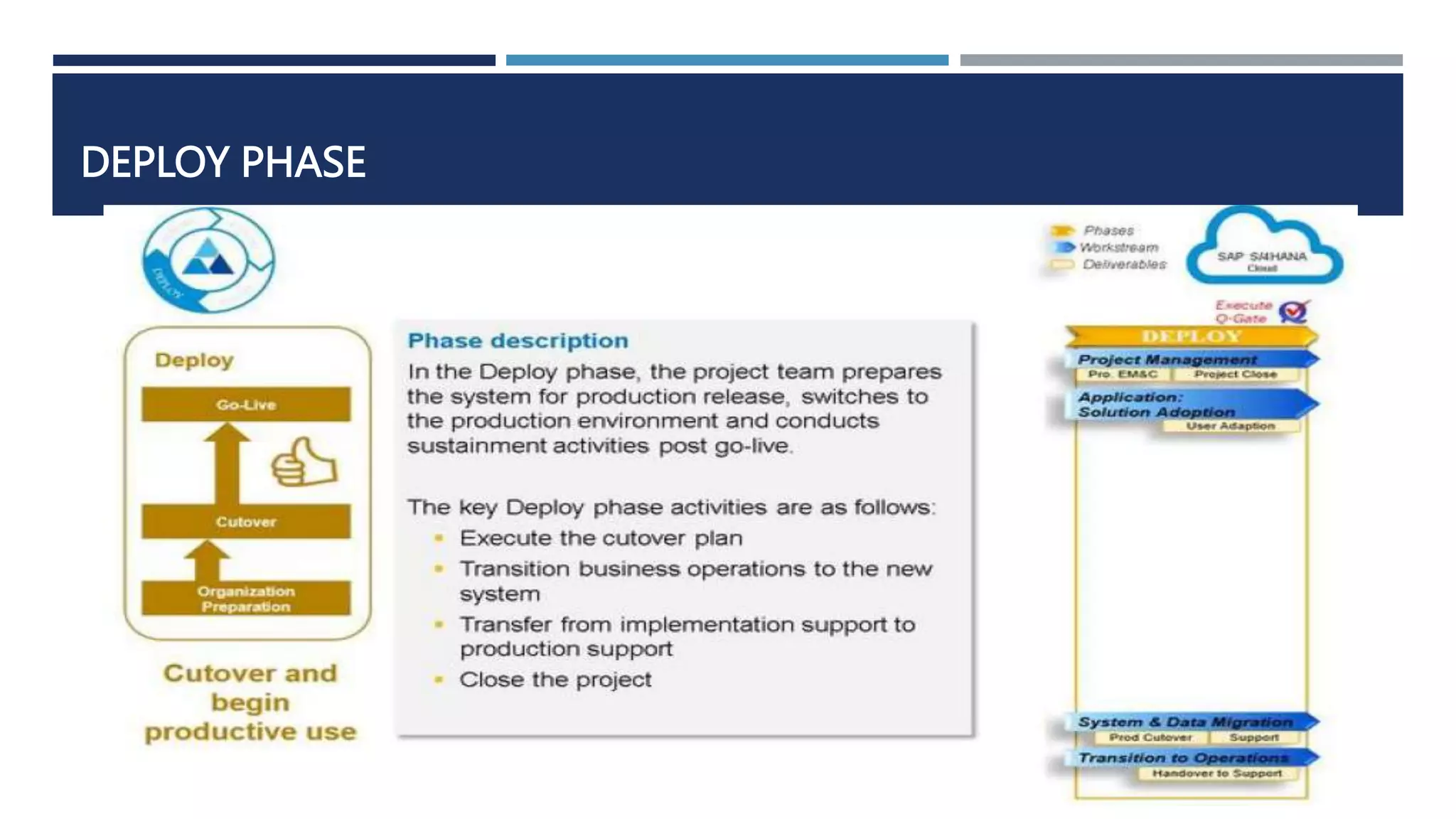
 The Deploy phase is similar to
what we have seen in the cloud.
Therefore, we will see similar
activities with a few changes
which are related to deployment
strategy. These will be
transitioning into a new
environment that the customer
manages and takes ownership of.
DEPLOY KEY DELIVERABLES
DEPLOY SUMMARY
This is the DEPLOY phase summary.
 Between the Key Deliverable overview slides we have some additional detail and considerations for
the following Workstreams in this phase:
 Application: Testing
 System & Data Migration
 The Application: Solution Adoption workstream will also start the end user training delivery.
 This is conducted and executed by the customer to enable the end users and train them before the
solution goes live.
 The training materials will be prepared in the Realize phase.
 This represents the comparison between a new implementation following SAP Activate and ASAP.
 When we look at the differences in general, the phase names are mentioned - we now have 4 core
phases versus 5 phases in ASAP (and the phase names are shorter too!)
 We also have a few things that are similar but are different. In SAP Activate, we are not proposing to
'assemble to order (A2O)'. However, we are referencing the usage of best practices as a starting
point, as a jumpstart for your projects.
 We are leveraging Agile during the project much more than we did ASAP. In ASAP, Agile was part of
it, hence there is a flavor of ASAP structured as Agile project delivery. A few customers use Agile
with ASAP. Instead of having Agile as an option, with SAP Activate, it is brought to the forefront and
we consider it as a default way of running the project. As mentioned earlier, not every single SAP
Activate project may use Scrum. However, we emphasize the need for shorter cycles applying their
mindsets of building, showing the customer how it is built and seeking the confirmation. This
continuous cycle of building and validation is carried out throughout the entire project.
Comparison between new implementation following ASAP & SAP Activate

SAP Activate

  • 1.
  • 2.
    JOURNEY NEW IMPLEMENTATION(IN CLOUD) • Journey Overview Lesson 1 • Prepare Phase Lesson 2 • Explore Phase Lesson 3 • Realize Phase Lesson 4 • Deploy Phase Lesson 5 • Unit Summary & Additional Information Lesson 6
  • 3.
    UNIT OBJECTIVES  Explainhow the SAP Activate methodology guides teams implementing solutions in the public cloud  Outline the Key Deliverables per phase PREPARE  Explain the pre-assembly of the solution that is required for all non-S/4HANA solution implementations  Outline the Key Deliverables per phase EXPLORE  Outline the Key Deliverables per phase REALIZE  Explain when to use Guided Configuration tools in this scenario  Outline the Key Deliverables per phase DEPLOY  Explain how the SAP Activate methodology guides teams implementing solutions in the public
  • 4.
    CHOICES OF DEPLOYMENT There are differences and benefits in each of these deployment strategies.  Speed of updates,  flexibility in control in the on- premise environment,  the efficiency that we get in the Cloud, as well as the speed of updates in the Cloud.
  • 5.
  • 6.
    KEY POINTS ABOUTCLOUD VERSION
  • 7.
    The main differenceis that with a Cloud implementation you are working with a standardized solution.
  • 8.
     Prepare:  Someinitial solution enablement with the customer.  Later they leave the customer with materials to review as self-enablement.  We start up the initial system “ready for 'Fit to Standard Analysis”  Explore:  we perform 'Fit to Standard' functionality that we have in the Cloud solution.  understand the configuration values includes adjusting the organizational structures and Chart of Accounts.  get the data ready for data load.
  • 9.
    Standardized solutions havelimited ability to close system gaps within the system.  Realize  configure the cloud solution short implementation cycles at the start using the tailoring/configuration tool  A walkthrough with the customer team.  A "Guided Configuration" tool For SAP S/4HANA Cloud and C4C  SuccessFactors spreadsheets are uploaded with table content.  Data migration and end-to-end testing completes the phase.  Deploy: phase is relatively standard for all journeys.  check the organizational readiness to perform the Cutover  a period of post go-live support.  We may do Cutover simulations in more complex cases.  In Simple Cloud solutions, it is a straightforward Cutover activity.
  • 10.
    Landscape used ineach Phase The Starter System is specific to SAP S/4HANA
  • 11.
  • 12.
  • 13.
    ROADMAP VIEWER • Lookingat the roadmap content we have a phase summary figure with the following information: • Phase extract from the 'simple high-level summary' figure • Summary of the phase description from the Jam site • Phase extract from the 'deliverables per workstream' figure • In addition, we have two symbols we repeat on figures to show • the phase (PREPARE in this case) and • the type of new implementation (Cloud in this case).
  • 14.
    • The formatof the figures for each Key Deliverable Overview has the same layout • summarizes content found on the Jam site • and information found in the WBS. • The Accelerators may not be in the Jam site, but should be
  • 15.
    PREPARE PHASE KEYDELIVERABLES  Sales to Delivery Handover (Sales to Delivery Management)  Project Initiation (4 Deliverable):  Project Charter  Project Management Plan with Governance  Project Schedule  Project Budget  Customer Team Self-Enablement (1 Deliverable)  Cloud System Provisioning (Starter System Provisioning)  Project Kickoff (Kickoff Workshop) (Gets Every one Aligned with the objectives, scope, and approaches of the project)  Phase Closure (Phase Closure )
  • 16.
    EXPLORE PHASE  Betweenthe Key Deliverable overview figures we have some additional detail on the "Fit to Standard" approach.
  • 17.
    EXPLORE PHASE KEYDELIVERABLES  "Project Execution, Monitoring and Controlling".  Project Management Plan  Risk & Issue Logs  Q-Gate Scorecard  Customer Team Enablement (Level 2 Enablement)  Fit to Standard Analysis  Configuration Definition  defining the configuration values  the required user access and security configuration.  Solution Extension Preparation (Extension Specifications)  The Custom Code Extensions workstream will deal with any solution extensions identified in the 'Fit to Standard' Analysis'.
  • 18.
    FIT TO STANDARD– WORKSHOP APPROACH
  • 19.
     If weidentified any required configuration or a gap, this is recorded into the product backlog.
  • 20.
     Integration PrerequisitesConfirmation “Application: Integration' workstream.”  Network Connectivity checks  Security Checks  Adaptation Specifications  Best practices for integration is better that building interfaces from scratch  Data Load Preparation  Data Migration Scope & Plan  Specification for migration programs  Data Migration Team starts Planning, scoping and creating initial loads  Standard best practices functionality will be used for data loads  Phase Closure  Q-gate Scorecard  Sign-Off Documentation
  • 21.
  • 22.
    THE REALIZE PHASESUMMARY  Between the Key Deliverable overview figures, we have some additional information on the Guided Configuration of SAP S/4HANA Cloud solution.  We are building the solution in the ‘Application: Design and Configuration’ workstream.  entering configuration values; adjusting and expanding the forms; extending the standard reports; delivering solution walkthroughs; integration setup, and end-to-end testing. In some cases, there will be some custom extension development and deployment.  At end of the Realize phase, there will be the provisioning of the production system.  plan and schedule data loads followed by load validation activities as part of the preparation for cutover.  In addition, the operations for the solution are being established and the training materials prepared and initial end user training delivered.
  • 23.
     "Project Execution,Monitoring and Controlling".  Project Management Plan  Risk & Issue Logs  Q-Gate Scorecard  Customer Team Enablement (Knowledge Transfer)  System Configuration & Solution Walkthrough  Solution configuration  Solution Documentation  Forms Enablement  Reports  Access & Authorization  Solution Walkthrough  Solution Extension Development and Deployment (2 Deliverables) Explore Phase Key Deliverables
  • 25.
    GUIDED CONFIGURATION FORSAP S/4HANA CLOUD  we can use the guided configuration screens.  set of self-service configuration UIs that simplify the way that the system is configured.  They are like a layer that is sitting above configuration transactions and tables.  Adjustments of the standard organizational structure delivered by adjusting:  master data, adjusting additional settings like distribution channel source, sales organization and purchasing organizations.
  • 27.
    Application: Design &Configuration Considerations
  • 28.
     Integration Setupin the Test System  Integration Setup in the Test / Qsystem  Integrated Setup in the Production System  Solution Test Preparation & Execution  Solution Test Preparation  Test Plans  Solution Test Execution Report  Data Preparation and Load  Data Load Test Results  Defect Resolution  Data Quality Assessment Explore Phase Key Deliverables
  • 29.
    Simplify Testing withthe Guided Configuration: Automated Customer Testing
  • 30.
     End UserTraining Plan & Execution  EU Training & Plan  Change Management Plan  Value Audits  Establish Support Plan (Technical Operation and Handover Plan)  Cut-Over Plan  Cut-Over Plan  Production System Setup  Phase Closure  Q-gate Scorecard  Sign-Off Documentation Explore Phase Key Deliverables
  • 31.
     In thisphase some setting to be mad in their version of the standard SAP S/4HANA Cloud Solution  The “configure your solution is used to add some localization of the standard solution Explore Phase
  • 32.
  • 33.
     "Project Execution,Monitoring and Controlling".  Project Management Plan  Risk & Issue Logs  Q-Gate Scorecard  Production Setup - Switch to Production  Customer Solution Life in the cloud  Data Migration load validated  Solution accepted (Sign-Off) Sometimes We may go through a mock Cutover to ensure that cutover timing is acceptable and fits to plans.  Handover to Support (Solution Handed Over to Operations  Phase Close & Sign-Off Project Deliverables  Q-gate Scorecard  Sign-Off Documentation Deploy Phase Key Deliverables
  • 34.
    Unit Summary &Additional Information
  • 35.
    SYSTEM LANDSCAPE INS/4HANA CLOUD PROJECT - OVERVIEW
  • 36.
     Deliverables perphase listed on the jam site help summarize the scope and discuss responsibilities for different parties in a project.
  • 37.
     simple high-levelsummary to outline the approach to a new implementation of SAP S/4HANA.
  • 38.
    JOURNEY NEW IMPLEMENTATION(ON-PREMISE) • Journey Overview Lesson 1 • Prepare Phase Lesson 2 • Explore Phase Lesson 3 • Realize Phase Lesson 4 • Deploy Phase Lesson 5 • Unit Summary & Additional Information Lesson 6
  • 39.
    UNIT OBJECTIVES  Explainhow the SAP Activate methodology guides teams implementing ON-Premise solutions  Outline the Key Deliverables per phase PREPARE  Explain the pre-assembly of the solution that is required for all non-S/4HANA solution implementations  Outline the Key Deliverables per phase EXPLORE  Outline the Key Deliverables per phase REALIZE  Explain when to use Guided Configuration tools in this scenario  Outline the Key Deliverables per phase DEPLOY  Highlight how the approach differs and compares to ASAP 8  Discuss Waterfall and agile approach
  • 40.
    SAP ACTIVATE FORNEW IMPLEMENTATION OF SAP S/4HANA
  • 41.
    In the Preparephase we will only see small differences  when we are setting-up the initial system by installing it or setting it up based on  the best practices,  Model Company, or  RDS as the initial system.  The Jam site will provide more clarity  how we set up these environments,  the different options across the different solutions,  how SAP S/4HANA implementations compare with an implementation of SAP Business Suite.
  • 42.
  • 43.
     We havea Sandbox that is created and we use best practices as a jumpstart. And might be based on a Cloud Appliance Library (CAL) to save time  Fit/Gap analysis of the Explore Phase, using the sandbox system will determine which scope items, capabilities, best practices will be activated in the Development environment.  the standard transport management system capabilities for the transportable objects and move them into Quality Assurance and Production environments  Consider the following points in timing in the delivery;  The sandbox set up during the Prepare or early Explore phase, as a baseline demo system for the Fit/Gap analysis.  standing up the development environment at the end of the Explore phase  In the Realize phase, we use the development environment to build the solution in the Sprint Executions and the QA environment is used in the testing activities.  The production environment is being set up towards the end of the Realize phase  Use the production environment for running the system Productively in the deploy phase
  • 44.
    New Implementation: On-PremiseSolution Workstreams
  • 45.
  • 46.
  • 47.
    PREPARE PHASE KEYDELIVERABLES  Project Start (Application: Solution Adoption)  Init  Planning  Team Enablement  Organizational Change Management  Q1; Prepare to Explore  Transition Planning  Transition Preparation
  • 48.
    TRANSITION PLANNING —SANDBOX ENVIRONMENT
  • 49.
    EXPLORE PHASE &KEY DELIVERABLES
  • 50.
  • 51.
    THE REALIZE PHASESUMMARY  This is the REALIZE phase summary.  The activities performed in the Realize phase are not significantly different from those in the implementation of any other On-Premise SAP solution.  There will be a series of sprints to build (with configuration and developments) and document the solution information in SAP Solution Manager followed by Integration Test and User Acceptance Test.
  • 54.
    SPRINTS  Following anAgile approach, the Configuration and Product Enhancements are delivered in Sprints within a Wave a sprint execution process is shown, Sprint Execution.  When they are planning the sprint, they pick the user stories that are highlighted as the highest priority stories by the product owner.  They bring them into the sprint and plan all the tasks and activities that need to be executed. They execute those activities in sprint realization and conduct the daily stand up SCRUM meetings.  Towards the end of the sprint, they review the functionality and demo it to the owner of the user story and seek to gain acceptance for the sprint realization.  At the end of a Sprint, the team will conduct a retrospective to consider and agree how they can improve their sprint activities.
  • 55.
    DEPLOY  The Deployphase is similar to what we have seen in the cloud. Therefore, we will see similar activities with a few changes which are related to deployment strategy. These will be transitioning into a new environment that the customer manages and takes ownership of.
  • 56.
  • 57.
    DEPLOY SUMMARY This isthe DEPLOY phase summary.  Between the Key Deliverable overview slides we have some additional detail and considerations for the following Workstreams in this phase:  Application: Testing  System & Data Migration  The Application: Solution Adoption workstream will also start the end user training delivery.  This is conducted and executed by the customer to enable the end users and train them before the solution goes live.  The training materials will be prepared in the Realize phase.
  • 58.
     This representsthe comparison between a new implementation following SAP Activate and ASAP.  When we look at the differences in general, the phase names are mentioned - we now have 4 core phases versus 5 phases in ASAP (and the phase names are shorter too!)  We also have a few things that are similar but are different. In SAP Activate, we are not proposing to 'assemble to order (A2O)'. However, we are referencing the usage of best practices as a starting point, as a jumpstart for your projects.  We are leveraging Agile during the project much more than we did ASAP. In ASAP, Agile was part of it, hence there is a flavor of ASAP structured as Agile project delivery. A few customers use Agile with ASAP. Instead of having Agile as an option, with SAP Activate, it is brought to the forefront and we consider it as a default way of running the project. As mentioned earlier, not every single SAP Activate project may use Scrum. However, we emphasize the need for shorter cycles applying their mindsets of building, showing the customer how it is built and seeking the confirmation. This continuous cycle of building and validation is carried out throughout the entire project. Comparison between new implementation following ASAP & SAP Activate