SPEAKERS
Nishant Singh Panwar
Community Group Leader
Developer, Consultant and Architect
Trailhead Ranger
Nishant_SP
Agenda
● About Community
● How to learn Salesforce
● Networking
● Spring 20 Highlights
● Salesforce Certification Voucher Contest
● Upcoming Events
About Community
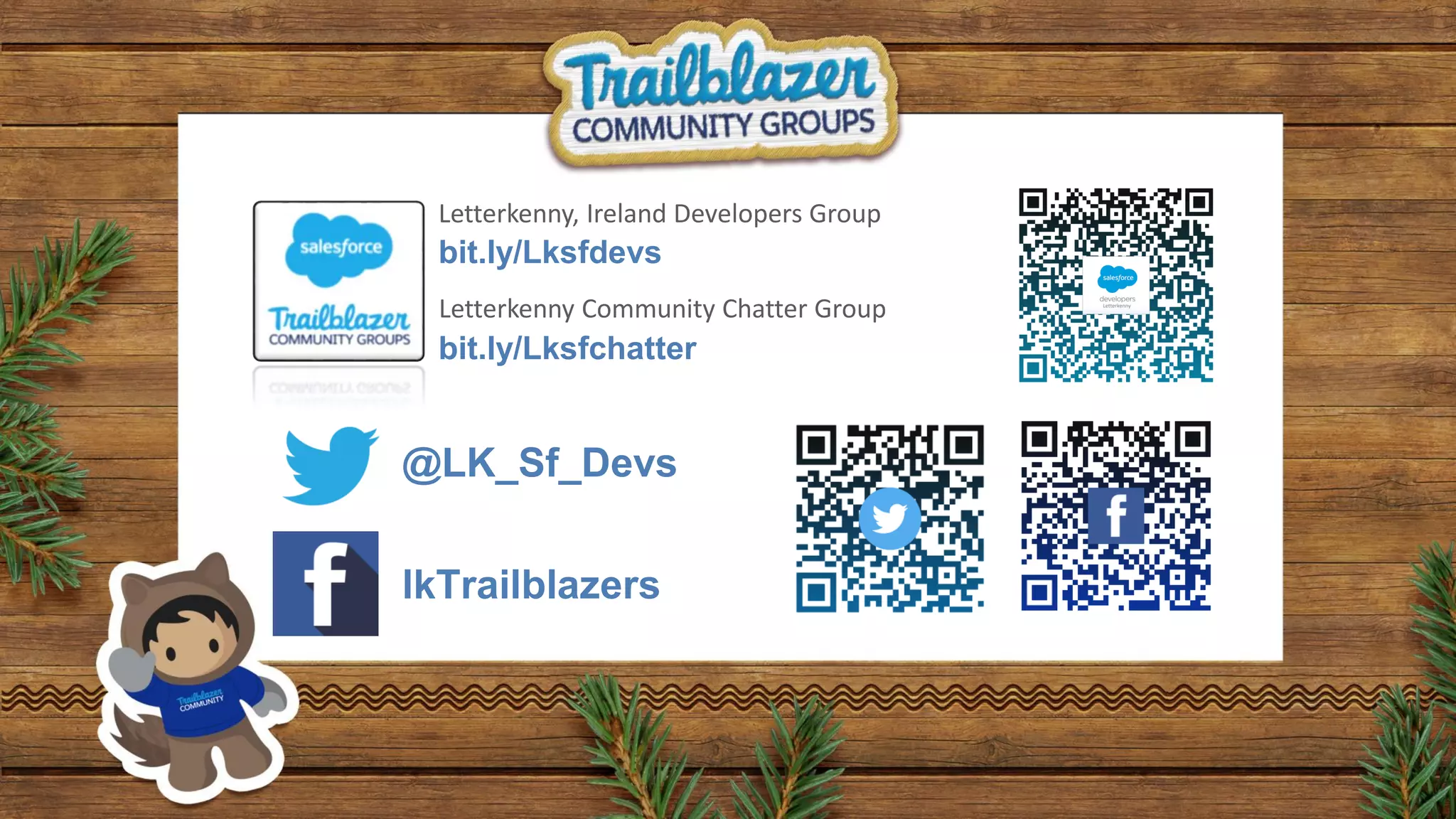
@LK_Sf_Devs
lkTrailblazers
bit.ly/Lksfdevs
bit.ly/Lksfchatter
Letterkenny, Ireland Developers Group
Letterkenny Community Chatter Group
Learn Salesforce
Networking
Instructions
Talk to as many people as possible and when a statement applies to someone you meet, have
them sign their name in the box. Each person can only sign your sheet once. Try to be the first
to get five boxes in a row (horizontally, vertically, or diagonally) and shout “BINGO!” to win.
In the end, we all win by learning more about our peers. Good luck and have fun!
Spring 20 Highlights
Feature Highlights
Prateek
Developer Highlights
Nitesh
Spring 20 Release Items
Prateek Arora
Salesforce Developer
Trailblazer, Pramerica
AroraPrteek
Salesforce Release Strategy
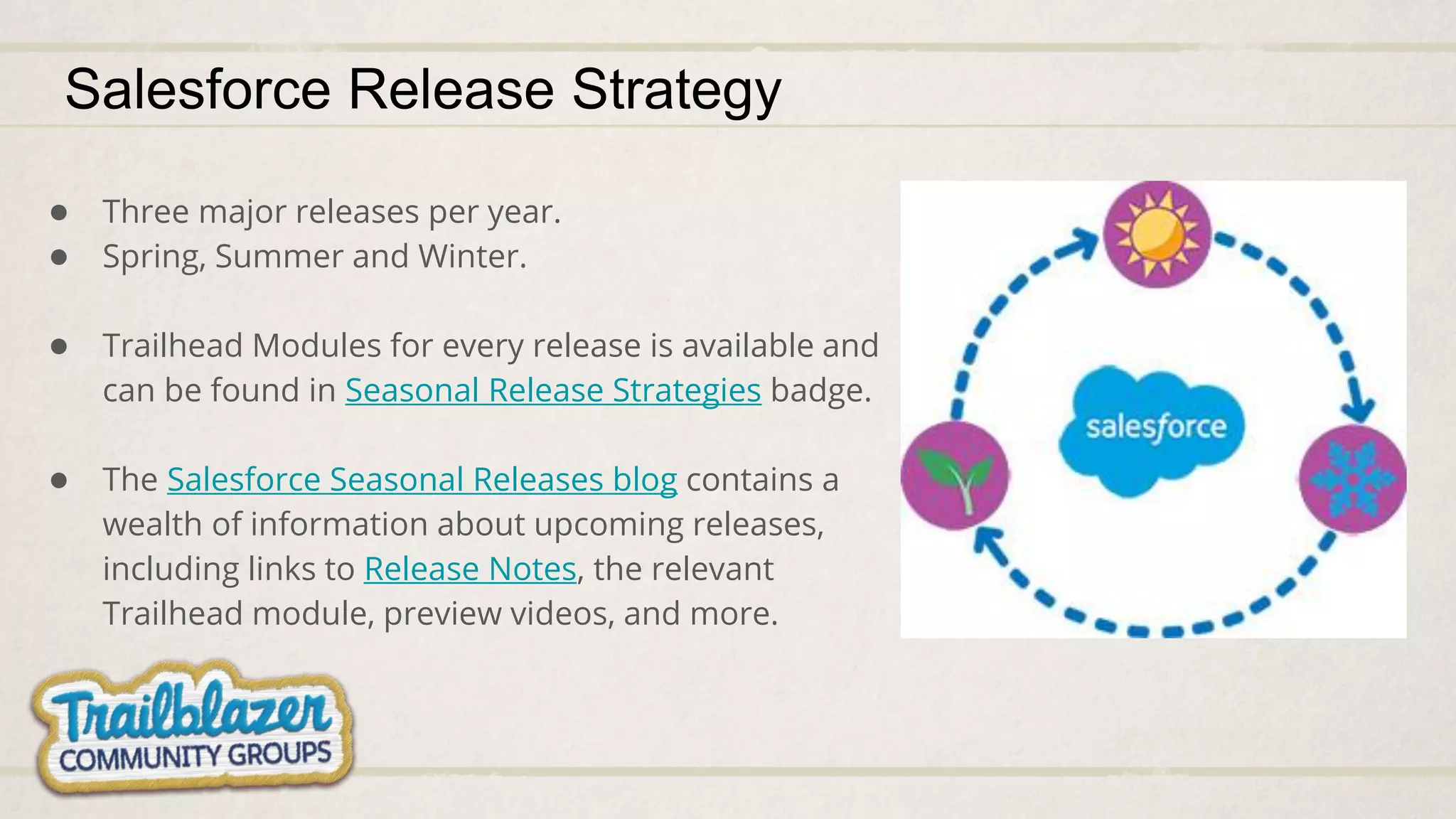
● Three major releases per year.
● Spring, Summer and Winter.
● Trailhead Modules for every release is available and
can be found in Seasonal Release Strategies badge.
● The Salesforce Seasonal Releases blog contains a
wealth of information about upcoming releases,
including links to Release Notes, the relevant
Trailhead module, preview videos, and more.
Beta Features
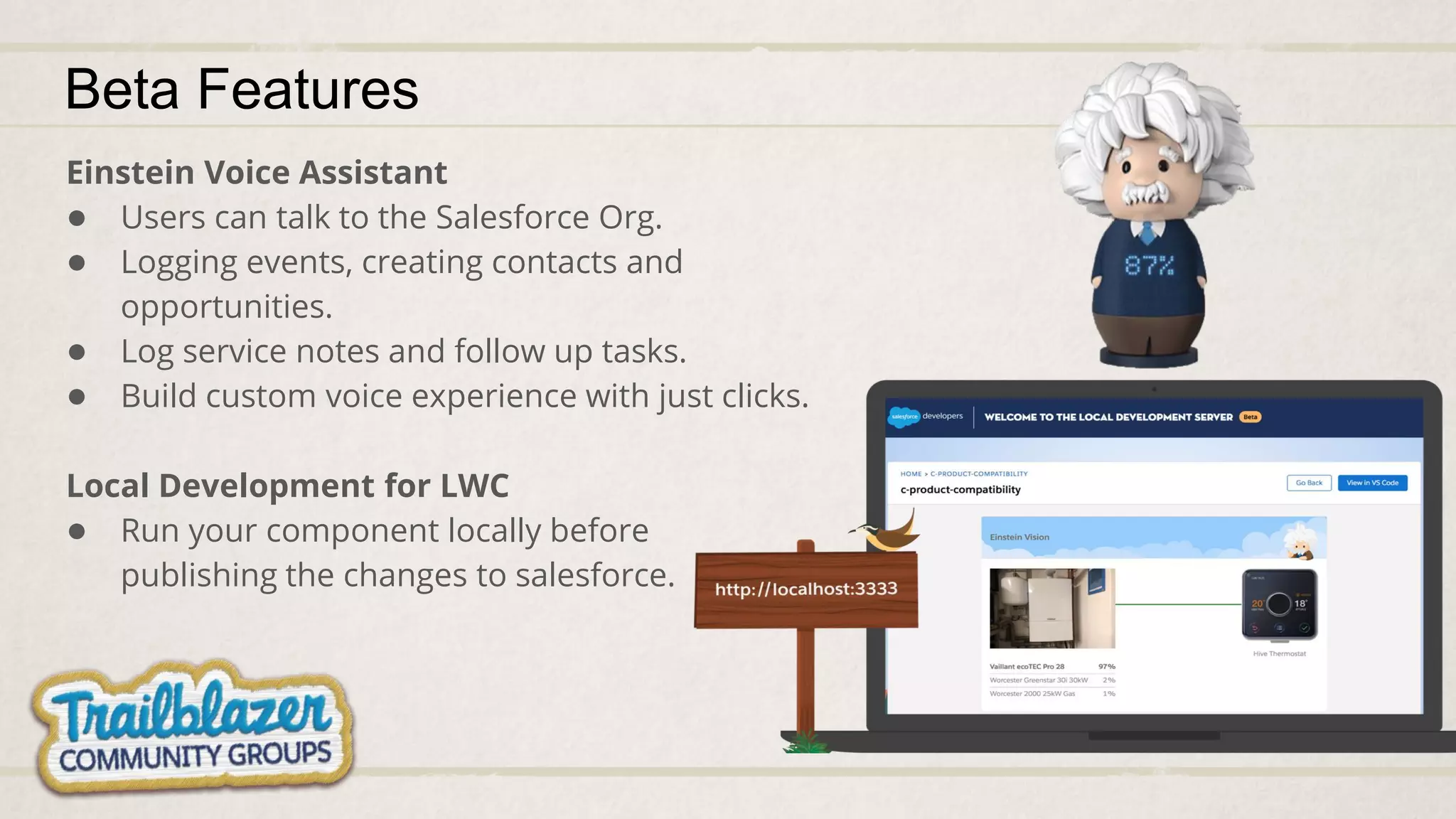
Einstein Voice Assistant
● Users can talk to the Salesforce Org.
● Logging events, creating contacts and
opportunities.
● Log service notes and follow up tasks.
● Build custom voice experience with just clicks.
Local Development for LWC
● Run your component locally before
publishing the changes to salesforce.
Attach Formatted Spreadsheets to
Report Subscriptions
A new option lets people subscribe to a
report, and receive results as a formatted
spreadsheet attached to the subscription
email
Beta Features
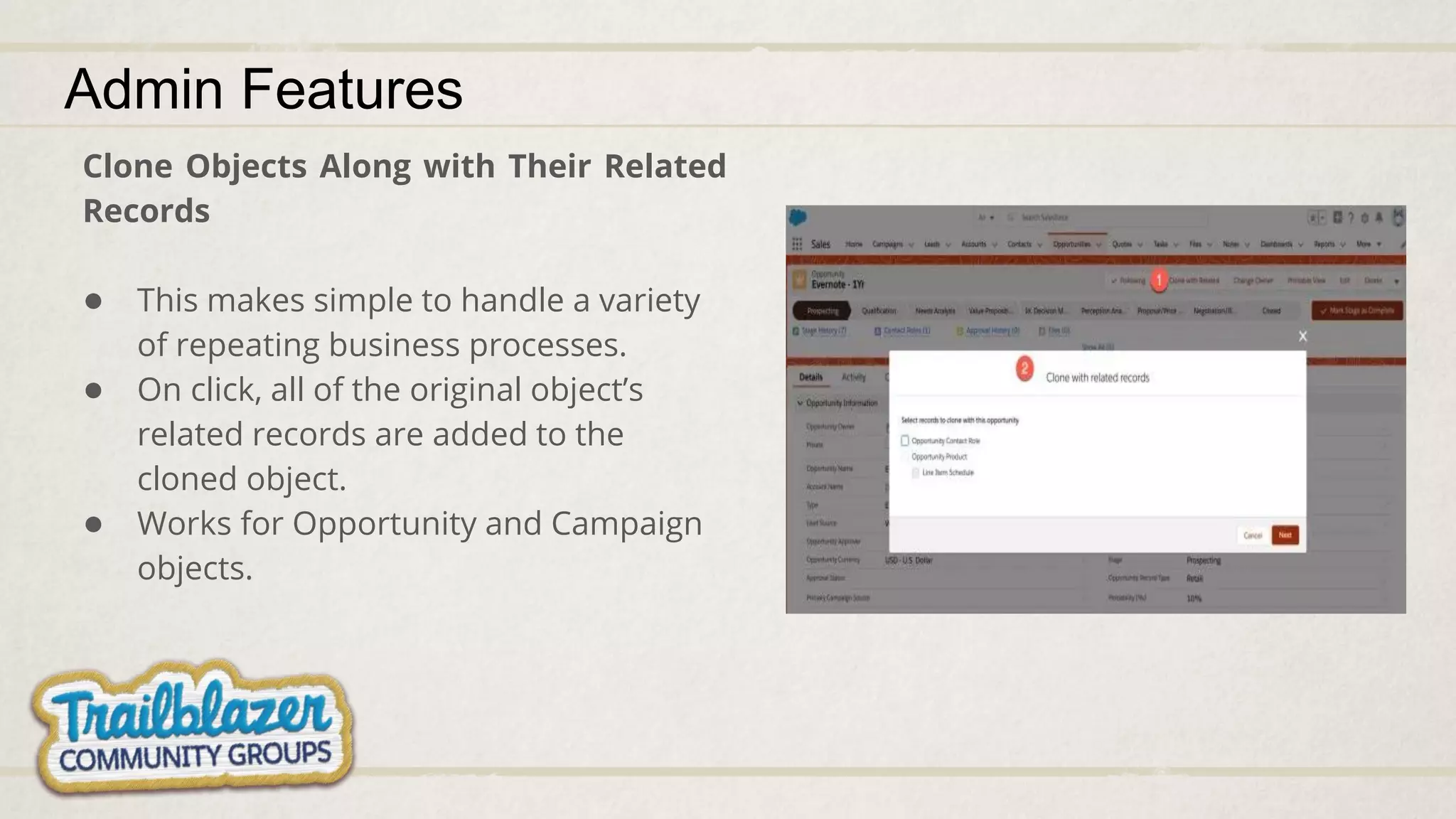
Clone Objects Along with Their Related
Records
● This makes simple to handle a variety
of repeating business processes.
● On click, all of the original object’s
related records are added to the
cloned object.
● Works for Opportunity and Campaign
objects.
Admin Features
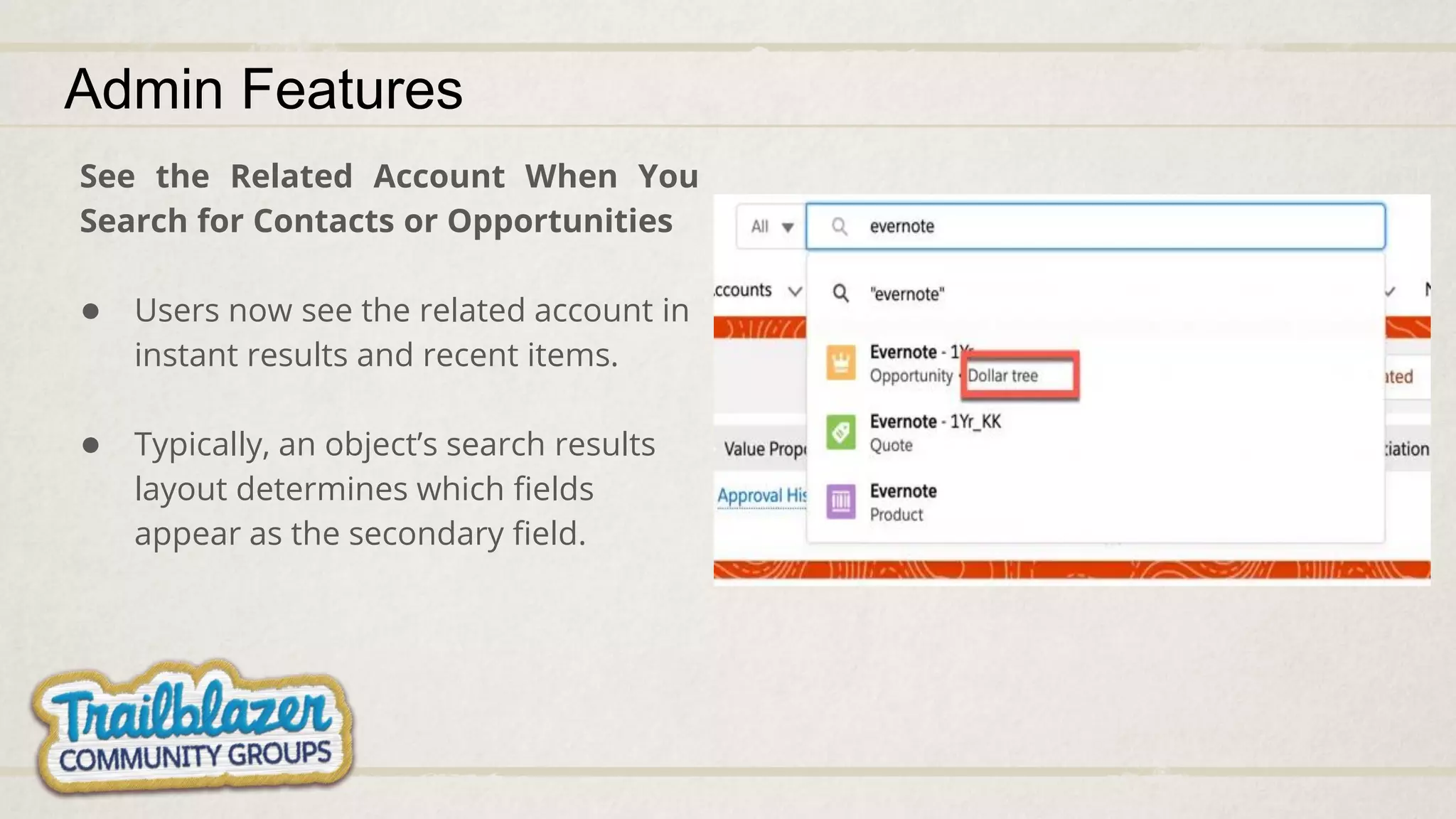
See the Related Account When You
Search for Contacts or Opportunities
● Users now see the related account in
instant results and recent items.
● Typically, an object’s search results
layout determines which fields
appear as the secondary field.
Admin Features
Assign Tasks to a Queue to Share Work
Efficiently
● Sales reps can share their workload by
setting up queues for tasks.
● Reps can assign tasks to their shared
queues, and then individuals can take
ownership of those tasks from the queue’s
list view.
Admin Features
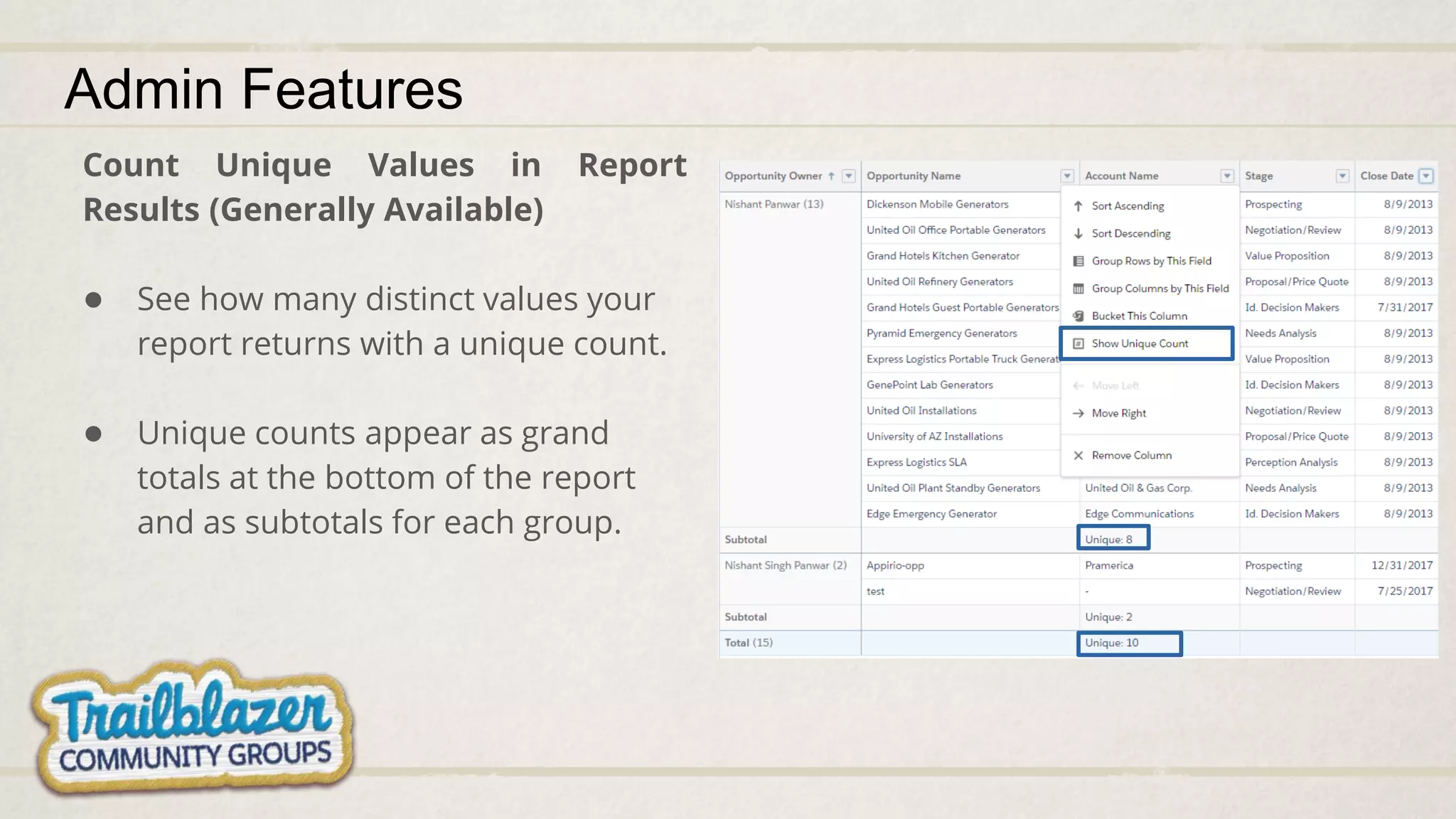
Count Unique Values in Report
Results (Generally Available)
● See how many distinct values your
report returns with a unique count.
● Unique counts appear as grand
totals at the bottom of the report
and as subtotals for each group.
Admin Features
Additional Features worth noting!
Empty the Recycle Bin in One Step
Empty your Salesforce org’s Recycle Bin
in Lightning Experience with a single
click.
Spread Knowledge by Linking to Articles in Chat and Messaging
● Now you can help your agents to provide quick answers to common problems in
Chat and Messaging conversations. If your Salesforce org uses these channels,
your team can point customers to the right articles by sharing the links from your
sites and communities in the conversation feed.
Update Multiple Deals from the Forecasts Page in Lightning Experience
● Forecast users now have another option for updating opportunities without leaving
the forecasts page. With inline editing, users can edit multiple opportunities at the
same time.
Additional Features worth noting!
Pizzas and Coke
Nitesh Dokania
Marketing Cloud Consultant
Pramerica, Developer, Trailblazer
/in/nitesh-dokania-46992a13
Developers Highlights
● Tooling for Dependency API
● Field Level Security in Apex
● Introducing Transaction Finalizers
Tooling for Dependency API
● Gather information about how
the metadata in your Salesforce
org is interconnected.
● Better understand and maintain
your environments.
Tooling for Dependency API
Analyzing your
deployed
components
Field Level Security in Apex
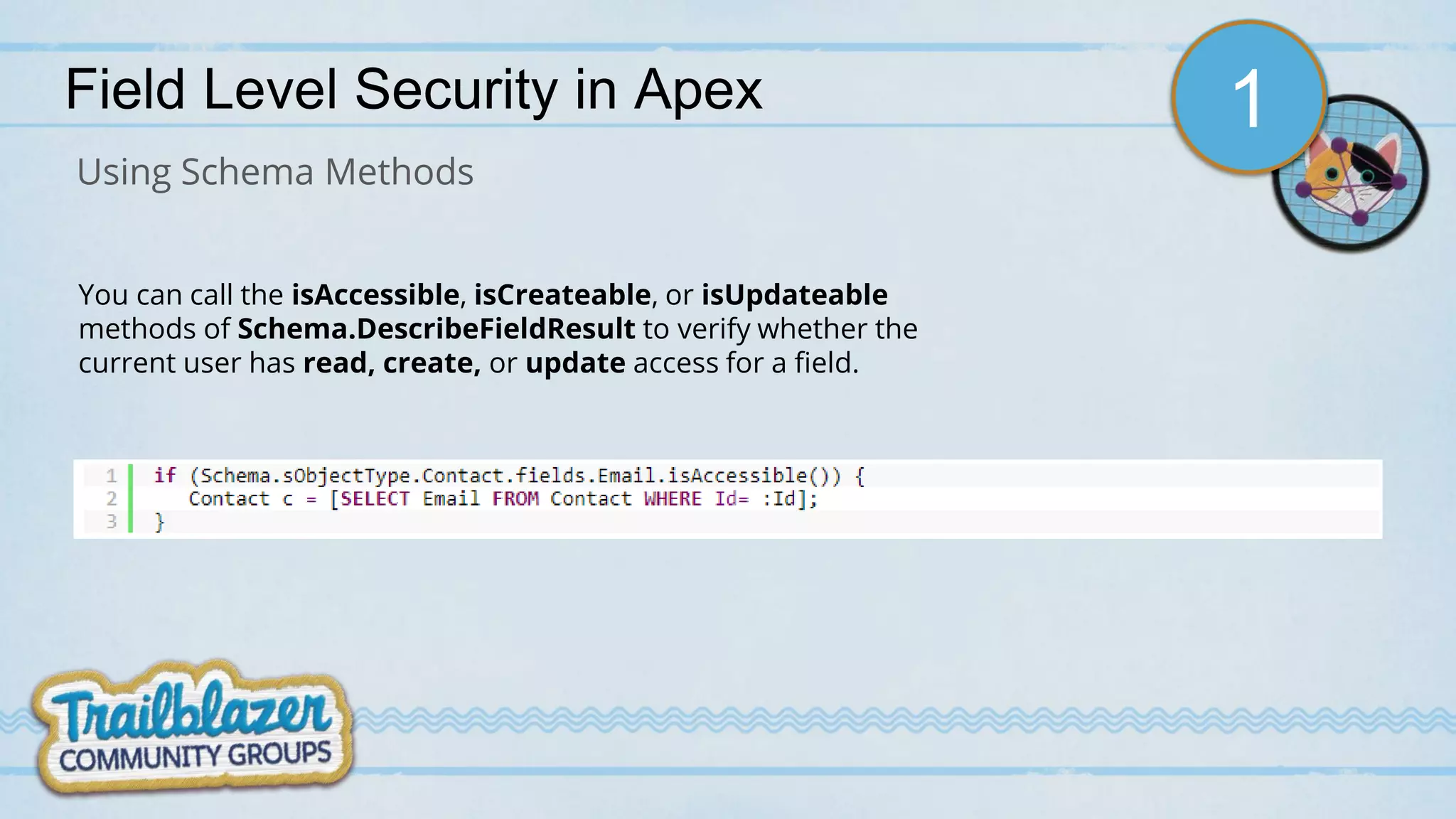
Using Schema Methods
You can call the isAccessible, isCreateable, or isUpdateable
methods of Schema.DescribeFieldResult to verify whether the
current user has read, create, or update access for a field.
1
Field Level Security in Apex
WITH SECURITY_ENFORCED clause can be used in SOQL queries to enforce field and object
level security permissions in Apex code, including subqueries and cross-object relationships.
2
Using WITH SECURITY_ENFORCED clause
It is important to note that this clause doesn’t verify field-level security for fields used in the
WHERE clause of the query.
Field Level Security in Apex
stripInaccessible (<parameters>)
3
Using stripInaccessible Method
Parameters:
• System.AccessType accessCheckType - Required
• List<SObject> sourceRecords - Required
• Boolean enforceRootObjectCRUD - Optional
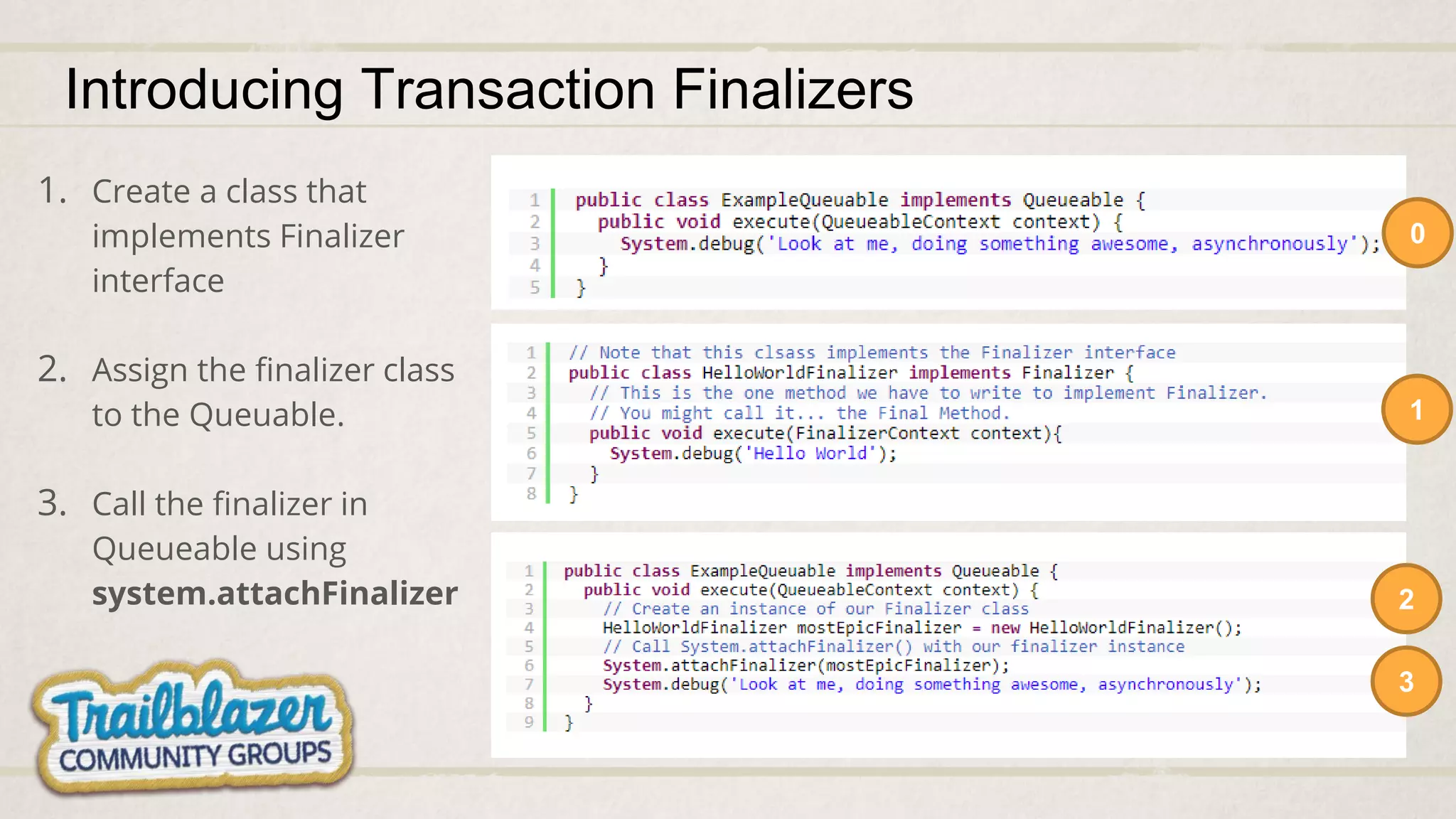
Introducing Transaction Finalizers
Developer defined Apex classes.
Run when a Queueable job finishes.
You can control their construction, and logic.
Need to implement the finalizer system interface.
Introducing Transaction Finalizers
0
1
2
1. Create a class that
implements Finalizer
interface
2. Assign the finalizer class
to the Queuable.
3. Call the finalizer in
Queueable using
system.attachFinalizer
3
Salesforce Certification Voucher Challenge
Game Plan
Winner
Multiplayer
Quiz
Trailhead
Challenge
Winners
Trailhead Challenge Winners
1. Shankar Kulkarni
2. Niyati Panwar
3. Asmita Soman
4. Jane Patta
5. Swathi Raman
6. Abhilash B. P.
Multiplayer Quiz
Instructions
Total 15 questions will be asked
Every question will be available on screen for 10 seconds to answer
Incorrect answer 0 Points [No Negative scoring]
Each correct answer gets points based on time taken to answer
1st to answer correctly get 1000 points
2nd get 900 points
3rd get 800 points
…
10th get 100 points
Redemption
● Redemption Article: https://sfdc.co/bgYvB1
● Fill Form
○ Name:
○ Email:
○ Code:
○ Event: Learn Salesforce and Win Salesforce Certification Voucher, Letterkenny Developers
Group.
Winner’s Salesforce Experience
• About Salesforce?
• About Trailhead?
• About Community?
• Certification?
• When are you
planning to
attempt?
Upcoming Event
• April 2nd Week.
• Salesforce DX (DevOps) and Lightning
Components.
• Salesforce MVP to present a session.
• Join the trailblazer community group to
get notified.
bit.ly/Lksfdevs
Salesforce Spring 20 Highlights

Salesforce Spring 20 Highlights

  • 2.
  • 3.
    Nishant Singh Panwar CommunityGroup Leader Developer, Consultant and Architect Trailhead Ranger Nishant_SP
  • 4.
    Agenda ● About Community ●How to learn Salesforce ● Networking ● Spring 20 Highlights ● Salesforce Certification Voucher Contest ● Upcoming Events
  • 5.
  • 6.
  • 7.
  • 9.
  • 10.
    Instructions Talk to asmany people as possible and when a statement applies to someone you meet, have them sign their name in the box. Each person can only sign your sheet once. Try to be the first to get five boxes in a row (horizontally, vertically, or diagonally) and shout “BINGO!” to win. In the end, we all win by learning more about our peers. Good luck and have fun!
  • 11.
  • 12.
  • 13.
  • 14.
    Salesforce Release Strategy ●Three major releases per year. ● Spring, Summer and Winter. ● Trailhead Modules for every release is available and can be found in Seasonal Release Strategies badge. ● The Salesforce Seasonal Releases blog contains a wealth of information about upcoming releases, including links to Release Notes, the relevant Trailhead module, preview videos, and more.
  • 15.
    Beta Features Einstein VoiceAssistant ● Users can talk to the Salesforce Org. ● Logging events, creating contacts and opportunities. ● Log service notes and follow up tasks. ● Build custom voice experience with just clicks. Local Development for LWC ● Run your component locally before publishing the changes to salesforce.
  • 16.
    Attach Formatted Spreadsheetsto Report Subscriptions A new option lets people subscribe to a report, and receive results as a formatted spreadsheet attached to the subscription email Beta Features
  • 17.
    Clone Objects Alongwith Their Related Records ● This makes simple to handle a variety of repeating business processes. ● On click, all of the original object’s related records are added to the cloned object. ● Works for Opportunity and Campaign objects. Admin Features
  • 18.
    See the RelatedAccount When You Search for Contacts or Opportunities ● Users now see the related account in instant results and recent items. ● Typically, an object’s search results layout determines which fields appear as the secondary field. Admin Features
  • 19.
    Assign Tasks toa Queue to Share Work Efficiently ● Sales reps can share their workload by setting up queues for tasks. ● Reps can assign tasks to their shared queues, and then individuals can take ownership of those tasks from the queue’s list view. Admin Features
  • 20.
    Count Unique Valuesin Report Results (Generally Available) ● See how many distinct values your report returns with a unique count. ● Unique counts appear as grand totals at the bottom of the report and as subtotals for each group. Admin Features
  • 21.
    Additional Features worthnoting! Empty the Recycle Bin in One Step Empty your Salesforce org’s Recycle Bin in Lightning Experience with a single click.
  • 22.
    Spread Knowledge byLinking to Articles in Chat and Messaging ● Now you can help your agents to provide quick answers to common problems in Chat and Messaging conversations. If your Salesforce org uses these channels, your team can point customers to the right articles by sharing the links from your sites and communities in the conversation feed. Update Multiple Deals from the Forecasts Page in Lightning Experience ● Forecast users now have another option for updating opportunities without leaving the forecasts page. With inline editing, users can edit multiple opportunities at the same time. Additional Features worth noting!
  • 23.
  • 24.
    Nitesh Dokania Marketing CloudConsultant Pramerica, Developer, Trailblazer /in/nitesh-dokania-46992a13
  • 25.
    Developers Highlights ● Toolingfor Dependency API ● Field Level Security in Apex ● Introducing Transaction Finalizers
  • 26.
    Tooling for DependencyAPI ● Gather information about how the metadata in your Salesforce org is interconnected. ● Better understand and maintain your environments.
  • 27.
    Tooling for DependencyAPI Analyzing your deployed components
  • 28.
    Field Level Securityin Apex Using Schema Methods You can call the isAccessible, isCreateable, or isUpdateable methods of Schema.DescribeFieldResult to verify whether the current user has read, create, or update access for a field. 1
  • 29.
    Field Level Securityin Apex WITH SECURITY_ENFORCED clause can be used in SOQL queries to enforce field and object level security permissions in Apex code, including subqueries and cross-object relationships. 2 Using WITH SECURITY_ENFORCED clause It is important to note that this clause doesn’t verify field-level security for fields used in the WHERE clause of the query.
  • 30.
    Field Level Securityin Apex stripInaccessible (<parameters>) 3 Using stripInaccessible Method Parameters: • System.AccessType accessCheckType - Required • List<SObject> sourceRecords - Required • Boolean enforceRootObjectCRUD - Optional
  • 31.
    Introducing Transaction Finalizers Developerdefined Apex classes. Run when a Queueable job finishes. You can control their construction, and logic. Need to implement the finalizer system interface.
  • 32.
    Introducing Transaction Finalizers 0 1 2 1.Create a class that implements Finalizer interface 2. Assign the finalizer class to the Queuable. 3. Call the finalizer in Queueable using system.attachFinalizer 3
  • 33.
  • 34.
  • 35.
    Trailhead Challenge Winners 1.Shankar Kulkarni 2. Niyati Panwar 3. Asmita Soman 4. Jane Patta 5. Swathi Raman 6. Abhilash B. P.
  • 36.
    Multiplayer Quiz Instructions Total 15questions will be asked Every question will be available on screen for 10 seconds to answer Incorrect answer 0 Points [No Negative scoring] Each correct answer gets points based on time taken to answer 1st to answer correctly get 1000 points 2nd get 900 points 3rd get 800 points … 10th get 100 points
  • 37.
    Redemption ● Redemption Article:https://sfdc.co/bgYvB1 ● Fill Form ○ Name: ○ Email: ○ Code: ○ Event: Learn Salesforce and Win Salesforce Certification Voucher, Letterkenny Developers Group.
  • 38.
    Winner’s Salesforce Experience •About Salesforce? • About Trailhead? • About Community? • Certification? • When are you planning to attempt?
  • 39.
    Upcoming Event • April2nd Week. • Salesforce DX (DevOps) and Lightning Components. • Salesforce MVP to present a session. • Join the trailblazer community group to get notified. bit.ly/Lksfdevs