Rado RAKOTOARIMANANA
Salesforce Consultant
Forward-Looking Statement
Statement under the Private Securities Litigation Reform Act of 1995
This presentation may contain forward-looking statements that involve risks, uncertainties, and assumptions. If any such uncertainties
materialize or if any of the assumptions proves incorrect, the results of salesforce.com, inc. could differ materially from the results expressed or
implied by the forward-looking statements we make. All statements other than statements of historical fact could be deemed forward-looking,
including any projections of product or service availability, subscriber growth, earnings, revenues, or other financial items and any statements
regarding strategies or plans of management for future operations, statements of belief, any statements concerning new, planned, or upgraded
services or technology developments and customer contracts or use of our services.
The risks and uncertainties referred to above include – but are not limited to – risks associated with developing and delivering new functionality
for our service, new products and services, our new business model, our past operating losses, possible fluctuations in our operating results and
rate of growth, interruptions or delays in our Web hosting, breach of our security measures, the outcome of any litigation, risks associated with
completed and any possible mergers and acquisitions, the immature market in which we operate, our relatively limited operating history, our
ability to expand, retain, and motivate our employees and manage our growth, new releases of our service and successful customer
deployment, our limited history reselling non-salesforce.com products, and utilization and selling to larger enterprise customers. Further
information on potential factors that could affect the financial results of salesforce.com, inc. is included in our annual report on Form 10-K for
the most recent fiscal year and in our quarterly report on Form 10-Q for the most recent fiscal quarter. These documents and others containing
important disclosures are available on the SEC Filings section of the Investor Information section of our Website.
Any unreleased services or features referenced in this or other presentations, press releases or public statements are not currently available and
may not be delivered on time or at all. Customers who purchase our services should make the purchase decisions based upon features that are
currently available. Salesforce.com, inc. assumes no obligation and does not intend to update these forward-looking statements.
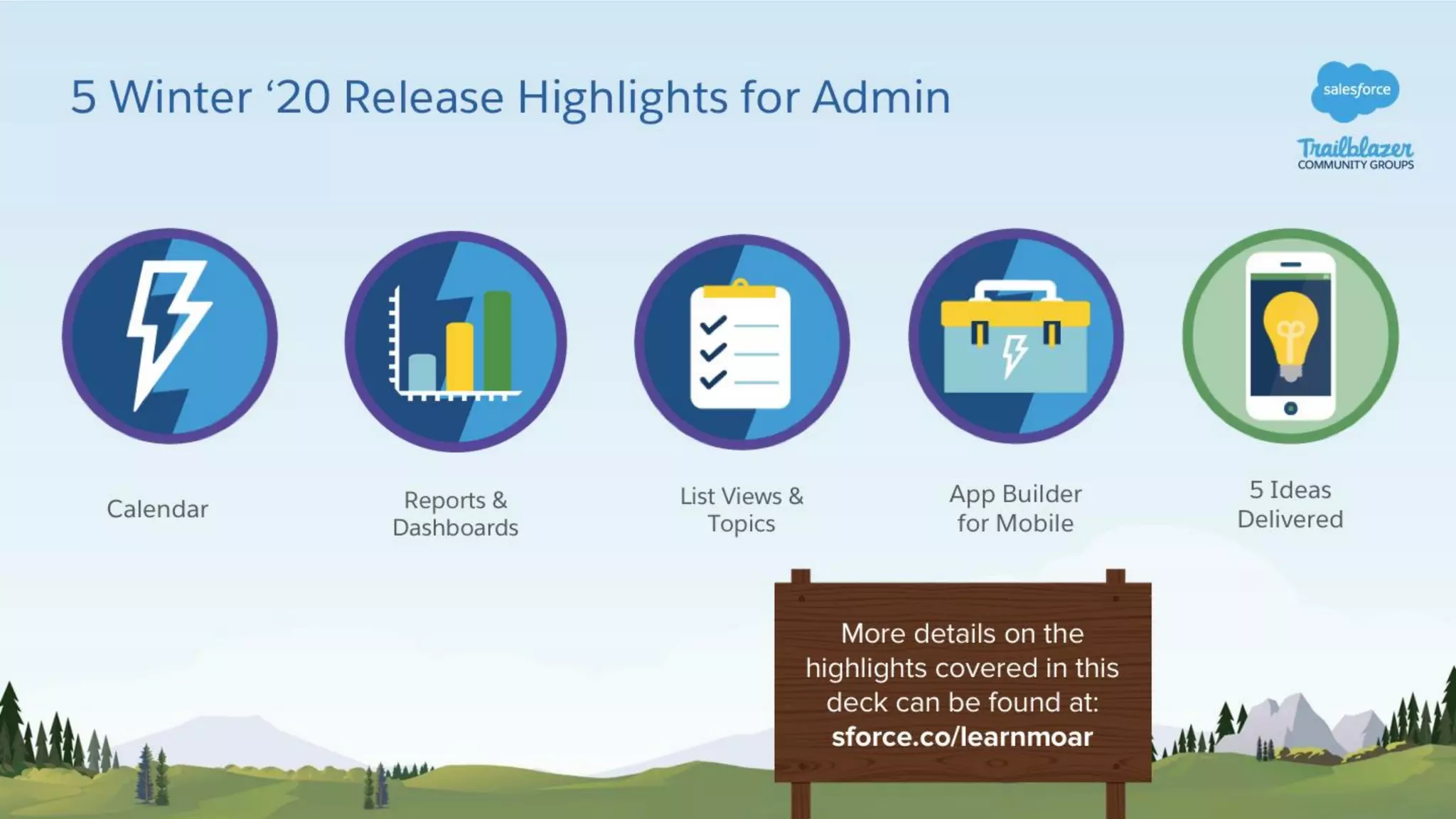
5 Winter ‘20 Release Highlights for Admin
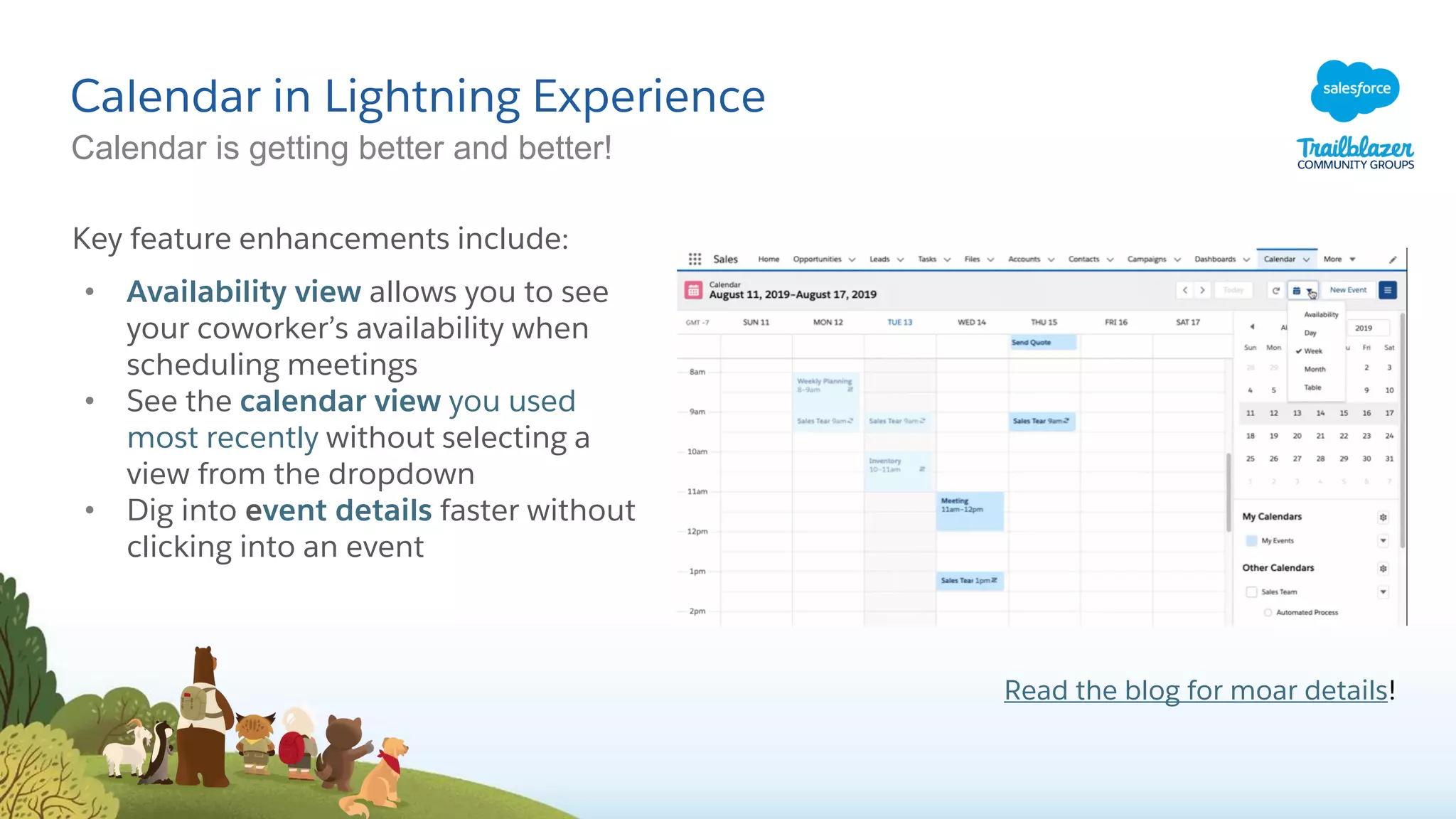
Calendar in Lightning Experience
Calendar is getting better and better!
Key feature enhancements include:
• Availability view allows you to see
your coworker’s availability when
scheduling meetings
• See the calendar view you used
most recently without selecting a
view from the dropdown
• Dig into event details faster without
clicking into an event
Read the blog for moar details!
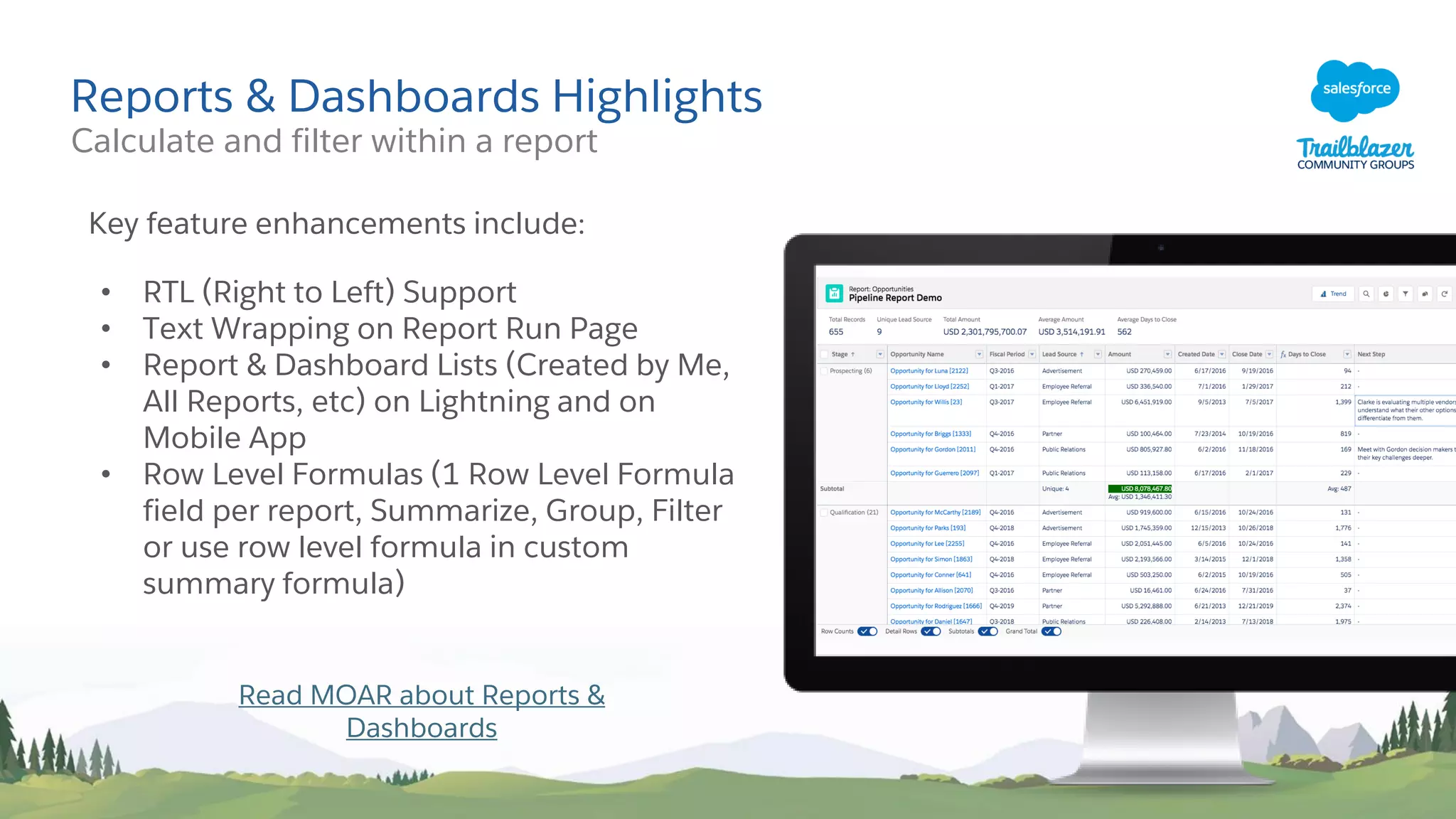
Reports & Dashboards Highlights
Key feature enhancements include:
• RTL (Right to Left) Support
• Text Wrapping on Report Run Page
• Report & Dashboard Lists (Created by Me,
All Reports, etc) on Lightning and on
Mobile App
• Row Level Formulas (1 Row Level Formula
field per report, Summarize, Group, Filter
or use row level formula in custom
summary formula)
Read MOAR about Reports &
Dashboards
Calculate and filter within a report
Reports & Dashboard Beta Features
Unique Row Count
Calculate unique number of field values per
column
• Up to 3 unique row counts per report
• Almost all Field Types supported except
for Text Area, Encrypted fields, or Blob
• All report formats supported (Tabular,
Summary, Matrix, or Joined)
Field to Field Filtering
Filter Reports by comparing one report
field with another report field
• Up to 4 field to field filters per report
• Field Types supported: Number
(including percent, currency) and
Date/DateTime
• Edit field to field filter in Lightning
Report Builder or Report Run Page
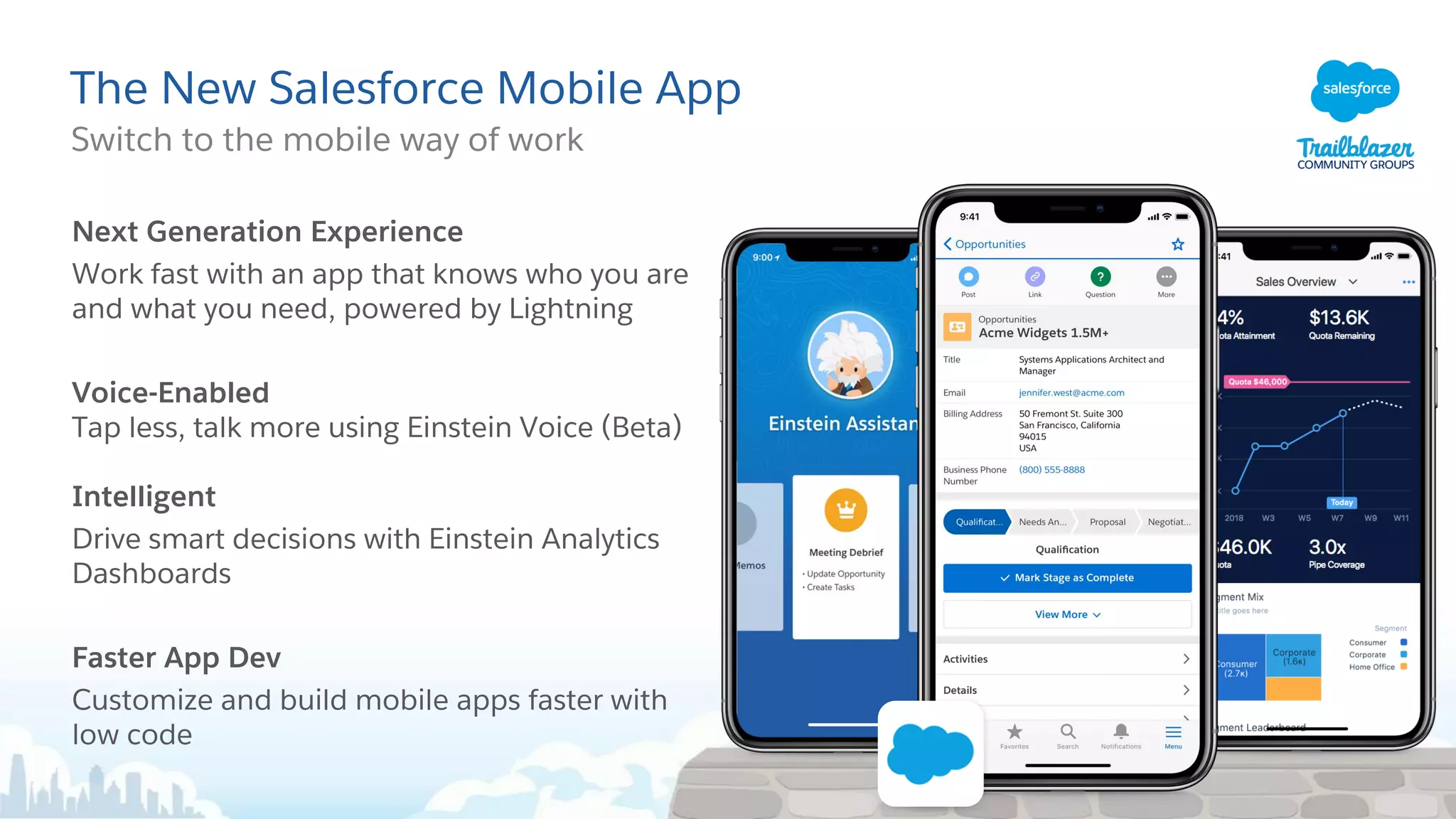
The New Salesforce Mobile App
Switch to the mobile way of work
Next Generation Experience
Work fast with an app that knows who you are
and what you need, powered by Lightning
Voice-Enabled
Tap less, talk more using Einstein Voice (Beta)
Intelligent
Drive smart decisions with Einstein Analytics
Dashboards
Faster App Dev
Customize and build mobile apps faster with
low code
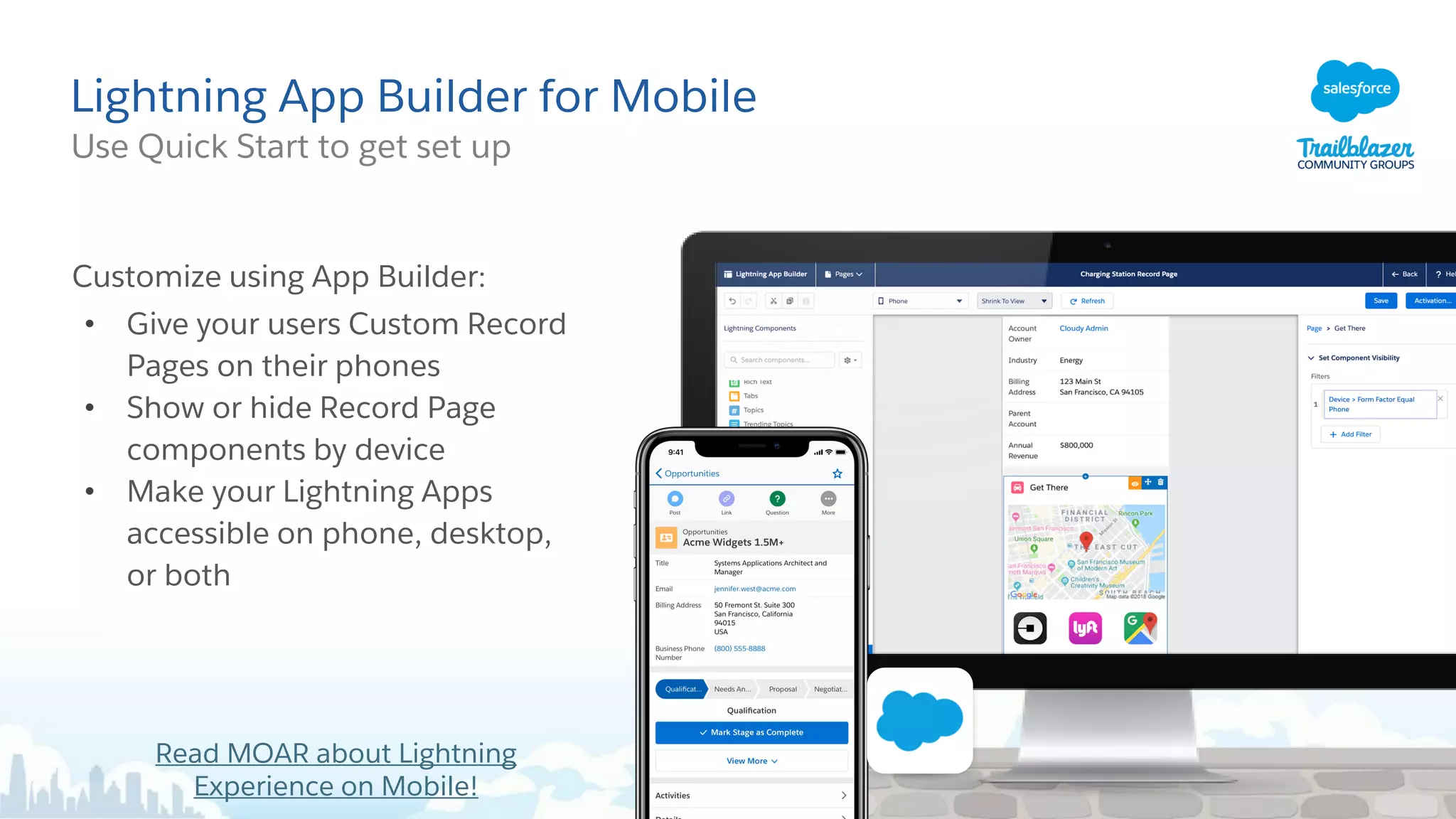
Lightning App Builder for Mobile
Use Quick Start to get set up
Customize using App Builder:
• Give your users Custom Record
Pages on their phones
• Show or hide Record Page
components by device
• Make your Lightning Apps
accessible on phone, desktop,
or both
Read MOAR about Lightning
Experience on Mobile!
5 Ideas Delivered
Read MOAR about the 5
Ideas Delivered
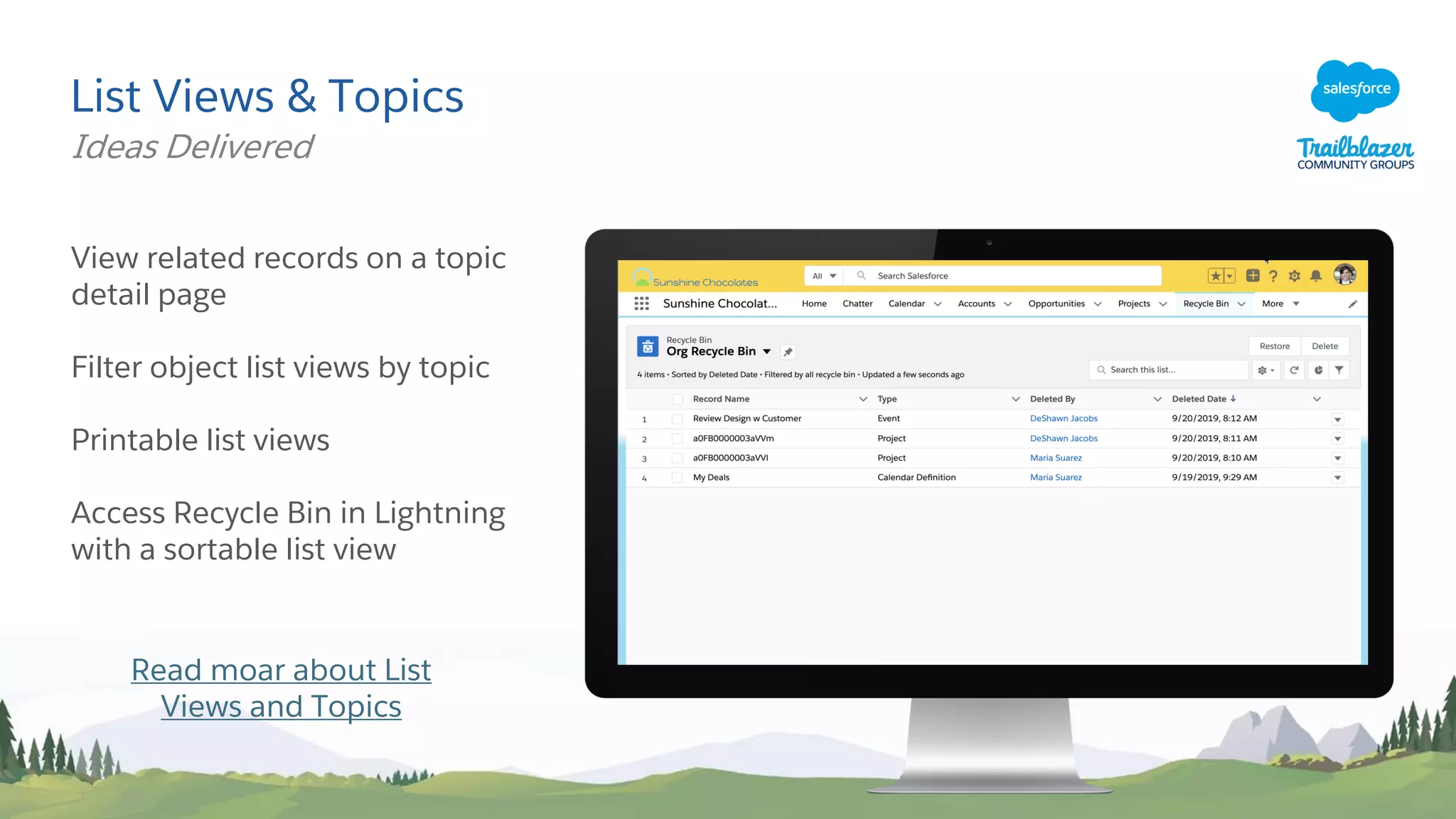
List Views & Topics
View related records on a topic
detail page
Filter object list views by topic
Printable list views
Access Recycle Bin in Lightning
with a sortable list view
Ideas Delivered
Read moar about List
Views and Topics
Lightning Record Pages For Specific Record Types
Ideas Delivered
Assign a Lightning Record
Page to a specific Record Type
on an object, just like page
layouts.
Now you can make Lightning
Record Pages even more
useful.
Start thinking about creating
different Lightning Record
Pages for your objects!
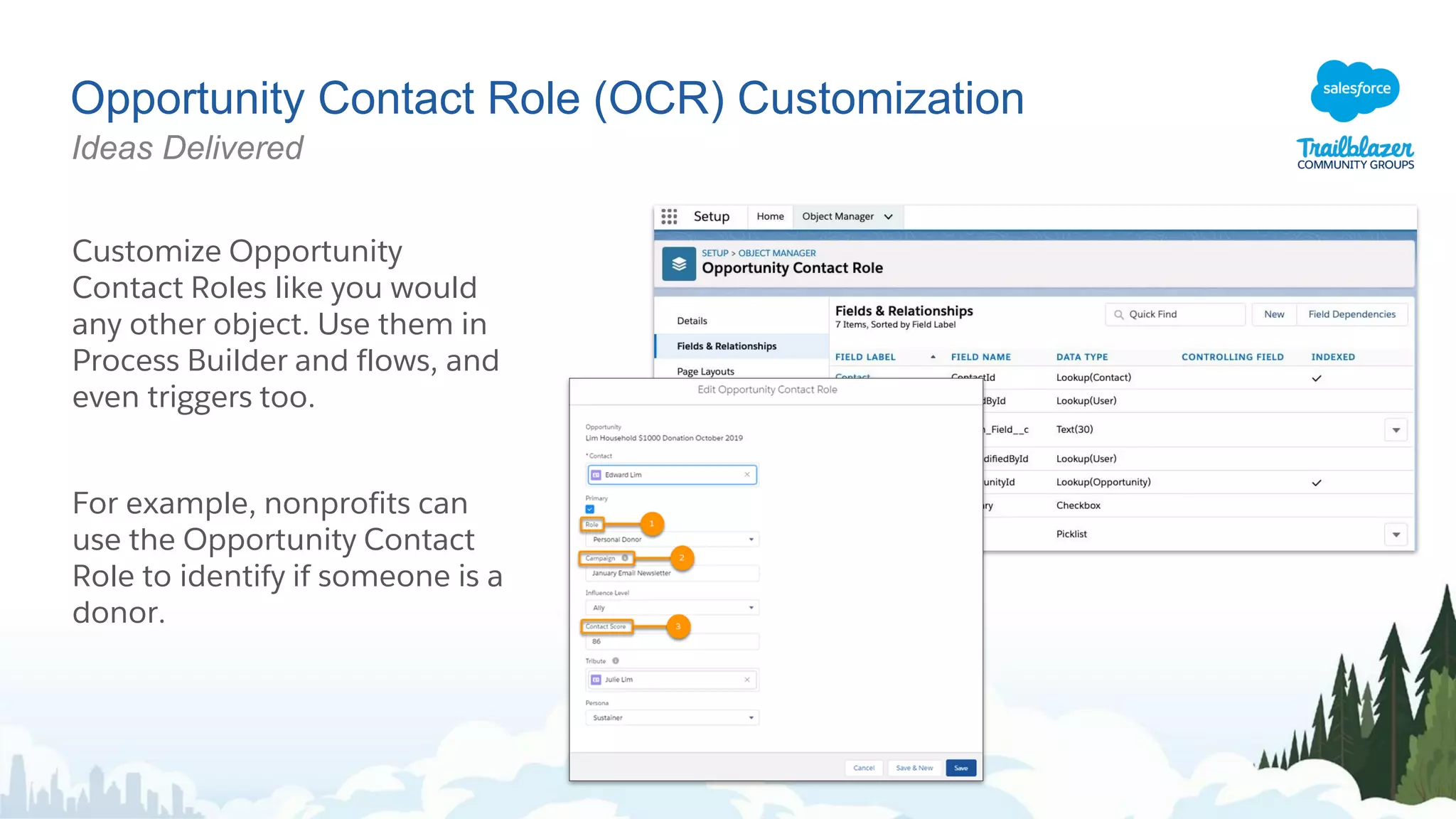
Opportunity Contact Role (OCR) Customization
Ideas Delivered
Customize Opportunity
Contact Roles like you would
any other object. Use them in
Process Builder and flows, and
even triggers too.
For example, nonprofits can
use the Opportunity Contact
Role to identify if someone is a
donor.
Where Is This Field Used?
Check a field’s references and
find reports using it.
With the click of a button, view
the references to a custom field
before you edit it, such as
references in a formula, layout,
or Apex class.
Ideas Delivered
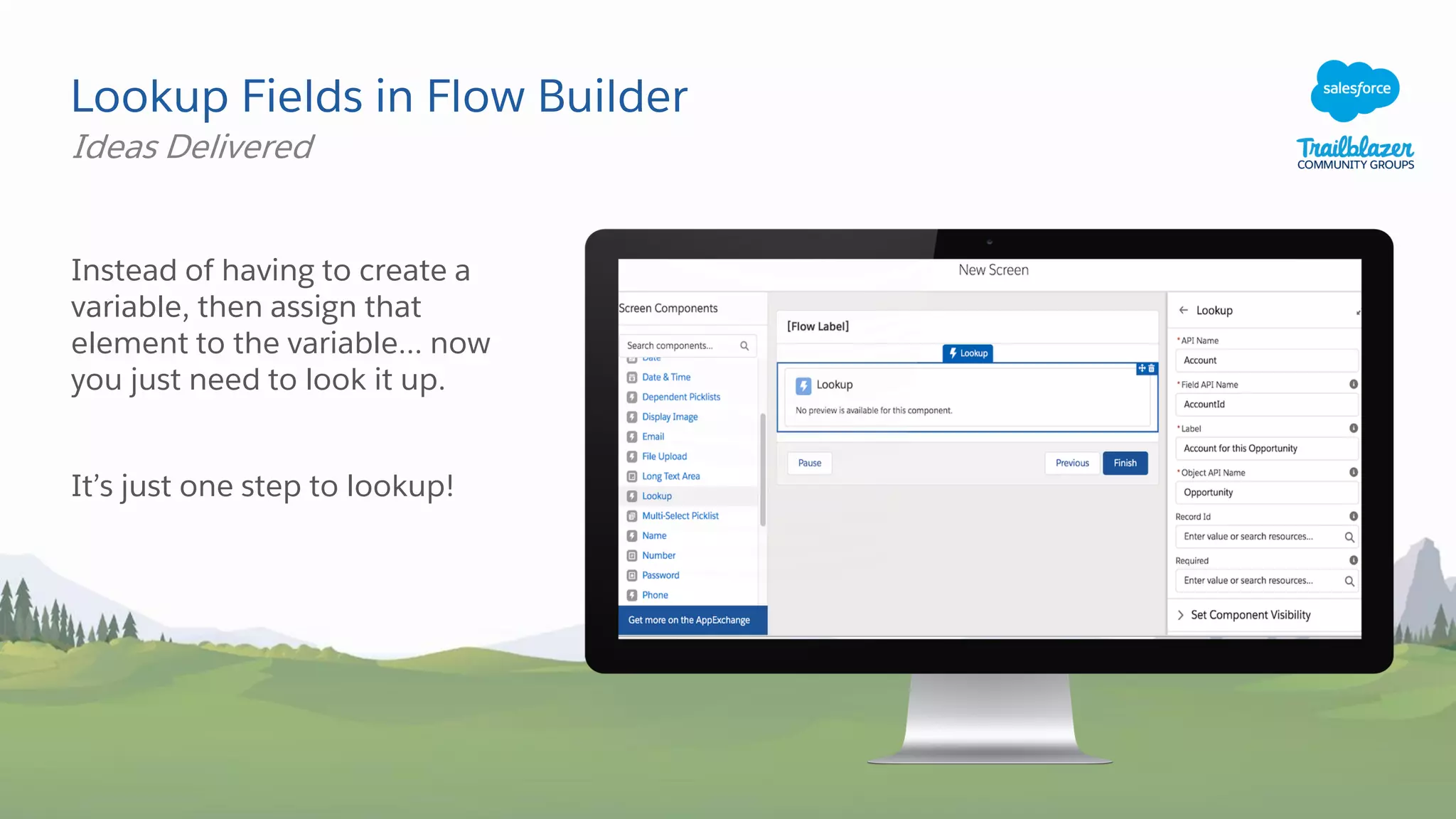
Lookup Fields in Flow Builder
Instead of having to create a
variable, then assign that
element to the variable... now
you just need to look it up.
It’s just one step to lookup!
Ideas Delivered
Martin LEZER
Group Leader – Salesforce Expert
Two Big Features to Discuss Today
Flow for
Developers
Lightning
Message
Service
More details on the highlights covered in
this deck can be found at:
sforce.co/learnmoar
Aura Components in the ui Namespace Are Being Retired
A retirement party for our friends the Aura UI Namespace!
Everything in the UI: namespace (ie: ui:button) are
retiring, Summer ‘21
Use lightning: namespace (ie: lightning:button)
components as a replacement.
Not sure how to translate from Ui: -> Lightning:
check out the release notes
sforce.co/dpl-
namespace
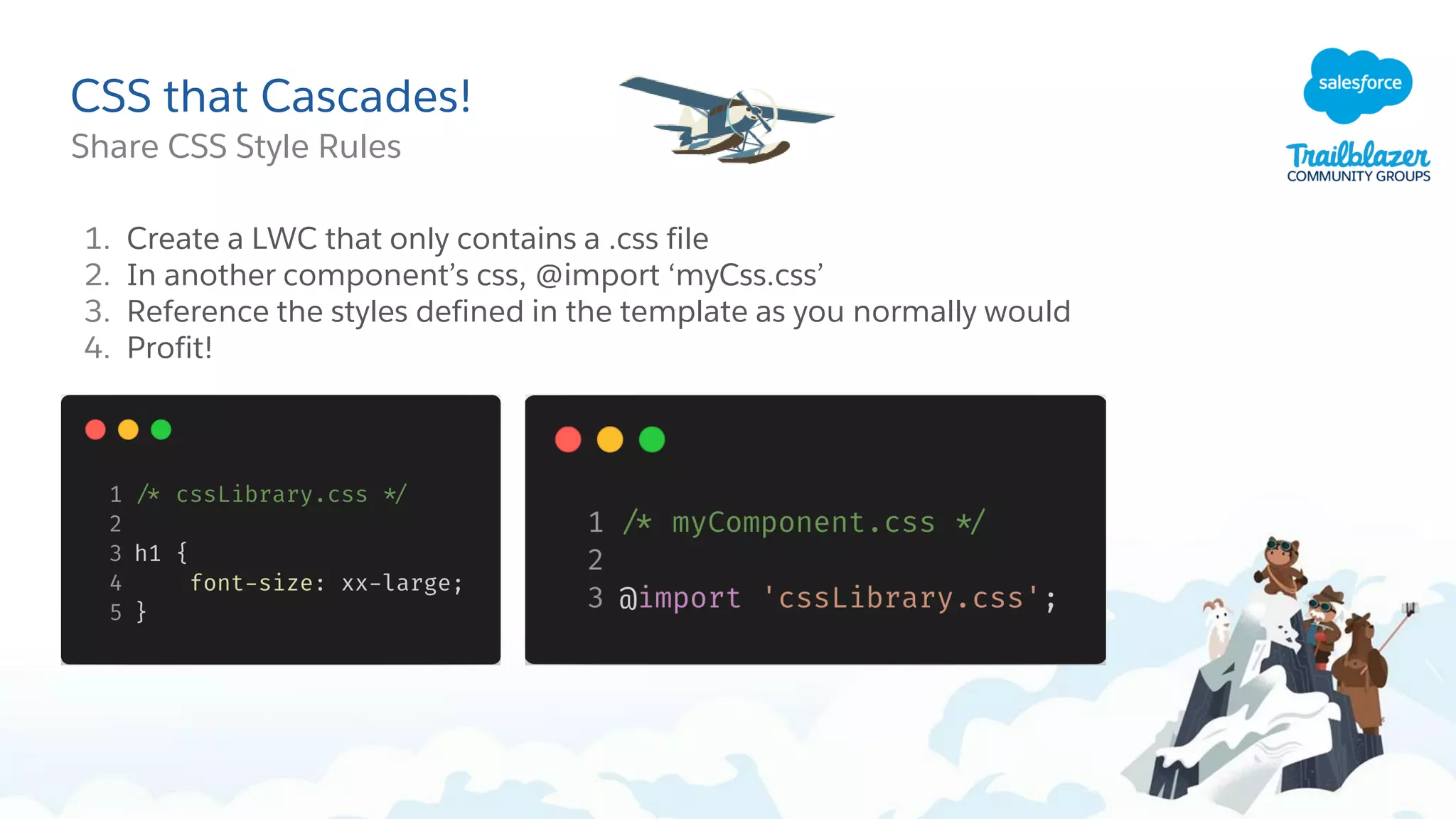
CSS that Cascades!
Share CSS Style Rules
1. Create a LWC that only contains a .css file
2. In another component’s css, @import ‘myCss.css’
3. Reference the styles defined in the template as you normally would
4. Profit!
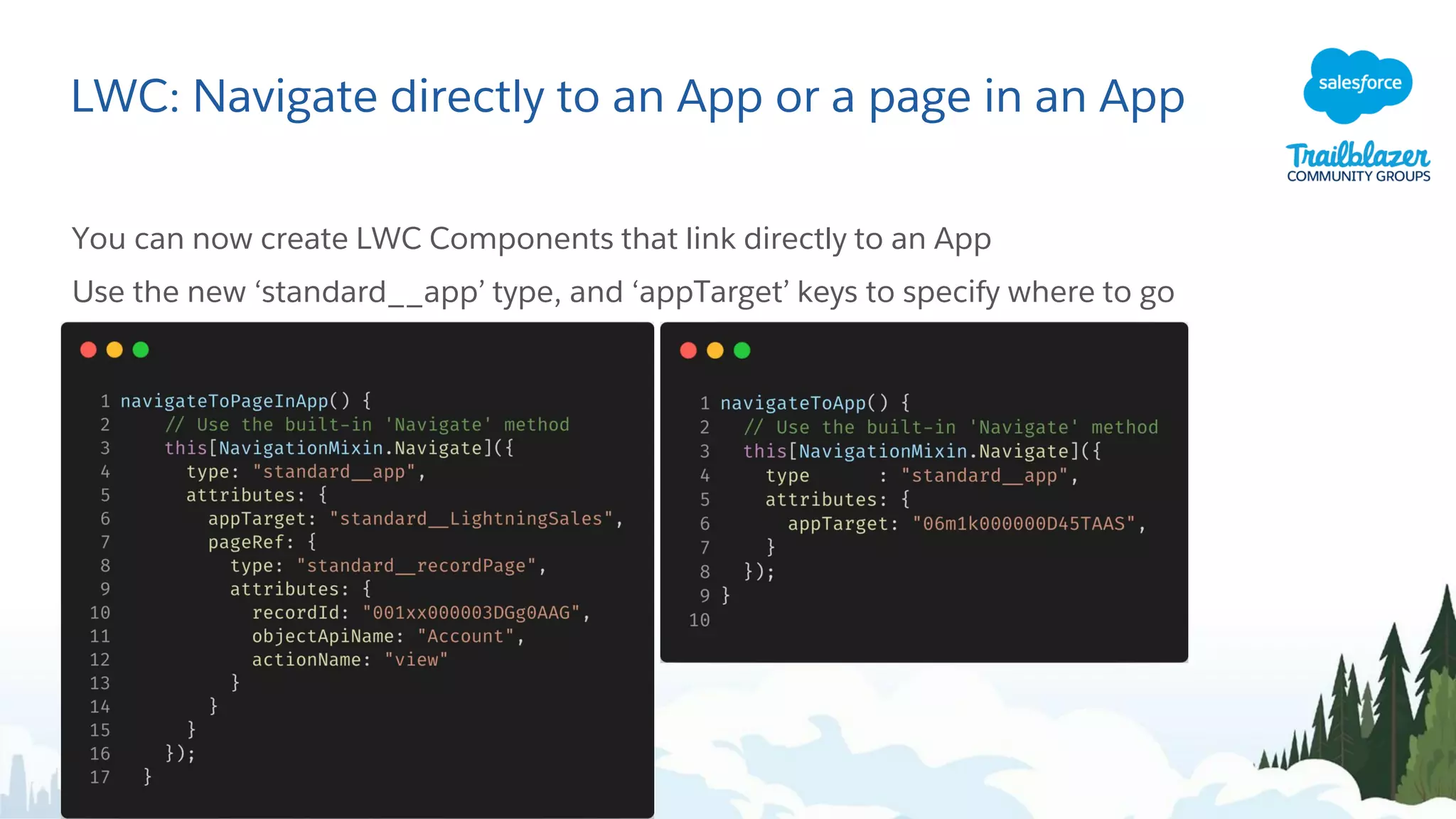
LWC: Navigate directly to an App or a page in an App
You can now create LWC Components that link directly to an App
Use the new ‘standard__app’ type, and ‘appTarget’ keys to specify where to go
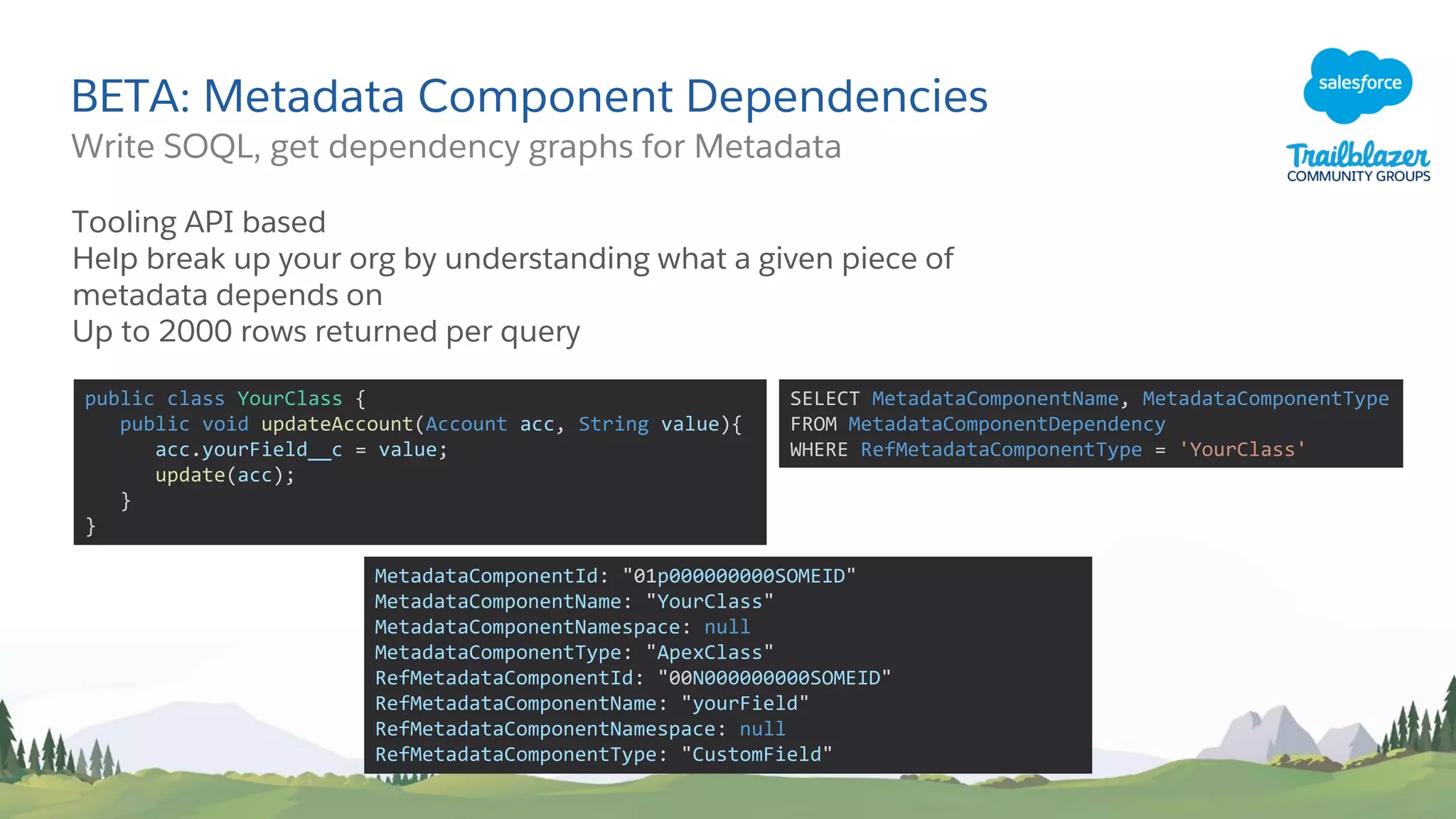
BETA: Metadata Component Dependencies
Write SOQL, get dependency graphs for Metadata
Tooling API based
Help break up your org by understanding what a given piece of
metadata depends on
Up to 2000 rows returned per query
public class YourClass {
public void updateAccount(Account acc, String value){
acc.yourField__c = value;
update(acc);
}
}
SELECT MetadataComponentName, MetadataComponentType
FROM MetadataComponentDependency
WHERE RefMetadataComponentType = 'YourClass'
MetadataComponentId: "01p000000000SOMEID"
MetadataComponentName: "YourClass"
MetadataComponentNamespace: null
MetadataComponentType: "ApexClass"
RefMetadataComponentId: "00N000000000SOMEID"
RefMetadataComponentName: "yourField"
RefMetadataComponentNamespace: null
RefMetadataComponentType: "CustomField"
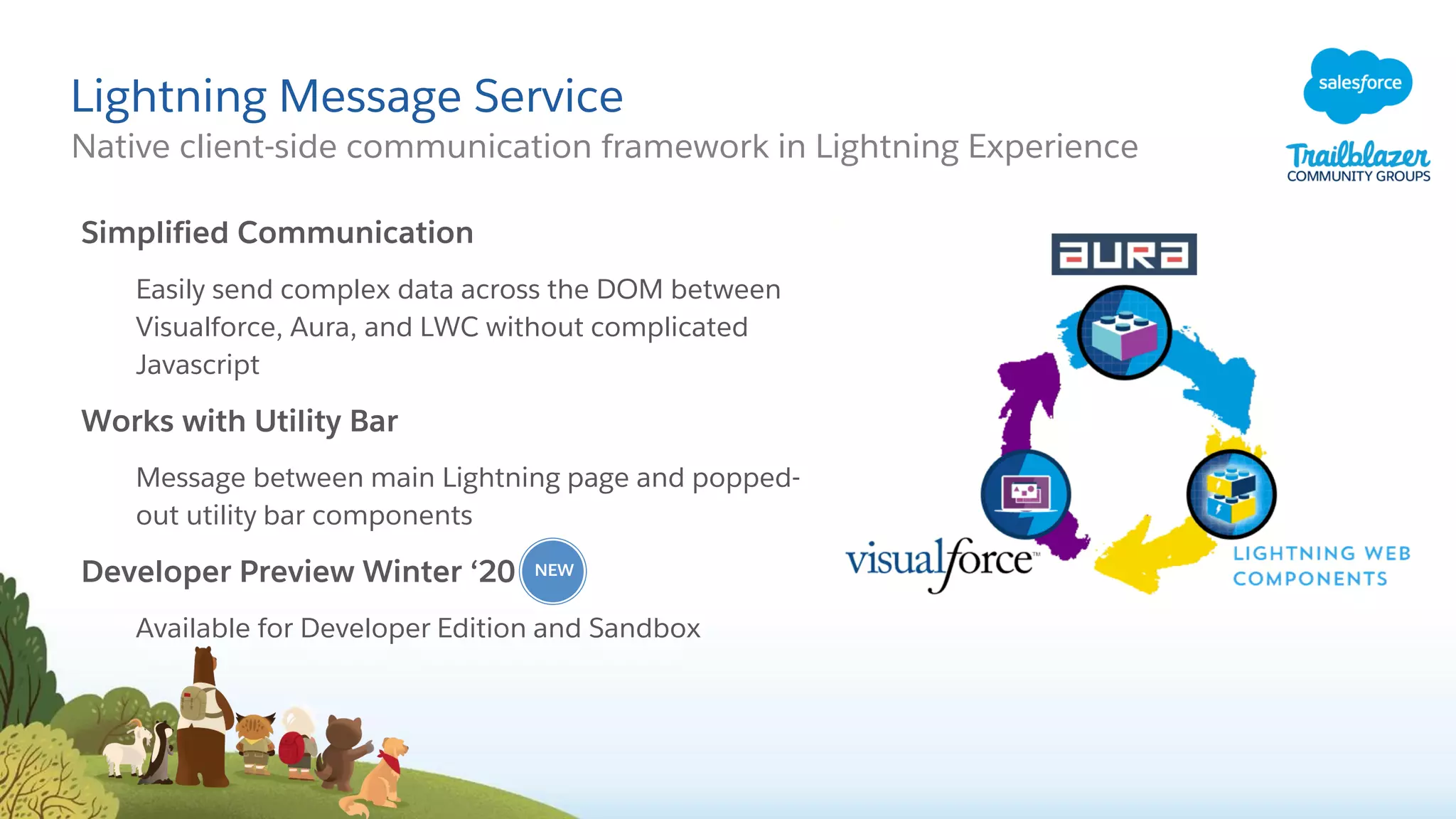
Lightning Message Service
Native client-side communication framework in Lightning Experience
Simplified Communication
Easily send complex data across the DOM between
Visualforce, Aura, and LWC without complicated
Javascript
Works with Utility Bar
Message between main Lightning page and popped-
out utility bar components
Developer Preview Winter ‘20
Available for Developer Edition and Sandbox
NEW
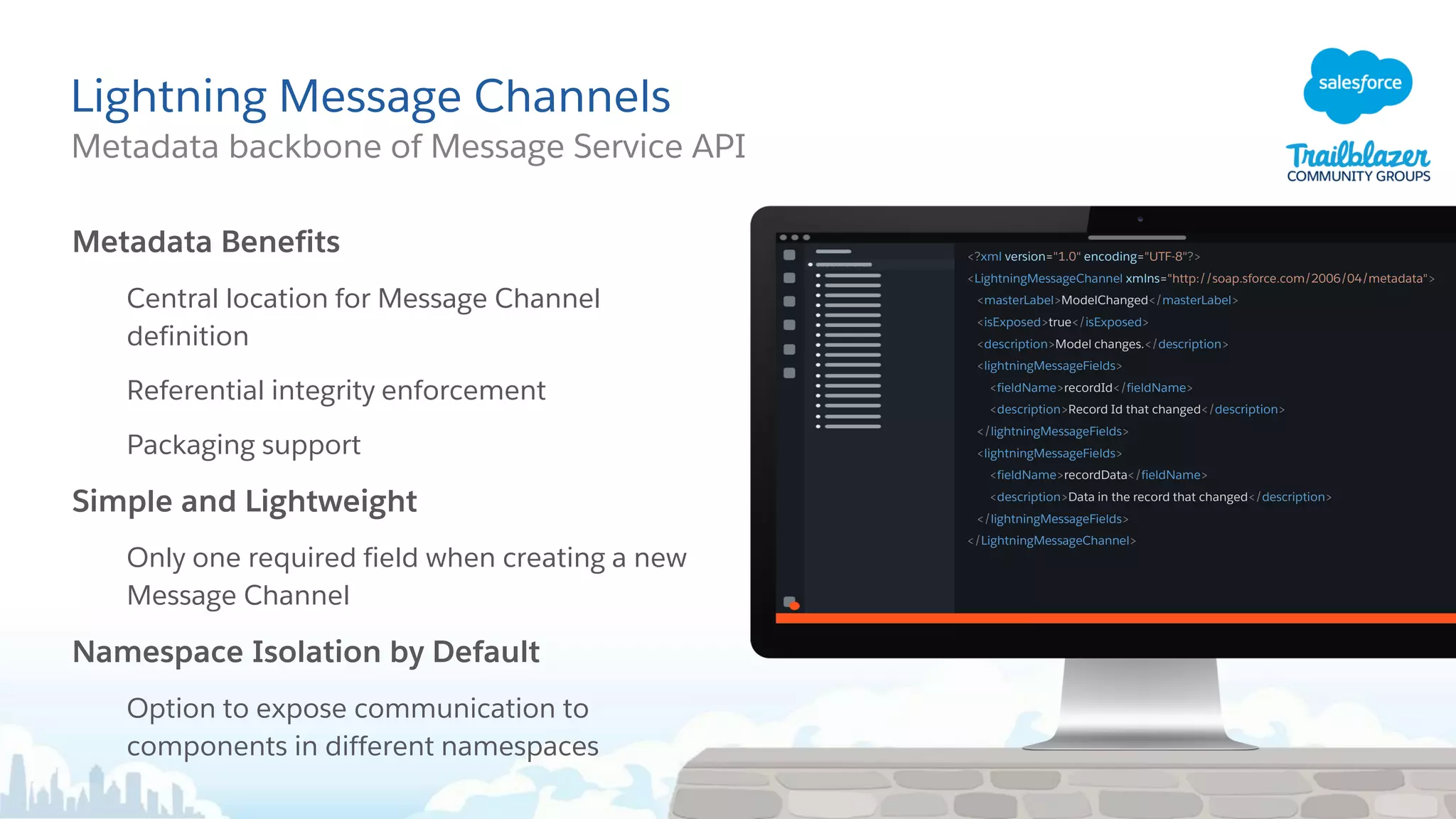
Lightning Message Channels
Metadata backbone of Message Service API
Metadata Benefits
Central location for Message Channel
definition
Referential integrity enforcement
Packaging support
Simple and Lightweight
Only one required field when creating a new
Message Channel
Namespace Isolation by Default
Option to expose communication to
components in different namespaces
<?xml version="1.0" encoding="UTF-8"?>
<LightningMessageChannel xmlns="http://soap.sforce.com/2006/04/metadata">
<masterLabel>ModelChanged</masterLabel>
<isExposed>true</isExposed>
<description>Model changes.</description>
<lightningMessageFields>
<fieldName>recordId</fieldName>
<description>Record Id that changed</description>
</lightningMessageFields>
<lightningMessageFields>
<fieldName>recordData</fieldName>
<description>Data in the record that changed</description>
</lightningMessageFields>
</LightningMessageChannel>
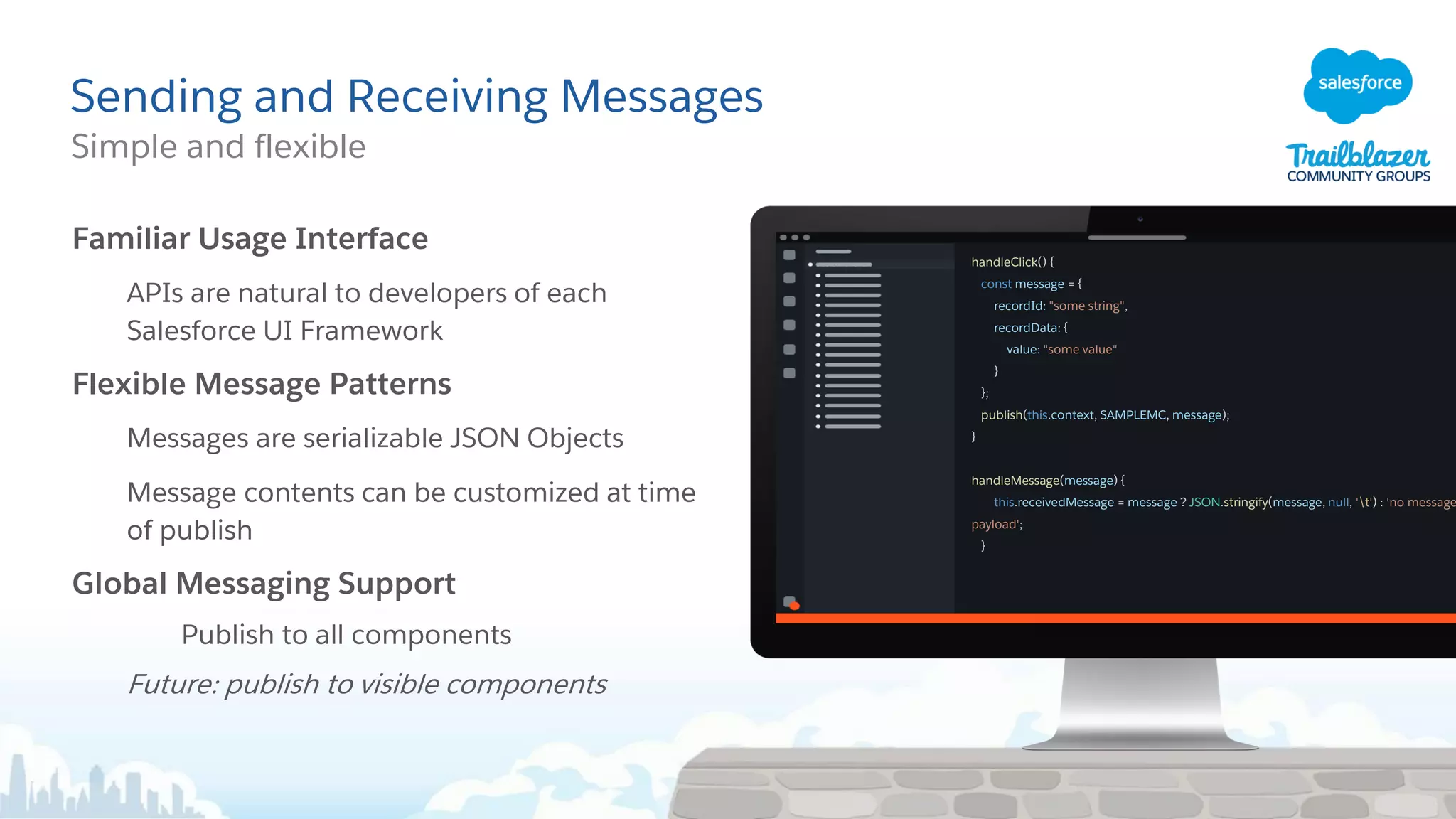
Sending and Receiving Messages
Simple and flexible
Familiar Usage Interface
APIs are natural to developers of each
Salesforce UI Framework
Flexible Message Patterns
Messages are serializable JSON Objects
Message contents can be customized at time
of publish
Global Messaging Support
Publish to all components
Future: publish to visible components
handleClick() {
const message = {
recordId: "some string",
recordData: {
value: "some value"
}
};
publish(this.context, SAMPLEMC, message);
}
handleMessage(message) {
this.receivedMessage = message ? JSON.stringify(message, null, 't') : 'no message
payload';
}
Screen Flow Improvements
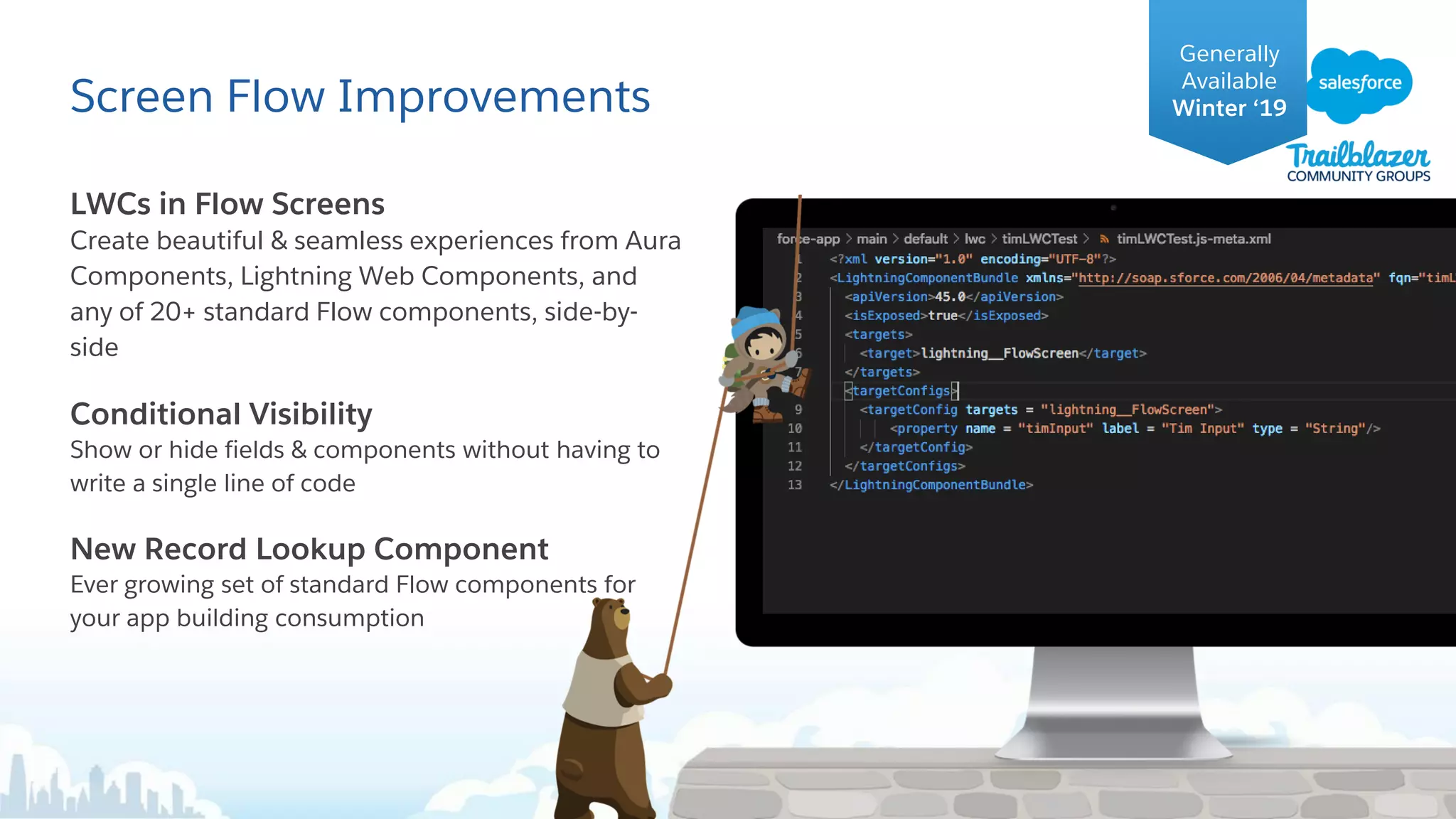
LWCs in Flow Screens
Create beautiful & seamless experiences from Aura
Components, Lightning Web Components, and
any of 20+ standard Flow components, side-by-
side
Conditional Visibility
Show or hide fields & components without having to
write a single line of code
New Record Lookup Component
Ever growing set of standard Flow components for
your app building consumption
Generally
Available
Winter ‘19
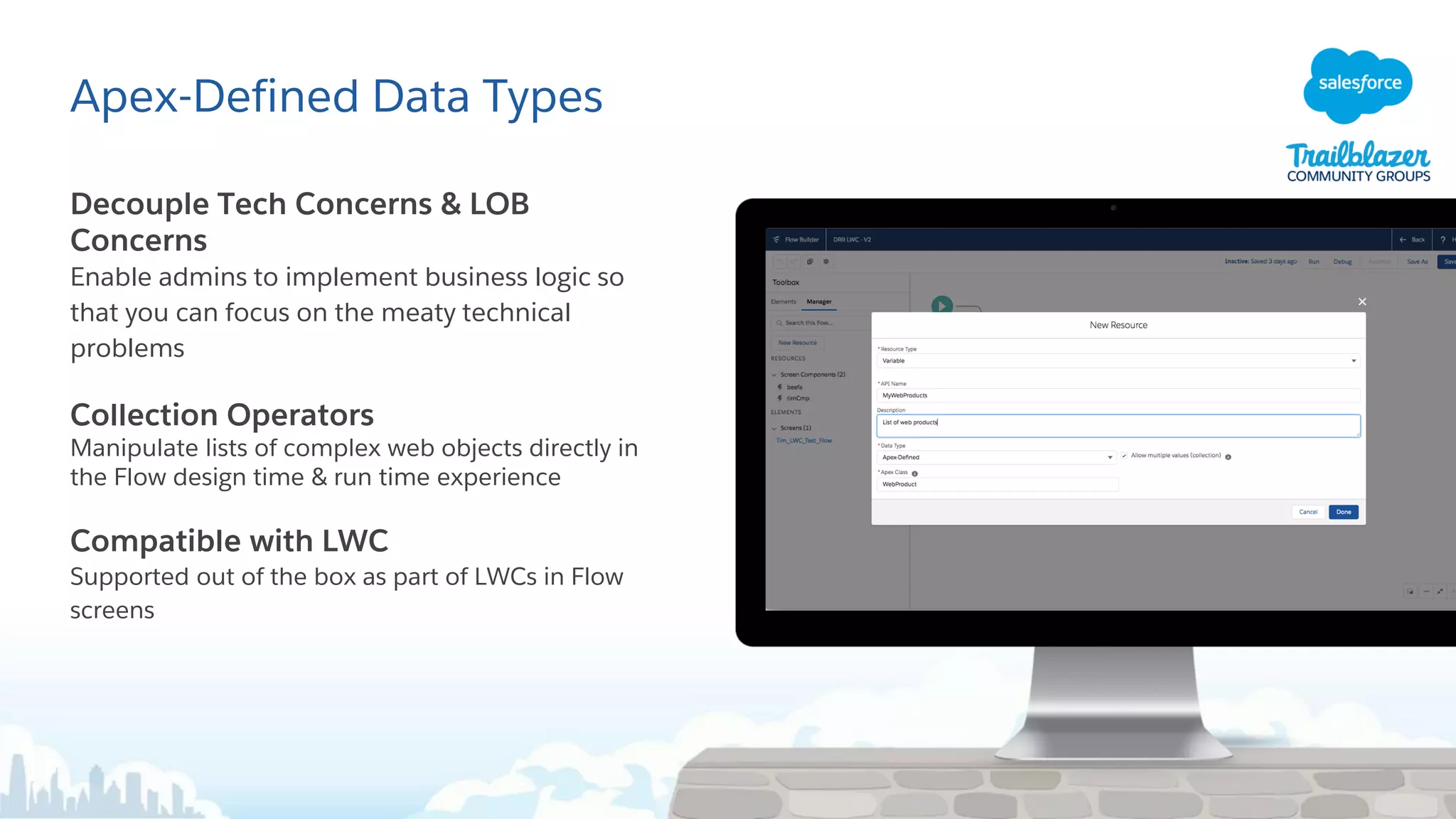
Apex-Defined Data Types
Decouple Tech Concerns & LOB
Concerns
Enable admins to implement business logic so
that you can focus on the meaty technical
problems
Collection Operators
Manipulate lists of complex web objects directly in
the Flow design time & run time experience
Compatible with LWC
Supported out of the box as part of LWCs in Flow
screens
Codetober slide goes here
Winter '20 Salesforce Release for Admins and Developers + New Salesforce Mobile App

Winter '20 Salesforce Release for Admins and Developers + New Salesforce Mobile App

  • 1.
  • 2.
    Forward-Looking Statement Statement underthe Private Securities Litigation Reform Act of 1995 This presentation may contain forward-looking statements that involve risks, uncertainties, and assumptions. If any such uncertainties materialize or if any of the assumptions proves incorrect, the results of salesforce.com, inc. could differ materially from the results expressed or implied by the forward-looking statements we make. All statements other than statements of historical fact could be deemed forward-looking, including any projections of product or service availability, subscriber growth, earnings, revenues, or other financial items and any statements regarding strategies or plans of management for future operations, statements of belief, any statements concerning new, planned, or upgraded services or technology developments and customer contracts or use of our services. The risks and uncertainties referred to above include – but are not limited to – risks associated with developing and delivering new functionality for our service, new products and services, our new business model, our past operating losses, possible fluctuations in our operating results and rate of growth, interruptions or delays in our Web hosting, breach of our security measures, the outcome of any litigation, risks associated with completed and any possible mergers and acquisitions, the immature market in which we operate, our relatively limited operating history, our ability to expand, retain, and motivate our employees and manage our growth, new releases of our service and successful customer deployment, our limited history reselling non-salesforce.com products, and utilization and selling to larger enterprise customers. Further information on potential factors that could affect the financial results of salesforce.com, inc. is included in our annual report on Form 10-K for the most recent fiscal year and in our quarterly report on Form 10-Q for the most recent fiscal quarter. These documents and others containing important disclosures are available on the SEC Filings section of the Investor Information section of our Website. Any unreleased services or features referenced in this or other presentations, press releases or public statements are not currently available and may not be delivered on time or at all. Customers who purchase our services should make the purchase decisions based upon features that are currently available. Salesforce.com, inc. assumes no obligation and does not intend to update these forward-looking statements.
  • 3.
    5 Winter ‘20Release Highlights for Admin
  • 4.
    Calendar in LightningExperience Calendar is getting better and better! Key feature enhancements include: • Availability view allows you to see your coworker’s availability when scheduling meetings • See the calendar view you used most recently without selecting a view from the dropdown • Dig into event details faster without clicking into an event Read the blog for moar details!
  • 5.
    Reports & DashboardsHighlights Key feature enhancements include: • RTL (Right to Left) Support • Text Wrapping on Report Run Page • Report & Dashboard Lists (Created by Me, All Reports, etc) on Lightning and on Mobile App • Row Level Formulas (1 Row Level Formula field per report, Summarize, Group, Filter or use row level formula in custom summary formula) Read MOAR about Reports & Dashboards Calculate and filter within a report
  • 6.
    Reports & DashboardBeta Features Unique Row Count Calculate unique number of field values per column • Up to 3 unique row counts per report • Almost all Field Types supported except for Text Area, Encrypted fields, or Blob • All report formats supported (Tabular, Summary, Matrix, or Joined) Field to Field Filtering Filter Reports by comparing one report field with another report field • Up to 4 field to field filters per report • Field Types supported: Number (including percent, currency) and Date/DateTime • Edit field to field filter in Lightning Report Builder or Report Run Page
  • 7.
    The New SalesforceMobile App Switch to the mobile way of work Next Generation Experience Work fast with an app that knows who you are and what you need, powered by Lightning Voice-Enabled Tap less, talk more using Einstein Voice (Beta) Intelligent Drive smart decisions with Einstein Analytics Dashboards Faster App Dev Customize and build mobile apps faster with low code
  • 8.
    Lightning App Builderfor Mobile Use Quick Start to get set up Customize using App Builder: • Give your users Custom Record Pages on their phones • Show or hide Record Page components by device • Make your Lightning Apps accessible on phone, desktop, or both Read MOAR about Lightning Experience on Mobile!
  • 9.
    5 Ideas Delivered ReadMOAR about the 5 Ideas Delivered
  • 10.
    List Views &Topics View related records on a topic detail page Filter object list views by topic Printable list views Access Recycle Bin in Lightning with a sortable list view Ideas Delivered Read moar about List Views and Topics
  • 11.
    Lightning Record PagesFor Specific Record Types Ideas Delivered Assign a Lightning Record Page to a specific Record Type on an object, just like page layouts. Now you can make Lightning Record Pages even more useful. Start thinking about creating different Lightning Record Pages for your objects!
  • 12.
    Opportunity Contact Role(OCR) Customization Ideas Delivered Customize Opportunity Contact Roles like you would any other object. Use them in Process Builder and flows, and even triggers too. For example, nonprofits can use the Opportunity Contact Role to identify if someone is a donor.
  • 13.
    Where Is ThisField Used? Check a field’s references and find reports using it. With the click of a button, view the references to a custom field before you edit it, such as references in a formula, layout, or Apex class. Ideas Delivered
  • 14.
    Lookup Fields inFlow Builder Instead of having to create a variable, then assign that element to the variable... now you just need to look it up. It’s just one step to lookup! Ideas Delivered
  • 15.
    Martin LEZER Group Leader– Salesforce Expert
  • 16.
    Two Big Featuresto Discuss Today Flow for Developers Lightning Message Service More details on the highlights covered in this deck can be found at: sforce.co/learnmoar
  • 17.
    Aura Components inthe ui Namespace Are Being Retired A retirement party for our friends the Aura UI Namespace! Everything in the UI: namespace (ie: ui:button) are retiring, Summer ‘21 Use lightning: namespace (ie: lightning:button) components as a replacement. Not sure how to translate from Ui: -> Lightning: check out the release notes sforce.co/dpl- namespace
  • 18.
    CSS that Cascades! ShareCSS Style Rules 1. Create a LWC that only contains a .css file 2. In another component’s css, @import ‘myCss.css’ 3. Reference the styles defined in the template as you normally would 4. Profit!
  • 19.
    LWC: Navigate directlyto an App or a page in an App You can now create LWC Components that link directly to an App Use the new ‘standard__app’ type, and ‘appTarget’ keys to specify where to go
  • 20.
    BETA: Metadata ComponentDependencies Write SOQL, get dependency graphs for Metadata Tooling API based Help break up your org by understanding what a given piece of metadata depends on Up to 2000 rows returned per query public class YourClass { public void updateAccount(Account acc, String value){ acc.yourField__c = value; update(acc); } } SELECT MetadataComponentName, MetadataComponentType FROM MetadataComponentDependency WHERE RefMetadataComponentType = 'YourClass' MetadataComponentId: "01p000000000SOMEID" MetadataComponentName: "YourClass" MetadataComponentNamespace: null MetadataComponentType: "ApexClass" RefMetadataComponentId: "00N000000000SOMEID" RefMetadataComponentName: "yourField" RefMetadataComponentNamespace: null RefMetadataComponentType: "CustomField"
  • 21.
    Lightning Message Service Nativeclient-side communication framework in Lightning Experience Simplified Communication Easily send complex data across the DOM between Visualforce, Aura, and LWC without complicated Javascript Works with Utility Bar Message between main Lightning page and popped- out utility bar components Developer Preview Winter ‘20 Available for Developer Edition and Sandbox NEW
  • 22.
    Lightning Message Channels Metadatabackbone of Message Service API Metadata Benefits Central location for Message Channel definition Referential integrity enforcement Packaging support Simple and Lightweight Only one required field when creating a new Message Channel Namespace Isolation by Default Option to expose communication to components in different namespaces <?xml version="1.0" encoding="UTF-8"?> <LightningMessageChannel xmlns="http://soap.sforce.com/2006/04/metadata"> <masterLabel>ModelChanged</masterLabel> <isExposed>true</isExposed> <description>Model changes.</description> <lightningMessageFields> <fieldName>recordId</fieldName> <description>Record Id that changed</description> </lightningMessageFields> <lightningMessageFields> <fieldName>recordData</fieldName> <description>Data in the record that changed</description> </lightningMessageFields> </LightningMessageChannel>
  • 23.
    Sending and ReceivingMessages Simple and flexible Familiar Usage Interface APIs are natural to developers of each Salesforce UI Framework Flexible Message Patterns Messages are serializable JSON Objects Message contents can be customized at time of publish Global Messaging Support Publish to all components Future: publish to visible components handleClick() { const message = { recordId: "some string", recordData: { value: "some value" } }; publish(this.context, SAMPLEMC, message); } handleMessage(message) { this.receivedMessage = message ? JSON.stringify(message, null, 't') : 'no message payload'; }
  • 24.
    Screen Flow Improvements LWCsin Flow Screens Create beautiful & seamless experiences from Aura Components, Lightning Web Components, and any of 20+ standard Flow components, side-by- side Conditional Visibility Show or hide fields & components without having to write a single line of code New Record Lookup Component Ever growing set of standard Flow components for your app building consumption Generally Available Winter ‘19
  • 25.
    Apex-Defined Data Types DecoupleTech Concerns & LOB Concerns Enable admins to implement business logic so that you can focus on the meaty technical problems Collection Operators Manipulate lists of complex web objects directly in the Flow design time & run time experience Compatible with LWC Supported out of the box as part of LWCs in Flow screens
  • 26.