—
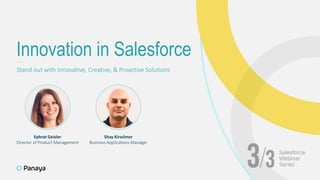
Stand out with Innovative, Creative, & Proactive Solutions
Innovation in Salesforce
Ephrat Geisler
Director of Product Management
Shay Kirschner
Business Applications Manager
Innovation in salesforce
—
sharing some stories
—
Tips for success
3
4
one quick question
before we start
Thank you for joining !
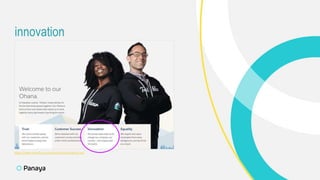
innovation
5
https://www.salesforce.com/ca/company/about-us/
innovation
In WHAT You Do | In HOW You Do It
6
Automate
where possible
(no more manual
processes)
7
Help the Business
teams succeed
at their jobs
Digital
transformation
Make it easy for
the teams to manage
their day-to-day
in Salesforce
And now..
Sharing some stories
› Managing all Internal Cases (IT / MIS) in Salesforce
› Managing entire IT inventory in Salesforce
› Use of Salesforce core functionalities:
› Entitlement and Milestones / Working Hours
› Use Knowledge and Suggested Articles
9
1 | Moving the IT Department to Salesforce
Very fast rollout (~1 week) without using a single line of code
Reduced silos
Cost reduction
Achievements:
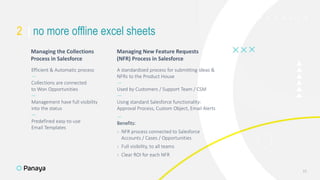
Efficient & Automatic process
—
Collections are connected
to Won Opportunities
—
Management have full visibility
into the status
—
Predefined easy-to-use
Email Templates
10
A standardized process for submitting ideas &
NFRs to the Product House
—
Used by Customers / Support Team / CSM
—
Using standard Salesforce functionality:
Approval Process, Custom Object, Email Alerts
—
Benefits:
› NFR process connected to Salesforce
Accounts / Cases / Opportunities
› Full visibility, to all teams
› Clear ROI for each NFR
Managing the Collections
Process in Salesforce
Managing New Feature Requests
(NFR) Process in Salesforce
2 | no more offline excel sheets
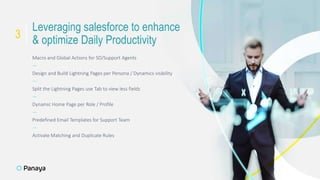
Macro and Global Actions for SD/Support Agents
—
Design and Build Lightning Pages per Persona / Dynamics visibility
—
Split the Lightning Pages use Tab to view less fields
—
Dynamic Home Page per Role / Profile
—
Predefined Email Templates for Support Team
—
Activate Matching and Duplicate Rules
11
Leveraging salesforce to enhance
& optimize Daily Productivity
3
SummAry & tips for success
Work closely with the Business teams:
› Step into their shoes
› Really understand their challenges & goals
› Listen between the lines
—
Find the right balance between
inbound requests & proactive innovation
—
Measure, monitor, optimize
—
Don’t be afraid to try something new
12
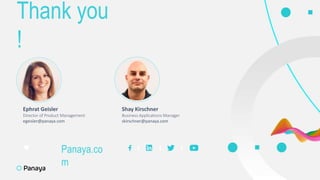
Thank you
!
13
Ephrat Geisler
Director of Product Management
egeisler@panaya.com
Shay Kirschner
Business Applications Manager
skirschner@panaya.com
Panaya.co
m
This presentation contains product features that are currently
under development or testing or certification
—
This presentation/overview of the new technology represents
no commitment from Panaya to deliver these features in any
generally available product
—
Features are subject to change, and must not be included in
contracts, RFP’s, purchase orders, or sales agreements of any kind
—
Technical feasibility and market demand will affect final delivery
—
Pricing and packaging for any new technologies or features
discussed or presented have not been determined
14
Forward Looking Statement

Salesforce Innovation

  • 2.
    — Stand out withInnovative, Creative, & Proactive Solutions Innovation in Salesforce Ephrat Geisler Director of Product Management Shay Kirschner Business Applications Manager
  • 3.
    Innovation in salesforce — sharingsome stories — Tips for success 3
  • 4.
    4 one quick question beforewe start Thank you for joining !
  • 5.
  • 6.
    innovation In WHAT YouDo | In HOW You Do It 6
  • 7.
    Automate where possible (no moremanual processes) 7 Help the Business teams succeed at their jobs Digital transformation Make it easy for the teams to manage their day-to-day in Salesforce
  • 8.
  • 9.
    › Managing allInternal Cases (IT / MIS) in Salesforce › Managing entire IT inventory in Salesforce › Use of Salesforce core functionalities: › Entitlement and Milestones / Working Hours › Use Knowledge and Suggested Articles 9 1 | Moving the IT Department to Salesforce Very fast rollout (~1 week) without using a single line of code Reduced silos Cost reduction Achievements:
  • 10.
    Efficient & Automaticprocess — Collections are connected to Won Opportunities — Management have full visibility into the status — Predefined easy-to-use Email Templates 10 A standardized process for submitting ideas & NFRs to the Product House — Used by Customers / Support Team / CSM — Using standard Salesforce functionality: Approval Process, Custom Object, Email Alerts — Benefits: › NFR process connected to Salesforce Accounts / Cases / Opportunities › Full visibility, to all teams › Clear ROI for each NFR Managing the Collections Process in Salesforce Managing New Feature Requests (NFR) Process in Salesforce 2 | no more offline excel sheets
  • 11.
    Macro and GlobalActions for SD/Support Agents — Design and Build Lightning Pages per Persona / Dynamics visibility — Split the Lightning Pages use Tab to view less fields — Dynamic Home Page per Role / Profile — Predefined Email Templates for Support Team — Activate Matching and Duplicate Rules 11 Leveraging salesforce to enhance & optimize Daily Productivity 3
  • 12.
    SummAry & tipsfor success Work closely with the Business teams: › Step into their shoes › Really understand their challenges & goals › Listen between the lines — Find the right balance between inbound requests & proactive innovation — Measure, monitor, optimize — Don’t be afraid to try something new 12
  • 13.
    Thank you ! 13 Ephrat Geisler Directorof Product Management egeisler@panaya.com Shay Kirschner Business Applications Manager skirschner@panaya.com Panaya.co m
  • 14.
    This presentation containsproduct features that are currently under development or testing or certification — This presentation/overview of the new technology represents no commitment from Panaya to deliver these features in any generally available product — Features are subject to change, and must not be included in contracts, RFP’s, purchase orders, or sales agreements of any kind — Technical feasibility and market demand will affect final delivery — Pricing and packaging for any new technologies or features discussed or presented have not been determined 14 Forward Looking Statement