SalesForce
Raj Kumar Ranabhat
Platform Development Basics
• Platform Building Blocks
• High Impact, Low Effort
• Functionality ranges from simple page layouts to full-scale
applications.
• Supports the development of other technologies on top of it.
Data Modeling
• Understand Custom & Standard Objects
• Standard objects : e.g. Account, Contact, Lead, and Opportunity
• Custom objects : created to store information that’s specific to your company
or industry.
• How to create Custom Object:
1. Click the Object Manager tab.
2. Click Create | Custom Object in the top right corner.
3. For Label, enter label name.
4. For Plural Label, enter label name
5. click Save.
Data Modeling…Contd.
• Create Object Relationships
• lookup relationship
• Master-detail relationship.
• Schema Builder
• to create a schema for a given object model.
• to add a custom object to your schema.
• to add a custom field to your schema.
Data Management
• Import Data: Salesforce offers two main methods for importing data.
a. Data Import Wizard
■ lets you import data in common standard objects
■ It can import up to 50,000 records at a time
b. Data Loader
■ can import up to five million records at a time
■ It can be operated either through the user interface or the command line
• Export Data
a. Data Export Wizard:
■ in-browser wizard, accessible through the Setup menu.
■ It allows to export data once every seven days or once every months.
b. Data Loader:
■ if you want to automate the export process, or use APIs to integrate with another
system.
Formulas & Validations
• Created a custom formula field and use the formula editor.
• Implemented Roll-Up Summary Fields
• Validation Rules were created
Apex Basics & Database
• key features of the Apex programming language.
• Save an Apex class and call methods with Anonymous.Apex.
• Used the Developer Console to inspect debug logs
• Manipulate Records with DML
• Use DML to insert, update, and delete records.
• Use upsert to either insert or update a record.
• Catch a DML Exception.
• Updating Related Records
Write SOQL Queries
• Write SOQL queries in Apex.
• Query related records.
• Eg, SELECT Name,Phone FROM Account WHERE (Name='SFDC Computing'
AND NumberOfEmployees>25)
Write SOSL Queries
• Salesforce Object Search Language (SOSL) is a Salesforce search language
• It is used to perform text searches in records
• SOSL allows you to search your organization’s records for specific information
• Unlike SOQL, which can only query one standard or custom object at a time, a
single SOSL query can search all objects
• Eg, List<List<sObject>> searchList = [FIND 'Wingo OR SFDC' IN ALL
FIELDS RETURNING
Account(Name),Contact(FirstName,LastName,Department)];
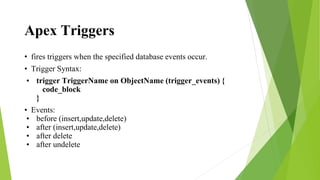
Apex Triggers
• fires triggers when the specified database events occur.
• Trigger Syntax:
• trigger TriggerName on ObjectName (trigger_events) {
code_block
}
• Events:
• before (insert,update,delete)
• after (insert,update,delete)
• after delete
• after undelete
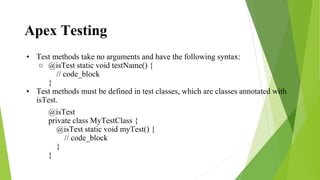
Apex Testing
• Test methods take no arguments and have the following syntax:
○ @isTest static void testName() {
// code_block
}
• Test methods must be defined in test classes, which are classes annotated with
isTest.
@isTest
private class MyTestClass {
@isTest static void myTest() {
// code_block
}
}
Thank You

Sales forcedemo

  • 1.
  • 2.
    Platform Development Basics •Platform Building Blocks • High Impact, Low Effort • Functionality ranges from simple page layouts to full-scale applications. • Supports the development of other technologies on top of it.
  • 3.
    Data Modeling • UnderstandCustom & Standard Objects • Standard objects : e.g. Account, Contact, Lead, and Opportunity • Custom objects : created to store information that’s specific to your company or industry. • How to create Custom Object: 1. Click the Object Manager tab. 2. Click Create | Custom Object in the top right corner. 3. For Label, enter label name. 4. For Plural Label, enter label name 5. click Save.
  • 4.
    Data Modeling…Contd. • CreateObject Relationships • lookup relationship • Master-detail relationship. • Schema Builder • to create a schema for a given object model. • to add a custom object to your schema. • to add a custom field to your schema.
  • 5.
    Data Management • ImportData: Salesforce offers two main methods for importing data. a. Data Import Wizard ■ lets you import data in common standard objects ■ It can import up to 50,000 records at a time b. Data Loader ■ can import up to five million records at a time ■ It can be operated either through the user interface or the command line • Export Data a. Data Export Wizard: ■ in-browser wizard, accessible through the Setup menu. ■ It allows to export data once every seven days or once every months. b. Data Loader: ■ if you want to automate the export process, or use APIs to integrate with another system.
  • 6.
    Formulas & Validations •Created a custom formula field and use the formula editor. • Implemented Roll-Up Summary Fields • Validation Rules were created
  • 7.
    Apex Basics &Database • key features of the Apex programming language. • Save an Apex class and call methods with Anonymous.Apex. • Used the Developer Console to inspect debug logs • Manipulate Records with DML • Use DML to insert, update, and delete records. • Use upsert to either insert or update a record. • Catch a DML Exception. • Updating Related Records
  • 8.
    Write SOQL Queries •Write SOQL queries in Apex. • Query related records. • Eg, SELECT Name,Phone FROM Account WHERE (Name='SFDC Computing' AND NumberOfEmployees>25)
  • 9.
    Write SOSL Queries •Salesforce Object Search Language (SOSL) is a Salesforce search language • It is used to perform text searches in records • SOSL allows you to search your organization’s records for specific information • Unlike SOQL, which can only query one standard or custom object at a time, a single SOSL query can search all objects • Eg, List<List<sObject>> searchList = [FIND 'Wingo OR SFDC' IN ALL FIELDS RETURNING Account(Name),Contact(FirstName,LastName,Department)];
  • 10.
    Apex Triggers • firestriggers when the specified database events occur. • Trigger Syntax: • trigger TriggerName on ObjectName (trigger_events) { code_block } • Events: • before (insert,update,delete) • after (insert,update,delete) • after delete • after undelete
  • 11.
    Apex Testing • Testmethods take no arguments and have the following syntax: ○ @isTest static void testName() { // code_block } • Test methods must be defined in test classes, which are classes annotated with isTest. @isTest private class MyTestClass { @isTest static void myTest() { // code_block } }
  • 12.