Administration Essentials
1.Salesforce.com Introduction
ā— Salesforce.com Overview
ā— Cloud Overview – Benefits of Cloud
ā— Salesforce Architecture – Cloud Computing is a Better Model – Multi-tenant
ā— Salesforce Editions / Pricing
ā— Salesforce Certifications
ā— Certified Force.com Developer(401)
ā— Certified Administration (201)
Database Configuration
Database Model - Object Creation
Custom Objects
Standard Objects
Field Creation and its Relationships
Different Data types
Standard Data types -
ā— Text, Email, Number, Currency, URL, Text
Area, RichTextArea, etc.,
ā— Storage Limitations
ā—Read only Data types
ā—Auto Number, Formula and Rollup summary
ā—Relational Data types
ā— Lookup Vs. Master - Detail Relationship
ā— Limitations
Required, External Id, Default Value and Unique fields.
Record Types
ā— Display different page layouts and pick list values based on record types.
ā— Uses of Record Types
Field Dependencies
ā— Controlling field/Dependent field?
ā— Making dependent pick list fields.
Validation Rules
ā— Defining Sales force Data Validation.
ā— Creating Custom Validation Rules.
Users, Roles and Profiles
ā— Creating Users
ā— User Licenses Overview
ā— Understanding Record Ownership and Access
ā— Role Hierarchy
ā— Profiles
Overview and different profiles
User Permissions
AppExchange
ā— Installing an App
ā— Uninstalling an App
Data Utilities
ā— Import using Application Import Wizard
ā— Import Wizard Vs Data Loader
ā— Data Loader Operations Insert/ Update/ Delete/ Upsert / export / exportall /
delete / delete all
Report Types, Reports and Dashboards, Home page Components
ā— Report Types, Reports & Dashboard Overview
ā— Different Reports
ā— Defining Custom Reports
ā— Advanced Filters
ā— Defining Dashboards
ā— Home page Components
Development Essentials
MVC Architecture
ā— Model
ā— View
ā— Controller
Visual force Programming
Overview Apex Programming
Overview
Object Oriented Programming
Features CSS Introduction
ā— Inline CSS
ā— Internal CSS
ā— External CSS
JavaScript Introduction
ā— Internal
ā— External
Static Resources
ā— Adding External CSS files to the static resources
ā— <apex: stylesheet/>
ā— Adding External Javascript files to the static resources
ā— <apex:includescript/>
Apex Class Creation – Calling
ā— Defining Class
ā— Access Specifiers
ā— Method Declarations
ā— Debugging results
ā— Naming conventions & Code Commenting
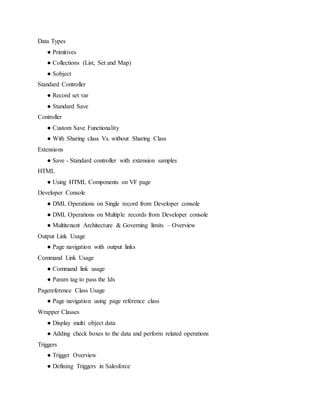
Data Types
ā— Primitives
ā— Collections (List, Set and Map)
ā— Sobject
Standard Controller
ā— Record set var
ā— Standard Save
Controller
ā— Custom Save Functionality
ā— With Sharing class Vs. without Sharing Class
Extensions
ā— Save - Standard controller with extension samples
HTML
ā— Using HTML Components on VF page
Developer Console
ā— DML Operations on Single record from Developer console
ā— DML Operations on Multiple records from Developer console
ā— Multitenant Architecture & Governing limits – Overview
Output Link Usage
ā— Page navigation with output links
Command Link Usage
ā— Command link usage
ā— Param tag to pass the Ids
Pagereference Class Usage
ā— Page navigation using page reference class
Wrapper Classes
ā— Display multi object data
ā— Adding check boxes to the data and perform related operations
Triggers
ā— Trigger Overview
ā— Defining Triggers in Salesforce
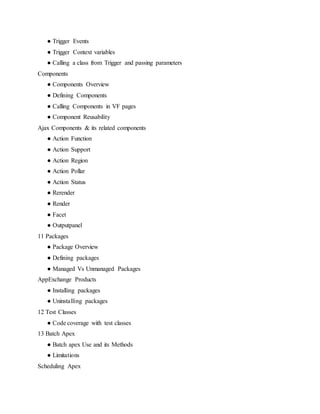
ā— Trigger Events
ā— Trigger Context variables
ā— Calling a class from Trigger and passing parameters
Components
ā— Components Overview
ā— Defining Components
ā— Calling Components in VF pages
ā— Component Reusability
Ajax Components & its related components
ā— Action Function
ā— Action Support
ā— Action Region
ā— Action Pollar
ā— Action Status
ā— Rerender
ā— Render
ā— Facet
ā— Outputpanel
11 Packages
ā— Package Overview
ā— Defining packages
ā— Managed Vs Unmanaged Packages
AppExchange Products
ā— Installing packages
ā— Uninstalling packages
12 Test Classes
ā— Code coverage with test classes
13 Batch Apex
ā— Batch apex Use and its Methods
ā— Limitations
Scheduling Apex
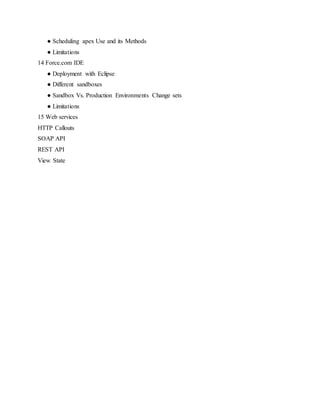
ā— Scheduling apex Use and its Methods
ā— Limitations
14 Force.com IDE
ā— Deployment with Eclipse
ā— Different sandboxes
ā— Sandbox Vs. Production Environments Change sets
ā— Limitations
15 Web services
HTTP Callouts
SOAP API
REST API
View State

Salesforce Certification in chennai

  • 1.
    Administration Essentials 1.Salesforce.com Introduction ā—Salesforce.com Overview ā— Cloud Overview – Benefits of Cloud ā— Salesforce Architecture – Cloud Computing is a Better Model – Multi-tenant ā— Salesforce Editions / Pricing ā— Salesforce Certifications ā— Certified Force.com Developer(401) ā— Certified Administration (201) Database Configuration Database Model - Object Creation Custom Objects Standard Objects Field Creation and its Relationships Different Data types Standard Data types - ā— Text, Email, Number, Currency, URL, Text Area, RichTextArea, etc., ā— Storage Limitations ā—Read only Data types ā—Auto Number, Formula and Rollup summary ā—Relational Data types ā— Lookup Vs. Master - Detail Relationship ā— Limitations Required, External Id, Default Value and Unique fields. Record Types ā— Display different page layouts and pick list values based on record types. ā— Uses of Record Types
  • 2.
    Field Dependencies ā— Controllingfield/Dependent field? ā— Making dependent pick list fields. Validation Rules ā— Defining Sales force Data Validation. ā— Creating Custom Validation Rules. Users, Roles and Profiles ā— Creating Users ā— User Licenses Overview ā— Understanding Record Ownership and Access ā— Role Hierarchy ā— Profiles Overview and different profiles User Permissions AppExchange ā— Installing an App ā— Uninstalling an App Data Utilities ā— Import using Application Import Wizard ā— Import Wizard Vs Data Loader ā— Data Loader Operations Insert/ Update/ Delete/ Upsert / export / exportall / delete / delete all Report Types, Reports and Dashboards, Home page Components ā— Report Types, Reports & Dashboard Overview ā— Different Reports ā— Defining Custom Reports ā— Advanced Filters ā— Defining Dashboards ā— Home page Components
  • 3.
    Development Essentials MVC Architecture ā—Model ā— View ā— Controller Visual force Programming Overview Apex Programming Overview Object Oriented Programming Features CSS Introduction ā— Inline CSS ā— Internal CSS ā— External CSS JavaScript Introduction ā— Internal ā— External Static Resources ā— Adding External CSS files to the static resources ā— <apex: stylesheet/> ā— Adding External Javascript files to the static resources ā— <apex:includescript/> Apex Class Creation – Calling ā— Defining Class ā— Access Specifiers ā— Method Declarations ā— Debugging results ā— Naming conventions & Code Commenting
  • 4.
    Data Types ā— Primitives ā—Collections (List, Set and Map) ā— Sobject Standard Controller ā— Record set var ā— Standard Save Controller ā— Custom Save Functionality ā— With Sharing class Vs. without Sharing Class Extensions ā— Save - Standard controller with extension samples HTML ā— Using HTML Components on VF page Developer Console ā— DML Operations on Single record from Developer console ā— DML Operations on Multiple records from Developer console ā— Multitenant Architecture & Governing limits – Overview Output Link Usage ā— Page navigation with output links Command Link Usage ā— Command link usage ā— Param tag to pass the Ids Pagereference Class Usage ā— Page navigation using page reference class Wrapper Classes ā— Display multi object data ā— Adding check boxes to the data and perform related operations Triggers ā— Trigger Overview ā— Defining Triggers in Salesforce
  • 5.
    ā— Trigger Events ā—Trigger Context variables ā— Calling a class from Trigger and passing parameters Components ā— Components Overview ā— Defining Components ā— Calling Components in VF pages ā— Component Reusability Ajax Components & its related components ā— Action Function ā— Action Support ā— Action Region ā— Action Pollar ā— Action Status ā— Rerender ā— Render ā— Facet ā— Outputpanel 11 Packages ā— Package Overview ā— Defining packages ā— Managed Vs Unmanaged Packages AppExchange Products ā— Installing packages ā— Uninstalling packages 12 Test Classes ā— Code coverage with test classes 13 Batch Apex ā— Batch apex Use and its Methods ā— Limitations Scheduling Apex
  • 6.
    ā— Scheduling apexUse and its Methods ā— Limitations 14 Force.com IDE ā— Deployment with Eclipse ā— Different sandboxes ā— Sandbox Vs. Production Environments Change sets ā— Limitations 15 Web services HTTP Callouts SOAP API REST API View State