RulemanagerandBusiness RulesJoin the conversation:http://backnoise.com/?rulemanager
BackChannelJoin the conversation:http://backnoise.com/?rulemanager
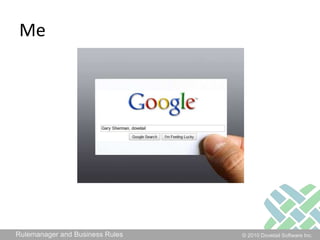
MeGary Sherman, Clarify
What is Rulemanager?Server ProcessProcesses Events that happen in the systemI think it’s one of the most important pieces of the system
Events?Almost everything that happens in the system raises an event.It simply means that something happenedA case is created, dispatched, closedA contact is createdNotes are loggedAn email is sentetc.
What does Rulemanager do?Rulemanager responds to eventsRules are used to tell Rulemanager how to respondSome are hard-codedMost are configurable (Business Rules)
Hard-coded eventsLog Email event causes the email to be sentCommitment warningsCommitment expirationsReports (deprecated)Trends (deprecated)
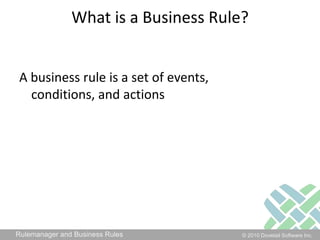
What is a Business Rule?A business rule is a set of events, conditions, and actions
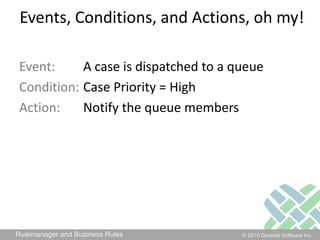
Events, Conditions, and Actions, oh my!Event: 	A case is dispatched to a queueCondition: 	Case Priority = HighAction: 	Notify the queue members
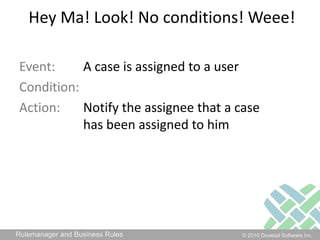
Hey Ma! Look! No conditions! Weee!Event: 	A case is assigned to a userCondition: Action: 	Notify the assignee that a case 		has been assigned to him
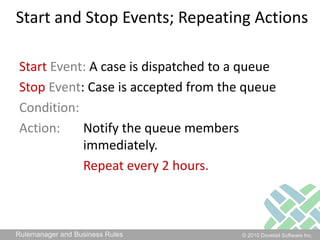
Start and Stop Events; Repeating ActionsStartEvent: A case is dispatched to a queueStopEvent: Case is accepted from the queueCondition: Action: 	Notify the queue members 				immediately. Repeat every 2 hours.
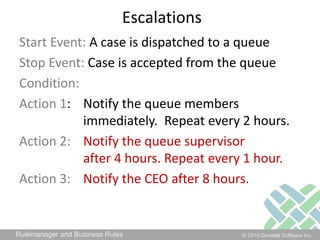
EscalationsStart Event: A case is dispatched to a queueStop Event: Case is accepted from the queueCondition: Action 1: 	Notify the queue members		immediately.  Repeat every 2 hours.Action 2:Notify the queue supervisor 		after 4 hours. Repeat every 1 hour.Action 3:Notify the CEO after 8 hours.
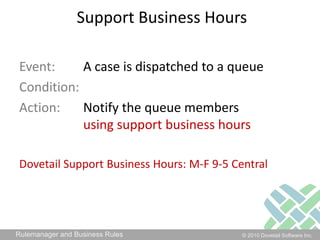
Support Business HoursEvent: 	A case is dispatched to a queueCondition: Action: 	Notify the queue members using support business hoursDovetail Support Business Hours: M-F 9-5 Central
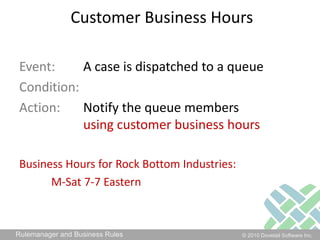
Customer Business HoursEvent: 	A case is dispatched to a queueCondition: Action: 	Notify the queue members using customer business hoursBusiness Hours for Rock Bottom Industries: M-Sat 7-7 Eastern
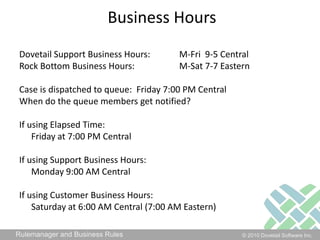
Business HoursDovetail Support Business Hours: 	M-Fri  9-5 CentralRock Bottom Business Hours: 		M-Sat 7-7 EasternCase is dispatched to queue:  Friday 7:00 PM CentralWhen do the queue members get notified?If using Elapsed Time: 	Friday at 7:00 PM CentralIf using Support Business Hours: 	Monday 9:00 AM CentralIf using Customer Business Hours:	Saturday at 6:00 AM Central (7:00 AM Eastern)
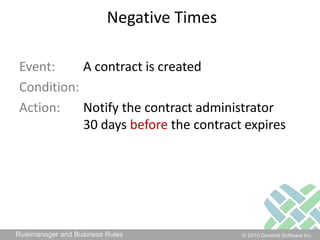
Negative TimesEvent: 	A contract is createdCondition: Action: 	Notify the contract administrator		30 days before the contract expires
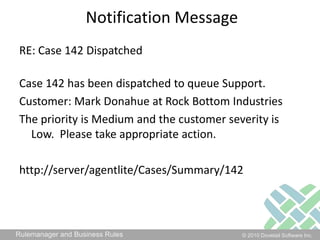
Notification MessageRE: Case 142 DispatchedCase 142 has been dispatched to queue Support. Customer: Mark Donahue at Rock Bottom IndustriesThe priority is Medium and the customer severity is Low.  Please take appropriate action.http://server/agentlite/Cases/Summary/142
Notification MessageRE: [Object Type] [Object ID] Dispatched[Object Type] [Object ID] has been dispatched to queue [Current Queue]. Customer: [Contact First Name] [Contact Last Name] at [Site Name]The priority is [Priority] and the customer severity is [Severity].  Please take appropriate action.http://server/agentlite/Cases/Summary/[Object ID]
What can a business rule action do?Only 2* things:Notify peopleExecute a command line* Maybe 3 (Run Service)
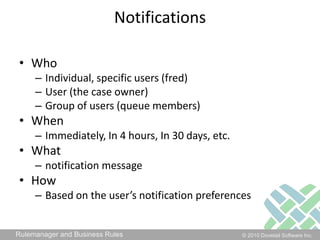
NotificationsWhoIndividual, specific users (fred)User (the case owner)Group of users (queue members)WhenImmediately, In 4 hours, In 30 days, etc. Whatnotification messageHowBased on the user’s notification preferences
Notification PreferencesBaseline:EmailNotifierNoneForward to my SupervisorCustom:Pager
SMS
Phone Call
Twitter
IMCommand Line ActionsDOS .BAT filePowerShell scriptShell script (UNIX)Executableetc.
Command Line ActionsCall an APIIf a case is more than 7 days old, change its priority to HighClose a case 7 days after its status is set to “Auto-Close”If a New Employee case is created, create 3 subcases (phone, computer, network access) and dispatch themCall a 3rd party API
Command Line ActionsMake a web service requestCreate a new tweet in TwitterPost a message to team chat (i.e. Campfire)Have Twilio make a phone callCreate an opportunity in SFDCPublish to an activity stream in SocialCastetc.
Command Line ActionsSend a message to Dovetail Carrier so it cansend an outgoing dialogue emailsend a survey to a customertrack a trendetc.
ExtensibilityCreate your own rulesCreate your own propertiescontact’s eye color site’s regionCreate your own eventsCreate WidgetChange Customer’s expertise levelChange Case PriorityCreate your own command line actions
ConfigurationAdministered via UI within eitherClarify Classic ClientDovetail AdminCan administer rules and rule properties
Dovetail vs. Amdocs RulemanagerDovetail Rulemanager was designed to be a plug-and-play replacement for Amdocs RulemanagerWe’ve dropped a few features that no one really usesFeature-by-feature Comparison is in the docArchitecture/Platform differences
Enough slides!		Lets see some action…

Rulemanager

  • 1.
    RulemanagerandBusiness RulesJoin theconversation:http://backnoise.com/?rulemanager
  • 2.
  • 3.
  • 4.
    What is Rulemanager?ServerProcessProcesses Events that happen in the systemI think it’s one of the most important pieces of the system
  • 5.
    Events?Almost everything thathappens in the system raises an event.It simply means that something happenedA case is created, dispatched, closedA contact is createdNotes are loggedAn email is sentetc.
  • 6.
    What does Rulemanagerdo?Rulemanager responds to eventsRules are used to tell Rulemanager how to respondSome are hard-codedMost are configurable (Business Rules)
  • 7.
    Hard-coded eventsLog Emailevent causes the email to be sentCommitment warningsCommitment expirationsReports (deprecated)Trends (deprecated)
  • 8.
    What is aBusiness Rule?A business rule is a set of events, conditions, and actions
  • 9.
    Events, Conditions, andActions, oh my!Event: A case is dispatched to a queueCondition: Case Priority = HighAction: Notify the queue members
  • 10.
    Hey Ma! Look!No conditions! Weee!Event: A case is assigned to a userCondition: Action: Notify the assignee that a case has been assigned to him
  • 11.
    Start and StopEvents; Repeating ActionsStartEvent: A case is dispatched to a queueStopEvent: Case is accepted from the queueCondition: Action: Notify the queue members immediately. Repeat every 2 hours.
  • 12.
    EscalationsStart Event: Acase is dispatched to a queueStop Event: Case is accepted from the queueCondition: Action 1: Notify the queue members immediately. Repeat every 2 hours.Action 2:Notify the queue supervisor after 4 hours. Repeat every 1 hour.Action 3:Notify the CEO after 8 hours.
  • 13.
    Support Business HoursEvent: A case is dispatched to a queueCondition: Action: Notify the queue members using support business hoursDovetail Support Business Hours: M-F 9-5 Central
  • 14.
    Customer Business HoursEvent: A case is dispatched to a queueCondition: Action: Notify the queue members using customer business hoursBusiness Hours for Rock Bottom Industries: M-Sat 7-7 Eastern
  • 15.
    Business HoursDovetail SupportBusiness Hours: M-Fri 9-5 CentralRock Bottom Business Hours: M-Sat 7-7 EasternCase is dispatched to queue: Friday 7:00 PM CentralWhen do the queue members get notified?If using Elapsed Time: Friday at 7:00 PM CentralIf using Support Business Hours: Monday 9:00 AM CentralIf using Customer Business Hours: Saturday at 6:00 AM Central (7:00 AM Eastern)
  • 16.
    Negative TimesEvent: Acontract is createdCondition: Action: Notify the contract administrator 30 days before the contract expires
  • 17.
    Notification MessageRE: Case142 DispatchedCase 142 has been dispatched to queue Support. Customer: Mark Donahue at Rock Bottom IndustriesThe priority is Medium and the customer severity is Low. Please take appropriate action.http://server/agentlite/Cases/Summary/142
  • 18.
    Notification MessageRE: [ObjectType] [Object ID] Dispatched[Object Type] [Object ID] has been dispatched to queue [Current Queue]. Customer: [Contact First Name] [Contact Last Name] at [Site Name]The priority is [Priority] and the customer severity is [Severity]. Please take appropriate action.http://server/agentlite/Cases/Summary/[Object ID]
  • 19.
    What can abusiness rule action do?Only 2* things:Notify peopleExecute a command line* Maybe 3 (Run Service)
  • 20.
    NotificationsWhoIndividual, specific users(fred)User (the case owner)Group of users (queue members)WhenImmediately, In 4 hours, In 30 days, etc. Whatnotification messageHowBased on the user’s notification preferences
  • 21.
  • 22.
  • 23.
  • 24.
  • 25.
    IMCommand Line ActionsDOS.BAT filePowerShell scriptShell script (UNIX)Executableetc.
  • 26.
    Command Line ActionsCallan APIIf a case is more than 7 days old, change its priority to HighClose a case 7 days after its status is set to “Auto-Close”If a New Employee case is created, create 3 subcases (phone, computer, network access) and dispatch themCall a 3rd party API
  • 27.
    Command Line ActionsMakea web service requestCreate a new tweet in TwitterPost a message to team chat (i.e. Campfire)Have Twilio make a phone callCreate an opportunity in SFDCPublish to an activity stream in SocialCastetc.
  • 28.
    Command Line ActionsSenda message to Dovetail Carrier so it cansend an outgoing dialogue emailsend a survey to a customertrack a trendetc.
  • 29.
    ExtensibilityCreate your ownrulesCreate your own propertiescontact’s eye color site’s regionCreate your own eventsCreate WidgetChange Customer’s expertise levelChange Case PriorityCreate your own command line actions
  • 30.
    ConfigurationAdministered via UIwithin eitherClarify Classic ClientDovetail AdminCan administer rules and rule properties
  • 31.
    Dovetail vs. AmdocsRulemanagerDovetail Rulemanager was designed to be a plug-and-play replacement for Amdocs RulemanagerWe’ve dropped a few features that no one really usesFeature-by-feature Comparison is in the docArchitecture/Platform differences
  • 32.

Editor's Notes

  • #3 http://bit.ly/rulemanager Twitter hashtag: #rulemanagerTweets using that hashtag will also show up in the backnoise chat
  • #4 I am the VP of productsWorking in Clarify for 15 years2 years as a customer, 4 years at Clarify as a Principal Consultant, 9 years here at DovetailI love sharing my knowledge of all things ClarifyMy blog at dovetailsoftware.comI actively participate in the Clarify forum on IT Toolbox
  • #12 Start and stop eventsRepeating actions
  • #13 escalations
  • #21 Can have different notifications prefs for during/after hours, and based on urgency of the notification
  • #28 Windows only
  • #30 Windows only
  • #31 I will be posting these slides on my blog, so you can get them there.
  • #32 Register here: https://www1.gotomeeting.com/register/902787625