Change the title picture in the master


                                              Rules Engine :Drools

                                    Rule Engine Concepts and Drools Expert
Overview

•   Rule
•   Rule engine introduction & Working
•   Why use a Rule Engine?
•   ReteOO
•   Introduction to Drools
•   Drools Expert & Drools Rule Formats
•   Drools Rule Language Details
•   Drools Eclipse IDE &
•   Drools Guvnor Overview
•   Drools Flow Overview


2                          Rules Engine :Drools
Rule
 Rule                                                       Bean
    rule "Is of valid age"                                   public class Applicant {
      when
         $a : Applicant( age < 18 )           Constraints     private String name;
                                                               private int age;
      then                                                     private boolean valid;
         $a.setValid( false );                     Action
    end                                                      //getter and setter
                                                             methods here
                                                             }


 Constraints for above rule
       Object type constraint     - Applicant Object Type.
       Field constraints         - age < 18
 An object type constraint plus its zero or more field constraints is referred to as a
  pattern.
 The process of matching patterns against the inserted data is, referred to as
  pattern matching.


3                          Rules Engine :Drools
Rule Engine introduction & Working

The rule engine is the computer program that delivers Knowledge Representation
   and Reasoning(KRR) functionality to the developer. At a high level it has three
   components:
   Ontology (“Things” e.g java Classes/Beans )
   Rules
   Data


4                        Rules Engine :Drools
Why use a Rule Engine?


 Separates application from dynamic logic
    • Rules can be modified by different groups
    • No need to recompile or redeploy
    • All rules are in one place


 Declarative Programming
     – Readable and Anyone can easily modify rules.


 Centralization of Knowledge
    - Repository of business policy


 Speed and Scalability
    - Rete algorithm, Leaps algorithm


5                             Rules Engine :Drools
ReteOO

 Rete algorithm was invented by Dr. Charles Forgy.
 Rete algorithm can be broken into 2 parts: rule compilation and runtime
  execution.
 Rule base is compiled into discrimination network.
 Discrimination network is used to filter data as it propagates through the
  network.


6                       Rules Engine :Drools
Rete Algorithm example

rule 1
when
 Cheese( $cheddar : name == "cheddar" )
 $person : Person( favouriteCheese == $cheddar )
then
    System.out.println( $person.getName() + " likes cheddar" );
end


rule 2
when
 Cheese( $cheddar : name == "cheddar" )
 $person : Person( favouriteCheese != $cheddar )
then
    System.out.println( $person.getName() + " not likes cheddar" );
end


7                                    Rules Engine :Drools
Introduction to Drools & Drools Expert


 Drools 5 introduces the Business Logic integration Platform which provides a
  unified and integrated platform for Rules, Workflow and Event Processing.


 Drools consist out of several projects:
       Drools Expert (rule Engine)


       Drools Guvnor (Business Rule Manager)


       jBPM (Process/Workflow)


       Drools Fusion (event processing /temporal reasoning)


       Drools Planner (automated planning)


8                            Rules Engine :Drools
Drools Expert & Drools Rule Format

 Drools has an enhanced and optimized implementation of the Rete algorithm for
  object oriented systems called as ReteOO.
 Drools Expert is a declarative, rule based, coding environment.


 Drools Rule Formats
     Drools Rule Language (DRL)
     Domain-specific language (DSL)
     Decision tables
     Guided rule editor
     XML


9                          Rules Engine :Drools
Drools Rule Language(DRL)


10          Rules Engine :Drools
Domain-specific language (DSL)

 DSL are written in natural language statements.
 Domain experts (such as business analysts) can validate and do changes as per
  requirements.
 DSL definitions consists of transformations from DSL "sentences" to DRL
  constructs.
     DRL    Cheese(age < 5, price == 20, type=="stilton", country=="ch")

            [when]There is a Cheese with=Cheese()
     DSL    [when]- age is less than {age}=age<{age}
            [when]- type is '{type}'=type=='{type}‘
            [when]- country equal to '{country}'=country=='{country}'

            There is a Cheese with
     DSLR       - age is less than 42
                - type is 'stilton'

     DRL & DSL mapping

            [when]Something is {colour}=Something(colour=="{colour}")


11                        Rules Engine :Drools
Domain-specific language (DSL)


12           Rules Engine :Drools
Domain-specific language (DSLR)


13           Rules Engine :Drools
Decision table

 Decision tables are a "precise yet compact" (ref. Wikipedia) way of representing
  conditional logic, and are well suited to business level rules.
 spreadsheet format (XLS), and CSV.
 Decision tables are not recommended for rules that do not follow a set of
  templates, or where there are a small number of rules
 Each row in spreadsheet is a rule
 Decision tables are essentially a tool to generate DRL rules automatically


14                      Rules Engine :Drools
Decision tables


15            Rules Engine :Drools
Guided Rule Editor


16           Rules Engine :Drools
XML Rule Language


17          Rules Engine :Drools
Drools Rule Language :Executing Rules


18           Rules Engine :Drools
Drools Rule Language :Executing Rules

A Knowledge Base is what we call our collection of compiled definitions, such as
   rules and processes, which are compiled using the KnowledgeBuilder.


 First, we will create Knowledge Builder
     KnowledgeBuilder knowledgeBuilder = KnowledgeBuilderFactory.newKnowledgeBuilder();


 Add DRL file to Knowledge Builder , it parses and compiles DRL files
     knowledgeBuilder.add(drlFileAsResource, ResourceType.DRL);


 If there are no errors, we can add the resulting packages to our Knowledge Base

     Collection pkgs = knowledgeBuilder.getKnowledgePackages();
     knowledgeBase = KnowledgeBaseFactory.newKnowledgeBase();
     knowledgeBase.addKnowledgePackages(pkgs);


19                            Rules Engine :Drools
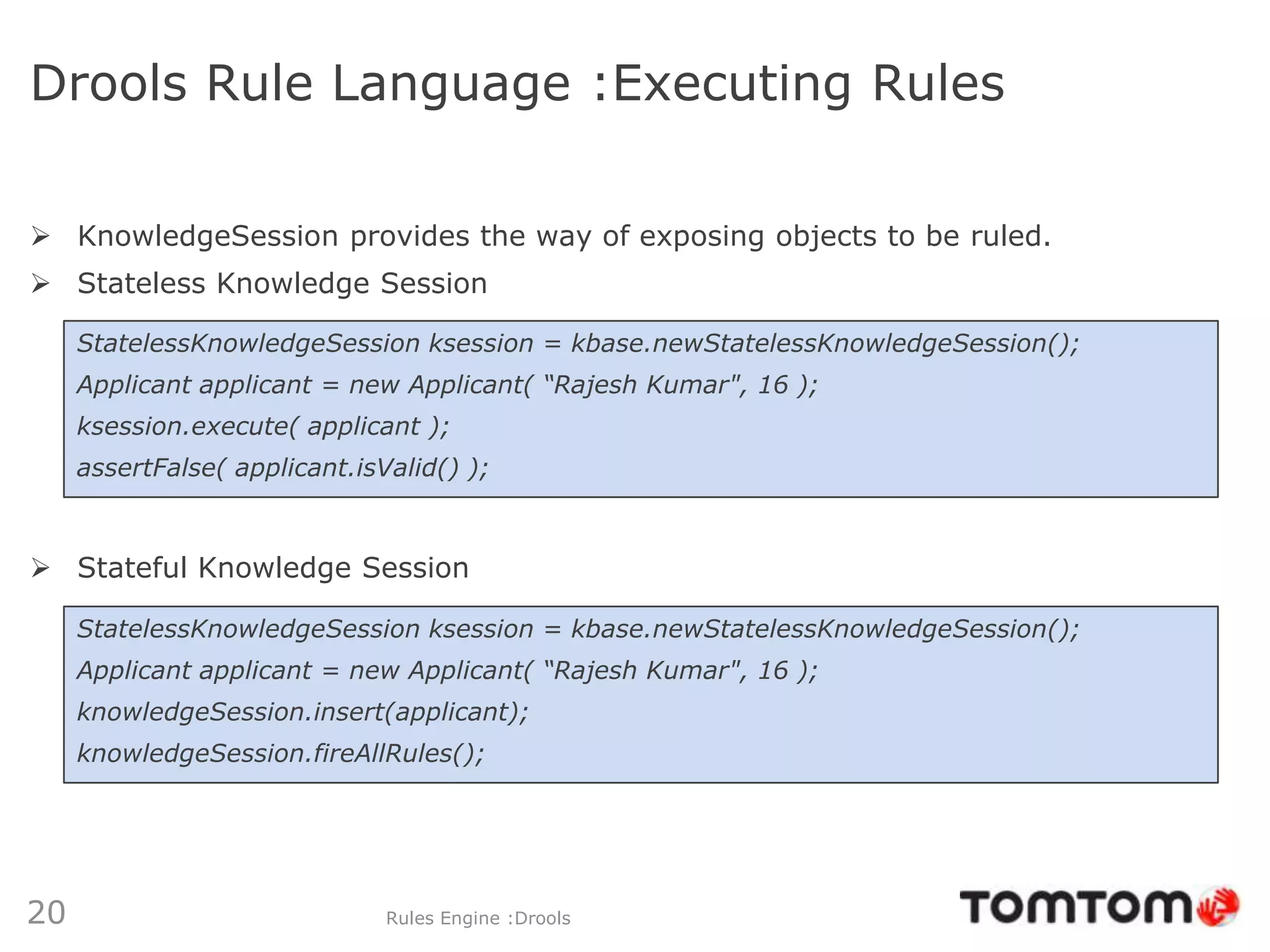
Drools Rule Language :Executing Rules

 KnowledgeSession provides the way of exposing objects to be ruled.
 Stateless Knowledge Session

     StatelessKnowledgeSession ksession = kbase.newStatelessKnowledgeSession();
     Applicant applicant = new Applicant( “Rajesh Kumar", 16 );
     ksession.execute( applicant );
     assertFalse( applicant.isValid() );


 Stateful Knowledge Session

     StatelessKnowledgeSession ksession = kbase.newStatelessKnowledgeSession();
     Applicant applicant = new Applicant( “Rajesh Kumar", 16 );
     knowledgeSession.insert(applicant);
     knowledgeSession.fireAllRules();


20                             Rules Engine :Drools
Drools Rule Language


Knowledge base can be updated inside rule’s body
 insert()
      Inserted object will be used by rules engines inside current session
 update()
      Updates existing in working memory object for the rest of rules
 delete()
      Removed object will not be ruled on current execution


21                         Rules Engine :Drools
Drools Eclipse IDE

 The Eclipse based IDE provides users with an environment to edit and test rules
  in various formats, and integrate it deeply with their applications.
 Required plugins
        GEF plugin , GEF is the Eclipse Graphical Editing Framework.
         http://download.eclipse.org/tools/gef/updates/releases/
        Drools Eclipse IDE plugin
         http://download.jboss.org/drools/release/5.4.0.Final/org.drools.updatesite/
 Defining a Drools Runtime
        Go to windows preferences
        under the Drools category,
         select "Installed Drools runtimes“
        use the default jar files as included in
         the Drools Eclipse plugin
         by clicking "Create a new Drools 5 runtime"


22                            Rules Engine :Drools
23   Rules Engine :Drools
Drools Guvnor Overview


 Web-based rule management, storage, editing and deployment
  environment.
 Rule editing
      text, guided, decision tables, etc.
 Version control
 Categorization
 Build and deploy
 Scenarios


24                     Rules Engine :Drools
Guvnor Rule Editing


25           Rules Engine :Drools
Guvnor Rule Deployment


26          Rules Engine :Drools
Guvnor Test Scenarios


27           Rules Engine :Drools
Drools Flow Overview


28           Rules Engine :Drools
References

 Drools Homepage
     http://www.jboss.org/drools/
 Drools Blog
     http://blog.athico.com/
 Drools Chat
     irc.codehaus.org #drools
 Drools Mailing List
     rules-users@lists.jboss.org


29                        Rules Engine :Drools
Thank you


     Any questions?


30         Rules Engine :Drools

Rule Engine & Drools

  • 1.
    Change the titlepicture in the master Rules Engine :Drools Rule Engine Concepts and Drools Expert
  • 2.
    Overview • Rule • Rule engine introduction & Working • Why use a Rule Engine? • ReteOO • Introduction to Drools • Drools Expert & Drools Rule Formats • Drools Rule Language Details • Drools Eclipse IDE & • Drools Guvnor Overview • Drools Flow Overview 2 Rules Engine :Drools
  • 3.
    Rule  Rule Bean rule "Is of valid age" public class Applicant { when $a : Applicant( age < 18 )  Constraints private String name; private int age; then private boolean valid; $a.setValid( false );  Action end //getter and setter methods here }  Constraints for above rule Object type constraint - Applicant Object Type. Field constraints - age < 18  An object type constraint plus its zero or more field constraints is referred to as a pattern.  The process of matching patterns against the inserted data is, referred to as pattern matching. 3 Rules Engine :Drools
  • 4.
    Rule Engine introduction& Working The rule engine is the computer program that delivers Knowledge Representation and Reasoning(KRR) functionality to the developer. At a high level it has three components:  Ontology (“Things” e.g java Classes/Beans )  Rules  Data 4 Rules Engine :Drools
  • 5.
    Why use aRule Engine?  Separates application from dynamic logic • Rules can be modified by different groups • No need to recompile or redeploy • All rules are in one place  Declarative Programming – Readable and Anyone can easily modify rules.  Centralization of Knowledge - Repository of business policy  Speed and Scalability - Rete algorithm, Leaps algorithm 5 Rules Engine :Drools
  • 6.
    ReteOO  Rete algorithmwas invented by Dr. Charles Forgy.  Rete algorithm can be broken into 2 parts: rule compilation and runtime execution.  Rule base is compiled into discrimination network.  Discrimination network is used to filter data as it propagates through the network. 6 Rules Engine :Drools
  • 7.
    Rete Algorithm example rule1 when Cheese( $cheddar : name == "cheddar" ) $person : Person( favouriteCheese == $cheddar ) then System.out.println( $person.getName() + " likes cheddar" ); end rule 2 when Cheese( $cheddar : name == "cheddar" ) $person : Person( favouriteCheese != $cheddar ) then System.out.println( $person.getName() + " not likes cheddar" ); end 7 Rules Engine :Drools
  • 8.
    Introduction to Drools& Drools Expert  Drools 5 introduces the Business Logic integration Platform which provides a unified and integrated platform for Rules, Workflow and Event Processing.  Drools consist out of several projects: Drools Expert (rule Engine) Drools Guvnor (Business Rule Manager) jBPM (Process/Workflow) Drools Fusion (event processing /temporal reasoning) Drools Planner (automated planning) 8 Rules Engine :Drools
  • 9.
    Drools Expert &Drools Rule Format  Drools has an enhanced and optimized implementation of the Rete algorithm for object oriented systems called as ReteOO.  Drools Expert is a declarative, rule based, coding environment.  Drools Rule Formats  Drools Rule Language (DRL)  Domain-specific language (DSL)  Decision tables  Guided rule editor  XML 9 Rules Engine :Drools
  • 10.
    Drools Rule Language(DRL) 10 Rules Engine :Drools
  • 11.
    Domain-specific language (DSL) DSL are written in natural language statements.  Domain experts (such as business analysts) can validate and do changes as per requirements.  DSL definitions consists of transformations from DSL "sentences" to DRL constructs. DRL Cheese(age < 5, price == 20, type=="stilton", country=="ch") [when]There is a Cheese with=Cheese() DSL [when]- age is less than {age}=age<{age} [when]- type is '{type}'=type=='{type}‘ [when]- country equal to '{country}'=country=='{country}' There is a Cheese with DSLR - age is less than 42 - type is 'stilton' DRL & DSL mapping [when]Something is {colour}=Something(colour=="{colour}") 11 Rules Engine :Drools
  • 12.
    Domain-specific language (DSL) 12 Rules Engine :Drools
  • 13.
  • 14.
    Decision table  Decisiontables are a "precise yet compact" (ref. Wikipedia) way of representing conditional logic, and are well suited to business level rules.  spreadsheet format (XLS), and CSV.  Decision tables are not recommended for rules that do not follow a set of templates, or where there are a small number of rules  Each row in spreadsheet is a rule  Decision tables are essentially a tool to generate DRL rules automatically 14 Rules Engine :Drools
  • 15.
    Decision tables 15 Rules Engine :Drools
  • 16.
    Guided Rule Editor 16 Rules Engine :Drools
  • 17.
    XML Rule Language 17 Rules Engine :Drools
  • 18.
    Drools Rule Language:Executing Rules 18 Rules Engine :Drools
  • 19.
    Drools Rule Language:Executing Rules A Knowledge Base is what we call our collection of compiled definitions, such as rules and processes, which are compiled using the KnowledgeBuilder.  First, we will create Knowledge Builder KnowledgeBuilder knowledgeBuilder = KnowledgeBuilderFactory.newKnowledgeBuilder();  Add DRL file to Knowledge Builder , it parses and compiles DRL files knowledgeBuilder.add(drlFileAsResource, ResourceType.DRL);  If there are no errors, we can add the resulting packages to our Knowledge Base Collection pkgs = knowledgeBuilder.getKnowledgePackages(); knowledgeBase = KnowledgeBaseFactory.newKnowledgeBase(); knowledgeBase.addKnowledgePackages(pkgs); 19 Rules Engine :Drools
  • 20.
    Drools Rule Language:Executing Rules  KnowledgeSession provides the way of exposing objects to be ruled.  Stateless Knowledge Session StatelessKnowledgeSession ksession = kbase.newStatelessKnowledgeSession(); Applicant applicant = new Applicant( “Rajesh Kumar", 16 ); ksession.execute( applicant ); assertFalse( applicant.isValid() );  Stateful Knowledge Session StatelessKnowledgeSession ksession = kbase.newStatelessKnowledgeSession(); Applicant applicant = new Applicant( “Rajesh Kumar", 16 ); knowledgeSession.insert(applicant); knowledgeSession.fireAllRules(); 20 Rules Engine :Drools
  • 21.
    Drools Rule Language Knowledgebase can be updated inside rule’s body  insert()  Inserted object will be used by rules engines inside current session  update()  Updates existing in working memory object for the rest of rules  delete()  Removed object will not be ruled on current execution 21 Rules Engine :Drools
  • 22.
    Drools Eclipse IDE The Eclipse based IDE provides users with an environment to edit and test rules in various formats, and integrate it deeply with their applications.  Required plugins  GEF plugin , GEF is the Eclipse Graphical Editing Framework. http://download.eclipse.org/tools/gef/updates/releases/  Drools Eclipse IDE plugin http://download.jboss.org/drools/release/5.4.0.Final/org.drools.updatesite/  Defining a Drools Runtime  Go to windows preferences  under the Drools category, select "Installed Drools runtimes“  use the default jar files as included in the Drools Eclipse plugin by clicking "Create a new Drools 5 runtime" 22 Rules Engine :Drools
  • 23.
    23 Rules Engine :Drools
  • 24.
    Drools Guvnor Overview Web-based rule management, storage, editing and deployment environment.  Rule editing  text, guided, decision tables, etc.  Version control  Categorization  Build and deploy  Scenarios 24 Rules Engine :Drools
  • 25.
    Guvnor Rule Editing 25 Rules Engine :Drools
  • 26.
    Guvnor Rule Deployment 26 Rules Engine :Drools
  • 27.
    Guvnor Test Scenarios 27 Rules Engine :Drools
  • 28.
    Drools Flow Overview 28 Rules Engine :Drools
  • 29.
    References  Drools Homepage http://www.jboss.org/drools/  Drools Blog http://blog.athico.com/  Drools Chat irc.codehaus.org #drools  Drools Mailing List rules-users@lists.jboss.org 29 Rules Engine :Drools
  • 30.
    Thank you Any questions? 30 Rules Engine :Drools