Docopt, beautiful command-line options for R
Edwin de Jonge (@edwindjonge), Statistics Netherlands (CBS)
July 2014, UseR!2014
Edwin de Jonge (@edwindjonge), Statistics Netherlands (CBS)
Docopt, beautiful command-line options for R
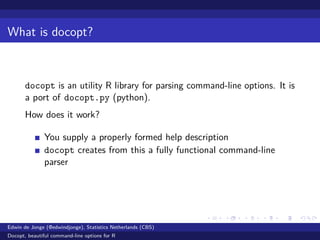
What is docopt?
docopt is an utility R library for parsing command-line options. It is
a port of docopt.py (python).
How does it work?
You supply a properly formed help description
docopt creates from this a fully functional command-line
parser
Edwin de Jonge (@edwindjonge), Statistics Netherlands (CBS)
Docopt, beautiful command-line options for R
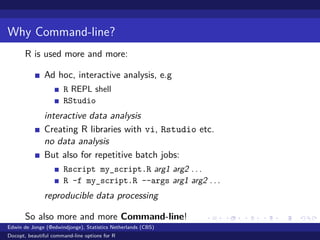
Why Command-line?
R is used more and more:
Ad hoc, interactive analysis, e.g
R REPL shell
RStudio
interactive data analysis
Creating R libraries with vi, Rstudio etc.
no data analysis
But also for repetitive batch jobs:
Rscript my_script.R arg1 arg2 . . .
R -f my_script.R --args arg1 arg2 . . .
reproducible data processing
So also more and more Command-line!
Edwin de Jonge (@edwindjonge), Statistics Netherlands (CBS)
Docopt, beautiful command-line options for R
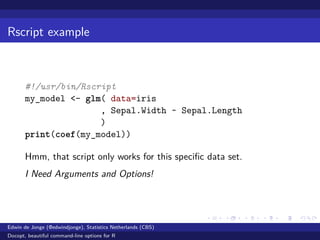
Rscript example
#!/usr/bin/Rscript
my_model <- glm( data=iris
, Sepal.Width ~ Sepal.Length
)
print(coef(my_model))
Hmm, that script only works for this specific data set.
I Need Arguments and Options!
Edwin de Jonge (@edwindjonge), Statistics Netherlands (CBS)
Docopt, beautiful command-line options for R
Command-line parameters
Parsing command-line parameters seems easy, but what about:
Switches? e.g. --debug, --help
Short names and long names? -d, -h vs --debug, --help?
Options with a value? --output=garbage.csv
Arguments e.g. input_file.csv?
Optional arguments?
default values for options?
documenting all options and arguments?
That is a lot of work for just a batch script. . .
Edwin de Jonge (@edwindjonge), Statistics Netherlands (CBS)
Docopt, beautiful command-line options for R
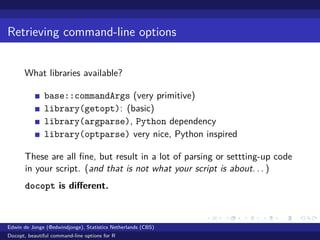
Retrieving command-line options
What libraries available?
base::commandArgs (very primitive)
library(getopt): (basic)
library(argparse), Python dependency
library(optparse) very nice, Python inspired
These are all fine, but result in a lot of parsing or settting-up code
in your script. (and that is not what your script is about. . . )
docopt is different.
Edwin de Jonge (@edwindjonge), Statistics Netherlands (CBS)
Docopt, beautiful command-line options for R
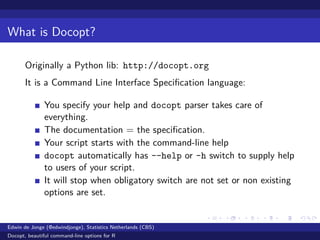
What is Docopt?
Originally a Python lib: http://docopt.org
It is a Command Line Interface Specification language:
You specify your help and docopt parser takes care of
everything.
The documentation = the specification.
Your script starts with the command-line help
docopt automatically has --help or -h switch to supply help
to users of your script.
It will stop when obligatory switch are not set or non existing
options are set.
Edwin de Jonge (@edwindjonge), Statistics Netherlands (CBS)
Docopt, beautiful command-line options for R
Simple example
#!/usr/bin/Rscript
"This is my incredible script
Usage: my_inc_script.R [-v --output=<output>] FILE
" -> doc
library(docopt)
my_opts <- docopt(doc)
That’s all you need to handle your command-line options.
Edwin de Jonge (@edwindjonge), Statistics Netherlands (CBS)
Docopt, beautiful command-line options for R
Options
Docopt lets you parse:
Both short as long options
Default values
Descriptions of parameters
Optional parameters: my_script.R [-a -b]
Commands: my_script.R (lm | summary)
Positional arguments
Edwin de Jonge (@edwindjonge), Statistics Netherlands (CBS)
Docopt, beautiful command-line options for R
Usage patterns
Syntax is defined at http://docopt.org
Start with Usage:
"Usage:
script.R --option <argument>
script.R [<optional-argument>]
script.R --another-option=<with-argument>
script.R (--either-that-option | <or-this-argument>)
script.R <repeating-argument> <repeating-argument>...
" -> doc
Edwin de Jonge (@edwindjonge), Statistics Netherlands (CBS)
Docopt, beautiful command-line options for R
Longer example
#!/usr/bin/Rscript
"This is my useful scriptI I use on everything
Usage: my_uf_script.R [options] FILE
Options:
-b --bogus This is a bogus switch
-o --output=OUTPUT output file [default: out.csv]
Arguments:
FILE the input file" -> doc
library(docopt)
my_opts <- docopt(doc)
Edwin de Jonge (@edwindjonge), Statistics Netherlands (CBS)
Docopt, beautiful command-line options for R
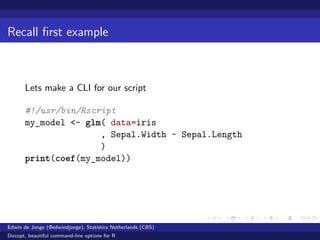
Recall first example
Lets make a CLI for our script
#!/usr/bin/Rscript
my_model <- glm( data=iris
, Sepal.Width ~ Sepal.Length
)
print(coef(my_model))
Edwin de Jonge (@edwindjonge), Statistics Netherlands (CBS)
Docopt, beautiful command-line options for R
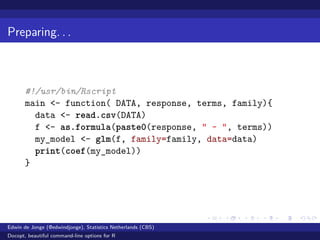
Preparing. . .
#!/usr/bin/Rscript
main <- function( DATA, response, terms, family){
data <- read.csv(DATA)
f <- as.formula(paste0(response, " ~ ", terms))
my_model <- glm(f, family=family, data=data)
print(coef(my_model))
}
Edwin de Jonge (@edwindjonge), Statistics Netherlands (CBS)
Docopt, beautiful command-line options for R
Done!
"Usage: my_script.R --response=<y> --terms=<x>
[--family=<family>] DATA
Options:
-r --response=<y> Response for glm
-t --terms=<x> Terms for glm
-f --family=<family> Family [default: gaussian]
Arguments:
DATA Input data frame" -> doc
main <- function( DATA, response, terms, family){...}
opt <- docopt::docopt(doc)
main(opt$DATA, opt[["--response"]], opt[["--terms"]],
opt[["--family"]])
Edwin de Jonge (@edwindjonge), Statistics Netherlands (CBS)
Docopt, beautiful command-line options for R
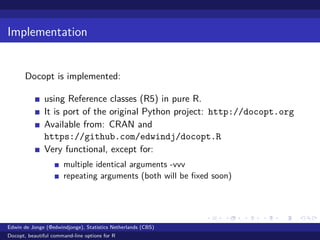
Implementation
Docopt is implemented:
using Reference classes (R5) in pure R.
It is port of the original Python project: http://docopt.org
Available from: CRAN and
https://github.com/edwindj/docopt.R
Very functional, except for:
multiple identical arguments -vvv
repeating arguments (both will be fixed soon)
Edwin de Jonge (@edwindjonge), Statistics Netherlands (CBS)
Docopt, beautiful command-line options for R
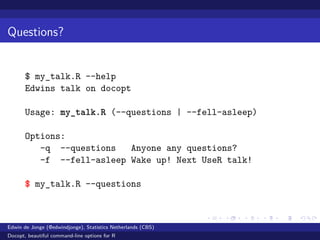
Questions?
$ my_talk.R --help
Edwins talk on docopt
Usage: my_talk.R (--questions | --fell-asleep)
Options:
-q --questions Anyone any questions?
-f --fell-asleep Wake up! Next UseR talk!
$ my_talk.R --questions
Edwin de Jonge (@edwindjonge), Statistics Netherlands (CBS)
Docopt, beautiful command-line options for R
Questions?
Thanks for listening!
Edwin de Jonge (@edwindjonge), Statistics Netherlands (CBS)
Docopt, beautiful command-line options for R

Docopt, beautiful command-line options for R, user2014

  • 1.
    Docopt, beautiful command-lineoptions for R Edwin de Jonge (@edwindjonge), Statistics Netherlands (CBS) July 2014, UseR!2014 Edwin de Jonge (@edwindjonge), Statistics Netherlands (CBS) Docopt, beautiful command-line options for R
  • 2.
    What is docopt? docoptis an utility R library for parsing command-line options. It is a port of docopt.py (python). How does it work? You supply a properly formed help description docopt creates from this a fully functional command-line parser Edwin de Jonge (@edwindjonge), Statistics Netherlands (CBS) Docopt, beautiful command-line options for R
  • 3.
    Why Command-line? R isused more and more: Ad hoc, interactive analysis, e.g R REPL shell RStudio interactive data analysis Creating R libraries with vi, Rstudio etc. no data analysis But also for repetitive batch jobs: Rscript my_script.R arg1 arg2 . . . R -f my_script.R --args arg1 arg2 . . . reproducible data processing So also more and more Command-line! Edwin de Jonge (@edwindjonge), Statistics Netherlands (CBS) Docopt, beautiful command-line options for R
  • 4.
    Rscript example #!/usr/bin/Rscript my_model <-glm( data=iris , Sepal.Width ~ Sepal.Length ) print(coef(my_model)) Hmm, that script only works for this specific data set. I Need Arguments and Options! Edwin de Jonge (@edwindjonge), Statistics Netherlands (CBS) Docopt, beautiful command-line options for R
  • 5.
    Command-line parameters Parsing command-lineparameters seems easy, but what about: Switches? e.g. --debug, --help Short names and long names? -d, -h vs --debug, --help? Options with a value? --output=garbage.csv Arguments e.g. input_file.csv? Optional arguments? default values for options? documenting all options and arguments? That is a lot of work for just a batch script. . . Edwin de Jonge (@edwindjonge), Statistics Netherlands (CBS) Docopt, beautiful command-line options for R
  • 6.
    Retrieving command-line options Whatlibraries available? base::commandArgs (very primitive) library(getopt): (basic) library(argparse), Python dependency library(optparse) very nice, Python inspired These are all fine, but result in a lot of parsing or settting-up code in your script. (and that is not what your script is about. . . ) docopt is different. Edwin de Jonge (@edwindjonge), Statistics Netherlands (CBS) Docopt, beautiful command-line options for R
  • 7.
    What is Docopt? Originallya Python lib: http://docopt.org It is a Command Line Interface Specification language: You specify your help and docopt parser takes care of everything. The documentation = the specification. Your script starts with the command-line help docopt automatically has --help or -h switch to supply help to users of your script. It will stop when obligatory switch are not set or non existing options are set. Edwin de Jonge (@edwindjonge), Statistics Netherlands (CBS) Docopt, beautiful command-line options for R
  • 8.
    Simple example #!/usr/bin/Rscript "This ismy incredible script Usage: my_inc_script.R [-v --output=<output>] FILE " -> doc library(docopt) my_opts <- docopt(doc) That’s all you need to handle your command-line options. Edwin de Jonge (@edwindjonge), Statistics Netherlands (CBS) Docopt, beautiful command-line options for R
  • 9.
    Options Docopt lets youparse: Both short as long options Default values Descriptions of parameters Optional parameters: my_script.R [-a -b] Commands: my_script.R (lm | summary) Positional arguments Edwin de Jonge (@edwindjonge), Statistics Netherlands (CBS) Docopt, beautiful command-line options for R
  • 10.
    Usage patterns Syntax isdefined at http://docopt.org Start with Usage: "Usage: script.R --option <argument> script.R [<optional-argument>] script.R --another-option=<with-argument> script.R (--either-that-option | <or-this-argument>) script.R <repeating-argument> <repeating-argument>... " -> doc Edwin de Jonge (@edwindjonge), Statistics Netherlands (CBS) Docopt, beautiful command-line options for R
  • 11.
    Longer example #!/usr/bin/Rscript "This ismy useful scriptI I use on everything Usage: my_uf_script.R [options] FILE Options: -b --bogus This is a bogus switch -o --output=OUTPUT output file [default: out.csv] Arguments: FILE the input file" -> doc library(docopt) my_opts <- docopt(doc) Edwin de Jonge (@edwindjonge), Statistics Netherlands (CBS) Docopt, beautiful command-line options for R
  • 12.
    Recall first example Letsmake a CLI for our script #!/usr/bin/Rscript my_model <- glm( data=iris , Sepal.Width ~ Sepal.Length ) print(coef(my_model)) Edwin de Jonge (@edwindjonge), Statistics Netherlands (CBS) Docopt, beautiful command-line options for R
  • 13.
    Preparing. . . #!/usr/bin/Rscript main<- function( DATA, response, terms, family){ data <- read.csv(DATA) f <- as.formula(paste0(response, " ~ ", terms)) my_model <- glm(f, family=family, data=data) print(coef(my_model)) } Edwin de Jonge (@edwindjonge), Statistics Netherlands (CBS) Docopt, beautiful command-line options for R
  • 14.
    Done! "Usage: my_script.R --response=<y>--terms=<x> [--family=<family>] DATA Options: -r --response=<y> Response for glm -t --terms=<x> Terms for glm -f --family=<family> Family [default: gaussian] Arguments: DATA Input data frame" -> doc main <- function( DATA, response, terms, family){...} opt <- docopt::docopt(doc) main(opt$DATA, opt[["--response"]], opt[["--terms"]], opt[["--family"]]) Edwin de Jonge (@edwindjonge), Statistics Netherlands (CBS) Docopt, beautiful command-line options for R
  • 15.
    Implementation Docopt is implemented: usingReference classes (R5) in pure R. It is port of the original Python project: http://docopt.org Available from: CRAN and https://github.com/edwindj/docopt.R Very functional, except for: multiple identical arguments -vvv repeating arguments (both will be fixed soon) Edwin de Jonge (@edwindjonge), Statistics Netherlands (CBS) Docopt, beautiful command-line options for R
  • 16.
    Questions? $ my_talk.R --help Edwinstalk on docopt Usage: my_talk.R (--questions | --fell-asleep) Options: -q --questions Anyone any questions? -f --fell-asleep Wake up! Next UseR talk! $ my_talk.R --questions Edwin de Jonge (@edwindjonge), Statistics Netherlands (CBS) Docopt, beautiful command-line options for R
  • 17.
    Questions? Thanks for listening! Edwinde Jonge (@edwindjonge), Statistics Netherlands (CBS) Docopt, beautiful command-line options for R