RSS and its use in Libraries Sukhdev Singh
First of all  let us see what RSS can do?
Even before that  let us see how we can keep ourselves up-to-date  in the Era of Internet
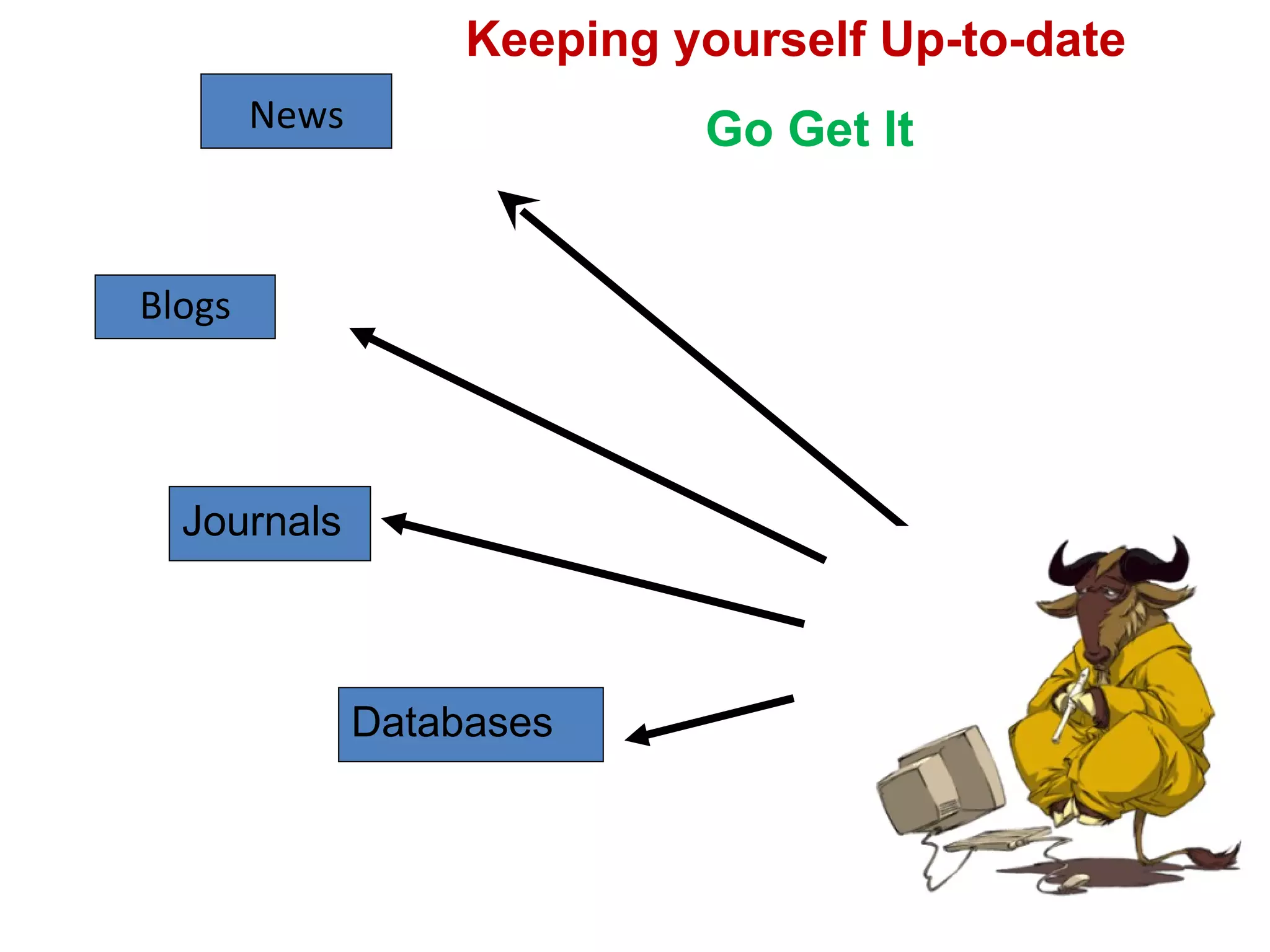
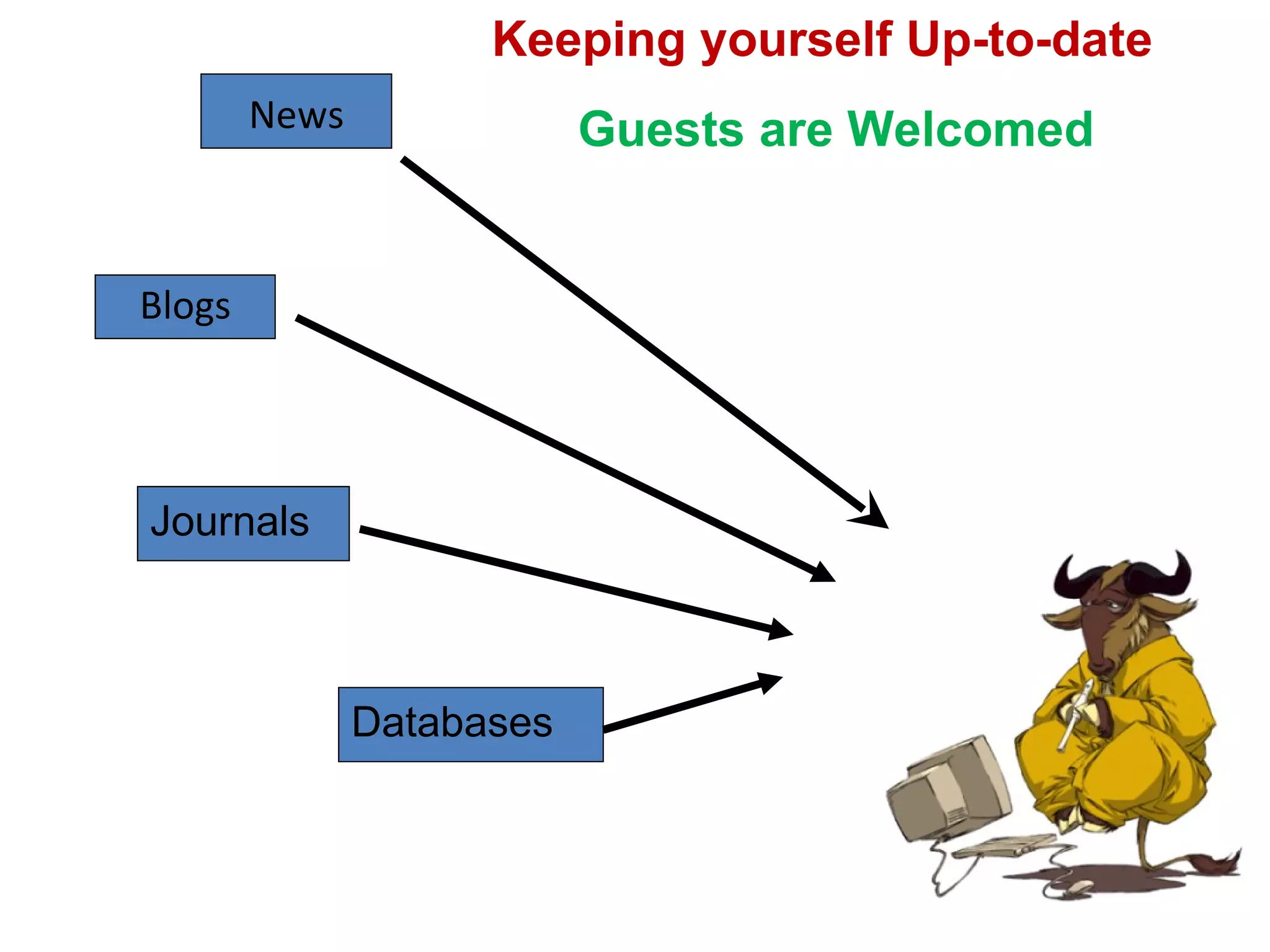
Blogs News Journals Databases Keeping yourself Up-to-date  Go Get It
Blogs News Journals Databases Keeping yourself Up-to-date  Guests are Welcomed
RSS is the new way of keeping yourself up-to-date RSS  (which, in its most recent format, stands for "Really Simple Syndication")  Some expand it as - Rich Site Summary
By RSS Feeds Easily stay informed  by subscribing the latest content from the sites you are interested in.  You  save time  by not visiting each site individually.  Your privacy  is maintained unlike subscribing to each site's email newsletter
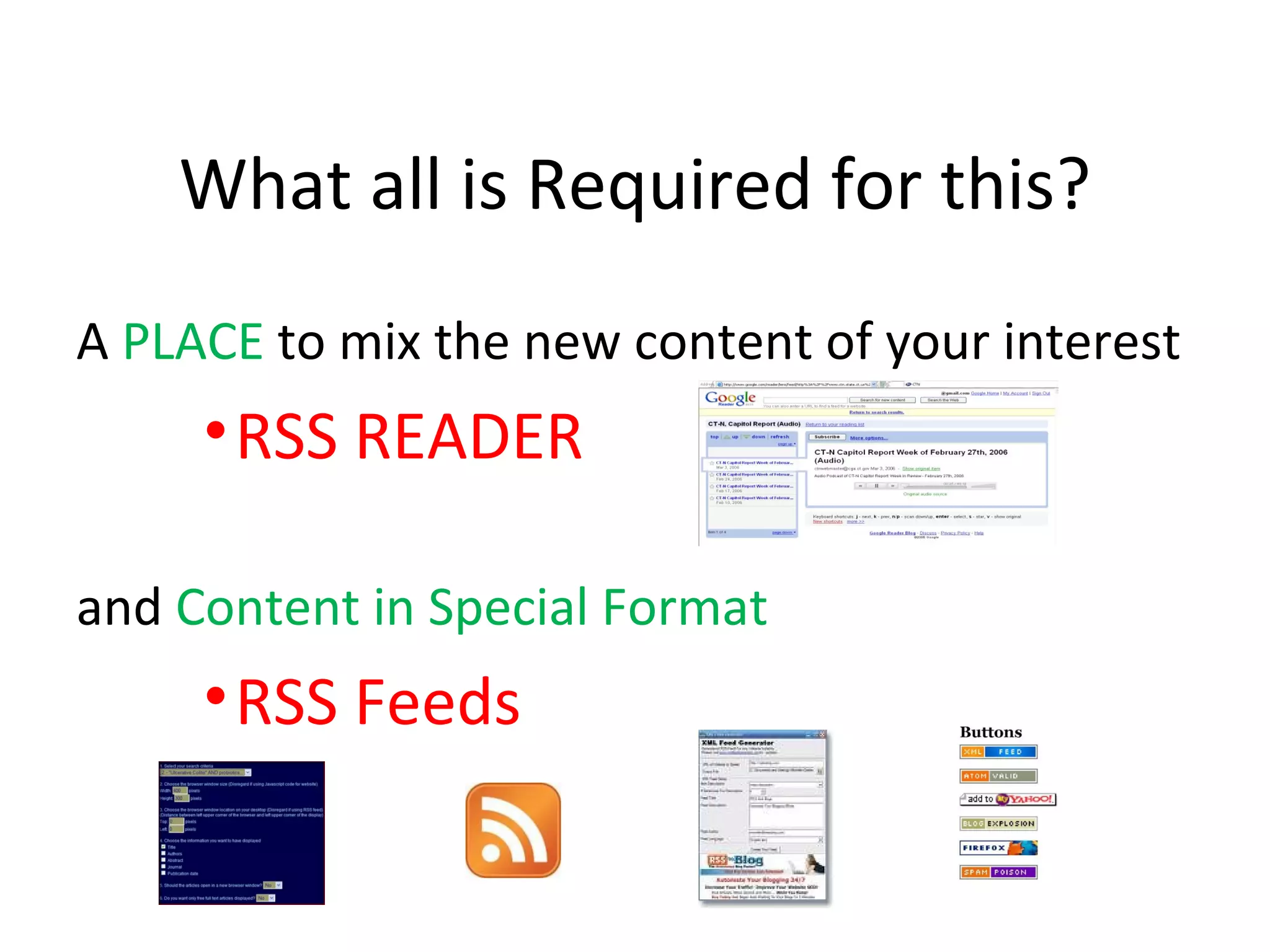
What all is Required for this? A  PLACE  to mix the new content of your interest  RSS READER and  Content in Special Format  RSS Feeds
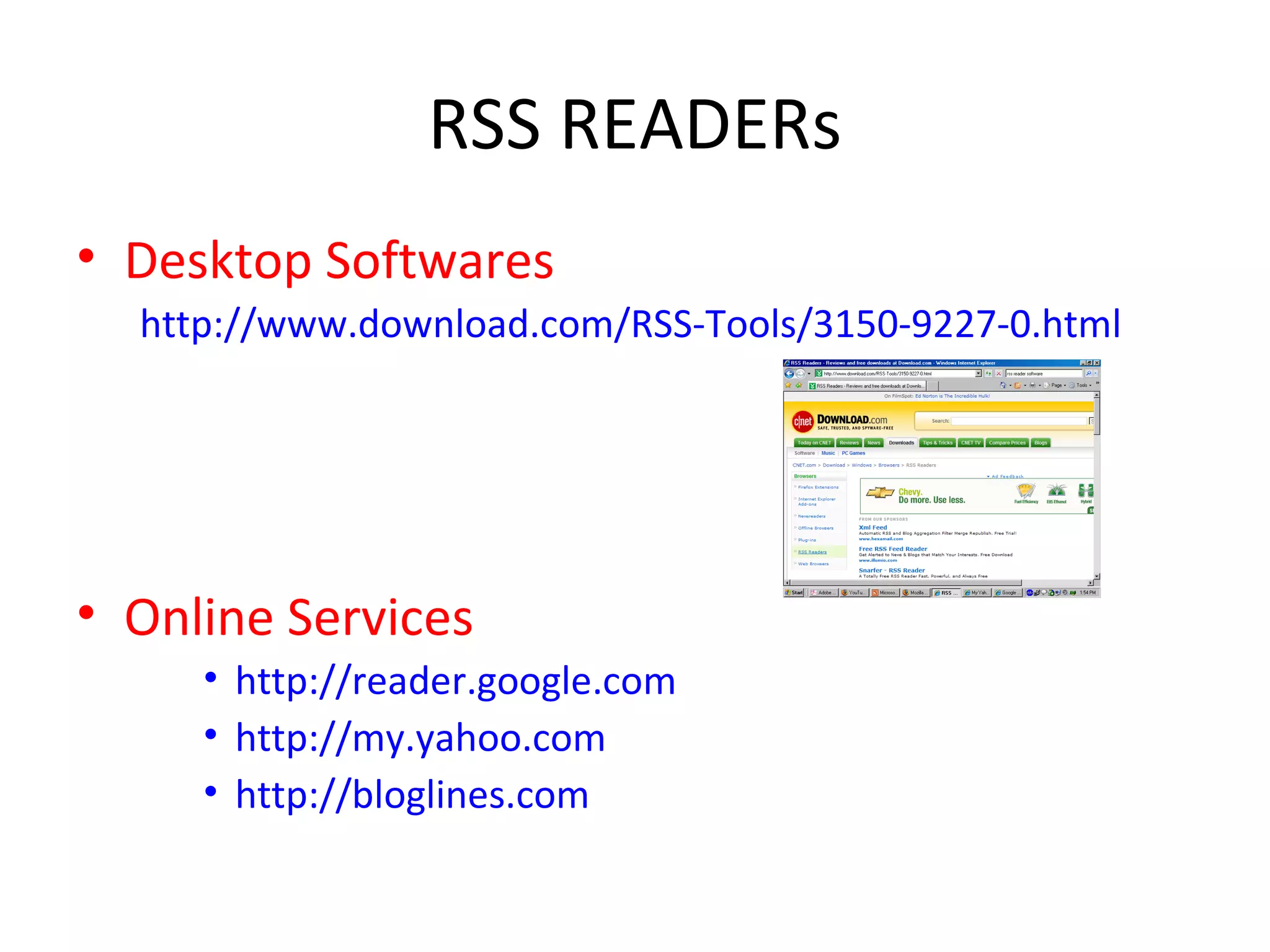
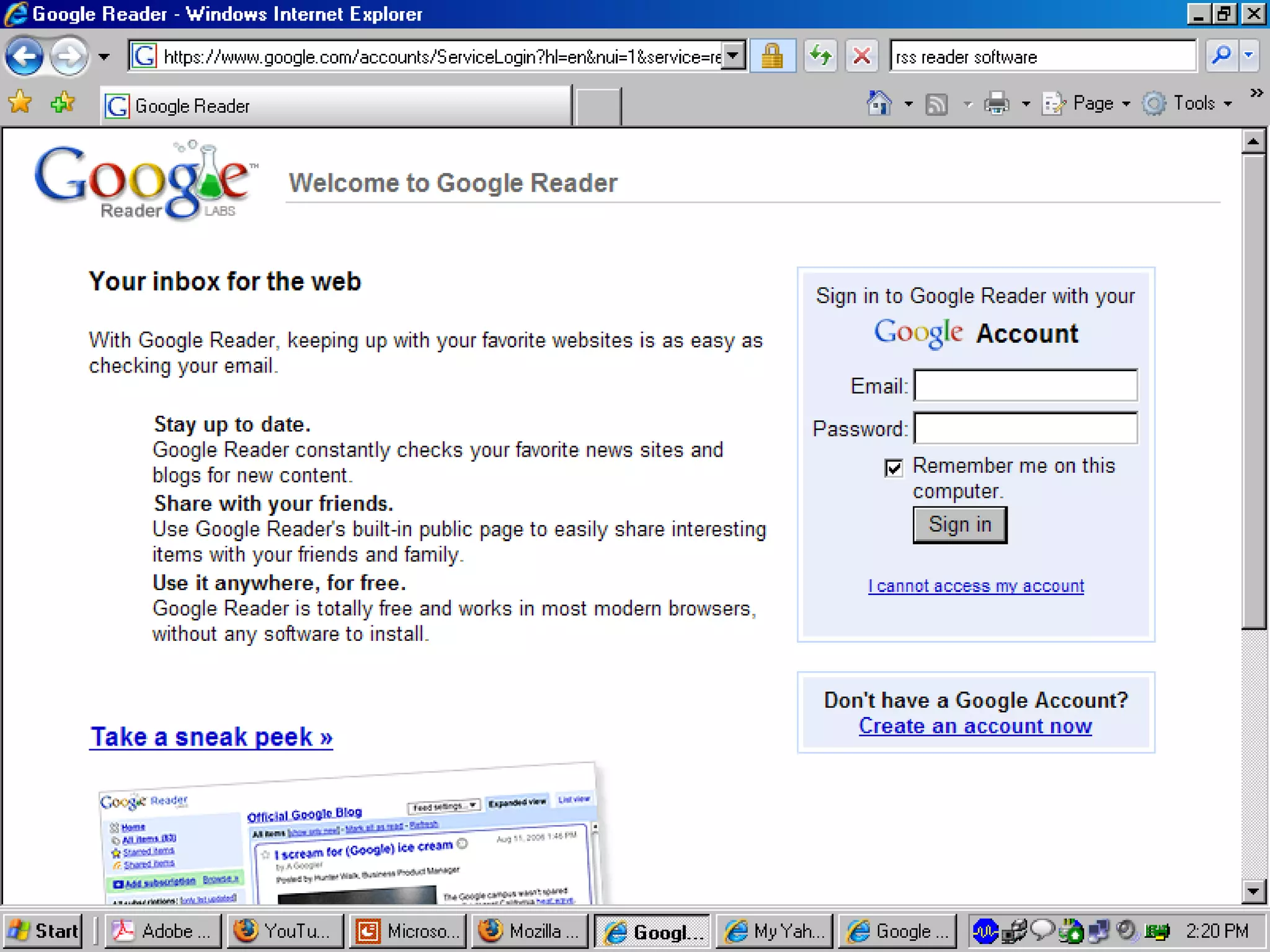
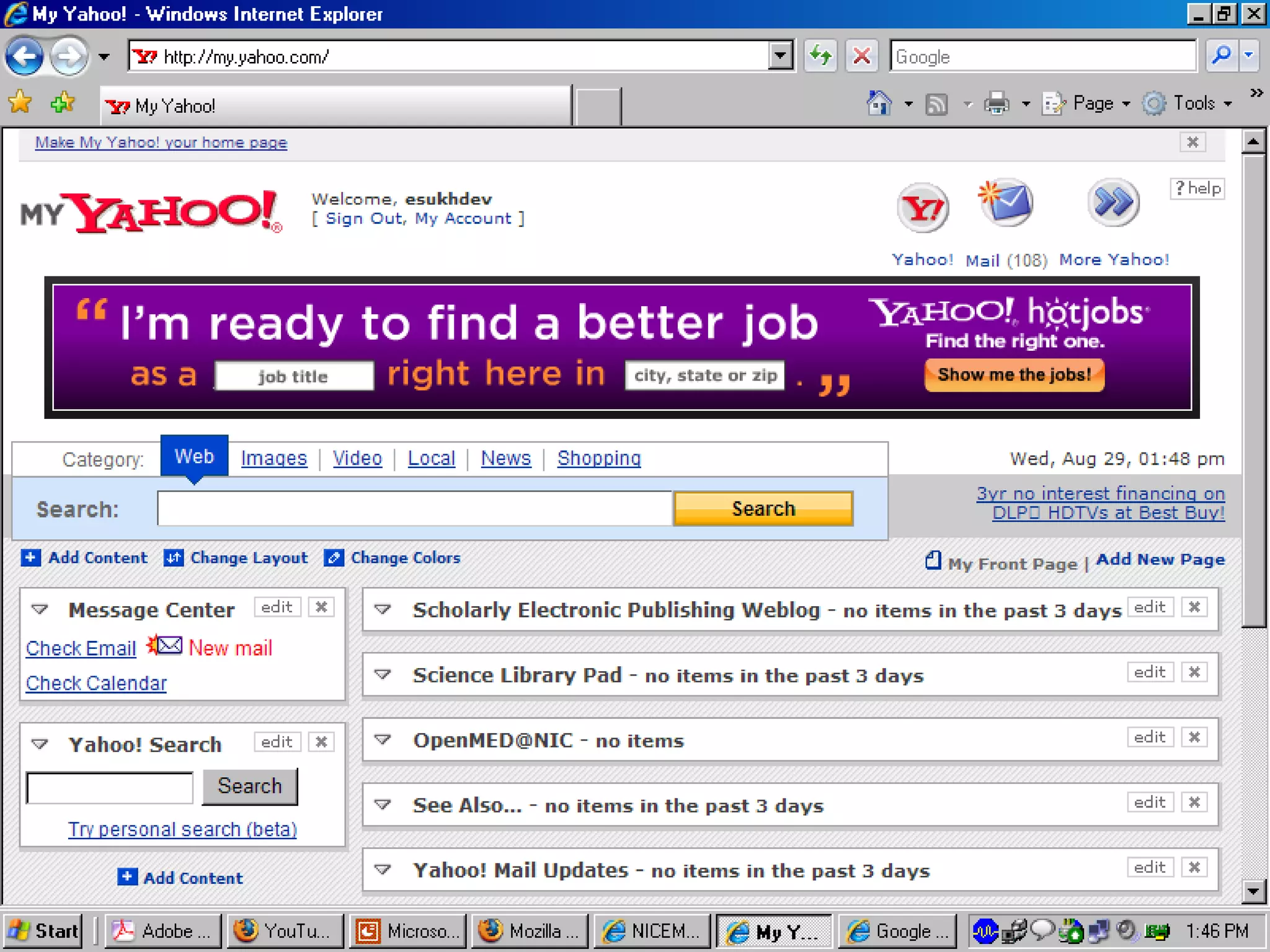
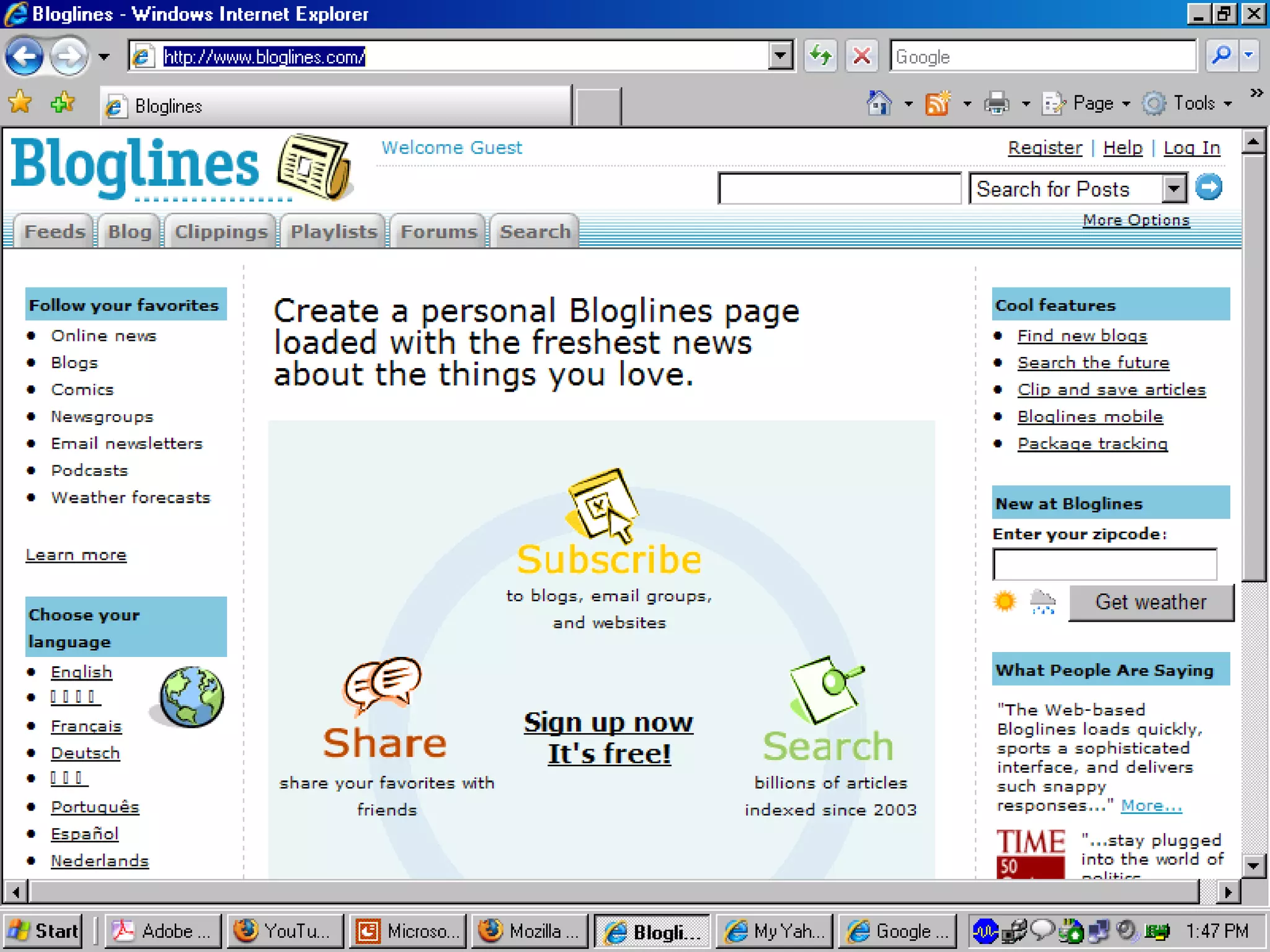
RSS READERs Desktop Softwares http://www.download.com/RSS-Tools/3150-9227-0.html Online Services http://reader.google.com http://my.yahoo.com http://bloglines.com
 
 
http://www.bloglines.com/
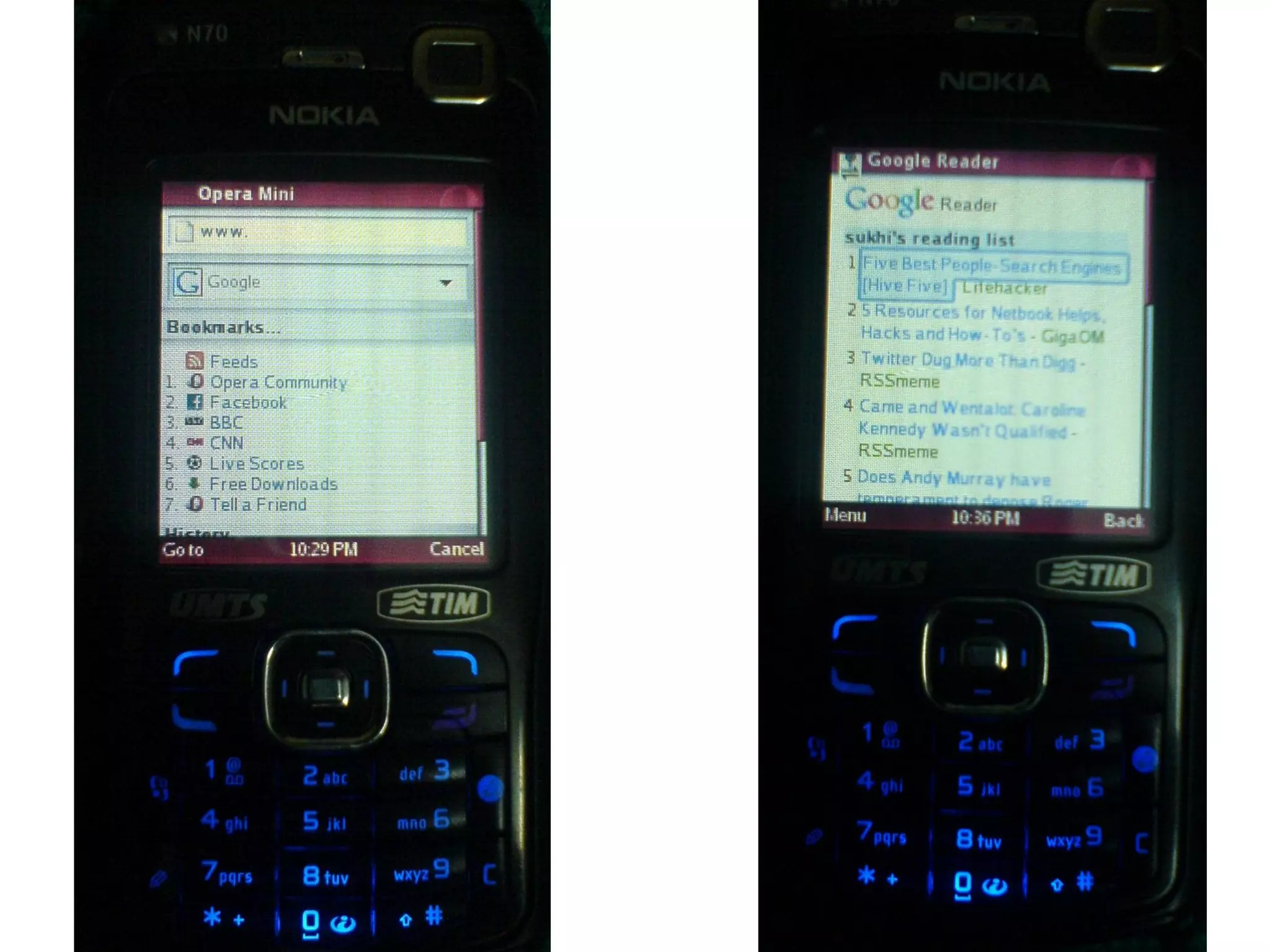
Even smart cell phones have means to read RSS
 
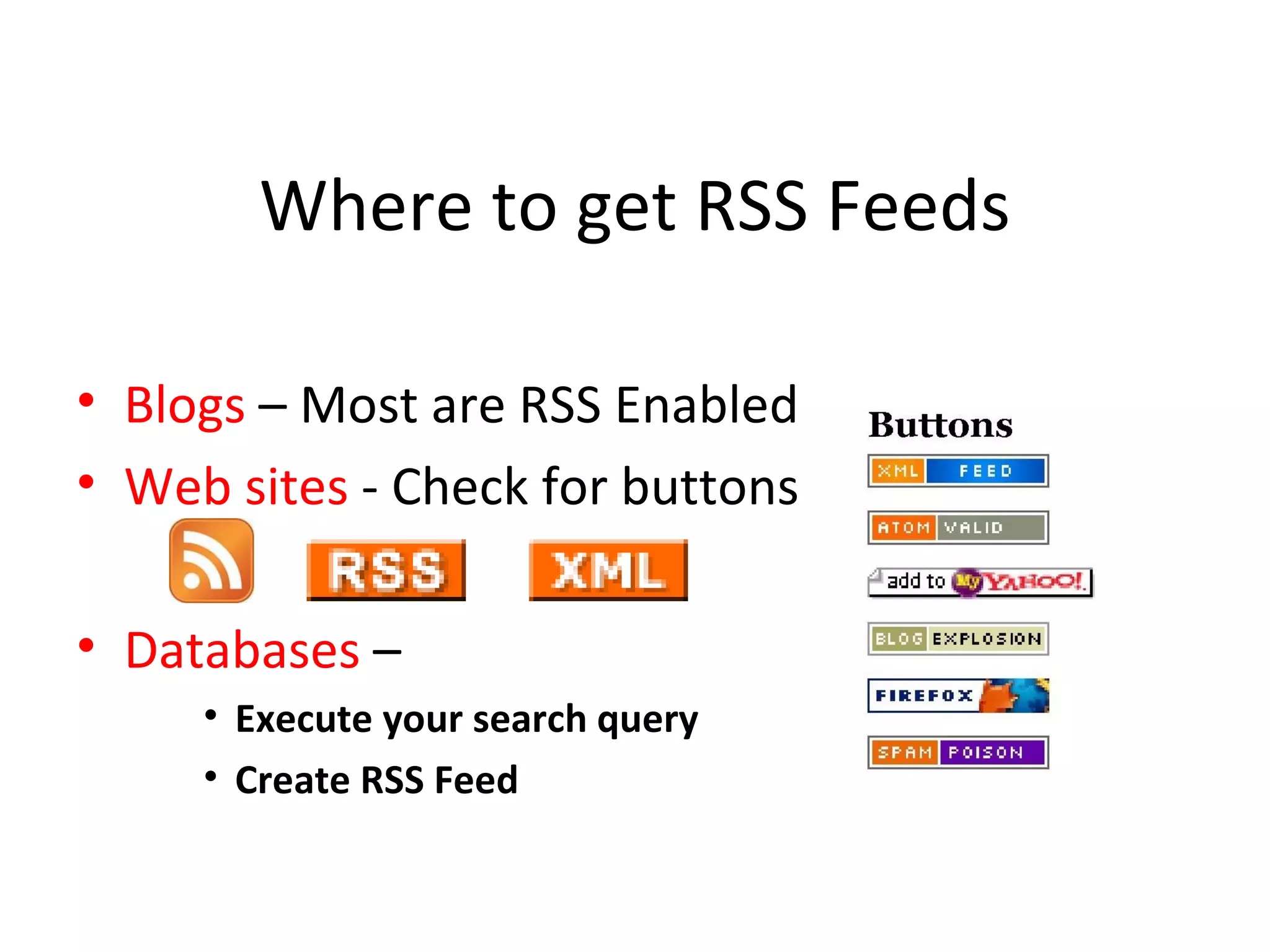
Where to get RSS Feeds Blogs  – Most are RSS Enabled Web sites  - Check for buttons Databases  –  Execute your search query Create RSS Feed
Connecting  READER  with  FEEDS Clicking on RSS Button will reveal the URL of the  RSS Feed Copy the URL Paste the URL in your  READER  and subscribe  the  FEED
OK, we will take an example
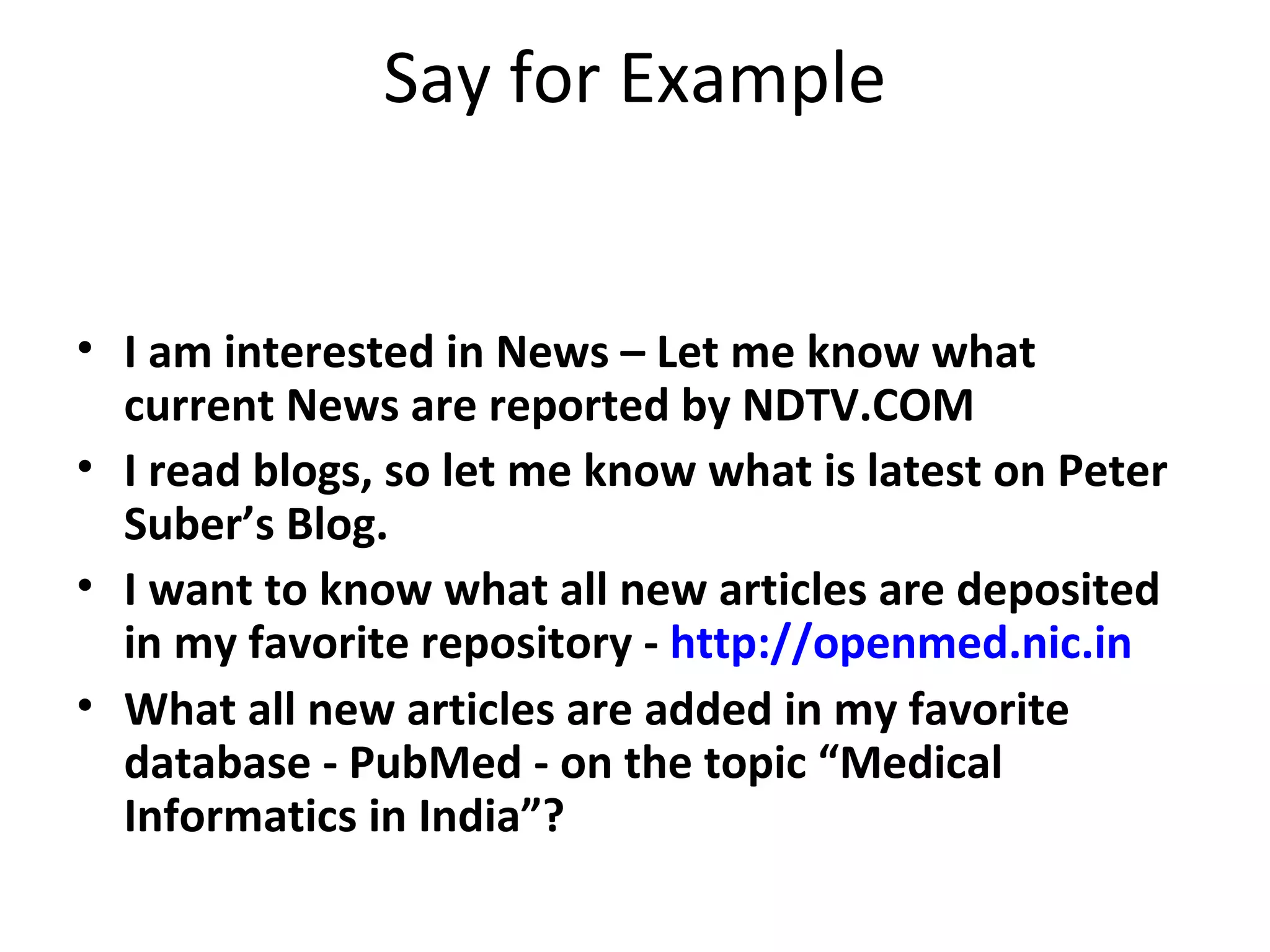
Say for Example I am interested in News – Let me know what current News are reported by NDTV.COM I read blogs, so let me know what is latest on Peter Suber’s Blog. I want to know what all new articles are deposited in my favorite repository -  http://openmed.nic.in What all new articles are added in my favorite database - PubMed - on the topic “Medical Informatics in India”?
Ok, we will use Google Reader as our RSS Reader for this example http://www.google.com/reader/
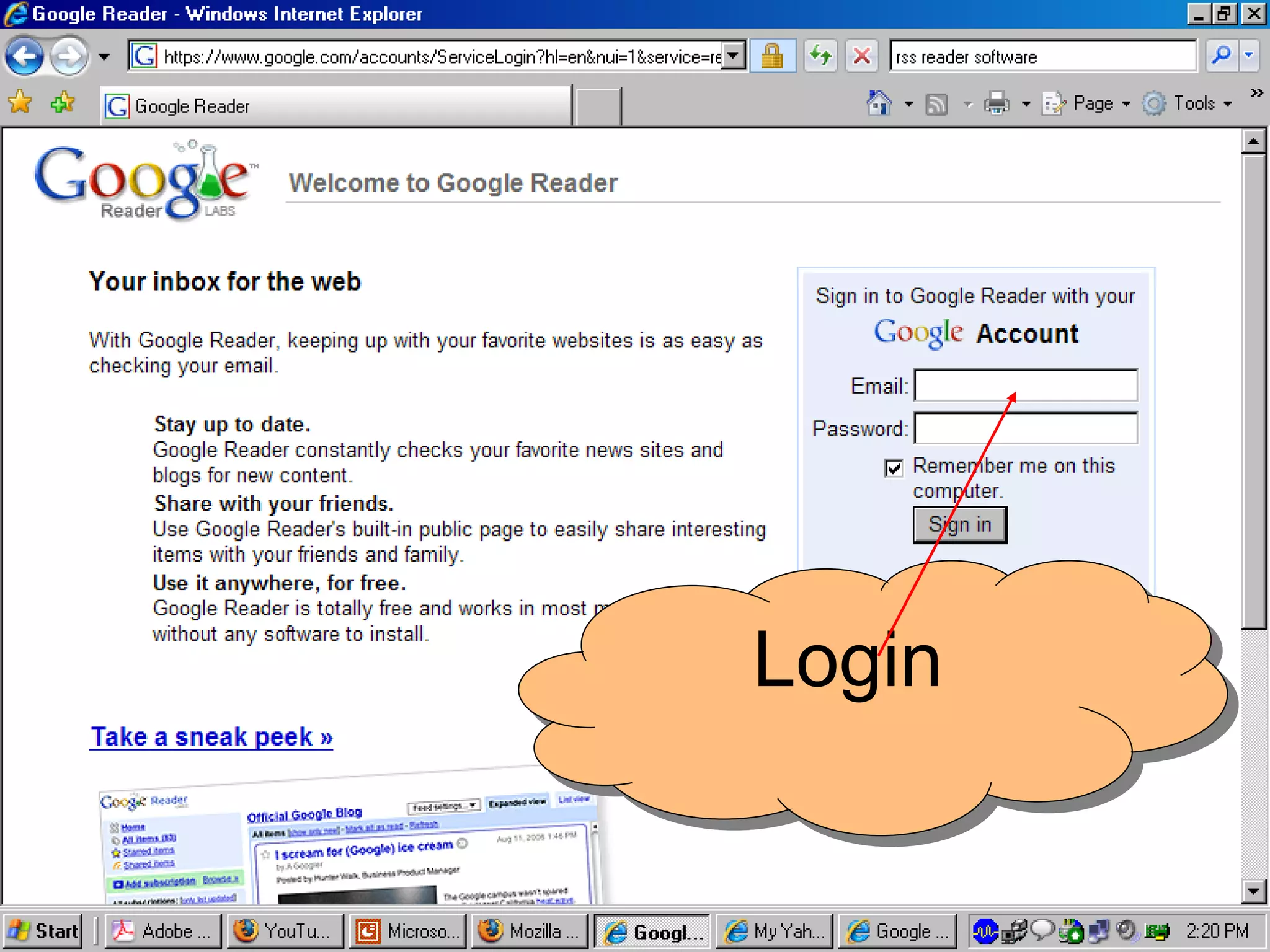
Login
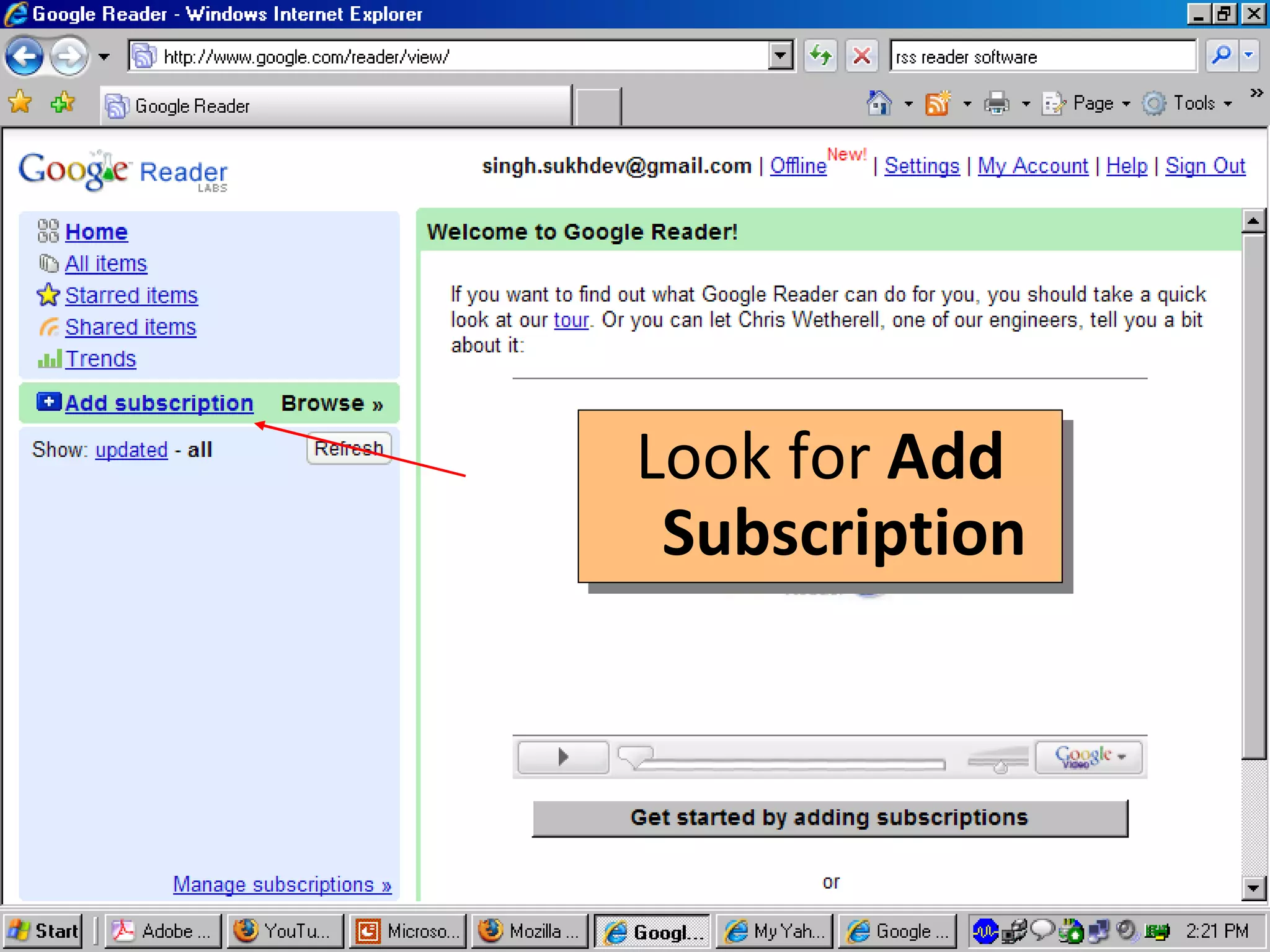
Look for  Add Subscription
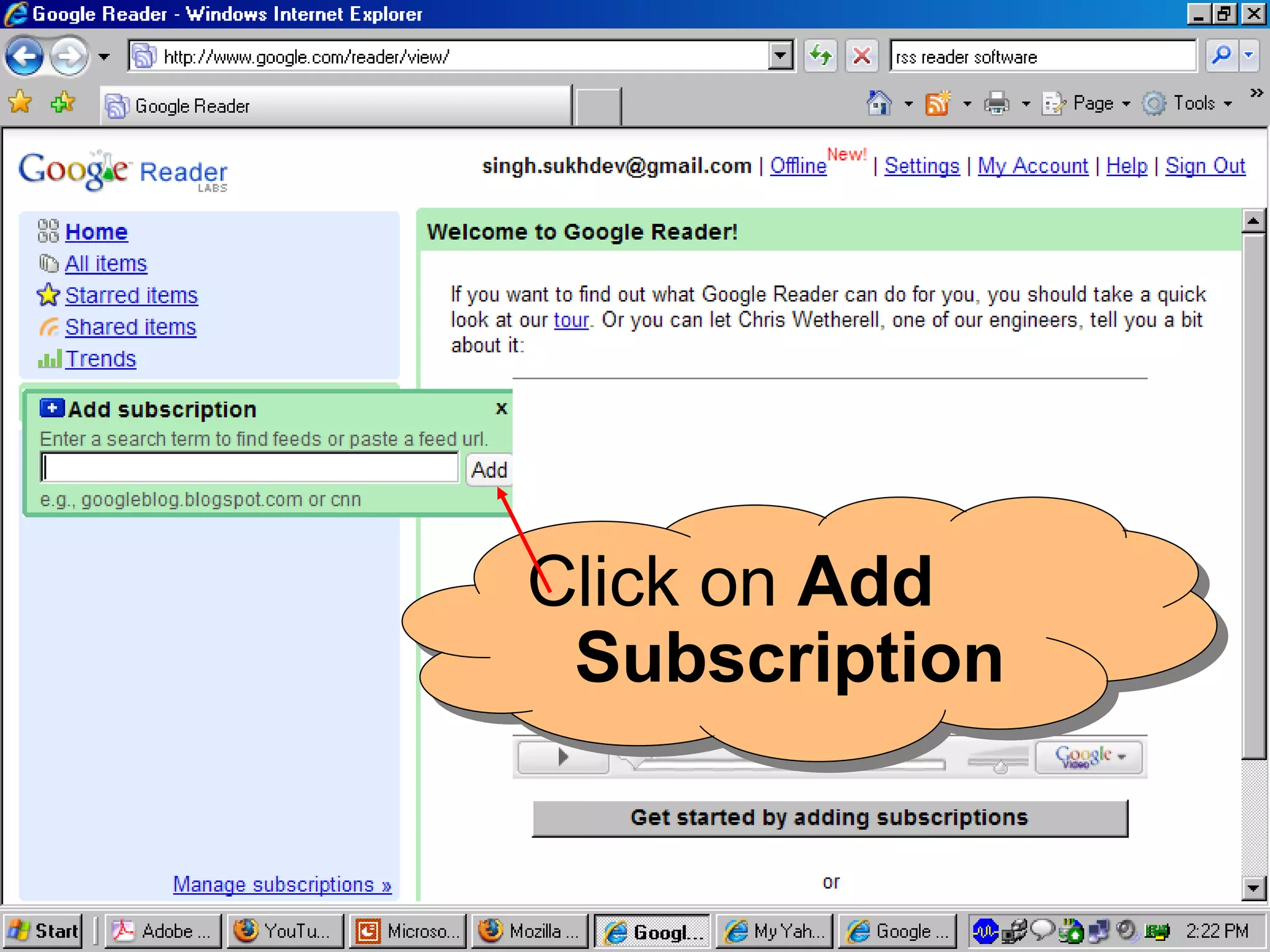
Click on  Add Subscription
We will now subscribe to RSS feeds One by One Let us first add Feed from News Site i.e.  NDTV in our example
Open a New Window in your browser go to the site i.e. NDTV.COM
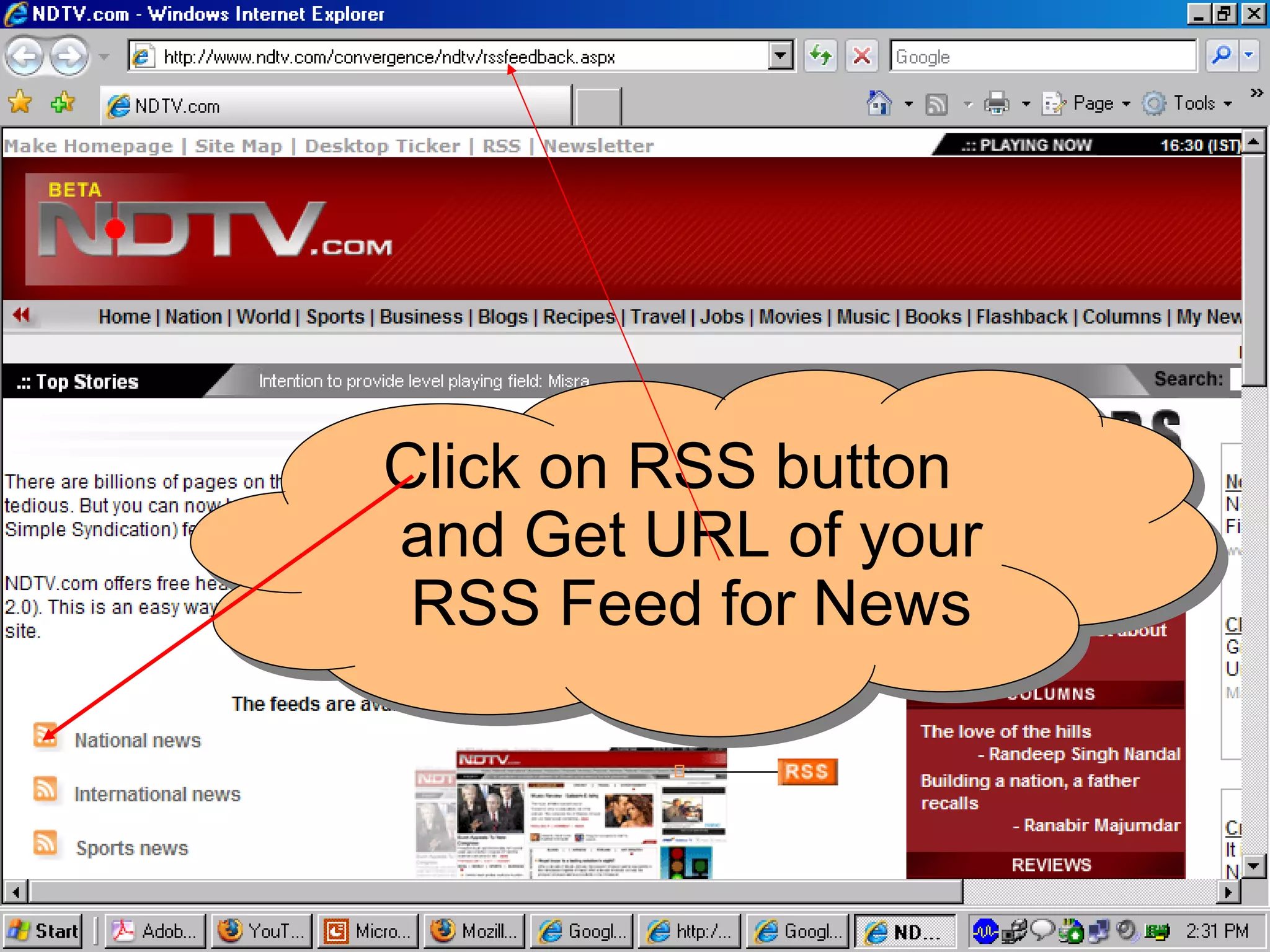
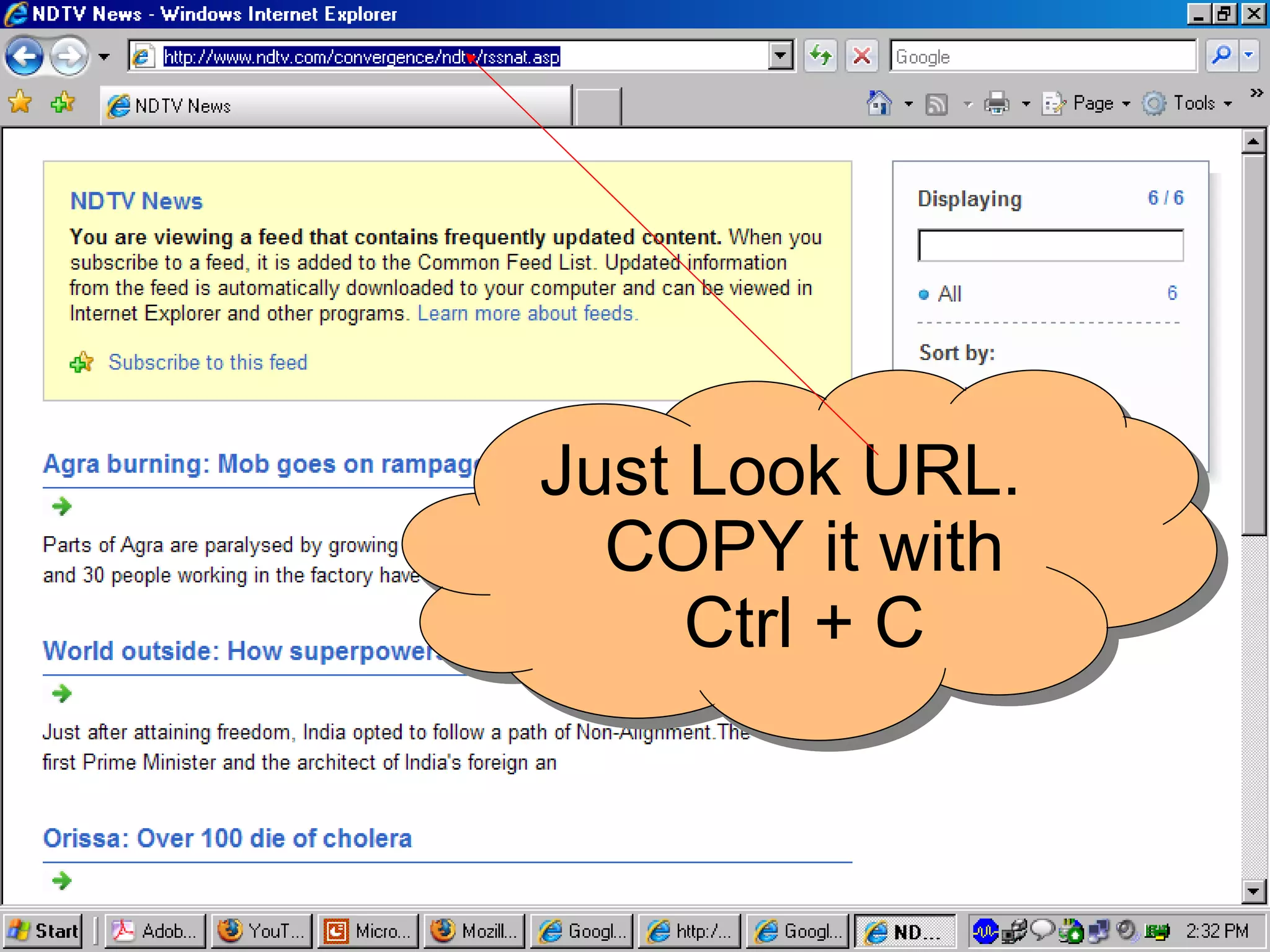
Click on RSS button and Get URL of your RSS Feed for News
Just Look URL. COPY it with Ctrl + C
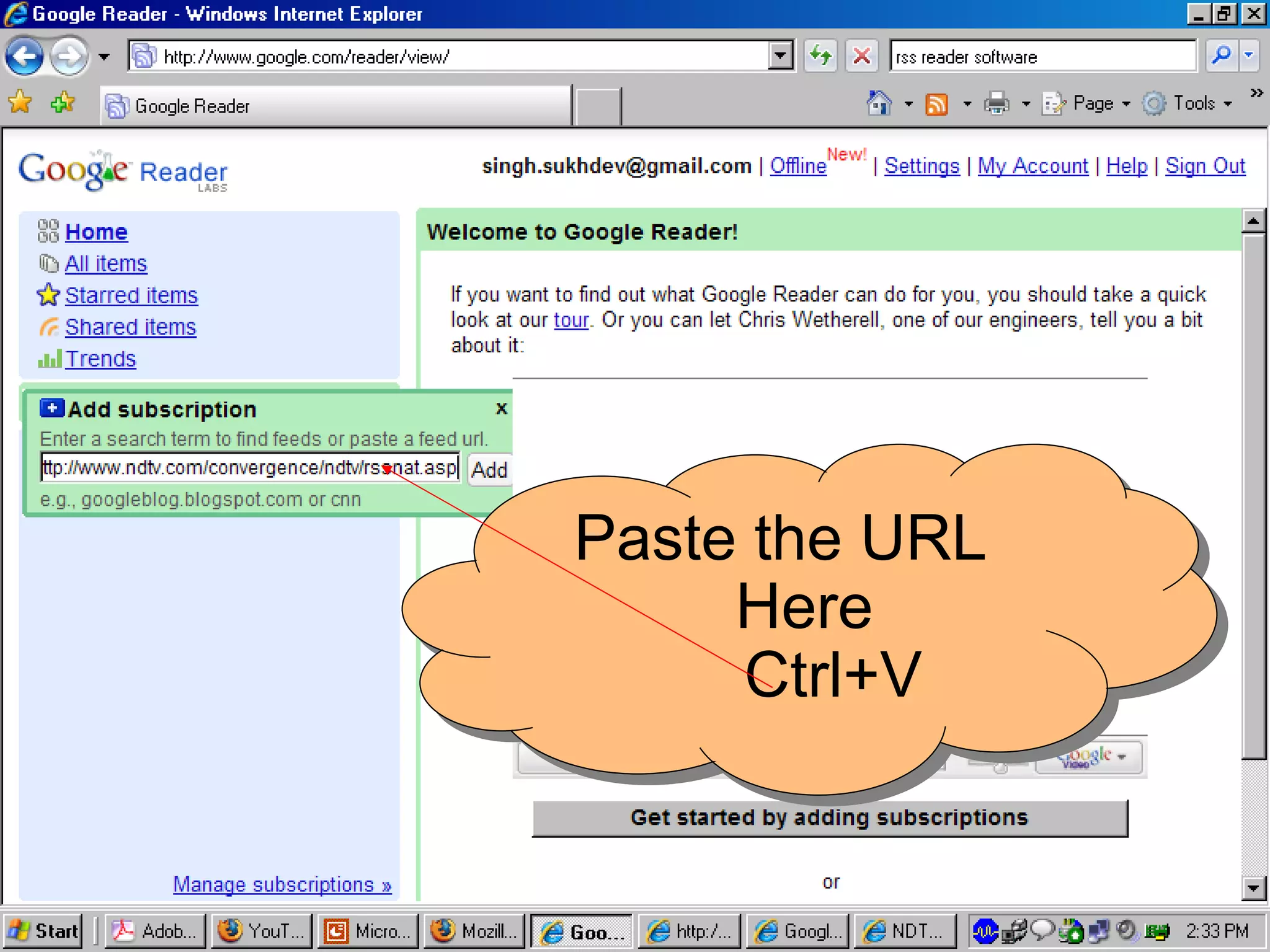
Paste the URL Here Ctrl+V
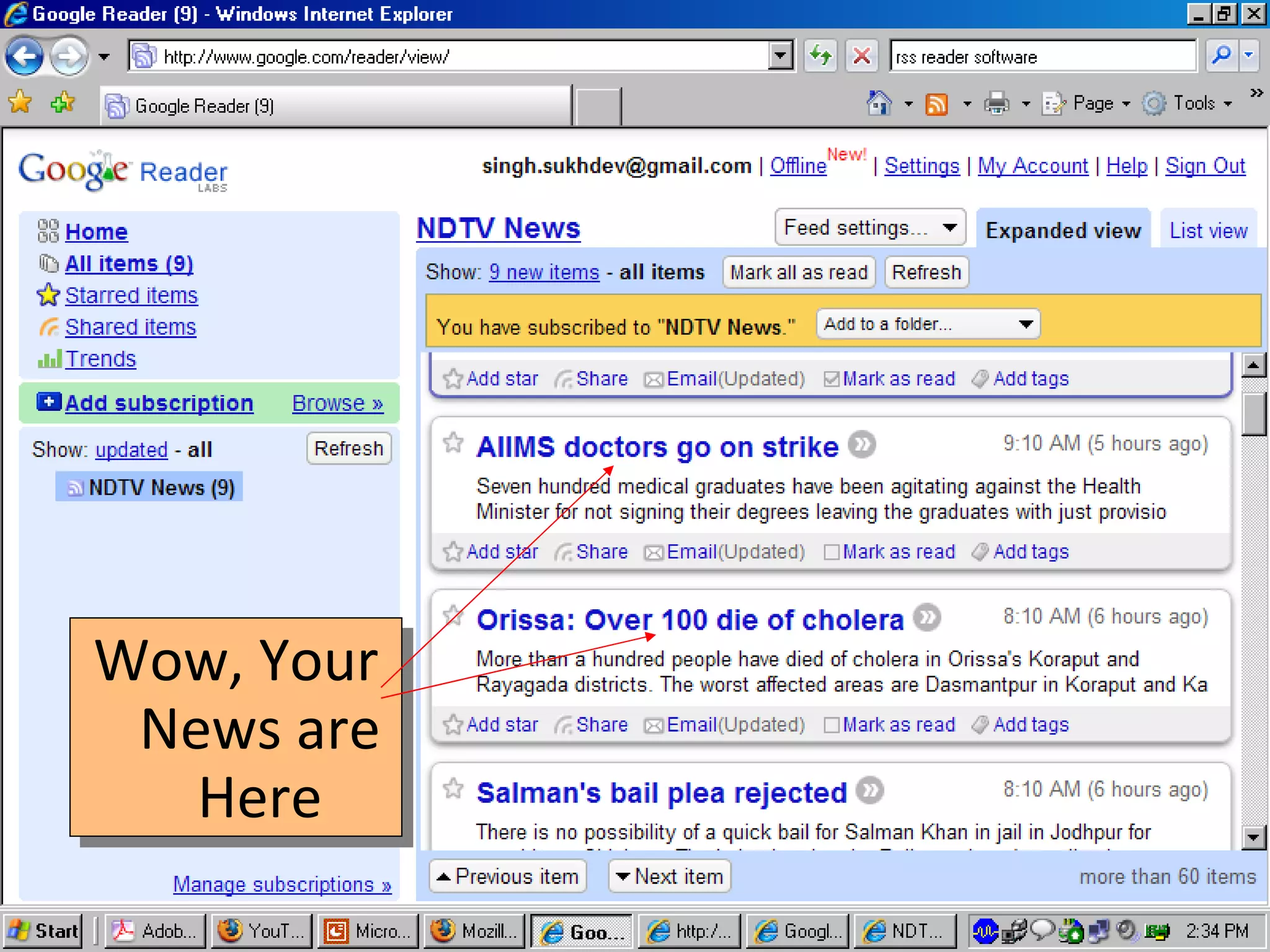
Wow, Your News are Here
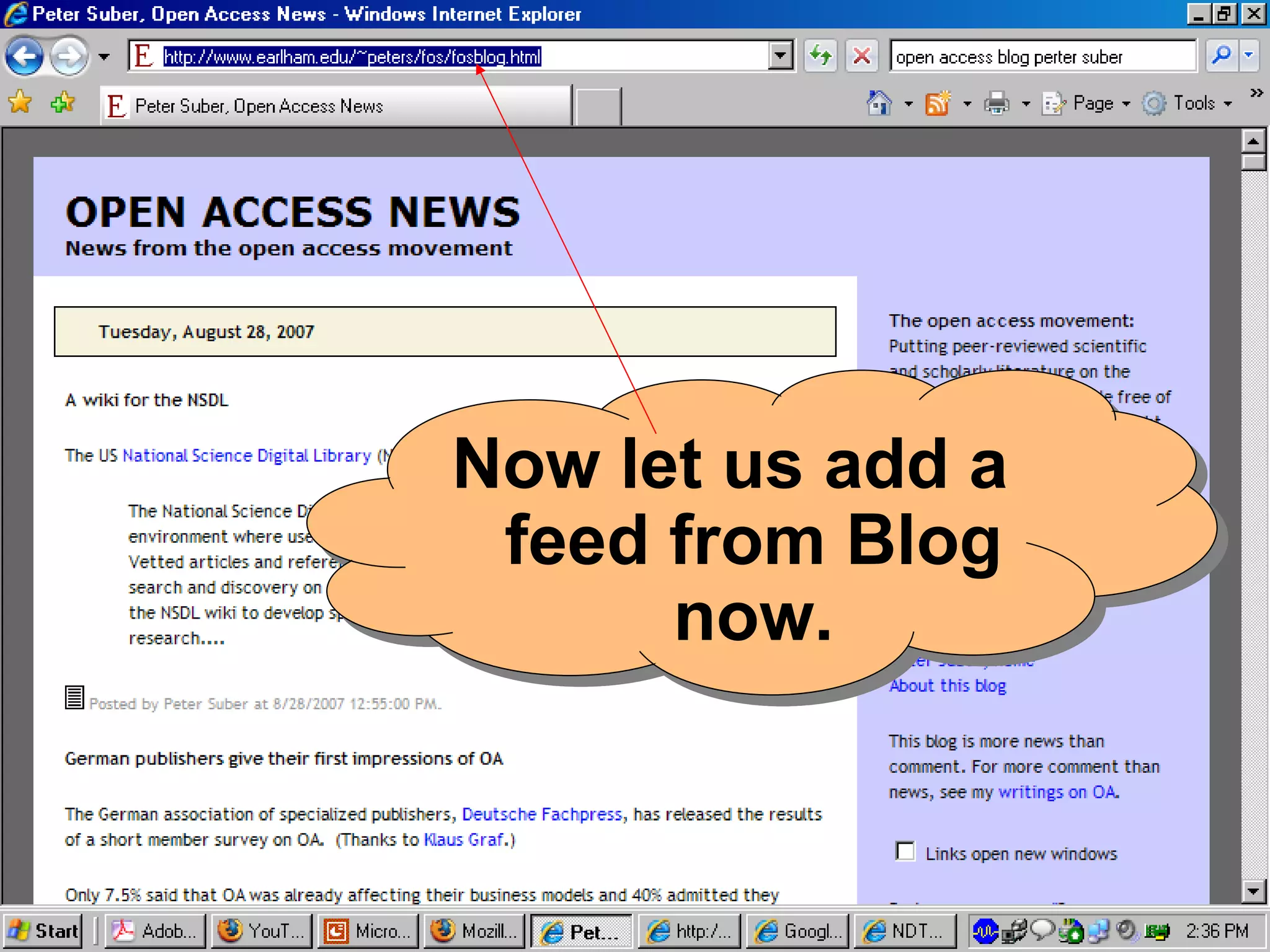
Now let us subscribe  a blog! Remember   M ost blogs are RSS enabled  So no need to look for any Orange Button. Just enter the blog URL
Now let us add a feed from Blog now.
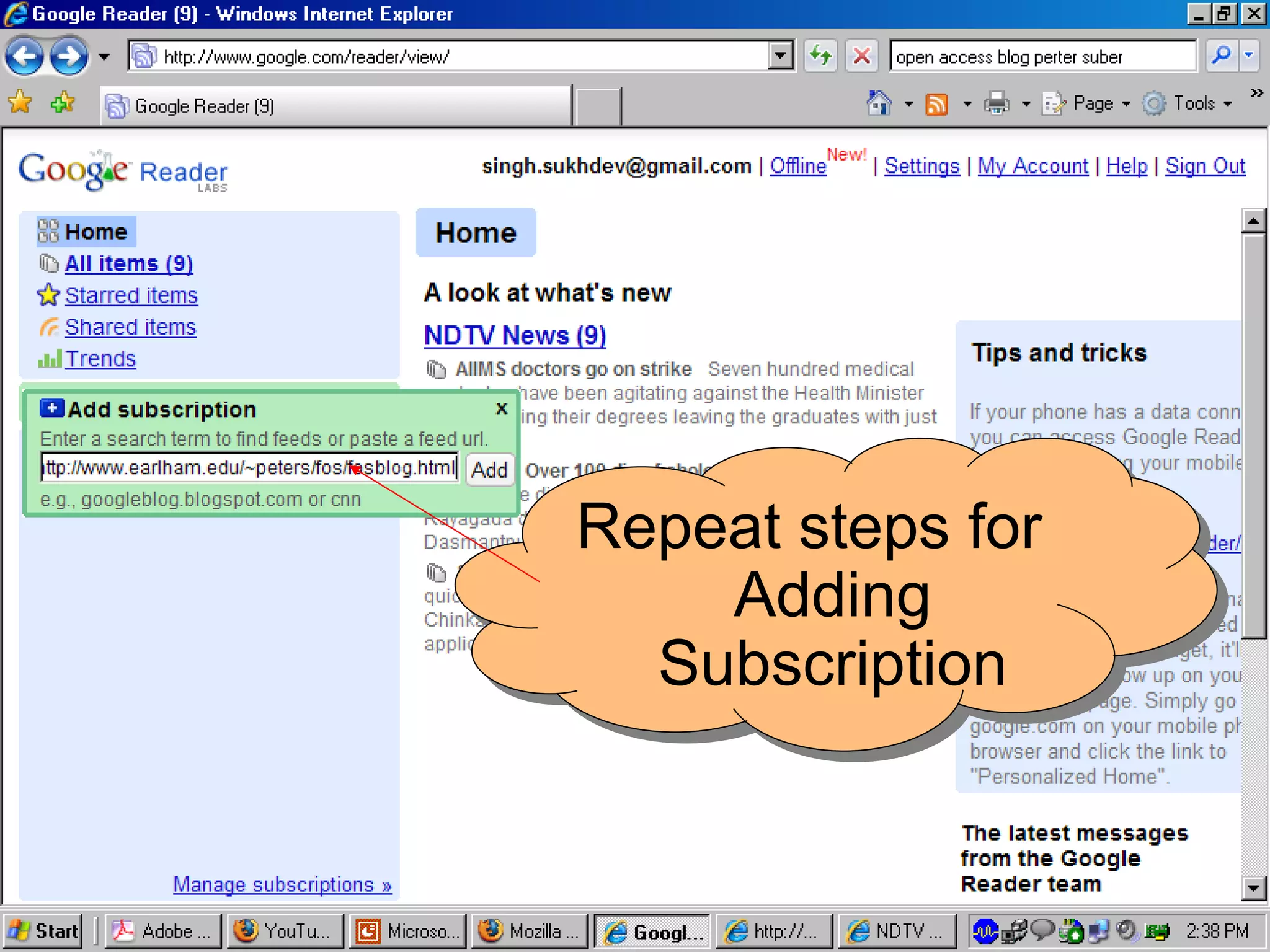
Repeat steps for Adding Subscription
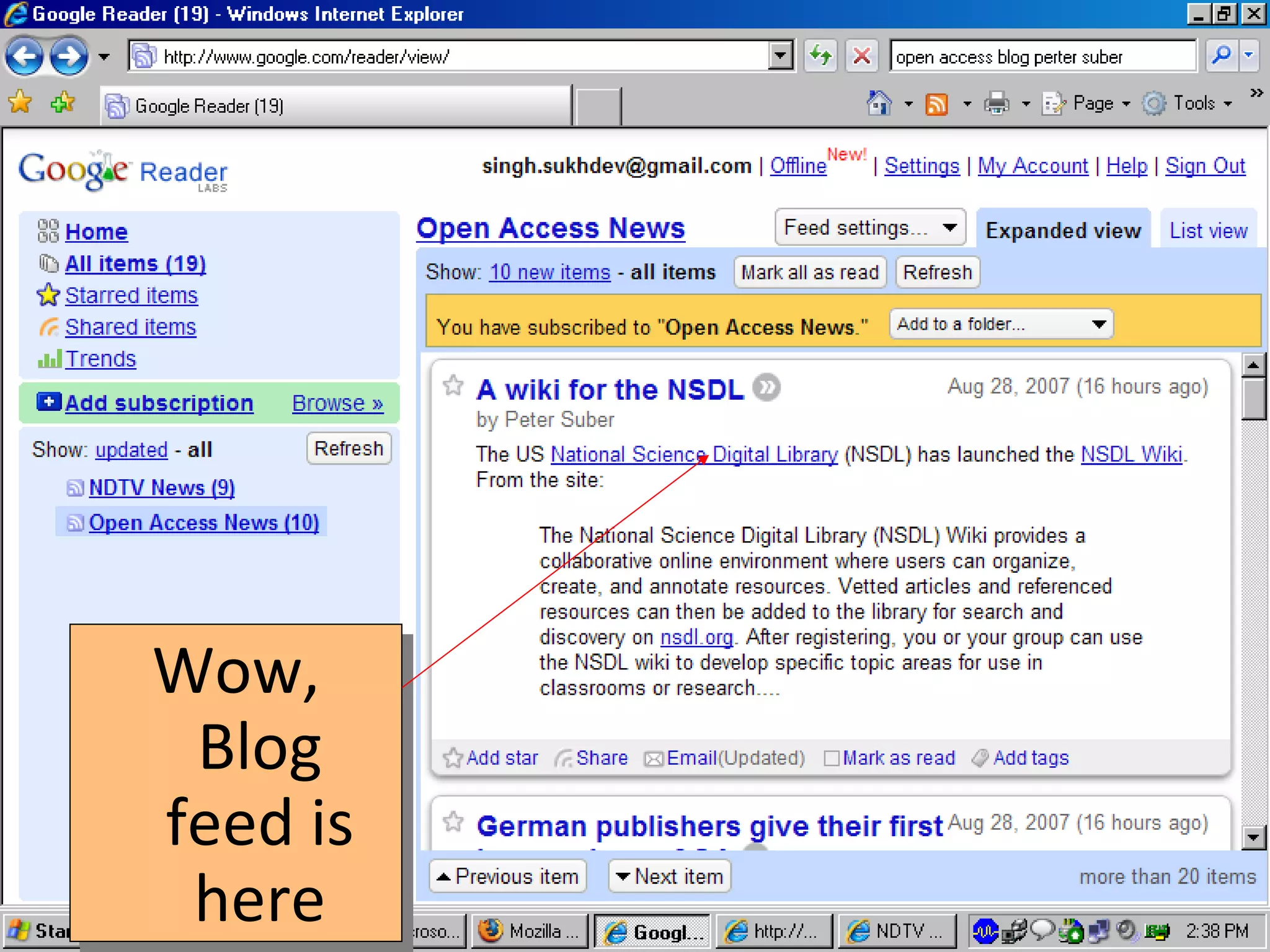
Wow, Blog feed is here
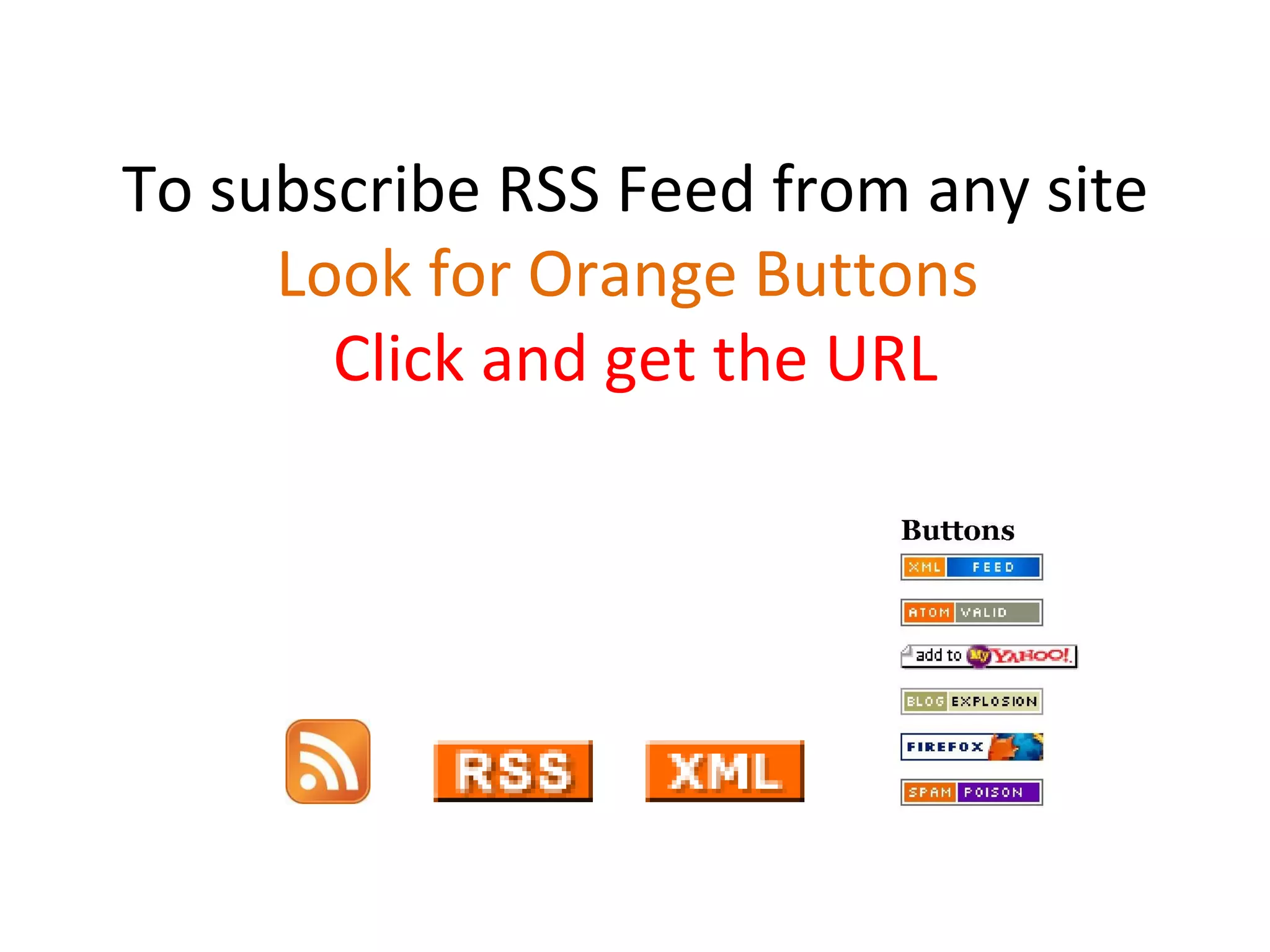
To subscribe RSS Feed from any site Look for Orange Buttons  Click and get the URL
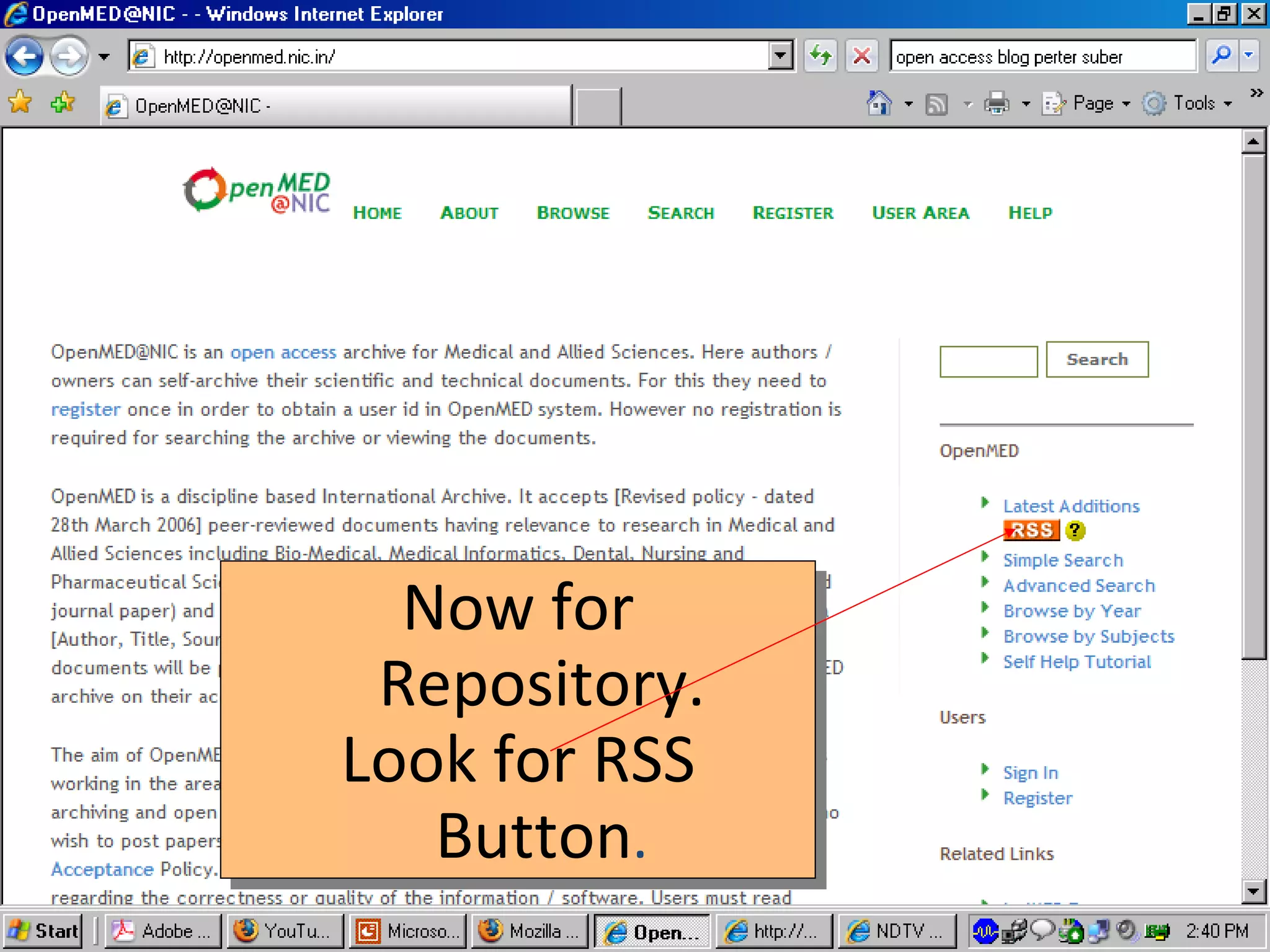
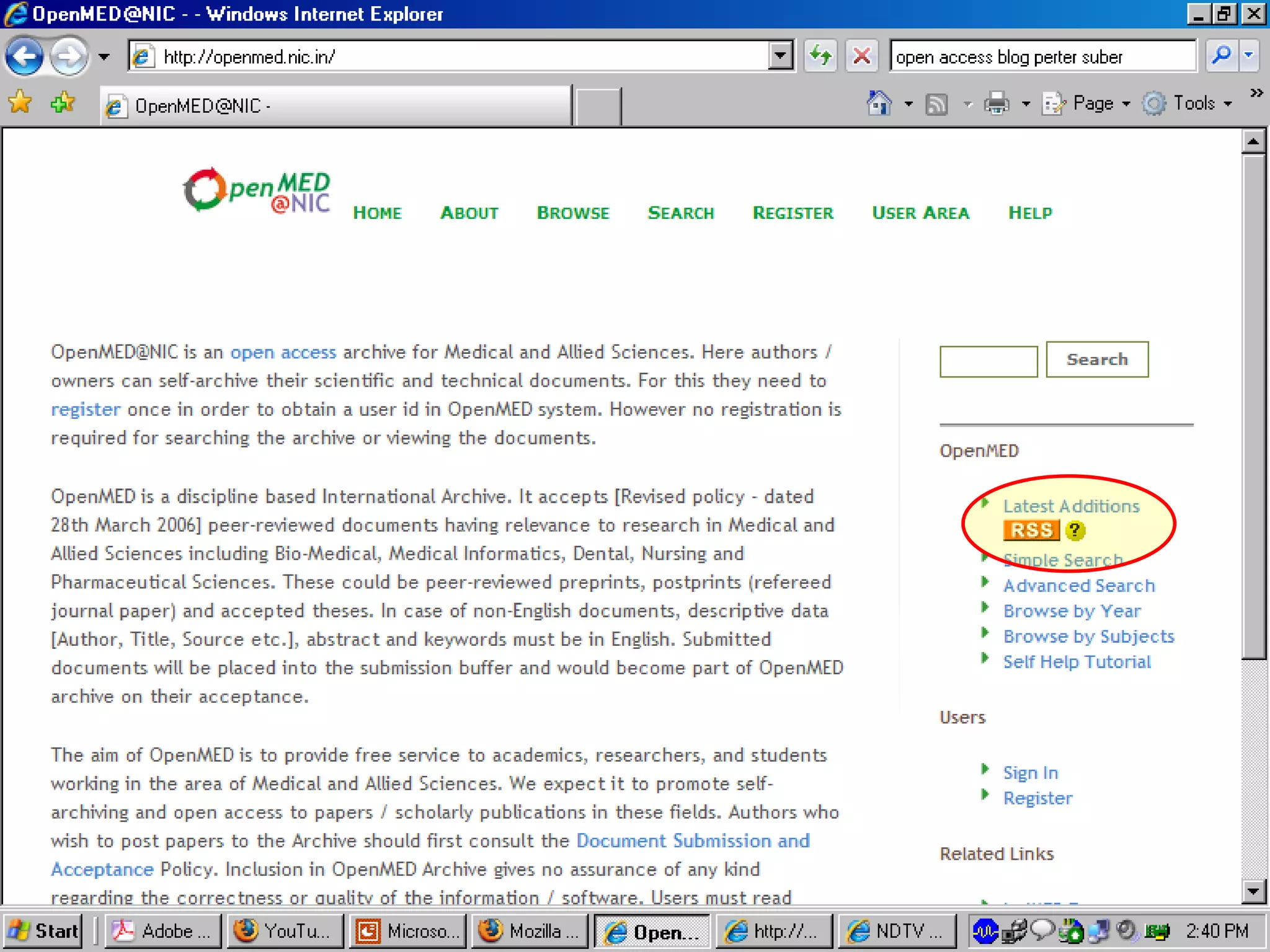
Now for Repository. Look for RSS Button .
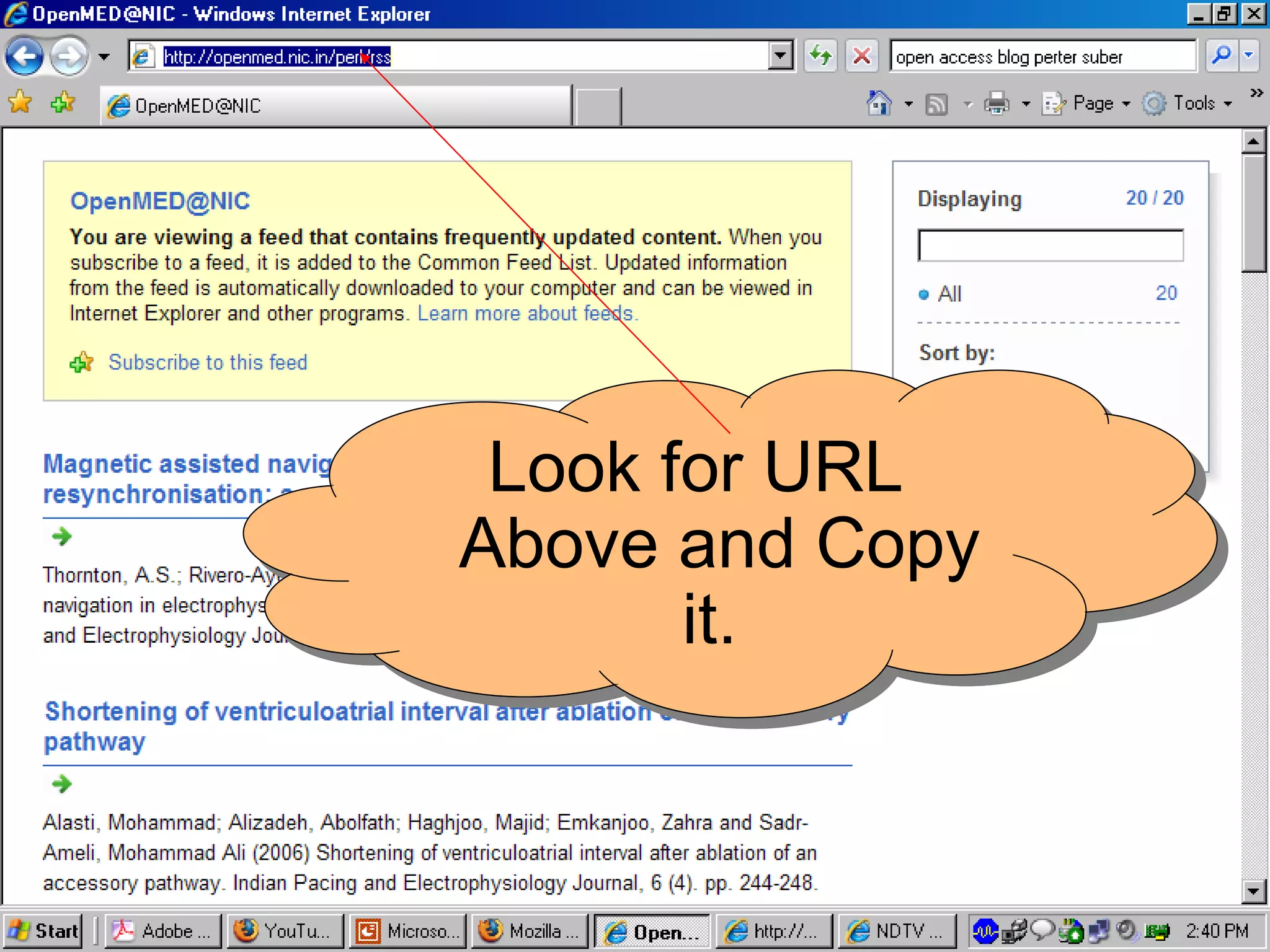
Look for URL Above and Copy it.
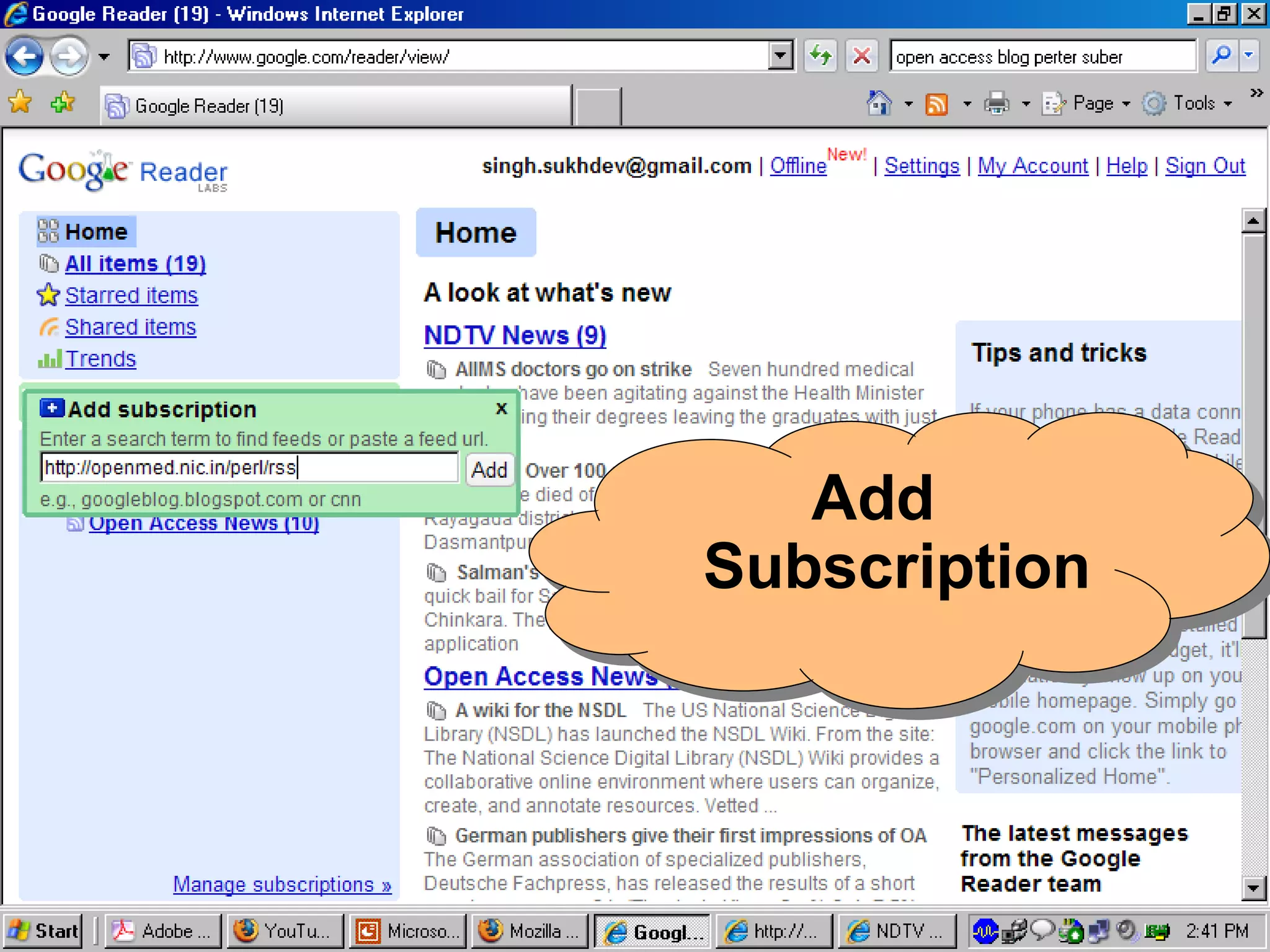
Add Subscription
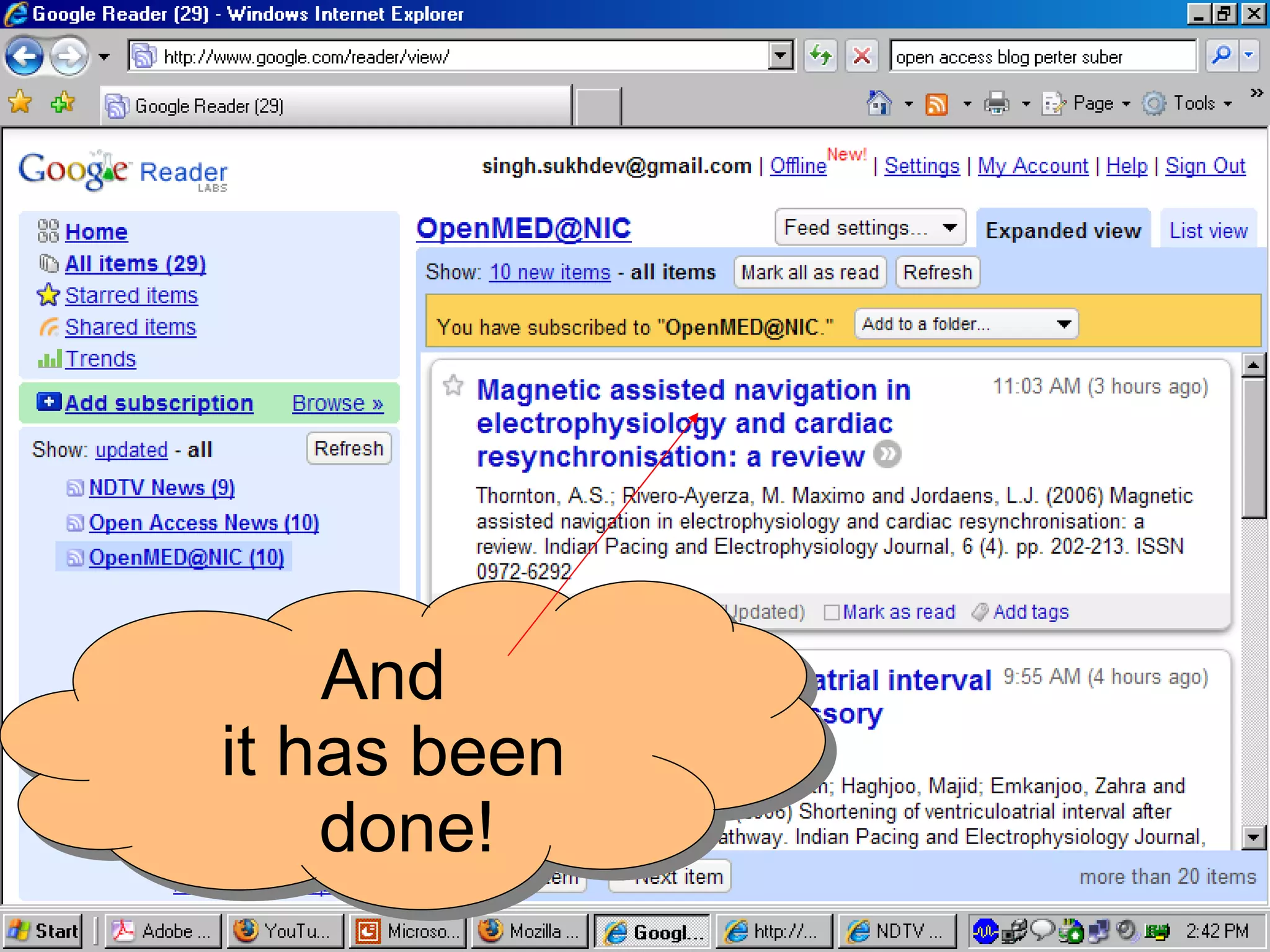
And it has been done!
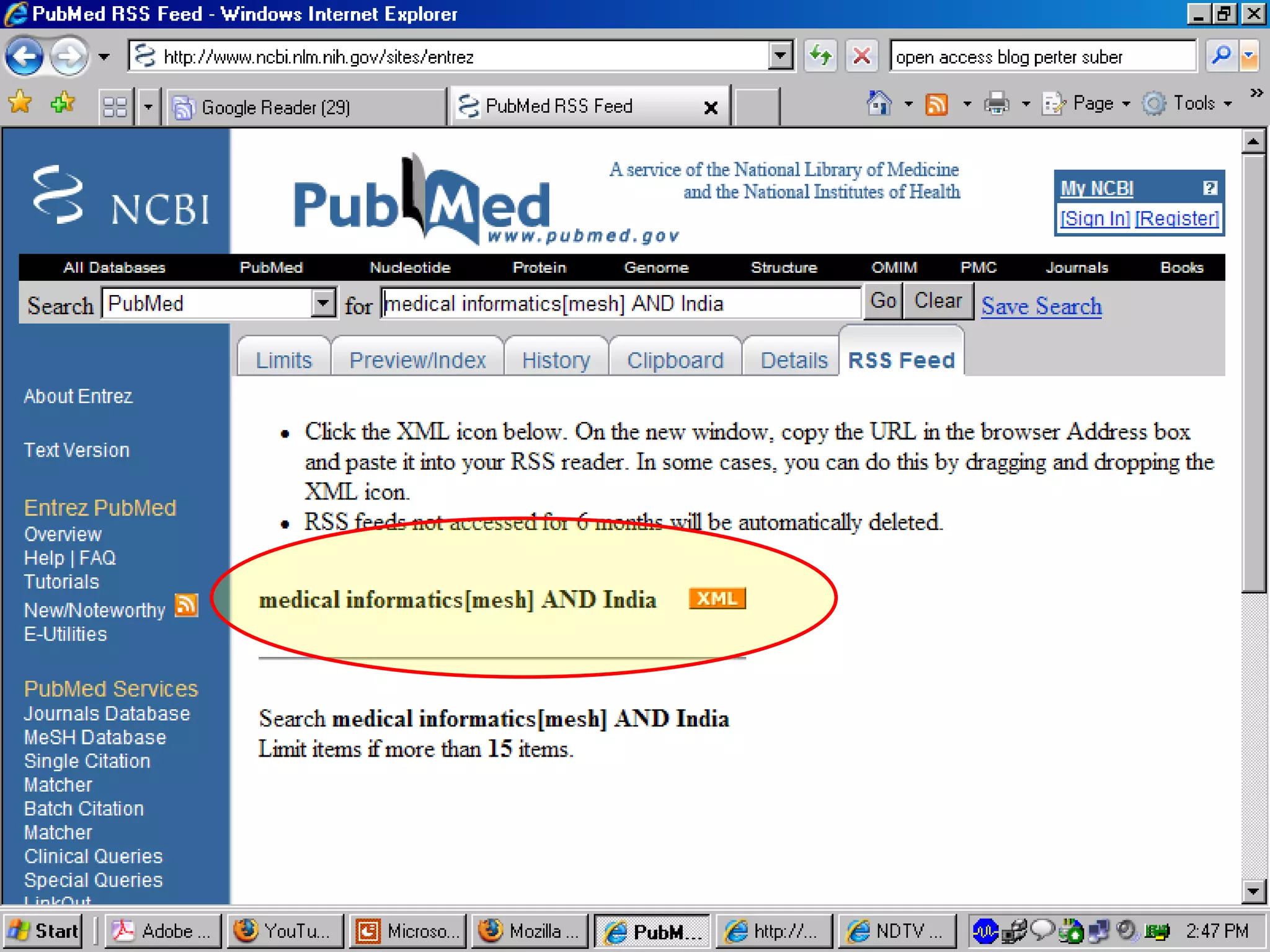
You can also create / customize an RSS feed to suit interest. However the site should provide such facility Let us see how we can create an RSS Feed on PubMed Database Site on a Query
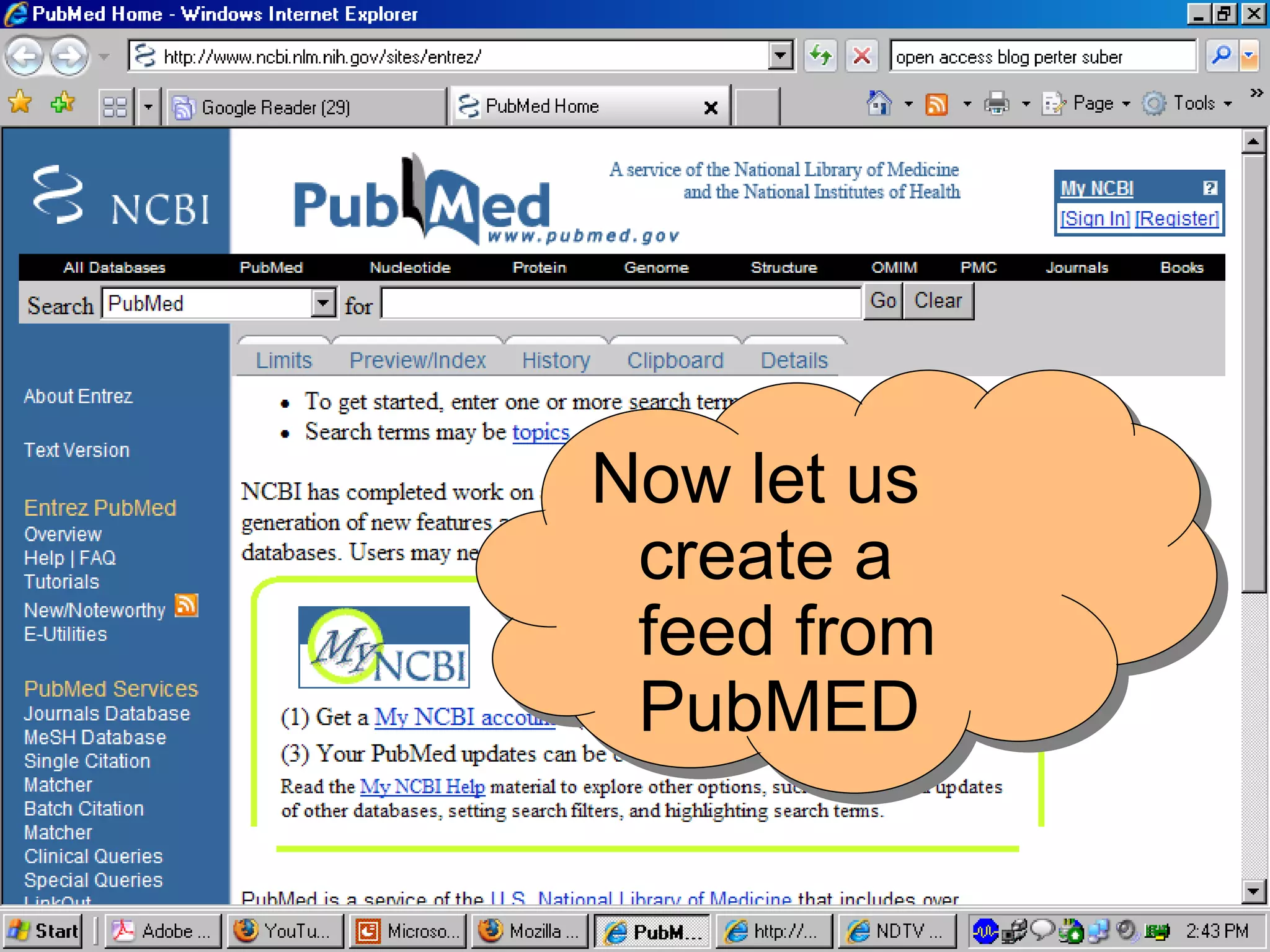
Now let us create a feed from PubMED
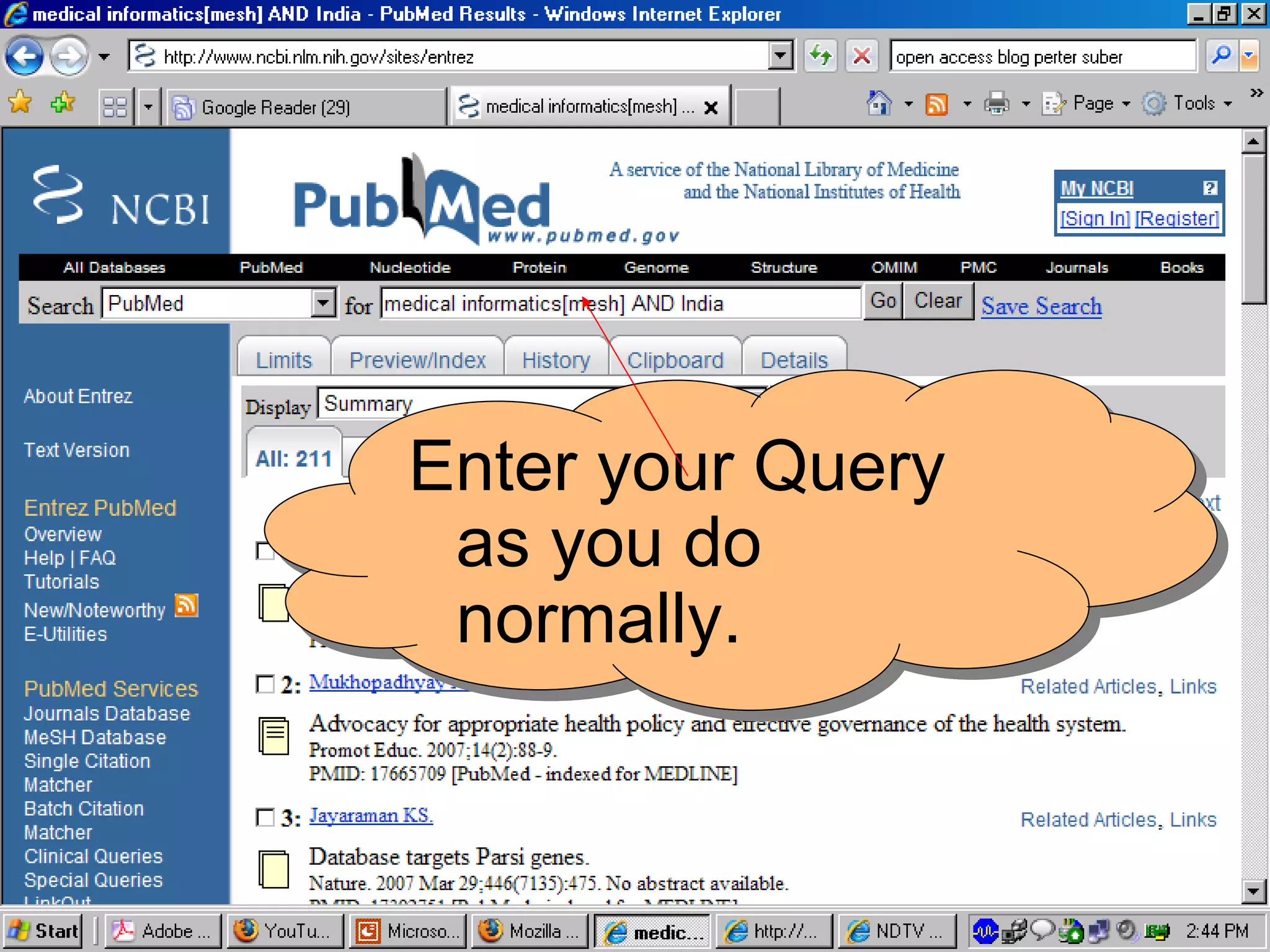
Enter your Query as you do normally.
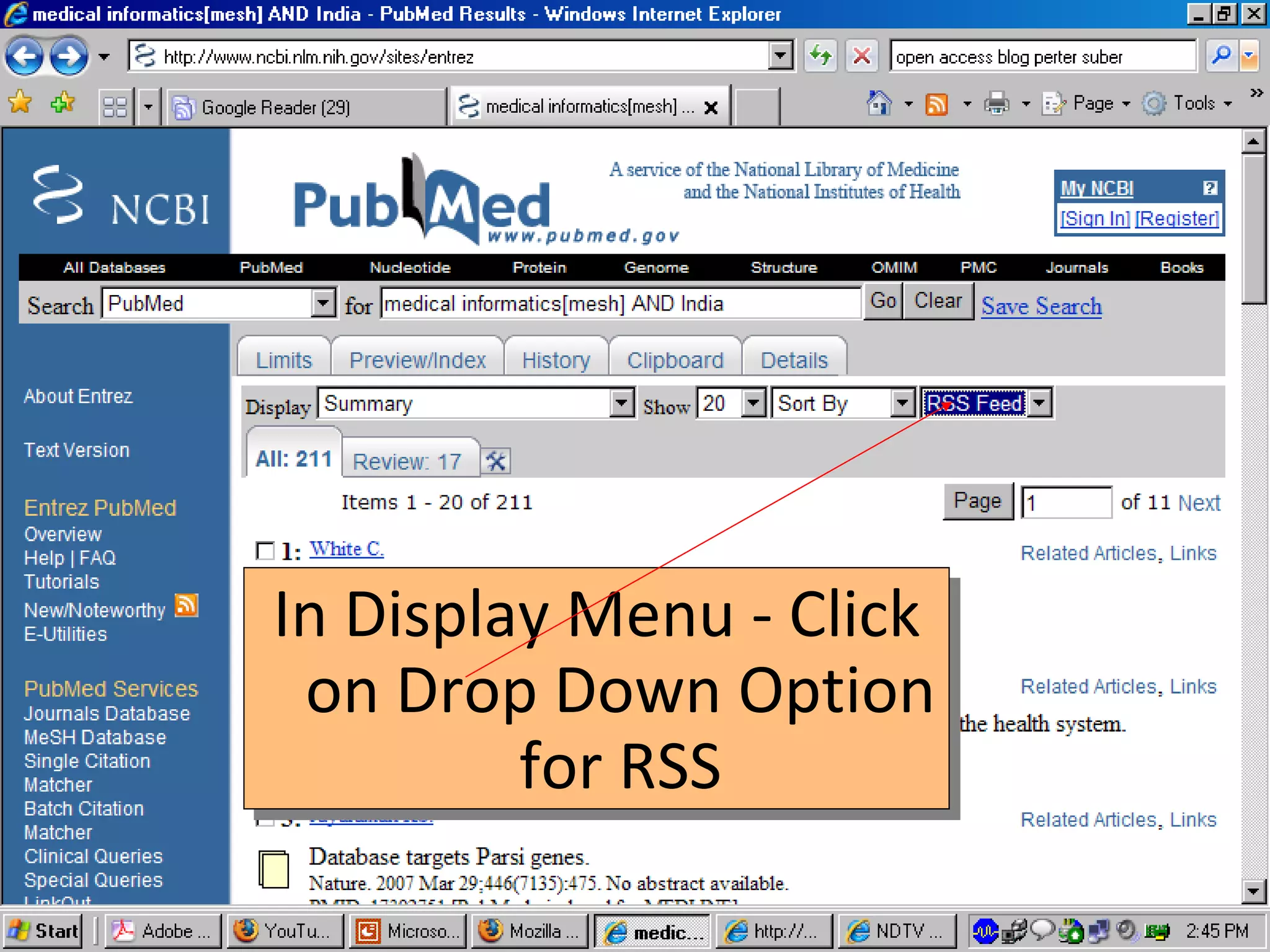
In Display Menu - Click on Drop Down Option for RSS
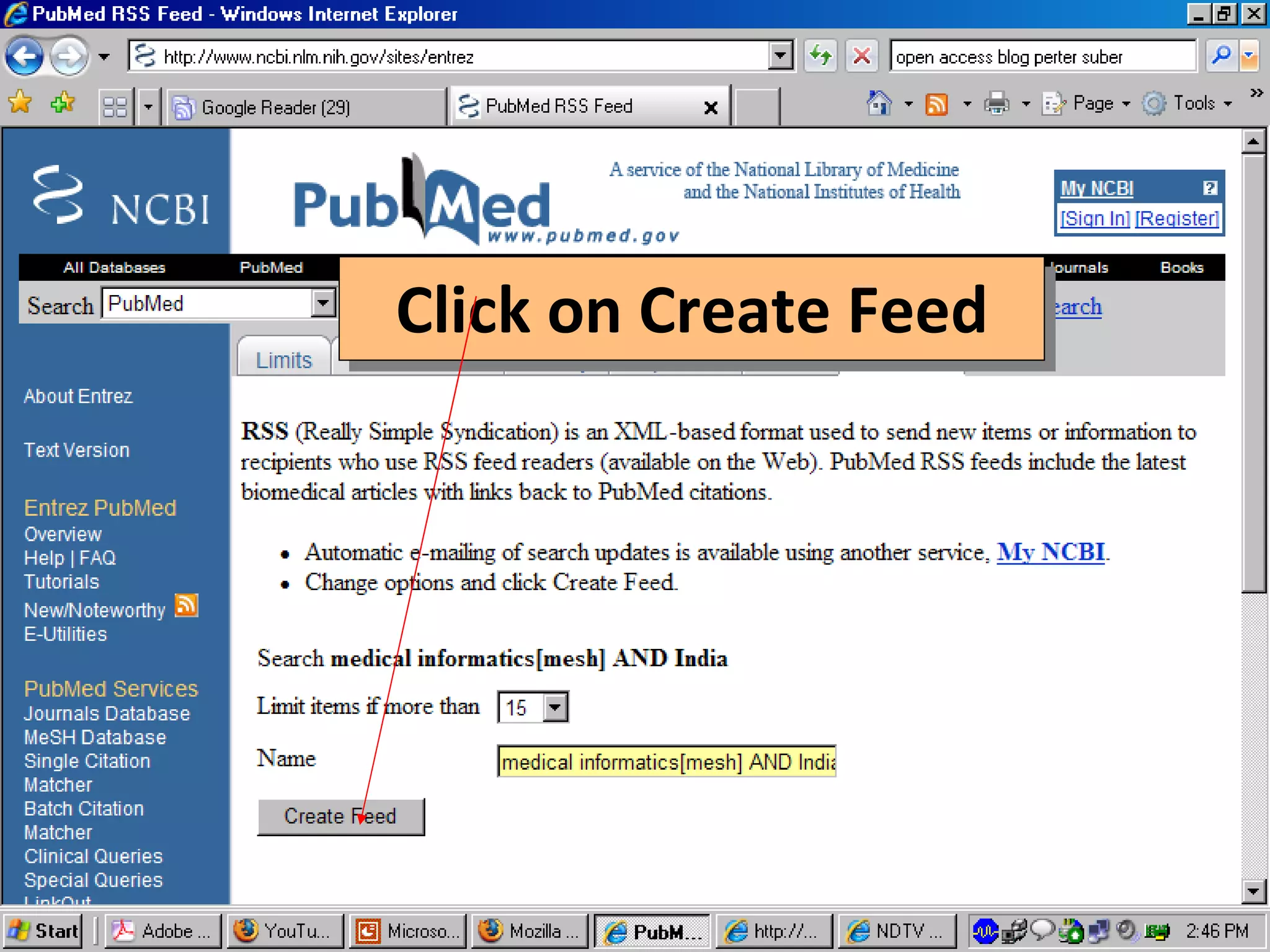
Click on Create Feed
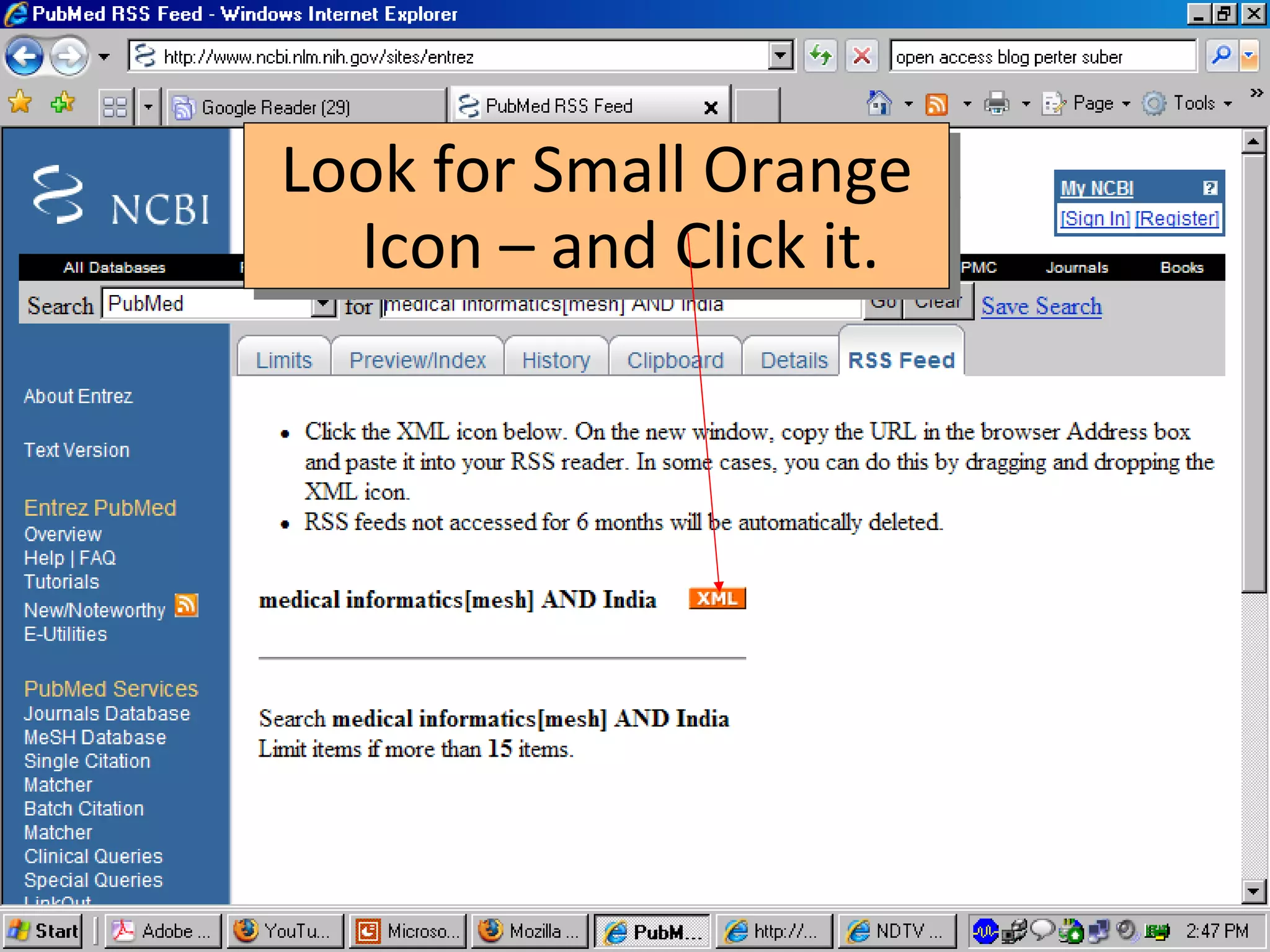
Look for Small Orange Icon – and Click it.
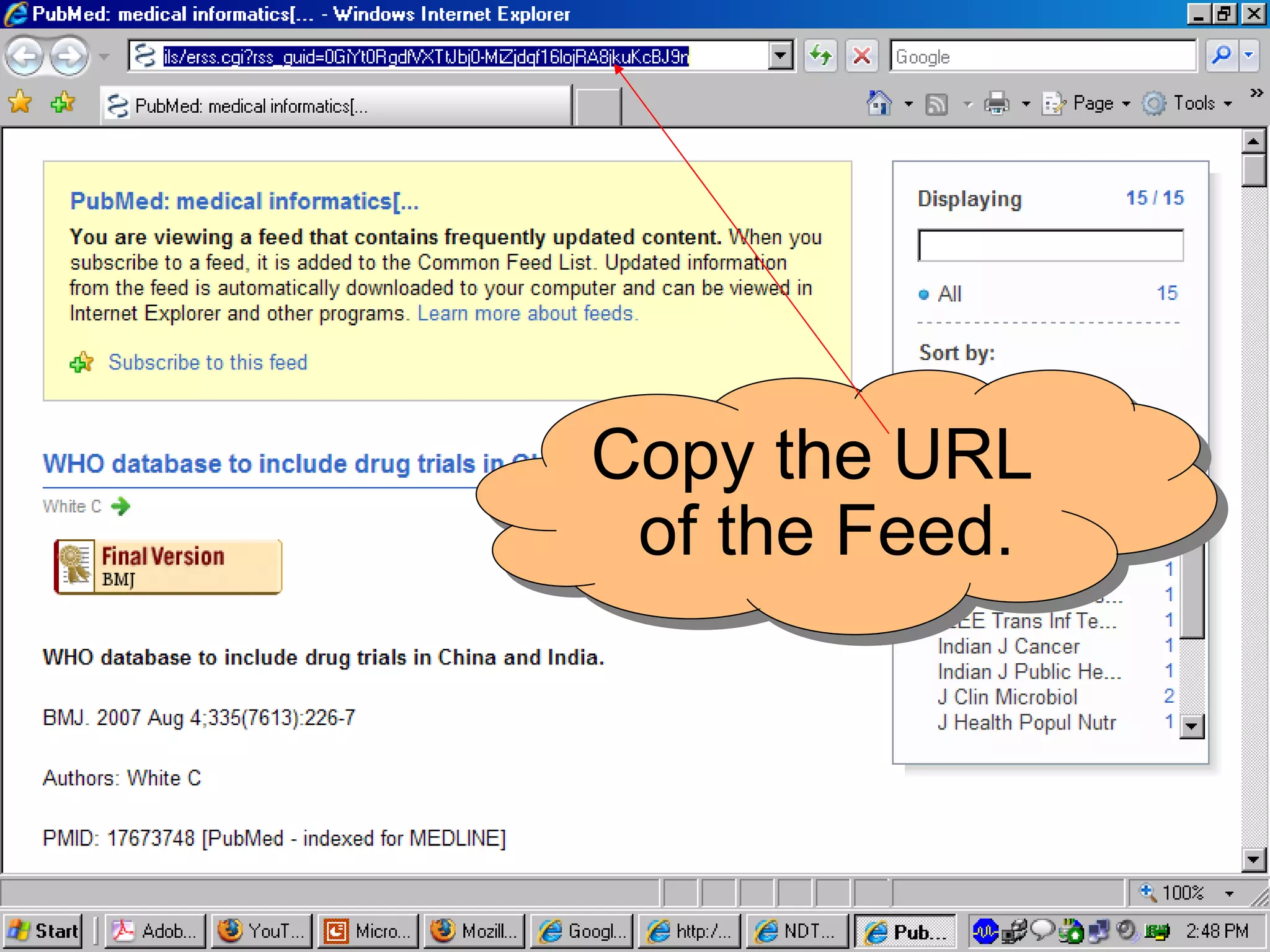
Copy the URL of the Feed.
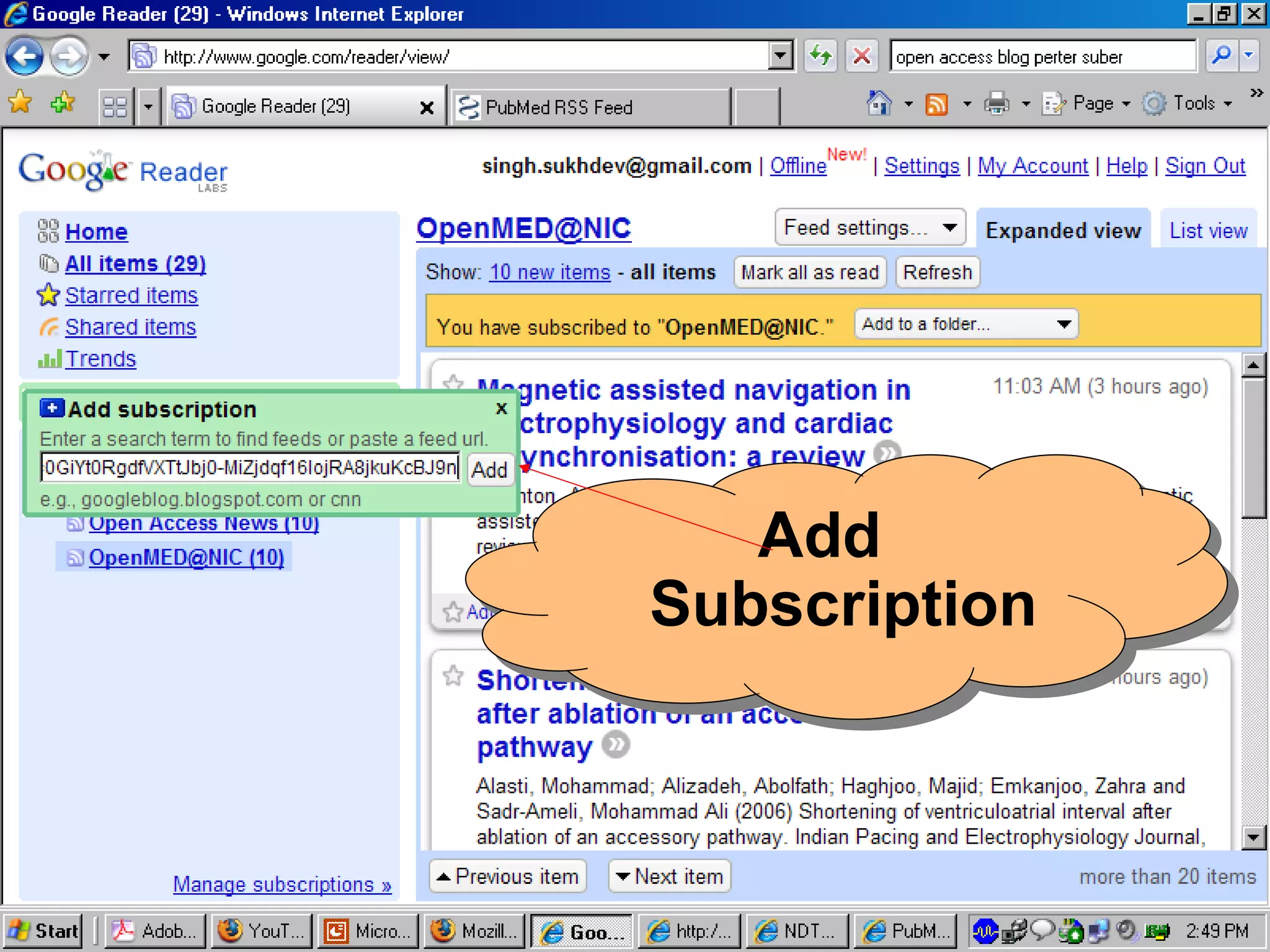
Add Subscription
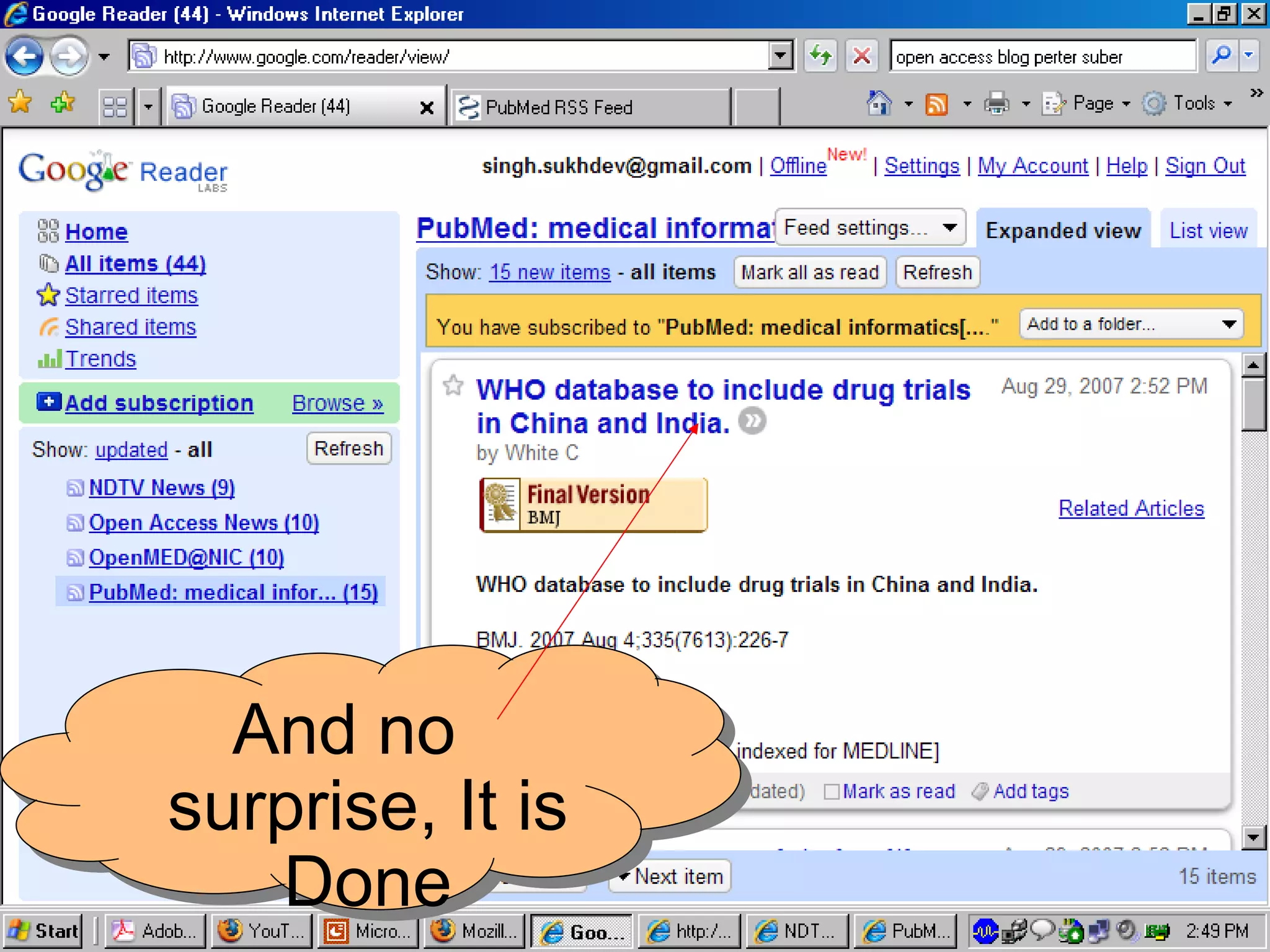
And no surprise, It is Done
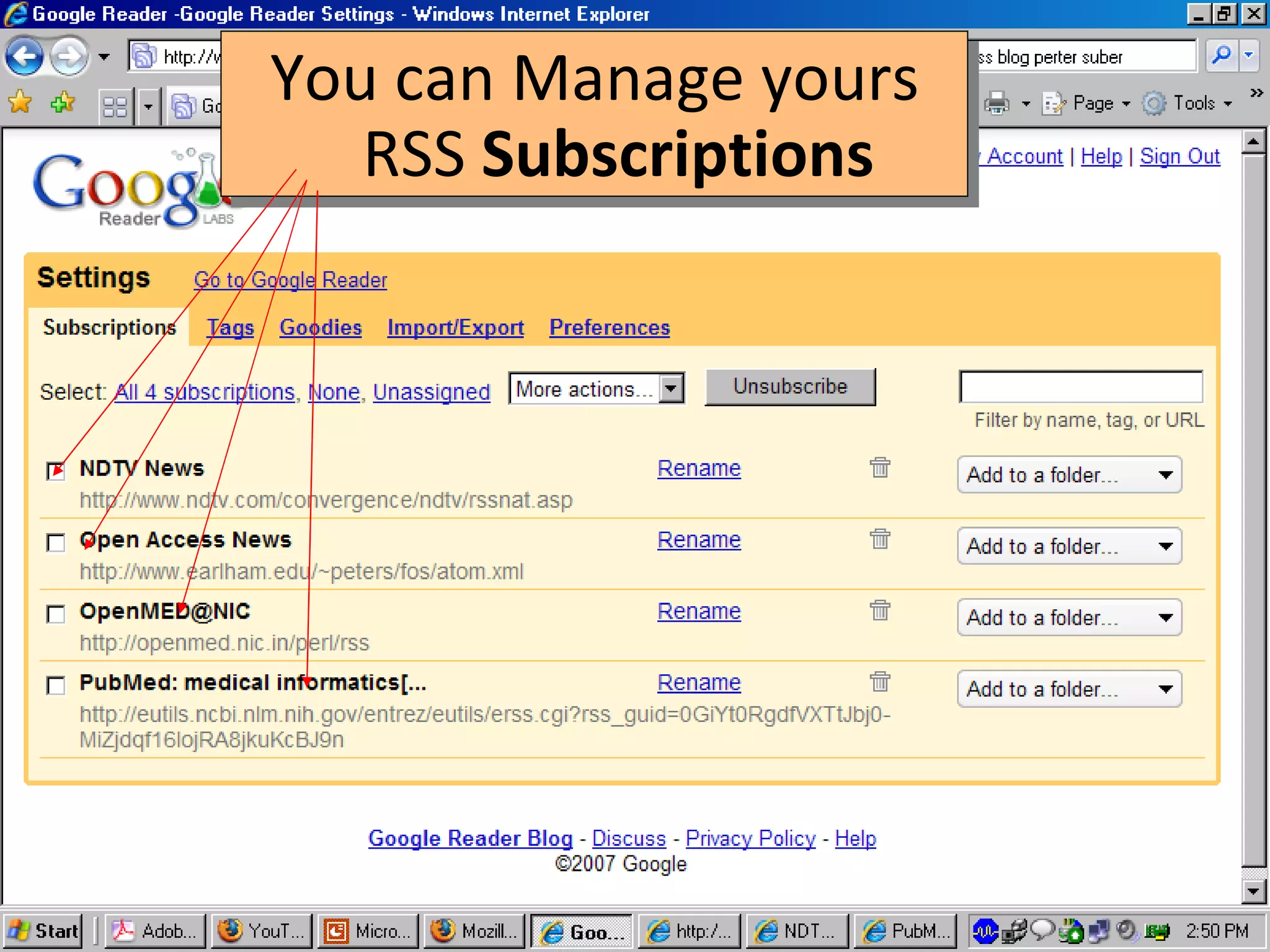
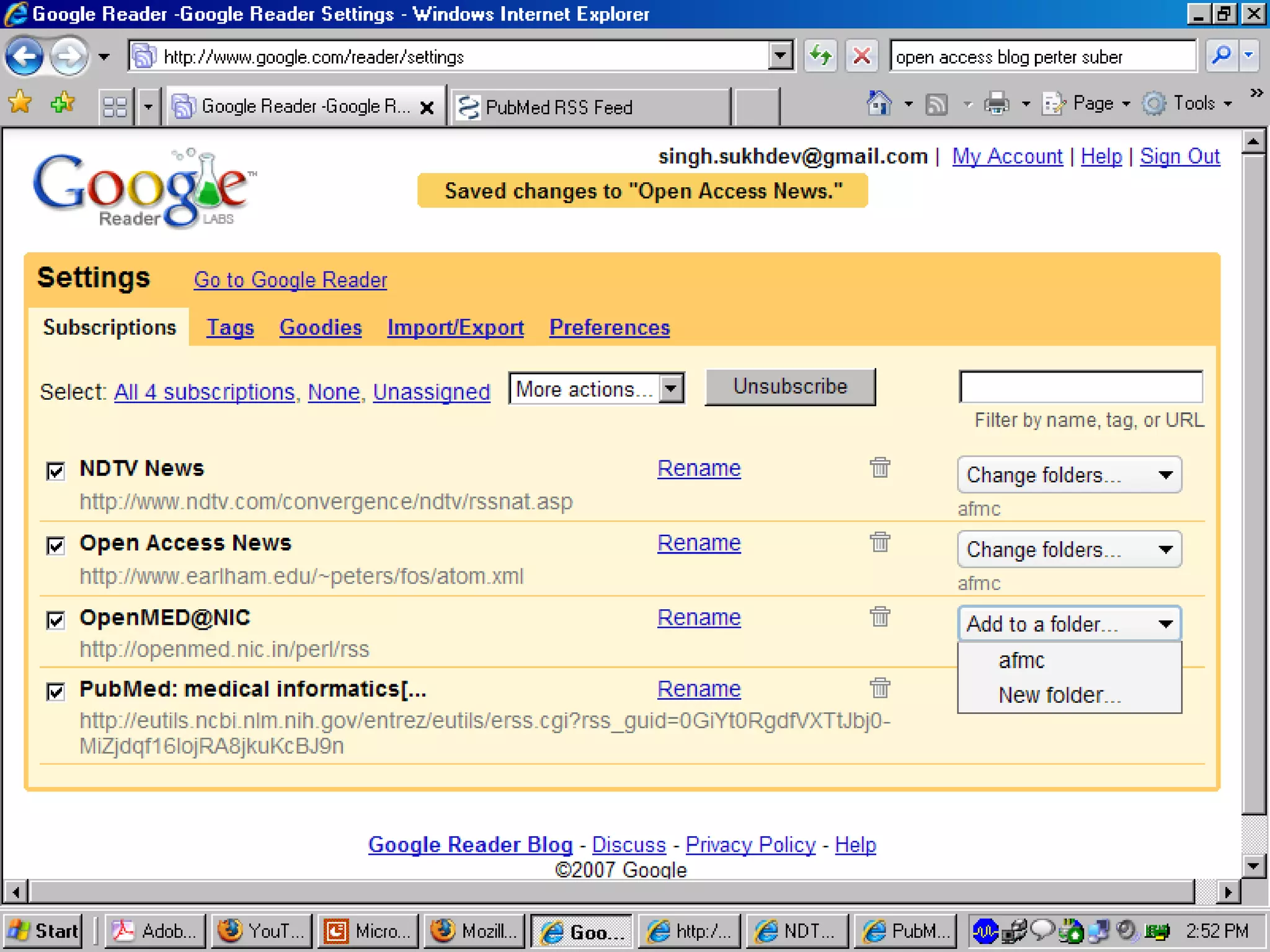
You can Manage yours RSS  Subscriptions
 
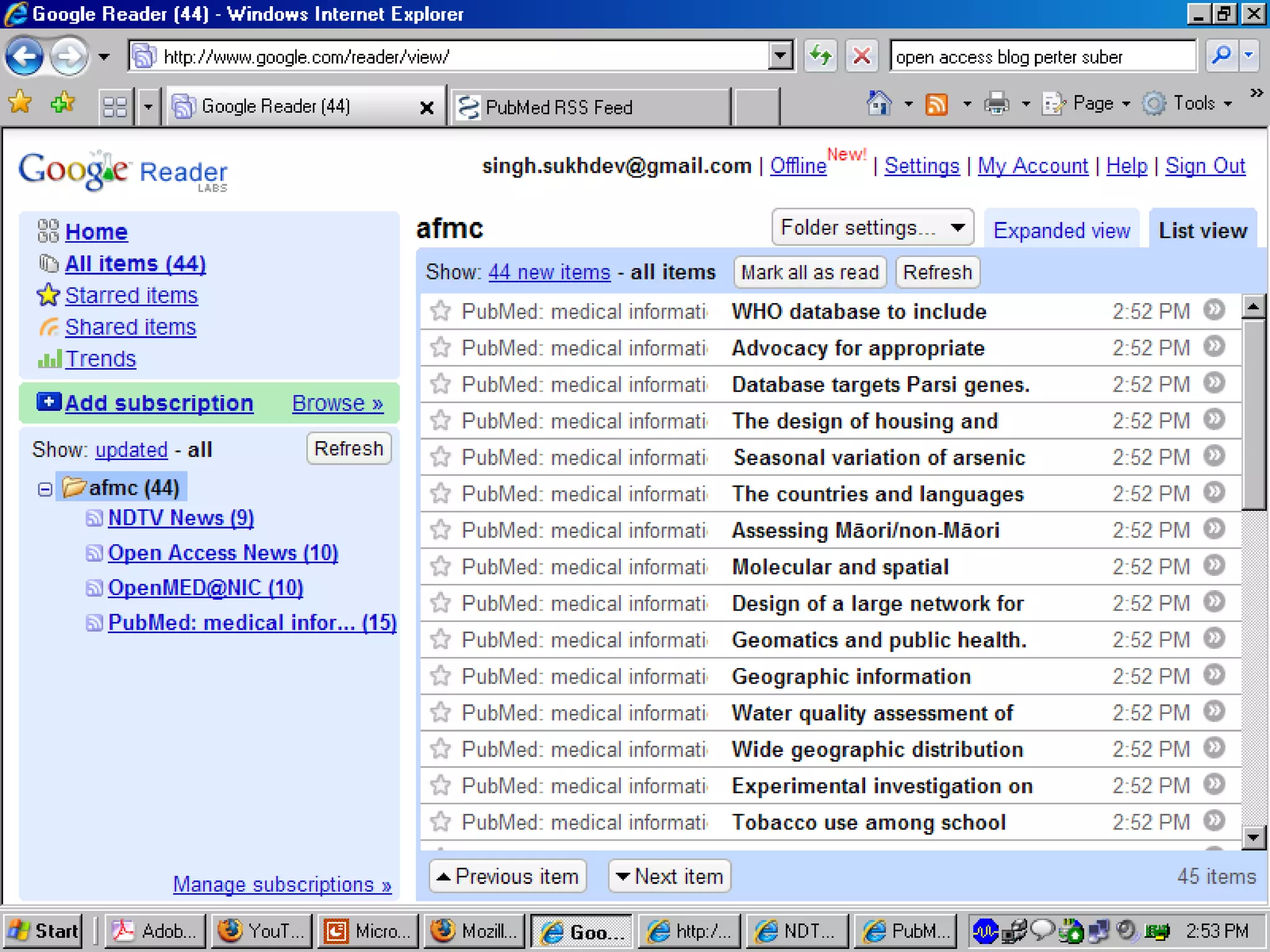
See them all at one place.  No need to visit each site.
 
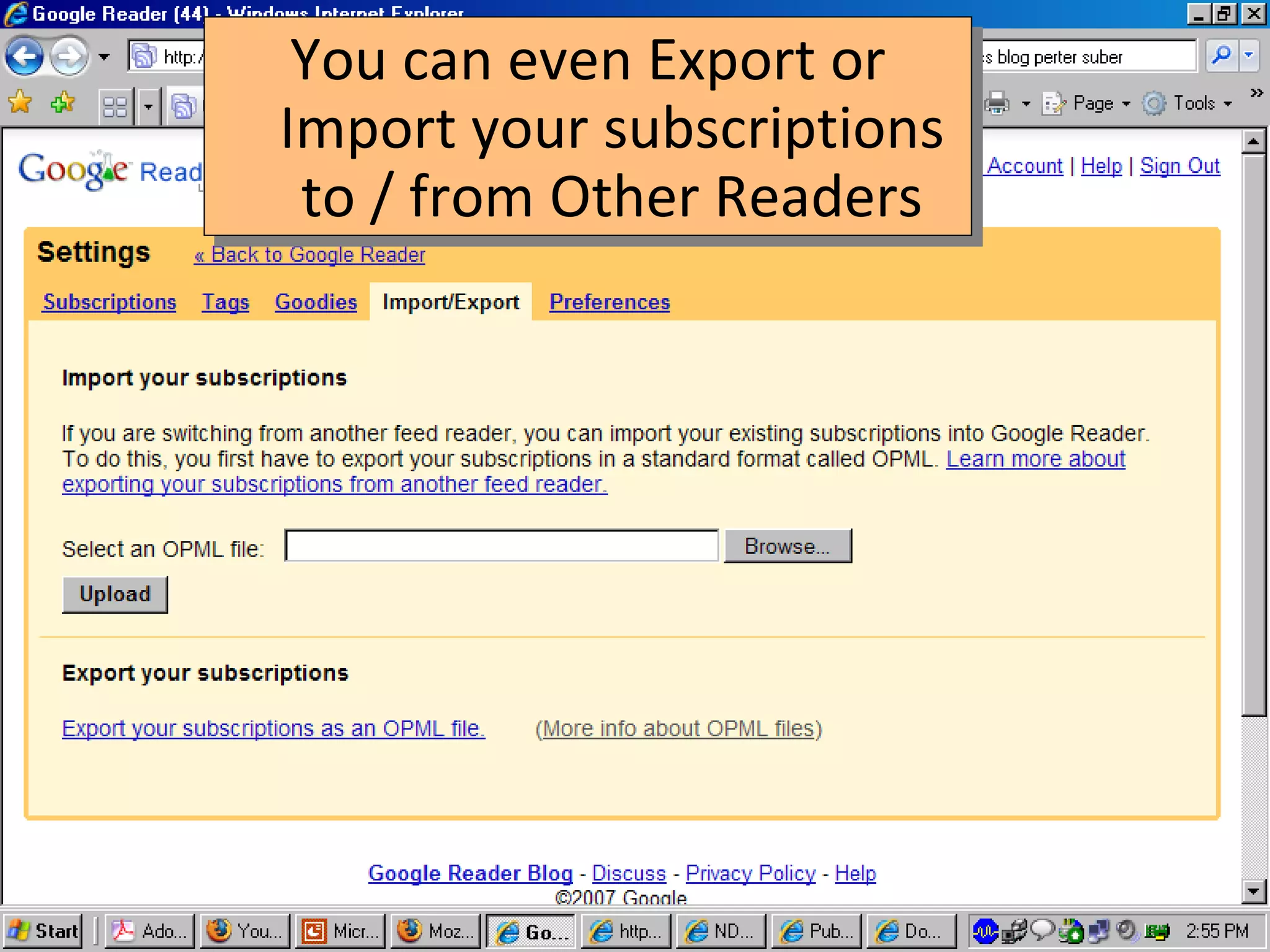
You can even Export or Import your subscriptions to / from Other Readers
We have seen the usefulness of RSS. Now let see what is this RSS?
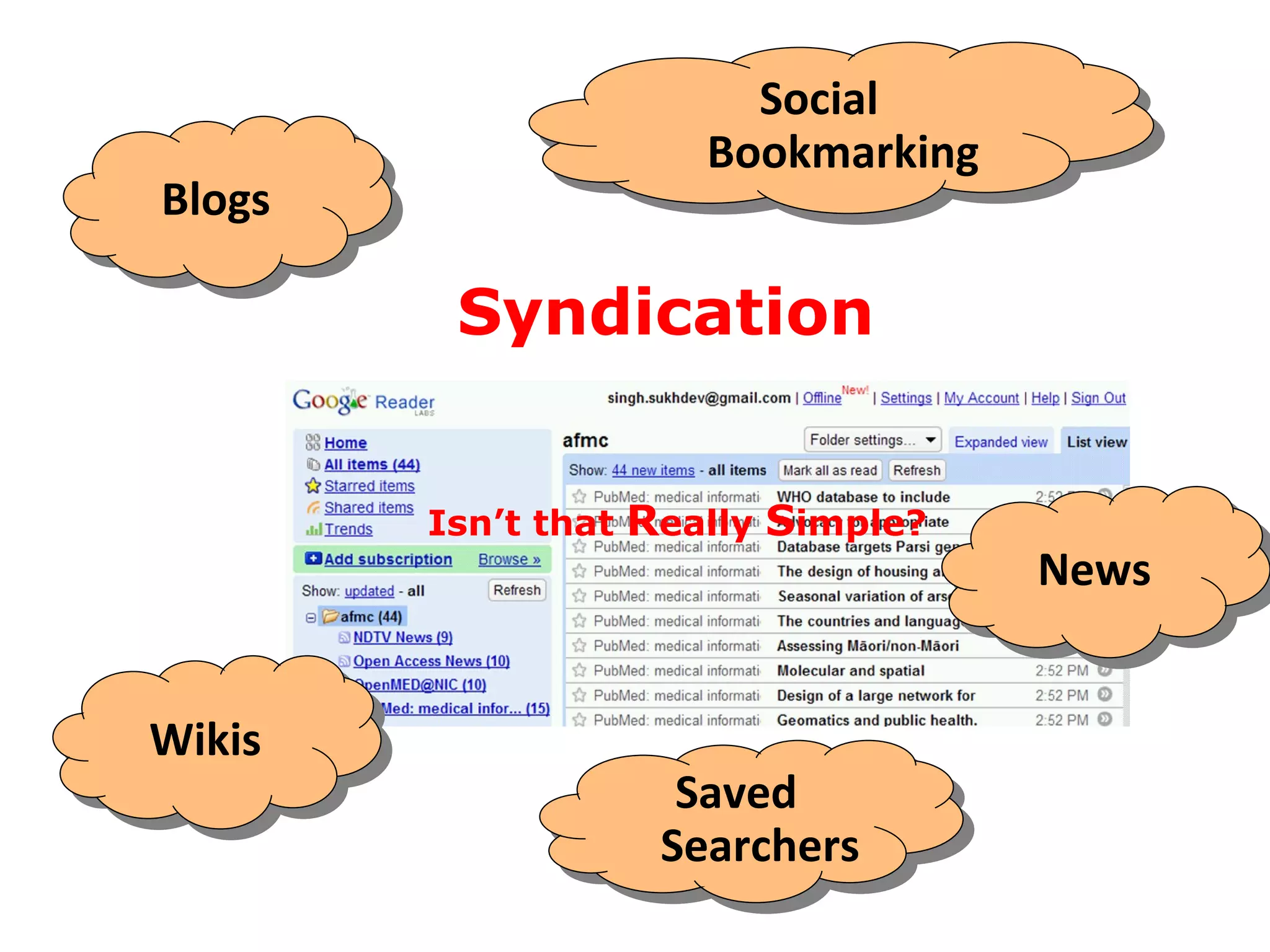
Blogs Saved Searchers Social Bookmarking Wikis News Syndication Isn’t that  R eally  S imple?
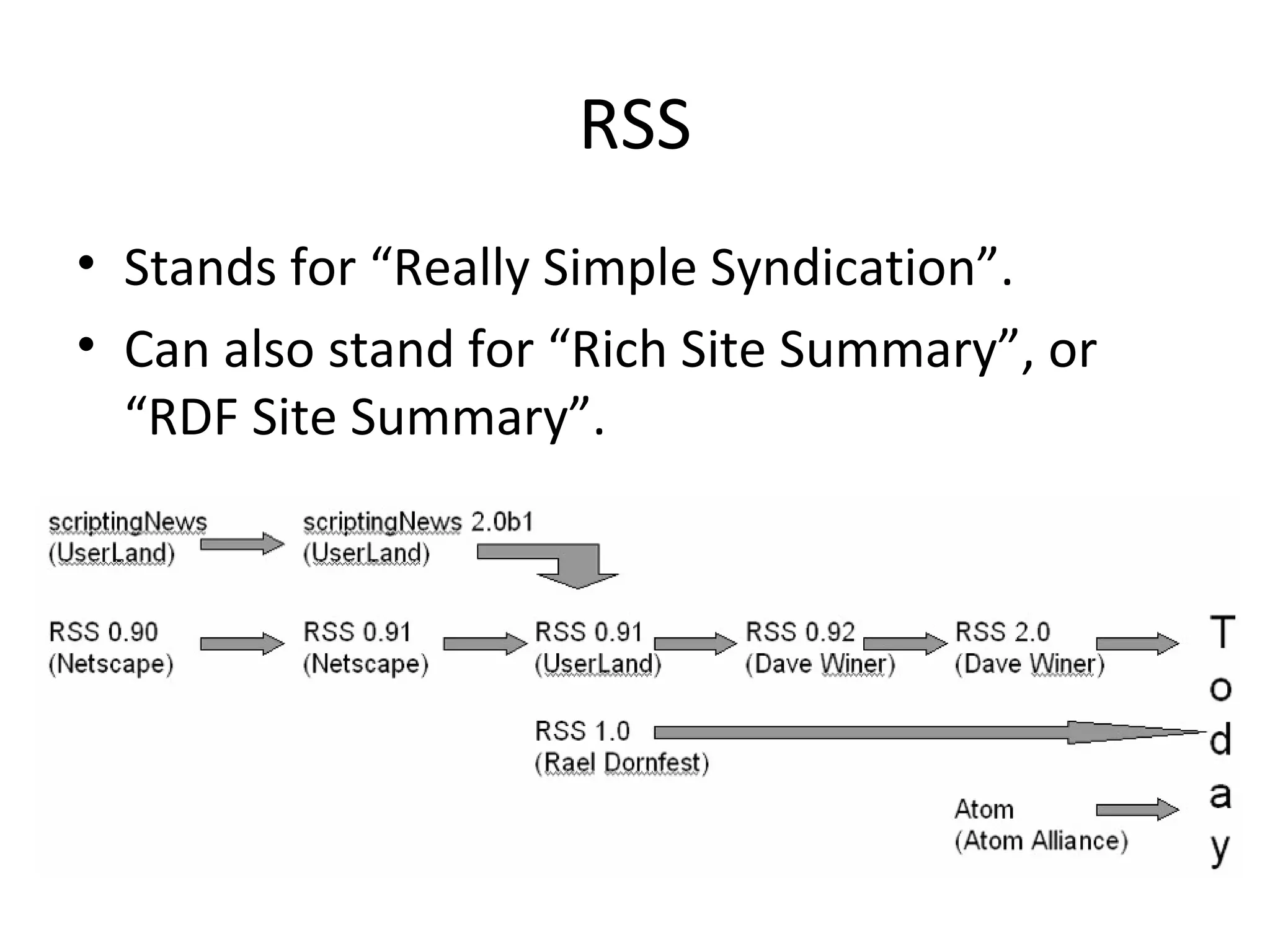
RSS Stands for “Really Simple Syndication”. Can also stand for “Rich Site Summary”, or “RDF Site Summary”.
“ Really Simple  Syndication ” is the default expansion of RSS nowadays.
RSS is written in  XML  language for syndicating information items on web.
XML Source Code of RSS <?xml version=&quot;1.0&quot; encoding=&quot;windows-1252&quot;?> <rss version=&quot;2.0&quot;> <channel> <title>NDTV News</title> <description></description> <language>en-us</language> <link>http://www.ndtv.com</link> <copyright>&#169; Copyright 2006, New Delhi Television Ltd.</copyright>  <pubDate>Wed, 21 Jan 2009 16:13:17 GMT</pubDate>  <category>National News</category>  <image> <title>NDTVNews</title><url>http://www.ndtv.com/images/ndtv.gif</url> <link>http://www.ndtv.com</link> </image>  <item> <title>Surya Kiran trainer jet crashes in Karnataka, pilot killed</title> <pubDate>Wed, 21 Jan 2009 13:29:00 GMT</pubDate> <description><![CDATA[<p><a href=http://www.ndtv.com/convergence/ndtv/story.aspx?id=NEWEN20090080888><img align=&quot;left&quot; border=&quot;0&quot; src=&quot;http://www.ndtv.com/convergence/images/thumbnail/ver1/m/mapkarnataka1.jpg&quot; alt=&quot;Surya Kiran trainer jet crashes in Karnataka, pilot killed&quot; style=&quot;margin-right:5px;margin-top:5px;width:70px;height:70px;&quot; /></a>A pilot of an Indian Kiran trainer jet was killed in a crash on Wednesday morning near Bidar in Karnataka. </p><br clear=&quot;all&quot; />]]></description> <link>http://www.ndtv.com/convergence/ndtv/story.aspx?id=NEWEN20090080888</link> <keywords>crash, pilot, Karnataka</keywords> </item> </channel> </rss>
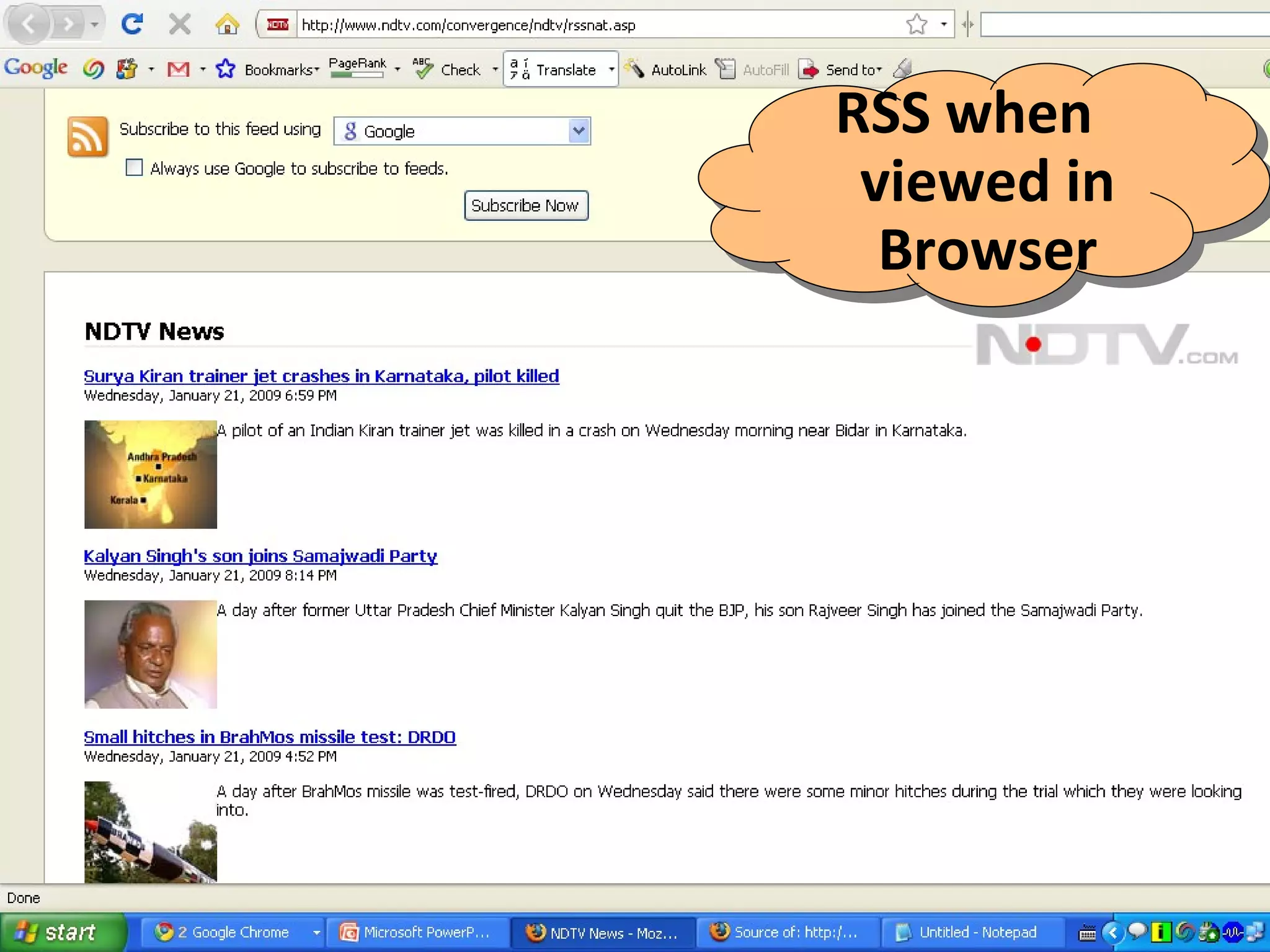
RSS when viewed in Browser
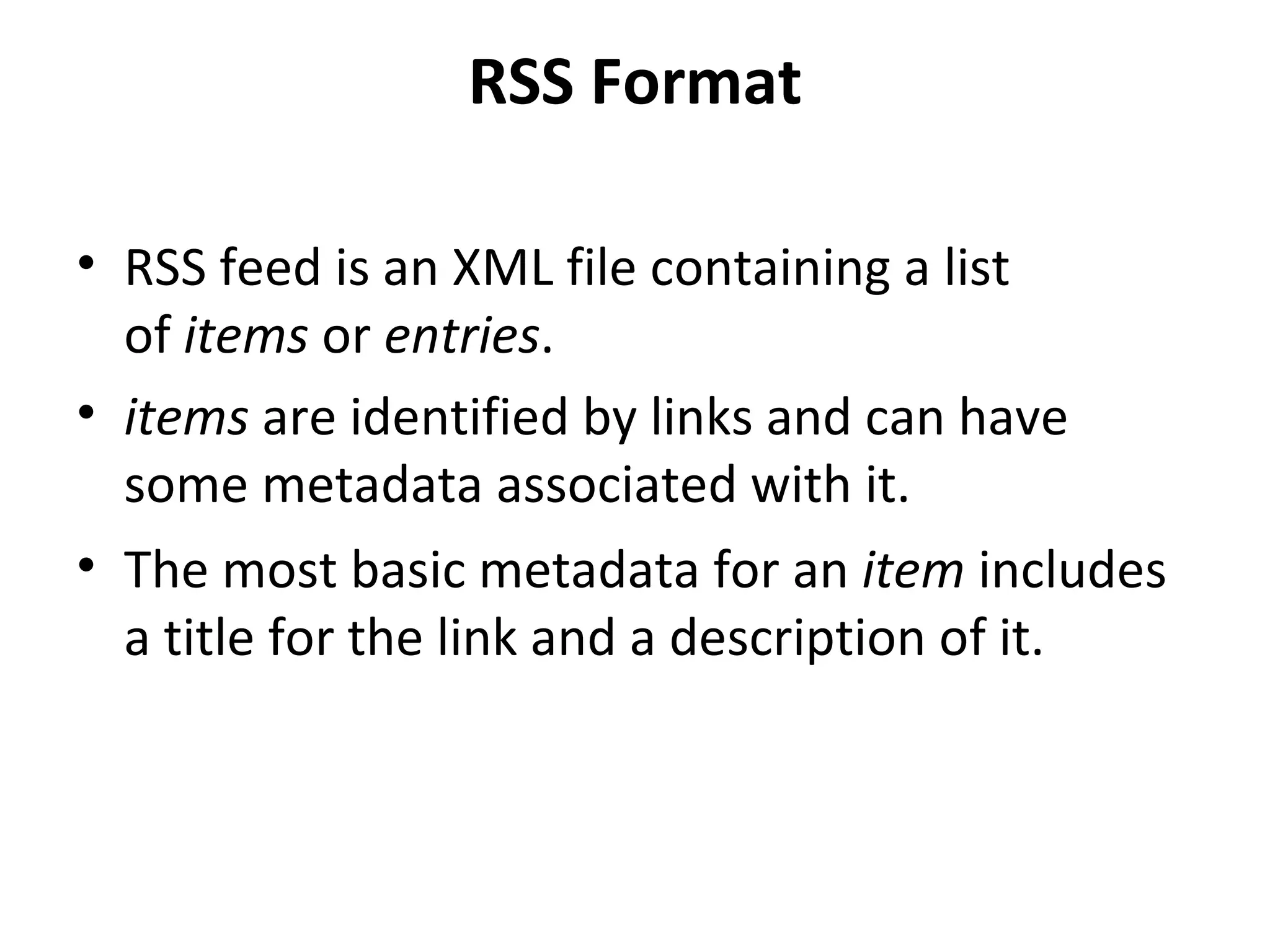
RSS Format RSS feed is an XML file containing a list of  items  or  entries . items  are identified by links and can have some metadata associated with it.  The most basic metadata for an  item  includes a title for the link and a description of it.
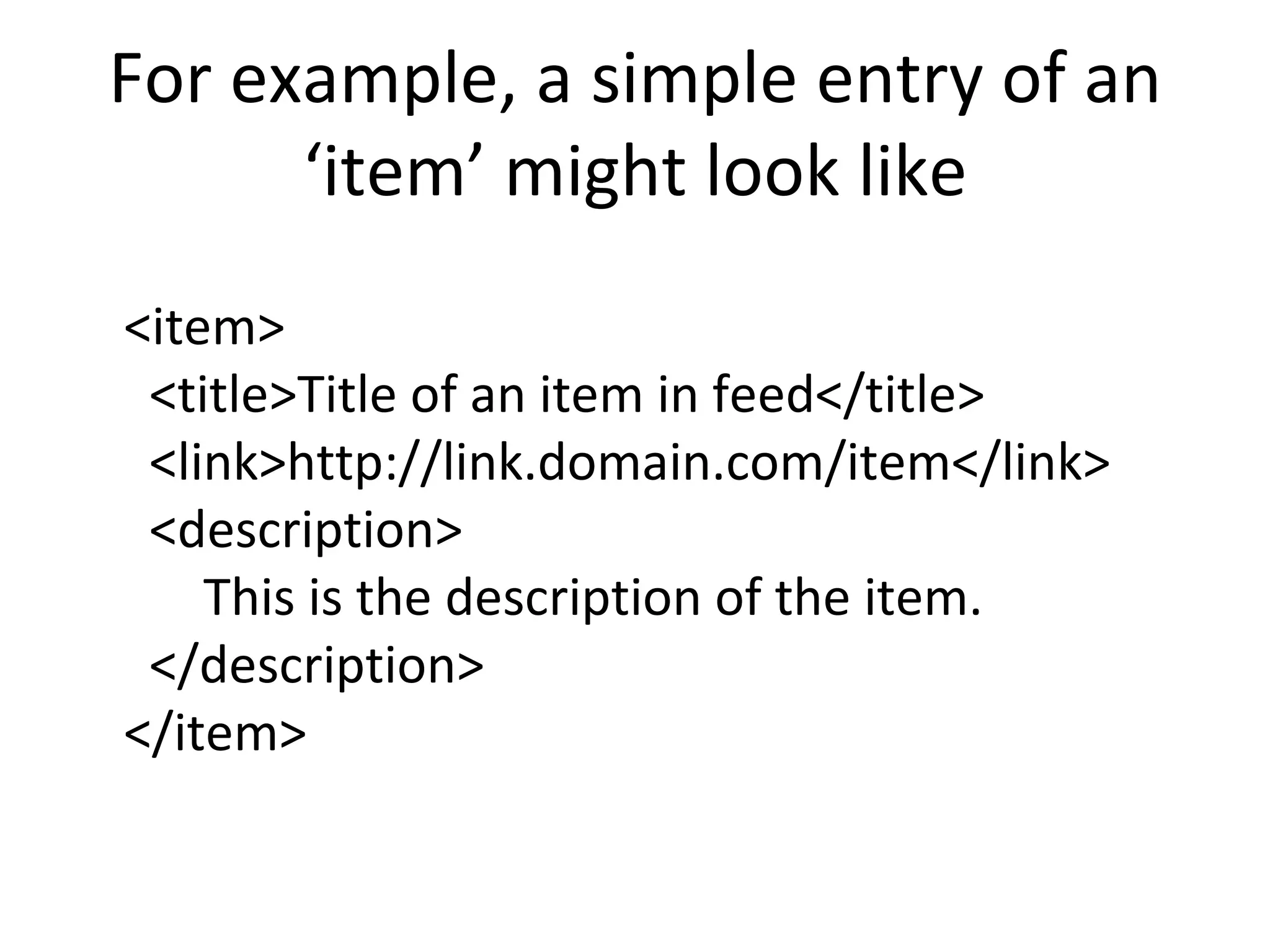
For example, a simple entry of an ‘item’ might look like <item>   <title>Title of an item in feed</title>   <link>http://link.domain.com/item</link>   <description> This is the description of the item.   </description> </item>
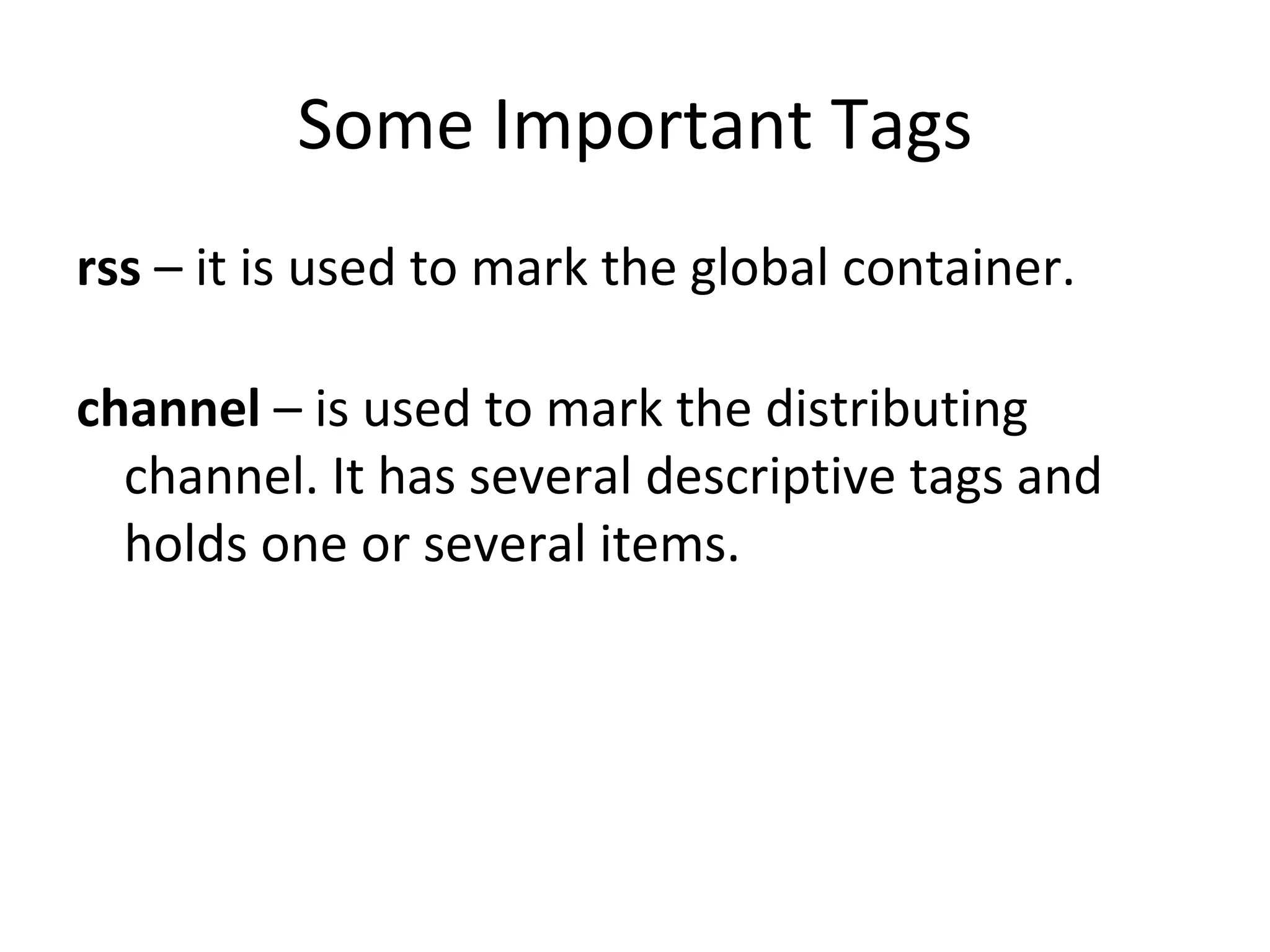
Some Important Tags rss  – it is used to mark the global container. channel  – is used to mark the distributing channel. It has several descriptive tags and holds one or several items. 
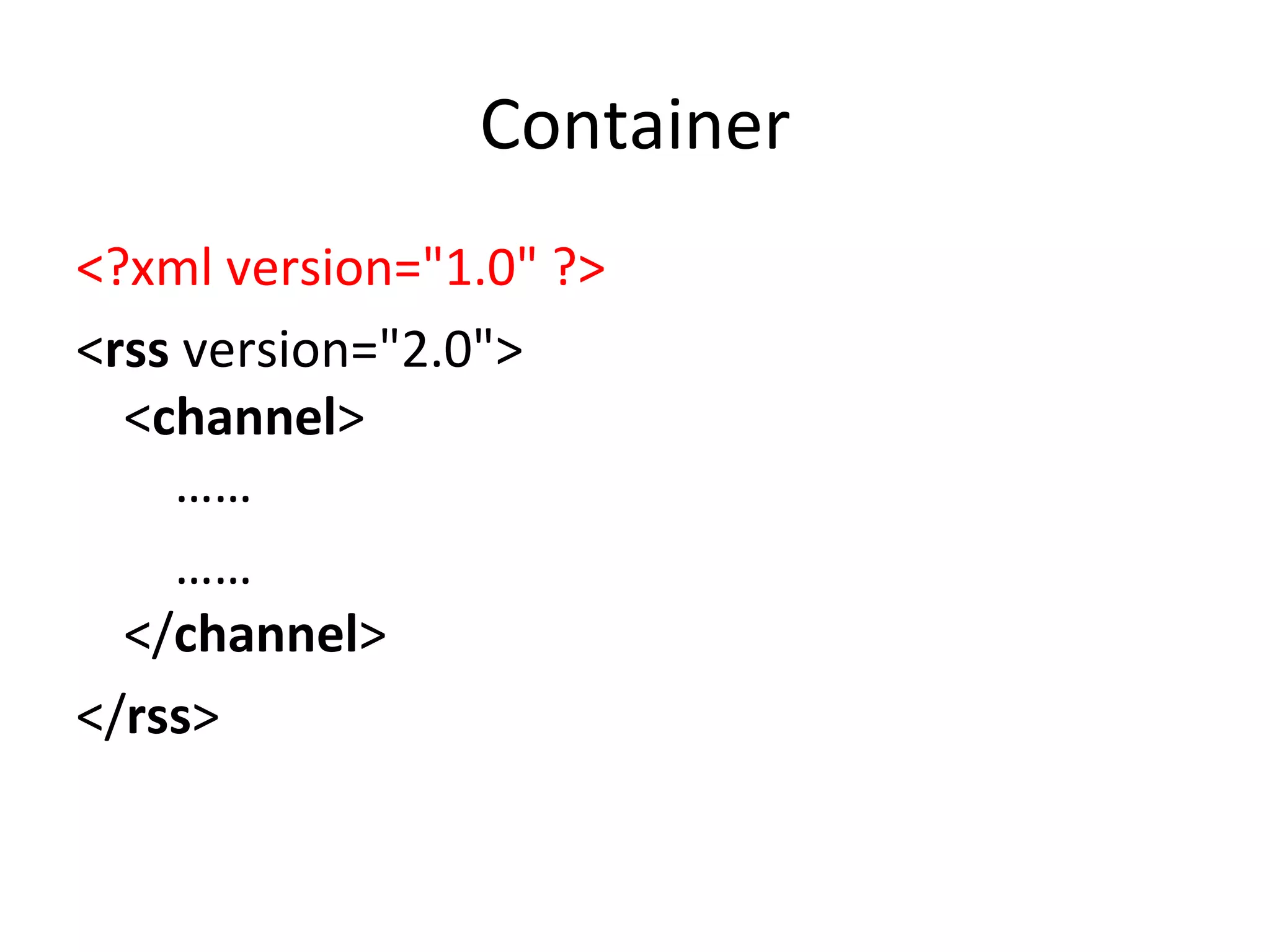
Container <?xml version=&quot;1.0&quot; ?> < rss  version=&quot;2.0&quot;> < channel >      ……   …… </ channel > </ rss >
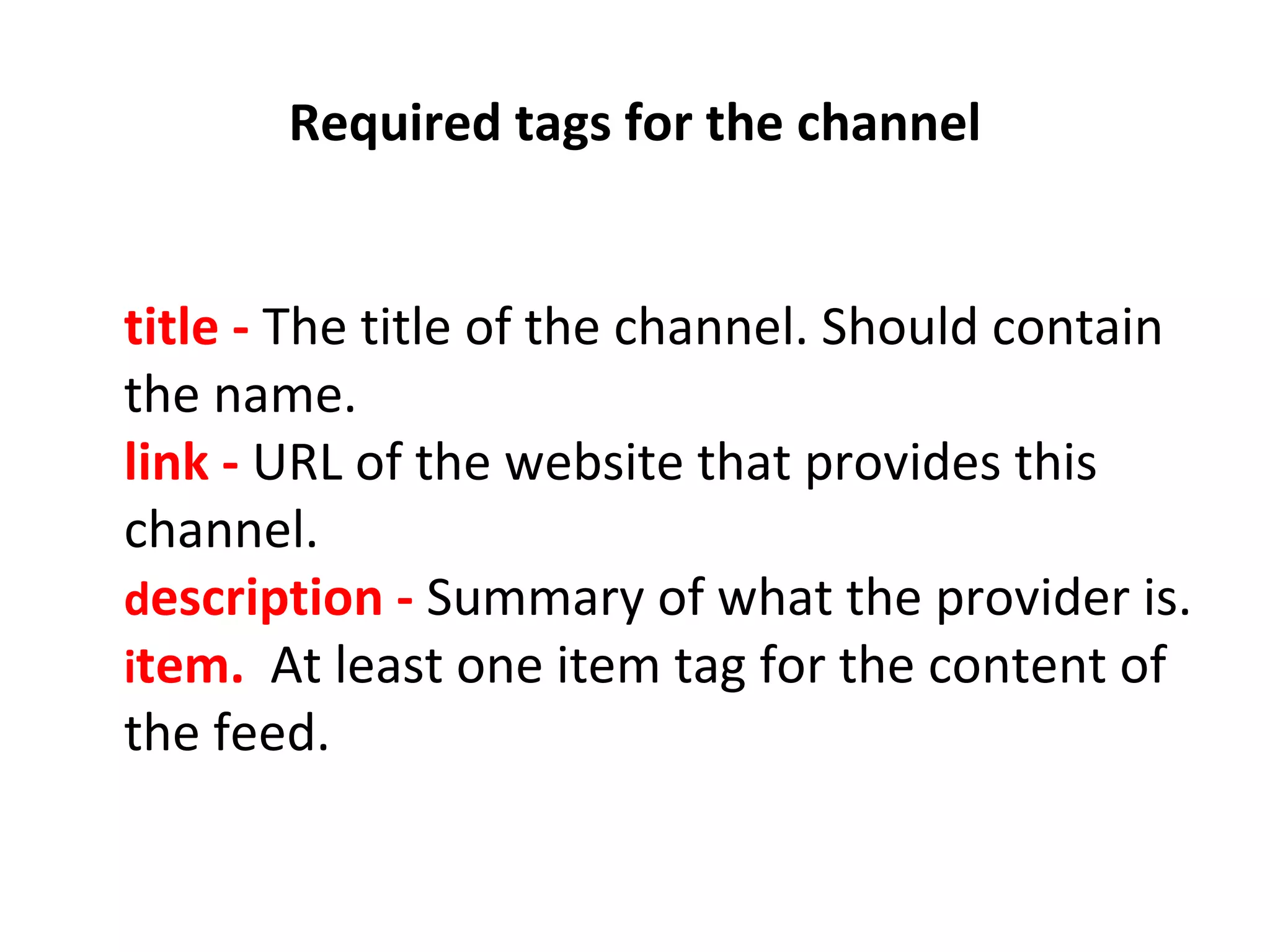
  Required tags for the channel    title -  The title of the channel. Should contain the name. link -   URL of the website that provides this channel. d escription -   Summary of what the provider is. i tem.   At least one item tag for the content of the feed.
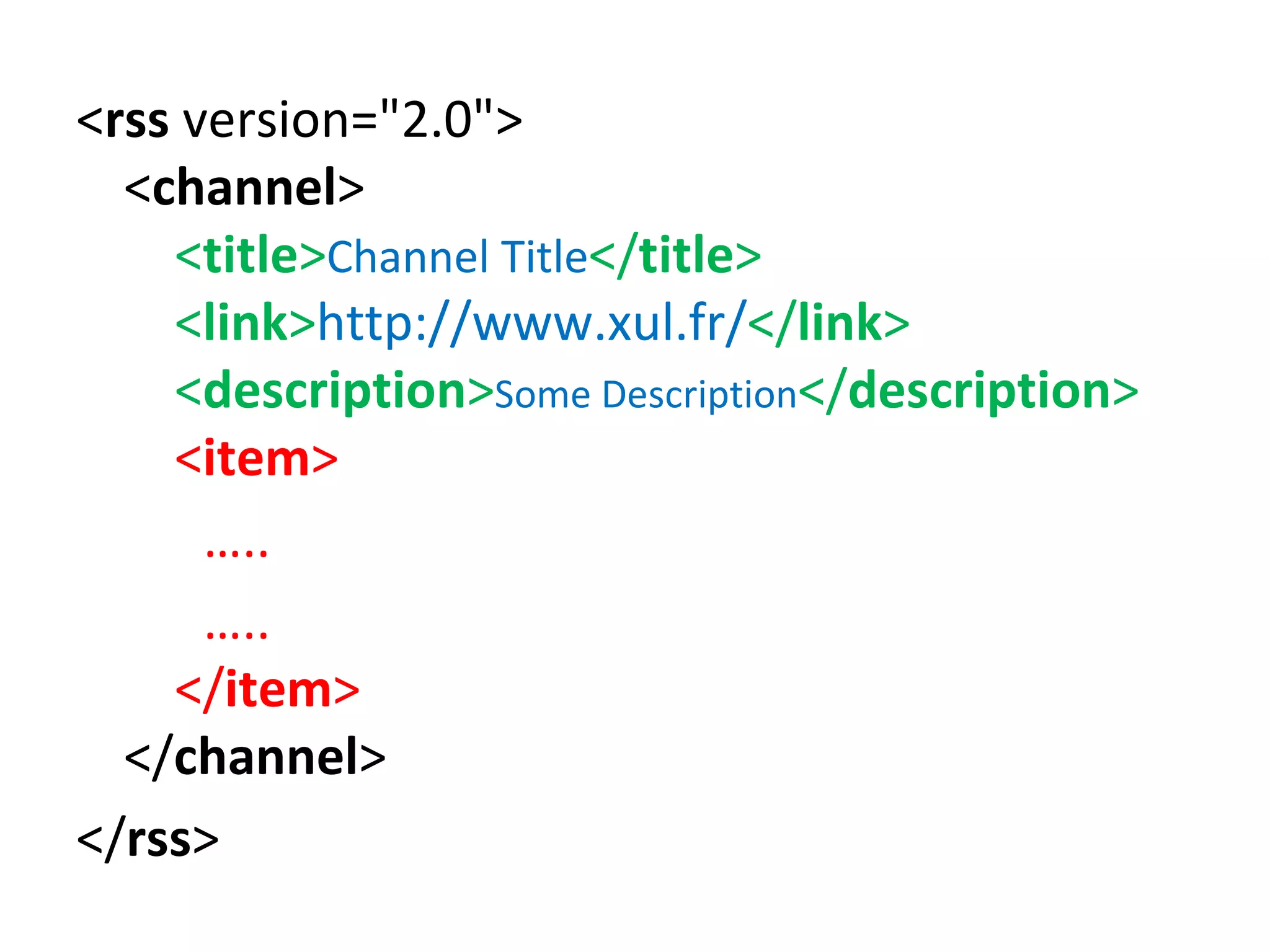
< rss  version=&quot;2.0&quot;> < channel >      < title > Channel Title </ title >          < link > http://www.xul.fr/ </ link >      < description > Some Description </ description >        < item >  … .. … ..     </ item >      </ channel > </ rss >
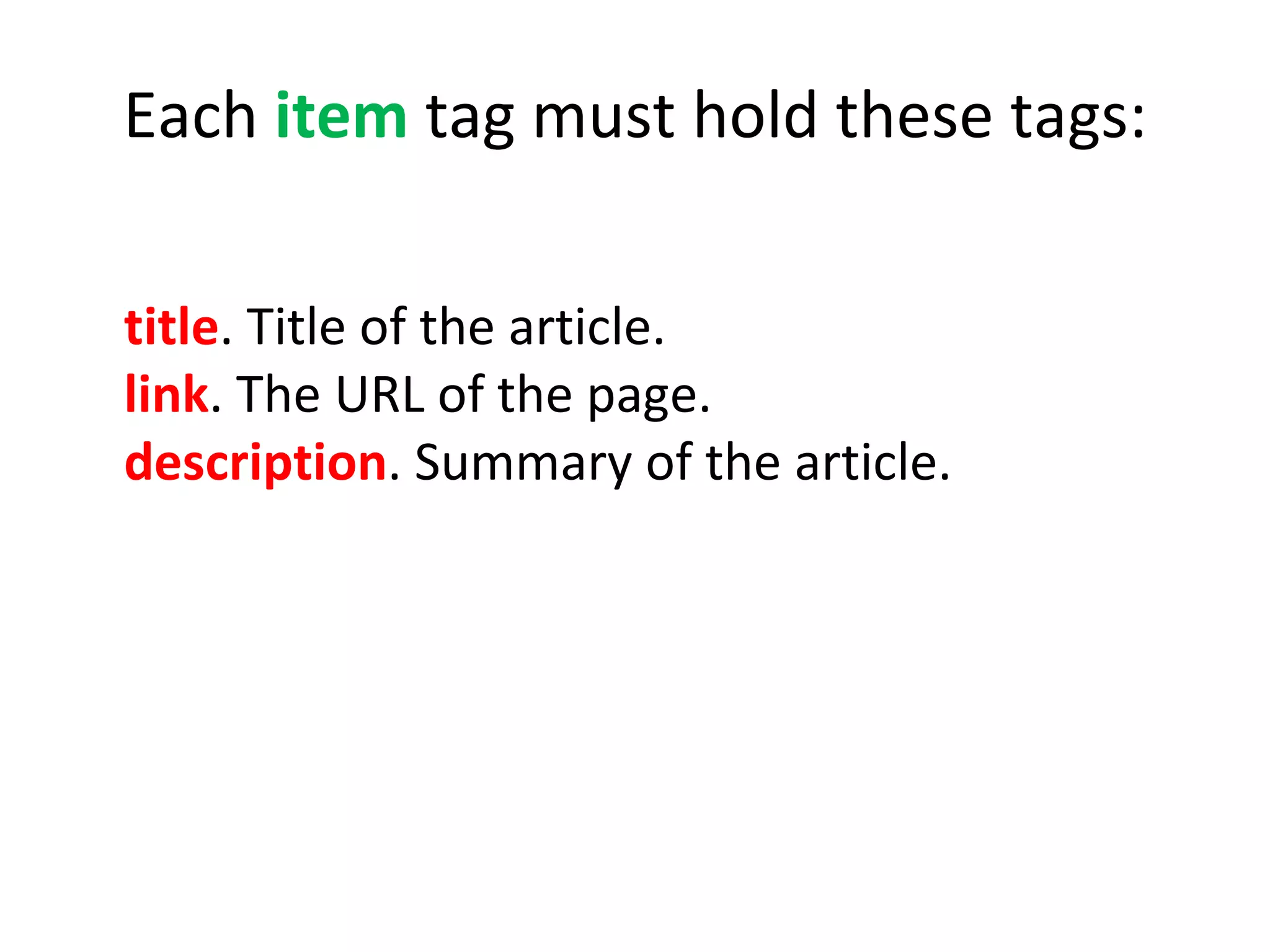
Each  item  tag must hold these tags: title . Title of the article. link . The URL of the page. description .   Summary of the article.    
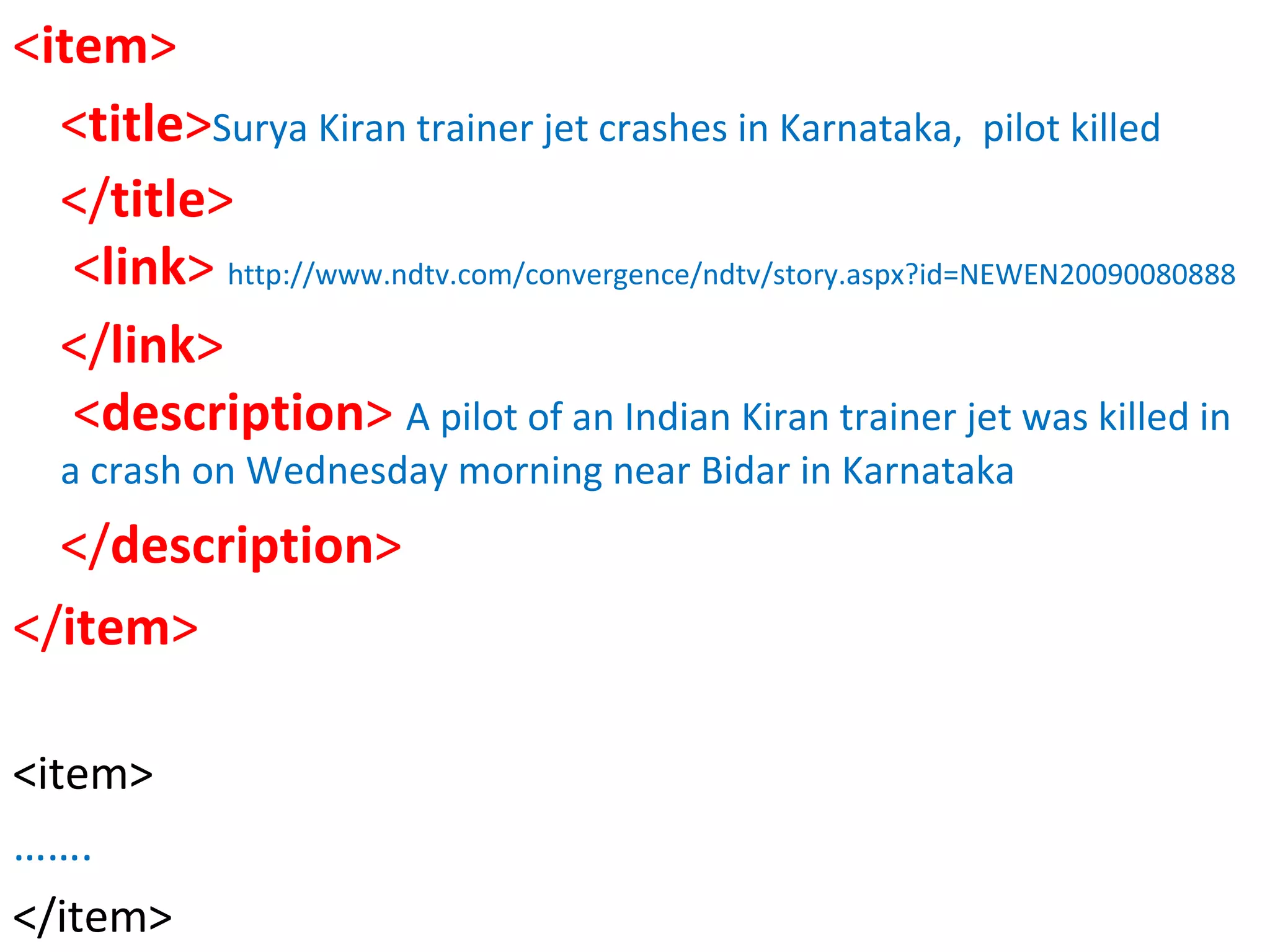
< item >   < title > Surya Kiran trainer jet crashes in Karnataka,  pilot killed </ title >             < link >  http://www.ndtv.com/convergence/ndtv/story.aspx?id=NEWEN20090080888 </ link >     < description >  A pilot of an Indian Kiran trainer jet was killed in a crash on Wednesday morning near Bidar in Karnataka </ description >  </ item > <item> …… . </item>
Format looks too complicated? Don’t worry In practice you will perhaps never need to create an RSS Feed manually.  For all practical purposes you will be using RSS Enabled content managers or some other tools to exact data from pages and generate Feeds.
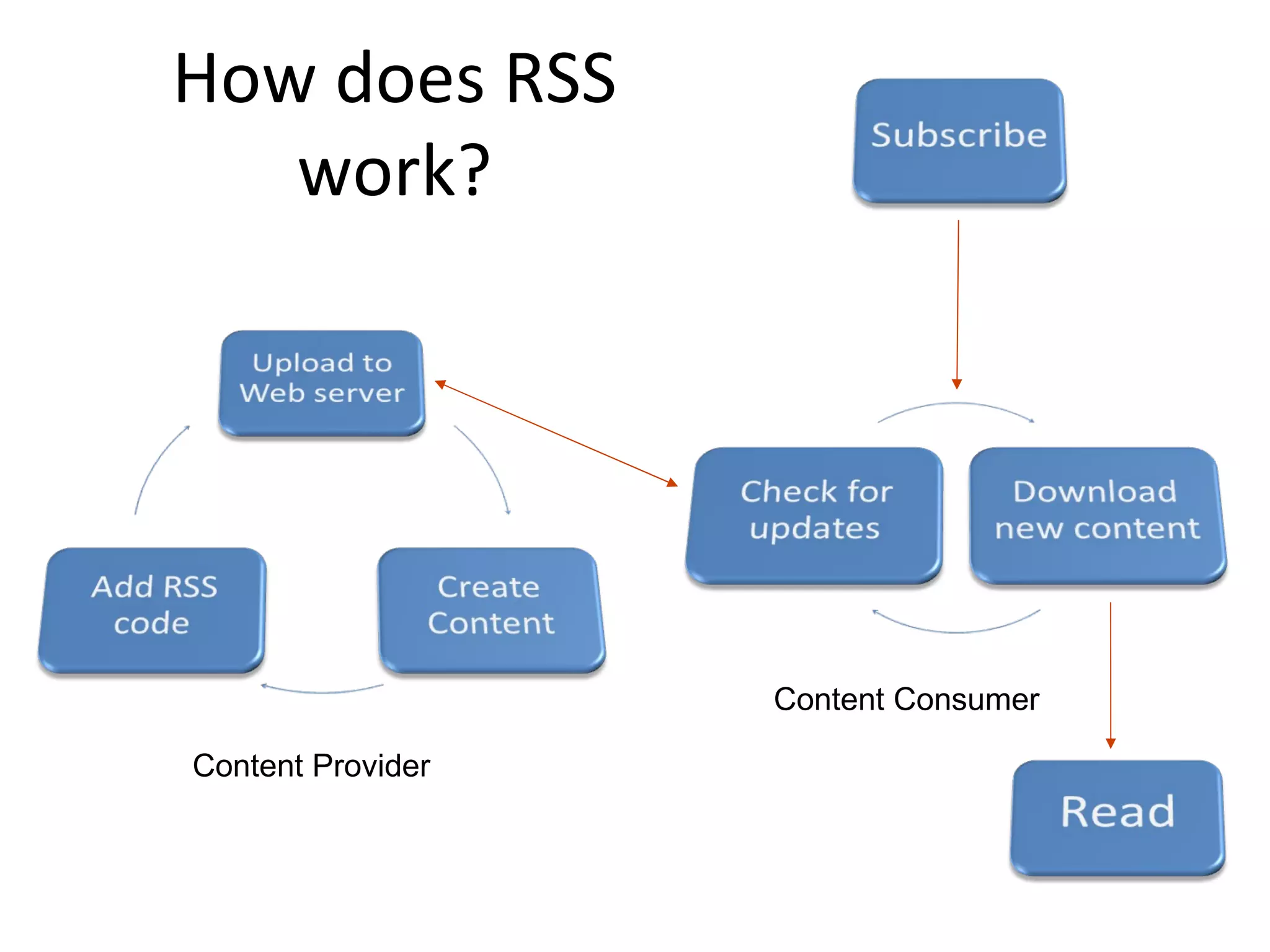
How does RSS work? Content Provider Content Consumer
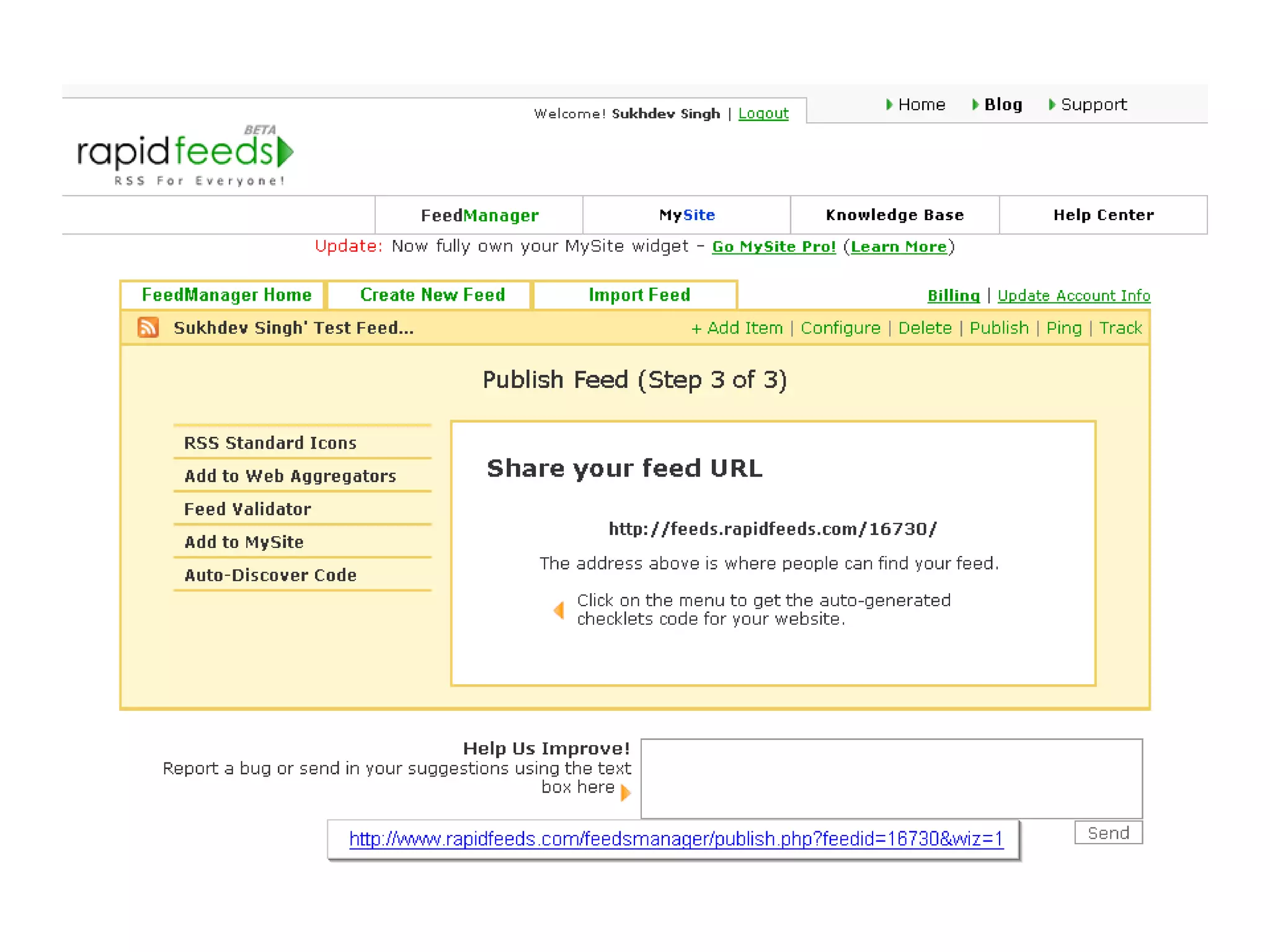
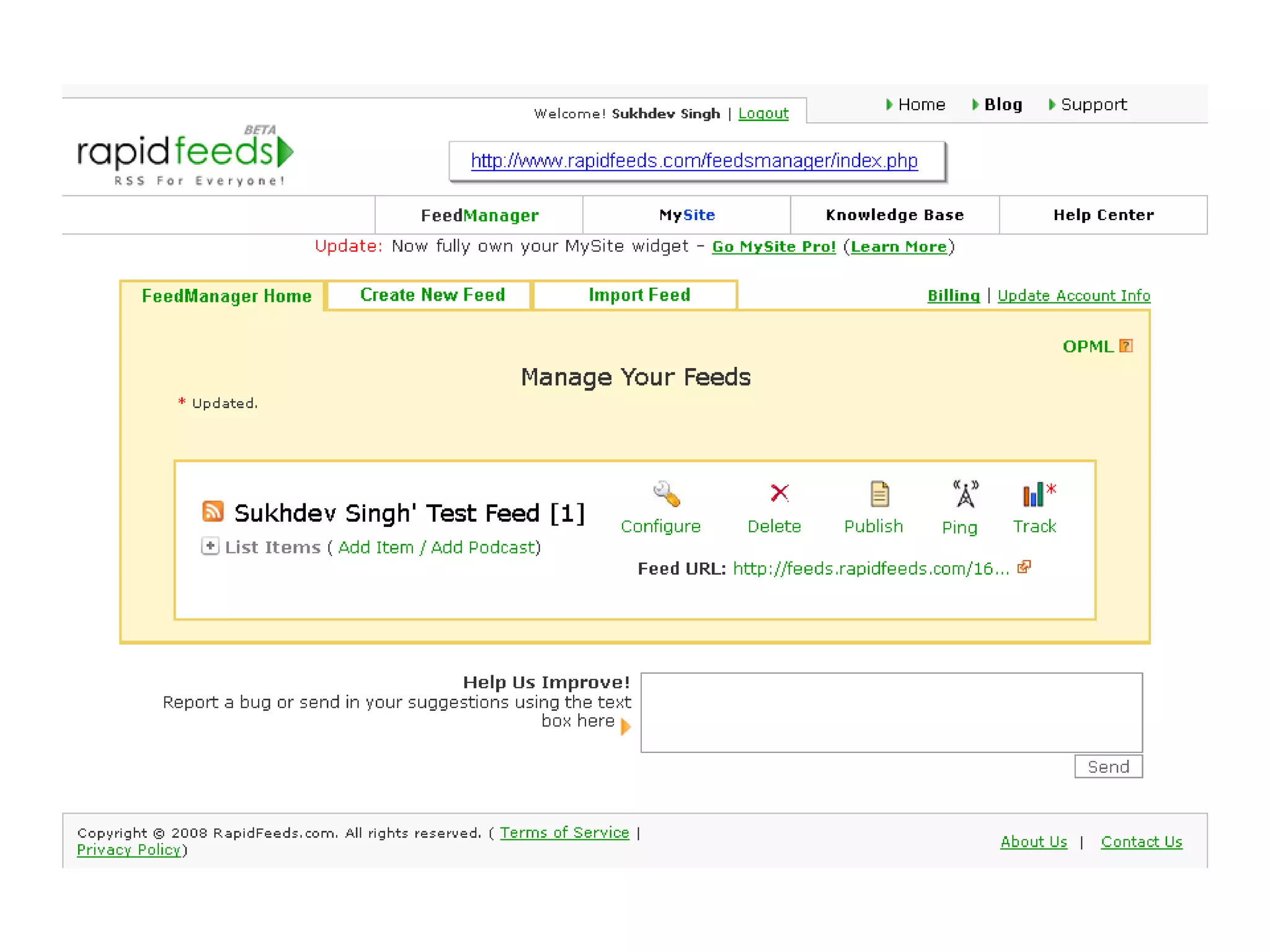
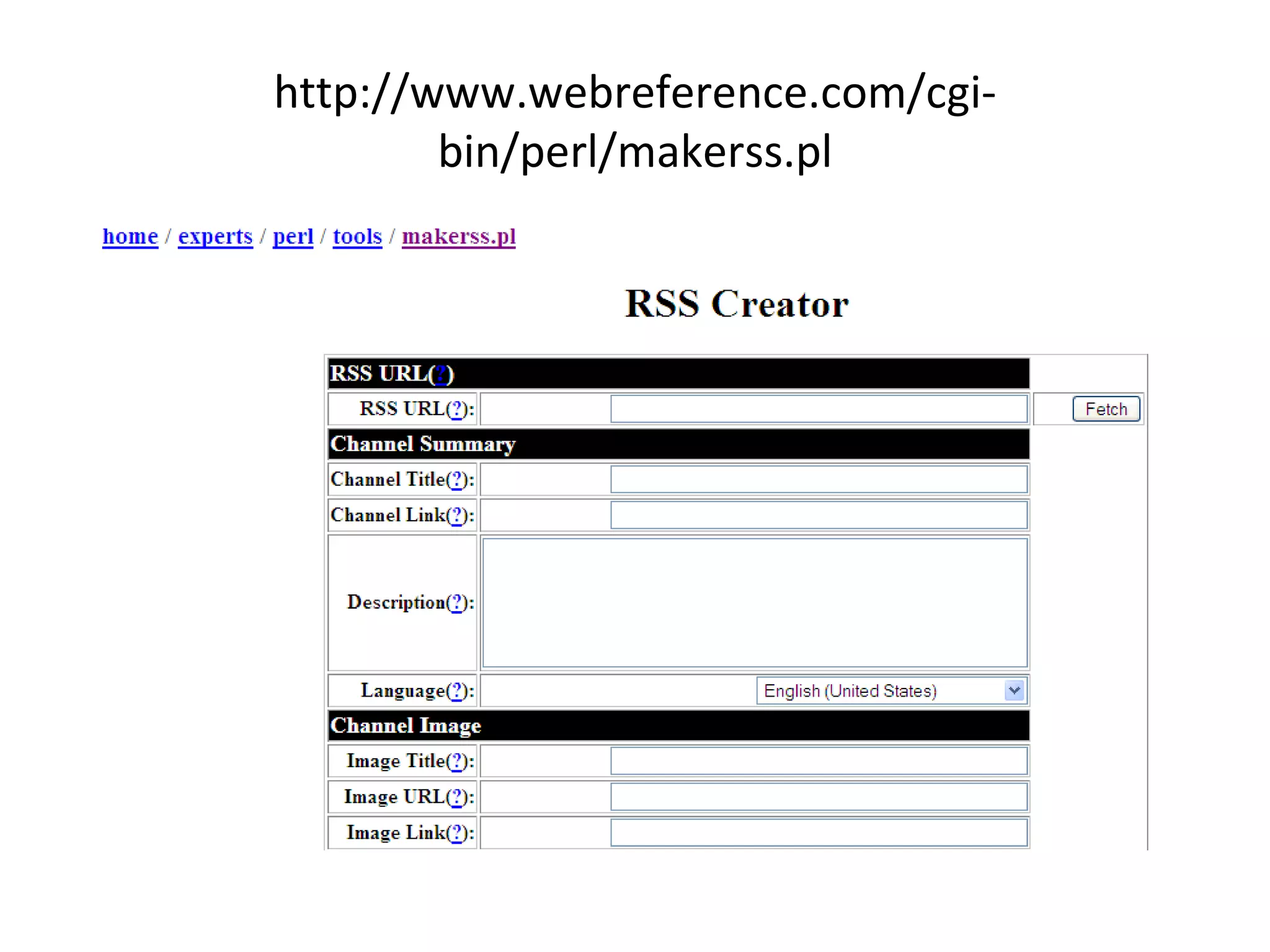
How RSS Feeds are created? Manual Markup You  markup  the content manually. Software Assisted  You just  type in the content in forms . The software generates the markup. Publishing Platforms  You simply use  RSS enabled publishing platform / content manager.
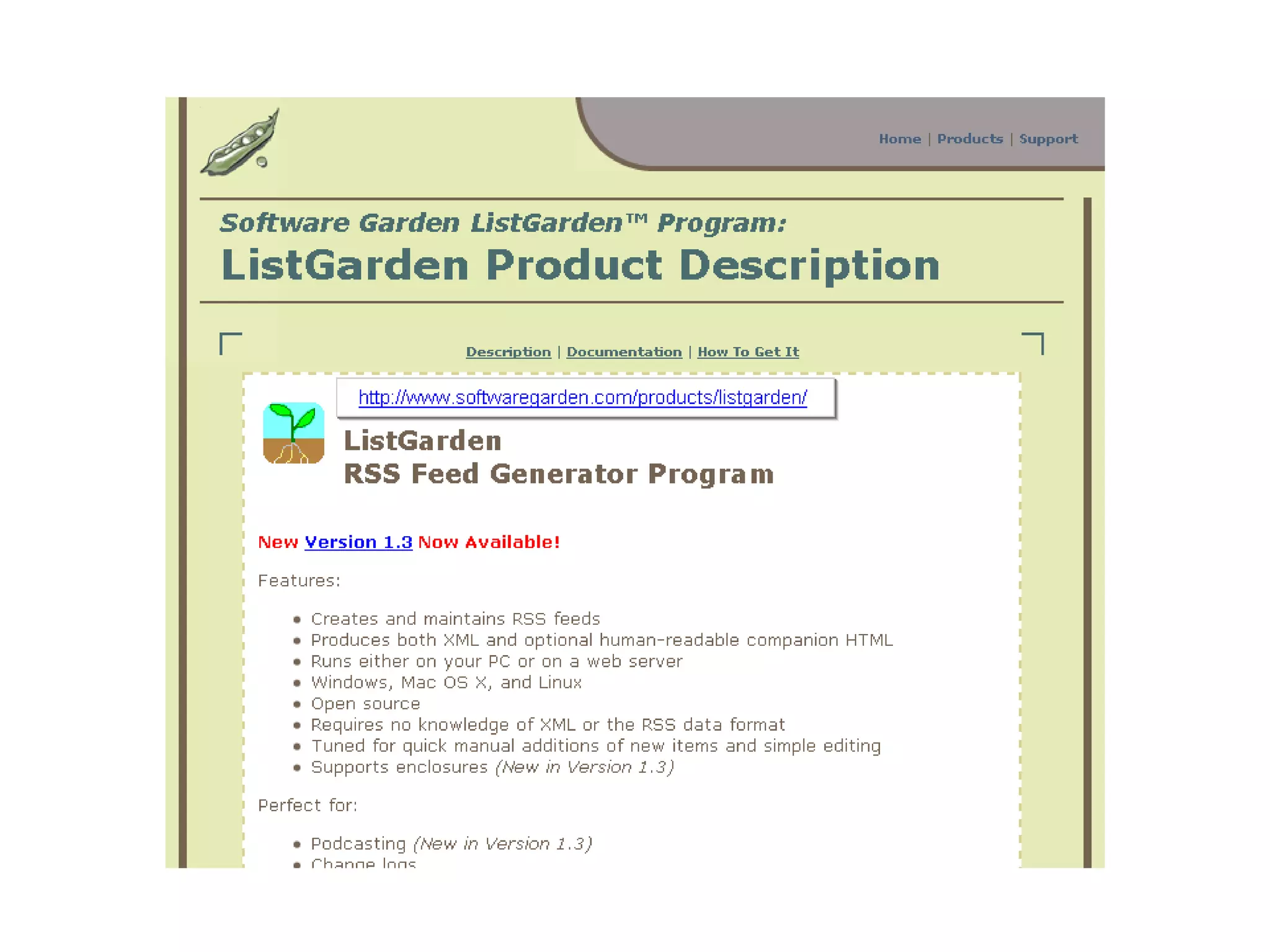
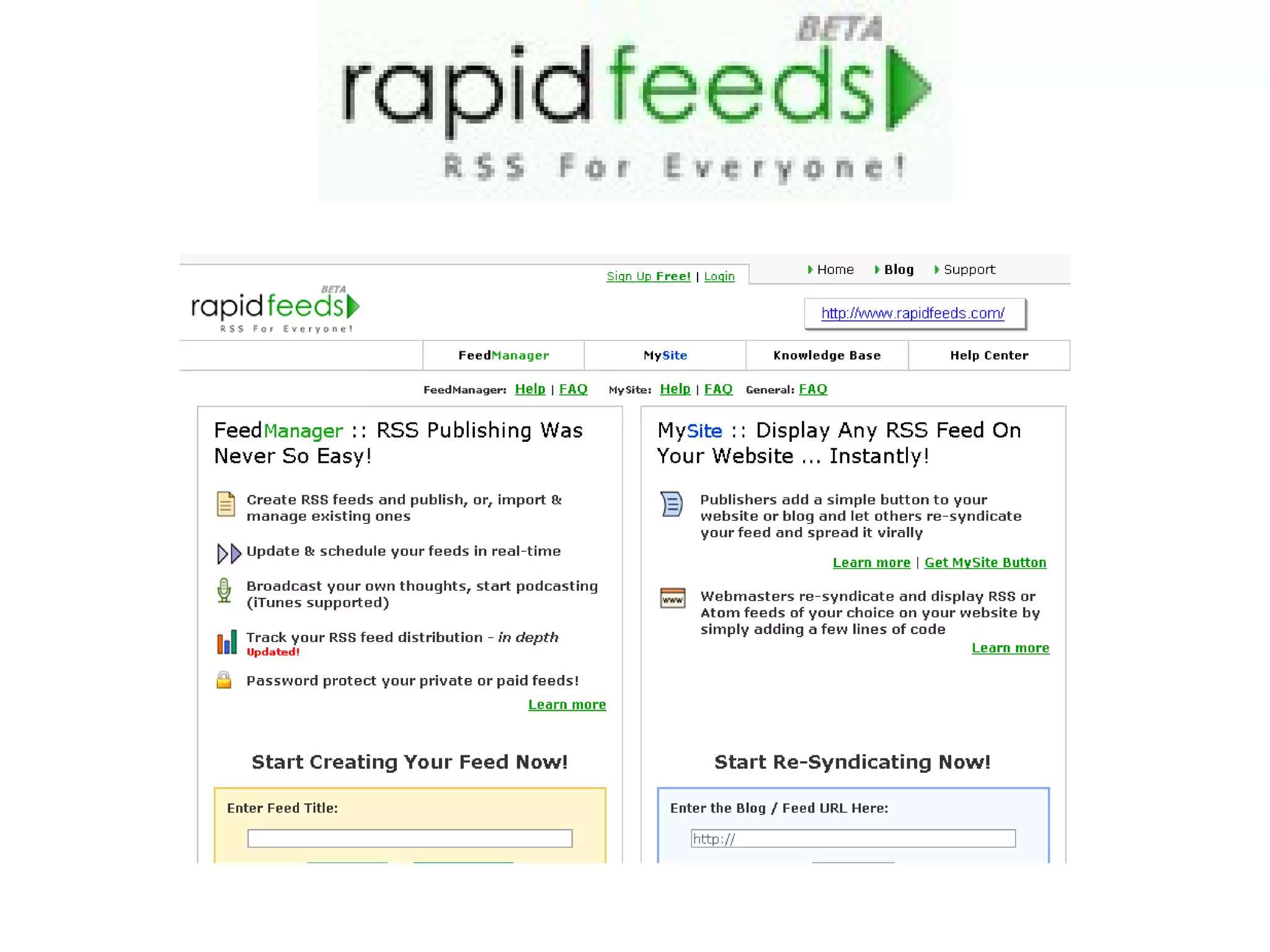
Software Assisted  Manual mark-up is not required. Number of software options are available to assist in creating RSS Feeds.
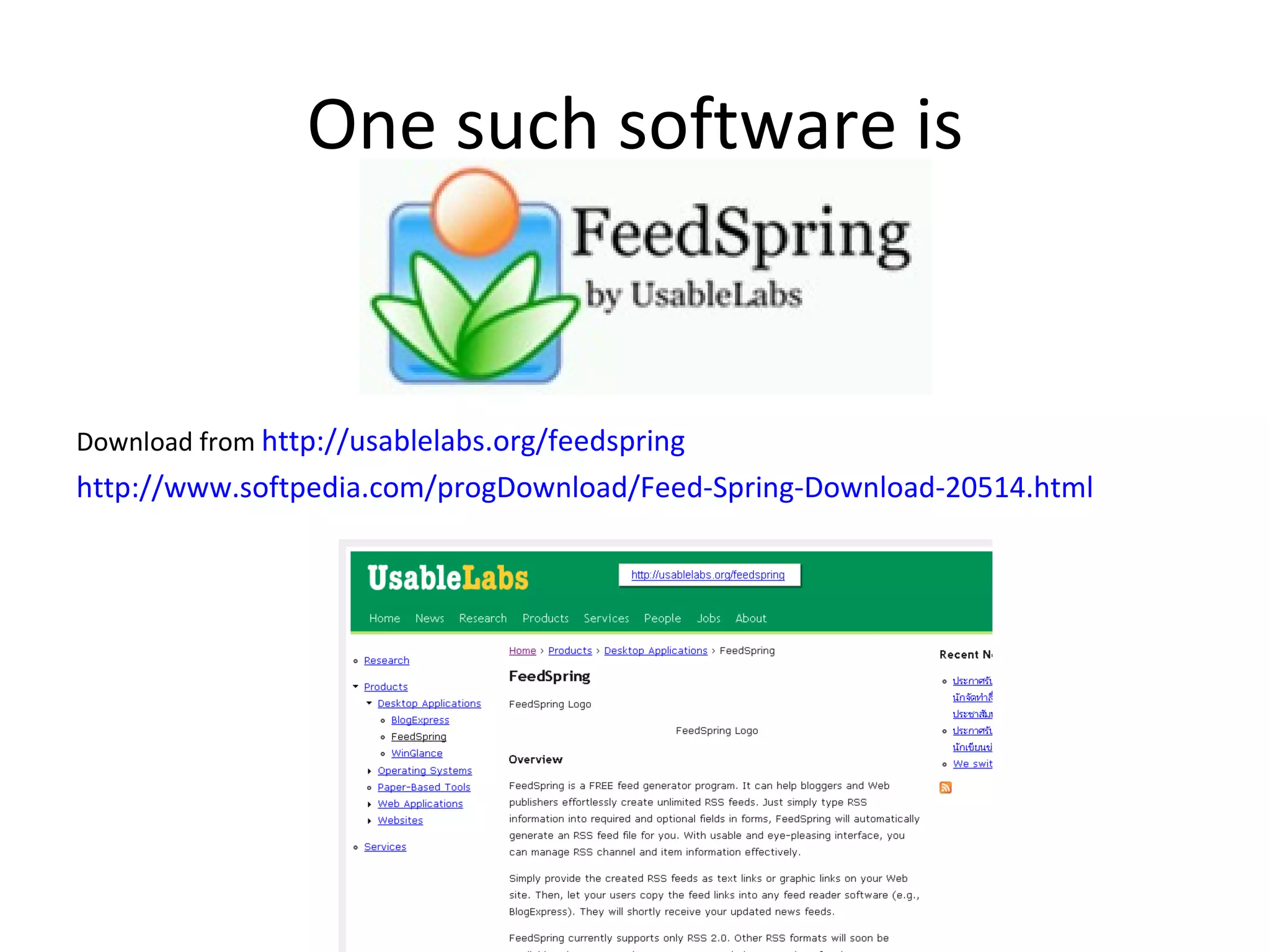
One such software is Download from  http://usablelabs.org/feedspring http://www.softpedia.com/progDownload/Feed-Spring-Download-20514.html
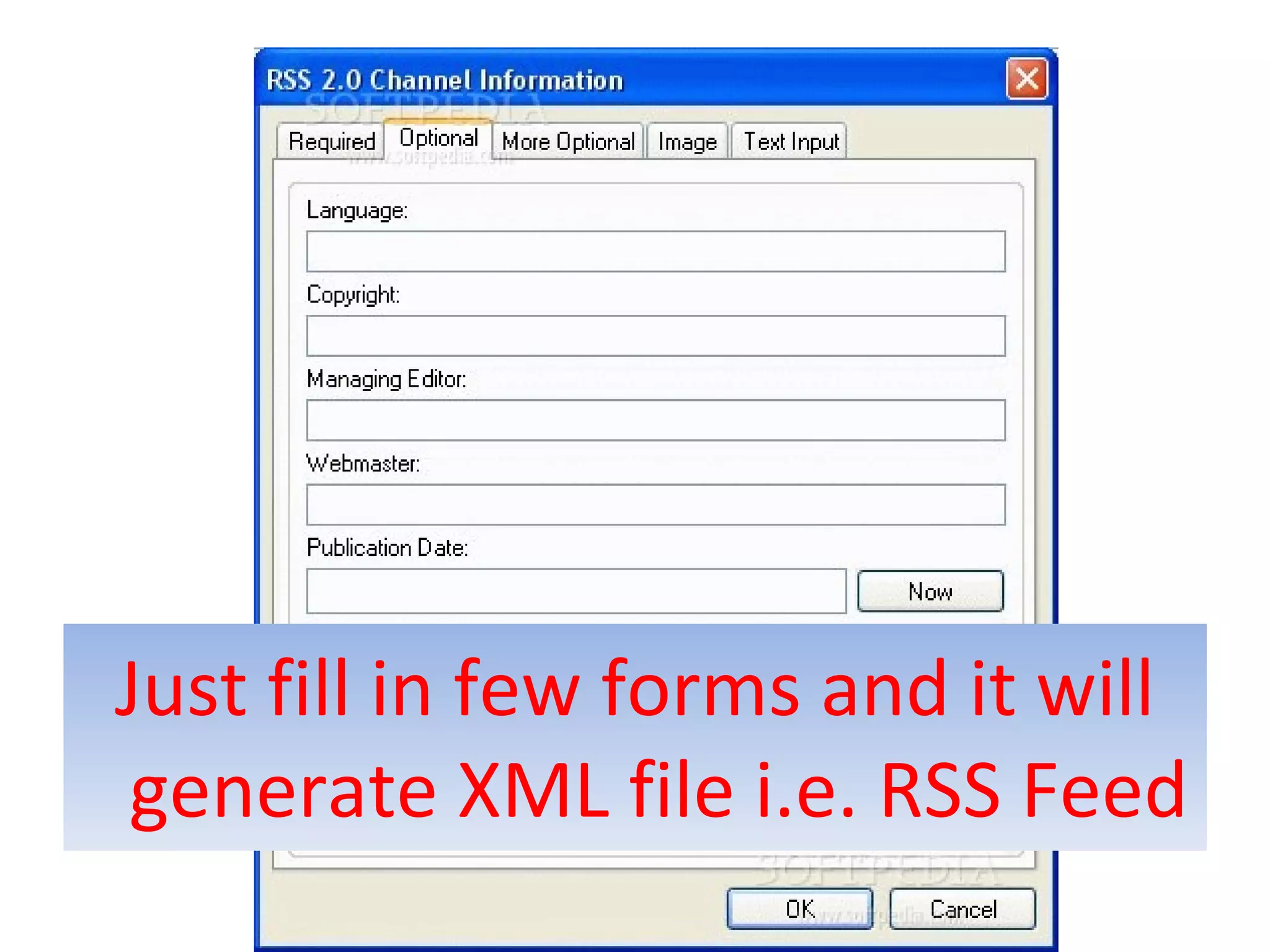
Just fill in few forms and it will generate XML file i.e. RSS Feed
 
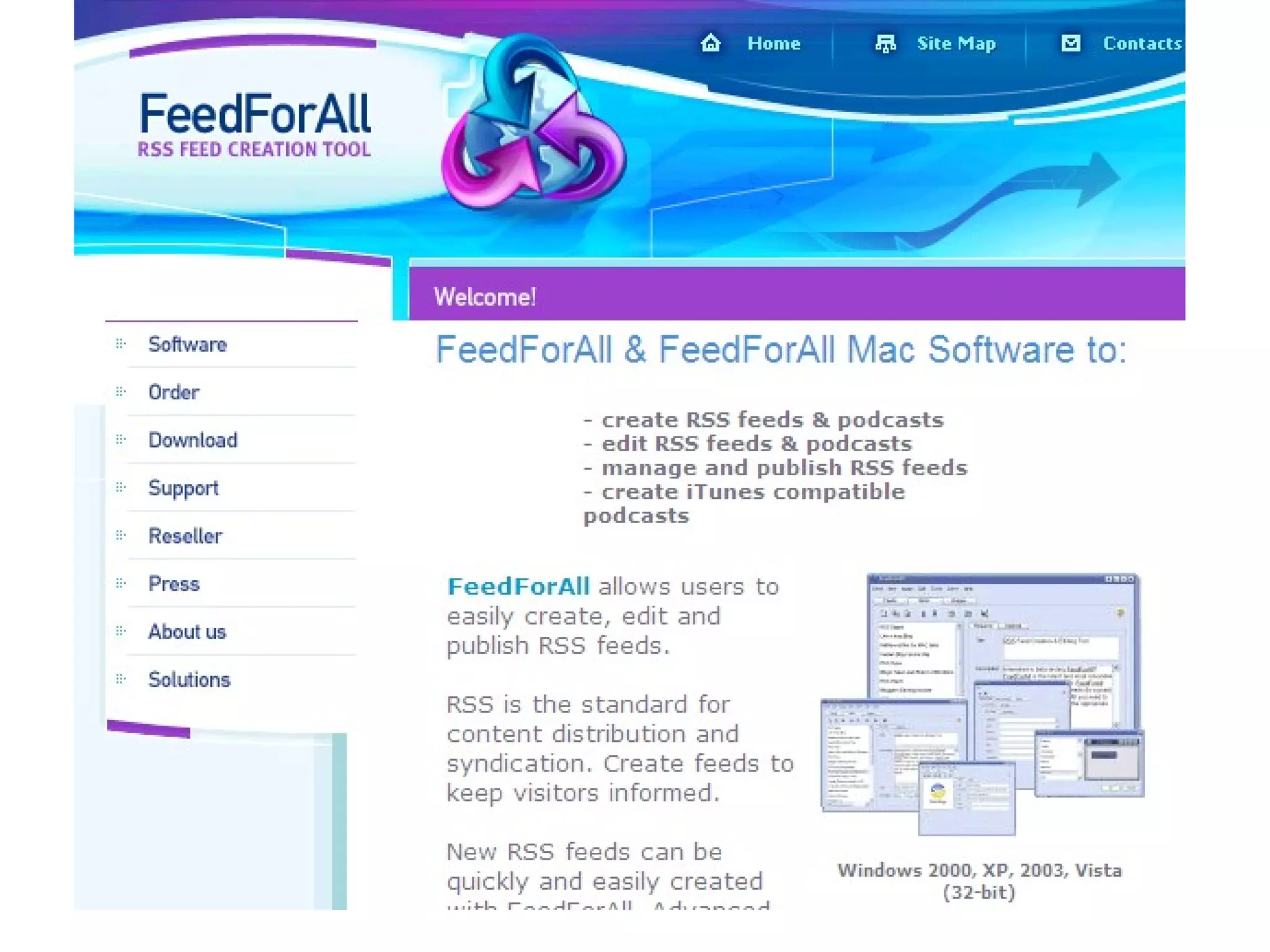
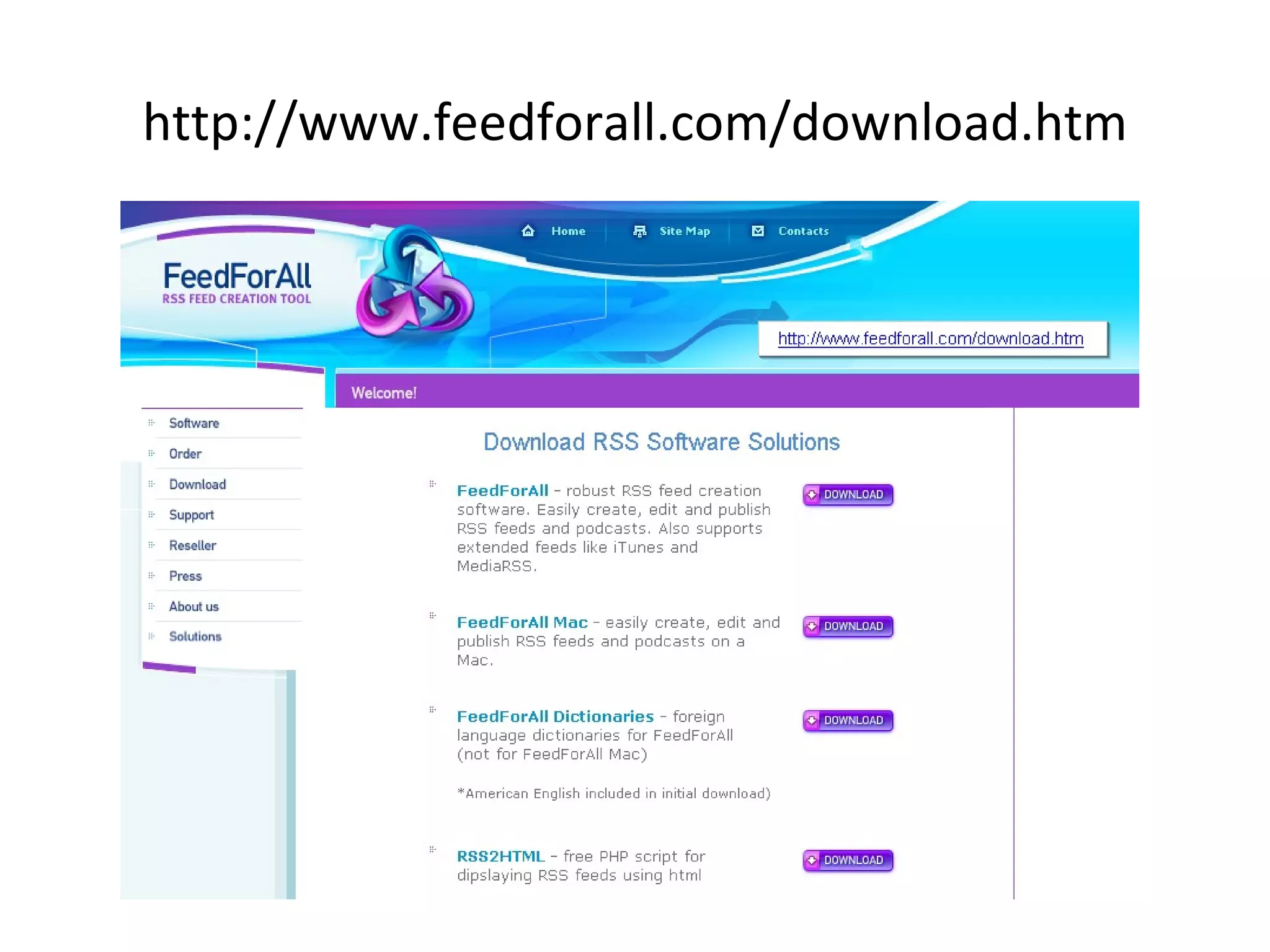
http://www.feedforall.com/download.htm


http://www.webreference.com/cgi-bin/perl/makerss.pl
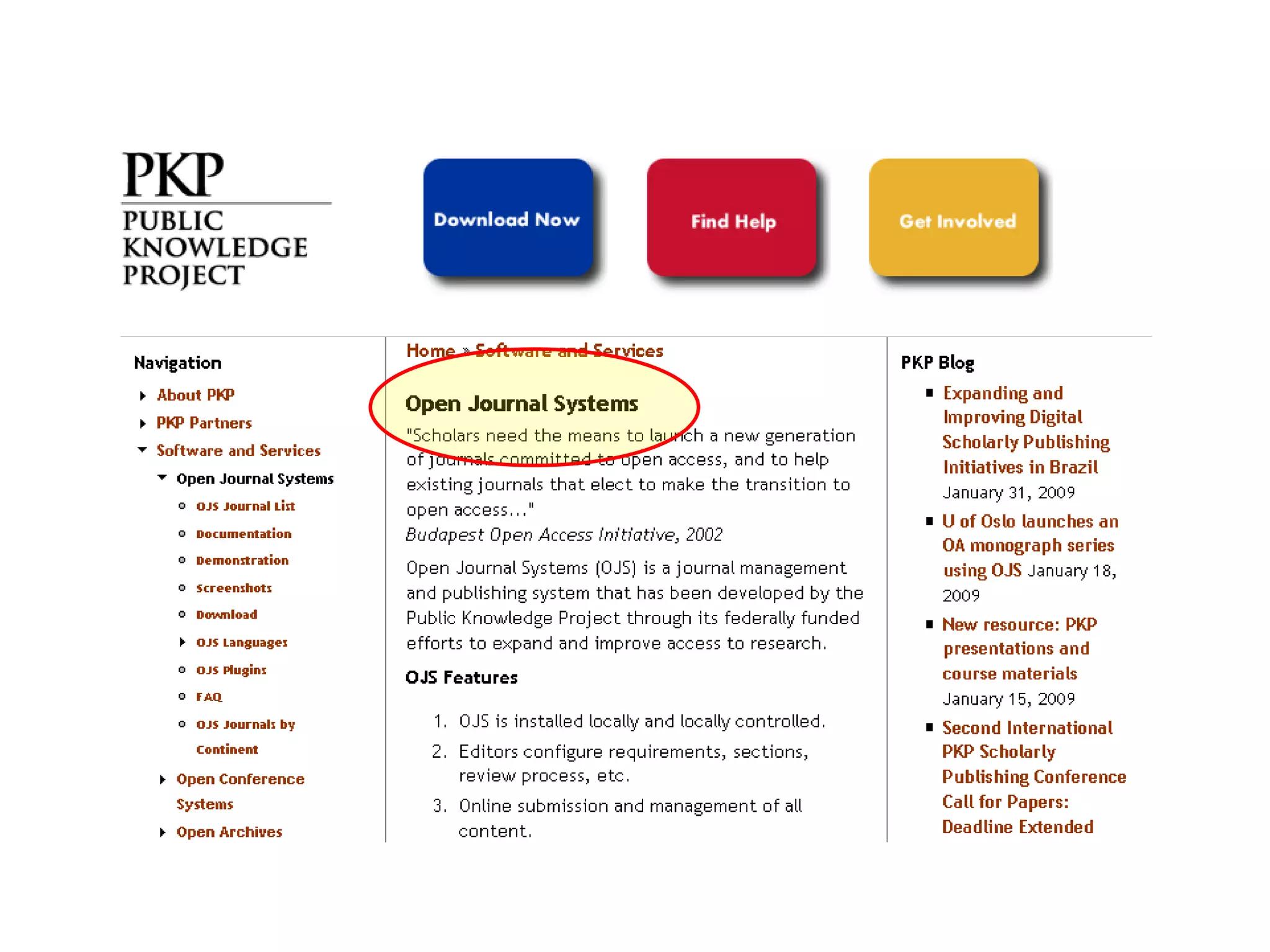
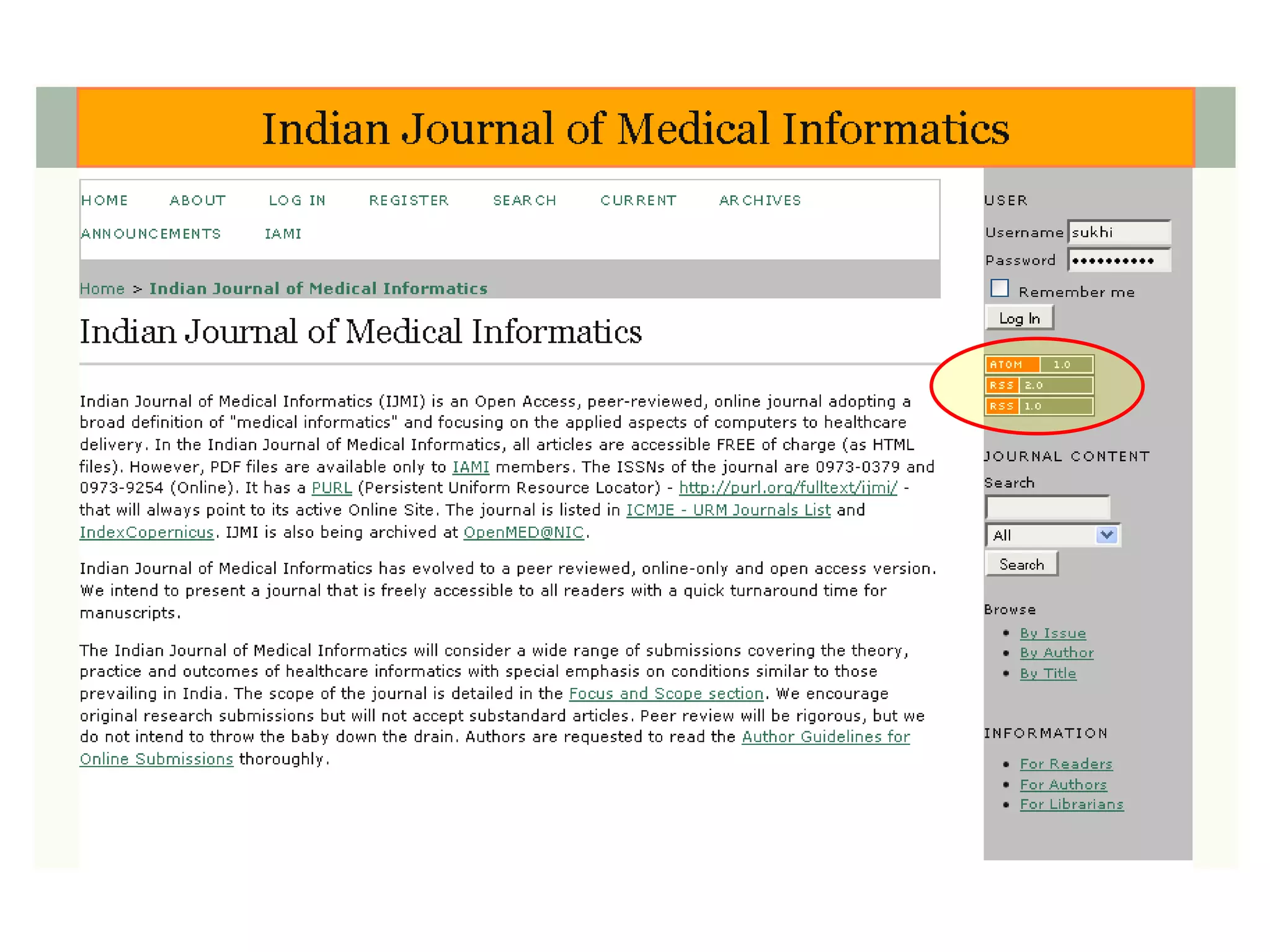
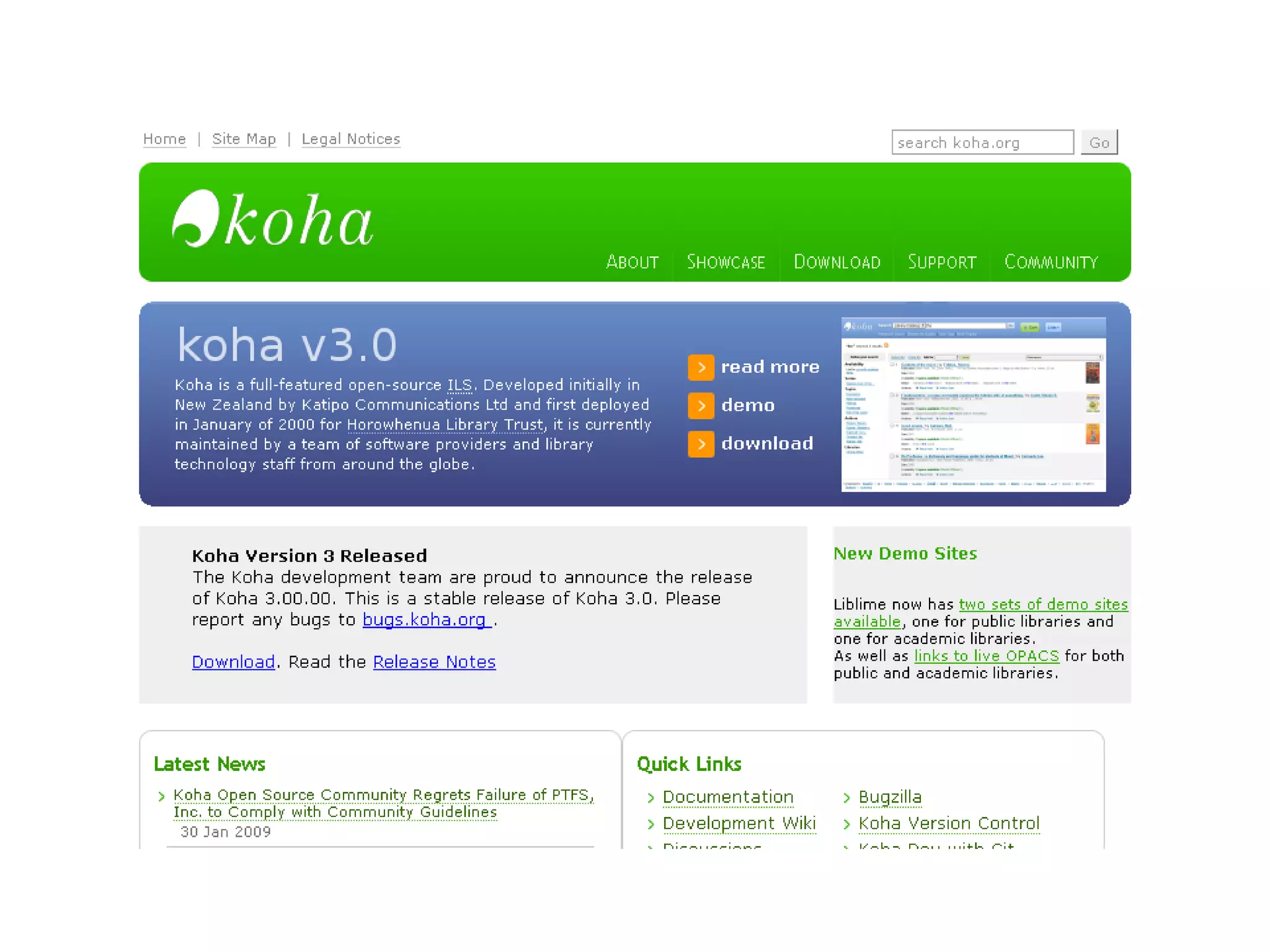
RSS enabled  Publishing platforms  Content managers Database based applications Modern Library Automation Softwares
Modern publishing and content management platforms are RSS enabled Blogging platforms like – Blogger, Wordpress, Livejournal,  Movable Type Some popular open source, server-side, portal content management systems such as  PostNuke , (php),  PHP-Nuke ,(php)  phpWebLog  (php),  SlashDot  (Perl),  Squishdot  (Zope), Rusty Foster's  Scoop  (Perl),  Roller  (Java), and  Drupal  (php) can also create and display RSS feeds using their built-in news aggregators.
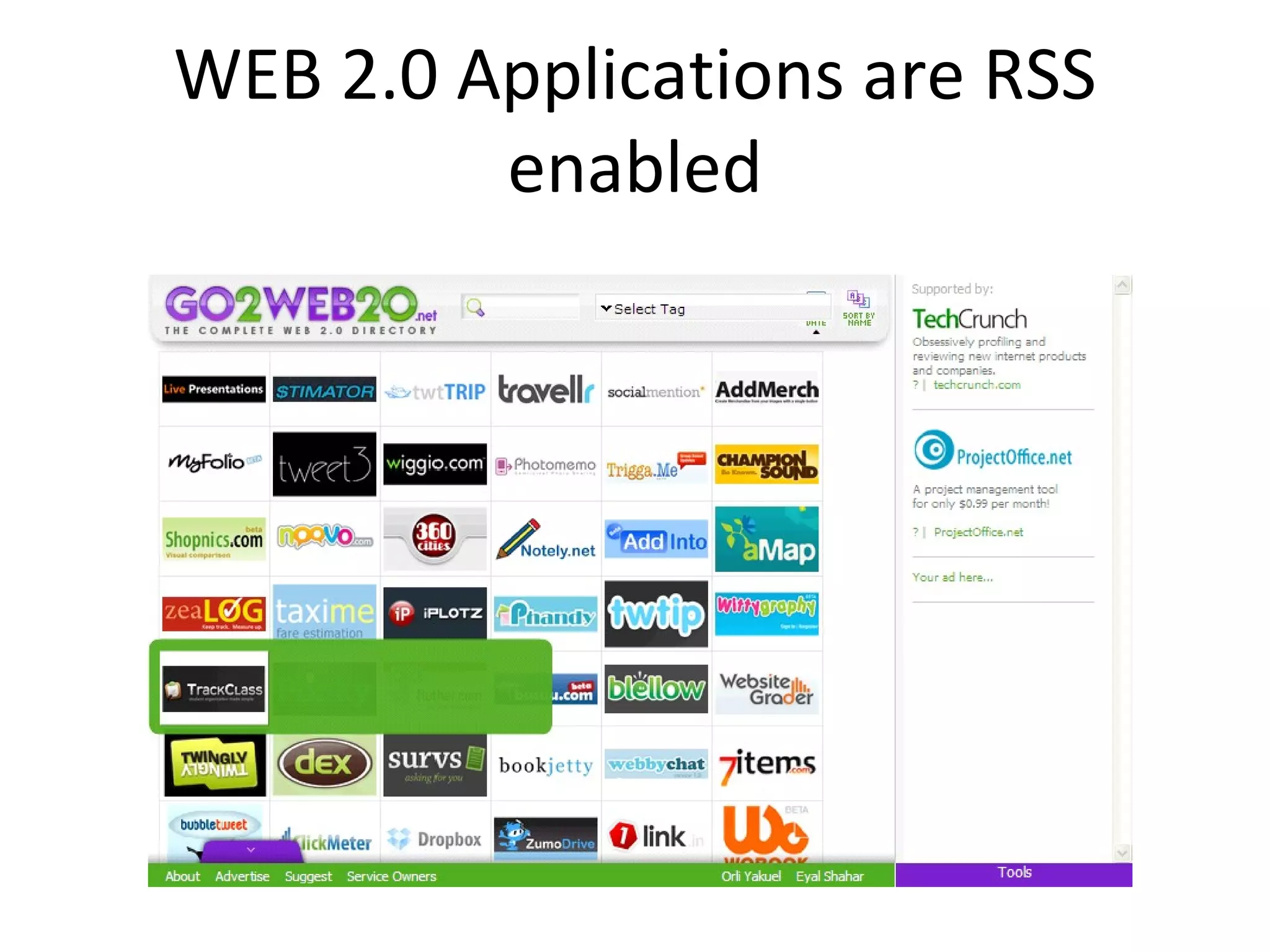
WEB 2.0 Applications are RSS enabled
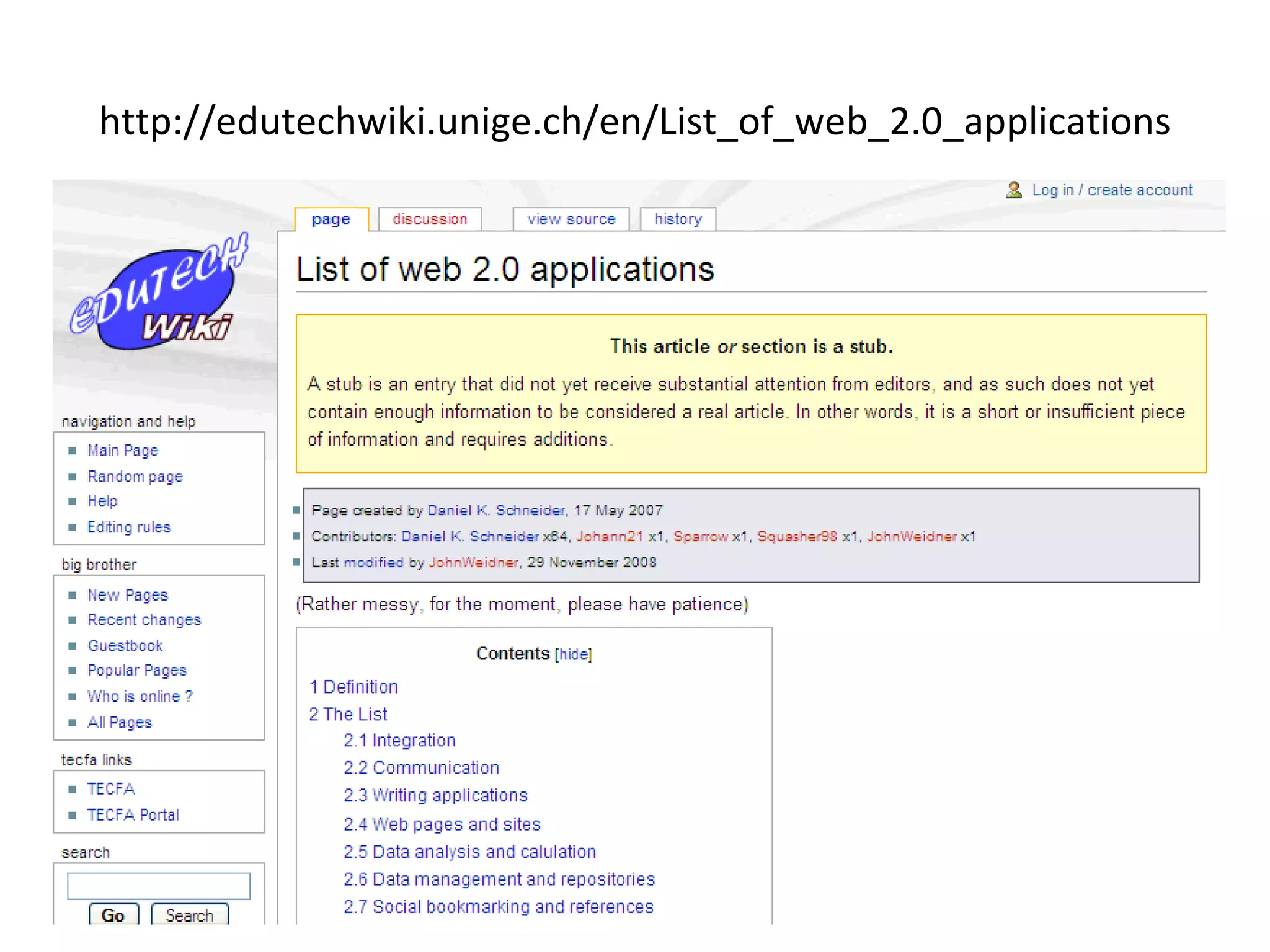
http://edutechwiki.unige.ch/en/List_of_web_2.0_applications
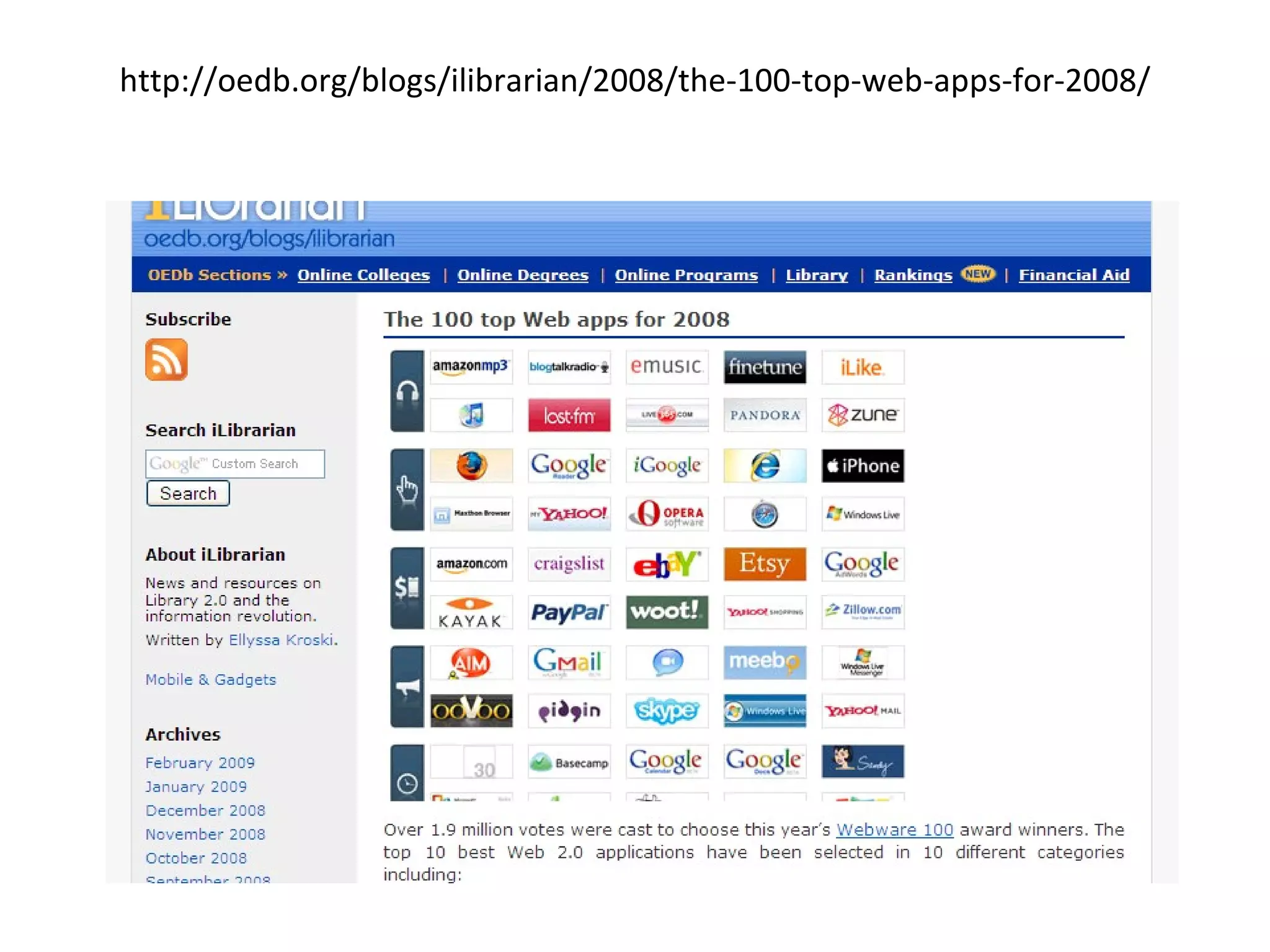
http://oedb.org/blogs/ilibrarian/2008/the-100-top-web-apps-for-2008/
Database Driven Applications Database driven applications can easily be made RSS enabled by creating reports (displaying items) in XML format for RSS Feeds
 
 
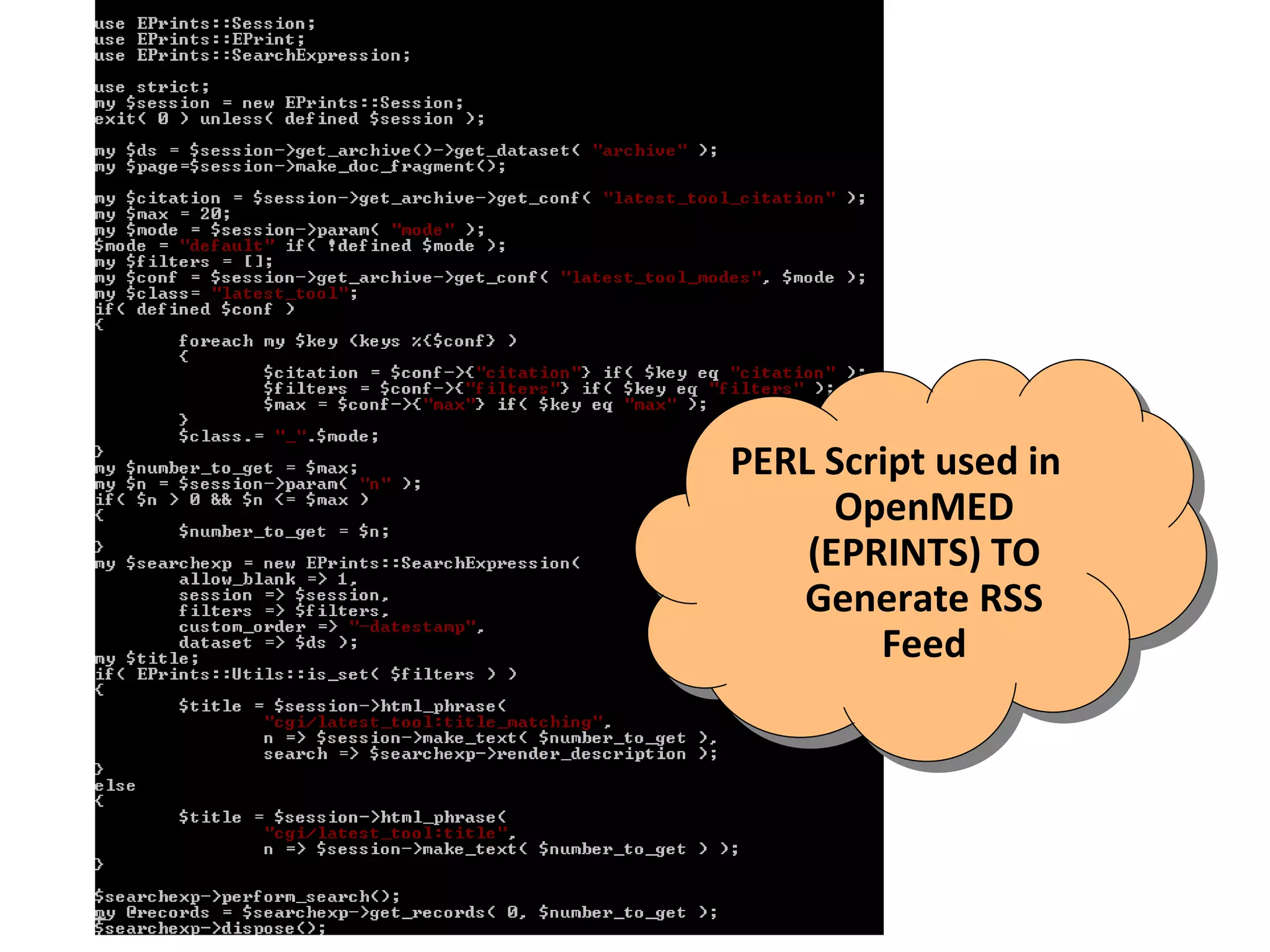
PERL Script used in  OpenMED (EPRINTS) TO Generate RSS Feed


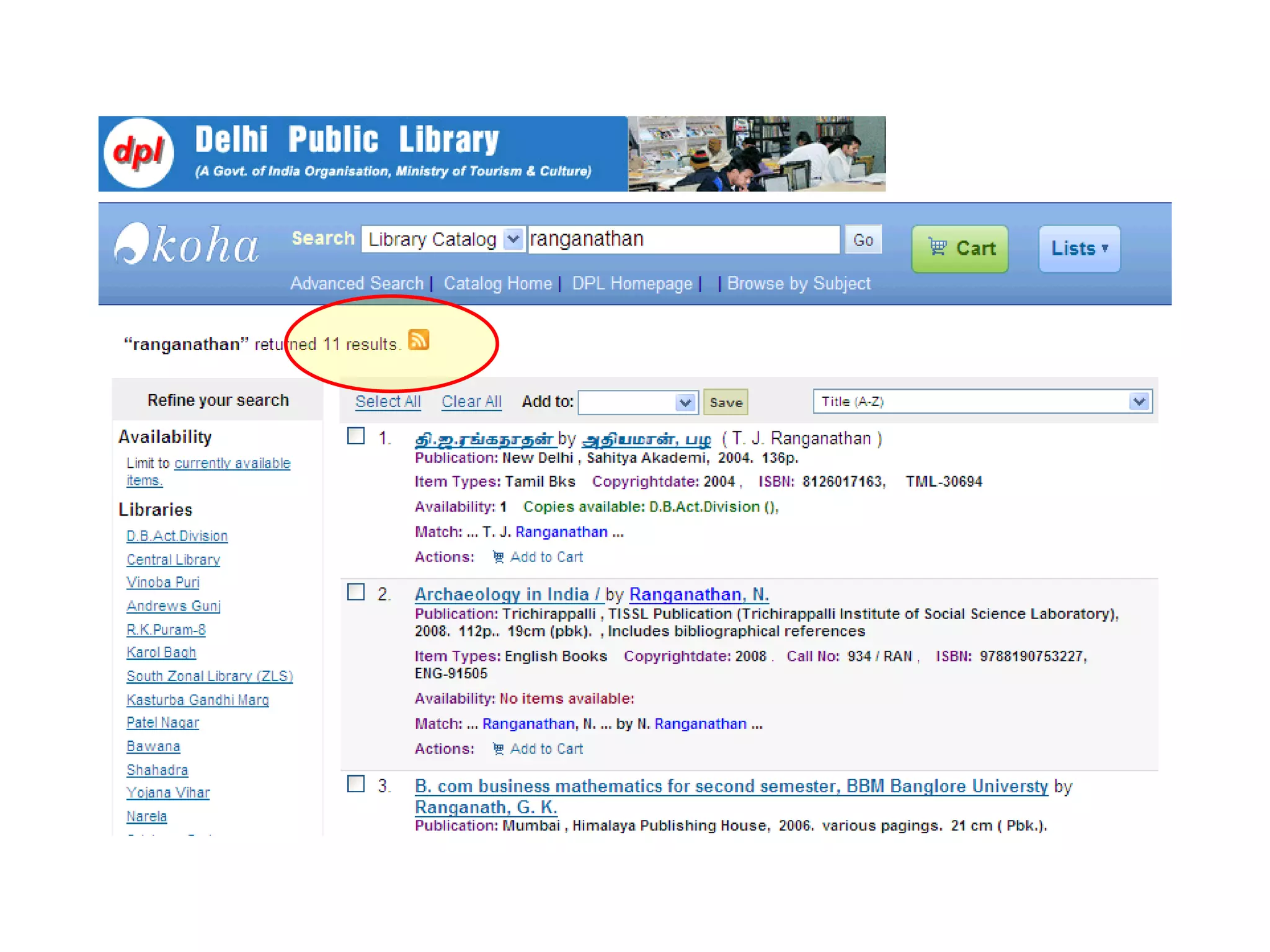
Libraries and RSS Libraries are ideal candidates for adopting and using RSS to their advantage as Information Producers Information Gateways Information Consumers
Libraries as Information Producers As information producers, libraries maintain their web sites providing information about its services, new additions, announcements and other many other information tools like OPAC
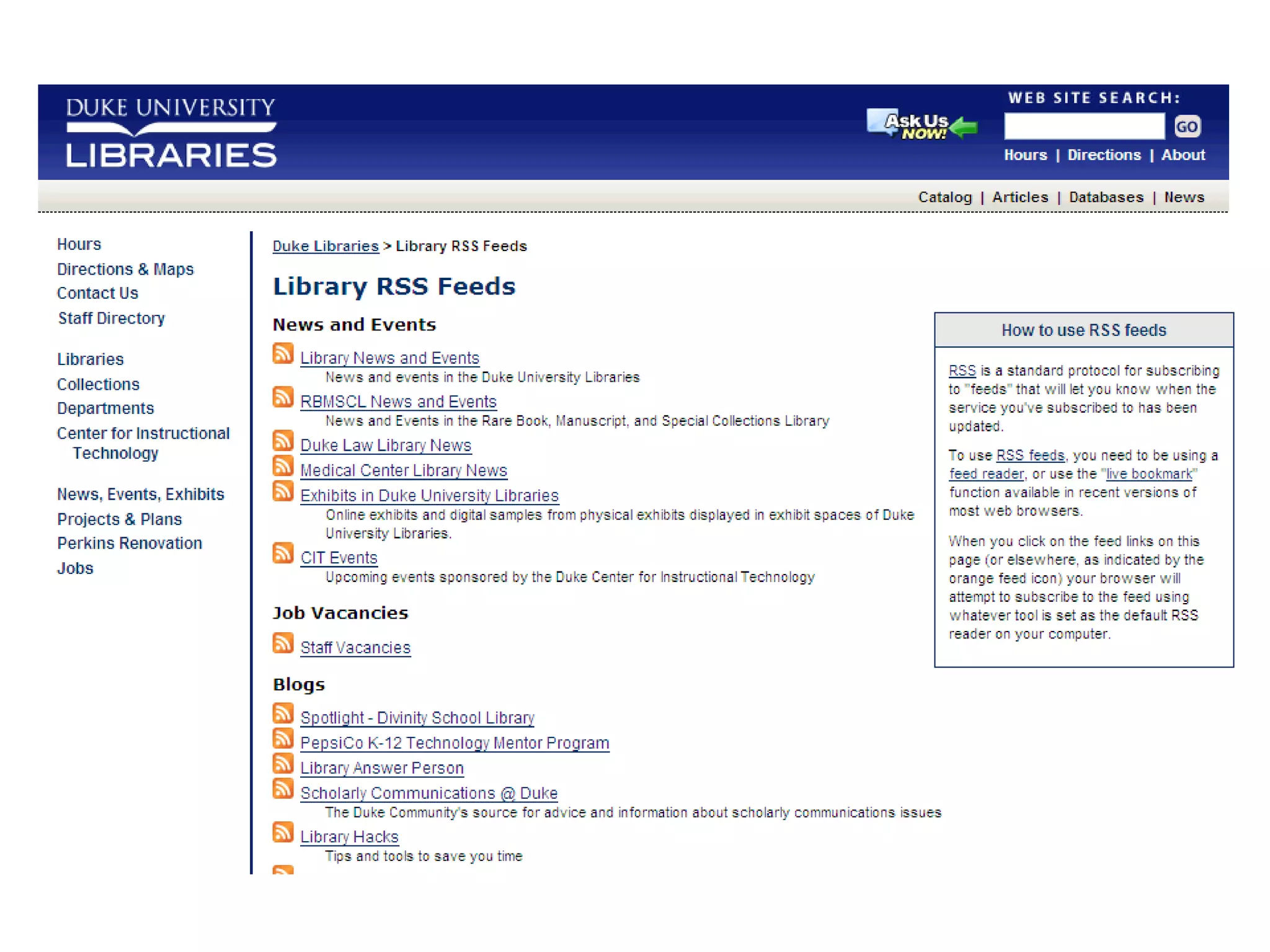
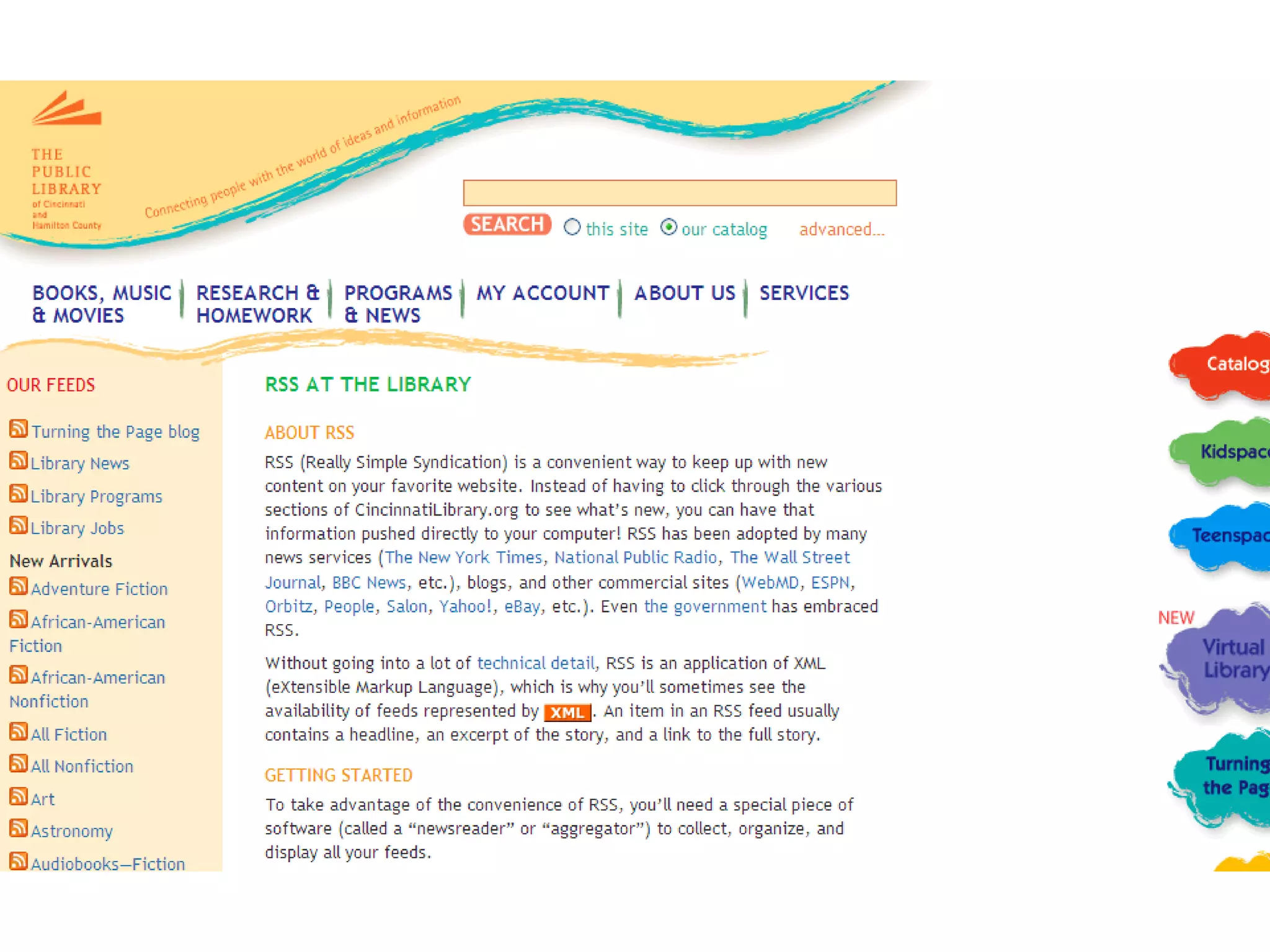
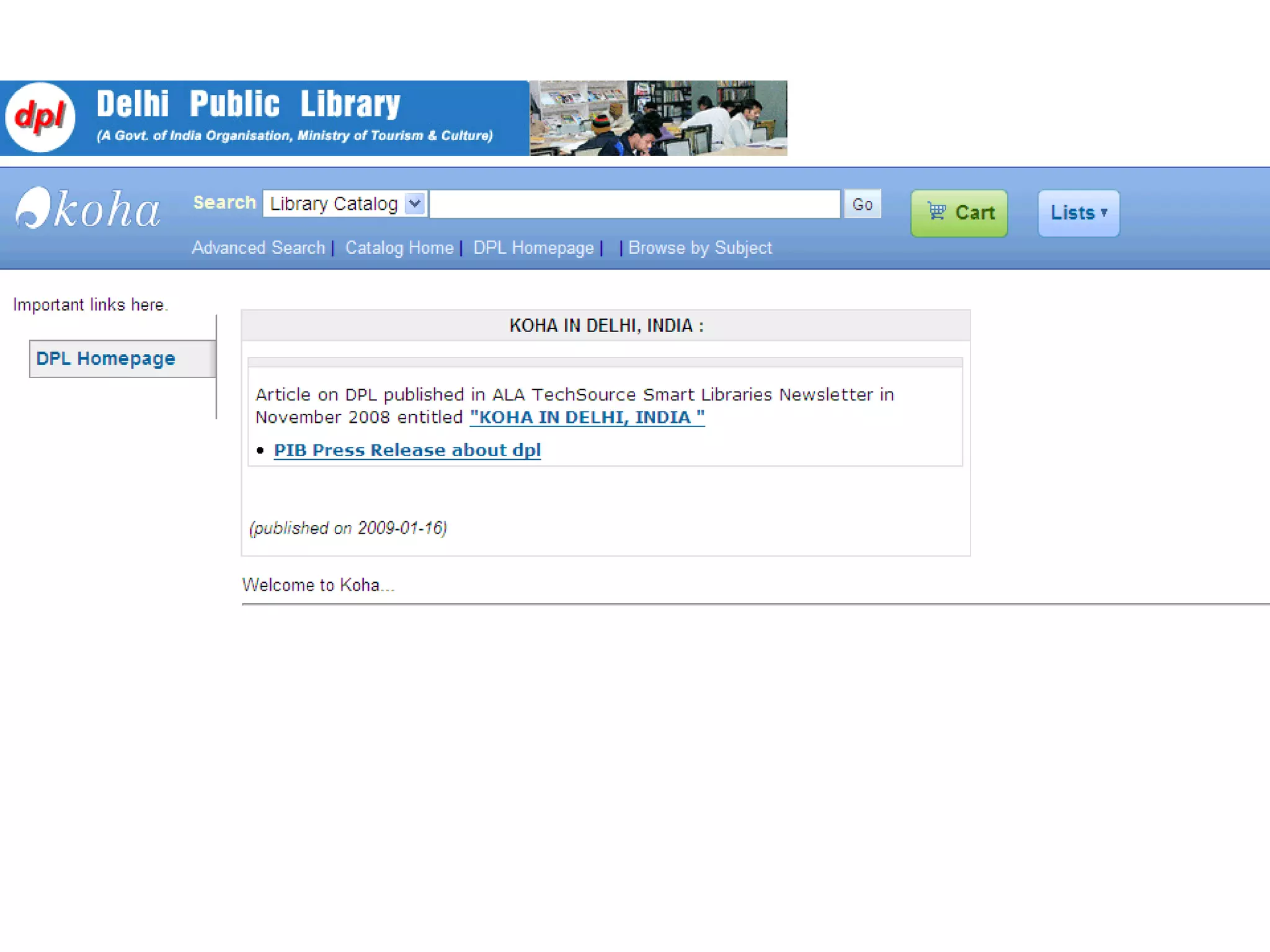
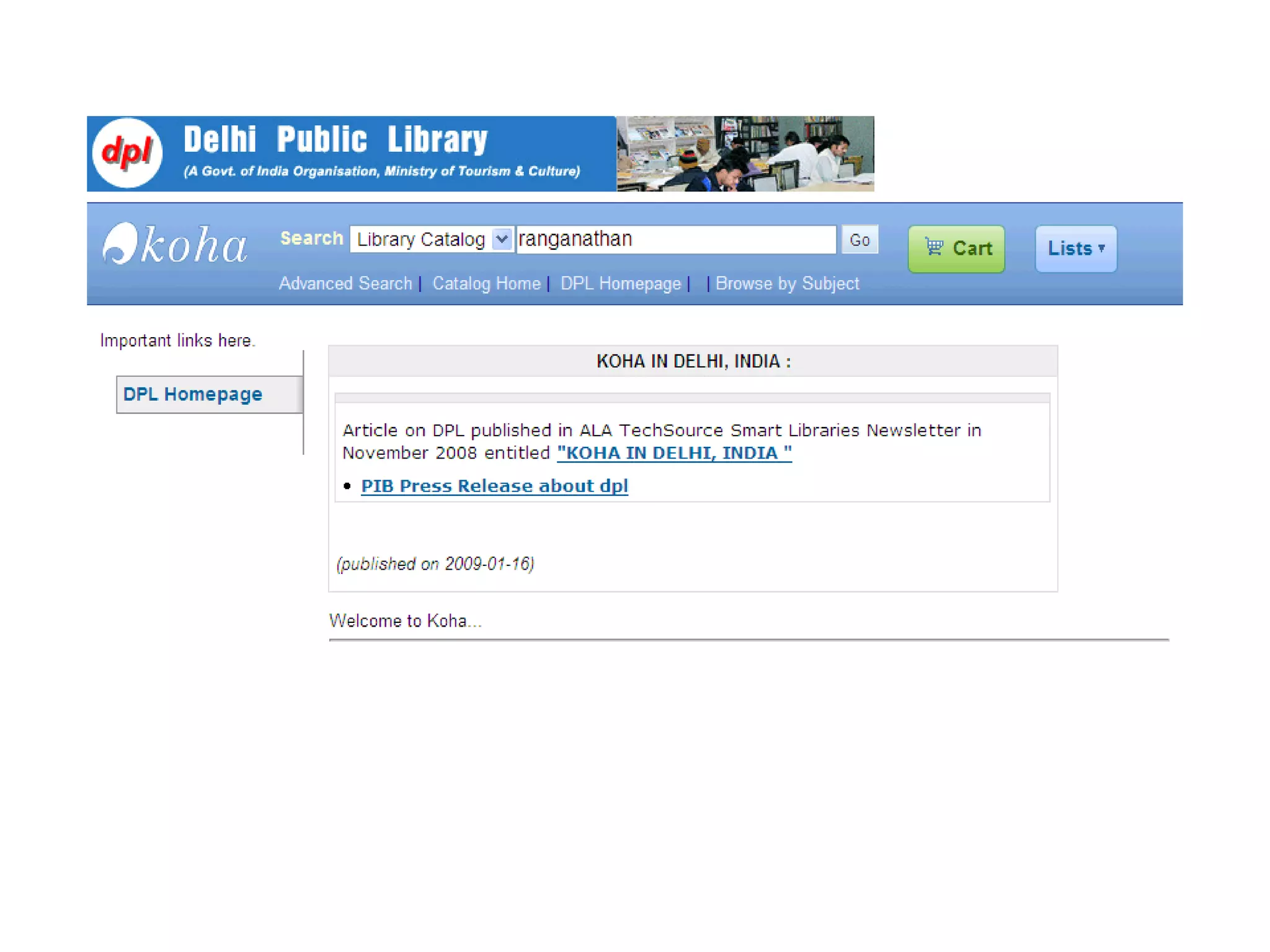
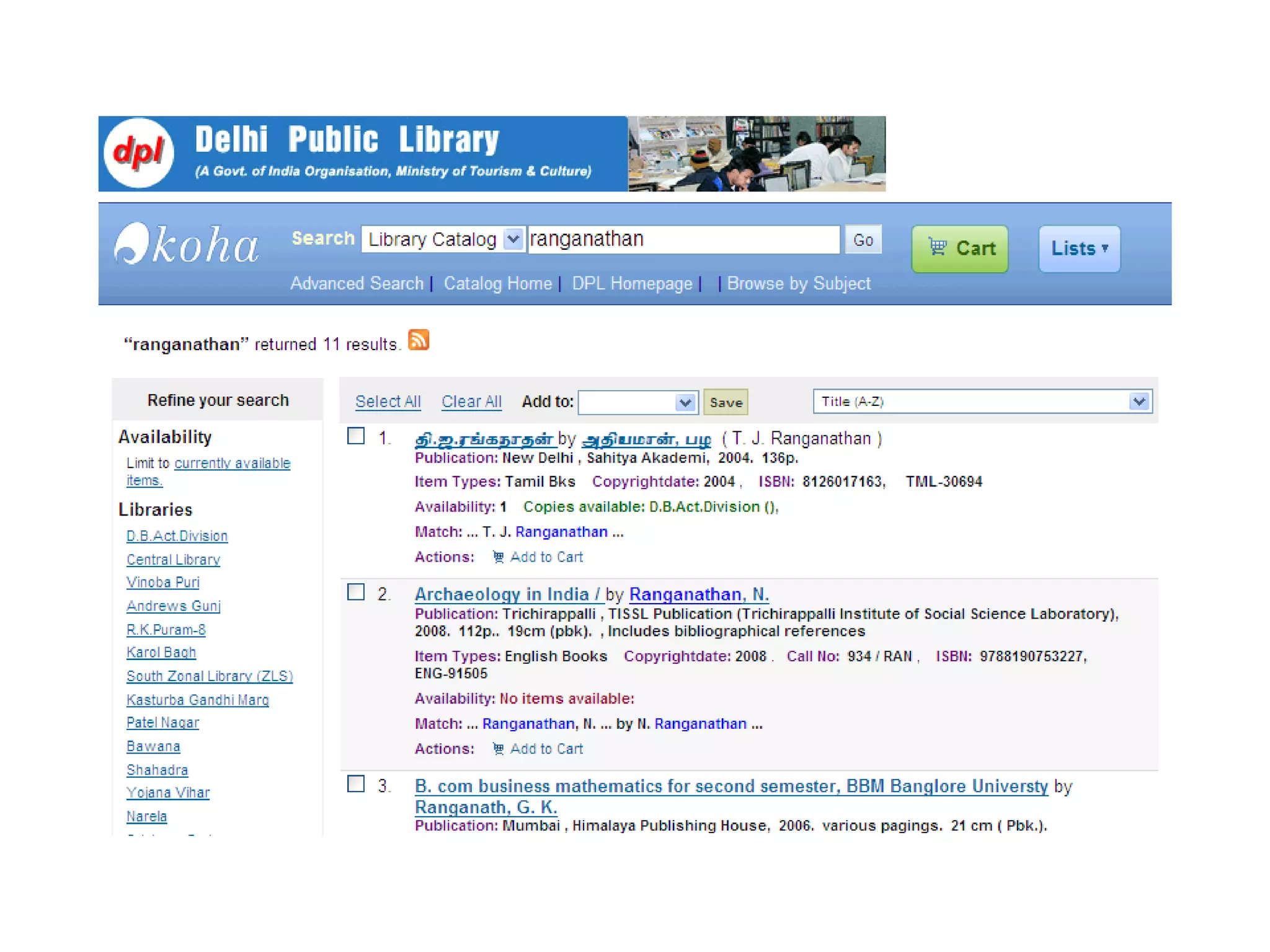
Libraries Can -  Create an RSS feed for new additions to the online catalogue Create an RSS feed tied to a library card account for hold notifications and/or overdue materials. Create an RSS feed for new programs and events posted on the library website. Create an RSS feed for the library’s electronic newsletter. Create an RSS feed for press releases and other media advisories. Create an RSS feed for library closings, including emergency closings. Create an RSS feed for library job openings


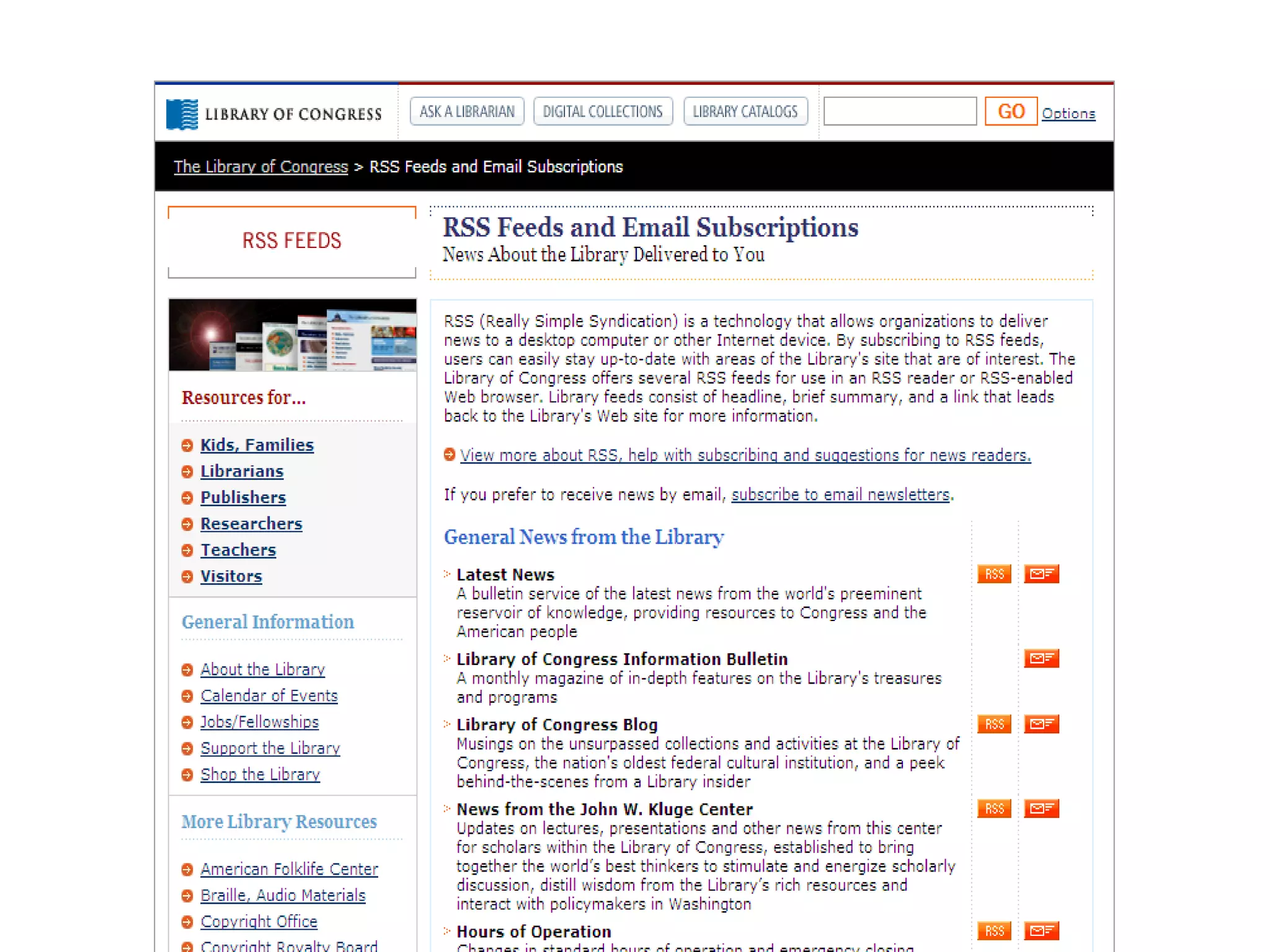
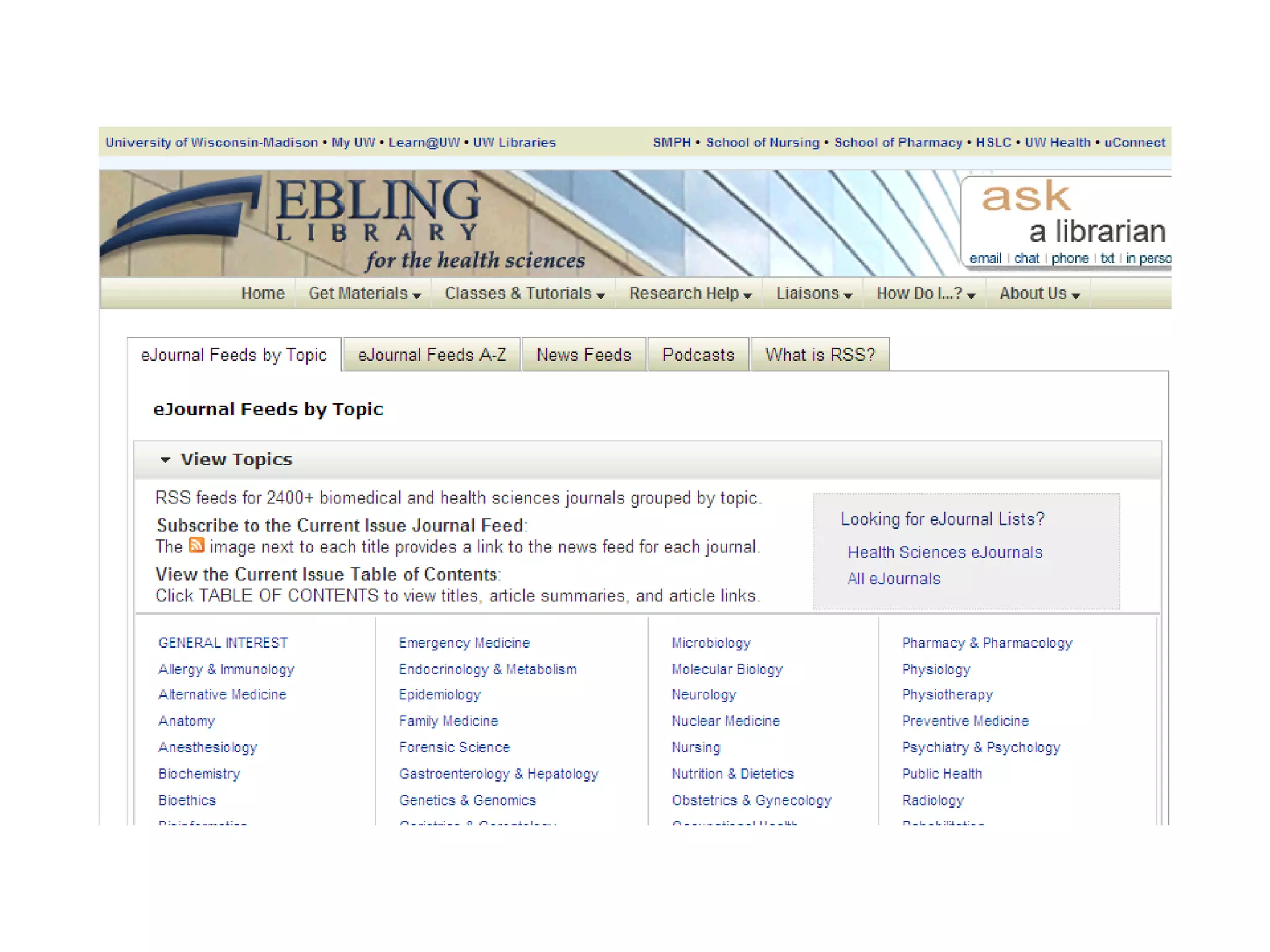
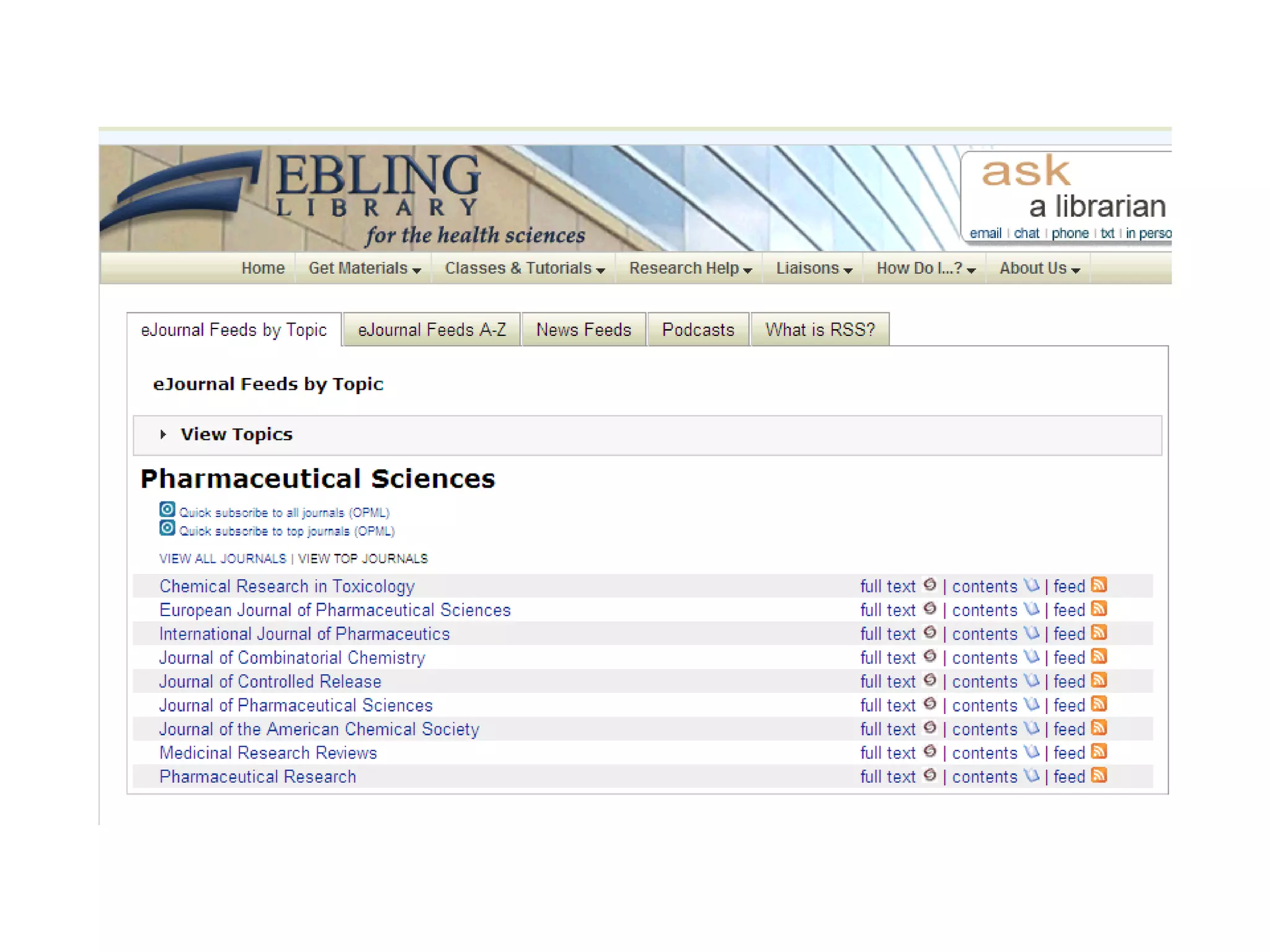
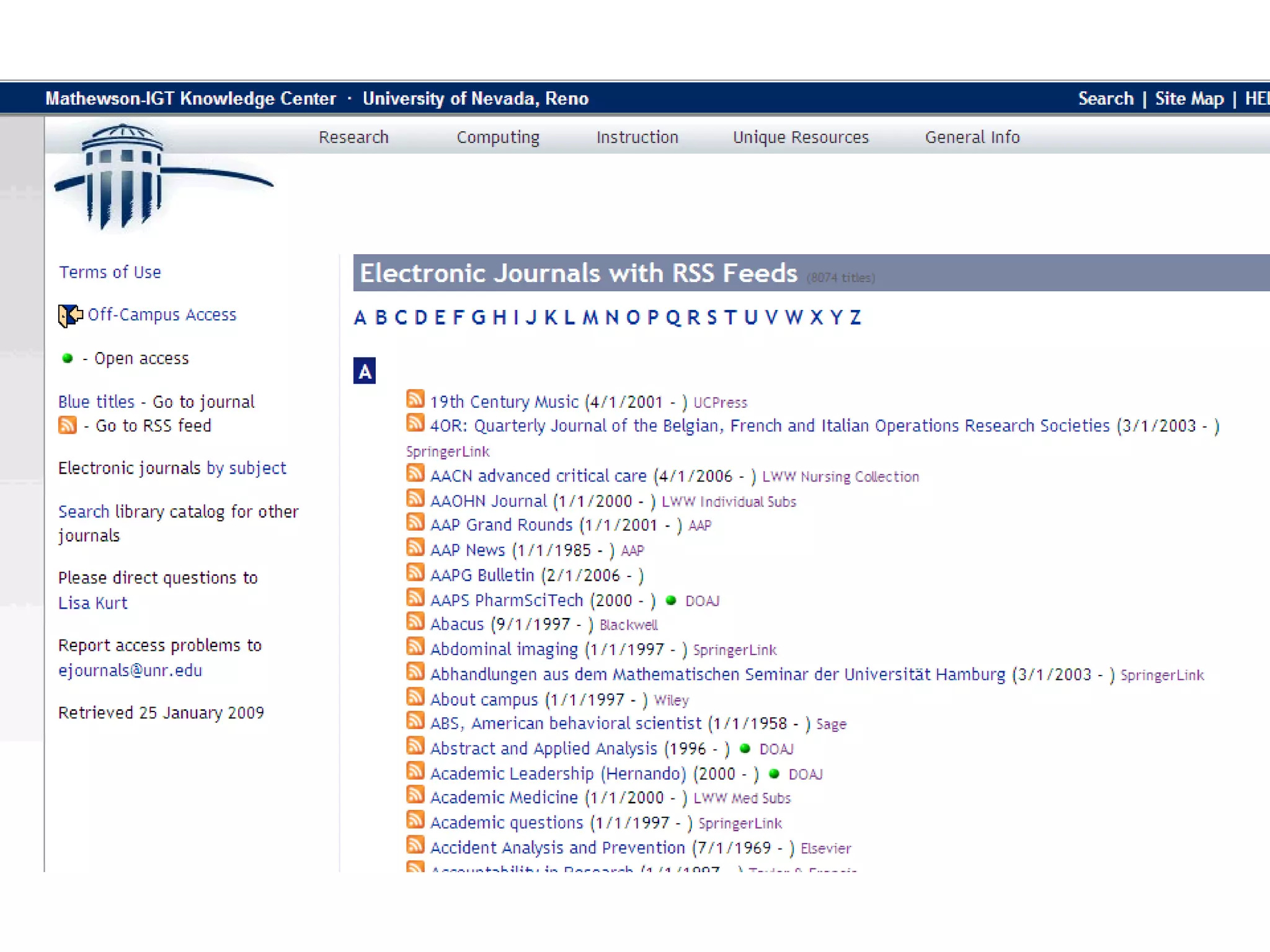
As a gateway to information, libraries can:  Subscribe to a few RSS feeds, such as local news websites, and share the content on the library’s website.  Subscribe and share RSS feeds of interest to library users. Compile list of useful RSS feeds with suitable annotation to help users to pick up feeds of their interest.


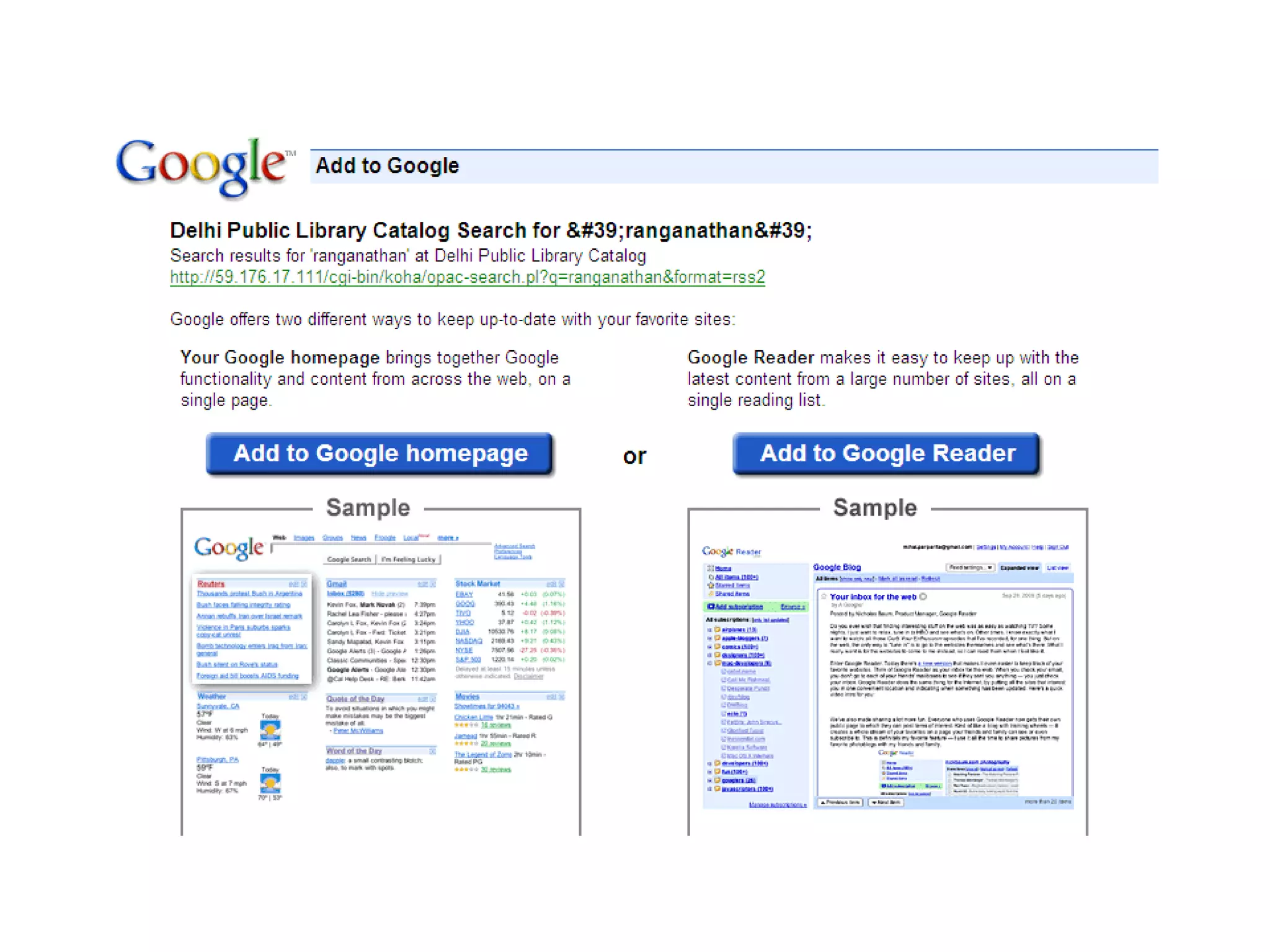
Libraries can Re-Publish RSS Feeds Create RSS Feeds from databases like PubMed on  “queries”  that might be of interest to various departments of parent institute of the library Subscribe to RSS feeds of interest to library users and  re-publish them
  Content of RSS feeds can be displayed from websites by running suitable scripts at web servers.  When someone visits such websites these scripts get activated.  Scripts extract RSS Feeds from providers’ websites and display items with appropriate links to providers’ pages.
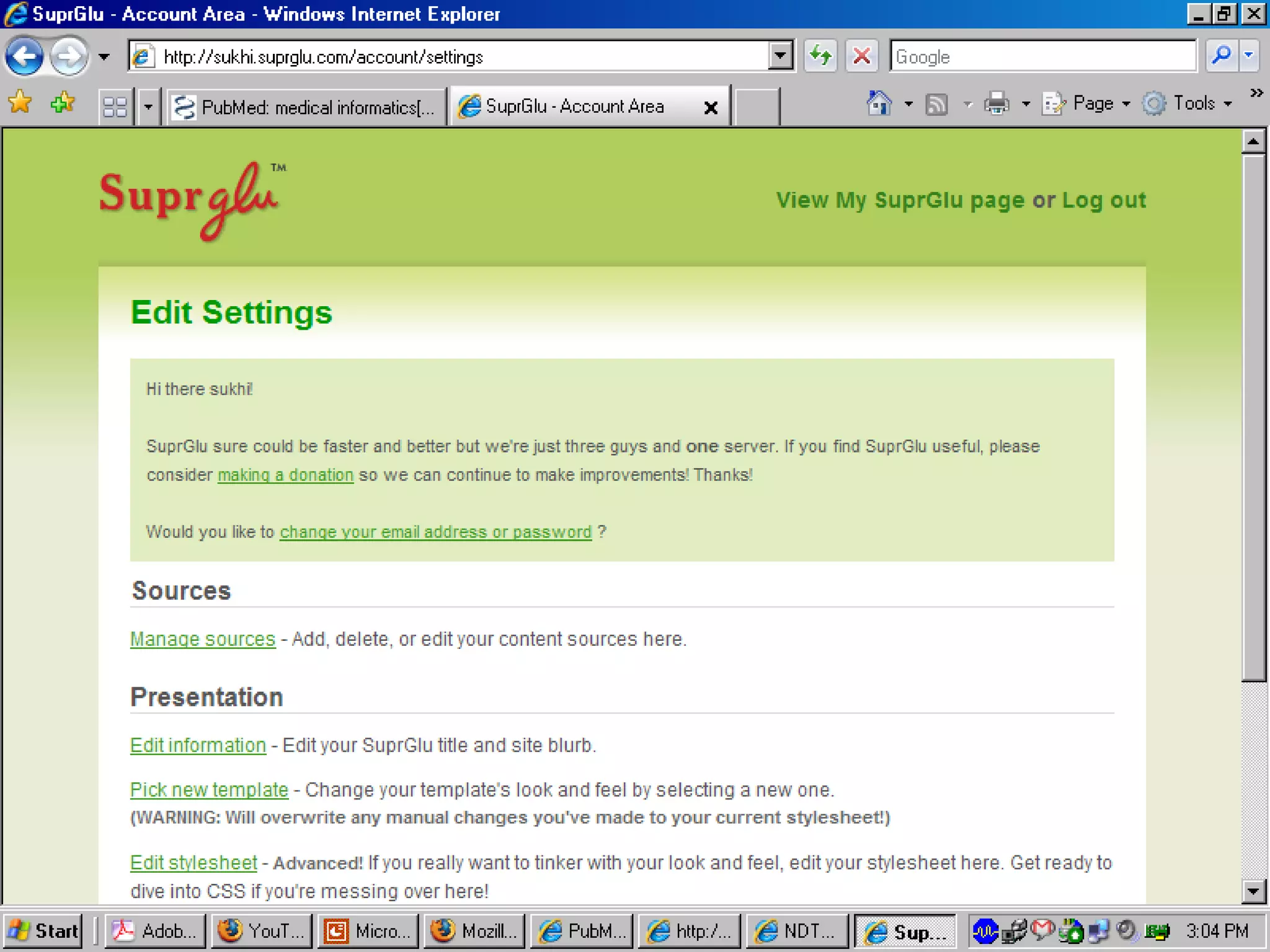
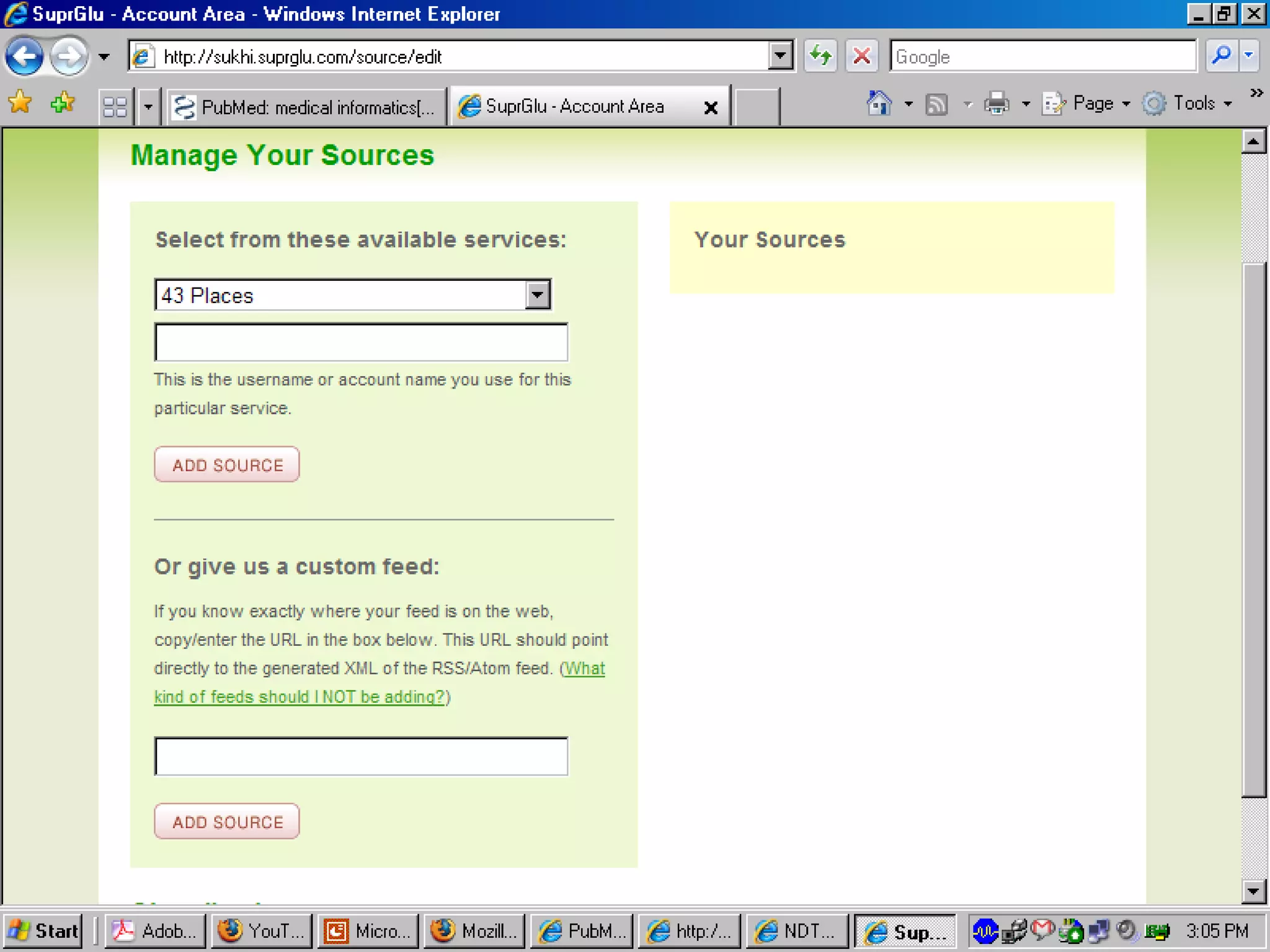
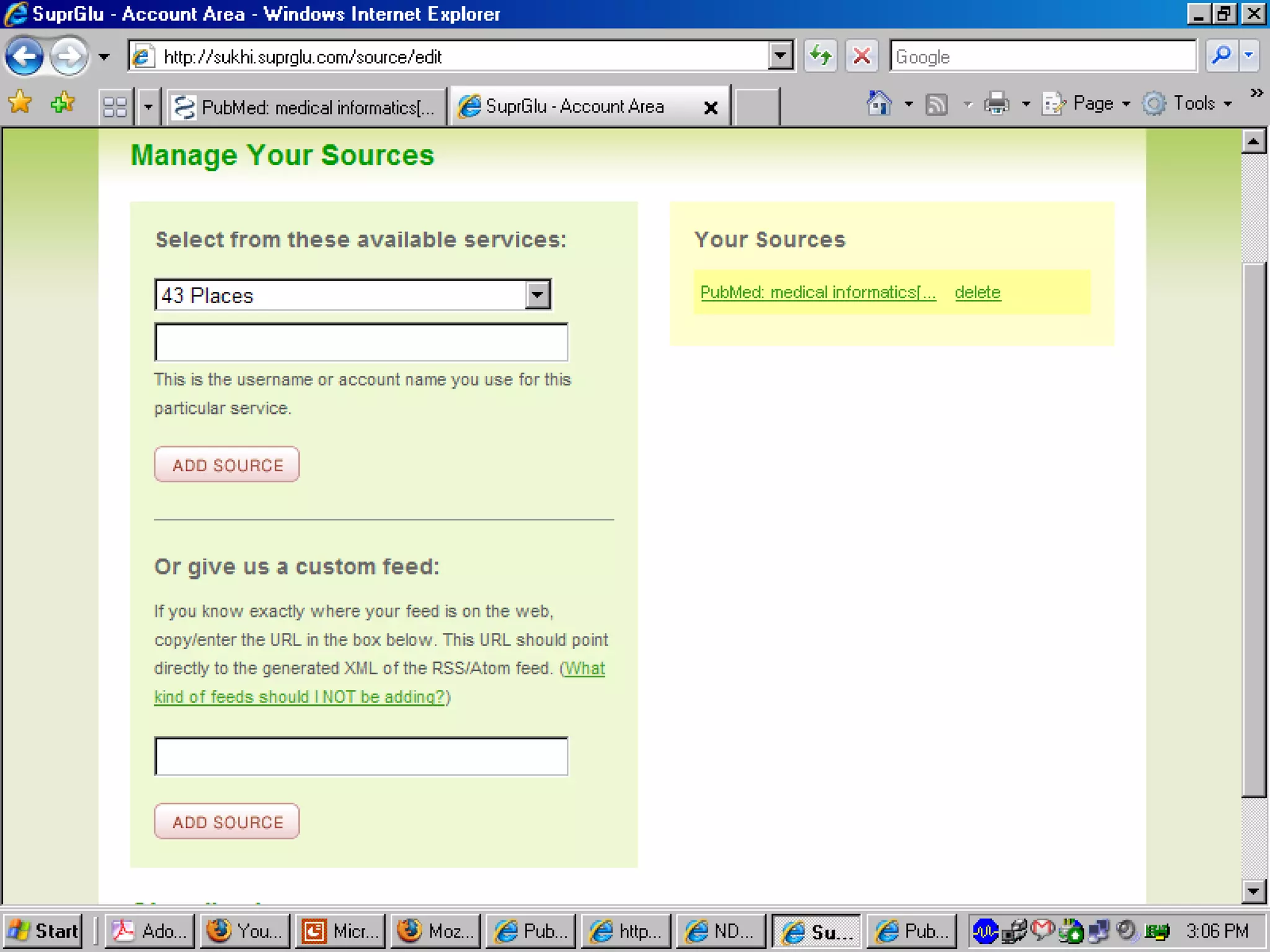
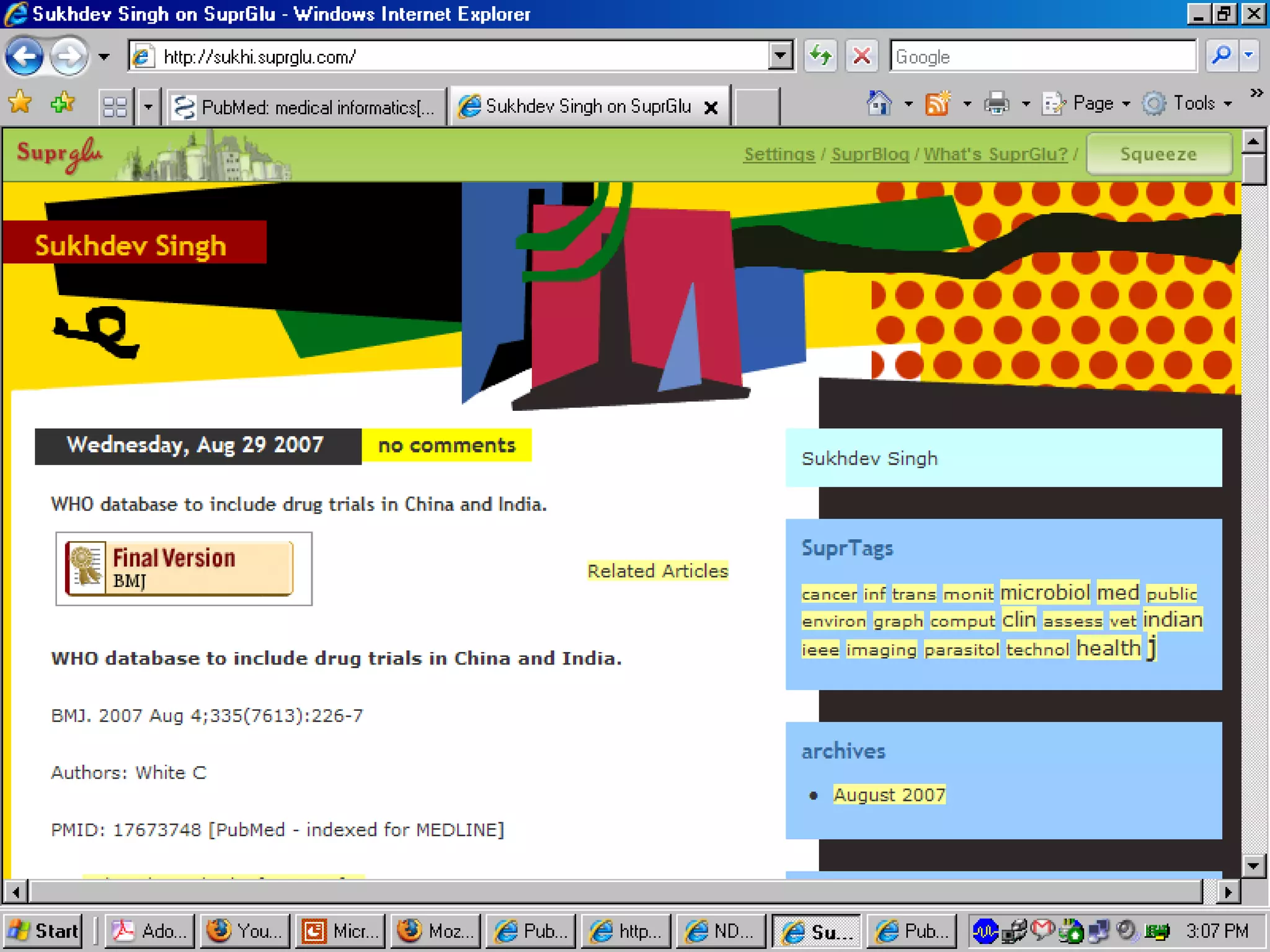
Let us take a simple example of Re-publishing RSS Feeds for special interest groups Say there is a university department for “Medical Informatics”.  Faculty and Students would like to be alerted on what all is being published on “Medical Informatics”.
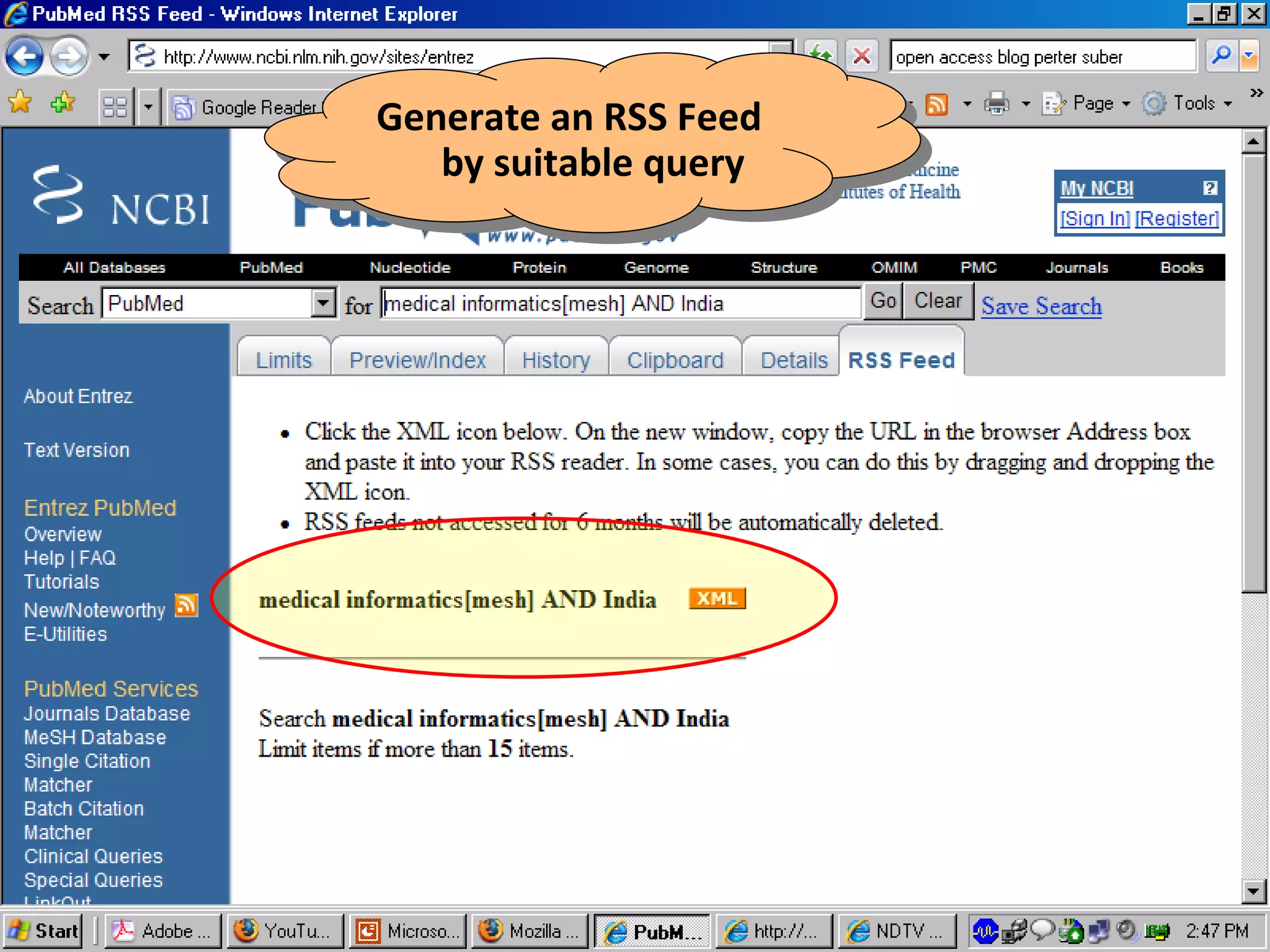
Generate an RSS Feed by suitable query
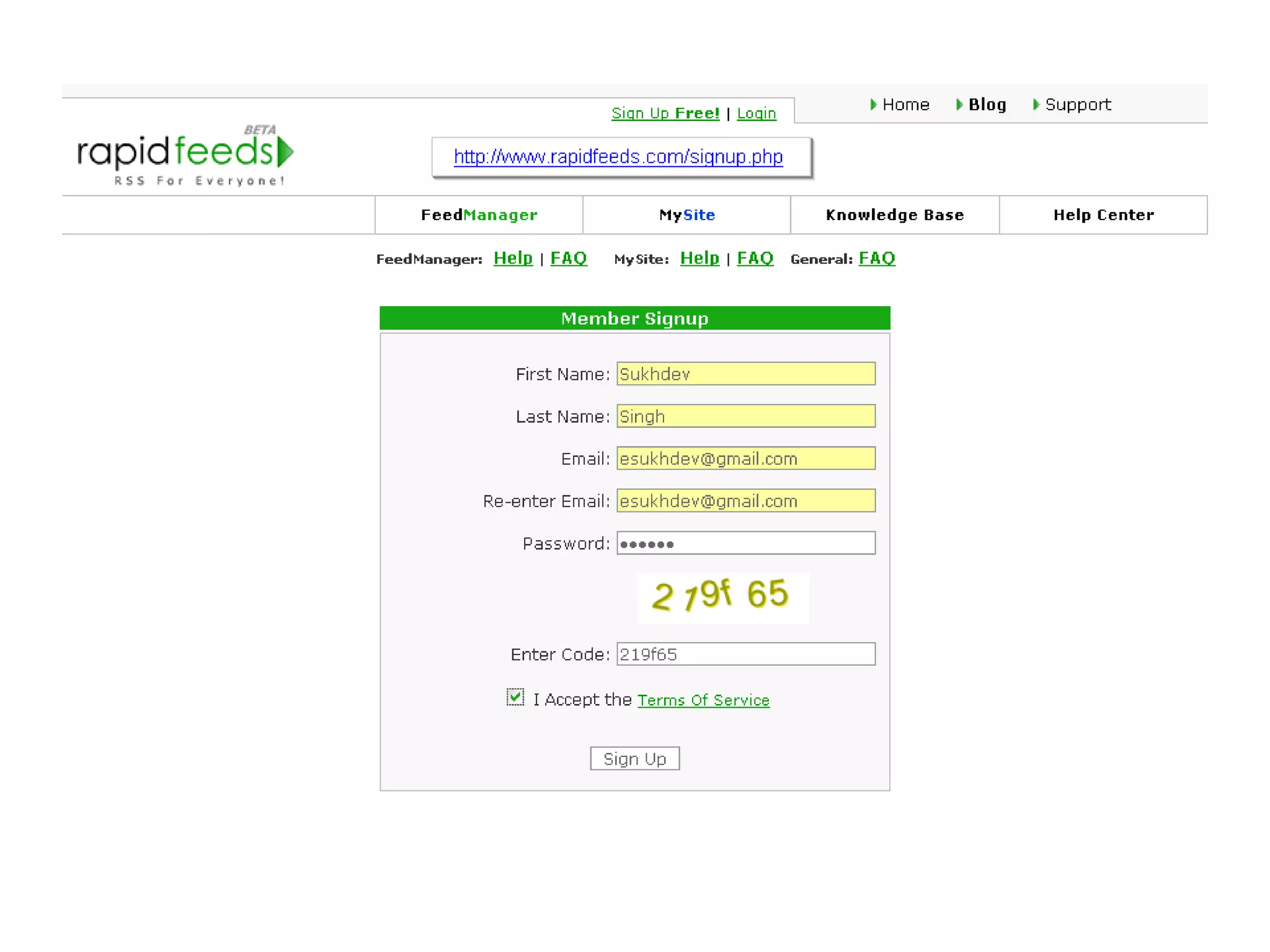
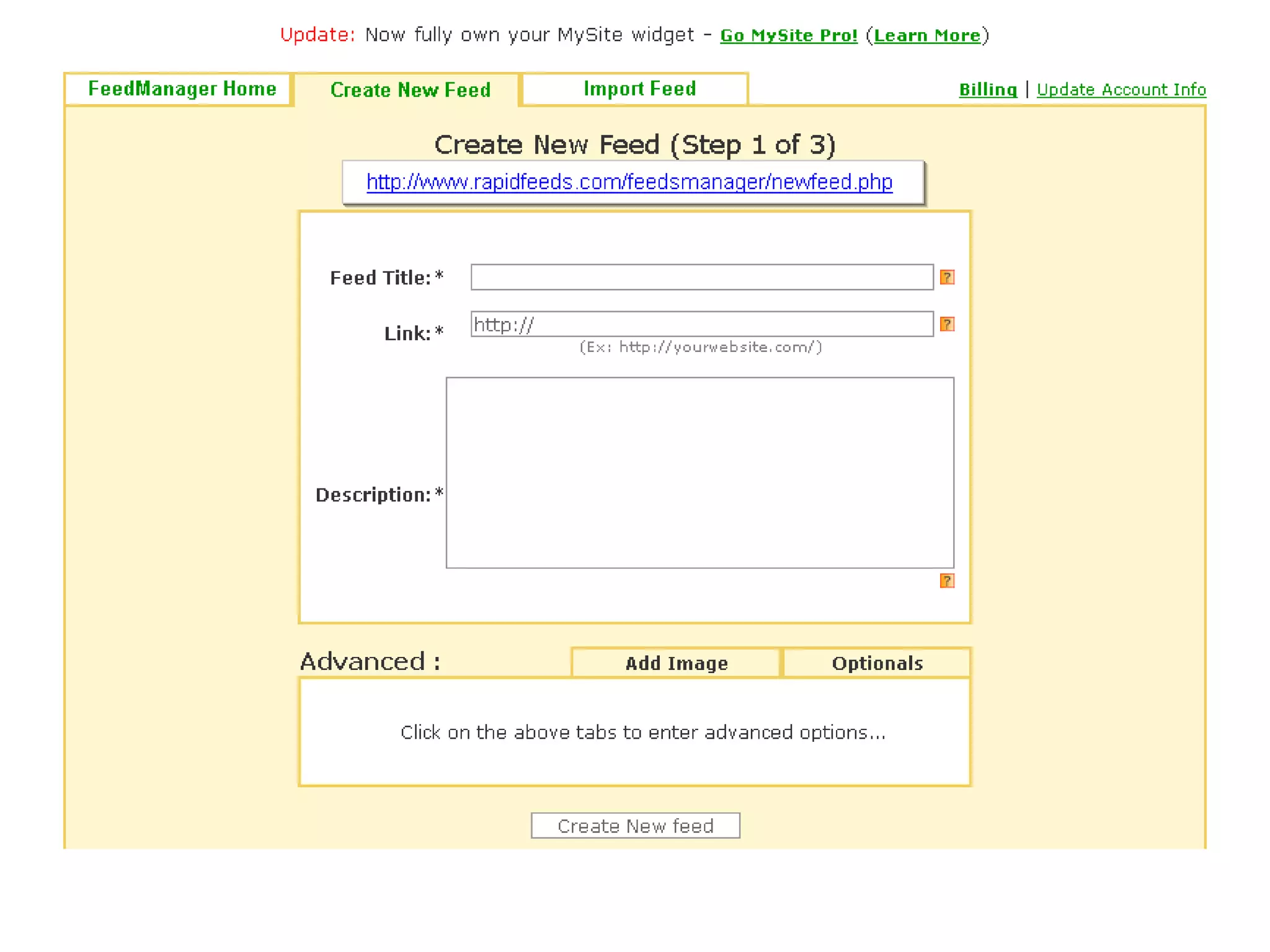
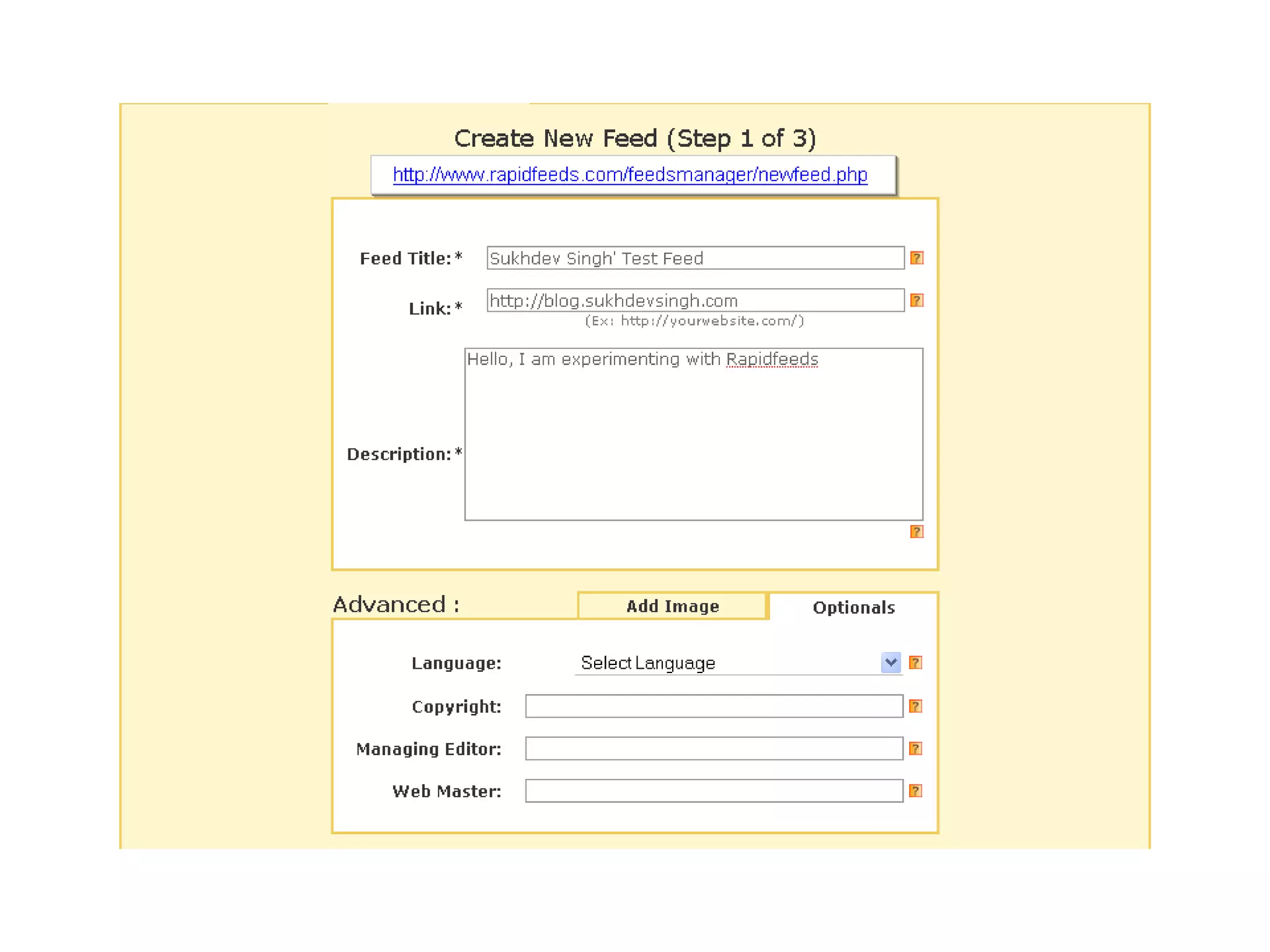
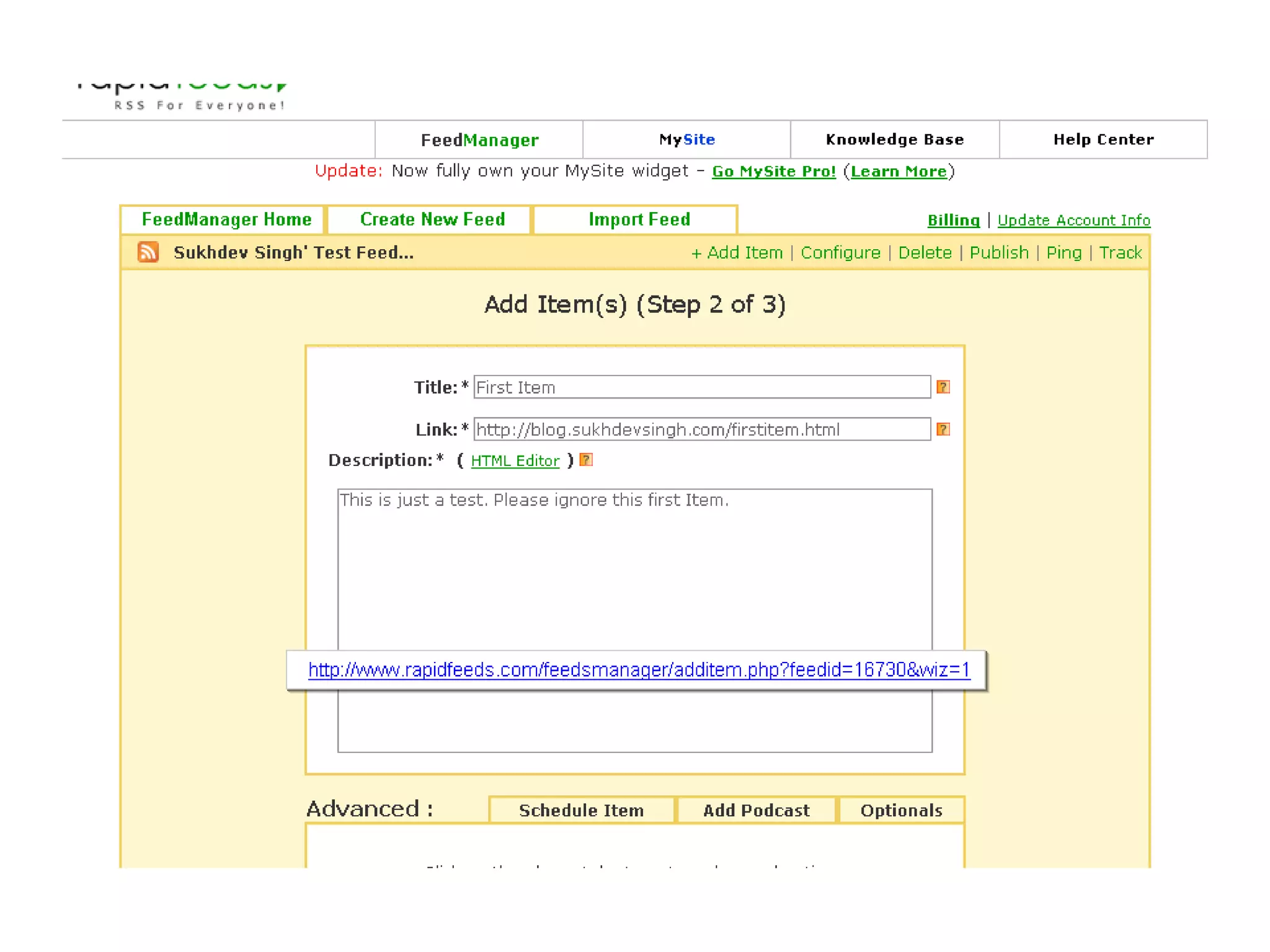
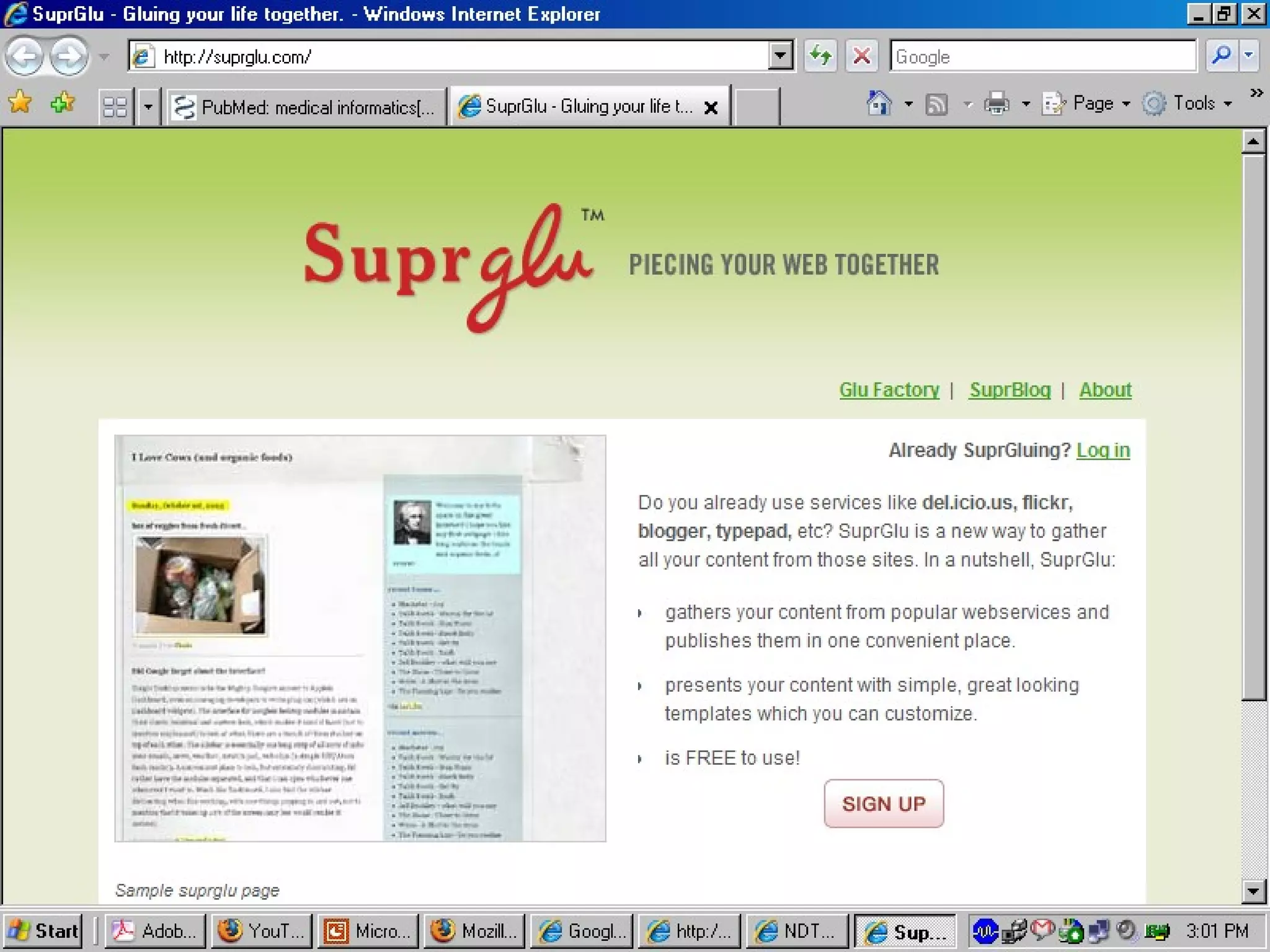
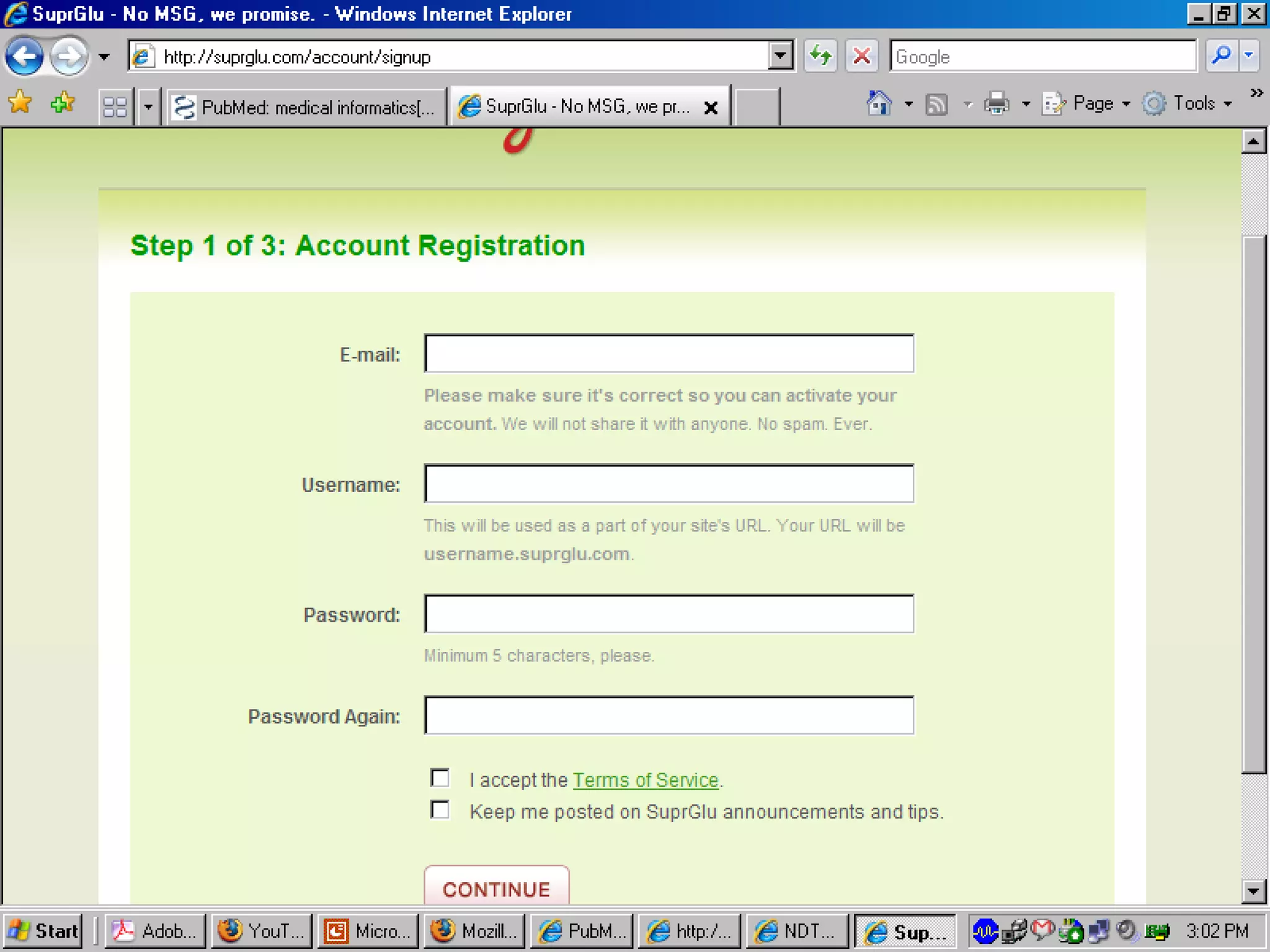
For our example we will select a site that allows to publish RSS Feeds for free.  http://suprglu.com (There are many such services)


Libraries as consumer  can subscribe to Feeds  of Interest to Librarians
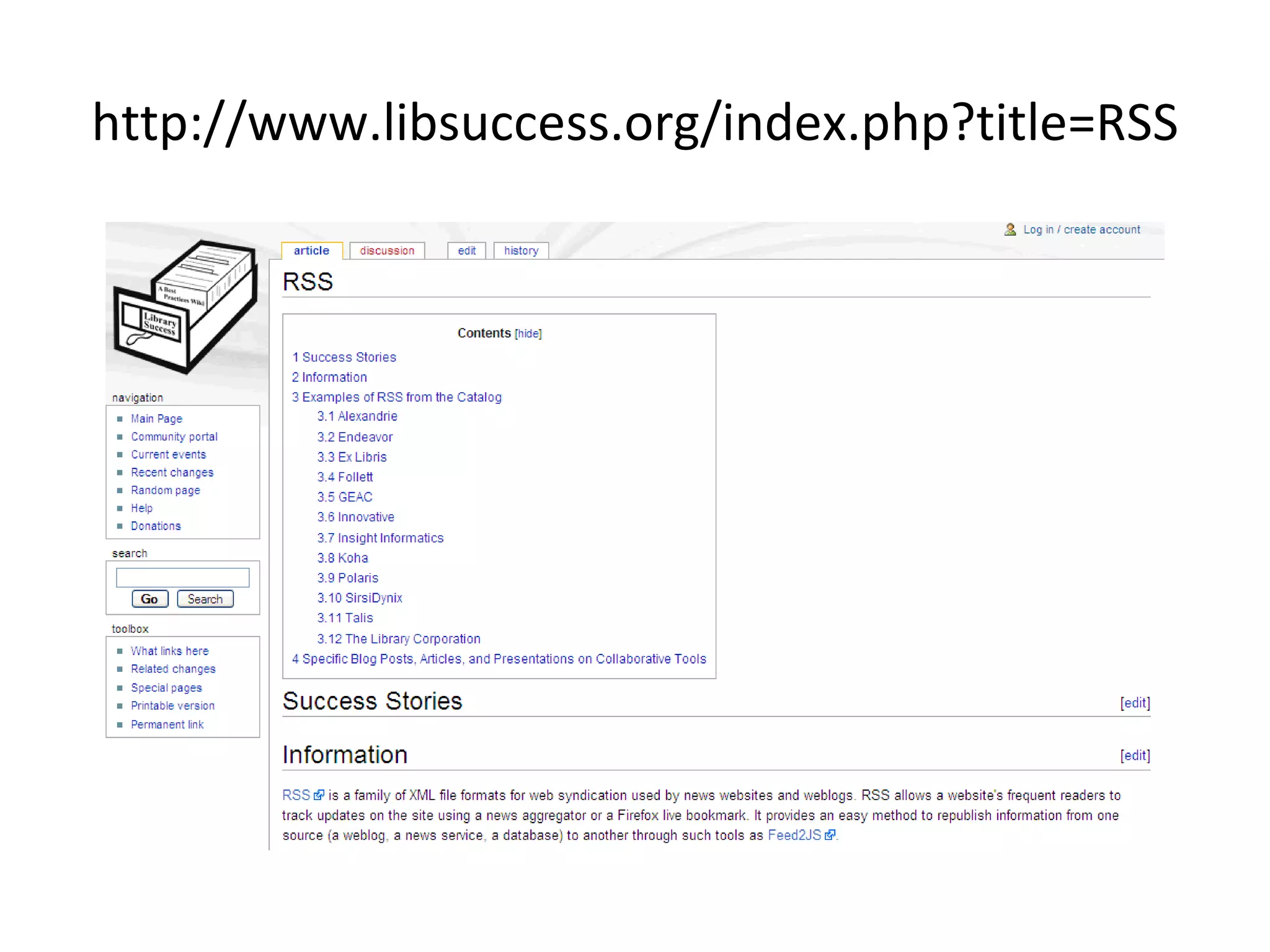
http://www.libsuccess.org/index.php?title=RSS
Conclusion RSS is a new way of delivering and consuming information Librarians and Libraries should exploit this technology to effectively promote the content they produce Help their users to select appropriate feeds Re-Publish selective RSS Feeds to cater special target groups Use this technology to keep themselves up-to-date in this era of Information Explosion
Further Reading: RSS - A Primer for Publishers & Content Providers (M.Moffat) - convincing rationale for RSS and valuable Q&A -  http://www.eevl.ac.uk/rss_primer/ Searching RSS Channels for News (Utah State Library) -  http://www.rssgov.com/rsssearchworkshop.html RSS Tutorial for Content Publishers and Webmasters (M. Nottingham) -  http://www.mnot.net/rss/tutorial/ Set Up a Simple Syndication Feed Using RSS (L. Angelius) -  http://www.devx.com/xml/Article/10790 RSS FAQ (Ed Pimentel) -  http://radio.weblogs.com/0105060/categories/blogging/2003/08/26.html#a1637 RSS 0.92: A Step-by-Step Beginner's Guide to Creating Your First Document(M. Trump) -  http://www.jamsterdam.com/rss092/
PHP and XML: Parsing RSS 1.0 (K. Yank) -  http://www.sitepoint.com/article/560/2 Explanation of RSS, How You Can Use it, and Finding RSS Feeds (M.Fagan) -  http://www.faganfinder.com/search/rss.shtml What is RSS and how can it serve libraries?  http://eprints.rclis.org/2531/1/RSS_and_libraries_EN3.pdf Library 2.0: RSS Feeds Dynamic Uses for Special Libraries  http://www.sla.org/pdfs/sla2007/hartrssfeeds.pdf 10 Ways Libraries Can Use RSS -  The Moxie Librarian  http://moxielibrarian.wordpress.com/2008/02/27/10-ways-libraries-can-use-rss/
THANKS Slides can be downloaded from:  http://blog.sukhdevsingh.com/2009/02/rss-and-libraries.html or http://www.slideshare.net/sukhi/rss-and-its-use-in-libraries

RSS and its use in Libraries

  • 1.
    RSS and itsuse in Libraries Sukhdev Singh
  • 2.
    First of all let us see what RSS can do?
  • 3.
    Even before that let us see how we can keep ourselves up-to-date in the Era of Internet
  • 4.
    Blogs News JournalsDatabases Keeping yourself Up-to-date Go Get It
  • 5.
    Blogs News JournalsDatabases Keeping yourself Up-to-date Guests are Welcomed
  • 6.
    RSS is thenew way of keeping yourself up-to-date RSS (which, in its most recent format, stands for &quot;Really Simple Syndication&quot;) Some expand it as - Rich Site Summary
  • 7.
    By RSS FeedsEasily stay informed by subscribing the latest content from the sites you are interested in. You save time by not visiting each site individually. Your privacy is maintained unlike subscribing to each site's email newsletter
  • 8.
    What all isRequired for this? A PLACE to mix the new content of your interest RSS READER and Content in Special Format RSS Feeds
  • 9.
    RSS READERs DesktopSoftwares http://www.download.com/RSS-Tools/3150-9227-0.html Online Services http://reader.google.com http://my.yahoo.com http://bloglines.com
  • 10.
  • 11.
  • 12.
  • 13.
    Even smart cellphones have means to read RSS
  • 14.
  • 15.
    Where to getRSS Feeds Blogs – Most are RSS Enabled Web sites - Check for buttons Databases – Execute your search query Create RSS Feed
  • 16.
    Connecting READER with FEEDS Clicking on RSS Button will reveal the URL of the RSS Feed Copy the URL Paste the URL in your READER and subscribe the FEED
  • 17.
    OK, we willtake an example
  • 18.
    Say for ExampleI am interested in News – Let me know what current News are reported by NDTV.COM I read blogs, so let me know what is latest on Peter Suber’s Blog. I want to know what all new articles are deposited in my favorite repository - http://openmed.nic.in What all new articles are added in my favorite database - PubMed - on the topic “Medical Informatics in India”?
  • 19.
    Ok, we willuse Google Reader as our RSS Reader for this example http://www.google.com/reader/
  • 20.
  • 21.
    Look for Add Subscription
  • 22.
    Click on Add Subscription
  • 23.
    We will nowsubscribe to RSS feeds One by One Let us first add Feed from News Site i.e. NDTV in our example
  • 24.
    Open a NewWindow in your browser go to the site i.e. NDTV.COM
  • 25.
    Click on RSSbutton and Get URL of your RSS Feed for News
  • 26.
    Just Look URL.COPY it with Ctrl + C
  • 27.
    Paste the URLHere Ctrl+V
  • 28.
  • 29.
    Now let ussubscribe a blog! Remember M ost blogs are RSS enabled So no need to look for any Orange Button. Just enter the blog URL
  • 30.
    Now let usadd a feed from Blog now.
  • 31.
    Repeat steps forAdding Subscription
  • 32.
  • 33.
    To subscribe RSSFeed from any site Look for Orange Buttons Click and get the URL
  • 34.
    Now for Repository.Look for RSS Button .
  • 35.
    Look for URLAbove and Copy it.
  • 36.
  • 37.
    And it hasbeen done!
  • 38.
    You can alsocreate / customize an RSS feed to suit interest. However the site should provide such facility Let us see how we can create an RSS Feed on PubMed Database Site on a Query
  • 39.
    Now let uscreate a feed from PubMED
  • 40.
    Enter your Queryas you do normally.
  • 41.
    In Display Menu- Click on Drop Down Option for RSS
  • 42.
  • 43.
    Look for SmallOrange Icon – and Click it.
  • 44.
    Copy the URLof the Feed.
  • 45.
  • 46.
    And no surprise,It is Done
  • 47.
    You can Manageyours RSS Subscriptions
  • 48.
  • 49.
    See them allat one place. No need to visit each site.
  • 50.
  • 51.
    You can evenExport or Import your subscriptions to / from Other Readers
  • 52.
    We have seenthe usefulness of RSS. Now let see what is this RSS?
  • 53.
    Blogs Saved SearchersSocial Bookmarking Wikis News Syndication Isn’t that R eally S imple?
  • 54.
    RSS Stands for“Really Simple Syndication”. Can also stand for “Rich Site Summary”, or “RDF Site Summary”.
  • 55.
    “ Really Simple Syndication ” is the default expansion of RSS nowadays.
  • 56.
    RSS is writtenin XML language for syndicating information items on web.
  • 57.
    XML Source Codeof RSS <?xml version=&quot;1.0&quot; encoding=&quot;windows-1252&quot;?> <rss version=&quot;2.0&quot;> <channel> <title>NDTV News</title> <description></description> <language>en-us</language> <link>http://www.ndtv.com</link> <copyright>&#169; Copyright 2006, New Delhi Television Ltd.</copyright> <pubDate>Wed, 21 Jan 2009 16:13:17 GMT</pubDate> <category>National News</category> <image> <title>NDTVNews</title><url>http://www.ndtv.com/images/ndtv.gif</url> <link>http://www.ndtv.com</link> </image> <item> <title>Surya Kiran trainer jet crashes in Karnataka, pilot killed</title> <pubDate>Wed, 21 Jan 2009 13:29:00 GMT</pubDate> <description><![CDATA[<p><a href=http://www.ndtv.com/convergence/ndtv/story.aspx?id=NEWEN20090080888><img align=&quot;left&quot; border=&quot;0&quot; src=&quot;http://www.ndtv.com/convergence/images/thumbnail/ver1/m/mapkarnataka1.jpg&quot; alt=&quot;Surya Kiran trainer jet crashes in Karnataka, pilot killed&quot; style=&quot;margin-right:5px;margin-top:5px;width:70px;height:70px;&quot; /></a>A pilot of an Indian Kiran trainer jet was killed in a crash on Wednesday morning near Bidar in Karnataka. </p><br clear=&quot;all&quot; />]]></description> <link>http://www.ndtv.com/convergence/ndtv/story.aspx?id=NEWEN20090080888</link> <keywords>crash, pilot, Karnataka</keywords> </item> </channel> </rss>
  • 58.
    RSS when viewedin Browser
  • 59.
    RSS Format RSSfeed is an XML file containing a list of  items  or  entries . items are identified by links and can have some metadata associated with it. The most basic metadata for an item includes a title for the link and a description of it.
  • 60.
    For example, asimple entry of an ‘item’ might look like <item> <title>Title of an item in feed</title> <link>http://link.domain.com/item</link> <description> This is the description of the item. </description> </item>
  • 61.
    Some Important Tagsrss – it is used to mark the global container. channel – is used to mark the distributing channel. It has several descriptive tags and holds one or several items. 
  • 62.
    Container <?xml version=&quot;1.0&quot;?> < rss  version=&quot;2.0&quot;> < channel >      …… …… </ channel > </ rss >
  • 63.
    Requiredtags for the channel   title - The title of the channel. Should contain the name. link -   URL of the website that provides this channel. d escription - Summary of what the provider is. i tem.   At least one item tag for the content of the feed.
  • 64.
    < rss  version=&quot;2.0&quot;>< channel >      < title > Channel Title </ title >          < link > http://www.xul.fr/ </ link >      < description > Some Description </ description >        < item >  … .. … ..     </ item >      </ channel > </ rss >
  • 65.
    Each  item  tagmust hold these tags: title . Title of the article. link . The URL of the page. description . Summary of the article.    
  • 66.
    < item >  < title > Surya Kiran trainer jet crashes in Karnataka, pilot killed </ title >            < link > http://www.ndtv.com/convergence/ndtv/story.aspx?id=NEWEN20090080888 </ link >     < description > A pilot of an Indian Kiran trainer jet was killed in a crash on Wednesday morning near Bidar in Karnataka </ description >  </ item > <item> …… . </item>
  • 67.
    Format looks toocomplicated? Don’t worry In practice you will perhaps never need to create an RSS Feed manually. For all practical purposes you will be using RSS Enabled content managers or some other tools to exact data from pages and generate Feeds.
  • 68.
    How does RSSwork? Content Provider Content Consumer
  • 69.
    How RSS Feedsare created? Manual Markup You markup the content manually. Software Assisted You just type in the content in forms . The software generates the markup. Publishing Platforms You simply use RSS enabled publishing platform / content manager.
  • 70.
    Software Assisted Manual mark-up is not required. Number of software options are available to assist in creating RSS Feeds.
  • 71.
    One such softwareis Download from http://usablelabs.org/feedspring http://www.softpedia.com/progDownload/Feed-Spring-Download-20514.html
  • 72.
    Just fill infew forms and it will generate XML file i.e. RSS Feed
  • 73.
  • 74.
  • 75.
  • 76.
  • 77.
  • 78.
  • 79.
  • 80.
  • 81.
  • 82.
  • 83.
  • 84.
    RSS enabled Publishing platforms Content managers Database based applications Modern Library Automation Softwares
  • 85.
    Modern publishing andcontent management platforms are RSS enabled Blogging platforms like – Blogger, Wordpress, Livejournal, Movable Type Some popular open source, server-side, portal content management systems such as PostNuke , (php), PHP-Nuke ,(php) phpWebLog (php), SlashDot (Perl), Squishdot (Zope), Rusty Foster's Scoop (Perl), Roller (Java), and Drupal (php) can also create and display RSS feeds using their built-in news aggregators.
  • 86.
    WEB 2.0 Applicationsare RSS enabled
  • 87.
  • 88.
  • 89.
    Database Driven ApplicationsDatabase driven applications can easily be made RSS enabled by creating reports (displaying items) in XML format for RSS Feeds
  • 90.
  • 91.
  • 92.
    PERL Script usedin OpenMED (EPRINTS) TO Generate RSS Feed
  • 93.
  • 94.
  • 95.
  • 96.
  • 97.
    Libraries and RSSLibraries are ideal candidates for adopting and using RSS to their advantage as Information Producers Information Gateways Information Consumers
  • 98.
    Libraries as InformationProducers As information producers, libraries maintain their web sites providing information about its services, new additions, announcements and other many other information tools like OPAC
  • 99.
    Libraries Can - Create an RSS feed for new additions to the online catalogue Create an RSS feed tied to a library card account for hold notifications and/or overdue materials. Create an RSS feed for new programs and events posted on the library website. Create an RSS feed for the library’s electronic newsletter. Create an RSS feed for press releases and other media advisories. Create an RSS feed for library closings, including emergency closings. Create an RSS feed for library job openings
  • 100.
  • 101.
  • 102.
  • 103.
  • 104.
  • 105.
  • 106.
  • 107.
    As a gatewayto information, libraries can: Subscribe to a few RSS feeds, such as local news websites, and share the content on the library’s website. Subscribe and share RSS feeds of interest to library users. Compile list of useful RSS feeds with suitable annotation to help users to pick up feeds of their interest.
  • 108.
  • 109.
  • 110.
  • 111.
    Libraries can Re-PublishRSS Feeds Create RSS Feeds from databases like PubMed on “queries” that might be of interest to various departments of parent institute of the library Subscribe to RSS feeds of interest to library users and re-publish them
  • 112.
      Content ofRSS feeds can be displayed from websites by running suitable scripts at web servers. When someone visits such websites these scripts get activated. Scripts extract RSS Feeds from providers’ websites and display items with appropriate links to providers’ pages.
  • 113.
    Let us takea simple example of Re-publishing RSS Feeds for special interest groups Say there is a university department for “Medical Informatics”. Faculty and Students would like to be alerted on what all is being published on “Medical Informatics”.
  • 114.
    Generate an RSSFeed by suitable query
  • 115.
    For our examplewe will select a site that allows to publish RSS Feeds for free. http://suprglu.com (There are many such services)
  • 116.
  • 117.
  • 118.
  • 119.
  • 120.
  • 121.
  • 122.
    Libraries as consumer can subscribe to Feeds of Interest to Librarians
  • 123.
  • 124.
    Conclusion RSS isa new way of delivering and consuming information Librarians and Libraries should exploit this technology to effectively promote the content they produce Help their users to select appropriate feeds Re-Publish selective RSS Feeds to cater special target groups Use this technology to keep themselves up-to-date in this era of Information Explosion
  • 125.
    Further Reading: RSS- A Primer for Publishers & Content Providers (M.Moffat) - convincing rationale for RSS and valuable Q&A - http://www.eevl.ac.uk/rss_primer/ Searching RSS Channels for News (Utah State Library) - http://www.rssgov.com/rsssearchworkshop.html RSS Tutorial for Content Publishers and Webmasters (M. Nottingham) - http://www.mnot.net/rss/tutorial/ Set Up a Simple Syndication Feed Using RSS (L. Angelius) - http://www.devx.com/xml/Article/10790 RSS FAQ (Ed Pimentel) - http://radio.weblogs.com/0105060/categories/blogging/2003/08/26.html#a1637 RSS 0.92: A Step-by-Step Beginner's Guide to Creating Your First Document(M. Trump) - http://www.jamsterdam.com/rss092/
  • 126.
    PHP and XML:Parsing RSS 1.0 (K. Yank) - http://www.sitepoint.com/article/560/2 Explanation of RSS, How You Can Use it, and Finding RSS Feeds (M.Fagan) - http://www.faganfinder.com/search/rss.shtml What is RSS and how can it serve libraries? http://eprints.rclis.org/2531/1/RSS_and_libraries_EN3.pdf Library 2.0: RSS Feeds Dynamic Uses for Special Libraries http://www.sla.org/pdfs/sla2007/hartrssfeeds.pdf 10 Ways Libraries Can Use RSS - The Moxie Librarian http://moxielibrarian.wordpress.com/2008/02/27/10-ways-libraries-can-use-rss/
  • 127.
    THANKS Slides canbe downloaded from: http://blog.sukhdevsingh.com/2009/02/rss-and-libraries.html or http://www.slideshare.net/sukhi/rss-and-its-use-in-libraries