Reverse Engineering
The Crash Course
Hi!
I am Satria Ady Pradana
Community Leader
of
Reversing.ID
xathrya
@xathrya
Reversing.ID
Revealing the Truth through Breaking Things
https://xathrya.id
Disclaimer
 This presentation is intended for educational purposes only.
 Reverse engineering of copyrighted material is illegal an might
cause you a direct or indirect consequence. We have no
responsibility of anything you do after learning this.
“What do you think of
Reverse Engineering?
Explaining Reversing
 Originally used in the context of mechanical engineering
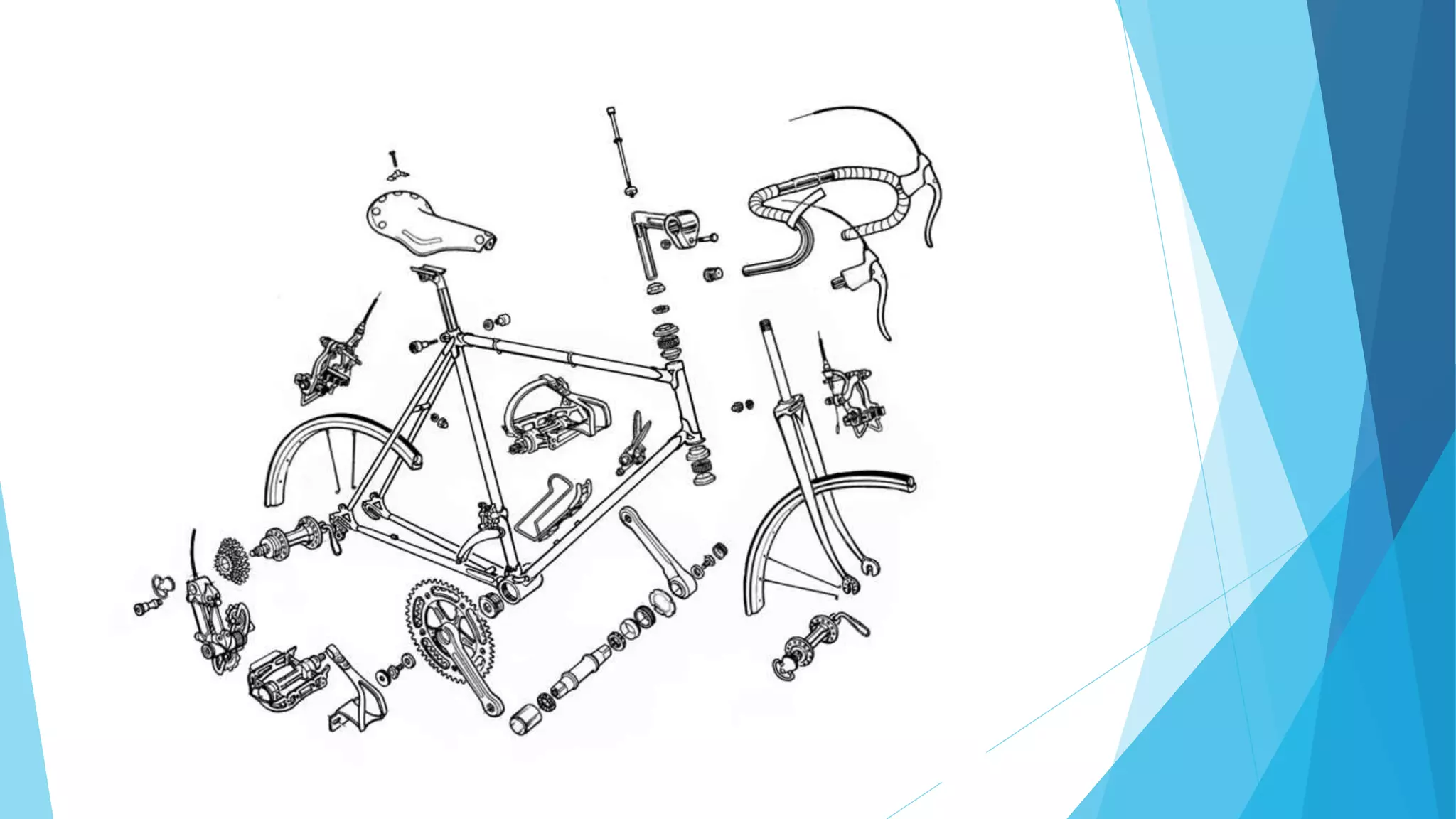
 Breaks down an existing object or system to its construction
and then rebuild it based on new demand.
 Extracting knowledge or design information from anything man-
made and reproducing it or reproduce anything based on the
extracted information.
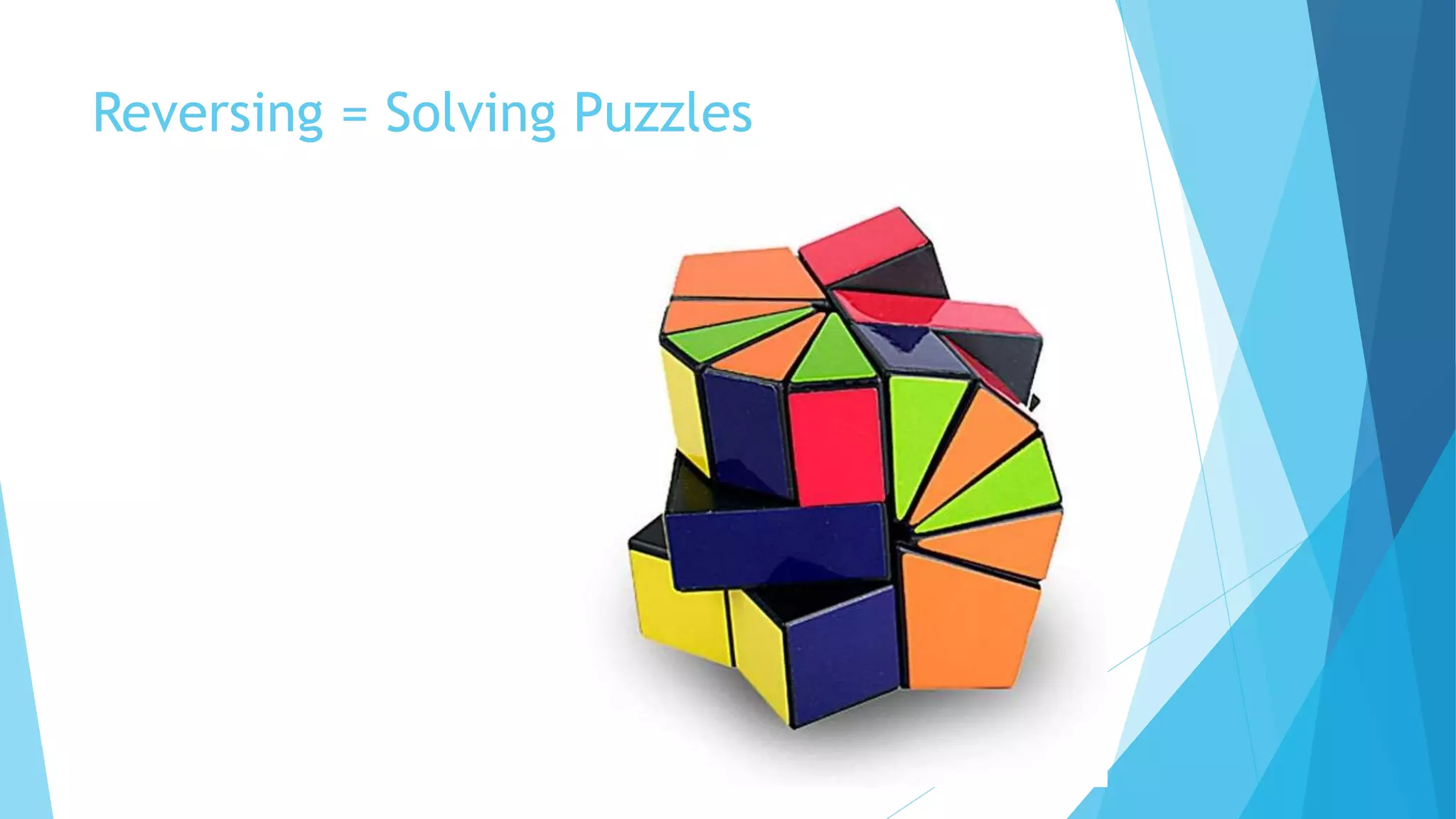
Reversing = Solving Puzzles
Motivation
 Interfacing
 Improve documentation shortcomings
 Bug Fixing
 Creation of unlicensed duplicates
 Repurposing
 Finding security bugs
 For fun!
Common Practice
Some popular and commonly used practice or operation
 Resource Modification (Modding)
 Control Flow Bypass
 Code Caving
Resource Modification (Modding)
 Modify the resource of application
 Icon
 Menu
 Layout
 Sprite
Control Flow Bypass
 Alter program flow
 Force program to takes (or leaves) intended action.
 Jump over the protection mechanism
Code Caving
 Writing code to specific region of application (or process’
memory)
 Fast and easy
 No need for source
 In conjunction of Function Trampoline.
Basic Knowledge
The Language
 Depend on the target of reversing.
 Each programming languages might have unique trait or
characteristic.
 Channel in Go
 Two classes of programming language: native, interpreted.
 Assembly
 Primitive of Processors operations
 Complex operation is decomposed to various instructions
 Constrained by processors’ architecture
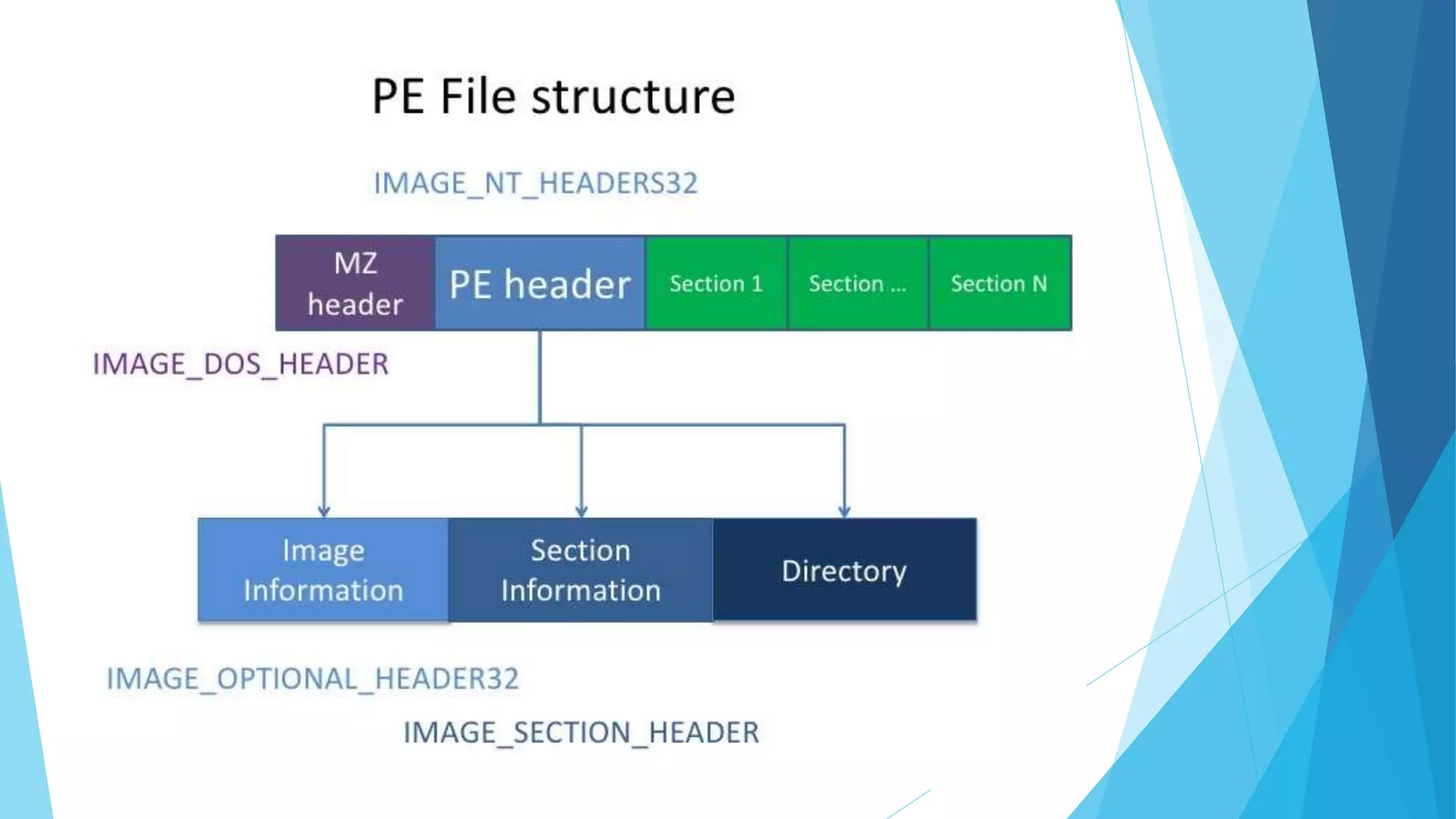
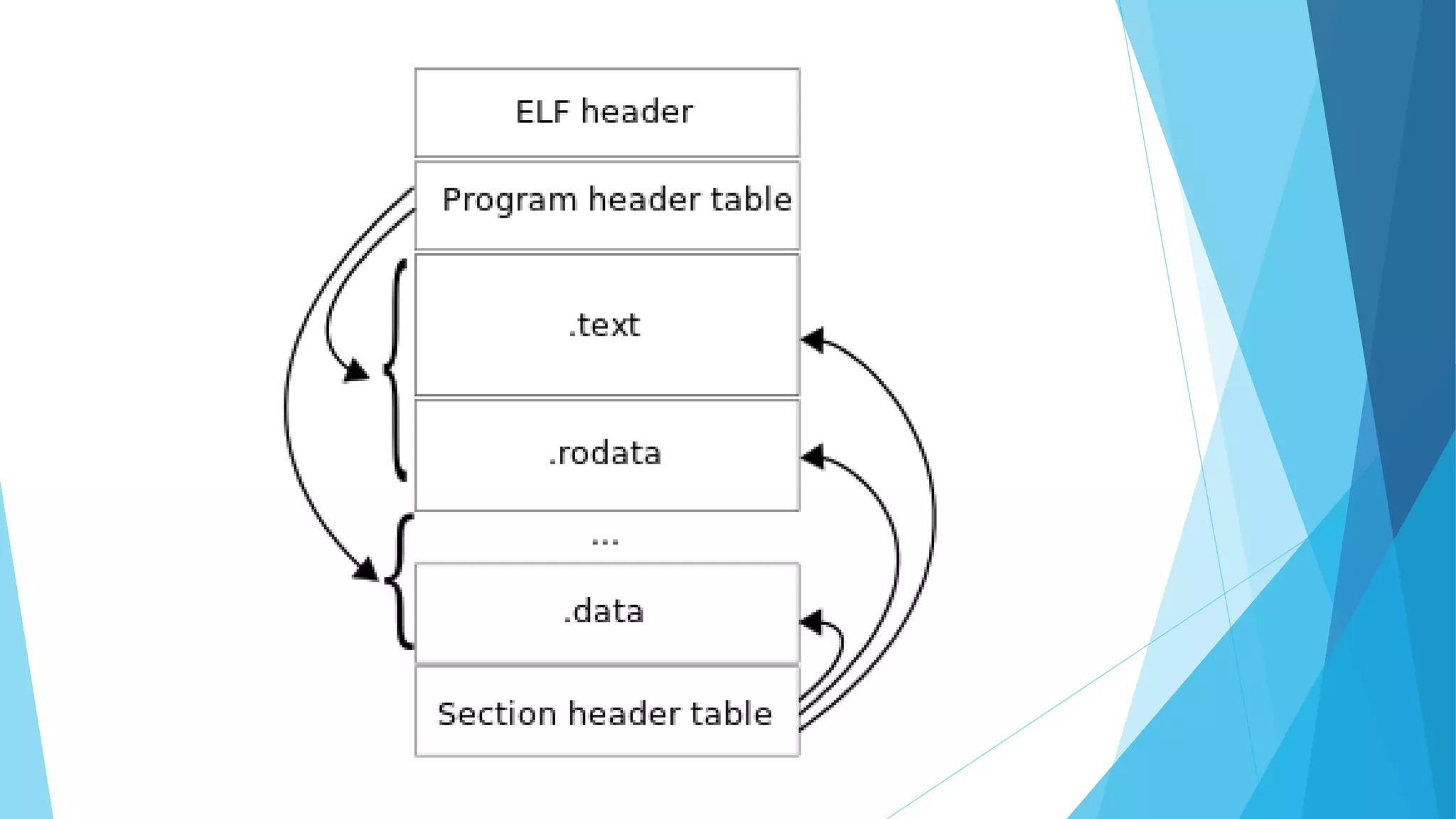
The Executable Format
 Application has a format.
 Identify by magic number.
 Structured and has some sections for data, code, resource, etc.
 Function might be provided by foreign module (ex: DLL), list of
imported function is maintained.
Design Pattern
 Software is divided into conceptual module and working
together.
 Repeatable solution to a commonly occurring problem in a
software design.
Common Code Base
 Library
 Framework
Common Tools
Breaking the system to fine-grain components
 Hex Editor
 Disassembler
 Debugger
 Resource Editor
Hex Editor
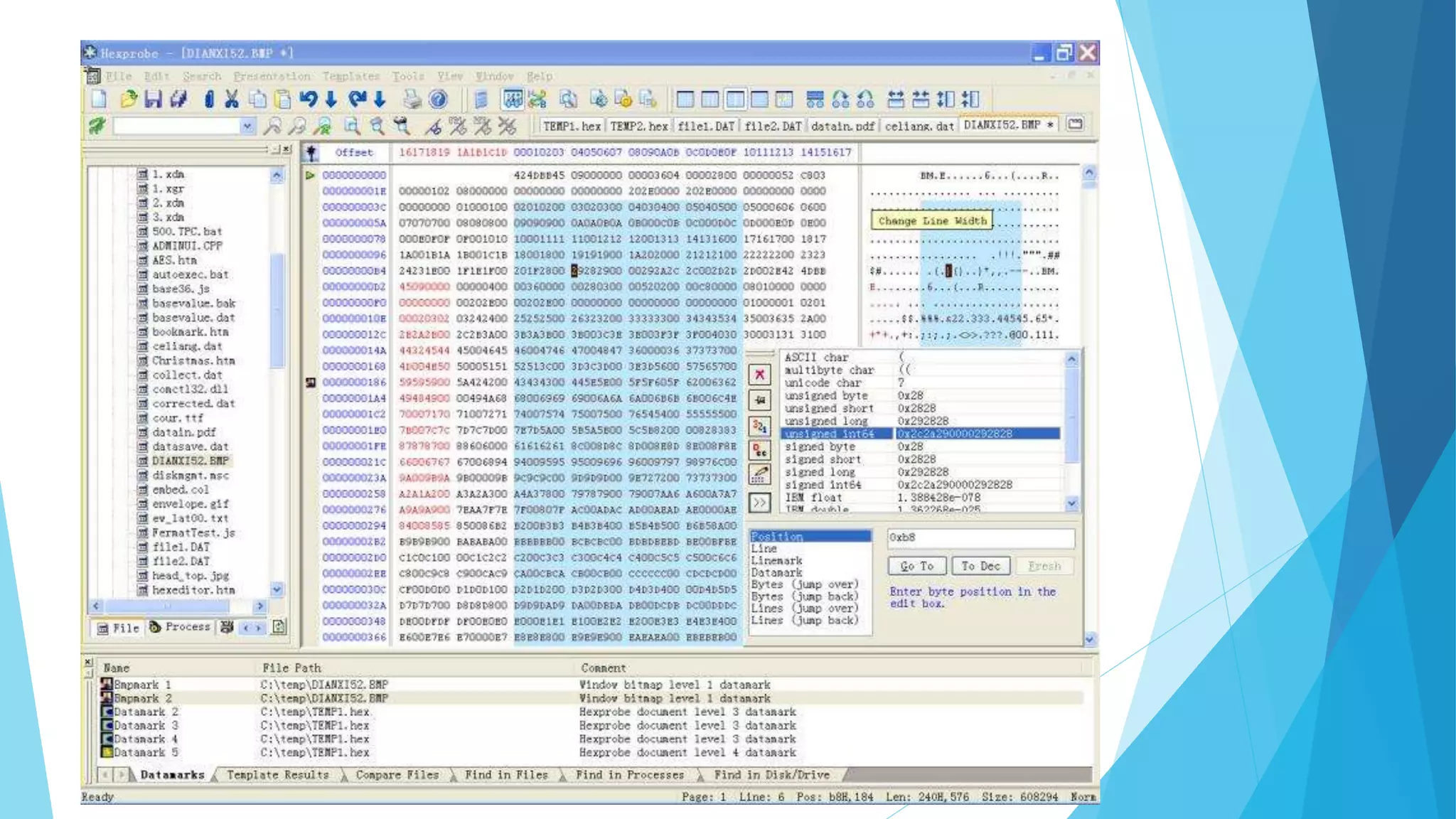
 Display the content of file as collection of hex formatted-data and modify
part of them.
 Find pattern and occurrence.
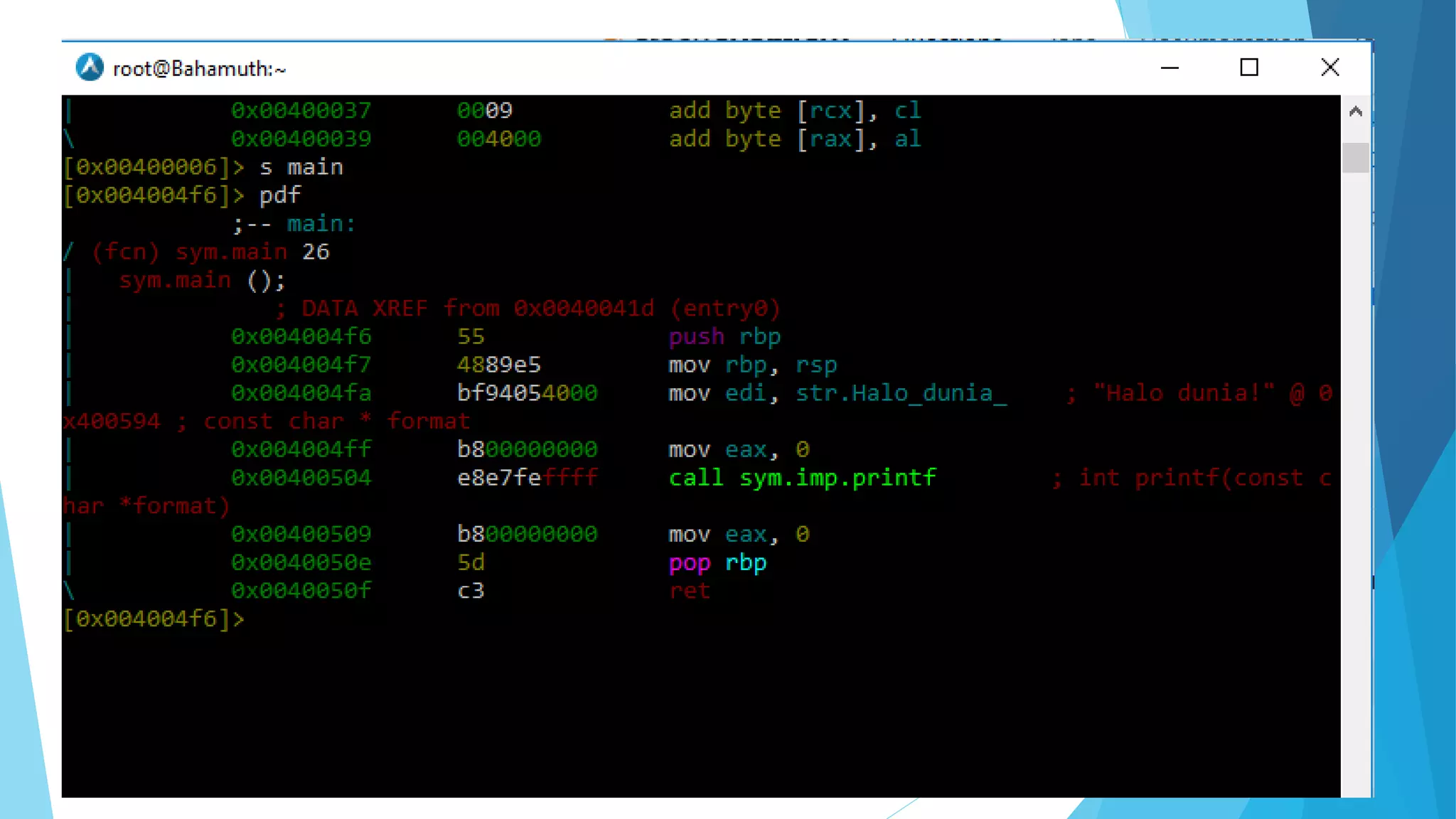
Disassembler
 Transform stream of hex bytes to its assembly representation.
 Resolve data and resource, referred by the code.
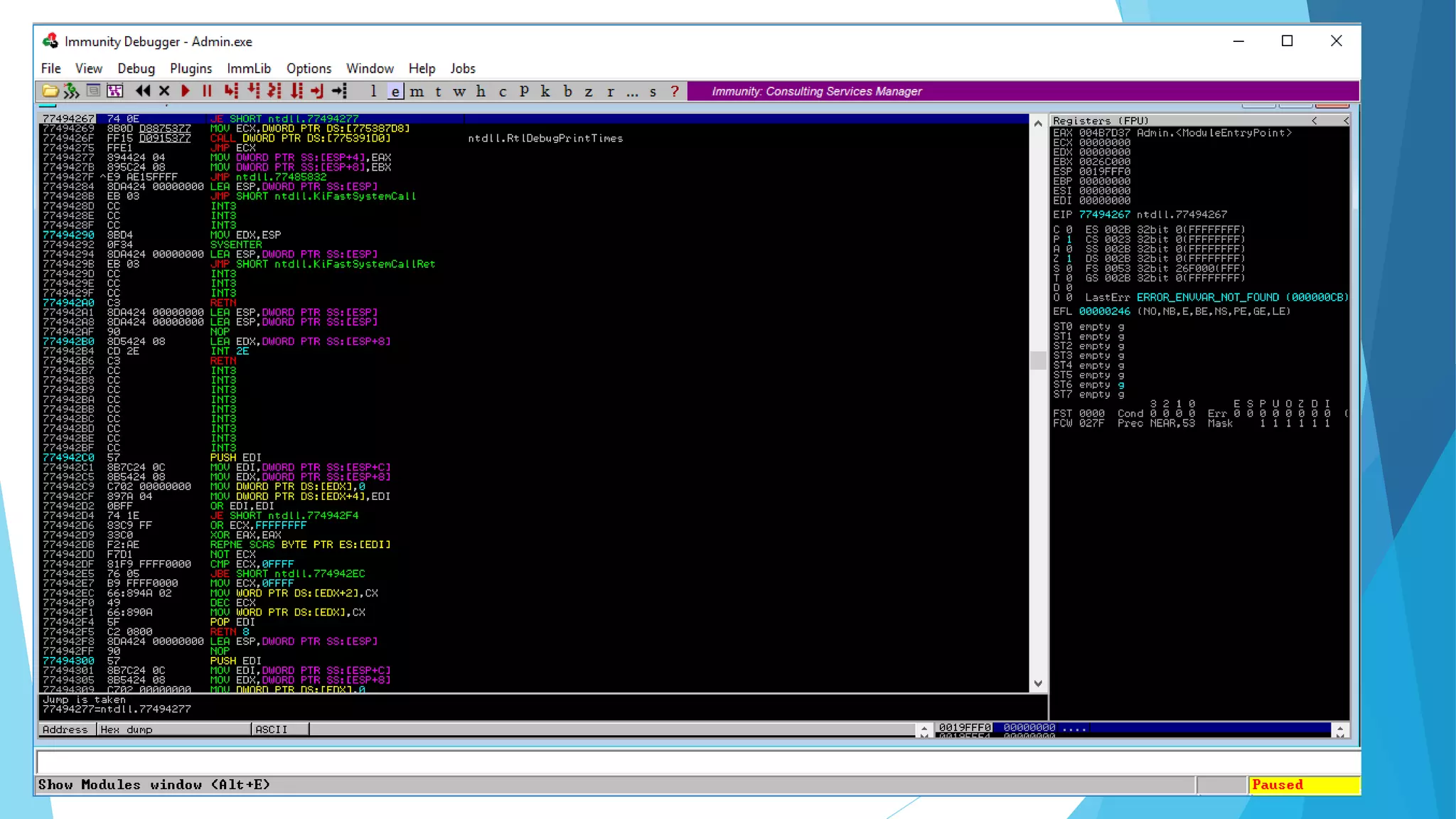
Debugger
 Test or debug other (target) program
 Examine program condition at runtime.
 Modify code or data section.
 Modify CPU state
 Alter control flow
Common Process in Reversing
Some popular activity and flow
 Identify
 Disassembly
 Decompile if possible
 Debug
 Patch
End of Game.

Reverse Engineering: The Crash Course

  • 1.
  • 2.
    Hi! I am SatriaAdy Pradana Community Leader of Reversing.ID xathrya @xathrya Reversing.ID Revealing the Truth through Breaking Things https://xathrya.id
  • 3.
    Disclaimer  This presentationis intended for educational purposes only.  Reverse engineering of copyrighted material is illegal an might cause you a direct or indirect consequence. We have no responsibility of anything you do after learning this.
  • 4.
    “What do youthink of Reverse Engineering?
  • 5.
    Explaining Reversing  Originallyused in the context of mechanical engineering  Breaks down an existing object or system to its construction and then rebuild it based on new demand.  Extracting knowledge or design information from anything man- made and reproducing it or reproduce anything based on the extracted information.
  • 6.
  • 8.
    Motivation  Interfacing  Improvedocumentation shortcomings  Bug Fixing  Creation of unlicensed duplicates  Repurposing  Finding security bugs  For fun!
  • 9.
    Common Practice Some popularand commonly used practice or operation
  • 10.
     Resource Modification(Modding)  Control Flow Bypass  Code Caving
  • 11.
    Resource Modification (Modding) Modify the resource of application  Icon  Menu  Layout  Sprite
  • 12.
    Control Flow Bypass Alter program flow  Force program to takes (or leaves) intended action.  Jump over the protection mechanism
  • 13.
    Code Caving  Writingcode to specific region of application (or process’ memory)  Fast and easy  No need for source  In conjunction of Function Trampoline.
  • 14.
  • 15.
    The Language  Dependon the target of reversing.  Each programming languages might have unique trait or characteristic.  Channel in Go  Two classes of programming language: native, interpreted.
  • 16.
     Assembly  Primitiveof Processors operations  Complex operation is decomposed to various instructions  Constrained by processors’ architecture
  • 17.
    The Executable Format Application has a format.  Identify by magic number.  Structured and has some sections for data, code, resource, etc.  Function might be provided by foreign module (ex: DLL), list of imported function is maintained.
  • 20.
    Design Pattern  Softwareis divided into conceptual module and working together.  Repeatable solution to a commonly occurring problem in a software design.
  • 21.
    Common Code Base Library  Framework
  • 22.
    Common Tools Breaking thesystem to fine-grain components
  • 23.
     Hex Editor Disassembler  Debugger  Resource Editor
  • 24.
    Hex Editor  Displaythe content of file as collection of hex formatted-data and modify part of them.  Find pattern and occurrence.
  • 26.
    Disassembler  Transform streamof hex bytes to its assembly representation.  Resolve data and resource, referred by the code.
  • 28.
    Debugger  Test ordebug other (target) program  Examine program condition at runtime.  Modify code or data section.  Modify CPU state  Alter control flow
  • 30.
    Common Process inReversing Some popular activity and flow
  • 31.
     Identify  Disassembly Decompile if possible  Debug  Patch
  • 32.