RESUME
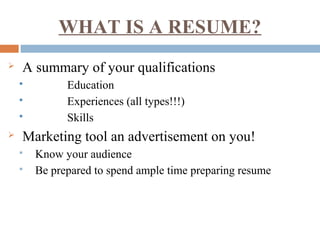
WHAT IS A RESUME?
 A summary of your qualifications
 Education
 Experiences (all types!!!)
 Skills
 Marketing tool an advertisement on you!
 Know your audience
 Be prepared to spend ample time preparing resume
FORMATS
 Reverse Chronological
 Functional or Skills-Based
REVERSE CHRONOLOGICAL
 Emphasizes work experience history around
dates
 Highlights career progression
 Is what employers prefer
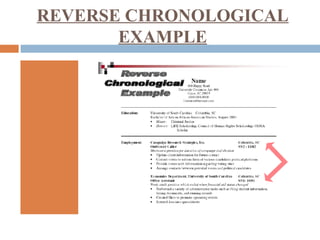
REVERSE CHRONOLOGICAL
EXAMPLE
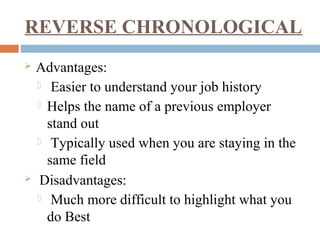
REVERSE CHRONOLOGICAL
 Advantages:
 Easier to understand your job history
 Helps the name of a previous employer
stand out
 Typically used when you are staying in the
same field
 Disadvantages:
 Much more difficult to highlight what you
do Best
FUNCTIONAL or SKILLS-BASED
 Organizes information around functional
headings which highlight skills & abilities
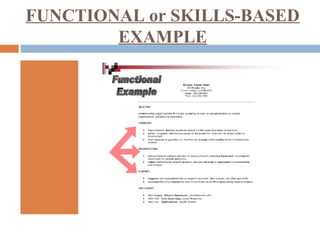
FUNCTIONAL or SKILLS-BASED
EXAMPLE
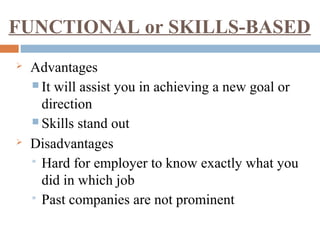
 Advantages
 It will assist you in achieving a new goal or
direction
 Skills stand out
 Disadvantages
 Hard for employer to know exactly what you
did in which job
 Past companies are not prominent
FUNCTIONAL or SKILLS-BASED
STYLE & APPEARANCE
 Stick to 10-12 font size
 Times New Roman and Arial are standard fonts
 Use bolding, italics, all CAPS, underlining, etc.
 Use lines to separate heading/sections
 Use bulleted statements with action-oriented verbs
 ½-1-inch margins all 4 sides are standard
 Balance white space and text
 Use neutral, professional resume paper – match to cover letter and
reference page
 Use letter size, 20lb., white or light colored paper
 Use same style paper for resume/CV, cover letter and references
WRITING TIPS
 Spend ample time preparing your resume/CV
 Be prepared to write and rewrite
 One-page resume is usually sufficient, CV’s
are two or more pages
 Customize your resume/CV for each position
 Catch your reader’s eye
 Accentuate the positive
 Use action-oriented verbs and quantify when
possible
WRITING TIPS
 Remember the three C’s
 Clarity: make presentation clear and concise
 Consistency: do not mix categories and dates
 Conciseness: summarize and highlight - do not
pad
 What will ultimately go on the final draft?
 What things are most relevant to the job?
 Which things are most recent chronologically?
 What things make you unique among other
candidates?
RESUME CONTENTS
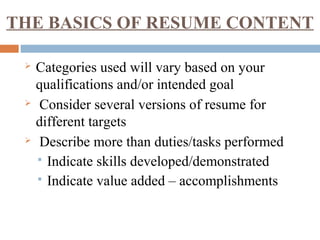
THE BASICS OF RESUME CONTENT
 Categories used will vary based on your
qualifications and/or intended goal
 Consider several versions of resume for
different targets
 Describe more than duties/tasks performed
 Indicate skills developed/demonstrated
 Indicate value added – accomplishments
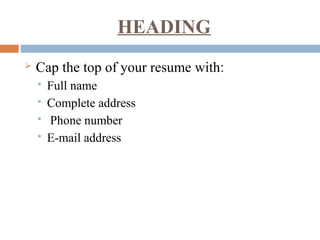
HEADING
 Cap the top of your resume with:
 Full name
 Complete address
 Phone number
 E-mail address
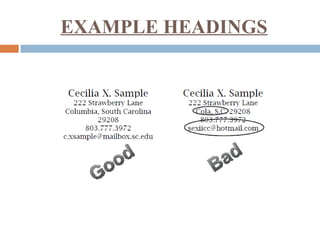
EXAMPLE HEADINGS
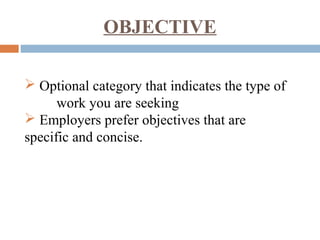
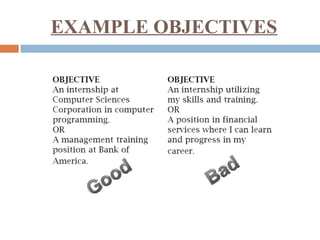
OBJECTIVE
 Optional category that indicates the type of
work you are seeking
 Employers prefer objectives that are
specific and concise.
EXAMPLE OBJECTIVES
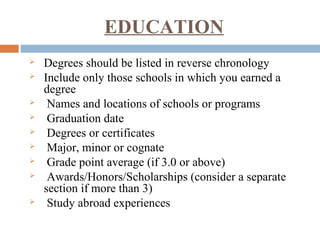
EDUCATION
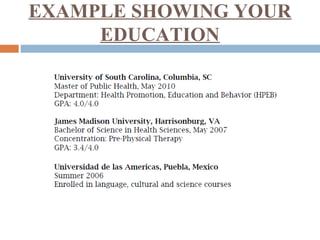
 Degrees should be listed in reverse chronology
 Include only those schools in which you earned a
degree
 Names and locations of schools or programs
 Graduation date
 Degrees or certificates
 Major, minor or cognate
 Grade point average (if 3.0 or above)
 Awards/Honors/Scholarships (consider a separate
section if more than 3)
 Study abroad experiences
EXAMPLE SHOWING YOUR
EDUCATION
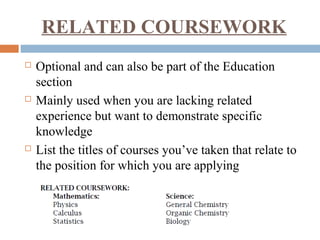
RELATED COURSEWORK
 Optional and can also be part of the Education
section
 Mainly used when you are lacking related
experience but want to demonstrate specific
knowledge
 List the titles of courses you’ve taken that relate to
the position for which you are applying
EXPERIENCE
 Include full-time and part-time jobs, summer
positions, volunteer work, military service,
internships, self-employment, research projects, and
even activities if they are directly related to the
position
 In some cases you may wish to divide this category
into two sections: one called Related Experience and
one called Additional Experience
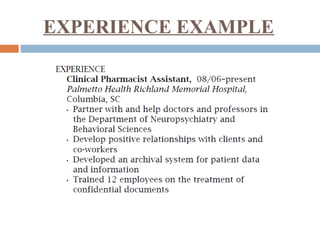
EXPERIENCE EXAMPLE
ADDITIONAL CATAGORIES
 Honors, Activities, Research, Professional
Affiliations
 You may specifically want to list:
• Activities or leadership positions that demonstrate job
related skills
• Honors or awards (Scholarships may or may not be
relevant)
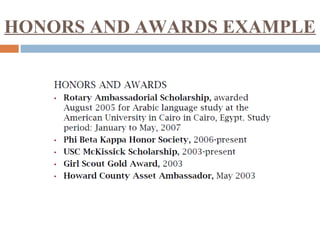
HONORS AND AWARDS EXAMPLE
SKILLS
 We recommend a separate section listing computer
skills. Be specific, listing product names and
version numbers if possible
 Students seeking technology positions specifically
should break this list down into subcategories such
as programming languages, hardware, software,
operating systems, databases, peripherals, etc.
 If you speak more than one language, you should
also list them here, indicating your level of
proficiency in each
TYPES OF COVER LETTERS
 Three General Types Of Cover Letters
 application letter which responds toa known job
opening
 prospecting letter which inquires about possible
positions
 networking letter which requests information and
assistance in your job search
FORMAT OF A COVER LETTER
 Use your resume heading as a letterhead
 Three basic paragraphs:
 Why are you writing to them and whoare you?
 Why are you the best fit for their organization and this
position?
 How will you follow up with them from here?
REFERENCE TIPS
 Choose references carefully
 Ask references
 Gather accurate contact information
 Prepare references
 Keep references informed
 Thank references
FINAL TIPS
 Employers only look at a resume for 10 -20
seconds, make sure they get what you want them to
from that glance!
 Always include a cover letter when mailing out
your resume
 Paper clip, do not staple, your cover letter to your
resume
 Use matching paper

Resume Building

  • 1.
  • 2.
    WHAT IS ARESUME?  A summary of your qualifications  Education  Experiences (all types!!!)  Skills  Marketing tool an advertisement on you!  Know your audience  Be prepared to spend ample time preparing resume
  • 3.
    FORMATS  Reverse Chronological Functional or Skills-Based
  • 4.
    REVERSE CHRONOLOGICAL  Emphasizeswork experience history around dates  Highlights career progression  Is what employers prefer
  • 5.
  • 6.
    REVERSE CHRONOLOGICAL  Advantages: Easier to understand your job history  Helps the name of a previous employer stand out  Typically used when you are staying in the same field  Disadvantages:  Much more difficult to highlight what you do Best
  • 7.
    FUNCTIONAL or SKILLS-BASED Organizes information around functional headings which highlight skills & abilities
  • 8.
  • 9.
     Advantages  Itwill assist you in achieving a new goal or direction  Skills stand out  Disadvantages  Hard for employer to know exactly what you did in which job  Past companies are not prominent FUNCTIONAL or SKILLS-BASED
  • 10.
    STYLE & APPEARANCE Stick to 10-12 font size  Times New Roman and Arial are standard fonts  Use bolding, italics, all CAPS, underlining, etc.  Use lines to separate heading/sections  Use bulleted statements with action-oriented verbs  ½-1-inch margins all 4 sides are standard  Balance white space and text  Use neutral, professional resume paper – match to cover letter and reference page  Use letter size, 20lb., white or light colored paper  Use same style paper for resume/CV, cover letter and references
  • 11.
    WRITING TIPS  Spendample time preparing your resume/CV  Be prepared to write and rewrite  One-page resume is usually sufficient, CV’s are two or more pages  Customize your resume/CV for each position  Catch your reader’s eye  Accentuate the positive  Use action-oriented verbs and quantify when possible
  • 12.
    WRITING TIPS  Rememberthe three C’s  Clarity: make presentation clear and concise  Consistency: do not mix categories and dates  Conciseness: summarize and highlight - do not pad  What will ultimately go on the final draft?  What things are most relevant to the job?  Which things are most recent chronologically?  What things make you unique among other candidates?
  • 13.
  • 14.
    THE BASICS OFRESUME CONTENT  Categories used will vary based on your qualifications and/or intended goal  Consider several versions of resume for different targets  Describe more than duties/tasks performed  Indicate skills developed/demonstrated  Indicate value added – accomplishments
  • 15.
    HEADING  Cap thetop of your resume with:  Full name  Complete address  Phone number  E-mail address
  • 16.
  • 17.
    OBJECTIVE  Optional categorythat indicates the type of work you are seeking  Employers prefer objectives that are specific and concise.
  • 18.
  • 19.
    EDUCATION  Degrees shouldbe listed in reverse chronology  Include only those schools in which you earned a degree  Names and locations of schools or programs  Graduation date  Degrees or certificates  Major, minor or cognate  Grade point average (if 3.0 or above)  Awards/Honors/Scholarships (consider a separate section if more than 3)  Study abroad experiences
  • 20.
  • 21.
    RELATED COURSEWORK  Optionaland can also be part of the Education section  Mainly used when you are lacking related experience but want to demonstrate specific knowledge  List the titles of courses you’ve taken that relate to the position for which you are applying
  • 22.
    EXPERIENCE  Include full-timeand part-time jobs, summer positions, volunteer work, military service, internships, self-employment, research projects, and even activities if they are directly related to the position  In some cases you may wish to divide this category into two sections: one called Related Experience and one called Additional Experience
  • 23.
  • 24.
    ADDITIONAL CATAGORIES  Honors,Activities, Research, Professional Affiliations  You may specifically want to list: • Activities or leadership positions that demonstrate job related skills • Honors or awards (Scholarships may or may not be relevant)
  • 25.
  • 26.
    SKILLS  We recommenda separate section listing computer skills. Be specific, listing product names and version numbers if possible  Students seeking technology positions specifically should break this list down into subcategories such as programming languages, hardware, software, operating systems, databases, peripherals, etc.  If you speak more than one language, you should also list them here, indicating your level of proficiency in each
  • 27.
    TYPES OF COVERLETTERS  Three General Types Of Cover Letters  application letter which responds toa known job opening  prospecting letter which inquires about possible positions  networking letter which requests information and assistance in your job search
  • 28.
    FORMAT OF ACOVER LETTER  Use your resume heading as a letterhead  Three basic paragraphs:  Why are you writing to them and whoare you?  Why are you the best fit for their organization and this position?  How will you follow up with them from here?
  • 29.
    REFERENCE TIPS  Choosereferences carefully  Ask references  Gather accurate contact information  Prepare references  Keep references informed  Thank references
  • 30.
    FINAL TIPS  Employersonly look at a resume for 10 -20 seconds, make sure they get what you want them to from that glance!  Always include a cover letter when mailing out your resume  Paper clip, do not staple, your cover letter to your resume  Use matching paper