Anuradha
anunain92@gmail.com
Resume Writing
 An advertisement of you
 A snapshot of who you are and your personal,
professional, educational and work qualifications
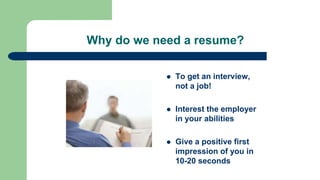
Why do we need a resume?
 To get an interview,
not a job!
 Interest the employer
in your abilities
 Give a positive first
impression of you in
10-20 seconds
Types of Resume
1) Chronological Resume: Provide history of your work
experience.
2) Functional Resume: This allows the reader to see all of the
accomplishments and qualifications of the job applicant presented
in a logical fashion.
3) Combinational Resume: Present the knowledge, skills and
abilities gained from work in a reverse-chronological order
Resume Components
 Heading
 Job Objective
 Profile Summary
 Work Experience
 Education
 Skills and Abilities
 Other
Resume Components
Heading
 Name
 Address
 Phone number(s)
 Email address
Be sure to check your
phone and email
messages
periodically!
Resume Components
Job Objective
 A short statement that tells the employer what specific position
you’re applying for
 Directly reflects the position applying for
 Should be concise and specific
 A software sales position in an organization seeking an extraordinary record of generating new accounts,
exceeding sales targets and enthusiastic customer relations
 A goal-oriented professional targeting for entry level assignments in XX (Functional Area) with XX industry
preferably in XX location
Resume Components
Profile Summary
 What makes you the best candidate for this job?
(ie: qualifications, skills, abilities, years of
experience, work ethic and values,
accomplishments, etc.)
 Must reflect what is required in the job description
 One paragraph or 3-5 bulleted statements
 Most important part of your resume; catches and
keeps the reader’s attention
Resume Components
Education
 Reverse chronological order
 Required: Degree, major, school, year of
graduation
 Extra: GPA (if over 3.0), minors, honors, specific
related courses
 Professional training may also be listed either
under Education or Training
Resume Components
Additional Resume Components
Any of these can be added if they
are relevant to the position you are
applying for:
 Activities
 Honors
 Certifications
 Achievements
 Awards
 Licenses
 Professional Affiliations
GUIDELINES FOR A BETTER PRESENTATION
 The resume is visually enticing
 There is uniformity and consistency in the use of italics, capital letters,
bullets, boldface, and underlining
 There are absolutely no errors
 All the basic, expected information is included
 It is targeted
 Strengths are highlighted / weaknesses de-emphasized
 Shorter is usually better
 Watch your verb tense
 Writing is concise and to the point
 Focus on the employer’s needs, not yours
WHAT NOT TO PUT ON A RESUME
 Don't title your resume as Resume and start with your full name
 Don't go over one page
 Don't use fancy fonts
 Don’t use personal pronouns "I", "my" or "me"
 Don’t use colorful paper – white, buff or beige is standard
 Don’t say you were laid off or fired from your last position
 Fluffy rambling “objective” statements
 Salary information
 Don’t include “references available upon requests.” If they want them they will
ask
 Don’t ever lie on your resume
Thank You
Please contact me at anunain92@gmail.com
for more information

Resume writing ppt

  • 1.
  • 2.
     An advertisementof you  A snapshot of who you are and your personal, professional, educational and work qualifications
  • 3.
    Why do weneed a resume?  To get an interview, not a job!  Interest the employer in your abilities  Give a positive first impression of you in 10-20 seconds
  • 4.
    Types of Resume 1)Chronological Resume: Provide history of your work experience. 2) Functional Resume: This allows the reader to see all of the accomplishments and qualifications of the job applicant presented in a logical fashion. 3) Combinational Resume: Present the knowledge, skills and abilities gained from work in a reverse-chronological order
  • 5.
    Resume Components  Heading Job Objective  Profile Summary  Work Experience  Education  Skills and Abilities  Other
  • 6.
    Resume Components Heading  Name Address  Phone number(s)  Email address Be sure to check your phone and email messages periodically!
  • 7.
    Resume Components Job Objective A short statement that tells the employer what specific position you’re applying for  Directly reflects the position applying for  Should be concise and specific  A software sales position in an organization seeking an extraordinary record of generating new accounts, exceeding sales targets and enthusiastic customer relations  A goal-oriented professional targeting for entry level assignments in XX (Functional Area) with XX industry preferably in XX location
  • 8.
    Resume Components Profile Summary What makes you the best candidate for this job? (ie: qualifications, skills, abilities, years of experience, work ethic and values, accomplishments, etc.)  Must reflect what is required in the job description  One paragraph or 3-5 bulleted statements  Most important part of your resume; catches and keeps the reader’s attention
  • 9.
    Resume Components Education  Reversechronological order  Required: Degree, major, school, year of graduation  Extra: GPA (if over 3.0), minors, honors, specific related courses  Professional training may also be listed either under Education or Training
  • 10.
    Resume Components Additional ResumeComponents Any of these can be added if they are relevant to the position you are applying for:  Activities  Honors  Certifications  Achievements  Awards  Licenses  Professional Affiliations
  • 11.
    GUIDELINES FOR ABETTER PRESENTATION  The resume is visually enticing  There is uniformity and consistency in the use of italics, capital letters, bullets, boldface, and underlining  There are absolutely no errors  All the basic, expected information is included  It is targeted  Strengths are highlighted / weaknesses de-emphasized  Shorter is usually better  Watch your verb tense  Writing is concise and to the point  Focus on the employer’s needs, not yours
  • 12.
    WHAT NOT TOPUT ON A RESUME  Don't title your resume as Resume and start with your full name  Don't go over one page  Don't use fancy fonts  Don’t use personal pronouns "I", "my" or "me"  Don’t use colorful paper – white, buff or beige is standard  Don’t say you were laid off or fired from your last position  Fluffy rambling “objective” statements  Salary information  Don’t include “references available upon requests.” If they want them they will ask  Don’t ever lie on your resume
  • 13.
    Thank You Please contactme at anunain92@gmail.com for more information