The Enterprise Cloud Company
Grant Friend – Systems Engineer
REST API Overview
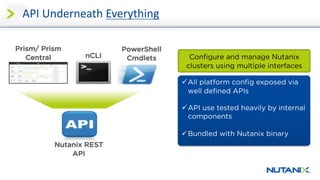
Prism/ Prism
Central nCLI
Nutanix REST
API
PowerShell
Cmdlets
API	Underneath	Everything
üAll platform config exposed via
well defined APIs
üAPI use tested heavily by internal
components
üBundled with Nutanix binary
Configure and manage Nutanix
clusters using multiple interfaces
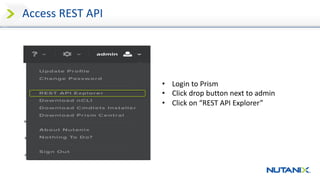
Access	REST	API
• Login	to	Prism	
• Click	drop	button	next	to	admin	
• Click	on	“REST	API	Explorer”
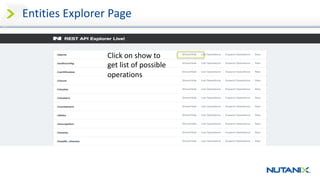
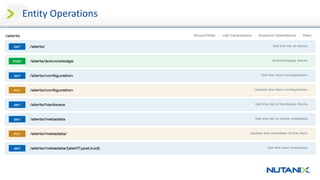
Entities	Explorer	Page
Click	on	show	to	
get	list	of	possible	
operations
Entity	Operations
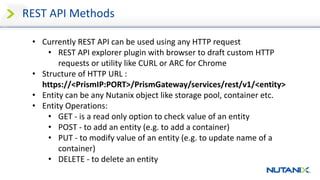
REST	API	Methods
• Currently	REST	API	can	be	used	using	any	HTTP	request
• REST	API	explorer	plugin	with	browser	to	draft	custom	HTTP	
requests	or	utility	like	CURL	or	ARC	for	Chrome
• Structure	of	HTTP	URL	:	
https://<PrismIP:PORT>/PrismGateway/services/rest/v1/<entity>
• Entity	can	be	any	Nutanix	object	like	storage	pool,	container	etc.	
• Entity	Operations:
• GET	- is	a	read	only	option	to	check	value	of	an	entity	
• POST	- to	add	an	entity	(e.g.	to	add	a	container)
• PUT	- to	modify	value	of	an	entity	(e.g.	to	update	name	of	a	
container)
• DELETE	- to	delete	an	entity
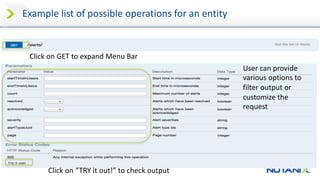
Example	list	of	possible	operations	for	an	entity	
Click	on	GET	to	expand	Menu	Bar
User	can	provide	
various	options	to	
filter	output	or	
customize	the	
request	
Click	on	“TRY	it	out!”	to	check	output
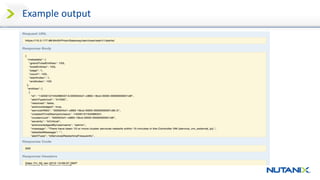
Example	output
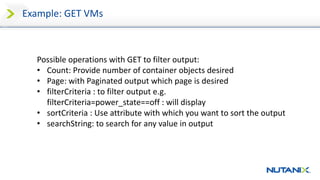
Example:	GET	VMs	
Possible	operations	with	GET	to	filter	output:	
• Count:	Provide	number	of	container	objects	desired	
• Page:	with	Paginated	output	which	page	is	desired	
• filterCriteria :	to	filter	output	e.g.	
filterCriteria=power_state==off	:	will	display
• sortCriteria :	Use	attribute	with	which	you	want	to	sort	the	output	
• searchString:	to	search	for	any	value	in	output
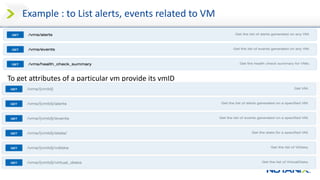
Example	:	to	List	alerts,	events	related	to	VM	
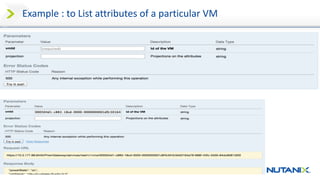
To	get	attributes	of	a	particular	vm provide	its	vmID
Example	:	to	List	attributes	of	a	particular	VM
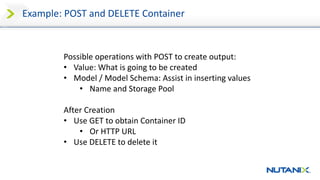
Example:	POST	and	DELETE	Container
Possible	operations	with	POST	to	create	output:	
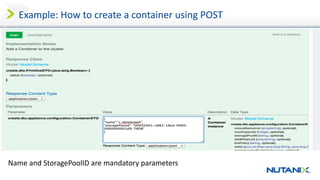
• Value:	What	is	going	to	be	created
• Model	/	Model	Schema:	Assist	in	inserting	values
• Name	and	Storage	Pool
After	Creation
• Use	GET	to	obtain	Container	ID
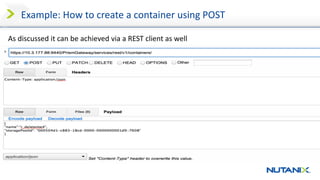
• Or	HTTP	URL
• Use	DELETE	to	delete	it
Example:	How	to	create	a	container	using	POST	
Name	and	StoragePoolID are	mandatory	parameters
Example:	How	to	create	a	container	using	POST	
As	discussed	it	can	be	achieved	via	a	REST	client	as	well
Nutanix REST API Resources
• Nutanix Community
• Acropolis API Reference guide
• Tutorial included
• Updated regularly
• Blogs:
• Nutanix REST API with python by Christian Johannsen
• How to use Python with Nutanix REST API (3 parts) by
Andre Leibovici
• Authentication Methods using REST API With Nutanix by
Dwayne Lessner
Overview
• Access REST API
• Parameters
• Entities
• Operations
• GET VM
• Filter for Power Off
• Use VM ID to find more results
• Create a Container via Explorer
• Use HTTP request URL to find attributes
• Delete the Container – and hopefully nothing
important!
• Resources
• Script tutorial
Thank You

REST API Overview with Nutanix