1
i-views	University
Part	12:	REST	Service
22
REST-Service
Patrick	Closhen
Software	Engineer
intelligent	views gmbh
Today‘s Speaker
33
REST-Service
Agenda
1. Introduction
2. Set-up issues
3. Configuring services
4. Homework
44
REST-Service
1.	Introduction
• Access	and edit the semantic graph database via	REST-Services
• Specify what can be seen and how it is displayed and edited via	view configurations
• Make use of pre-defined resources
• Compose the back-end	part for your own web-frontends
55
REST-Service
Architecture
mediator
Web-frontend
http/https
REST-bridges
internal/http
66
REST-Service
2.	Set-up issues
• REST	component:	provides needed schema for services and resources
• Needs	to be added in	the Admin-Tool
• Configuration of front-ends:	front-ends need to be connected to the bridges to render the served data
• Additional	settings:	your semantic graph database must	have a	user type	that provides a	password
attribute.	This	will	be set up if you choose a	user type	within the settings in	the knowledge builder,	tab
„system“,	item	„rights“	(needed for authentication)
77
REST-Service
Set-up issues
• Configuration of REST-bridges:	configuration file bridge.ini is needed to specify which services are
going to be provided by the application
• Define the host	[and port]	of the server of the semantic graph database
• Define the name of the volume to be accessed
• Define the port over which the services will	be available
• Define the services this instance of REST-bridge	is going to serve
88
REST-Service
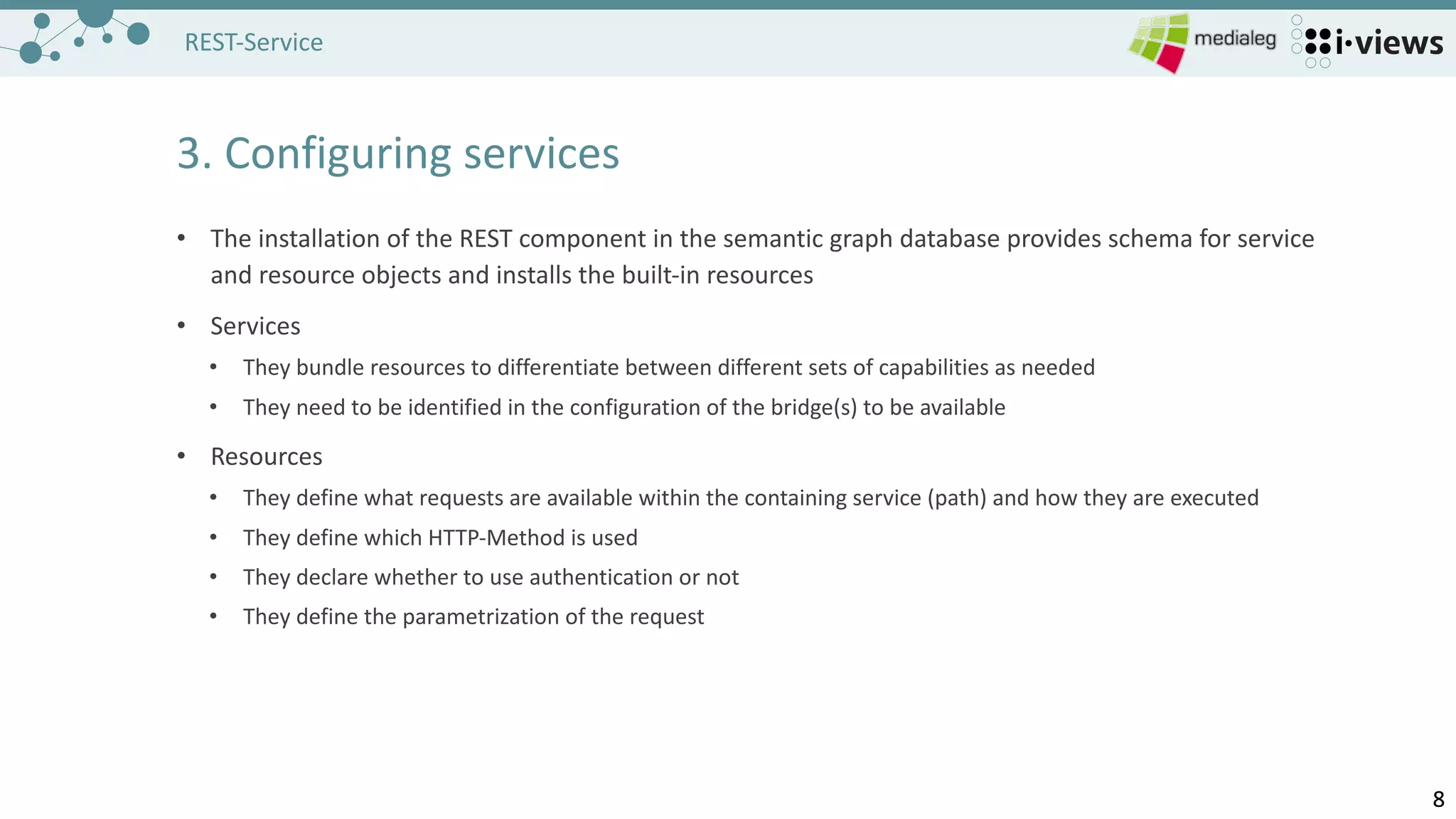
3.	Configuring services
• The	installation of the REST	component in	the semantic graph database provides schema for service
and resource objects and installs the built-in	resources
• Services
• They bundle resources to differentiate between different	sets of capabilities as needed
• They need to be identified in	the configuration of the bridge(s)	to be available
• Resources
• They define what requests are available within the containing service (path)	and how they are executed
• They define which HTTP-Method is used
• They declare whether to use authentication or not
• They define the parametrization of the request
99
REST-Service
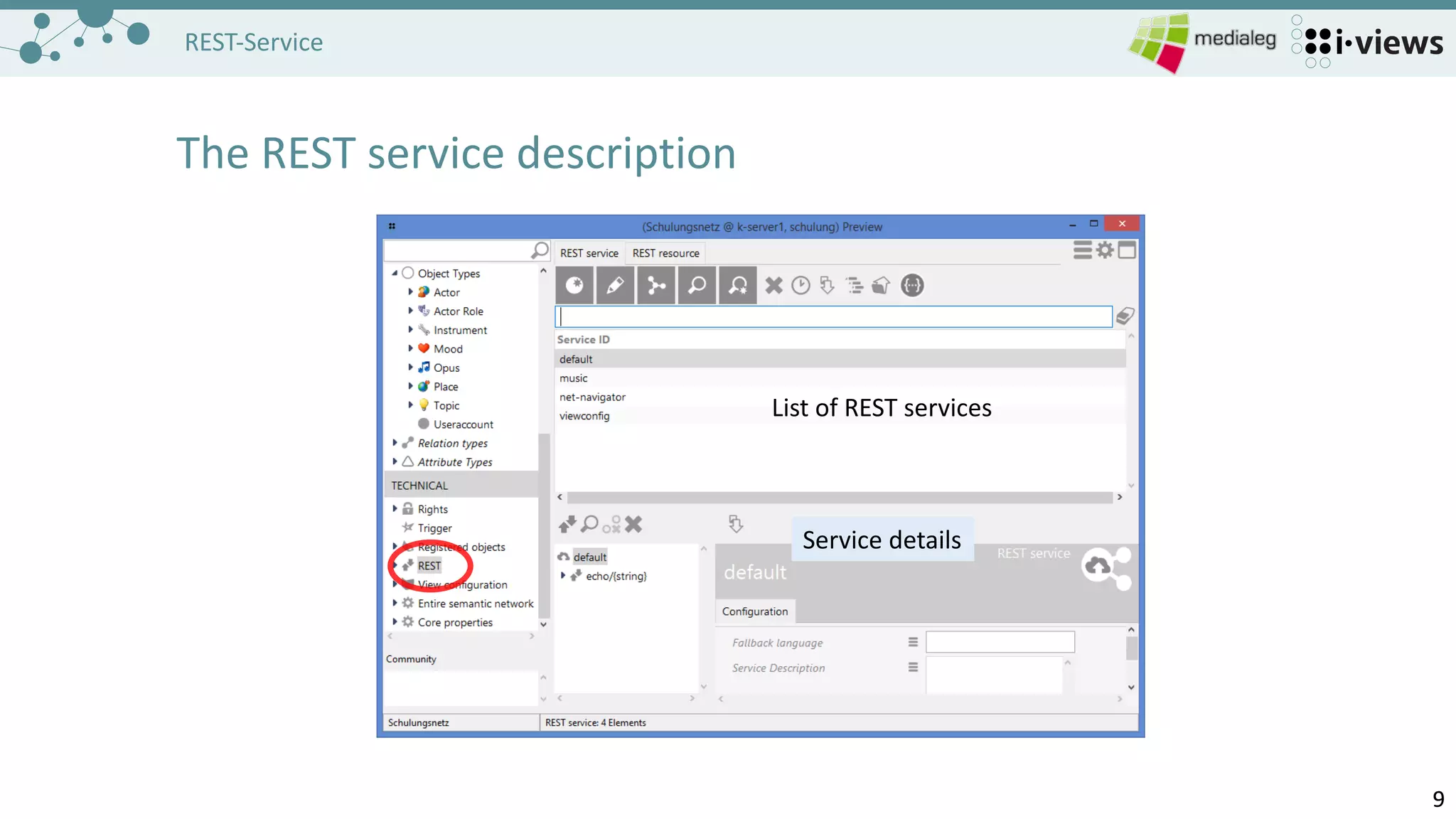
The	REST	service description
List	of REST	services
Service	details
1010
REST-Service
Building	blocks (REST	service)
- Collection	of resources
- Start	of the URL	path
- Services	are configured in	the
bridge.ini
[Default]
host=localhost
loglevel=10
[KHTTPRestBridge]
volume=Schulungsnetz
port=8815
services=music
1111
REST-Service
Building	blocks (REST	resource)
- Remainder of the URL-path
- Multiple	Types
- Script	resource
- Built-in	resource
- Static resource
- Defines a	path-pattern
- Parts	in	{curlyBrackets}	are
placeholders for variables
1212
REST-Service
Building	blocks (REST	method,	script resources only)
HTTP	method
- GET,	POST,	PUT,	DELETE…
Input/Output	media type
- mime-types of accepted and
produced data
Script
- JavaScript	that is executed to
compute the response
Transaction
- Read,	Write,	Controlled by
script
1313
REST-Service
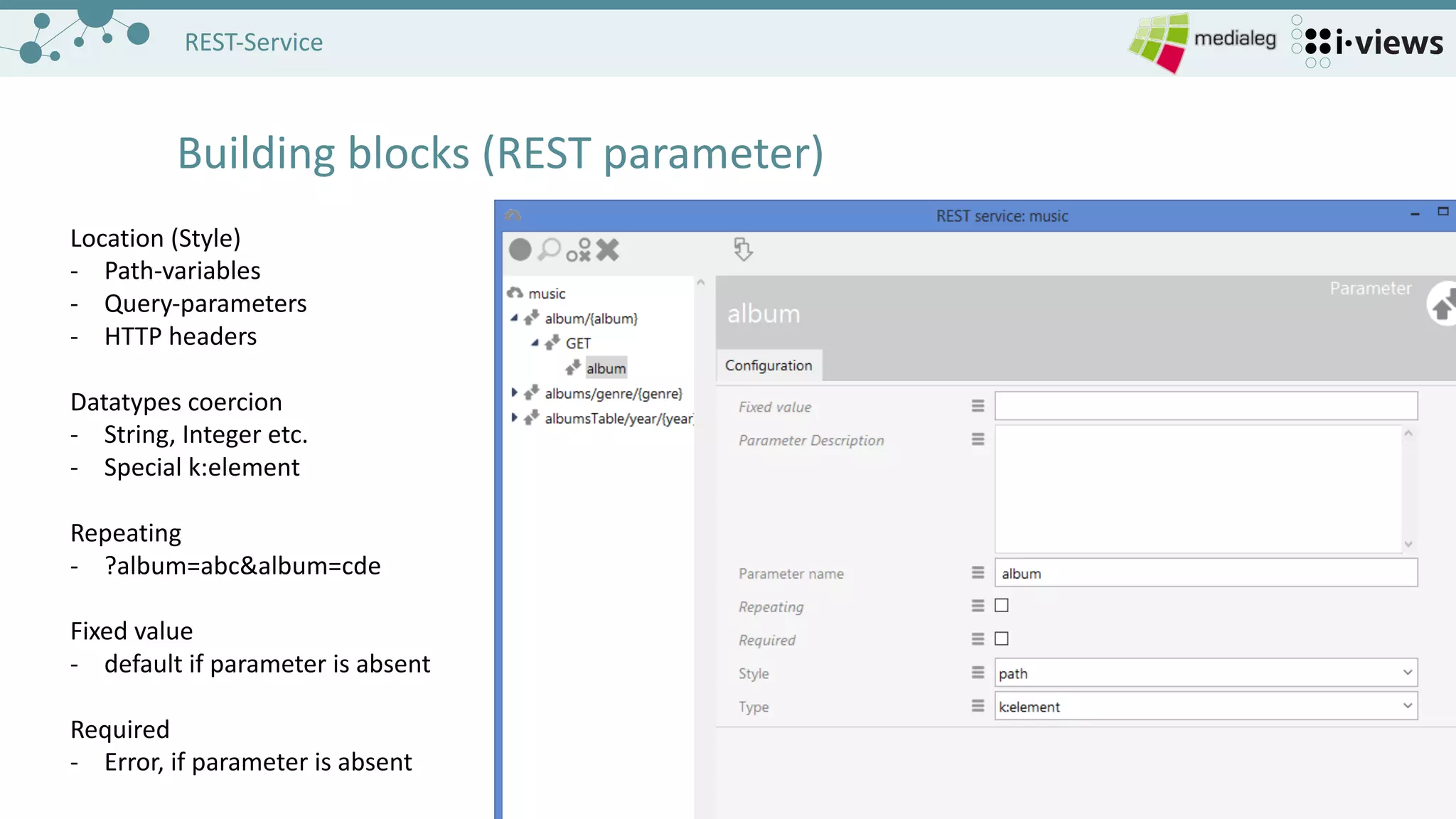
Building	blocks (REST	parameter)
Location	(Style)
- Path-variables
- Query-parameters
- HTTP	headers
Datatypes coercion
- String,	Integer	etc.
- Special	k:element
Repeating
- ?album=abc&album=cde
Fixed	value
- default if parameter is absent
Required
- Error,	if parameter is absent
1414
REST-Service
Building	a	resource (Add	a	resource)
The	left button always adds a	new
configuration object
1515
REST-Service
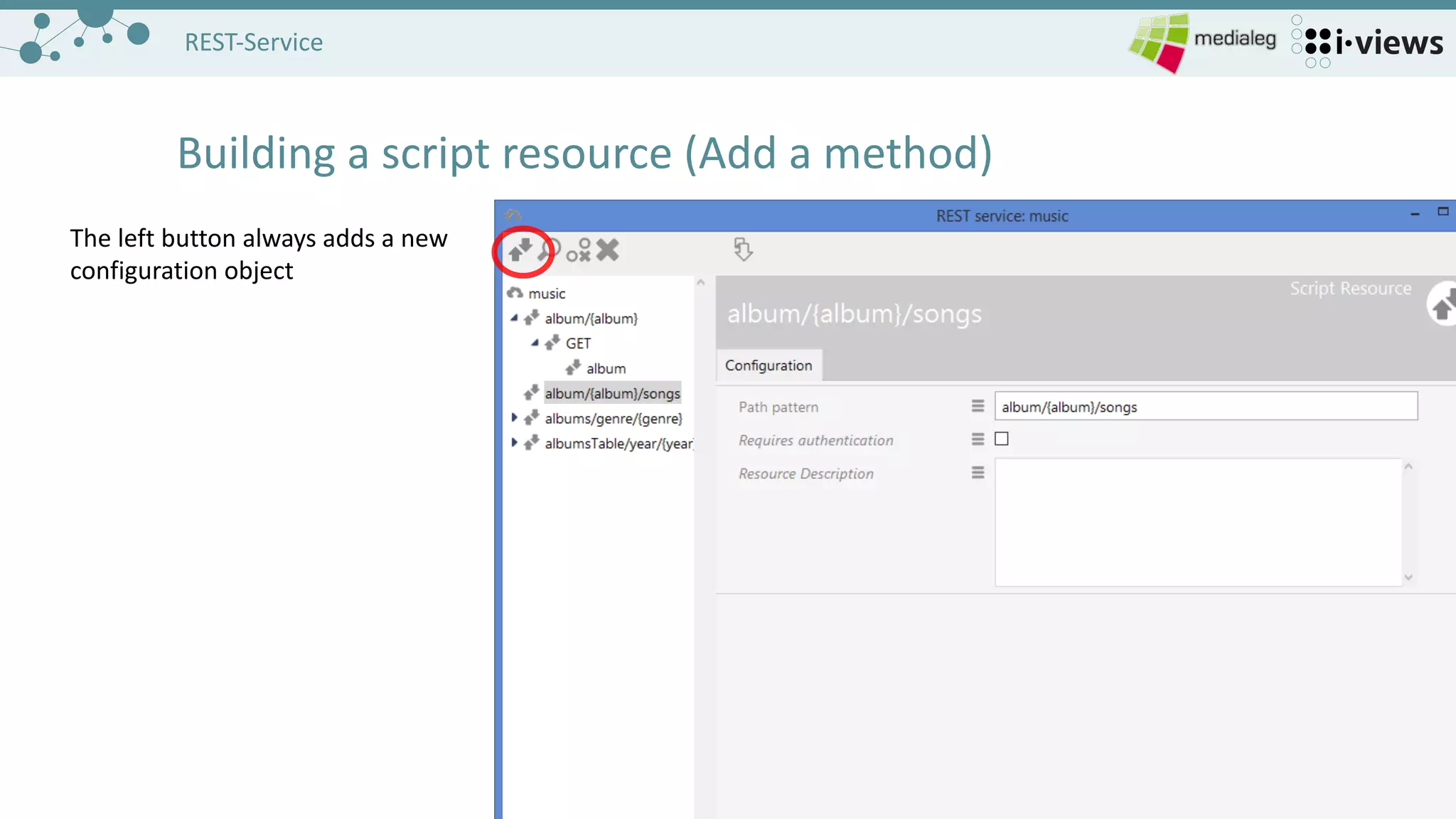
Building	a	script resource (Add	a	method)
The	left button always adds a	new
configuration object
1616
REST-Service
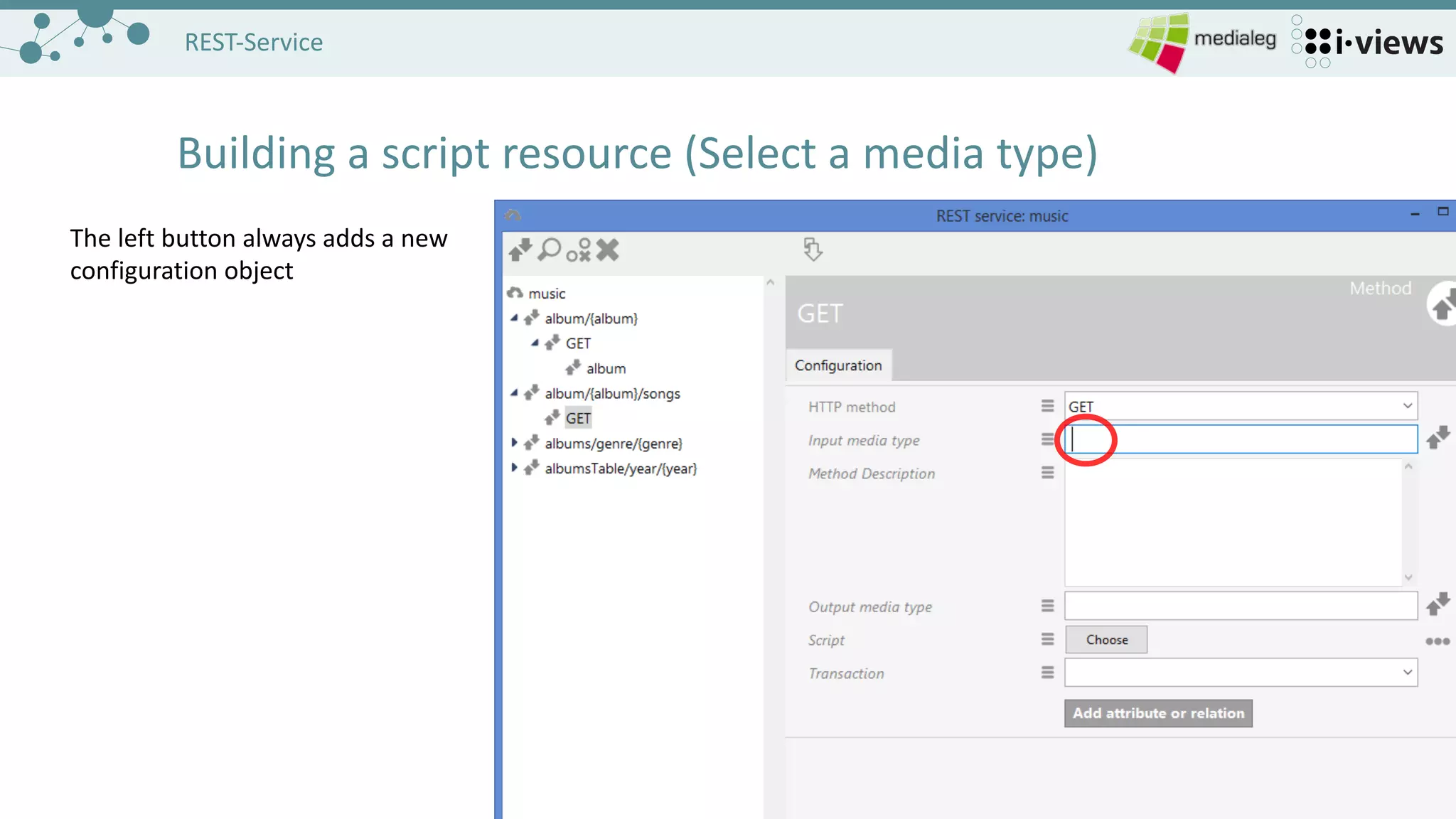
Building	a	script resource (Select	a	media type)
The	left button always adds a	new
configuration object
1717
REST-Service
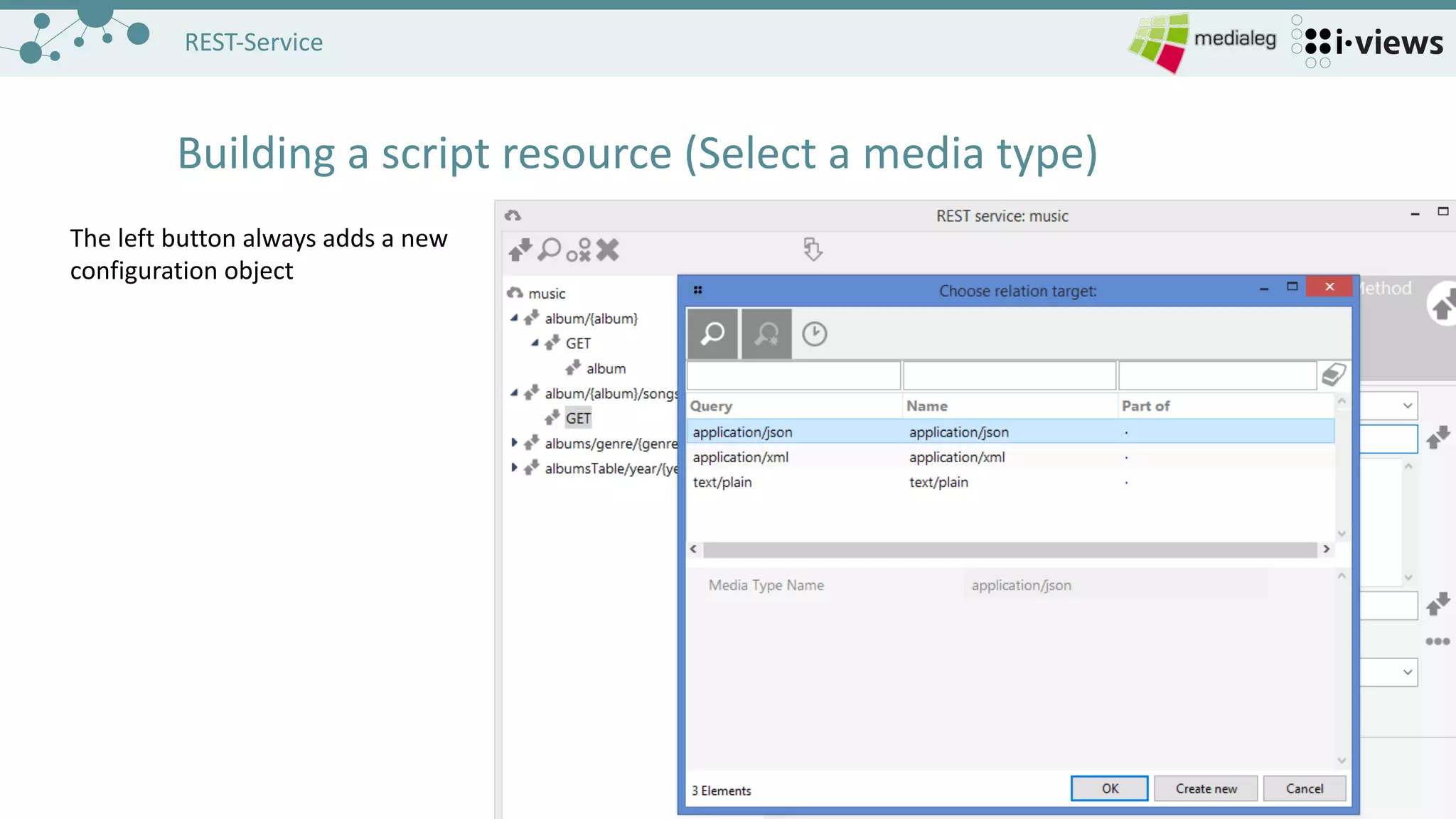
Building	a	script resource (Select	a	media type)
The	left button always adds a	new
configuration object
1818
REST-Service
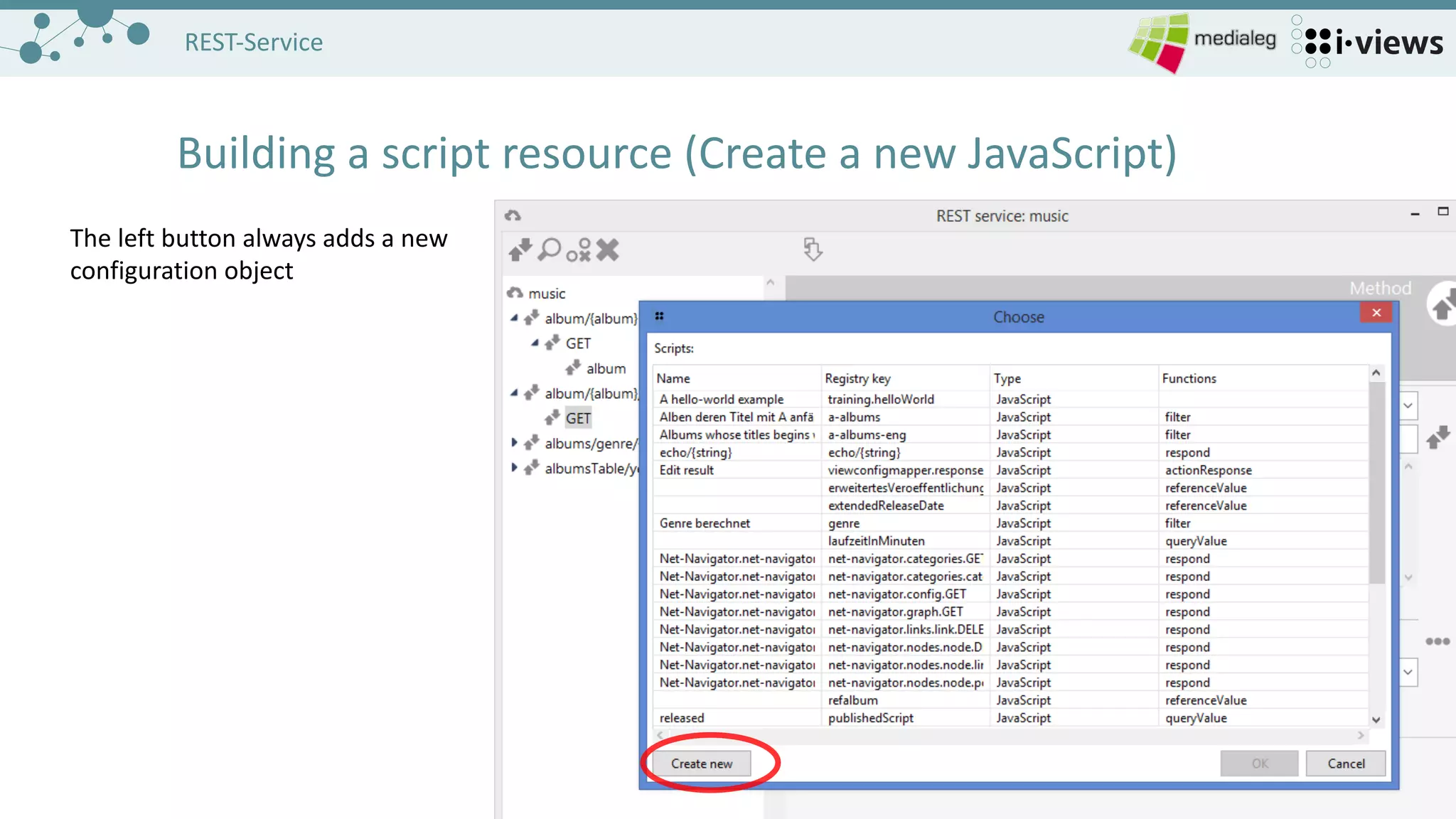
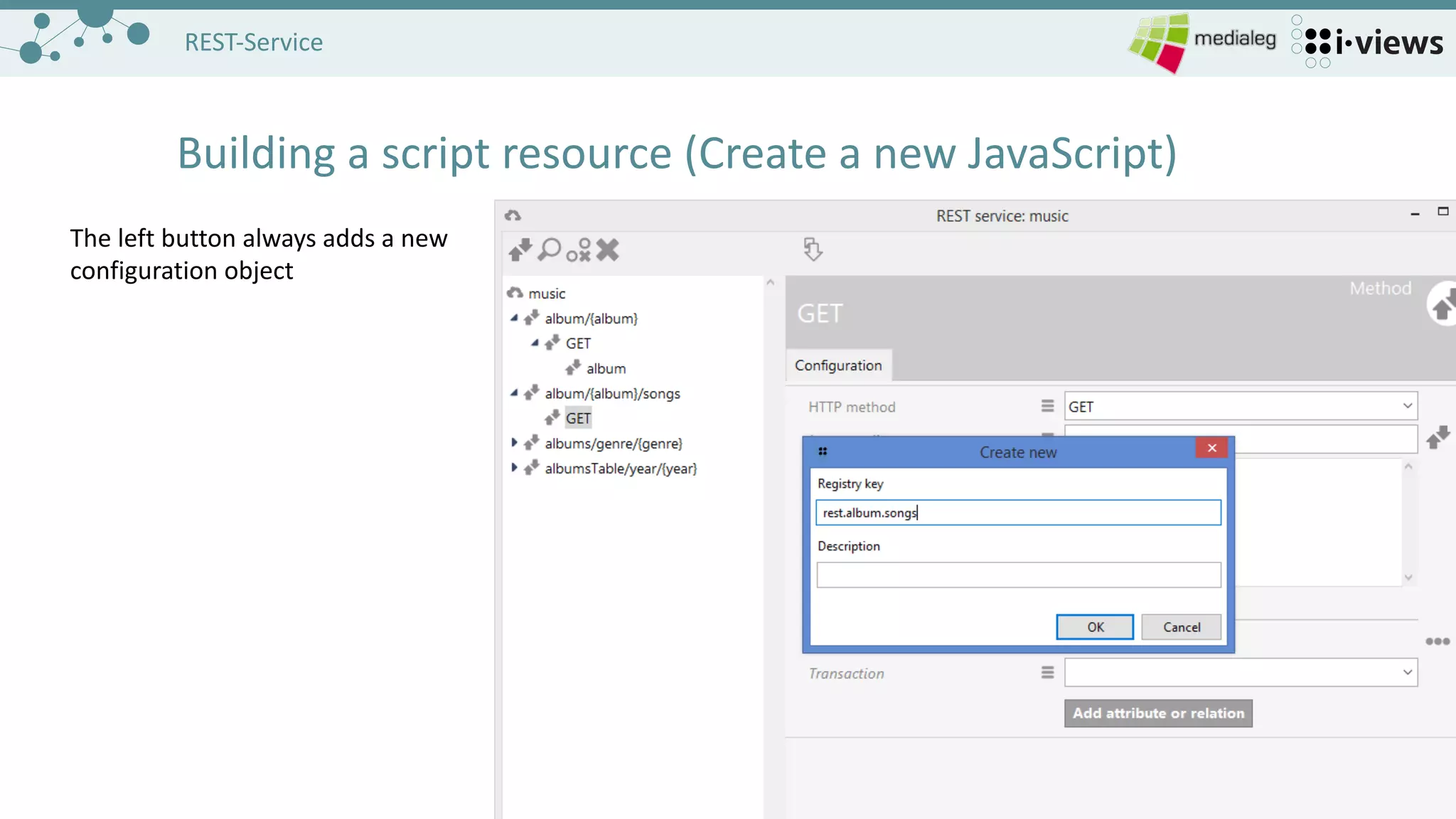
Building	a	script resource (Create	a	new JavaScript)
The	left button always adds a	new
configuration object
1919
REST-Service
Building	a	script resource (Create	a	new JavaScript)
The	left button always adds a	new
configuration object
2020
REST-Service
Building	a	script resource (Create	a	new JavaScript)
A	stub for the JavaScript	is
generated
„parameters“	are the REST	
parameters defined in	framework
2121
REST-Service
Building	a	script resource (Add	a	parameter)
The	left button always adds a	new
configuration object
2222
REST-Service
Building	a	script resource (Choose a	parameter type)
The	left button always adds a	new
configuration object
2323
REST-Service
Building	a	script resource (Compute something)
The	left button always adds a	new
configuration object
2424
REST-Service
Building	a	script resource (Test	the script)
The	left button always adds a	new
configuration object
2525
REST-Service
Opening the request in	the browser
http://localhost:8815/music/album/ID1405_147386337/songs
2626
REST-Service
Built-in	Resources
• Pre-defined resources that are available in	the system
• Can	be added to services
• Cover	often encountered use-cases:
• Accessing and changing blob attributes
• Object lists of objects,	including sorting and filtering
• Accessing print templates and rendering with specified objects
• Accessing the configured icons of types
• ViewconfigMapper uses 3	types of built-in	resources
2727
REST-Service
Built-in	Resources
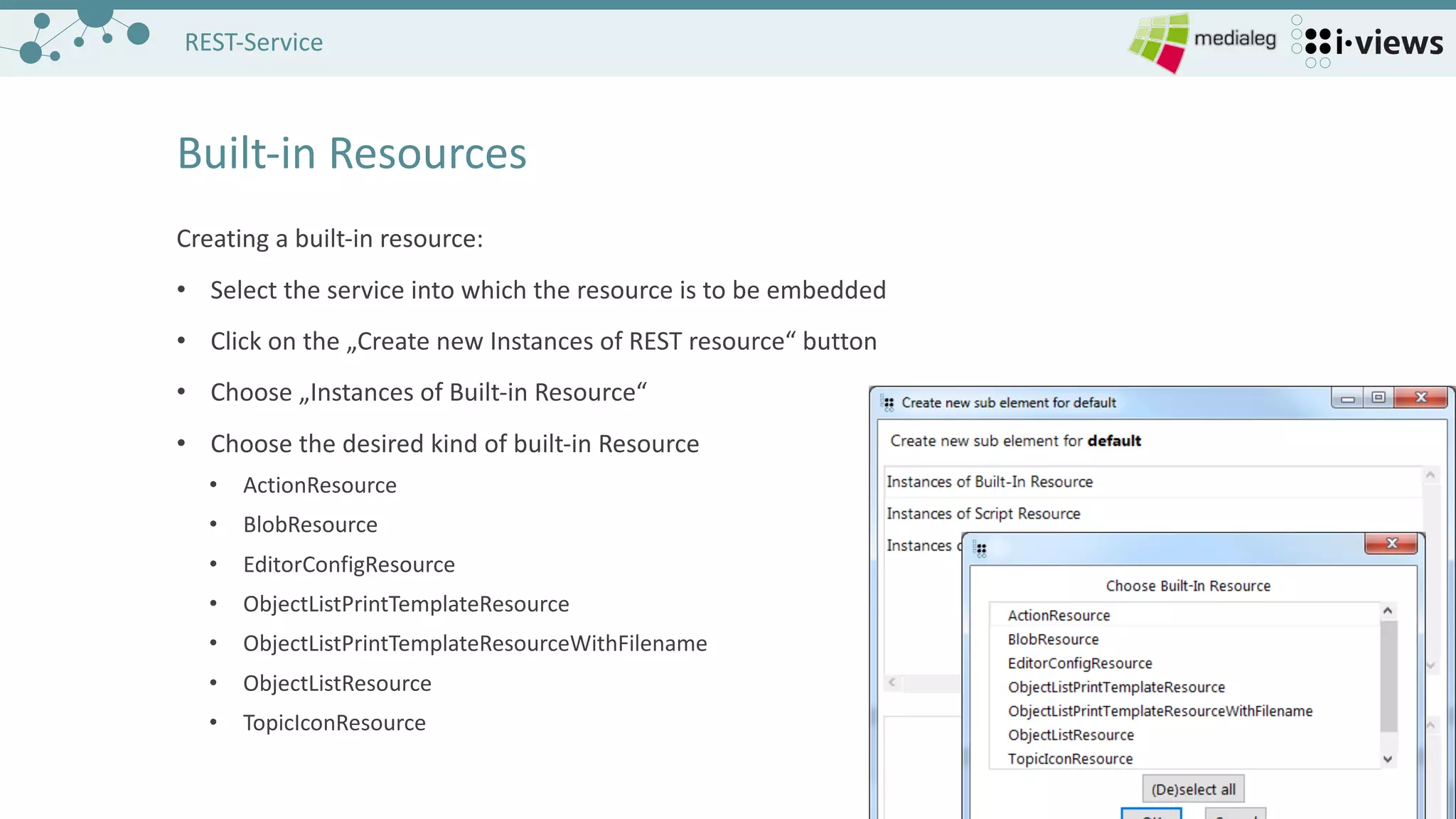
Creating a	built-in	resource:
• Select	the service into which the resource is to be embedded
• Click	on	the „Create	new Instances of REST	resource“	button
• Choose „Instances of Built-in	Resource“
• Choose the desired kind of built-in	Resource
• ActionResource
• BlobResource
• EditorConfigResource
• ObjectListPrintTemplateResource
• ObjectListPrintTemplateResourceWithFilename
• ObjectListResource
• TopicIconResource
2828
REST-Service
Built-in	Resources
/blob/{blobLocator}
Allowed methods:	GET,	POST,	PUT
Parameters:
• blobLocator:	e.g.	id of the blob attribute whose contents are to be retrieved or set
• binaryKey:	used in	multi-part	messages to identify the corresponding part of the data
• overrideContentType:	tells the database what content type	it really has to expect
• uploadOnly:	boolean which controls whether the data will	only be sent to the database,	result is a	
JSON	string that allows to refer to the created blob and set it in	another REST	call
Examples:
GET	http://localhost:8815/default/blob/ID43_1234567 fetches a	blob from i-views
PUT	http://localhost:	8815/default/blob/PP~ID43_1234~ID45_2345	creates a	new blob at	object with first id of
property type	with second id (Possible Property	Locator	syntax)
2929
REST-Service
Builtin-in	Resources
/topicIcon/{topicID}
Allowed methods:	GET
Parameters:
• topicID:	(required)	id of the object
• size:	(optional)	desired integer	pixel size of the icon,	expanded to point
• extensions:	(optional)	boolean,	true allows returning icons of extension objects of the chosen topic
Examples:
GET	http://localhost:8815/default/topicIcon/ID43_1234?size=10
3030
REST-Service
Built-in	Resources
/{typeLocator}/objectList
Allowed methods:	GET
Parameters:
• typeLocator:	(required)	id of the type	whose objects are to be displayed in	table form
• name:	(opt.)	name of the object list configuration to be used
• application:	(opt.)	name of the application which determines the view config
• elements:	(opt.)	comma-separated locators for elements for the table
• elementsPath:	(opt.)	kpath-expression	that will	be used to determine start objects
• startTopic:	(opt.)	id of topic to use as starting point for elementsPath
• sort:	(opt.)	expression for sorting (multi-sort possible)
• filter:	(opt.)	expression for filtering steps
3131
REST-Service
Built-in	Resources
Parameters	cont.:
• disableInheritance:	(opt.)	boolean to prevent descending into sub-types
• type:	(opt.)	string param to choose whether to display objects or sub-types of the given starting type
Remark:	Although the parameter „application“	is optional	it is essential	for accessing the correct object
list view configuration.	Therefore always associate the table with the pre-defined application „REST“	and
add the parameter „application=REST“	to the request
Examples:
GET	http://localhost:8815/Person/objectList?name=test&application=REST
render all	persons using object list config named „test“
GET	http://localhost:8815/Person/objectList?sort=-1&filter=1~equals~g*
sort the table in	descending order of values in	column 1	and filter with „g*“	in	the first column
3232
REST-Service
Built-in	Resources
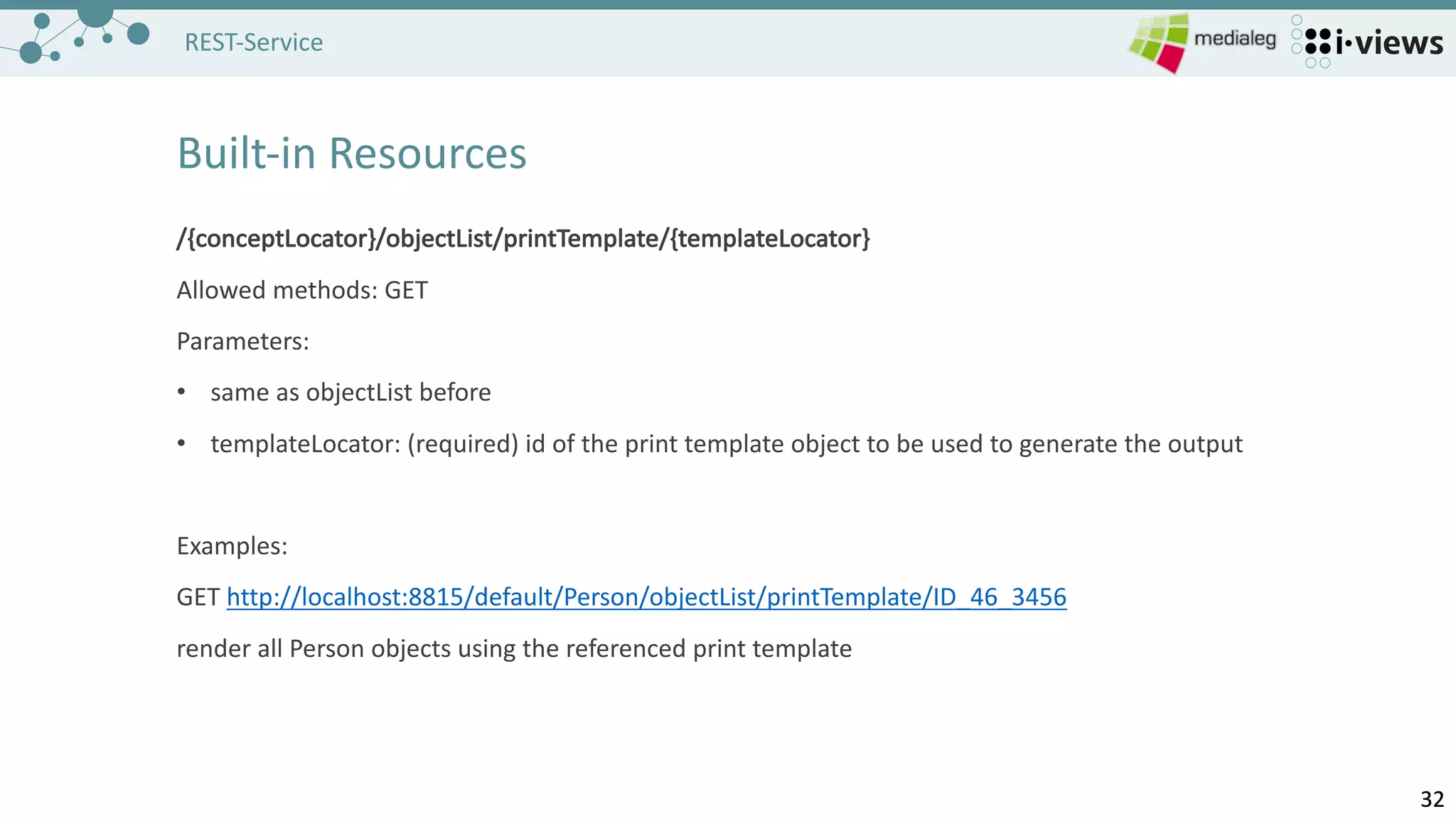
/{conceptLocator}/objectList/printTemplate/{templateLocator}
Allowed methods:	GET
Parameters:
• same	as objectList before
• templateLocator:	(required)	id of the print template object to be used to generate the output
Examples:
GET	http://localhost:8815/default/Person/objectList/printTemplate/ID_46_3456
render all	Person	objects using the referenced print template
3333
REST-Service
Built-in	Resources
/{conceptLocator}/objectList/printTemplate/{templateLocator}/{filename}	
Same	as above,	additional	parameter „filename“	is not	read,	serves only to distinguish requests in	the
web	browser
3434
REST-Service
Built-in	Resources
Configuring the built-in	resources:
• Built-in	resources encapsulate specific functionality,	the only thing left to configure is whether this
instance of resource needs authentication
• Additionally built-in	resources offer the capability to define scripts which are executed before and
after	the request is computed to allow for changes in	advance and to further influence the response
that the request computed
• Preprocessing Script
• Postprocessing Script
• These	scripts are created and maintained analogous to the scripts that are embedded into script REST	
resources,	they only provide different	function headers
3535
REST-Service
Static File	Resources
Static content can be referenced from within the REST	bridge.	
• place content in	sub-directories of the installation directory of the REST	bridge
• declare the path pattern of the intended resources to map the relevant	sub-directories
Example:
• installation directory of the bridge includes directory „icons“	which contains the needed files
• create a	static file resource with path pattern „icons“,	embed it into the service „test“
• request will	look like	this:
• GET	http://localhost:8815/test/icons/file.png
3636
REST-Service
Homework
1. Define a	script-resource that accepts a	string parameter and responds by returning the given string
2. Define a	script-resource that allows to edit an	attribute of your choice at	an	object
• Parameters	for value an	to identify the object that is going to be edited
• Method
• Transaction	control!
• Error	handling (e.g.	in	case of attribute value type	mismatch)
3. Define a	built-in	resource that returns an	object list of all	songs
• Remember to refer the specified object list to the application REST	with the relation „apply in“!
3737
Advanced:	REST-Service
Send	your questions to:
contact-webinar@i-views.com
Consultation	hours:	Every	Wednesday
Thank you for visiting
i-views	University
3838
Advanced:	REST-Service
Unsere	neuen	Icons

L12: REST Service