RESPONSIVE WEB DESIGN
didn’t we settle this already?
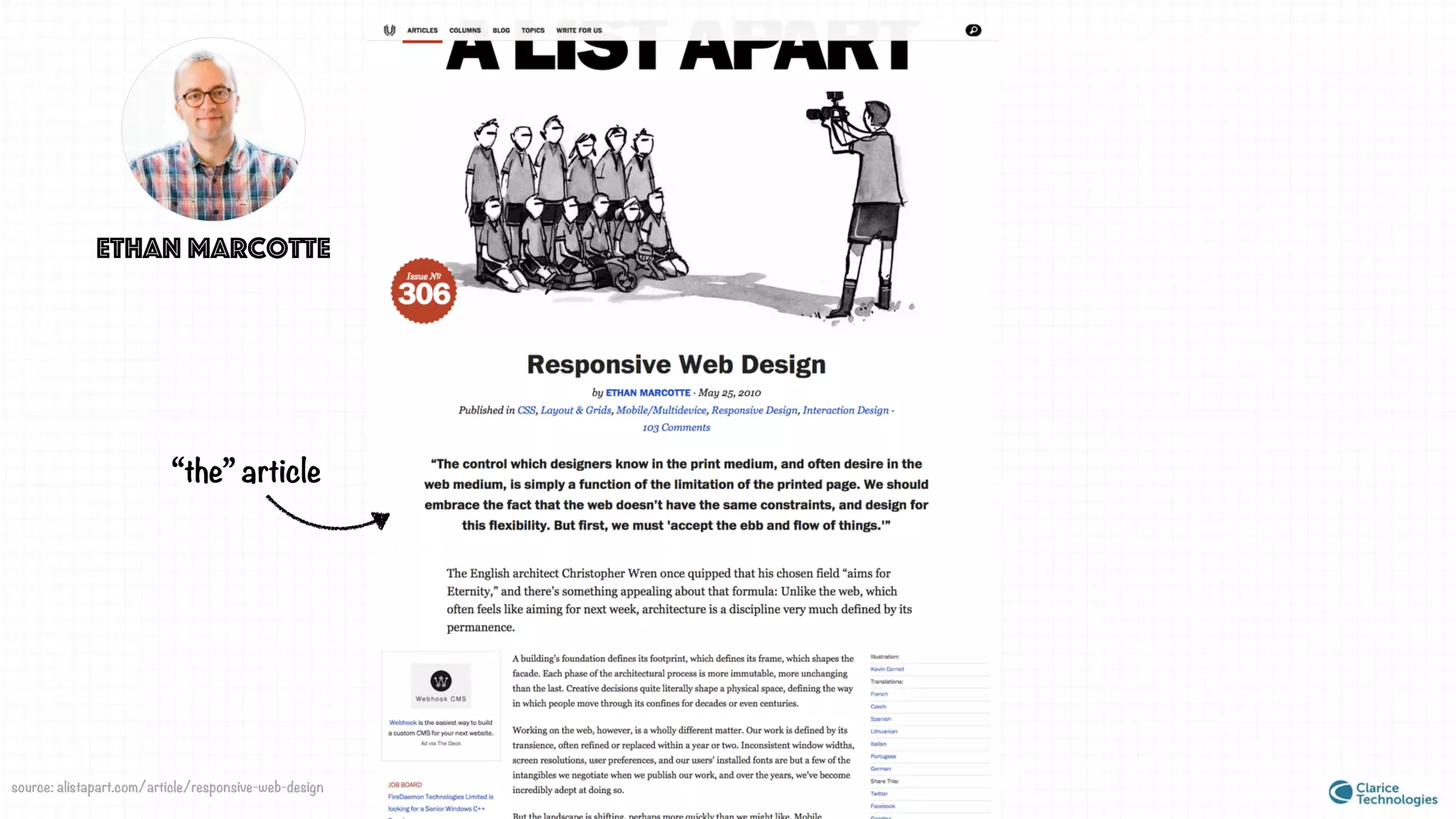
Ethan Marcotte
“the” article
source: alistapart.com/article/responsive-web-design
“Rather than tailoring disconnected designs to each of an ever-
increasing number of web devices, we can treat them as facets of
the same experience.
In short, we need to practice responsive web design.”
-May, 2010
coined the term
• Fluid Grids
• Flexible Images
• Media Queries
responsive techniques
“Rather than tailoring disconnected designs to each of an ever-
increasing number of web devices, we can treat them as facets of
the same experience.
In short, we need to practice responsive web design.”
-May, 2010
coined the term
• Fluid Grids
• Flexible Images
• Media Queries
responsive techniques
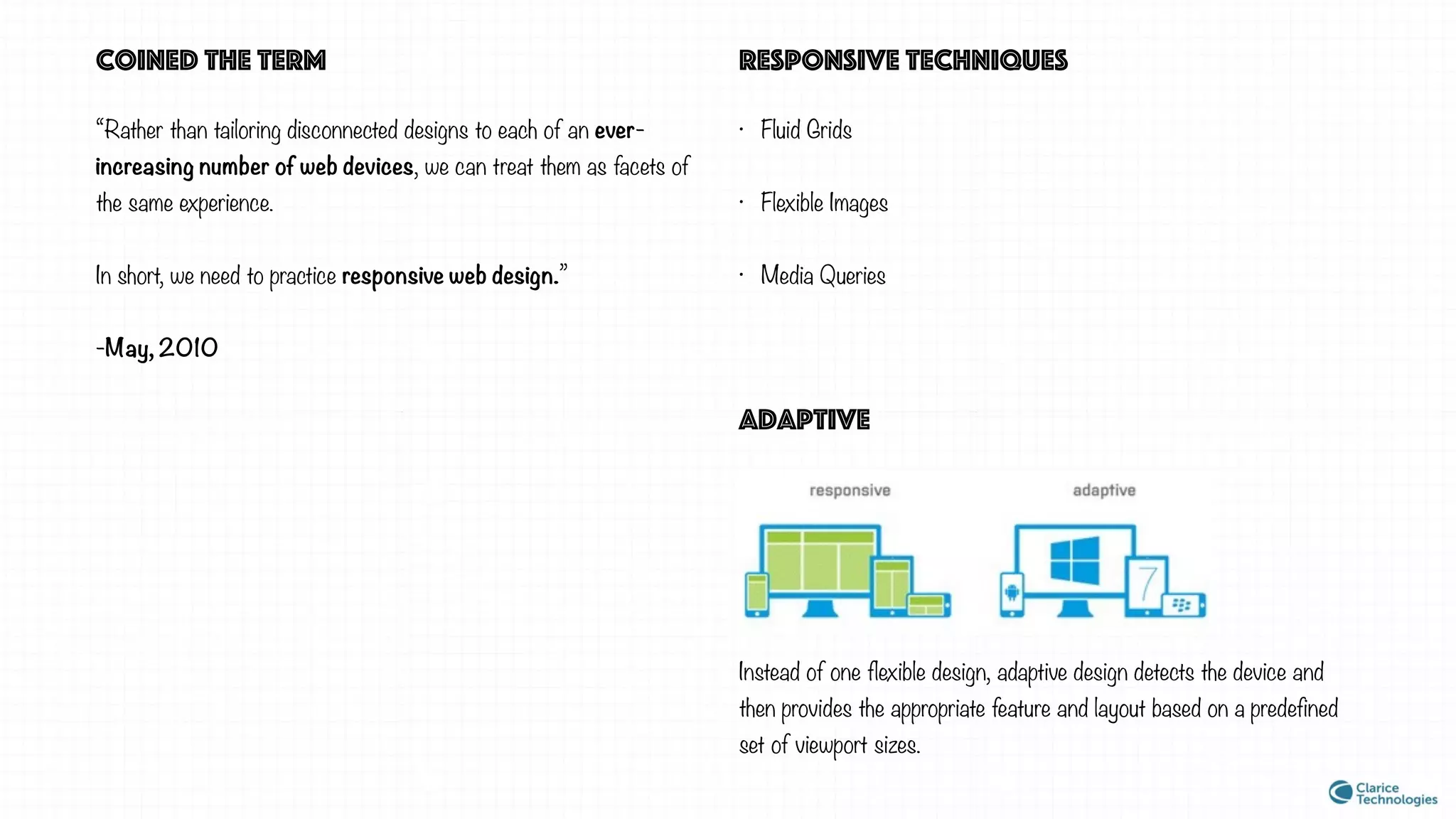
adaptive
Instead of one flexible design, adaptive design detects the device and
then provides the appropriate feature and layout based on a predefined
set of viewport sizes.
How to execute a Responsive web design project?
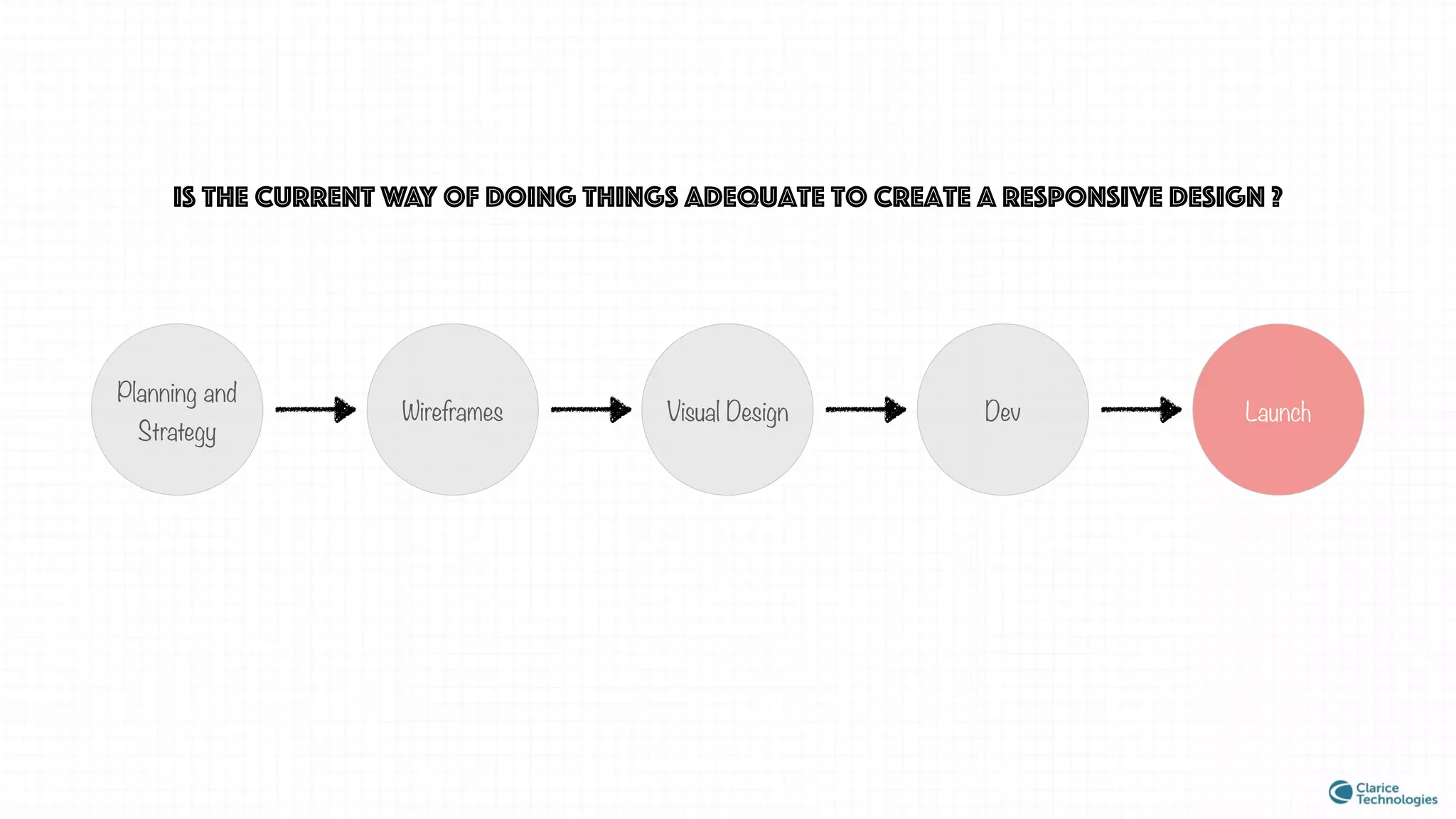
Is the current way of doing things adequate to create a responsive design ?
Planning and
Strategy
Wireframes Visual Design Dev Launch
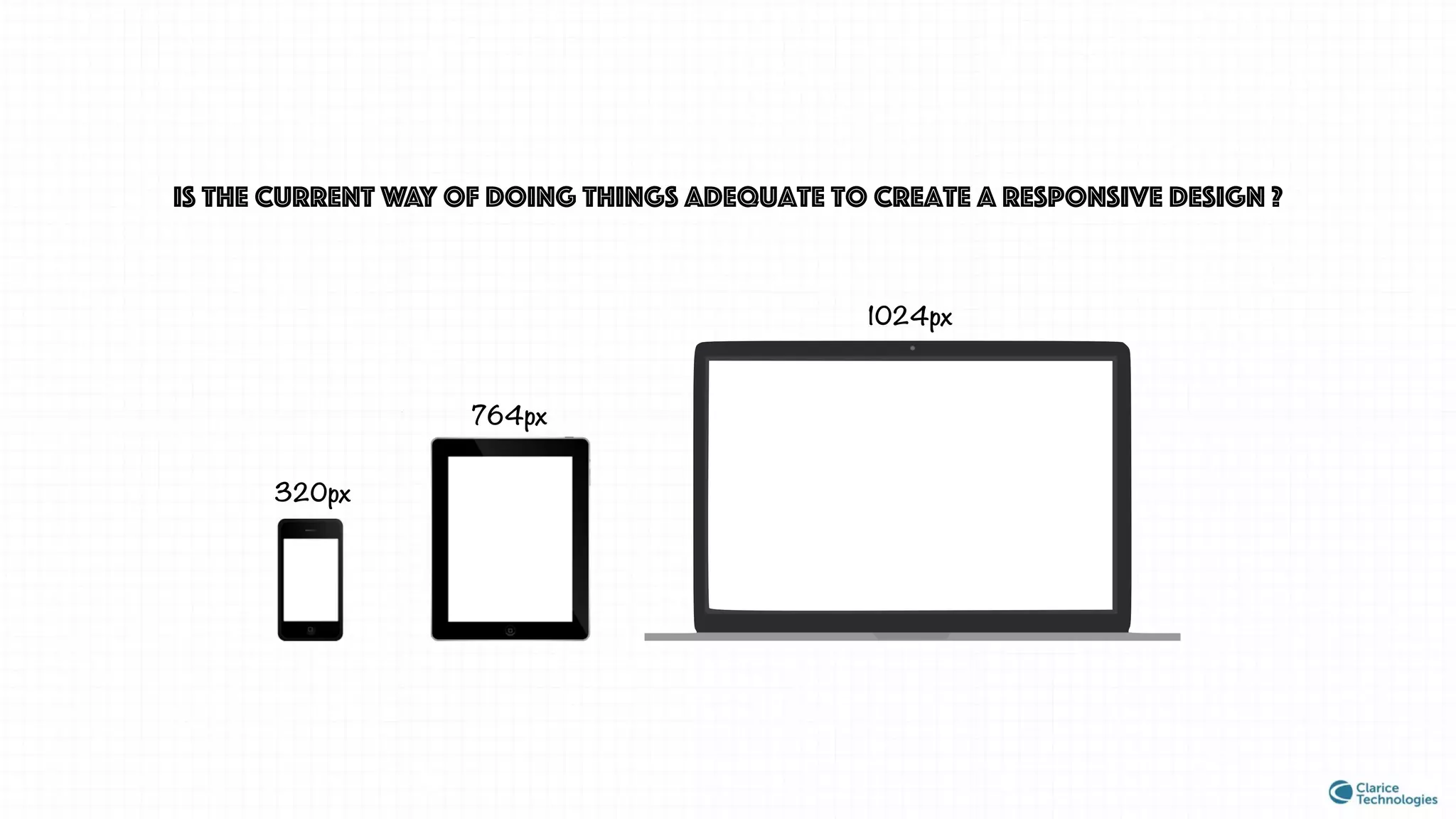
Is the current way of doing things adequate to create a responsive design ?
764px
1024px
320px
why does this question arise?
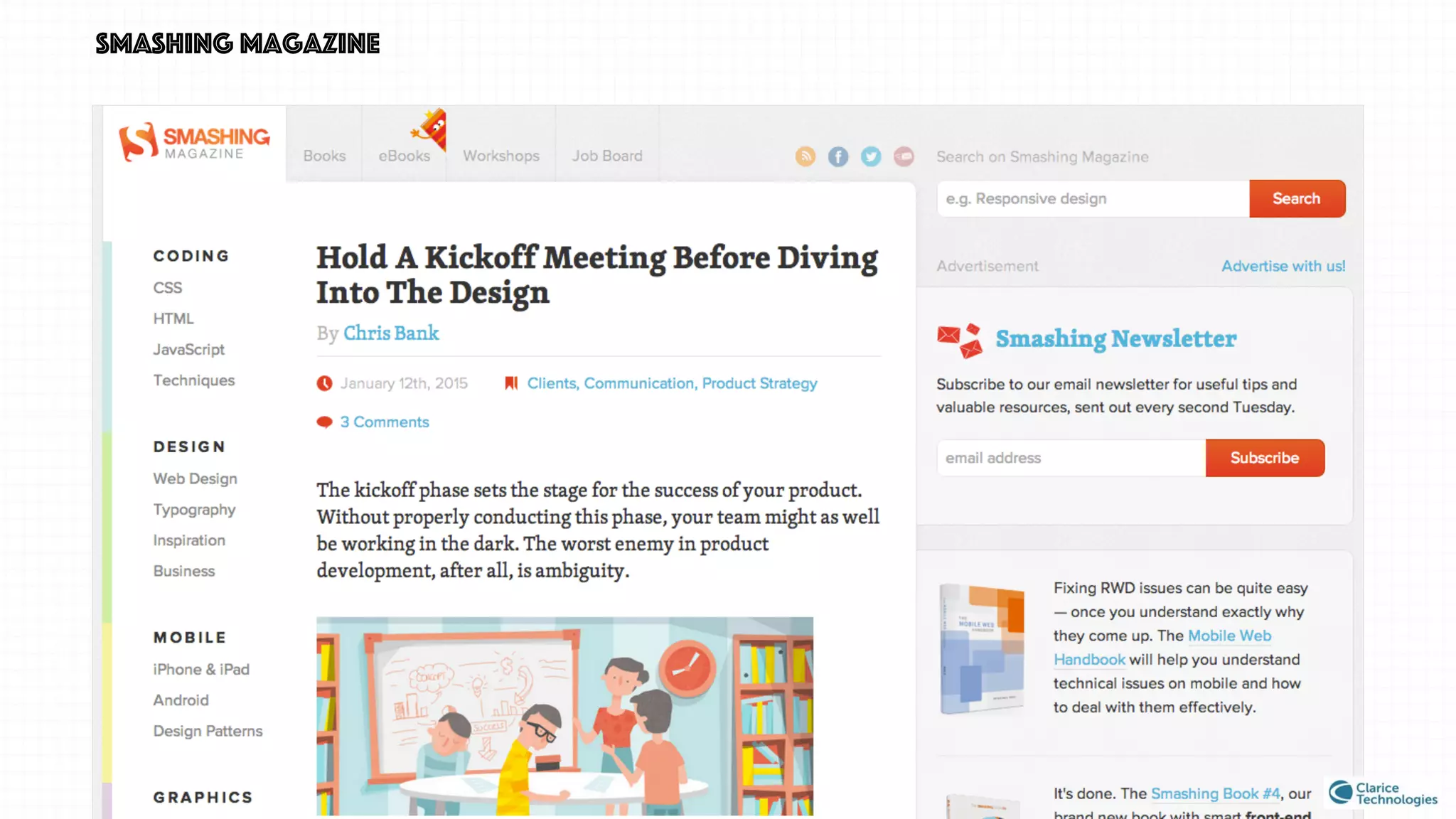
smashing magazine
smashing magazine
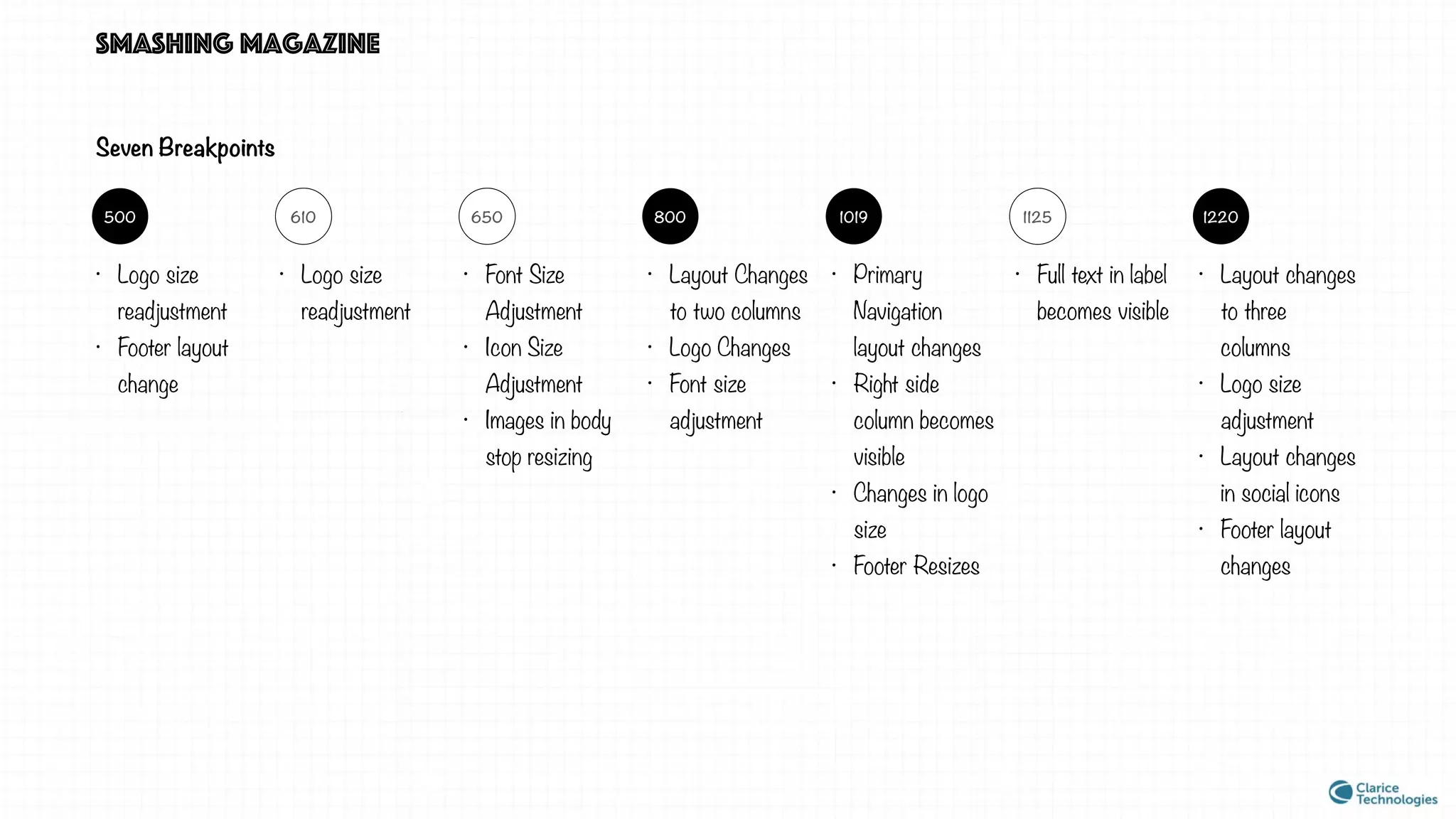
122011251019800650610500
Seven Breakpoints
• Logo size
readjustment
• Footer layout
change
• Logo size
readjustment
• Font Size
Adjustment
• Icon Size
Adjustment
• Images in body
stop resizing
• Layout Changes
to two columns
• Logo Changes
• Font size
adjustment
• Primary
Navigation
layout changes
• Right side
column becomes
visible
• Changes in logo
size
• Footer Resizes
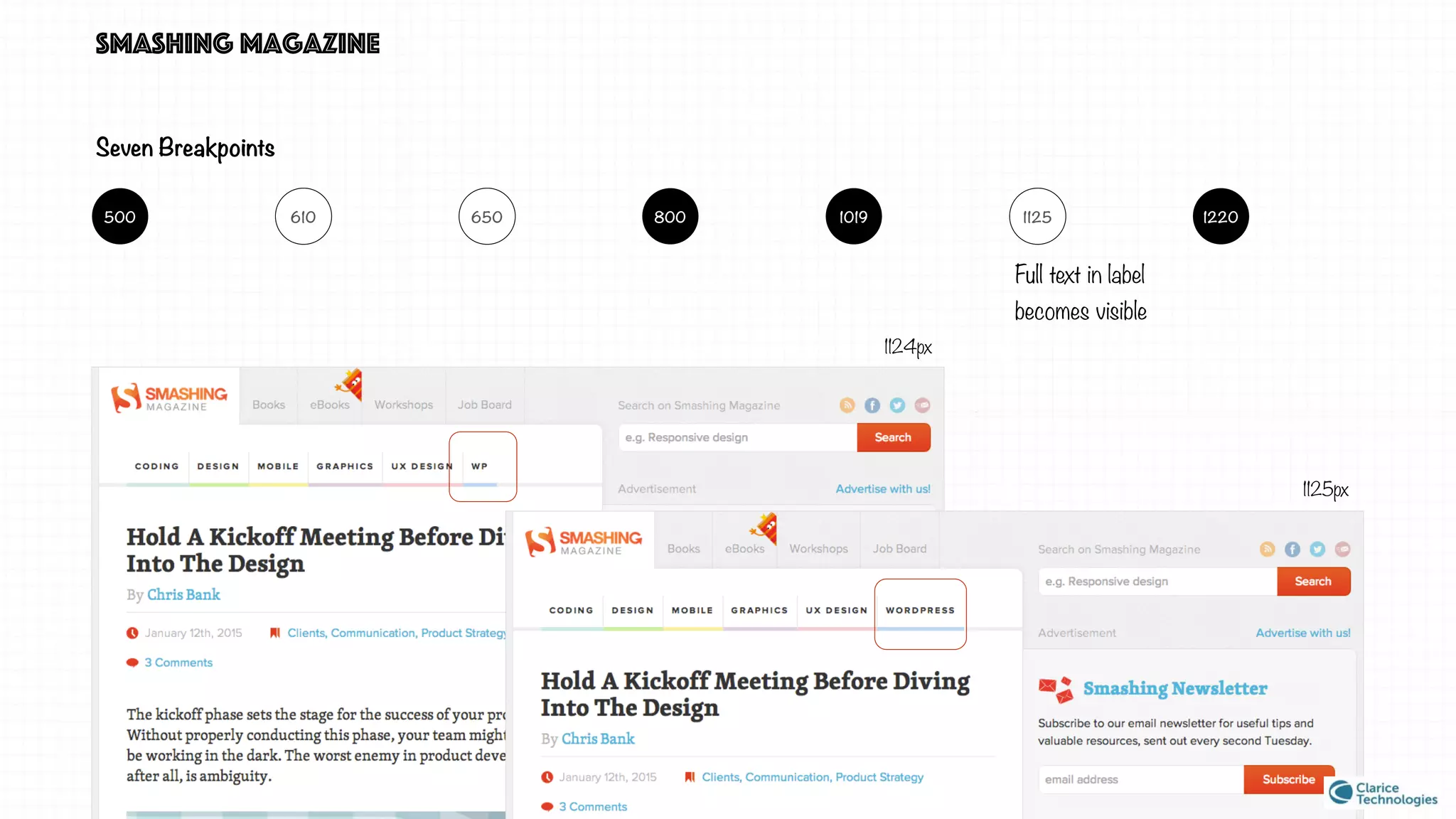
• Full text in label
becomes visible
• Layout changes
to three
columns
• Logo size
adjustment
• Layout changes
in social icons
• Footer layout
changes
smashing magazine
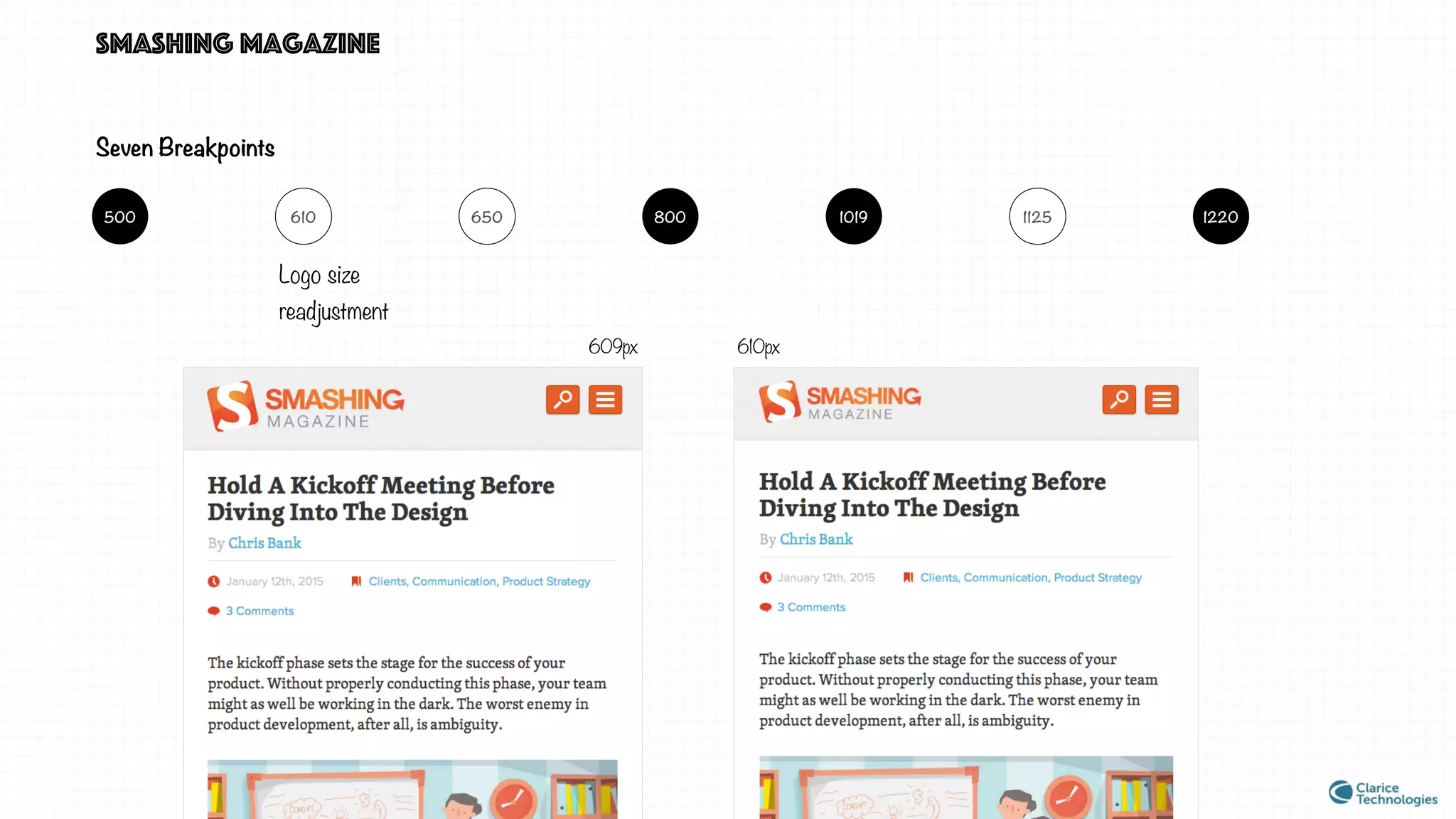
Logo size
readjustment
609px 610px
Seven Breakpoints
122011251019800650610500
smashing magazine
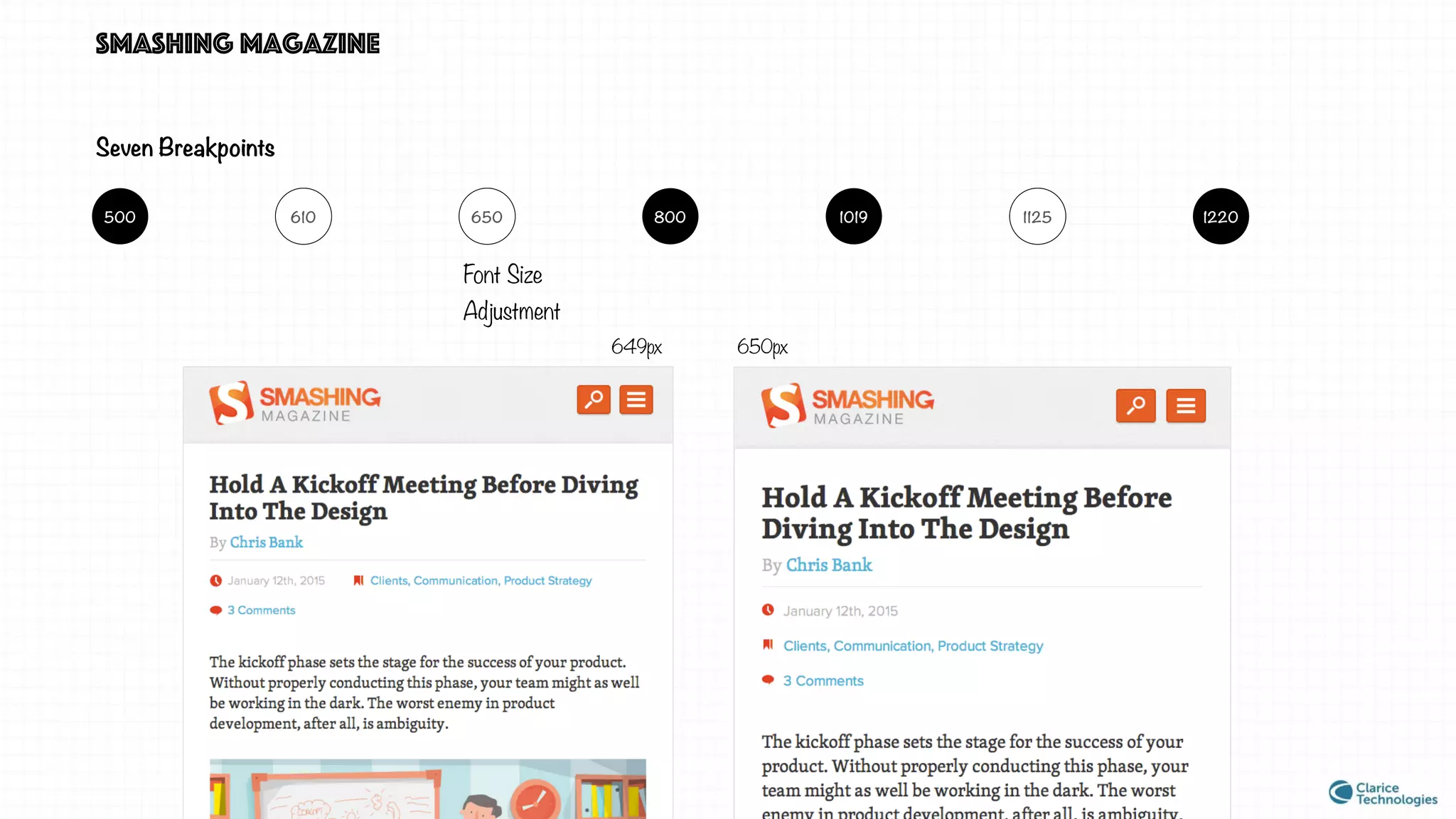
Font Size
Adjustment
649px 650px
Seven Breakpoints
122011251019800650610500
smashing magazine
Full text in label
becomes visible
1124px
1125px
Seven Breakpoints
122011251019800650610500
smashing magazine
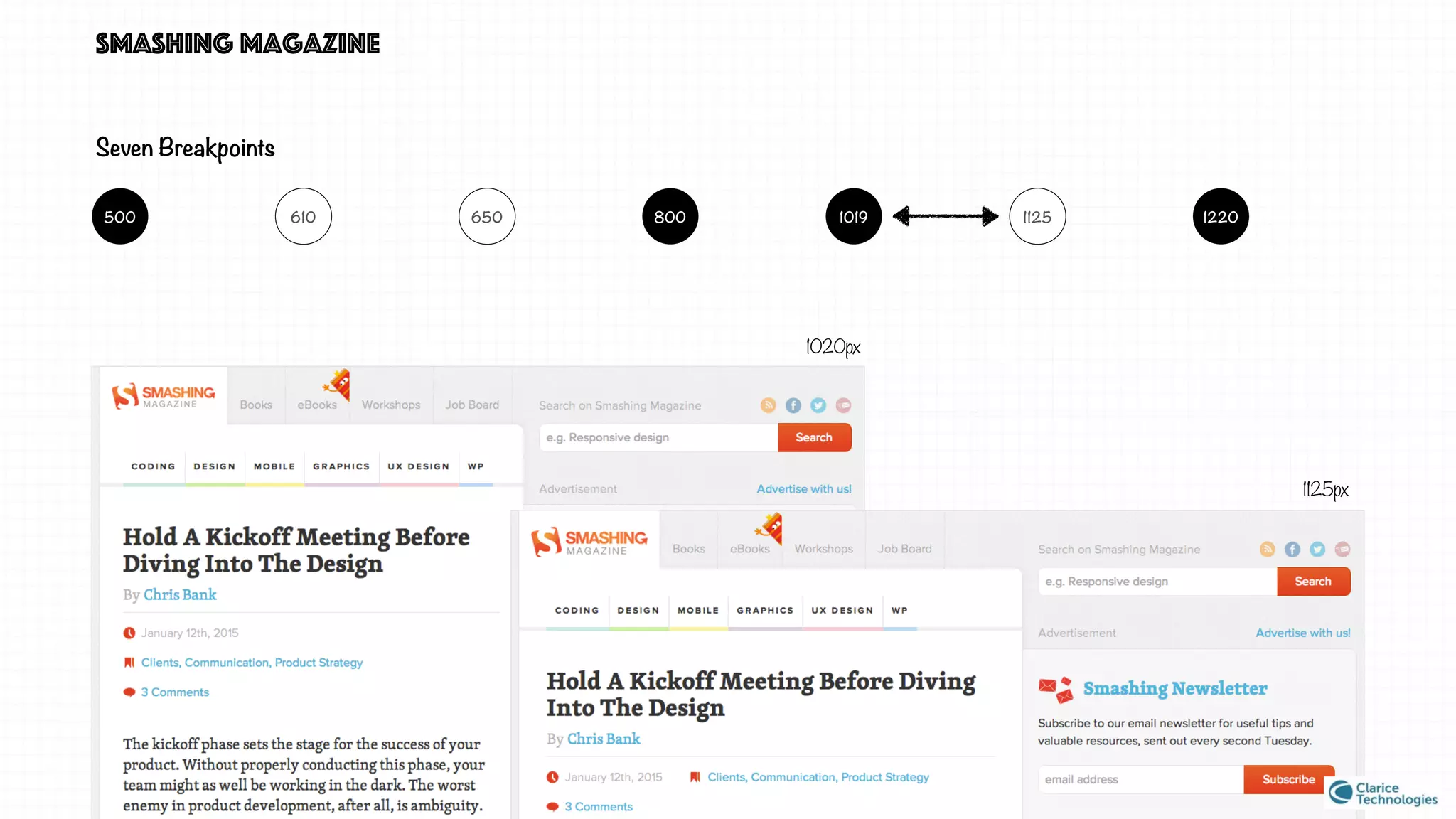
Seven Breakpoints
1020px
1125px
122011251019800650610500
smashing magazine v/s traditional approach
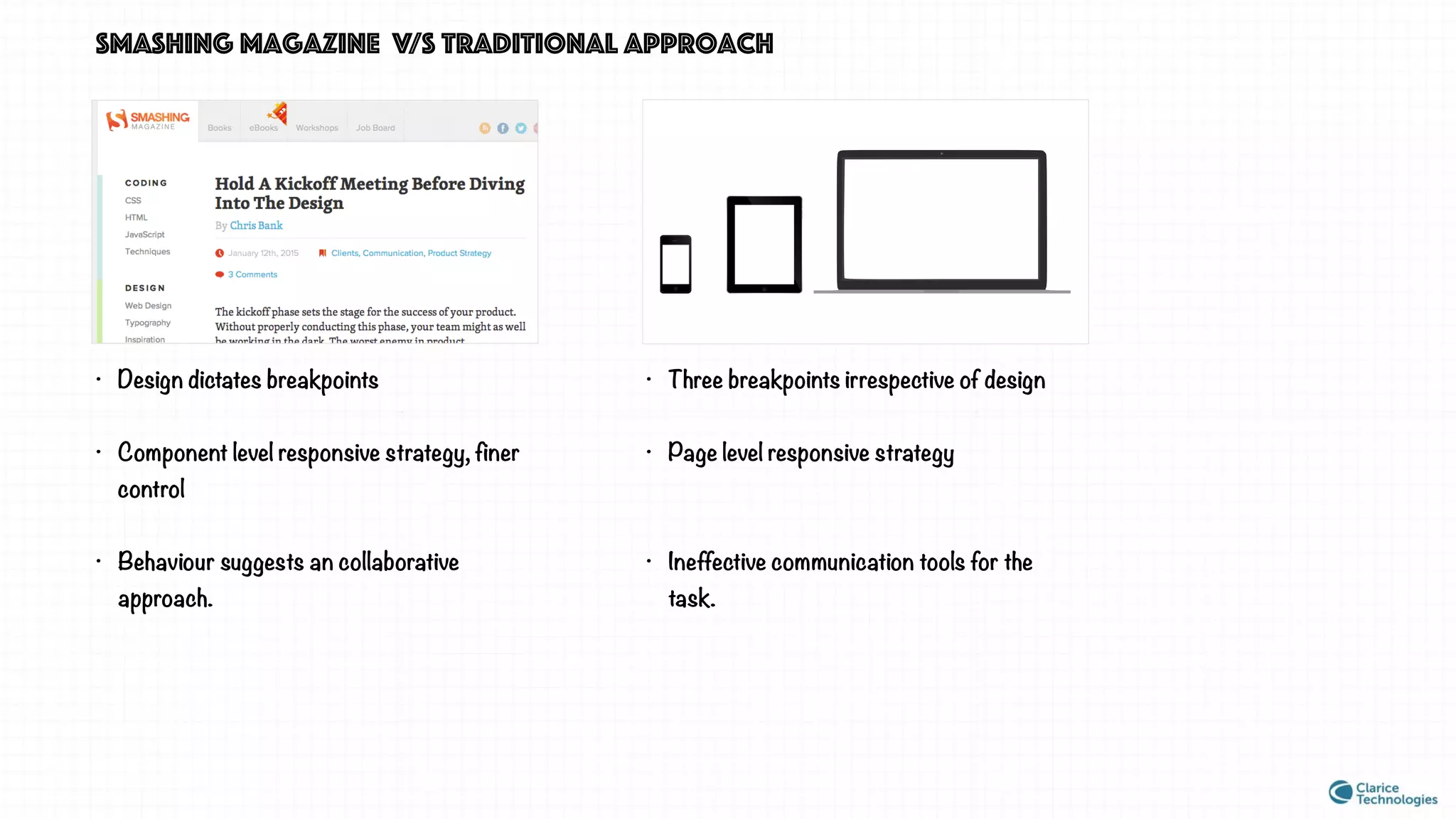
• Design dictates breakpoints
• Component level responsive strategy, finer
control
• Behaviour suggests an collaborative
approach.
• Three breakpoints irrespective of design
• Page level responsive strategy
• Ineffective communication tools for the
task.
three case studies
three case studies
We are looking for an approach in which design dictates breakpoints, component level control, collaborative
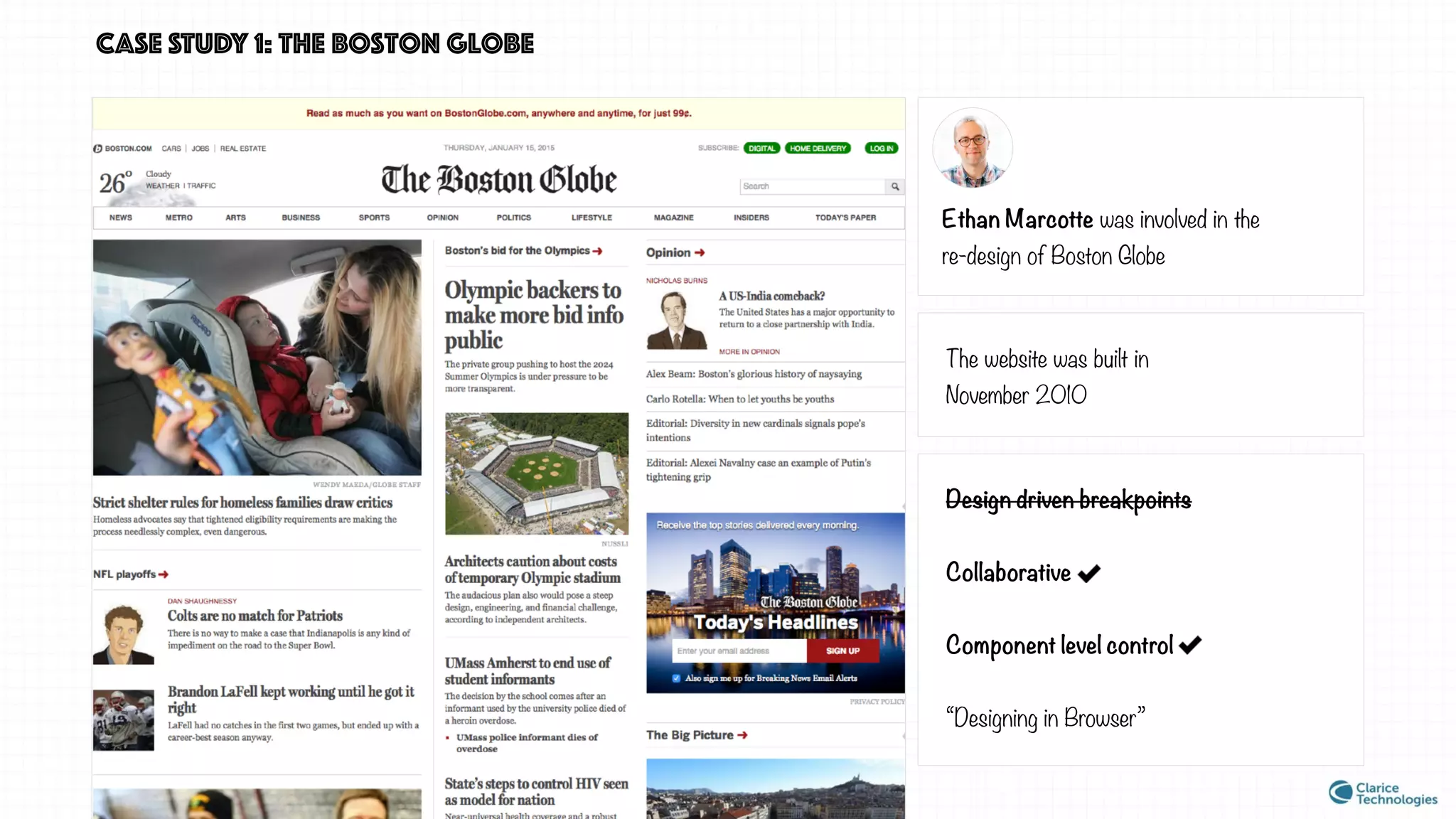
CASE STUDY 1: the boston globe
Ethan Marcotte was involved in the
re-design of Boston Globe
The website was built in
November 2010
Design driven breakpoints
Collaborative
Component level control
“Designing in Browser”
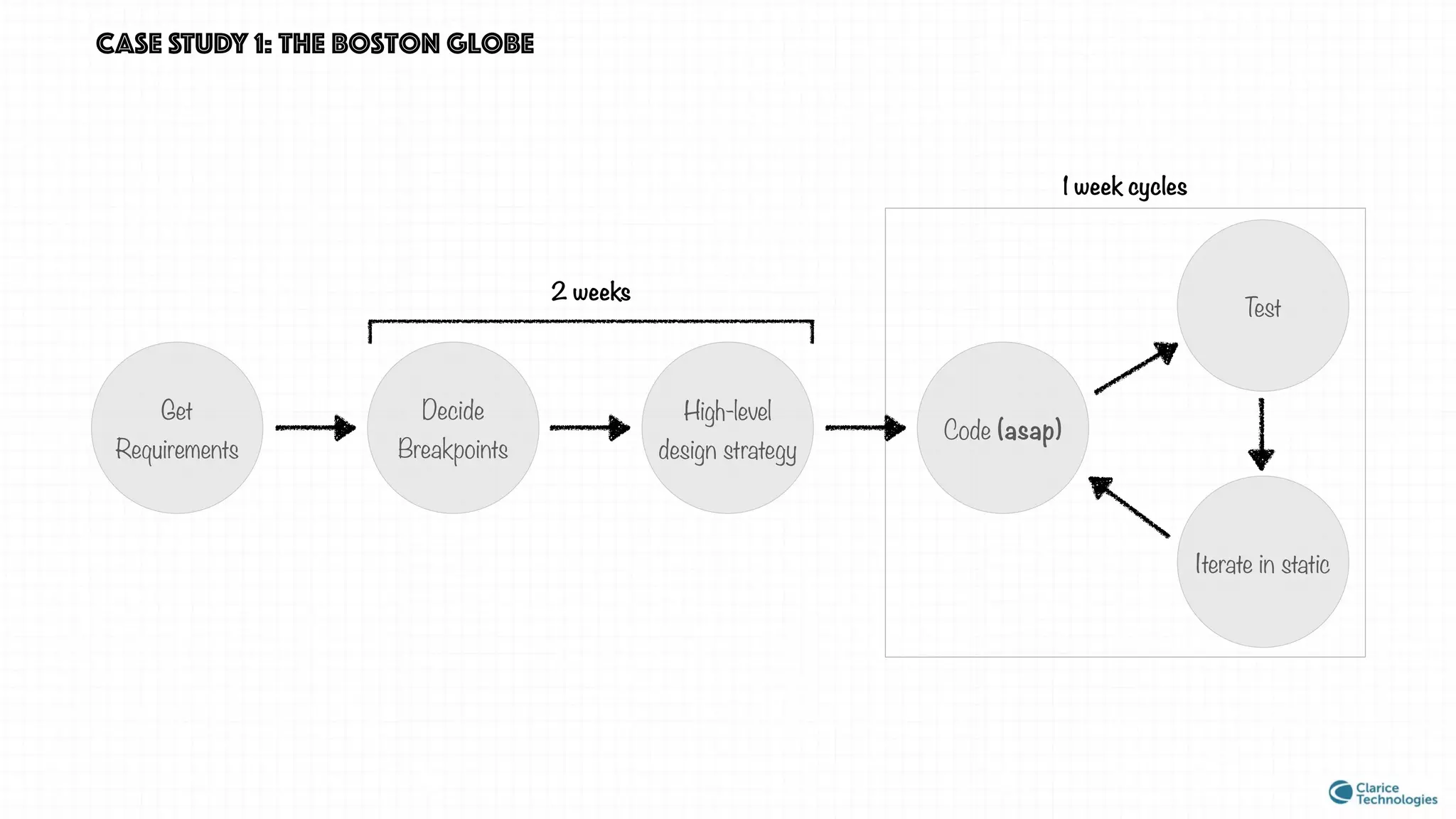
CASE STUDY 1: the boston globe
Get
Requirements
Decide
Breakpoints
High-level
design strategy
Code (asap)
2 weeks
Test
Iterate in static
1 week cycles
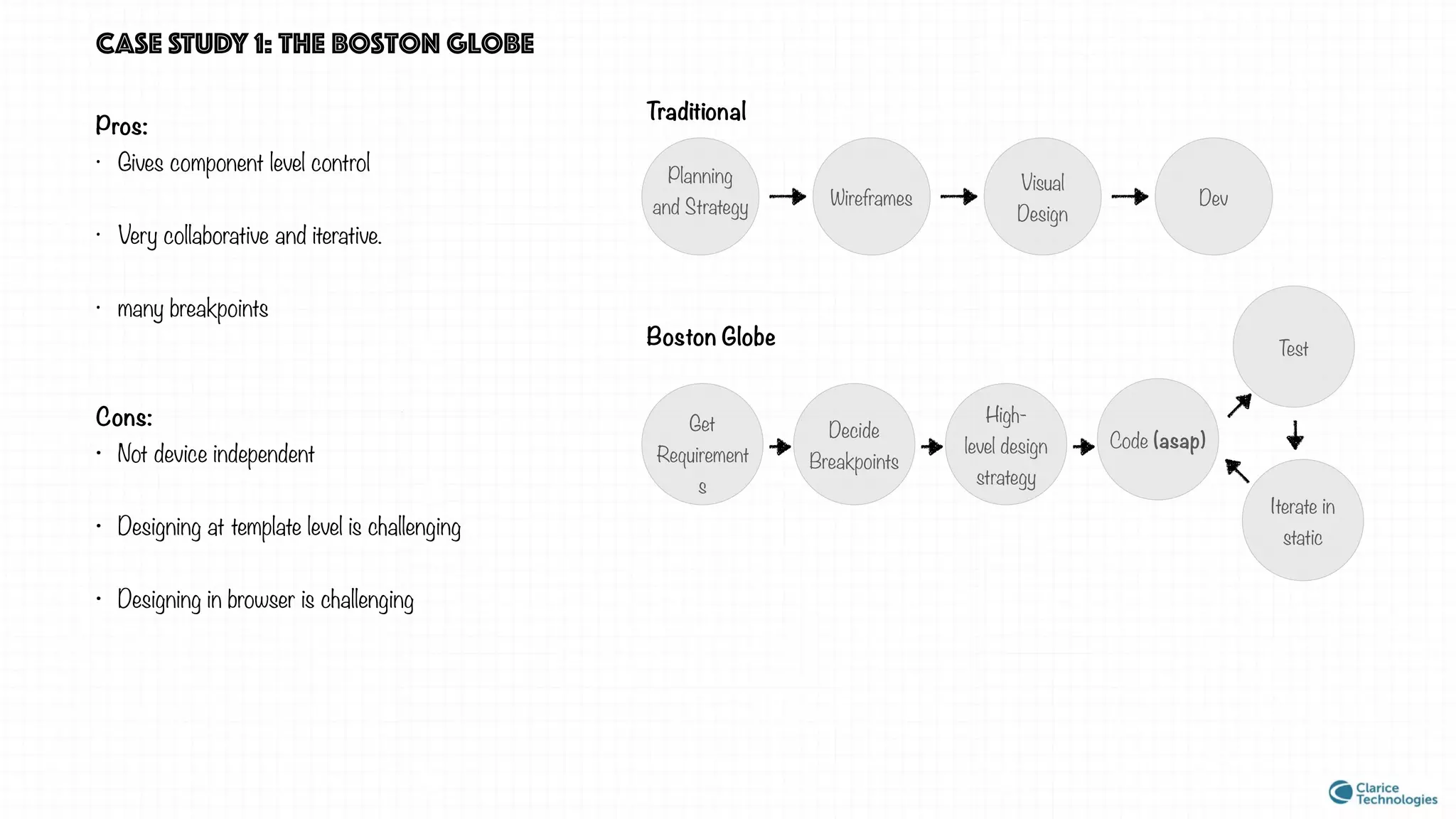
CASE STUDY 1: the boston globe
Pros:
• Gives component level control
• Very collaborative and iterative.
• many breakpoints
Cons:
• Not device independent
• Designing at template level is challenging
• Designing in browser is challenging
Planning
and Strategy Wireframes
Visual
Design
Dev
Traditional
Boston Globe
Get
Requirement
s
Decide
Breakpoints
High-
level design
strategy
Code (asap)
Test
Iterate in
static
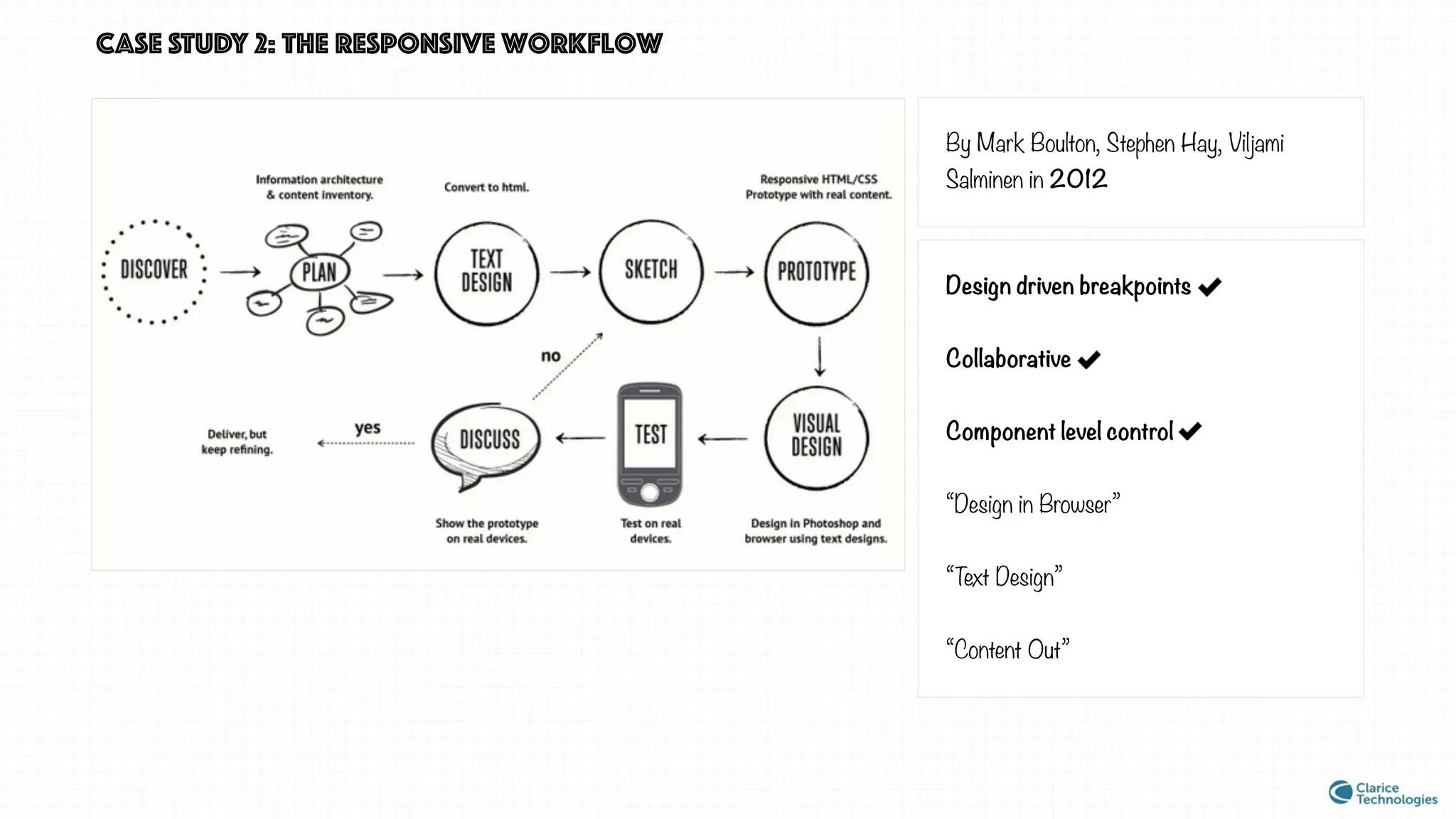
CASE STUDY 2: the responsive workflow
By Mark Boulton, Stephen Hay, Viljami
Salminen in 2012
Design driven breakpoints
Collaborative
Component level control
“Design in Browser”
“Text Design”
“Content Out”
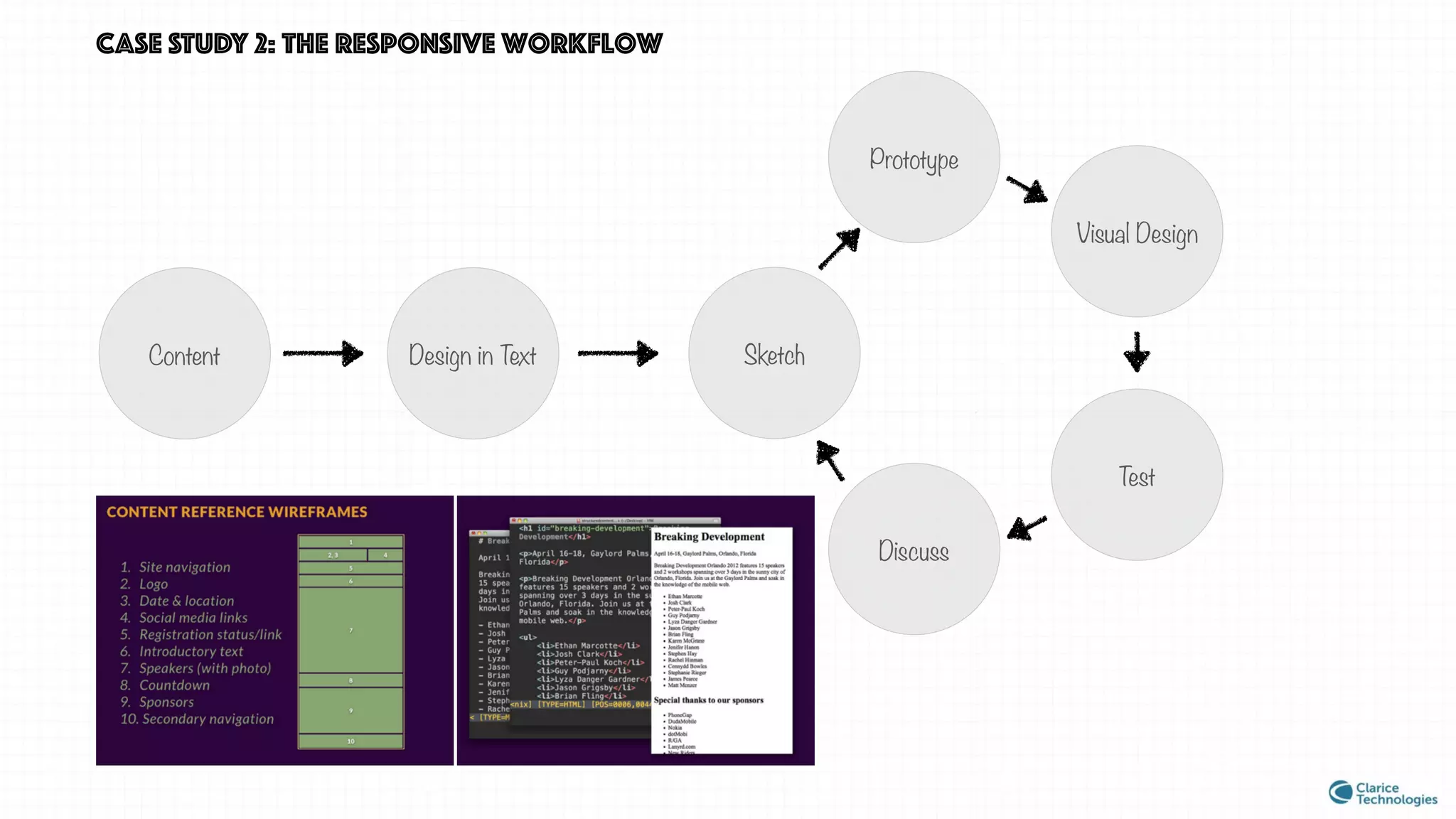
Content
CASE STUDY 2: the responsive workflow
Sketch
Prototype
Visual Design
Test
Discuss
Design in Text
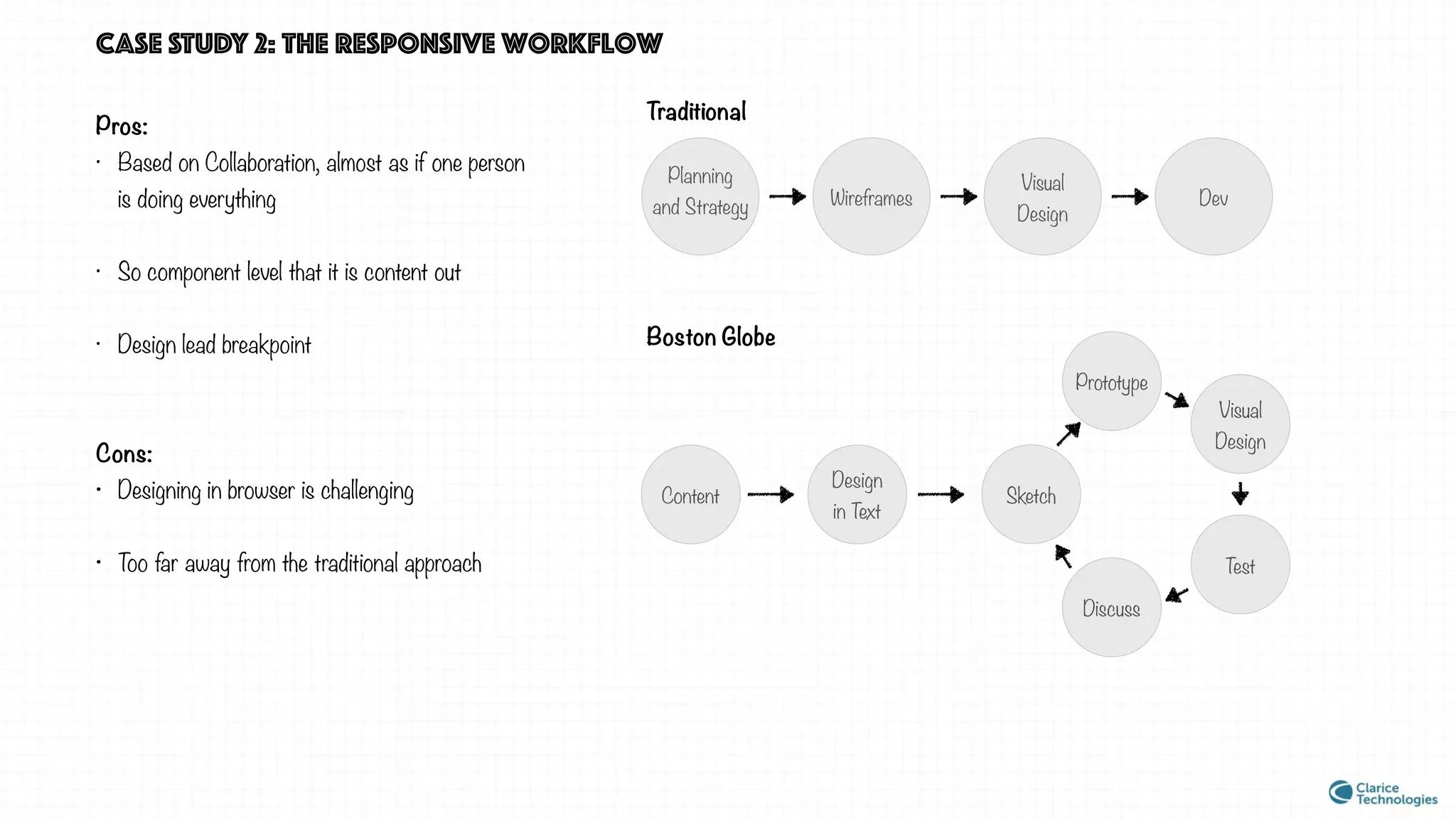
Pros:
• Based on Collaboration, almost as if one person
is doing everything
• So component level that it is content out
• Design lead breakpoint
Cons:
• Designing in browser is challenging
• Too far away from the traditional approach
Planning
and Strategy Wireframes
Visual
Design
Dev
Traditional
Boston Globe
CASE STUDY 2: the responsive workflow
Content Sketch
Prototype
Visual
Design
Test
Discuss
Design
in Text
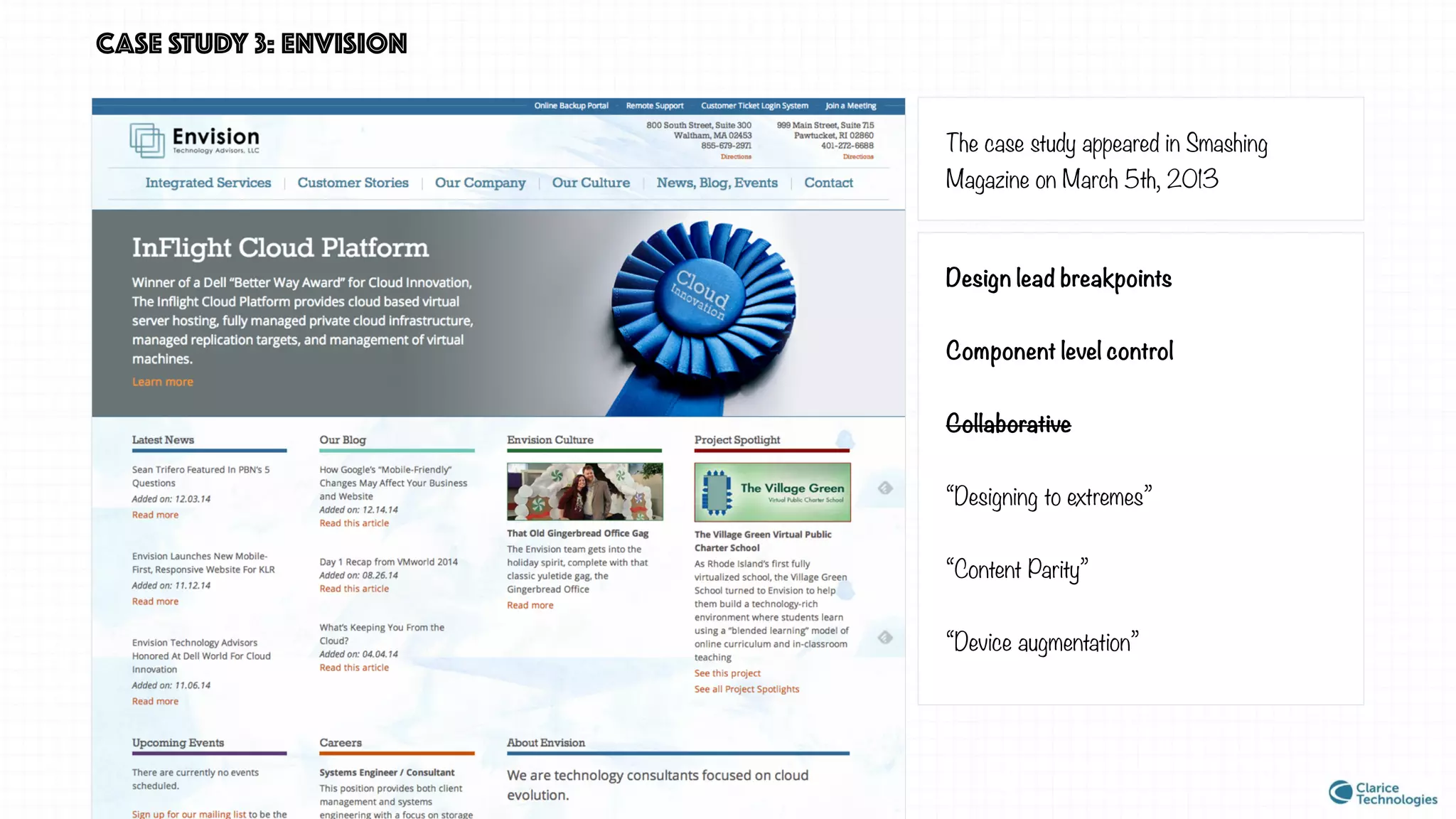
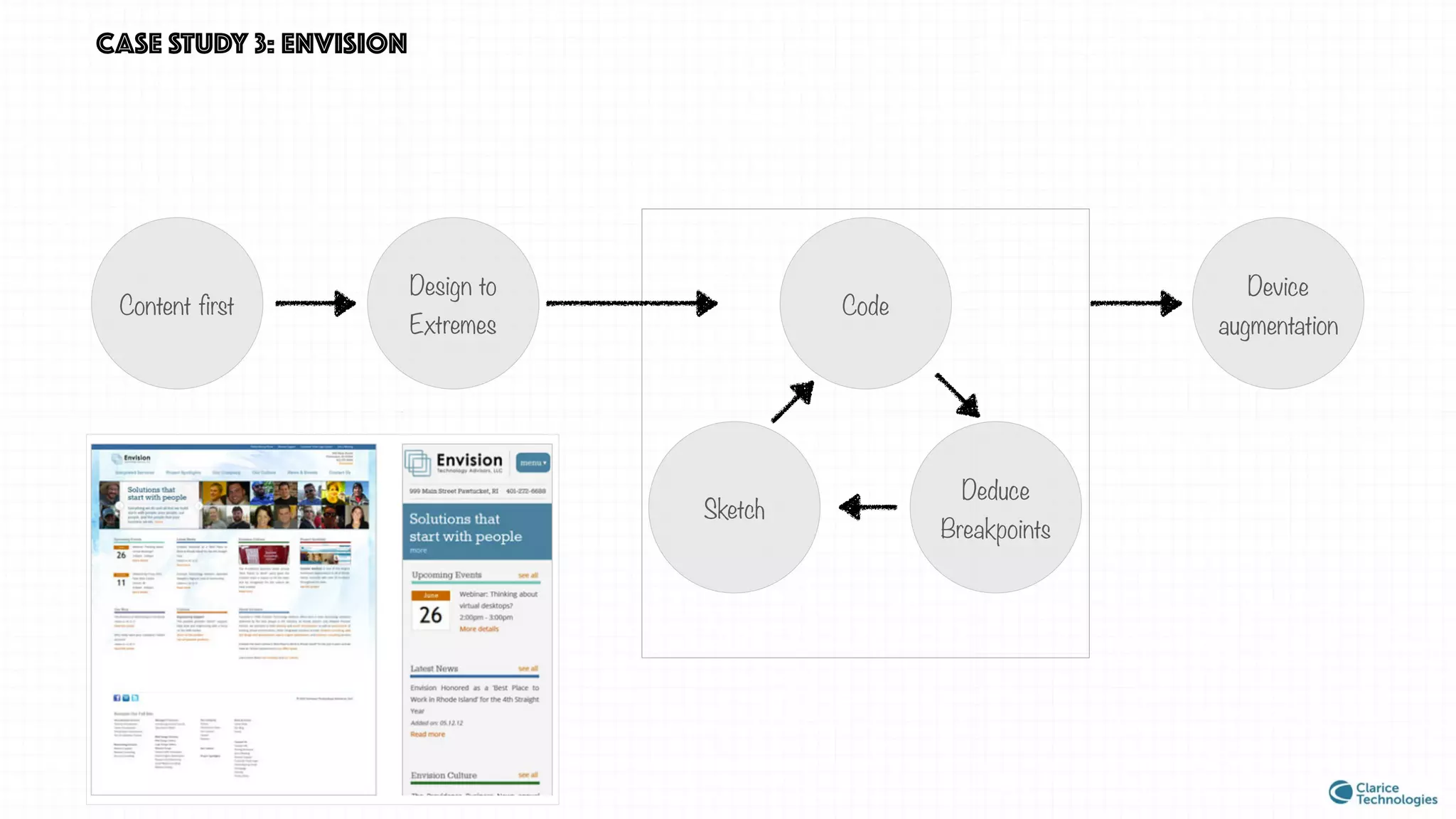
CASE STUDY 3: envision
The case study appeared in Smashing
Magazine on March 5th, 2013
Design lead breakpoints
Component level control
Collaborative
“Designing to extremes”
“Content Parity”
“Device augmentation”
Content first
Design to
Extremes
Code
CASE STUDY 3: envision
Sketch
Deduce
Breakpoints
Device
augmentation
CASE STUDY 3: envision
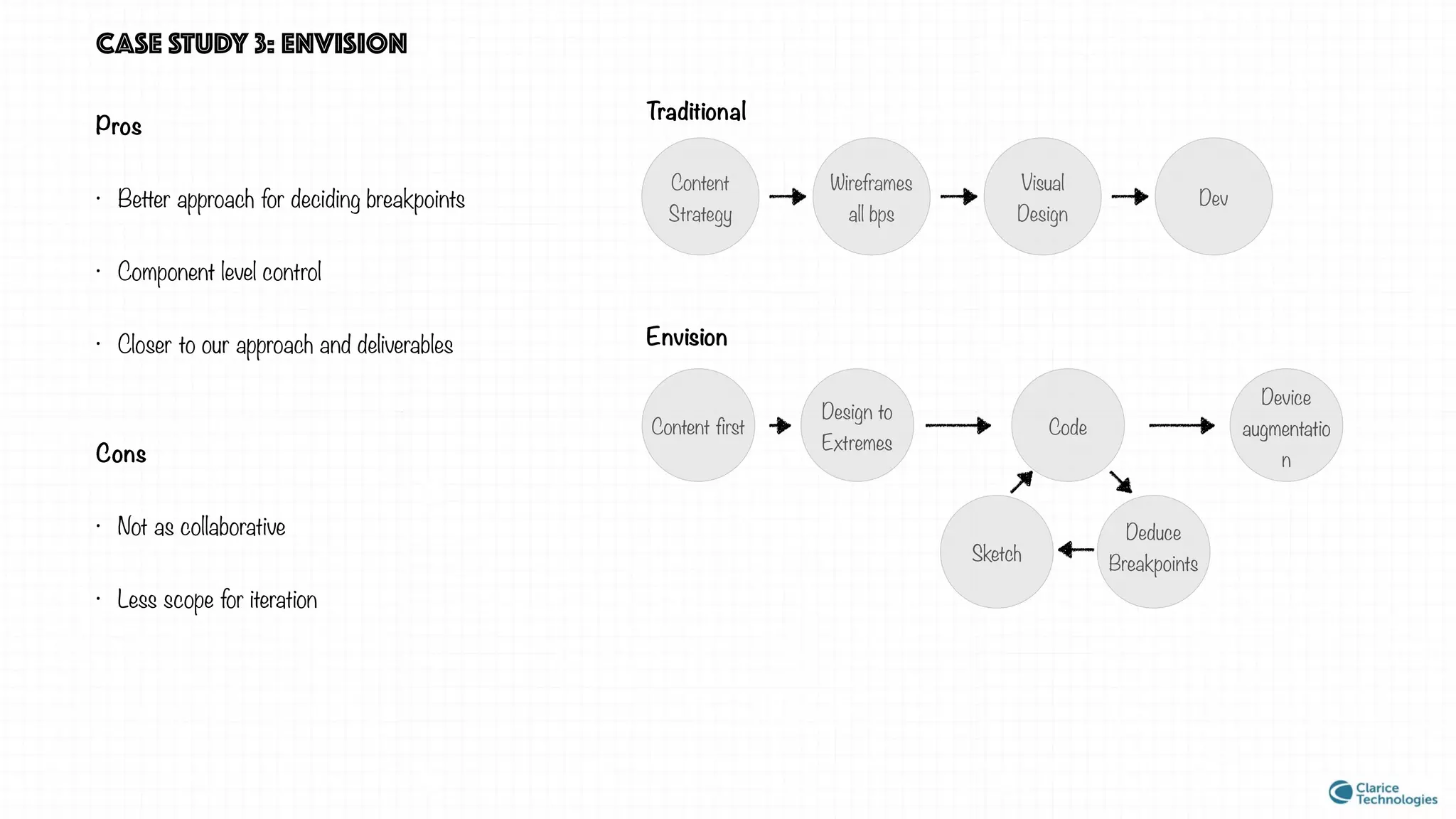
Pros
• Better approach for deciding breakpoints
• Component level control
• Closer to our approach and deliverables
Cons
• Not as collaborative
• Less scope for iteration
Content
Strategy
Wireframes
all bps
Visual
Design
Dev
Traditional
Envision
Content first
Design to
Extremes
Code
Sketch
Deduce
Breakpoints
Device
augmentatio
n
lets look back a bit
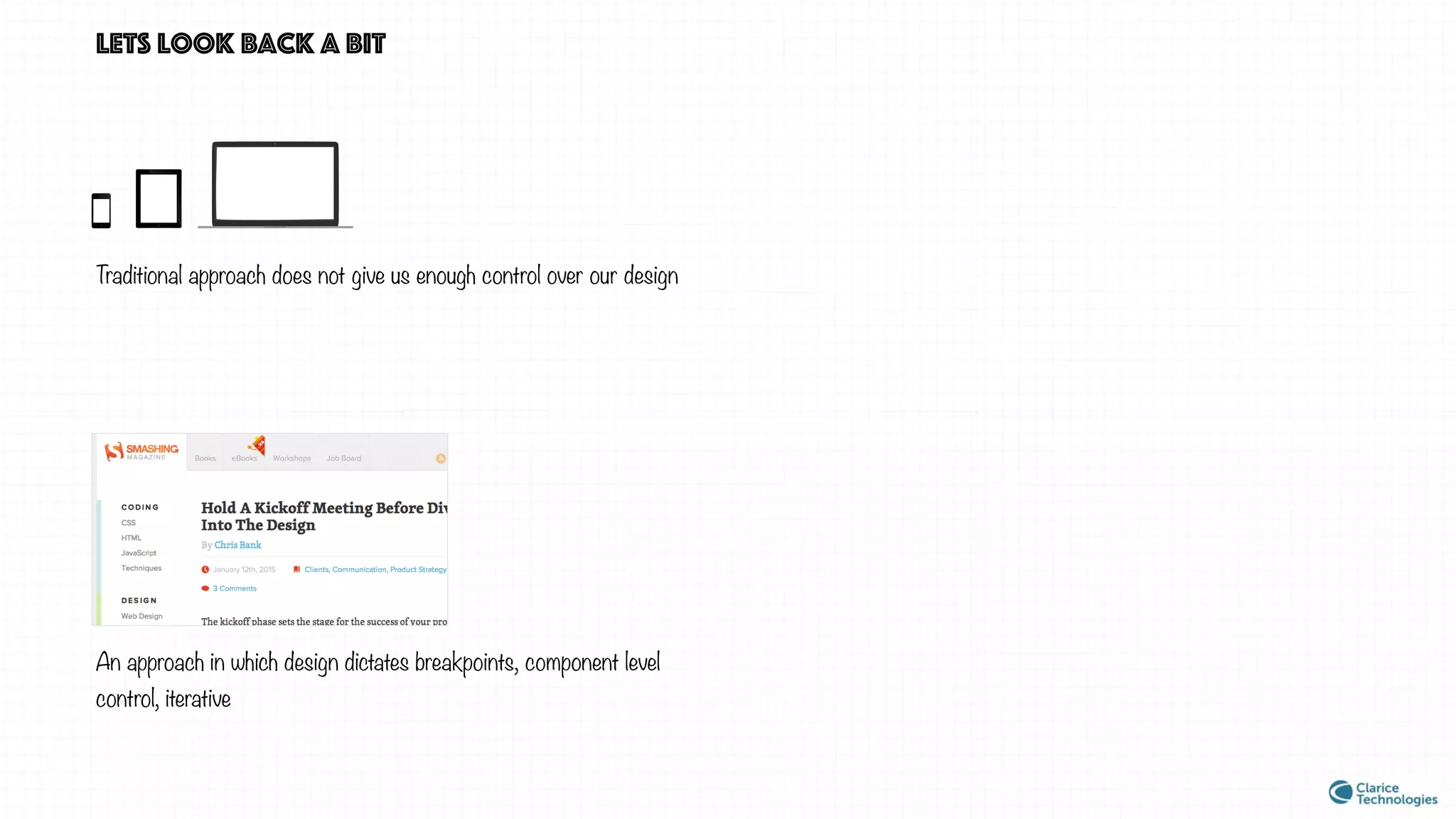
Traditional approach does not give us enough control over our design
An approach in which design dictates breakpoints, component level
control, iterative
lets look back a bit
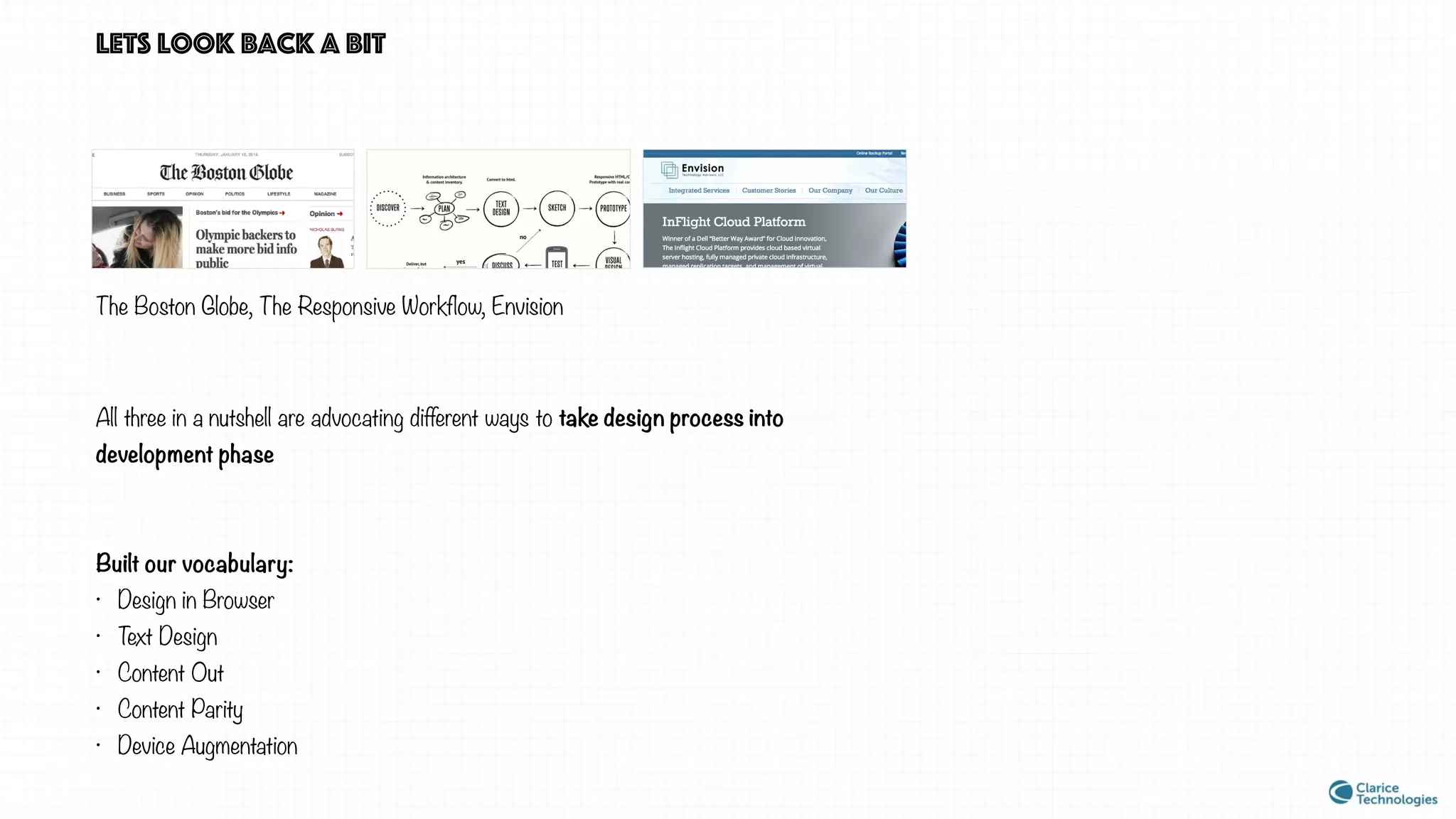
The Boston Globe, The Responsive Workflow, Envision
All three in a nutshell are advocating different ways to take design process into
development phase
Built our vocabulary:
• Design in Browser
• Text Design
• Content Out
• Content Parity
• Device Augmentation
Which approach should we follow?
The discussion is ongoing, Share the realisation that in responsive world the traditional workflow is not jut an inconvenience we can ignore,
Contemporary solutions people have found
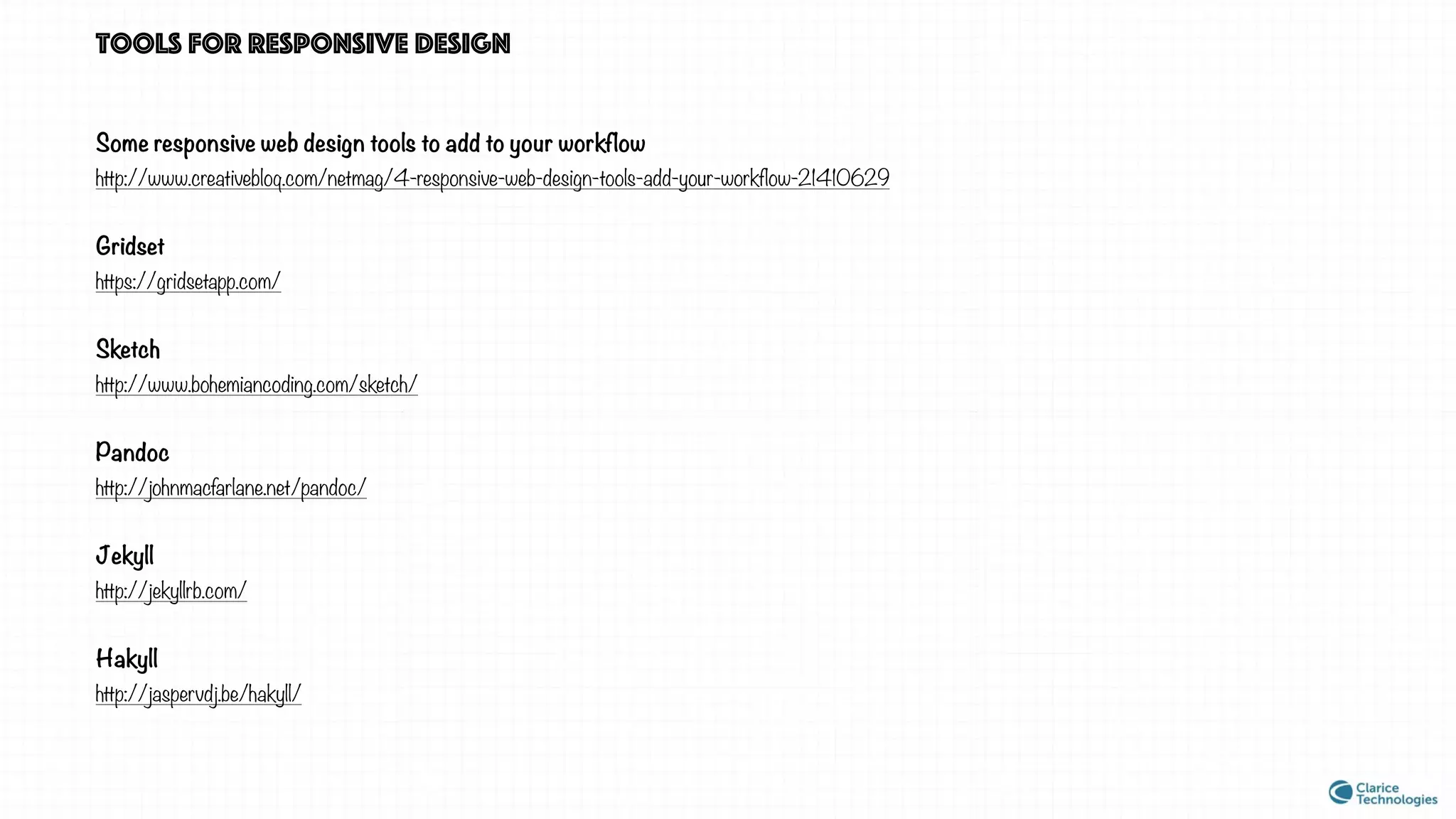
Tools for responsive design
Some responsive web design tools to add to your workflow
http://www.creativebloq.com/netmag/4-responsive-web-design-tools-add-your-workflow-21410629
Gridset
https://gridsetapp.com/
Sketch
http://www.bohemiancoding.com/sketch/
Pandoc
http://johnmacfarlane.net/pandoc/
Jekyll
http://jekyllrb.com/
Hakyll
http://jaspervdj.be/hakyll/
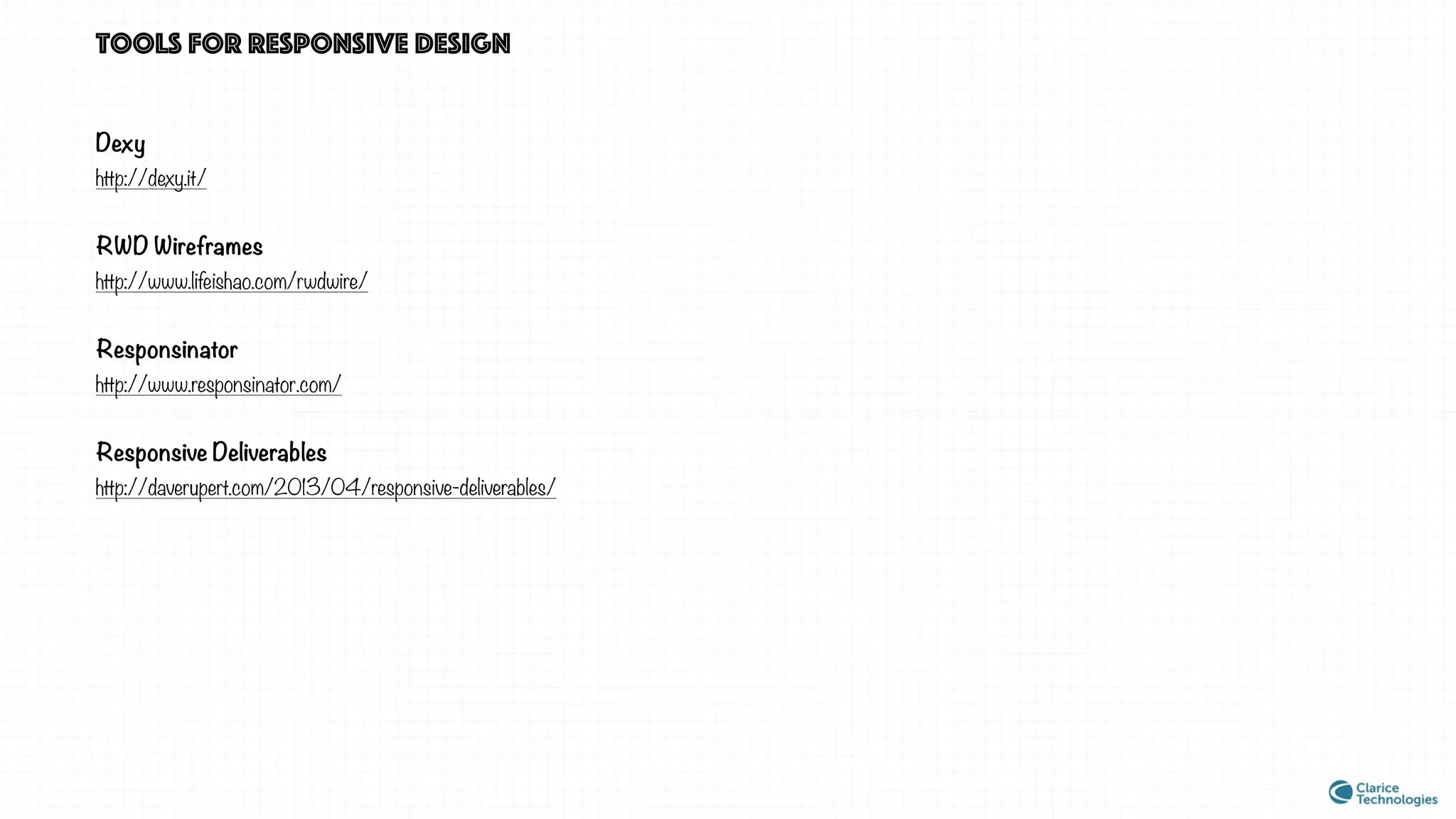
Tools for responsive design
Dexy
http://dexy.it/
RWD Wireframes
http://www.lifeishao.com/rwdwire/
Responsinator
http://www.responsinator.com/
Responsive Deliverables
http://daverupert.com/2013/04/responsive-deliverables/
REFERENCES
A List Apart
alistapart.com
Smashing Magazine
smashingmagazine.com
The Boston Globe — Responsive Web Design
responsivewebdesign.com
Personal Disquite of Mark Boulton
markboulton.co.uk/
Envision Case Study
smashingmagazine.com/2013/03/05/building-a-better-responsive-
website/
9 Basic Principle of Responsive Web Design
froont.com/
* This presentation is available FREE of cost. Images used under Creative Common License but can be remove on objection
Build a responsive site in a week: designing responsively
(part 1)
creativebloq.com/css3/build-responsive-site-week-designing-
responsively-part-1-4122850
Mixing Responsive Design and Mobile Templates
css-tricks.com/mixing-responsive-design-and-mobile-templates/
Adaptive Images
adaptive-images.com/
Medium
medium.com
Content Parity
bradfrost.com
SPECIAL thanks to
@vishujuneja kumar bhaskar reddy @Avinash_US
THANKS FOR VIEWING
https://in.linkedin.com/pub/shivanku-kumar/
21/9a0/4a2
https://www.behance.net/kshivanku

Responsive Design Workflow

  • 1.
    RESPONSIVE WEB DESIGN didn’twe settle this already?
  • 2.
    Ethan Marcotte “the” article source:alistapart.com/article/responsive-web-design
  • 3.
    “Rather than tailoringdisconnected designs to each of an ever- increasing number of web devices, we can treat them as facets of the same experience. In short, we need to practice responsive web design.” -May, 2010 coined the term • Fluid Grids • Flexible Images • Media Queries responsive techniques
  • 4.
    “Rather than tailoringdisconnected designs to each of an ever- increasing number of web devices, we can treat them as facets of the same experience. In short, we need to practice responsive web design.” -May, 2010 coined the term • Fluid Grids • Flexible Images • Media Queries responsive techniques adaptive Instead of one flexible design, adaptive design detects the device and then provides the appropriate feature and layout based on a predefined set of viewport sizes.
  • 5.
    How to executea Responsive web design project?
  • 6.
    Is the currentway of doing things adequate to create a responsive design ? Planning and Strategy Wireframes Visual Design Dev Launch
  • 7.
    Is the currentway of doing things adequate to create a responsive design ? 764px 1024px 320px
  • 8.
    why does thisquestion arise?
  • 9.
  • 10.
    smashing magazine 122011251019800650610500 Seven Breakpoints •Logo size readjustment • Footer layout change • Logo size readjustment • Font Size Adjustment • Icon Size Adjustment • Images in body stop resizing • Layout Changes to two columns • Logo Changes • Font size adjustment • Primary Navigation layout changes • Right side column becomes visible • Changes in logo size • Footer Resizes • Full text in label becomes visible • Layout changes to three columns • Logo size adjustment • Layout changes in social icons • Footer layout changes
  • 11.
    smashing magazine Logo size readjustment 609px610px Seven Breakpoints 122011251019800650610500
  • 12.
    smashing magazine Font Size Adjustment 649px650px Seven Breakpoints 122011251019800650610500
  • 13.
    smashing magazine Full textin label becomes visible 1124px 1125px Seven Breakpoints 122011251019800650610500
  • 14.
  • 15.
    smashing magazine v/straditional approach • Design dictates breakpoints • Component level responsive strategy, finer control • Behaviour suggests an collaborative approach. • Three breakpoints irrespective of design • Page level responsive strategy • Ineffective communication tools for the task.
  • 16.
  • 17.
    three case studies Weare looking for an approach in which design dictates breakpoints, component level control, collaborative
  • 18.
    CASE STUDY 1:the boston globe Ethan Marcotte was involved in the re-design of Boston Globe The website was built in November 2010 Design driven breakpoints Collaborative Component level control “Designing in Browser”
  • 19.
    CASE STUDY 1:the boston globe Get Requirements Decide Breakpoints High-level design strategy Code (asap) 2 weeks Test Iterate in static 1 week cycles
  • 20.
    CASE STUDY 1:the boston globe Pros: • Gives component level control • Very collaborative and iterative. • many breakpoints Cons: • Not device independent • Designing at template level is challenging • Designing in browser is challenging Planning and Strategy Wireframes Visual Design Dev Traditional Boston Globe Get Requirement s Decide Breakpoints High- level design strategy Code (asap) Test Iterate in static
  • 21.
    CASE STUDY 2:the responsive workflow By Mark Boulton, Stephen Hay, Viljami Salminen in 2012 Design driven breakpoints Collaborative Component level control “Design in Browser” “Text Design” “Content Out”
  • 22.
    Content CASE STUDY 2:the responsive workflow Sketch Prototype Visual Design Test Discuss Design in Text
  • 23.
    Pros: • Based onCollaboration, almost as if one person is doing everything • So component level that it is content out • Design lead breakpoint Cons: • Designing in browser is challenging • Too far away from the traditional approach Planning and Strategy Wireframes Visual Design Dev Traditional Boston Globe CASE STUDY 2: the responsive workflow Content Sketch Prototype Visual Design Test Discuss Design in Text
  • 24.
    CASE STUDY 3:envision The case study appeared in Smashing Magazine on March 5th, 2013 Design lead breakpoints Component level control Collaborative “Designing to extremes” “Content Parity” “Device augmentation”
  • 25.
    Content first Design to Extremes Code CASESTUDY 3: envision Sketch Deduce Breakpoints Device augmentation
  • 26.
    CASE STUDY 3:envision Pros • Better approach for deciding breakpoints • Component level control • Closer to our approach and deliverables Cons • Not as collaborative • Less scope for iteration Content Strategy Wireframes all bps Visual Design Dev Traditional Envision Content first Design to Extremes Code Sketch Deduce Breakpoints Device augmentatio n
  • 27.
    lets look backa bit Traditional approach does not give us enough control over our design An approach in which design dictates breakpoints, component level control, iterative
  • 28.
    lets look backa bit The Boston Globe, The Responsive Workflow, Envision All three in a nutshell are advocating different ways to take design process into development phase Built our vocabulary: • Design in Browser • Text Design • Content Out • Content Parity • Device Augmentation
  • 29.
  • 30.
    Which approach shouldwe follow? The discussion is ongoing, Share the realisation that in responsive world the traditional workflow is not jut an inconvenience we can ignore, Contemporary solutions people have found
  • 31.
    Tools for responsivedesign Some responsive web design tools to add to your workflow http://www.creativebloq.com/netmag/4-responsive-web-design-tools-add-your-workflow-21410629 Gridset https://gridsetapp.com/ Sketch http://www.bohemiancoding.com/sketch/ Pandoc http://johnmacfarlane.net/pandoc/ Jekyll http://jekyllrb.com/ Hakyll http://jaspervdj.be/hakyll/
  • 32.
    Tools for responsivedesign Dexy http://dexy.it/ RWD Wireframes http://www.lifeishao.com/rwdwire/ Responsinator http://www.responsinator.com/ Responsive Deliverables http://daverupert.com/2013/04/responsive-deliverables/
  • 33.
    REFERENCES A List Apart alistapart.com SmashingMagazine smashingmagazine.com The Boston Globe — Responsive Web Design responsivewebdesign.com Personal Disquite of Mark Boulton markboulton.co.uk/ Envision Case Study smashingmagazine.com/2013/03/05/building-a-better-responsive- website/ 9 Basic Principle of Responsive Web Design froont.com/ * This presentation is available FREE of cost. Images used under Creative Common License but can be remove on objection Build a responsive site in a week: designing responsively (part 1) creativebloq.com/css3/build-responsive-site-week-designing- responsively-part-1-4122850 Mixing Responsive Design and Mobile Templates css-tricks.com/mixing-responsive-design-and-mobile-templates/ Adaptive Images adaptive-images.com/ Medium medium.com Content Parity bradfrost.com
  • 34.
    SPECIAL thanks to @vishujunejakumar bhaskar reddy @Avinash_US
  • 35.