Chawarong Songserm
Agenda
•
•
•
•
•

Overview of concepts
Prototyping
UI Definition Language
Other requirement analysis tools
Q&A
“It begins with requirements…”
“Requirement Creep”
• Every software begins with it
• Often, users don’t know what they need
• Users and developers don’t have the same
picture to start with
• Requirement changes are inevitable
Stages of Requirement Analysis
• Early stage
– Rapid prototype is required as a starting point to get user
inputs.
– Speed of building a prototype is the key.
– Usability can be verified.
– Prototype can be very dynamic and even thrown away.
– Making changes early is very cost effective.

• Formal stage
– Requirement (text) can be written in a formal way.
– Implementation plan, work breakdown and estimation can
be done.
– Resources can be allocated.
Rapid Prototyping
To determine:
• Basic requirement
• Major UI components
• Exploring usability
• Feasibility
• System level architecture
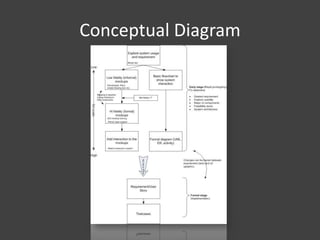
Conceptual Diagram
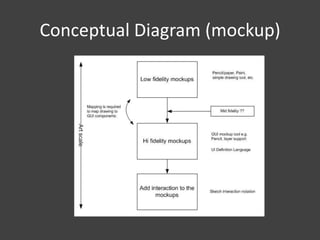
Conceptual Diagram (mockup)
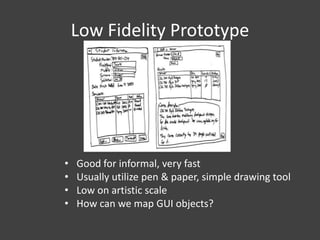
Low Fidelity Prototype

•
•
•
•

Good for informal, very fast
Usually utilize pen & paper, simple drawing tool
Low on artistic scale
How can we map GUI objects?
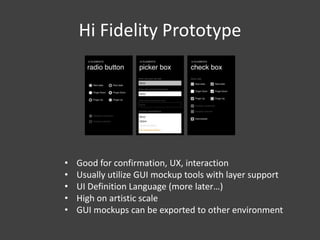
Hi Fidelity Prototype

•
•
•
•
•

Good for confirmation, UX, interaction
Usually utilize GUI mockup tools with layer support
UI Definition Language (more later…)
High on artistic scale
GUI mockups can be exported to other environment
We’ve got a bunch of mockups. What else can we do?
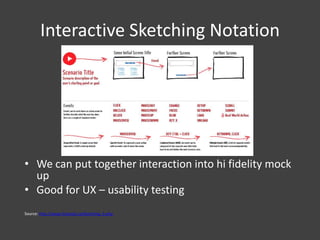
Interactive Sketching Notation

• We can put together interaction into hi fidelity mock
up
• Good for UX – usability testing
Source: http://www.linowski.ca/sketching_b.php
What else can be included?
• Groups of UIs can be mapped to User Story or
SRS
• Other documents can be achieved like
business workflow, glossary, data flow, etc.
• Revision can be saved
• Play back feature like Google Wave
• Import/export
• Changes can be traced
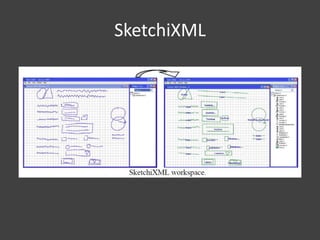
How can we map low-fi & hi-fi
mockups?
Let see some example.
SketchiXML
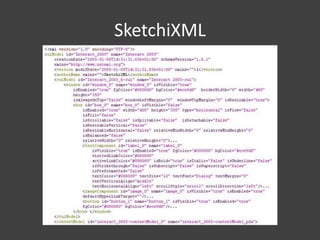
SketchiXML
User Interface Languages
•
•
•
•
•

MXML (Adobe)
UIML (OASIS) – accepted by W3C
UsiXML (Belgium) – include SketchiXML
XUL (Mozilla)
XAML (Microsoft)
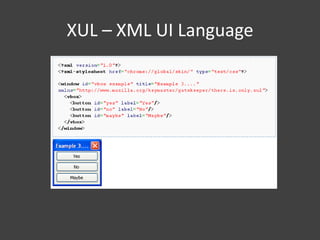
XUL – XML UI Language
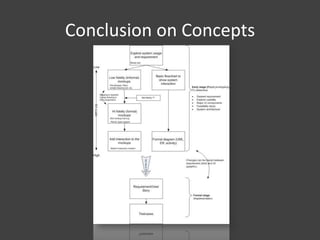
Conclusion on Concepts
What we can do?
• A UI mockup tool (low/hi fidelity) with
interaction
• Graphical traceability between mockups &
user stories. Changes can be traced
• Revision baselining and playback capability
• Collaboration between users and developers
• Business workflow/process designer (future)
Other Requirement Analysis Tools
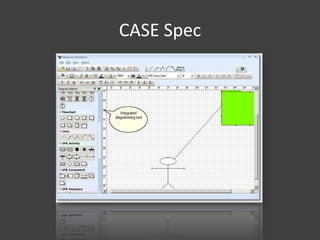
CASE Spec
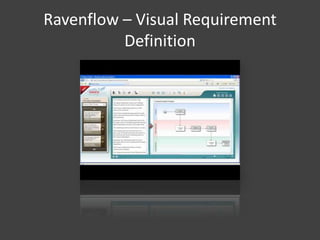
Ravenflow – Visual Requirement
Definition
Ravenflow – Visual Requirement
Definition
RAVEN Professional: A business process analysis and
requirements definition environment
RAVEN Express: A Microsoft Office add-in product used to
transform Microsoft Word into a rich requirements analysis
and visualization tool.
RAVEN Visual Analyzer: Embeds RAVEN inside IBM Rational
Requirements Composer.
RAVEN Cloud: an interactive subscription service in the cloud.
** Can export to Sharepoint, Visual Studio, IBM RRC and HP
Quality Center
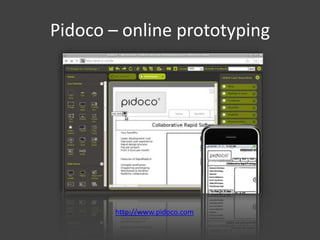
Pidoco – online prototyping

http://www.pidoco.com
Pidoco – online prototyping
•
•
•
•

Drag and drop GUI component
Online collaboration
Easy to share with customers
Usability testing (interactive)

• There are similar tools like Basamiq
Omnigraffle, Mockingbird and Pencil.
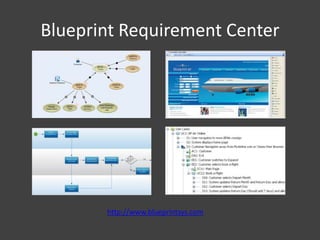
Blueprint Requirement Center

http://www.blueprintsys.com
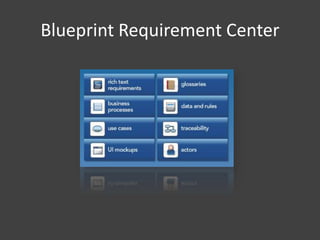
Blueprint Requirement Center
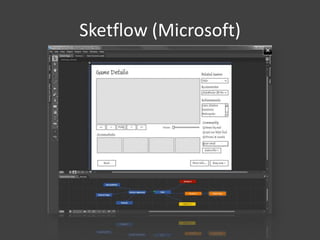
Sketflow (Microsoft)
Sketchflow (Microsoft)
• Drag and drop GUIs especially WPF and
Silverlight
• Easy to share with customers
• Export to MS Word
• Interaction
• Visual view of page flow
End

Requirement designer

  • 1.
  • 2.
    Agenda • • • • • Overview of concepts Prototyping UIDefinition Language Other requirement analysis tools Q&A
  • 3.
    “It begins withrequirements…” “Requirement Creep” • Every software begins with it • Often, users don’t know what they need • Users and developers don’t have the same picture to start with • Requirement changes are inevitable
  • 4.
    Stages of RequirementAnalysis • Early stage – Rapid prototype is required as a starting point to get user inputs. – Speed of building a prototype is the key. – Usability can be verified. – Prototype can be very dynamic and even thrown away. – Making changes early is very cost effective. • Formal stage – Requirement (text) can be written in a formal way. – Implementation plan, work breakdown and estimation can be done. – Resources can be allocated.
  • 5.
    Rapid Prototyping To determine: •Basic requirement • Major UI components • Exploring usability • Feasibility • System level architecture
  • 6.
  • 7.
  • 8.
    Low Fidelity Prototype • • • • Goodfor informal, very fast Usually utilize pen & paper, simple drawing tool Low on artistic scale How can we map GUI objects?
  • 9.
    Hi Fidelity Prototype • • • • • Goodfor confirmation, UX, interaction Usually utilize GUI mockup tools with layer support UI Definition Language (more later…) High on artistic scale GUI mockups can be exported to other environment
  • 10.
    We’ve got abunch of mockups. What else can we do?
  • 11.
    Interactive Sketching Notation •We can put together interaction into hi fidelity mock up • Good for UX – usability testing Source: http://www.linowski.ca/sketching_b.php
  • 12.
    What else canbe included? • Groups of UIs can be mapped to User Story or SRS • Other documents can be achieved like business workflow, glossary, data flow, etc. • Revision can be saved • Play back feature like Google Wave • Import/export • Changes can be traced
  • 13.
    How can wemap low-fi & hi-fi mockups? Let see some example.
  • 14.
  • 15.
  • 16.
    User Interface Languages • • • • • MXML(Adobe) UIML (OASIS) – accepted by W3C UsiXML (Belgium) – include SketchiXML XUL (Mozilla) XAML (Microsoft)
  • 17.
    XUL – XMLUI Language
  • 18.
  • 19.
    What we cando? • A UI mockup tool (low/hi fidelity) with interaction • Graphical traceability between mockups & user stories. Changes can be traced • Revision baselining and playback capability • Collaboration between users and developers • Business workflow/process designer (future)
  • 20.
  • 21.
  • 22.
    Ravenflow – VisualRequirement Definition
  • 23.
    Ravenflow – VisualRequirement Definition RAVEN Professional: A business process analysis and requirements definition environment RAVEN Express: A Microsoft Office add-in product used to transform Microsoft Word into a rich requirements analysis and visualization tool. RAVEN Visual Analyzer: Embeds RAVEN inside IBM Rational Requirements Composer. RAVEN Cloud: an interactive subscription service in the cloud. ** Can export to Sharepoint, Visual Studio, IBM RRC and HP Quality Center
  • 24.
    Pidoco – onlineprototyping http://www.pidoco.com
  • 25.
    Pidoco – onlineprototyping • • • • Drag and drop GUI component Online collaboration Easy to share with customers Usability testing (interactive) • There are similar tools like Basamiq Omnigraffle, Mockingbird and Pencil.
  • 26.
  • 27.
  • 28.
  • 29.
    Sketchflow (Microsoft) • Dragand drop GUIs especially WPF and Silverlight • Easy to share with customers • Export to MS Word • Interaction • Visual view of page flow
  • 30.