

R.D.SIVAKUMAR, M.Sc.,M.Phil.,M.Tech.,
Assistant Professor of Computer Science &
Assistant Professor and Head, Department of M.Com.(CA),
Ayya Nadar Janaki Ammal College,
Sivakasi – 626 124.
Mobile: 099440-42243
e-mail : sivamsccsit@gmail.com
website: www.rdsivakumar.blogspot.in
RENAMING FILES AND FOLDERS
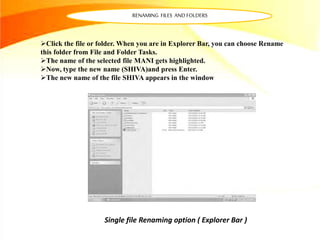
Single file Renaming option ( Explorer Bar )
Click the file or folder. When you are in Explorer Bar, you can choose Rename
this folder from File and Folder Tasks.
The name of the selected file MANI gets highlighted.
Now, type the new name (SHIVA)and press Enter.
The new name of the file SHIVA appears in the window
RENAMING FILES AND FOLDERS
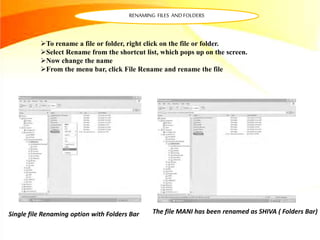
Single file Renaming option with Folders Bar
To rename a file or folder, right click on the file or folder.
Select Rename from the shortcut list, which pops up on the screen.
Now change the name
From the menu bar, click File Rename and rename the file
The file MANI has been renamed as SHIVA ( Folders Bar)
RENAMING FILES AND FOLDERS
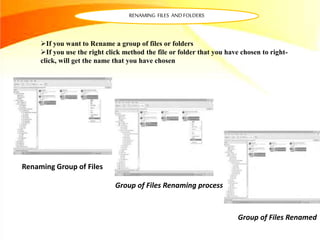
If you want to Rename a group of files or folders
If you use the right click method the file or folder that you have chosen to right-
click, will get the name that you have chosen
Renaming Group of Files
Group of Files Renaming process
Group of Files Renamed
Thankyou..!!

Renaming Files and Folders - R.D.Sivakumar

  • 1.
    R.D.SIVAKUMAR, M.Sc.,M.Phil.,M.Tech., Assistant Professorof Computer Science & Assistant Professor and Head, Department of M.Com.(CA), Ayya Nadar Janaki Ammal College, Sivakasi – 626 124. Mobile: 099440-42243 e-mail : sivamsccsit@gmail.com website: www.rdsivakumar.blogspot.in RENAMING FILES AND FOLDERS
  • 2.
    RENAMING FILES ANDFOLDERS Single file Renaming option ( Explorer Bar ) Click the file or folder. When you are in Explorer Bar, you can choose Rename this folder from File and Folder Tasks. The name of the selected file MANI gets highlighted. Now, type the new name (SHIVA)and press Enter. The new name of the file SHIVA appears in the window
  • 3.
    RENAMING FILES ANDFOLDERS Single file Renaming option with Folders Bar To rename a file or folder, right click on the file or folder. Select Rename from the shortcut list, which pops up on the screen. Now change the name From the menu bar, click File Rename and rename the file The file MANI has been renamed as SHIVA ( Folders Bar)
  • 4.
    RENAMING FILES ANDFOLDERS If you want to Rename a group of files or folders If you use the right click method the file or folder that you have chosen to right- click, will get the name that you have chosen Renaming Group of Files Group of Files Renaming process Group of Files Renamed
  • 5.