Install Redis in Linux
wget http://download.redis.io/redis-stable.tar.gz
tar xvzf redis-stable.tar.gz
cd redis-stable
make
Create configuration files for clusters
You must create 6 configuration files to enable Redis clustering using different port, cluster-config-file,
and appenfilename. I am going to use node1 to node6 and port numbers from 7001 to 7006.
port 7001
cluster-enabled yes
cluster-config-file cluster-node1.config
cluster-node-timeout 5000
appendonly yes
appendfilename node-1.config
dbfilename dump1.rdb
Start nodes
To demonstrate this, you can open 6 terminal windows and one by one you can start Redis servers using
above configuration files.
redis-server node1.config
redis-server node2.config
Create cluster replicas
Open a terminal window and execute following command using Redis-cli.
redis-cli create 127.0.0.1:7001 127.0.0.1:7002 127.0.0.1:7003 127.0.0.1:7004
127.0.0.1:7005 127.0.0.1:7006 –cluster-replicas 1
Then you need to type “yes” to accept current configuration. Once it completed you will be able to see
the redis servers get updated.
You can login to the node1 by using following command
redis-cli -c -p 7001
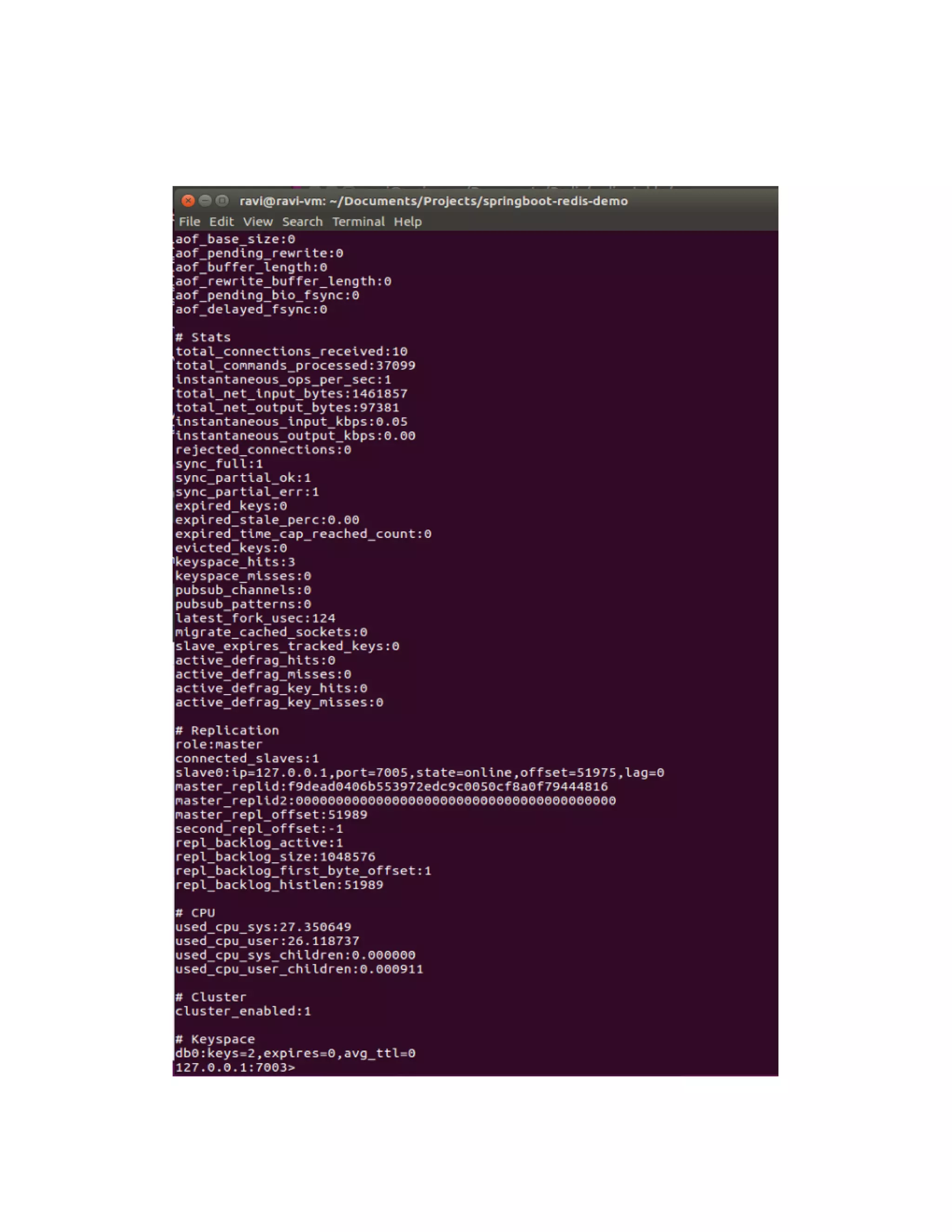
Then you can get all information regarding to the node by typing “info”.
Redis clustering

Redis clustering

  • 1.
    Install Redis inLinux wget http://download.redis.io/redis-stable.tar.gz tar xvzf redis-stable.tar.gz cd redis-stable make Create configuration files for clusters You must create 6 configuration files to enable Redis clustering using different port, cluster-config-file, and appenfilename. I am going to use node1 to node6 and port numbers from 7001 to 7006. port 7001 cluster-enabled yes cluster-config-file cluster-node1.config cluster-node-timeout 5000 appendonly yes appendfilename node-1.config dbfilename dump1.rdb Start nodes To demonstrate this, you can open 6 terminal windows and one by one you can start Redis servers using above configuration files. redis-server node1.config redis-server node2.config Create cluster replicas Open a terminal window and execute following command using Redis-cli. redis-cli create 127.0.0.1:7001 127.0.0.1:7002 127.0.0.1:7003 127.0.0.1:7004 127.0.0.1:7005 127.0.0.1:7006 –cluster-replicas 1 Then you need to type “yes” to accept current configuration. Once it completed you will be able to see the redis servers get updated. You can login to the node1 by using following command redis-cli -c -p 7001 Then you can get all information regarding to the node by typing “info”.