Real-time Monitoring of
Big Data Workflows
Bangalore Hadoop Meetup – Dec 2017
Shankar Manian
Staff Software Engineer, LinkedIn
2
• Tech lead for the Hadoop Productivity Team
• Responsible for Developer Experience, Operational Intelligence and Performance
Tuning of our Hadoop and Spark Infrastructure.
• I am going to be focusing on the Operational Intelligence work that our team has
been doing.
Introduction
3
• “My job normally takes 3 hours to run. Today it took 8 hours. What changed?”
• “We want to deprecate Pig version 0.12. How many users/jobs are still using it?”
• “Looks like our team is often running into resource crunches. Can I get a
breakdown of which flows are using how much? If we keep the current trend how
much more capacity do we need to add by the end of the year?”
• "My job runs for many hours and we discover the output is wrong at the end. Can
we create alerts based on early trends instead ?"
Questions our team tries to answer
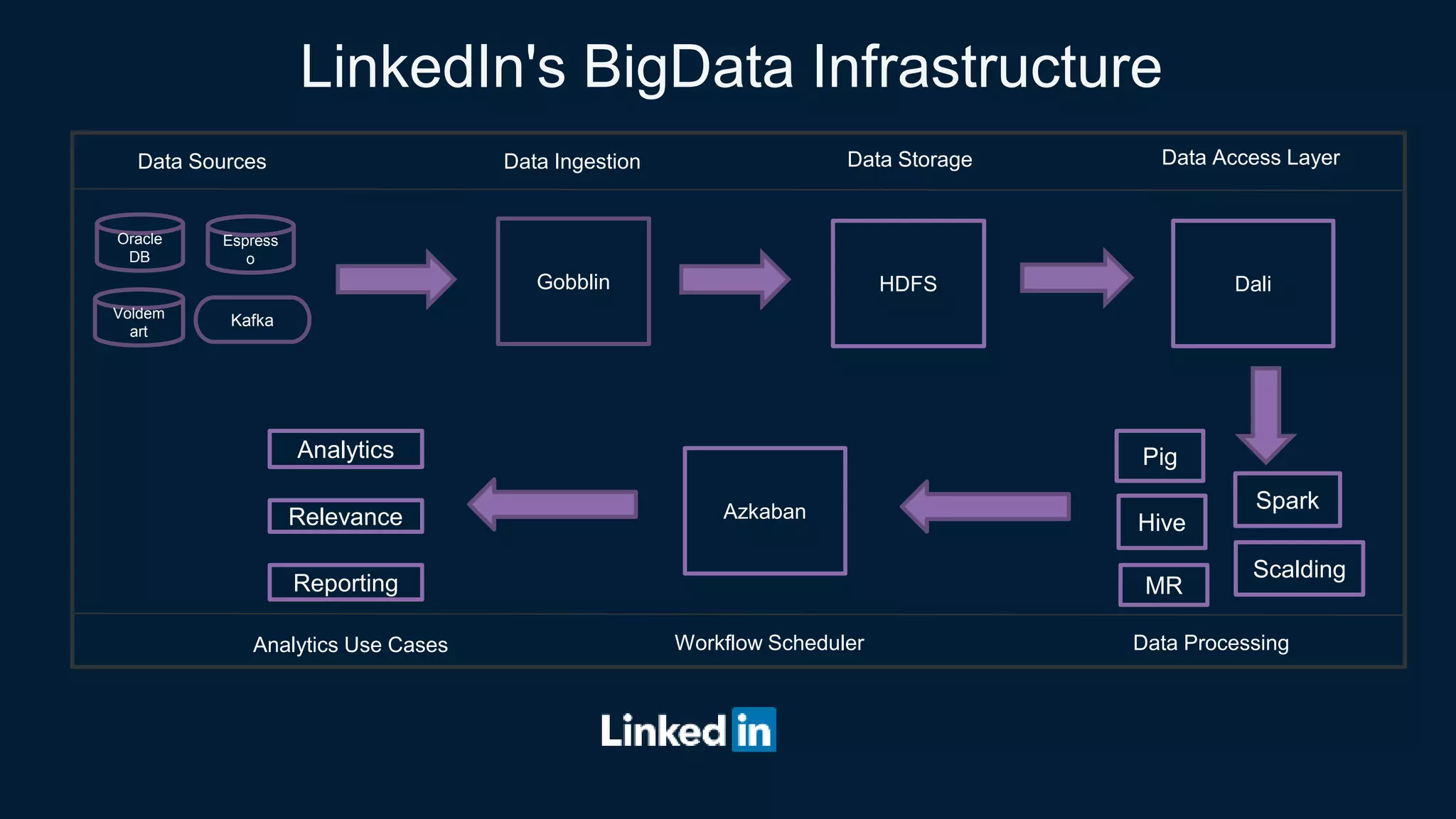
LinkedIn's BigData Infrastructure
Oracle
DB
Voldem
art
Espress
o
Kafka
Gobblin HDFS Dali
Pig
Hive
Spark
Data Sources Data Ingestion Data Storage Data Access Layer
Azkaban
Analytics
Relevance
Reporting
Data ProcessingWorkflow SchedulerAnalytics Use Cases
Scalding
MR
5
• > 10 clusters
• > 10,000 nodes across those clusters
• > 1000 users using the clusters on a day to day basis
• >100,000 jobs running per day
Hadoop Scale at LinkedIn
6
• Powers key business impacting features
• People you may know
• Who viewed my profile
• SLA violation leads to degraded member experience and loss of revenue
• Productivity gains  Cost savings
Why Monitor our Analytics Infrastructure ?
7
• Flows run for many hours and use valuable resources. Knowing something went
wrong after the fact is too late.
• Tight SLAs to meet. There is typically no time for re-run the flow in case of failure
• Cluster administrators need to identify bad jobs in real time to minimize down time
Why real time ?
8
• A lot of components, no common way to emit and collect metrics.
• 100s of metrics emitted but hard to make sense.
• Need to be able to collect custom metrics based on business need
• Local disk usage by tasks
• Need to collect it in real time to be effective
• No reliable, top level business metrics
What’s so hard about it?
9
• Capture metrics reliably from all components in real time
• Calculate top level business metrics in a consistent way
• Store metrics efficiently for fast retrieval
• Tools to visualize, alert and analyze the metrics on demand
To summarize, we need a system that could…
1
0
• LinkedIn Analytics Infrastructure does exactly that for our business metrics
• Can we use our infrastructure to monitor our infrastructure? Yes, we can
• Need some custom collectors
• Need to write code to define higher level metrics
• Add real time support
But, wait…
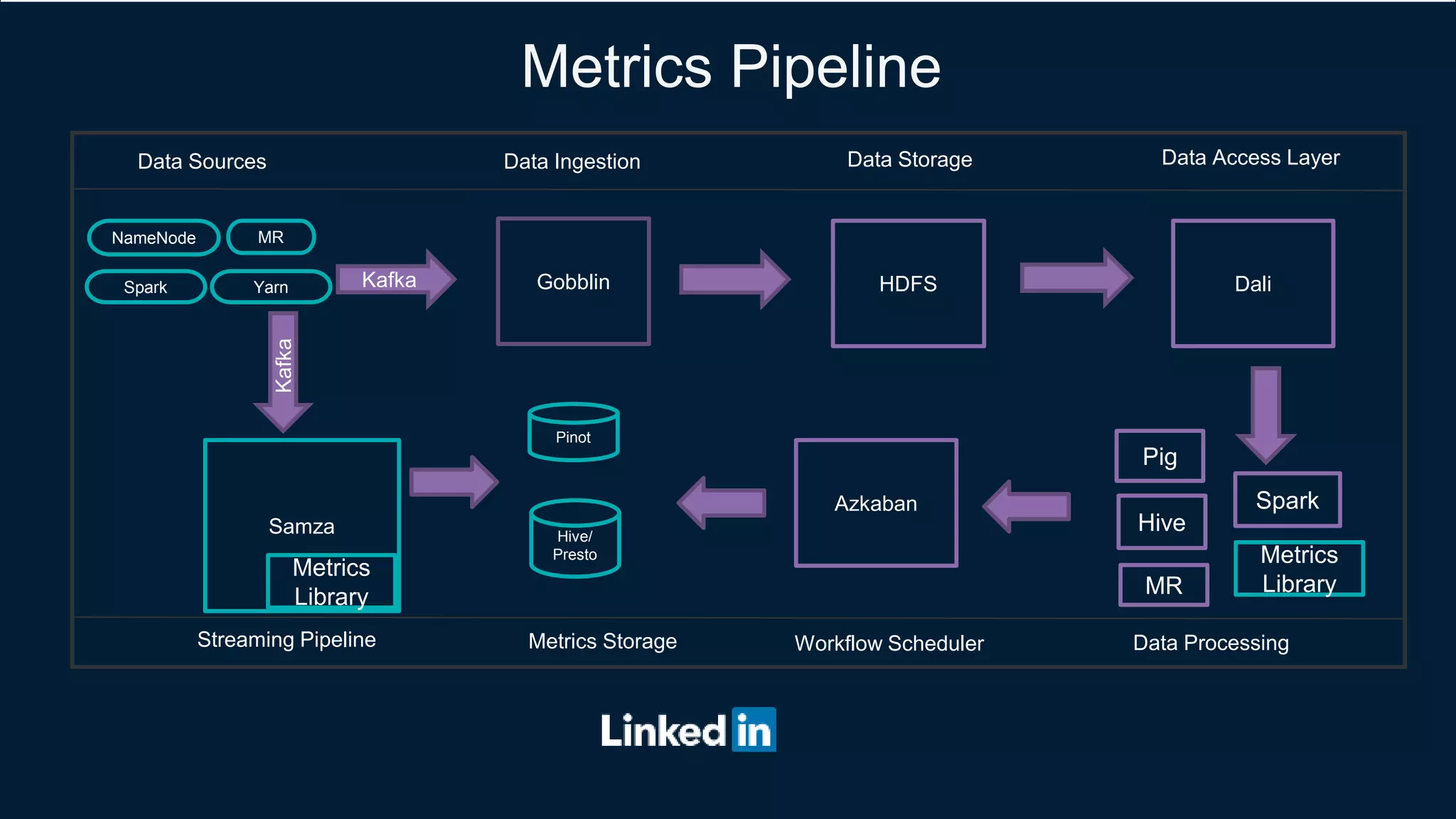
Metrics Pipeline
MR
Gobblin HDFS Dali
Pig
Hive
Spark
Data Sources Data Ingestion Data Storage Data Access Layer
Kafka
Samza
Data ProcessingWorkflow Scheduler
Metrics
LibraryMR
Azkaban
Pinot
Hive/
Presto
Metrics Storage
Kafka
NameNode
Spark Yarn
Streaming Pipeline
Metrics
Library
1
2
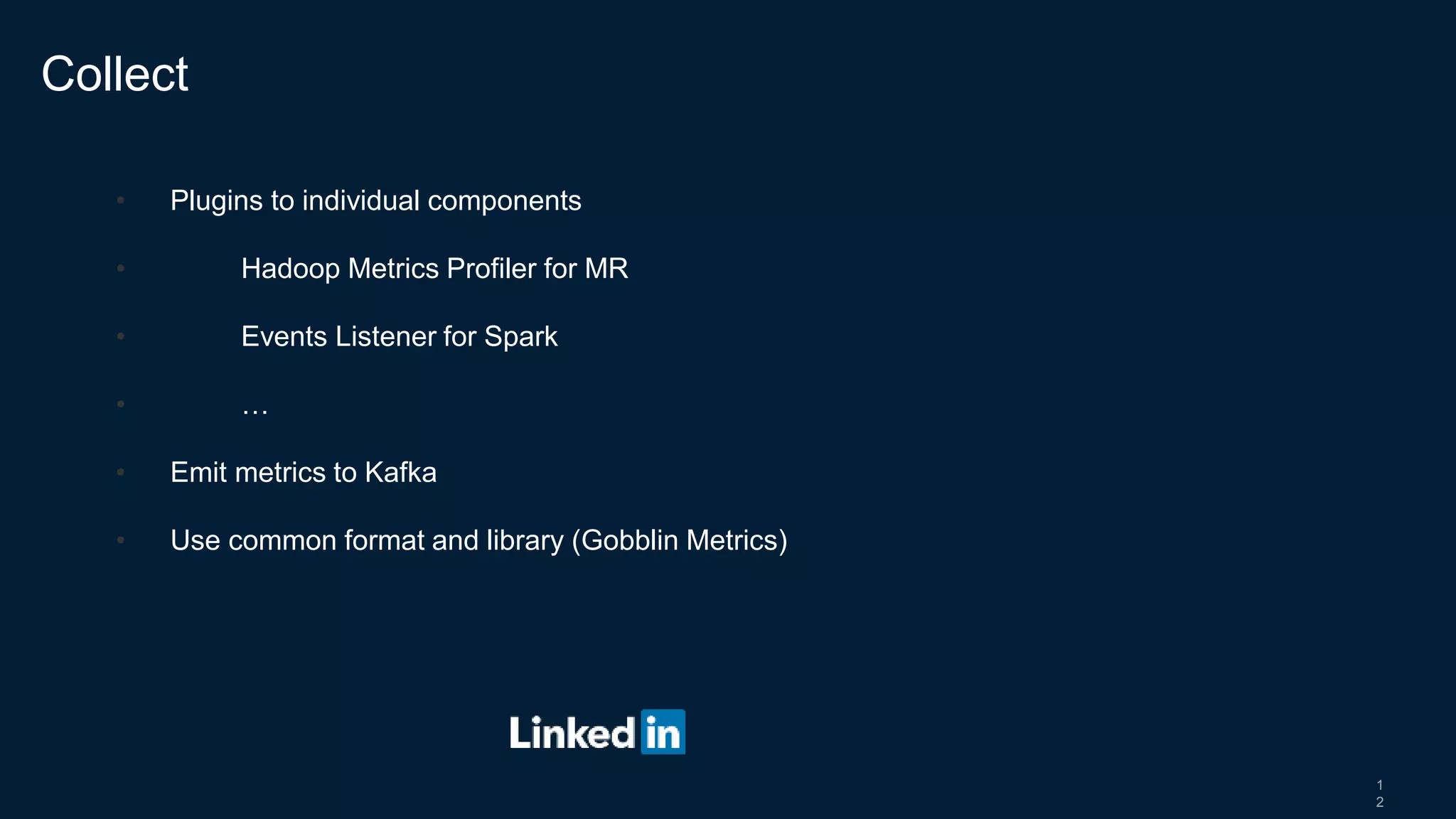
• Plugins to individual components
• Hadoop Metrics Profiler for MR
• Events Listener for Spark
• …
• Emit metrics to Kafka
• Use common format and library (Gobblin Metrics)
Collect
1
3
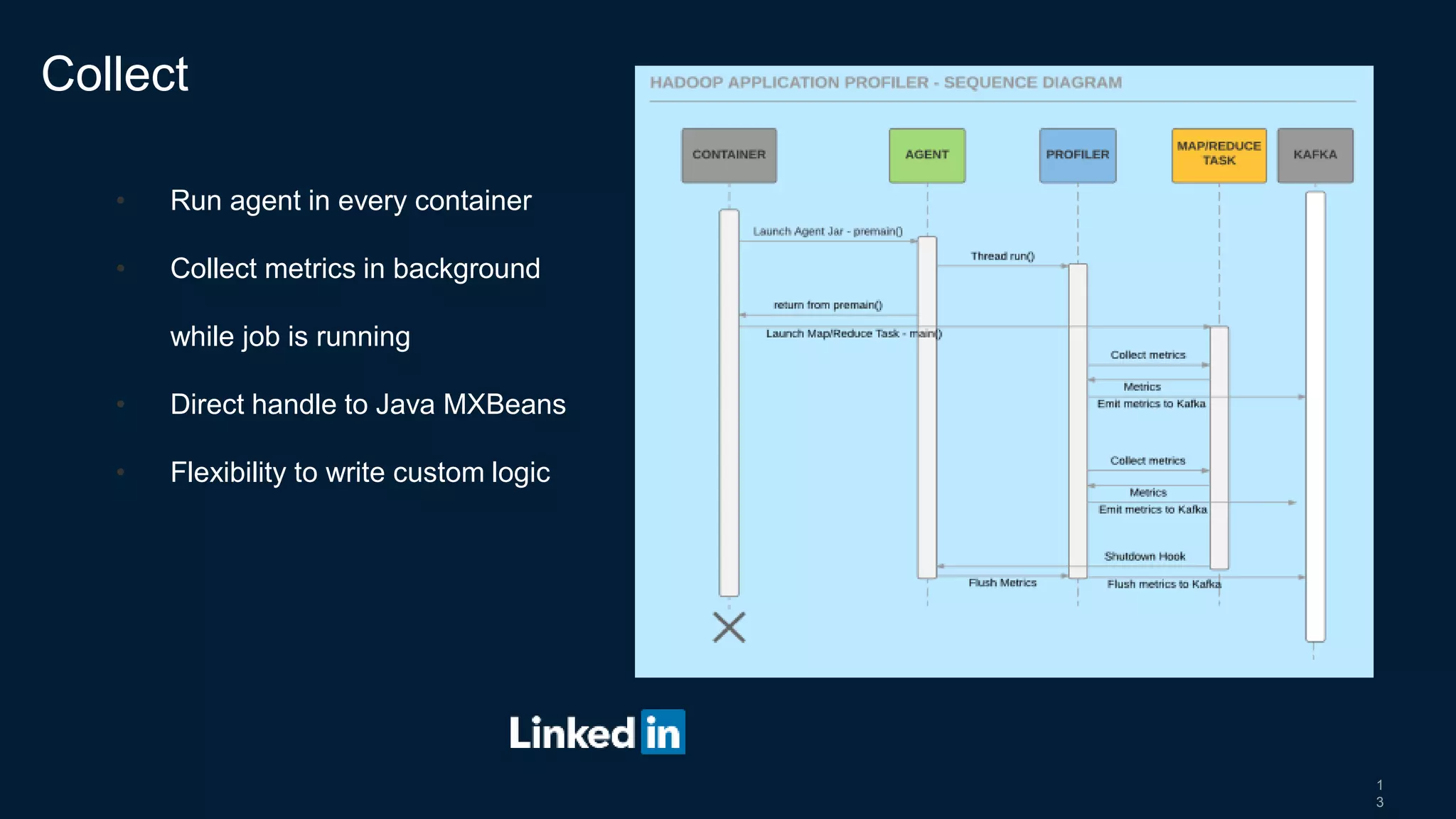
• Run agent in every container
• Collect metrics in background
while job is running
• Direct handle to Java MXBeans
• Flexibility to write custom logic
Collect
1
4
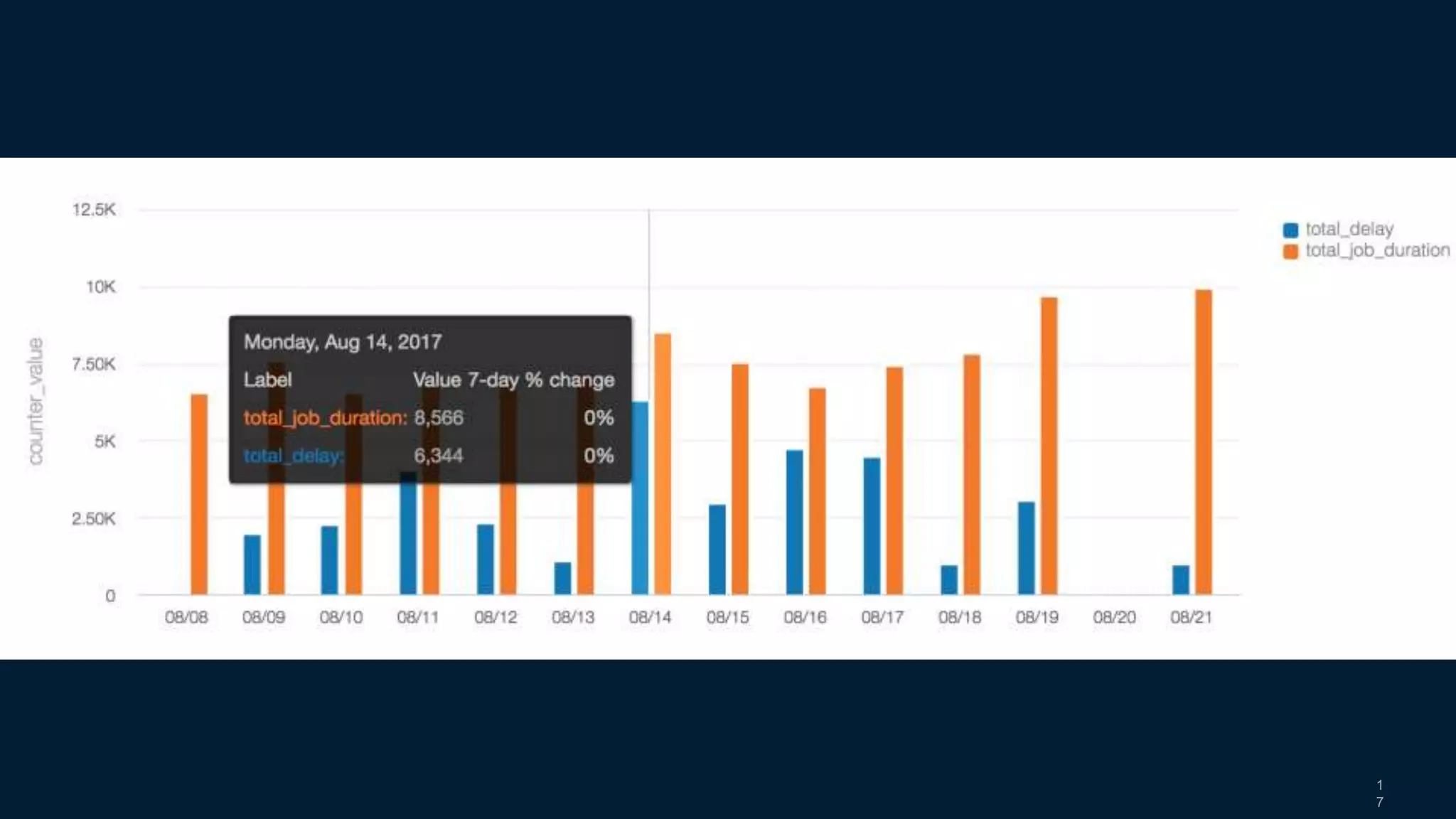
• Need for reliable, top level business metrics
• Resource Usage
• Total Delay
• Reusable Metrics library
• Single copy of metrics logic
• Easy to add new metric
• Unit testable
Calculate
1
5
• Time Series DB (Pinot)
• Real time access
• Fast, read-only access
• No join support
• Hive/Presto
• Long term storage
• Ad-hoc analysis with join
Store
1
6
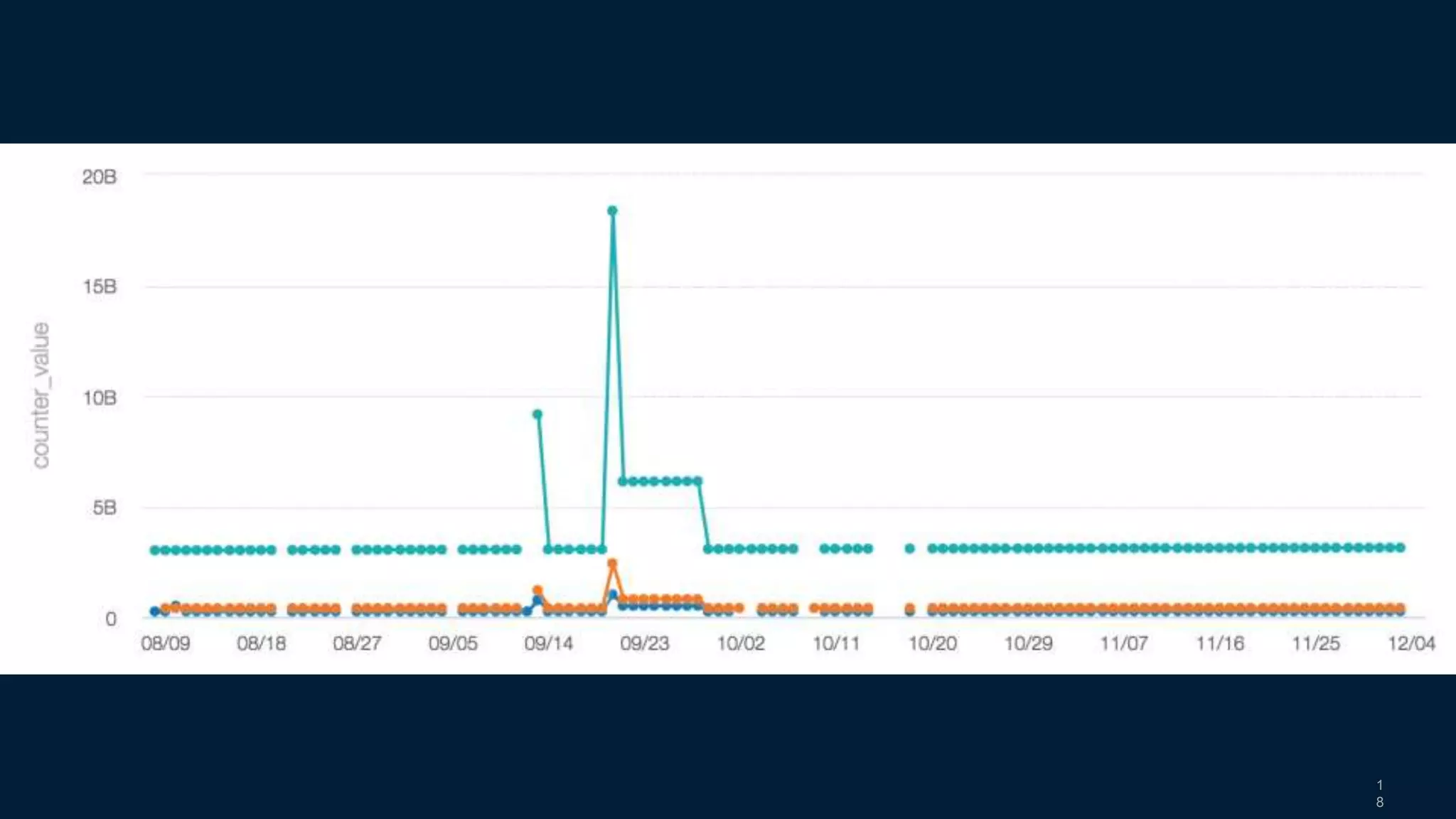
• Raptor for Visualization
• Third-Eye for Alerting and Root cause Analysis
• Presto for Ad-hoc analysis
Visualize, Alert and Analyze
1
7
1
8
1
9
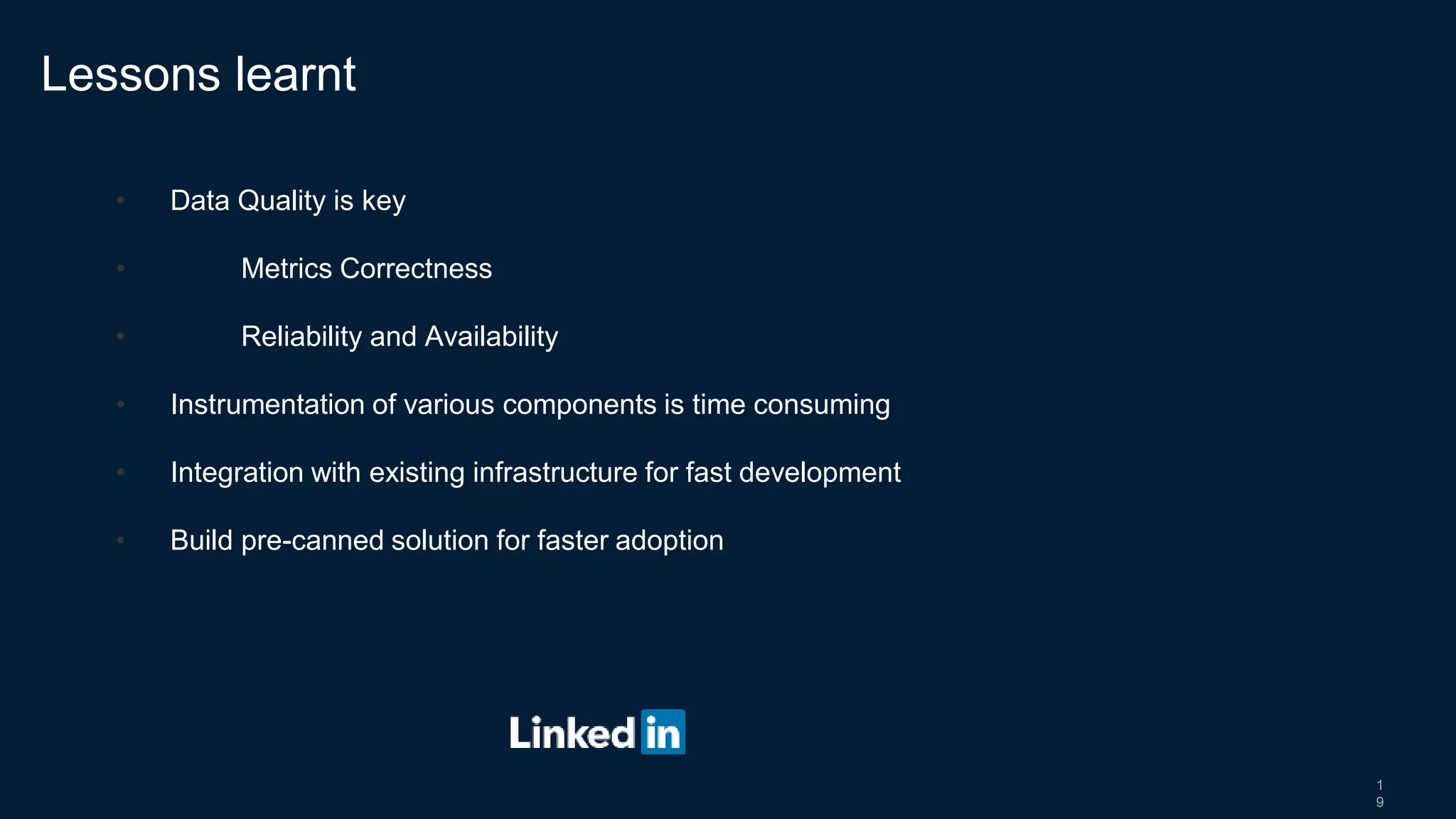
• Data Quality is key
• Metrics Correctness
• Reliability and Availability
• Instrumentation of various components is time consuming
• Integration with existing infrastructure for fast development
• Build pre-canned solution for faster adoption
Lessons learnt
2
0
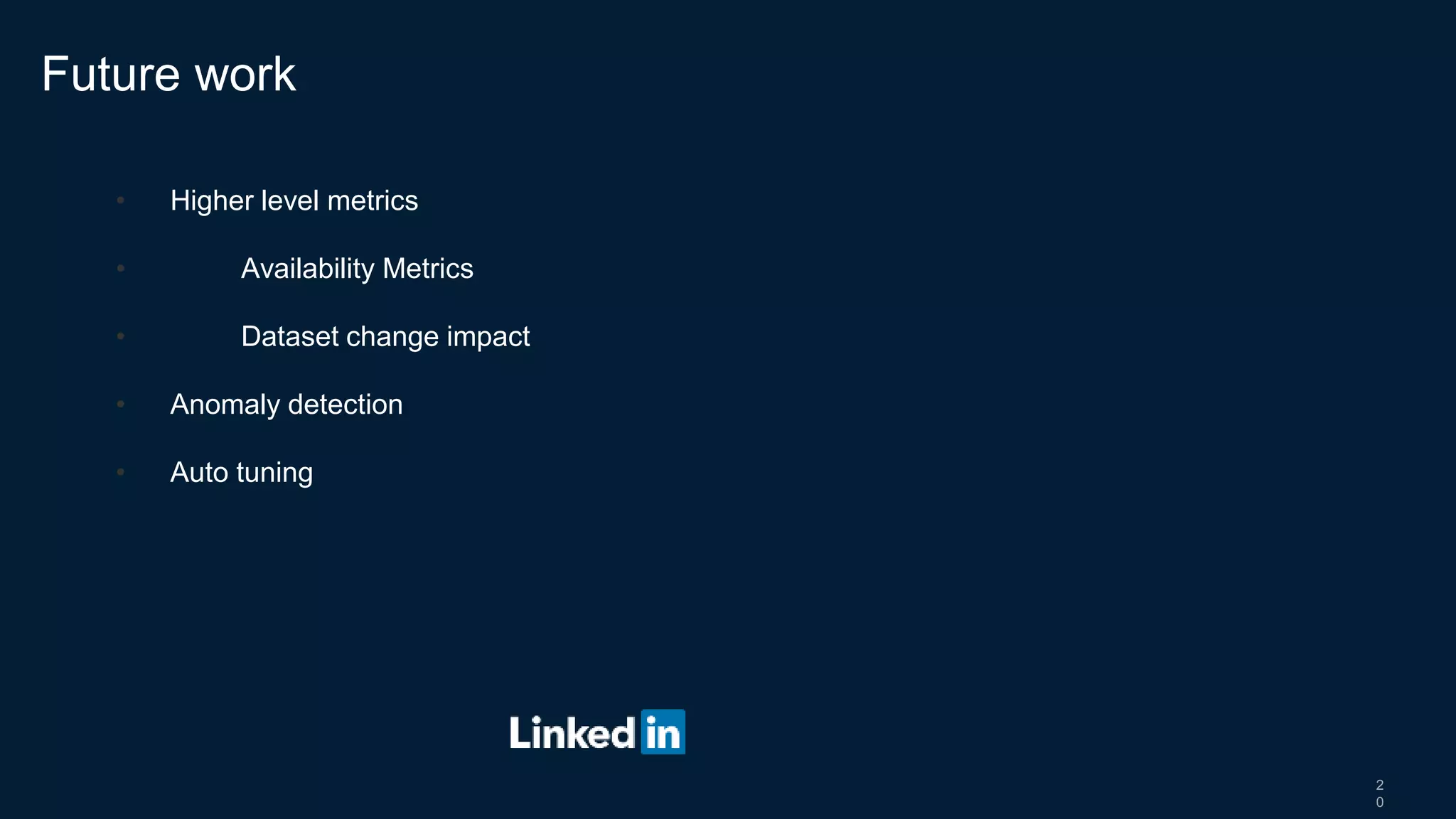
• Higher level metrics
• Availability Metrics
• Dataset change impact
• Anomaly detection
• Auto tuning
Future work
Thank you
2
2
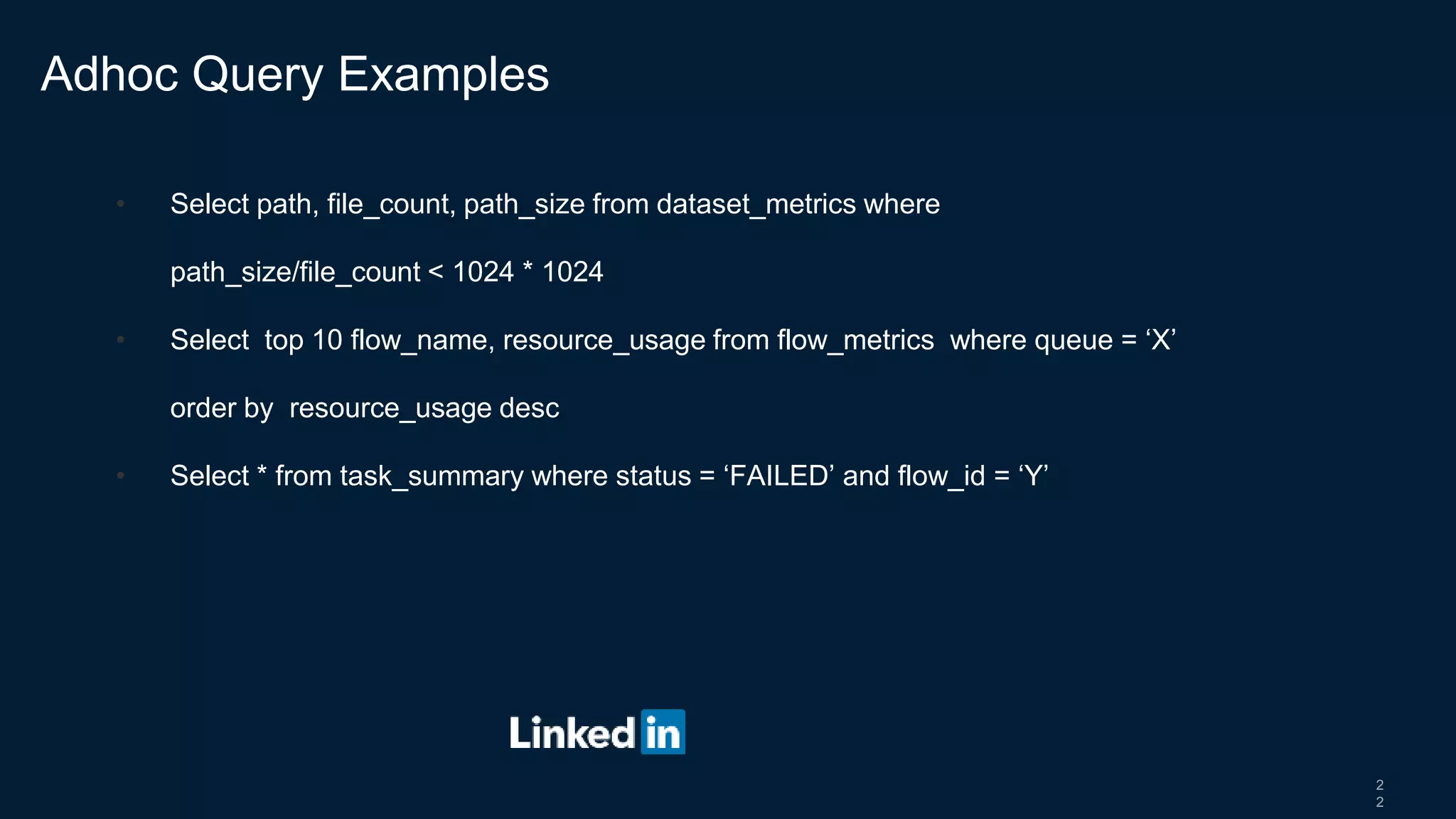
• Select path, file_count, path_size from dataset_metrics where
path_size/file_count < 1024 * 1024
• Select top 10 flow_name, resource_usage from flow_metrics where queue = ‘X’
order by resource_usage desc
• Select * from task_summary where status = ‘FAILED’ and flow_id = ‘Y’
Adhoc Query Examples

Real time monitoring of hadoop and spark workflows

  • 1.
    Real-time Monitoring of BigData Workflows Bangalore Hadoop Meetup – Dec 2017 Shankar Manian Staff Software Engineer, LinkedIn
  • 2.
    2 • Tech leadfor the Hadoop Productivity Team • Responsible for Developer Experience, Operational Intelligence and Performance Tuning of our Hadoop and Spark Infrastructure. • I am going to be focusing on the Operational Intelligence work that our team has been doing. Introduction
  • 3.
    3 • “My jobnormally takes 3 hours to run. Today it took 8 hours. What changed?” • “We want to deprecate Pig version 0.12. How many users/jobs are still using it?” • “Looks like our team is often running into resource crunches. Can I get a breakdown of which flows are using how much? If we keep the current trend how much more capacity do we need to add by the end of the year?” • "My job runs for many hours and we discover the output is wrong at the end. Can we create alerts based on early trends instead ?" Questions our team tries to answer
  • 4.
    LinkedIn's BigData Infrastructure Oracle DB Voldem art Espress o Kafka GobblinHDFS Dali Pig Hive Spark Data Sources Data Ingestion Data Storage Data Access Layer Azkaban Analytics Relevance Reporting Data ProcessingWorkflow SchedulerAnalytics Use Cases Scalding MR
  • 5.
    5 • > 10clusters • > 10,000 nodes across those clusters • > 1000 users using the clusters on a day to day basis • >100,000 jobs running per day Hadoop Scale at LinkedIn
  • 6.
    6 • Powers keybusiness impacting features • People you may know • Who viewed my profile • SLA violation leads to degraded member experience and loss of revenue • Productivity gains  Cost savings Why Monitor our Analytics Infrastructure ?
  • 7.
    7 • Flows runfor many hours and use valuable resources. Knowing something went wrong after the fact is too late. • Tight SLAs to meet. There is typically no time for re-run the flow in case of failure • Cluster administrators need to identify bad jobs in real time to minimize down time Why real time ?
  • 8.
    8 • A lotof components, no common way to emit and collect metrics. • 100s of metrics emitted but hard to make sense. • Need to be able to collect custom metrics based on business need • Local disk usage by tasks • Need to collect it in real time to be effective • No reliable, top level business metrics What’s so hard about it?
  • 9.
    9 • Capture metricsreliably from all components in real time • Calculate top level business metrics in a consistent way • Store metrics efficiently for fast retrieval • Tools to visualize, alert and analyze the metrics on demand To summarize, we need a system that could…
  • 10.
    1 0 • LinkedIn AnalyticsInfrastructure does exactly that for our business metrics • Can we use our infrastructure to monitor our infrastructure? Yes, we can • Need some custom collectors • Need to write code to define higher level metrics • Add real time support But, wait…
  • 11.
    Metrics Pipeline MR Gobblin HDFSDali Pig Hive Spark Data Sources Data Ingestion Data Storage Data Access Layer Kafka Samza Data ProcessingWorkflow Scheduler Metrics LibraryMR Azkaban Pinot Hive/ Presto Metrics Storage Kafka NameNode Spark Yarn Streaming Pipeline Metrics Library
  • 12.
    1 2 • Plugins toindividual components • Hadoop Metrics Profiler for MR • Events Listener for Spark • … • Emit metrics to Kafka • Use common format and library (Gobblin Metrics) Collect
  • 13.
    1 3 • Run agentin every container • Collect metrics in background while job is running • Direct handle to Java MXBeans • Flexibility to write custom logic Collect
  • 14.
    1 4 • Need forreliable, top level business metrics • Resource Usage • Total Delay • Reusable Metrics library • Single copy of metrics logic • Easy to add new metric • Unit testable Calculate
  • 15.
    1 5 • Time SeriesDB (Pinot) • Real time access • Fast, read-only access • No join support • Hive/Presto • Long term storage • Ad-hoc analysis with join Store
  • 16.
    1 6 • Raptor forVisualization • Third-Eye for Alerting and Root cause Analysis • Presto for Ad-hoc analysis Visualize, Alert and Analyze
  • 17.
  • 18.
  • 19.
    1 9 • Data Qualityis key • Metrics Correctness • Reliability and Availability • Instrumentation of various components is time consuming • Integration with existing infrastructure for fast development • Build pre-canned solution for faster adoption Lessons learnt
  • 20.
    2 0 • Higher levelmetrics • Availability Metrics • Dataset change impact • Anomaly detection • Auto tuning Future work
  • 21.
  • 22.
    2 2 • Select path,file_count, path_size from dataset_metrics where path_size/file_count < 1024 * 1024 • Select top 10 flow_name, resource_usage from flow_metrics where queue = ‘X’ order by resource_usage desc • Select * from task_summary where status = ‘FAILED’ and flow_id = ‘Y’ Adhoc Query Examples