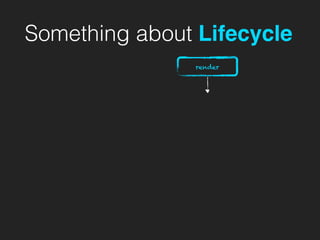
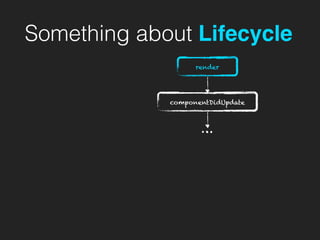
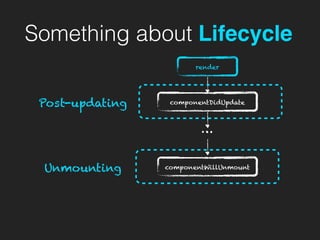
Something about Lifecycle
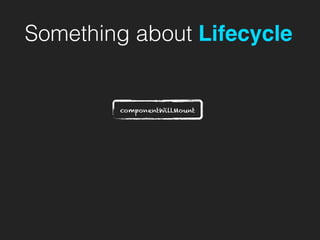
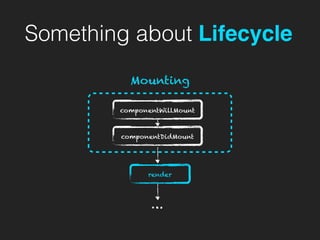
componentWillMount
Something about Lifecycle
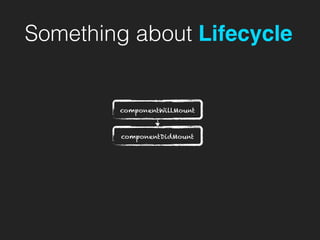
componentWillMount
componentDidMount
Something about Lifecycle
componentWillMount
componentDidMount
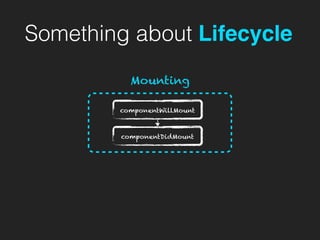
Mounting
Something about Lifecycle
componentWillMount
componentDidMount
Mounting
render
…
Something about Lifecycle
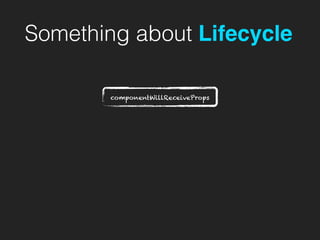
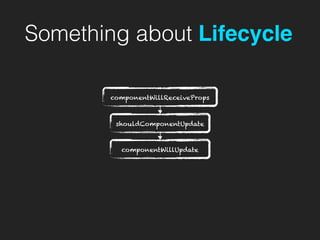
componentWillReceiveProps
Something about Lifecycle
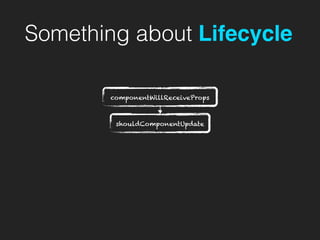
componentWillReceiveProps
shouldComponentUpdate
Something about Lifecycle
componentWillReceiveProps
shouldComponentUpdate
componentWillUpdate
Something about Lifecycle
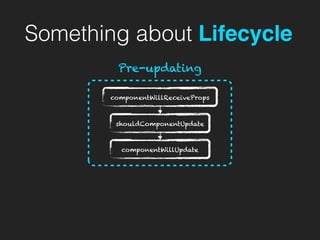
componentWillReceiveProps
shouldComponentUpdate
Pre-updating
componentWillUpdate
Something about Lifecycle
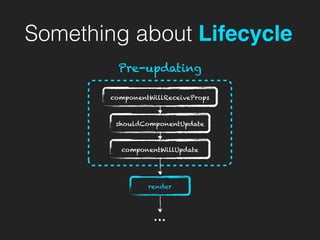
componentWillReceiveProps
shouldComponentUpdate
Pre-updating
render
…
componentWillUpdate
Something about Lifecycle
render
Something about Lifecycle
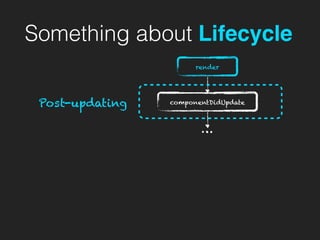
componentDidUpdate
render
…
Something about Lifecycle
componentDidUpdatePost-updating
render
…
Something about Lifecycle
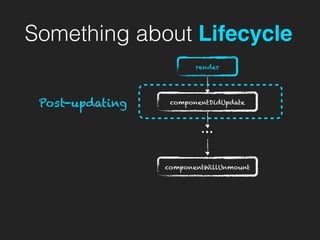
componentDidUpdate
componentWillUnmount
Post-updating
render
…
Something about Lifecycle
componentDidUpdate
componentWillUnmount
Post-updating
render
…
Unmounting
The usage of React is intuitive
We re-render whenever state changes
The usage of React is intuitive
We re-render whenever state changes
Re-rendering seems expensive…
The usage of React is intuitive
We re-render whenever state changes
Re-rendering seems expensive…
But the truth is
The usage of React is intuitive
React is FAST!!!
We re-render whenever state changes
Re-rendering seems expensive…
But the truth is
The usage of React is intuitive
React is FAST!!!
We re-render whenever state changes
Re-rendering seems expensive…
But the truth is
WTF???
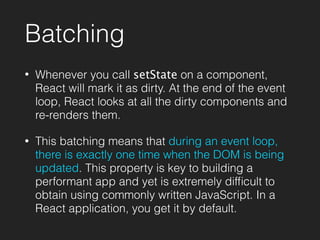
Batching
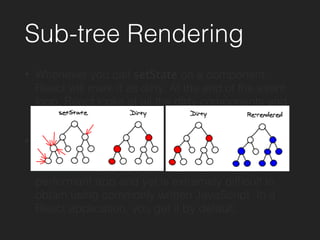
Sub-tree Rendering
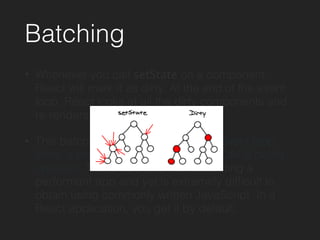
Batching
• Whenever you call setState on a component,
React will mark it as dirty. At the end of the event
loop, React looks at all the dirty components and
re-renders them.
• This batching means that during an event loop,
there is exactly one time when the DOM is being
updated. This property is key to building a
performant app and yet is extremely difficult to
obtain using commonly written JavaScript. In a
React application, you get it by default.
Batching
• Whenever you call setState on a component,
React will mark it as dirty. At the end of the event
loop, React looks at all the dirty components and
re-renders them.
• This batching means that during an event loop,
there is exactly one time when the DOM is being
updated. This property is key to building a
performant app and yet is extremely difficult to
obtain using commonly written JavaScript. In a
React application, you get it by default.
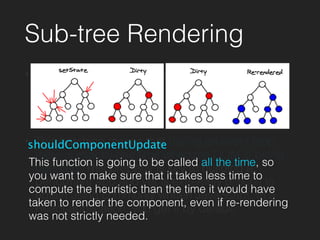
Sub-tree Rendering
• Whenever you call setState on a component,
React will mark it as dirty. At the end of the event
loop, React looks at all the dirty components and
re-renders them.
• This batching means that during an event loop,
there is exactly one time when the DOM is being
updated. This property is key to building a
performant app and yet is extremely difficult to
obtain using commonly written JavaScript. In a
React application, you get it by default.
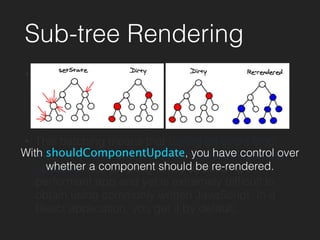
Sub-tree Rendering
• Whenever you call setState on a component,
React will mark it as dirty. At the end of the event
loop, React looks at all the dirty components and
re-renders them.
• This batching means that during an event loop,
there is exactly one time when the DOM is being
updated. This property is key to building a
performant app and yet is extremely difficult to
obtain using commonly written JavaScript. In a
React application, you get it by default.
With shouldComponentUpdate, you have control over
whether a component should be re-rendered.
Sub-tree Rendering
• Whenever you call setState on a component,
React will mark it as dirty. At the end of the event
loop, React looks at all the dirty components and
re-renders them.
• This batching means that during an event loop,
there is exactly one time when the DOM is being
updated. This property is key to building a
performant app and yet is extremely difficult to
obtain using commonly written JavaScript. In a
React application, you get it by default.
shouldComponentUpdate
This function is going to be called all the time, so
you want to make sure that it takes less time to
compute the heuristic than the time it would have
taken to render the component, even if re-rendering
was not strictly needed.
React
Reconciliation
React
Reconciliation
a.k.a. Diff Algorithm
Why Another
Tree Diff Algorithm?
Why Another
Tree Diff Algorithm?
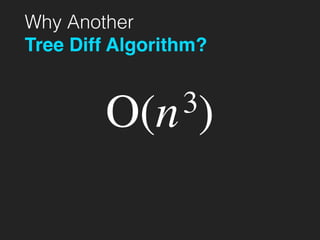
O(n3)
Why Another
Tree Diff Algorithm?
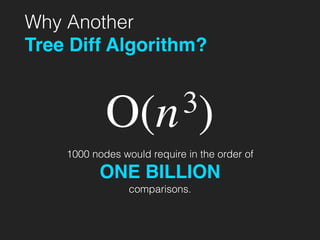
O(n3)
1000 nodes would require in the order of
ONE BILLION
comparisons.
2 Basic Assumptions
2 Basic Assumptions
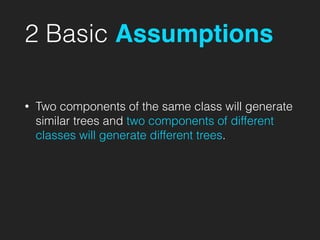
• Two components of the same class will generate
similar trees and two components of different
classes will generate different trees.
2 Basic Assumptions
• Two components of the same class will generate
similar trees and two components of different
classes will generate different trees.
• It is possible to provide a unique key for
elements that is stable across different renders.
Pair-wise Diff
Different Node Types
renderA: <div />
renderB: <span />
=> [removeNode <div />], [insertNode <span />]
Code
renderA: <Header />
renderB: <Content />
=> [removeNode <Header />], [insertNode <Content />]
Code
Pair-wise Diff
DOM Nodes
renderA: <div id="before" />
renderB: <div id="after" />
=> [replaceAttribute id "after"]
Code
renderA: <div style={{color: 'red'}} />
renderB: <div style={{fontWeight: 'bold'}} />
=> [removeStyle color], [addStyle font-weight 'bold']
Code
List-wise Diff
Problematic Case
renderA: <div><span>first</span></div>
renderB: <div><span>first</span><span>second</span></div>
=> [insertNode <span>second</span>]
Code
renderA: <div><span>first</span></div>
renderB: <div><span>second</span><span>first</span></div>
=> [replaceAttribute textContent 'second'], [insertNode
<span>first</span>]
Code
List-wise Diff
Problematic Case
renderA: <div><span>first</span></div>
renderB: <div><span>first</span><span>second</span></div>
=> [insertNode <span>second</span>]
Code
renderA: <div><span>first</span></div>
renderB: <div><span>second</span><span>first</span></div>
=> [replaceAttribute textContent 'second'], [insertNode
<span>first</span>]
Code
Levenshtein Distance
O(n2)
List-wise Diff
Keys
renderA: <div><span key="first">first</span></div>
renderB: <div><span key="second">second</span><span
key="first">first</span></div>
=> [insertNode <span>second</span>]
Code
If you specify a key, React is now able to find insertion,
deletion, substitution and moves in O(n) using a hash table.
Trade-offs
Trade-offs
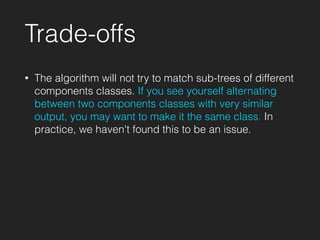
• The algorithm will not try to match sub-trees of different
components classes. If you see yourself alternating
between two components classes with very similar
output, you may want to make it the same class. In
practice, we haven't found this to be an issue.
Trade-offs
• The algorithm will not try to match sub-trees of different
components classes. If you see yourself alternating
between two components classes with very similar
output, you may want to make it the same class. In
practice, we haven't found this to be an issue.
• If you don't provide stable keys (by using
Math.random() for example), all the sub-trees are
going to be re-rendered every single time. By giving
the users the choice to choose the key, they have the
ability to shoot themselves in the foot.
Where to go from here?
& Acknowledgements
• Official Documentation: https://
facebook.github.io/react/
• React’s diff algorithm: http://
calendar.perfplanet.com/2013/diff/
• React Demystified: http://blog.reverberate.org/
2014/02/react-demystified.html
Thanks

React Lifecycle and Reconciliation