React Accessibility
Poonam Tathavadkar, TurboTax Accessibility
CSUN 2018
Poonam pursued her Masters in Computer Science from Northeastern University and joined as a coop at Intuit in 2014. The amazing work and culture of the company
brought her back as a software engineer in 2015. She is currently working as an iOS/Front End engineer at TurboTax and is extremely passionate around the field of
accessibility, lead for Consumer Group Accessibility. Loves to learn new things, collaborate, share and learn from experiences, tackle challenges. Hobbies include
cooking different cuisines and traveling with her close ones.
React - A JavaScript view-rendering
library by Facebook
React - A framework for building native
apps using React
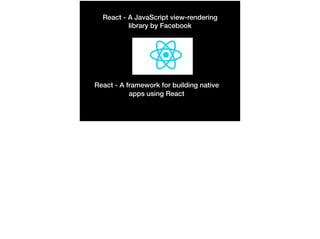
Role
State
Value
Label
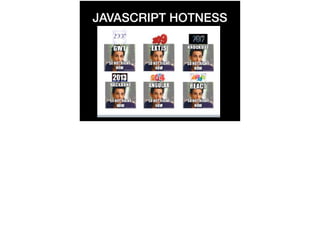
JAVASCRIPT HOTNESS
HTML ATTRIBUTES AND
RESERVED WORDS
• Class is also a reserved word in JavaScript. When
assigning a class attribute on an HTML element for
styling, it must be written as className instead.

• For is a reserved word in JavaScript which is used to loop
through items. When creating label elements in React
components, you must use the htmlFor attribute instead
to set the explicit label + input relationship.
REACT ACCESSIBILITY
• Updating the page title

• Managing focus

• Code linting, plus a few more thoughts on creating
accessible React apps.
SETTING THE
PAGE TITLE
• React Apps are SPA’s (Single Page Architecture).

• Title element will display the same name set in the
content throughout browsing session- isn’t ideal !

• Title - first thing that’s announced. Critical to make sure it
reflects the content on the page.

• Declare title in generally public/index.html file.
We can get around this issue by dynamically setting the title element content in our parent components, or “pages” as required, by assigning a value to the
global document.title property. Where we set this is within React’s componentWillMount()lifecycle method. This is a function you use to run snippets of code when the
page loads.

https://simplyaccessible.com/article/react-a11y/
FOCUS MANAGEMENT
• Critical for both accessibility and user friendly application.

• Great candidate - multi page form, very easy for user to
get lost without focus management.

• Necessary to create something called as a function
reference in React - similar to selecting and HTML
element in the DOM and catching it in a variable.
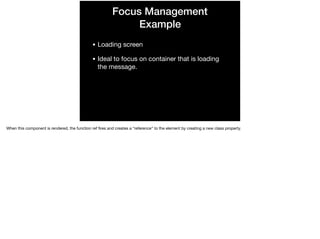
Focus Management
Example
• Loading screen

• Ideal to focus on container that is loading
the message.

When this component is rendered, the function ref fires and creates a “reference” to the element by creating a new class property.
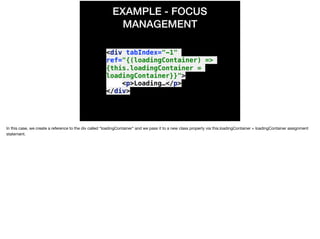
EXAMPLE - FOCUS
MANAGEMENT
<div tabIndex="-1"
ref="{(loadingContainer) =>
{this.loadingContainer =
loadingContainer}}">
<p>Loading…</p>
</div>
In this case, we create a reference to the div called “loadingContainer” and we pass it to a new class property via this.loadingContainer = loadingContainer assignment
statement.
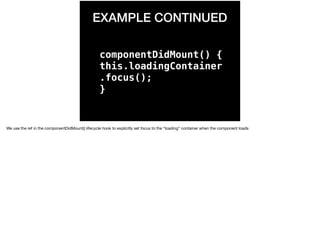
EXAMPLE CONTINUED
componentDidMount() {
this.loadingContainer
.focus();
}
We use the ref in the componentDidMount() lifecycle hook to explicitly set focus to the “loading” container when the component loads 
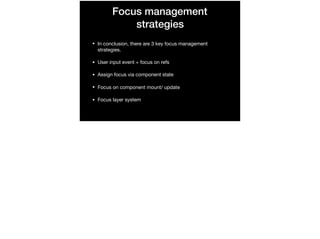
Focus management
strategies
• In conclusion, there are 3 key focus management
strategies.

• User input event + focus on refs

• Assign focus via component state

• Focus on component mount/ update

• Focus layer system
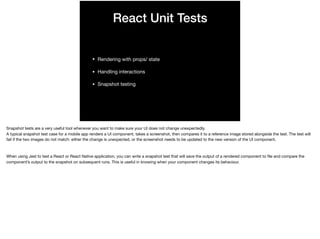
React Unit Tests
• Rendering with props/ state 

• Handling interactions

• Snapshot testing
Snapshot tests are a very useful tool whenever you want to make sure your UI does not change unexpectedly.

A typical snapshot test case for a mobile app renders a UI component, takes a screenshot, then compares it to a reference image stored alongside the test. The test will
fail if the two images do not match: either the change is unexpected, or the screenshot needs to be updated to the new version of the UI component.

When using Jest to test a React or React Native application, you can write a snapshot test that will save the output of a rendered component to file and compare the
component’s output to the snapshot on subsequent runs. This is useful in knowing when your component changes its behaviour.
Unit Testing Tools
• React Test Utils

• Enzyme

• Jest

• What these basically do is simulate events, shallow render
and mount components into the DOM
ENZYME is a library that wraps packages like React TestUtils, JSDOM and CheerIO to create a simpler interface for writing unit tests (work with shallow rendering).

ENZYME - https://www.npmjs.com/package/enzyme

REACT TEST UTILS - https://reactjs.org/docs/test-utils.html

JEST - https://facebook.github.io/jest/
Shallow Rendering - Basis
of React Unit Testing
Let’s you render a component “one level deep” and test
what its render method returns, without worrying about child
components, which are not instantiated or rendered. Does
not require a DOM
Reference - https://facebook.github.io/react/docs/test-
utils.html
Example
var shallow = require('enzyme').shallow;
// more code
it('escape key', function() {
var wrapper = shallow(el(Button, null, 'foo'), shallowOptions);
wrapper.simulate('keyDown', escapeEvent);
expect(ambManager.handleMenuKey).toHaveBeenCalledTimes(1);
expect(ambManager.handleMenuKey.mock.calls[0][0].key).toBe('Escape');
});
Reference - https://github.com/davidtheclark/react-aria-menubutton
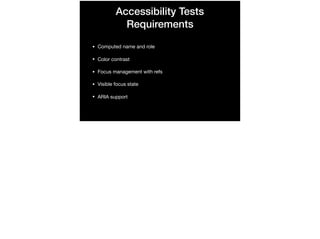
Accessibility Tests
Requirements
• Computed name and role

• Color contrast

• Focus management with refs

• Visible focus state

• ARIA support
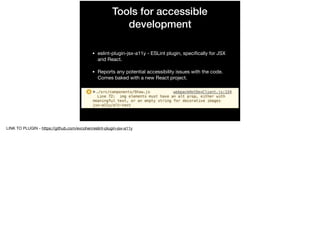
Tools for accessible
development
• eslint-plugin-jsx-a11y - ESLint plugin, specifically for JSX
and React.

• Reports any potential accessibility issues with the code.
Comes baked with a new React project. 

LINK TO PLUGIN - https://github.com/evcohen/eslint-plugin-jsx-a11y
Quick installation - eslint-
plugin-jsx-a11y
• Install the plugin using npm install

• Update the ESLint configuration

• add “jsx-a11y” to the “plugins” section

• Extend that plugin using 

“extends” : [

“plugin: jsx-a11y/recommended”

]
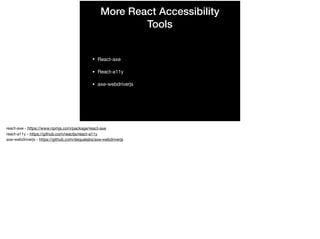
More React Accessibility
Tools
• React-axe

• React-a11y

• axe-webdriverjs
react-axe - https://www.npmjs.com/package/react-axe

react-a11y - https://github.com/reactjs/react-a11y

axe-webdriverjs - https://github.com/dequelabs/axe-webdriverjs
Key components
• react-modal

• react-autocomplete

• react-tabs

• react-aria-menubutton
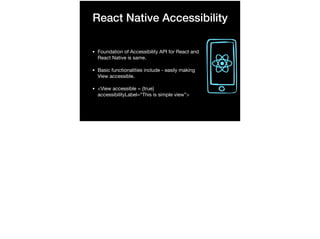
React Native Accessibility
• Foundation of Accessibility API for React and
React Native is same.

• Basic functionalities include - easily making
View accessible.

• <View accessible = {true}
accessibilityLabel=“This is simple view”>
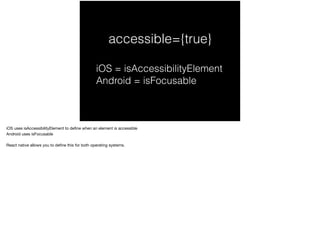
accessible={true}
iOS = isAccessibilityElement
Android = isFocusable
iOS uses isAccessibilityElement to define when an element is accessible

Android uses isFocusable

React native allows you to define this for both operating systems.
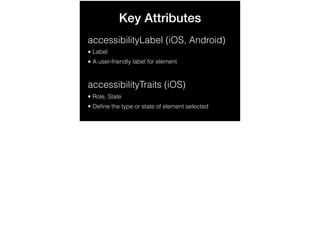
Key Attributes
accessibilityLabel (iOS, Android)
• Label
• A user-friendly label for element
accessibilityTraits (iOS)
• Role, State
• Define the type or state of element selected
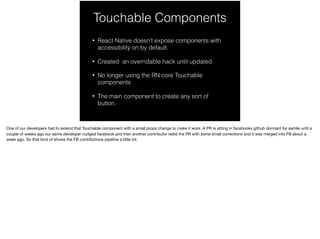
Touchable Components
• React Native doesn’t expose components with
accessibility on by default.
• Created an overridable hack until updated
• No longer using the RN core Touchable
components
• The main component to create any sort of
button.
One of our developers had to extend that Touchable component with a small props change to make it work. A PR is sitting in facebooks github dormant for awhile until a
couple of weeks ago our same developer nudged facebook and then another contributor redid the PR with some small corrections and it was merged into FB about a
week ago. So that kind of shows the FB contributions pipeline a little bit.
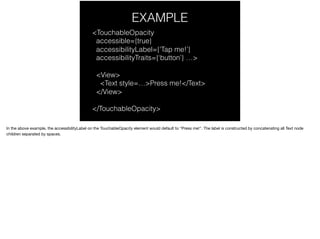
EXAMPLE
<TouchableOpacity
accessible={true}
accessibilityLabel={'Tap me!’}
accessibilityTraits={‘button’} …>
<View>
<Text style=…>Press me!</Text>
</View>
</TouchableOpacity>
In the above example, the accessibilityLabel on the TouchableOpacity element would default to "Press me!". The label is constructed by concatenating all Text node
children separated by spaces.
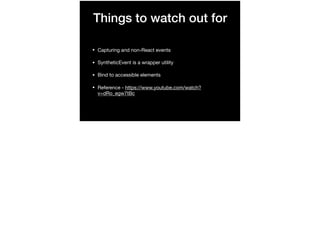
Things to watch out for
• Capturing and non-React events

• SyntheticEvent is a wrapper utility

• Bind to accessible elements

• Reference - https://www.youtube.com/watch?
v=dRo_egw7tBc
Links for research
• https://reactjs.org/docs/accessibility.html

• https://simplyaccessible.com/article/react-a11y/

• https://code.facebook.com/posts/435862739941212/making-react-
native-apps-accessible/

• https://github.com/reactjs/react-a11y

• https://marcysutton.github.io/react-a11y-presentation/#/

• https://codepen.io/scottohara/pen/lIdfv

• https://www.24a11y.com/2017/reacts-accessibility-code-linter/
@poonamst14

React a11y-csun

  • 1.
    React Accessibility Poonam Tathavadkar,TurboTax Accessibility CSUN 2018 Poonam pursued her Masters in Computer Science from Northeastern University and joined as a coop at Intuit in 2014. The amazing work and culture of the company brought her back as a software engineer in 2015. She is currently working as an iOS/Front End engineer at TurboTax and is extremely passionate around the field of accessibility, lead for Consumer Group Accessibility. Loves to learn new things, collaborate, share and learn from experiences, tackle challenges. Hobbies include cooking different cuisines and traveling with her close ones.
  • 2.
    React - AJavaScript view-rendering library by Facebook React - A framework for building native apps using React
  • 3.
  • 4.
  • 5.
    HTML ATTRIBUTES AND RESERVEDWORDS • Class is also a reserved word in JavaScript. When assigning a class attribute on an HTML element for styling, it must be written as className instead. • For is a reserved word in JavaScript which is used to loop through items. When creating label elements in React components, you must use the htmlFor attribute instead to set the explicit label + input relationship.
  • 6.
    REACT ACCESSIBILITY • Updatingthe page title • Managing focus • Code linting, plus a few more thoughts on creating accessible React apps.
  • 7.
    SETTING THE PAGE TITLE •React Apps are SPA’s (Single Page Architecture). • Title element will display the same name set in the content throughout browsing session- isn’t ideal ! • Title - first thing that’s announced. Critical to make sure it reflects the content on the page. • Declare title in generally public/index.html file. We can get around this issue by dynamically setting the title element content in our parent components, or “pages” as required, by assigning a value to the global document.title property. Where we set this is within React’s componentWillMount()lifecycle method. This is a function you use to run snippets of code when the page loads. https://simplyaccessible.com/article/react-a11y/
  • 8.
    FOCUS MANAGEMENT • Criticalfor both accessibility and user friendly application. • Great candidate - multi page form, very easy for user to get lost without focus management. • Necessary to create something called as a function reference in React - similar to selecting and HTML element in the DOM and catching it in a variable.
  • 9.
    Focus Management Example • Loadingscreen • Ideal to focus on container that is loading the message. When this component is rendered, the function ref fires and creates a “reference” to the element by creating a new class property.
  • 10.
    EXAMPLE - FOCUS MANAGEMENT <divtabIndex="-1" ref="{(loadingContainer) => {this.loadingContainer = loadingContainer}}"> <p>Loading…</p> </div> In this case, we create a reference to the div called “loadingContainer” and we pass it to a new class property via this.loadingContainer = loadingContainer assignment statement.
  • 11.
    EXAMPLE CONTINUED componentDidMount() { this.loadingContainer .focus(); } Weuse the ref in the componentDidMount() lifecycle hook to explicitly set focus to the “loading” container when the component loads 
  • 12.
    Focus management strategies • Inconclusion, there are 3 key focus management strategies. • User input event + focus on refs • Assign focus via component state • Focus on component mount/ update • Focus layer system
  • 13.
    React Unit Tests •Rendering with props/ state • Handling interactions • Snapshot testing Snapshot tests are a very useful tool whenever you want to make sure your UI does not change unexpectedly. A typical snapshot test case for a mobile app renders a UI component, takes a screenshot, then compares it to a reference image stored alongside the test. The test will fail if the two images do not match: either the change is unexpected, or the screenshot needs to be updated to the new version of the UI component. When using Jest to test a React or React Native application, you can write a snapshot test that will save the output of a rendered component to file and compare the component’s output to the snapshot on subsequent runs. This is useful in knowing when your component changes its behaviour.
  • 14.
    Unit Testing Tools •React Test Utils • Enzyme • Jest • What these basically do is simulate events, shallow render and mount components into the DOM ENZYME is a library that wraps packages like React TestUtils, JSDOM and CheerIO to create a simpler interface for writing unit tests (work with shallow rendering). ENZYME - https://www.npmjs.com/package/enzyme REACT TEST UTILS - https://reactjs.org/docs/test-utils.html JEST - https://facebook.github.io/jest/
  • 15.
    Shallow Rendering -Basis of React Unit Testing Let’s you render a component “one level deep” and test what its render method returns, without worrying about child components, which are not instantiated or rendered. Does not require a DOM Reference - https://facebook.github.io/react/docs/test- utils.html
  • 16.
    Example var shallow =require('enzyme').shallow; // more code it('escape key', function() { var wrapper = shallow(el(Button, null, 'foo'), shallowOptions); wrapper.simulate('keyDown', escapeEvent); expect(ambManager.handleMenuKey).toHaveBeenCalledTimes(1); expect(ambManager.handleMenuKey.mock.calls[0][0].key).toBe('Escape'); }); Reference - https://github.com/davidtheclark/react-aria-menubutton
  • 17.
    Accessibility Tests Requirements • Computedname and role • Color contrast • Focus management with refs • Visible focus state • ARIA support
  • 18.
    Tools for accessible development •eslint-plugin-jsx-a11y - ESLint plugin, specifically for JSX and React. • Reports any potential accessibility issues with the code. Comes baked with a new React project. LINK TO PLUGIN - https://github.com/evcohen/eslint-plugin-jsx-a11y
  • 19.
    Quick installation -eslint- plugin-jsx-a11y • Install the plugin using npm install • Update the ESLint configuration • add “jsx-a11y” to the “plugins” section • Extend that plugin using “extends” : [ “plugin: jsx-a11y/recommended” ]
  • 20.
    More React Accessibility Tools •React-axe • React-a11y • axe-webdriverjs react-axe - https://www.npmjs.com/package/react-axe react-a11y - https://github.com/reactjs/react-a11y axe-webdriverjs - https://github.com/dequelabs/axe-webdriverjs
  • 21.
    Key components • react-modal •react-autocomplete • react-tabs • react-aria-menubutton
  • 22.
    React Native Accessibility •Foundation of Accessibility API for React and React Native is same. • Basic functionalities include - easily making View accessible. • <View accessible = {true} accessibilityLabel=“This is simple view”>
  • 23.
    accessible={true} iOS = isAccessibilityElement Android= isFocusable iOS uses isAccessibilityElement to define when an element is accessible Android uses isFocusable React native allows you to define this for both operating systems.
  • 24.
    Key Attributes accessibilityLabel (iOS,Android) • Label • A user-friendly label for element accessibilityTraits (iOS) • Role, State • Define the type or state of element selected
  • 25.
    Touchable Components • ReactNative doesn’t expose components with accessibility on by default. • Created an overridable hack until updated • No longer using the RN core Touchable components • The main component to create any sort of button. One of our developers had to extend that Touchable component with a small props change to make it work. A PR is sitting in facebooks github dormant for awhile until a couple of weeks ago our same developer nudged facebook and then another contributor redid the PR with some small corrections and it was merged into FB about a week ago. So that kind of shows the FB contributions pipeline a little bit.
  • 26.
    EXAMPLE <TouchableOpacity accessible={true} accessibilityLabel={'Tap me!’} accessibilityTraits={‘button’} …> <View> <Textstyle=…>Press me!</Text> </View> </TouchableOpacity> In the above example, the accessibilityLabel on the TouchableOpacity element would default to "Press me!". The label is constructed by concatenating all Text node children separated by spaces.
  • 27.
    Things to watchout for • Capturing and non-React events • SyntheticEvent is a wrapper utility • Bind to accessible elements • Reference - https://www.youtube.com/watch? v=dRo_egw7tBc
  • 28.
    Links for research •https://reactjs.org/docs/accessibility.html • https://simplyaccessible.com/article/react-a11y/ • https://code.facebook.com/posts/435862739941212/making-react- native-apps-accessible/ • https://github.com/reactjs/react-a11y • https://marcysutton.github.io/react-a11y-presentation/#/ • https://codepen.io/scottohara/pen/lIdfv • https://www.24a11y.com/2017/reacts-accessibility-code-linter/
  • 29.