React && React-native
A basic introduction
11 Nov 2017
What is this about?
• This workshop wont help you be a better coder
• This workshop wont make you an expert in React
Native
• The UI of the slides wont get better over time
Brief intro
• Hello, I am Stacy
• I work at Govtech,
Government Digital Services,
DCUBE
• https://imstacy.com
• https://github.com/stacygohyunsi
• https://medium.com/@stacygoh
ReactJS
A JS library for building user interfaces, open sourced
by Facebook
Motivation behind ReactJS
Previously for AngularJS…
Motivation behind React
AngularJS uses dirty checking
scans the scope for changes
X
Need to modify the DOM
tree incessantly and a lot
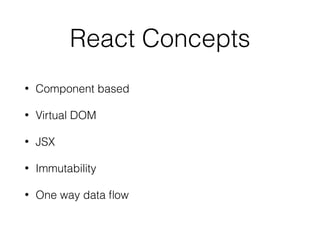
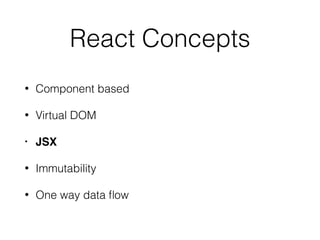
React Concepts
• Component based
• Virtual DOM
• JSX
• Immutability
• One way data flow
React Concepts
• Component based
• Virtual DOM
• JSX
• Immutability
• One way data flow
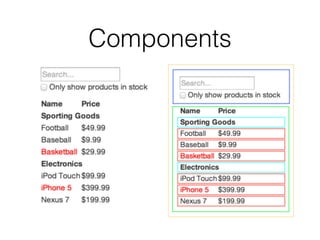
Components
React Concepts
• Component based
• Virtual DOM
• JSX
• Immutability
• One way data flow
Virtual DOM
It is lightweight JavaScript object which is a copy of
Real DOM.
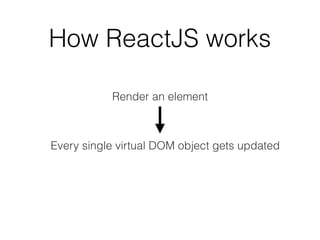
How ReactJS works
Render an element
Every single virtual DOM object gets updated
Inefcient?
Maybe not…
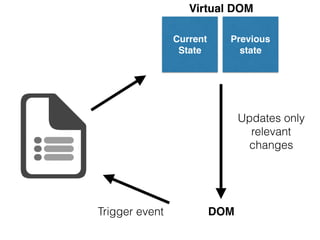
Two Virtual Doms
Current State
VD
Previous State
VD
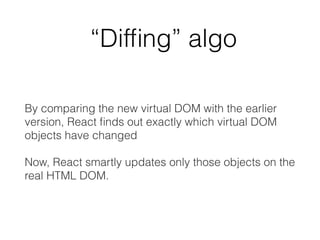
“Diffing” algo
By comparing the new virtual DOM with the earlier
version, React nds out exactly which virtual DOM
objects have changed
Now, React smartly updates only those objects on the
real HTML DOM.
Virtual DOM
Previous
state
Current
State
Virtual DOM
Previous
state
Current
State
DOM
Updates only
relevant
changes
Virtual DOM
Previous
state
Current
State
DOMTrigger event
Updates only
relevant
changes
Pretty smart eh?
React Concepts
• Component based
• Virtual DOM
• JSX
• Immutability
• One way data flow
JSX
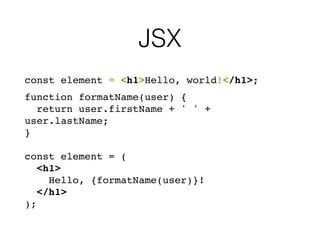
• JSX stands for JavaScript XML
• A templating language
• Embed any javascript inside of a JSX template by
wrapping it in curly braces (these: {})
JSX
const element = <h1>Hello, world!</h1>;
function formatName(user) {
return user.firstName + ' ' +
user.lastName;
}
const element = (
<h1>
Hello, {formatName(user)}!
</h1>
);
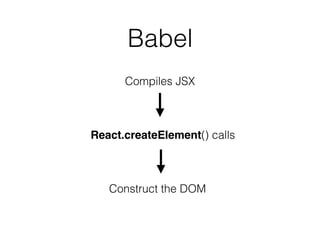
Babel
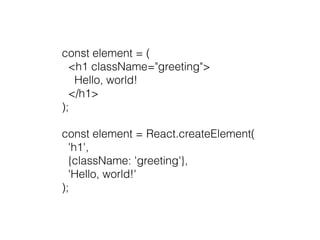
Compiles JSX
React.createElement() calls
Construct the DOM 
const element = (
<h1 className="greeting">
Hello, world!
</h1>
);
const element = React.createElement(
'h1',
{className: 'greeting'},
'Hello, world!'
);
React Concepts
• Component based
• Virtual DOM
• JSX
• Immutability
• One way data flow
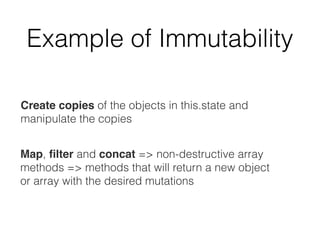
Immutability
Example of Immutability
this.state= {
passengers: [
'Simon’,
'Taylor’
]
}
Suppose we want to add a passenger called Vincent to the
passengers array…
let updatedPassengers = this.state.passengers;
Example of Immutability
let updatedPassengers = this.state.passengers;
updatedPassengers.push('Vincent');
Example of Immutability
But is it really correct?
‘Push’ mutates the state
directly
let updatedPassengers =
this.state.passengers.concat('Vincent');
Create copies of the objects in this.state and
manipulate the copies
Map, lter and concat => non-destructive array
methods => methods that will return a new object
or array with the desired mutations
Example of Immutability
React Concepts
• Component based
• Virtual DOM
• JSX
• Immutability
• One way data flow
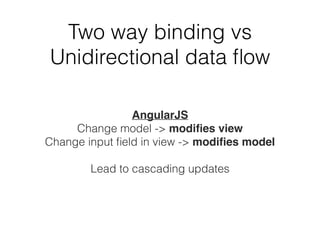
AngularJS
Change model -> modies view
Change input eld in view -> modies model
Lead to cascading updates
Two way binding vs
Unidirectional data flow
A short exercise…
create-react-app
https://github.com/facebookincubator/create-react-app
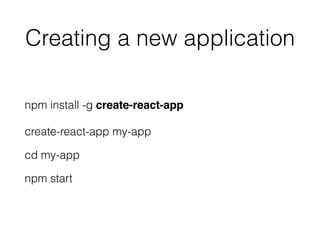
Creating a new application
npm install -g create-react-app
create-react-app my-app
cd my-app
npm start
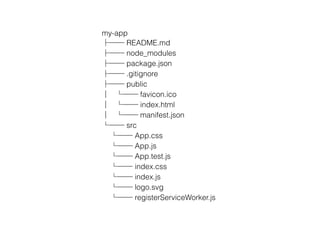
my-app
├── README.md
├── node_modules
├── package.json
├── .gitignore
├── public
│ └── favicon.ico
│ └── index.html
│ └── manifest.json
└── src
└── App.css
└── App.js
└── App.test.js
└── index.css
└── index.js
└── logo.svg
└── registerServiceWorker.js
React commands
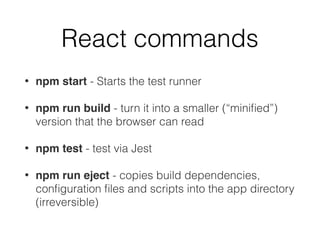
• npm start - Starts the test runner
• npm run build - turn it into a smaller (“minified”)
version that the browser can read
• npm test - test via Jest
• npm run eject - copies build dependencies,
conguration les and scripts into the app directory
(irreversible)
React Main Components
• Babel (for JSX)
• Webpack (a module bundler which takes modules
with dependencies and generates static assets by
bundling them together)
• Testing (Jest)
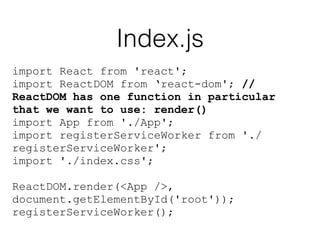
Index.js
import React from 'react';
import ReactDOM from ‘react-dom'; //
ReactDOM has one function in particular
that we want to use: render()
import App from './App';
import registerServiceWorker from './
registerServiceWorker';
import './index.css';
ReactDOM.render(<App />,
document.getElementById('root'));
registerServiceWorker();
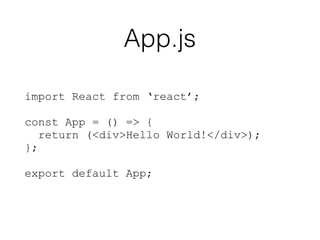
App.js
import React from ‘react’;
const App = () => {
return (<div>Hello World!</div>);
};
export default App;
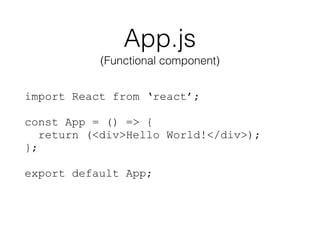
App.js
import React from ‘react’;
const App = () => {
return (<div>Hello World!</div>);
};
export default App;
(Functional component)
React components must only return a SINGLE JSX
node at its root, so it’s very common to wrap up your
components into a single div that might have multiple
children underneath it.
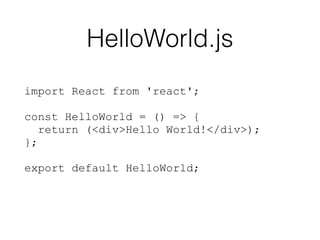
HelloWorld.js
import React from 'react';
const HelloWorld = () => {
return (<div>Hello World!</div>);
};
export default HelloWorld;
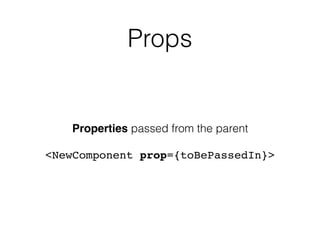
Props
Properties passed from the parent
<NewComponent prop={toBePassedIn}>
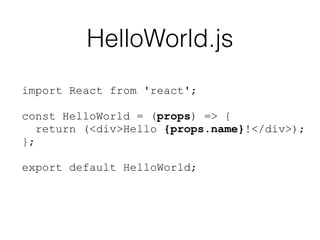
HelloWorld.js
import React from 'react';
const HelloWorld = (props) => {
return (<div>Hello {props.name}!</div>);
};
export default HelloWorld;
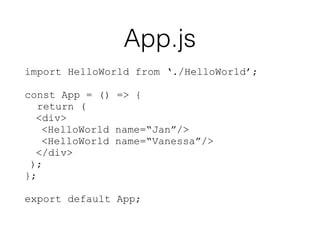
App.js
import HelloWorld from ‘./HelloWorld’;
const App = () => {
return (
<div>
<HelloWorld name=“Jan”/>
<HelloWorld name=“Vanessa”/>
</div>
);
};
export default App;
State
State == data that is going
to change
Functional components vs
Class components
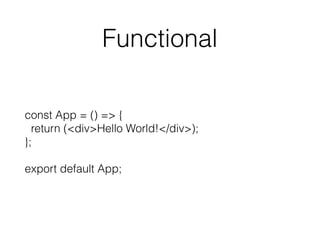
Functional
const App = () => {
return (<div>Hello World!</div>);
};
export default App;
Class
Local state is a feature available only to classes
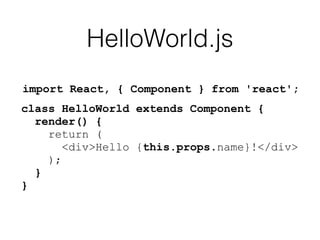
import React, { Component } from 'react';
HelloWorld.js
class HelloWorld extends Component {
render() {
return (
<div>Hello {this.props.name}!</div>
);
}
}
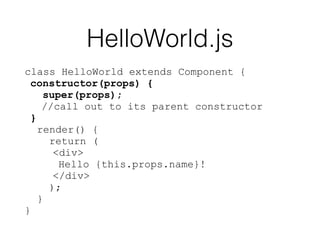
HelloWorld.js
class HelloWorld extends Component {
constructor(props) {
super(props);
//call out to its parent constructor
}
render() {
return (
<div>
Hello {this.props.name}!
</div>
);
}
}
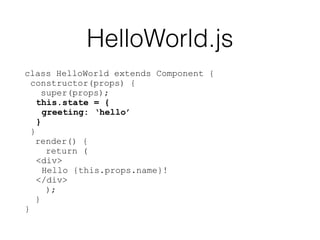
HelloWorld.js
class HelloWorld extends Component {
constructor(props) {
super(props);
this.state = {
greeting: ‘hello’
}
}
render() {
return (
<div>
Hello {this.props.name}!
</div>
);
}
}
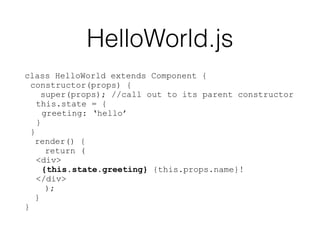
class HelloWorld extends Component {
constructor(props) {
super(props); //call out to its parent constructor
this.state = {
greeting: ‘hello’
}
}
render() {
return (
<div>
{this.state.greeting} {this.props.name}!
</div>
);
}
}
HelloWorld.js
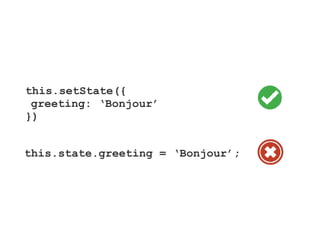
How to change the state?
this.setState({
greeting: ‘Bonjour’
})
this.state.greeting = ‘Bonjour’;
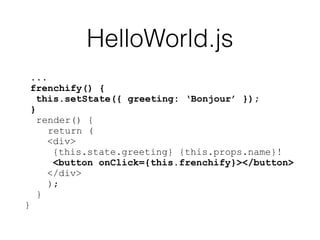
...
frenchify() {
this.setState({ greeting: ‘Bonjour’ });
}
render() {
return (
<div>
{this.state.greeting} {this.props.name}!
<button onClick={this.frenchify}></button>
</div>
);
}
}
HelloWorld.js
HelloWorld.js
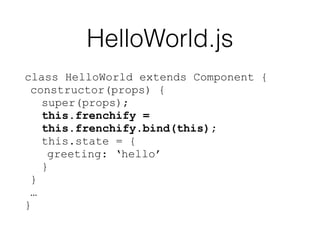
class HelloWorld extends Component {
constructor(props) {
super(props);
this.frenchify =
this.frenchify.bind(this);
this.state = {
greeting: ‘hello’
}
}
…
}
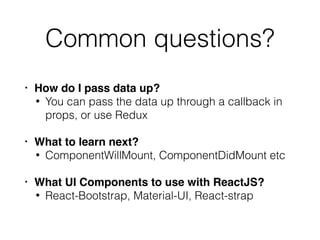
Common questions?
• How do I pass data up?
• You can pass the data up through a callback in
props, or use Redux
• What to learn next?
• ComponentWillMount, ComponentDidMount etc
• What UI Components to use with ReactJS?
• React-Bootstrap, Material-UI, React-strap
Sources:
• https://medium.com/@diamondgfx/learning-react-
with-create-react-app-part-1-a12e1833fdc
React-Native
React Native Advantages
• JavaScript − Existing JavaScript knowledge

• Code sharing − Share most code on different
platforms

• Community − Community around React and
React Native is large
• Native Look and Feel
React Native Limitations
• Native Components − might need to write some
platform specic code
• Not even version 1 yet
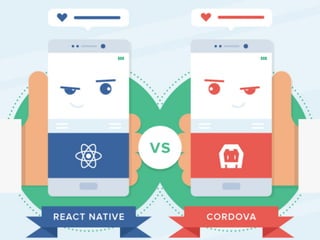
What’s the difference?
Answer:
• Cordova: create HTML, style with CSS, and write
all the logic with JavaScript
• React-Native: Visual components (reusable UI
elements) are rendered as a native UI
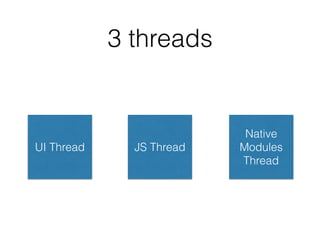
3 threads
UI Thread JS Thread
Native
Modules
Thread
Method 1: create-react-native-app through Expo
(to use use custom native modules, you have to eject)
Method 2: react-native cli
(for the braver souls and those who never die before)
Environment for React
Native
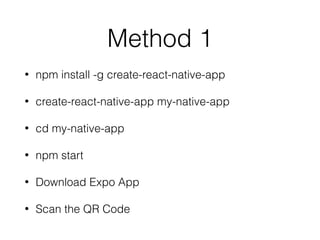
Method 1
• npm install -g create-react-native-app
• create-react-native-app my-native-app
• cd my-native-app
• npm start
• Download Expo App
• Scan the QR Code
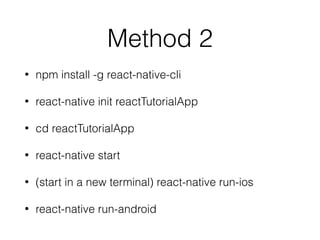
Method 2
• npm install -g react-native-cli
• react-native init reactTutorialApp
• cd reactTutorialApp
• react-native start
• (start in a new terminal) react-native run-ios
• react-native run-android
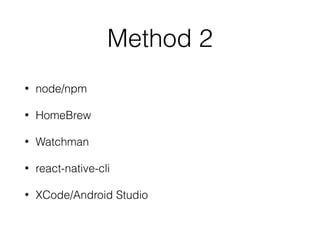
Method 2
• node/npm
• HomeBrew
• Watchman
• react-native-cli
• XCode/Android Studio
Debugging
A short exercise…
https://github.com/stacygohyunsi/
react-native-workshop.git
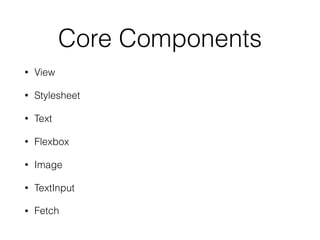
Core Components
• View
• Stylesheet
• Text
• Flexbox
• Image
• TextInput
• Fetch
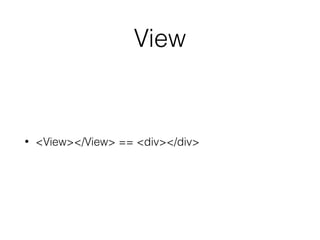
• <View></View> == <div></div>
View
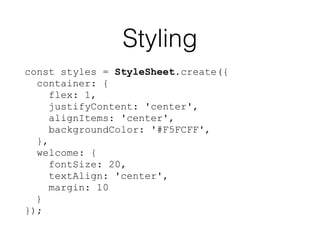
Styling
const styles = StyleSheet.create({
container: {
flex: 1,
justifyContent: 'center',
alignItems: 'center',
backgroundColor: '#F5FCFF',
},
welcome: {
fontSize: 20,
textAlign: 'center',
margin: 10
}
});
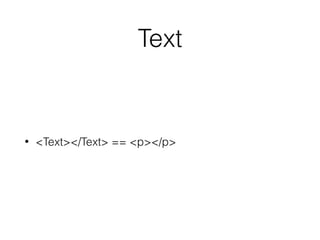
Text
• <Text></Text> == <p></p>
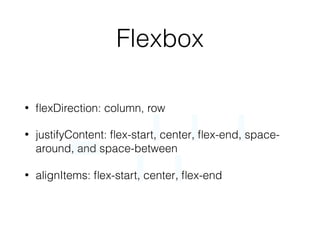
Flexbox
• flexDirection: column, row
• justifyContent: flex-start, center, flex-end, space-
around, and space-between
• alignItems: flex-start, center, flex-end
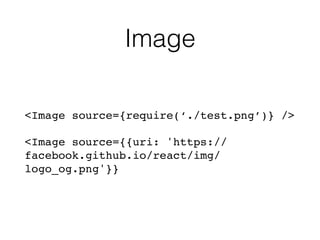
Image
<Image source={require(‘./test.png’)} />
<Image source={{uri: 'https://
facebook.github.io/react/img/
logo_og.png'}}
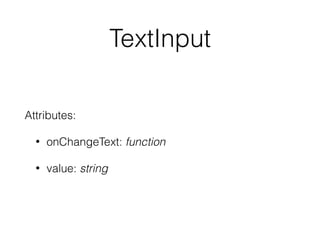
TextInput
Attributes:
• onChangeText: function
• value: string
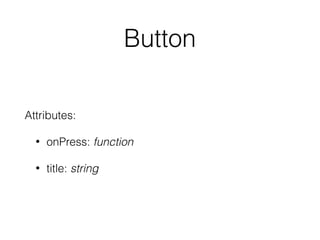
Button
Attributes:
• onPress: function
• title: string
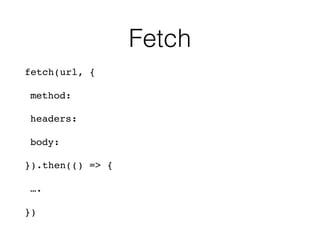
Fetch
fetch(url, {
method:
headers:
body:
}).then(() => {
….
})
Differences between React
vs React Native?
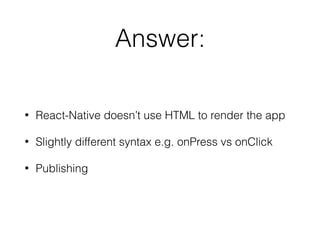
Answer:
• React-Native doesn’t use HTML to render the app
• Slightly different syntax e.g. onPress vs onClick
• Publishing
Additional exercises:
Movies app that fetches 25 movies that are in
theaters and displays them in a ListView.
Additional exercises:
• https://facebook.github.io/react-native/releases/
0.28/docs/sample-application-movies.html
What’s next?
• UI Component Libraries
Shoutem UI - 2,755 stars
React Native Elements - 7,657 stars
NativeBase - 6,512 stars
What’s next?
• React Navigation (https://reactnavigation.org/
docs/intro/)
What’s next?
• https://github.com/stacygohyunsi/react-native-guide
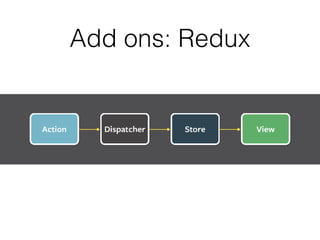
Add ons: Redux
Additional resources:
• For integrating facebook login, location services,
etc into your react-native app
• https://github.com/stacygohyunsi/react-native-
guide

React && React Native workshop