Rapid POSTGRESQL
learning, PART-5
BY: ALI MASUDIANPOUR MASUD.AMP@GMAIL.COM
RAPID POSTGRESQL LEARNING. 1
Transactions
◦ Transactions are a group of SQL commands
◦ These commands will be group together as an operation
◦ Transactions are supposed to be ACID, but what does that mean?
◦ ACID: Atomicity, Consistency, Isolation, Durability
◦ ATOMICITY
◦ All or nothing
◦ All of the operations must be succeed or all fails. In other word if one command fails other will fail too
◦ CONSYSTENCY
◦ Means that any transaction should take the system from one consistency o another
◦ In other words, only valid changes to the data will take a place
◦ ISOLATION
◦ Any pear of transactions should not be effecting the same row at once
◦ DURABILITY
◦ Once the transaction is committed, its result will not be lost forever
RAPID POSTGRESQL LEARNING. 2
Transactions
◦ Working with transactions (KEYWORDS)
◦ To begin transaction:
◦ BEGIN
◦ To end transaction
◦ COMMIT
◦ To cancel transaction
◦ ROLLBACK
◦ Example
◦ BEGIN;
SELECT * FROM [table name]
COMMIT;
◦ Control Transactions
◦ It is possible to control the commit in transactions using SAVEPOINT
RAPID POSTGRESQL LEARNING. 3
Save points
◦ Save points allow us to commit part of transaction and discard other parts
◦ How to use SAVE POINT:
◦ BEGIN
UPDATE x SET y=20 WHERE 1
SAVEPOINT [save point name]
UPDATE z SET a=14 WHERE 1
SOLLBACK TO SAVEPOINT [save point name]
COMMIT;
◦ Everything before save point will be committed and everything after save point will be discarded
◦ Destroy SAVE POINT
◦ To destroy a save point we use RELEASE
◦ RELEASE SAVEPOINT [save point name]
◦ After deletion of save point if we try to ROLLBACK TO SAVEPOINT [save point name] it will show an error!
RAPID POSTGRESQL LEARNING. 4
DEADLOCKS
◦ A deadlock happens when two or more transactions hold locks at other transactions at once
◦ As we saw before, same operations on same rows in transaction can not be happen
◦ If we do, it will be wait until first transaction done.
◦ DEADLOCK
◦ For instance: if we start a transaction one[1] and after that start the transaction two[2] and in transaction two[2] we write a
command that will be wait for transaction one[1] to be done and after that we do the same in transaction one[1] deadlock will be
happen.
◦ At this moment we have to ROLLBACK
◦ If we try to COMMIT, it will automatically ROLLBACK
RAPID POSTGRESQL LEARNING. 5
System Columns
◦ Columns that are added to the table automatically called System Columns
◦ List of System Columns
◦ XMIN
◦ Transaction id of the inserting transaction for this row version. It also can be update
◦ ROW VERSION
◦ Is an individual state of a row. Every time we update the row, new row version will be generated
◦ XMAX
◦ Transaction id of deletion row
◦ CTID
◦ Physical location of the row version in the table
◦ OIDS
◦ Table object id
◦ If we want to use OIDS, we should indicate in on the table creation time
◦ CREATE TABLE … WITH OIDS;
◦ Examples:
◦ SELECT oid, tableoid, xmax, xmin FROM [table name]
RAPID POSTGRESQL LEARNING. 6
Alternation in tables and columns
◦ Change data type of column
◦ ALTER [table name] ALTER COLUMN [column name] TYPE [new type]
◦ Change default value of column
◦ ALTER TABLE [table name] ALTER COLUMN [column name] SET DEFAULT [value];
◦ Unset default value
◦ ALTER TABLE [table name] ALTER COLUMN [column name] SET DEFAULT NULL
◦ ALTER TABLE [table name] ALTER COLUMN [column name] DROP DEFAULT
◦ Add Column
◦ ALTER TABLE [table name] ADD COLUMN [column name] [column type]
◦ ALTER TABLE [table name] ADD COLUMN [column name] [column type] NOT NULL DEFAULT [value]
◦ Remove Column
◦ ALTER TABLE [table name] DROP COLUMN [column name]
◦ Every data and constraints will be deleted
◦ If it has a reference column, we must use CASCADE to remove
RAPID POSTGRESQL LEARNING. 7
Alternation in tables and columns
◦ Add Constraint
◦ CHECK
◦ ALTER TABLE [table name] ADD CONSTRAINT [constraint name] CHECK([condition])
◦ UNIQUE
◦ ALTER TABLE [table name] ADD CONSTRAINT [constraint name] UNIQUE ([column name])
◦ FOREIGN KEY
◦ ALTER TABLE [table name] ADD FOREIGN KEY [foreign key name] REFERENCES [reference table name]([reference table column
name])
◦ NOT NULL
◦ ALTER TABLE [table name] ALTER COLUMN [column name] SET NOT NULL
◦ All of the values must satisfy constraints to be done
◦ For instance we have a column that holds null value, now if we set null constraint it will generate an error, because it has a null
value.
RAPID POSTGRESQL LEARNING. 8
Alternation in tables and columns
◦ Remove Constraint
◦ ALTER TABLE [table name] DROP CONSTRAINT [constraint name]
◦ If it uses a reference we should use CASCADE
◦ Remove Not Null Constraint
◦ ALTER TABLE [table name] ALTER COLUMN [column name] DROP NOT NULL
◦ Rename Column name
◦ ALTER TABLE [table name] RENAME COLUMN [column name] TO [new column name]
◦ Rename Table name
◦ ALTER TABLE [table name] RENAME TO [new table name]
RAPID POSTGRESQL LEARNING. 9
Logical Operators
◦ 3 types of Logical operators
◦ AND
◦ Will be true if both left and right operands are true
◦ OR
◦ Will be true if one of the operands is true, otherwise it will be false
◦ NOT
◦ Will be false if the operand is true and will be true if the operand is false
◦ AND / OR has 2 right and left operand
◦ NOT has one operand
◦ Examples:
◦ SELECT * FROM tableTest WHERE x>12 AND y<10
◦ SELECT * FROM tableTest WHERE x>12 OR y<10
◦ SELECT * FROM tableTest WHERE NOT x>12
RAPID POSTGRESQL LEARNING. 10
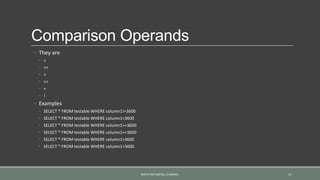
Comparison Operands
◦ They are
◦ <
◦ <=
◦ >
◦ >=
◦ =
◦ !
◦ Examples
◦ SELECT * FROM testable WHERE column1!=3600
◦ SELECT * FROM testable WHERE column1=3600
◦ SELECT * FROM testable WHERE column1>=3600
◦ SELECT * FROM testable WHERE column1<=3600
◦ SELECT * FROM testable WHERE column1>3600
◦ SELECT * FROM testable WHERE column1<3600
RAPID POSTGRESQL LEARNING. 11
Between
◦ Between
◦ To run a condition between a range
◦ Example:
◦ SELECT * FROM employee WHERE salary BETWEEN 2000 AND 9000
◦ The less value should be take place in left side of AND operator
◦ SYMETRIC BETWEEN
◦ In this case there would be no force to left operand be greater than right operand
◦ Example
◦ SELECT * FROM employee WHERE salary BETWEEN SYMETRIC 9000 AND 2000
◦ NOT BETWEEN
◦ SELECT * FROM employee WHERE salary NOT BETWEEN 5000 AND 6000
RAPID POSTGRESQL LEARNING. 12
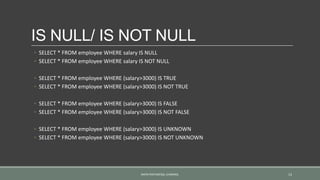
IS NULL/ IS NOT NULL
◦ SELECT * FROM employee WHERE salary IS NULL
◦ SELECT * FROM employee WHERE salary IS NOT NULL
◦ SELECT * FROM employee WHERE (salary>3000) IS TRUE
◦ SELECT * FROM employee WHERE (salary>3000) IS NOT TRUE
◦ SELECT * FROM employee WHERE (salary>3000) IS FALSE
◦ SELECT * FROM employee WHERE (salary>3000) IS NOT FALSE
◦ SELECT * FROM employee WHERE (salary>3000) IS UNKNOWN
◦ SELECT * FROM employee WHERE (salary>3000) IS NOT UNKNOWN
RAPID POSTGRESQL LEARNING. 13
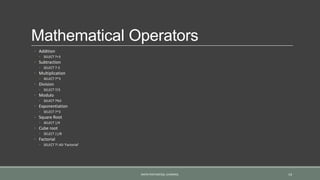
Mathematical Operators
◦ Addition
◦ SELECT 7+3
◦ Subtraction
◦ SELECT 7-3
◦ Multiplication
◦ SELECT 7*3
◦ Division
◦ SELECT 7/3
◦ Modulo
◦ SELECT 7%3
◦ Exponentiation
◦ SELECT 7^3
◦ Square Root
◦ SELECT |/4
◦ Cube root
◦ SELECT ||/8
◦ Factorial
◦ SELECT 7! AD ‘Factorial’
RAPID POSTGRESQL LEARNING. 14
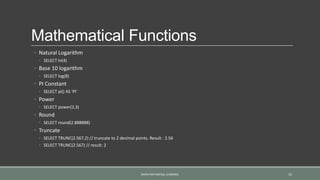
Mathematical Functions
◦ Natural Logarithm
◦ SELECT ln(4)
◦ Base 10 logarithm
◦ SELECT log(8)
◦ PI Constant
◦ SELECT pi() AS ‘PI’
◦ Power
◦ SELECT power(2,3)
◦ Round
◦ SELECT round(2.888888)
◦ Truncate
◦ SELECT TRUNC(2.567,2) // truncate to 2 decimal points. Result : 2.56
◦ SELECT TRUNC(2.567) // result: 2
RAPID POSTGRESQL LEARNING. 15
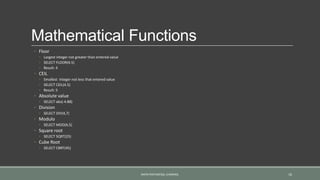
Mathematical Functions
◦ Floor
◦ Largest integer not greater than entered value
◦ SELECT FLOOR(4.5)
◦ Result: 4
◦ CEIL
◦ Smallest integer not less that entered value
◦ SELECT CEIL(4.5)
◦ Result: 5
◦ Absolute value
◦ SELECT abs(-4.88)
◦ Division
◦ SELECT DIV(4,7)
◦ Modulo
◦ SELECT MOD(4,5)
◦ Square root
◦ SELECT SQRT(25)
◦ Cube Root
◦ SELECT CBRT(45)
RAPID POSTGRESQL LEARNING. 16
END OF PART 4
End of Part 4
◦ In part 5 we will discuss about:
◦ STRING FUNCTIONS AND OPERATIONS
◦ DATE AND TIME
◦ SEQUENCES
◦ CONDITIONAL EXPRESSIONS
◦ SCHEMA and PRIVILEGES
◦ INDEXES
RAPID POSTGRESQL LEARNING. 17

Rapid postgresql learning, part 4

  • 1.
    Rapid POSTGRESQL learning, PART-5 BY:ALI MASUDIANPOUR MASUD.AMP@GMAIL.COM RAPID POSTGRESQL LEARNING. 1
  • 2.
    Transactions ◦ Transactions area group of SQL commands ◦ These commands will be group together as an operation ◦ Transactions are supposed to be ACID, but what does that mean? ◦ ACID: Atomicity, Consistency, Isolation, Durability ◦ ATOMICITY ◦ All or nothing ◦ All of the operations must be succeed or all fails. In other word if one command fails other will fail too ◦ CONSYSTENCY ◦ Means that any transaction should take the system from one consistency o another ◦ In other words, only valid changes to the data will take a place ◦ ISOLATION ◦ Any pear of transactions should not be effecting the same row at once ◦ DURABILITY ◦ Once the transaction is committed, its result will not be lost forever RAPID POSTGRESQL LEARNING. 2
  • 3.
    Transactions ◦ Working withtransactions (KEYWORDS) ◦ To begin transaction: ◦ BEGIN ◦ To end transaction ◦ COMMIT ◦ To cancel transaction ◦ ROLLBACK ◦ Example ◦ BEGIN; SELECT * FROM [table name] COMMIT; ◦ Control Transactions ◦ It is possible to control the commit in transactions using SAVEPOINT RAPID POSTGRESQL LEARNING. 3
  • 4.
    Save points ◦ Savepoints allow us to commit part of transaction and discard other parts ◦ How to use SAVE POINT: ◦ BEGIN UPDATE x SET y=20 WHERE 1 SAVEPOINT [save point name] UPDATE z SET a=14 WHERE 1 SOLLBACK TO SAVEPOINT [save point name] COMMIT; ◦ Everything before save point will be committed and everything after save point will be discarded ◦ Destroy SAVE POINT ◦ To destroy a save point we use RELEASE ◦ RELEASE SAVEPOINT [save point name] ◦ After deletion of save point if we try to ROLLBACK TO SAVEPOINT [save point name] it will show an error! RAPID POSTGRESQL LEARNING. 4
  • 5.
    DEADLOCKS ◦ A deadlockhappens when two or more transactions hold locks at other transactions at once ◦ As we saw before, same operations on same rows in transaction can not be happen ◦ If we do, it will be wait until first transaction done. ◦ DEADLOCK ◦ For instance: if we start a transaction one[1] and after that start the transaction two[2] and in transaction two[2] we write a command that will be wait for transaction one[1] to be done and after that we do the same in transaction one[1] deadlock will be happen. ◦ At this moment we have to ROLLBACK ◦ If we try to COMMIT, it will automatically ROLLBACK RAPID POSTGRESQL LEARNING. 5
  • 6.
    System Columns ◦ Columnsthat are added to the table automatically called System Columns ◦ List of System Columns ◦ XMIN ◦ Transaction id of the inserting transaction for this row version. It also can be update ◦ ROW VERSION ◦ Is an individual state of a row. Every time we update the row, new row version will be generated ◦ XMAX ◦ Transaction id of deletion row ◦ CTID ◦ Physical location of the row version in the table ◦ OIDS ◦ Table object id ◦ If we want to use OIDS, we should indicate in on the table creation time ◦ CREATE TABLE … WITH OIDS; ◦ Examples: ◦ SELECT oid, tableoid, xmax, xmin FROM [table name] RAPID POSTGRESQL LEARNING. 6
  • 7.
    Alternation in tablesand columns ◦ Change data type of column ◦ ALTER [table name] ALTER COLUMN [column name] TYPE [new type] ◦ Change default value of column ◦ ALTER TABLE [table name] ALTER COLUMN [column name] SET DEFAULT [value]; ◦ Unset default value ◦ ALTER TABLE [table name] ALTER COLUMN [column name] SET DEFAULT NULL ◦ ALTER TABLE [table name] ALTER COLUMN [column name] DROP DEFAULT ◦ Add Column ◦ ALTER TABLE [table name] ADD COLUMN [column name] [column type] ◦ ALTER TABLE [table name] ADD COLUMN [column name] [column type] NOT NULL DEFAULT [value] ◦ Remove Column ◦ ALTER TABLE [table name] DROP COLUMN [column name] ◦ Every data and constraints will be deleted ◦ If it has a reference column, we must use CASCADE to remove RAPID POSTGRESQL LEARNING. 7
  • 8.
    Alternation in tablesand columns ◦ Add Constraint ◦ CHECK ◦ ALTER TABLE [table name] ADD CONSTRAINT [constraint name] CHECK([condition]) ◦ UNIQUE ◦ ALTER TABLE [table name] ADD CONSTRAINT [constraint name] UNIQUE ([column name]) ◦ FOREIGN KEY ◦ ALTER TABLE [table name] ADD FOREIGN KEY [foreign key name] REFERENCES [reference table name]([reference table column name]) ◦ NOT NULL ◦ ALTER TABLE [table name] ALTER COLUMN [column name] SET NOT NULL ◦ All of the values must satisfy constraints to be done ◦ For instance we have a column that holds null value, now if we set null constraint it will generate an error, because it has a null value. RAPID POSTGRESQL LEARNING. 8
  • 9.
    Alternation in tablesand columns ◦ Remove Constraint ◦ ALTER TABLE [table name] DROP CONSTRAINT [constraint name] ◦ If it uses a reference we should use CASCADE ◦ Remove Not Null Constraint ◦ ALTER TABLE [table name] ALTER COLUMN [column name] DROP NOT NULL ◦ Rename Column name ◦ ALTER TABLE [table name] RENAME COLUMN [column name] TO [new column name] ◦ Rename Table name ◦ ALTER TABLE [table name] RENAME TO [new table name] RAPID POSTGRESQL LEARNING. 9
  • 10.
    Logical Operators ◦ 3types of Logical operators ◦ AND ◦ Will be true if both left and right operands are true ◦ OR ◦ Will be true if one of the operands is true, otherwise it will be false ◦ NOT ◦ Will be false if the operand is true and will be true if the operand is false ◦ AND / OR has 2 right and left operand ◦ NOT has one operand ◦ Examples: ◦ SELECT * FROM tableTest WHERE x>12 AND y<10 ◦ SELECT * FROM tableTest WHERE x>12 OR y<10 ◦ SELECT * FROM tableTest WHERE NOT x>12 RAPID POSTGRESQL LEARNING. 10
  • 11.
    Comparison Operands ◦ Theyare ◦ < ◦ <= ◦ > ◦ >= ◦ = ◦ ! ◦ Examples ◦ SELECT * FROM testable WHERE column1!=3600 ◦ SELECT * FROM testable WHERE column1=3600 ◦ SELECT * FROM testable WHERE column1>=3600 ◦ SELECT * FROM testable WHERE column1<=3600 ◦ SELECT * FROM testable WHERE column1>3600 ◦ SELECT * FROM testable WHERE column1<3600 RAPID POSTGRESQL LEARNING. 11
  • 12.
    Between ◦ Between ◦ Torun a condition between a range ◦ Example: ◦ SELECT * FROM employee WHERE salary BETWEEN 2000 AND 9000 ◦ The less value should be take place in left side of AND operator ◦ SYMETRIC BETWEEN ◦ In this case there would be no force to left operand be greater than right operand ◦ Example ◦ SELECT * FROM employee WHERE salary BETWEEN SYMETRIC 9000 AND 2000 ◦ NOT BETWEEN ◦ SELECT * FROM employee WHERE salary NOT BETWEEN 5000 AND 6000 RAPID POSTGRESQL LEARNING. 12
  • 13.
    IS NULL/ ISNOT NULL ◦ SELECT * FROM employee WHERE salary IS NULL ◦ SELECT * FROM employee WHERE salary IS NOT NULL ◦ SELECT * FROM employee WHERE (salary>3000) IS TRUE ◦ SELECT * FROM employee WHERE (salary>3000) IS NOT TRUE ◦ SELECT * FROM employee WHERE (salary>3000) IS FALSE ◦ SELECT * FROM employee WHERE (salary>3000) IS NOT FALSE ◦ SELECT * FROM employee WHERE (salary>3000) IS UNKNOWN ◦ SELECT * FROM employee WHERE (salary>3000) IS NOT UNKNOWN RAPID POSTGRESQL LEARNING. 13
  • 14.
    Mathematical Operators ◦ Addition ◦SELECT 7+3 ◦ Subtraction ◦ SELECT 7-3 ◦ Multiplication ◦ SELECT 7*3 ◦ Division ◦ SELECT 7/3 ◦ Modulo ◦ SELECT 7%3 ◦ Exponentiation ◦ SELECT 7^3 ◦ Square Root ◦ SELECT |/4 ◦ Cube root ◦ SELECT ||/8 ◦ Factorial ◦ SELECT 7! AD ‘Factorial’ RAPID POSTGRESQL LEARNING. 14
  • 15.
    Mathematical Functions ◦ NaturalLogarithm ◦ SELECT ln(4) ◦ Base 10 logarithm ◦ SELECT log(8) ◦ PI Constant ◦ SELECT pi() AS ‘PI’ ◦ Power ◦ SELECT power(2,3) ◦ Round ◦ SELECT round(2.888888) ◦ Truncate ◦ SELECT TRUNC(2.567,2) // truncate to 2 decimal points. Result : 2.56 ◦ SELECT TRUNC(2.567) // result: 2 RAPID POSTGRESQL LEARNING. 15
  • 16.
    Mathematical Functions ◦ Floor ◦Largest integer not greater than entered value ◦ SELECT FLOOR(4.5) ◦ Result: 4 ◦ CEIL ◦ Smallest integer not less that entered value ◦ SELECT CEIL(4.5) ◦ Result: 5 ◦ Absolute value ◦ SELECT abs(-4.88) ◦ Division ◦ SELECT DIV(4,7) ◦ Modulo ◦ SELECT MOD(4,5) ◦ Square root ◦ SELECT SQRT(25) ◦ Cube Root ◦ SELECT CBRT(45) RAPID POSTGRESQL LEARNING. 16
  • 17.
    END OF PART4 End of Part 4 ◦ In part 5 we will discuss about: ◦ STRING FUNCTIONS AND OPERATIONS ◦ DATE AND TIME ◦ SEQUENCES ◦ CONDITIONAL EXPRESSIONS ◦ SCHEMA and PRIVILEGES ◦ INDEXES RAPID POSTGRESQL LEARNING. 17