Specs2
Library for writing Acceptance And
             Unit Tests

               Piyush Mishra
             Software Consultant
            Knoldus Software LLP
Topics Covered

What is Specs2
The design principles of specs2

Unit Specifications

Acceptance Specifications

Matchers

Runners
What is Specs2
Specs is a DSL in Scala for doing BDD
(Behavior-Driven -Development).
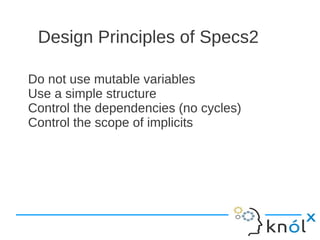
Design Principles of Specs2

Do not use mutable variables
Use a simple structure
Control the dependencies (no cycles)
Control the scope of implicits
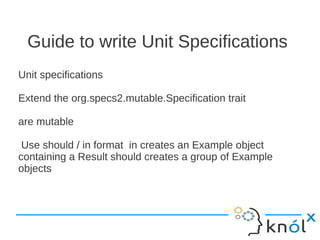
Guide to write Unit Specifications
Unit specifications

Extend the org.specs2.mutable.Specification trait

are mutable

 Use should / in format in creates an Example object
containing a Result should creates a group of Example
objects
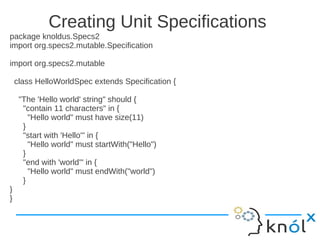
Creating Unit Specifications
package knoldus.Specs2
import org.specs2.mutable.Specification

import org.specs2.mutable

    class HelloWorldSpec extends Specification {

     "The 'Hello world' string" should {
      "contain 11 characters" in {
        "Hello world" must have size(11)
      }
      "start with 'Hello'" in {
        "Hello world" must startWith("Hello")
      }
      "end with 'world'" in {
        "Hello world" must endWith("world")
      }
}
}
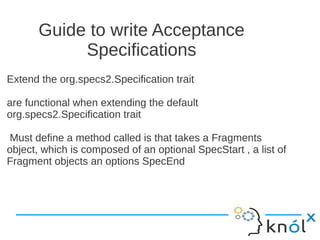
Guide to write Acceptance
            Specifications
Extend the org.specs2.Specification trait

are functional when extending the default
org.specs2.Specification trait

Must define a method called is that takes a Fragments
object, which is composed of an optional SpecStart , a list of
Fragment objects an options SpecEnd
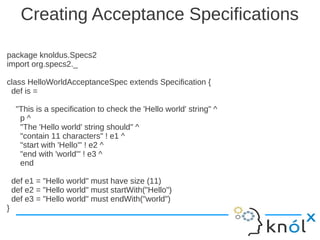
Creating Acceptance Specifications

package knoldus.Specs2
import org.specs2._

class HelloWorldAcceptanceSpec extends Specification {
 def is =

     "This is a specification to check the 'Hello world' string" ^
      p^
      "The 'Hello world' string should" ^
      "contain 11 characters" ! e1 ^
      "start with 'Hello'" ! e2 ^
      "end with 'world'" ! e3 ^
      end

    def e1 = "Hello world" must have size (11)
    def e2 = "Hello world" must startWith("Hello")
    def e3 = "Hello world" must endWith("world")
}
Acceptance Specifications are
                   functional
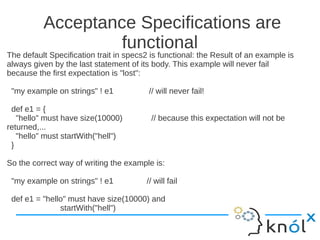
The default Specification trait in specs2 is functional: the Result of an example is
always given by the last statement of its body. This example will never fail
because the first expectation is "lost":

 "my example on strings" ! e1            // will never fail!

 def e1 = {
   "hello" must have size(10000)          // because this expectation will not be
returned,...
   "hello" must startWith("hell")
 }

So the correct way of writing the example is:

 "my example on strings" ! e1           // will fail

 def e1 = "hello" must have size(10000) and
               startWith("hell")
Matchers
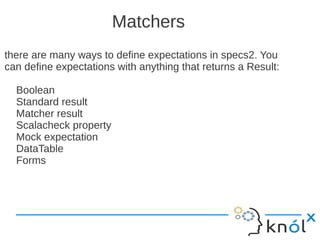
there are many ways to define expectations in specs2. You
can define expectations with anything that returns a Result:

  Boolean
  Standard result
  Matcher result
  Scalacheck property
  Mock expectation
  DataTable
  Forms
Boolean Result
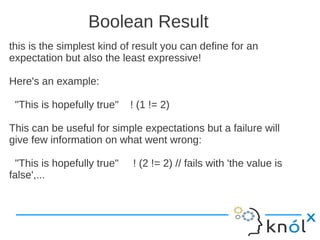
this is the simplest kind of result you can define for an
expectation but also the least expressive!

Here's an example:

 "This is hopefully true"   ! (1 != 2)

This can be useful for simple expectations but a failure will
give few information on what went wrong:

 "This is hopefully true"   ! (2 != 2) // fails with 'the value is
false',...
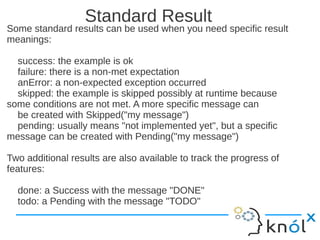
Standard Result
Some standard results can be used when you need specific result
meanings:

  success: the example is ok
  failure: there is a non-met expectation
  anError: a non-expected exception occurred
  skipped: the example is skipped possibly at runtime because
some conditions are not met. A more specific message can
  be created with Skipped("my message")
  pending: usually means "not implemented yet", but a specific
message can be created with Pending("my message")

Two additional results are also available to track the progress of
features:

  done: a Success with the message "DONE"
  todo: a Pending with the message "TODO"
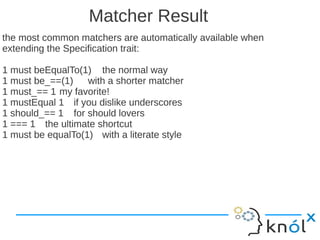
Matcher Result
the most common matchers are automatically available when
extending the Specification trait:

1 must beEqualTo(1) the normal way
1 must be_==(1)    with a shorter matcher
1 must_== 1 my favorite!
1 mustEqual 1 if you dislike underscores
1 should_== 1 for should lovers
1 === 1 the ultimate shortcut
1 must be equalTo(1) with a literate style
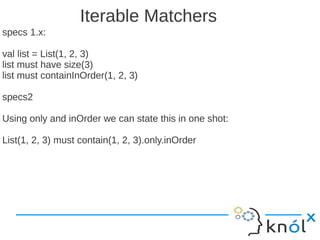
Iterable Matchers
specs 1.x:

val list = List(1, 2, 3)
list must have size(3)
list must containInOrder(1, 2, 3)

specs2

Using only and inOrder we can state this in one shot:

List(1, 2, 3) must contain(1, 2, 3).only.inOrder
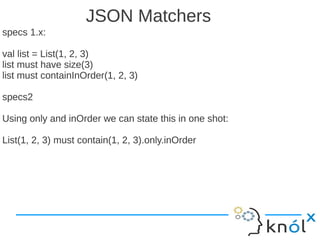
JSON Matchers
specs 1.x:

val list = List(1, 2, 3)
list must have size(3)
list must containInOrder(1, 2, 3)

specs2

Using only and inOrder we can state this in one shot:

List(1, 2, 3) must contain(1, 2, 3).only.inOrder
JSON Matchers
/(value) looks for a value at the root of an Array

"""["name", "Joe" ]""" must /("name")

/(key -> value) looks for a pair at the root of a Map

"""{ "name": "Joe" }""" must /("name" -> "Joe")
"""{ "name": "Joe" }""" must not /("name2" -> "Joe")
Mocking
import org.specs2.mock._
 class MockitoSpec extends Specification { def is =

  "A java list can be mocked"                                    ^
   "You can make it return a stubbed value"                           ! c().stub^
   "You can verify that a method was called"                          ! c().verify^
   "You can verify that a method was not called"                        ! c().verify2^
                                                      end
   case class c() extends Mockito {
     val m = mock[java.util.List[String]] // a concrete class would be mocked with:
mock[new java.util.LinkedList[String]]
     def stub = {
       m.get(0) returns "one"          // stub a method call with a return value
       m.get(0) must_== "one"             // call the method
     }
     def verify = {
       m.get(0) returns "one"          // stub a method call with a return value
       m.get(0)                  // call the method
       there was one(m).get(0)           // verify that the call happened
     }
     def verify2 = there was no(m).get(0) // verify that the call never happened
   }
 }
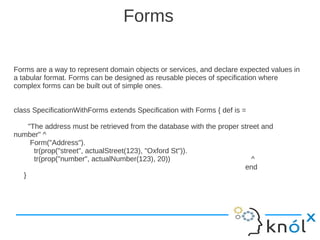
Forms

Forms are a way to represent domain objects or services, and declare expected values in
a tabular format. Forms can be designed as reusable pieces of specification where
complex forms can be built out of simple ones.


class SpecificationWithForms extends Specification with Forms { def is =

    "The address must be retrieved from the database with the proper street and
number" ^
     Form("Address").
      tr(prop("street", actualStreet(123), "Oxford St")).
      tr(prop("number", actualNumber(123), 20))                          ^
                                                                      end
  }
Running Specification Using Junit
With Junit We can run test as this
import org.junit.runner._
import runner._

@RunWith(classOf[JUnitRunner])
class WithJUnitSpec extends Specification {
  "My spec" should {
    "run in JUnit too" in {
      success
    }
  }
}
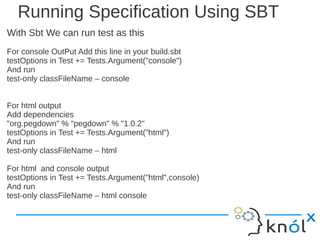
Running Specification Using SBT
With Sbt We can run test as this
For console OutPut Add this line in your build.sbt
testOptions in Test += Tests.Argument("console")
And run
test-only classFileName – console


For html output
Add dependencies
"org.pegdown" % "pegdown" % "1.0.2"
testOptions in Test += Tests.Argument("html")
And run
test-only classFileName – html

For html and console output
testOptions in Test += Tests.Argument("html",console)
And run
test-only classFileName – html console
Thanks

Specs2

  • 1.
    Specs2 Library for writingAcceptance And Unit Tests Piyush Mishra Software Consultant Knoldus Software LLP
  • 2.
    Topics Covered What isSpecs2 The design principles of specs2 Unit Specifications Acceptance Specifications Matchers Runners
  • 3.
    What is Specs2 Specsis a DSL in Scala for doing BDD (Behavior-Driven -Development).
  • 4.
    Design Principles ofSpecs2 Do not use mutable variables Use a simple structure Control the dependencies (no cycles) Control the scope of implicits
  • 5.
    Guide to writeUnit Specifications Unit specifications Extend the org.specs2.mutable.Specification trait are mutable Use should / in format in creates an Example object containing a Result should creates a group of Example objects
  • 6.
    Creating Unit Specifications packageknoldus.Specs2 import org.specs2.mutable.Specification import org.specs2.mutable class HelloWorldSpec extends Specification { "The 'Hello world' string" should { "contain 11 characters" in { "Hello world" must have size(11) } "start with 'Hello'" in { "Hello world" must startWith("Hello") } "end with 'world'" in { "Hello world" must endWith("world") } } }
  • 7.
    Guide to writeAcceptance Specifications Extend the org.specs2.Specification trait are functional when extending the default org.specs2.Specification trait Must define a method called is that takes a Fragments object, which is composed of an optional SpecStart , a list of Fragment objects an options SpecEnd
  • 8.
    Creating Acceptance Specifications packageknoldus.Specs2 import org.specs2._ class HelloWorldAcceptanceSpec extends Specification { def is = "This is a specification to check the 'Hello world' string" ^ p^ "The 'Hello world' string should" ^ "contain 11 characters" ! e1 ^ "start with 'Hello'" ! e2 ^ "end with 'world'" ! e3 ^ end def e1 = "Hello world" must have size (11) def e2 = "Hello world" must startWith("Hello") def e3 = "Hello world" must endWith("world") }
  • 9.
    Acceptance Specifications are functional The default Specification trait in specs2 is functional: the Result of an example is always given by the last statement of its body. This example will never fail because the first expectation is "lost": "my example on strings" ! e1 // will never fail! def e1 = { "hello" must have size(10000) // because this expectation will not be returned,... "hello" must startWith("hell") } So the correct way of writing the example is: "my example on strings" ! e1 // will fail def e1 = "hello" must have size(10000) and startWith("hell")
  • 10.
    Matchers there are manyways to define expectations in specs2. You can define expectations with anything that returns a Result: Boolean Standard result Matcher result Scalacheck property Mock expectation DataTable Forms
  • 11.
    Boolean Result this isthe simplest kind of result you can define for an expectation but also the least expressive! Here's an example: "This is hopefully true" ! (1 != 2) This can be useful for simple expectations but a failure will give few information on what went wrong: "This is hopefully true" ! (2 != 2) // fails with 'the value is false',...
  • 12.
    Standard Result Some standardresults can be used when you need specific result meanings: success: the example is ok failure: there is a non-met expectation anError: a non-expected exception occurred skipped: the example is skipped possibly at runtime because some conditions are not met. A more specific message can be created with Skipped("my message") pending: usually means "not implemented yet", but a specific message can be created with Pending("my message") Two additional results are also available to track the progress of features: done: a Success with the message "DONE" todo: a Pending with the message "TODO"
  • 13.
    Matcher Result the mostcommon matchers are automatically available when extending the Specification trait: 1 must beEqualTo(1) the normal way 1 must be_==(1) with a shorter matcher 1 must_== 1 my favorite! 1 mustEqual 1 if you dislike underscores 1 should_== 1 for should lovers 1 === 1 the ultimate shortcut 1 must be equalTo(1) with a literate style
  • 14.
    Iterable Matchers specs 1.x: vallist = List(1, 2, 3) list must have size(3) list must containInOrder(1, 2, 3) specs2 Using only and inOrder we can state this in one shot: List(1, 2, 3) must contain(1, 2, 3).only.inOrder
  • 15.
    JSON Matchers specs 1.x: vallist = List(1, 2, 3) list must have size(3) list must containInOrder(1, 2, 3) specs2 Using only and inOrder we can state this in one shot: List(1, 2, 3) must contain(1, 2, 3).only.inOrder
  • 16.
    JSON Matchers /(value) looksfor a value at the root of an Array """["name", "Joe" ]""" must /("name") /(key -> value) looks for a pair at the root of a Map """{ "name": "Joe" }""" must /("name" -> "Joe") """{ "name": "Joe" }""" must not /("name2" -> "Joe")
  • 17.
    Mocking import org.specs2.mock._ classMockitoSpec extends Specification { def is = "A java list can be mocked" ^ "You can make it return a stubbed value" ! c().stub^ "You can verify that a method was called" ! c().verify^ "You can verify that a method was not called" ! c().verify2^ end case class c() extends Mockito { val m = mock[java.util.List[String]] // a concrete class would be mocked with: mock[new java.util.LinkedList[String]] def stub = { m.get(0) returns "one" // stub a method call with a return value m.get(0) must_== "one" // call the method } def verify = { m.get(0) returns "one" // stub a method call with a return value m.get(0) // call the method there was one(m).get(0) // verify that the call happened } def verify2 = there was no(m).get(0) // verify that the call never happened } }
  • 18.
    Forms Forms are away to represent domain objects or services, and declare expected values in a tabular format. Forms can be designed as reusable pieces of specification where complex forms can be built out of simple ones. class SpecificationWithForms extends Specification with Forms { def is = "The address must be retrieved from the database with the proper street and number" ^ Form("Address"). tr(prop("street", actualStreet(123), "Oxford St")). tr(prop("number", actualNumber(123), 20)) ^ end }
  • 19.
    Running Specification UsingJunit With Junit We can run test as this import org.junit.runner._ import runner._ @RunWith(classOf[JUnitRunner]) class WithJUnitSpec extends Specification { "My spec" should { "run in JUnit too" in { success } } }
  • 20.
    Running Specification UsingSBT With Sbt We can run test as this For console OutPut Add this line in your build.sbt testOptions in Test += Tests.Argument("console") And run test-only classFileName – console For html output Add dependencies "org.pegdown" % "pegdown" % "1.0.2" testOptions in Test += Tests.Argument("html") And run test-only classFileName – html For html and console output testOptions in Test += Tests.Argument("html",console) And run test-only classFileName – html console
  • 21.