











Welcome to
Sanitizing WP_Query() data requests
     for multiple table lookup in
a WordPress multisite environment
Running Newspaper
  Websites with
   WordPress
Christopher Ross
 @thisismyurl
 http://thisismyurl.com
Unique Features for
Newspapers, Magazines,
and Online Newsletters
Page Types
 (the theme files)
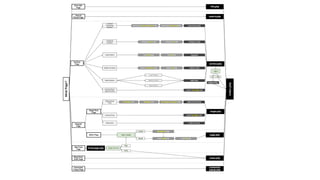
Template Hierarchy
Images
•   Image pages to ensure branding    •   jQuery can be used to display in
    when viewed directly                  Lightbox style popups

•   Images are part of the stories,   •   SEO for images is as important as
    embedded within the Post itself       SEO for content

•   Images can be features,           •   Images can be watermarked on
    thumbnails, or feed elements          upload

•   Categories and Taxonomies can     •   Images will be the hardest part of a
    have image attachments                newspaper site and cost the most
Images

•   WordPress allows images to be
    included in posts

•   Automatically optimizes images to
    display properly and resize

•   Maximum media size can be
    controlled within the settings control
    panel
Feature Images
•   Allows WordPress to create
    Hero articles on index pages

•   Appears on article pages as
    the highlight

•   Adds to RSS and ATOM
    feeds

•   Appears on Google News
Fetching the First Image from a Post


•   Get Image from Post (plugin) for WordPress

•   Fetches the first image from a post and treats as a Featured Image

•   Shameless self promotion
Custom Fields for Images & Media


•   Add Custom Fields To Media (plugin) for WordPress

•   Adds fields such as photographer name, url, credit etc.
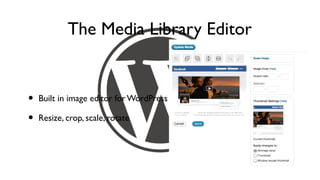
The Media Library Editor


•   Built in image editor for WordPress

•   Resize, crop, scale, rotate
Squishing an Image

•   Yahoo Smush.it (plugin)

•   Lossless image compression and optimization

•   Faster loading times, higher customer retention, lower bandwidth
    costs
Media Types


•   Unique theme pages for each media type

•   Video players, slide shows, galleries, document embeds etc.

•   Default theme pages for unexpected types
Single Stories


•   Stories are stored as Posts in the WordPress database

•   Unlike Pages, do not have a true hierarchal structure

•   Have three basic elements; the title, the excerpt, the cotent
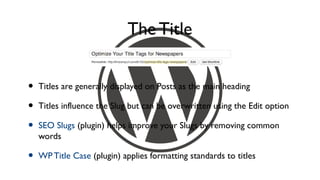
The Title


•   Titles are generally displayed on Posts as the main heading

•   Titles influence the Slug but can be overwritten using the Edit option

•   SEO Slugs (plugin) helps improve your Slugs by removing common
    words

•   WP Title Case (plugin) applies formatting standards to titles
The Content
•   Can include images, formatted
    text, [shortcodes] and links

•   SEO is vital to newspapers

•   Deep linking starts here

•   Can automatically create tags,
    excerpts etc.
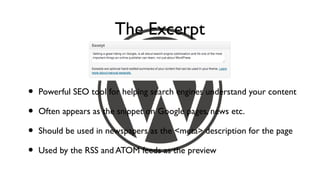
The Excerpt


•   Powerful SEO tool for helping search engines understand your content

•   Often appears as the snippet on Google pages, news etc.

•   Should be used in newspapers as the <meta> description for the page

•   Used by the RSS and ATOM feeds as the preview
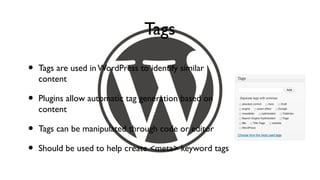
Tags

•   Tags are used in WordPress to identify similar
    content

•   Plugins allow automatic tag generation based on
    content

•   Tags can be manipulated through code or editor

•   Should be used to help create <meta> keyword tags
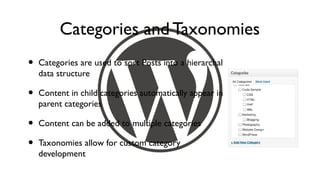
Categories and Taxonomies
•   Categories are used to sort Posts into a hierarchal
    data structure

•   Content in child categories automatically appear in
    parent categories

•   Content can be added to multiple categories

•   Taxonomies allow for custom category
    development
Branding the Author
•   Authors are celebrities,
    promote them

•   Include author photos, social
    links, name etc.

•   Author photos will appear in
    Google search results,
    increasing click through
    potential
Date and Time


•   Story dates matter for SEO value

•   Define them early, and help Google detect them

•   Display as Time Ago vs. ‘Geek’
Deep Linking Your Details

•   Use Shortcodes or custom coding to display related posts

•   Link the author’s name to an author archive

•   Link tags, categories, dates to archive pages

•   Link content, both internally and externally
    (External Links to New Window plugin can help)
Make Your Content Social

•   Add easy sharing options to Posts directly or with plugins

•   Allow users to post stories to Facebook and media sites quickly

•   Email a friend is still one of the most powerful forms of social
    marketing

•   Include the ability to print a story
Commenting and the Community

•   Add social elements to the quickly with commenting

•   Threaded messaging encourages debate

•   Facebook / Twitter login for easier implementation

•   Cut down on SPAM with Akismet
Pages

•   Used for static content with little growth or change

•   Ideal for copyright notices, terms of use, contact details etc

•   Can use all features of a Post except Taxonomy and has hierarchal
    structure

•   As with all aspects of WordPress, can be removed completely
Archives

•   More than just categories

•   Includes lists of Posts related to the archive

•   Should use a common Loop for simplicity and
    display

•   Each archive can have unique style and layout
Categories

•   Traditional hierarchal structure for a
    site

•   Can be broken into sections, display
    only when content is present

•   Will include all child category results
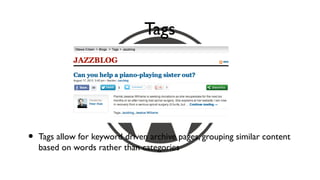
Tags


•   Tags allow for keyword driven archive pages, grouping similar content
    based on words rather than categories
Search

•   Search results work as a standard archive type, but give the customer
    what they’re looking for

•   Should notify website owners automatically of common searches

•   Ad tags can be difficult to generate for search pages
Authors
•   Author pages allow you to
    brand an author

•   Include photos, descriptions,
    social media links, latest
    Tweets, activity, and contact
    options

•   Stories can have multiple
    authors with Co-Author Plus
    (plugin)
404 - Page Not Found

•   Should rarely appear on a site

•   When possible redirect to existing content

•   Brand this page, give popular options

•   Inform site owner of 404 errors
Custom Post Types

•   Adds special options to a standard Post   •   Classified ads

•   Used to extend WordPress and              •   Event manager
    separate content into unique types
                                              •   Galleries
•   Can be added by theme, plugins, or
    custom code                               •   Business listings
Navigation Elements

•   Breadcrumbs
                                  •   Pagination on archives
•   Popular, random and related
                                  •   Table of contents
    stories

•   Recent comments               •   Index of Tags

•   Being read right now          •   Sitemap
[Shortcodes]

•   Add programmable content to WordPress editor

•   [shortcodes] add powerful content such as stock symbol lookup,
    media or data to a website Page or Post

•   Allows repetitive tasks to be automated, saving publishing time
Shortcodes for Media

•   Embedded video such as VideoPress,        •   Plugins extend which short
    YouTube, Blip.TV, Daily Motion, Flickr,       codes can be included in
    Vimeo, Ooyala                                 WordPress

•   Audio streaming, SlideShare, text         •   With time, anything can be
    documents, photo galleries                    built
API’s & Includes
 (third party services & plugins)
Ad Servers

•   Ad servers can display ads based on geography, tags, categories,
    visitor habits or a variety of means

•   Can be a WordPress plugin or a third party service

•   Should include detailed tracking for sales and marketing
Newsletter Mailing Lists

•   Newsletter services such as MailChimp or integrated WordPress
    newsletters increase customer retention

•   Daily news digests can be generated using RSS or content from
    categories

•   Simplify, automate, and personalize newsletter management
Event Managers


•   Plugins allow for rapid event section development

•   Third party event managers such as EventBrite are easy to integrate
Working with a Team
Versioning Control
                    for Developers
•   SVN, GIT, or Mercurial allow multiple users to contribute to the same
    project

•   Allows developers to protect code, and ‘roll back’ to earlier versions

•   Command line, or graphical clients are available

•   Source code is archived remotely to offsite, safe locations
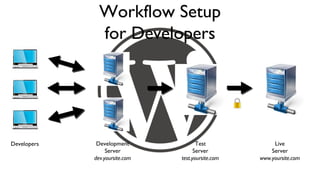
Workflow Setup
               for Developers


Developers    Development              Test              Live
                  Server              Server            Server
             dev.yoursite.com   test.yoursite.com   www.yoursite.com
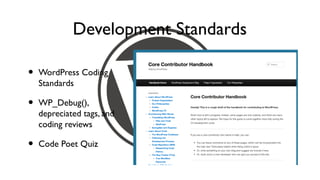
Development Standards

•   WordPress Coding
    Standards

•   WP_Debug(),
    depreciated tags, and
    coding reviews

•   Code Poet Quiz
Content Control
                     for Publishers

•   WordPress natively supports various levels of users

•   Custom user levels can be given access to individual post types

•   WordPress can be turned from a blogging platform to a publishing
    workflow platform
Content Control
                     for Publishers
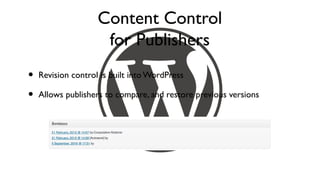
•   Revision control is built into WordPress

•   Allows publishers to compare, and restore previous versions
Content Control
                   for Publishers


•   Content Calendar
Content Control
                    for Publishers


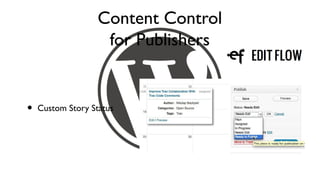
•   Custom Story Status
Content Control
                   for Publishers

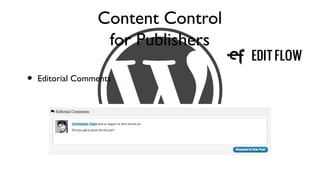
•   Editorial Comments
Content Control
                     for Publishers

•   Editorial Metadata
Hosting a Newspaper
Shared Hosting

•   Very Cost Effective      •   Caching Plugins

•   Low Barrier to Entry     •   Streamlined Code to
                                 Optimize Site
•   Limited Bandwidth &
    CPU Power                •   Good Starting Point
Dedicated Virtual Hosting

•   Scalable                 •   Required skilled system
                                 administrator
•   Powerful access to
    operating system         •   Costs can be controlled

•   Extremely customizable   •   Growth
Full Server

•   Full access to the              •   Expensive, high barrier
    hosting computer                    to entry

•   Extremely customizable          •   Requires dedicated
                                        technology professional
•   Flexible, professional
    hosting                         •   Reliable, scalable
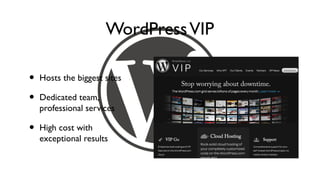
WordPress VIP

•   Hosts the biggest sites

•   Dedicated team,
    professional services

•   High cost with
    exceptional results
Unique Challenges
WordPress Security

•   Limit access to the
                              •   Connect using secure
    admin
                                  FTP or protocols
•   Server level protection
                              •   File permissions
•   Generate secure
                              •   Database security
    passwords
WordPress Safety


•   Daily backups            •   SVN / GitHub for daily
                                 backups
•   Site content plus
    database content         •   Plugins
Social Media

•   Tweets, Facebook etc can be automated with easy plugins

•   Sharing content is about more than reproducing the same thing
    everywhere, make it personal

•   Don’t forget about LinkedIn, Pinterest, StumbleUpon etc.
Grammar, Spelling & Presentation

•   JetPack (plugin) includes a powerful grammar checker

•   No More Frames (plugin) will prevent websites from loading your
    content

•   Hotlink Protection (plugin) will stop sites loading your images
Unique Challenges

•   Bandwidth Spikes         •   Optimized CSS / HTML

•   CDN Integration          •   Google News and
                                 content distribution
•   jQuery, Javascript
    libraries                •   Community commenting
Christopher Ross
 @thisismyurl
 http://thisismyurl.com

Newspapers with WordPress

  • 2.
    Welcome to Sanitizing WP_Query()data requests for multiple table lookup in a WordPress multisite environment
  • 3.
    Running Newspaper Websites with WordPress
  • 4.
    Christopher Ross @thisismyurl http://thisismyurl.com
  • 5.
    Unique Features for Newspapers,Magazines, and Online Newsletters
  • 6.
    Page Types (thetheme files)
  • 7.
  • 8.
    Images • Image pages to ensure branding • jQuery can be used to display in when viewed directly Lightbox style popups • Images are part of the stories, • SEO for images is as important as embedded within the Post itself SEO for content • Images can be features, • Images can be watermarked on thumbnails, or feed elements upload • Categories and Taxonomies can • Images will be the hardest part of a have image attachments newspaper site and cost the most
  • 9.
    Images • WordPress allows images to be included in posts • Automatically optimizes images to display properly and resize • Maximum media size can be controlled within the settings control panel
  • 10.
    Feature Images • Allows WordPress to create Hero articles on index pages • Appears on article pages as the highlight • Adds to RSS and ATOM feeds • Appears on Google News
  • 11.
    Fetching the FirstImage from a Post • Get Image from Post (plugin) for WordPress • Fetches the first image from a post and treats as a Featured Image • Shameless self promotion
  • 12.
    Custom Fields forImages & Media • Add Custom Fields To Media (plugin) for WordPress • Adds fields such as photographer name, url, credit etc.
  • 13.
    The Media LibraryEditor • Built in image editor for WordPress • Resize, crop, scale, rotate
  • 14.
    Squishing an Image • Yahoo Smush.it (plugin) • Lossless image compression and optimization • Faster loading times, higher customer retention, lower bandwidth costs
  • 15.
    Media Types • Unique theme pages for each media type • Video players, slide shows, galleries, document embeds etc. • Default theme pages for unexpected types
  • 16.
    Single Stories • Stories are stored as Posts in the WordPress database • Unlike Pages, do not have a true hierarchal structure • Have three basic elements; the title, the excerpt, the cotent
  • 17.
    The Title • Titles are generally displayed on Posts as the main heading • Titles influence the Slug but can be overwritten using the Edit option • SEO Slugs (plugin) helps improve your Slugs by removing common words • WP Title Case (plugin) applies formatting standards to titles
  • 18.
    The Content • Can include images, formatted text, [shortcodes] and links • SEO is vital to newspapers • Deep linking starts here • Can automatically create tags, excerpts etc.
  • 19.
    The Excerpt • Powerful SEO tool for helping search engines understand your content • Often appears as the snippet on Google pages, news etc. • Should be used in newspapers as the <meta> description for the page • Used by the RSS and ATOM feeds as the preview
  • 20.
    Tags • Tags are used in WordPress to identify similar content • Plugins allow automatic tag generation based on content • Tags can be manipulated through code or editor • Should be used to help create <meta> keyword tags
  • 21.
    Categories and Taxonomies • Categories are used to sort Posts into a hierarchal data structure • Content in child categories automatically appear in parent categories • Content can be added to multiple categories • Taxonomies allow for custom category development
  • 22.
    Branding the Author • Authors are celebrities, promote them • Include author photos, social links, name etc. • Author photos will appear in Google search results, increasing click through potential
  • 23.
    Date and Time • Story dates matter for SEO value • Define them early, and help Google detect them • Display as Time Ago vs. ‘Geek’
  • 24.
    Deep Linking YourDetails • Use Shortcodes or custom coding to display related posts • Link the author’s name to an author archive • Link tags, categories, dates to archive pages • Link content, both internally and externally (External Links to New Window plugin can help)
  • 25.
    Make Your ContentSocial • Add easy sharing options to Posts directly or with plugins • Allow users to post stories to Facebook and media sites quickly • Email a friend is still one of the most powerful forms of social marketing • Include the ability to print a story
  • 26.
    Commenting and theCommunity • Add social elements to the quickly with commenting • Threaded messaging encourages debate • Facebook / Twitter login for easier implementation • Cut down on SPAM with Akismet
  • 27.
    Pages • Used for static content with little growth or change • Ideal for copyright notices, terms of use, contact details etc • Can use all features of a Post except Taxonomy and has hierarchal structure • As with all aspects of WordPress, can be removed completely
  • 28.
    Archives • More than just categories • Includes lists of Posts related to the archive • Should use a common Loop for simplicity and display • Each archive can have unique style and layout
  • 29.
    Categories • Traditional hierarchal structure for a site • Can be broken into sections, display only when content is present • Will include all child category results
  • 30.
    Tags • Tags allow for keyword driven archive pages, grouping similar content based on words rather than categories
  • 31.
    Search • Search results work as a standard archive type, but give the customer what they’re looking for • Should notify website owners automatically of common searches • Ad tags can be difficult to generate for search pages
  • 32.
    Authors • Author pages allow you to brand an author • Include photos, descriptions, social media links, latest Tweets, activity, and contact options • Stories can have multiple authors with Co-Author Plus (plugin)
  • 33.
    404 - PageNot Found • Should rarely appear on a site • When possible redirect to existing content • Brand this page, give popular options • Inform site owner of 404 errors
  • 34.
    Custom Post Types • Adds special options to a standard Post • Classified ads • Used to extend WordPress and • Event manager separate content into unique types • Galleries • Can be added by theme, plugins, or custom code • Business listings
  • 35.
    Navigation Elements • Breadcrumbs • Pagination on archives • Popular, random and related • Table of contents stories • Recent comments • Index of Tags • Being read right now • Sitemap
  • 36.
    [Shortcodes] • Add programmable content to WordPress editor • [shortcodes] add powerful content such as stock symbol lookup, media or data to a website Page or Post • Allows repetitive tasks to be automated, saving publishing time
  • 37.
    Shortcodes for Media • Embedded video such as VideoPress, • Plugins extend which short YouTube, Blip.TV, Daily Motion, Flickr, codes can be included in Vimeo, Ooyala WordPress • Audio streaming, SlideShare, text • With time, anything can be documents, photo galleries built
  • 38.
    API’s & Includes (third party services & plugins)
  • 39.
    Ad Servers • Ad servers can display ads based on geography, tags, categories, visitor habits or a variety of means • Can be a WordPress plugin or a third party service • Should include detailed tracking for sales and marketing
  • 40.
    Newsletter Mailing Lists • Newsletter services such as MailChimp or integrated WordPress newsletters increase customer retention • Daily news digests can be generated using RSS or content from categories • Simplify, automate, and personalize newsletter management
  • 41.
    Event Managers • Plugins allow for rapid event section development • Third party event managers such as EventBrite are easy to integrate
  • 42.
  • 43.
    Versioning Control for Developers • SVN, GIT, or Mercurial allow multiple users to contribute to the same project • Allows developers to protect code, and ‘roll back’ to earlier versions • Command line, or graphical clients are available • Source code is archived remotely to offsite, safe locations
  • 44.
    Workflow Setup for Developers Developers Development Test Live Server Server Server dev.yoursite.com test.yoursite.com www.yoursite.com
  • 45.
    Development Standards • WordPress Coding Standards • WP_Debug(), depreciated tags, and coding reviews • Code Poet Quiz
  • 46.
    Content Control for Publishers • WordPress natively supports various levels of users • Custom user levels can be given access to individual post types • WordPress can be turned from a blogging platform to a publishing workflow platform
  • 47.
    Content Control for Publishers • Revision control is built into WordPress • Allows publishers to compare, and restore previous versions
  • 48.
    Content Control for Publishers • Content Calendar
  • 49.
    Content Control for Publishers • Custom Story Status
  • 50.
    Content Control for Publishers • Editorial Comments
  • 51.
    Content Control for Publishers • Editorial Metadata
  • 52.
  • 53.
    Shared Hosting • Very Cost Effective • Caching Plugins • Low Barrier to Entry • Streamlined Code to Optimize Site • Limited Bandwidth & CPU Power • Good Starting Point
  • 54.
    Dedicated Virtual Hosting • Scalable • Required skilled system administrator • Powerful access to operating system • Costs can be controlled • Extremely customizable • Growth
  • 55.
    Full Server • Full access to the • Expensive, high barrier hosting computer to entry • Extremely customizable • Requires dedicated technology professional • Flexible, professional hosting • Reliable, scalable
  • 56.
    WordPress VIP • Hosts the biggest sites • Dedicated team, professional services • High cost with exceptional results
  • 57.
  • 58.
    WordPress Security • Limit access to the • Connect using secure admin FTP or protocols • Server level protection • File permissions • Generate secure • Database security passwords
  • 59.
    WordPress Safety • Daily backups • SVN / GitHub for daily backups • Site content plus database content • Plugins
  • 60.
    Social Media • Tweets, Facebook etc can be automated with easy plugins • Sharing content is about more than reproducing the same thing everywhere, make it personal • Don’t forget about LinkedIn, Pinterest, StumbleUpon etc.
  • 61.
    Grammar, Spelling &Presentation • JetPack (plugin) includes a powerful grammar checker • No More Frames (plugin) will prevent websites from loading your content • Hotlink Protection (plugin) will stop sites loading your images
  • 62.
    Unique Challenges • Bandwidth Spikes • Optimized CSS / HTML • CDN Integration • Google News and content distribution • jQuery, Javascript libraries • Community commenting
  • 63.
    Christopher Ross @thisismyurl http://thisismyurl.com