Ransomware
and Email
security
An Awareness Session
Agenda Style
Trend and Facts01
Information on Ransomware02
Protection and Prevention03
Q&A and Playbook Session04
Trend and Facts
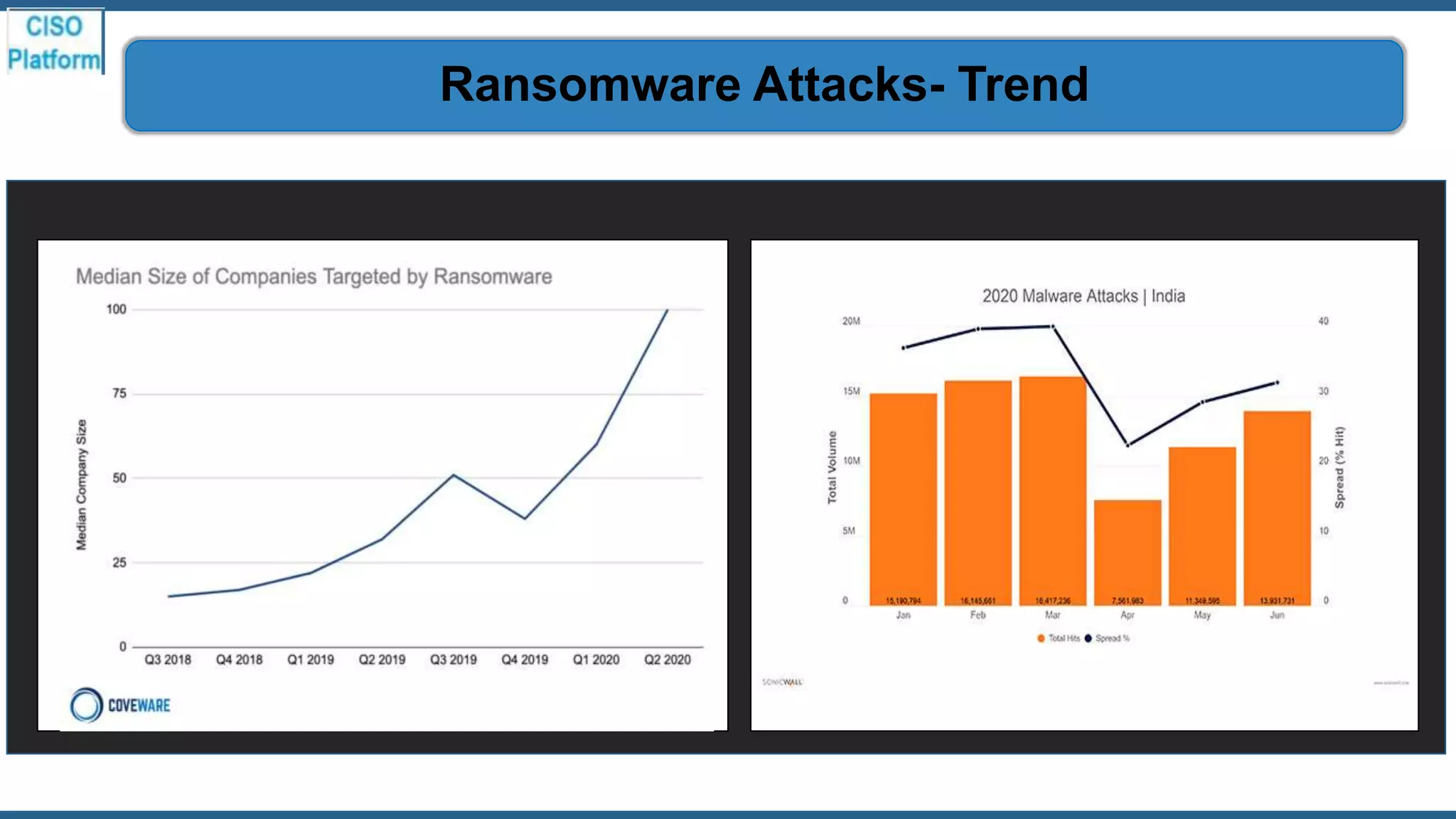
Ransomware Attacks- Trend
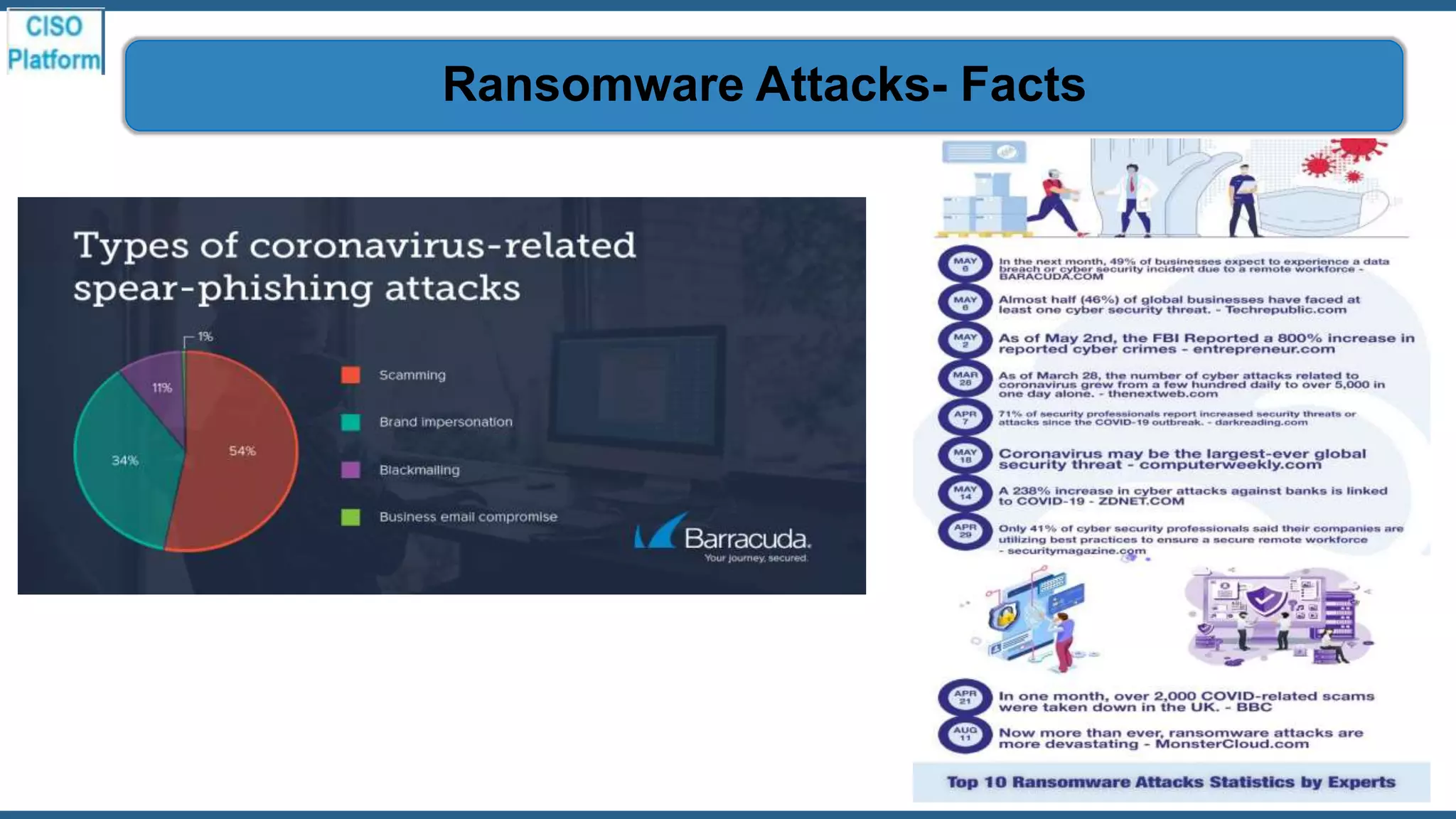
Ransomware Attacks- Facts
Information on
Ransomware
The remote working increasing the risk of a successful ransomware attack significantly. This increase is
due to a combination of weaker controls on home IT and a higher likelihood of users clicking on COVID-
19 themed ransomware lure emails given levels of anxiety. Some current ransomware lures include:
1. Information about vaccines, masks and short-supply commodities like hand sanitizer.
2. Financial scams offering payment of government assistance during the economic
shutdown.
3. Free downloads for technology solutions in high demand, such as video and audio
conferencing platforms.
4. Critical updates to enterprise collaboration solutions and consumer social media
applications.
The Ransome Attacks -The reason for increase
Ransomware is a form of malware that encrypts the victim's
files. The attacker then demands a ransom from the victim to
restore access to the data upon payment. Users are shown
instructions for how to pay a fee to get the decryption key.
The Ransomware – What it is
1. Ransomware is a type of malware that has become a
significant threat to Businesses and Individuals.
2. Ransomware variants almost always opportunistically
target victims, infecting an array of devices from
computers to smartphones
The Ransomware Attack – What is the Threat
1. Once a malicious link is clicked or infected file opened,
the ransomware is able to gain a foothold, quickly
infiltrating the network and locking up files. In a matter of
seconds, malware executables are released into the
victim's system where they begin to quickly wreak havoc.
2. Ransomware is dangerous because once cybercriminals
get ahold of your files, no security software or system
restore can return them to you. Unless you pay the
ransom—for the most part, they're gone.
Ransomware Attack – What happens actually
The most effective way to identify the source of the attack quickly
is identifying the file owner's domain user account from which
the ransomware is being deployed. You can then look for the
computers on the network that are using that account.
Ransomware Attack – How it can be traced
1. WannaCry ransomware
• One of the biggest attack happened through this, during May 2017, which had targeted computers
running the Microsoft Windows operating system by encrypting data and demanding ransom
payments in the Bitcoin crypto currency.
2. Petya and NotPetya ransomware.
3. Locky ransomware.
4. Jigsaw ransomware.
5. Bad Rabbit ransomware.
6. Ryuk ransomware.
7. Dharma (aka CrySIS) ransomware.
Ransomware Attacks – Few Examples
1. Multinational manufacturers and U.S. city and country governments spent at least $176 million on costs related
to ransomware attacks ranging from investigating the attack, rebuilding networks and restoring backups to
paying the hackers ransom and putting preventative measures in place to avoid future incidents.
2. Few Ransomware Attacks in India
i. Telangana and AP Power Utilities: Was Hacked by a malicious software attack. All the servers went down until
the glitch was rectified. Since the computer systems of Telangana and Andhra Pradesh power utilities were
interlinked, the virus attack quickly spread, taking down all the systems.
ii. UHBVN Ransomware Attack : The Uttar Haryana Bijli Vitran Nigam was hit by a ransomware attack where the
hackers gained access to the computer systems of the power company and stole the billing data of customers.
The attackers demanded Rs.1 crore or $10 million in return for giving back the data.
iii. Mirai Botnet Malware Attack : This botnet malware took over the internet, targeting home routers and IoT
devices. This malware affected 2.5 million IoT devices including a large number of computer systems in India. This
self-propagating malware was capable of using exploitable unpatched vulnerabilities to access networks and
systems
iv. BSNL Malware Attack : The state-owned telecom operator BSNL was hit by a major malware attack. 60,000
modems became dysfunctional after the malware attack hit the Telecom Circle.
Ransomware Attacks – Recent breaches
1. Your computer will be slowing down.
2. Annoying ads are displayed.
3. Crashes.
4. Pop-up messages.
5. Internet traffic suspiciously increases.
6. Your browser homepage gets changed without your input.
7. Unusual messages show unexpectedly.
8. Your security solution is disabled.
Ransomware Attack – How you will know
Organizations can either pay the ransom and hope for the
cybercriminals to actually decrypt the affected files (which in
many cases does not happen), or
they can attempt recovery by removing infected files and
systems from the network and restoring data from clean
backups.
Ransomware Attack – Can you recover the file
1. The ransom demanded from individuals varies greatly but is
frequently $200–$400 dollars and must be paid in virtual
currency, such as Bitcoin.
2. The Ransomware creators are criminals without any ethics.
Hence, there is no guarantee that your computer or files will be
decrypted even if you pay the ransom.
Moreover, paying ransom will only encourage the attackers to
carry out these type of cyber attacks, and eventually makes it
even more of a threat to everyone.
The Ransomware Attack – Should we pay
Protection and
Prevention
1. Use mail server content scanning and filtering : Using content scanning and filtering on your mail servers is a
smart way to prevent ransomware. This software reduces the likelihood of a spam email containing malware-
infected attachments or links from reaching your inbox
2. Set a Unique, Strong Password.
3. Enable Two-Factor Authentication.
4. Beware of Phishing Scams.
5. Never Click Links In Emails.
6. Scan for Infections Regularly.
7. In case of any suspicious attachment immediately contact IT Operations.
8. Do not open email or attachment from non-trusted sources.
• Attachment having extn. such as .zip, .exe, .rar may contain virus.
• Even Attachments having .doc, .xls extn. having low size may contain viruses.
Ransomware Attack – email security measures
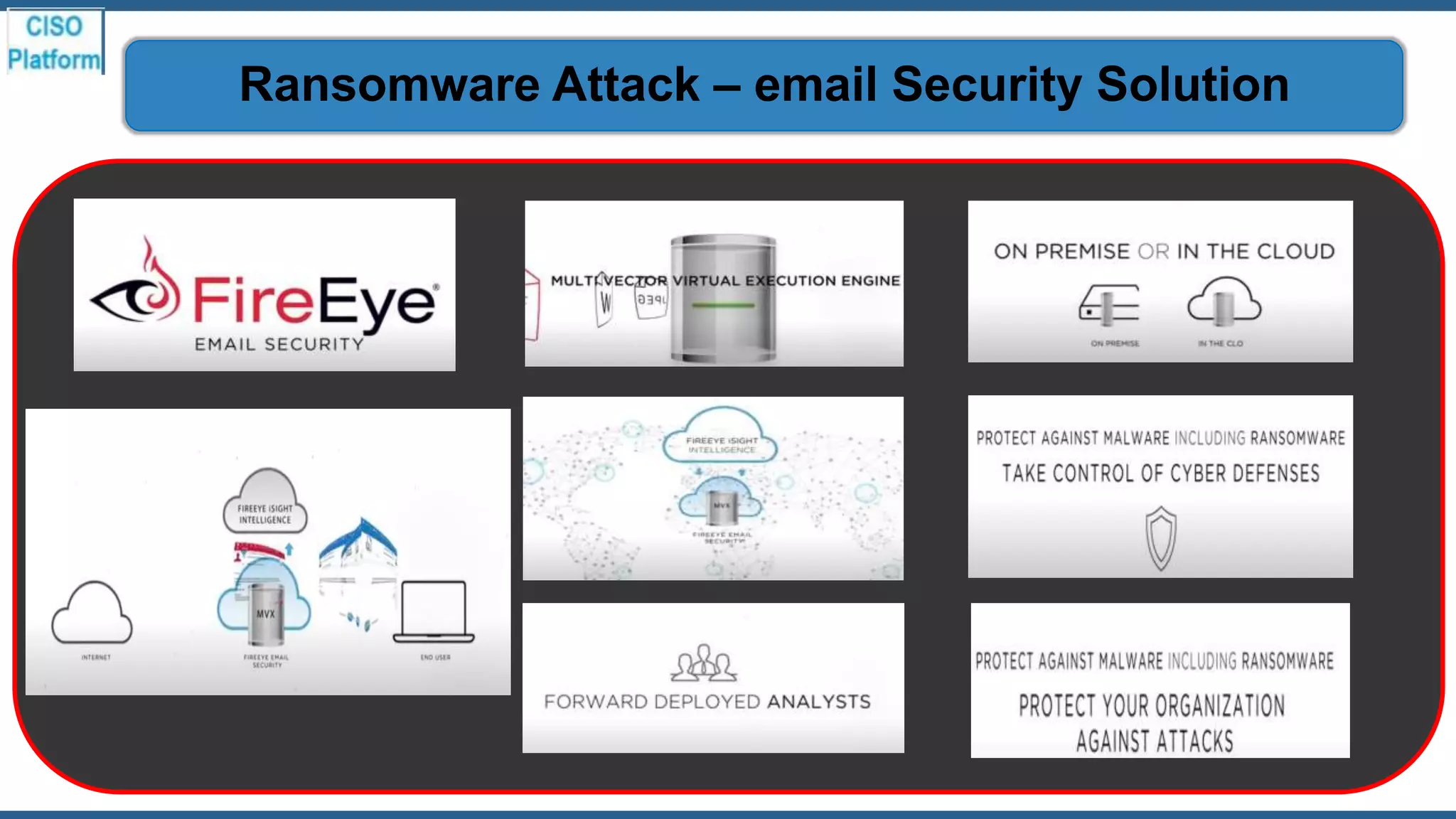
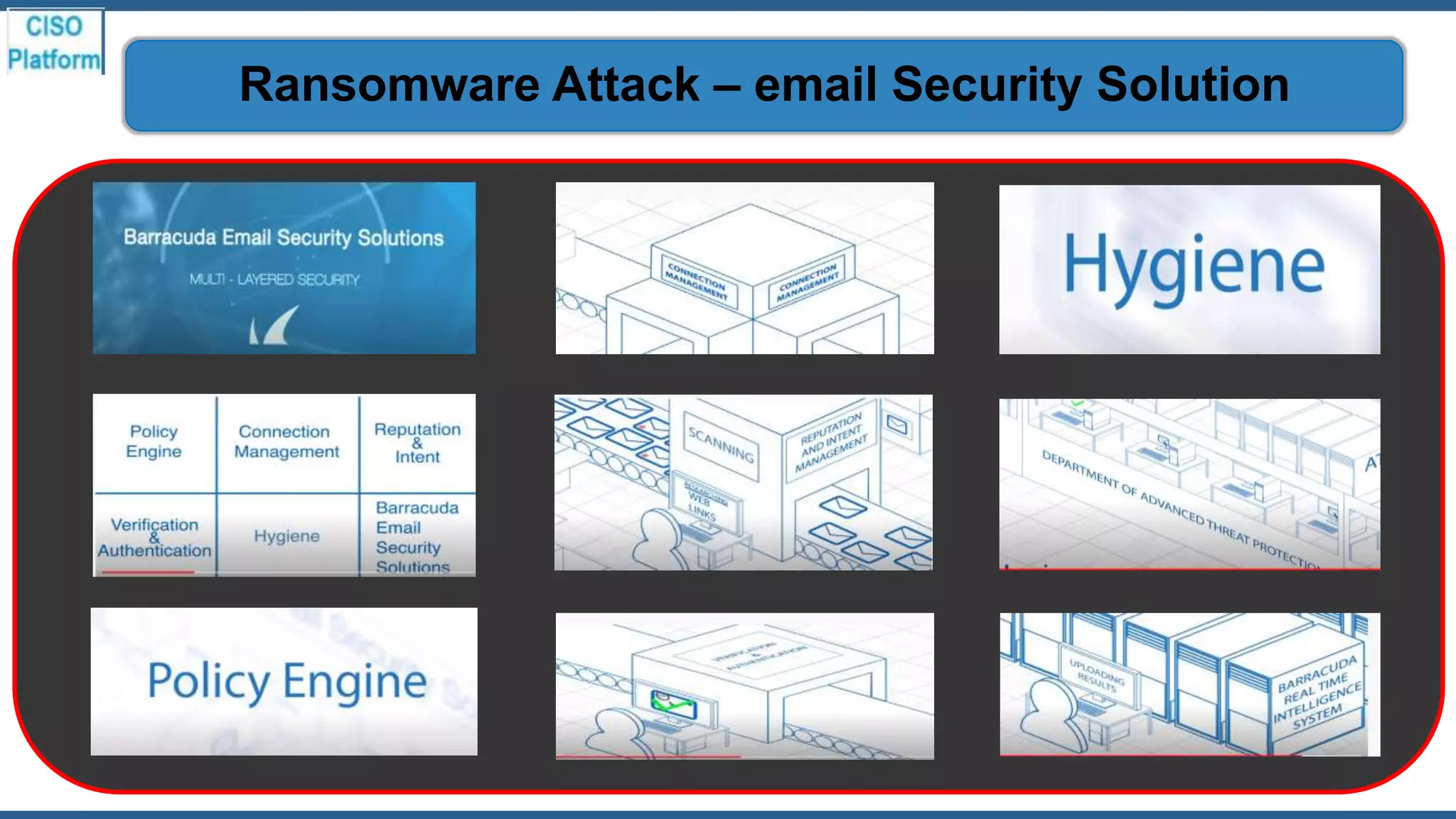
Ransomware Attack – email Security Solution
1. Stopping ransomware requires shifting our approach from detection to prevention. It is achieved by reducing the attack surface and known
or unknown threat prevention. The most effective strategy for stopping ransomware attacks relies on preventing them from ever entering
your organization.
2. Use anti-virus and anti-malware software or other security policies to block known payloads from launching.
3. Make frequent, comprehensive backups of all important files and isolate them from local and open networks.
4. Keep your computer and software updated.
5. Use a non-administrator account whenever possible.
6. Think twice before clicking links or downloading anything.
7. Don't trust pop-up windows that ask you to download software.
8. Limit your file-sharing.
9. Individuals should install original antivirus software.
10. Always backup critical data regularly.
11. Improve the security and firewall system.
12. Create more security awareness among the employee.
Ransomware Attack – Other security measures
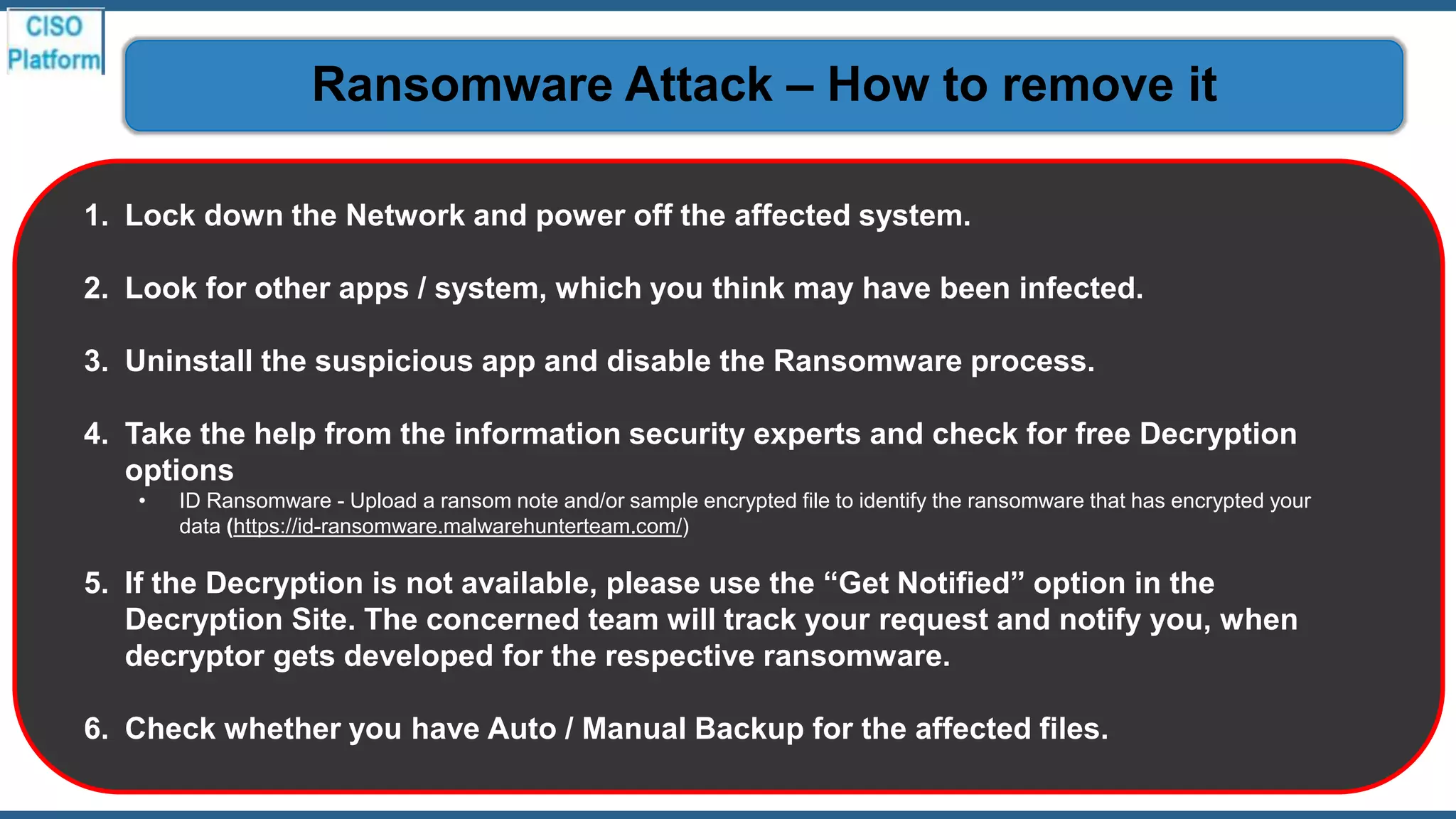
1. Lock down the Network and power off the affected system.
2. Look for other apps / system, which you think may have been infected.
3. Uninstall the suspicious app and disable the Ransomware process.
4. Take the help from the information security experts and check for free Decryption
options
• ID Ransomware - Upload a ransom note and/or sample encrypted file to identify the ransomware that has encrypted your
data (https://id-ransomware.malwarehunterteam.com/)
5. If the Decryption is not available, please use the “Get Notified” option in the
Decryption Site. The concerned team will track your request and notify you, when
decryptor gets developed for the respective ransomware.
6. Check whether you have Auto / Manual Backup for the affected files.
Ransomware Attack – How to remove it
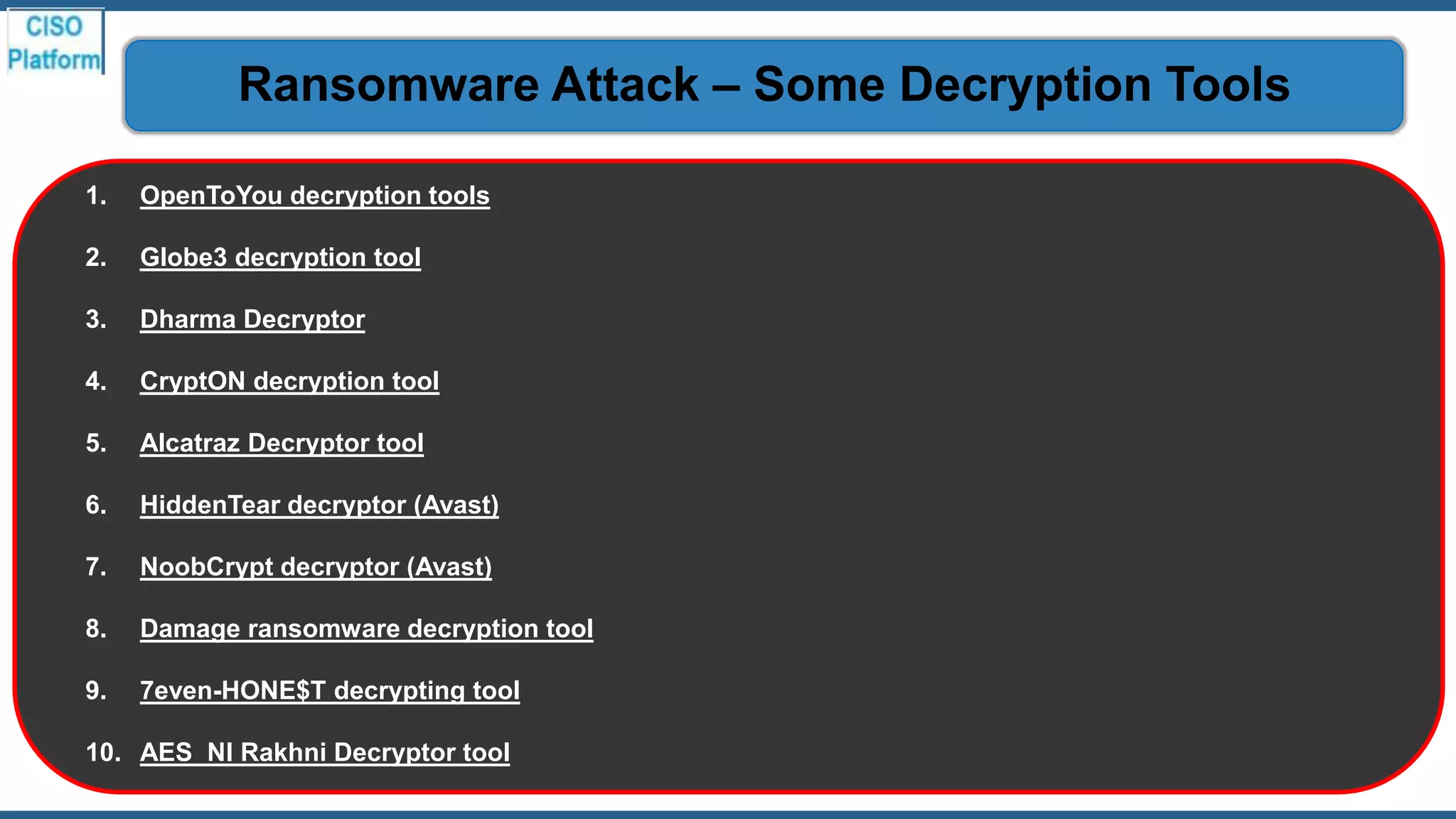
1. OpenToYou decryption tools
2. Globe3 decryption tool
3. Dharma Decryptor
4. CryptON decryption tool
5. Alcatraz Decryptor tool
6. HiddenTear decryptor (Avast)
7. NoobCrypt decryptor (Avast)
8. Damage ransomware decryption tool
9. 7even-HONE$T decrypting tool
10. AES_NI Rakhni Decryptor tool
Ransomware Attack – Some Decryption Tools
Q&A and Playbook
Session
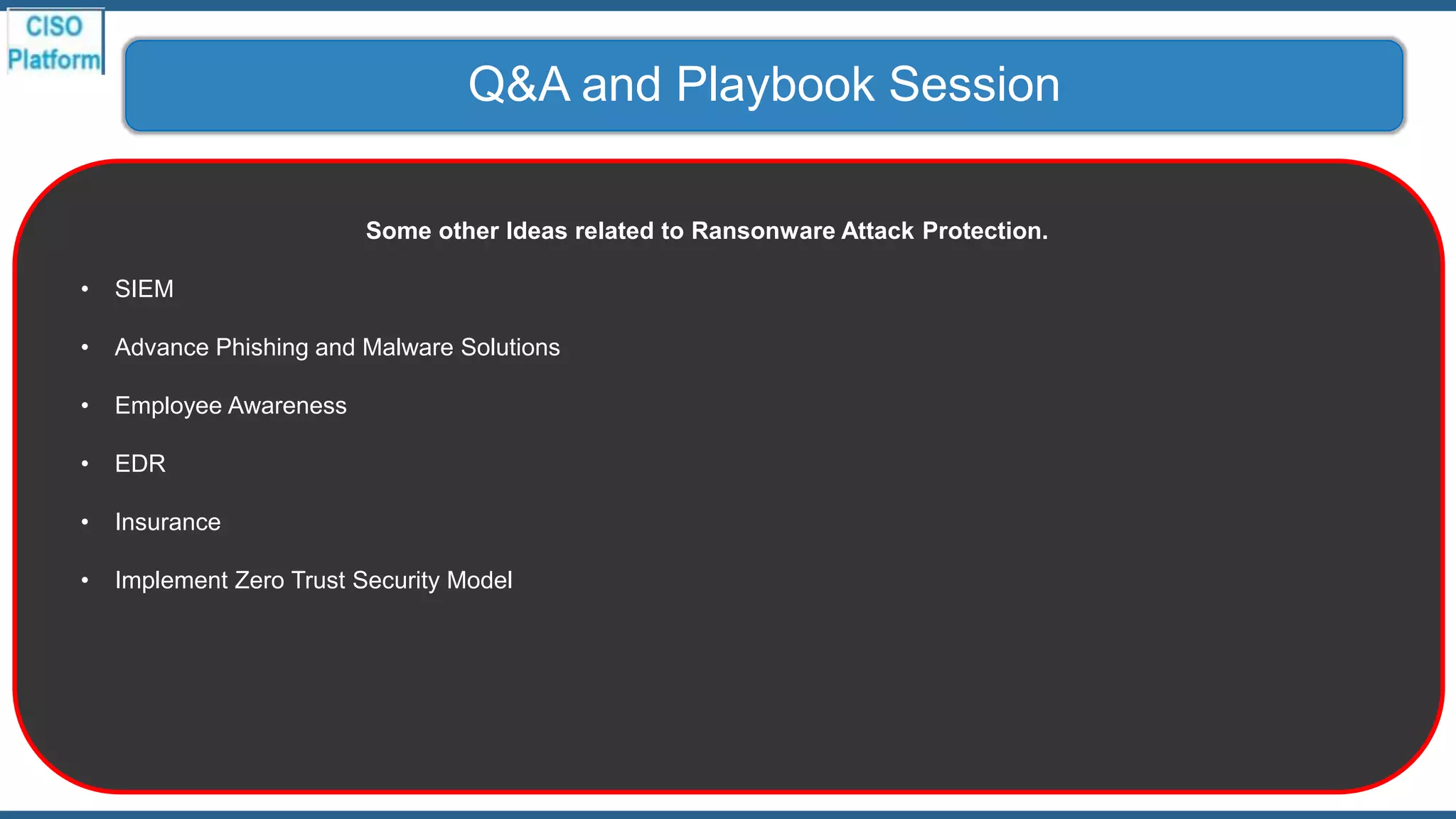
Q&A and Playbook Session
Some other Ideas related to Ransonware Attack Protection.
• SIEM
• Advance Phishing and Malware Solutions
• Employee Awareness
• EDR
• Insurance
• Implement Zero Trust Security Model
Thank You

Ransomware and email security ver - 1.3

  • 1.
  • 2.
    Agenda Style Trend andFacts01 Information on Ransomware02 Protection and Prevention03 Q&A and Playbook Session04
  • 3.
  • 4.
  • 5.
  • 6.
  • 7.
    The remote workingincreasing the risk of a successful ransomware attack significantly. This increase is due to a combination of weaker controls on home IT and a higher likelihood of users clicking on COVID- 19 themed ransomware lure emails given levels of anxiety. Some current ransomware lures include: 1. Information about vaccines, masks and short-supply commodities like hand sanitizer. 2. Financial scams offering payment of government assistance during the economic shutdown. 3. Free downloads for technology solutions in high demand, such as video and audio conferencing platforms. 4. Critical updates to enterprise collaboration solutions and consumer social media applications. The Ransome Attacks -The reason for increase
  • 8.
    Ransomware is aform of malware that encrypts the victim's files. The attacker then demands a ransom from the victim to restore access to the data upon payment. Users are shown instructions for how to pay a fee to get the decryption key. The Ransomware – What it is
  • 9.
    1. Ransomware isa type of malware that has become a significant threat to Businesses and Individuals. 2. Ransomware variants almost always opportunistically target victims, infecting an array of devices from computers to smartphones The Ransomware Attack – What is the Threat
  • 10.
    1. Once amalicious link is clicked or infected file opened, the ransomware is able to gain a foothold, quickly infiltrating the network and locking up files. In a matter of seconds, malware executables are released into the victim's system where they begin to quickly wreak havoc. 2. Ransomware is dangerous because once cybercriminals get ahold of your files, no security software or system restore can return them to you. Unless you pay the ransom—for the most part, they're gone. Ransomware Attack – What happens actually
  • 11.
    The most effectiveway to identify the source of the attack quickly is identifying the file owner's domain user account from which the ransomware is being deployed. You can then look for the computers on the network that are using that account. Ransomware Attack – How it can be traced
  • 12.
    1. WannaCry ransomware •One of the biggest attack happened through this, during May 2017, which had targeted computers running the Microsoft Windows operating system by encrypting data and demanding ransom payments in the Bitcoin crypto currency. 2. Petya and NotPetya ransomware. 3. Locky ransomware. 4. Jigsaw ransomware. 5. Bad Rabbit ransomware. 6. Ryuk ransomware. 7. Dharma (aka CrySIS) ransomware. Ransomware Attacks – Few Examples
  • 13.
    1. Multinational manufacturersand U.S. city and country governments spent at least $176 million on costs related to ransomware attacks ranging from investigating the attack, rebuilding networks and restoring backups to paying the hackers ransom and putting preventative measures in place to avoid future incidents. 2. Few Ransomware Attacks in India i. Telangana and AP Power Utilities: Was Hacked by a malicious software attack. All the servers went down until the glitch was rectified. Since the computer systems of Telangana and Andhra Pradesh power utilities were interlinked, the virus attack quickly spread, taking down all the systems. ii. UHBVN Ransomware Attack : The Uttar Haryana Bijli Vitran Nigam was hit by a ransomware attack where the hackers gained access to the computer systems of the power company and stole the billing data of customers. The attackers demanded Rs.1 crore or $10 million in return for giving back the data. iii. Mirai Botnet Malware Attack : This botnet malware took over the internet, targeting home routers and IoT devices. This malware affected 2.5 million IoT devices including a large number of computer systems in India. This self-propagating malware was capable of using exploitable unpatched vulnerabilities to access networks and systems iv. BSNL Malware Attack : The state-owned telecom operator BSNL was hit by a major malware attack. 60,000 modems became dysfunctional after the malware attack hit the Telecom Circle. Ransomware Attacks – Recent breaches
  • 14.
    1. Your computerwill be slowing down. 2. Annoying ads are displayed. 3. Crashes. 4. Pop-up messages. 5. Internet traffic suspiciously increases. 6. Your browser homepage gets changed without your input. 7. Unusual messages show unexpectedly. 8. Your security solution is disabled. Ransomware Attack – How you will know
  • 15.
    Organizations can eitherpay the ransom and hope for the cybercriminals to actually decrypt the affected files (which in many cases does not happen), or they can attempt recovery by removing infected files and systems from the network and restoring data from clean backups. Ransomware Attack – Can you recover the file
  • 16.
    1. The ransomdemanded from individuals varies greatly but is frequently $200–$400 dollars and must be paid in virtual currency, such as Bitcoin. 2. The Ransomware creators are criminals without any ethics. Hence, there is no guarantee that your computer or files will be decrypted even if you pay the ransom. Moreover, paying ransom will only encourage the attackers to carry out these type of cyber attacks, and eventually makes it even more of a threat to everyone. The Ransomware Attack – Should we pay
  • 17.
  • 18.
    1. Use mailserver content scanning and filtering : Using content scanning and filtering on your mail servers is a smart way to prevent ransomware. This software reduces the likelihood of a spam email containing malware- infected attachments or links from reaching your inbox 2. Set a Unique, Strong Password. 3. Enable Two-Factor Authentication. 4. Beware of Phishing Scams. 5. Never Click Links In Emails. 6. Scan for Infections Regularly. 7. In case of any suspicious attachment immediately contact IT Operations. 8. Do not open email or attachment from non-trusted sources. • Attachment having extn. such as .zip, .exe, .rar may contain virus. • Even Attachments having .doc, .xls extn. having low size may contain viruses. Ransomware Attack – email security measures
  • 19.
    Ransomware Attack –email Security Solution
  • 20.
    Ransomware Attack –email Security Solution
  • 21.
    1. Stopping ransomwarerequires shifting our approach from detection to prevention. It is achieved by reducing the attack surface and known or unknown threat prevention. The most effective strategy for stopping ransomware attacks relies on preventing them from ever entering your organization. 2. Use anti-virus and anti-malware software or other security policies to block known payloads from launching. 3. Make frequent, comprehensive backups of all important files and isolate them from local and open networks. 4. Keep your computer and software updated. 5. Use a non-administrator account whenever possible. 6. Think twice before clicking links or downloading anything. 7. Don't trust pop-up windows that ask you to download software. 8. Limit your file-sharing. 9. Individuals should install original antivirus software. 10. Always backup critical data regularly. 11. Improve the security and firewall system. 12. Create more security awareness among the employee. Ransomware Attack – Other security measures
  • 22.
    1. Lock downthe Network and power off the affected system. 2. Look for other apps / system, which you think may have been infected. 3. Uninstall the suspicious app and disable the Ransomware process. 4. Take the help from the information security experts and check for free Decryption options • ID Ransomware - Upload a ransom note and/or sample encrypted file to identify the ransomware that has encrypted your data (https://id-ransomware.malwarehunterteam.com/) 5. If the Decryption is not available, please use the “Get Notified” option in the Decryption Site. The concerned team will track your request and notify you, when decryptor gets developed for the respective ransomware. 6. Check whether you have Auto / Manual Backup for the affected files. Ransomware Attack – How to remove it
  • 23.
    1. OpenToYou decryptiontools 2. Globe3 decryption tool 3. Dharma Decryptor 4. CryptON decryption tool 5. Alcatraz Decryptor tool 6. HiddenTear decryptor (Avast) 7. NoobCrypt decryptor (Avast) 8. Damage ransomware decryption tool 9. 7even-HONE$T decrypting tool 10. AES_NI Rakhni Decryptor tool Ransomware Attack – Some Decryption Tools
  • 24.
  • 25.
    Q&A and PlaybookSession Some other Ideas related to Ransonware Attack Protection. • SIEM • Advance Phishing and Malware Solutions • Employee Awareness • EDR • Insurance • Implement Zero Trust Security Model
  • 26.