第9回 R言語勉強会
信州大学 久保琢也
2021年2月19日
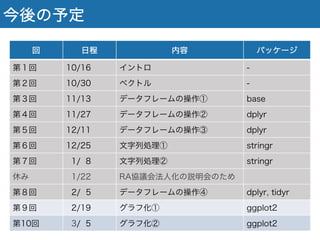
今後の予定
回 日程 内容 パッケージ
第1回 10/16 イントロ -
第2回 10/30 ベクトル -
第3回 11/13 データフレームの操作① base
第4回 11/27 データフレームの操作② dplyr
第5回 12/11 データフレームの操作③ dplyr
第6回 12/25 文字列処理① stringr
第7回 01/08 文字列処理② stringr
休み 01/22 RA協議会法人化の説明会のため
第8回 2/ 5 データフレームの操作④ dplyr, tidyr
第9回 02/19 グラフ化① ggplot2
第10回 03/05 グラフ化② ggplot2
グラフ化①
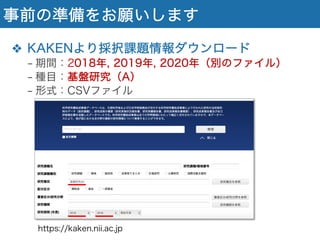
事前の準備をお願いします
❖ KAKENより採択課題情報ダウンロード
− 期間:2018年, 2019年, 2020年(別のファイル)
− 種目:基盤研究(A)
− 形式:CSVファイル
https://kaken.nii.ac.jp
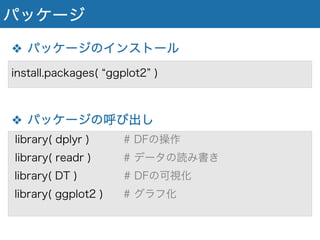
パッケージ
❖ パッケージのインストール
❖ パッケージの呼び出し
library( dplyr ) # DFの操作
library( readr ) # データの読み書き
library( DT ) # DFの可視化
library( ggplot2 ) # グラフ化
install.packages( ggplot2 )
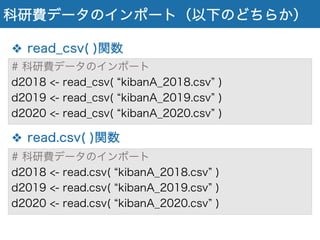
科研費データのインポート(以下のどちらか)
❖ read_csv( )関数
❖ read.csv( )関数
# 科研費データのインポート
d2018 <- read_csv( kibanA_2018.csv )
d2019 <- read_csv( kibanA_2019.csv )
d2020 <- read_csv( kibanA_2020.csv )
# 科研費データのインポート
d2018 <- read.csv( kibanA_2018.csv )
d2019 <- read.csv( kibanA_2019.csv )
d2020 <- read.csv( kibanA_2020.csv )
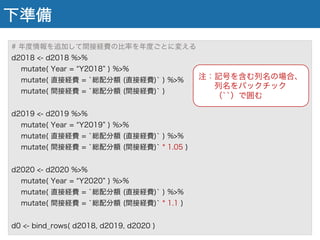
下準備
# 年度情報を追加して間接経費の比率を年度ごとに変える
d2018 <- d2018 %>%
mutate( Year = Y2018 ) %>%
mutate( 直接経費 = `総配分額 (直接経費)` ) %>%
mutate( 間接経費 = `総配分額 (間接経費)` )
d2019 <- d2019 %>%
mutate( Year = Y2019 ) %>%
mutate( 直接経費 = `総配分額 (直接経費)` ) %>%
mutate( 間接経費 = `総配分額 (間接経費)` * 1.05 )
d2020 <- d2020 %>%
mutate( Year = Y2020 ) %>%
mutate( 直接経費 = `総配分額 (直接経費)` ) %>%
mutate( 間接経費 = `総配分額 (間接経費)` * 1.1 )
d0 <- bind_rows( d2018, d2019, d2020 )
注:記号を含む列名の場合、
列名をバックチック
(``)で囲む
ggplotの基本
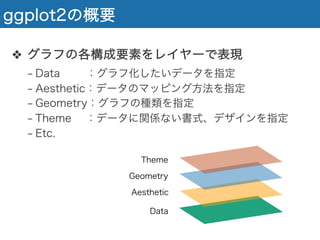
ggplot2の概要
❖ グラフの各構成要素をレイヤーで表現
− Data :グラフ化したいデータを指定
− Aesthetic:データのマッピング方法を指定
− Geometry:グラフの種類を指定
− Theme :データに関係ない書式、デザインを指定
− Etc.
Data
Aesthetic
Geometry
Theme
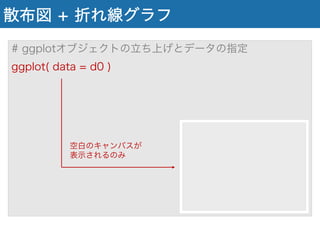
散布図 + 折れ線グラフ
# ggplotオブジェクトの立ち上げとデータの指定
ggplot( data = d0 )
空白のキャンバスが
表示されるのみ
散布図 + 折れ線グラフ
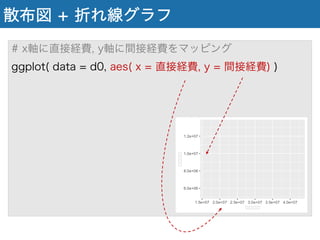
# x軸に直接経費, y軸に間接経費をマッピング
ggplot( data = d0, aes( x = 直接経費, y = 間接経費) )
散布図 + 折れ線グラフ
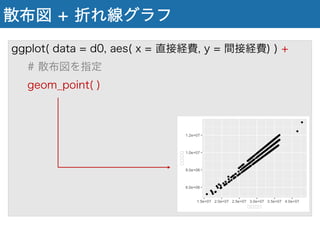
ggplot( data = d0, aes( x = 直接経費, y = 間接経費) ) +
# 散布図を指定
geom_point( )
散布図 + 折れ線グラフ
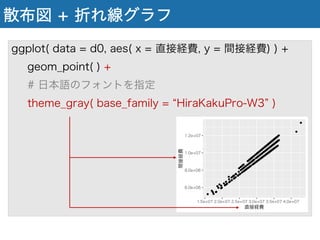
ggplot( data = d0, aes( x = 直接経費, y = 間接経費) ) +
geom_point( ) +
# 日本語のフォントを指定
theme_gray( base_family = HiraKakuPro-W3 )
散布図 + 折れ線グラフ
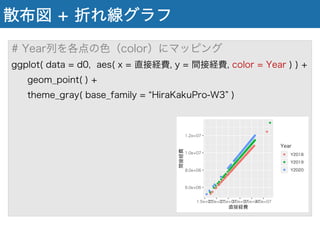
# Year列を各点の色(color)にマッピング
ggplot( data = d0, aes( x = 直接経費, y = 間接経費, color = Year ) ) +
geom_point( ) +
theme_gray( base_family = HiraKakuPro-W3 )
散布図 + 折れ線グラフ
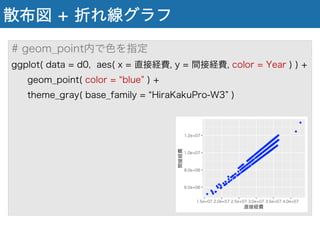
# geom_point内で色を指定
ggplot( data = d0, aes( x = 直接経費, y = 間接経費, color = Year ) ) +
geom_point( color = blue ) +
theme_gray( base_family = HiraKakuPro-W3 )
散布図 + 折れ線グラフ
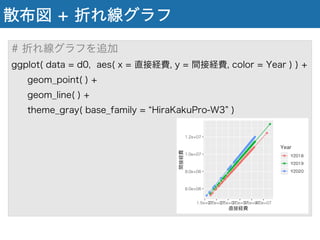
# 折れ線グラフを追加
ggplot( data = d0, aes( x = 直接経費, y = 間接経費, color = Year ) ) +
geom_point( ) +
geom_line( ) +
theme_gray( base_family = HiraKakuPro-W3 )
散布図 + 折れ線グラフ
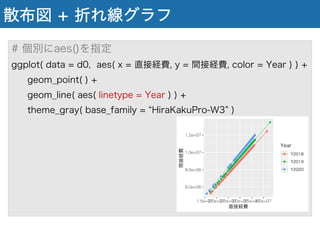
# 個別にaes()を指定
ggplot( data = d0, aes( x = 直接経費, y = 間接経費, color = Year ) ) +
geom_point( ) +
geom_line( aes( linetype = Year ) ) +
theme_gray( base_family = HiraKakuPro-W3 )
散布図 + 折れ線グラフ
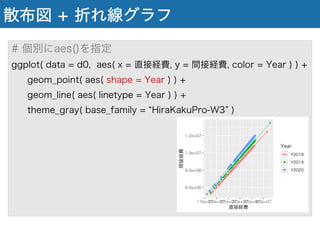
# 個別にaes()を指定
ggplot( data = d0, aes( x = 直接経費, y = 間接経費, color = Year ) ) +
geom_point( aes( shape = Year ) ) +
geom_line( aes( linetype = Year ) ) +
theme_gray( base_family = HiraKakuPro-W3 )
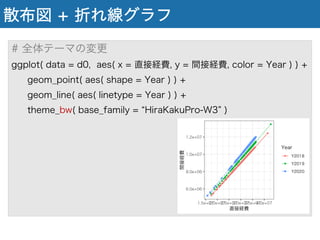
散布図 + 折れ線グラフ
# 全体テーマの変更
ggplot( data = d0, aes( x = 直接経費, y = 間接経費, color = Year ) ) +
geom_point( aes( shape = Year ) ) +
geom_line( aes( linetype = Year ) ) +
theme_bw( base_family = HiraKakuPro-W3 )
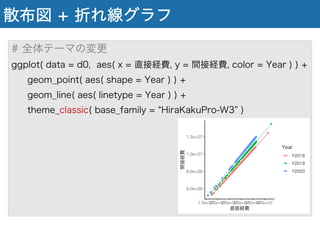
散布図 + 折れ線グラフ
# 全体テーマの変更
ggplot( data = d0, aes( x = 直接経費, y = 間接経費, color = Year ) ) +
geom_point( aes( shape = Year ) ) +
geom_line( aes( linetype = Year ) ) +
theme_classic( base_family = HiraKakuPro-W3 )
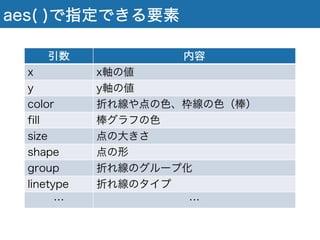
aes( )で指定できる要素
引数 内容
x x軸の値
y y軸の値
color 折れ線や点の色、枠線の色(棒)
fill 棒グラフの色
size 点の大きさ
shape 点の形
group 折れ線のグループ化
linetype 折れ線のタイプ
… …
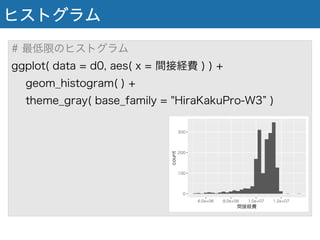
ヒストグラム
# 最低限のヒストグラム
ggplot( data = d0, aes( x = 間接経費 ) ) +
geom_histogram( ) +
theme_gray( base_family = "HiraKakuPro-W3 )
ヒストグラム
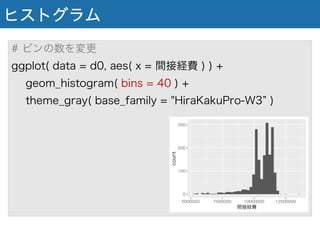
# ビンの数を変更
ggplot( data = d0, aes( x = 間接経費 ) ) +
geom_histogram( bins = 40 ) +
theme_gray( base_family = "HiraKakuPro-W3 )
ヒストグラム
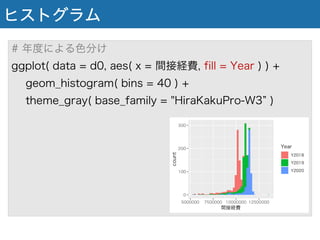
# 年度による色分け
ggplot( data = d0, aes( x = 間接経費, fill = Year ) ) +
geom_histogram( bins = 40 ) +
theme_gray( base_family = "HiraKakuPro-W3 )
ヒストグラム
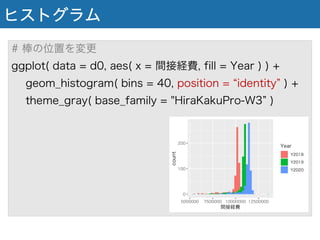
# 棒の位置を変更
ggplot( data = d0, aes( x = 間接経費, fill = Year ) ) +
geom_histogram( bins = 40, position = identity ) +
theme_gray( base_family = "HiraKakuPro-W3 )
ヒストグラム
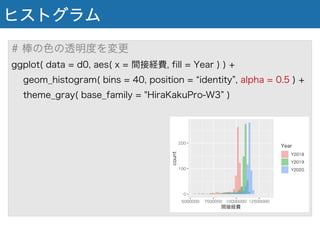
# 棒の色の透明度を変更
ggplot( data = d0, aes( x = 間接経費, fill = Year ) ) +
geom_histogram( bins = 40, position = identity , alpha = 0.5 ) +
theme_gray( base_family = "HiraKakuPro-W3 )
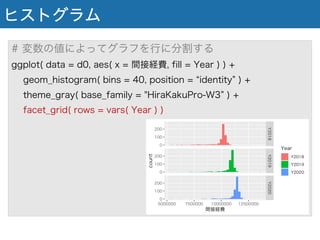
ヒストグラム
# 変数の値によってグラフを行に分割する
ggplot( data = d0, aes( x = 間接経費, fill = Year ) ) +
geom_histogram( bins = 40, position = identity ) +
theme_gray( base_family = "HiraKakuPro-W3 ) +
facet_grid( rows = vars( Year ) )
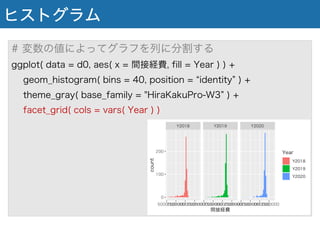
ヒストグラム
# 変数の値によってグラフを列に分割する
ggplot( data = d0, aes( x = 間接経費, fill = Year ) ) +
geom_histogram( bins = 40, position = identity ) +
theme_gray( base_family = "HiraKakuPro-W3 ) +
facet_grid( cols = vars( Year ) )
グラフの保存
# グラフを変数に保存する
g1 <- ggplot( data = d0, aes( x = 間接経費, fill = Year ) ) +
geom_histogram( bins = 40, position = identity ) +
theme_gray( base_family = "HiraKakuPro-W3 ) +
facet_grid( cols = vars( Year ) )
# グラフの書き出し
ggsave( output.png , g1 )
# サイズの変更(インチ)
ggsave( output2.png , g1, width = 9.6, height = 4.8 )

R言語勉強会#9.pdf