Set up R and API authorization
Download and install R:
https://cran.r-project.org/mirrors.html
Download and install RStudio:
https://www.rstudio.com/
1
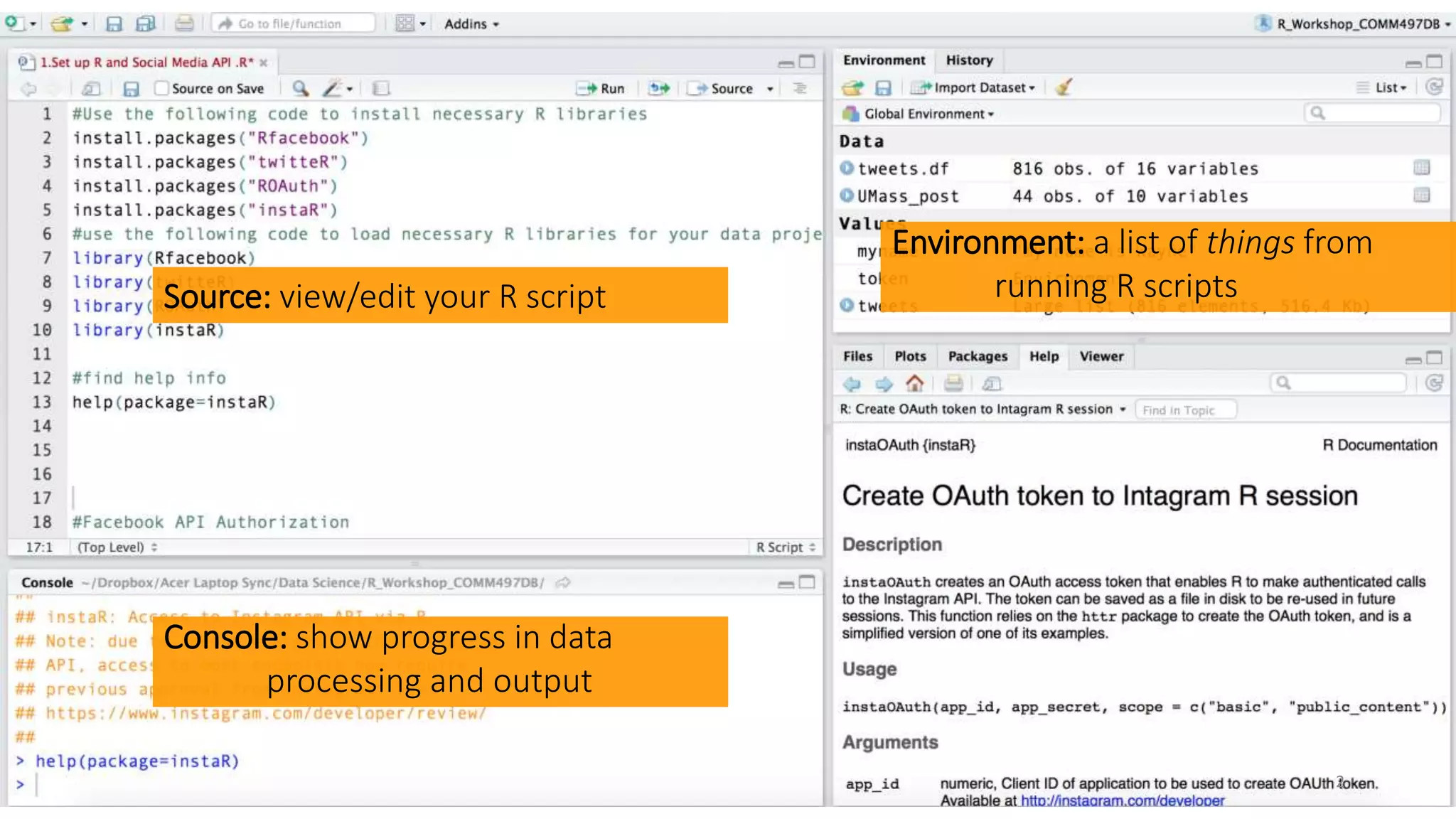
Source: view/edit your R script
Console: show progress in data
processing and output
Environment: a list of things from
running R scripts
2
Set up R and API authorization
Use [COMMAND]+[ENTER] key on Mac, and
[CONTROL]+[ENTER] key on PC to run a R script one line
at a time.
To run multiple lines, just select them
3
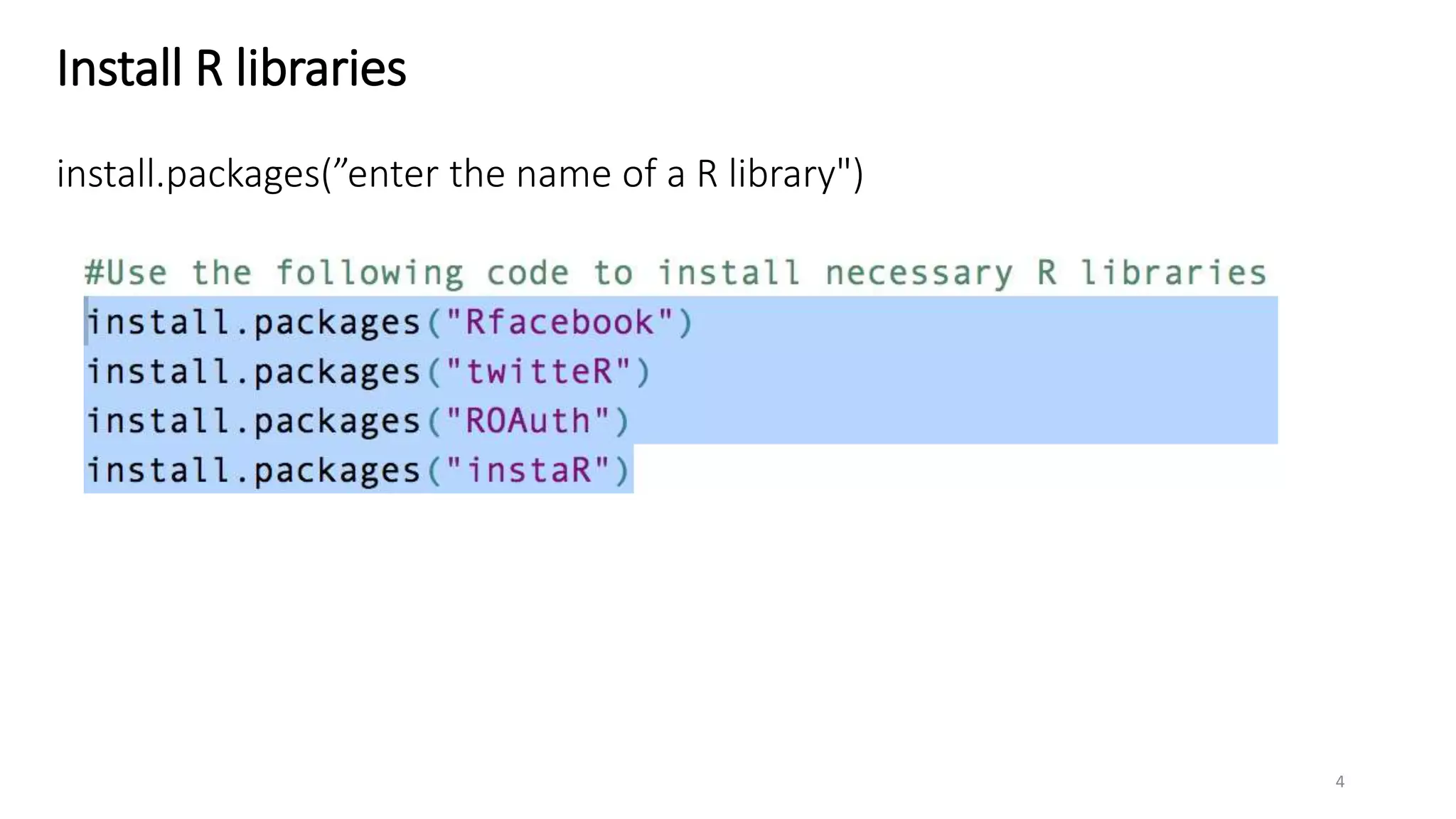
Install R libraries
install.packages(”enter the name of a R library")
4
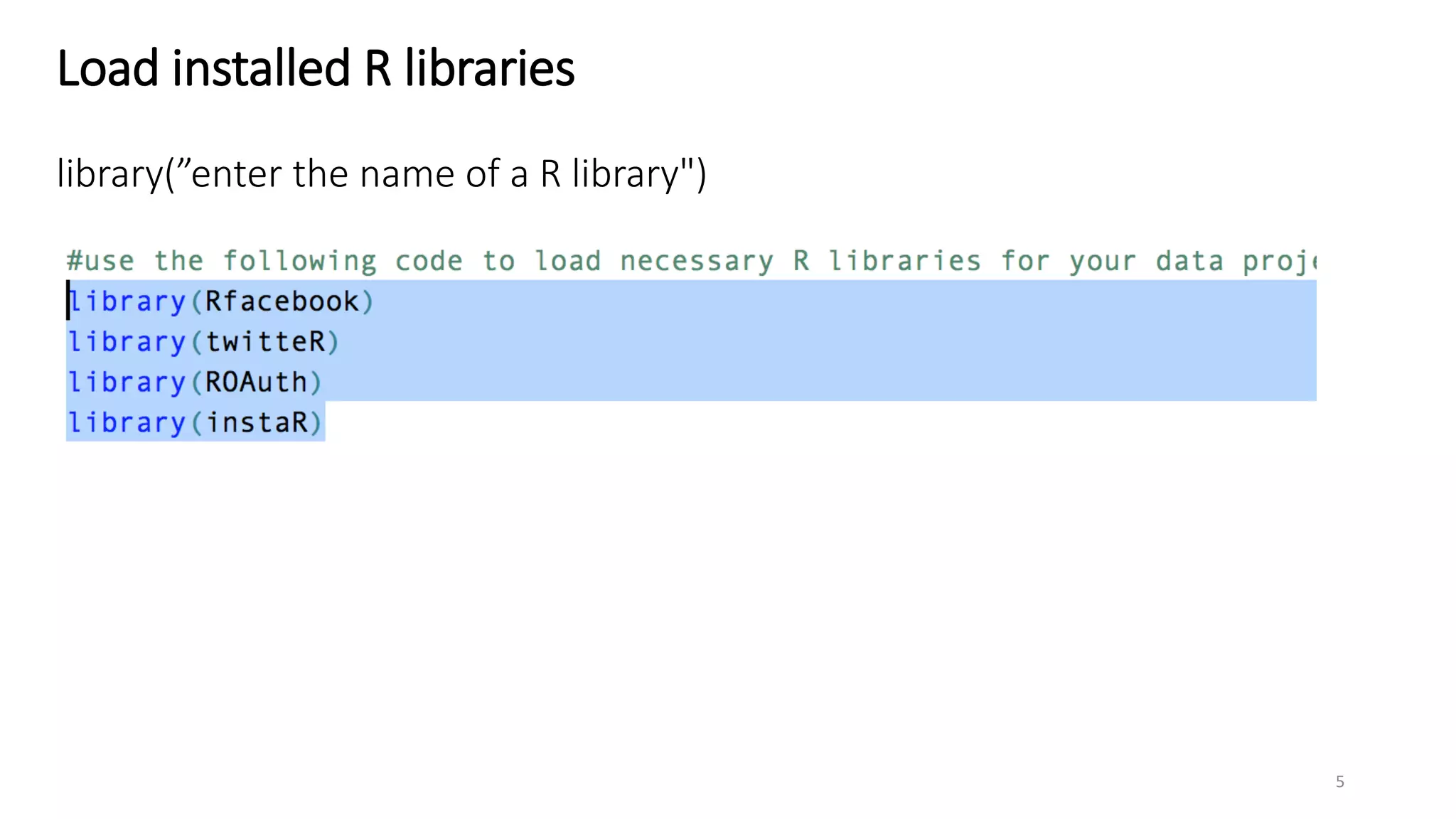
Load installed R libraries
library(”enter the name of a R library")
5
Set up Facebook API in R
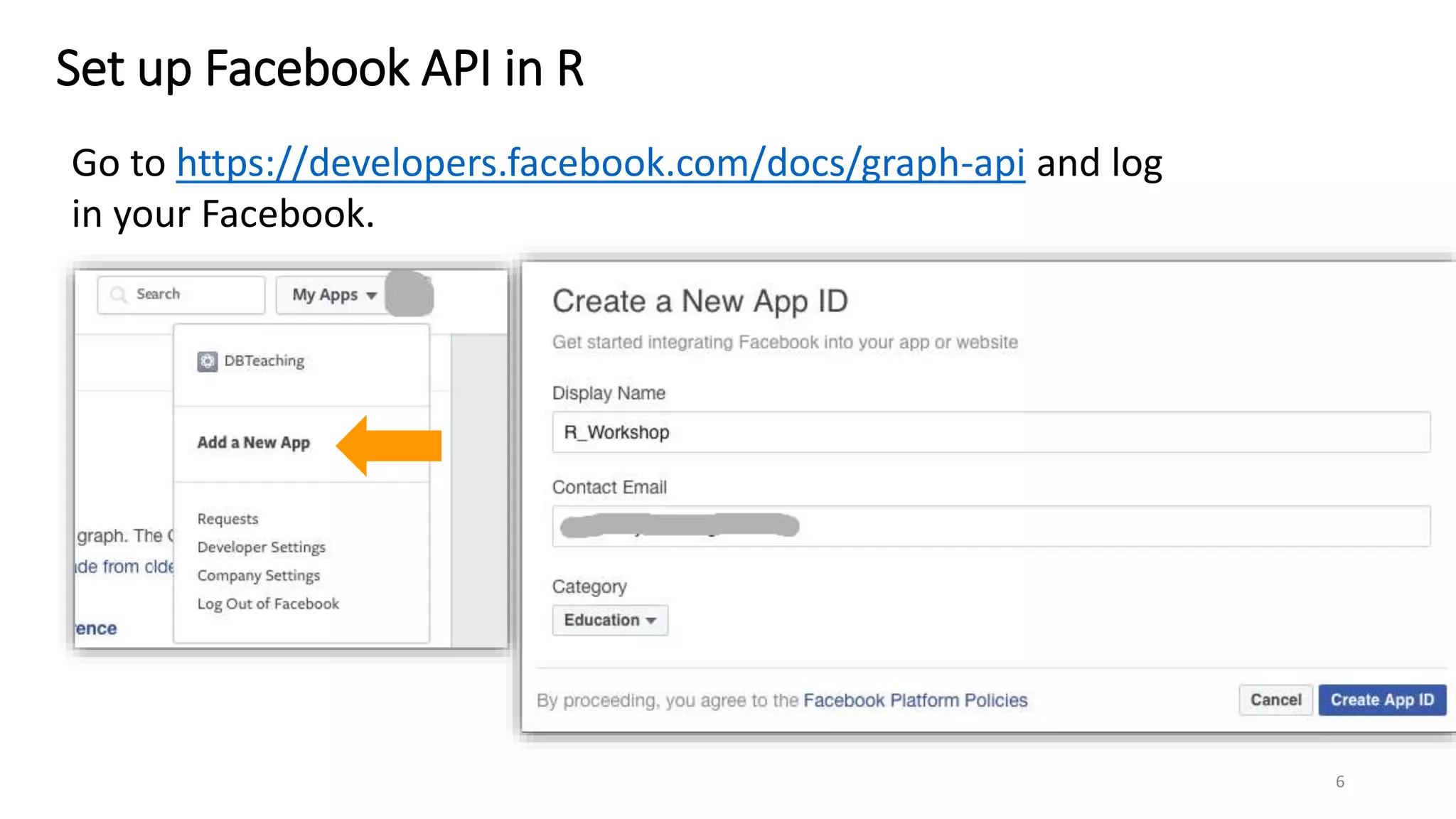
Go to https://developers.facebook.com/docs/graph-api and log
in your Facebook.
6
Set up Facebook API in R
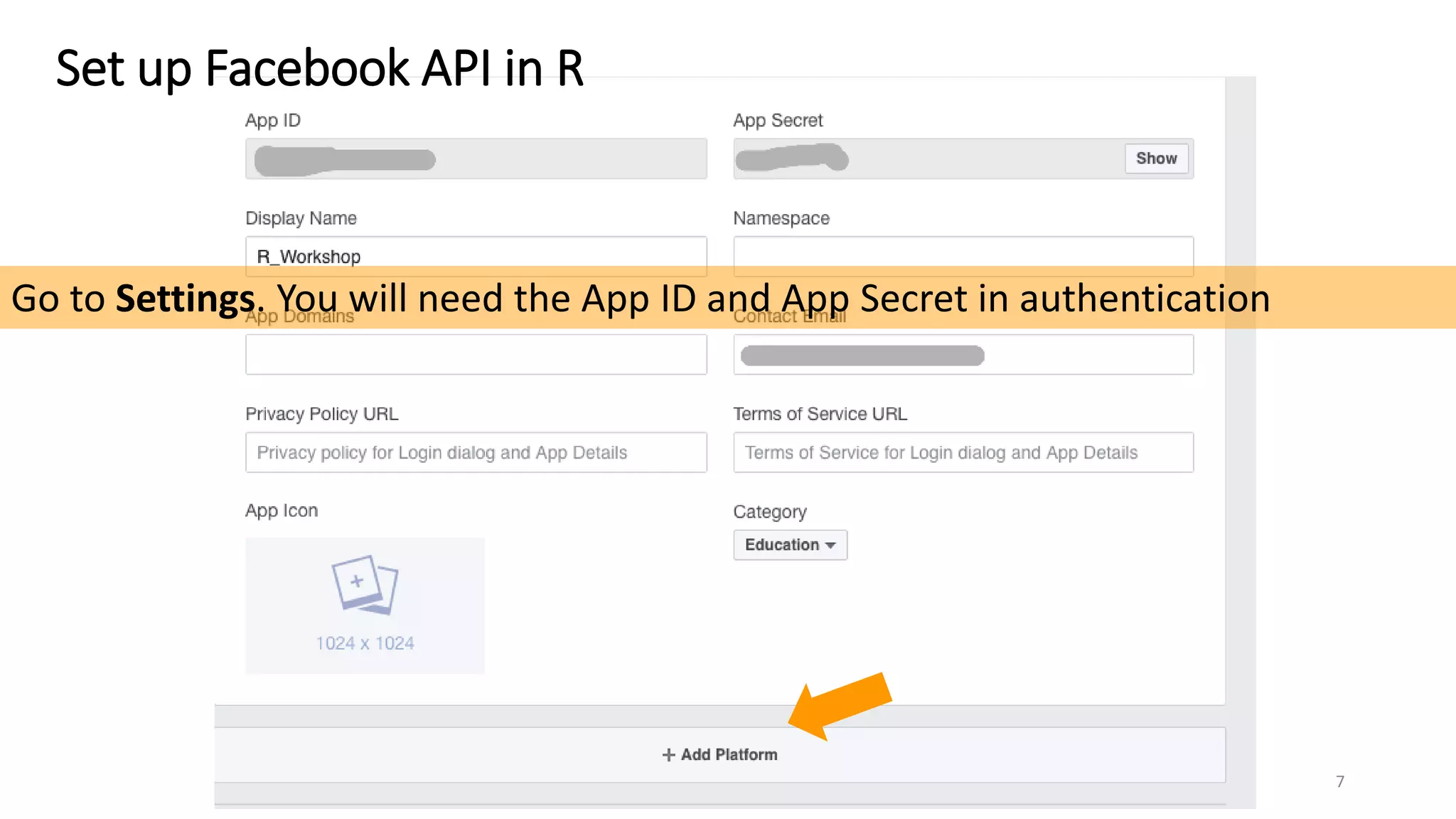
Go to Settings. You will need the App ID and App Secret in authentication
7
Set up Facebook API in R
8
Set up Facebook API in R
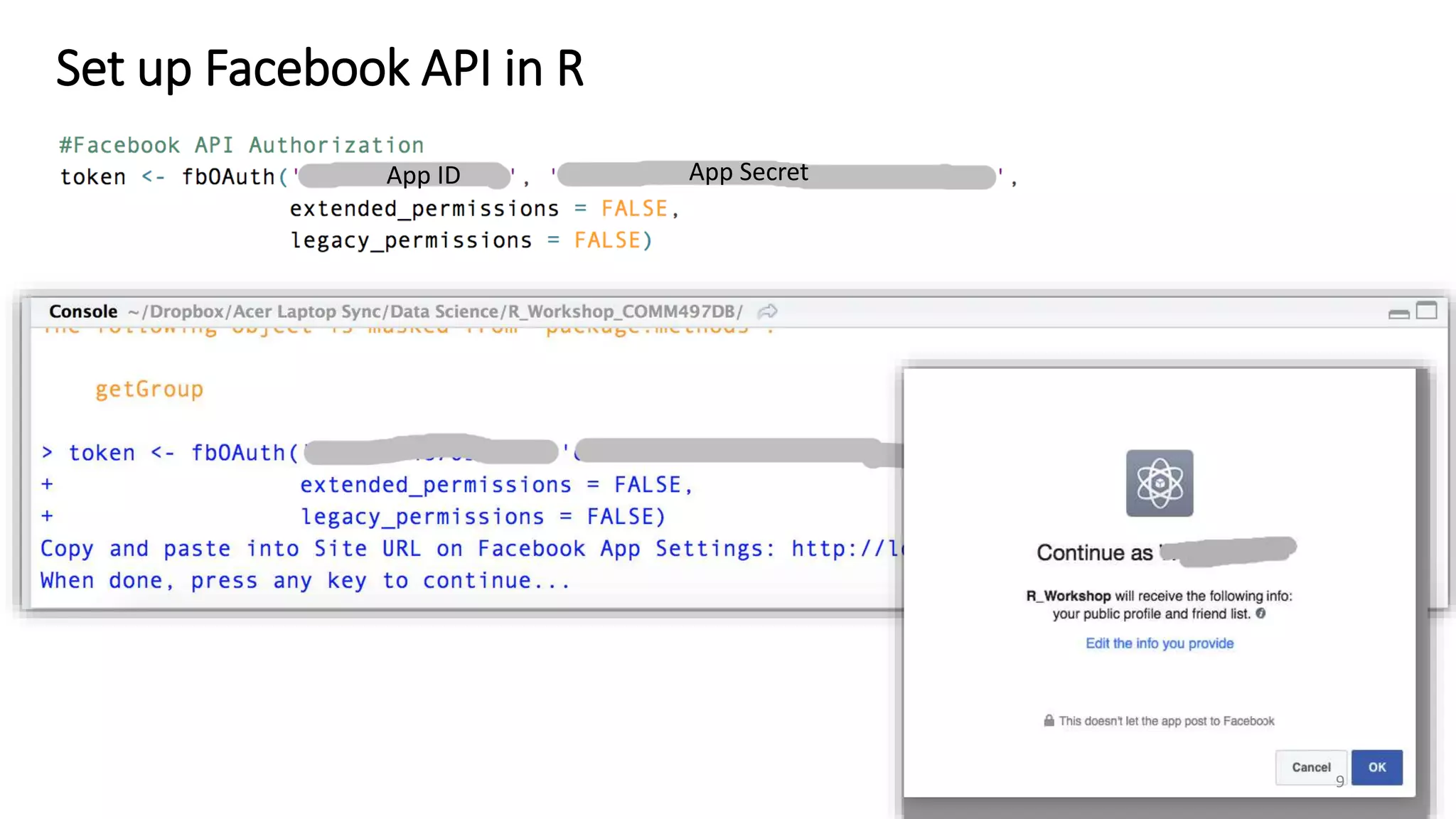
App ID App Secret
9
Download your first bath of Facebook data
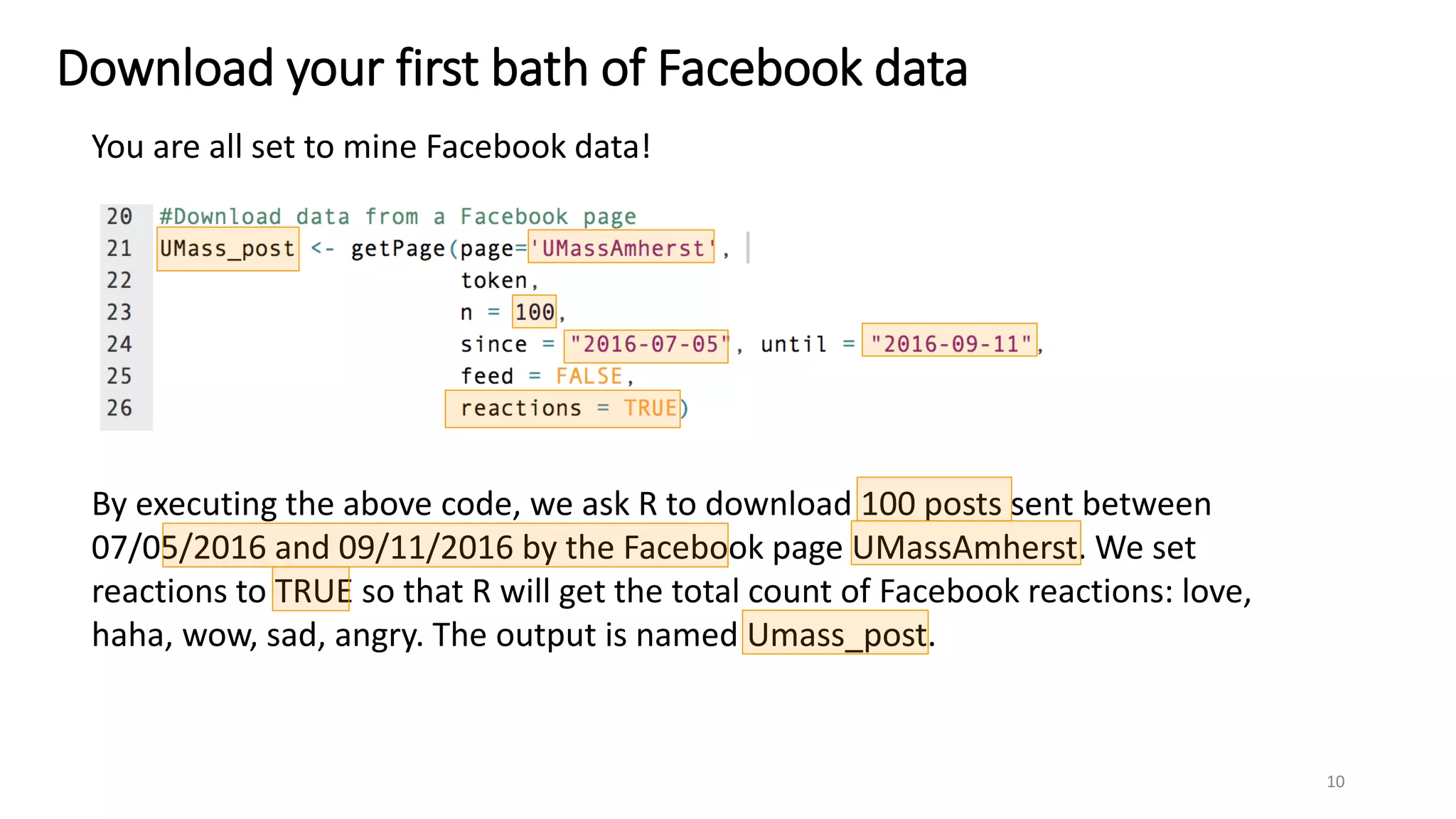
You are all set to mine Facebook data!
By executing the above code, we ask R to download 100 posts sent between
07/05/2016 and 09/11/2016 by the Facebook page UMassAmherst. We set
reactions to TRUE so that R will get the total count of Facebook reactions: love,
haha, wow, sad, angry. The output is named Umass_post.
10
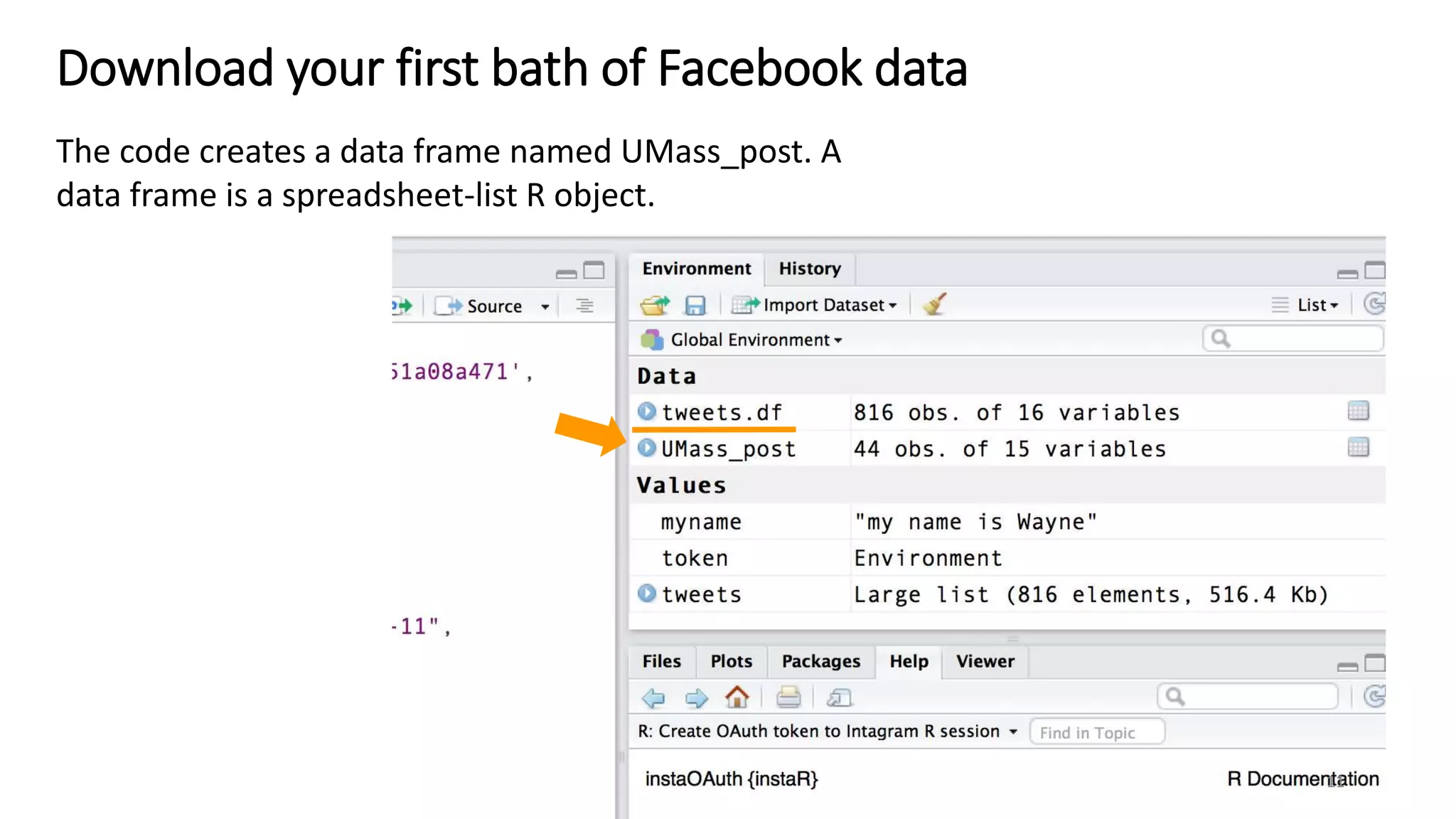
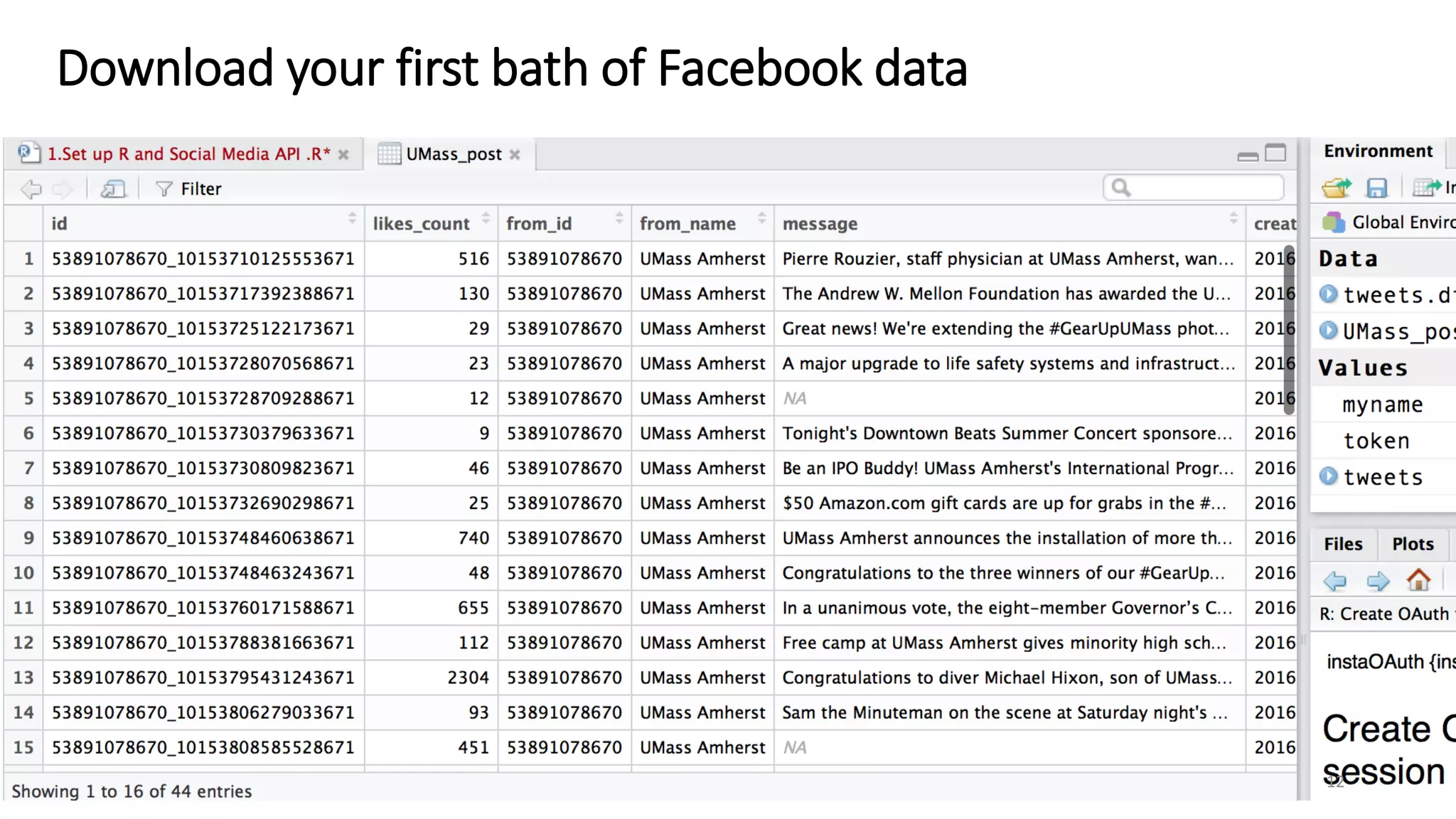
The code creates a data frame named UMass_post. A
data frame is a spreadsheet-list R object.
Download your first bath of Facebook data
11
Download your first bath of Facebook data
12
Download your first bath of Facebook data
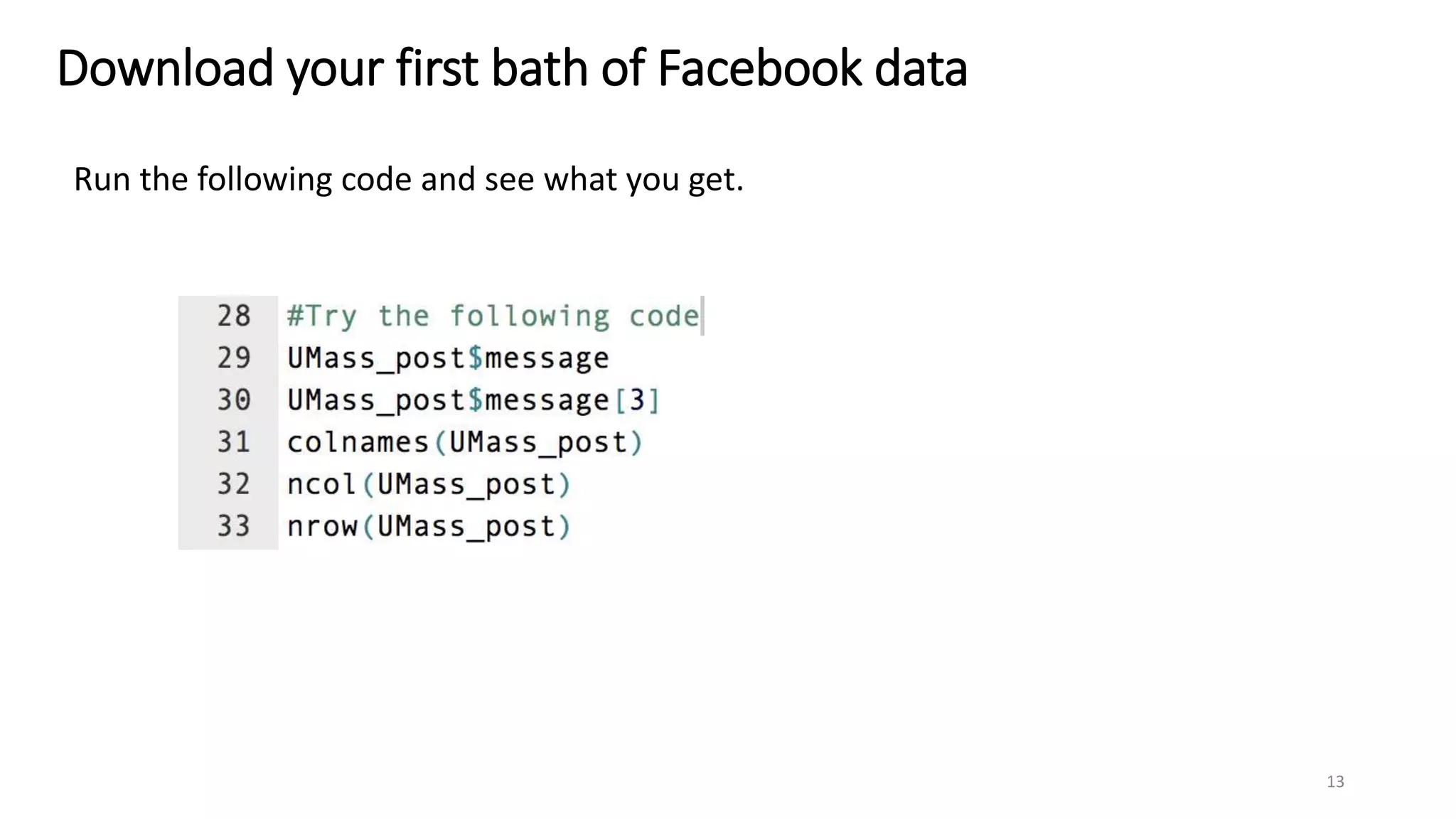
Run the following code and see what you get.
13
Download your first bath of Facebook data
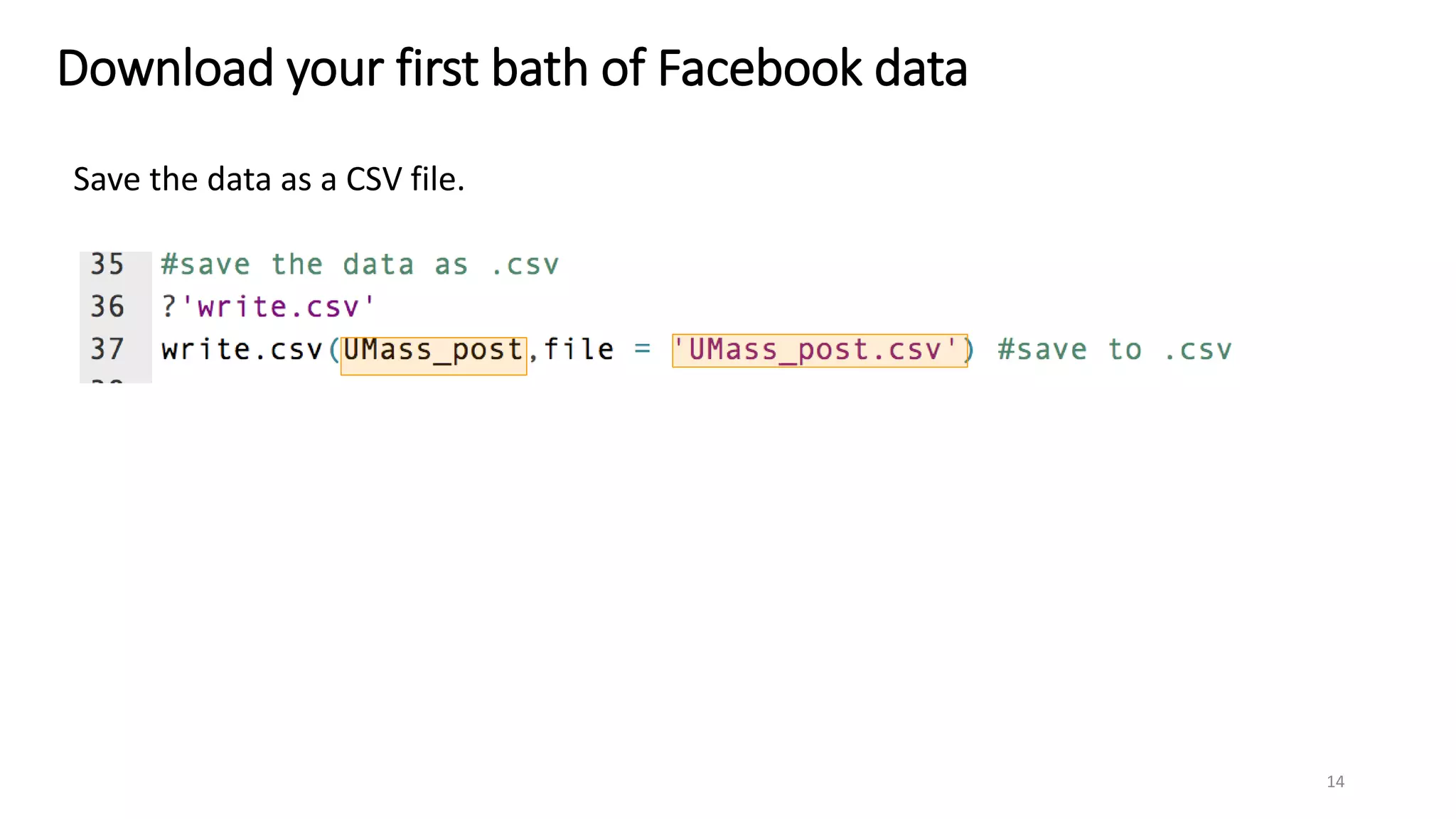
Save the data as a CSV file.
14
Download your first bath of Facebook data
The CSV file is saved in the current working directory. Use getwd() to find the
file path pointing to the directory
15
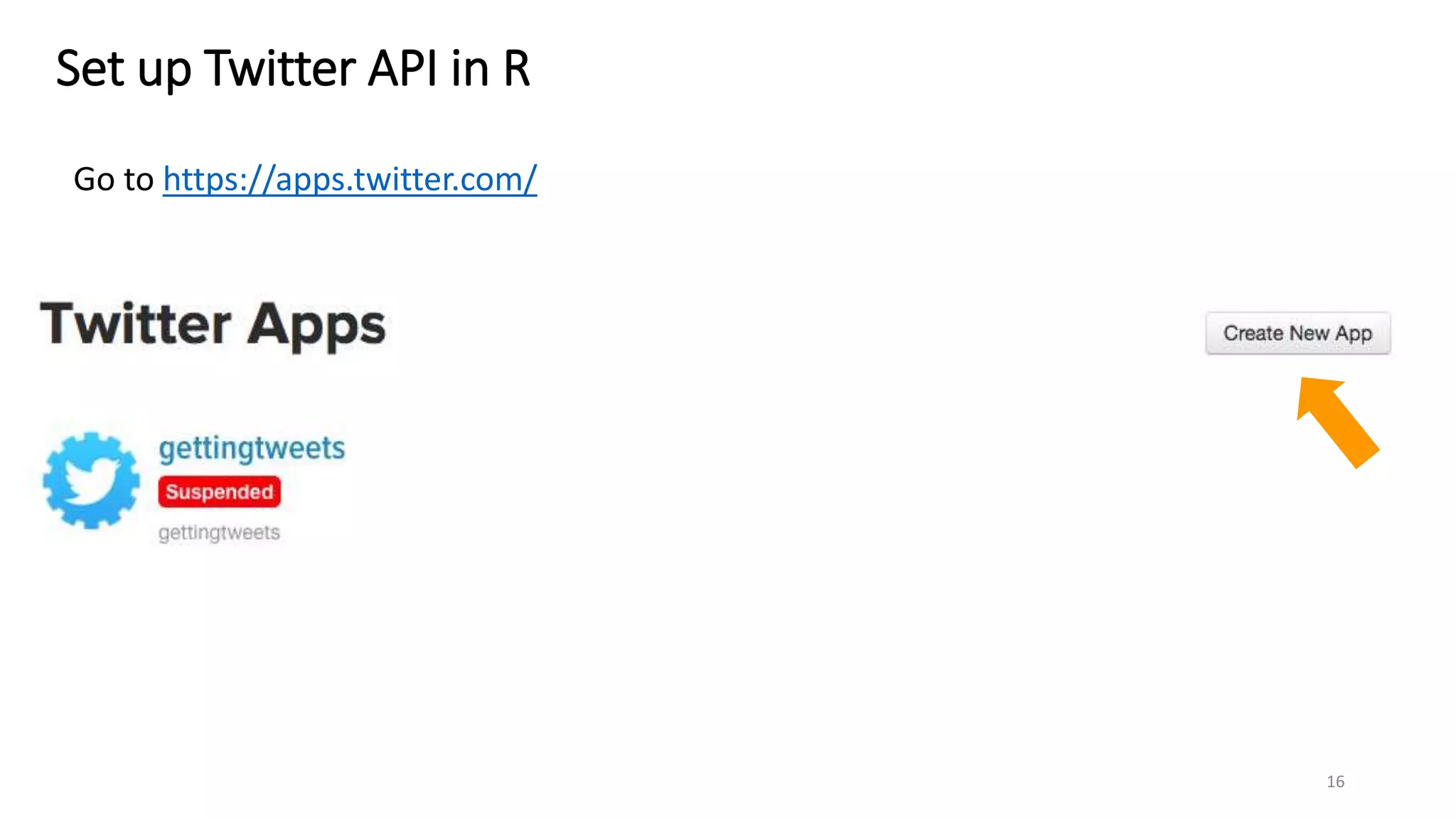
Set up Twitter API in R
Go to https://apps.twitter.com/
16
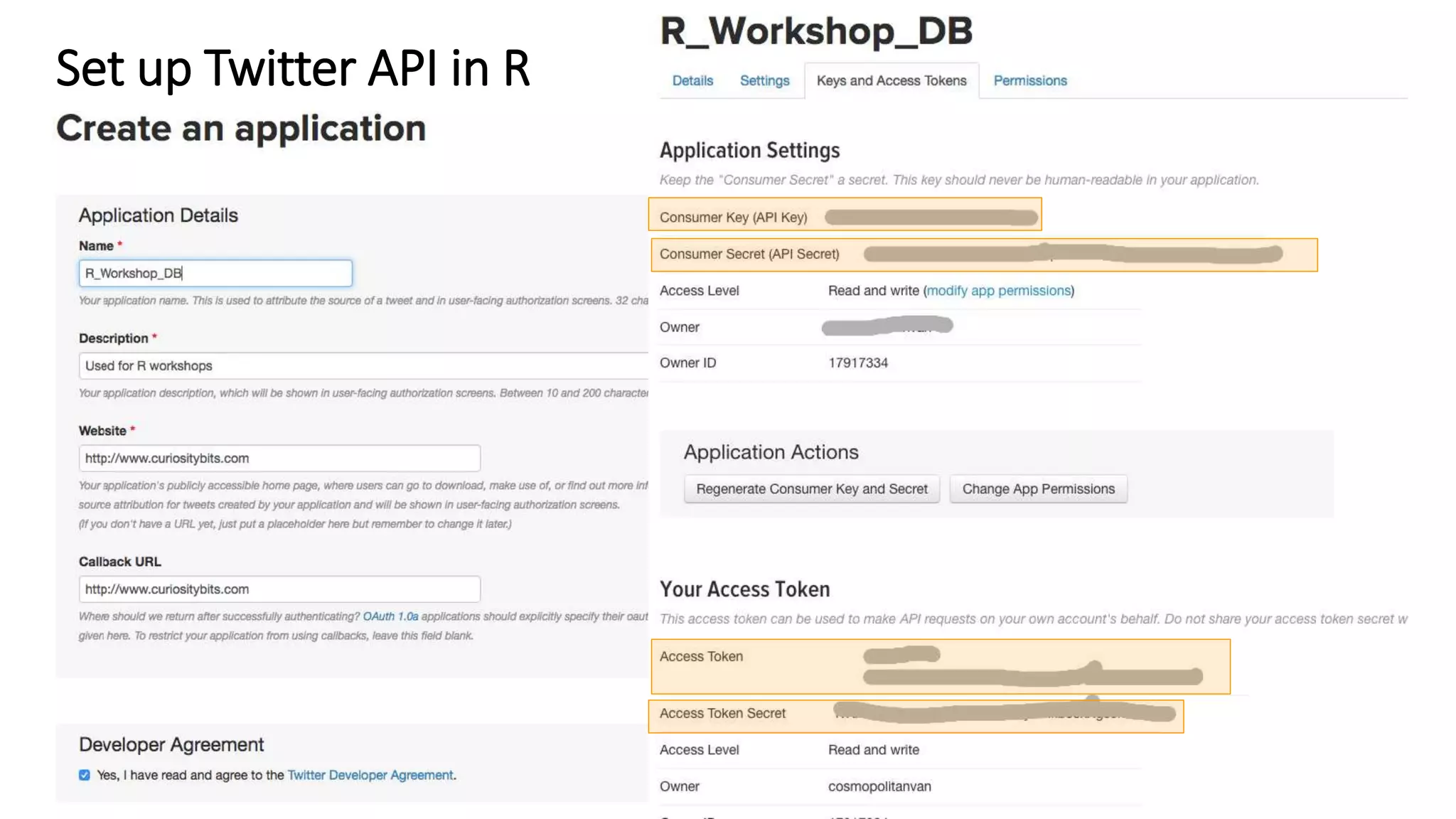
Set up Twitter API in R
17
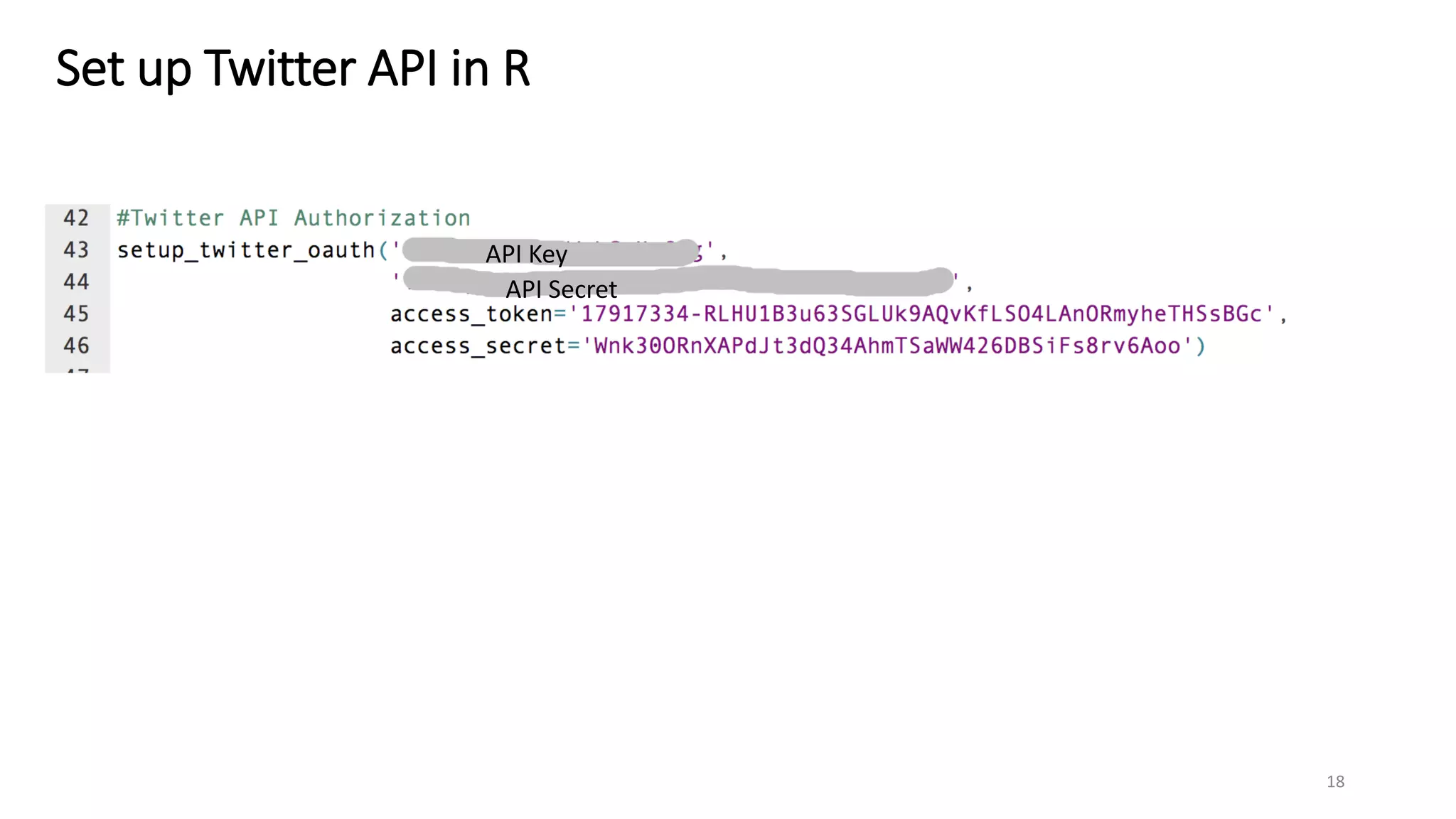
Set up Twitter API in R
18
API Key
API Secret
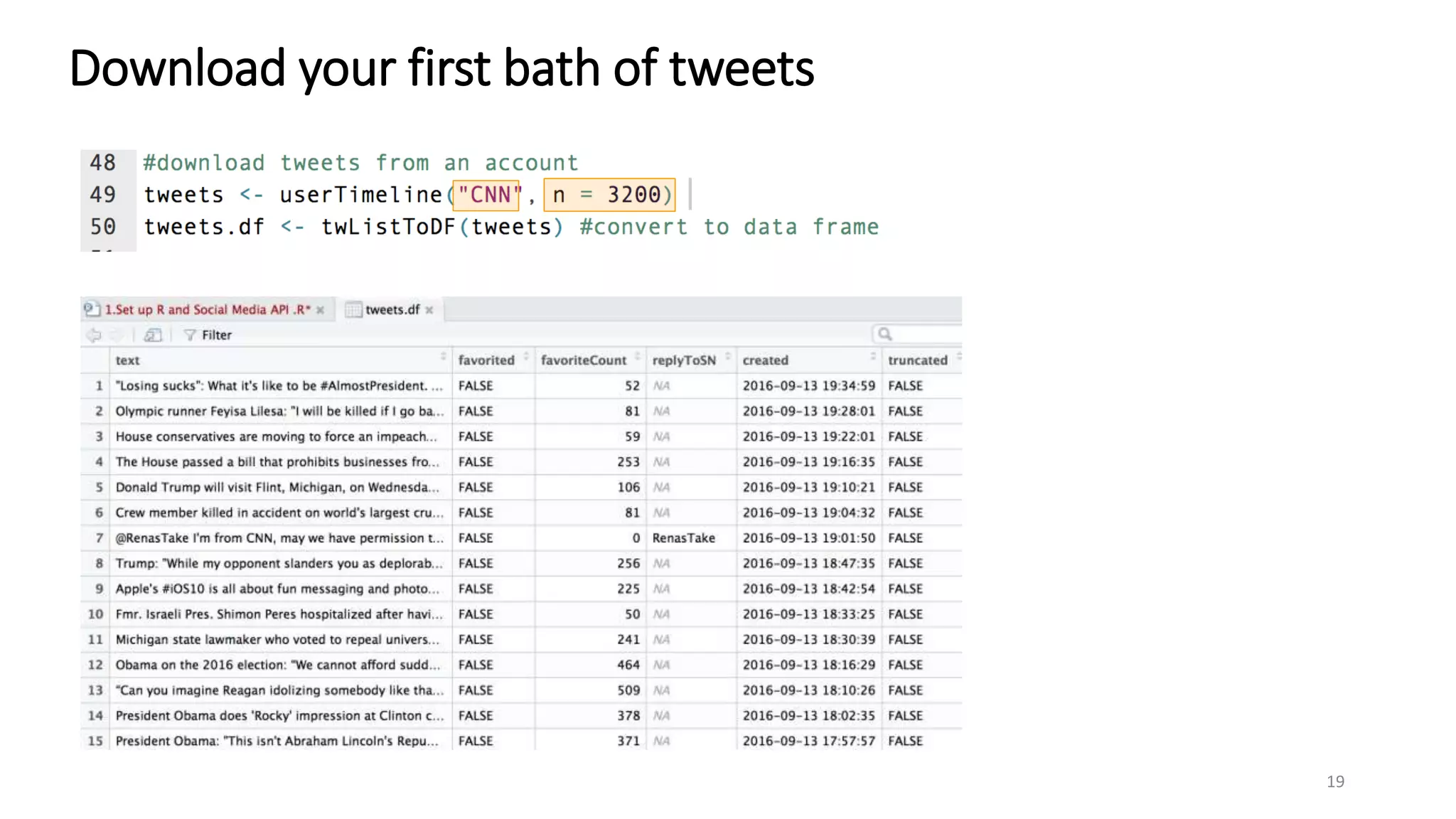
Download your first bath of tweets
19
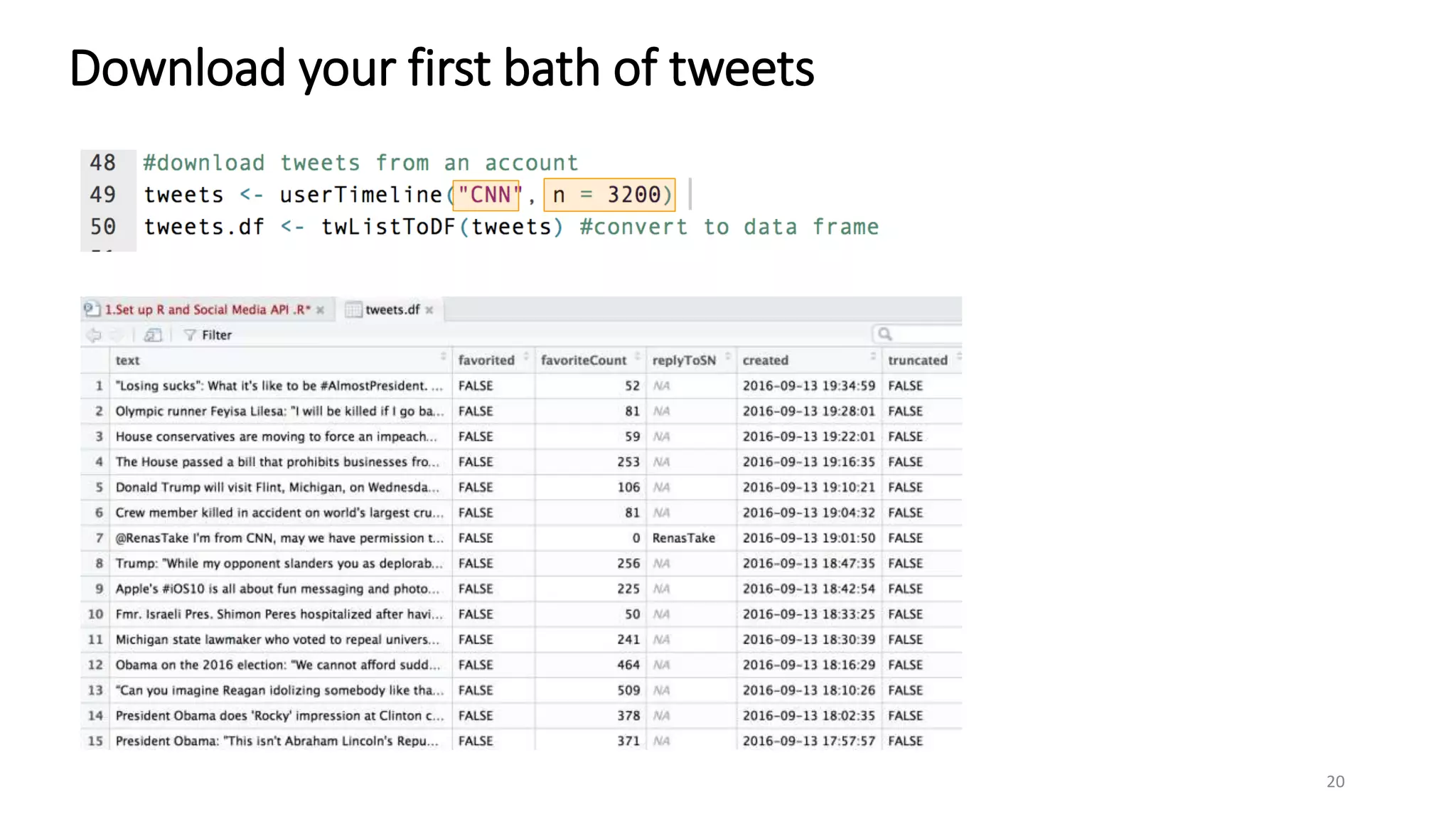
Download your first bath of tweets
20
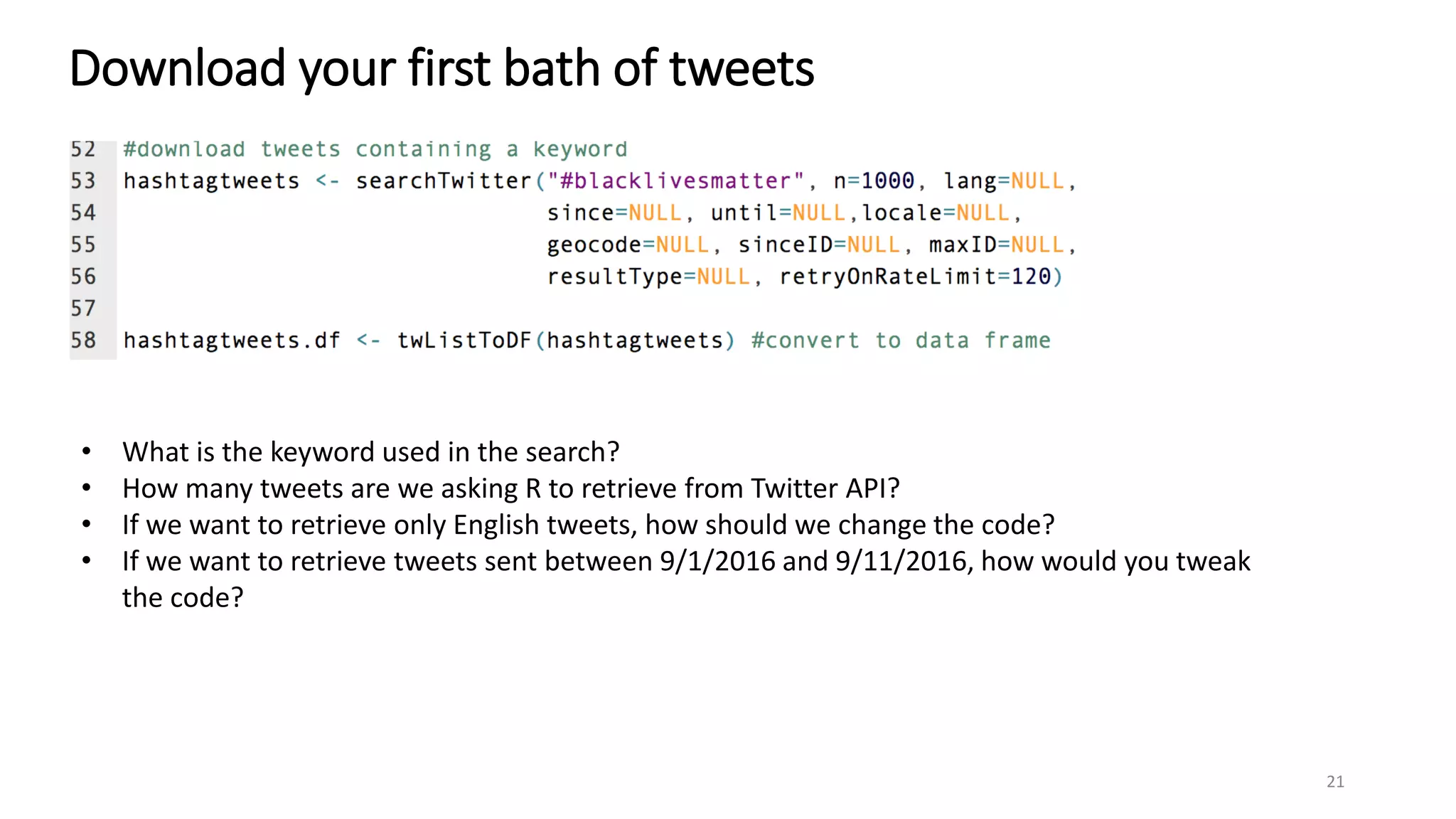
Download your first bath of tweets
21
• What is the keyword used in the search?
• How many tweets are we asking R to retrieve from Twitter API?
• If we want to retrieve only English tweets, how should we change the code?
• If we want to retrieve tweets sent between 9/1/2016 and 9/11/2016, how would you tweak
the code?
Download your first bath of tweets
22
• Use ncol() to find out how many columns does hashtagtweets.df have.
• Use nrow() to find out how many rows does hashtagtweets.df have.
• Use colnames() to find a list of column names in hashtagtweets.df.
Download your first bath of tweets
23
Can you save the Twitter data as CSV?
Set up YouTube API
24
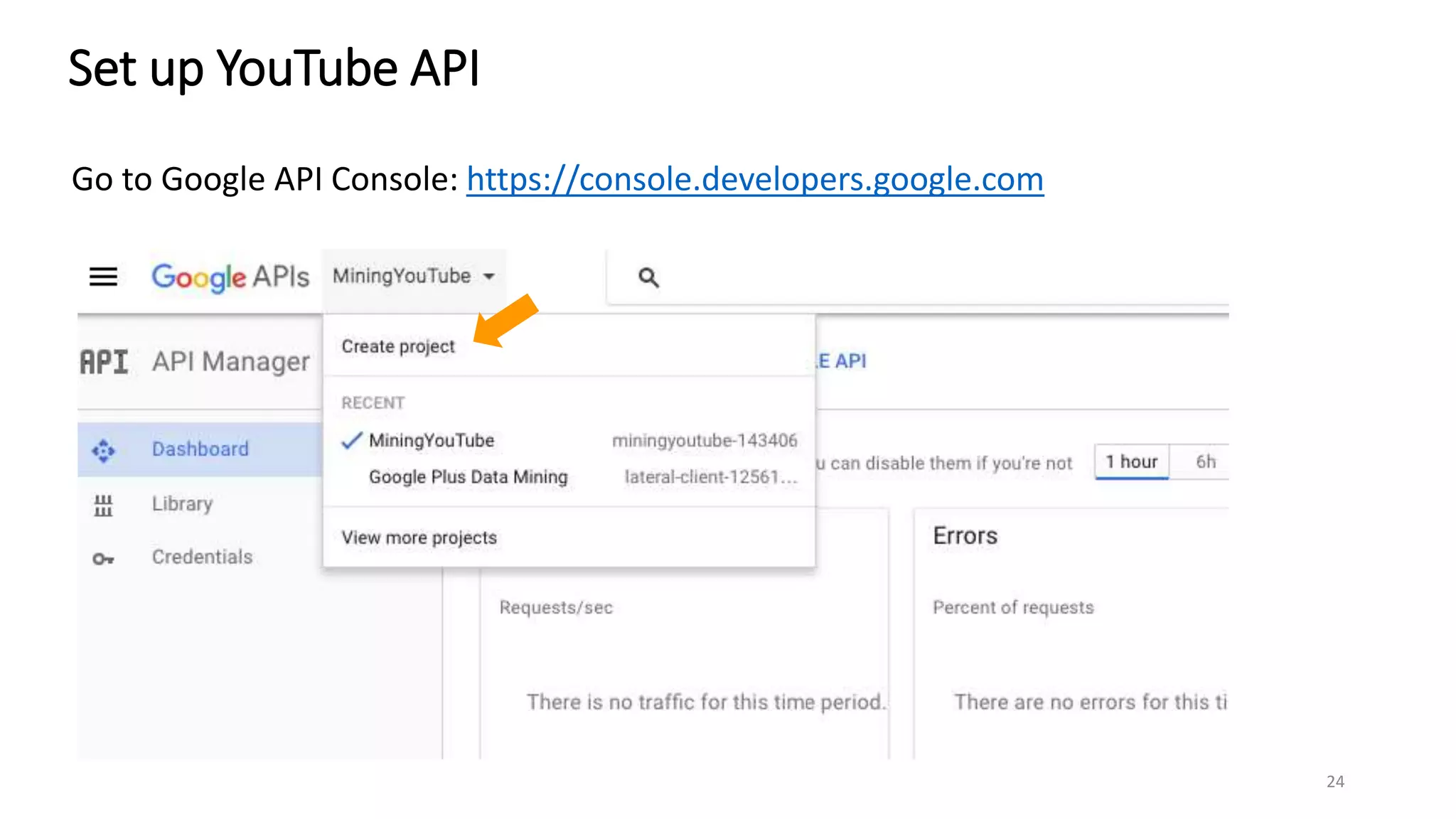
Go to Google API Console: https://console.developers.google.com
Set up YouTube API
25
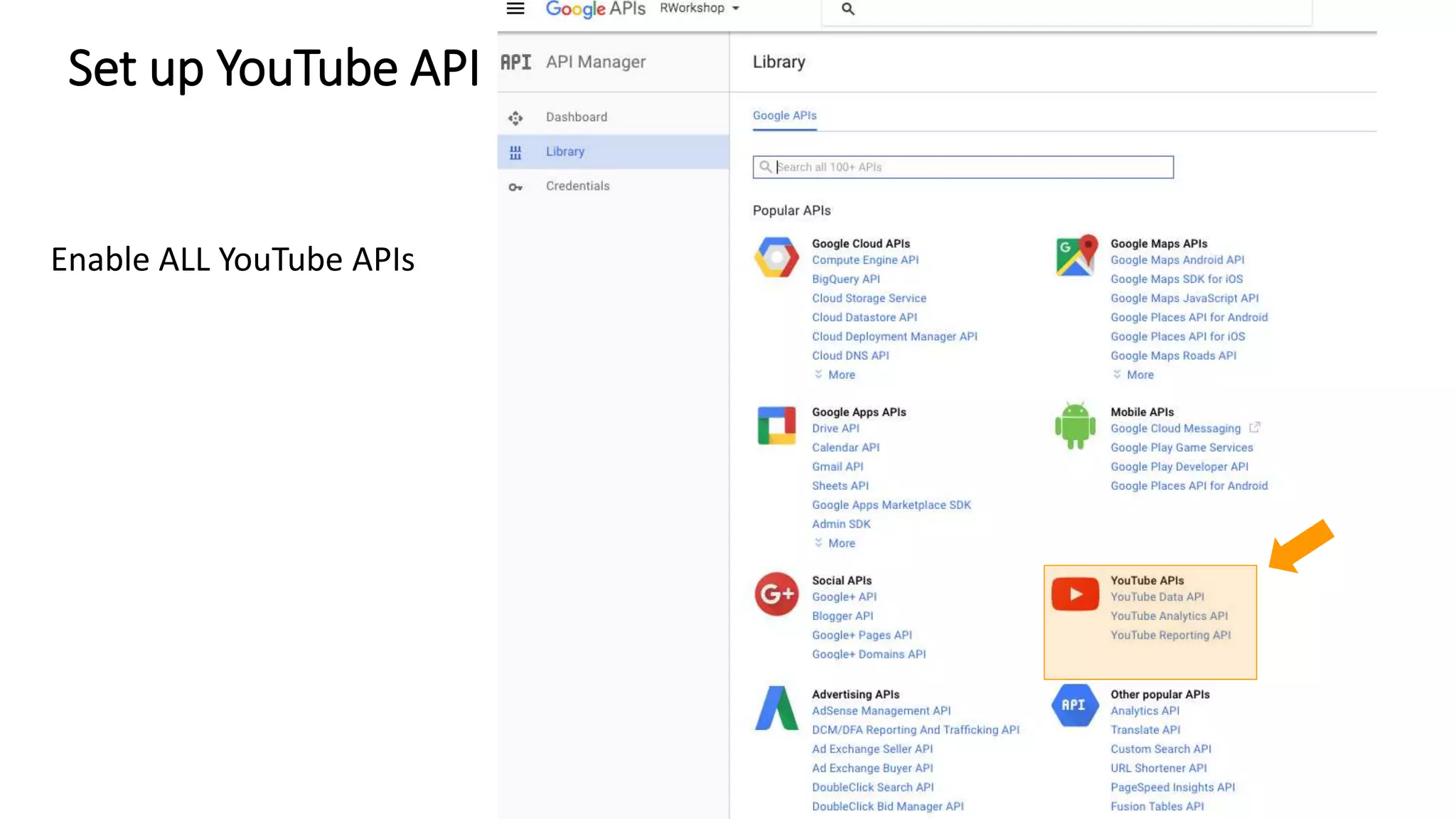
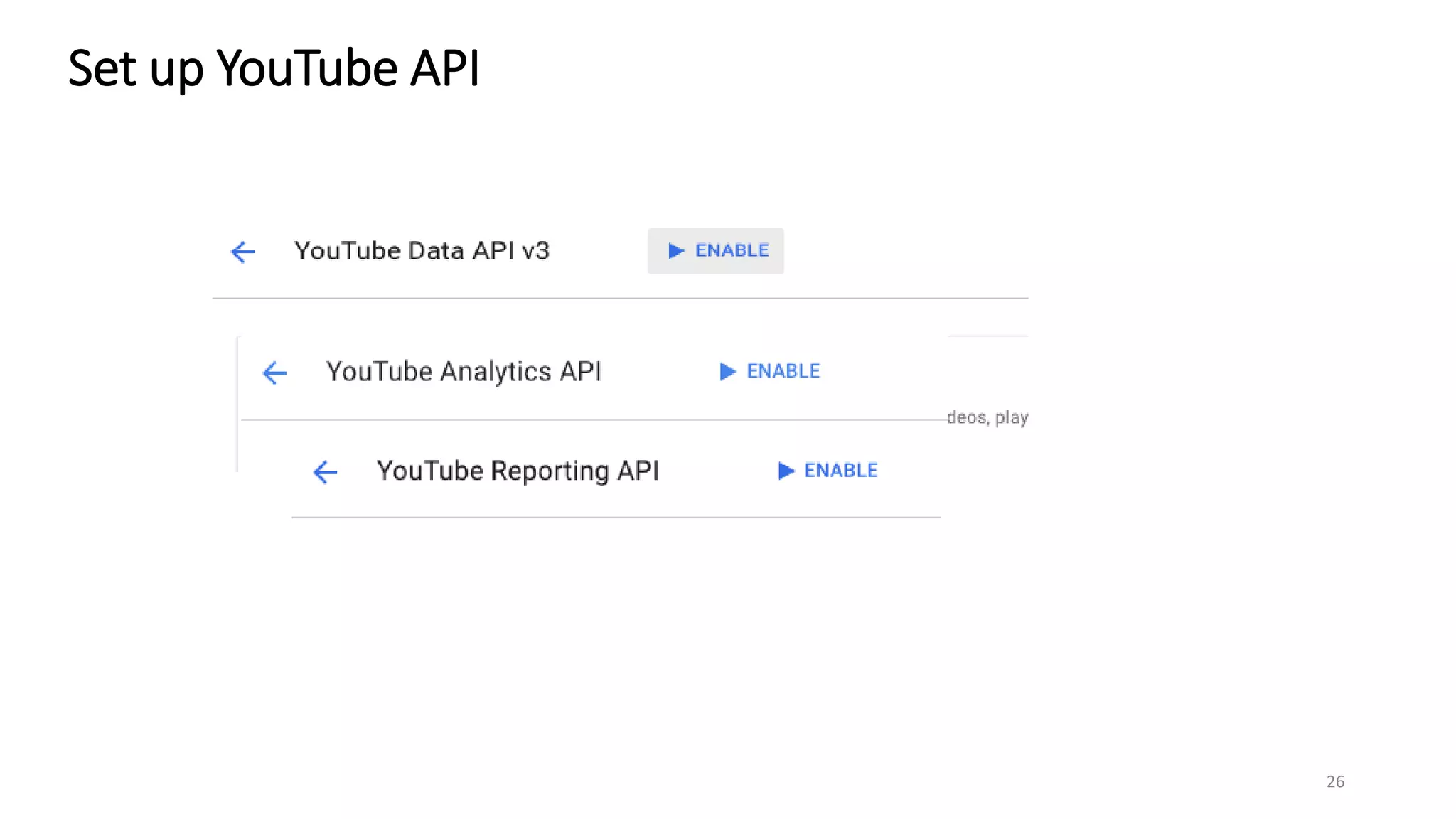
Enable ALL YouTube APIs
Set up YouTube API
26
Set up YouTube API
27
Set up YouTube API
28
Set up YouTube API
29
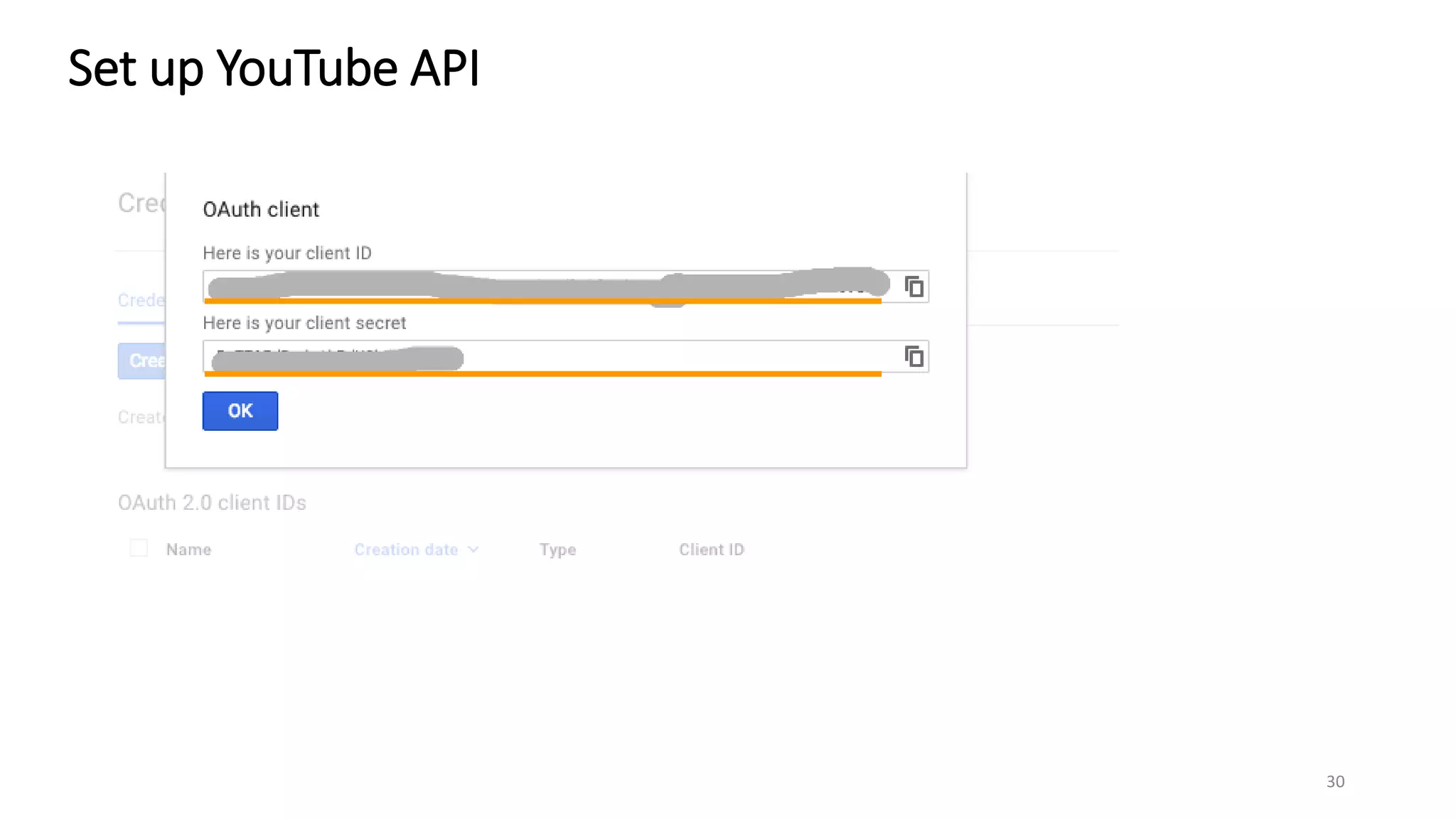
Set up YouTube API
30
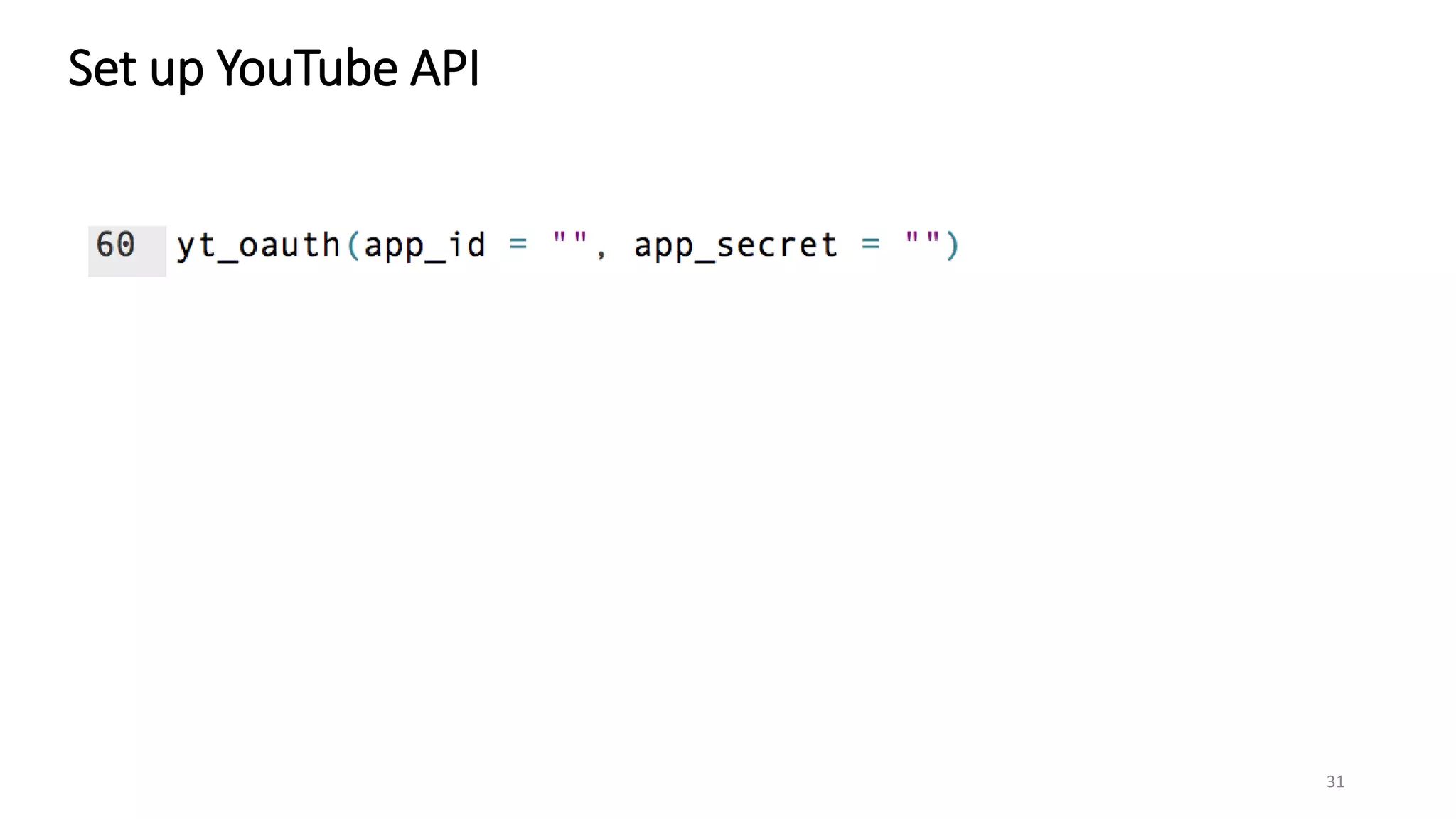
Set up YouTube API
31

R Class: Set up Social Media API

  • 1.
    Set up Rand API authorization Download and install R: https://cran.r-project.org/mirrors.html Download and install RStudio: https://www.rstudio.com/ 1
  • 2.
    Source: view/edit yourR script Console: show progress in data processing and output Environment: a list of things from running R scripts 2
  • 3.
    Set up Rand API authorization Use [COMMAND]+[ENTER] key on Mac, and [CONTROL]+[ENTER] key on PC to run a R script one line at a time. To run multiple lines, just select them 3
  • 4.
  • 5.
    Load installed Rlibraries library(”enter the name of a R library") 5
  • 6.
    Set up FacebookAPI in R Go to https://developers.facebook.com/docs/graph-api and log in your Facebook. 6
  • 7.
    Set up FacebookAPI in R Go to Settings. You will need the App ID and App Secret in authentication 7
  • 8.
    Set up FacebookAPI in R 8
  • 9.
    Set up FacebookAPI in R App ID App Secret 9
  • 10.
    Download your firstbath of Facebook data You are all set to mine Facebook data! By executing the above code, we ask R to download 100 posts sent between 07/05/2016 and 09/11/2016 by the Facebook page UMassAmherst. We set reactions to TRUE so that R will get the total count of Facebook reactions: love, haha, wow, sad, angry. The output is named Umass_post. 10
  • 11.
    The code createsa data frame named UMass_post. A data frame is a spreadsheet-list R object. Download your first bath of Facebook data 11
  • 12.
    Download your firstbath of Facebook data 12
  • 13.
    Download your firstbath of Facebook data Run the following code and see what you get. 13
  • 14.
    Download your firstbath of Facebook data Save the data as a CSV file. 14
  • 15.
    Download your firstbath of Facebook data The CSV file is saved in the current working directory. Use getwd() to find the file path pointing to the directory 15
  • 16.
    Set up TwitterAPI in R Go to https://apps.twitter.com/ 16
  • 17.
    Set up TwitterAPI in R 17
  • 18.
    Set up TwitterAPI in R 18 API Key API Secret
  • 19.
    Download your firstbath of tweets 19
  • 20.
    Download your firstbath of tweets 20
  • 21.
    Download your firstbath of tweets 21 • What is the keyword used in the search? • How many tweets are we asking R to retrieve from Twitter API? • If we want to retrieve only English tweets, how should we change the code? • If we want to retrieve tweets sent between 9/1/2016 and 9/11/2016, how would you tweak the code?
  • 22.
    Download your firstbath of tweets 22 • Use ncol() to find out how many columns does hashtagtweets.df have. • Use nrow() to find out how many rows does hashtagtweets.df have. • Use colnames() to find a list of column names in hashtagtweets.df.
  • 23.
    Download your firstbath of tweets 23 Can you save the Twitter data as CSV?
  • 24.
    Set up YouTubeAPI 24 Go to Google API Console: https://console.developers.google.com
  • 25.
    Set up YouTubeAPI 25 Enable ALL YouTube APIs
  • 26.
  • 27.
  • 28.
  • 29.
  • 30.
  • 31.