

MARCO CASARIO CTO – Comtaste http://casario.blogs.com
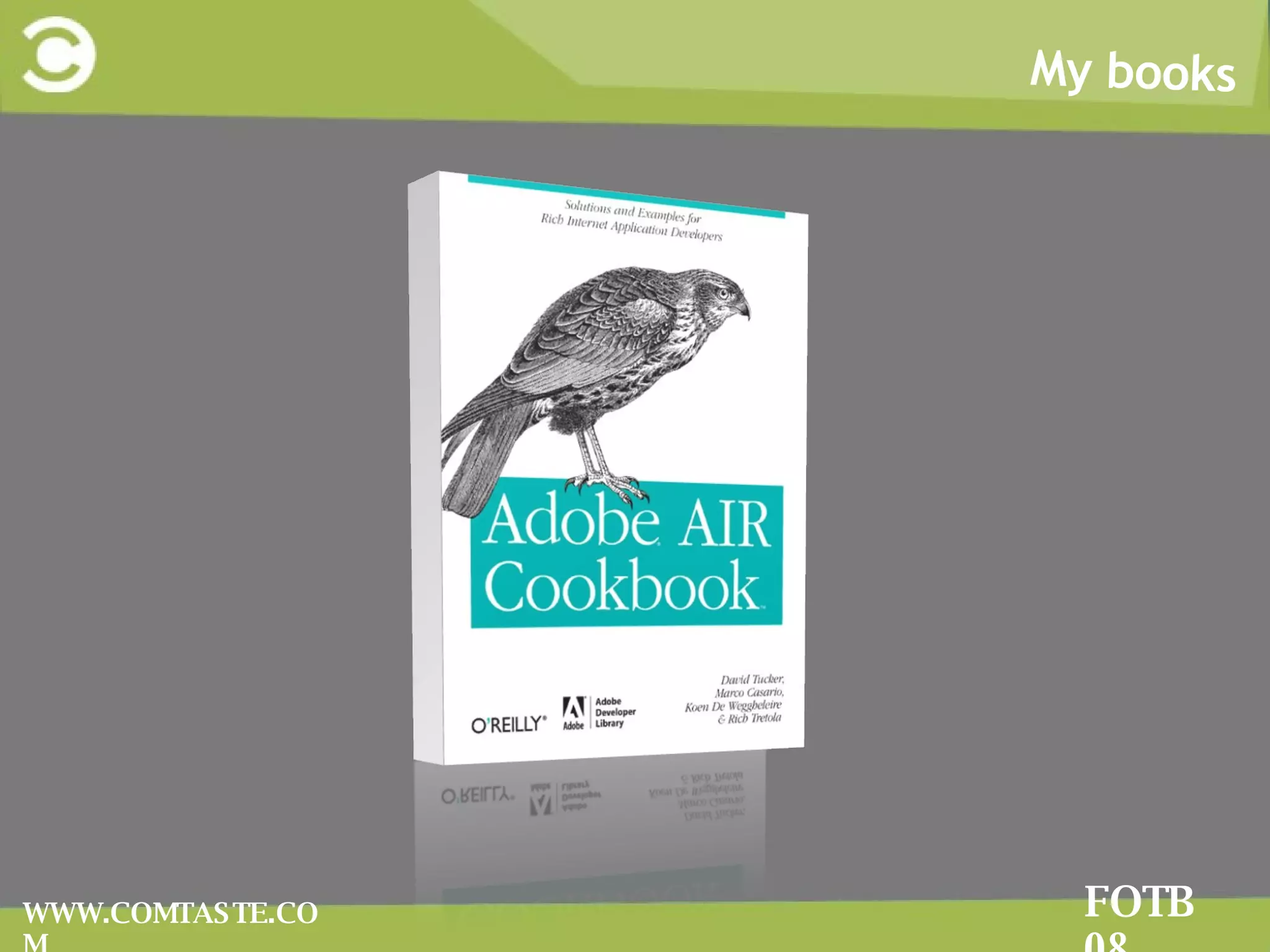
My books FOTB 08 WWW.COMTASTE.COM
My Books FOTB 08 WWW.COMTASTE.COM Advanced AIR Application Development Essential Guide to AIR 1.5 with Flash CS4
Who i am FOTB 08 WWW.COMTASTE.COM
Agenda FOTB 08 WWW.COMTASTE.COM WWe’ll talk   about Mash up teminologies and data formats 1 2 II’ll show AIR examples on: Using some of the AS 3 OS libraries  Creating mash up widgets with AIR Architecturing a mash up app Working with AIR APIs  Saving Flicr photos locally Playing YouTube videos Storing Twitter timeline messages locally
The RIA and Web 2.0 Movement Mash up AIR Widgets FOTB 08 WWW.COMTASTE.COM The RIA and Web 2.0 has changed the shape of the Web: Internet as a platform Increasing of XML data sources Growth of user-generated content Collaboration, Partecipation Birth and growth of technologies such as AJAX, Flex, RoR
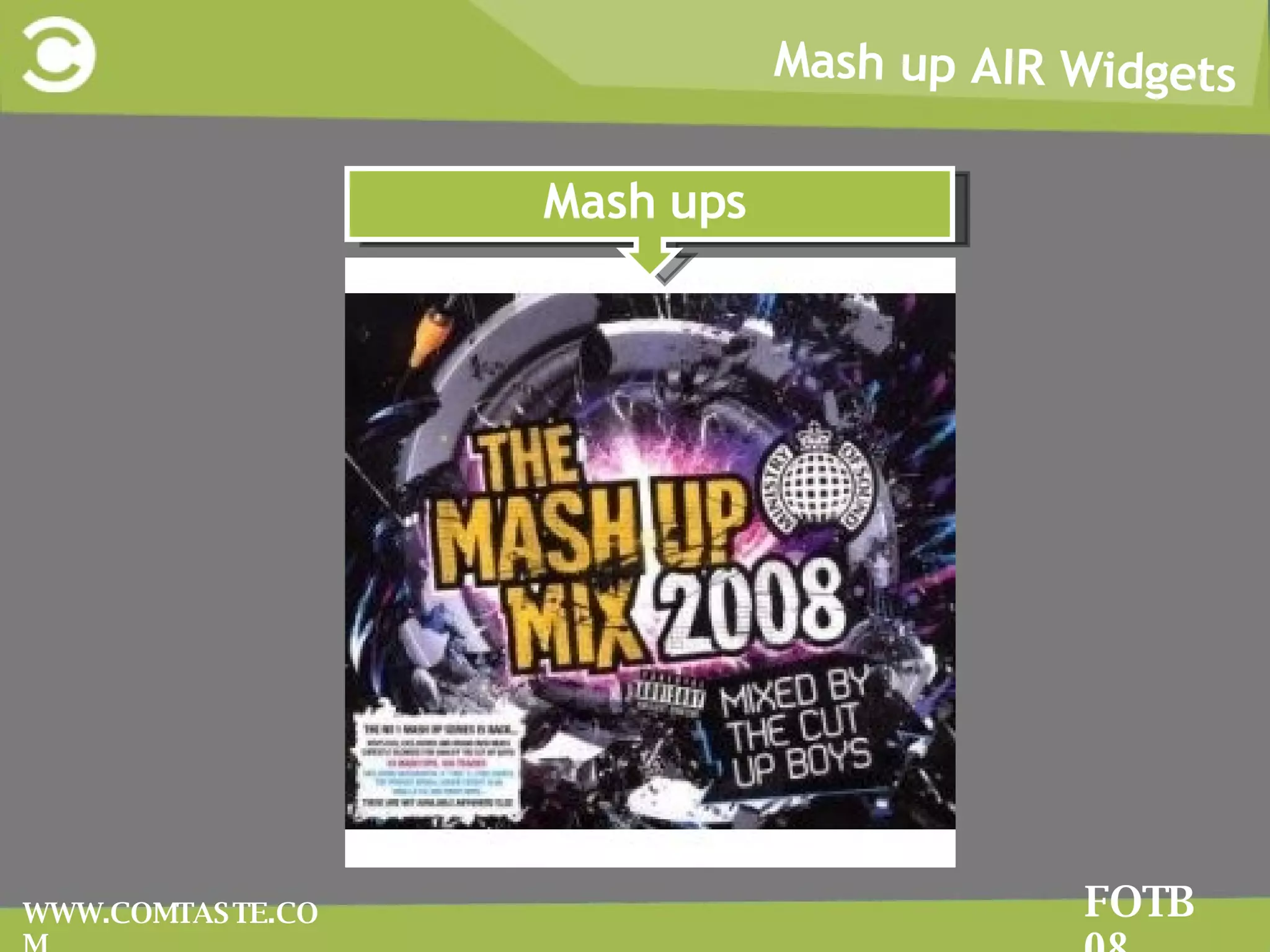
Mash up AIR Widgets FOTB 08 WWW.COMTASTE.COM Mash ups
Mash up AIR Widgets FOTB 08 WWW.COMTASTE.COM In  web development , a  mashup  is a web application that combines data from more than one source into a single integrated tool Mash up AIR Widgets
Mash up AIR Widgets FOTB 08 WWW.COMTASTE.COM Why Mash up AIR Widgets It’s one of our deepest desire: to aggregate, manipulate any content type
FOTB 08 Mash up AIR Widgets FOTB 08 WWW.COMTASTE.COM The architecture of mashup web applications is always composed of three parts: The content provider The mashup site  The client web browser
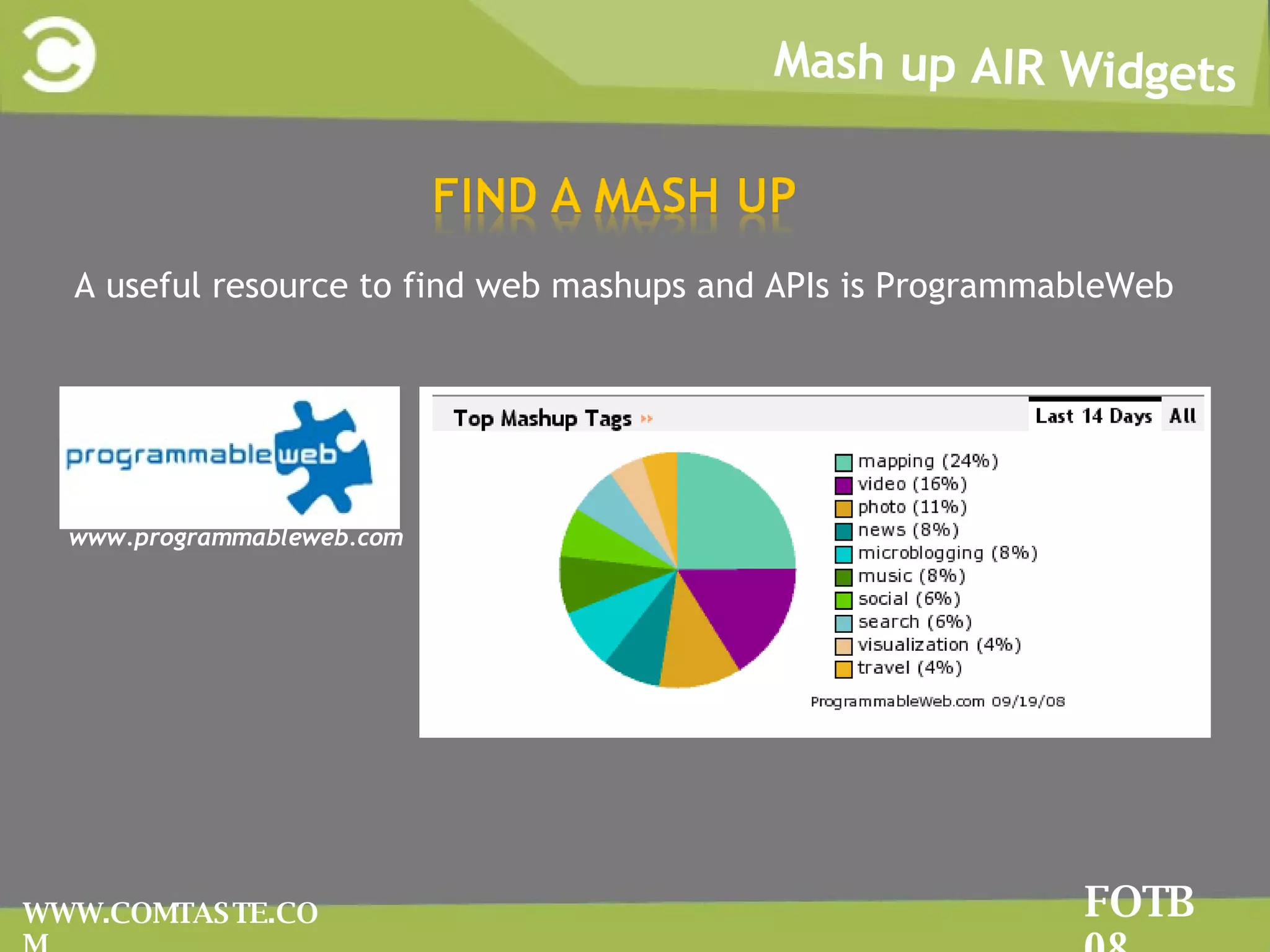
Mash up AIR Widgets FOTB 08 WWW.COMTASTE.COM A useful resource to find web mashups and APIs is ProgrammableWeb www.programmableweb.com
FOTB 08 Mash up AIR Widgets FOTB 08 WWW.COMTASTE.COM YYou create a mash up using public APIs provided by the web application TThe APIs are a set of function that one computer makes available to other programs so they can talk to it directly YYou have to define how you will import data into the application and what protocols and formats are supported.
Mash up AIR Widgets FOTB 08 WWW.COMTASTE.COM Don’t forget to read the Terms of Use for the APIs Commercial vs. Non-commercial Payment for use Rate limits Content ownership Caching Privacy Policy
Mash up AIR Widgets FOTB 08 WWW.COMTASTE.COM WWeb site’s URLs have their language. SSome URLs uses a highly expressive language making possible for other users to make mashups easier. AAddressability  means that every interesting aspect of your service is immediately accessible from the outside. RRestful Web Services by Richardson and Ruby
Mash up AIR Widgets FOTB 08 WWW.COMTASTE.COM Tags  are the easiest and popular system to organize data Folksonomy   known as collaborative tagging, and social tagging  del.icio.us:  social bookmarking service http://del.icio.us./popular/flex flickr.com:  social photo sharing app http://www.flickr.com/photos/tags/seychelles/
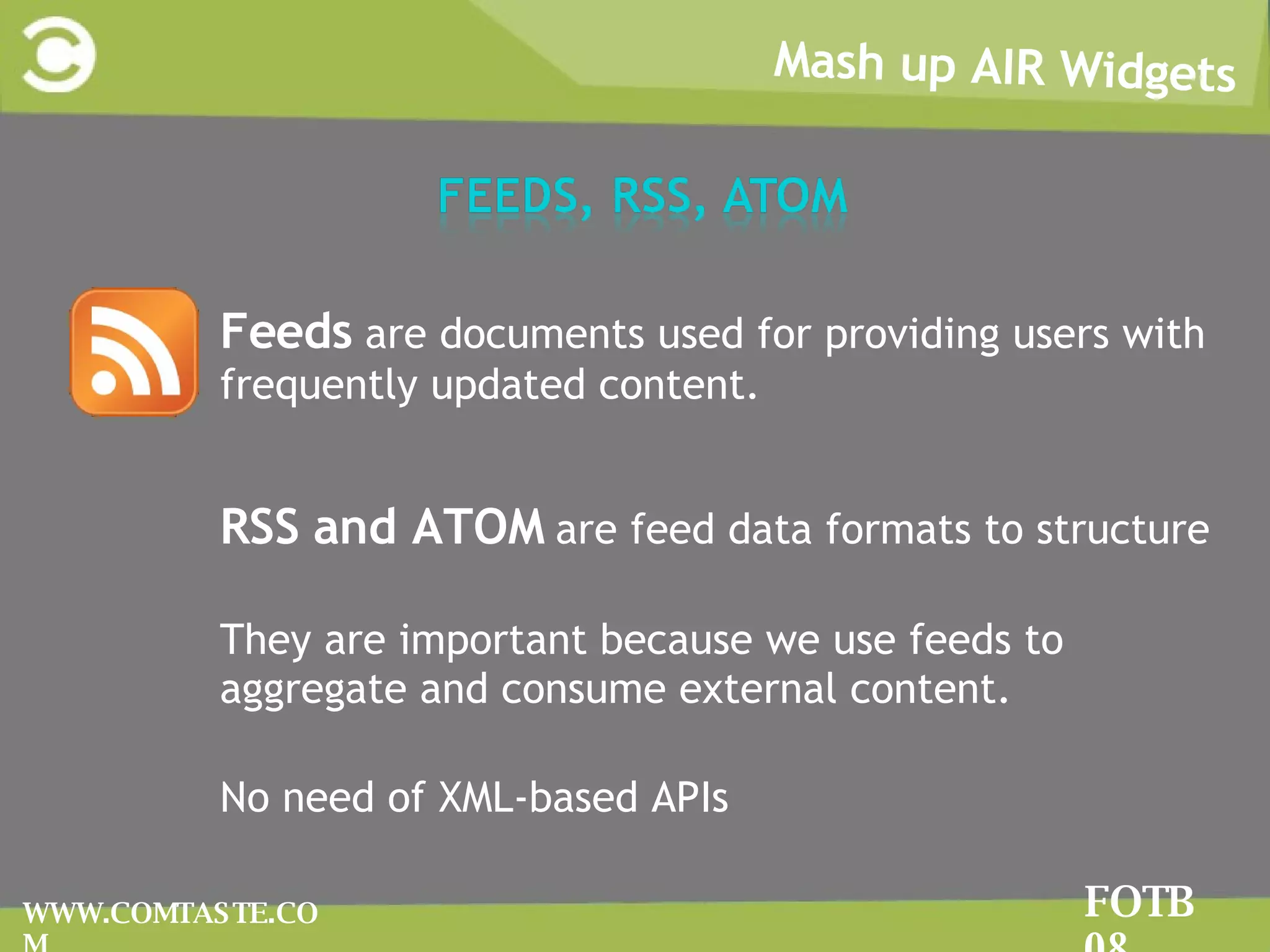
Mash up AIR Widgets FOTB 08 WWW.COMTASTE.COM FFeeds  are documents used for providing users with frequently updated content. RRSS and ATOM  are feed data formats to structure TThey are important because we use feeds to aggregate and consume external content.  NNo need of XML-based APIs
Mash up AIR Widgets FOTB 08 WWW.COMTASTE.COM RREST  (Representational state transfer ) strictly refers to a collection of network architecture principles which outline how resources are defined and addressed.
Mash up AIR Widgets FOTB 08 WWW.COMTASTE.COM
Mash up AIR Widgets FOTB 08 WWW.COMTASTE.COM The text expressed as JSON: {&quot;menu&quot;: { &quot;id&quot;: &quot;file&quot;, &quot;value&quot;: &quot;File&quot;, &quot;popup&quot;: { &quot;menuitem&quot;: [ {&quot;value&quot;: &quot;New&quot;, &quot;onclick&quot;: &quot;CreateNewDoc()&quot;}, {&quot;value&quot;: &quot;Open&quot;, &quot;onclick&quot;: &quot;OpenDoc()&quot;}, {&quot;value&quot;: &quot;Close&quot;, &quot;onclick&quot;: &quot;CloseDoc()&quot;} ] } }} The text expressed as XML: <menu id=&quot;file&quot; value=&quot;File&quot;> <popup> <menuitem value=&quot;New&quot; onclick=&quot;CreateNewDoc()&quot; /> <menuitem value=&quot;Open&quot; onclick=&quot;OpenDoc()&quot; /> <menuitem value=&quot;Close&quot; onclick=&quot;CloseDoc()&quot; /> </popup> </menu>
Mash up AIR Widgets FOTB 08 WWW.COMTASTE.COM With  Adobe AIR , the creation of mash-up applications and widgets offers even greater possibilities. AIR actually makes it possible to go beyond all the sandbox security of the browser and to add advanced features to the applicaiton to interact with the file system or local storage with SQLite
Mash up AIR Widgets FOTB 08 WWW.COMTASTE.COM In a context where several different data sources are mixed together into a main shell, is very important to structure a rigid and solid application. A centralized data repository is needed to  access data buried within different components  easier  To accomplish these goals a Design Pattern Analisys is required
Mash up AIR Widgets FOTB 08 WWW.COMTASTE.COM Design patterns are a general reusable solutions to a  commonly occurring problem in software design. DP can speed up the development process by providing tested, proven development paradigms. DP improves code readability for and between developers
Mash up AIR Widgets FOTB 08 WWW.COMTASTE.COM A view helper contains formatting code, delegating its processing responsibilities to its helper classes, implemented as Actionscript classes.  Helpers also store the view's intermediate data model and serve as business data adapters. A View Helper  consists in an ActionScript class that encapsulates business logic in a helper instead of a view, making our application more modular by facilitating component re-use.
Mash up AIR Widgets FOTB 08 WWW.COMTASTE.COM The Model Locator pattern defines a component that is responsible for centralizing data in an application.  When the data is updated in  ModelLocator , all view components binded to the model, update themselves to render the new data. A Model Locator is an ActionScript class that uses the  Singleton pattern. This pattern has a method that creates a new instance of the class if one does not exist. If an instance already exists, it simply returns a reference to that object.
Mash up AIR Widgets FOTB 08 WWW.COMTASTE.COM Don’t make things twice.  Learn and contribute to the open source world  as3corelib as3syndicationlib flexlib PanTaste
The as3corelib  http://code.google.com/p/as3corelib/  contains a number of classes and utilities for working with ActionScript 3.  These include classes for MD5 and SHA 1 hashing, Image encoders, and JSON serialization as well as general String, Number and Date APIs.  Mash up AIR Widgets FOTB 08 WWW.COMTASTE.COM
Mash up AIR Widgets FOTB 08 WWW.COMTASTE.COM The as3syndicationlib  http://code.google.com/p/as3syndicationlib /  library provides classes to parse RSS 1.0, RSS 2.0 and ATOM data feeds easily.  It also provides a generic interface for parsing feeds when you do not know the format of the feeds.
Mash up AIR Widgets FOTB 08 WWW.COMTASTE.COM The FlexLib project is a community effort to create open source user interface components for Adobe Flex 2 and 3. http://code.google.com/p/flexlib/
Mash up AIR Widgets FOTB 08 WWW.COMTASTE.COM It’s a work in progress library that provides code for creating multi-window applications e Flex-based personalized start page (such as NetVibes, YourMinis …) The library developed by Comtaste will be released as open source as soon as the code will be better organized.
Mash up AIR Widgets FOTB 08 WWW.COMTASTE.COM Don’t make things twice.  Learn and contribute to the open source world  as3youtubelib TwitterScript  as3flickrlib
Mash up AIR Widgets FOTB 08 WWW.COMTASTE.COM
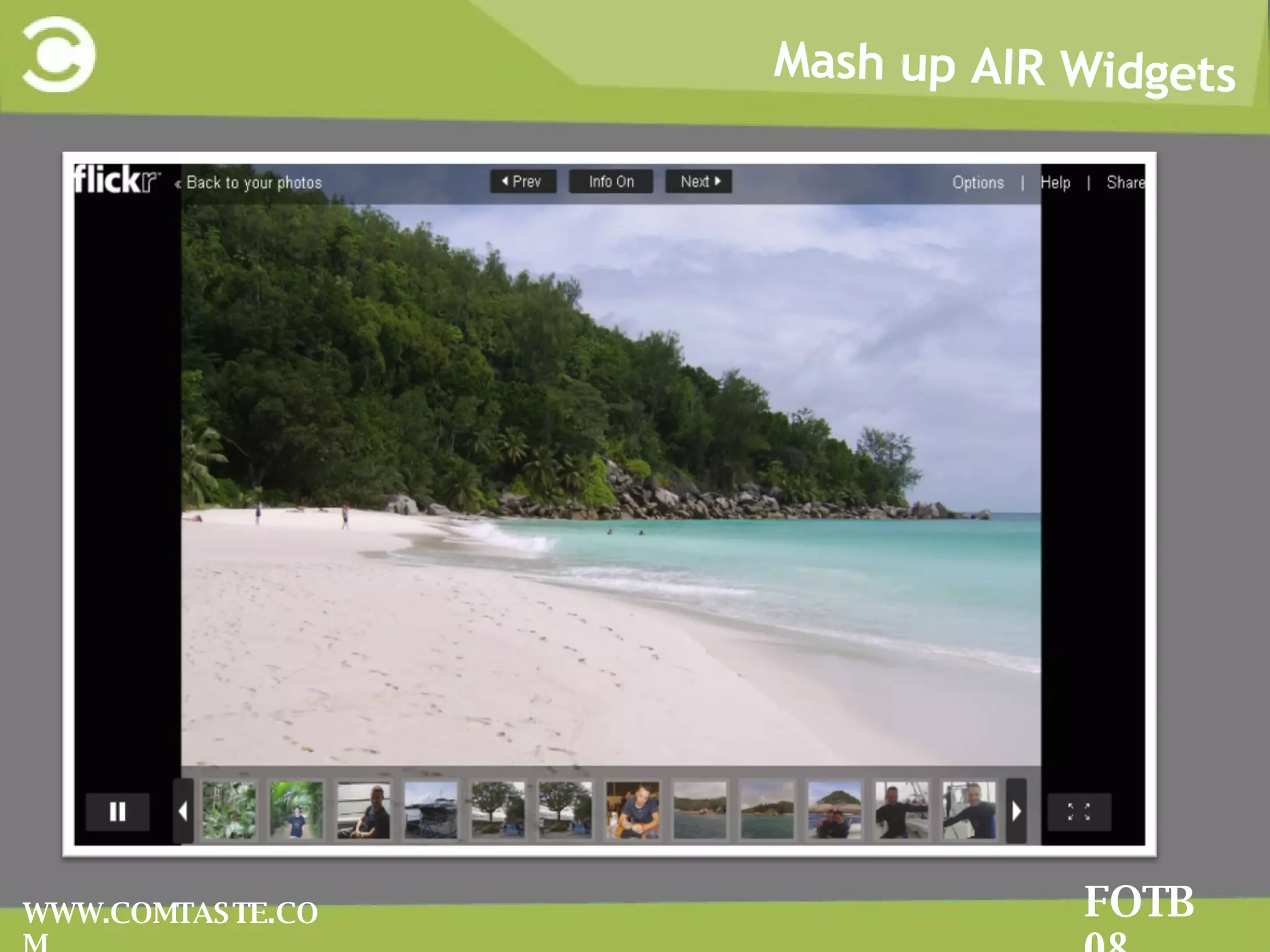
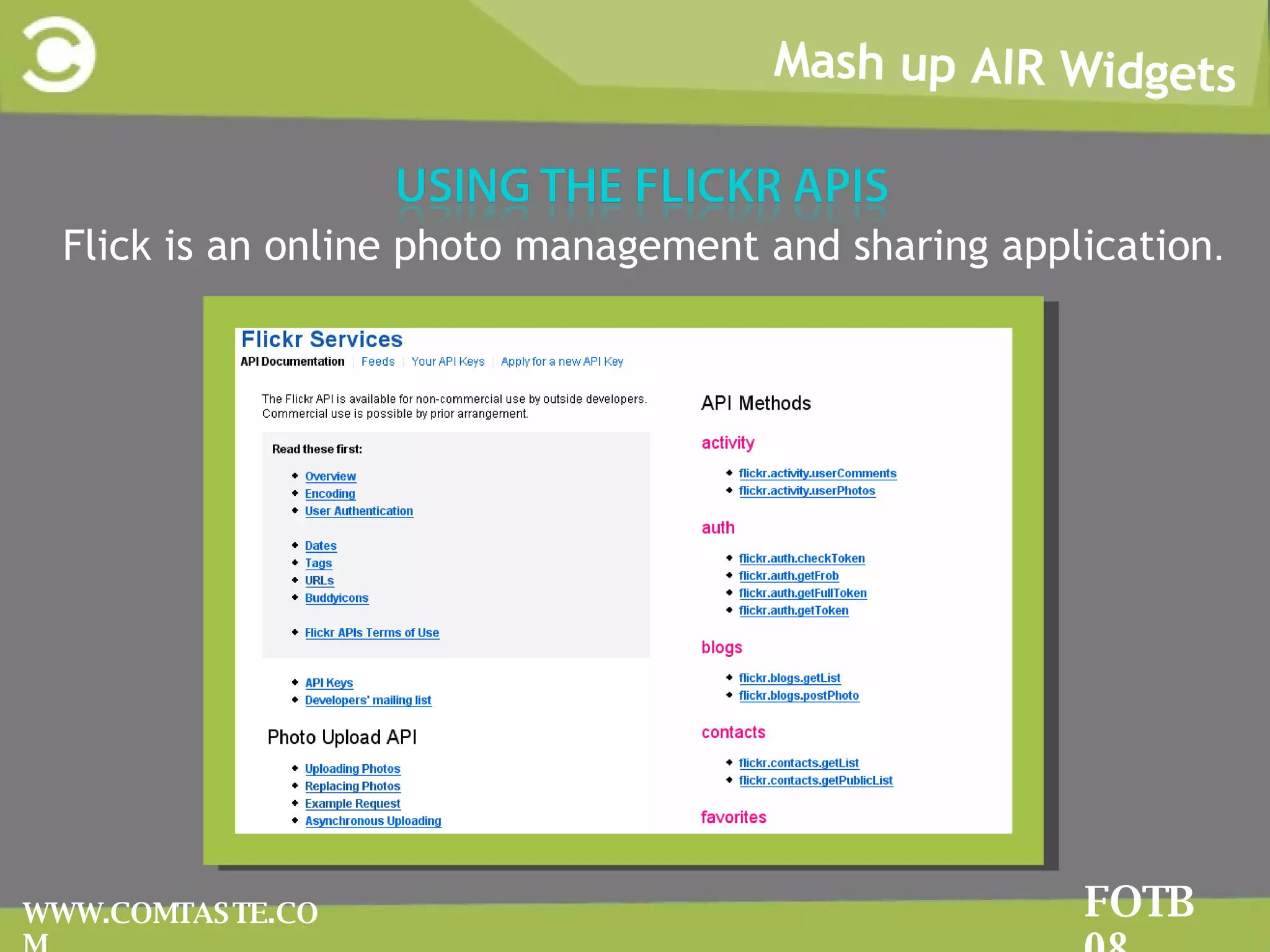
Flick is an online photo management and sharing application .  Mash up AIR Widgets FOTB 08 WWW.COMTASTE.COM
Mash up AIR Widgets FOTB 08 WWW.COMTASTE.COM Getting the  flickr.photos.search  method http://flickr.com/services/api/flickr.photos.search.html Return a list of photos matching some criteria.  2
Mash up AIR Widgets FOTB 08 WWW.COMTASTE.COM 3 Flickr APIs are designed to allow you to send request and get response. Flickr uses the following URL schema for photos : www.flickr.com/photos/tags/{tag_name} The easiest Flickr’s request: http://api.flickr.com/services/rest/?method=flickr.photos.search&api_key={yourkey}&tags=seychelles&per_page=5
Mash up AIR Widgets FOTB 08 WWW.COMTASTE.COM The response XML contains the following information: <rsp>  root element  <photo>  tag that contains all the response photos <photos>  contains the attributes about the photo  (number of public photo, number of photos returned, total number of pages..)
Mash up AIR Widgets FOTB 08 WWW.COMTASTE.COM The Flickr API Explorer lets you fill in parameters and invoke any method of the APIs http://www.flickr.com/services/api/explore/?method=flickr.photos.search It’s the best tool to learn how to use the APIs
Mash up AIR Widgets FOTB 08 WWW.COMTASTE.COM It returns information about the Flickr APIs, describing: Whether the method needs to be signed and authorized The permission level The list of arguments for the method The list of errors raised from the calling the method http://www.flickr.com/services/api/flickr.reflection.getMethodInfo.html
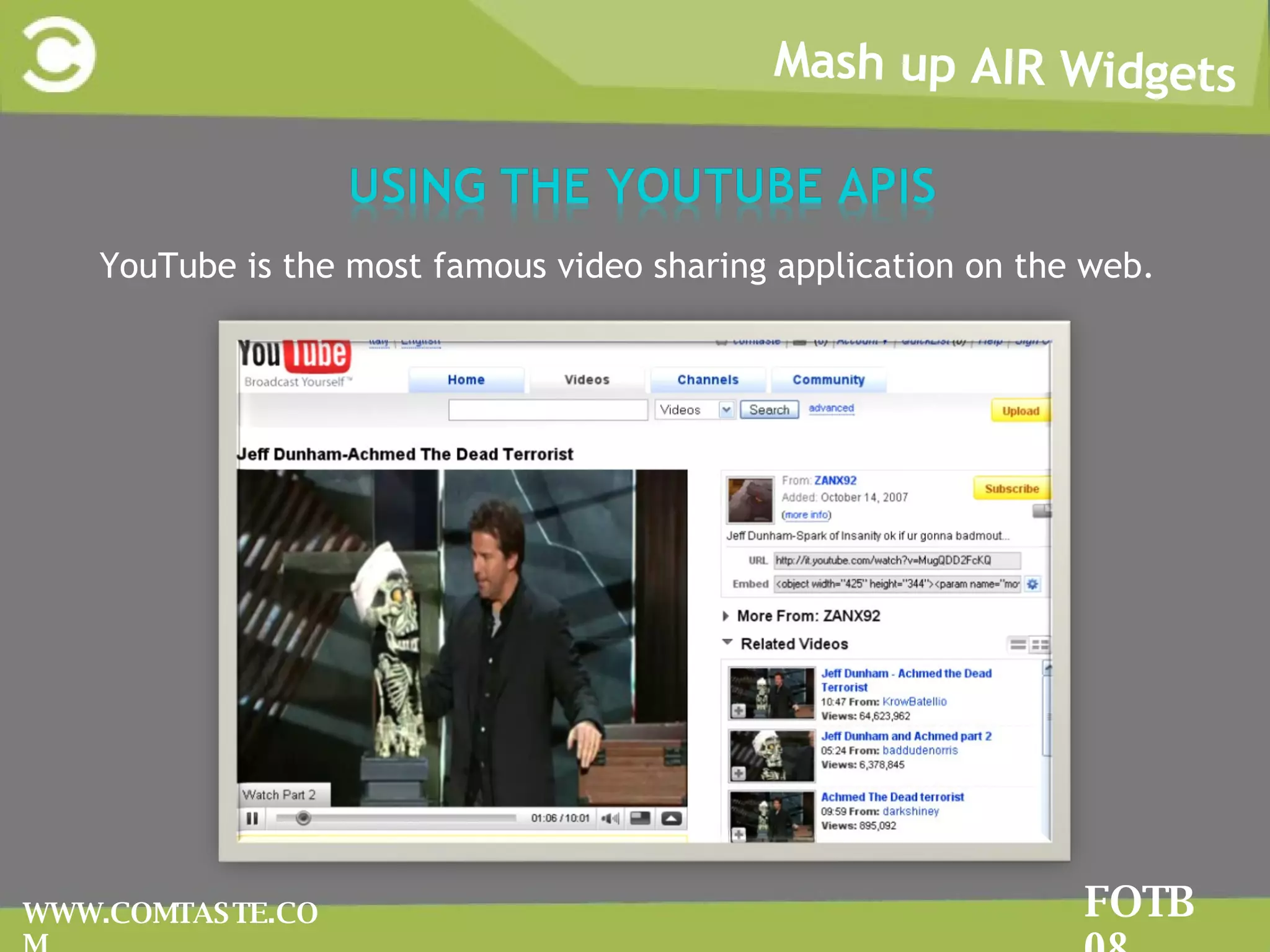
Mash up AIR Widgets FOTB 08 WWW.COMTASTE.COM YouTube is the most famous video sharing application on the web.
Mash up AIR Widgets FOTB 08 WWW.COMTASTE.COM The YouTube APIs ( http://it.youtube.com/dev )let you bring the YouTube experience to your webpage, application, or device.  The  Data API  lets you perform most of the operations a normal YouTube user can on the YouTube website.  The  Player APIs  let you control the YouTube player using JavaScript or ActionScript.  Widgets , and a custom player that you can embed on your webpage, even if you are not a web programmer.
Mash up AIR Widgets FOTB 08 WWW.COMTASTE.COM YouTube provides 2 different video player to display its videos: standard player, with the UI elements to control the video chromeless player, a plain player with no video controls Using the HTMLLoader class provided by AIR you will be able to load the chromeless player
Mash up AIR Widgets FOTB 08 WWW.COMTASTE.COM You can use the  as3youtubelib  that handles with the YouTube APIs: http://code.google.com/p/as3youtubelib/ It returns ActionScript objects you can use into your mash up application.
Mash up AIR Widgets FOTB 08 WWW.COMTASTE.COM TTwitterScript  ( http://code.google.com/p/twitterscript/ ) iImplements all the features provided by the Twitter APIs except for the authentication. WWith the exception of the public timeline, all Twitter API methods require authentication.
Mash up AIR Widgets FOTB 08 WWW.COMTASTE.COM Service monitor framework  allows you to control the status of network connectivity and monitor its changes   You need to import the framework to use it: In AJAX : <script type=&quot;application/x-shockwave-flash&quot; src=&quot;frameworks/servicemonitor.swf&quot;></script> In Flash CS3 you must import the ServiceMonitorShim component into the Library Flex Builder 3 automatically imports the Service Monitor Framework 2
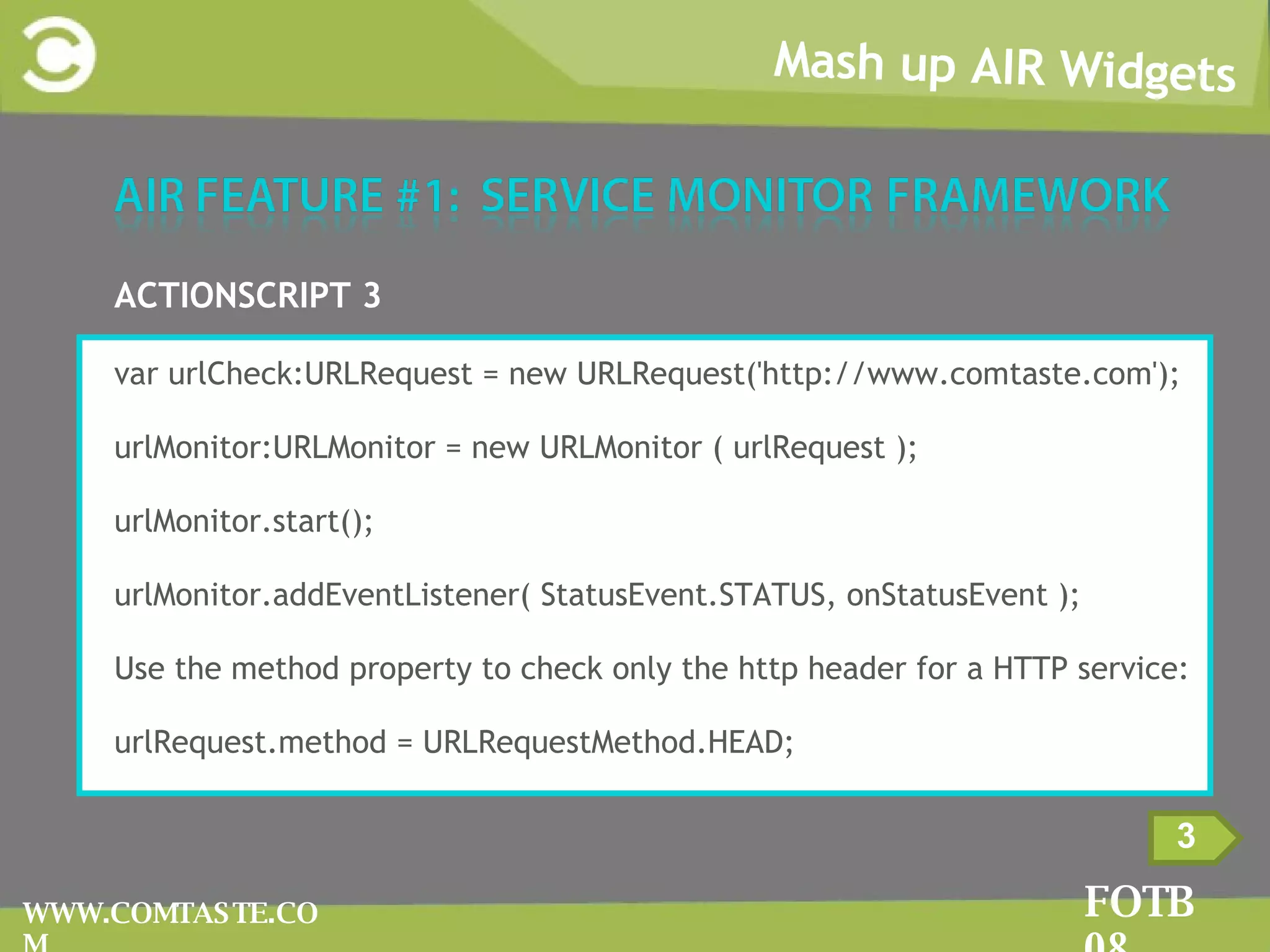
Mash up AIR Widgets FOTB 08 WWW.COMTASTE.COM 3 ACTIONSCRIPT 3 var urlCheck:URLRequest = new URLRequest('http://www.comtaste.com'); urlMonitor:URLMonitor = new URLMonitor ( urlRequest ); urlMonitor.start(); urlMonitor.addEventListener( StatusEvent.STATUS, onStatusEvent ); Use the method property to check only the http header for a HTTP service: urlRequest .method = URLRequestMethod.HEAD;
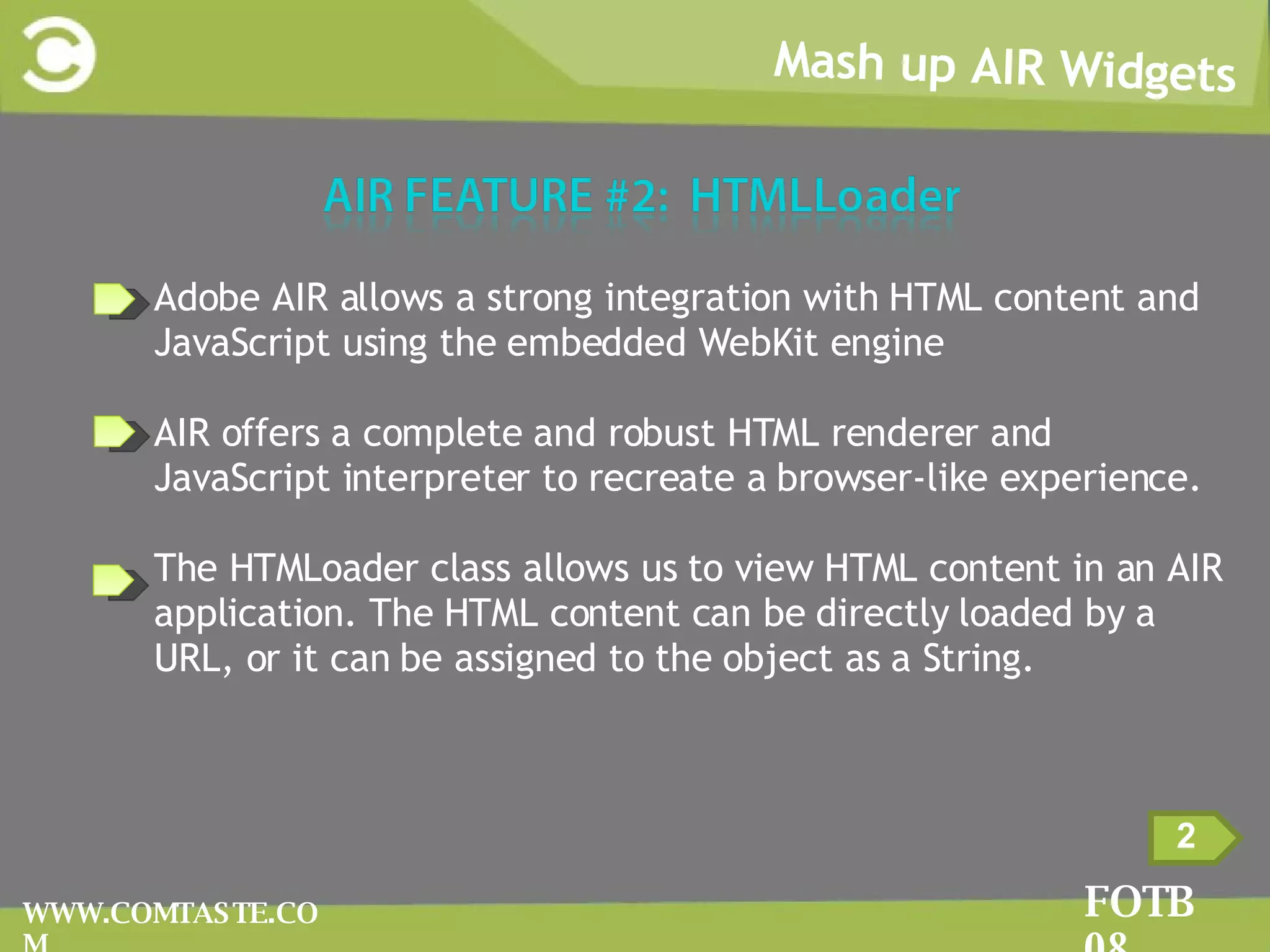
Mash up AIR Widgets FOTB 08 WWW.COMTASTE.COM 2 Adobe AIR allows a strong integration with HTML content and JavaScript using the embedded WebKit engine AIR offers a complete and robust HTML renderer and JavaScript interpreter to recreate a browser-like experience. The HTMLoader class allows us to view HTML content in an AIR application. The HTML content can be directly loaded by a URL, or it can be assigned to the object as a String.
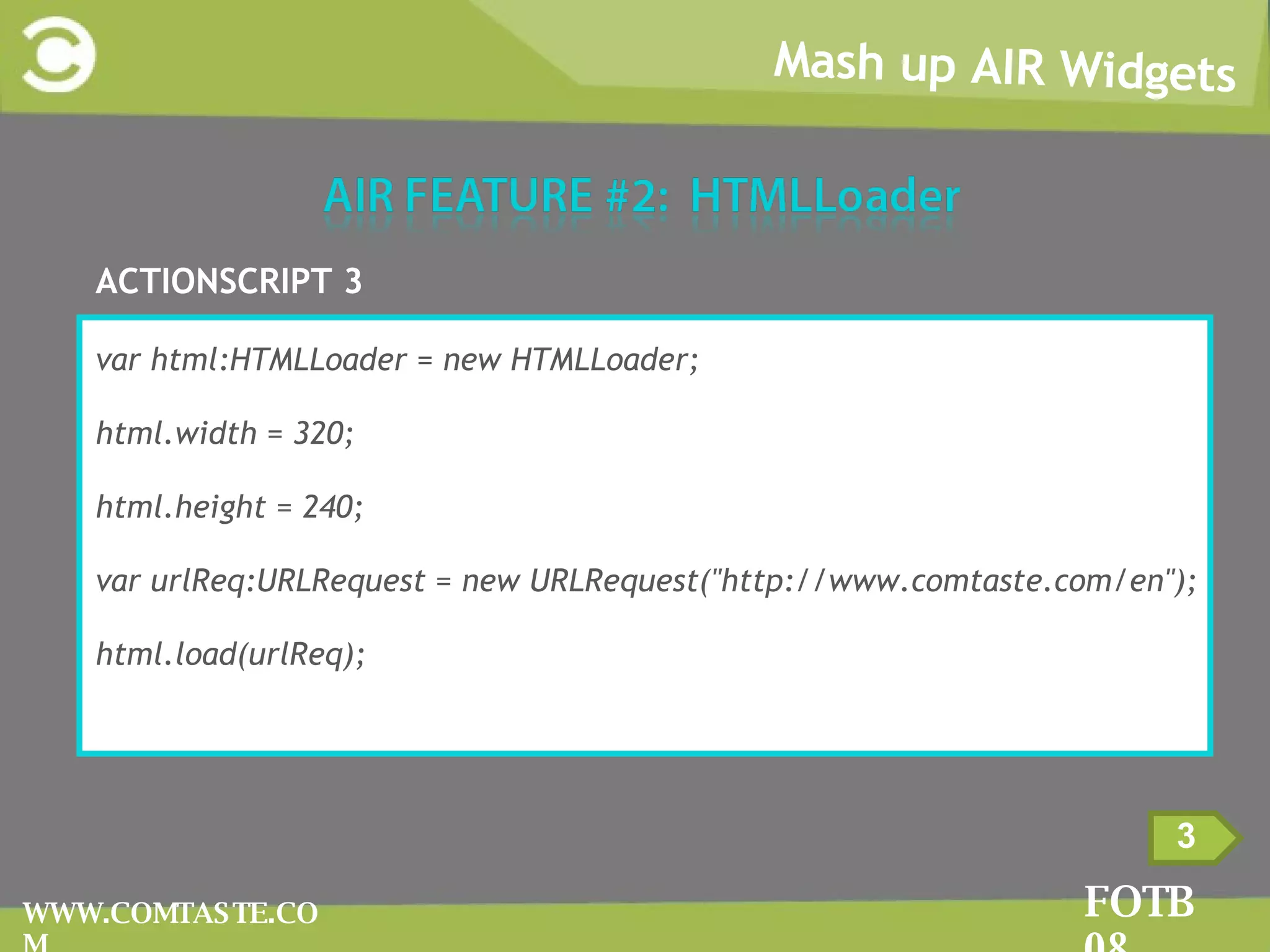
Mash up AIR Widgets FOTB 08 WWW.COMTASTE.COM 3 ACTIONSCRIPT 3 var html:HTMLLoader = new HTMLLoader; html.width = 320; html.height = 240; var urlReq:URLRequest = new URLRequest(&quot;http://www.comtaste.com/en&quot;); html.load(urlReq);
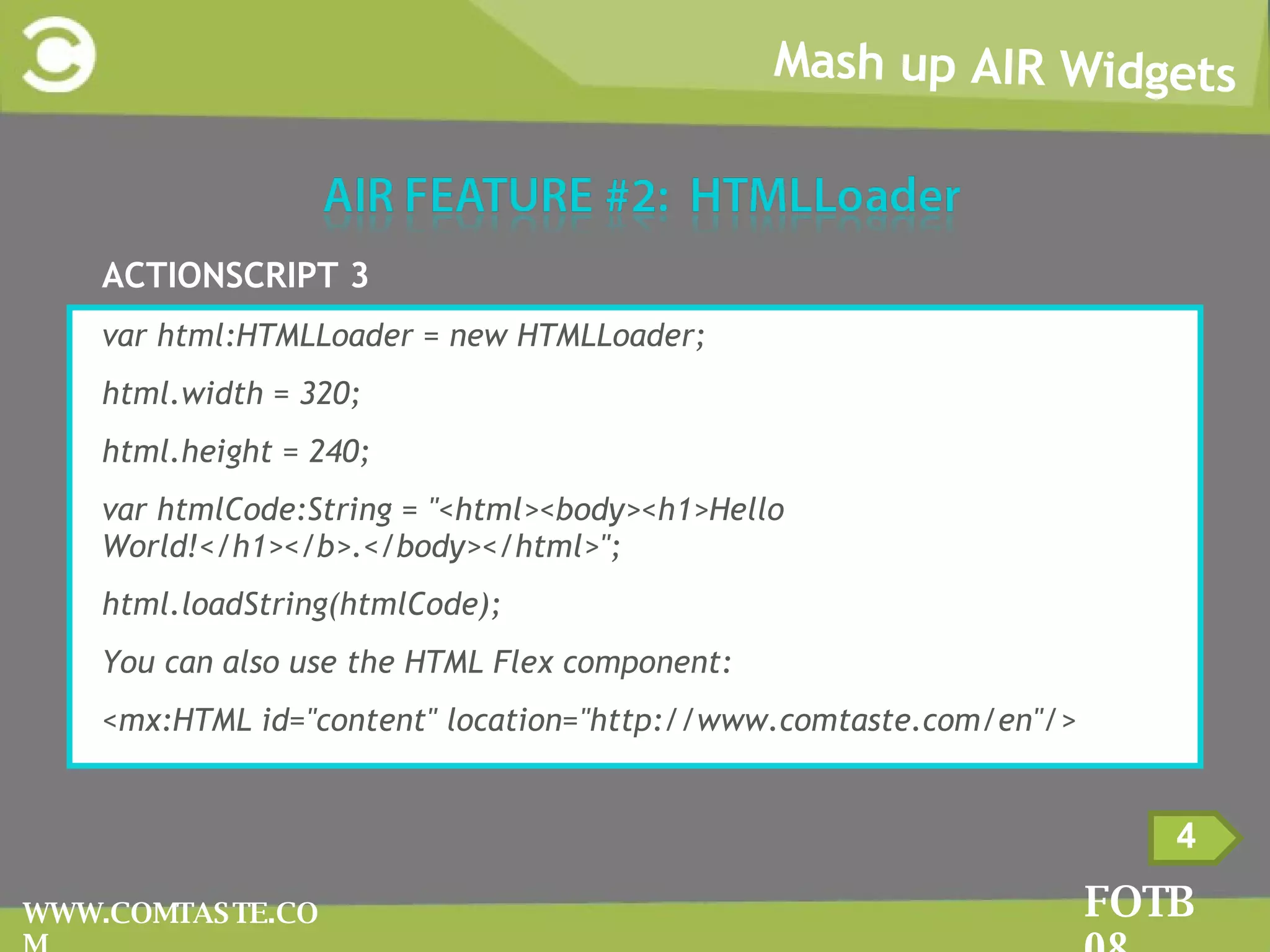
Mash up AIR Widgets FOTB 08 WWW.COMTASTE.COM 4 ACTIONSCRIPT 3 var html:HTMLLoader = new HTMLLoader; html.width = 320; html.height = 240; var htmlCode:String = &quot;<html><body><h1>Hello World!</h1></b>.</body></html>&quot;; html.loadString(htmlCode); You can also use the HTML Flex component: <mx:HTML id=&quot;content&quot; location=&quot;http://www.comtaste.com/en&quot;/>
Mash up AIR Widgets FOTB 08 WWW.COMTASTE.COM 2 AIR can detect when a user is actively using a computer. The interval of time of inactivity is specified with  NativeApplication.idleThreshold  property (default value is 5 min) NativeApplication singleton dispateches two events:  userIdle : dispatched if no activity is detected in the interval determined by idleThreshold property  userPresent : dispatched When the next keyboard or mouse input occurs
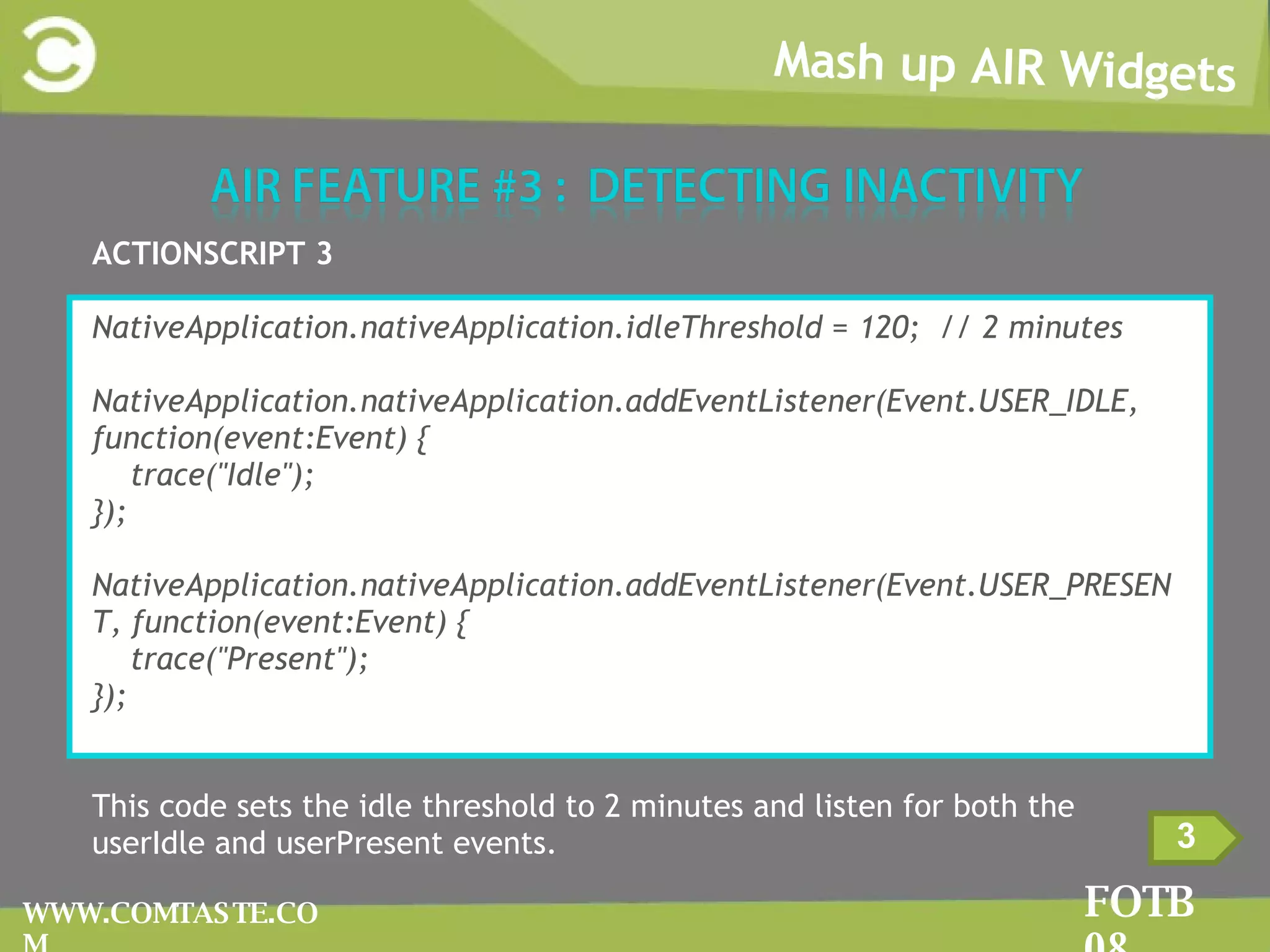
Mash up AIR Widgets FOTB 08 WWW.COMTASTE.COM 3 ACTIONSCRIPT 3 NativeApplication.nativeApplication.idleThreshold = 120;  // 2 minutes NativeApplication.nativeApplication.addEventListener(Event.USER_IDLE, function(event:Event) { trace(&quot;Idle&quot;); }); NativeApplication.nativeApplication.addEventListener(Event.USER_PRESENT, function(event:Event) { trace(&quot;Present&quot;); }); This code sets the idle threshold to 2 minutes and listen for both the userIdle and userPresent events.
Mash up AIR Widgets FOTB 08 WWW.COMTASTE.COM 2
Mash up AIR Widgets FOTB 08 WWW.COMTASTE.COM 3 1  Window menus WWindow menus are associated to a specific window of the application and are placed straight under the title bar.  TThis type of menu is only available on Microsoft Windows systems.
Mash up AIR Widgets FOTB 08 WWW.COMTASTE.COM 4 2  Application menus AApplication menus are associated to the entire Adobe AIR application. They aren’t displayed in a single window, but are placed at the top of the desktop.  TThis type of menu is only available for Mac OS X systems.
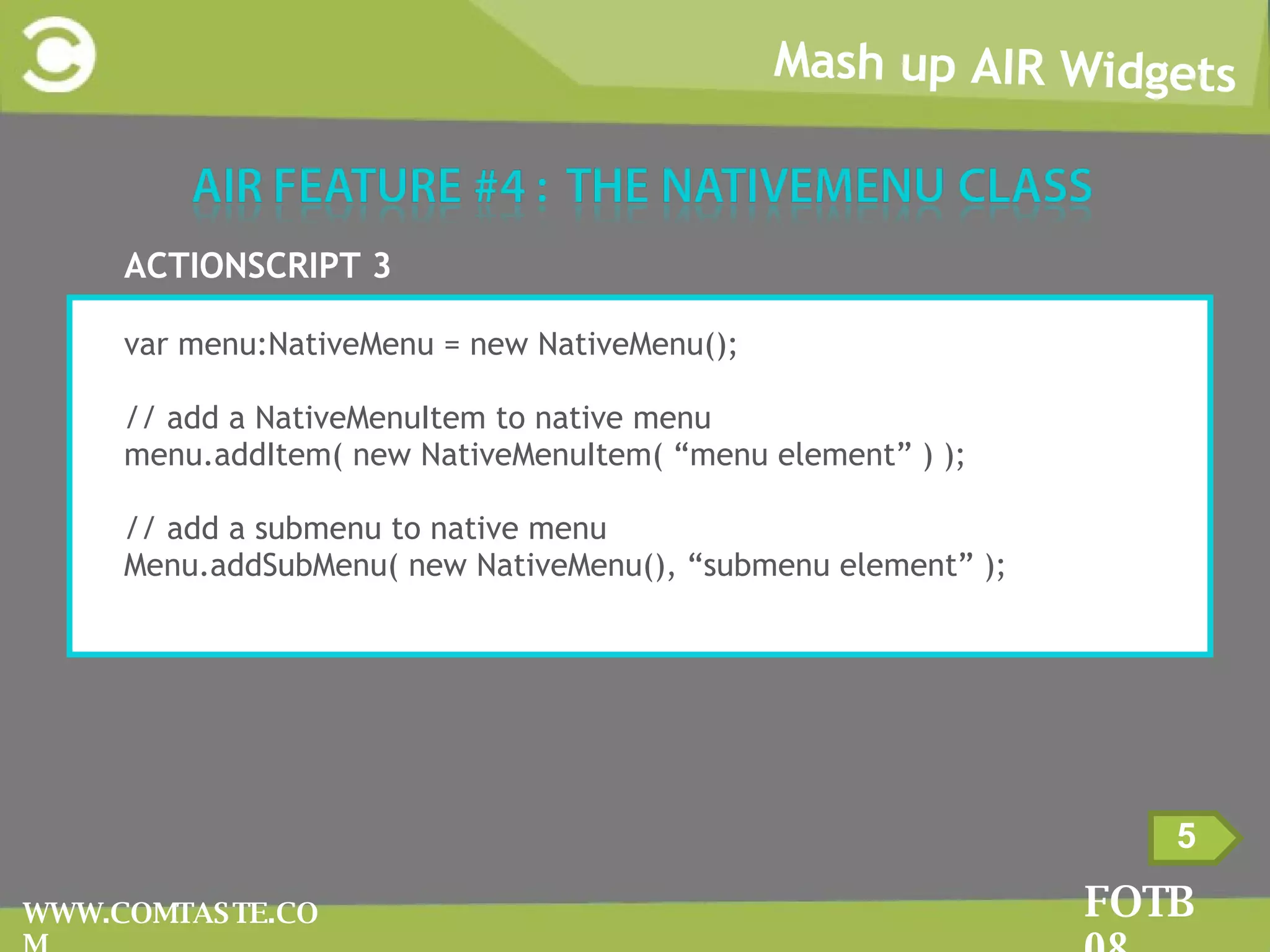
Mash up AIR Widgets FOTB 08 WWW.COMTASTE.COM 5 ACTIONSCRIPT 3 var menu:NativeMenu = new NativeMenu(); // add a NativeMenuItem to native menu menu.addItem( new NativeMenuItem( “menu element” ) ); // add a submenu to native menu Menu.addSubMenu( new NativeMenu(), “submenu element” );
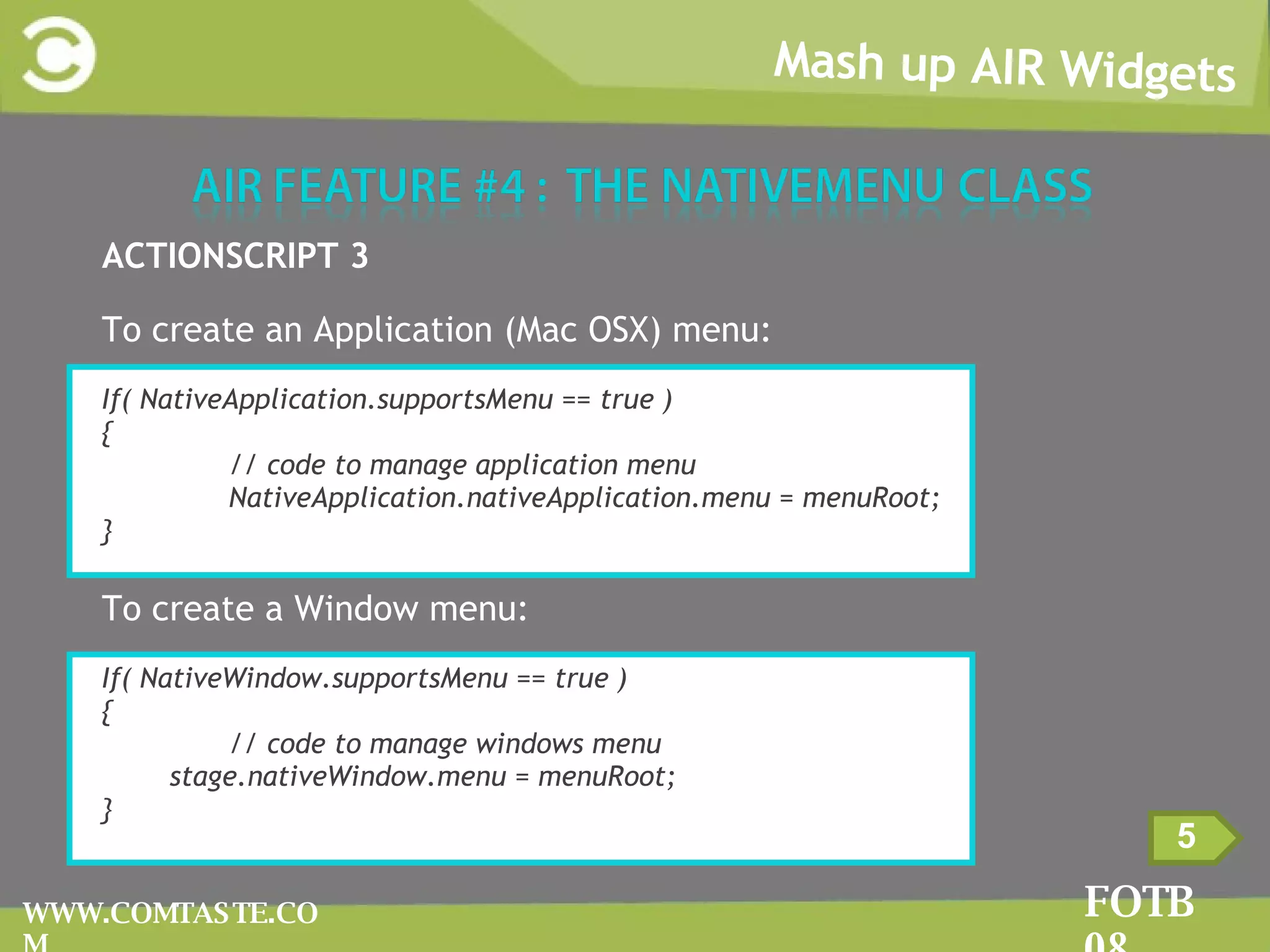
Mash up AIR Widgets FOTB 08 WWW.COMTASTE.COM 5 ACTIONSCRIPT 3 To create an Application (Mac OSX) menu: If( NativeApplication.supportsMenu == true ) { // code to manage application menu NativeApplication.nativeApplication.menu = menuRoot; } To create a Window menu: If( NativeWindow.supportsMenu == true ) { // code to manage windows menu stage.nativeWindow.menu = menuRoot; }
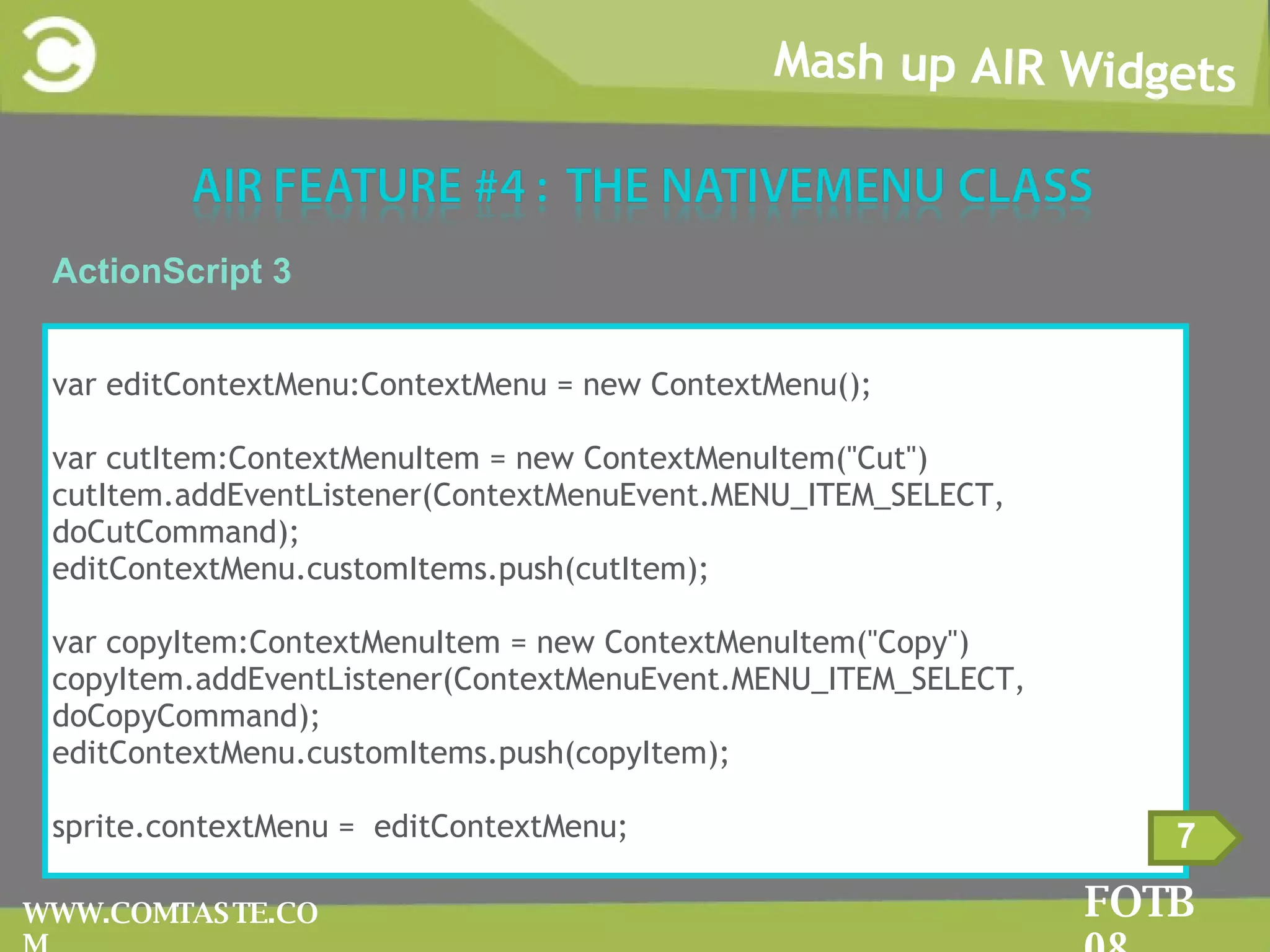
Mash up AIR Widgets FOTB 08 WWW.COMTASTE.COM Context menus A context menu is a menu that appears when you right-click on Microsoft Windows systems.  They appear on Mac OS X systems when you carry out the control-click combination.  You can create context menus by using both the NativeMenu class provided by Adobe Air and the ContextMenu provided by Flash Player. 6
Mash up AIR Widgets FOTB 08 WWW.COMTASTE.COM 7 ActionScript 3 var editContextMenu:ContextMenu = new ContextMenu(); var cutItem:ContextMenuItem = new ContextMenuItem(&quot;Cut&quot;) cutItem.addEventListener(ContextMenuEvent.MENU_ITEM_SELECT, doCutCommand); editContextMenu.customItems.push(cutItem); var copyItem:ContextMenuItem = new ContextMenuItem(&quot;Copy&quot;) copyItem.addEventListener(ContextMenuEvent.MENU_ITEM_SELECT, doCopyCommand);  editContextMenu.customItems.push(copyItem); sprite.contextMenu =  editContextMenu;
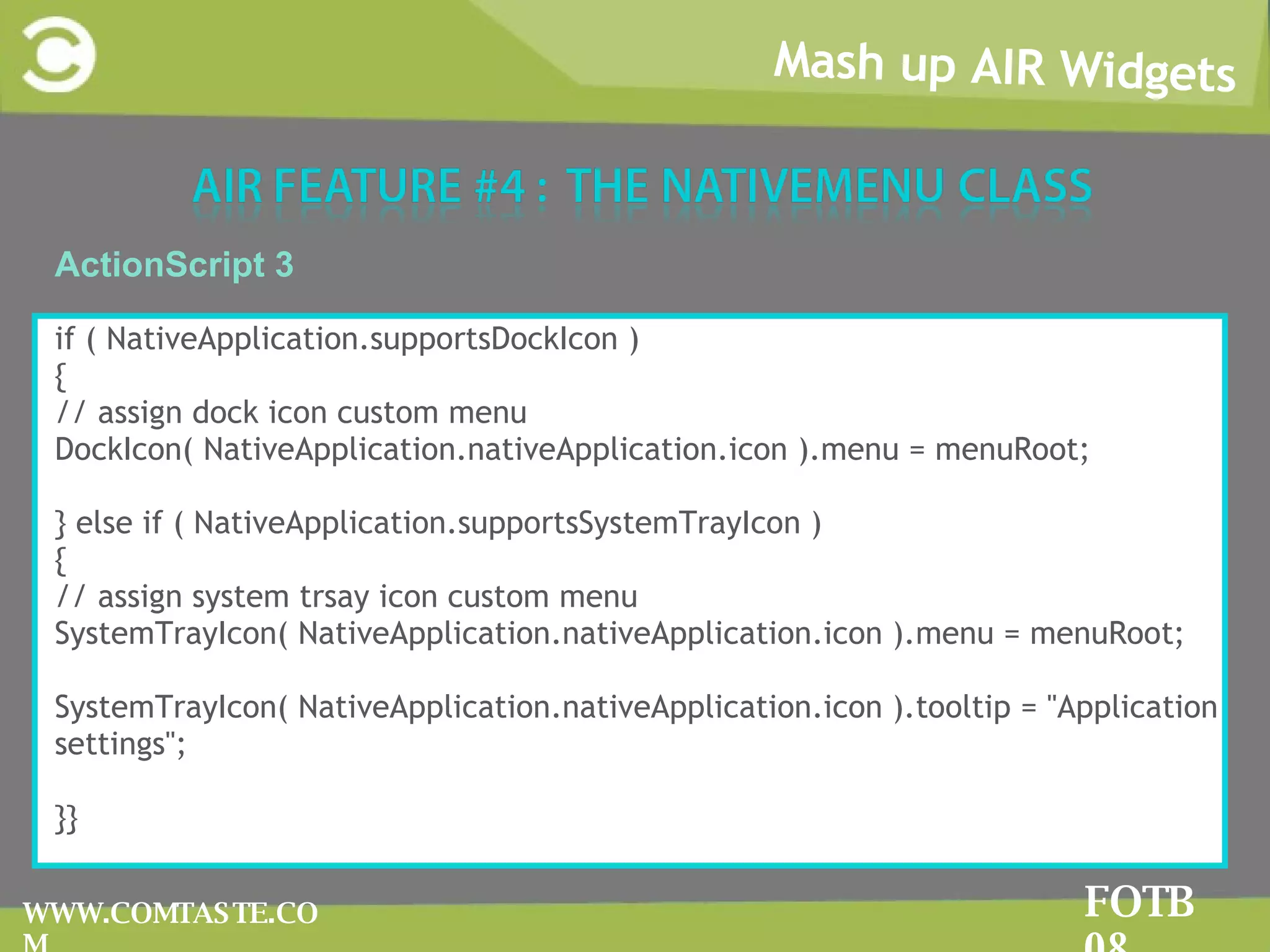
Mash up AIR Widgets FOTB 08 WWW.COMTASTE.COM System tray and dock icon menus These menus are associated to the icons in the system tray or in the dock bar according to the operative system.  They are displayed when the user right clicks on the icon.
Mash up AIR Widgets FOTB 08 WWW.COMTASTE.COM ActionScript 3 if ( NativeApplication.supportsDockIcon ) { // assign dock icon custom menu DockIcon( NativeApplication.nativeApplication.icon ).menu = menuRoot; } else if ( NativeApplication.supportsSystemTrayIcon ) { // assign system trsay icon custom menu SystemTrayIcon( NativeApplication.nativeApplication.icon ).menu = menuRoot; SystemTrayIcon( NativeApplication.nativeApplication.icon ).tooltip = &quot;Application settings&quot;; }}
Mash up AIR Widgets FOTB 08 WWW.COMTASTE.COM
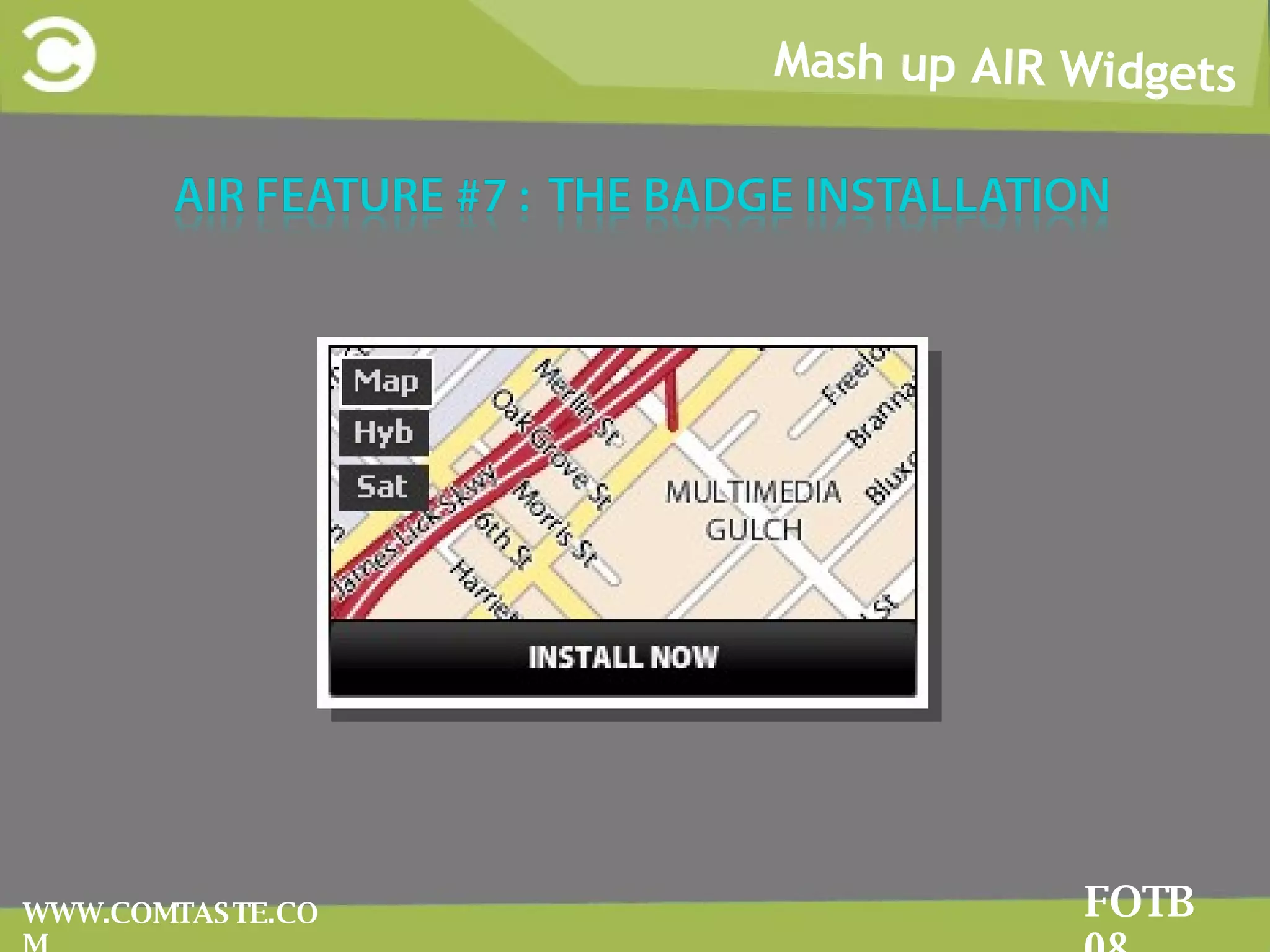
Mash up AIR Widgets FOTB 08 WWW.COMTASTE.COM The standard Badge Installation provides the following features: Check whether users have the AIR runtime installed (otherwise the OS won’t recognize the file type) Don’t ask the user to save and launch the AIR file You need to add the MIME type to your web server to ensure that it’s able to recognize the Adobe AIR file type
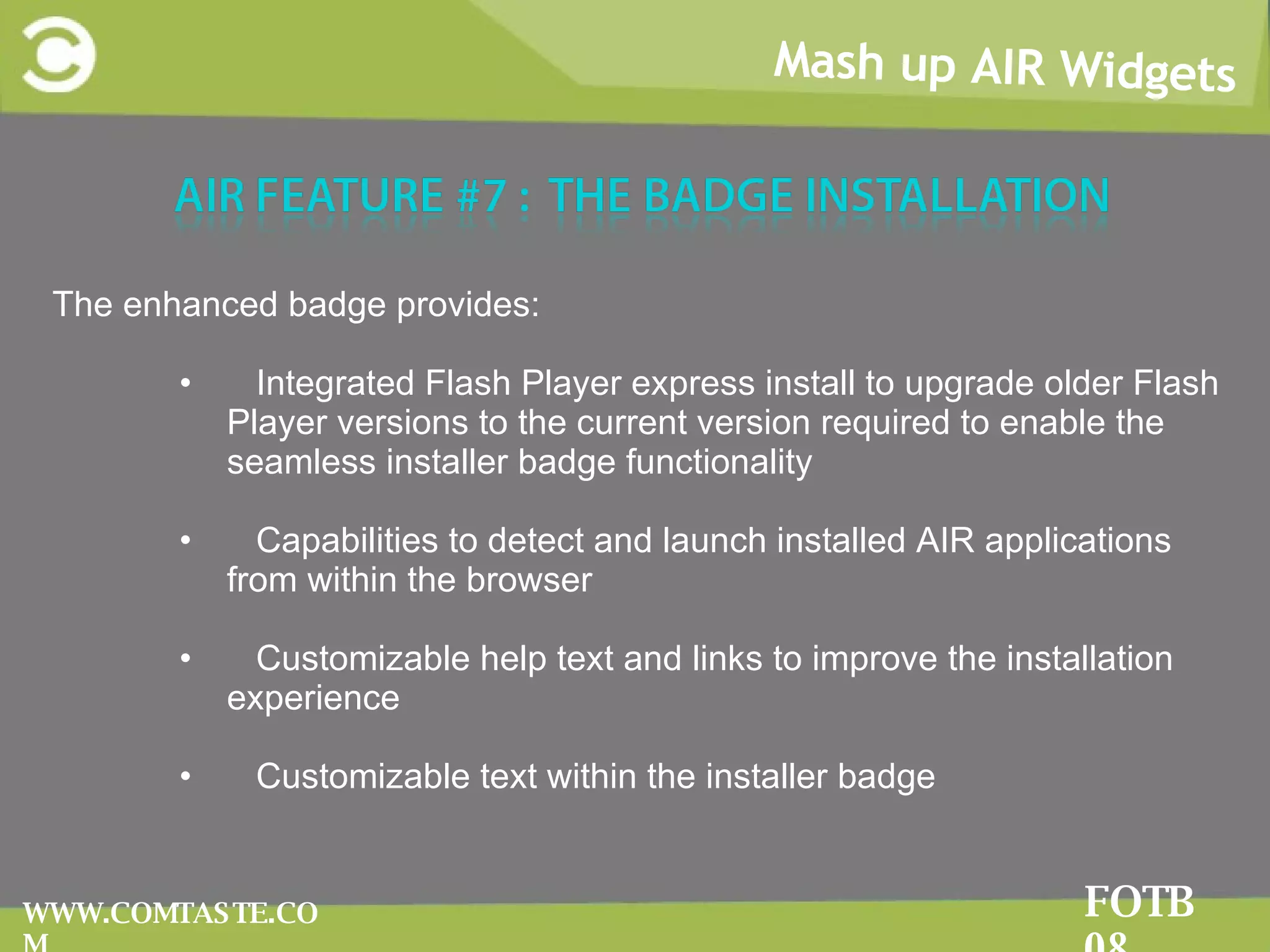
Mash up AIR Widgets FOTB 08 WWW.COMTASTE.COM The enhanced badge provides: Integrated Flash Player express install to upgrade older Flash Player versions to the current version required to enable the seamless installer badge functionality Capabilities to detect and launch installed AIR applications from within the browser Customizable help text and links to improve the installation experience Customizable text within the installer badge
Marco Casario CTO – Comtaste http://casario.blogs.com

Developing Mash up applications with Adobe AIR

  • 1.
    MARCO CASARIO CTO– Comtaste http://casario.blogs.com
  • 2.
    My books FOTB08 WWW.COMTASTE.COM
  • 3.
    My books FOTB08 WWW.COMTASTE.COM
  • 4.
    My Books FOTB08 WWW.COMTASTE.COM Advanced AIR Application Development Essential Guide to AIR 1.5 with Flash CS4
  • 5.
    Who i amFOTB 08 WWW.COMTASTE.COM
  • 6.
    Agenda FOTB 08WWW.COMTASTE.COM WWe’ll talk about Mash up teminologies and data formats 1 2 II’ll show AIR examples on: Using some of the AS 3 OS libraries Creating mash up widgets with AIR Architecturing a mash up app Working with AIR APIs Saving Flicr photos locally Playing YouTube videos Storing Twitter timeline messages locally
  • 7.
    The RIA andWeb 2.0 Movement Mash up AIR Widgets FOTB 08 WWW.COMTASTE.COM The RIA and Web 2.0 has changed the shape of the Web: Internet as a platform Increasing of XML data sources Growth of user-generated content Collaboration, Partecipation Birth and growth of technologies such as AJAX, Flex, RoR
  • 8.
    Mash up AIRWidgets FOTB 08 WWW.COMTASTE.COM Mash ups
  • 9.
    Mash up AIRWidgets FOTB 08 WWW.COMTASTE.COM In web development , a mashup is a web application that combines data from more than one source into a single integrated tool Mash up AIR Widgets
  • 10.
    Mash up AIRWidgets FOTB 08 WWW.COMTASTE.COM Why Mash up AIR Widgets It’s one of our deepest desire: to aggregate, manipulate any content type
  • 11.
    FOTB 08 Mashup AIR Widgets FOTB 08 WWW.COMTASTE.COM The architecture of mashup web applications is always composed of three parts: The content provider The mashup site The client web browser
  • 12.
    Mash up AIRWidgets FOTB 08 WWW.COMTASTE.COM A useful resource to find web mashups and APIs is ProgrammableWeb www.programmableweb.com
  • 13.
    FOTB 08 Mashup AIR Widgets FOTB 08 WWW.COMTASTE.COM YYou create a mash up using public APIs provided by the web application TThe APIs are a set of function that one computer makes available to other programs so they can talk to it directly YYou have to define how you will import data into the application and what protocols and formats are supported.
  • 14.
    Mash up AIRWidgets FOTB 08 WWW.COMTASTE.COM Don’t forget to read the Terms of Use for the APIs Commercial vs. Non-commercial Payment for use Rate limits Content ownership Caching Privacy Policy
  • 15.
    Mash up AIRWidgets FOTB 08 WWW.COMTASTE.COM WWeb site’s URLs have their language. SSome URLs uses a highly expressive language making possible for other users to make mashups easier. AAddressability means that every interesting aspect of your service is immediately accessible from the outside. RRestful Web Services by Richardson and Ruby
  • 16.
    Mash up AIRWidgets FOTB 08 WWW.COMTASTE.COM Tags are the easiest and popular system to organize data Folksonomy known as collaborative tagging, and social tagging del.icio.us: social bookmarking service http://del.icio.us./popular/flex flickr.com: social photo sharing app http://www.flickr.com/photos/tags/seychelles/
  • 17.
    Mash up AIRWidgets FOTB 08 WWW.COMTASTE.COM FFeeds are documents used for providing users with frequently updated content. RRSS and ATOM are feed data formats to structure TThey are important because we use feeds to aggregate and consume external content. NNo need of XML-based APIs
  • 18.
    Mash up AIRWidgets FOTB 08 WWW.COMTASTE.COM RREST (Representational state transfer ) strictly refers to a collection of network architecture principles which outline how resources are defined and addressed.
  • 19.
    Mash up AIRWidgets FOTB 08 WWW.COMTASTE.COM
  • 20.
    Mash up AIRWidgets FOTB 08 WWW.COMTASTE.COM The text expressed as JSON: {&quot;menu&quot;: { &quot;id&quot;: &quot;file&quot;, &quot;value&quot;: &quot;File&quot;, &quot;popup&quot;: { &quot;menuitem&quot;: [ {&quot;value&quot;: &quot;New&quot;, &quot;onclick&quot;: &quot;CreateNewDoc()&quot;}, {&quot;value&quot;: &quot;Open&quot;, &quot;onclick&quot;: &quot;OpenDoc()&quot;}, {&quot;value&quot;: &quot;Close&quot;, &quot;onclick&quot;: &quot;CloseDoc()&quot;} ] } }} The text expressed as XML: <menu id=&quot;file&quot; value=&quot;File&quot;> <popup> <menuitem value=&quot;New&quot; onclick=&quot;CreateNewDoc()&quot; /> <menuitem value=&quot;Open&quot; onclick=&quot;OpenDoc()&quot; /> <menuitem value=&quot;Close&quot; onclick=&quot;CloseDoc()&quot; /> </popup> </menu>
  • 21.
    Mash up AIRWidgets FOTB 08 WWW.COMTASTE.COM With Adobe AIR , the creation of mash-up applications and widgets offers even greater possibilities. AIR actually makes it possible to go beyond all the sandbox security of the browser and to add advanced features to the applicaiton to interact with the file system or local storage with SQLite
  • 22.
    Mash up AIRWidgets FOTB 08 WWW.COMTASTE.COM In a context where several different data sources are mixed together into a main shell, is very important to structure a rigid and solid application. A centralized data repository is needed to access data buried within different components easier To accomplish these goals a Design Pattern Analisys is required
  • 23.
    Mash up AIRWidgets FOTB 08 WWW.COMTASTE.COM Design patterns are a general reusable solutions to a commonly occurring problem in software design. DP can speed up the development process by providing tested, proven development paradigms. DP improves code readability for and between developers
  • 24.
    Mash up AIRWidgets FOTB 08 WWW.COMTASTE.COM A view helper contains formatting code, delegating its processing responsibilities to its helper classes, implemented as Actionscript classes. Helpers also store the view's intermediate data model and serve as business data adapters. A View Helper consists in an ActionScript class that encapsulates business logic in a helper instead of a view, making our application more modular by facilitating component re-use.
  • 25.
    Mash up AIRWidgets FOTB 08 WWW.COMTASTE.COM The Model Locator pattern defines a component that is responsible for centralizing data in an application. When the data is updated in ModelLocator , all view components binded to the model, update themselves to render the new data. A Model Locator is an ActionScript class that uses the Singleton pattern. This pattern has a method that creates a new instance of the class if one does not exist. If an instance already exists, it simply returns a reference to that object.
  • 26.
    Mash up AIRWidgets FOTB 08 WWW.COMTASTE.COM Don’t make things twice. Learn and contribute to the open source world as3corelib as3syndicationlib flexlib PanTaste
  • 27.
    The as3corelib http://code.google.com/p/as3corelib/ contains a number of classes and utilities for working with ActionScript 3. These include classes for MD5 and SHA 1 hashing, Image encoders, and JSON serialization as well as general String, Number and Date APIs. Mash up AIR Widgets FOTB 08 WWW.COMTASTE.COM
  • 28.
    Mash up AIRWidgets FOTB 08 WWW.COMTASTE.COM The as3syndicationlib http://code.google.com/p/as3syndicationlib / library provides classes to parse RSS 1.0, RSS 2.0 and ATOM data feeds easily. It also provides a generic interface for parsing feeds when you do not know the format of the feeds.
  • 29.
    Mash up AIRWidgets FOTB 08 WWW.COMTASTE.COM The FlexLib project is a community effort to create open source user interface components for Adobe Flex 2 and 3. http://code.google.com/p/flexlib/
  • 30.
    Mash up AIRWidgets FOTB 08 WWW.COMTASTE.COM It’s a work in progress library that provides code for creating multi-window applications e Flex-based personalized start page (such as NetVibes, YourMinis …) The library developed by Comtaste will be released as open source as soon as the code will be better organized.
  • 31.
    Mash up AIRWidgets FOTB 08 WWW.COMTASTE.COM Don’t make things twice. Learn and contribute to the open source world as3youtubelib TwitterScript as3flickrlib
  • 32.
    Mash up AIRWidgets FOTB 08 WWW.COMTASTE.COM
  • 33.
    Flick is anonline photo management and sharing application . Mash up AIR Widgets FOTB 08 WWW.COMTASTE.COM
  • 34.
    Mash up AIRWidgets FOTB 08 WWW.COMTASTE.COM Getting the flickr.photos.search method http://flickr.com/services/api/flickr.photos.search.html Return a list of photos matching some criteria. 2
  • 35.
    Mash up AIRWidgets FOTB 08 WWW.COMTASTE.COM 3 Flickr APIs are designed to allow you to send request and get response. Flickr uses the following URL schema for photos : www.flickr.com/photos/tags/{tag_name} The easiest Flickr’s request: http://api.flickr.com/services/rest/?method=flickr.photos.search&api_key={yourkey}&tags=seychelles&per_page=5
  • 36.
    Mash up AIRWidgets FOTB 08 WWW.COMTASTE.COM The response XML contains the following information: <rsp> root element <photo> tag that contains all the response photos <photos> contains the attributes about the photo (number of public photo, number of photos returned, total number of pages..)
  • 37.
    Mash up AIRWidgets FOTB 08 WWW.COMTASTE.COM The Flickr API Explorer lets you fill in parameters and invoke any method of the APIs http://www.flickr.com/services/api/explore/?method=flickr.photos.search It’s the best tool to learn how to use the APIs
  • 38.
    Mash up AIRWidgets FOTB 08 WWW.COMTASTE.COM It returns information about the Flickr APIs, describing: Whether the method needs to be signed and authorized The permission level The list of arguments for the method The list of errors raised from the calling the method http://www.flickr.com/services/api/flickr.reflection.getMethodInfo.html
  • 39.
    Mash up AIRWidgets FOTB 08 WWW.COMTASTE.COM YouTube is the most famous video sharing application on the web.
  • 40.
    Mash up AIRWidgets FOTB 08 WWW.COMTASTE.COM The YouTube APIs ( http://it.youtube.com/dev )let you bring the YouTube experience to your webpage, application, or device. The Data API lets you perform most of the operations a normal YouTube user can on the YouTube website. The Player APIs let you control the YouTube player using JavaScript or ActionScript. Widgets , and a custom player that you can embed on your webpage, even if you are not a web programmer.
  • 41.
    Mash up AIRWidgets FOTB 08 WWW.COMTASTE.COM YouTube provides 2 different video player to display its videos: standard player, with the UI elements to control the video chromeless player, a plain player with no video controls Using the HTMLLoader class provided by AIR you will be able to load the chromeless player
  • 42.
    Mash up AIRWidgets FOTB 08 WWW.COMTASTE.COM You can use the as3youtubelib that handles with the YouTube APIs: http://code.google.com/p/as3youtubelib/ It returns ActionScript objects you can use into your mash up application.
  • 43.
    Mash up AIRWidgets FOTB 08 WWW.COMTASTE.COM TTwitterScript ( http://code.google.com/p/twitterscript/ ) iImplements all the features provided by the Twitter APIs except for the authentication. WWith the exception of the public timeline, all Twitter API methods require authentication.
  • 44.
    Mash up AIRWidgets FOTB 08 WWW.COMTASTE.COM Service monitor framework allows you to control the status of network connectivity and monitor its changes You need to import the framework to use it: In AJAX : <script type=&quot;application/x-shockwave-flash&quot; src=&quot;frameworks/servicemonitor.swf&quot;></script> In Flash CS3 you must import the ServiceMonitorShim component into the Library Flex Builder 3 automatically imports the Service Monitor Framework 2
  • 45.
    Mash up AIRWidgets FOTB 08 WWW.COMTASTE.COM 3 ACTIONSCRIPT 3 var urlCheck:URLRequest = new URLRequest('http://www.comtaste.com'); urlMonitor:URLMonitor = new URLMonitor ( urlRequest ); urlMonitor.start(); urlMonitor.addEventListener( StatusEvent.STATUS, onStatusEvent ); Use the method property to check only the http header for a HTTP service: urlRequest .method = URLRequestMethod.HEAD;
  • 46.
    Mash up AIRWidgets FOTB 08 WWW.COMTASTE.COM 2 Adobe AIR allows a strong integration with HTML content and JavaScript using the embedded WebKit engine AIR offers a complete and robust HTML renderer and JavaScript interpreter to recreate a browser-like experience. The HTMLoader class allows us to view HTML content in an AIR application. The HTML content can be directly loaded by a URL, or it can be assigned to the object as a String.
  • 47.
    Mash up AIRWidgets FOTB 08 WWW.COMTASTE.COM 3 ACTIONSCRIPT 3 var html:HTMLLoader = new HTMLLoader; html.width = 320; html.height = 240; var urlReq:URLRequest = new URLRequest(&quot;http://www.comtaste.com/en&quot;); html.load(urlReq);
  • 48.
    Mash up AIRWidgets FOTB 08 WWW.COMTASTE.COM 4 ACTIONSCRIPT 3 var html:HTMLLoader = new HTMLLoader; html.width = 320; html.height = 240; var htmlCode:String = &quot;<html><body><h1>Hello World!</h1></b>.</body></html>&quot;; html.loadString(htmlCode); You can also use the HTML Flex component: <mx:HTML id=&quot;content&quot; location=&quot;http://www.comtaste.com/en&quot;/>
  • 49.
    Mash up AIRWidgets FOTB 08 WWW.COMTASTE.COM 2 AIR can detect when a user is actively using a computer. The interval of time of inactivity is specified with NativeApplication.idleThreshold property (default value is 5 min) NativeApplication singleton dispateches two events: userIdle : dispatched if no activity is detected in the interval determined by idleThreshold property userPresent : dispatched When the next keyboard or mouse input occurs
  • 50.
    Mash up AIRWidgets FOTB 08 WWW.COMTASTE.COM 3 ACTIONSCRIPT 3 NativeApplication.nativeApplication.idleThreshold = 120; // 2 minutes NativeApplication.nativeApplication.addEventListener(Event.USER_IDLE, function(event:Event) { trace(&quot;Idle&quot;); }); NativeApplication.nativeApplication.addEventListener(Event.USER_PRESENT, function(event:Event) { trace(&quot;Present&quot;); }); This code sets the idle threshold to 2 minutes and listen for both the userIdle and userPresent events.
  • 51.
    Mash up AIRWidgets FOTB 08 WWW.COMTASTE.COM 2
  • 52.
    Mash up AIRWidgets FOTB 08 WWW.COMTASTE.COM 3 1 Window menus WWindow menus are associated to a specific window of the application and are placed straight under the title bar. TThis type of menu is only available on Microsoft Windows systems.
  • 53.
    Mash up AIRWidgets FOTB 08 WWW.COMTASTE.COM 4 2 Application menus AApplication menus are associated to the entire Adobe AIR application. They aren’t displayed in a single window, but are placed at the top of the desktop. TThis type of menu is only available for Mac OS X systems.
  • 54.
    Mash up AIRWidgets FOTB 08 WWW.COMTASTE.COM 5 ACTIONSCRIPT 3 var menu:NativeMenu = new NativeMenu(); // add a NativeMenuItem to native menu menu.addItem( new NativeMenuItem( “menu element” ) ); // add a submenu to native menu Menu.addSubMenu( new NativeMenu(), “submenu element” );
  • 55.
    Mash up AIRWidgets FOTB 08 WWW.COMTASTE.COM 5 ACTIONSCRIPT 3 To create an Application (Mac OSX) menu: If( NativeApplication.supportsMenu == true ) { // code to manage application menu NativeApplication.nativeApplication.menu = menuRoot; } To create a Window menu: If( NativeWindow.supportsMenu == true ) { // code to manage windows menu stage.nativeWindow.menu = menuRoot; }
  • 56.
    Mash up AIRWidgets FOTB 08 WWW.COMTASTE.COM Context menus A context menu is a menu that appears when you right-click on Microsoft Windows systems. They appear on Mac OS X systems when you carry out the control-click combination. You can create context menus by using both the NativeMenu class provided by Adobe Air and the ContextMenu provided by Flash Player. 6
  • 57.
    Mash up AIRWidgets FOTB 08 WWW.COMTASTE.COM 7 ActionScript 3 var editContextMenu:ContextMenu = new ContextMenu(); var cutItem:ContextMenuItem = new ContextMenuItem(&quot;Cut&quot;) cutItem.addEventListener(ContextMenuEvent.MENU_ITEM_SELECT, doCutCommand); editContextMenu.customItems.push(cutItem); var copyItem:ContextMenuItem = new ContextMenuItem(&quot;Copy&quot;) copyItem.addEventListener(ContextMenuEvent.MENU_ITEM_SELECT, doCopyCommand); editContextMenu.customItems.push(copyItem); sprite.contextMenu = editContextMenu;
  • 58.
    Mash up AIRWidgets FOTB 08 WWW.COMTASTE.COM System tray and dock icon menus These menus are associated to the icons in the system tray or in the dock bar according to the operative system. They are displayed when the user right clicks on the icon.
  • 59.
    Mash up AIRWidgets FOTB 08 WWW.COMTASTE.COM ActionScript 3 if ( NativeApplication.supportsDockIcon ) { // assign dock icon custom menu DockIcon( NativeApplication.nativeApplication.icon ).menu = menuRoot; } else if ( NativeApplication.supportsSystemTrayIcon ) { // assign system trsay icon custom menu SystemTrayIcon( NativeApplication.nativeApplication.icon ).menu = menuRoot; SystemTrayIcon( NativeApplication.nativeApplication.icon ).tooltip = &quot;Application settings&quot;; }}
  • 60.
    Mash up AIRWidgets FOTB 08 WWW.COMTASTE.COM
  • 61.
    Mash up AIRWidgets FOTB 08 WWW.COMTASTE.COM The standard Badge Installation provides the following features: Check whether users have the AIR runtime installed (otherwise the OS won’t recognize the file type) Don’t ask the user to save and launch the AIR file You need to add the MIME type to your web server to ensure that it’s able to recognize the Adobe AIR file type
  • 62.
    Mash up AIRWidgets FOTB 08 WWW.COMTASTE.COM The enhanced badge provides: Integrated Flash Player express install to upgrade older Flash Player versions to the current version required to enable the seamless installer badge functionality Capabilities to detect and launch installed AIR applications from within the browser Customizable help text and links to improve the installation experience Customizable text within the installer badge
  • 63.
    Marco Casario CTO– Comtaste http://casario.blogs.com
  • 64.
    Marco Casario CTO– Comtaste http://casario.blogs.com